CS2500 Automatic Control
Product Information
Product Name: ProNordic
Model Number: CS2500
Product Code: 118044
Manufacturer: Flexit AS
Contact Information: Tlf +47 69 81 00 00 | Email: [email protected]
| Website: www.flexit.no
Product Usage Instructions
Updating BSP Version
- Insert the SD card into the controller.
- Login using the password 2000.
- Load the set parameters onto the SD card.
Switching Off Power to the Unit
Before updating the BSP version, follow these steps:
- Switch off the power to the unit.
- Take a narrow object and press and hold the button down into
the hole. - Apply voltage (while the button is pressed) until the BSP LED
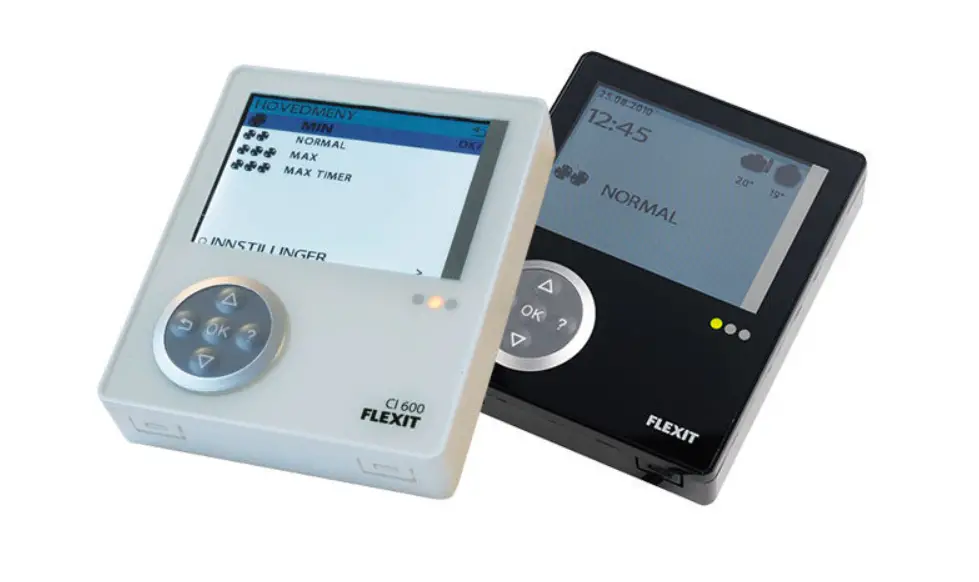
starts flashing red/green (this may take a few seconds). - Wait until the controller has restarted and the screen looks
like the pictures. - Restart the controller by turning off/on the power.
Loading Set Parameters from SD Card
To load set parameters from the SD card, follow these steps:
- Wait until the screen shows: Start page > Main menu >
System objects > Save/Load > Ready. - Restart the controller by following these steps: Start page
> Main menu > System objects > Save/Load > Restart
required! = Execute.
Now the controller is updated and the previous settings are
stored.
Please note that our products are subject to continuous
development and we reserve the right to make changes. We also
disclaim liability for any printing errors that may occur.
120912-01 2023-06
ProNordic
MONTERINGSVEILEDNING
Oppdatere BSP-versjon CS2500
MONTERINGANVISNING
Uppdatera BSP-version CS2500
INSTALLATION INSTRUCTIONS
Update BSP version CS2500
ART.NR. 118044
Lagre innstillinger
1. Sett inn SD-kortet i kontrolleren 2. Logg inn med passord 2000 3. Last inn innstilte parametere til SD-kortet
1. Sätt in SD-kortet i regulatorn 2. Logga in med lösenord 2000 3. Ladda inställda parametrar till SD-kortet
1. Insert the SD card into the controller 2. Log in with password 2000 3. Load set parameters to the SD card
Oppdater BSP
4. Koble fra strømmen til enheten 5. Ta en smal gjenstand, trykk og hold knappen ned i
hullet. Sett på spenningen (mens knappen er trykket inn) til BSP LED begynner å blinke rødt/grønt (kan ta noen sekunder). Vent til kontrolleren har startet på nytt og skjermen ser ut som nedenfor, start deretter kontrolleren på nytt ved å slå av/på strømmen.
4. Gör aggregatet spänningslöst 5. Ta ett smalt föremål tryck, och håll inne, knappen
nere i hålet. Sätt på spänningen (medans knappen är intryckt) tills BSP-dioden börjar blinka rött/grönt (kan ta några sekunder). Vänta tills regulatorn har startat om och skärmen ser ut som nedan, starta sedan om regulatorn genom att ta av/på spänningen.
4. Switch off the power to the unit 5. Take a narrow object, press and hold the button
down into the hole. Apply the voltage (while the button is pressed) until the BSP LED starts flashing red/green (may take a few seconds). Wait until the controller has restarted and the screen looks like the pictures, then restart the controller by turning off/on the power.
5
1
Plassering av SD-minnekort
2
Startside > Hovedmeny > Enter PIN
Startsida > Huvudmeny > Ange PIN
Start page > Main menu > Enter PIN
3
Startside > Hovedmeny > Systeminstilling > Lagre/tilbakest >
Lagre > Eks.minne
Startsida > Huvudmeny > Systeminställn. > Spara/Återställ > Ladda param. > Ext.m
Start page > Main menu > System objects > Save/Load > Sett.load > Ext.m
4
5
ProPanel
5
ProTouch 2
ProTouch
6. Last inn innstilte parametere fra SD-kortet.
Startside > Hovedmeny > Systeminstilling > Lagre/tilbakest > Les inn > Eks.minne = Utfør
Vent til: Startside > Hovedmeny > Systeminstilling > Lagre/tilbakest > Klar
Deretter restart kontrolleren: Startside > Hovedmeny > Systeminstilling > Lagre/tilbakest > Omstart kreves! > Utfør
OMSTART
Nå er kontrolleren oppdatert og tidligere innstillinger er lagret.
6. Load set parameters from the SD card
Start page > Main menu > System objects > Save/Load > Sett.load > Ext. m > Execute
Wait until: Start page > Main menu > System objects > Save/Load > Ready
Then restart the controller: Start page > Main menu > System objects > Save/Load > Restart required! = Execute
RESTART
Now the controller is updated, previous settings are stored.
6. Ladda inställda parametrar från SD-kortet.
Startsida > Huvudmeny > Systeminställn. > Spara/Återställ > Ladda param. > Ext.m = Utför
Vänta tills: Startsida > Huvudmeny > Systeminställn. > Spara/Återställ > Klar
Därefter starta om regulatorn: Startsida > Huvudmeny > Systeminställn. > Spara/Återställ > Omstart = Utför
OMSTART
Nu är regulatorn uppdaterad och tidigare inställningar lagrade.
Flexit AS Tlf +47 69 81 00 00 [email protected] www.flexit.no
Våre produkter er i kontinuerlig utvikling og vi forbeholder oss retten til endringer. Vi tar forbehold om eventuelle trykkfeil som måtte oppstå.
Våra produkter utvecklas ständigt och vi förbehåller oss därför rätten till att göra ändringar. Vi tar inte heller ansvar för eventuella feltryck som kan uppstå.
Our products are subject to continuous development and we therefore reserve the right to make changes. We also disclaim liability for any printing errors that may occur.