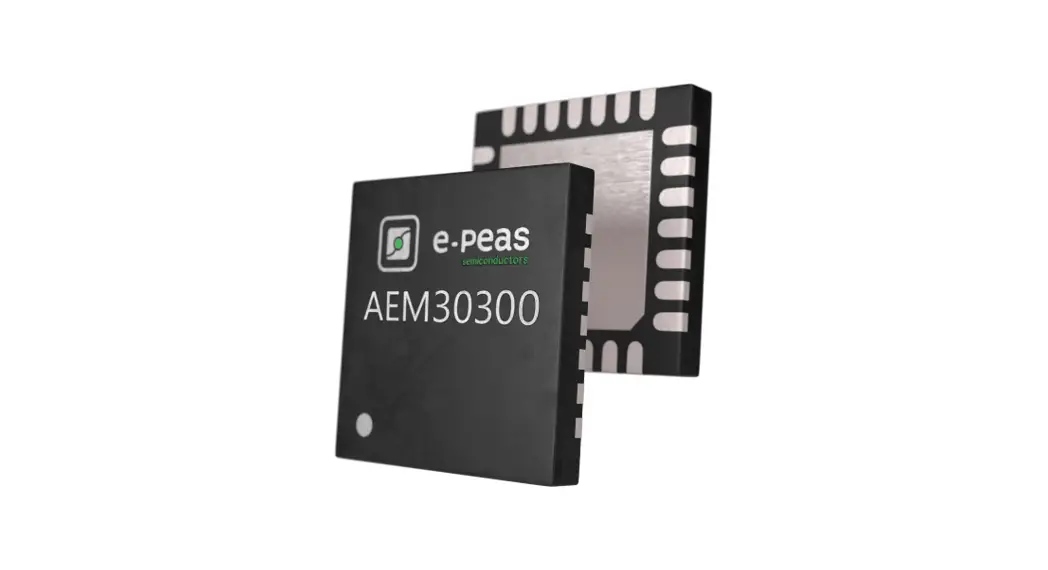

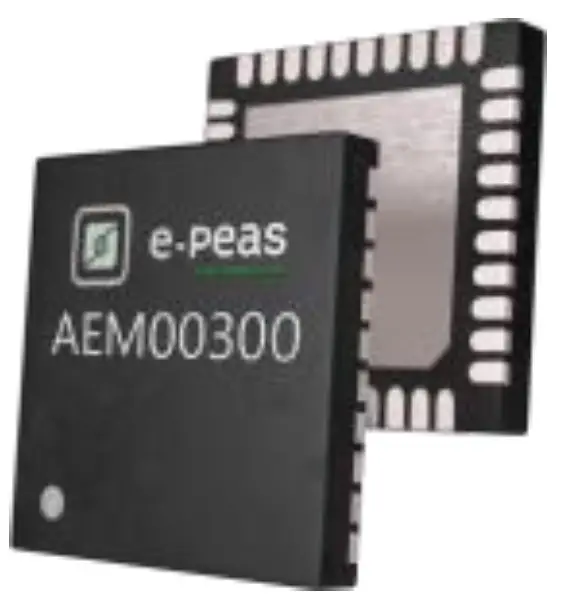
AEM00300
Quick Start Guide EVK
FEATURES
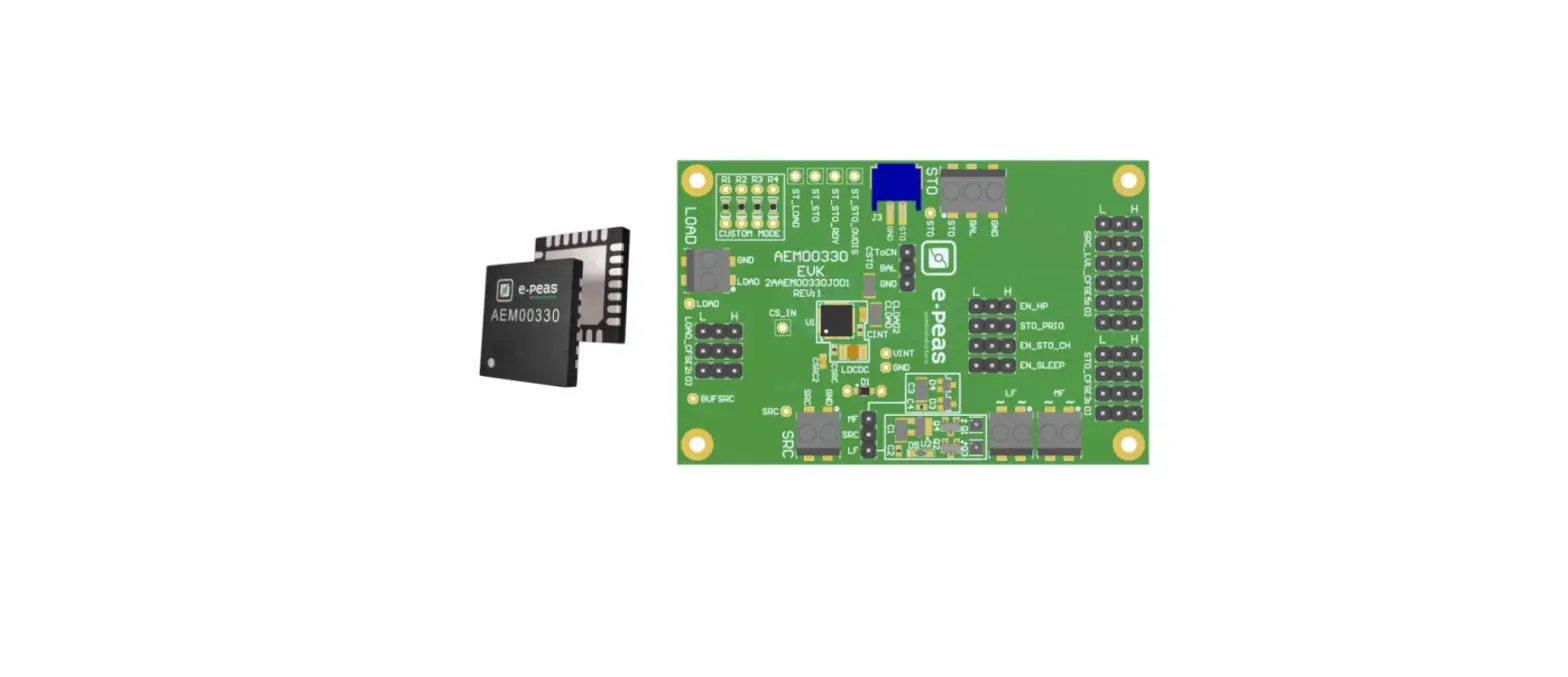
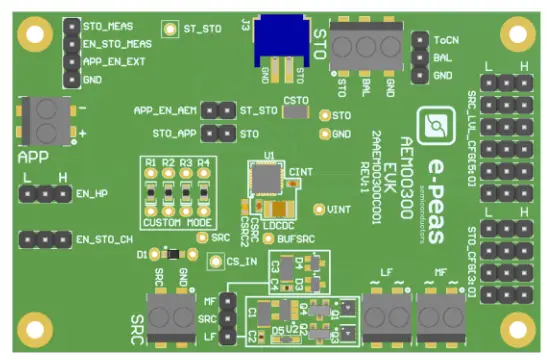
Connectors
- 1 screw connector for the source + 2 screw connectors for AC input signal
- 1 screw connector + 1 JST connector for the storage element
- 1 screw connector for the application supply
Configuration
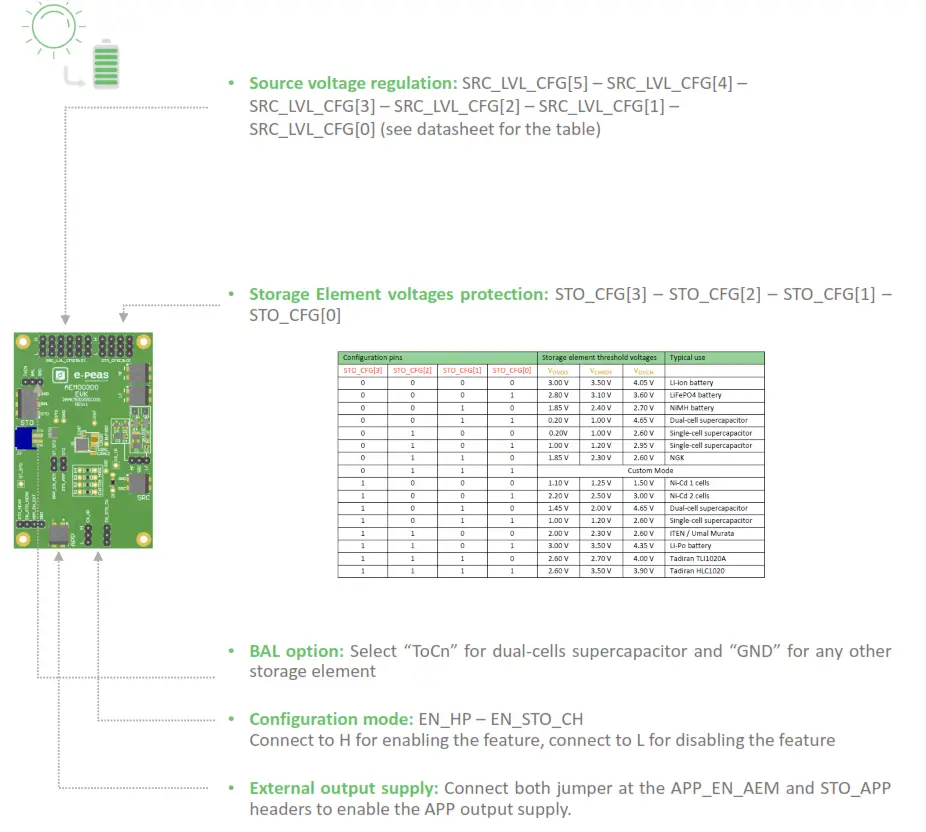
- 6 jumpers SRC_LVL_CFG[x] to define the source voltage regulation
- 4 jumpers STO_CFG[x] to define the storage element protection levels
- 4 resistors footprint related to the custom mode (STO_CFG[3:0]=LHHH)
- 1 jumper to set the dual-cell supercapacitor BAL feature
- 2 jumpers to enable the different modes
- 2 jumpers to enable the application output supply
- 1 jumper to select the rectifier
Size
- 79mm x 49mm
- 4 x M2.5 Mounting holes
SUPPORT PCB
BOM around the AEM00300
| Designator | Description | antity | Manufacturer | Link |
| Ul | AEM00300 – Symbol QFN 28-pm | 1 | e- peas | order at [email protected] |
| LDCDC | Power inductor 10 pH- 1.76A | 1 | Murata | DFE252010E-100M |
| CINT | Ceramic Cap 10 pF, 6.3V, 20%, X5R 0402 | 1 | Murata | 6RM155R601106ME15 |
| CSRC | Ceramic Cap 15 pF, 6.3V, 20%, X5R 0402 | 1 | Murata | 6RM155R601156ME05 |
| CSTO (optional) | Ceramic Cap 100 [IF, 6.3V, 20%, X5R 1206 | 1 | TDK | C3216X5R1A107M160AC |
Footprint & Symbol: Information available in the datasheet
STEP 1: AEM00300 Configuration
 https://e-peas.com/product/aem00300-ambient-energy-manager-battery-charger/
 STEP 2: Connect the storage element
STEP 3: Connect the harvester
 https://e-peas.com/product/aem00300-ambient-energy-manager-battery-charger/
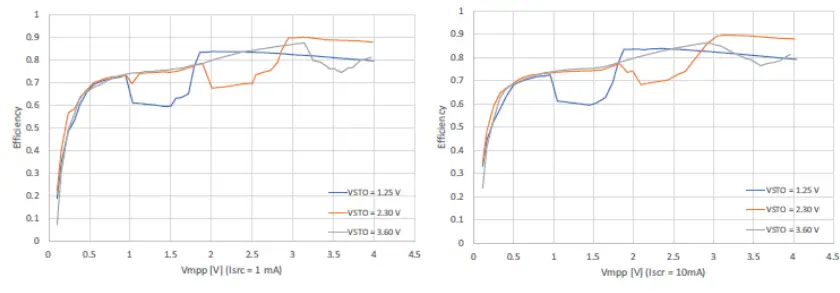
- Internal Boost efficiency Vs. input voltage in Low Power mode:
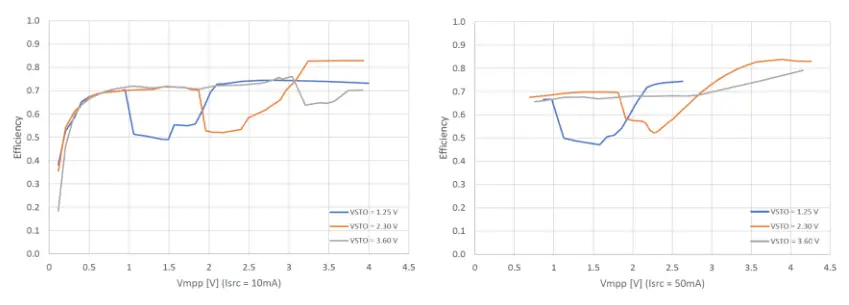
- Internal Boost efficiency Vs. input voltage in High Power mode:
STEP 4: Check the status
| Symbol | Logic Level | Low | High |
| Logic output pins | |||
| ST_STO | levels on the status pin | GND | V STO |
www.e-peas.com
© 2022 e-peas S.A.
 Energy Harvesting | Making Devices Energy Autonomous | e-peas