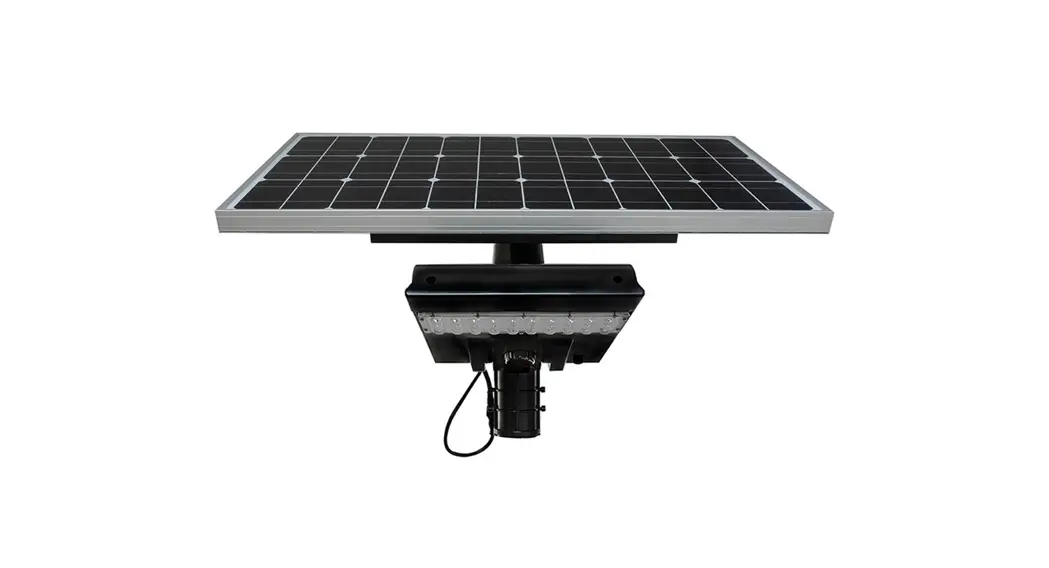
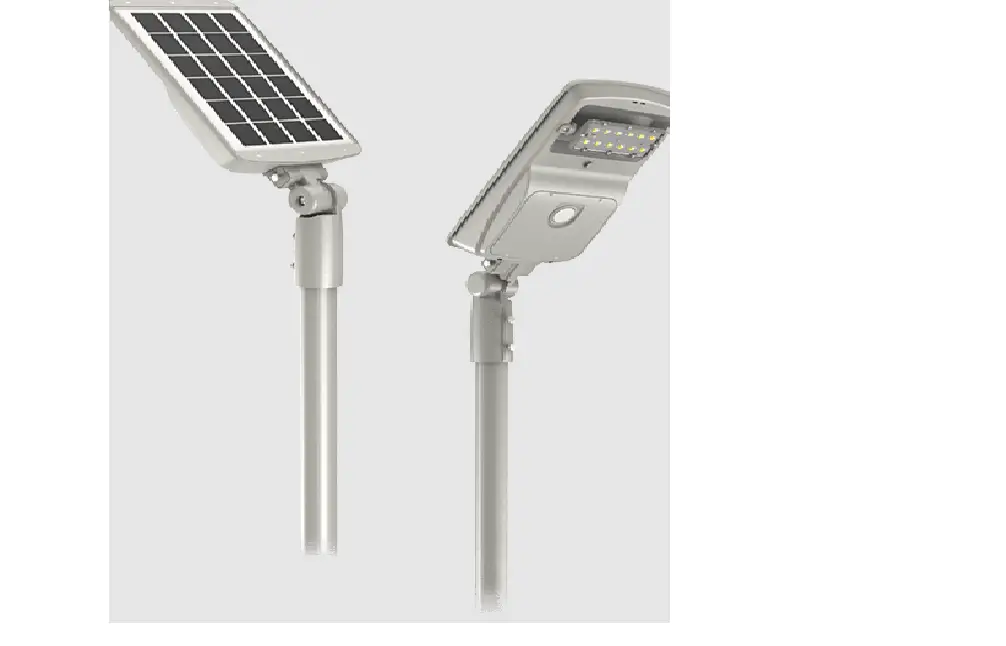
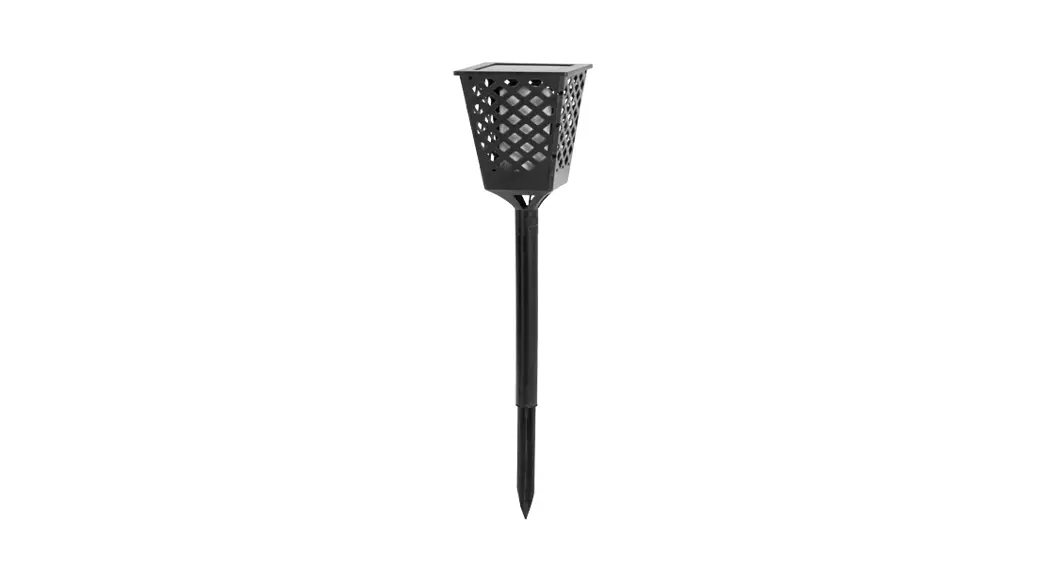
RP-SAL-8W-XXX-SF-GY-G2 All In One LED Solar Area Light
Product Information: Solar Lights – LED Solar Area Light
The LED Solar Area Light is a solar-powered lighting fixture
that provides illumination for outdoor areas. It comes in two
different wattages: 8W and 30W, with varying lumen outputs
depending on the selected LED option. The net weight of the product
is 18 lbs for the 8W variant and 39 lbs for the 30W variant. The
light module has dimming capabilities and can be adjusted using a
remote control.
The product requires proper installation and positioning to
optimize its exposure to sunlight. It is equipped with an MPPT –
DCLI controller that has LED indications and provides information
about faults and alarms.
It is important to note that the average sunshine in the
installation area should be above 3.5 hours per day for the
lighting fixture to function properly. The light pole foundation
must also be solid enough to withstand the fixture’s weight.
For best results, it is recommended to install the fixture on a
day with full sunlight. If the battery is completely drained, it
should be charged under the sun or with a charger before
programming it accordingly. The fixture automatically turns on at
night and turns off during daylight.
The product comes with a dedicated tool to disassemble
anti-theft screws, which is included in the box of each lamp.
For more detailed information, including different mode options
and best practices for solar usage, please refer to the Best
Practices Solar Guide.
Product Usage Instructions:
- Step 1: Take out the fixture and the tools from the
package. - Step 2: Remove the small plastic on the bottom of the remote
control. - Step 3: Power up and set up the necessary mode using the remote
control. (Note: The RP-SAL-G2 remote controls are not compatible
with the G1 products.) - Step 4: The light module will flash twice when it receives the
signal from the remote control. The default setting is motion
sensor mode 40%-100%. Please refer to page 2 for different mode
options. - Step 5: Assemble the mounting bracket to the light and adjust
the angle of the LED panel. - Step 6: Install the light to the pole or mounting surface. Once
properly positioned, tighten all screws and nuts.
Note: The remote control has a range of 25ft.
SOLAR LIGHTS
LED SOLAR AREA LIGHT
INSTRUCTIONS
PART #
WATTAGE
LUMENS*
NET WEIGHT
DIMMING
RP-SAL-8W-XXX-SF-GY-G2
8W
RP-SAL-30W-XXX-SF-GY-G2
30W
* Lumen Output for 5000K LED. Output will vary for other options.
1600 6000
18 LBS. 39 LBS.
USE THE REMOTE CONTROL TO ADJUST
USE THE REMOTE CONTROL TO ADJUST
STEP 1: TAKE OUT THE FIXTURE AND THE TOOLS FROM THE PACKAGE
STEP 2: REMOVE THE SMALL PLASTIC ON THE BOTTOM OF THE REMOTE
STEP 3: COVER UP THE SOLAR PANEL (you can use the package to cover up the solar panel entirely or flip the fixture, so the solar panel is facing the ground) and check if the light module turns on once power is pressed on the remote. When the light is on, a green light will be displayed either flashing or still, depending on its charge state. If the fixture does not turn on, please charge it with the included charger before installing, as the battery may need to charge. For the light to charge, it needs to be ON and under sunlight or connected to the charger, model number RP-SAL-CHARGER-G2. Please wait a few minutes with the light under the sun and then press the power button on the remote. If charging by the charger, you can click power on the remote right away. Make sure the red light is blinking which indicates that it is on and charging properly. If your light has a button on the bottom of the housing, make sure that it is pressed in all the way and then turn on the remote power button to begin charging under the sun. Do not install the light up on the pole until it is working.
STEP 4: USE THE REMOTE CONTROL TO POWER UP AND SET UP THE NECESSARY MODE.
(THE RP-SAL-G2 REMOTE CONTROLS ARE NOT COMPATIBLE WITH THE G1 PRODUCTS)
The light module will flash twice when it receives the signal from remote control (The default setting is motion sensor mode 40%-100%). Please refer to page 2 for the different mode options. Pay special attention to your local sunshine and refer to the Best Practices Solar Guide for additional understanding. The document can be found here under the documents section and inside the box: https://solera-solar.com/product/off-grid-led-solar-area-light/
LIGHT EFFICIENT DESIGN HEADQUARTERS 188 S. Northwest Highway · Cary, IL 60013 INNOVATION & MANUFACTURING CENTER 30 Log Bridge Road, Building 200 · Middleton, MA 01949 847.380.3540 · led-llc.com 10.11.22 Information is subject to change without notice.
SOLAR LIGHTS
LED SOLAR AREA LIGHT
INSTRUCTIONS
STEP 5: ASSEMBLE THE MOUNTING BRACKET TO THE LIGHT AND ADJUST THE ANGLE OF THE LED PANEL.
STEP 6: INSTALL THE LIGHT TO THE POLE OR MOUNTING SURFACE. ONCE PROPERLY POSITIONED, TIGHTEN ALL SCREWS AND NUTS.
MPPT – DCLI CONTROLLER LED INDICATIONS AND FAULTS & ALARMS
LIGHT EFFICIENT DESIGN HEADQUARTERS 188 S. Northwest Highway · Cary, IL 60013 INNOVATION & MANUFACTURING CENTER 30 Log Bridge Road, Building 200 · Middleton, MA 01949 847.380.3540 · led-llc.com 10.11.22 Information is subject to change without notice.
SOLAR LIGHTS
LED SOLAR AREA LIGHT
INSTRUCTIONS
LIGHT EFFICIENT DESIGN HEADQUARTERS 188 S. Northwest Highway · Cary, IL 60013 INNOVATION & MANUFACTURING CENTER 30 Log Bridge Road, Building 200 · Middleton, MA 01949 847.380.3540 · led-llc.com 10.11.22 Information is subject to change without notice.
SOLAR LIGHTS
LED SOLAR AREA LIGHT
INSTRUCTIONS
LIGHT EFFICIENT DESIGN HEADQUARTERS 188 S. Northwest Highway · Cary, IL 60013 INNOVATION & MANUFACTURING CENTER 30 Log Bridge Road, Building 200 · Middleton, MA 01949 847.380.3540 · led-llc.com 10.11.22 Information is subject to change without notice.
SOLAR LIGHTS
LED SOLAR AREA LIGHT
INSTRUCTIONS
WARNING AND ATTENTION:
1. THE AVERAGE SUNSHINE IN THE INSTALLATION AREA SHOULD BE ABOVE 3.5H/DAY IN ORDER TO ENSURE FULL FUNCTION OF THE LIGHTING FIXTURE.
2. BEFORE INSTALLATION, PLEASE ENSURE THE LIGHT POLE FOUNDATION IS SOLID ENOUGH TO WITHSTAND LIGHTING FIXTURE.
3. POSITION THE LIGHTING FIXTURE TO OPTIMIZE ITS EXPOSURE TO SUNLIGHT. ALWAYS FACE THE EQUATOR (SOLAR PANEL TO FACE SOUTH IF IN NORTHERN HEMISPHERE FOR EXAMPLE WHEN POSSIBLE).
4. IN ORDER TO ALLOW SELF-CLEANING, PLEASE HAVE A MINIMUM ANGLE OF 10-15 DEGREES.
5. FOR BEST RESULTS, INSTALL ON A DAY WITH FULL SUNLIGHT. IF THE BATTERY IS TOTALLY DEAD, PLEASE ALLOW THE BATTERY TO CHARGE UNDER SUN OR WITH THE CHARGER BEFORE PROGRAMMING IT ACCORDINGLY. (PLEASE REMOVE SMALL PLASTIC FROM REMOTE)
6. ADJUST THE ANGLE OF THE FIXTURE TO OPTIMIZE ITS EXPOSURE TO SUNLIGHT. ADJUST THE LED MODULE ANGLE TOWARD THE AREA TO BE ILLUMINATED.
7. THE FIXTURE IS ON ONCE THE POWER BUTTON ON THE REMOTE IS PRESSED AND AIMED AT THE FIXTURE. PLEASE MAKE SURE THE PANEL IS INSTALLED UNDER DIRECT SUNLIGHT. THE RED LIGHT SHOULD BE FLASHING, INDICATING THAT IT IS CHARGING. YOU CAN ALSO HIT THE TEST BUTTON ON THE REMOTE TO ENSURE THAT IT IS ON AND WILL RECEIVE 2 FLASHES BACK FROM THE LED LIGHT.
8. SELECT THE NECESSARY OPERATION MODE WITH THE REMOTE CONTROL. PLEASE REFER TO PAGE 2 FOR FURTHER INFORMATION. NOTE: THE REMOTE HAS A RANGE OF 25FT
9. USE THE DEDICATED TOOL TO DISASSEMBLE THE ANTI-THEFT SCREWS. NOTE: DEDICATED TOOL IS INCLUDED IN THE BOX OF EACH LAMP.
10. THE LIGHTING FIXTURE WILL AUTOMATICALLY TURN ON AT NIGHT AND TURN OFF DURING DAYLIGHT.
11. PLEASE SELECT THE RIGHT OPERATING MODE ACCORDING TO THE LOCAL LEGISLATION NEEDS AND THE LOCAL SUNSHINE CONDITIONS.
LIGHT EFFICIENT DESIGN HEADQUARTERS 188 S. Northwest Highway · Cary, IL 60013 INNOVATION & MANUFACTURING CENTER 30 Log Bridge Road, Building 200 · Middleton, MA 01949 847.380.3540 · led-llc.com 10.11.22 Information is subject to change without notice.
SOLAR LIGHTS
LED SOLAR AREA LIGHT
INSTRUCTIONS
12. THE BATTERY OF THE LEDSAL SOLAR STREETLIGHT FIXTURE WILL STOP CHARGING WHEN THE AMBIENT TEMPERATURE IS BELOW 32°F OR ABOVE 149°F. THE WORKING TEMPERATURE OF THE SOLAR FIXTURE IS -4°F (-20°C) TO +122°F (+50°C). WHEN OPERATING IN AN ENVIRONMENT WITH A TEMPERATURE LOWER THAN 32°F (0°C) OR EQUAL TO OR ABOVE 149°F (65°C) THE BATTERY WILL STOP CHARGING, EVEN IF THERE IS SUNLIGHT. IN THAT TEMPERATURE RANGE THE BATTERY SELF PROTECTS WHICH WILL SHOW A FLASHING RED INDICTOR LIGHT. THIS FEATURE HELPS PROTECT THE BATTERY FROM DAMAGE. THE SOLAR AREA LIGHT WILL STILL LIGHT EVEN IN THOSE EXTREME TEMPERATURES UNTIL THE BATTERY IS COMPLETELY DEPLETED.
13.) THE WORKING TEMPERATURE OF THE SOLAR FIXTURE IS -4°F~+122°F. WHEN OPERATING IN AN ENVIRONMENT WITH A TEMPERATURE LOWER THAN 32°F; THE BATTERY WILL STOP CHARGING, EVEN IF THERE IS SUNLIGHT, BUT THE LIGHTING FIXTURE CAN STILL BE DISCHARGED IF YOU WANT TO USE.
14. WHEN THE AMBIENT TEMPERATURE IS 32°F OR 149°F, THE BATTERY WILL TURN INTO SELFPROTECTION MODE.
A. WHEN THE BATTERY CHARGE IS ONLY 40%, THE LUMINANCE WILL AUTOMATICALLY BE REDUCED BY HALF.
B. WHEN THE GREEN INDICATOR BEGINS TO FLICKER SLOWLY, IT MEANS THAT THERE IS ONLY 10% BATTERY CHARGE.
C. WHEN THERE IS ONLY 5% BATTERY CHARGE, THE LUMINAIRE WILL AUTOMATICALLY SHUT DOWN, THEN ENTER THE PROTECTION STATE AND NOT DISCHARGE.
BATTERY REPLACEMENT
IN CASE OF BATTERY FAILURE OR END OF LIFE, LOOSEN THE SCREWS ON THE BATTERY COVER, DISCONNECT THE WIRE CONNECTORS, REPLACE THE WHOLE BATTERY COVER KIT (INCLUDING SMART CONTROL SYSTEM, BATTERY, COVER) , CONNECT THE WIRES AND TIGHTEN SCREWS.
LIGHT EFFICIENT DESIGN HEADQUARTERS 188 S. Northwest Highway · Cary, IL 60013 INNOVATION & MANUFACTURING CENTER 30 Log Bridge Road, Building 200 · Middleton, MA 01949 847.380.3540 · led-llc.com 10.11.22 Information is subject to change without notice.
 LED | Transforming Light - Light Efficient Design | LED for HID Retrofit Lamps
 All-In-One - Solera Solar Lighting