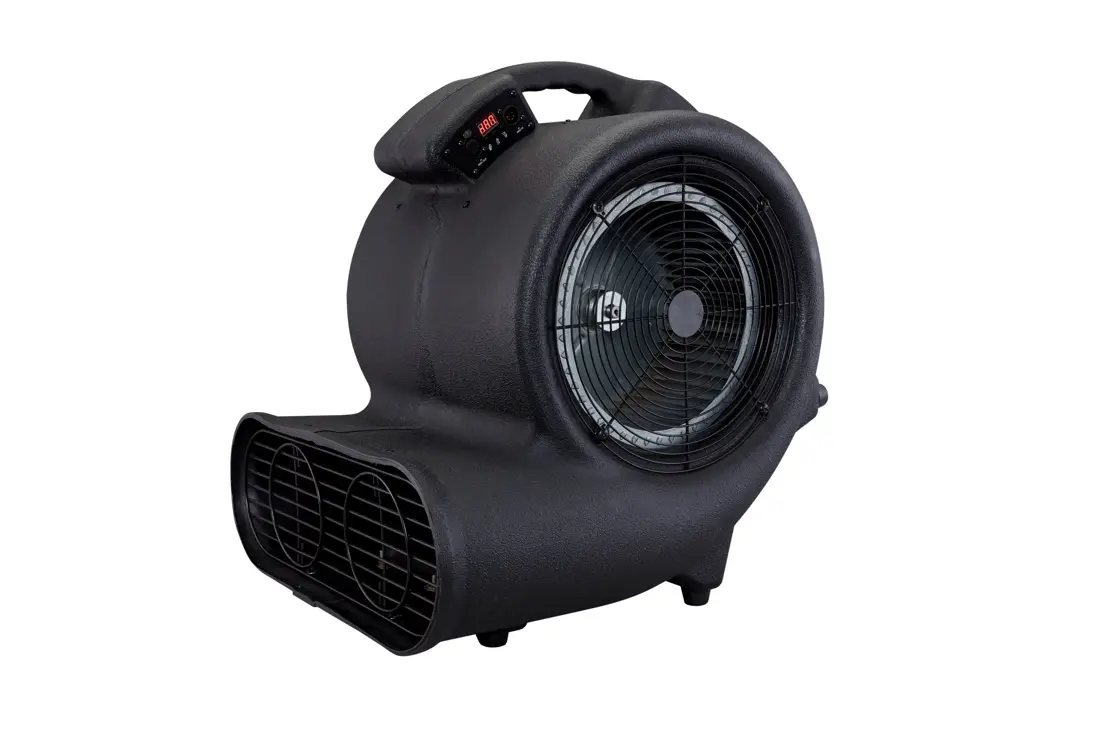
AF-4R Special Effects Fan
AF-4/AF-4R Special Effects Fan User Manual – English
User Manual
The AF-4/AF-4R Special Effects Fan is a machine designed for
indoor use only. It is intended to be operated by adults or
professionals and is not intended for use by persons with reduced
physical sensory, mental capabilities, or lack of experience and
knowledge, including children. The machine is equipped with safety
features to prevent injury or damage, however, it is important to
read and understand all of the user manual before operating the
machine.
1. Introduction
Please read all of the user manual before operating the machine
and keep the manual in a place where the user can refer to it at
all times. The manual includes instructions on how to install and
operate the machine under safe conditions and explains all the
labels printed on the machine. If you encounter any problems,
contact your local Antari dealer for assistance immediately.
2. Safety Information
The following safety information must be followed to prevent
serious injury or damage to the machine:
- DANGER: The machine must be connected to the
correct rated voltage and a protected circuit with proper
grounding. Failure to do so may cause serious consequences. - WARNING: The machine should only be operated
on a flat, level, hard and well-ventilated surface area with no
flammable gas or material nearby. Do not disassemble, repair or
modify the machine, and do not leave the machine running
unattended. The machine can only be operated by adults or
professionals. - CAUTION: Keep the machine dry at all times and
ensure that the power outlet is not damaged or loose before
plugging in the power cord. Only use accessories recommended or
sold by Antari.
Product Usage Instructions
Follow these instructions to properly use the AF-4/AF-4R Special
Effects Fan:
- Ensure that the machine is placed on a flat, level, hard and
well-ventilated surface area with at least 50cm space around it and
no flammable gas or material nearby. - Connect the machine to the correct rated voltage and a
protected circuit with proper grounding. Refer to Appendix I on
page 15 for grounding instructions. - Turn on the power and adjust the fan speed as desired using the
controls. - Do not point the machine at people, animals, or fire.
- Do not leave the machine running unattended and make sure all
powers are off when leaving. - Children should be supervised to ensure that they do not play
with the machine. - Do not use the machine upside down or tilt it as it may cause
damages or malfunction. - Never allow any object or part of your body to enter the path
of the fan blades to prevent any injury or damages. - Do not spray the fan with any liquid, including cleaner and
insecticide, to avoid injury or damages. - Keep the machine dry at all times and do not expose it to
water, rain, or moisture environment. - Make sure the power outlet is not damaged or loose before
plugging in the power cord. If the power cord is damaged, it must
be replaced by Antari or its local dealers, otherwise, the warranty
will be void. - Do not operate the machine in any area with unstable voltage.
If you experience strange sound or malfunction, turn off the power
and unplug the power cord immediately and contact your local Antari
dealer for assistance. - Do not contact any moving part.
- Make sure the power is off when not using the machine and
unplug the power cord if not intended to use for a long period of
time. - To disconnect, turn all controls to the off position, then
remove plug from outlet. Do not unplug by pulling on cord. To
unplug, grasp the plug, not the cord. Unplug from outlet before
servicing or cleaning. - Ensure that curtain, clothing, cables or other items cannot be
sucked into the fan. - Do not operate the machine with a damaged cord or plug, or
after the machine malfunctions or is dropped.
AF-4/AF-4R Special Effects Fan User Manual – English –
© 2023 Antari Lighting and Effects Ltd.
1. Introduction ………………………………………………………………………………………………………………………………. 1 2. Safety Information ……………………………………………………………………………………………………………………… 1 3. Package Contents & Inspection ……………………………………………………………………………………………………. 2 4. Machine Details …………………………………………………………………………………………………………………………. 3 5. Technical Label Information………………………………………………………………………………………………………… 3 6. Setting and Manual Operation ……………………………………………………………………………………………………… 3 7. Control Settings …………………………………………………………………………………………………………………………. 3 8. DMX Connection ………………………………………………………………………………………………………………………. 4 9. Z-3 Cable Remote (Optional) ………………………………………………………………………………………………………. 5 10. WTR-20 Wireless Remote (Optional) …………………………………………………………………………………………… 5 11. Service and Maintenance …………………………………………………………………………………………………………….. 6 12. Technical Specifications ……………………………………………………………………………………………………………… 7 13. Warranty Disclaimer …………………………………………………………………………………………………………………… 7 14. Machine Dimension……………………………………………………………………………………………………………………. 7 1. …………………………………………………………………………………………………………………………………………. 8 2. …………………………………………………………………………………………………………………………… 8 3. ……………………………………………………………………………………………………………………….. 9 4. ………………………………………………………………………………………………………………………………… 10 5. …………………………………………………………………………………………………………………………. 10 6. ………………………………………………………………………………………………………………. 10 7. ………………………………………………………………………………………………………………………………… 10 8. DMX ………………………………………………………………………………………………………………………………..11 9. Z-3 ()……………………………………………………………………………………………………………… 12 10. WTR-20 () ……………………………………………………………………………………………………… 12 11. …………………………………………………………………………………………………………………………….. 13 12. ………………………………………………………………………………………………………………………………… 13 13. ………………………………………………………………………………………………………………………………… 14 14. …………………………………………………………………………………………………………………………….. 14 Appendix I – Grounding Instruction …………………………………………………………………………………………………… 15
User Manual
1. Introduction
Please read all the user manual before operating the machine, and place the manual where the user can refer to it at all time. The manual includes how to install and operate the machine under safe condition and explain all the labels printed on the machine. If you encounter any problem, contact your local Antari dealer for assistant immediately.
2. Safety Information
DANGER If the danger is not avoided, it will cause death or serious injury
WARNING If the warning is not heeded, it can cause death or serious injury.
CAUTION If the precaution is not taken, it may cause minor or moderate injury.
DANGER Must connect the machine to the correct rated voltage or it might lead to an electrical shock or a burn and may
cause serious consequences. Must connect the machine to a protected circuit and ensure it is properly grounded to avoid the risk of
electrocution. For grounding instruction, please refer to Appendix I on page 15. Do not operate the machine with a bundled power cord, it could lead to a fire hazard. Do not use the fan in an environment full of flammable gas, susceptible to water or powder. Keep away from
any fire and heat sources. When operating the machine, do not point at people, animals, or fire.
WARNING
Please operate the machine on a flat, level hard and well ventilated surface area, reserve at least 50cm space around the machine and make sure there is no flammable gas or material nearby.
Do not disassemble, repair or modify the machine, it may cause damages, malfunction, risk of electrical shock or result in fire.
The machine can only be operated by adults or professionals, is not intended for use by person with reduced physical sensory, mental capabilities, or lack of experience and knowledge including children.
Do not leave the machine running unattended, make sure all powers are off when leaving. Children should be supervised to ensure that they do not play with the machine. Do not use the machine upside down or tilt it, it might cause damages or malfunction. Never allow any object or part of your body to enter path of the fan blades to prevent any injury or damages Do not spray the fan with any liquid including cleaner and insecticide to avoid injury or damages.
CAUTION
Keep the machine dry at all time. The machine is not waterproof, do not expose the machine to water, rain, or moisture environment.
Please make sure the power outlet is not damaged or loose before plug in the power cord. If the power cord is damaged, it must be replaced by Antari or its local dealers, otherwise the warranty will be
void.
1
The machine is for indoor use only. Do not operate the machine in any area with unstable voltage. If you experience strange sound or malfunction, turn off the power and unplug the power cord immediately
and contact your local Antari dealer for assistant. Do not contact any moving part. Only use accessories recommended or sold by Antari. Please make sure the power is off when not using the machine and unplug the power cord if not intend to use
for a long period of time. To disconnect, turn all controls to the off position, then remove plug from outlet. Do not unplug by pulling on cord. To unplug, grasp the plug, not the cord. Unplug from outlet before servicing or cleaning. Ensure that curtain, clothing, cables or other items cannot be suck into the fan. Do not operate the machine with a damaged cord or plug, or after the machine malfunctions or is dropped or
damaged in any manner. Return machine to the nearest authorized service facility for examination, repair, or electrical or mechanical adjustment. After a period of operation, abnormal noise and uneven air volume may appear because of dust blocking airflow. It will disappear after cleaning the air inlet and outlet.
Before operating the machine, please read all warning labels on the machine, description as below:
WARNING! 1. Do not allow any object or part of your body get near the protection grill while operating the fan. 2. Operate fan only with adult supervision. 3. Do not use fan without protection grill. 4. Do not use the fan in damp environment.
3. Package Contents & Inspection
Immediately upon receiving the machine, carefully unpack the carton, check the content to ensure it is the correct model and all parts are included. If any part appears to be damaged or missing during transportation, please contact your local dealer and return with original package for inspection.
3.1 Package Contents
AF-4 1 x AF-4 Special Effects Fan 1 x User Manual or Scan QR Code on the Machine
AF-4R 1 x AF-4R Special Effects Fan 1 x WTR-20 Wireless Remote 1 x User Manual or Scan QR Code on the Machine
3.2 Optional Accessories
Z-3 WTR-20
Item Code
Description Cable Remote Wireless Remote (W-2 Transmitter and W-2 Receiver)
2
4. Machine Details
01. Fan Inlet 02. Fuse 03. Wireless Connector 04. LCD Screen 05. XLR 5-Pin DMX
06. Cable Remote Connector 07. Fan Outlet 08. Adjusting Knob 09. Handle 10. Stand
5. Technical Label Information
Please read the technical label information on the back of the machine before operating it.
1. Model Name 2. Input Voltage 3. Frequency 4. Rated Power
5. Breaker/Fuse 6. QR CODE for User Manual 7. Serial No.
6. Setting and Manual Operation
Step 1. Place the machine on a flat, level hard and well ventilated surface area and reserve at least 50cm open space around the machine, and make sure there is no flammable gas or material nearby;
Step 2. Plug the machine to the power outlet. Please read the technical label on the back of the machine and make sure the power outlet has the correct rated voltage for the machine;
Step 3. Turn on the power, when the LCD displays “Ready”, now the machine is ready for operation; Step 4. To start, press [VOLUME] button and you can adjust the fan speed by pressing [UP/DOWN] and to stop,
please press [STOP] button; Step 5. To turn off the power, please make sure the machine is not operating. If you will not use the machine a
long period of time, please unplug the power cord.
7. Control Settings
AF-4/AF-4R Special Effects Fan can be operated in the following modes. The machine can only accept 1 type of signal at a time. When using different control modes at the same time, the machine will work according to built-in control priority:
Manual
3
Timer DMX512 Wireless Cable Remote
7.1 Control Panel Description
AF-4 /AF-4R Special Effect Fan can be operated with the onboard digital control interface.
Button
Operating Method
Action
MENU
Press
Scroll through setting menu
TIMER
Press
Activate Timer function
VOLUME
Press
Activate Volume function
UP/DOWN STOP
Press Press
Increase/Decrease Value
Deactivate Timer/Volume function & Confirm/Leave Setting Menu
7.2 Menu Options Description
Options Interval 180 seconds Duration 120 seconds Volume Out 100 %
Timer Out 100 % DMX512 Add.512
Wireless OFF Quick Start OFF
Back Lite
Description Set Interval between 1-180s Set Duration between 1-120s Set Volume Output from 20-100% Set Timer Output from 20-100% Set DMX Address from 1-512 Turn ON/OFF for Wireless Control Turn ON/OFF Run Last Setting Always On/Auto Off (30s)
8. DMX Connection
8.1 DMX Connector Pin Assignment
The machine has a XLR 5-Pin for DMX connection. The diagram below indicates pin assignment information.
** There is a protection cap on DMX IN, please remove it with your finger before operation.
Pin
Function
1
Ground
2
Data-
3
Data+
4
NA
5
NA
4
8.2 DMX Setting
Channel Mode
1
Channel 1
9. Z-3 Cable Remote (Optional)
DMX Value Range 0 5 6 255
Function Off
Fan 20 100%
Z-3 Cable Remote is an optional accessory for AF-4/AF-4R Special Effects Fan, please see instruction below; 1. Plug the cable remote to the connector on the control panel of the machine; 2. Press the red button to turn the power of the remote on, red indicator light is solid; 3. You can start to turn the knob to activate the fan and adjust the fan speed.
** If you encounter any problem, please contact your local Antari dealer for assistant
10. WTR-20 Wireless Remote (Optional)
WTR-20 Wireless Remote is an optional accessory for AF-4 Special Effects Fan, it included a W-2 wireless transmitter and a W-2 wireless receiver. If you already purchased the wireless model, it’s ready to use. If you purchase the WTR-20 Wireless Remote afterwards, please follow the instruction below. If you encounter any problem, please contact your local Antari dealer for assistant.
10.1 W-2 Wireless Transmitter & Receiver
Battery27A 12V Effective RangeThe effective range is approximately 50m,
depends on actual condition, it may vary. W-2 wireless transmitter has 4 buttons, each function as follow:
Button [A] [B] [C] [D]
Function Start Stop
Increase Fan Speed Decrease Fan Speed
W-2 Wireless Transmitter
10.2 W-2 Wireless Receiver Installation
W-2 Wireless Receiver
If you purchased the WTR-20 Wireless Remote afterwards, please follow the instructions below to install the receiver. If you encounter any problem, please contact your local Antari dealer for assistant.
5
Graph 1
Graph 2
Graph 3
1. Please see graph 1, remove the cover from the pointed place; 2. You will see a white cable like graph 2, pull it out and connect to the W-2 wireless receiver; 3. Screw it back to the machine like graph 3 and follow the instruction on 10.3 for pairing.
10.3 Pair & Unpair
Each receiver can pair up to 5 transmitters, please follow the steps below to pair or unpair;
Step 1. Go to [MENU][Wireless], turn on wireless function; Step 2. Power off the machine first then press and hold [DOWN] button, then turn on the power (still press &
hold the [DOWN] button until screen shows below;
Step 3. Press [UP] to start pairing and press any button on W-2 transmitter to complete the pairing; Step 4. Please repeat Step 2. to pair multiple transmitters Step 4. To unpair, repeat Step 2. and press [DOWN] to unpair;
11. Service and Maintenance
DANGER! Disconnect the power cord before starting maintenance operation!
Always keep the machine clean. Can use an air compressor, a vacuum or a soft brush to remove the dust on the machine. Can use a slightly damp cloth to clean the casing. Before store the machine, please make sure the machine is completely cool down to avoid moisture inside the
machine causing malfunction. It is recommended to run the machine at least once a month in order to maintain its best performance and
output condition. Excessive dust will reduce the performance and cause overheat.
Fuse Specification 120V=T2.0A 250V 240V=T1.0A 250V
6
12. Technical Specifications
Rated Voltage
Rated Power Ambient Temp. Range Air Flow Fan Speed Noise Level Control Methods Interface DMX Channel Included Accessories Optional Accessories Dimension Weight
AF-4/AF-4R US Model : AC 100-120V, 50/60Hz 1.0A EU Model : AC 220-240V, 50/60Hz 0.5A 100W 0°C 40°C (32°F 104°F) 1187 CFM (AC 110V/60Hz)1035 CFM (AC 220V/60Hz) 1242 1480 rpm (AC 110V/60Hz)1175 1,289 rpm (AC 220V/60Hz) 68.5 dB (Max. Output) ManualTimerDMX512Wireless (Optional)Cable Remote (Optional) XLR 5-Pin (DMX) 1 Channel N/A Z-3 Cable RemoteWTR-20 Wireless Remote L 353 W 377 H 517 mm (L 13.90 W 14.84 H 20.35 inch) 9.00 kg (19.84 lbs.)
13. Warranty Disclaimer
We guarantee the merchandise manufactured by us to be free from defect in material and workmanship for a period of one year. Our obligation and liability under this warranty shall be restricted to repair or replacement at our factory or local authorized dealer. We assume no liability of the products that are improperly used or used for any purpose other than that for which they are specially designed. This warranty shall not apply to any merchandise which has been repaired, altered or assembled outside our factory in any way so as in our judgment to affect its performance, nor which has been subjected to misuse, negligence, or accident nor to any merchandise operated contrary to our printed instructions. We will not allow or be liable of any loss or any damages of any kind in connection with the use, sale, or repair of any merchandise purchased from us.
14. Machine Dimension
7
1.
Antari
2.
15 I
()
8
Antari
WARNING! ! 1. Do not allow any object or part of your body get near the protection grill while operating the fan.
2. Operate fan only with adult supervision. 3. Do not use fan without protection grill. 4. Do not use the fan in damp environment.
3.
3.1
AF-4 1 x AF-4
1 x QR Code
AF-4R 1 x AF-4R
1 x WTR-20
1 x QR Code
3.2
Z-3 WTR-20
(W-2 /W-2 )
9
4.
01. 02. 03. 04. 05. XLR 5-Pin DMX
06. 07. 08. 09. 10.
5.
1. 2. 3. 4.
5. / 6. QR CODE 7.
6.
1.
2.
3. 4.
5.
50 ;
; “Ready”; [VOLUME][UP/DOWN] [STOP];
7.
AF-4/AF-4R
10
; DMX512
7.1
AF-4/AF-4R
MENU
TIME
VOLUME
UP/DOWN
/
STOP
//
7.2
Interval Set 180 seconds Duration Set 120 seconds
Timer Out 100 % Volume Out 100 % DMX512 Add.512
Wireless OFF Quick Start OFF
Back Lite
1 180 1 120 20 100% 20 100% DMX-512 : 1-512 : / / /(30 )
8. DMX
8.1 DMX
XRL 5-Pin DMX PIN
11
**DMX IN
Pin
1
2
–
3
+
4
N/A
5
N/A
8.2 DMX
1
1
9. Z-3 ()
DMX 0 5 6 255
Off Fan 20 100%
Z-3 AF-4/AF-4R ; 1. ; 2. ; 3. ** Antari
10. WTR-20 ()
WTR-20 W-2 W-2 AF-4 WTR-20 Antari
10.1 W-2 /
27A 12V 50
W-2 4
W-2
12
[A] [B] [C] [D]10.2 W-2
W-2
WTR-20 Antari
1
2
3
1. ; 2. W-2 ; 3. 10.3
10.3 &
1[MENU][Wireless]; 2[DOWN];
3 : [UP][Pair] W-2 ; 4 2 ; 5 2[DOWN] 11.
!
12.
AF-4/AF-4R : AC 100-120V, 50/60Hz 1.0A : AC 220-240V, 50/60Hz 0.5A
100
13
DMX
0°C 40°C (32°F 104°F) 1187 /(AC 110V/60 )1035 /(AC 220V/60 ) 1242-1480 (AC 110V/60 )1175-1289 (AC 220V/60 ) 68.5 () DMX512() () 1 XLR 5-PIN (DMX)
Z-3 WTR-20 353 377 517 ( 13.90 14.84 20.35 ) 9.0 (19.84 )
13.
14.
14
Appendix I – Grounding Instruction
This appliance must be grounded. In the event of malfunction or breakdown, grounding provides a path of least resistance for electric current to reduce the risk of electric shock. This appliance is equipped with a cord having an equipment-grounding conductor and a grounding plug. The plug must be plugged into an appropriate outlet that is properly installed and grounded in accordance with all local codes and ordinances. DANGER Improper connection of the equipment-grounding conductor can result in a risk of electric shock. The conductor with insulation having an outer surface that is green with or without yellow stripes is the equipmentgrounding conductor. If repair or replacement of the cord or plug is necessary, do not connect the equipmentgrounding conductor to a live terminal. Check with a qualified electrician or serviceman if the grounding instructions are not completely understood, or if in doubt as to whether the appliance is properly grounded. Do not modify the plug provided with the appliance if it will not fit the outlet, have a proper outlet installed by a qualified electrician. This appliance is for use on a nominal 120V circuit, and has a grounding plug that looks like the plug illustrated in sketch A in Figure. A temporary adaptor, which looks like the adaptor illustrated in sketches B and C, may be used to connect this plug to a 2-pole receptacle as shown in sketch B if a properly grounded outlet is not available. The temporary adaptor should be used only until a properly grounded outlet can be installed by a qualified electrician. The green colored rigid ear, lug, and the like, extending from the adaptor must be connected to a permanent ground such as a properly grounded outlet box cover. Whenever the adaptor is used, it must be held in place by the metal screw.
15
16
17
C08AF4004