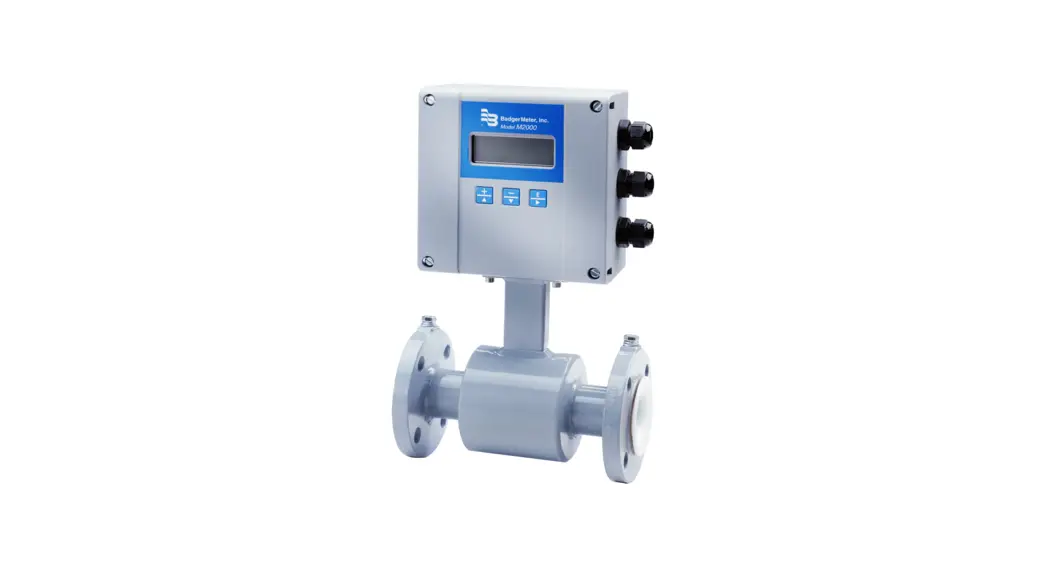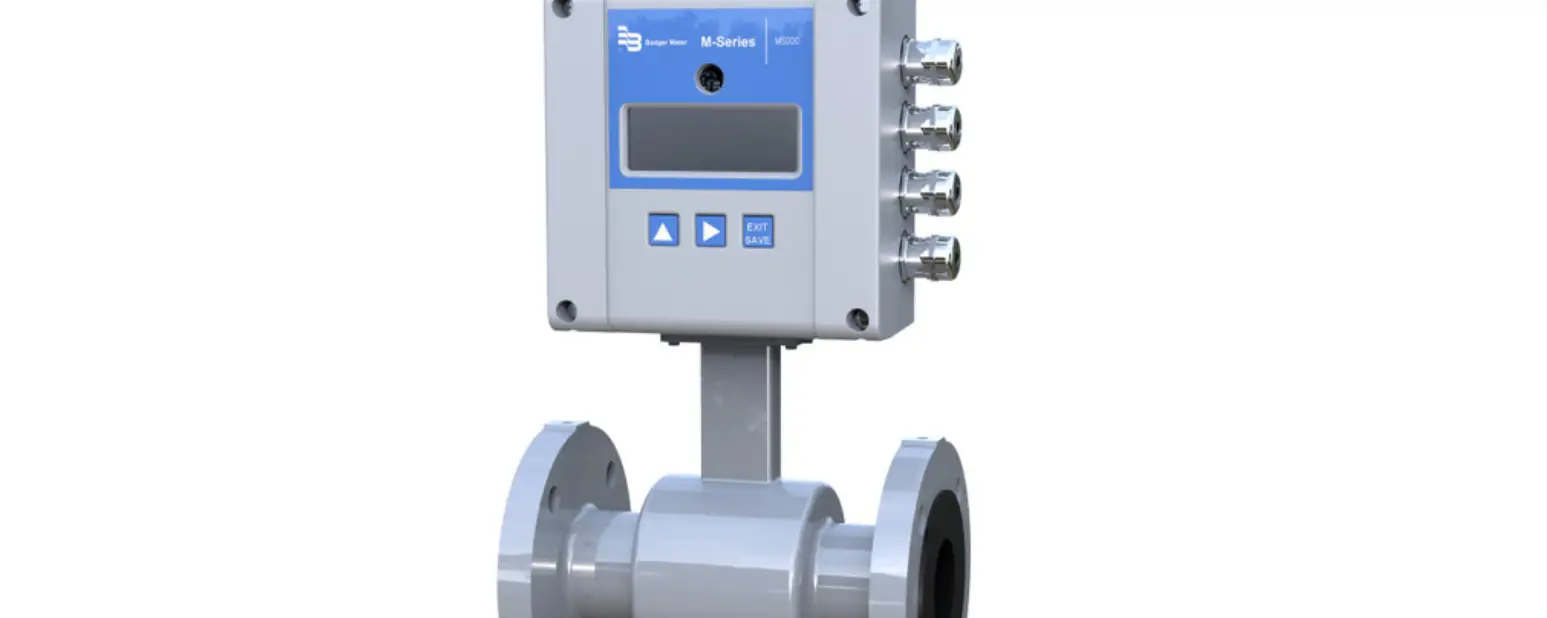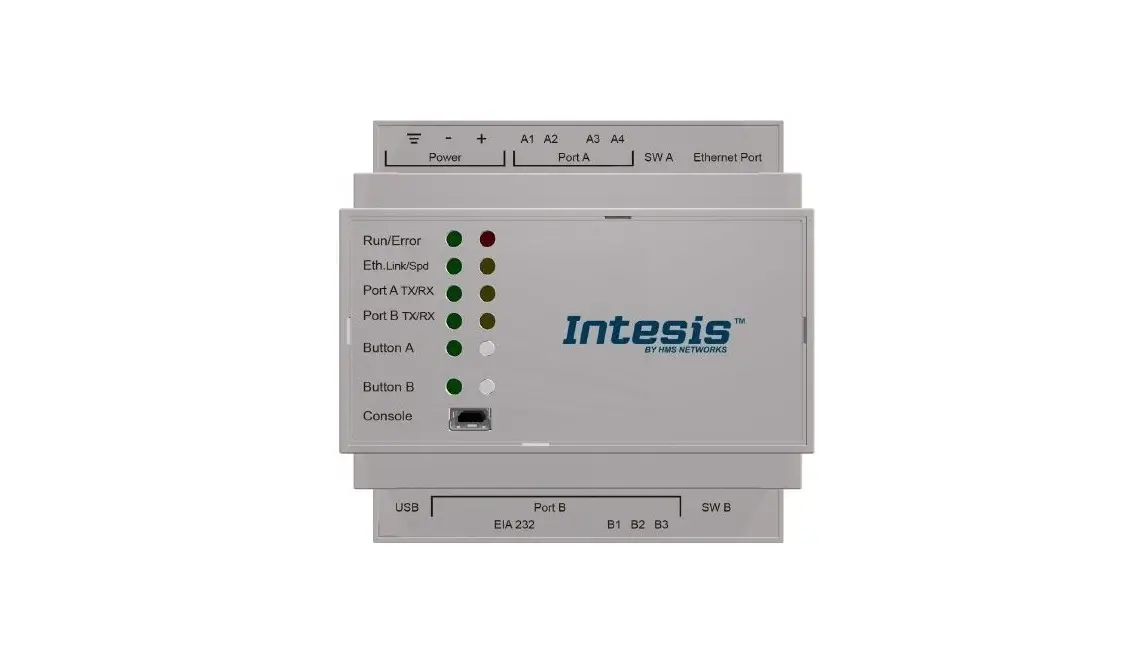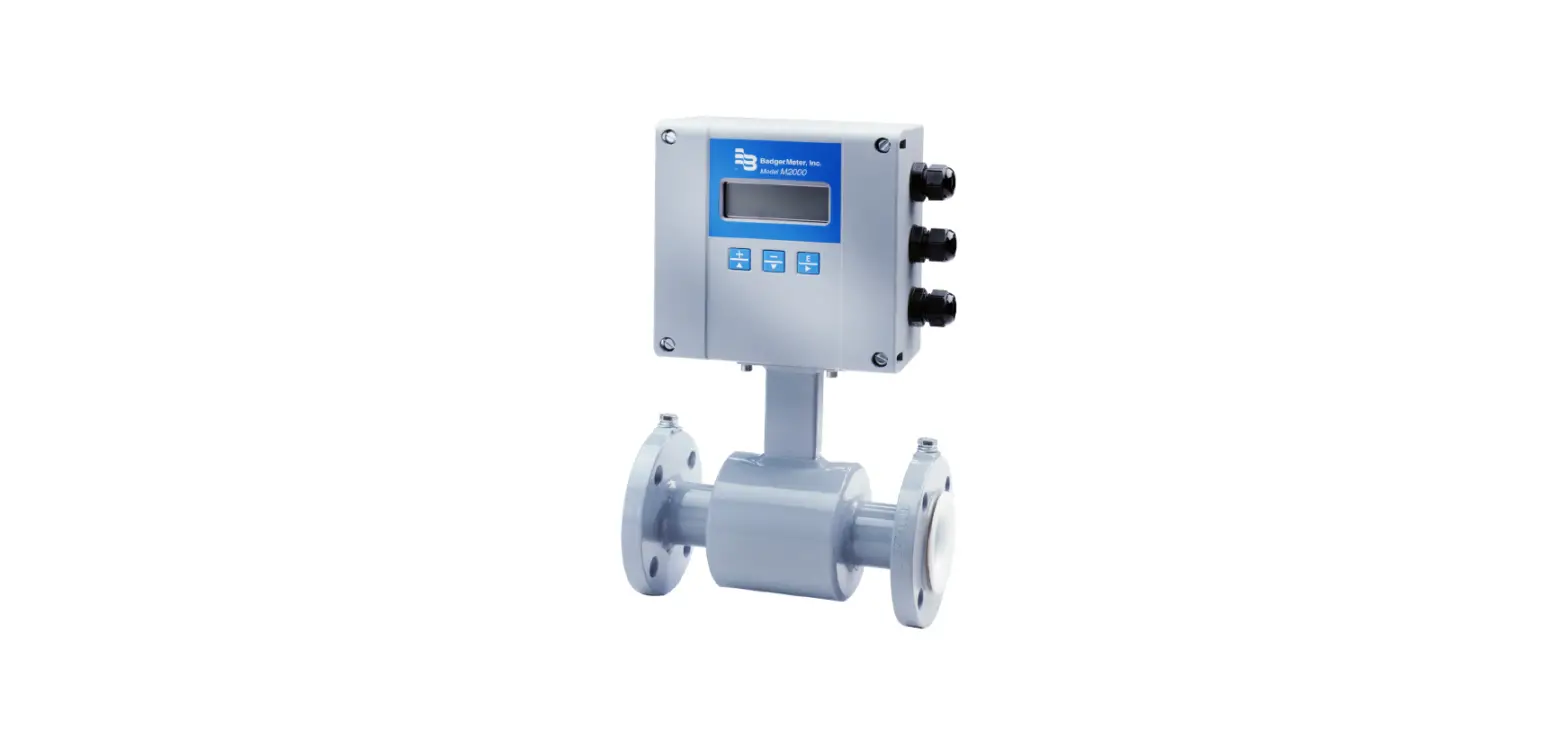

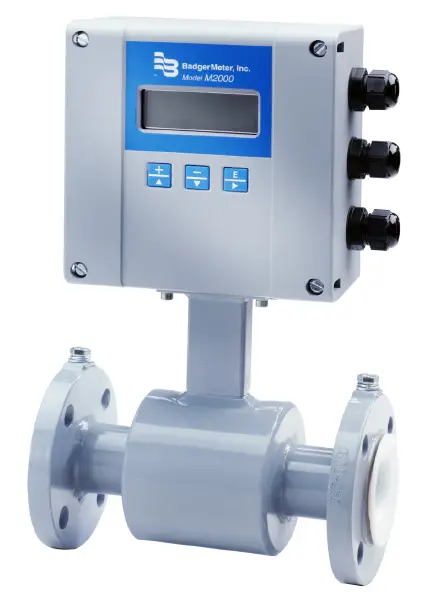
ModMAG M2000 BACnet MS/TP Communication Protocol Electromagnetic Flow Meters
ABOUT THIS MANUAL
Definitions
| BACnet | Building Automation and Control Networks |
| DB | Daughterboard |
| MS/TP | Master-Slave/Token-Passing |
| PTP | Point-to-Point |
| SPS | Alternate abbreviation for PLC (Programmable Logic Controller) |
| User Units | Defined by configuration of the meter’s volume unit or flow unit |
Scope
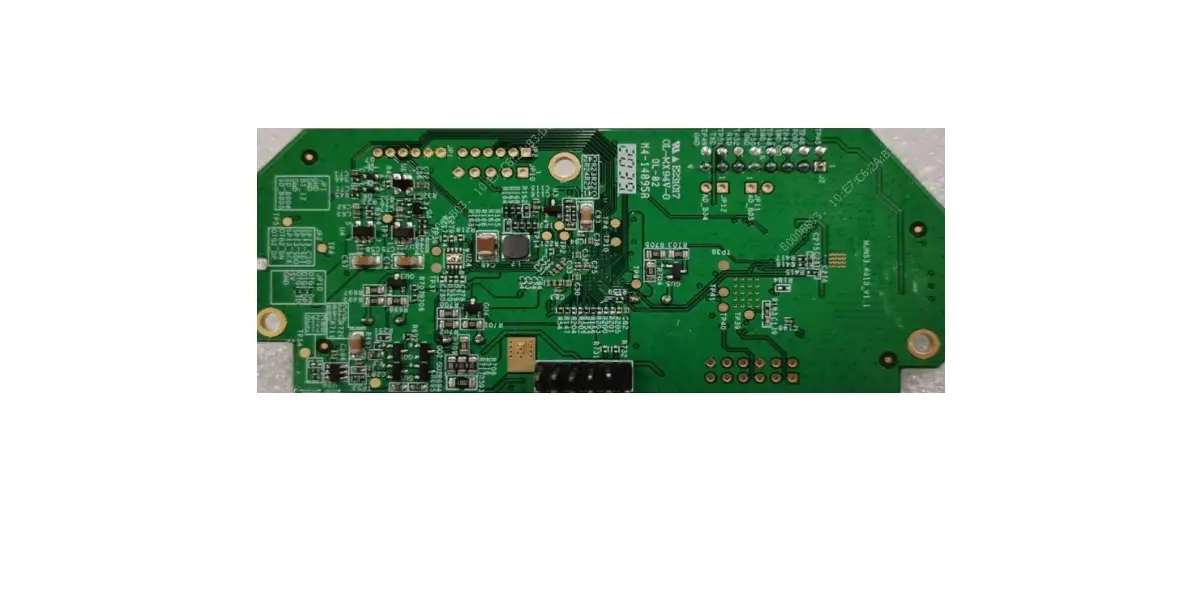
This document discusses the supported features of serial BACnet MS/TP, how these features are related to the M2000, and the special considerations and type of data that is accessible over BACnet MS/TP. This document assumes general understanding of the BACnet MS/TP protocol by the reader. For further information regarding the BACnet Protocol, refer to www.bacnet.org. The M2000 BACnet MS/TP daughterboard supports BACnet MS/TP protocol, Revision 19. The BACnet MS/TP daughterboard acts as a BACnet MS/TP master node (Data Link Layer) with the device profile of BACnet-Smart Actuator (B-SA). It interfaces directly to MS/TP based systems.
INTRODUCTION
BACnet is a Data Communication Protocol for Building Automation and Control Networks. Developed under the auspices of the American Society of Heating, Refrigerating and Air-Conditioning Engineers (ASHRAE), BACnet is an American national standard, a European standard, a national standard in more than 30 countries, and an ISO global standard. The protocol is supported and maintained by ASHRAE Standing Standard Project Committee 135.
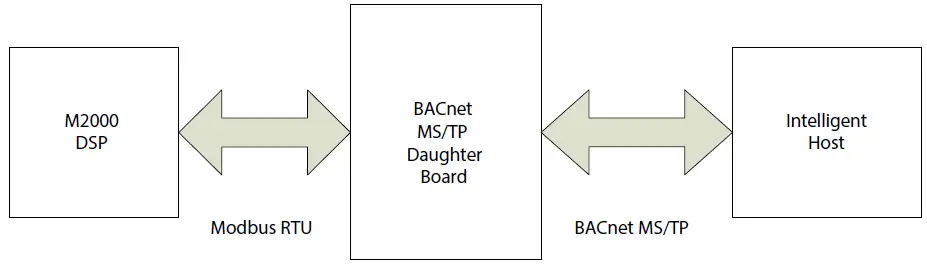
INSTALLATION
Pre-Installed Daughterboard
Most daughterboard installations will be completed in the factory and shipped pre-installed into the main board. Follow these steps to set up your M2000 BACnet MS/TP device.
- Power on the M2000.
- Allow time for the daughterboard to properly power up and be recognized by the M2000 before navigating the menus.This time is typically 3 seconds or less. If the BACnet MS/TP daughterboard is not recognized, cycle the M2000 power.
- Navigate in the menu to Main Menu > Communications > Daughterbrd Config.
- Configure the settings in the table below to what is required for the BACnet MS/TP network.
Parameter Default Value Comments BACnet MS/TP Baud 9600 Baud Rate of the BACnet MS/TP network . Common settings are 9600, 19200, 38400 and 76800 .
BACnet MS/TP MAC ID 1 Sets BACNET MS/TP Device ID of module/meter . Max value = 127 BACnet Max Master 127 Sets the max master variable for the device . Max value = 127 BACnet Instance 10001 Sets the BACnet Instance number . The instance number is an unsigned decimal number that can range from 0 to 4,194,302 . Every device on a BACnet network gets an instance number, and two devices must not have the same number .
- After configuration of all parameters, exit the menu system back to the M2000 Home screen.
- Cycle power to the M2000 meter for any daughterboard configuration changes to take place.
Wiring the RS-485 Connections
NOTE:
Power off the M2000 before making the RS-485 wiring connections. Use the following information to wire signals to the 6-pin customer connector. See Figure 2.
| Terminal Number | Pin Description | Comments |
| 71 | RS-485 B+ | RS-485 Non-Inverting I/O 15kV HBM ESD Protected RS-485 level |
| 72 | RS-485 A- | RS-485 Inverting I/O15kV HBM ESD Protected RS-485 level |
| 73 | Analog GND | 0/4…20 mA (Terminal 15-) |
| 74 | Analog Output | 0/4…20 mA (Terminal 16+) |
| 75 | 24V DC Ext | 24V DC Output |
| 76 | GND | Isolated Ground (GND) |
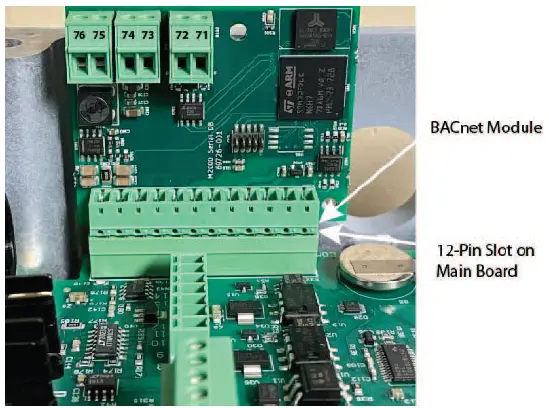
In-Field Upgrade
Prerequisites
- Installing a BACnet MS/TP daughterboard into an M2000 requires firmware revision v1.22 or later.
- The main board (revision 2 or later) must have a 12-pin connector for this interface.
Installing the Daughterboard
The BACnet MS/TP daughterboard connects to the 12-pin connector labeled COMMUNICATION on the main board.
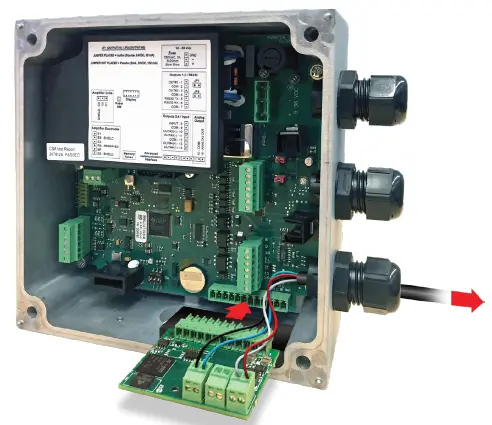
Follow these steps to install the daughterboard hardware.
- Prior to installing the daughterboard, verify or configure the M2000 Communication Port B Settings. The Port B Settings are located at Main Menu > Communications > Port B Settings.
Parameter Value Port Address 1 Ext . Port Address 126 Baud Rate 9600 Data Bits 8 bits Parity Even Stop Bits 1 bit - Exit the communications menu back to the M2000 Home screen.
- Power off the M2000.
CAUTION
DISCONNECT THE INPUT POWER BEFORE ACCESSING THE EQUIPMENT. This step is important for the M2000 to properly recognize the BACnet MS/TP daughterboard. - Prior to inserting the daughterboard, install the foam insulation pad as shown in Figure 4 on page 6. Be sure to align the groove with the two screws attaching the detector or wall mount bracket to the enclosure. The primary purpose of this pad is to ensure the daughterboard is insulated from the enclosure wall. It is important to install this pad flush with the top of the enclosure wall.

- Insert the 12-pin daughterboard into the 12 pin-connector.
- Power on the M2000.
- Allow time for the daughterboard to properly power up and be recognized by the M2000 before navigating the menus. This time is typically 3 seconds. If the BACnet MS/TP daughterboard is not recognized, cycle the M2000 power. 8. Verify recognition of the BACnet MS/TP daughterboard. Navigate to Main Menu > Info/Help. The Daughterboard Info field
indicates the Daughterboard Type is BACnet MS/TP (Bn_mstp). - From this point, follow the typical installation procedure.
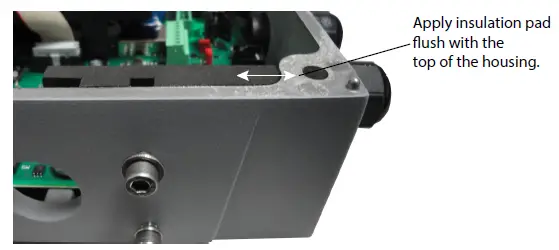
SYSTEM CONFIGURATION
BACnet Protocol Implementation Conformance Statement
- Date: March 4, 2022
- Vendor Name: Badger Meter (Vendor 306)
- Product Name: M2000 Mag Meter
- Product Model Number: M2000
- Application Software Version: M-Series v1.22
- Firmware Revision: v1.02
- BACnet Protocol Revision: 1.19
Product Description
The ModMAG M2000 Electromagnetic flow meter has a wide selection of liner and electrode materials to help ensure maximum compatibility and minimum maintenance over a long operating period.
BACnet Standardized Device Profiles Supported (Annex L)
BACnet Smart Actuator (B-SA)
BACnet Interoperability Building Blocks Supported (Annex K)
- Data Sharing-ReadProperty-B (DS-RP-B)
- Data Sharing-ReadPropertyMultiple-B (DS-RPM-B)
- Data Sharing-WriteProperty-B (DS-WP-B)
- Device Management-Dynamic Device Binding-B (DM-DDB-B)
- Device Management-Dynamic Object Binding-B (DM-DOB-B)
- Device Management-ReinitializeDevice-B (DM-RD-B)
Standard Object Types Supported
| Object-Type | Dynamically Createable | Dynamically Deleteable | Optional Properties Supported | Writable Properties |
| Device | No | No | Description, Max Master, Max Info Frames | Max Master, Max Info Frames |
| Network Port | No | No | Link Speed Link Speeds MAC Address Max Master Max Info Frames | Link Speed MAC Address Max Master Max Info Frames |
| Analog Value | No | No | — | Present Value |
| Character String | No | No | — | Present Value |
Range Restrictions for the Device Object
| Object-Type | Property | Range Restriction |
| Device | Max Master Max Info Frames | 1 ~ 127 1 ~ 255 |
| Network Port | Link Speed MAC Address Max Master Max Info Frames | 9600, 19200, 38400, 57600, 76800 1 ~ 127 1 ~ 127 1 ~ 255 |
Data Link Layer Option Supported
MS/TP master (Clause 9), baud rate(s): 9600, 19200, 38400, 76800
Segmentation Capability Supported
None
Character Sets Supported
ISO 10646 (UTF-8)
DATA MANAGEMENT
The BACnet MS/TP interface is based on BACnet Protocol Revision 19 and supports the following objects:
- One Device Object – contains parameters pertaining to the M2000 device
- 170 Analog Value Objects – contains parameters pertaining to meter specific parameters
- 17 Custom String Values – contains device specific string data pertaining to the connected meter
- One Network Port Object – Contains all BACnet network options and status
Device Object
Every BACnet device must have a Device Object, the Properties of which fully describe the BACnet device to the network. The Object_List Property of the Device Object, for example, provides a list of every Object contained within the BACnet device. The Vendor_Name, Vendor_Identifier and Model_Name Properties provide the manufacturer name and model of the device.
| BACnet Property | Value |
| Apdu Timeout | 3000 |
| Application Software Version | M-Series v1 .22 |
| Database Revision | 0 |
| Description | Magnetic Flow Meter |
| Device Address Binding | — |
| Firmware Revision | 1 .02 |
| Location | — |
| Max Apdu Length Accepted | 480 |
| Max Info Frames | 1 |
| Max Master | 127 |
| Model Name | M2000 |
| Number of Apdu Retries | 3 |
| Object Identifier | OBJECT_DEVICE: 10001 |
| Object Name | M2000 Mag Meter |
| Object Type | 8 : Object Device |
| Property List | Object Array |
| Protocol Object Types Supported | 001000001000000000000000000000000000000010000000000000001000 |
| Protocol Revision | 19 |
| Protocol Services Supported | 00000000000010110100100000000000011000000000 |
| Protocol Version | 1 |
| Segmentation Supported | 3 : None |
| System Status | 0 : Operational |
| Vendor Identifier | 306 |
| Vendor Name | Badger Meter |
Analog Value Objects & Character String Objects
This list specifies all the analog values accessible by the BACnet MS/TP network.
Measurements Category
| Index | Parameter Name | Data Type | Network Access | BACnet Object ID |
| 31 | VelocityUnits | INTEGER | READ_WRITE | AV13 |
| 32 | FlowUnits | INTEGER | READ_WRITE | AV14 |
| 33 | VolumeUnits | INTEGER | READ_WRITE | AV15 |
| 34 | UnitMultiplier | INTEGER | READ_WRITE | AV16 |
| 35 | ZeroScaleFlow | FLOAT | READ_WRITE | AV17 |
| 36 | FullScalVelocity | FLOAT | READ_WRITE | AV18 |
| 37 | FullScaleFlow | FLOAT | READ_WRITE | AV19 |
| 38 | LowFlowCutoff | FLOAT | READ_WRITE | AV20 |
| 39 | FlowDirection | INTEGER | READ_WRITE | AV21 |
| 40 | DampingFactor | INTEGER | READ_WRITE | AV22 |
Product Identification Category
| Index | Parameter Name | Data Type | Network Access | BACnet Object ID |
| 1 | ProductCode | INTEGER | READ_ONLY | AV161 |
| 2 | ProductName | STRING | READ_ONLY | CSV0 |
| 3 | FirmwareName | STRING | READ_ONLY | CSV1 |
| 4 | ApplicationVer | STRING | READ_WRITE | CSV2 |
| 5 | CompileDate | STRING | READ_ONLY | CSV3 |
| 6 | CompileTime | STRING | READ_ONLY | CSV4 |
| 7 | PCBSerialNum | STRING | READ_WRITE | CSV5 |
| 8 | OTPBootChecksum | STRING | READ_ONLY | CSV6 |
| 9 | FlashOSChecksum | STRING | READ_ONLY | CSV7 |
| 10 | BootVer | STRING | READ_ONLY | CSV8 |
| 11 | OsVer | STRING | READ_ONLY | CSV9 |
| 12 | ComBoardProdType | INTEGER | READ_ONLY | AV146 |
| 13 | ComBoardMajorVer | INTEGER | READ_ONLY | AV147 |
| 14 | ComBoardMinorVer | INTEGER | READ_ONLY | AV148 |
| 15 | PwrOnSplashLn1 | STRING | READ_WRITE | CSV10 |
| 16 | PwrOnSplashLn2 | STRING | READ_WRITE | CSV11 |
| 17 | MeterTagName | STRING | READ_WRITE | CSV12 |
Meter Calibration Category
| Index | Parameter Name | Data Type | Network Access | BACnet Object ID |
| 18 | DetDiamEnum | INTEGER | READ_WRITE | AV0 |
| 19 | DetDiamActual | INTEGER | READ_WRITE | AV1 |
| 20 | DetectorFactor | FLOAT | READ_WRITE | AV2 |
| 21 | FACT_DetFactor | FLOAT | READ_ONLY | AV3 |
| 22 | DetectorOffset | FLOAT | READ_WRITE | AV4 |
| 23 | FACT_DetOffset | FLOAT | READ_ONLY | AV5 |
| 24 | AmplifierFactor | FLOAT | READ_WRITE | AV6 |
| 25 | FACT_AmpFactor | FLOAT | READ_ONLY | AV7 |
| 26 | DetectorCurrent | FLOAT | READ_WRITE | AV8 |
| 27 | FACT_DetCurrent | FLOAT | READ_ONLY | AV9 |
| 28 | PowerLineFreq | INTEGER | READ_WRITE | AV10 |
| 29 | ExcitationFreq | INTEGER | READ_WRITE | AV11 |
| 30 | ScaleFactor | FLOAT | READ_WRITE | AV12 |
Meter Measurement Settings Category
| Index | Parameter Name | Data Type | Network Access | BACnet Object ID |
| 101 | T1_Tplus_m3 | FLOAT | READ_ONLY | AV82 |
| 102 | T1_Tplus_User | FLOAT | READ_ONLY | AV83 |
| 103 | T1_TplusDispStr | STRING | READ_ONLY | CSV14 |
| 104 | T2_Tminus_m3 | FLOAT | READ_ONLY | AV84 |
| 105 | T2_Tminus_User | FLOAT | READ_ONLY | AV85 |
| 106 | T2_TminusDispStr | STRING | READ_ONLY | CSV15 |
| 107 | T3_TNet_m3 | FLOAT | READ_ONLY | AV86 |
| 108 | T3_TNet_User | FLOAT | READ_ONLY | AV87 |
| 109 | T3_TNetDispStr | STRING | READ_ONLY | CSV16 |
| 110 | T1_TplusRollCtr | INTEGER | READ_ONLY | AV88 |
| 111 | T2_TminusRollCtr | INTEGER | READ_ONLY | AV89 |
| 112 | FlowVelocity_MS | FLOAT | READ_ONLY | AV90 |
| 113 | FlowVelocity_Usr | FLOAT | READ_ONLY | AV91 |
| 114 | FlowRate_m3 | FLOAT | READ_ONLY | AV92 |
| 115 | FlowRate_User | FLOAT | READ_ONLY | AV93 |
| 116 | RelFlowRatePerc | FLOAT | READ_ONLY | AV94 |
| 117 | PresBatchTot_m3 | FLOAT | READ_ONLY | AV95 |
| 118 | PresBatchTot_Usr | FLOAT | READ_ONLY | AV96 |
| 119 | FlowDirection | INTEGER | READ_ONLY | AV97 |
Digital Input Category
| Index | Parameter Name | Data Type | Network Access | BACnet Object ID |
| 41 | DigInOperation | INTEGER | READ_WRITE | AV23 |
| 42 | DigInStatus | INTEGER | READ_ONLY | AV24 |
Output 1 Category
| Index | Parameter Name | Data Type | Network Access | BACnet Object ID |
| 56 | Out1_PPUnit_m3 | FLOAT | READ_WRITE | AV37 |
| 57 | Out1_PPUnit_user | FLOAT | READ_WRITE | AV38 |
| 58 | Out1_PulseWidth | INTEGER | READ_WRITE | AV39 |
| 59 | Out1_FS_Freq | INTEGER | READ_WRITE | AV40 |
| 60 | Out1_AlarmMin | INTEGER | READ_WRITE | AV41 |
| 61 | Out1_AlarmMax | INTEGER | READ_WRITE | AV42 |
| 62 | Out1_Mode | INTEGER | READ_WRITE | AV43 |
| 63 | Out1_Operation | INTEGER | READ_WRITE | AV44 |
Output 2 Category
| Index | Parameter Name | Data Type | Network Access | BACnet Object ID |
| 64 | Out2_PPUnit_m3 | FLOAT | READ_WRITE | AV45 |
| 65 | Out2_PPUnit_user | FLOAT | READ_WRITE | AV46 |
| 66 | Out2_PulseWidth | INTEGER | READ_WRITE | AV47 |
| 67 | Out2_FS_Freq | INTEGER | READ_WRITE | AV48 |
| 68 | Out2_AlarmMin | INTEGER | READ_WRITE | AV49 |
| 69 | Out2_AlarmMax | INTEGER | READ_WRITE | AV50 |
| 70 | Out2_Mode | INTEGER | READ_WRITE | AV51 |
| 71 | Out2_Operation | INTEGER | READ_WRITE | AV52 |
| Index | Parameter Name | Data Type | Network Access | BACnet Object ID |
| 72 | Out3_FS_Freq | INTEGER | READ_WRITE | AV53 |
| 73 | Out3_AlarmMin | INTEGER | READ_WRITE | AV54 |
| 74 | Out3_AlarmMax | INTEGER | READ_WRITE | AV55 |
| 75 | Out3_Mode | INTEGER | READ_WRITE | AV56 |
| 76 | Out3_HW_Select | INTEGER | READ_WRITE | AV57 |
| 77 | Out3_Operation | INTEGER | READ_WRITE | AV58 |
| Index | Parameter Name | Data Type | Network Access | BACnet Object ID |
| 78 | Out4_AlarmMin | INTEGER | READ_WRITE | AV59 |
| 79 | Out4_AlarmMax | INTEGER | READ_WRITE | AV60 |
| 80 | Out4_Mode | INTEGER | READ_WRITE | AV61 |
| 81 | Out4_HW_Select | INTEGER | READ_WRITE | AV62 |
| 82 | Out4_Operation | INTEGER | READ_WRITE | AV63 |
| 77 | Out3_Operation | INTEGER | READ_WRITE | AV58 |
| Index | Parameter Name | Data Type | Network Access | BACnet Object ID |
| 43 | AnalogOutRange | INTEGER | READ_WRITE | AV25 |
| 44 | AnalogOutOffset | FLOAT | READ_ONLY | AV26 |
| 45 | AnalogOutCalPtA | FLOAT | READ_WRITE | AV27 |
| 46 | AnalogOutCalPtB | FLOAT | READ_WRITE | AV28 |
| 47 | FACT_AOutCalPtA | FLOAT | READ_ONLY | AV29 |
| 48 | FACT_AOutCalPtB | FLOAT | READ_ONLY | AV30 |
| 49 | AnalogOutSlope | FLOAT | READ_ONLY | AV31 |
| 50 | AnalogOffset4MA | FLOAT | READ_WRITE | AV32 |
| 51 | AnalogOffset20MA | FLOAT | READ_WRITE | AV33 |
| 52 | AnalogOutCurrent | FLOAT | READ_ONLY | AV34 |
| 53 | AOutCurrentStr | STRING | READ_ONLY | CSV13 |
| 54 | AlarmMode | INTEGER | READ_WRITE | AV35 |
| 55 | FixedCurrentMode | FLOAT | READ_ONLY | AV36 |
| Index | Parameter Name | Data Type | Network Access | BACnet Object ID |
| 83 | A_PacketsProc | INTEGER | READ_ONLY | AV64 |
| 84 | A_BcastPackets | INTEGER | READ_ONLY | AV65 |
| 85 | A_CRCErrs | INTEGER | READ_ONLY | AV66 |
| 86 | A_PacketsRcvd | INTEGER | READ_ONLY | AV67 |
| 87 | A_PacketsSent | INTEGER | READ_ONLY | AV68 |
| 88 | A_ParityErrs | INTEGER | READ_ONLY | AV69 |
| 89 | A_FramingErrs | INTEGER | READ_ONLY | AV70 |
| 90 | A_OverrunErrs | INTEGER | READ_ONLY | AV71 |
| 91 | A_BreakDets | INTEGER | READ_ONLY | AV72 |
| Index | Parameter Name | Data Type | Network Access | BACnet Object ID |
| 92 | B_PacketsProc | INTEGER | READ_ONLY | AV73 |
| 93 | B_BcastPackets | INTEGER | READ_ONLY | AV74 |
| 94 | B_CRCErrs | INTEGER | READ_ONLY | AV75 |
| 95 | B_PacketsRcvd | INTEGER | READ_ONLY | AV76 |
| 96 | B_PacketsSent | INTEGER | READ_ONLY | AV77 |
| 97 | B_ParityErrs | INTEGER | READ_ONLY | AV78 |
| 98 | B_FramingErrs | INTEGER | READ_ONLY | AV79 |
| 99 | B_OverrunErrs | INTEGER | READ_ONLY | AV80 |
| 100 | B_BreakDets | INTEGER | READ_ONLY | AV81 |
| Index | Parameter Name | Data Type | Network Access | BACnet Object ID |
| 174 | BacnetMSTPBaud | LONG | READ_WRITE | AV155 |
| 175 | BacnetMSTPMacId | INTEGER | READ_WRITE | AV156 |
| 176 | BacnetMaxMaster | INTEGER | READ_WRITE | AV157 |
| 177 | BacnetInstance | LONG | READ_WRITE | AV158 |
| 182 | BacnetMaxInfoFrm | INTEGER | READ_WRITE | AV164 |
| Index | Parameter Name | Data Type | Network Access | BACnet Object ID |
| 137 | PowerLossTot_s | LONG | READ_ONLY | AV115 |
| 138 | DispBklightMode | INTEGER | READ_WRITE | AV116 |
| 139 | PreBatchAmt | FLOAT | READ_WRITE | AV117 |
| 140 | MenuResetAllowed | INTEGER | READ_WRITE | AV118 |
| 141 | MenuLangSetting | INTEGER | READ_WRITE | AV119 |
| 142 | FileSysNumRecsRd | INTEGER | READ_WRITE | AV120 |
| 143 | ConfigStatus | INTEGER | READ_ONLY | AV121 |
| 144 | PortBExtAddr | INTEGER | READ_ONLY | AV122 |
| 157 | SoftwreMedianFlt | INTEGER | READ_WRITE | AV135 |
| 158 | IIRCoefActualVal | FLOAT | READ_ONLY | AV136 |
| 159 | IIRActualState | INTEGER | READ_WRITE | AV137 |
| 160 | IIRCoefMin | FLOAT | READ_WRITE | AV138 |
| 161 | IIRCoefMax | FLOAT | READ_WRITE | AV139 |
| 162 | IIRHysteresis | FLOAT | READ_WRITE | AV140 |
| 163 | IIRSensitivity | FLOAT | READ_WRITE | AV141 |
| 164 | ZFlowStabSize | FLOAT | READ_WRITE | AV142 |
| 165 | ZFlowStabExp | INTEGER | READ_WRITE | AV143 |
| 166 | ZFlowStabAcc | FLOAT | READ_ONLY | AV144 |
| 167 | ZFlowStabTimer | INTEGER | READ_ONLY | AV145 |
| Index | Parameter Name | Data Type | Network Access | BACnet Object ID |
| 145 | AnalogInMeasVal | FLOAT | READ_ONLY | AV123 |
| 146 | AnalogInMeasCtr | INTEGER | READ_WRITE | AV124 |
| 147 | EmptyPipeActRes | FLOAT | READ_ONLY | AV125 |
| Index | Parameter Name | Data Type | Network Access | BACnet Object ID |
| 148 | EmptyPipeCal_V | FLOAT | READ_WRITE | AV126 |
| 149 | EmptyPipeMeasVal | FLOAT | READ_ONLY | AV127 |
| 150 | FullPipeCal_V | FLOAT | READ_WRITE | AV128 |
| 151 | EmptyPipeMode | INTEGER | READ_WRITE | AV129 |
| Index | Parameter Name | Data Type | Network Access | BACnet Object ID |
| 152 | CmdActionReq | INTEGER | READ_WRITE | AV130 |
| 153 | FlowSimulation | SIGNED INTEGER | READ_WRITE | AV131 |
| Index | Parameter Name | Data Type | Network Access | BACnet Object ID |
| 154 | SecurityStatus | INTEGER | READ_ONLY | AV132 |
| 155 | RandomVal | LONG | READ_ONLY | AV133 |
| 156 | RemoteLogin | LONG | WRITE_ONLY | AV134 |
| Index | Parameter Name | Data Type | Network Access | BACnet Object ID |
| 157 | SoftwreMedianFlt | INTEGER | READ_WRITE | AV135 |
| 158 | IIRCoefActualVal | FLOAT | READ_ONLY | AV136 |
| 159 | IIRActualState | INTEGER | READ_WRITE | AV137 |
| 160 | IIRCoefMin | FLOAT | READ_WRITE | AV138 |
| 161 | IIRCoefMax | FLOAT | READ_WRITE | AV139 |
| 162 | IIRHysteresis | FLOAT | READ_WRITE | AV140 |
| 163 | IIRSensitivity | FLOAT | READ_WRITE | AV141 |
| 164 | ZFlowStabSize | FLOAT | READ_WRITE | AV142 |
| 165 | ZFlowStabExp | INTEGER | READ_WRITE | AV143 |
| 166 | ZFlowStabAcc | FLOAT | READ_ONLY | AV144 |
| 167 | ZFlowStabTimer | INTEGER | READ_ONLY | AV145 |
| Index | Parameter Name | Data Type | Network Access | BACnet Object ID |
| 168 | RESERVED | RESERVED | RESERVED | AV149 |
| 169 | RESERVED | RESERVED | RESERVED | AV150 |
| 170 | RESERVED | RESERVED | RESERVED | AV151 |
| 171 | RESERVED | RESERVED | RESERVED | AV152 |
| 172 | RESERVED | RESERVED | RESERVED | AV153 |
| 173 | RESERVED | RESERVED | RESERVED | AV154 |
| 174 | BacnetMSTPBaud | INTEGER | READ_WRITE | AV155 |
| 175 | BacnetMSTPMacId | INTEGER | READ_WRITE | AV156 |
| 176 | BacnetMaxMaster | INTEGER | READ_WRITE | AV157 |
| 177 | BacnetInstance | INTEGER | READ_WRITE | AV158 |
| 178 | RESERVED | RESERVED | RESERVED | AV159 |
| 179 | RESERVED | RESERVED | RESERVED | AV160 |
| 180 | RESERVED | RESERVED | RESERVED | AV162 |
| 181 | RESERVED | RESERVED | RESERVED | AV163 |
| 182 | RESERVED | RESERVED | RESERVED | AV164 |
| 183 | RESERVED | RESERVED | RESERVED | AV165 |
| 184 | RESERVED | RESERVED | RESERVED | AV166 |
| 185 | RESERVED | RESERVED | RESERVED | AV167 |
| 186 | RESERVED | RESERVED | RESERVED | AV168 |
| 187 | RESERVED | RESERVED | RESERVED | AV169 |
TROUBLESHOOTING
| Symptoms | Possible Causes | Recommended Actions |
| No communication | Transmit and receive are wired incorrectly . | Check the network wiring from the meter . |
| Baud rate does not match master . | Check the baud rate of the master and ensure the baud rate of the meter matches the master . If it does not match, change the Baud Rate setting in the Communication menu . | |
| Check LED behavior on the daughterboard . There should be a “fast” blink (4 flashes per second) . | If LED is solid green or is a slow blink (1 flash per second) the daughterboard is not communicating to the main M2000 board . Check that the daughterboard is properly installed and fully plugged into the terminal on the M2000 board . If there is still a slow blink on the daughterboard LED, remove the daughterboard, cycle power to the meter, and navigate to the communications menu on the M2000 . Configure Port B to the following settings: Port Address: 1 Data Bits: 8 bits Parity: Even Stop Bits: 1 bit The remaining port B settings are not factored into the discovery of the daughterboard and can be left as default values . Exit the menu system back to the M2000 main screen . Power off the meter, plug back in the daughterboard, and again power up the meter . | |
| MAC address is not unique . Another device is on the network with the same address . | Check the addresses of the other devices on the network . Check that the MAC address is not 1 . | |
| Cable is not terminated properly . | For BACnet MS/TP on EIA-485 network, devices can be daisy chained together . The two devices on the end of the chain need to have terminated resistors to reduce reflections . Terminating resistors (typically 120 Ohm) must be applied externally across the A- and B+ terminals . In point-to-point, or point-to-multipoint (single driver on bus) networks, the main cable should be terminated in its characteristic impedance (typically 120 Ohms) at the end furthest from the driver . In multi-receiver applications, stubs connecting receivers to the main cable should be kept as short as possible . Multipoint (multi-driver) systems require that the main cable be terminated in its characteristic impedance at both ends . Stubs connecting a transceiver to the main cable should be kept as short as possible . | |
| Cable or chain longer than 100 ft . | RS-485 is intended for network lengths up to 4000 ft, but the maximum system data rate decreases as the transmission length increases . Devices (like this one) operating at 20 Mbps are limited to lengths less than 100 ft . |
| Symptoms | Possible Causes | Recommended Actions |
| Intermittent communication | Cable is not properly shielded . | Communication cables must have shielding to protect the quality of the communication signals from electromagnetic interference (EMI) . Check that the cable has a shield . Typically, one end of the shield drain is connected to a clean ground to dissipate EMI and prevent ground loops . However, depending on the ground quality, cable length and type of interference, other methods can be employed . Twisted pair is the cable of choice for RS-485 networks . Twisted pair cables tend to pick up noise and other electromagnetically induced voltages as common mode signals, which are effectively rejected by the differential receivers used in this application . |
| Cable routed near power cables such a variable frequency drives . | Cables carrying high currents cause a high degree of electromagnetic interference that can interfere with the quality of the communication signals . Route signal cables away from power cables . | |
| Cable is not terminated properly . | For BACnet MS/TP on EIA-485 network, devices can be daisy chained together . The two devices on the end of the chain need to have terminated resistors to reduce reflections . Terminating resistors (typically 120 Ohm) must be applied externally across the A- and B+ terminals . In point-to-point, or point-to-multipoint (single driver on bus) networks, the main cable should be terminated in its characteristic impedance (typically 120 Ohms) at the end furthest from the driver . In multi-receiver applications, stubs connecting receivers to the main cable should be kept as short as possible . Multipoint (multi-driver) systems require that the main cable be terminated in its characteristic impedance at both ends . Stubs connecting a transceiver to the main cable should be kept as short as possible . | |
| Cable or chain longer than 4000 ft . | RS-485 is intended for network lengths up to 4000 ft, but the maximum system data rate decreases as the transmission length increases . Devices (like this one) operating at 20Mbps are limited to lengths less than 100 ft . | |
| Unable to write specific parameters | Meter is set up with security that prevents changes to certain write-able values . | Enter the correct PIN to unlock the device . Refer to the M2000 user manual for more information on the different levels of security . |
BTL CERTIFICATION
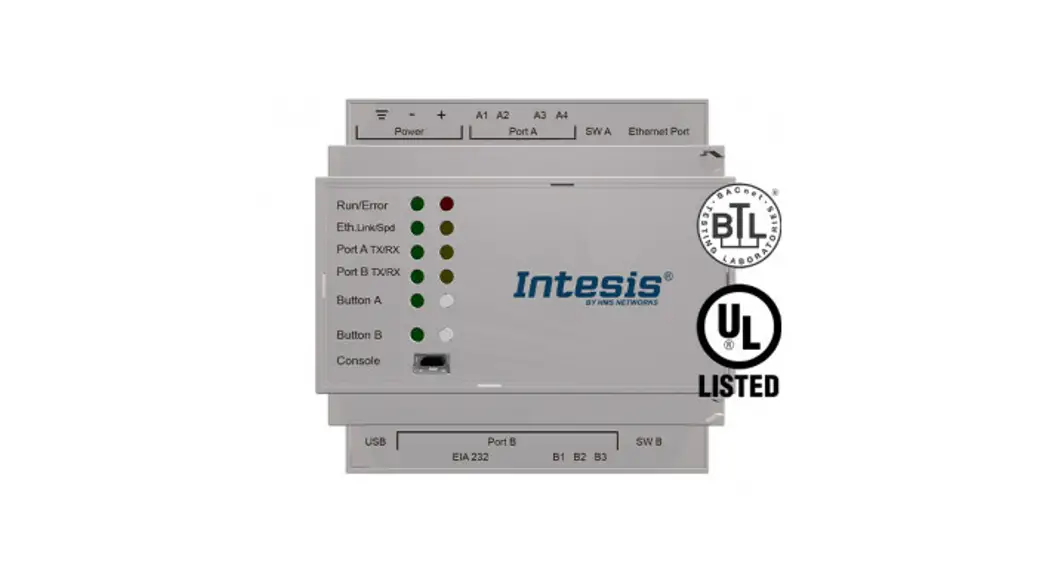
For more information regarding this listing, go to the BTL website. WSPCert attests the conformmance of the following BACnet implementation to the BACnet standard Iso 16484-5 protocol revision 1.19. The attested conformance refers to the BACnet Interoperability Buiding Blocks (BIBBs) listed on the BTL Listing bearing the above-mentioned BTL-number.The BACnet implementation has fulfilled the requirements acoording to the test standard IS0 16484-6, the BTL Test Plan 20.0 and the BTL Testing Policies, see Test Report number BACO1018 of TUV SUD Industrie Service GmbH.
Control. Manage. Optimize.
ModMAG is a registered trademark of Badger Meter, Inc. Other trademarks appearing in this document are the property of their respective entities. Due to continuous research, product improvements and enhancements, Badger Meter reserves the right to change product or system specifications without notice, except to the extent an outstanding contractual obligation exists. © 2022 Badger Meter, Inc. All rights reserved. www.badgermeter.com
 BACnet Committee – Website of the BACnet Committee (ASHRAE SSPC 135)