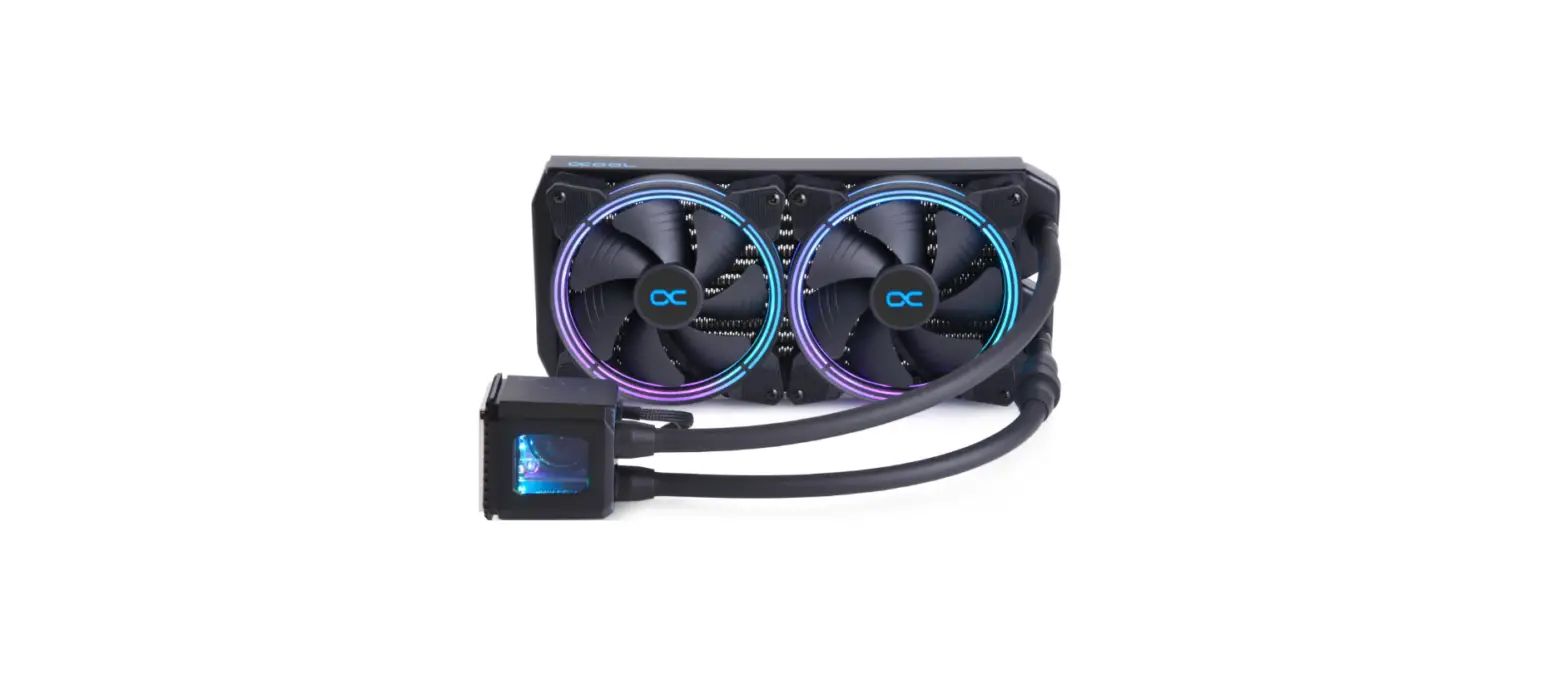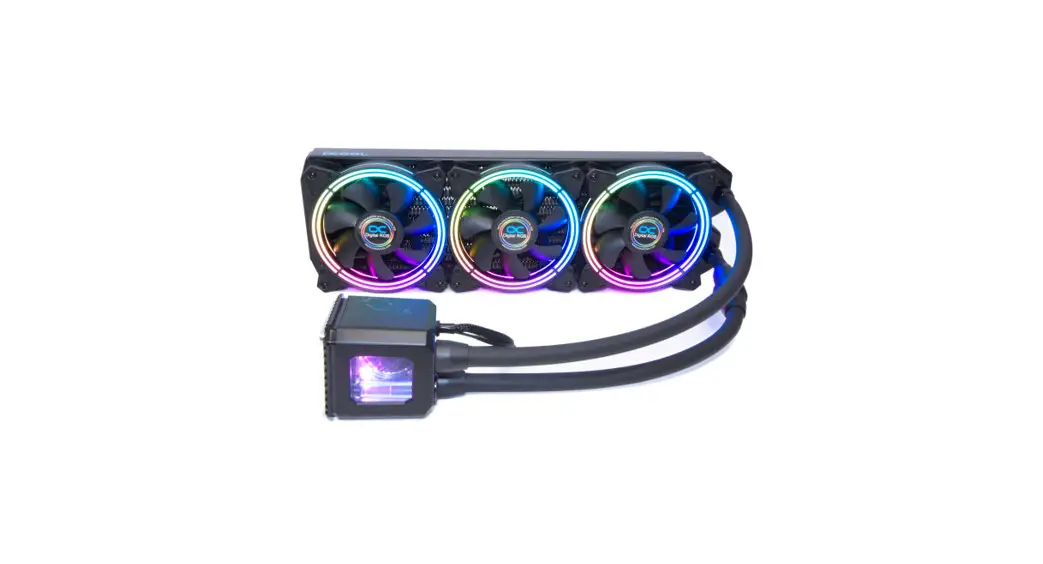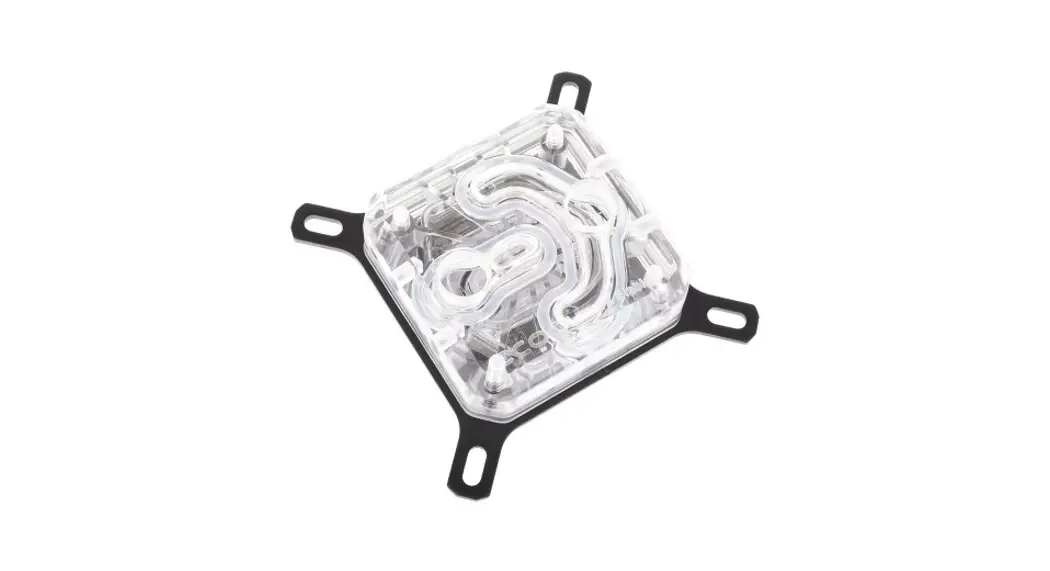
 Eisbaer Pro Aurora CPU AIO Water Cooler Instruction Manual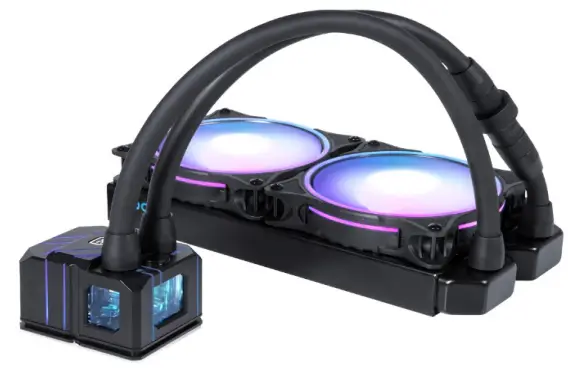
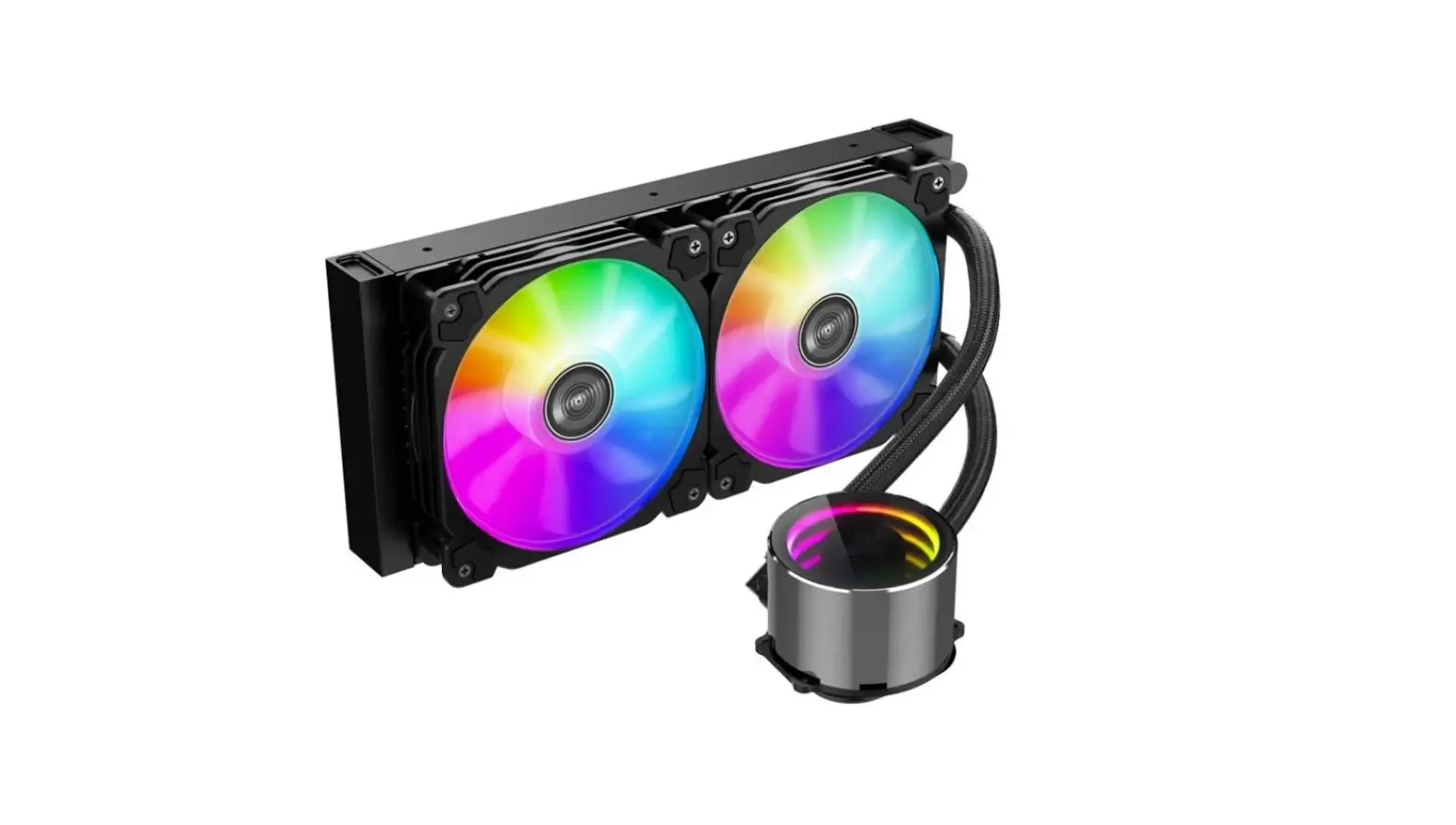
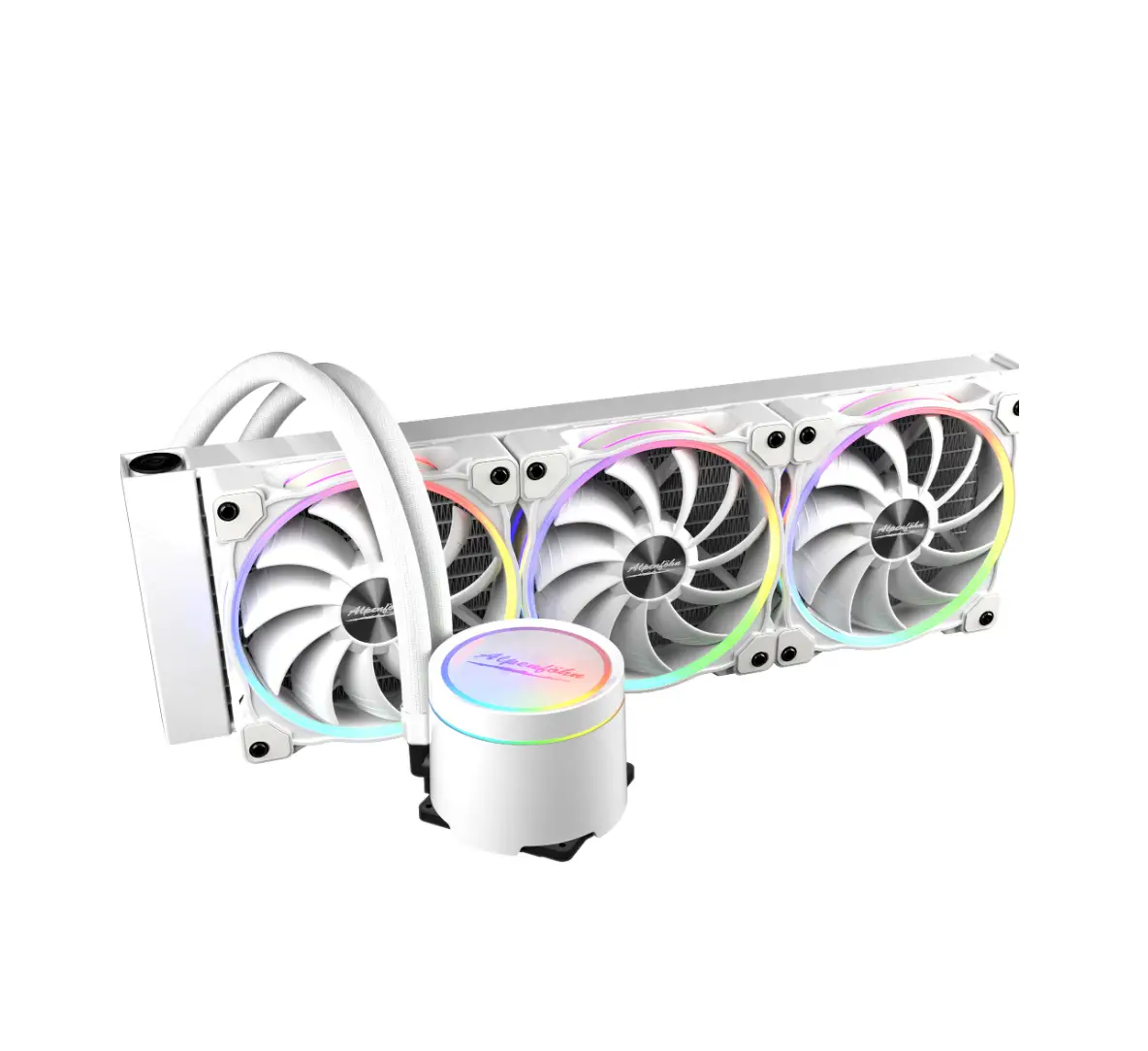
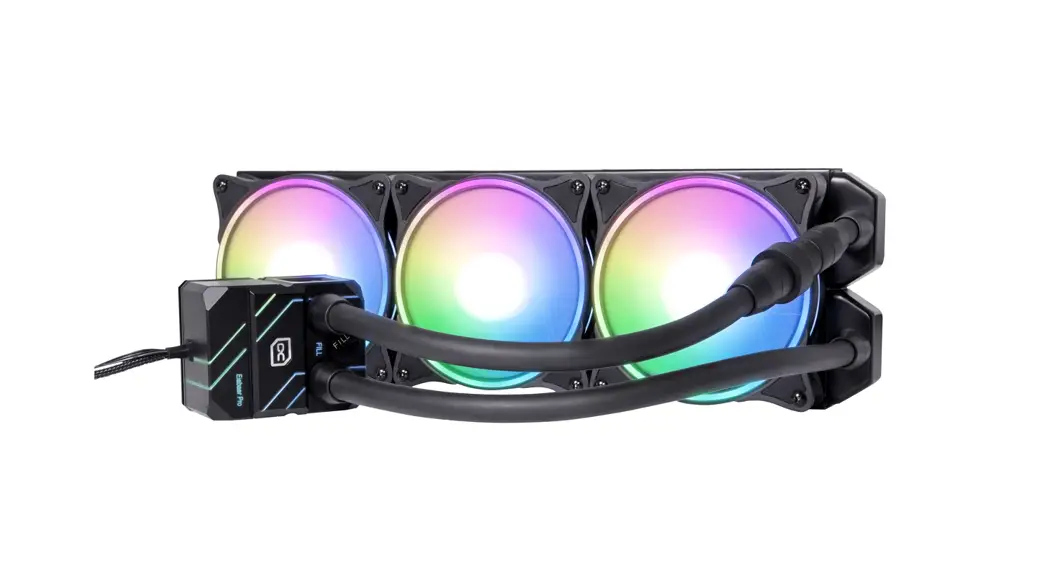
Eisbaer Pro Aurora CPU AIO Water Cooler
Read the safety instructions before starting the installation.
ACCESSORIES
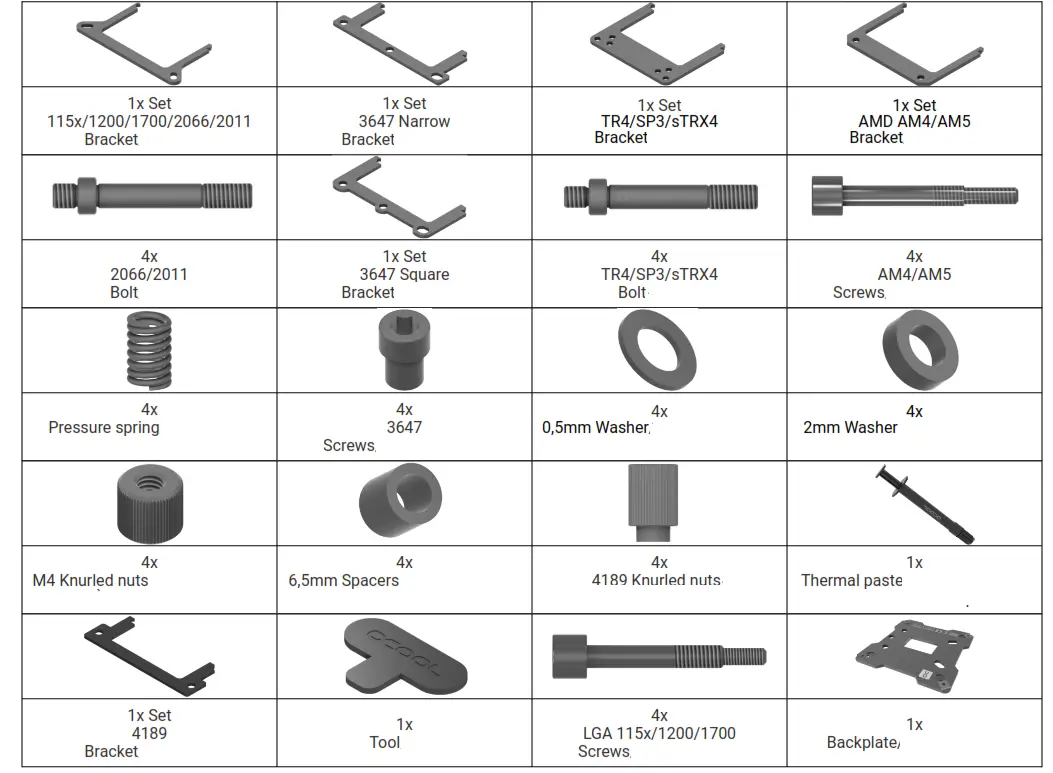
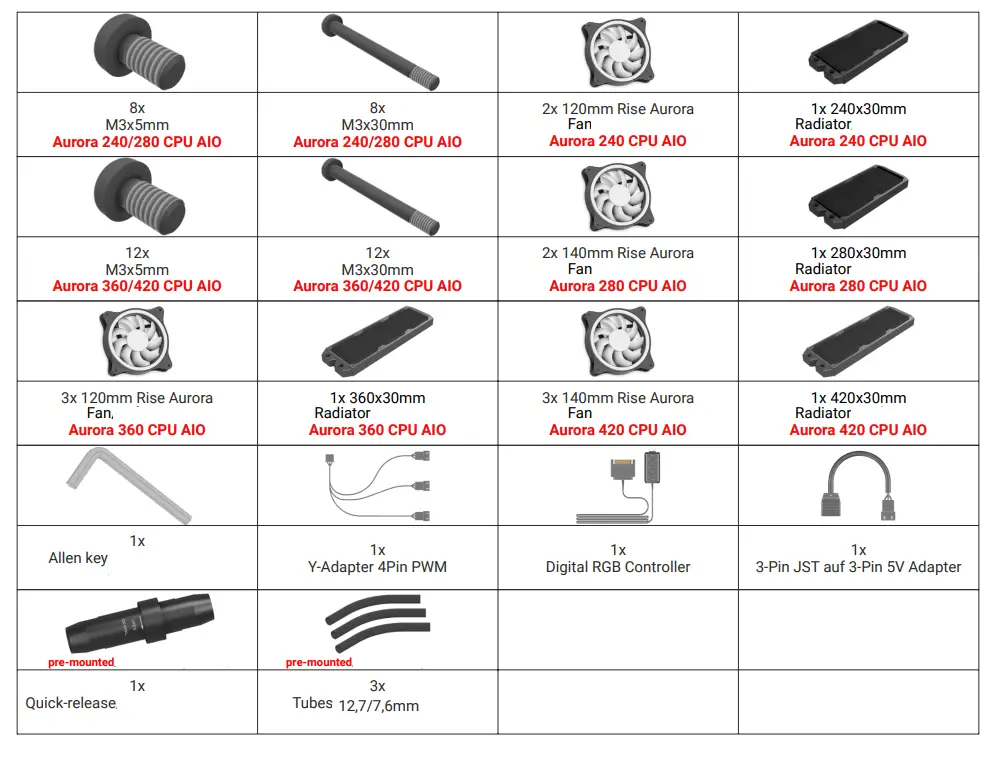
COMPATIBILITY
| INTEL | AMD |
| LGA 115x, 1200, 1700, 2011-3, 2066, 3647-0 Narrow / Square, 4189 | AM4, AM5, TR4, sTRX4, sWRX8, SP3 |
Max. Connections Diameter: 18mm
| Model range: | DC-LT 2 |
| Voltage | 12V DC |
| RPM (+/- 10%) | 2800 RPM |
| Electricity | 0,3A |
| Performance | 4W |
| L / H | 75I/h |
| Delivery head | 0,95m |
The specification of the pump was tested with demineralised water.
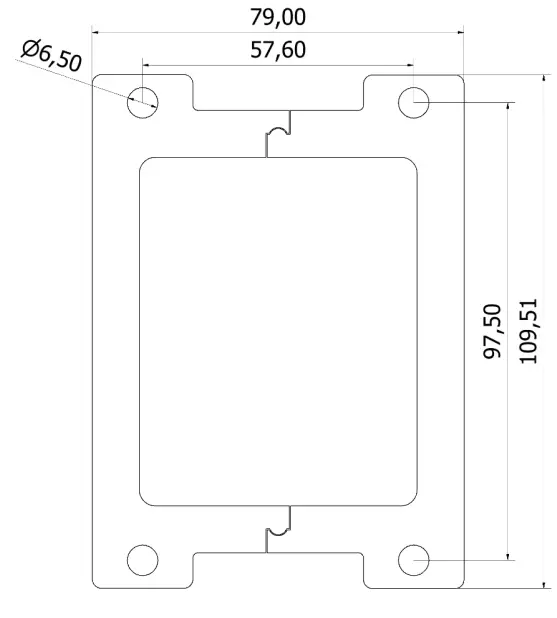
SIZE IN MM
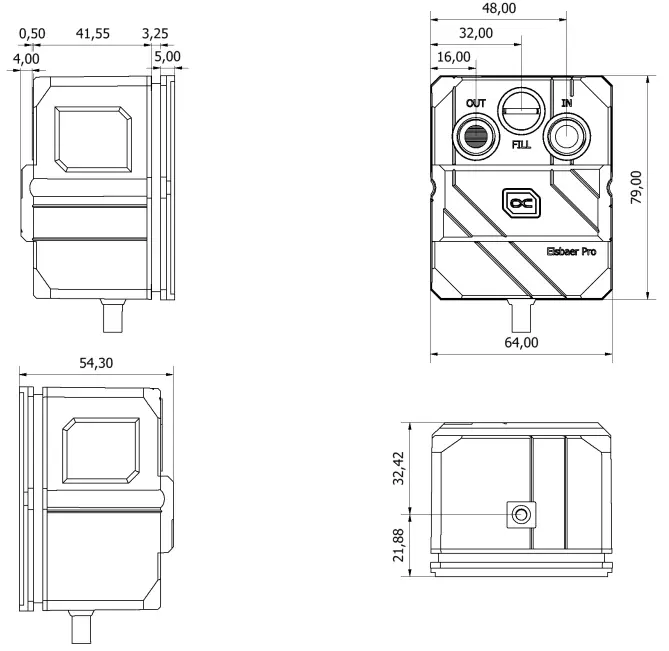
INTEL LGA 115X/1200/1700/2011/2011-3/2066
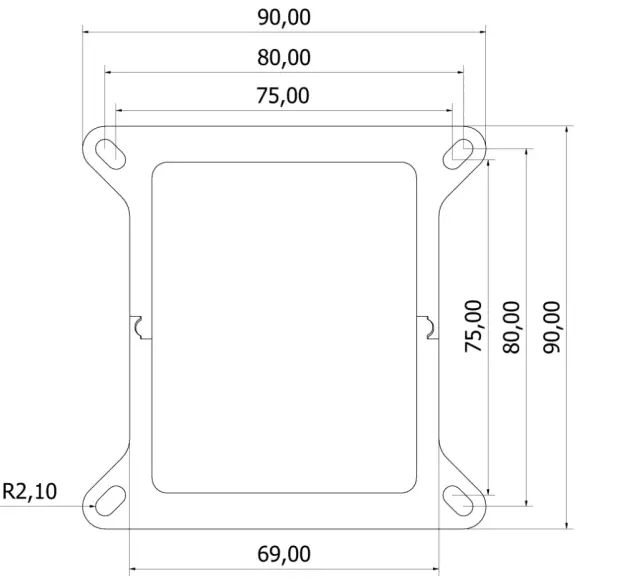
INTEL LGA 3647 SQUARE
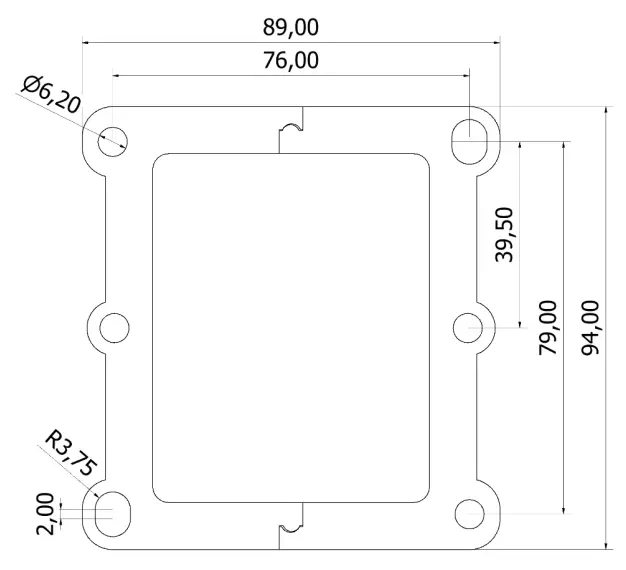
INTEL LGA 3647 NARROW
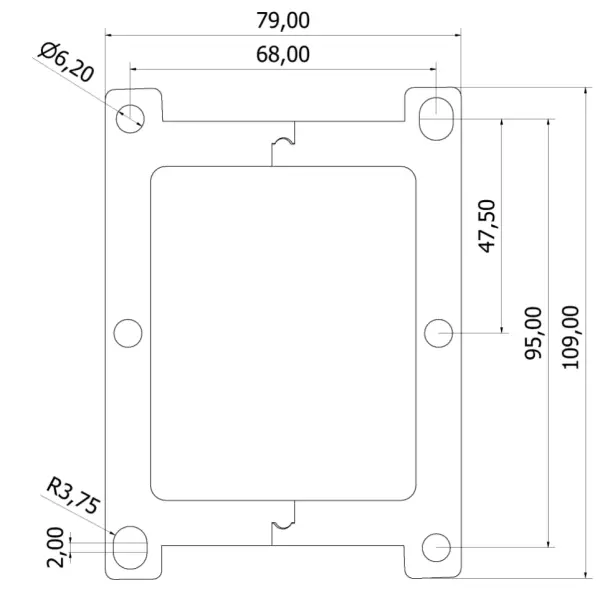
AMD TR4/sTRX4/sWRX8/SP3
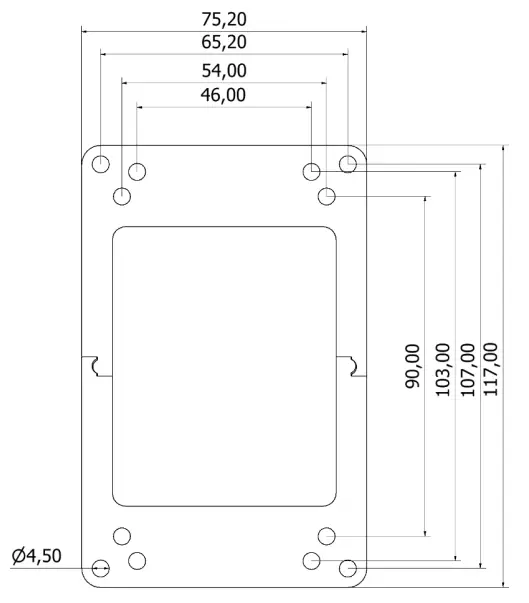
AMD AM4/AM5
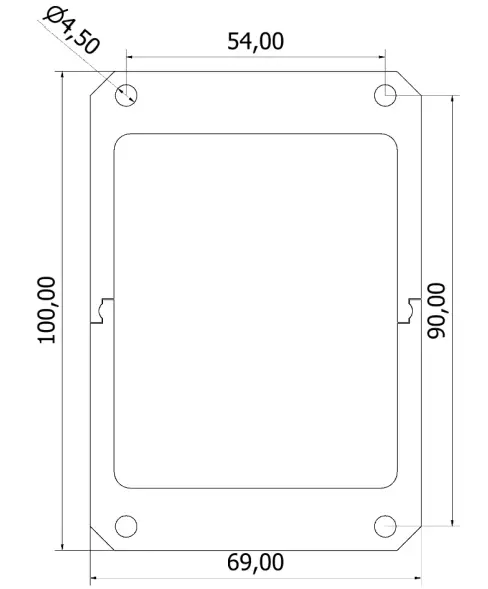
INTEL 4189
CPU COOLER PREPARATION
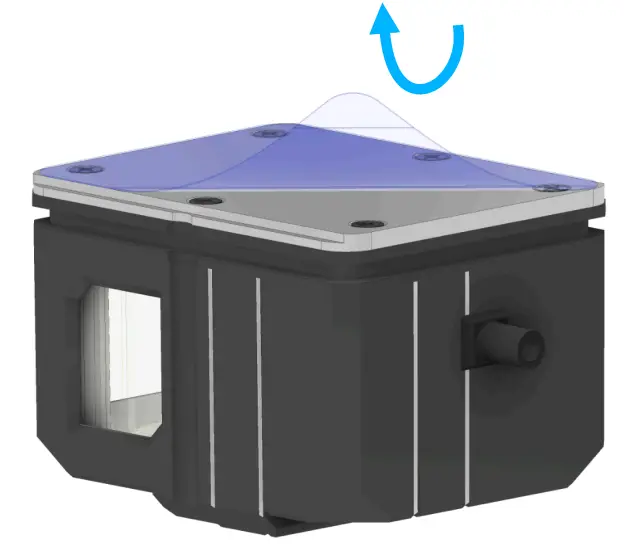
Remove the protective film from the radiator bottom.
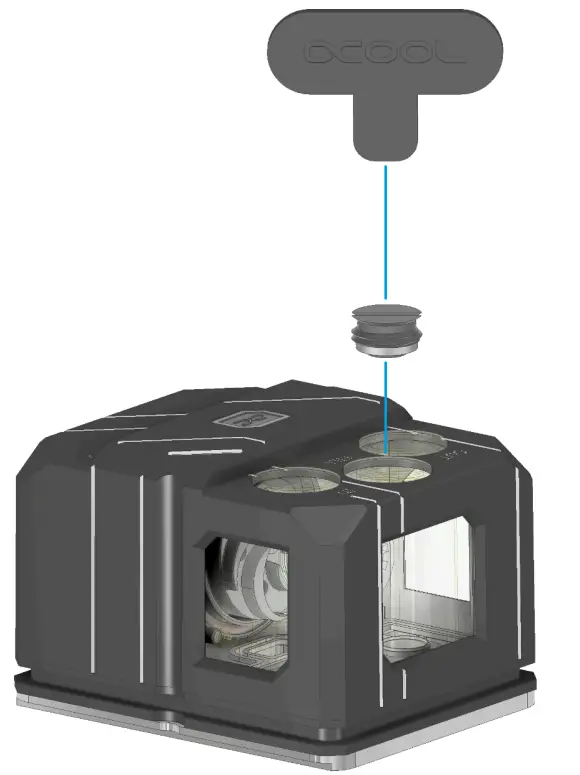
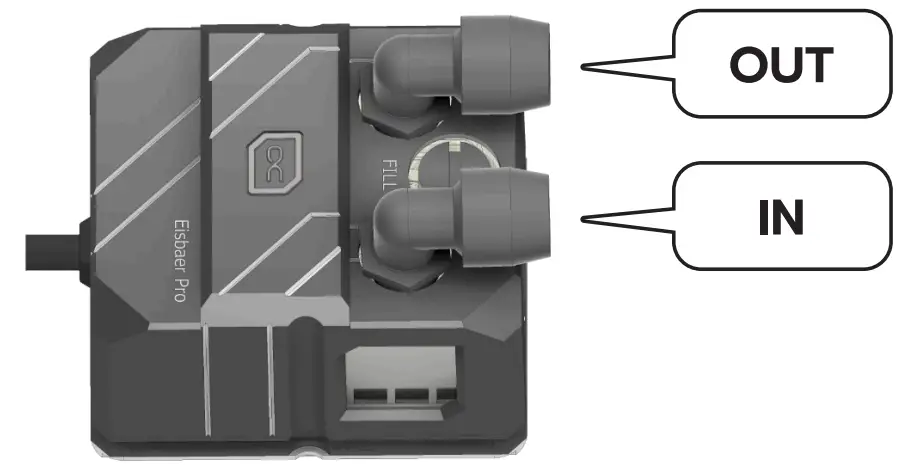
The fillport can be used to refill the Eisbaer Pro if necessary.
CPU PREPARATION
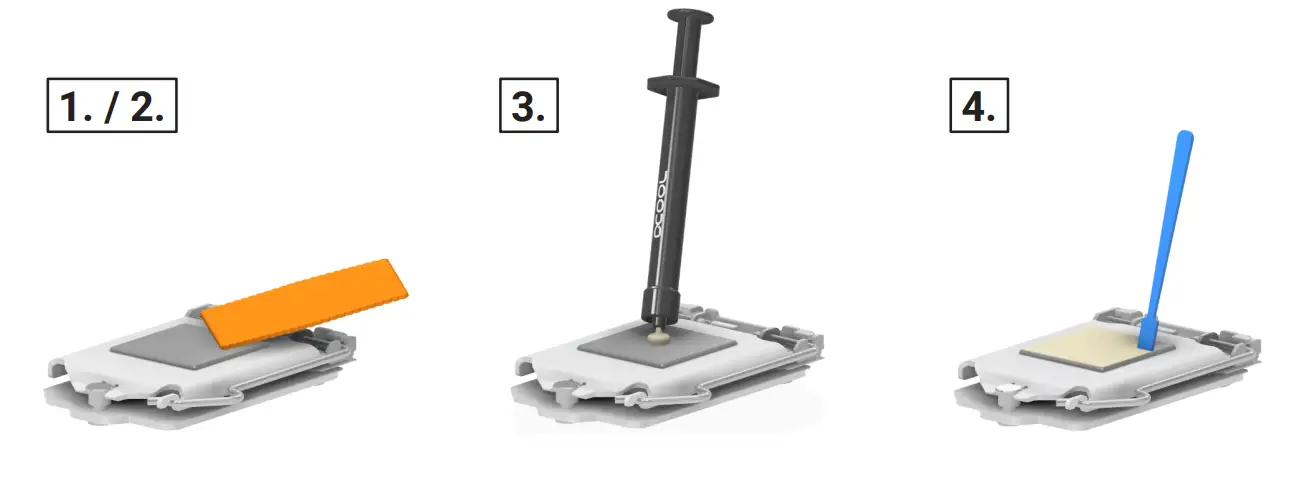
After you have disassembled your old cooler, first clean the Hardware:
- Remove residues of the thermal paste from the CPU.
- Use a cloth or cotton swabs to help. With isopropanol alcohol, you can also remove dried heat-conducting paste.
- Apply a pea-sized blob of thermal paste to the CPU.
- Spread the paste with the aid of a plastic strip or similar to form an even, thin layer (<0,5mm layer thickness).
INTEL LGA 2011/2011-3/2066
BRACKET ASSEMBLY
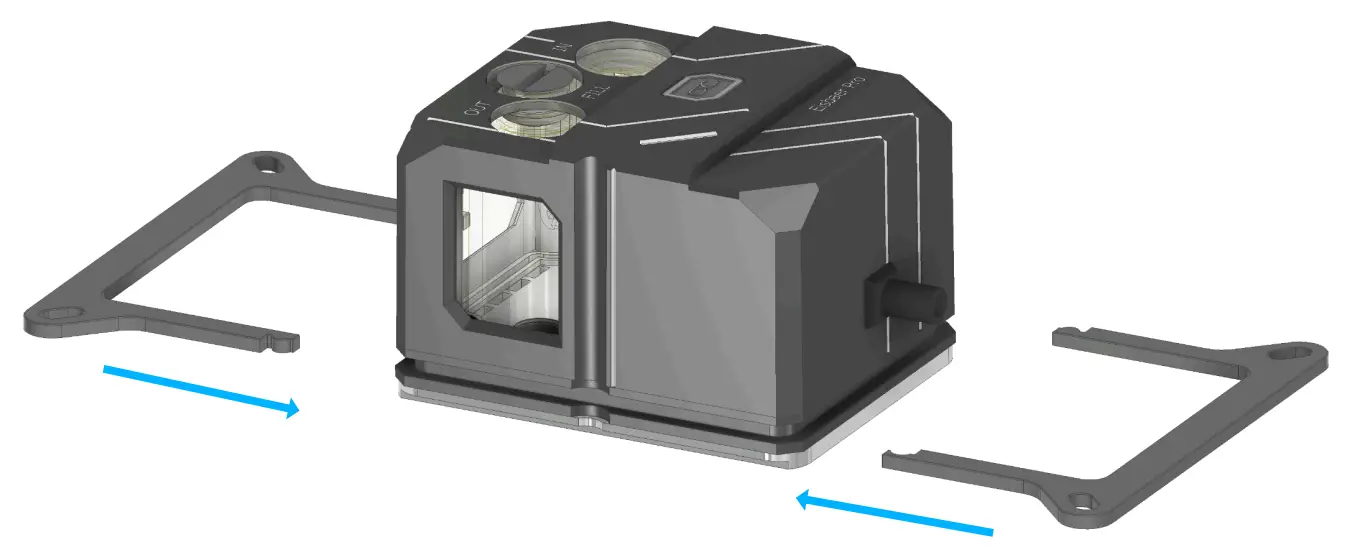
Select the appropriate holder and plug it together. Both holders are mounted identically.
SOCKET ASSEMBLY
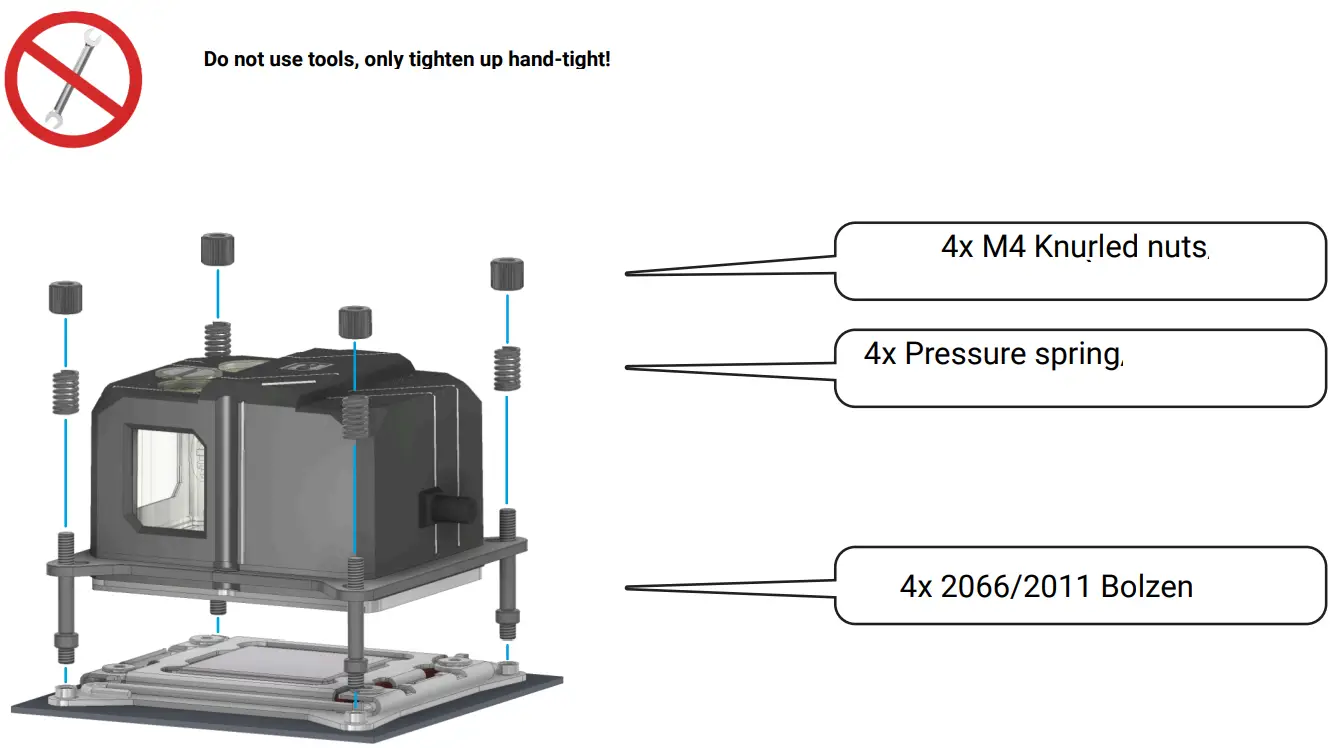
2011/2066 Screw the bolt into the base, place the cooler with the bracket on the base and fix it with pressure springs and nuts.
INTEL LGA 3647 NARROW/SQUARE
BRACKET ASSEMBLY
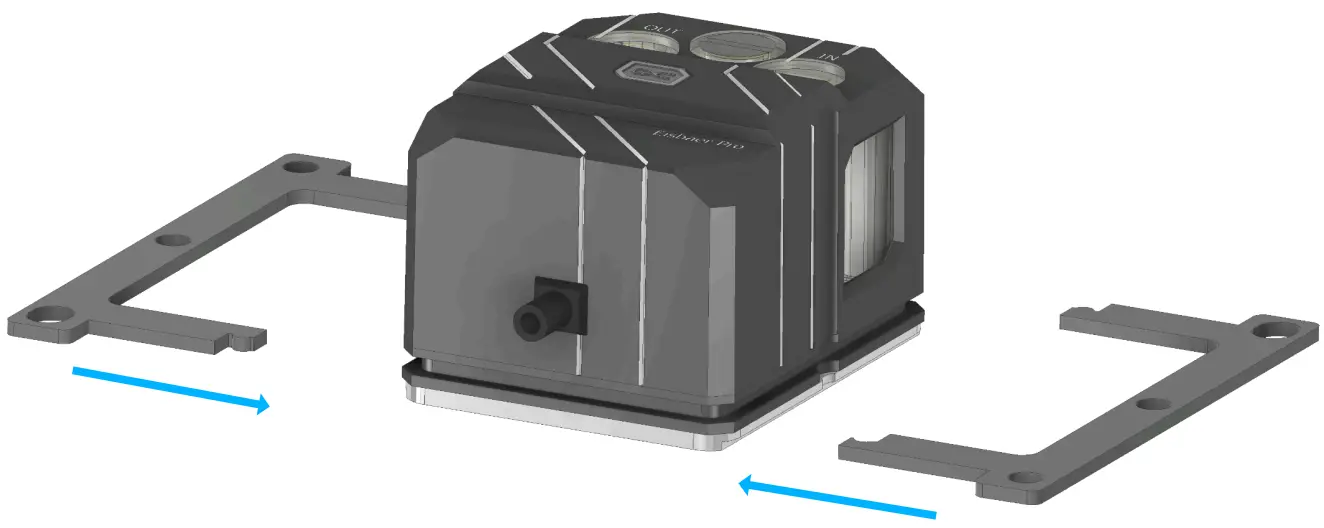
Select the appropriate holder and plug it together. Both holders are mounted identically.
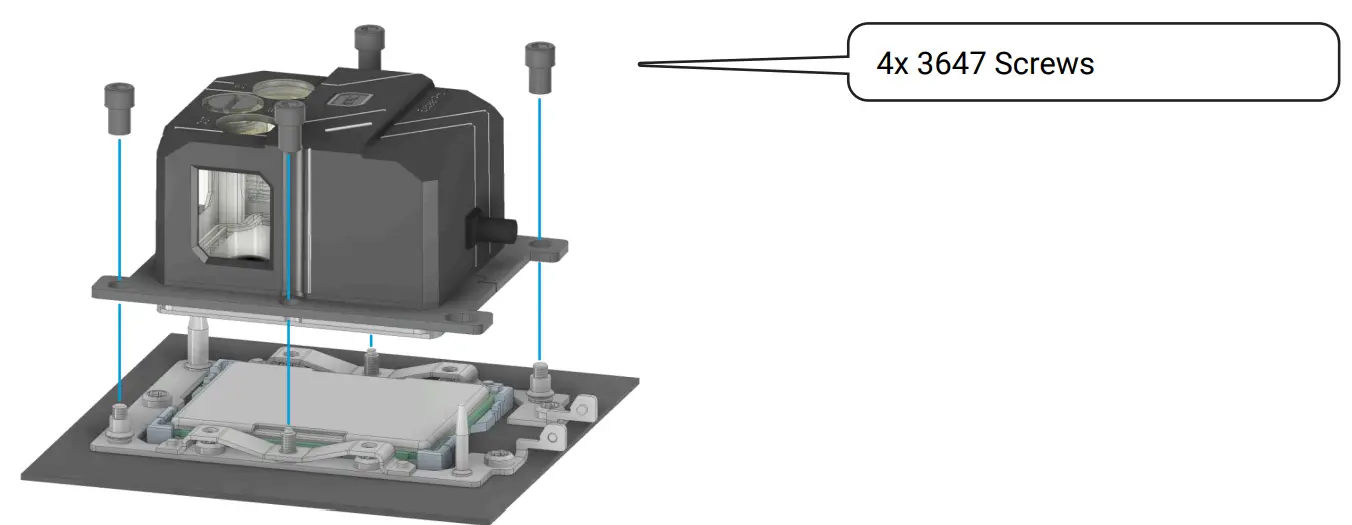
Place the cooler with the holder on the SocketFix it with the 3647 screws. First screw in the screws in the outer corners, then the side screws.
BRACKET ASSEMBLY
AMD TR4/sTRX4/sWRX8/SP3
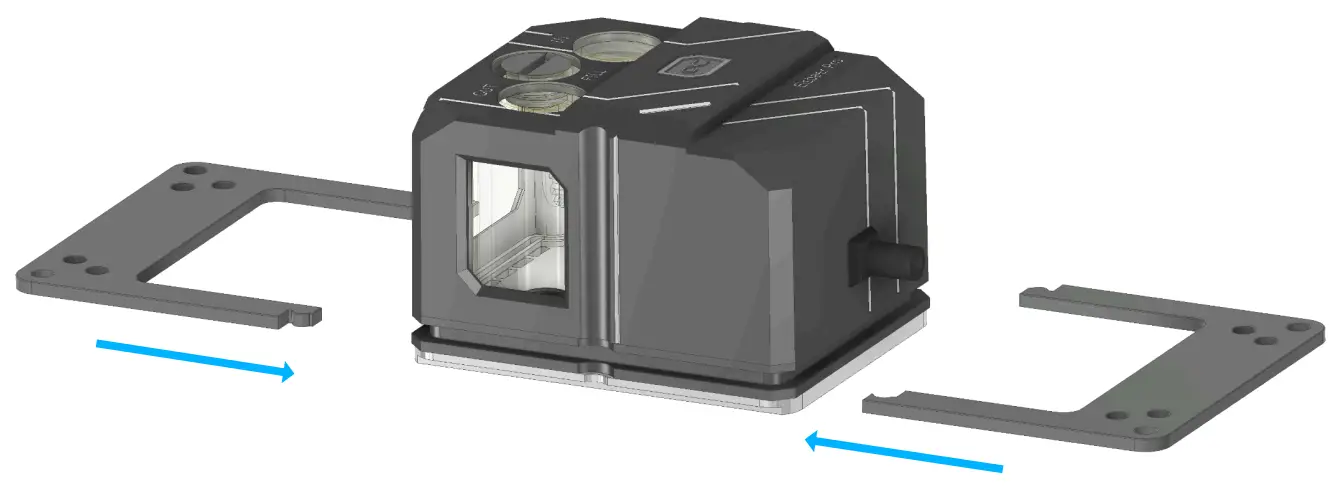
Select the appropriate holder and plug it together. Both holders are mounted identically.
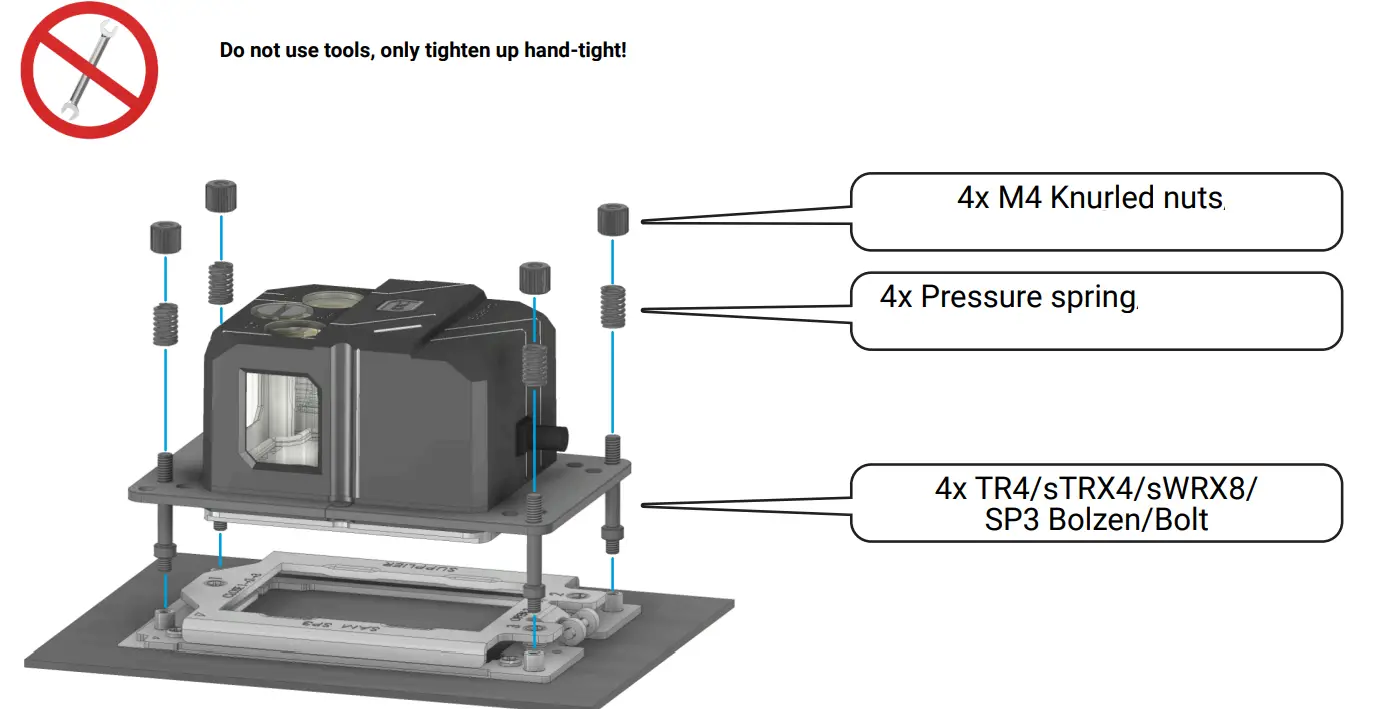
The TR4/sTRX4/sWRX8/SP3 Screw the bolt into the socket, place the cooler with the bracket on the socket and fix it with pressure springs and nuts.
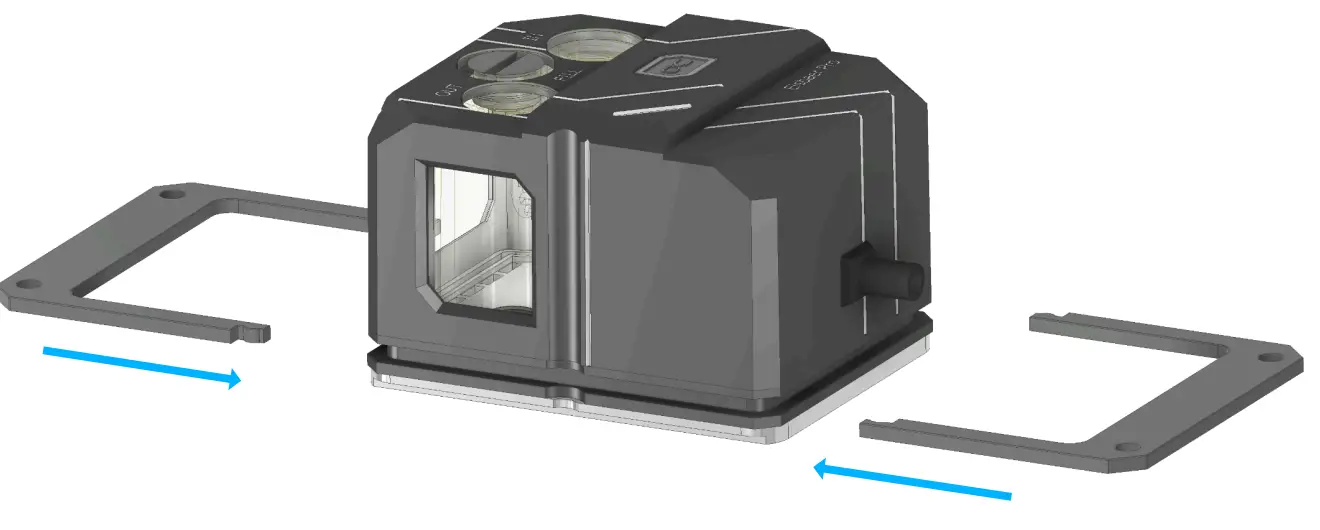
Select the appropriate holder and plug it together. Both holders are mounted identically.
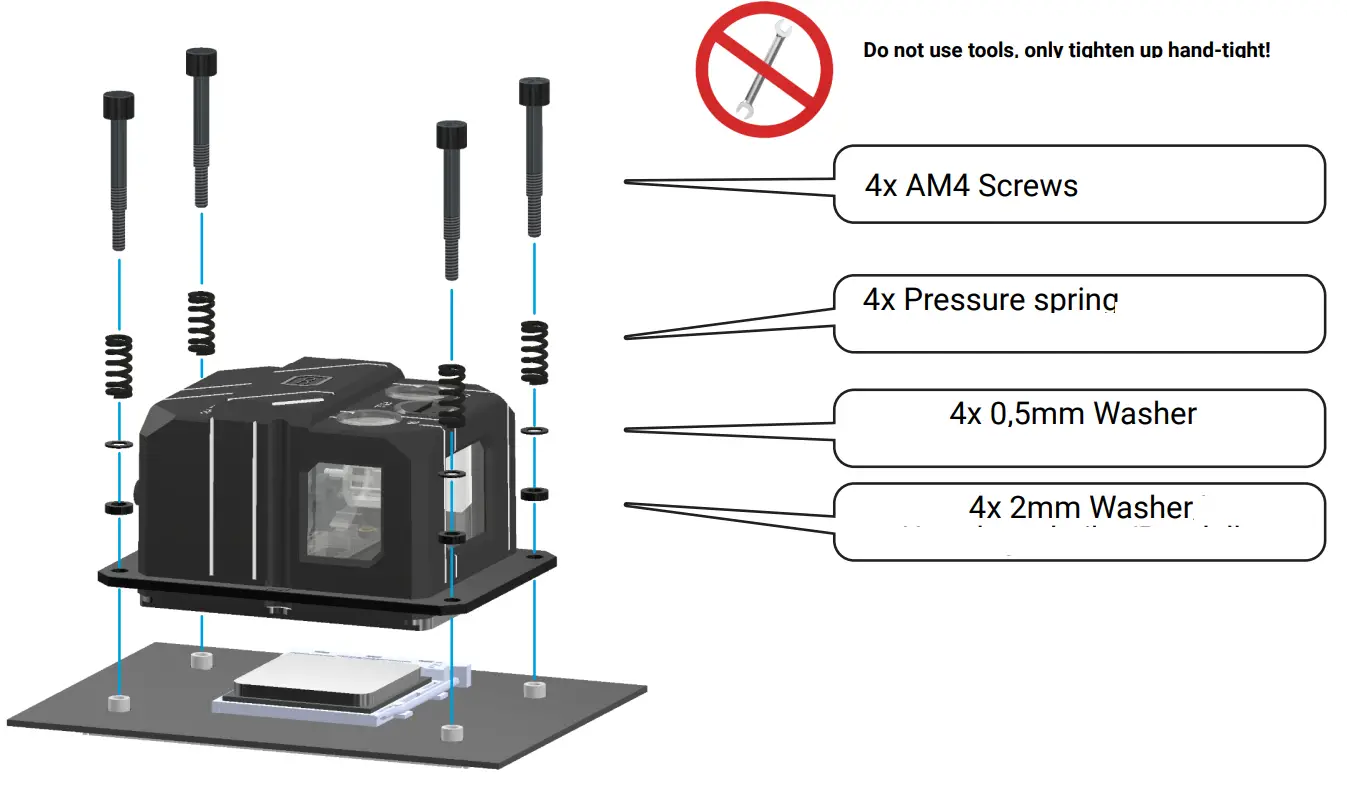
The AM4 screws are put through the springs, washers and holders. Then everything is mounted on the socket.
INTEL LGA 4189
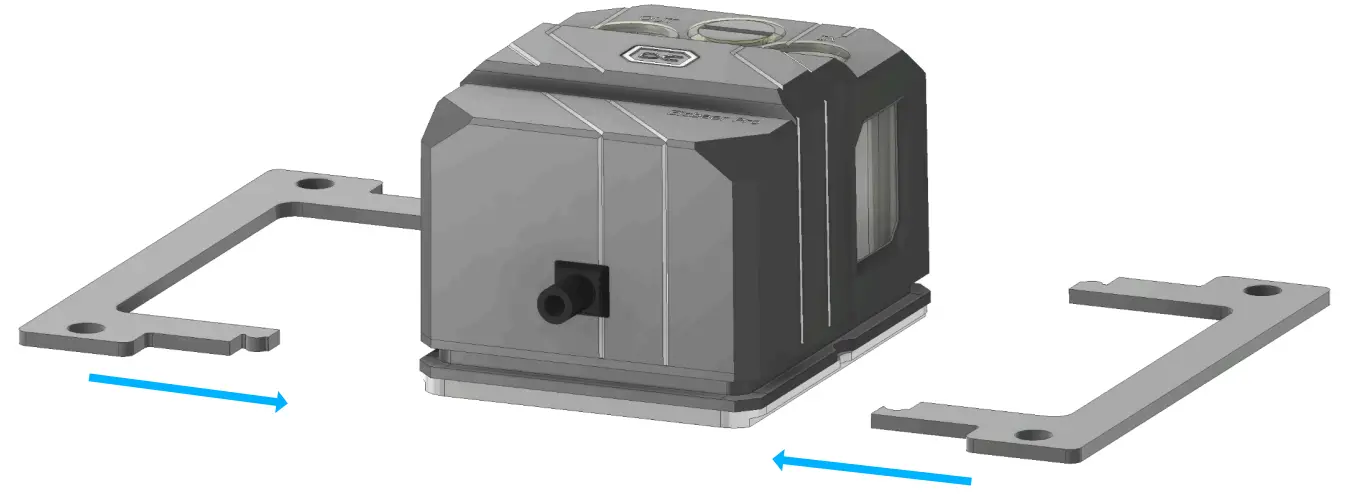
Select the appropriate holder and plug it together. Both holders are mounted identically.
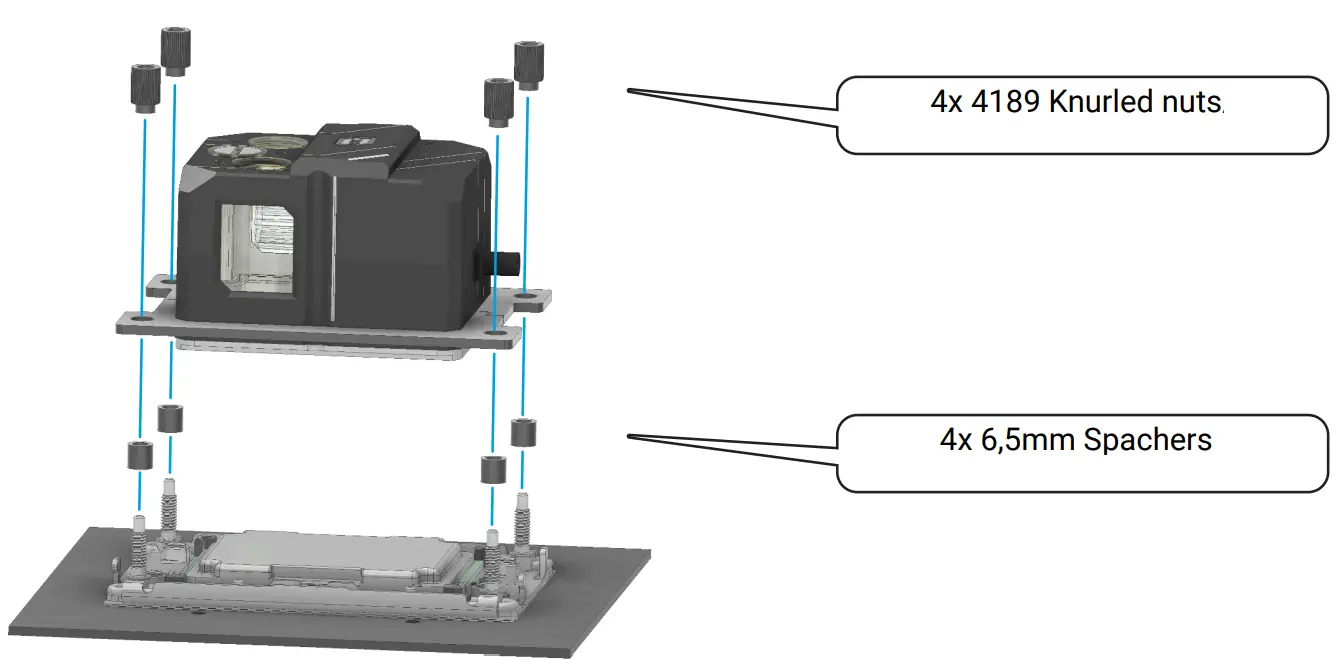
Place the spacers on the threaded bolts.
Place the cooler with the holder on the base.
Screw the knurled nuts crosswise onto the threaded bolts in the outer corners.
INTEL LGA 115X/1200/1700
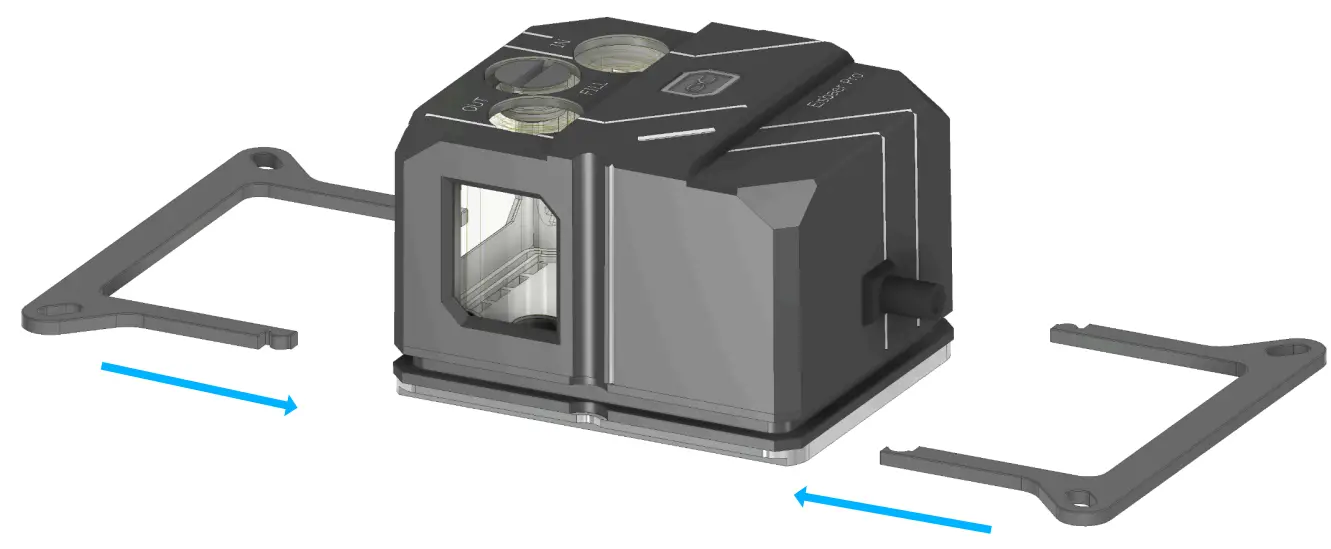
Select the appropriate holder and plug it together. Both holders are mounted identically.
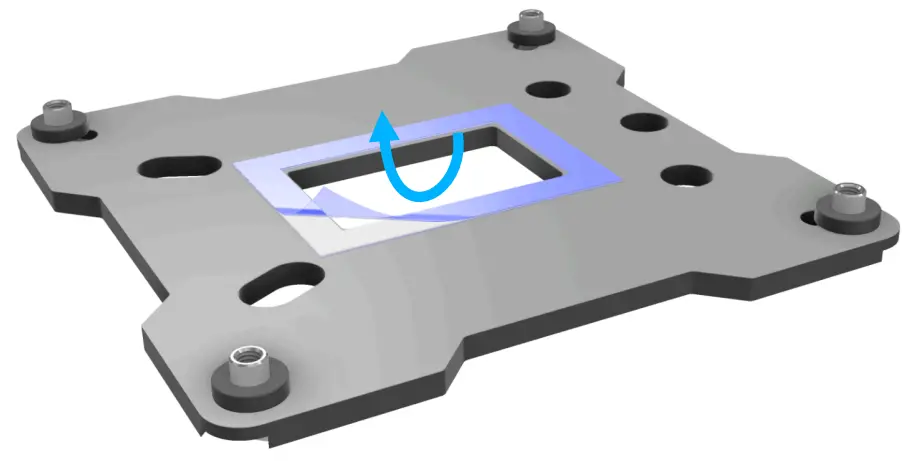
Remove the protective film from the backplate.
INTEL LGA 115X/1200
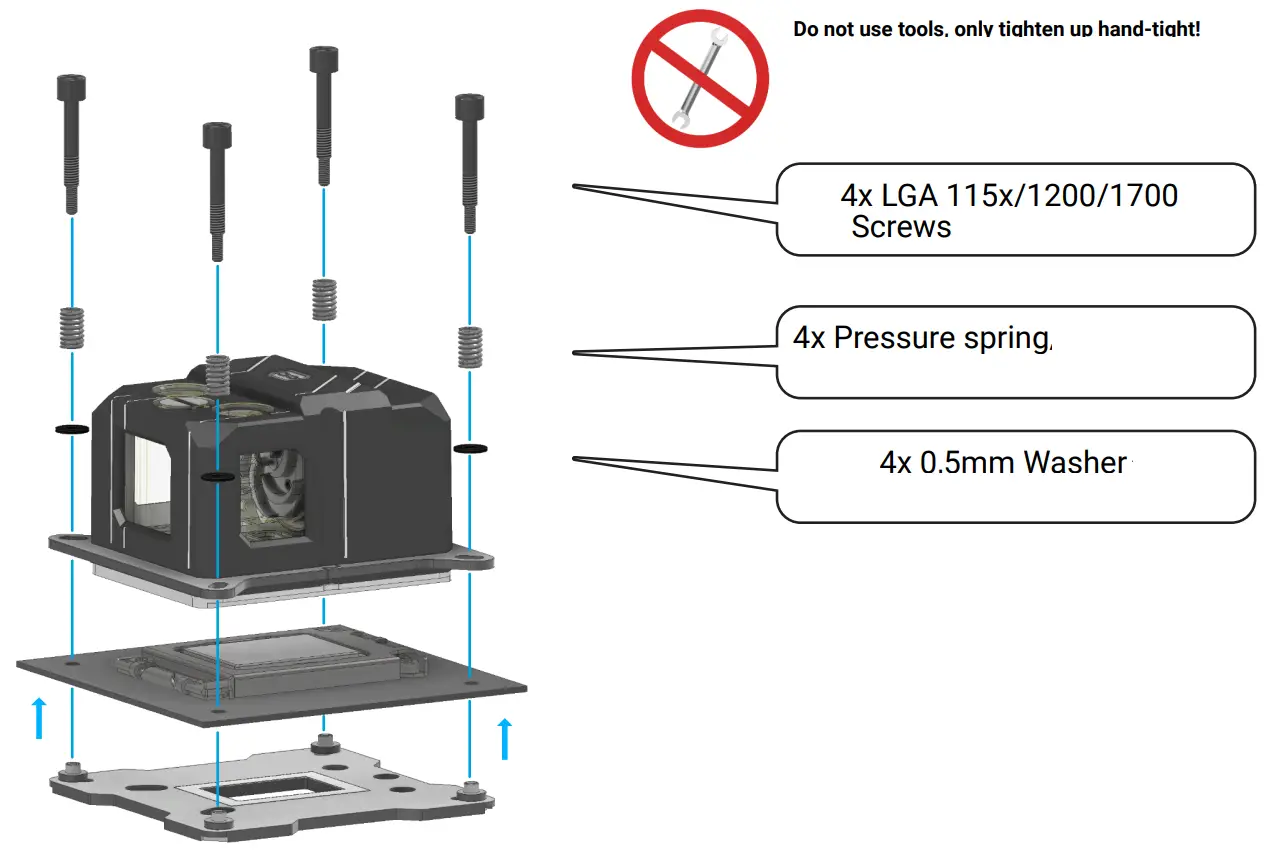
The backplate is fixed to the back of the mainboard with the adhesive strips. The LGA 115x/1200/1700 screws are put through the springs, washers and the holders. Then everything is mounted on the socket.
INTEL LGA 1700
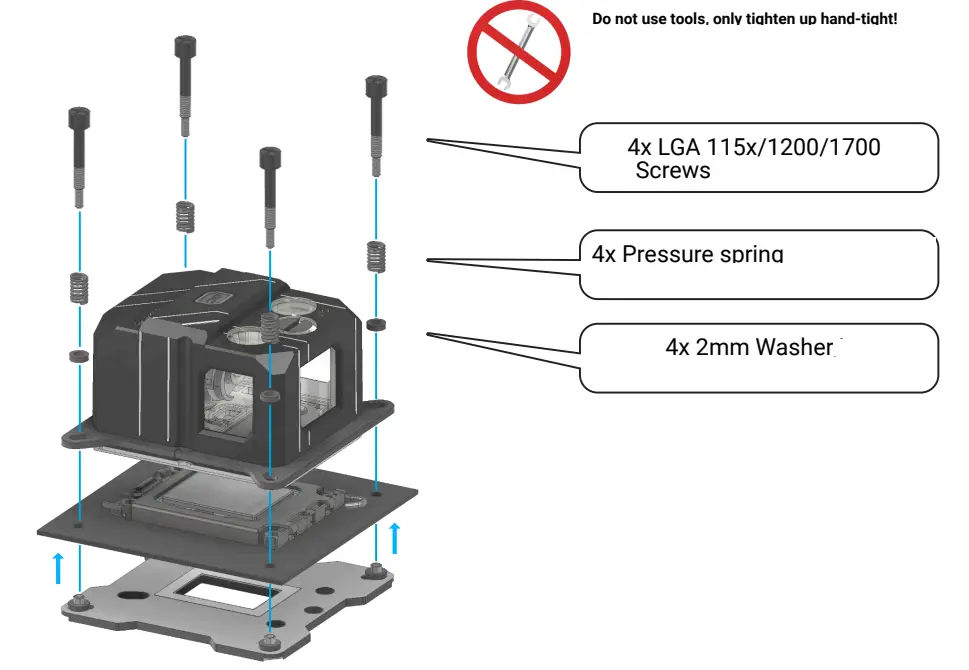
The backplate is fixed to the back of the mainboard with the adhesive strips. The LGA 115x/1200/1700 screws are put through the springs, washers and the holders. Then everything is mounted on the socket.

The quick-release is not necessarily required.
- You can open or close the quick-release coupling with the lock,white arrow.
- The quick-release enables an uncomplicated extension of the system.
- You can optionally purchase further quickrelease: item no.: 17452.
NOTE:
We recommend the use of translucent Alphacool fluids only, without UV.
FAN – RADIATOR ASSEMBLY
Example
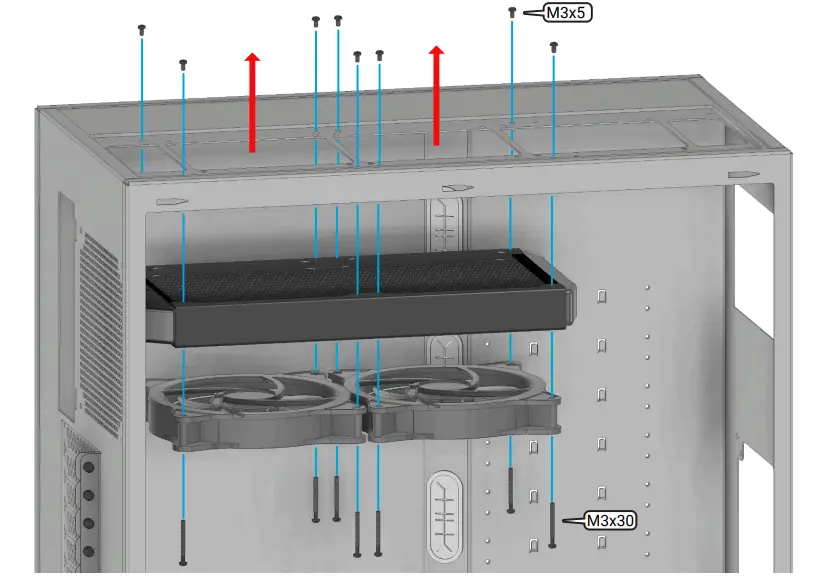
Fan: Pushing airflow
CONNECTING THE FAN
Usually the radiator is mounted in the top or in the front. The airflow in an ATX enclosure normally comes in from the front, upwards and out the back. The exact installation manual is enclosed with the radiator.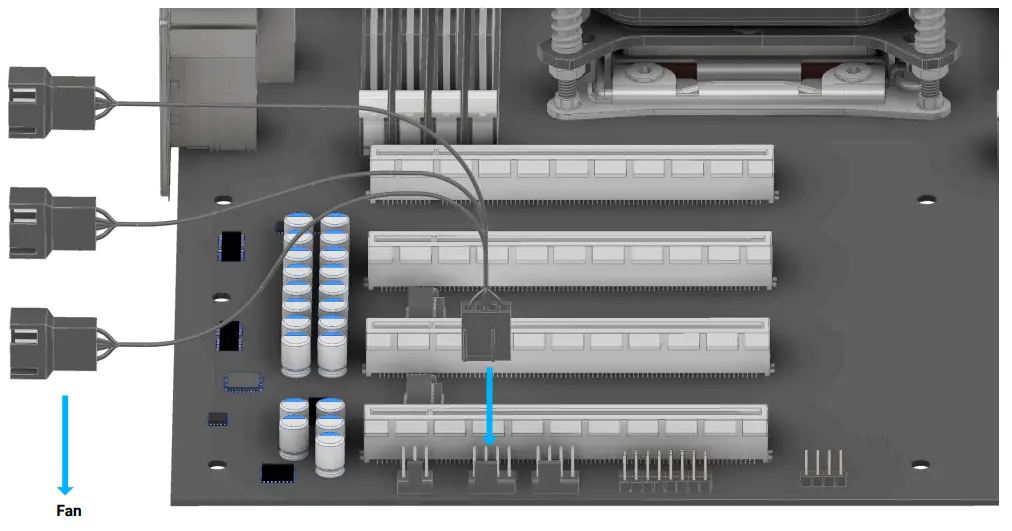 Connect the 4 pin PWM adapter to the mainboard.
CONNECTING THE LEDS
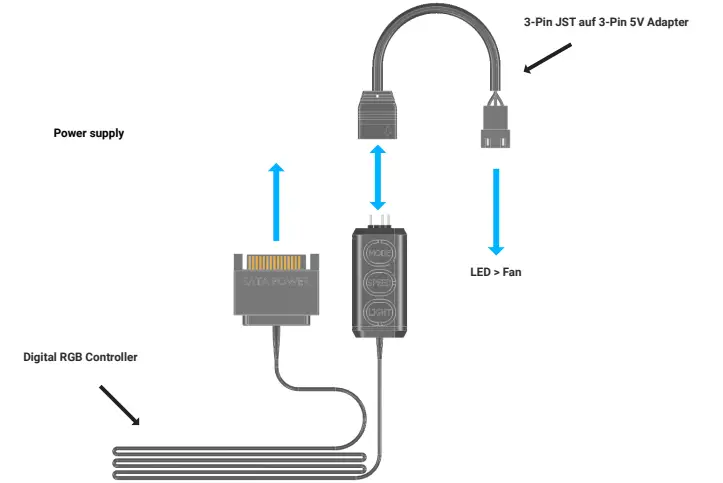
MAINBOARD SUPPLY
Connect the 3 pin adapters to the Eiscontrol as shown.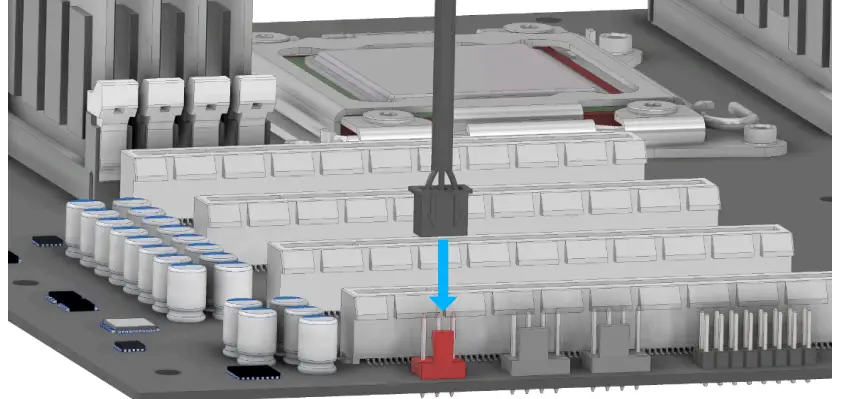 Connect the pump directly to your mainboard, either to a 3-pin or 4-pin.
NOTE:
If you are using a 3-pin fan connector, make sure that the voltage is set to 12V in the bios. This is not necessary for PWM connections.
Alphacool International GmbH
Marienberger Str. 1 D-38122 Braunschweig
Germany
Support: +49 (0) 531 28874 – 0
Fax: +49 (0) 531 28874 – 22
E-Mail: [email protected]
https://www.alphacool.com
General Managers: Andreas Rudnicki, Fabian Noelte
WEEE-Reg.-Nr.: DE 54464644
Trade Register: Amtsgericht Braunschweig HRB 202390
VAT.ID.Nr.: DE270458421
Tax number: 13/207/02047 https://www.alphacool.com/download/SAFETY%20INSTRUCTIONS.pdf
 Alphacool International GmbH - Wasserkühlungs Spezialist!