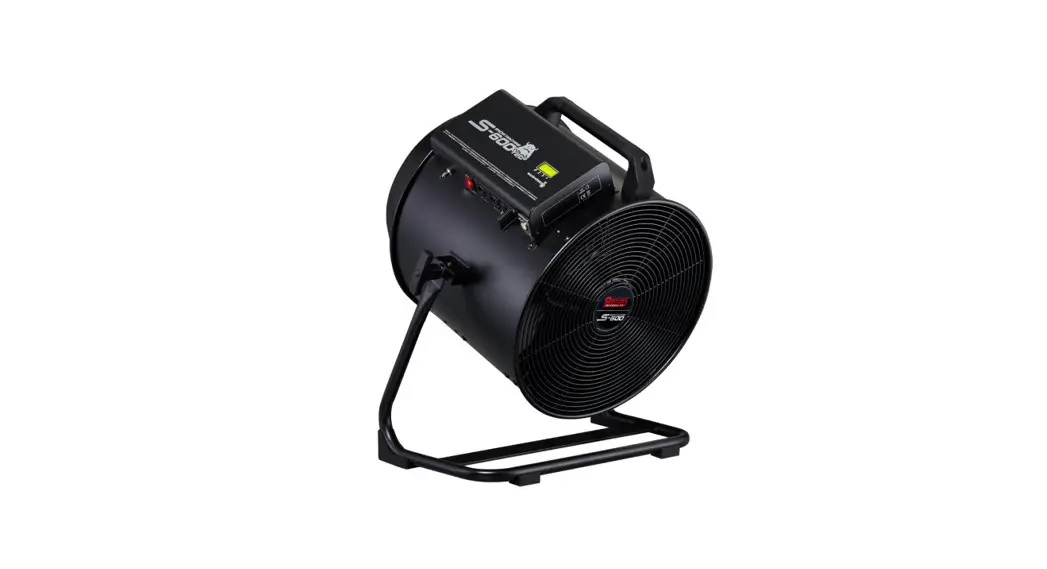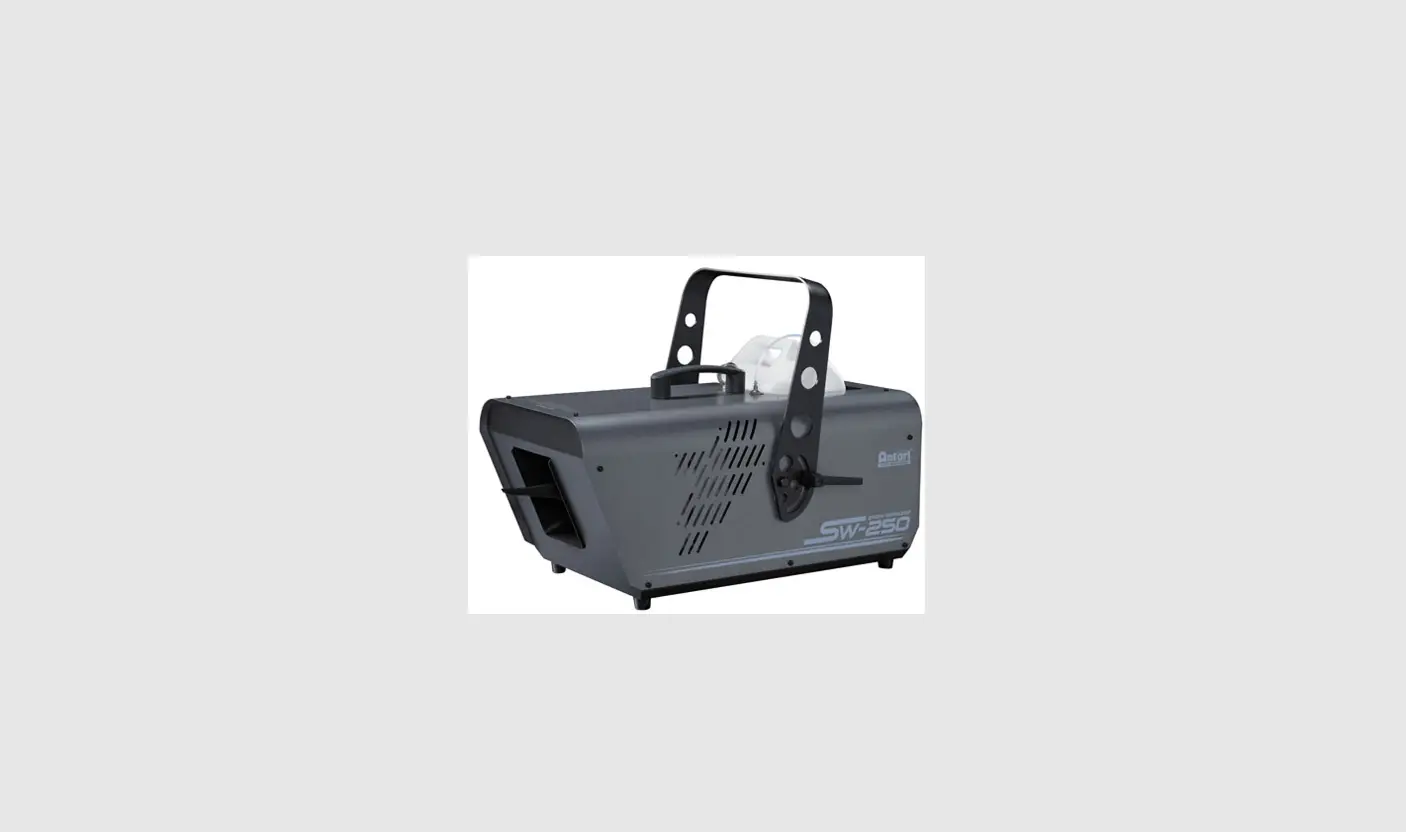


SW-300
Long-Throw Snow Machine
User Manual

© 2021 Antari Lighting and Effects Ltd.
Safety Information
 Please read the following safety information carefully before operating the machine.
Information includes important safety information about installation, usage, and maintenance. Pay attention to all warning labels and instructions in this manual and printed on the machine.
If you have questions about how to operate the machine safely, please contact your local Antari dealer for help.
- Keep this device dry.
- Always connect to a grounded circuit to avoid risk of electrocution.
- Before connecting the machine to power, always check the voltage indicated on the machine matches your local AC voltage. Do not use the machine if the AC power voltage does not match.
- Disconnect the machine from AC power before servicing and when not in use.
- If the supply cord is damaged, contact your local Antari dealer for replacement.
- This product is for indoor use only! Do not expose to rain or moisture. If the fluid is spilled, disconnect the AC power and clean it with a damp cloth. If the fluid is spilled onto electronic parts, immediately unplug the machine and contact your local Antari dealer for advice.
- No user-serviceable and modifiable parts inside. Never try to repair this product, an unauthorized technician may lead the machine to damage or malfunction.
- For adult use only. Children are being supervised not to play with the machine. Never leave the machine running unattended.
- The machine is not to be used by persons (including children) with reduced physical, sensory or mental capabilities, or lack of experience and knowledge.
- Installed in a well-ventilated area. Provide at least 50 cm of space around the machine.
- Never add flammable liquid of any kind to the machine.
- Make sure there are no flammable materials close to the machine while operating.
- Only use Antari fluid. Other fluids may lead to heater clogs and malfunctions.
- If the machine fails to work, unplug the machine and stop operation immediately. Contact your local Antari dealer for help.
- Before transporting the machine, make sure the fluid tank is completely drained.
- Smoke fluid may present health risks if swallowed. Do not drink smoke fluid. Store it securely.
In case of eye contact or if fluid is swallowed immediately look for medical advice.
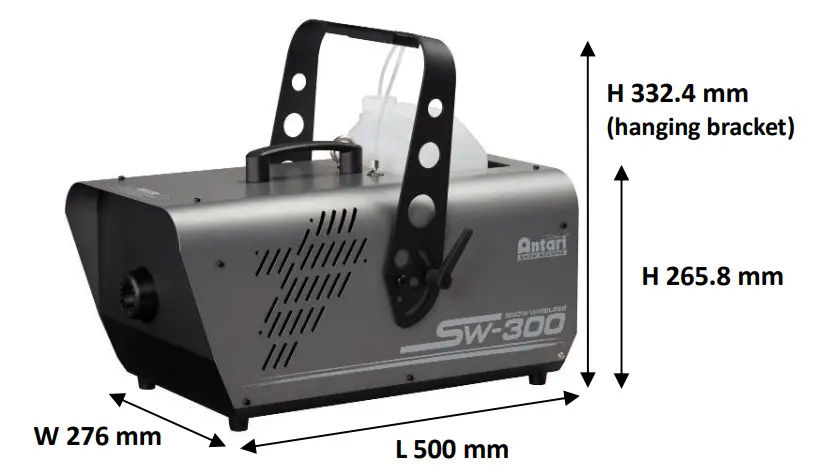
Product Dimension
Product Overview
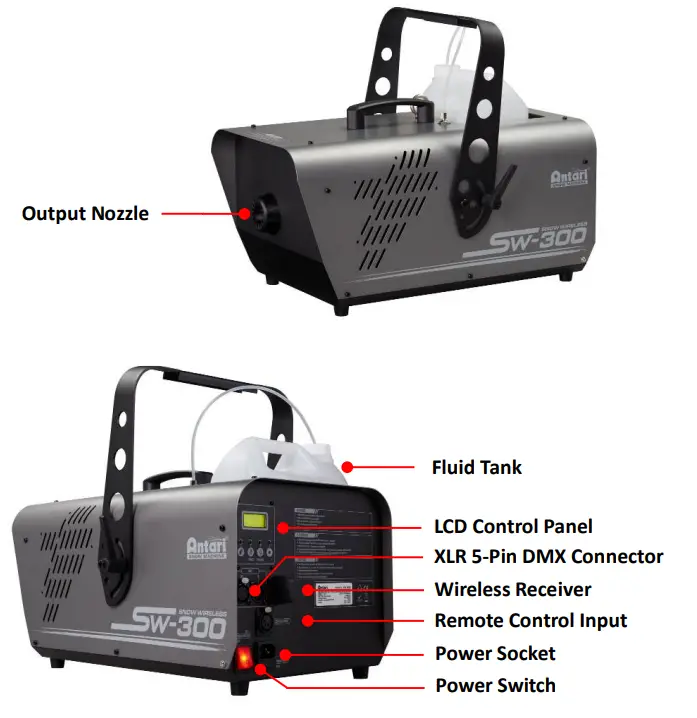
Setting Up
Step 1: Place the machine on a flat surface and in a suitably large area with at least 50 cm of open space around the machine.
Step 2: Fill the fluid tank with Antari-approved fluid
Step 3: Connect the machine to the suitably rated power supply. To determine the power requirement for the machine refer to the label on the back of the machine Always connect the machine to a protected circuit and ensure it is properly grounded to avoid the risk of electrocution.
Step 4: Turn on the machine and wait on till the LCD display show “Ready to Snow”
Step 5: To start making snow, locate the [VOLUME] button on the control panel, and press the button to start making fog.
Step 6: To turn off the machine, press the [STOP] button and switch off the power.
Operation
Control Panel Operation
The machine can be operated with an onboard digital control interface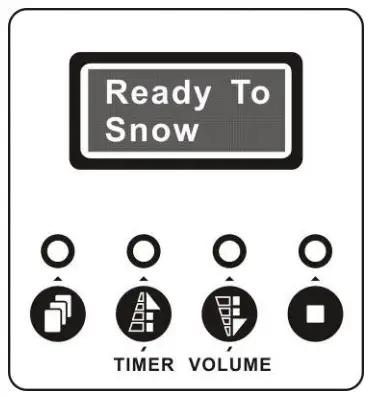
| Button | Function |
 [MENU] [MENU] | Scroll through the setting menu |
| Up/Activate Timer function |
 [DOWN]/[VOLUME] [DOWN]/[VOLUME] | Down/Activate Volume function |
 [STOP] [STOP] | Deactivate Timer/Volume function/Return to Standby |
 [UP]/[TIMER]
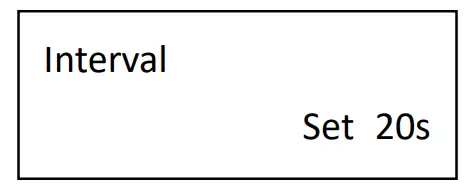 | Set interval from 20 to 2000 seconds |
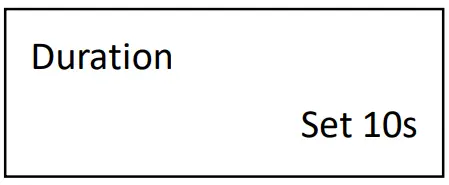 | Set duration from 10 to 200 seconds |
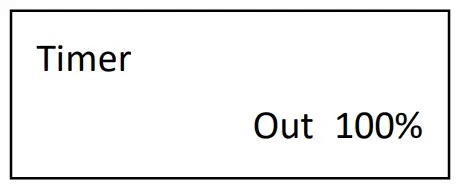 | Set timer mode output level 0 to 100% |
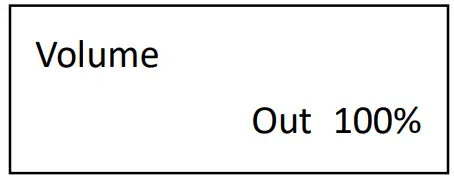 | Set volume mode output level 0 to 100% |
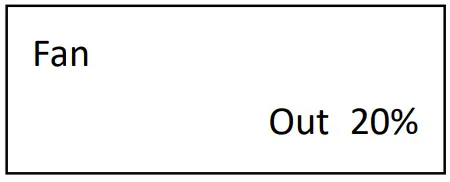 | Set fan output level 20 to 100% |
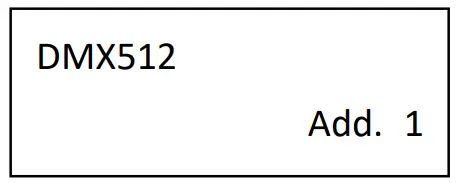 | Set DMX address 1 to 511 |
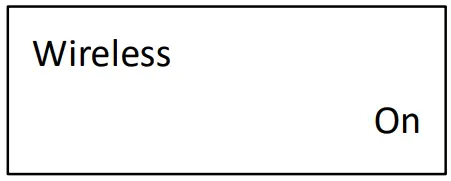 | Turn On or Off W-1 wireless control function |
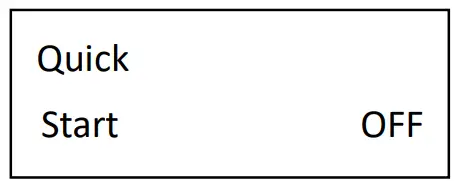 | Turn On or Off quick start function |
DMX Connector Pin Assignment
The machine provides a 5-pin XLR connector for DMX connection. The diagram below indicates pin assignment information.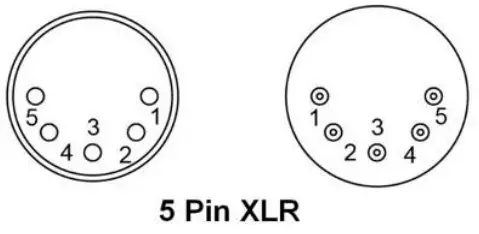
| Pin | Function |
| 1 | Ground |
| 2 | Data- |
| 3 | Data+ |
| 4 | N/A |
| 5 | N/A |
DMX Operation
Making the DMX Connection – Connect the machine to a DMX controller or to one of the machines in the DMX chain. The machine uses a 5-pin XLR connector for DMX connection, the connector is located on the rear of the machine. 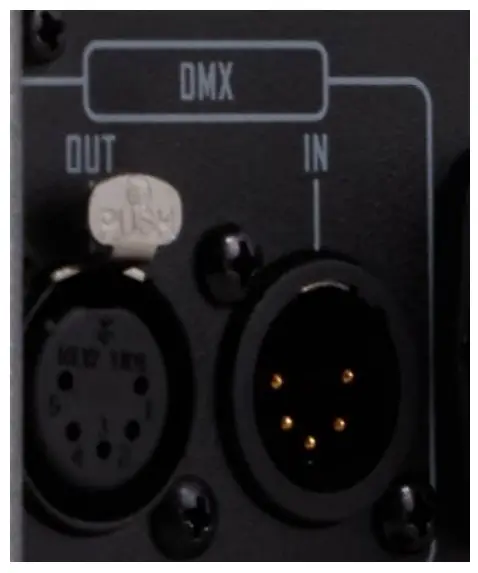
Address Setup – Use the control menu to set the DMX address. The machine occupies 2 control channels.
The starting address is defined as the first channel from which the machine will respond to the controller. Always double-check to make sure there are no overlapping channels in order to control the machine correctly.
DMX Channel Function
| Channel 1 | DMX Value Range | Function |
| Snow Output Level | 0 – 5 | Snow off |
| 6 – 255 | Snow Output 1 – 100% | |
| Channel 2 | DMX Value Range | Function |
| Fan Output Level | 0 – 5 | Fan 20% |
| 6 – 255 | Fan 21 – 100% |
RDM Control
The SW-300 is RDM enabled, allowing the control system to configure, monitor, and manage. See the below table for supported RDM parameters
| Value | RDM Parameter ID’s | GET Allowed | SET Allowed |
| 0x0001 | DISC_UNIQUE_BRANCH | ||
| 0x0002 | DISC_MUTE | ||
| 0x0003 | DISC_UN_MUTE | ||
| 0x0030 | STATUS_MESSAGE | O | |
| 0x0050 | SUPPORTED_PARAMETERS | O | |
| 0x0051 | PARAMETER_DESCRIPTION | O | |
| 0x0060 | DEVICE_INFO | O | |
| 0x0070 | PRODUCT_DETAIL_ID_LIST | O | |
| 0x0080 | DEVICE_MODEL_DESCRIPTION | O | |
| 0x0081 | MANUFACTURER_LABEL | O | |
| 0x0082 | DEVICE_LABEL | O | O |
| 0x00C0 | SOFTWARE_VERSION_LABEL | O | |
| 0x00E0 | DMX_PERSONALITY | O | O |
| 0x00E1 | DMX_PERSONALITY_DESCRIPTION | O | |
| 0x00F0 | DMX_START_ADDRESS | O | O |
| 0x0400 | DEVICE_HOURS | O | |
| 0x1000 | IDENTIFY_DEVICE | O | O |
Wireless Operation
Wireless remote control W-1 consists of a transmitter equipped with two buttons for output ON and OFF; with an onboard receiver attached to the rear of the SW-300
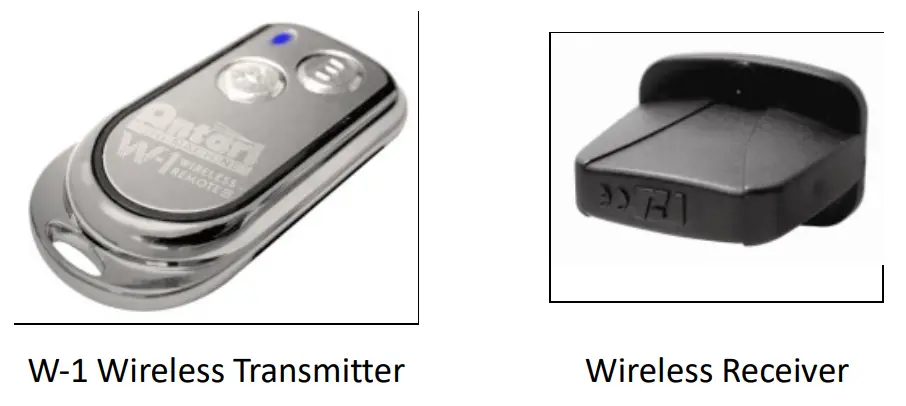
| Button | Function |
| [A] | Activate output |
| [B] | Deactivate output |
In an open unobstructed space, the effective distance is 50 meters, and the effective distance depending on obstacle level is 10-25 meters.
Registering transmitter
The transmitter can be paired or deleted from the receiver. Each receiver can pair up to 5 transmitters. Follow the steps below to pair or delete a transmitter from the receiver.
Step 1: Power on SW-300 Snow Machine
Step 2: When “Wireless Setup” is shown on display, press button [A] on the transmitter
Step 3: Once the display show “Wireless Setup Ok”, registering process has been completed.
IMPORTANT NOTE:
- The wireless register menu will only be shown when Wireless is turned ON
- The machine allows a registration transmitter within 15 seconds. When exceed 15 seconds power the machine off and on again to complete the process.
Transmitter battery replacement
If the effective distance appears to be decreased, it is possible the battery level is low and requires replacement. In order to replace the battery, undo the three screws on the back of the transmitter to release the cover. Replace with the same type and specification of battery which is 12V
SC-3 Wire Remote Operation (Optional)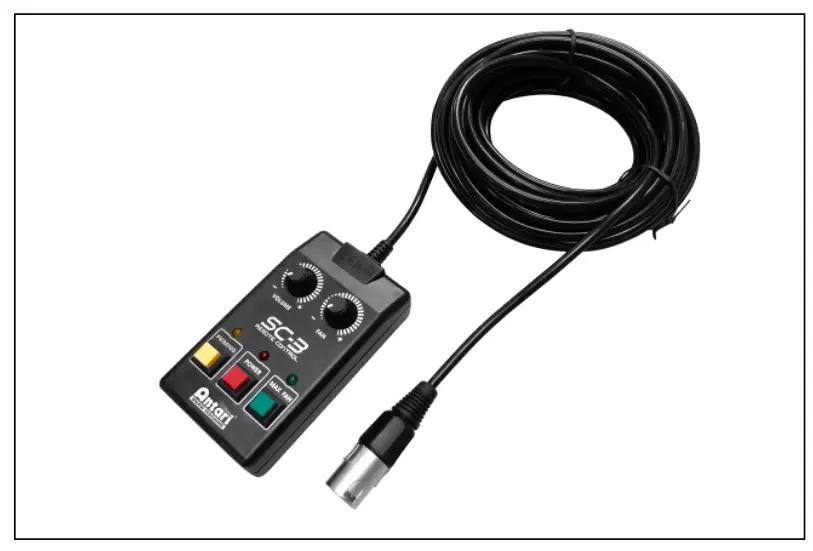
The wired remote control module SC-3 enables the control of the machine from a remote location. With three push buttons and two rotary knobs for activating/deactivating, prime, and output level adjustment
| VOLUME [KNOB] | Function |
| FAN [KNOB] | Adjust the pump output level |
| PRIMING | Adjust the blower output level |
| [YELLOW BUTTON] | Max output on pump and blower |
| POWER[RED BUTTON] | Turn On/Off SC-3 remote |
| MAX FAN [GREEN BUTTON] | Max output on the blower |
IMPORTANT NOTE:
PRIMING [YELLOW BUTTON] is meant for priming use, with a new tank of fluid or refill the fluid may not pump properly due to an airlock in the pipeline, use this function to activate the pump at maximum output, the MAX FAN [GREEN BUTTON] is used when needed to clean out residue at the tip of output nozzle. Both of these buttons will overtake output adjustment knobs.
Physical Installation
Important
- Use supplied mounting bracket or rigging clamp to install the machine.
- Make sure the installation location, fastening connecting, and rigging hardware can hold at least 10 times the weight of the machine.
- Make sure no combustible or flammable materials are nearby.
- Secure the machine with an approved safety cable that can hold at least 10 times the weight of the machine.
- Make sure the machine is installed in a well-ventilated area.
- Consider machine replacement and routine maintenance access when selecting the installation locations.
Adjustable Mounting Bracket
Adjust the mounting bracket by loosening screws, setting the nozzle to the desired angle, and tightening the screw to finish the adjustment. The illustration below demonstrates how to adjust the mounting bracket. 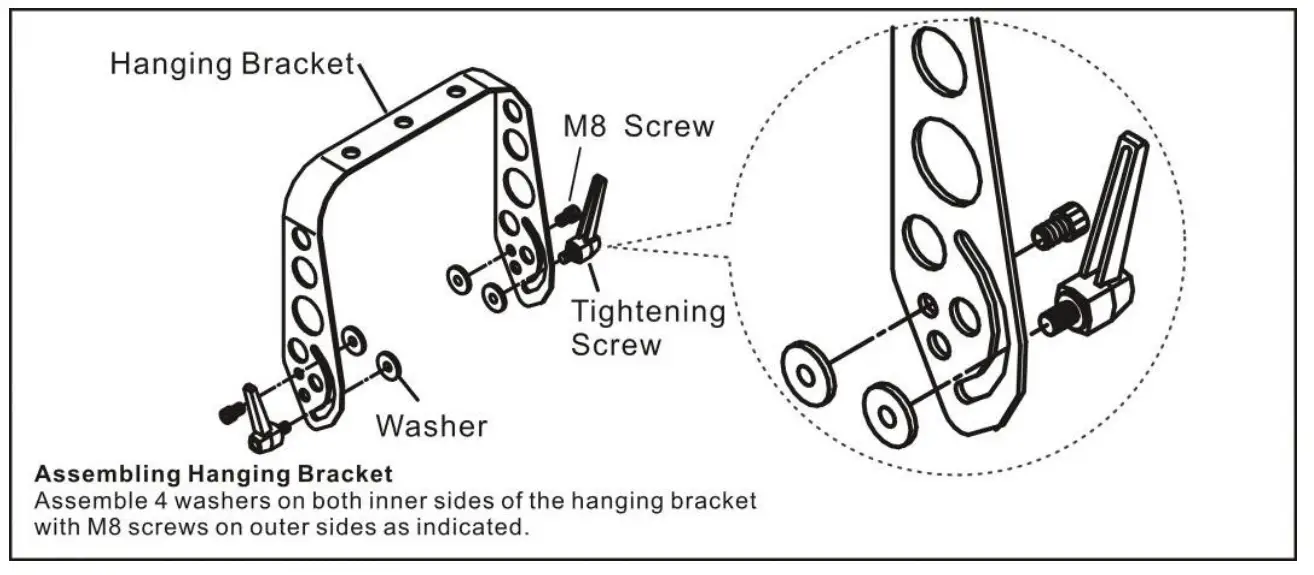
Fluid
Only use Antari SL-N/SL-H liquid for the SW-300 Snow Machine. The machine is tested and calibrated with this liquid to get the best output performance. Warranty will be void if any other type of liquid is used, improper use of liquid may lead to machine failure and malfunction.

SL-N (New Formula)
- Artificial snowflake produced by SL-N is smaller in size, drier & lighter compared to SL & SL-A.
- Bigger snowflakes volume compared to SL.
- Good for indoor and outdoor operation.
 SL-H
SL-H
- SL-H can produce the highest snow volume and driest snowflakes among all Antari snow liquids.
- Good for outdoor operation.
Service and Maintenance
- Do not allow the machine to become contaminated.
- Remove dust from air vents with an air compressor, vacuum, or soft brush.
- Only use a damp cloth to clean the casing.
- It is recommended to run the machine on a monthly basis in order to achieve best performance and output condition.
- Excessive dust, liquid, and dirt built up will degrade performance and cause overheating.
- Before storing away after the operation, pump pure water through the system for at least 1 to 2 minutes. This will help clean out the remaining snow fluid and prevent the pump from malfunctioning on the next usage.
Technical Specifications
| – Input voltage | US model : AC 100-120V, 50/60Hz 7.5A EU model : AC 220-240V, 50/60Hz 3.8A |
| -Rated power | 880 W |
| -Fluid consumption | 280 ml/min (100% output) |
| -Fluid tank capacity | 5 Liters |
| -Compatible fluid | Antari SL-N Snow Foam Fluid Antari SL-H Snow Foam Fluid |
| -Ambient temp/ range | 5℃-40℃ |
| -Control | DMX 512 Timer Manual Wireless |
| -DMX channels | 2 channels |
| -Connection | IEC (POWER) LR 5-pin (DMX) |
| -Optional accessories | SC-3 Cable Remote |
| -Dimension | L 500 W 276 H 265.8 mm (H 332.4mm (hanging bracket) |
| -Weight | 11.5 kg |
C08SW3002
© 2021 Antari Lighting and Effects Ltd. www.antari.com
 Home - Antari Lighting And Effects