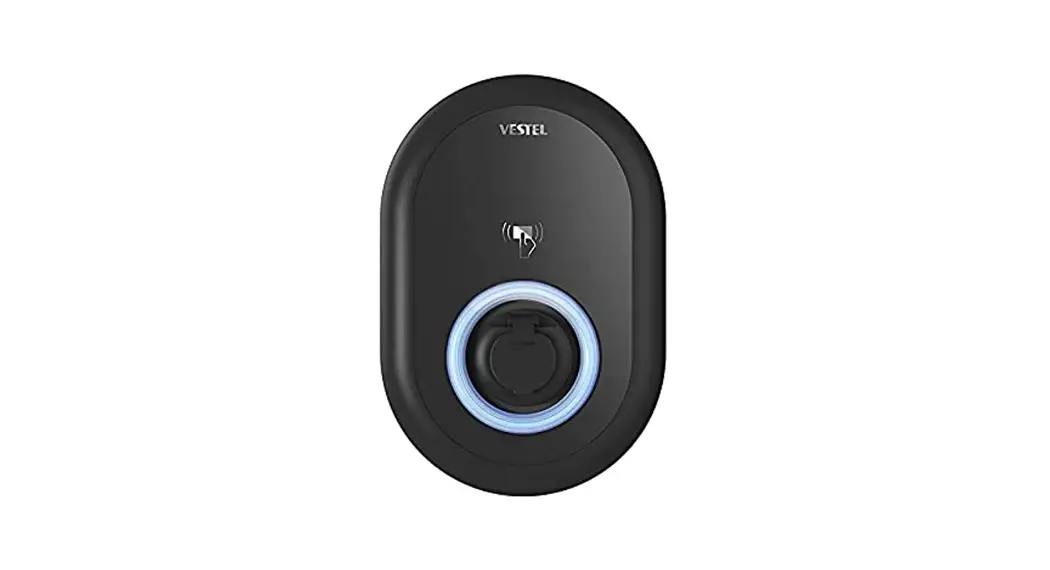

JUICE
CHARGER me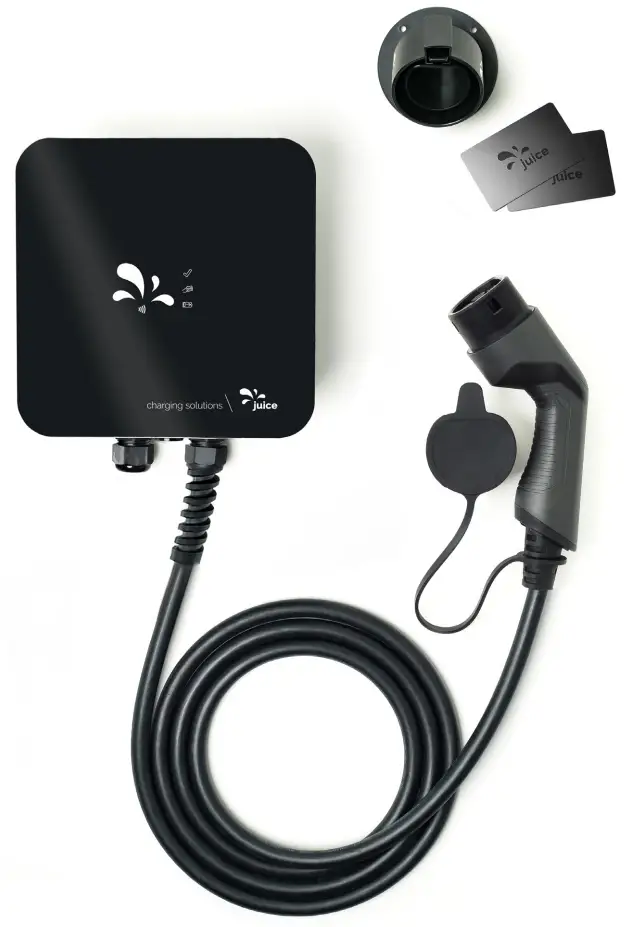
User Manual
Product Type………. EV conductive charging system
Item No…….. EL-JCME*
Manual Version………………………..Rel. 1.1.
Important: Read this User Manual before you start using the device!
Failure to comply with these instructions can result in injury or death, damage to the device, and harm to the environment. Keep this User Manual in a safe place together with the charging equipment. Always provide any new users of the device with the User Manual as well.
Warnings
The following warning and hazard symbols are used in this User Manual:
⚠ DANGER
Texts marked with this symbol contain information for your safety and point out hazards that present the danger to you of serious or even fatal injuries.
⚠ WARNING
Texts displaying this symbol indicate potential hazards that pose a risk of injury.
⚠ CAUTION
This symbol is intended to make you aware of potential risks of damage that demand your heightened caution.
Intended use
Use the JUICE CHARGER me and its accessories (referred to collectively below also as charging equipment) exclusively to charge the batteries of electric vehicles that are equipped with a fitting vehicle charging connection socket.
Use the JUICE CHARGER me only as intended and specified in this User Manual. Use only genuine original accessories from JUICE TECHNOLOGY AG. The use of any other accessories is prohibited and constitutes improper, non-compliant use. Any other use will be deemed improper and may result in severe injury or damage to property. The manufacturer and dealers will not accept any liability for damage caused by improper use. What’s more, the equipment warranty becomes void in such cases.
Safety information
⚠ DANGER
Failure to observe these safety instructions can cause short circuits, electric shock, explosions, fires, burns or other, fatal personal injuries as well as property damage.
- Check the charging equipment for damage or soiling prior to every use. Should any damage or soiling be evident, do not put the equipment in operation.
- If damage occurs while charging, disconnect the charging equipment if possible immediately from the power mains, for example by switching off the mains fuse/circuit breaker. Do not touch any electrically live parts.
- Charge your vehicle only at professionally installed, tested, and undamaged charging stations and from properly functioning electrical installations.
- Never charge batteries using this device with the cables coiled. This can lead to overheating and cause the cable shielding to melt.
- Never operate the JUICE CHARGER me near explosive vapors or gases. Switching operations within the device can generate tiny electric sparks, which could ignite explosions.
- Never touch the contact surfaces of the charging equipment. Do not insert any objects into the charging equipment connector faces.
- Clean your charging equipment only when it is completely disconnected from the vehicle. Use a slightly damp cloth for cleaning, and afterward carefully dry off all parts.
- Do not attempt to modify or repair your charging equipment in any way yourself. The unit housing should only be opened by an electrically skilled person.
- Properly dispose of the equipment packaging materials in a workmanlike manner; such materials are not suitable as toys. Keep your charging equipment out of reach of underage persons.
⚠ WARNING
Failure to observe these warnings can lead to electric shock or fire, or damage the charging equipment.
- Only qualified, electrically skilled persons are permitted to install and commission the JUICE CHARGER me. Such expert electricians bear full responsibility for ensuring compliance with the existing codes, standards, and regulations in force.
- Do not immerse the charging equipment in water, and do not directly expose it to water spray (e.g. from high-pressure cleaners or garden hoses).
- Never disconnect the JUICE CHARGER me from the vehicle when the charger is electrically live (i.e. during charging operations), as this can lead to fouling of the connector plug contacts, and damage the charging electronics and electrical systems in your vehicle as well as in the JUICE CHARGER me. Always stop the charging process first at the controls inside the vehicle.
- Do not expose your charging equipment to large amounts of dust, highly humid or moist environments, or aggressive liquids.
- The JUICE CHARGER I is intended for use in private households and semi-public areas (e.g. on private property or company parking lots, etc.).
- During unattended charging operations, unauthorized parties (e.g. children, under-age persons, household pets or other animals) should not have access to the charging equipment and vehicle.
- The JUICE CHARGER me can become hot if exposed to direct sunlight. If this occurs, do not touch or take hold of the device.
⚠ CAUTION
Failure to follow the instructions below can lead to property damage, fines, or even punishment.
- The electrically skilled person installing the unit is responsible for ensuring compliance with all local regulations governing the operation of charging stations.
- The electrical connection data of the JUICE CHARGER I must match the data of the power supply grid.
- Protect the plug connector against humidity and moisture. Always keep it dry. Unplugged connectors are not watertight. Always cover the plug connector with the protective cap when not in use.
Always keep your charging equipment neat and tidy.
Any loose charging cable lying around poses a trip hazard. Any items left sitting on top of the device can become hazardous falling objects.
- Minimize any trip hazards.
- Do not leave any objects sitting on top of the device.
- Coil and hang the cable above the device, or ensure if the cable is lying on the ground that it doesn’t lie across any driveway or walkway. Prevent trip hazards, also during charging operations.
Stow the charging equipment in a clean, dry place when not in use. The charging cable must be neatly and properly coiled with no kinks or twists.
Symbol legend (symbols that appear in this User Manual and/or on the charging equipment)
 | By using the CE marking, the manufacturer or distributor declares that the product meets all applicable European regulations and standards (EU Declaration of Conformity of the European Community). |
 | By using the UK Conformity Assessed (UKCA) marking, the manufacturer or distributor declares that the product meets all applicable regulations and standards of the United Kingdom (UK Declaration of Conformity / UK Conformity Assessed). |
 | Products marked with this symbol meet the requirements of the EU Directives restricting the use of certain hazardous substances in electrical and electronic equipment. |
 | This symbol indicates the lowest possible temperature (-25°C) at which the the device may be operated. |
 | The danger of electrical shock from hazardous voltage if used improperly. |
 | The surface of the charging equipment can become very hot if exposed to direct sunlight. |
 | This symbol indicates general danger or hazard. Read the User Manual to familiarise yourself with the charging equipment. |
| IP54 | This symbol indicates that this product’s protection rating meets the requirements of Protection Class IP54. This means that it is protected against dust in harmful quantities and water spray from any side. |
 | This symbol indicates that the earth conductor is fixed and permanently connected. |
 | This product meets the requirements of the Protection Class I in accordance with IEC Standard 61140 of the International Electrotechnical Commission. |
 | The charging equipment is suitable for operation up to an elevation of 3,000 meters above sea level. |
 | JUICE has planted a tree to compensate for the carbon footprint caused by the manufacture and transport of this device. Read more at juice-world.com/forest |
Scope of supply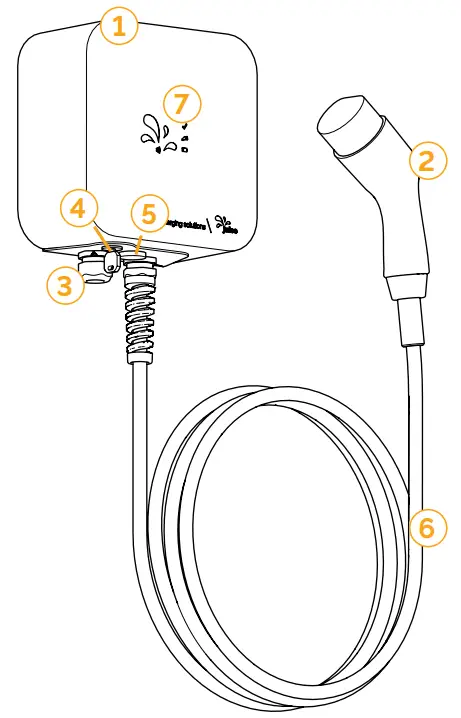
Standard equipment:
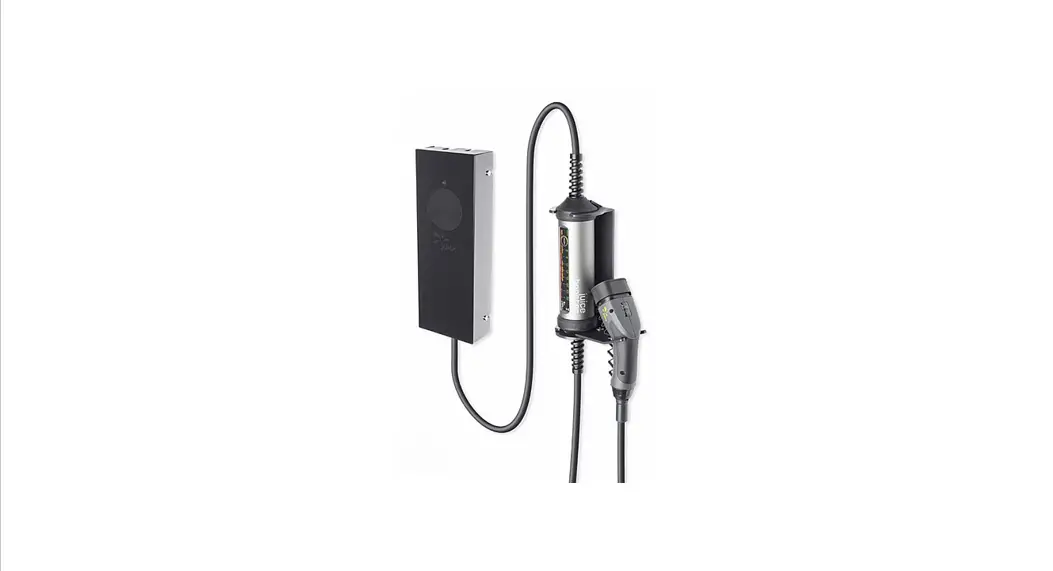
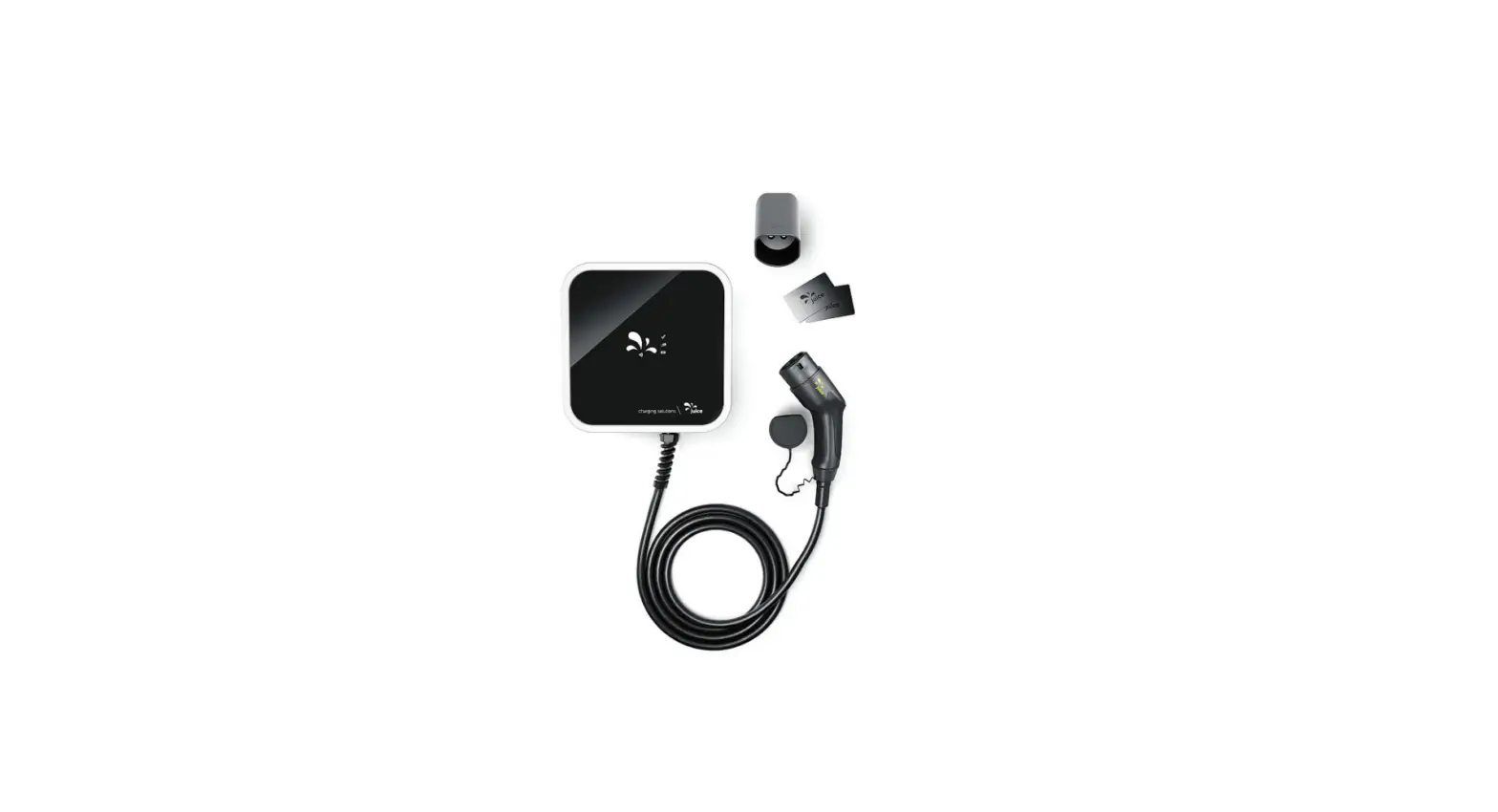
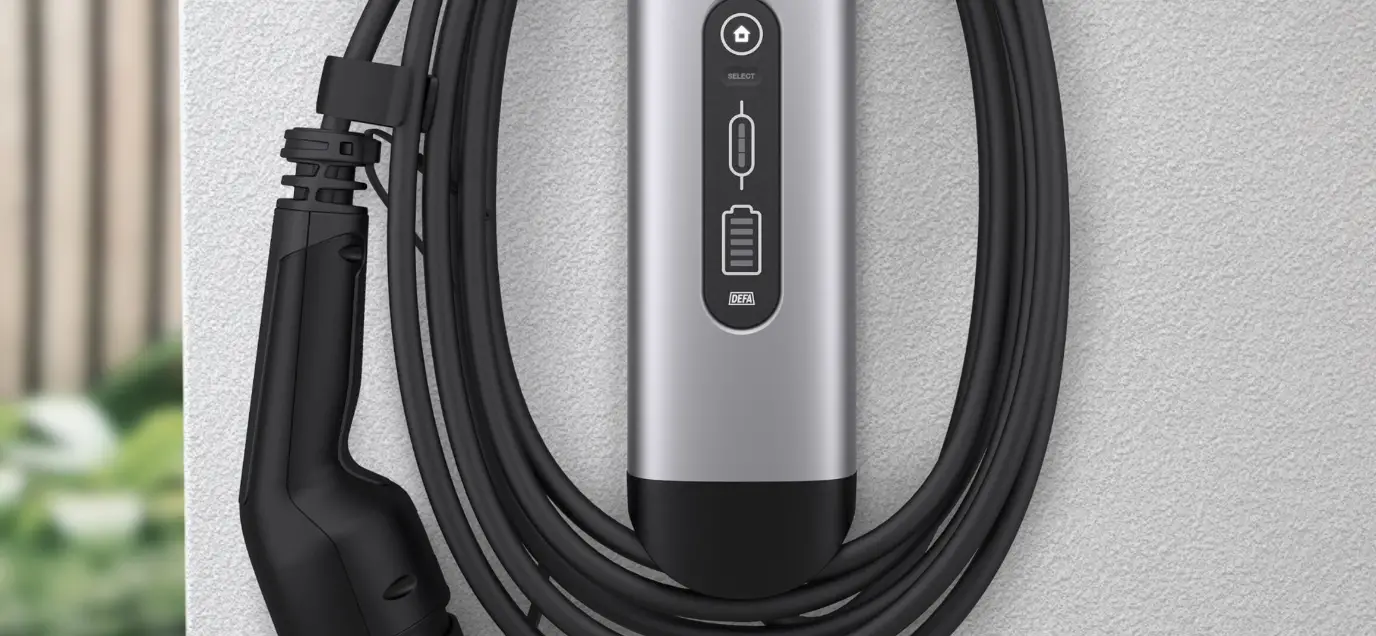
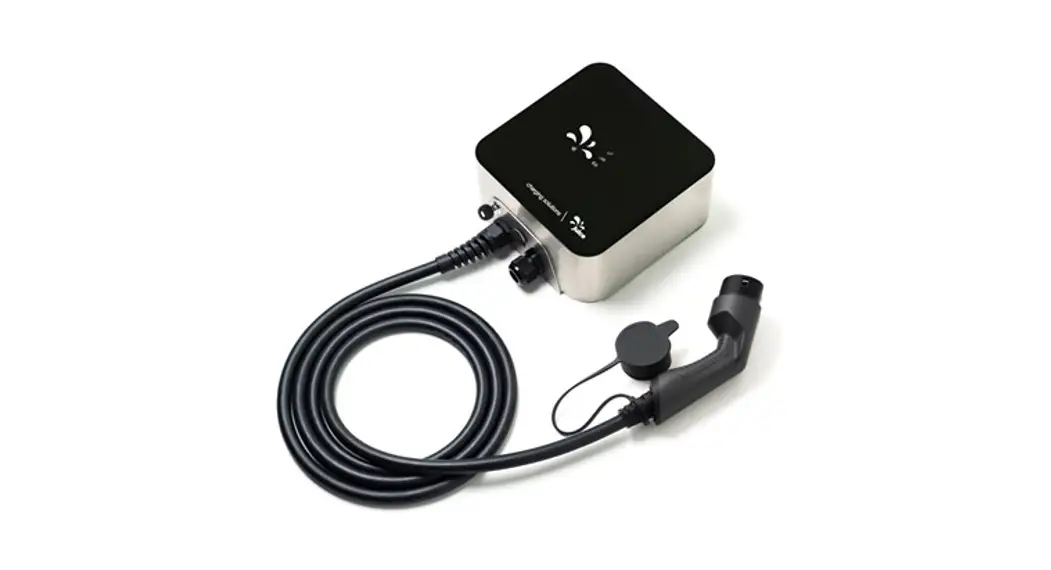
- JUICE CHARGER me
- Type-2 holder
- Two RFID cards (programmed and activated)
Parts:
- JUICE CHARGER me
- Vehicle connector for coupling to the vehicle charging socket (Type 2)
- Cable gland for connection to the power grid
- Security lock with key
- Communication interface by means of Ethernet socket (RJ45)
- 400-V, 32-A, 3-phase heavy-duty cable with control signal conductors
- Function display
Function display
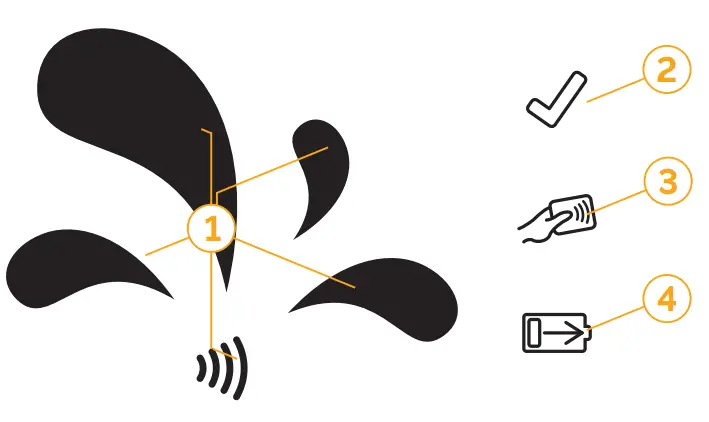
The LED information panel indicates the device’s operating status. Standby, charging, waiting, and fault condition is indicated by the corresponding four symbols lighting up in the display.
| LED | Status | |
| 1 | 3 lights lit in parallel | • Authorisation process is running • Signalling of the current authorization by the circular-shaped light pattern |
| Solid light | • Charging system free • No vehicle connected | |
| 2 | Slowly blinking | • Charging system free • Vehicle connected |
| Solid light | • Charging system activated • No vehicle connected | |
| 3 | Slowly blinking | • Charging system activated • Vehicle connected |
| Rapidly blinking | • Date being replaced from the back-end • Waiting for authorization | |
| 4 | Slowly blinking | • Charging operation authorized • Vehicle is charging |
| Rapidly blinking | • Charging system authorized • Vehicle not yet connected or disconnected from the charging system | |
| 2.3.4 | Rapidly blinking | • Authorisation rejected • Error in the charging system • Back-end not available |
Operating instructions
⚠ CAUTION
- Use the charging equipment only if you can ensure that the device has been correctly installed and connected to the grid by an electrically skilled person. The device charges your vehicle with single-, two- or three-phase AC voltage ranging from 6 to 32 ampere (A) or 6 to 16 A, depending on the model. Use only genuine, original JUICE accessories.
- Protect your charging equipment against damage from being run over, dropped, yanked, kinked or crushed.
- To prevent overheating while charging, do not expose your JUICE CHARGER me to direct sunlight or other sources of heat for long periods of time. If the JUICE CHARGER me becomes overheated, the charging power is automatically reduced until the unit’s temperature drops to within its normal operating range.
- In many countries, the power feeder line to charging stations must be equipped with a Type-A residual current device (RCD). Please observe the regulations in force in the country of use, as these always take precedence. Charging instructions
⚠ DANGER
Always perform charging operations in the specified order of steps.
Potential charging faults are identified on the device’s function display. (You’ll find further information on this in the LED status table). Vehicle-end charging connection
Please consult the vehicle user manual for information on plugging in the connector, locking and unlocking the coupling, stopping the charging process, unplugging the
connector from the vehicle-end socket, and the status of charging and the connection at the vehicle. Start the charging operation
- Take the vehicle-end connector from the holder and remove the protective rubber cap from the vehicle-end connector.
- Plug the (Type 2) vehicle-end connector into the vehicle’s charging socket. Once firmly coupled to the vehicle, this status is confirmed by the slowly blinking 2” symbol
on the operating panel function display. Your vehicle interlocks the coupling to the vehicle for safety reasons. - Activate the charge using one of the two pre-programmed RFID cards supplied with the charging equipment. This activation is confirmed by the slowly blinking “3” symbol on the operating panel function display.
- The charging process then begins. The start of charging is indicated by the slowly blinking “4” symbol on the operating panel function display.
Stopping the charging process
- Stop the charging process at the controls inside the vehicle.
- The interlock securing the vehicle charging coupling is released.
- Remove the vehicle-end connector from the car.
- Set the protective rubber cap back in place on the connector and hang the vehicle-end connector back into the holder provided.
Maintenance and cleaning
Cleaning
- Disconnect the JUICE CHARGER me from the power socket and the vehicle
- Only clean the outside of the device. Use a soft, slightly damp or antistatic cloth.
- Do not use detergent or chemical agents to clean it.
Maintenance
The device basically requires no maintenance.
Note that connectors and couplings are sensitive, high-performance parts, and their contacts must always be kept clean and dry. Moisture, dirt or corrosion on the connector contacts can degrade function performance, and cause the device to overheat or become defective. If plugs get wet, allow them to dry before using them. Always fit the equipment with the protective caps when not plugged in.
Repairs / modifications
Any repairs and/or modifications may only be performed by the manufacturer.
Warranty and guarantee
Our products undergo strict quality control. Should any JUICE article fail to function flawlessly, however, we deeply regret such circumstances and request that you contact our Customer Service operations noted below. We’re gladly available by phone or e-mail if you wish to contact us.
In addition to the statutory guarantee, we grant you a warranty covering all JUICE articles in accordance with the following terms and conditions. These provisions in no way restrict your legal rights.
Any claims arising from the statutory guarantee or our warranty must be made immediately after becoming aware of the defect within the guarantee or warranty period. Both periods come into force from the date of purchase or delivery.
Warranty
• The warranty is valid for two years from the date of purchase and is regulated by law.
Guarantee
• The warranty period is 2 years from the date of purchase. The warranty applies on the continent where the device was purchased and takes the form of a Bring-In warranty.
• During the warranty period, devices that are faulty due to material or manufacturing defects will be repaired or replaced at our discretion. Exchanged devices or parts thereof
become our property. Exercise of the warranty shall not extend the warranty period or trigger a new warranty.
Making warranty claims
• Have the following documents ready, as they form the basis for making claims arising from your guarantee or warranty:
– Delivery note (date of start of the warranty period)
– Invoice (proof of purchase)
– Warranty certificate with device serial number
• Please contact our Customer Service (see the section on Customer service).
• Do not under any circumstances send your device to one of our warehouses or to our headquarters without first making contact with us, as our Service Centres are located elsewhere. In such cases, the parcel would be returned to you at your own expense.
• If the defect is covered by the statutory guarantee or our warranty scope, you will receive either a new, repaired or replacement device within a reasonable period of time. In such cases, JUICE TECHNOLOGY AG assumes the cost for returning the device.
Exclusion from warranty
Warranty claims are void if:
- there is evidence of incorrect or inappropriate handling, operation or transport
- the device has not been used properly as intended
- accessories or spare parts other than those recommended or supplied by the manufacturer have been used
- the JUICE CHARGER is disconnected from the vehicle while in use
- the device is disconnected from the mains while in use
- there is corrosion on the plug contacts due to persistent humidity and/or damp
- water or other liquids ingress the device via unprotected or unplugged plugs or connectors or through water feeder-line piping.
- the operating instructions have not been observed
- major environmental factors (humidity, heat, power surges, dust, etc.) impact the device
- damage is incurred due to short circuits or overvoltages generated by the vehicle
- if the appliance is returned in inappropriate protective packaging
- an accident or unforeseen event (e.g. lightning, water, fire, force majeure) occurs
- the safety precautions applicable to the device have not been taken
- if safety instructions and hazard warnings have not been heeded
- if force has been applied (e.g. if it has been subject to impact or collision, or if it has been dropped, run over, crushed, or destroyed)
- you have attempted to repair the device yourself
- the device has been tampered with by someone other than our authorized Service Centres
- modifications have been made to the device by anyone other than the manufacturer
- the housings, plugs, or cables have been opened or tampered with.
The warranty does not cover:
- any type of conventional wear and tear, or wear to the housing, rubber parts, cables, cable sleeves or connectors;
Repairs
We’ll gladly repair any defects or damage to the device that are not (or no longer) covered by the warranty in return for a charge. Please contact our Customer Service for an individual quote. You are responsible for shipping costs.
A processing fee will be charged for devices sent in without any defects or with defects that are not covered by the warranty in the event that the client decides not to have them repaired.
Customer Service
juice-technology.com/service
Here’s the quickest way to contact Customer Service:
Please complete and submit the online form under this address if you have any technical questions or wish to make a claim under the statutory guarantee or our warranty. We’ll take up your request immediately and provide you with the support you need. Please always contact our Service team by telephone or e-mail or using the online form before sending in the product. The team will discuss the next steps with you, issue you a ticket number as needed, and provide you with the correct address for returning the product.
JUICE TECHNOLOGY AG Customer Service
Phone +41 (0)41 510 02 19
E-Mail [email protected]
General information
We reserve the right to make modifications in the interests of technical improvement.
JUICE TECHNOLOGY AG cannot guarantee that all requirements, regulations, directives, guidelines, specifications, and standards are free of third-party intellectual property
rights.
Note on the Technical Connection Rules for
Low-Voltage:
In various countries, the local Technical Connection Rules for Low Voltage stipulate that the responsible power provider utility be notified of electric car charging stations (in many cases for devices up to 11-kW capacity)or that authorization or license be obtained from the utility (usually for 22-kW capacity units). Observe all local regulations or contract the electrically skilled person installing the device to do so.
Provider / manufacturer
JUICE TECHNOLOGY AG
CH-6330 Cham, Switzerland
www.juice-technology.com
E-Mail: [email protected]
Telephone: +41 (0)41 510 02 19
Attention: Do not send devices or goods to this address. Both the warehouse and the Service Department are different sites and may vary depending on the country in question.
Goods sent to this address will be returned to the sender at the sender’s expense. We, unfortunately, have to charge the sender for any forwarding costs, customs duties, and/or value-added tax incurred due to return shipments.
Waste disposal and recycling
Please sort your waste! Please do not dispose of this device in your standard household waste. This device is subject to the regulations defined in European Directive 2012/19/EU. Has your device been disposed of by an authorized waste disposal and recycling firm and your local waste management authority? Please observe the currently pertinent regulations in force. In case of doubt, please contact your waste disposal facility.
Recycling
 Recyclable e goods: Separate the packaging and electrical device by material type for disposal. Place all paperboard and corrugated fibreboard in paper recycling, foils, and films with a waste materials collection center, and have the electronic components properly disposed of by a specialist electrical retailer or a local recycling center.
EU Declaration of Conformity
This product conforms with the following EU Directives
- 2014/30/EU (electromagnetic compatibility)
- 2011/65/EU (hazardous substances in electrical and electronic equipment)
- 2014/35/EU (low-voltage electrical equipment)
- 2014/53/EU (radio equipment)
- 2014/32/EU (measuring instruments) and the following standards or normative documents:
ETSI EN 300 330 V2.1.1
ETSI EN 301 489-1 V2.2.3
ETSI EN 301 489-3 V2.1.1
EN 62368-1 :2020+A11:2020
EN IEC 61851-1:2019
IEC 61851-21-2:2018
EN 61439
EN 62196-1:2015
EN 62196-2:2017 EN 50581:2012
EN 50620:2020
EN 62479:2010
EN 50364:2010
EN IEC 63000:2018
Installation
The JUICE CHARGER I may only be installed and commissioned by electrically skilled persons. Install the JUICE CHARGER me in accordance with the attached
Installation Guide. Always disconnect the power supply before beginning with installation work.
Protection
It absolutely essential that a residual current device and a line circuit breaker be installed upstream of the device.
The line circuit breaker must be dimensioned in accordance with the charging device’s rating plate, the desired charging power and the given power feeder line (line length and
cross-sectional area) in compliance with the applicable national regulations. One line circuit breaker is needed for each charging point.
Mount the device on the wall.
- Mount the device only on flat surfaces.
- Implement suitable measures to smooth any uneven surfaces.
Holes for the mounting screws shall be located and drilled based on the drilling template included with the scope of supply. Drill the holes in the wall to the diameter specified for the selected mounting materials.
• Route the power supply cable into the device through one of the two cable entry holes provided for this purpose (from either below or behind the device).
Clampable cross-sections
• Fine-wire conductor: 6 mm² – 10 mm² / 10 – 8 AWG
Cable connection
- Connector cable Type min: 3 x 6 mm² – L1/N/PE
- Connector cable Type max: 5 x 10 mm² – L1/L2/L3/N/PE
- Connector cable dia.: dia. 16 – 21mm
Internet
Connect the JUICE CHARGER me to the Internet via LAN (RJ45).
Operating modes
RFID activation
RFID activation is set up as a standard feature. You receive two pre-programmed cards for activation.
Other operating modes
- Plug and Charge (ISO 15118)
- Master-slave load management
Changing the operating mode
If you wish to register an additional RFID card or change your operating model, you must connect your charging station to the Internet to do so. Visit www.juice-world.com/installation to find out what next steps to take.
Specifications
| Dimensions | Height 240 mm, width 240 mm, depth 120 mm |
| Weight | approx. 6.5 kg (including charging cable) |
| Input current | 230 V, 6–32 A (single-phase) or 400 V 6–32 A (3-phase) AC |
| Power output | 22 kW (32 A, three-phase); Locked version for subsidization from the KfW development bank’s promotion program max. 11 kW (16 A, three-phase) |
| Communication | OCPP 1.5/1.6, Modbus/Remote terminal unit (RTU) Ethernet interface (LAN, RJ45) |
| Activation | RFID reader for controlled access (MIFARE Classic / Desfire) The RFID frequency is 13.56 MHz. |
| Charging/load management | Configurable as master and slave operation (up to 250 units) |
| Safety | Internal temperature sensor for reducing the charging current independently of the ambient temperature |
| Protection class | IP54 |
| Operating temperature | -25°C to +45°C |
| A residual-current device (RCD) | RCD DC 6 mA integrated, RCD AC 30 mA |
| Protection class | I |
| Standards | IEC 61851, IEC 61439-7, EMV RoHS Optional MID-compliant meter: IEC EN 50470, EMV RoHS |
| Material – color | The frame of brushed chromium steel, the front panel of black, UV-resistant polycarbonate glass |
| Connection | Fixed, permanent connection installed by a certified electrically skilled person |
| Vehicle-end connector | Type 2 (IEC 62196) |
Please find more information about the product by visiting: juice-world.com/juice-charger-me
| Juice Technology AG Juice Services AG Juice Power AG Juice Telemetrics AG Kasernenstrasse 2 CH-8184 Bachenbülach [email protected] juice-world.com Phone CH / Intl. +41-41 510 02 19 Telefon DE 0800 3 400 600 MwSt/UID Juice Technology AG CHE-236.291.474 DE815511383 Juice Europe GmbH Friedenheimer Brücke 20 DE-80639 München Juice Iberia S.L. Calle Medellin 3 ES-29002 Malaga | Juice France SAS 18 Place des Nymphéas FR-93420 VillepinteJuice Nordics AB Edsbrogatan 1 A SE-75228 Uppsala Juice Americas, Inc. |
EU-Declaration of conformity
We Gewerbestrasse 7
hereby declare in our sole responsibility, that the product:
complies with the essential requirements of the following guidelines and their amendment guidelines
| 2014/30/EU | Electromagnetic Compatibility Directive (EMC) |
| 2011/65/EU | Hazardous substances in electrical and electronic equipment directive (RoHS) |
| 2014/35/EU | Low voltage electrical equipment directive |
| 2014/53/EU | Radio Equipment Directive (RED) |
| 2014/32/EU | Measuring Instrument Directive (MID) |
The following relevant standards or norms were used for the assessment
| ETSI EN 300 330 V2.1.1 ETSI EN 301 489-1 V2.2.3 ETSI EN 301 489-3 V2.1.1 EN 62368-1 :2020+A11:2020 | EN IEC 61851-1:2019 EN 62196-1:2015 EN 50620:2020 EN IEC 63000:2018 | IEC 61851-21-2:2018 EN 62196-2:2017 EN 62479:2010 | EN 61439 EN 50581:2012 EN 50364:2010 |
Ort: Cham
Datum: 14.07.2021
Signatur: Christoph R. Erni,CEO