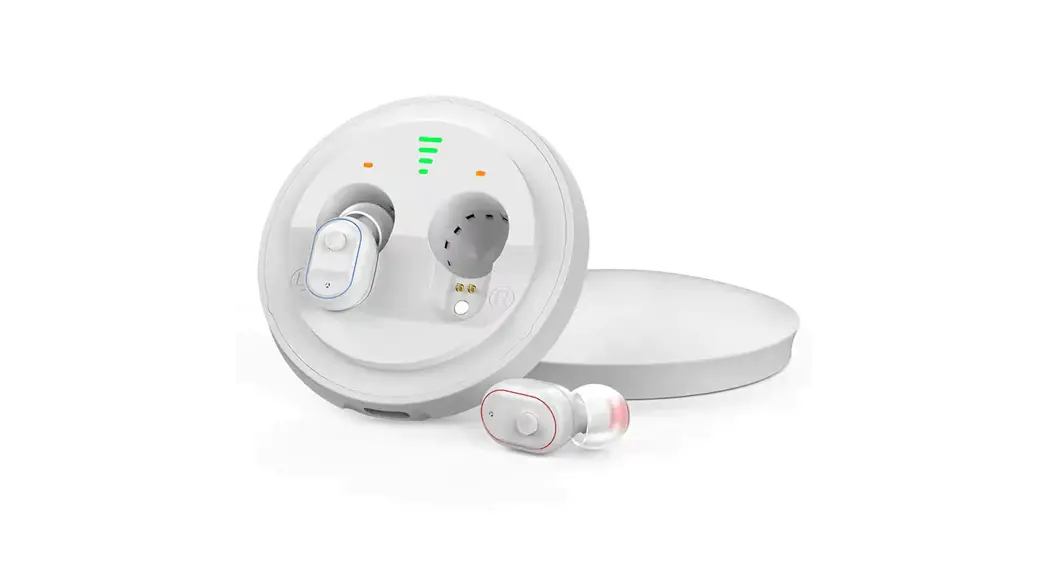
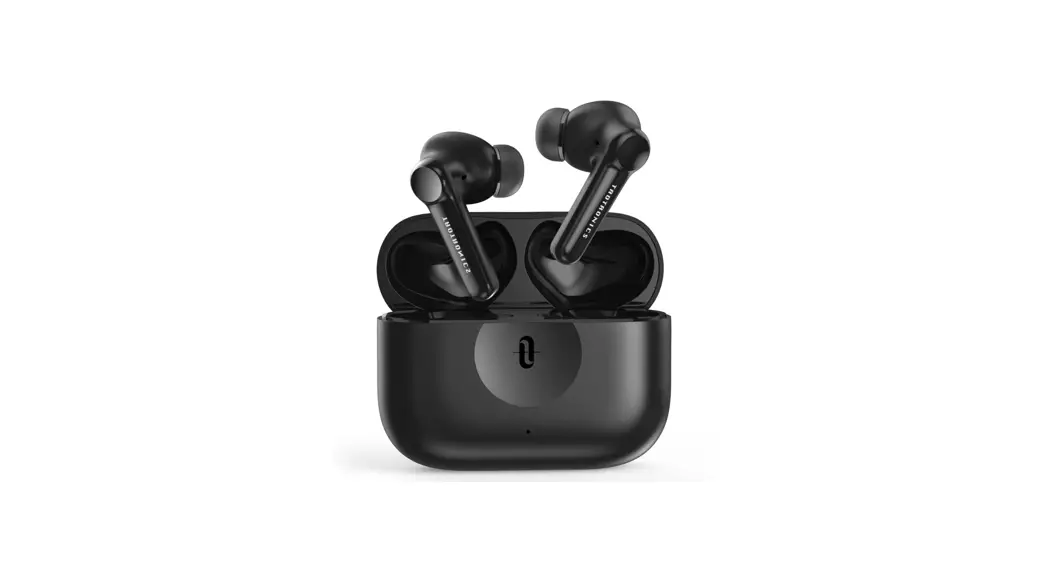
Leader CN430S B In-The-Ear Hearing Amplifier
User Guide
In-The-Ear Hearing Amplifier
The Leader CN430S B is a universal In-The-Ear (ITE) hearing
amplifier that provides assistance for individuals with hearing
impairments. It is designed to amplify sounds and improve overall
hearing ability.
Product Components
- 1 In-The-Ear Hearing Amplifier
- 1 Microphone
- 1 Multi-function button
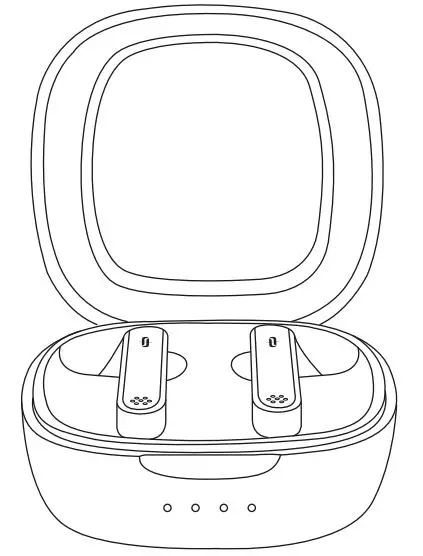
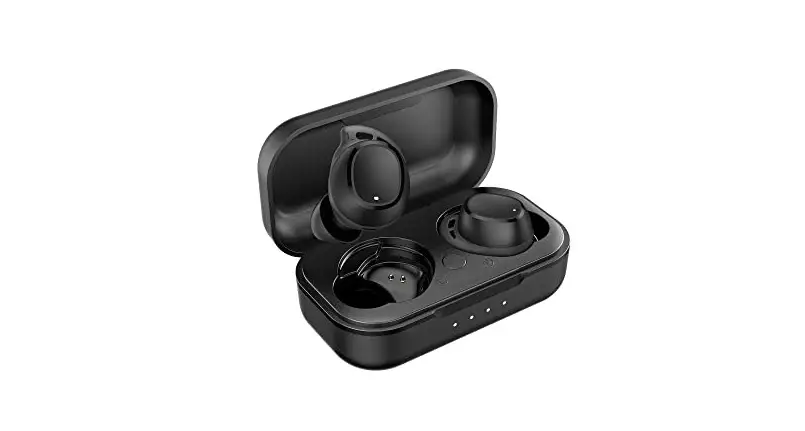
- 1 Charging Box
- 1 Charging box indicator
- 1 Hearing aid charging indicator
- 1 Earplug
- 1 Speaker
- 1 Charging Point
- Accessories:
- 1 set of Earplugs (sizes: small, medium, large)
- 1 Cleaning brush
- 3 Wax Guards
- 4 Charging Cables
Technical Specifications
- Max.OSPL90: 32dB
- HF Avg.OSPL90: 200-5000Hz
- Max gain: NA
- HFA Gain: 3%
- Noise Level: Power On/Off
- Frequency Range: Power ON: Take the device out of the charging
box. Power OFF: Put the device into the charging box. - Battery Current: This hearing amplifier is a universal ITC and
does not differentiate between left and right ears. - Total Distortion: NA
Product Usage Instructions
How to Replace Ear Tips
- At the time of purchase, an M size ear tip is attached. If it
does not fit your ears, the sound may be difficult to hear or you
may hear beeping. In such cases, replace the ear tips with the
supplied S size or L size. - Turn the umbrella part of the ear tip over.
- Do not pull the umbrella because it is thin and may get
damaged. Hold the base and pull it off. - Hold the body with your dominant hand.
- Insert the earplug in line with the hearing aid, then gently
pull the earplug to make sure it fits securely.
How to Use
- Pinch the hearing aid with your thumb and index finger and
place the earplug side in the ear canal. Rotate the hearing aid to
snap it into the ear.
How to Replace the Earwax Guard
- Please replace the ear guard once every three months. Do not
reuse your ear guard once used, as there is a risk of falling
off. - Remove the earplug and insert the disassembly end of the
cerumen rod into the sound hole. - Pull out the rod and take out the old cerumen filter.
- Select the cerumen rod and insert the part with the new cerumen
strainer into the sound hole. Pull the rod out to make sure the new
cerumen net is installed.
Volume and Mode Control
- Click the hearing aid button once: increase the volume by one
level. Two beeps are heard, indicating the highest volume
level. - Long press the hearing aid button for 3 seconds: One beep
indicates simulation scene 1 (general mode). Two beeps indicate
simulation scene 2 (noise reduction). Three beeps indicate
simulation scene 3 (outdoors).
Low Battery Reminder
Hearing aids have low battery warning signals that sound beep,
beep until the hearing aid shuts down. If you hear a prompt tone,
please charge it in time.
Bluetooth Mode
Please fully charge the hearing aid before using the Bluetooth
mode.
- Make sure the hearing aid is turned on.
- Open Settings on your mobile device.
- Turn on the Bluetooth function of the phone and search for
Bluetooth devices to find the name “Leader”. Then click connect to
complete the connection.
The Bluetooth/hearing aid mode can be switched back and forth
freely. You can listen to music and incoming calls, and the device
will automatically switch to Bluetooth headset mode during a call.
After the music is paused or the call is over, the phone will
automatically switch back to the hearing aid mode. When
disconnected from the mobile phone, it will…
User Guide
In-The-Ear Hearing Amplifier
Leader CN430S B
Please read the rehabilitation plan first Read the user guide before using
Hearing Amplifier
Microphone
Multi-function button
Charging Box
Charging box indicator Hearing aidcharging indicator
Earplug
Speaker
Charging Point
Accessories
1
1 Earplugs sml 2 Cleaning brush
3 Wax Guard 4 Charging Cable
x2
Charging contact
Charging port
2 x2
x2 x2
3
x1
x1 4
Technical Parameter
Max.OSPL90 HF Avg.OSPL90 Max gain HFA Gain
115±3dB
106±4dB
35±3dB 31±3dB
Noise Level Frequency Range
Battery Current
Total Distort
32dB
200-5000Hz
NA
3%
Power On/Off
Power ON: Take the device out of thecharging box. Power OFF: Put the device into the charging box.
This hearing amplifier is a universal ITC and does not differentiate between left and right ears.
How to replace ear tips
At the time of purchase, an M size ear tip is attached. lf it does not fityour ears, the sound is difficult to hear, or you hear beeping, replace theeartips with the supplied S size or L size.
1
Turn the umbrella partof the ear tip over
2
Do not pull the umbrella because it is thin. It maybe damaged. Hold the base andpull it off.
3
Hold the body with yourdominant hand.
4
Insert the earplug in line with the hearing aid, then gently pull the earplug to make sure it fits securely.
How to use
1
Pinch the hearing aid with your thumb and index finger, and place the earplug side in the ear canal. Rotate the hearing aid to snap it into the ear.
2
How to replace the earwax guard
Please replace the ear guard once every three months. Do notreuse your ear guard once used.There is a risk of falling off.
1
Remove the earplug and
insert the “disassembly end”
of the cerumen rod into the
sound hole.
2
Pull out the rod and take out the old cerumen filter.
3
Select the cerumen rod and insert the part with the new cerumen strainer into the sound hole
Pull the rod out to make s
ure the new cerumen net is
installed
4
Click the hearing aid button once: increase the volume by one level. Two beeps are heard, which is the highest volume level.
Long press the hearing aid button for 3 seconds: One beep means simulation scene 1 (general mode) . Two beeps mean simulation scene 2 (noise reduction). Three beeps mean simulation scene 3 (outdoors ).
The hearing aid has a memory function, and there is no need to repeatedly adjust the volume and mode next time.
Low battery reminder
Hearing aids have low battery warning signals that sound “beep, beep” until the hearing aid shuts down. If you hear a prompt tone, please charge it in time.
Bluetooth mode
Connection guide Please fully charge the hearing aid first. Step 1: Make sure the hearing aid is turned on .
Step 2: Open “Settings” on your mobile device.
Settings
Step 3: Turn on the Bluetooth function of the phone, and search for Bluetooth devices to find the name of “Leader”, and then click “connect” to complete the connection.
Bluetooth
DEVICE
Leader
1. The Bluetooth/hearing aid mode can be switched back and forth freely. Listen to music and incoming calls, and automatically .
switch the Bluetooth headset mode during a call. After the music is paused or the call is over, the phone
will automatically switch to the hearing aid mode. When disconnected from the mobile phone, it will
automatically switch to hearing aid mode.
2. If the hearing aid is not connected to the Bluetooth of the mobile phone for a long time, the Bluetooth function will be automatically turned off.Please restart your hearing aid and re-pair with your phone’s Bluetooth.
(Note: For paired devices, there is no need to re-pair them next time, because they can be automatically connected when turned on.)
3. Please keep it within 10 meters during use. Beyond this distance, the sound quality may deteriorate and the connection may be lost.
HA-Fit APP
Please download and install “HA-Fit” APP first.
1. Connect the APP
Step 1: Turn on your hearing aid. Step 2: Turn on Bluetooth. Step 3: Open the HA-Fit APP. Step 4: Click the “Search Device” button. Step 5After “searching for devices”, the HA-Fit APP
will automatically connect to the hearing aid, and the successful connection status is shown in the figure.
The devices are controlled by your personal voice.
The devices are controlled by your personal voice.
Disconnected Disconnected
Searching for Devices
Sound Control Hearing Evalution
Left Leader-L
Right Leader-R
Searching for Devices
Sound Control Hearing Evalution
2. Hearing Evalution
With the Hearing Hearing Evalution module, you can quickly set up your hearing aids according to your hearing characteristics. Step 1: Put on your hearing aid and turn it on. Step 2: Please do the assessment in a quiet place. Step 3: Click the “Listening Evaluation” button. Step 4: Follow the prompts to complete your personal
listening assessment. Step 5: After completing your hearing evalution, click the
Auto-Optimize button and your hearing aids will be optimized based on your hearing score.
The devices are controlled by your personal voice.
Home
Hearing evaluation is not a professional test. lt just a quick and convenient way to set the hearing device according to yout individual hearing situation.
3. Hearing Evalution The HA-Fit app is designed to allow you to conveniently control your hearing aids remotely from your Android or Apple device at hand. HA-Fit app covers key features like changing programs.
Step 1: Click the “Sound Control” button. Step 2: Enter the sound control interface, you can
easily control the hearing aids, you can adjust various parameters, volume, program, frequency band, noise reduction…
The devices are controlled by your personal voice.
Home
Volume/Mode Frequency Band
Others
Left Leader-L
Right Leader-R
Searching for Devices
Sound Control Hearing Evalution
Please do the evaluation in a quiet place.
Here is not very quiet, but it is ok.
Start from your left ear, and then change to right ear to do the evaluation of 10 frequency band. When you hear the sound of signal, please click `heard’ other wise please click ‘unheard’ .
Start
Left Leader-L
Right Leader-R
Searching for Devices
Sound Control Hearing Evalution
Volume Down
Volume Up
Mode Change
MPO Down
MPO Up
Left
Both
Right
How to charge
The charging box has the power storage function, put the hearing aid into the charging box, and the charging box will charge the hearing aid. When the hearing aid is charging, the charging indicator of the hearing aid will light up with orange light, and the orange light will be extinguished after it is full.
Charging box battery indicator
100%
75%
50%
25%
When the power of the charging box is less than 25%, the indicator light flashes.
Hearing aid charging indicator
L Orange light R
L
Orange off
R
Charging
Fully Charging
When the hearing aid is fully charged ,it will automatically turn off the light
Notes and Tips
1. For the first use, please remove the film from the device.
2. This product is not waterproof, therefore the user must take care to prevent water from entering the product.
3. When not in use for a long time, please put the product in the charging box and charge it once every 1-2 months to avoid damage to the battery.
4. Do not place hearing aids in the hot sun, near furnaces or other heat sources.
5.·Avoid contact with chemicals or strong cleaners.
FCC Statement
This equipment has been tested and found to comply with the limits for a Class B digital device, pursuant to Part 15 of the FCC Rules. These limits are designed to provide reasonable protection against harmful interference in a residential installation. This equipment generates uses and can radiate radio frequency energy and, if not installed and used in accordance with the instructions, may cause harmful interference to radio communications. However, there is no guarantee that interference will not occur in a particular installation. If this equipment does cause harmful interference to radio or television reception, which can be determined by turning the equipment off and on, the user is encouraged to try to correct the interference by one or more of the following measures: — Reorient or relocate the receiving antenna. — Increase the separation between the equipment and receiver. — Connect the equipment into an outlet on a circuit different from that to which the receiver is connected. — Consult the dealer or an experienced radio/TV technician for help.
This device complies with part 15 of the FCC Rules. Operation is subject to the following two conditions: (1) This device may not cause harmful interference, and (2) this device must accept any interference received, including interference that may cause undesired operation.
Changes or modifications not expressly approved by the party responsible for compliance could void the user’s authority to operate the equipment FCC ID:2A7JZ-001