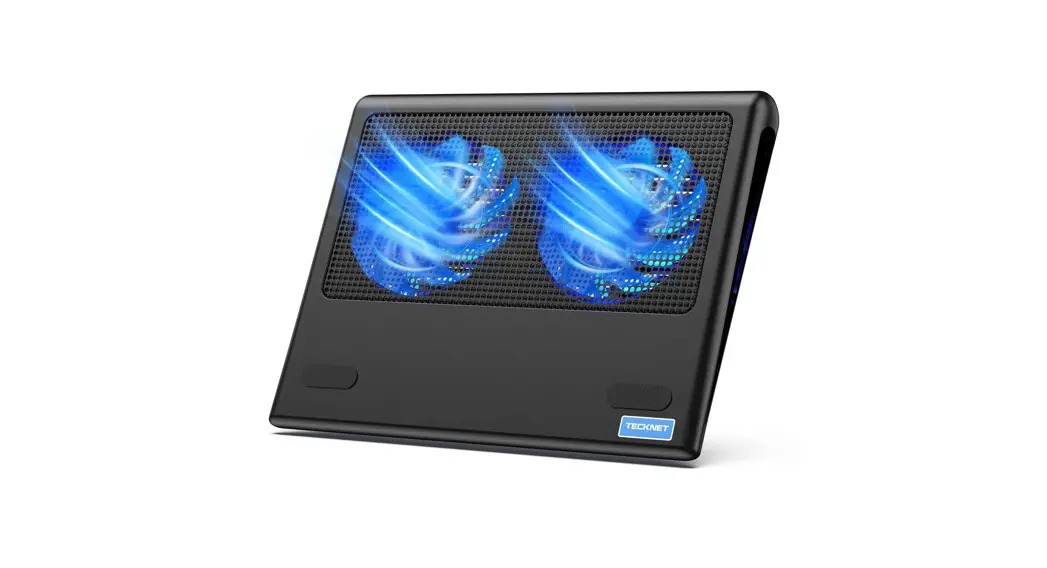
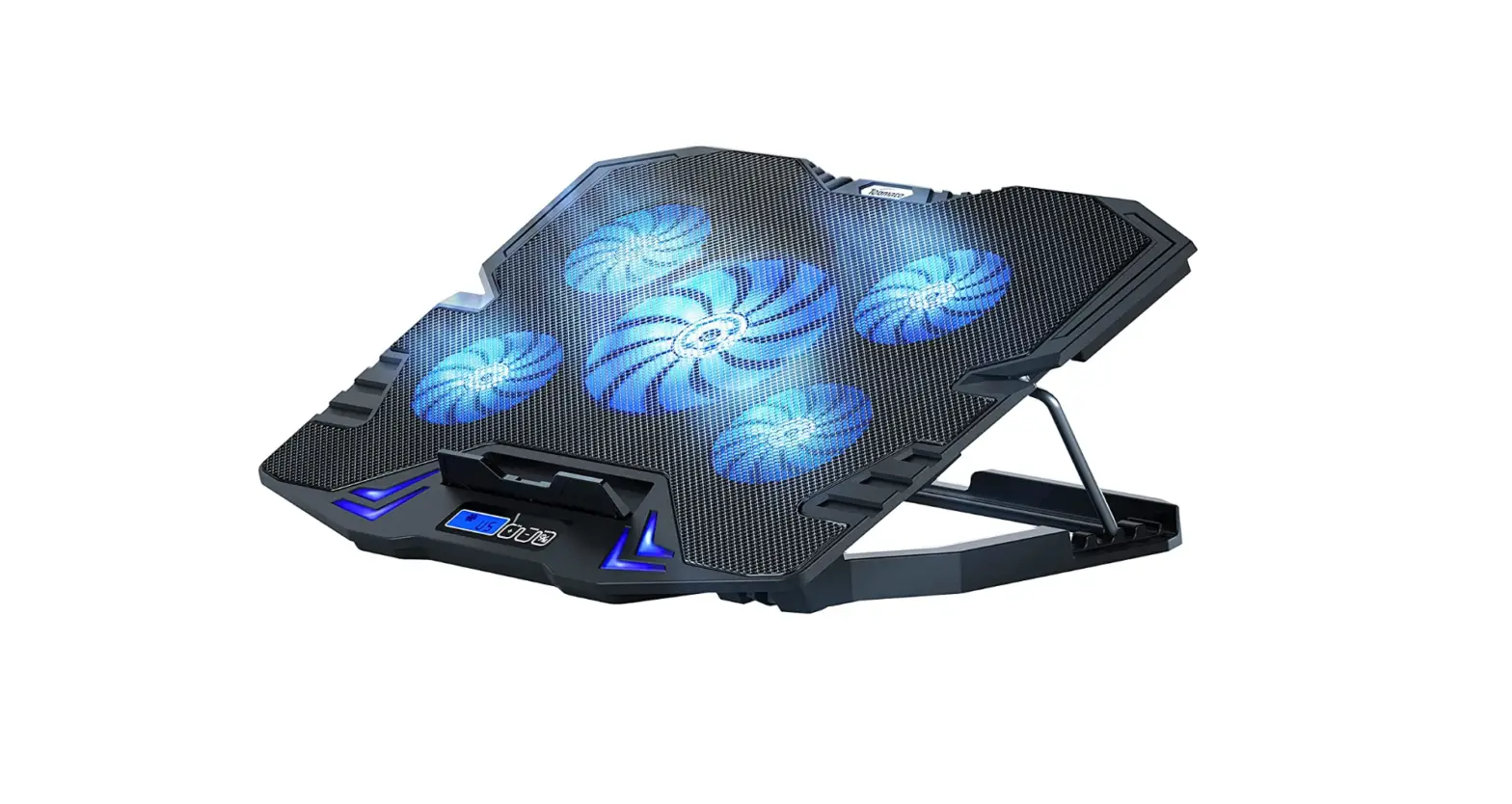
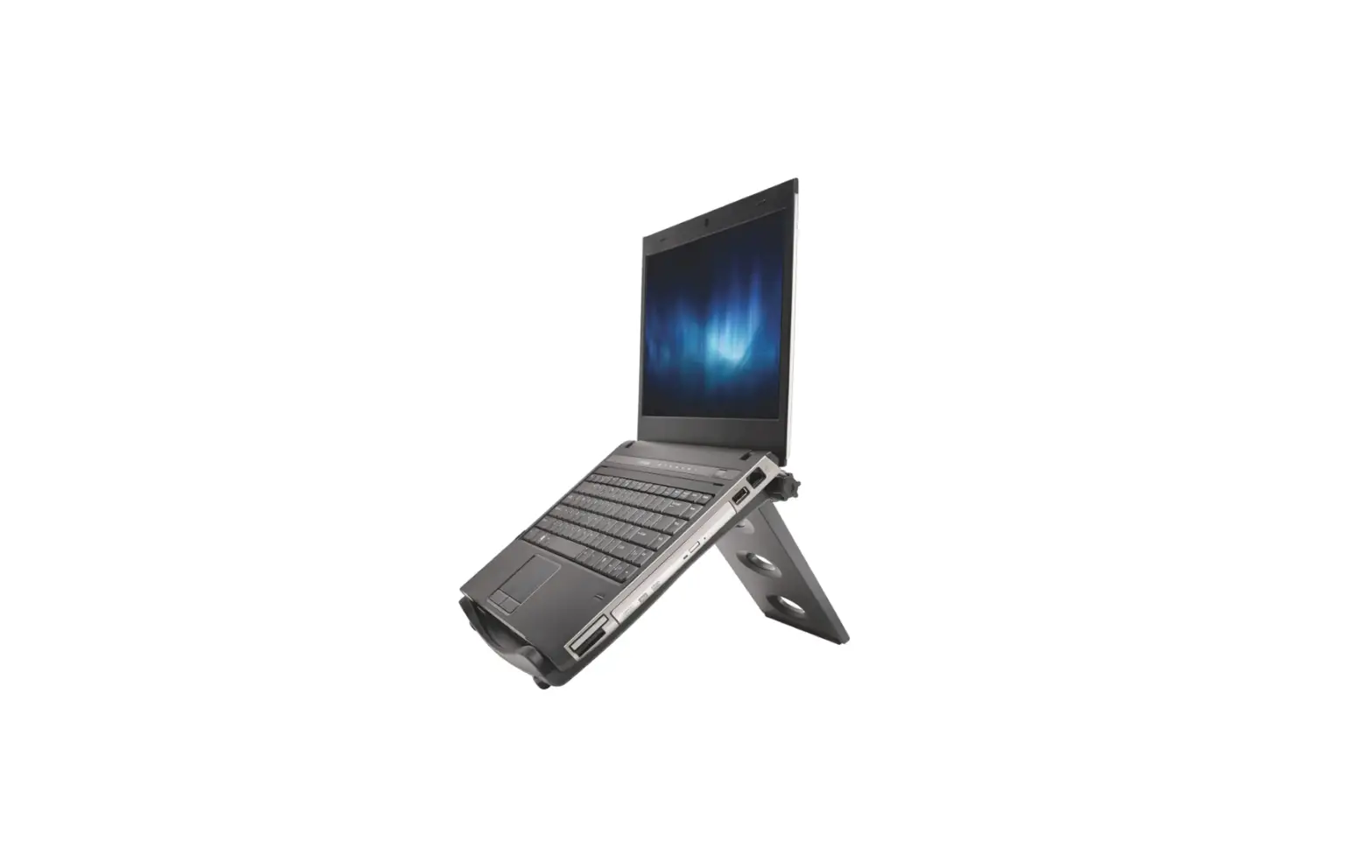
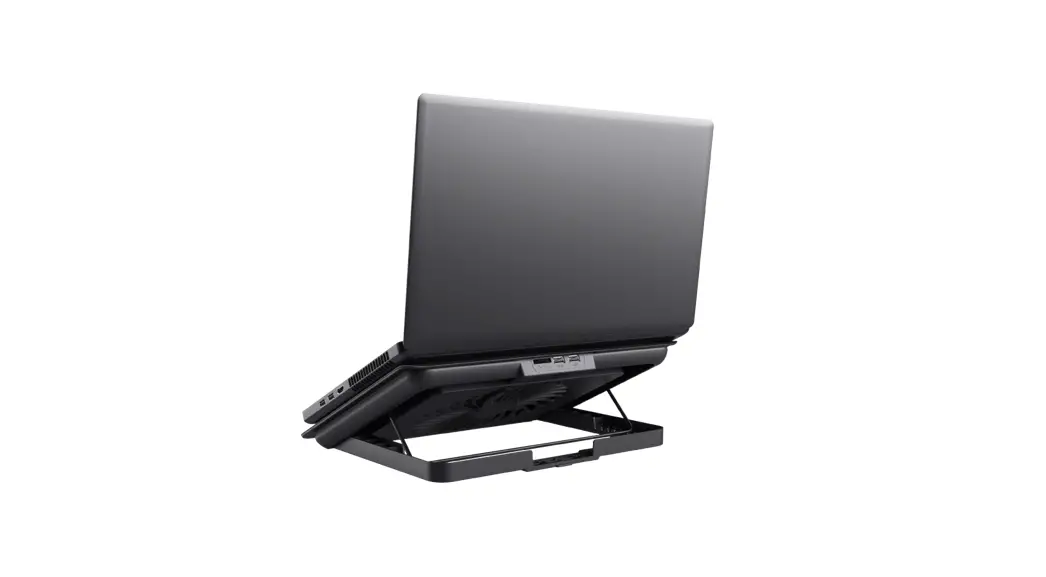
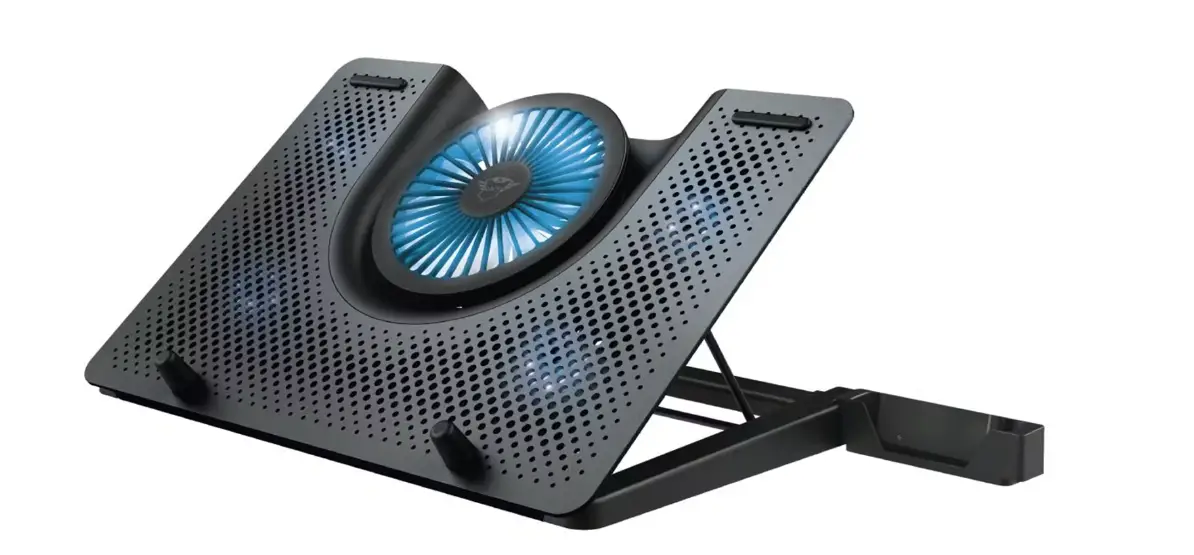
N5 Laptop Cooling Stand
Laptop Cooling Stand N5
Product Information
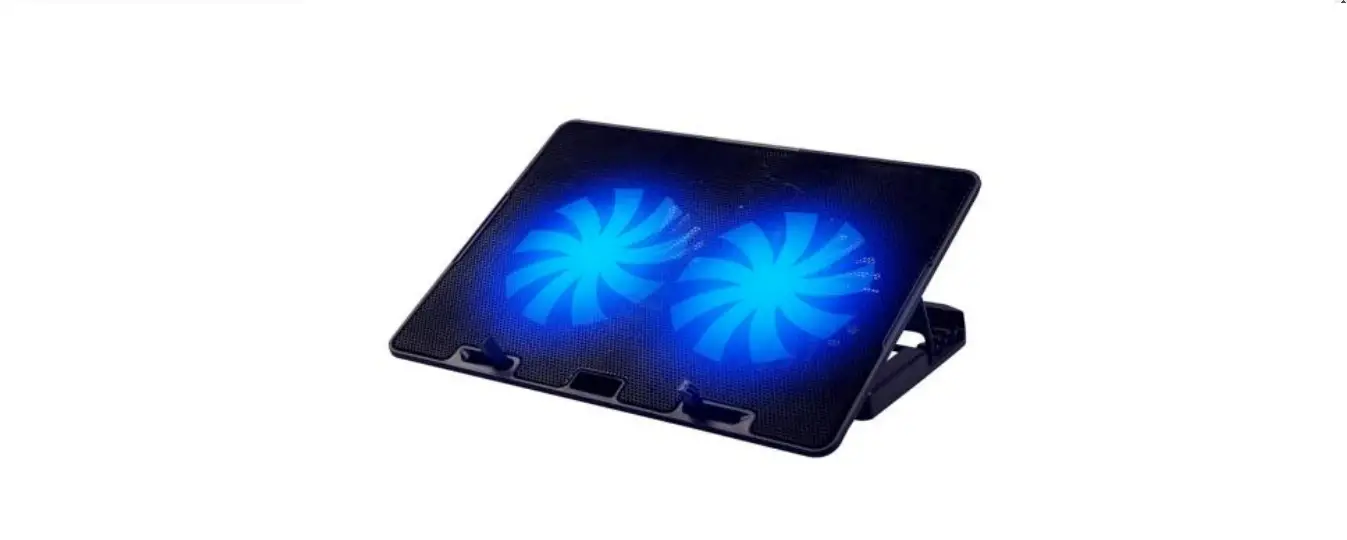
The Laptop Cooling Stand N5 is a device designed to improve the
performance and comfort of laptop usage. It comes with the
following features:
- Built-in 2-port USB 2.0 hub
- Ergonomic design with gentle slope for improved typing comfort
and reduced wrist strain - Two 11cm silent fans and grooved metal surface for optimal
cooling performance - Anti-skid base for extra stability on various surfaces
- Cooling Stand with LED backlight
Package Contents
- Laptop Cooling Stand N5
- USB cable
Product Usage Instructions
Connectivity and Configuration
This cooling pad includes a built-in 2-port USB 2.0 hub and a
USB cable. Follow these steps to connect and configure the cooling
stand:
- Insert the USB connector end of the cable into your laptop’s
USB port. - Plug the other USB end of the cable into the USB port on the
cooling stand. This provides both the power needed to run the
cooling fans in the stand and the USB 2.0 data connection for use
with other devices, such as external keyboards, mice, USB light,
USB fan, USB flash drive, etc.
Ergonomic Guidelines
To ensure a comfortable and ergonomic workstation setup, follow
these guidelines:
- This product can be used on the desktop or on your lap for
portable usage. - Select a viewing distance to the screen between approximately
19-36 inches, depending on the screen and character size. - Adjust the screen so that it is perpendicular to your line of
sight. - Place the top of the screen at eye height or just below (no
more than 2 inches below).
Important Information
Please note the following:
- EU Declaration of
Conformity: The Laptop Cooling Stand N5 complies with Directive
2014/30/EU. The full text of the declaration of conformity can be
found at the provided internet address. - FCC Statement: This device complies with Part 15 of the FCC
Rules. - Correct Disposal: Dispose of this product responsibly to
promote sustainable reuse of material resources. Contact your
retailer or local government office for details on environmentally
safe recycling.
Warranty
The Laptop Cooling Stand N5 comes with a limited 12-month
warranty. Shenzhen Unichain Technology Co., LTD. warrants that the
product shall be free of defects in design, assembly, material, or
workmanship.
Laptop Cooling Stand
N5 User Manual
EN
DE
FR
ES
IT
Package Contents
Laptop Cooling Stand×1
Specifications
Rated Voltage: DC 5V Rated Current: 0.45±10%A Power Input: 2.25W
USB Cable×1
User Manual×1
Product Features
1. Built-in 2-port USB 2.0 hub. 2. Ergonomic design with gentle slope improves typing comfort and reduces wrist
strain operating angles. 3. Get optimal cooling performance with two 11cm silent fans and the grooved
metal surface. 4. Anti-skid base provides extra stability on almost any surface. 5. Cooling Stand with LED backlight.
Connectivity and Configuration
This cooling pad includes a 2-port USB 2.0 hub and a USB cable. 1. Insert the USB connector end of the cable into your Laptop’s USB port. 2. Plug the other USB end of the cable into the USB port on the cooling stand. This provides both the power needed to run the cooling fans in the stand and the USB 2.0 data connection for use with other devices, such as external keyboards, mice, USB light, USB fan, USB flash drive, etc.
Ergonomic Guidelines
Proper configuration of your workstation may help relieve back, shoulder, and neck strain caused by working long hours on a notebook computer. 1. This product can be used on the desktop, you can also use the product on your
lap, to provide you with a portable usage scenario. 2. Select a viewing distance to the screen between about 19-36″, depending on
the screen and character size. 3. Adjust the screen so that it is perpendicular to your line of sight. 4. Place the top of the screen at eye height or just below (no more than 2″ below).
SIMPLIFIED EU DECLARATION OF CONFORMITY
Hereby, Shenzhen Unichain Technology Co., Ltd. declares that the product type N5 is in compliance with Directive 2014/30/EU. The full text of the EU declaration of conformity is available at the following internet address: https://eu.tecknetonline.com/
EN-1
FCC STATEMENT
This device complies with Part 15 of the FCC Rules. Operation is subject to the following two conditions: (1) This device may not cause harmful interference, and (2) This device must accept any interference received, including interference that
may cause undesired operation.
Correct Disposal of This Product
( Waste Electrical& Electronic Equipment )
This Marking shown on the product or its literature, indicate that it should not be disposed with other household wastes at the end of its working life.
To prevent possible harm to the environment or human health from uncontrolled waste disposal, please separate this from other types of wastes and recycle it responsibly to promote the sustainable reuse of material resources.Household user should contact either the retailer where they purchased this product, or their local government office, for details of where and how they can take this item for environmentally safe recycling.
Business users should contact their supplier and check the terms and conditions of the purchase contact. This product should not be mixed with other commercial wastes for disposal.
Limited 12-Month Warranty
12
What this warranty covers.
Shenzhen Unichain Technology Co., LTD. (Manufacturer: “Unichain”) warrants to the original purchaser of this TECKNET product that the product shall be free of defects in design, assembly, material, or workmanship.
What the period of coverage is.
Unichain warrants the TECKNET product for 12 Months.
What will we do to correct problems?
Unichain will repair or replace, at its option, any defective product free of charge (except for shipping charges for the product).
What is not covered by this warranty?
All above warranties are null and void if the TECKNET product is not provided to Unichain for inspection upon Unichain’s request at the sole expense of the purchaser, or if Unichain determines that the TECKNET product has been improperly installed, altered in any way, or tampered with. The TECKNET Product Warranty does not protect against acts of God such as flood, earthquake, lightning, war, vandalism, theft, normal-use wear and tear, erosion, depletion, obsolescence, abuse, damage due to low voltage disturbances (e.g. brownouts or sags), non-authorized program, or system equipment modification or alteration.
How to claim the warranty
Please contact retailers or visit TECKNET website or email [email protected] for more information. To extend the warranty period, please visit TECKNET website and register your TECKNET products within 90 days of purchase.
Disclaimer
Every effort has been made to ensure that the information and procedures in this guide are accurate and complete, no liability can be accepted for any errors or omissions and we reserve the right to make any changes without further notice to any products mentioned herein.
EN-2
IMPORTANT SAFETY INSTRUCTIONS-CAREFULLY FOLLOW THESE INSTRUCTIONS.
1. SAVE THESE INSTRUCTIONS – This sheet contains important safety and operating instructions.
2. Before using the product, read all instructions and caution markings on the product, accessories and device using our product.
3. This appliance is not intended for use by persons (including children) with reduced physical, sensory or mental capabilities, or lack of experience and knowledge, unless they have been given supervision or instruction concerning use of the appliance by a person responsible for their safety.
4. Children should be supervised to ensure that they do not play with the appliance.
5. Keep the product away from fire or explosion may occur.
6. For indoor use only. Do not expose to rain, water, excess moisture or snow.
7. Do not place the product in or near any inflammable, explosive or hazardous object.
8. Do not operate the product with damaged cord or plug.
9. Do not operate the product if it has been damaged in any way.
10. Do not disassemble the product. Disassembly may result in a risk of safety hazards.
11. Do not throw or shake the product.
12. To reduce the risk of electric shock, unplug the product from the power supply when not in use or switch off the power supply.
Packungsinhalt
1x Laptop Kühlstand
1x USB-Kabel
Produktspezifikationen
Nennspannung: DC 5V Nennstrom: 0,45 ± 10% A Leistungsaufnahme: 2,25 W.
1x Benutzerhandbuch
Produkteigenschaften
1. Eingebauter 2-Port USB 2.0-Hub. 2. Ergonomisch gestaltet, sanft angewinkelt, um den Schreibkomfort zu verbessern
und die Belastung des Handgelenks zu reduzieren. 3. Optimale Kühlleistung mit zwei 110 mm Lüftern und gerillter Metalloberfläche. 4. Anti-Rutsch-Basis bietet zusätzliche Stabilität auf fast jeder Oberfläche. 5. Kühler mit LED-Hintergrundbeleuchtung.
Contenu du paquet
1x Socle de refroidissement pour ordinateurs portables 1x mode d’emploi
Spécifications du produit
Tension nominale: DC 5V Courant nominal: 0.45±10%A Alimentation électrique: 2.25W
1x câble USB
Caractéristiques du produit
1. Hub USB 2 ports 2.0 intégré. 2. Ergonomique, en angle pour améliorer le confort de la saisie informatique et pour
réduire la pression sur les poignets. 3. Performance de refroidissement optimale avec deux ventilateurs silencieux de
110mm une surface rainurée en métal. 4. Base antidérapante pour plus de stabilité sur pratiquement toutes les surfaces. 5. Socle de refroidissement avec rétro éclairage LED.
Contiene
1x Base de enfriamiento para laptop
1x Cable USB
1x Manual del usuario
Especificaciones del producto
Voltaje: DC 5V Corriente: 0.45±10%A Entrada de alimentación: 2.25W
La Confezione Contiene
1x Supporto di Raffreddamento Laptop
1x Cavo USB
1x Manuale Utente
Specifiche del Prodotto
Tensione Nominale: DC 5V Corrente Nominale: 0.45±10%A Ingresso Alimentazione: 2.25W
Características del producto
1. Concentrador USB de 2 puertos 2.0 incorporados. 2. Ergonómicamente diseñada, con un ángulo suave para mejorar la comodidad
de tipeo y reducir la tensión de la muñeca. 3. Rendimiento de enfriamiento óptimo con dos ventiladores silenciosos de 110
mm y superficie de metal ranurada. 4. La base antideslizante brinda estabilidad adicional en casi cualquier superficie. 5. Base de enfriamiento con luz de fondo LED.
Caratteristiche del Prodotto
1. Hub 2 porte integrate USB 2.0. 2. Design ergonomico, leggermente inclinato per migliorare il comfort di battitura
e ridurre l’affaticamento del polso. 3. Ottimali prestazioni di raffreddamento con due silenziosi ventilatori di 110 mm
e una superficie metallica scanalata. 4. La base antiscivolo assicura una maggior stabilità su quasi tutte le superfici. 5. Supporto di raffreddamento con retroilluminazione a LED.
Konnektivität und Konfiguration
Dieser Kühler enthält einen 2-Port USB 2.0-Hub und ein USB-Kabel. 1. Stecken Sie das USB-Steckerende des Kabels in den USB-Port Ihres Laptops. 2. Verbinden Sie das andere Ende des Kabels mit dem USB-Anschluss am Kühler. Dies bietet sowohl die für den Betrieb der Lüfter am Standplatz erforderliche Leistung als auch die USB 2.0-Datenverbindung zur Verwendung mit anderen Geräten wie externen Tastaturen, Mäusen, USB-Lampen, USB-Lüfter, U-Platten usw.
Ergonomische Richtlinien
Die richtige Konfiguration Ihres Arbeitsplatzes kann helfen, die Belastung von Rücken, Schultern und Nacken zu reduzieren, die durch langes Arbeiten auf einem Laptop verursacht werden. 1. Der N5 Kühler wurde für den Einsatz auf einem Desktop entwickelt, funktioniert
aber genauso gut auf Ihrem Schoß und bietet eine tragbare, effiziente Kühllösung. 2. Wählen Sie einen Betrachtungsabstand zum Bildschirm zwischen ca. 50 bis 90 cm, abhängig von der Bildschirm- und Zeichengröße. 3. Richten Sie den Bildschirm so aus, dass er senkrecht zu Ihrer Sichtlinie steht. 4. Platzieren Sie den oberen Bildschirmrand in Augenhöhe oder knapp darunter (nicht mehr als 5 cm darunter).
Connectivité et Configuration
Ce socle de refroidissement comprend un hub USB 2 ports 2.0 et un câble USB. 1. Insérez l’extrémité du connecteur dans le port USB de votre ordinateur portable. 2. Connectez l’autre extrémité du câble dans le port USB du socle de refroidisse-
ment. Cela fournit l’alimentation nécessaire pour faire fonctionner les ventilateurs de refroidissement du socle et la connexion de données USB 2.0 nécessaire pour utiliser d’autres appareils tels qu’un clavier externe, une souris, une lampe USB ou un ventilateur USB, U-plate, etc.
Conseils ergonomiques
Une bonne configuration de votre poste de travail vous permet de soulager la pression sur votre dos, vos épaules, et votre cou provoquée par de longues heures de travail sur votre ordinateur portable. 1. Le socle de refroidissement N8 a été conçu pour être utilisé sur un bureau, mais
il fonctionne aussi sur vos cuisses, offrant une solution de refroidissement efficace. 2. Choisissez une distance de lecture de l’écran allant de 19 à 36″ environ, selon la taille de l’écran et des caractères. 3. Réglez l’écran à un angle perpendiculaire à votre ligne de vision. 4. Positionnez le haut de l’écran à hauteur de vos yeux ou un peu en dessous (pas plus de 2″ en dessous).
Conectividad y Configuración
Esta base de enfriamiento incluye un concentrador USB 2.0 de 2 puertos y un cable USB. 1. Inserte el extremo del conector USB del cable en el puerto USB de su
computadora portátil. 2. Conecte el otro extremo del cable en el puerto USB en la base de enfriamiento.
Esto proporciona la potencia necesaria para hacer funcionar los ventiladores de refrigeración en el soporte y la conexión de datos USB 2.0 para usar con otros dispositivos, como teclados externos, ratones, luces USB, ventilador USB, placa en U, etc.
Pautas ergonómicas
La configuración adecuada de su estación de trabajo puede ayudar a aliviar la tensión de espalda, hombros y cuello causada por trabajar largas horas en una computadora portátil. 1. La base de enfriamiento N5 fue diseñada para su uso en una computadora de
escritorio, pero funciona igual de bien en su regazo, proporcionando una solución de enfriamiento portátil y eficiente. 2. Seleccione una distancia de visualización de la pantalla entre aproximadamente 19-36 “, según la pantalla y el tamaño. 3. Incline la pantalla de modo que quede perpendicular a su línea de visión. 4. Coloque la parte superior de la pantalla a la altura de los ojos o justo debajo (no más de 2” abajo).
Connettività e Configurazione
Questo Supporto di Raffreddamento include un hub USB 2.0 a 2 porte e un cavo USB. 1. Inserire l’estremità del connettore USB del cavo nella porta USB del portatile. 2. Collegare l’altra estremità del cavo alla porta USB del Supporto di Raffredda-
mento. Questo fornisce sia la potenza necessaria per far funzionare le ventole di raffreddamento sul supporto sia la connessione dati USB 2.0 per l’uso con altri dispositivi, come tastiere esterne, mouse, luce USB, Ventola USB, piastra a U, ecc.
Linee Guida sull’Ergonomia
La corretta configurazione della postazione di lavoro può contribuire ad alleviare l’affaticamento della schiena, delle spalle e del collo causata da lunghe ore di lavoro su un computer portatile. 1. Il supporto di raffreddamento N5 è stato progettato per l’uso su una scrivania,
ma funziona altrettanto bene sulle vostre ginocchia, fornendo una soluzione di raffreddamento portatile, efficiente. 2. Selezionare una distanza di visualizzazione per lo schermo tra circa tra i 40 e i 90 cm., a seconda dello schermo e della grandezza del carattere che si sta usando. 3. Inclinare lo schermo in modo che sia perpendicolare alla propria linea di vista. 4. Posizionare la parte superiore dello schermo all’altezza degli occhi o appena al sotto (non più di 5 cm. al di sotto).
DE-1
FR-1
ES-1
IT-1
 Index of /