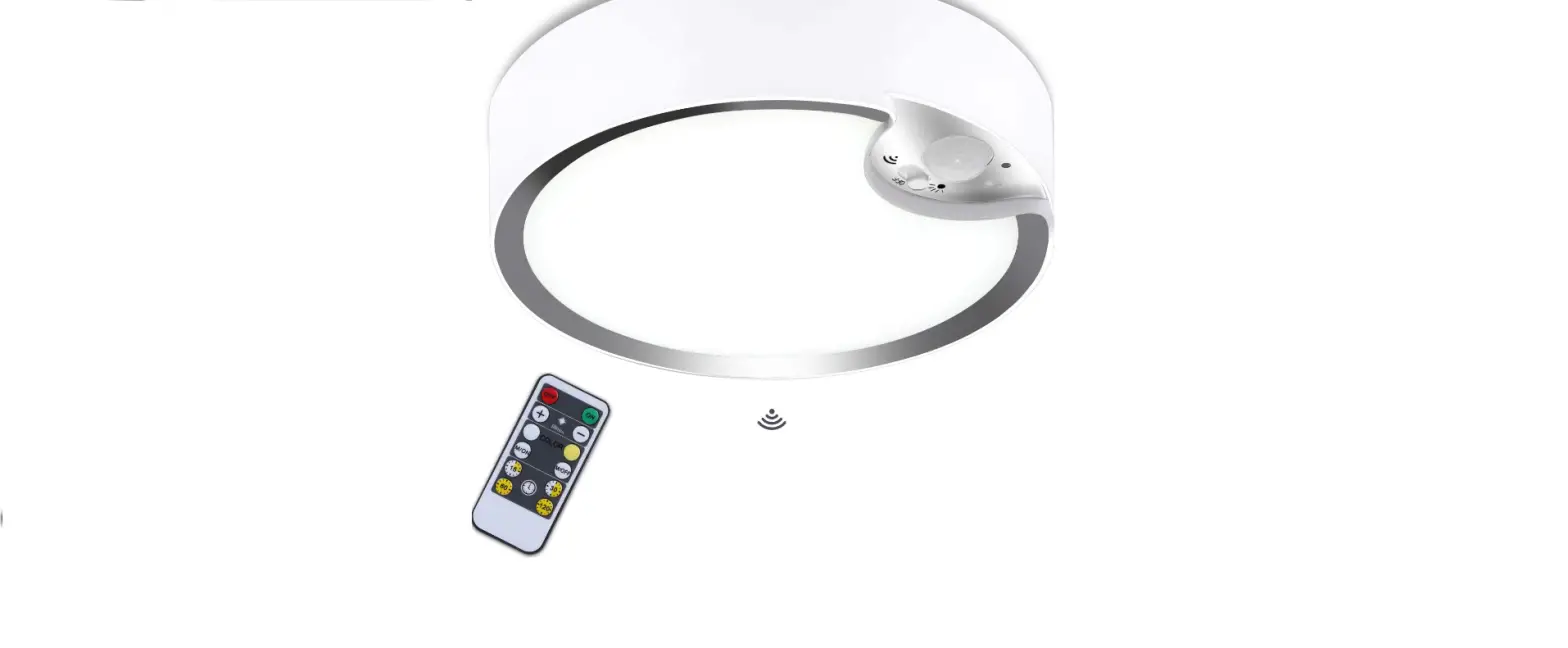
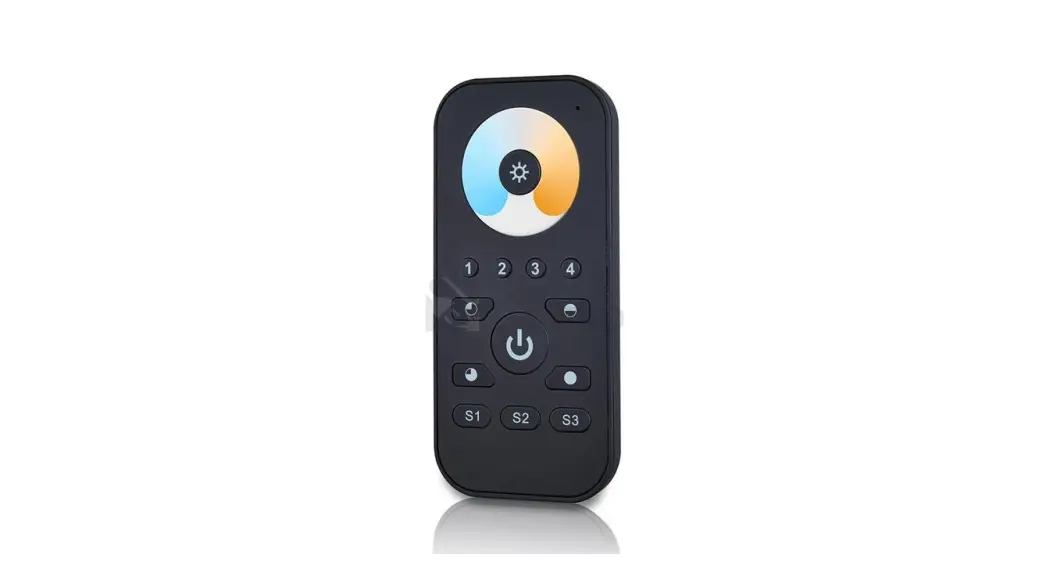
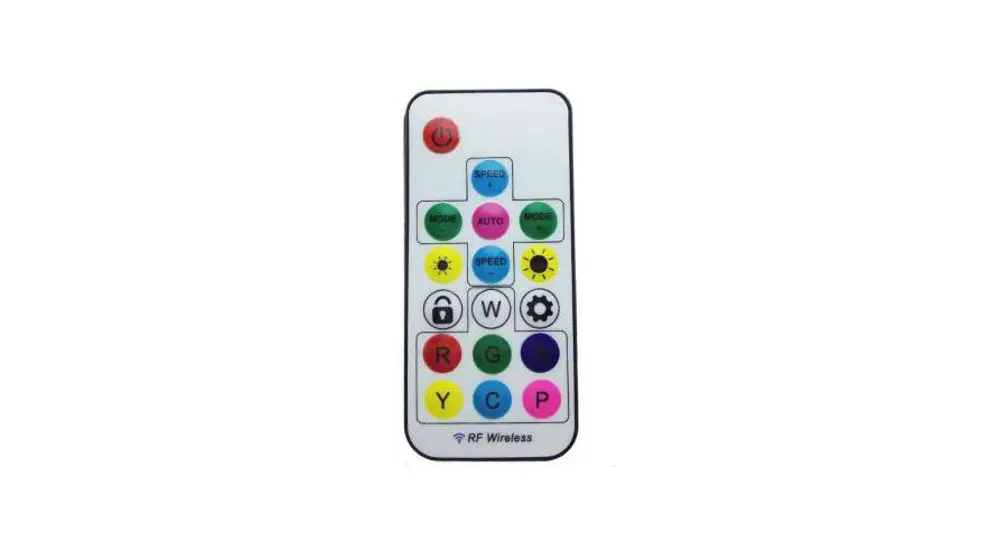
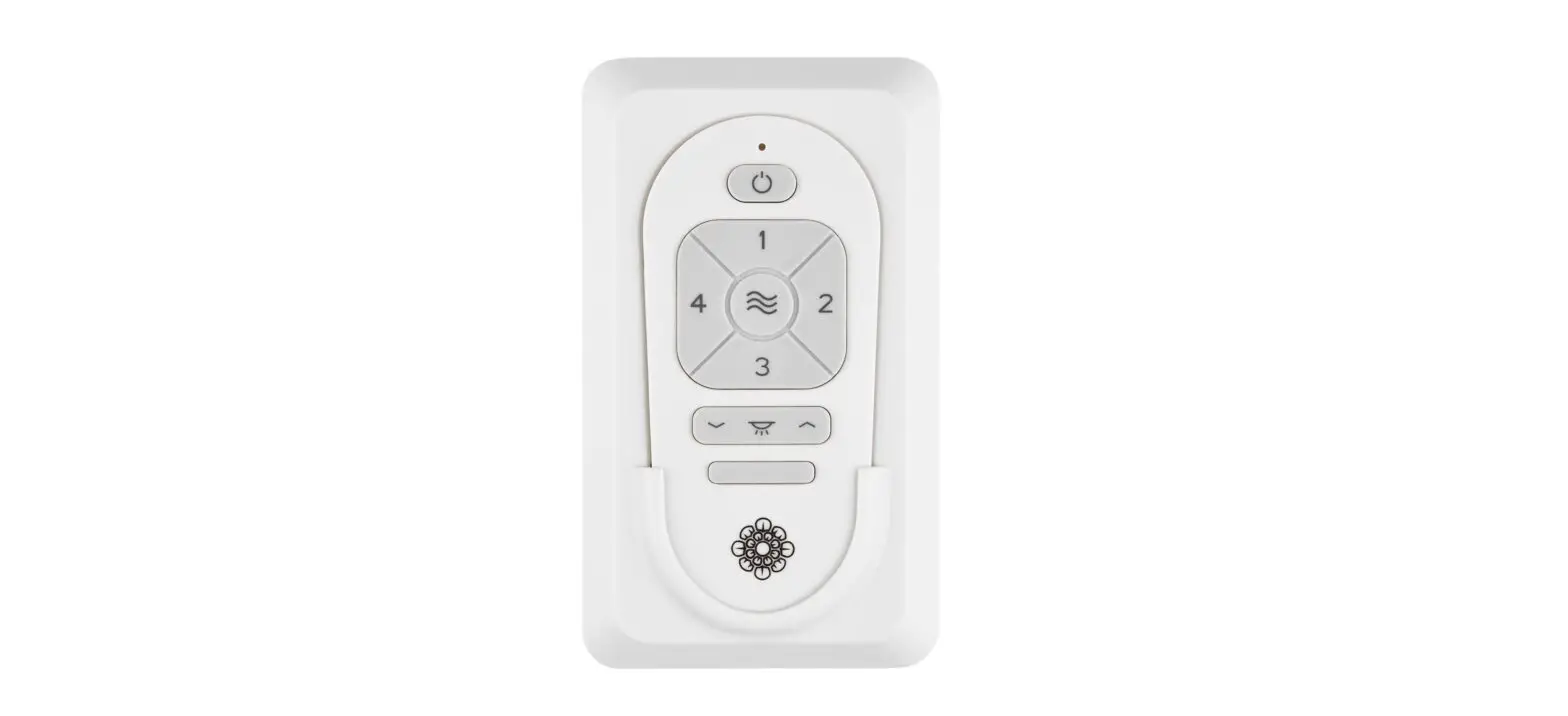
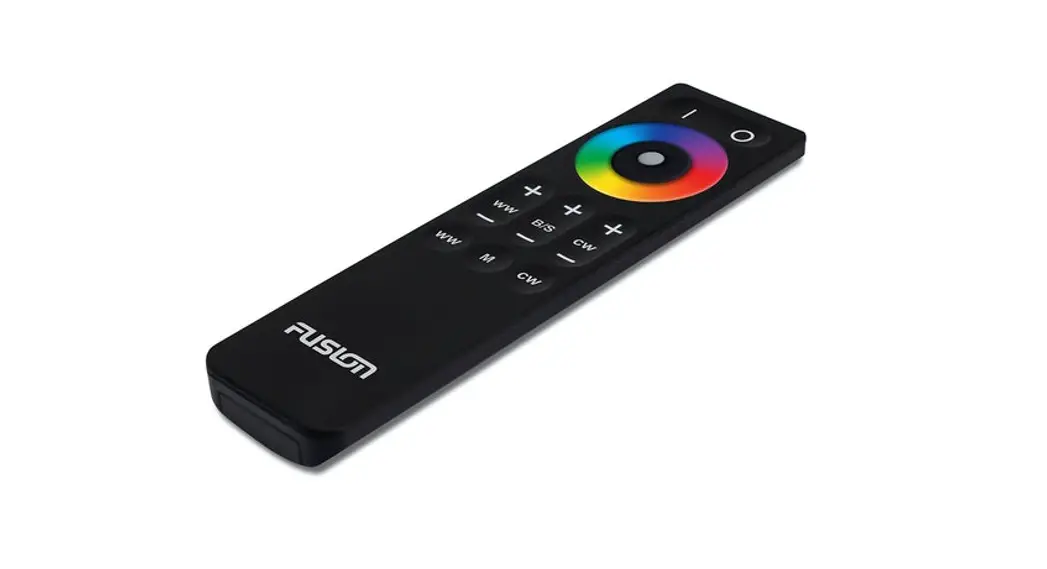
Remote Control for LEDtec G2 Motion Sensor
Product Information:
The LEDtec G2 motion sensor is a remote control for controlling
the operation of the luminaire. It allows you to set various
parameters such as lighting duration, detection range, stand-by
light intensity, and ambient light activation. The remote control
also features memory mode for saving and applying custom
settings.
Product Usage Instructions:
Before starting the installation:
- Unpack the product and carefully check for any damage.
- If the product is damaged, submit a complaint along with the
product in its original packaging. Do not attempt to use a damaged
product.
To test the luminaire operation:
- Press the TEST button to activate the luminaire for 2 seconds
without detection.
To turn the luminaire on/off:
- Use the ON/OFF button to toggle the luminaire’s power. If the
power supply fails while the luminaire is turned off, it will flash
when power is restored and remain turned off.
To activate automatic mode:
- Press the AUTO MODE button to activate the previously saved
setting. If no setting is saved, the default factory setting will
be initiated.
To reset the luminaire:
- Press the RESET button to restore the default parameters. This
will set the detection area to 100%, lighting duration without
motion detection to 5 seconds, stand-by period to 0 seconds, and no
switching level of lighting intensity.
To control the luminaire’s luminance:
- Use the +/- buttons to dim the luminaire from 10% to 100% in
on/off mode or from 60% to 100% in sensor mode.
To set custom scene and save parameters:
- Press the START button and set the required parameters within
30 seconds. - Press the MEMORY button to save the set parameters.
To apply saved settings:
- Press the APPLY button to load the saved setting in the next
sensor. If no parameters are saved, one-time setting of all
parameters can be carried out.
Additional settings:
- Percentage setting of the detection range size: Set between 25%
and 100%. - Luminaire stand-by light intensity level: Set the light
intensity for the period when motion is not detected (STAND-BY
PERIOD). - Stand-by period duration: Set the duration for which the
luminaire will light with reduced intensity when motion is not
detected. - Daylight sensor: Control the luminaire with a motion detector
based on ambient light intensity. Disable setting ensures constant
control with the detector.
To control the luminaire with ambient lighting:
- Set the duration of the stand-by period to infinity.
- Set the luminaire stand-by light intensity level.
- Set the level of ambient light (30 lx, 50 lx, 80 lx, or 120 lx)
that will activate the luminaire.
To save custom settings using memory mode:
- Turn on the luminaire.
- Press the START button.
- Set all the required parameters within 30 seconds.
- Press the MEMORY button to save the settings.
- Press the APPLY button to apply the saved settings.
Instalacní manuál
Nez zacnete s instalací
Produkt opatrn rozbalte a zkontrolujte Pokud je nový produkt jakkoliv poskozen, okamzit ho reklamujte v pvodním balení Prosíme, nepokousejte se pouzívat poskozený výrobek
Dálkové ovládání pro pohybové cidlo svítidel LEDtec G2
Installation Manual
Before you start the installation
Unpack the product and check it carefully If the product is damaged in any way, submit a complaint together with the product in its original packaging Please do not attempt to use a damaged product
Remote control for LEDtec G2 motion sensor
Installationshandbuch
Vor der Installation
Das Produkt vorsichtig auspacken und überprüfen Bei jeder festgestellten Produktbeschädigung ist das Produkt in seiner Originalverpackung zu reklamieren Versuchen Sie bitte nicht das beschädigte Produkt zu verwenden
Fernbedienung zum Bewegungssensor der Leuchten LEDtec G2
TEST (2s) Tlacítko “TEST” slouzí k otestování fukce svítidla po jeho uvedení do provozu. Doba svitu bez detekce bude trvat pouze 2 s.
ZAPNOUT/VYPNOUT Zapínání a vypínání svítidla. Pokud je svítidlo vypnuté tímto tlacítkem a dojde k výpadku elektrického napájení, pi jeho optovném zapnutí svítidlo problikne a zstane vypnuté.
Automatický rezim Tlacítkem “AUTO MODE” se aktivuje pedchozí ulozené nastavení. Pokud zádné není, nastaví se výchozí tovární nastavení.
Reset Po zmácknutí tlacítka “RESET” bude mít svítidlo pednastavené parametry. Detekcní oblast 100 %, doba svitu bez detekce pohybu 5 s, pohotovostní doba 0 s a nenastavena zádná spínací hladina intenzity osvtlení. Signalizace pi zmácknutí jakéhokoliv tlacítka. Signalizace pi zmácknutí tlacítka “APPLY”.
+/ízení jasu svítidla. V rezimu zapnutí a vypnutí lze stmívat svítidlo v rozsahu 10-100 %. V rezimu s cidlem lze stmívat v rozsahu 60-100 %. Start Tlacítko pro nastavení vlastní scény. Stisknte tlacítko “START” a nastavte parametry dle Vasich pozadavk. Memory Tlacítko “MEMORY” slouzí k ulození nastavených parametr.
Apply Tlacítko “APPLY” slouzí pro nahrání ulozeného nastavení do dalsího senzoru. Pokud stisknete tlacítko bez ulozených parametr, lze nastavit vsechny parametry jednorázov. Tyto parametry musí být nastaveny bhem 30 s.
Procentuální nastavení velikosti detekcního rozsahu. Nastavení 25 % az 100 %.
Nastavení délky doby svitu svítidla na 100 % bez detekce pohybu
Úrove pohotovostního svitu svítidla. Zde nastavíte úrove svitu svítidla po dobu nezaznamenávání pohybu (STAND-BY PERIOD).
Délka pohotovostní doby. Doba po kterou bude svítit svítidlo snízeným jasem pi nezaznamenávání pohybu.
Senzor denního svtla. Pokud intenzita okolního osvtlení klesne pod nastavenou hodnotu, svítidlo je ízeno pohybovým cidlem. Pi nastavení “DISABLE” je svítidlo ízeno cidlem stále.
ízení okolního osvtlení
Rezim Memory
Pohybové cidlo dokáze na základ okolního pirozeného svtla svítidlo zapínat a vypínat
NASTAVENÍ: 1. Délku pohotovostní doby nastavte na
nekonecno 2. Nastavte úrove pohotovostního svitu
svítidla 3. Nastavte úrove okolního osvtlení,
která rozsvítí svítidlo – 30 lx, 50 lx, 80 lx nebo 120 lx
1. Rozsvite svítidlo 2. Stisknte tlacítko “START” 3. Nastavte veskeré pozadované
parametry bhem 30 s 4. Stisknte tlacítko “MEMORY” pro ulození 5. Stisknte tlacítko “APPLY”
Pokud chcete nastavit identicky dalsí senzor: 1. Rozsvite dalsí svítidlo 2. Stisknte tlacítko “APPLY”
McLED® záruka McLED s. r. o. poskytuje záruku na LED drivery v délce 2 let.
V pípad reklamace má odbratel právo na náhradu úceln vynalozených náklad spojených s reklamací pouze v souvislosti s náklady na dopravu, která je pedem odsouhlasena s prodávajícím.
Dovozce: McLED s. r. o. , Vídeská 185, 252 50 Vestec, tel.: +420 220 184 800, fax: +420 244 910 700, e-mail: [email protected], www.mcled.cz
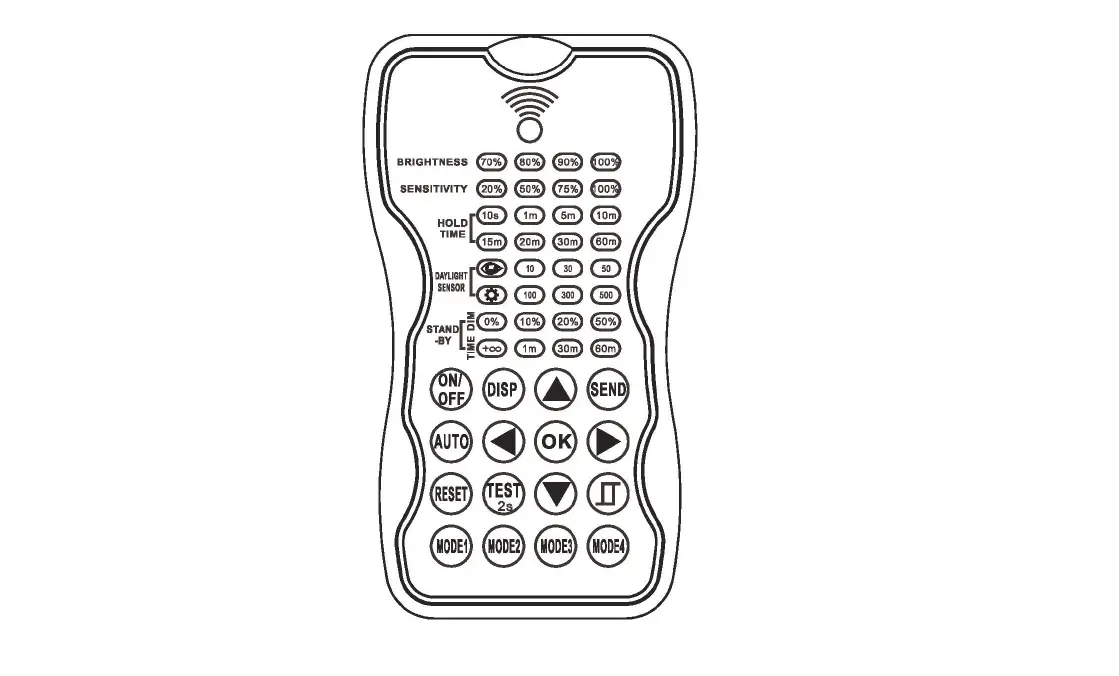
TEST (2s) The “TEST” button is used to test the luminaire operation after setting up. The duration of lighting without detection will only be 2 s.
ON/OFF Turning the luminaire on/off. If the luminaire is turned off using this button and a power supply failure occurs, when the power supply is restored, the luminaire will flash and remain turned off.
Automatic mode The previously saved setting is activated by pressing the “AUTO MODE” button. If there is none, the default factory setting is initiated.
Reset The luminaire will have the parameters preset after pressing the “RESET” button. Detection area 100 %, duration of lighting without motion detection 5 s, stand-by period 0 s and no switching level of lighting intensity is set. Signal when pressing any button. Signal when pressing the “APPLY” button.
+/Luminaire luminance control. It is possible to dim the luminaire from 10 % to 100 % in on/off mode. It is possible to dim the luminaire from 60 % to 100 % in sensor mode.
Start The button for custom scene setting. Press the “START” button and set the parameters as required. Memory The “MEMORY” button is used to save the set parameters.
Apply The “APPLY” button is used to load the saved setting in the next sensor. If you press the button without the parameters saved, it is possible to carry out one-time setting of all parameters. These parameters must be set within 30 s.
Percentage setting of the detection range size. Setting between 25 % and 100 %.
Setting the lighting duration of the luminaire to 100 % without motion detection
Luminaire stand-by light intensity level. You can set the luminaire light intensity level for the period when motion is not detected (STAND-BY PERIOD). Stand-by period duration. The period for which the luminaire will light with reduced intensity while motion is not detected. Daylight sensor. If the intensity of ambient light drops below the set level, the luminaire is controlled with a motion detector. With the “DISABLE” setting, the luminaire is always controlled with the detector.
TEST (2s) Die Taste ,,TEST” dient dazu, die Funktion der Leuchte nach der Inbetriebnahme zu testen. Die Leuchtdauer ohne Erkennung beträgt nur 2 s.
EINSCHALTEN/AUSSCHALTEN Ein- und Ausschalten der Leuchte. Wenn die Leuchte mit dieser Taste ausgeschaltet wird und die Stromversorgung ausfällt, blinkt die Leuchte und bleibt beim Wiedereinschalten ausgeschaltet.
Automatischer Modus Mit der Taste ,,AUTO MODE” werden die zuvor gespeicherten Einstellungen aktiviert. Ist dies nicht der Fall, werden die werksseitigen Standardeinstellungen verwendet.
Reset Nach dem Drücken der Taste,,RESET” verfügt die Leuchte über die voreingestellten Parameter. Erfassungsbereich 100 %, Beleuchtungsdauer ohne Bewegungserkennung 5 s, Standby-Zeit 0 s und keine schaltende Lichtintensität eingestellt. Signalisierung, wenn eine beliebige Taste gedrückt wird.
Signalisierung, wenn die Taste ,,APPLY” gedrückt wird.
+/Helligkeitsregelung der Leuchte. Die Leuchte kann im Ein/Aus-Modus im Bereich von 10100 % gedimmt werden. Im Sensormodus kann im Bereich von 60100 % gedimmt werden. Start Die Taste zum Einstellen einer benutzerdefinierten Szene. Drücken Sie die Taste ,,START” und stellen Sie die Parameter entsprechend Ihren Anforderungen ein. Memory Die Taste ,,MEMORY” dient zum Speichern der eingestellten Parameter. Apply Mit der Taste ,,APPLY” werden die gespeicherten Einstellungen in den nächsten Sensor übertragen. Wenn Sie die Taste ohne gespeicherte Parameter drücken, können alle Parameter einmalig eingestellt werden. Diese Parameter müssen innerhalb von 30 Sekunden eingestellt werden.
Prozentuale Einstellung der Größe des Erfassungsbereichs. Einstellung von 25 % bis 100 %.
Einstellung der Leuchtdauer auf 100 % ohne Bewegungserkennung
Niveau der Bereitschaftsleuchtdauer der Leuchte. Hier stellen Sie das Lichtniveau der Leuchte für den Zeitraum ohne Bewegungserkennung ein (STAND-BY PERIOD). Zeit der Bereitschaftsleuchtdauer. Die Zeitspanne, über welche die Leuchte mit reduzierter Helligkeit leuchtet, wenn keine Bewegung erkannt wird.
Tageslichtsensor. Sinkt die Umgebungshelligkeit unter den eingestellten Wert, wird die Leuchte über einen Bewegungssensor gesteuert. Bei der Einstellung ,,DISABLE” wird die Leuchte dauerhaft über den Sensor gesteuert.
Control with ambient lighting
The motion detector is able to switch the luminaire on and off on the basis of ambient natural light
SETTING: 1. Set the duration of the stand-by period
to infinity 2. Set the luminaire stand-by light intensity
level 3. Set the level of ambient light which will
activate the luminaire – 30 lx, 50 lx, 80 lx or 120 lx
Memory mode
1. Turn the luminaire on 2. Press the “START” button 3. Set all the required
parameters within 30 s 4. Press the “MEMORY” button to save 5. Press the “APPLY” button
If you wish to set another sensor identically: 1. Turn the next luminaire on 2. Press the “APPLY” button
Steuerung mit dem Umgebungslicht
Der Bewegungssensor kann die Leuchte in Abhängigkeit vom natürlichen Umgebungslicht ein- und ausschalten
EINSTELLUNG: 1. Einstellen der Standby-Zeit auf unendlich 2. Einstellen des Niveaus der
Bereitschaftsleuchtdauer der Leuchte 3. Einstellen des Umgebungslichts,
das die Leuchte einschalten soll – 30 lx, 50 lx, 80 lx oder 120 lx
Memory-Modus
1. Schalten Sie die Leuchte ein 2. Drücken Sie die Taste ,,START” 3. Stellen Sie alle erforderlichen Parameter
innerhalb von 30 s ein 4. Zum Speichern die Taste ,,MEMORY” drücken 5. Drücken Sie die Taste ,,APPLY”
Wenn Sie einen anderen Sensor identisch einstellen wollen: 1. Schalten Sie die nächste Leuchte ein 2. Drücken Sie die Taste ,,APPLY”
McLED® warranty McLED s.r.o. provides a two-year warranty for the LED drivers.
In the event of a complaint, the customer is only entitled to compensation for costs associated with the complaint in connection with shipping costs, which must be approved with the seller in advance.
McLED® Garantie McLED s.r.o. gewährt 2 Jahre Garantie auf LED-Treiber.
Bei einer Beanstandung hat der Abnehmer das Recht auf den Ersatz der zweckmäßig aufgewendeten Kosten im Zusammenhang mit der Beanstandung betreffend lediglich die Transportkosten, die vorab mit dem Verkäufer abzustimmen sind.
Importer: McLED s.r.o., Vídeská 185, 252 50 Vestec, tel.: +420 220 184 800, e-mail: [email protected], www.mcled.cz
Importeur: McLED s. r. o. , Vídeská 185, 252 50 Vestec, Tel.: +420 220 184 800, Fax: +420 244 910 700, E-Mail: [email protected], www.mcled.cz
Instalacný manuál
Skôr ako zacnete s instaláciou
Produkt opatrne rozbate a skontrolujte Ak je nový produkt akokovek poskodený, okamzite ho reklamujte v pôvodnom balení Nepokúsajte sa pouzíva poskodený výrobok
Diakové ovládanie pre snímac pohybu svietidiel LEDtec G2
Telepítési útmutató
Teendk a telepítés eltt
Óvatosan csomagolja ki és ellenrizze a terméket. Ha az új terméken bármilyen sérülést észlel, haladéktalanul reklamálja meg eredeti csomagolásában. Ne próbálkozzon a sérült termék használatával.
Távvezérl LEDtec G2 lámpatestek mozgásérzékeljéhez
Instrukcja montau
Przed rozpoczciem montau
Ostronie rozpakuj i sprawd produkt. W sytuacji, gdy nowy produkt jest w jakikolwiek sposób uszkodzony, niezwlocznie zló jego reklamacj w pierwotnym opakowaniu. Nie uruchamiaj produktu, który jest uszkodzony.
Zdalne sterowanie czujnika ruchu lamp LEDtec G2
TEST (2s) Tlacidlo TEST slúzi na otestovanie funkcie svietidla po jeho uvedení do prevádzky. Dzka svitu bez detekcie bude trva iba 2 s.
ZAPNÚ/VYPNÚ Zapínanie a vypínanie svietidla. Ak ste svietidlo vypli týmto tlacidlom a dôjde k výpadku elektrického napájania, pri jeho opätovnom zapnutí svietidlo zabliká a zostane vypnuté.
Automatický rezim Tlacidlom AUTO MODE sa aktivuje predchádzajúce ulozené nastavenie. Ak ziadne neexistuje, nastaví sa predvolené továrenské nastavenie.
Reset Po stlacení tlacidla RESET bude ma svietidlo prednastavené parametre. Detekcná oblas 100 %, dzka svitu bez detekcie pohybu 5 s, pohotovostný rezim 0 s a nenastavená ziadna spínacia hladina intenzity osvetlenia. Signalizácia pri stlacení akéhokovek tlacidla. Signalizácia pri stlacení tlacidla “APPLY”.
+/Riadenie jasu svietidla. V rezime zapnutia a vypnutia je mozné stmieva svietidlo v rozsahu 10 100 %. V rezime so senzorom je mozné stmieva v rozsahu 60 100 %. Start Tlacidlo na nastavenie vlastnej scény. Stlacte tlacidlo START a nastavte parametre poda svojich poziadaviek. Memory Tlacidlo “MEMORY” slúzi na ulozenie nastavených parametrov.
Apply Tlacidlo “APPLY” slúzi na nahranie ulozeného nastavenia do alsieho senzora. Ak stlacíte tlacidlo bez ulozených parametrov, je mozné nastavi vsetky parametre jednorazovo. Tieto parametre je nutné nastavi v priebehu 30 s.
Percentuálne nastavenie vekosti detekcného rozsahu. Nastavenie 25 % az 100 %.
Nastavenie dzky svitu svietidla na 100 % bez detekcie pohybu
Úrove pohotovostného svitu svietidla. Tu nastavíte úrove svitu svietidla pocas doby, ke nie je zaznamenaný pohyb (STAND-BY PERIOD).
Dzka pohotovostného rezimu. Cas, pocas ktorého bude svieti svietidlo znízeným jasom, ke nie je zaznamenaný pohyb.
Senzor denného svetla. Ak intenzita okolitého osvetlenia klesne pod nastavenú hodnotu, svietidlo je riadené pohybovým senzorom. Pri nastavení DISABLE je svietidlo riadené senzorom stále.
TEST (2 mp) A,,TEST” gomb a lámpatest mködésének tesztelésére szolgál az üzembe helyezés után. Az észlelés nélküli világítás idtartama csupán 2 mp.
BE- ÉS KIKAPCSOLÁS A lámpatest be- és kikapcsolása. Ha a lámpatestet ezzel a gombbal kapcsolják ki, és megszakad az áramellátás, újbóli bekapcsolásakor a lámpatest egy villanás után kikapcsolt állapotban marad.
Automatikus üzemmód Az ,,AUTO MODE” gomb megnyomásával aktiválható az elz mentett beállítás. Ha nincs ilyen, akkor a gyári alapbeállítás lesz beállítva.
Reset A,,RESET” gomb megnyomása után visszaállnak a lámpatest elre beállított paraméterei. Érzékelési terület 100%, világítási id mozgás észlelése nélkül 5 mp, készenléti id 0 mp, bekapcsolási megvilágítás nincs beállítva. Jelzés gombnyomáskor.
Jelzés az ,,APPLY” gomb megnyomásakor.
+/A lámpatest fényerejének szabályozása. Be-ki kapcsolás üzemmódban a lámpatest fényereje a 10100%-os tartományban szabályozható. Érzékels üzemmódban a szabályozási tartomány 60100%. Start Saját beállításkészlet megadására szolgáló gomb. Nyomja meg a,,START” gombot, és állítsa be a paramétereket az igényeinek megfelelen. Memory A ,,MEMORY” gomb a beállított paraméterek mentésére szolgál. Apply Az ,,APPLY” gomb segítségével a mentett beállítások feltölthetk egy további érzékelre. Ha a gomb megnyomásakor nincsenek mentett paraméterek, akkor egyszerre beállítható az összes paraméter. Ezeket a paramétereket 30 másodpercen belül kell beállítani.
Az érzékelési tartomány méretének százalékos beállítása. 25 és 100% között állítható.
A lámpatest világítási idejének 100%-ra állítása mozgásészlelés nélkül
A lámpatest készenléti világításának fényereje. Itt állítható be a lámpatest fényereje arra az idre, amikor nem észlelhet mozgás (STAND-BY PERIOD). A készenléti id hossza. A lámpatest csökkentett fényervel történ világításának idtartama, amikor nem észlelhet mozgás.
Nappali fény érzékelje. Ha a környezeti fény intenzitása a beállított érték alá csökken, akkor a lámpát a mozgásérzékel vezérli. ,,DISABLE” beállítás esetén mindig a mozgásérzékel vezérli a lámpát.
Riadenie okolitým osvetlením
Rezim Memory
Pohybový senzor dokáze na základe okolitého 1. Rozsviete svietidlo
prirodzeného svetla svietidlo zapína a vypína 2. Stlacte tlacidlo START
3. Nastavte vsetky pozadované
NASTAVENIE:
parametre v priebehu 30 s
1. Dzku pohotovostného rezimu nastavte
4. Stlacte tlacidlo MEMORY na ulozenie
na nekonecno
5. Stlacte tlacidlo APPLY
2. Nastavte úrove pohotovostného svitu
svietidla
Ak chcete rovnako nastavi alsí senzor:
3. Nastavte úrove okolitého osvetlenia,
1. Rozsviete alsie svietidlo
pri ktorej sa rozsvieti svietidlo – 30 lx, 50 lx, 2. Stlacte tlacidlo APPLY
80 lx alebo 120 lx
Vezérlés a környezeti fény alapján
Memory üzemmód
A mozgásérzékel képes a lámpatest be- és kikapcsolására a természetes környezeti fény alapján.
BEÁLLÍTÁS: 1. Állítson be végtelen hosszú készenléti idt. 2. Állítsa be a lámpatest készenléti fényerejét. 3. Állítsa be, hogy milyen környezeti megvilágításnál kapcsoljon be a lámpatest: 30 lx, 50 lx, 80 lx vagy 120 lx.
1. Kapcsolja be a lámpatest világítását. 2. Nyomja meg a,,START” gombot. 3. Állítsa be az összes kívánt
paramétert 30 mp alatt. 4. Nyomja meg a ,,MEMORY” gombot a mentéshez. 5. Nyomja meg a ,,APPLY” gombot.
Ha ugyanígy szeretne beállítani egy további érzékelt: 1. Kapcsolja be a további lámpatest világítását. 2. Nyomja meg a ,,APPLY” gombot.
WLCZ/WYLCZ Wlczanie i wylczanie reflektora. Jeli reflektor zostal wylczony za pomoc tego przycisku i wystpila przerwa w dostawie energii elektrycznej, przy ponownym wlczeniu lampa zamigocze i pozostanie wylczona. Tryb automatyczny Za pomoc przycisku “AUTO MODE” aktywowane s poprzednie zapisane ustawienia. W przypadku braku takich ustawie zostan wlczone ustawienia fabryczne.
Reset Po naciniciu przycisku “RESET” zostan ustawione parametry domylne. Powierzchnia detekcyjna 100%, czas wiecenia bez detekcji ruchu 5 s, czas gotowoci 0 s oraz brak ustawionego poziomu intensywnoci wiecenia.
Sygnalizacja w przypadku nacinicia dowolnego przycisku.
Sygnalizacja w przypadku nacinicia przycisku “APPLY”.
+/Sterowanie jasnoci wiatla lampy. W trybie wlczania i wylczania mona przyciemnia lamp w zakresie 10-100%. W trybie z czujnikiem mona przyciemnia lamp w zakresie 60-100%.
Start Przycisk dla wlasnych ustawie sceny. Nacinij przycisk “START” i ustaw parametry wedlug wlasnych preferencji.
Memory Przycisk “MEMORY” sluy do zapisania ustawionych parametrów.
Apply Przycisk “APPLY” sluy do zaladowania zapisanych ustawie do kolejnego czujnika. Jeli naciniesz przycisk bez zapisanych parametrów, wszystkie parametry mona ustawi jednorazowo. Parametry musz zosta ustawione w cigu 30 s.
Procentowe ustawienie wielkoci zakresu detekcji. Ustawienie od 25% do 100%.
Ustawienie dlugoci czasu wiecenia lampy na 100% bez detekcji ruchu
TEST (2s) Przycisk “TEST” sluy do sprawdzenia dzialania lampy po jej uruchomieniu. Czas wiecenia bez detekcji bdzie trwa tylko 2 s.
Poziom trybu gotowoci wiecenia lampy. Tutaj ustawisz poziom wiecenia lampy w czasie bez ruchu (STAND-BY PERIOD). Dlugo czasu gotowoci. Czas przez który lampa bdzie wieci z obnion jasnoci przy braku ruchu. Czujnik wiatla dziennego. Jeli intensywno owietlenia zewntrznego spadnie poniej ustawionej wartoci, lampa jest sterowana czujnikiem ruchu. W przypadku ustawienia “DISABLE” lampa jest sterowana czujnikiem ruchu przez caly czas.
Sterowanie wiatlem zewntrznym Tryb Memory
Czujnik ruchu w oparciu o naturalne wiatlo zewntrzne jest w stanie wlcza i wylcza lamp.
USTAWIENIA: 1. Ustaw czas gotowoci na czas
nieograniczony. 2. Ustaw poziom wiecenia lampy
w trybie gotowoci. 3. Ustaw poziom otaczajcego owietlenia,
które spowoduje wlczenie lampy: 30 lx, 50 lx, 80 lx lub 120 lx.
1. Wlcz lamp. 2. Nacinij przycisk “START”. 3. Ustaw wszystkie dane parametry
w cigu 30 s. 4. Aby zapisa parametry, nacinij przycisk
“MEMORY”. 5. Nacinij przycisk “APPLY”.
Jeli chcesz ustawi taki sam kolejny czujnik: 1. Wlcz kolejn lamp. 2. Nacinij przycisk “APPLY”.
McLED® záruka McLED s. r. o. poskytuje záruku na LED drivery v trvaní 2 roky.
V prípade reklamácie má odberate právo na náhradu úcelne vynalozených nákladov spojených s reklamáciou iba v súvislosti s nákladmi na dopravu, ktorá je vopred odsúhlasená s predávajúcim.
McLED® garancia A McLED s. r. o. vállalat 2 év garanciát ad a LED-driverekre.
Reklamáció esetén a vev csak az eladó által elzetesen jóváhagyott szállítási költségek vonatkozásában jogosult a reklamációval összefüggésben felmerült, észszer költségek térítésére.
Gwarancja McLED® McLED s. r. o. udziela 2-letniej gwarancji na sterowniki LED .
W przypadku reklamacji klient ma prawo do zwrotu celowo poniesionych kosztów zwizanych z reklamacj wylcznie w zakresie kosztów transportu uprzednio zatwierdzonych przez sprzedajcego.
Dovozca: McLED s. r. o., Vídeská 185, 252 50 Vestec, tel.: +420 220 184 800, fax: +420 244 910 700, e-mail: [email protected], www.mcled.cz
Importr: McLED s. r. o. , Vídeská 185, 252 50 Vestec, Cseh Köztársaság, tel.: +420 220 184 800, fax: +420 244 910 700, e-mail: [email protected], www.mcled.cz
Importer: McLED s. r. o. , Vídeská 185, 252 50 Vestec, tel.: +420 220 184 800, faks: +420 244 910 700, e-mail: [email protected], www.mcled.cz
 McLED
McLED