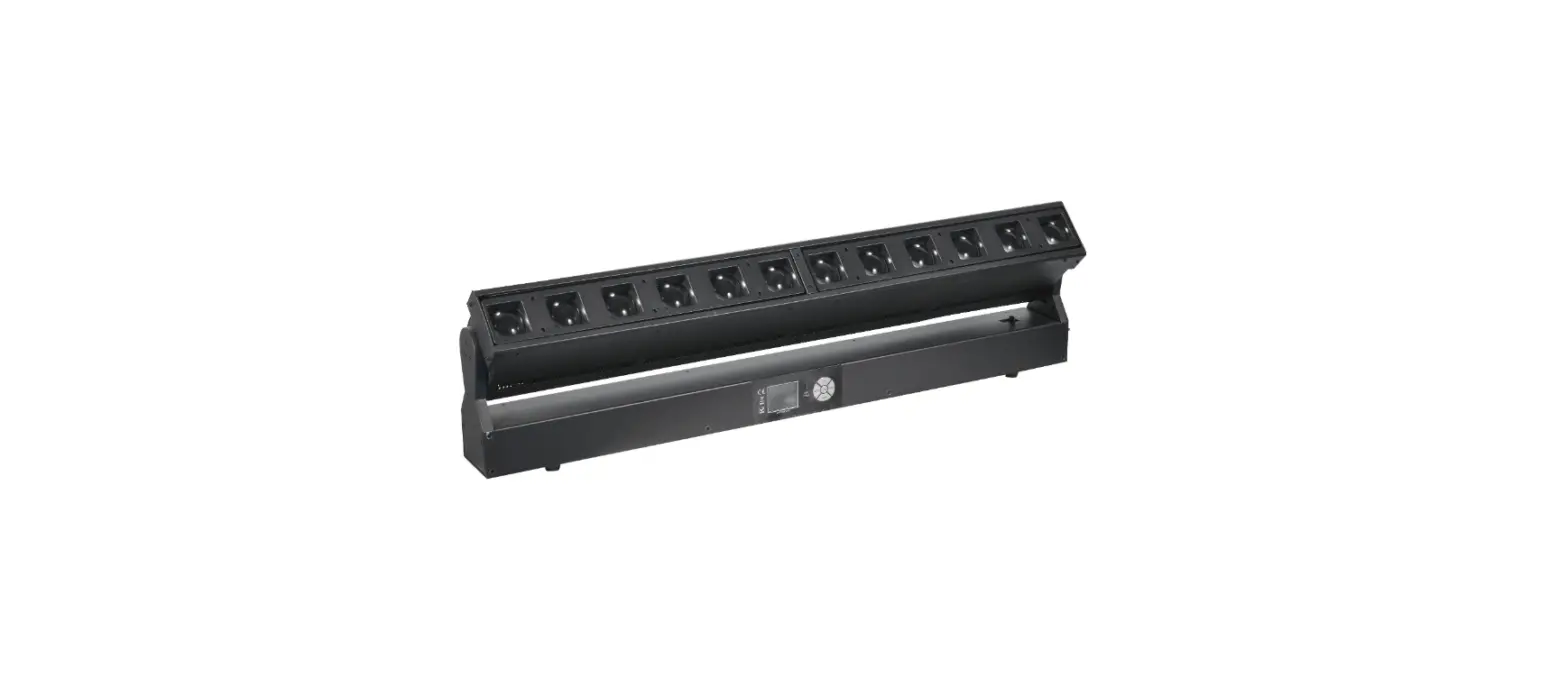
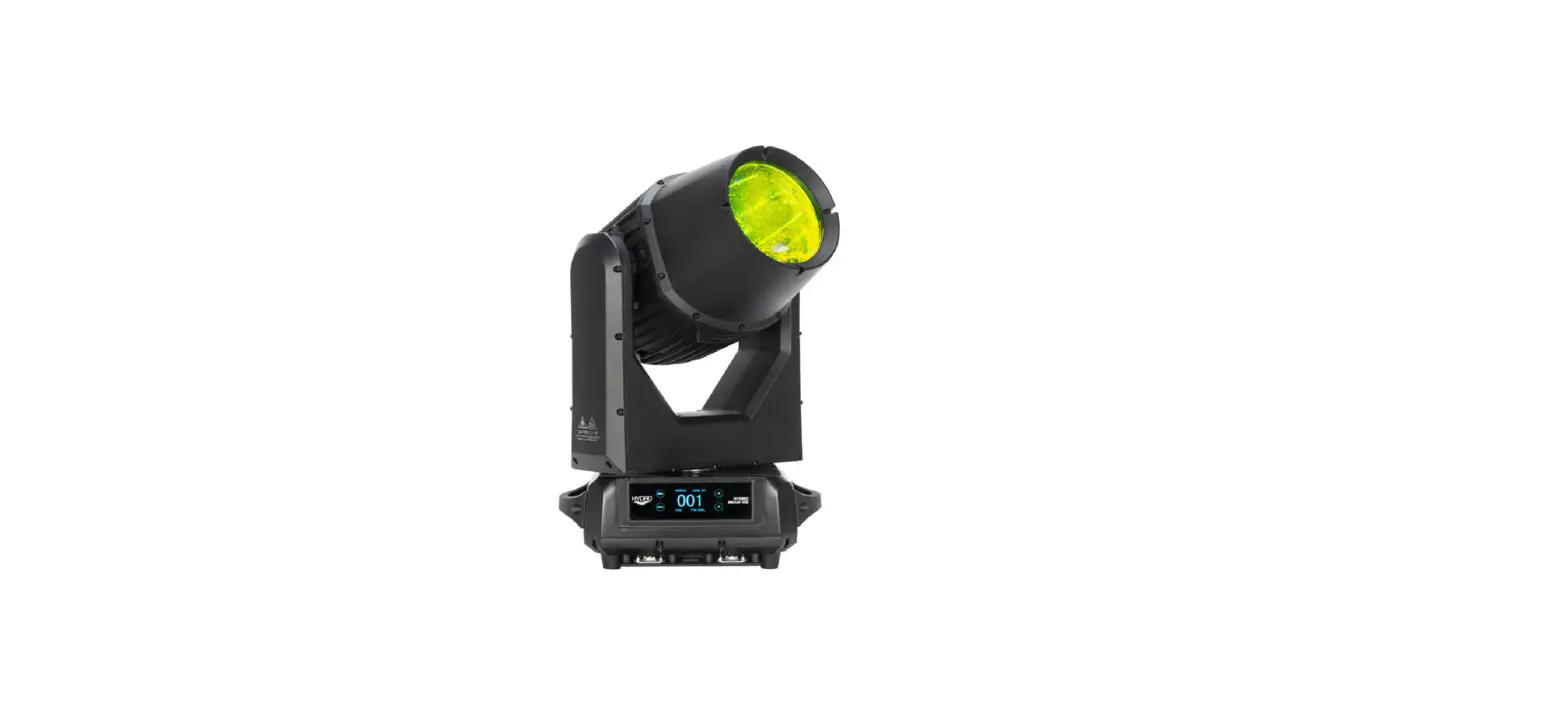
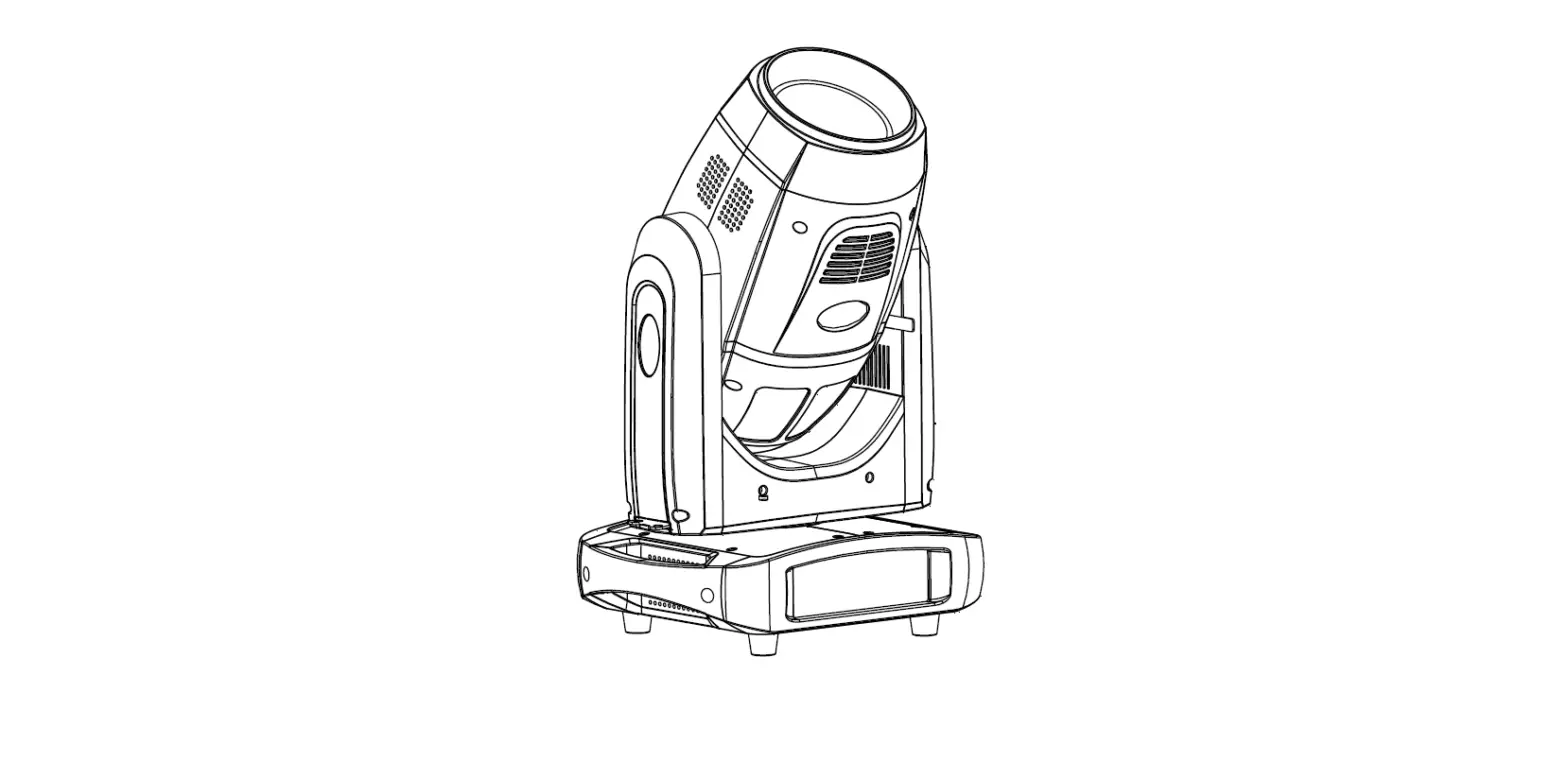
Vizi Beam 12RX
Product Information
Product Name: ADJ VIZI BEAM 12RX
Manufacturer: ADJ Products, LLC
Manufacturer’s Address: 6122 S. Eastern Ave. | Los Angeles, CA
90040 USA
Contact Information: Tel: 800-322-6337 | Fax: 323-582-2941 |
Website: www.adj.com | Email:
[email protected]
European Distributor: ADJ Supply Europe B.V.
Distributor’s Address: Junostraat 2 | 6468 EW Kerkrade |
Netherlands
Contact Information: Tel: +31 45 546 85 00 | Fax: +31 45 546 85
99 | Website: www.americandj.eu | Email:
[email protected]
Product Usage Instructions
Important Safety Guidelines:
- Read the user manual carefully before using the product.
- Do not attempt any repairs yourself as it will void the
manufacturer’s warranty. - Follow all safety instructions and guidelines provided in the
manual.
Discharge Lamp Warning:
Follow the instructions provided in the manual for lamp
replacement to ensure safe handling of the discharge lamp.
Maintenance Guidelines:
Refer to the maintenance guidelines section in the manual for
proper maintenance procedures to keep the product in good working
condition.
Installation Guidelines:
Follow the installation guidelines provided in the manual for
proper installation of the product.
System Menu:
Refer to the system menu section in the manual for information
on accessing and using the system menu.
DMX Traits: Channel Functions & Values:
Refer to the DMX Traits section in the manual for detailed
information on the channel functions and values.
Software Updated:
Check the manual for software version updates and instructions
on how to update the product’s software.
Error Codes:
Refer to the error codes section in the manual for a list of
error codes and their meanings.
Specifications:
For detailed specifications of the product, refer to the
specifications section in the manual.
Dimensional Drawings:
Refer to the dimensional drawings section in the manual for
visual representations of the product’s dimensions.
FCC Statement:
Read the FCC statement provided in the manual for compliance
information related to electromagnetic interference.
ADJ VIZI BEAM 12RX
User Manual
©2022 ADJ Products, LLC all rights reserved. Information, specifications, diagrams, images, and instructions herein are subject to change without notice. ADJ Products, LLC logo and identifying product names and numbers herein are trademarks of ADJ Products, LLC. Copyright protection claimed includes all forms and matters of copyrightable materials and information now allowed by statutory or judicial law or hereinafter granted. Product names used in this document may be trademarks or registered trademarks of their respective companies and are hereby acknowledged. All non-ADJ Products, LLC brands and product names are trademarks or registered trademarks of their respective companies.
ADJ Products, LLC and all affiliated companies hereby disclaim any and all liabilities for property, equipment, building, and electrical damages, injuries to any persons, and direct or indirect economic loss associated with the use or reliance of any information contained within this document, and/or as a result of the improper, unsafe, insufficient and negligent assembly, installation, rigging, and operation of this product.
ADJ PRODUCTS LLC World Headquarters 6122 S. Eastern Ave. | Los Angeles, CA 90040 USA Tel: 800-322-6337 | Fax: 323-582-2941 | www.adj.com |[email protected]
ADJ Supply Europe B.V. Junostraat 2 | 6468 EW Kerkrade | Netherlands Tel: +31 45 546 85 00 | Fax: +31 45 546 85 99 | www.americandj.eu | [email protected]
Europe Energy Saving Notice Energy Saving Matters (EuP 2009/125/EC) Saving electric energy is a key to help protecting the environment. Please turn off all electrical products when they are not in use. To avoid power consumption in idle mode, disconnect all electrical equipment from power when not in use. Thank you! DOCUMENT VERSION
Due to additional product features and/or enhancements, an updated version of this
document may be available online.
Please check www.adj.com for the latest revision/update of this manual before
beginning installation and/or programming.
Date
06/26/2020 05/10/2021 08/11/2021 02/21/2022
05/11/2022
Document Version 1.0 1.5 2.0 2.5
3.0
Software Version
1.2 1.5 1.5 2.2
N/C
DMX Channels
13/17 N/C N/C N/C
N/C
Notes
Initial Release Update DMX Traits Update Format Update System Menu Added Remote Device Management (RDM) and Software Update section
2
CONTENTS
General Information
4
Limited Warranty (USA Only)
5
Safety Guidelines
6
Discharge Lamp Warning
8
Maintenance Guidelines
9
Fixture Overview
10
Color Wheel
11
Gobo Wheel
12
Lamp Replacement
13
Installation Guidelines
14
Remove Device Management (RDM)
18
System Menu
19
DMX Traits: Channel Functions & Values
25
Software Updated
28
Error Codes
29
Specifications
30
Dimensional Drawings
31
FCC Statement
32
3
GENERAL INFORMATION
INTRODUCTION Please read and understand the instructions in this manual carefully and thoroughly before attempting to operate this device. These instructions contain important safety and use information. This product is intended for use by professionally trained personnel only, and is not suitable for private use. Unpacking Every device has been thoroughly tested and has been shipped in perfect operating condition. Carefully check the shipping carton for damage that may have occurred during shipping. If the carton is damaged, carefully inspect the device for damage, and be sure all accessories necessary to install and operate the device have arrived intact. In the event damage has been found or parts are missing, please contact our customer support team for further instructions. Please do not return this device to your dealer without first contacting customer support. Please do not discard the shipping carton in the trash. Please recycle whenever possible. BOX CONTENTS Omega Brackets 1.83M locking power cable CUSTOMER SUPPORT Contact ADJ Service for any product related service and support needs. Also visit forums.adj.com with questions, comments or suggestions. ADJ SERVICE USA – Monday – Friday 8:00am to 4:30pm PST 323-582-2650 | Fax: 323-832-2941 | [email protected] ADJ SERVICE EUROPE – Monday – Friday 08:30 to 17:00 CET +31 45 546 85 60 | Fax: +31 45 546 85 96 | [email protected] REPLACEMENT PARTS please visit parts.adj.com
IMPORTANT NOTICE!
THERE ARE NO USER SERVICEABLE PARTS INSIDE THIS UNIT. DO NOT ATTEMPT ANY REPAIRS YOURSELF; DOING SO WILL VOID YOUR MANUFACTURER’S WARRANTY. DAMAGES RESULTING FROM MODIFICATIONS TO THIS FIXTURE AND/OR THE DISREGARD OF SAFETY INSTRUCTIONS AND GUIDELINES IN THIS MANUAL VOID THE MANUFACTURER’S WARRANTY AND ARE NOT SUBJECT TO WARRANTY CLAIMS AND/OR REPAIRS.
4
LIMITED WARRANTY (USA ONLY)
A. ADJ Products, LLC hereby warrants, to the original purchaser, ADJ Products, LLC products to be free of manufacturing defects in material and workmanship for a prescribed period from the date of purchase (see specific warranty period on reverse). This warranty shall be valid only if the product is purchased within the United States of America, including possessions and territories. It is the owner’s responsibility to establish the date and place of purchase by acceptable evidence, at the time service is sought.
B. For warranty service, you must obtain a Return Authorization number (RA#) before sending back the product-please contact ADJ Products, LLC Service Department at 800-322-6337. Send the product only to the ADJ Products, LLC factory. All shipping charges must be pre-paid. If the requested repairs or service (including parts replacement) are within the terms of this warranty, ADJ Products, LLC will pay return shipping charges only to a designated point within the United States. If the entire instrument is sent, it must be shipped in its original package. No accessories should be shipped with the product. If any accessories are shipped with the product, ADJ Products, LLC shall have no liability whatsoever for loss of or damage to any such accessories, or for the safe return thereof.
C. This warranty is void of the serial number has been altered or removed; if the product is modified in any manner which ADJ Products, LLC concludes, after inspection, affects the reliability of the product, if the product has been repaired or service by anyone other than ADJ Products, LLC factory unless prior written authorization was issued to purchaser by ADJ Products, LLC; if the product is damaged because not properly maintained as set forth in the instruction manual.
D. This is not a service contact, and this warranty does not include maintenance, cleaning or periodic check up. During the period specified above, ADJ Products, LLC will replace defective parts at its expense with new or refurbished parts, and will absorb all expenses for warrant service and repair labor by reason of defects in material or workmanship. The sole responsibility of ADJ Products, LLC under this warranty shall be limited to the repair of the product, or replacement thereof, including parts, at the sole discretion of ADJ Products, LLC. All products covered by this warranty were manufactured after August 15, 2012, and bear identifying marks to that effect.
E. ADJ Products, LLC reserves the right to make changes in design and/or improvements upon its products without any obligation to include these changes in any products theretofore manufactured.
F. No warranty, whether expressed or implied, is given or made with respect to any accessory supplied with products described above. Except to the extent prohibited by applicable law, all implied warranties made by ADJ Products, LLC in connection with this product, including warranties of merchantability or fitness, are limited in duration to the warranty period set forth above. And no warranties, whether expressed or implied, including warranties of merchantability or fitness, shall apply to this product after said period has expired. The consumer’s and/or Dealer’s sole remedy shall be such repair or replacement as is expressly provided above; and under no circumstances shall ADJ Products, LLC be liable for any loss or damage, direct or consequential, arising out of the use of, or inability to use, this product.
G. This warranty is the only written warranty applicable to ADJ Products, LLC Products and supersedes all prior warranties and written descriptions of warranty terms and conditions heretofore published.
LIMITED WARRANTY PERIODS · Non L.E.D. Lighting Products = 1-year (365 days) Limited Warranty (Such as: Special Effect Lighting, Intelligent
Lighting, UV lighting, Strobes, Fog Machines, Bubble Machines, Mirror Balls, Par Cans, Trussing, Lighting Stands etc. excluding LED and lamps) · Laser Products = 1 Year (365 Days) Limited Warranty (excludes laser diodes which have 6 month limited warranty) · L.E.D. Products = 2-year (730 days) Limited Warranty (excluding batteries which have a 180 day limited warranty) Note: 2 Year Warranty only applies to purchases within the United States. · StarTec Series = 1 Year Limited Warranty (excluding batteries which have a 180 day limited warranty) · ADJ DMX Controllers = 2 Year (730 Days) Limited Warranty
5
SAFETY GUIDELINES
This device is a sophisticated piece of electronic equipment. To guarantee a smooth operation, it is important to follow all instructions and guidelines in this manual. ADJ PRODUCTS, LLC. is not responsible for injury and/or damages resulting from the misuse of this device due to the disregard of the information printed in this manual. Only the original included parts and/or accessories for this device should be used. Any modifications to the device, included and/or accessories will void the original manufactures warranty and increase the risk of damage and/or personal injury.
PROTECTION CLASS 1 – FIXTURE MUST BE PROPERLY GROUNDED
THERE ARE NO USER SERVICEABLE PARTS INSIDE THIS UNIT. DONOTATTEMPTANYREPAIRSYOURSELF;DOINGSOWILLVOIDYOUR MANUFACTURER’S WARRANTY. DAMAGES RESULTING FROM MODIFICATIONS TO THIS FIXTURE AND/OR THE DISREGARD OF SAFETY INSTRUCTIONS AND GUIDELINES IN THIS MANUAL VOID THE MANUFACTURE’S WARRANTY AND ARE NOT SUBJECT TO ANY WARRANTY CLAIMS AND/OR REPAIRS.
DO NOT PLUG FIXTURE INTO A DIMMER PACK! NEVER OPEN THIS FIXTURE WHILE IN USE! UNPLUG POWER BEFORE SERVICING FIXTURE! NEVER TOUCH FIXTURE DURING OPERATION, AS IT MAY BE HOT! KEEP FLAMMABLE MATERIALS AWAY FROM FIXTURE!
NEVER LOOK DIRECTLY INTO THE LIGHT SOURCE! RETINA INJURY RISK – MAY INDUCE BLINDNESS! SENSITIVE PERSONS MAY SUFFER AN EPILEPTIC SHOCK!
INDOOR / DRY LOCATIONS USE ONLY! DO NOT EXPOSE FIXTURE TO RAIN AND MOISTURE!
MINIMUM DISTANCE TO OBJECTS/SURFACES MUST BE 39.4 FEET (12 METERS) MAXIMUM TEMP OF EXTERNAL SURFACE 194°F (90°C) MINIMUM DISTANCE OF INFLAMMABLE MATERIALS FROM THE SURFACE 0.7 FEET (0.2 METER)
6
SAFETY GUIDELINES
RISK GROUP 3 – RISK OF EXPOSURE TO ULTRAVIOLET UV RADIATION! FIXTURE EMITS HIGH INTENSITY WAVELENGTH OF ULTRAVIOLET UV LIGHT FROM THE UV COLOR FILTER. WEAR PROPER EYE AND SKIN PROTECTION. AVOID PROLONGED PERIODS OF EXPOSURE TO UV COLOR FILTER. AVOID WEARING WHITE COLOR CLOTHING AND/OR USING UV PAINTS ON SKIN. AVOID DIRECT EYE AND/OR SKIN EXPOSURE AT DISTANCES LESS THAN 11 feet (3.3m). DO NOT OPERATE FIXTURE WITH DAMAGED/MISSING EXTERNAL COVERS. DO NOT LOOK DIRECTLY INTO THE UV LIGHT AND/OR VIEW UV LIGHT DIRECTLY WITH OPTICAL INSTRUMENTS THAT MAY CONCENTRATE THE LIGHT/RADIATION OUTPUT. INDIVIDUALS SUFFERING FROM A RANGE OF EYE CONDITIONS, SUNLIGHT EXPOSURE DIS-ORDERS, OR INDIVIDUALS USING PHOTOSENSITIVE MEDICATION, MAY RECEIVE DISCOMFORT IF EXPOSED TO THE ULTRAVIOLET UV LIGHT EMITTED FROM THE UV LED.
DO NOT TOUCH the fixture housing during operation. Turn OFF the power and allow approximately 60 minutes for the fixture to cool down before serving. DO NOT shake fixture, avoid brute force when installing and/or operating fixture. DO NOT operate fixture if the power cord is frayed, crimped, damaged and/or if any of the power cord connectors are damaged and do not insert into the fixture securely with ease. NEVER force a power cord connector into the fixture. If the power cord or any of its connectors are damaged, replace it immediately with a new one of similar power rating. DO NOT block any air ventilation slots. All fan and air inlets must remain clean and never blocked. Allow approx. 7.9″ (20cm) between fixture and other devices or a wall for proper cooling. When installing fixture in a suspended environment, always use mounting hardware that is no less than M10 x 25 mm, and always install fixture with an appropriately rated safety cable. Always disconnect fixture from main power source before performing any type of service and/or cleaning procedure. Only handle the power cord by the plug end, never pull out the plug by tugging the wire portion of the cord. During the initial operation of this fixture, a light smoke or smell may emit from the interior of the fixture. This is a normal process and is caused by excess paint in the interior of the casing burning off from the heat associated with the lamp and will decrease gradually over time. Consistent operational breaks will ensure fixture will function properly for many years. ONLY Use original packaging and materials to transport the fixture in for service.
7
DISCHARGE LAMP WARNING
This fixture is fitted with a DISCHARGE LAMP, which is highly susceptible to damage if improperly handled. NEVER touch the lamp with your bare hands, as the oil from your hands will shorten the life of the lamp. NEVER move the fixture until the lamp has had ample time to cool. DISCHARGE LAMPS are NOT covered under warranty conditions. Avoid switching the fixture ON and OFF repeatedly in short intervals, as this will reduce lamp life and intensity. To achieve the intensity associated with discharge lamps, these lamps use gas sealed in a high-pressure environment to emit a brilliant output. Due to the high pressure involved with the construction of the lamp, it MAY EXPLODE DURING PROLONGED EXTENSIVE USE. This risk is increased with age; added care is encouraged when dealing with older lamps. Thus, the lamp must always be replaced at the end of their recommended duty cycle. Extreme caution should be used when operating this or any fixture fitted with a gas discharge lamp.
UV RADIATION NOTICE
THIS FIXTURE EMITS INTENSE UV RADIATION, WHICH IS HARMFUL TO THE EYES AND SKIN. THE INTENSE LUMINESCENCE OF THE LAMP CAN CAUSE SEVERE DAMAGE TO THE RETINA. NEVER OPERATE THIS FIXTURE WITH ANY OF THE PROTECTIVE COVERS REMOVED. THESE COVERS HAVE BEEN SPECIALLY DESIGNED TO SHIELD AGAINST UV RADIATION.
LAMP REPLACEMENT
USE ONLY GENUINE ORIGINAL PHILIPSTM LAMPS. OTHER BRAND LAMPS WILL CAUSE DAMAGE AND WILL VOID FIXTURE WARRANTY! DISCONNECT THE MAIN POWER SUPPLY BEFORE REPLACING LAMP! FIXTURE MUST COOL FOR 15 minutes BEFORE REPLACING LAMP! NEVER TOUCH LAMP WITH BARE HANDS, ALWAYS WEAR GLOVES! OIL FROM HANDS WILL SHORTEN LIFE OF LAMP! MAKE SURE ALL COVERS/FIXTURES ARE REPLACED/SECURED BEFORE OPERATING FIXTURE TO PREVENT ANY RISK AND/OR DAMAGE TO EYE RETINA FROM UV RADIATION EXPOSURE!
8
MAINTENANCE GUIDELINES
DISCONNECT POWER BEFORE PERFORMING ANY MAINTENANCE! CLEANING Frequent cleaning is recommended to ensure proper function, optimized light output, and an extended life. The frequency of cleaning depends on the environment in which the fixture operates: damp, smoky, or particularly dirty environments can cause greater accumulation of dirt on the fixture’s optics. Clean the external lens surface periodically with a soft cloth to avoid dirt/debris accumulation. NEVER use alcohol, solvents, or ammonia-based cleaners.
MAINTENANCE
Regular inspections are recommended to ensure proper function and extended life. There are no user serviceable parts inside this fixture, please refer all other service issues to an authorized ADJ service technician. Should you need any spare parts, please order genuine parts from your local ADJ dealer. Please refer to the following points during routine inspections: – A detailed electrical check by an approved electrical engineer every three months, to make sure the
circuit contacts are in good condition in order to prevent overheating. – Be sure all screws and fasteners are securely tightened at all times. Loose screws may fall out
during normal operation, resulting in damage or injury as larger parts could fall. – Check for any deformations on the housing, color lenses, rigging hardware, and rigging points
(ceiling, suspension, trussing). Deformations in the housing could allow for dust or liquids to enter into the fixture. Damaged rigging points or unsecured rigging could cause fixture to fall and seriously injure a person(s). – Electric power supply cables must not show any damage, material fatigue, or sediments. – NEVER remove the ground prong from the power cable.
9
FIXTURE OVERVIEW
10
COLOR WHEEL
11
GOBO WHEEL
12
LAMP REPLACEMENT
Please replace the lamp after 2000 Hours, and clear the lamp running time in the menu. Loosen the two screws and open the fixture head covers.
Loosen the two screws in the recess.
Carefully lift the lamp out of its recess, disconnect the lamp, and replace it with a new Philips MSD Platinum 12 R LL lamp.
13
INSTALLATION GUIDELINES
FLAMMABLE MATERIAL WARNING Keep fixture minimum 0.7 feet (0.2m) away from flammable materials and/or pyrotechnics.
ELECTRICAL CONNECTIONS A qualified electrician should be used for all electrical connections and/or installations.
USE CAUTION WHEN POWER LINKING OTHER MODEL FIXTURES AS THE POWER CONSUMPTION OF OTHER MODEL FIXTURES MAY EXCEED THE MAX POWER OUTPUT ON THIS FIXTURE. CHECK SILK SCREEN FOR MAX AMPS.
MINIMUM DISTANCE TO OBJECTS/SURFACES MUST BE 39.4 FEET (12 METERS)
MINIMUM DISTANCE OF INFLAMMABLE MATERIALS FROM THE SURFACE 0.7 FEET (0.2 METER)
MAXIMUM TEMPERATURE OF EXTERNAL SURFACE 185° F (85°C)
DO NOT INSTALL THE FIXTURE IF YOU ARE NOT QUALIFIED TO DO SO! Fixture MUST be installed following all local, national, and country commercial electrical and construction codes and regulations. Before rigging/mounting a single fixture or multiple fixtures to any metal truss/structure or placing the fixture(s) on any surface, a professional equipment installer MUST be consulted to determine if the metal truss/structure or surface is properly certified to safely hold the combined weight of the fixture(s), clamps, cables, and accessories. Fixture ambient operating temperature range is 0° to 104°F. (0° to 40°C). Do not Use fixture under or above this temperature. Fixture(s) should be installed in areas outside walking paths, seating areas, or away from areas were unauthorized personnel might reach the fixture by hand. NEVER stand directly below the fixture(s) when rigging, removing or servicing. Overhead fixture installation must always be secured with a secondary safety attachment, such as an appropriately rated safety cable. Allow approximately 15 minutes for the fixture to cool down before servicing.
RIGGING Overhead rigging requires extensive experience, including among others calculating working load limits, installation material being used, and periodic safety inspection of all installation material and the fixture. If you lack these qualifications, do not attempt the installation yourself. Improper installation can result in bodily injury.
ALWAYS ATTACH AN APPROPRIATELY RATED SAFETY CABLE (NOT INCLUDED) THAT MEETS ALL LOCAL, NATIONAL, AND COUNTRY CODES AND REGULATIONS WHENEVER INSTALLING FIXTURE IN A SUSPENDED ENVIRONMENT!
14
INSTALLATION GUIDELINES
OMEGA BRACKETS INSTALLATION Insert the Omega Brackets into the matching holes on the bottom of the fixture. Secure the Omega Brackets to the fixture by turning each quick-lock fastener ¼ turn clockwise; making sure the fastener is completely locked. Omega Brackets can be installed into the fixture base as illustrated below.
SAFETY CABLE
ALWAYS ATTACH A SAFETY WHENEVER INSTALLING THIS FIXTURE IN A SUSPENDED ENVIRONMENT TO ENSURE THE FIXTURE WILL NOT FALL IF THE CLAMP FAILS.
CLAMP INSTALLATION When mounting fixture to truss, be sure to secure an appropriately rated professional grade rigging clamp to the included Omega Brackets using an M10 screw fitted through the center hole of the Omega Brackets. The fixture provides built-in rigging points for a SAFETY CABLE (not included). Be sure to only use one of the designated rigging points for the safety cable and never secure a safety cable to a carrying handle.
15
INSTALLATION GUIDELINES
RIGGING
Overhead rigging requires extensive experience, including among others, calculating working load limits, installation material being used, and periodic safety inspection of all installation material and the fixture. If you lack these qualifications, do not attempt the installation yourself. Improper installation can result in bodily injury. This fixture is designed to be mounted vertically (hanging or upright), or horizontally (perpendicular to vertical axis) only.
16
INSTALLATION GUIDELINES
POTENTIAL INTERNAL FIXTURE DAMAGE FROM EXTERNAL SOURCES OF LIGHT BEAMS External sources of light beams from direct sunlight, lighting moving head fixtures, and lasers, which are focused directly towards the exterior housing and/or penetrate the front lens opening of ADJ lighting fixtures, can cause severe internal damage including burning to optics, dichroic color filters, glass and metal gobos, prisms, animation wheels, frost filters, iris, shutters, motors, belts, wiring, discharge lamps, and LEDs. This issue is not specific to ADJ lighting fixtures, it is a common issue with lighting fixtures from all manufacturers. Although there is no true way to fully prevent this issue from happening, the following guidelines can prevent any potential damage from occurring if followed. Contact ADJ Service for more details. DO NOT EXPOSE THE FIXTURE AND/OR FRONT LENS OPENING TO LIGHT BEAMS FROM DIRECT SUNLIGHT, OTHER LIGHTING MOVING HEAD FIXTURES, AND LASERS WHILE UNPACKING, INSTALLATION, USE, AND EXTENDED IDLE TIMES OUTDOORS. DO NOT FOCUS A LIGHT BEAM FROM ONE LIGHTING FIXTURE DIRECTLY TOWARDS ANOTHER.
17
REMOTE DEVICE MANAGEMENT (RDM)
NOTE: In order for RDM to work properly, RDM enabled equipment must be used throughout the entire system, including DMX data splitters and wireless systems.
Remote Device Management (RDM) is a protocol that sits on top of the DMX512 data standard for lighting, allowing the DMX systems of the fixtures to be modified and monitored remotely. This protocol is ideal for instances in which a unit is installed in a location that is not easily accessible.
With RDM, the DMX512 system becomes bi-directional, allowing a compatible RDM enabled controller to send out a signal to devices on the wire, as well as allowing the fixture to respond (known as a GET command). The controller can then use its SET command to modify settings that would typically have to be changed or viewed directly via the unit’s display screen, including the DMX Address, DMX Channel Mode, and Temperature Sensors.
Please be aware that not all RDM devices support all RDM features, and therefore it is important to check beforehand to ensure that the equipment that you are considering includes all of the features that you require.
The following parameters are accessible in RDM on this device:
Disc Unmute Disc Unique Branch Disc Mute Device Info Manufacturer Label Device Label Device Model Description Software Version Label Supported Parameters Status Messages DMX Personality
DMX Personality Description DMX Start Address Identify Device Reset Device Sensor Definition Sensor Value Lamp State Lamp Hours Pan Invert Tilt Invert
18
SYSTEM MENU
The fixture includes an easy to navigate system menu. The control panel located on the front of the fixture provides access to the main system menu, and is where all necessary system adjustments are made to the fixture. During normal operation, pressing MENU button once will access the fixture’s main menu. Once in the main menu you can navigate through the different functions and access the submenus with the UP and DOWN buttons. Once you reach a field that requires adjusting, press ENTER button to activate that field and Use UP and DOWN buttons to adjust field. Pressing the ENTER button once more will confirm your setting. You may exit the main menu at any time without making any adjustments by pressing the MENU button. To access the LCD Menu Control Display via the internal battery, press and hold the MENU button for 1 second. The LCD Menu Control Display will automatically shut OFF and exit the system menu after 15 minutes (to toggle hibernation mode on or off, or change hibernation timer, select Personality / Status Settings / Hibernation). If the display has gone into hibernation, press and hold mode to unlock the display.
19
SYSTEM MENU
ADJ VIZI BEAM 12RX – SYSTEM MENU
Default setting shown in bold
Supports Software Versions: 1.5
MAIN MENU
OPTIONS / VALUES (Default Settings in BOLD)
DESCRIPTION
DMX Address
001 – 512
Shall be used to set the units starting DMX address channel. Depending on set DMX mode, unit shall not allow to be addressed any higher that will not allow for all channels to be accessed from the console.
DMX CH Mode DMX Settings
No DMX Status
13ch, 17ch Hold Last Blackout
Shall be used to set the units desired DMX mode.
Shall be used to set the units behavior when DMX signal is not present. Hold shall be the default setting and unit shall hold all last channel values received from the console when signal is lost.
Blackout option shall take all channels to zero (0) when signal is lost.
Manual
Manual Settings option shall take all channels to the last set Manual channel settings when signal is lost.
Pan Invert
ON / OFF
Tilt Invert
ON / OFF
P./T. Feedback
ON / OFF
Status Settings
Pan Degree P./T. Speed
540
Speed 1, Speed 2, Speed Speed 1: Slow, Speed 2: Normal, Speed 3: Fast 3
Hibernation
OFF, 01M~99M, 15M
When DMX signal is not present for the set time, the unit shall go into standby mode after the set time. When set to OFF, unit shall never go into hibernation mode. The unit should have 01M to 99M options… so 01M, 02M, 03M… 99M (M=Minutes). 15M should be default.
Reset All Motors
YES / NO
Pan/Tilt Reset
YES / NO
Color Reset
YES / NO
Reset Motors
Gobo Reset Prism R/P Reset
YES / NO YES / NO
Personality
Shutter Reset Focus Reset
YES / NO YES / NO
Frost Reset
YES / NO
Intensity
1-10
Display
Display Invert Screen Saver Delay
ON / OFF OFF – 10 minutes
Display Lock On/Off ON / OFF
Pan 128-127
Service
Calibration
Tilt 128-127 Shutter 0-255 Color -128~127 …
Effects adjustments (Passcode = 050). Do not adjust effect settings when performing a factory reset at the same time.
Focus -128~127
USB Port Power
ON / OFF
Update Software
Factory Restore
YES / NO
Reset to factory default
20
MAIN MENU
Manual Control
Information
Lamp Control
OPTIONS / VALUES (Default Settings in BOLD)
DESCRIPTION
Pan, Tilt, Color, Gobo, Prism1, Prism2, RPrism, Shutter, Dimmer, Dimmer Fine, Focus, Frost
000-255
Set Manual Control values remain set when no DMX signal is present, including through a power cycle.
Power On Time
xxxxxx Hours
Total hrs. fixture powered ON. Cannot be reset.
Fixture Life Time
P- On Time- R
xxxxxx Hours
Hours fixture powered ON. Can be reset
P- On Time Reset
Passcode
Reset Power On Time (Passcode = 050)
Total Lamp Time
Lamp On Time Lamp ON Time-R Lamp On Time Reset
xxxxxx Hours xxxxxx Hours Passcode
Resets to 0 when lamp replaced and reset (Passcode = 050)
Current xxx F°/xxx C° Current fixture temperature in
Head
Max Resettable
xxx F°/xxx C°
Maximum temperature reached since last reset. Can be reset
Fixture Temps
Max Not Resettable
xxx F°/xxx C°
Maximum temperature fixture reached. Cannot be reset
Reset Head Temp
No / Yes Passcode
Shall allow for Head Temperature data to be reset. Should be Passcode protected. Passcode should be 050.
B_Fan 1:
xxxx
B_Fan 2:
xxxx
Fan Info.(RPM)
H_Fan 1:
xxxx
Displays fan RPM
H_Fan 2:
xxxx
H_Fan 3:
xxxx
DMX Values
an, Pan Fine, Tilt, Tilt Fine, Color, Gobo, Prism1, Prism2, RPrism, Shutter, Dimmer, Dimmer Fine, Focus, Focus Fine, Frost, P/T Speed, Spe. Func
000-255
Displays current DMX Channel value of respective fixture trait.
Error Logs
Fixture Errors
Displays Fixture Errors
Software Version
Reset Error Log
YES / NO
Reset Error Log (Passcode = 050.
Lamp On/Off
V1.5
Displays current software version
Lamp On with Power ON / OFF
Manual ON/OFF lamp control
Lamp On via DMX ON / OFF
Controls lamp ON/OFF during power up
Lamp Off via DMX ON / OFF
Allows lamp ON via DMX
ON / OFF
Allows lamp OFF via DMX
DMX Settings
Select DMX Settings, and press ENTER button to confirm. Use UP/DOWN buttons to select DMX Address, DMX CH Mode, or No DMX Status.
DMX Address — DMX512 address setting Select DMX Address, and press ENTER button to confirm. Use UP/DOWN buttons to adjust address from 001 to 512, and press ENTER button to store.
DMX CH Mode — channel mode Select DMX CH Mode, and press ENTER button to confirm. Use UP/DOWN buttons to select 13ch or 17ch, and press ENTER button to store.
No DMX Status — fixture state while DMX single stops Select No DMX Status, and press ENTER button to confirm. Use UP/DOWN buttons to select Hold Last (If DMX signal stops, fixture continues to obey the last command it received Via DMX), Blackout (fixture blacks-out if DMX signal stops) or Manual (If DMX signal stops, fixture returns all channels to the last setting entered manually), and press ENTER button to store.
In the Blackout / Hold Last state, and with no DMX signal, the unit will remain in the final state
for 15M before reverting to static mode. At this time, the lamp and motors will turn-off. When the
DMX signal is reconnected, the unit will automatically activate and reset. 21
Personality
Select Personality, and press ENTER button to confirm, use UP/DOWN buttons to select Status Settings, Reset Motors, Display, or Service.
Status Settings Select Status Settings, and press ENTER button to confirm. Use UP/DOWN buttons to select Pan Invert, Tilt Invert, P./T. Feedback, Pan Degree, P./T. Speed or Hibernation, and press ENTER button to store.
Pan Invert Select Pan Invert, and press ENTER button to confirm. Use UP/DOWN buttons to select OFF (pan invert) or ON (normal), and press ENTER button to store.
Tilt Invert Select Tilt Invert, and press ENTER button to confirm. Use UP/DOWN buttons to select OFF (tilt invert) or ON (normal), and press ENTER button to store.
P./T. Feedback Select P./T. Feedback, and press ENTER button to confirm. Use UP/DOWN buttons to select OFF or ON, and press ENTER button to store.
Pan Degree Select Pan Degree, and press ENTER button to confirm, Pan Degree will show on the display, and press MENU button to exit.
P./T. Speed Select P./T. Speed, and press ENTER button to confirm. Use UP/DOWN buttons to select Speed 1, Speed 2, or Speed 3, and press ENTER button to store.
Hibernation Select Hibernation, and press ENTER button to confirm. Use UP/DOWN buttons to select OFF (unit never go into hibernation mode) or 01M~99M (Hibernation mode), and press ENTER button to store.
Reset Motors Select Reset Motors, and press ENTER button to confirm. Use UP/DOWN buttons to select Reset All Motors, Pan/Tilt Reset, Color Reset, Gobo Reset, Prism/R-P Reset, Shutter Reset, or Frost Reset, and press ENTER button to store.
Reset All Motors Select Reset All Motors, and press ENTER button to confirm. Use UP/DOWN buttons to select No or Yes, and press ENTER button to store.
Pan/Tilt Reset Select Pan/Tilt Reset, and press ENTER button to confirm. Use UP/DOWN buttons to select No, or Yes, and press ENTER button to store. 22
Personality (continued)
Color Reset Select Color Reset, and press ENTER button to confirm. Use UP/DOWN buttons to select No or Yes, and press ENTER button to store.
Gobo Reset Select Gobo Reset, and press ENTER button to confirm. Use UP/DOWN buttons to select No or Yes, and press ENTER button to store.
Prism/P-R Reset Select Prism/P-R Reset, and press ENTER button to confirm. Use UP/DOWN buttons to select No or Yes, and press ENTER button to store.
Shutter Reset Select Shutter Reset, and press ENTER button to confirm. Use UP/DOWN buttons to select No or Yes, and press ENTER button to store.
Focus Reset Select Focus Reset, and press ENTER button to confirm. Use UP/DOWN buttons to select No or Yes, and press ENTER button to store.
Frost Reset Select Frost Reset, and press ENTER button to confirm. Use UP/DOWN buttons to select No or Yes, and press ENTER button to store.
Display Select Display, and press ENTER button to confirm. Use UP/DOWN buttons to select Intensity, Display Invert, Screen Saver Delay or Display Lock ON/OFF, and press ENTER button to store.
Intensity Select Intensity, and press ENTER button to confirm. Current mode will blink on the display, Use UP/DOWN buttons to adjust backlight intensity from 001 (dark) to 010 (bright), and press ENTER button to store.
Display Invert Select Display Invert, and press ENTER button to confirm. Use UP/DOWN buttons to select OFF or ON, and press ENTER button to store.
Screen Saver Delay Select Screen Saver Delay, and press ENTER button to confirm. Current mode will blink on the display. Use UP/DOWN buttons to adjust backlight intensity from OFF or 01M to 10M, and press ENTER button to store.
Display Lock ON/OFF Select Display Lock ON/OFF, and press ENTER button to confirm. Current mode will blink on the display. Use UP/DOWN buttons to select OFF or ON, and press ENTER button to store.
Service Select Service, and press ENTER button to confirm. Current mode will show on the display, Use UP/DOWN button to select 050, and press ENTER button to confirm. Use UP/DOWN buttons to select Calibration, USB Port Power, Update Software, or Factory Restore.
When selecting Calibration, use UP/DOWN buttons to select Pan, Tilt, Shutter, Color, Gobo, Prism1, RPrism, Prism2, Frost, or Focus, then use UP and DOWN button to adjust value.
When selecting USB Port Power, use UP/DOWN buttons to select OFF or ON.
When selecting Update Software, Use UP/DOWN buttons to select NO or YES.
When selecting Factory Restore, use UP/DOWN buttons to select NO or YES. 23
Manual Control
Select Manual Control, and press ENTER button to confirm. Current channel will show on the display. Use UP/DOWN button to select Pan, Tilt, Color, Gobo, Prism1, Prism2, RPrism, Shutter, Dimmer, Dimmer Fine, Focus, or Frost, press ENTER button to confirm, then Use UP/DOWN button to adjust value 000 to 255, press ENTER button to store, and the fixture will run as the channel value indicates. Press MENU button back to the last menu, or exit menu mode idling one minute. (All channels value will become 0 after exiting Manual Test menu)
Information
Select Information, and press ENTER button to confirm. Use UP/DOWN buttons to select Fixture Life Time, Total Lamp Time, Fixture Temps, Fan Info.(RPM), DMX Values, Error Logs, or Software Version.
Fixture Life Time Select Fixture Life Time, and press ENTER button to confirm. Use UP/DOWN buttons to select Power On Time, P-On Time-R, or P-On Time Reset, and press ENTER button to store.
Total Lamp Time Select Total Lamp Time, and press ENTER button to confirm. Use UP/DOWN buttons to select Lamp On Time, Lamp On Time-R, or Lamp On Time Reset, and press ENTER button to store.
Fixture Temps Select Fixture Temps, and press ENTER button to confirm. Use UP/DOWN buttons to select Head, or Reset Head Temp, and press ENTER button to store.
Fan Info.(RPM) Select Fan Info.(RPM), and press ENTER button to confirm. Use UP/DOWN buttons to select B_Fan1, B_Fan2, H_Fan1, H_Fan2, or H_Fan3, and press ENTER button to store.
DMX Values Select DMX Values, and press ENTER button to confirm. Use UP/DOWN buttons to select Pan, Pan Fine, Tilt, Tilt Fine, Color, Gobo, Prism1, Prism2, RPrism, Shutter, Dimmer, Dimmer Fine, Focus, Focus Fine, Frost, P/T Speed, or Spe. Func, and press ENTER button to store.
Error Logs Select Error Logs, and press ENTER button to confirm. Use UP/DOWN buttons to select Fixture Errors, or Reset Error Log, and press ENTER button to store.
Software Version Select Software Version, and press ENTER button to confirm. Software Version will show on the display. Press MENU button to exit.
Lamp Control Select Lamp Control, and press ENTER button to confirm. Use UP/DOWN buttons to select Lamp ON/OFF, Lamp On with Power, Lamp On via DMX, or Lamp Off via DMX, and press ENTER button to store. 24
DMX TRAITS: CHANNEL FUNCTIONS & VALUES
ADJ VIZI BEAM 12RXTM
DMX Channel Values / Functions
Supports Software Versions: 1.5 Features subject to change without notice.
MODE/CHANNEL
13CH
17CH
VALUE
FUNCTION
1
1
Pan
000-255
Pan
2
000-255
Pan Fine Pan Fine
2
3
Tilt
000-255
Tilt
4
000-255
Tilt Fine Tilt Fine
Color
000-003
White
004-007
Color1
008-011
Color2
012-015
Color3
016-019
Color4
020-023
Color5
024-027
Color6
028-031
Color7
032-035
Color8
036-039
Color9
040-043
Color10
044-047
Color11
048-051
Color12
052-055
Color13
056-059
Color14
060-061
White
062-063
White to Color1
064-065
Color1
066-067
Color1 to Color2
068-069
Color2
070-071
Color2 to Color3
072-073
Color3
074-075
Color3 to Color4
3
5
076-077
Color4
078-079
Color4 to Color5
080-081
Color5
082-083
Color5 to Color6
084-085
Color6
086-087
Color6 to Color7
088-089
Color7
090-091
Color7 to Color8
092-093
Color8
094-095
Color8 to Color9
096-097
Color9
098-099
Color9 to Color10
100-101
Color10
102-103
Color10 to Color11
104-106
Color11
107-109
Color11 to Color12
110-112
Color12
113-115
Color12 to Color13
116-118
Color13
119-121
Color 13 to Color14
122-124
Color14
125-127
Color14 to White
128-189
Clockwise Rotation Fast to Slow
190-193
Stop
194-255
Counter-Clockwise Rotation Slow to Fast
25
MODE/CHANNEL
13CH
17CH
4
6
VALUE
000-007 008-010 011-013 014-016 017-019 020-022 023-025 026-028 029-031 032-034 035-037 038-040 041-043 044-046 047-049 050-052 053-055 056-059 060-063 064-067 068-071 072-075 076-079 080-083 084-087 088-091 092-095 096-099 100-103 104-107 108-111 112-115 116-119 120-127 128-189 190-193 194-255
FUNCTION
Static Gobo White Gobo1 Gobo2 Gobo3 Gobo4 Gobo5 Gobo6 Gobo7 Gobo8 Gobo9 Gobo10 Gobo11 Gobo12 Gobo13 Gobo14 Gobo15 Gobo16 White Shaking Slow to Fast Gobo1 Shaking Slow to Fast Gobo2 Shaking Slow to Fast Gobo3 Shaking Slow to Fast Gobo4 Shaking Slow to Fast Gobo5 Shaking Slow to Fast Gobo6 Shaking Slow to Fast Gobo7 Shaking Slow to Fast Gobo8 Shaking Slow to Fast Gobo9 Shaking Slow to Fast Gobo10 Shaking Slow to Fast Gobo11 Shaking Slow to Fast Gobo12 Shaking Slow to Fast Gobo13 Shaking Slow to Fast Gobo14 Shaking Slow to Fast Gobo15 Shaking Slow to Fast Gobo16 Shaking Slow to Fast Clockwise Rotation Fast to Slow Stop Counter-Clockwise Rotation Slow to Fast
26
MODE/CHANNEL
13CH
17CH
5
7
6
8
7
9
8
10
9
11
12
10
13
14
11
15
12
16
13
17
VALUE
000-007 008-255
000-007 008-255
000-127 128-189 190-193 194-255
000-031 032-063 064-095 096-127 128-159 160-191 192-223 224-255
000-255
000-255
000-255
000-255
000-255
000-255
000-069 070-079 080-089 090-099 100-109 110-119 120-129 130-139 140-149 150-159 160-199 200-209 210-229 230-239 240-255
FUNCTION
Prism1 Close Open Prism2 Close Open Prism Rotation 0% ~ 100% Clockwise Rotation Fast to Slow Stop Counter-Clockwise Rotation Slow to Fast Strobe Close Open Strobe from Slow to Fast Open Pulse Effect in sequence Open Random Strobe Slow to Fast Open Dimmer 0% ~ 100% Dimmer Fine 0% ~ 100% Focus 0% ~ 100% Focus Fine 0% ~ 100% Frost 0% ~ 100% Pan/Tilt Speed Fast to Slow Special Function Null Enable blackout while Pan/Tilt moving Disable blackout while Pan/Tilt moving Enable blackout while color changing Disable blackout while color changing Enable blackout while gobo changing Disable blackout while gobo changing Lamp On Reset XY Reset Effect No Function Reset All No Function Lamp Off No Function
27
SOFTWARE UPDATES
Follow the directions below to update the device’s software: 1. Copy the upgrade file to a USB flash drive. To avoid the risk of uploading the wrong file to the fixture,
make sure that there are no other files on your flash drive. Insert the flash drive into the fixture’s service port. 2. Select “Personality” in the system menu, and press ENTER to confirm. 3. Use the UP and DOWN buttons to scroll to the “Service” sub-menu, and press ENTER to select. The current mode will be shown on the display screen. 4. Use the UP and DOWN buttons to enter the passcode (“050”) and press ENTER to confirm. 5. Use the UP and DOWN buttons to scroll to the “USB Port Power” option, and press ENTER to select. 6. Use the UP and DOWN buttons to toggle to the “ON” setting. 7. Use the UP and DOWN buttons to select “Update Software” and press ENTER to confirm. 8. Use the UP and DOWN buttons to select the upgrade file from the options shown on the display screen, and press ENTER to confirm. 9. When prompted, use the UP and DOWN buttons to select “Yes”, then press ENTER to confirm. The screen will now display “Upgrading, please wait…” Once this process has been completed, your device should be successfully updated. Note: Up to 32 units can be daisy chained together and updated at the same time.
28
ERROR CODES
Error Codes subject to change without notice
ERROR CODE
DESCRIPTION
Pan Reset Error
Pan: Reset Error
Pan Encode Error
Pan: Encode Error
Tilt Reset Error Tilt
Tilt: Reset Error
Tilt Encode Error
Tilt: Encode Error
CPU-B Error
CPU-B Error
CPU-C Error
CPU-C Error
CPU-D Error
CPU-D Error
Color Reset Fail
Color: Reset Fail
Gobo Reset Fail
Gobo: Reset Fail
Prism1 Reset Fail
Prism1: Reset Fail
Prism2 Reset Fail
Prism2: Reset Fail
Shutter Reset Fail
Shutter: Reset Fail
Focus Reset Fail
Focus: Reset Fail
Lamp Hot Power Off Lamp Maintenance
Lamp Hot: Power Off Prompt to change the lamp
Lamp Temp. Error
Ambient temperature test fail
Ballast Comm Err
H_Fan1 start error H_Fan1 stop error H_Fan1 Too Slow H_Fan1 Too Fast
Head Fan1 can’t start Head Fan1 can’t stop Head Fan1 Speed Too Slow Head Fan1 Speed Too Fast
H_Fan2 start error H_Fan2 stop error H_Fan2 Too Slow H_Fan2 Too Fast H_Fan3 start error
2Head Fan2 can’t start Head Fan2 can’t stop Head Fan2 Speed Too Slow Head Fan2 Speed Too Fast Head Fan3 can’t start
H_Fan3 Too Slow H_Fan3 Too Fast B_Fan1 start error B_Fan1 stop error
Head Fan3 Speed Too Slow Head Fan3 Speed Too Fast Base Fan1 can’t start Base Fan1 can’t stop
B_Fan1 Too Slow
Base Fan1 Speed Too Slow
B_Fan1 Too Fast
Base Fan1 Speed Too Fast
B_Fan2 start error B_Fan2 stop error B_Fan2 Too Slow
Base Fan2 can’t start Base Fan2 can’t stop Base Fan2 Speed Too Slow
29
S P E C I F I C AT I O N S
Light Source: 260W Philips® Platinum 12R LL MSD Discharge Lamp (6,000 hr.) Color temperature: 7800K
Features: Motorized Focus + 16-bit fine focus 2-degree beam angle Frost Filter to create wash effect High quality glass lens 2 Rotating prisms: 6-facet Linear and 24-facet Circular 0-100% smooth dimming Various strobe speeds USB firmware update port Fan cooled
Color Wheel: 14 dichroic colors + white (Includes CTO, CTB & UV) Indexable color wheel for split color
GOBO Wheel: 16 static GOBOs + open (4 GOBOs are beam reducers) GOBO Shake Effect
Prism Wheel: Rotating, 6-facet linear and 24-facet circular
Control: 2 DMX Channel Modes: 13/17 Channels Color LCD display with 4-button function menu Control Mode: DMX512, RDM or internal programs 0-100% smooth dimming Various strobe speeds USB firmware update port With Wired Digital Communication Network
Pan/Tilt: Pan: 540 degrees (plus 16-bit fine pan) Tilt: 270 degrees (plus 16-bit fine tilt)
Connections: DMX Connections: 3-pin & 5-pin DMX In/Out (Data link max: 32 fixtures) Power Connections: IP65 rated power locking In/Out connections to daisy chain power
Electrical: Multi-voltage operation: 100-240V, 50/60Hz Max power consumption: 355W (@120V), 344W (@230V)
Dimensions & Weight: Dimension: 13.8″ (L) x 13.5″ (W) x 22.25″ (H) / 350 x 343.5 x 565mm Weight: 42.8lbs. / 19.4 kg.
What’s Included: Omega Brackets 1.83M locking power cable
Rating / Approvals: cETLus Approved (Control #4000358)
30
DIMENSIONS
*DRAWINGS NOT TO SCALE. DIMENSIONS FOR INFORMATION ONLY AND SUBJECT TO CHANGE WITHOUT NOTICE.
31
FCC STATEMENT
This device complies with Part 15 of the FCC Rules. Operation is subject to the following two conditions: (1) this device may not cause harmful interference, and (2) this device must accept any interference received, including interference that may cause undesired operation. FCC RADIO FREQUENCY INTERFERENCE WARNINGS & INSTRUCTIONS This product has been tested and found to comply with the limits as per Part 15 of the FCC Rules. These limits are designed to provide reasonable protection against harmful interference in a residential installation. This device uses and can radiate radio frequency energy and, if not installed and used in accordance with the included instructions, may cause harmful interference to radio communications. However, there is no guarantee that interference will not occur in a particular installation. If this device does cause harmful interference to radio or television reception, which can be deter- mined by turning the device off and on, the user is encouraged to try to correct the interference by one or more of the following methods: · Reorient or relocate the device. · Increase the separation between the device and the receiver. · Connect the device to an electrical outlet on a circuit different from which the radio receiver is
connected. · Consult the dealer or an experienced radio/TV technician for help. Energy Saving Matters (EuP 2009/125/EC) Saving electric energy is a key to help protecting the environment. Please turn off all electrical products when they are not in use. To avoid power consumption in idle mode, disconnect all electrical equipment from power when not in use. Thank you!
32
33
 Topics | ADJ Forums
 ADJ Product Parts - Lighting Online Parts Store
 Home
Home Home page - ADJ