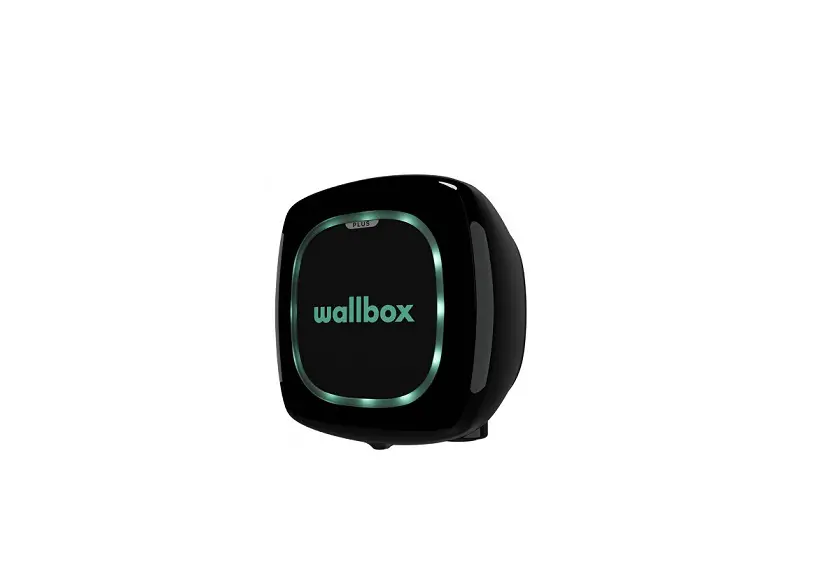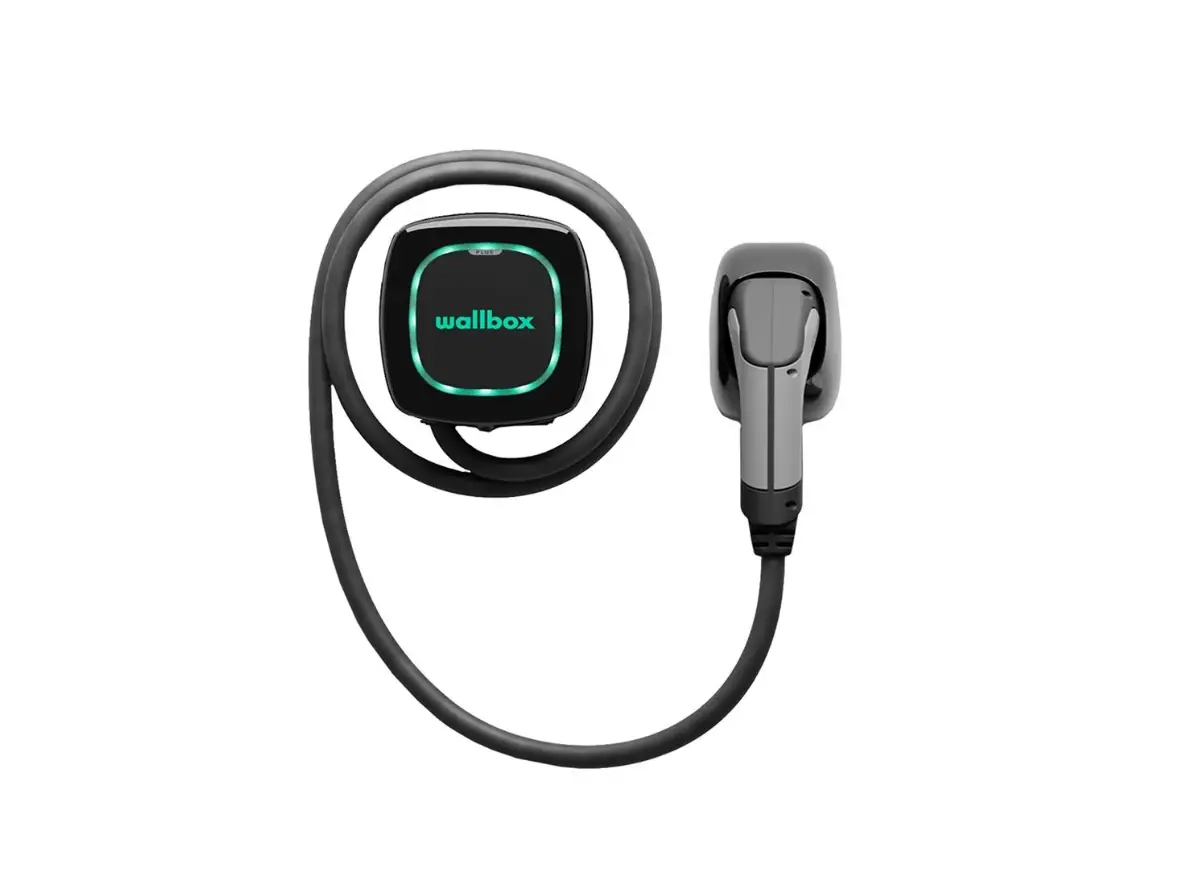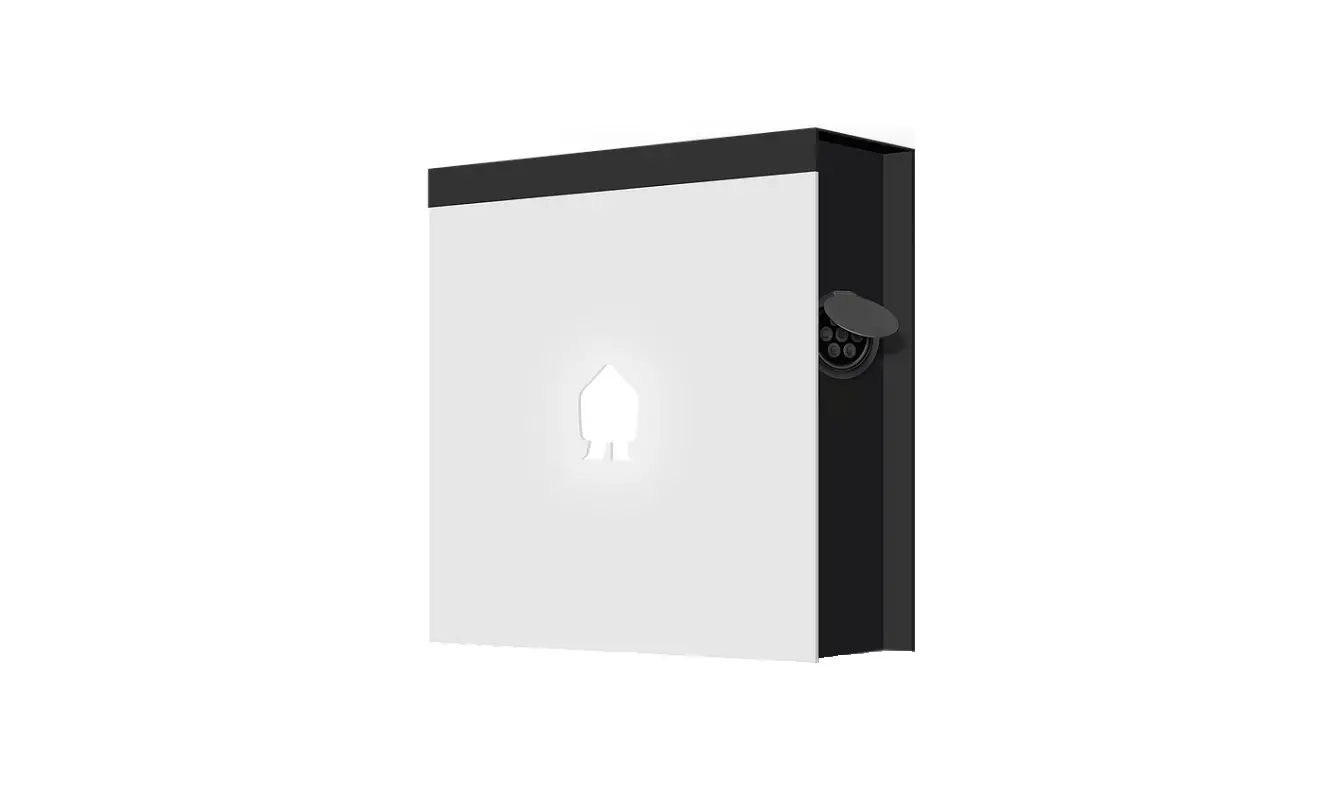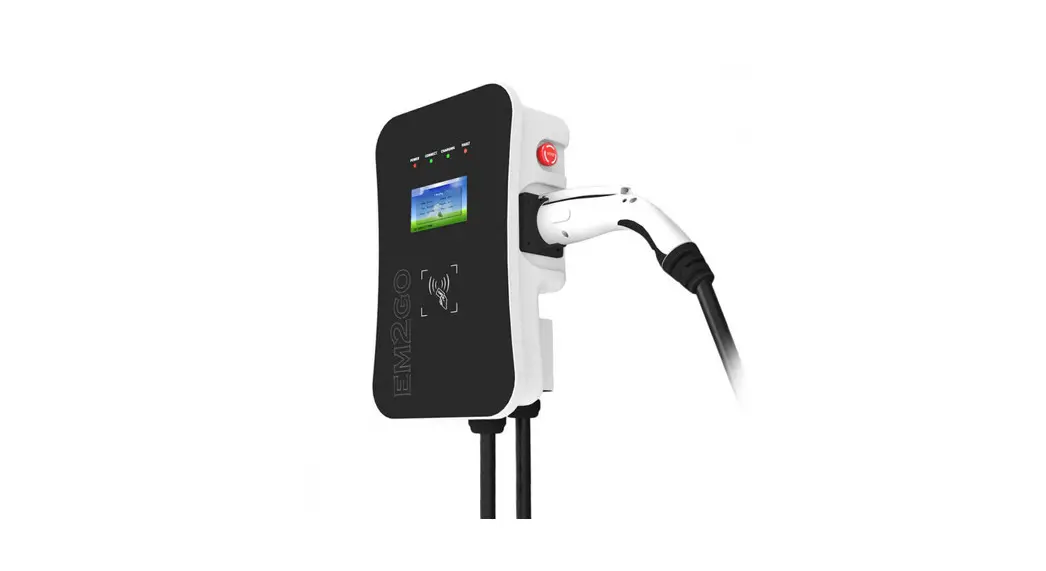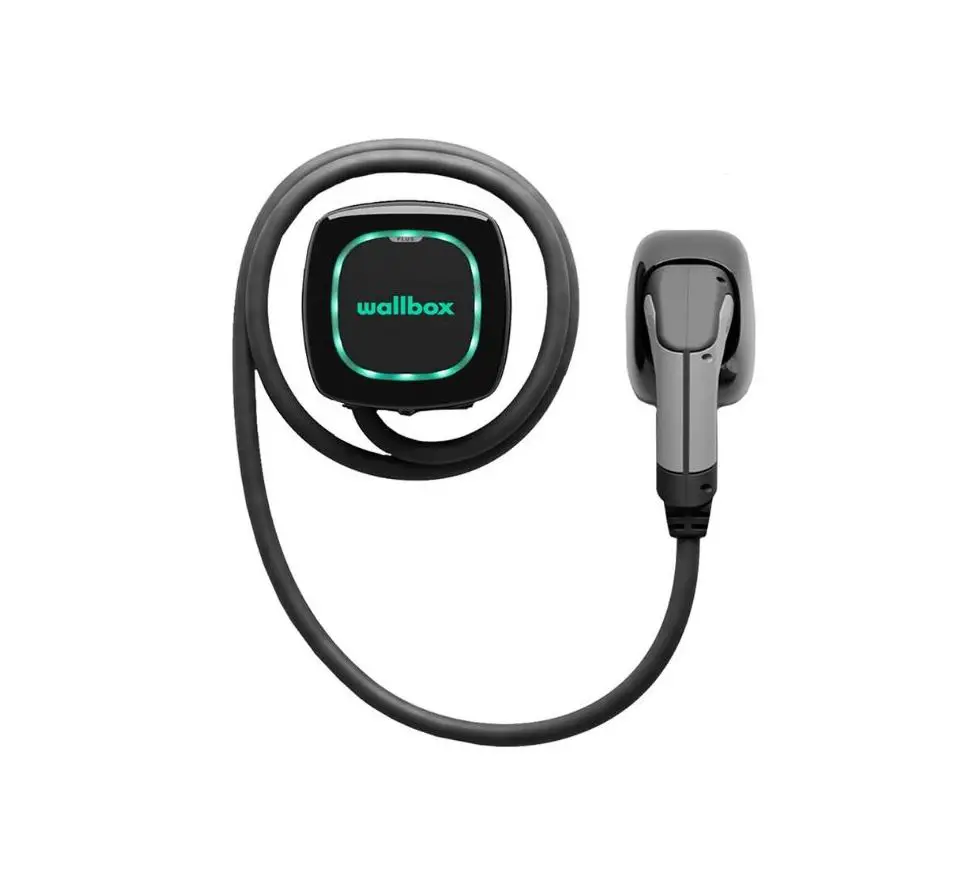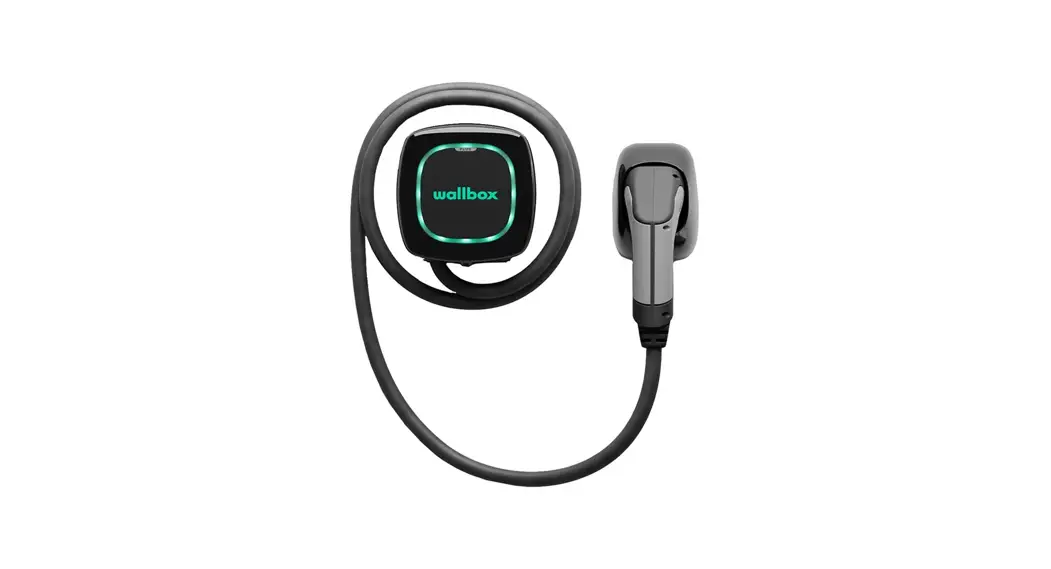
 3-Phase Wall-Box 11KW
with 5m standard charger cable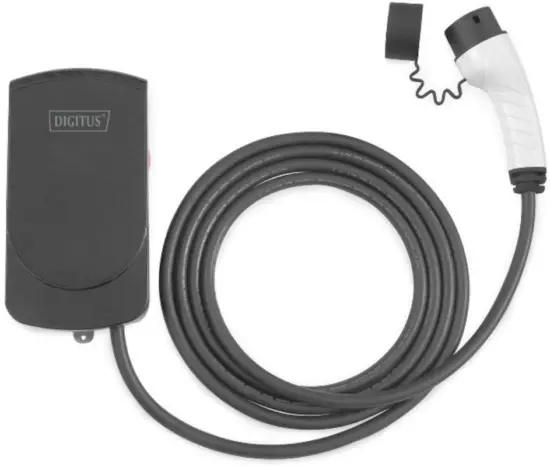 Quick Installation Guide
DN-3P16-050 – Rev 1.0
Please read this manual carefully before installation and use, otherwise, it may interfere with the normal use of the equipment and even risk causing personal injury.
Contents hide
Safety and Points for Attention
1.1. Installation
- Installation must be carried out by personnel with professional qualifications, otherwise, there is a risk of electric shock.
- It shall be installed in a place without violent vibration and impact and placed vertically to facilitate ventilation. It shall be installed on non-combustible materials such as metal, or there is a risk of fire.
- Do not drop any foreign objects, especially metal objects, into the inside of the charging station or there is a risk of fire. The lead nose of the charging station must be securely attached or there is a risk of damaging the equipment.
- The power supply input cable should have at least 5G2.5mm² (minimum) copper cable while it is recommended for a 5G4mm² copper input cable.
1.2. Maintenance
- It is recommended that routine safety inspection visits to the charging stations be conducted at least once a week.
- Please do not attempt to disassemble, repair, or modify the charger by yourself. If there is a need for maintenance or modification, please contact certified Electricians/Installers. Improper operation may cause damage to the equipment.
- Do not put inflammable, explosive, or combustible materials, chemicals, combustible steam, and other dangerous goods near the charging station, otherwise, there is a risk of fire.
- Please keep the charging adapter clean and dry and wipe with a clean, dry cloth if soiled. Do not touch the charging station with your hand when charged.
1.3. Operation
- Strictly forbidden for Children or persons of restricted capacity to approach the charging station to avoid injury.
- Forced charging is strictly forbidden when the electric vehicle or charging station fails.
- Electric vehicles can only be charged with the engine is off and stationary. Do not charge in rainy and thunderous weather.
- It is strictly prohibited to use the charging station when the charging adapter or charging cables are defective, cracked, worn, broken or the charging cables are exposed. If you find any, please contact the supplier in time.
- In case of rain or thunder, please charge with care.
- DO not use the device in extreme temperatures outside the normal operating range of -30°C to 55°C.
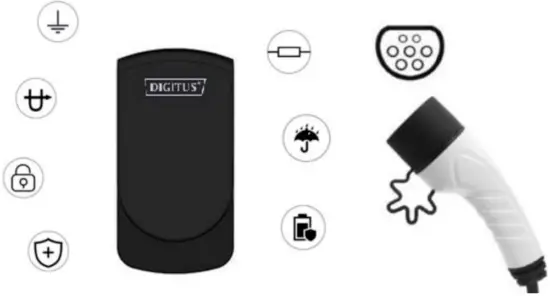
 | Lightning-proof | 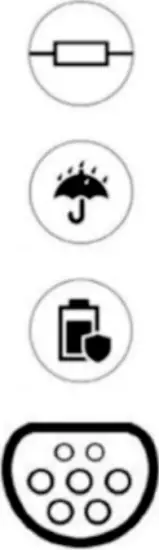 | Flame resistance |
| Overvoltage protection | Waterproof IP55 | ||
| Overcurrent protection | Leakage protection | ||
| Overheat protection | IEC 62196-2 (Type 2) connector |
Feature
- Compact size design with charging power up to 11kW.
- The charging plug meets IEC 62196-2 (Type 2) standard.
- The charging adapter is with IP55 waterproof rating for outdoor usage.
- EV Charger meets IEC 61851 control principle
- Long durability: Charging adapter at the no-load plugin/pull out > 10000 times
- The high impact of external force resistance
Package Content
- AC EV Charging Station including charging cable x 1pc
- Mounting accessory set including screws x 1set
- Cable management hook x 1pc
- User manual x 1pc
Technical Specification
| Electric parameters | Charging mode | Mode 3 |
| Input Voltage | 3-phase AC, 400V±15% | |
| Rated frequency | 50/60Hz | |
| Branch breaker | N/A | |
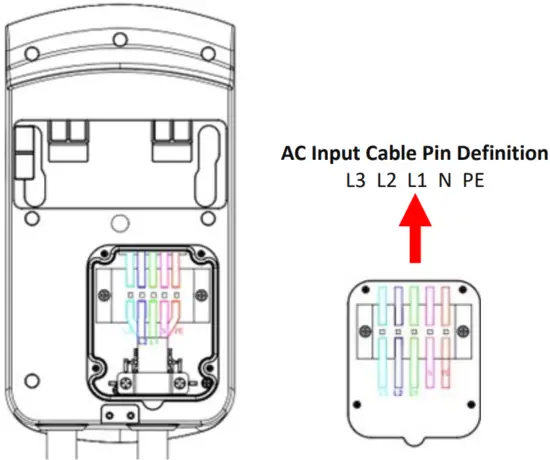
| Input circuit conductor | L1/ L2/ L3/ N/ PE | |
| Copper cable is recommended with appropriate conductor size. | ||
| Functional description | Charging control | Direct “Plug-andcharge” |
| Display screen | N/A | |
| Indicator lights | LED light indicator with 3-color (status, connect, charging and fault) | |
| Communication interface | Onboard RS-485 interface | |
| Safety precautions | Surge protection, Over temperature protection, RCD Type A + DC6mA, Over/under voltage protection, over current protection, groundprotection |
| Mechanical parameters | Mounting | Wall-mounted |
| Charging adapter | IEC 62196-2, Type 2 | |
| Charging cable length | 5m | |
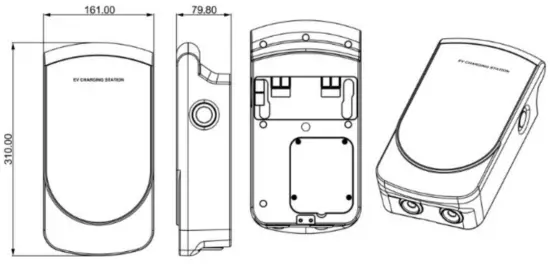
| Dimension (HxWxD) | 310mm x 161mm x 79.8mm | |
| Weight | 55kg | |
| IP rating | IP55 | |
| Environmental conditions | Operational environment | Indoor or outdoor, good ventilation, no flammable, explosive gases |
| Vibration | No violent vibration and impact | |
| Storage temperature | -4075°C | |
| Operating temperature | -30–55°C | |
| Operating humidity | 95%RH, no water droplet condensation |
Product Dimension
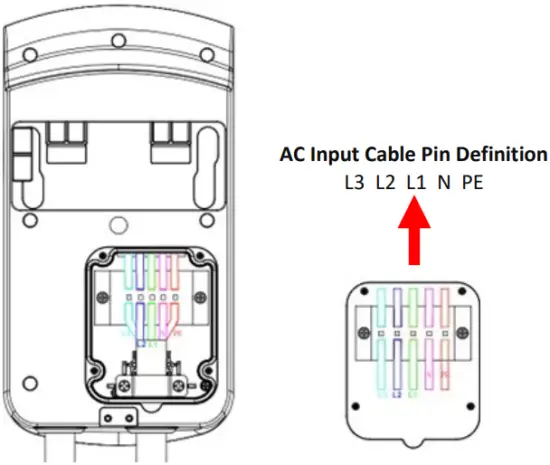
Internal Wiring on AC Terminal Block
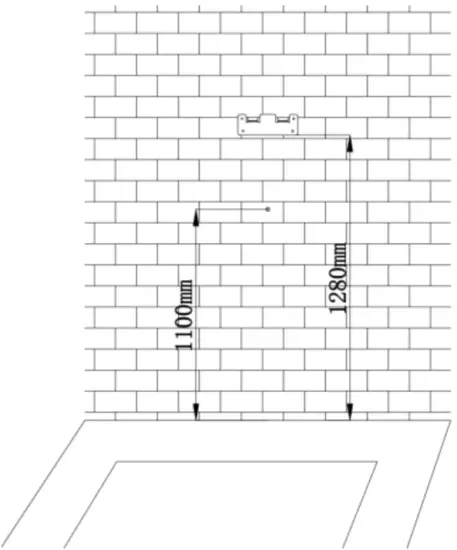
Installation process
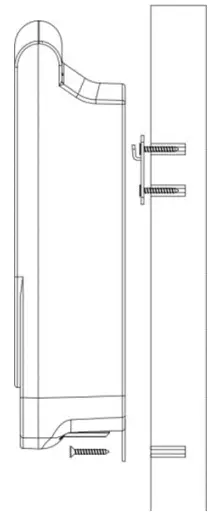
- Position the mounting bracket at the desired height or follow the recommendation below. Install the bracket onto the wall with the screws packed inside the package

- Open the back cover of the Charger and pre-install the AC input cables following the pin definition on the Terminal Block.

- Mount the EV Charger onto the wall by hanging it on the installed bracket. Install another screw from the front to lock it.

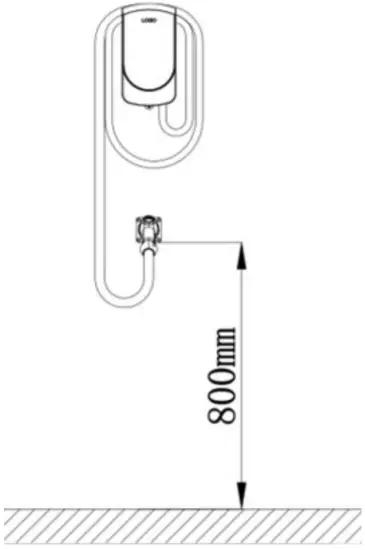
- It is recommended to install the Charging adapter hook onto the wall at an installation height of 800mm from the ground

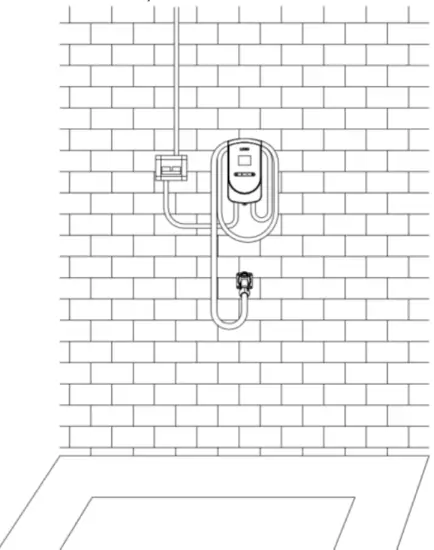
- To complete the installation with an external circuit breaker at the input side.

Power-on inspection
8.1. Check before the operation
Before the operation, please check carefully and ensure the following:
- The installation position of the EV Charger is convenient for operation and maintenance
- The EV Charger and its accessories are correctly connected and installed firmly
- Reasonable selection of leakage protection switch for AC inlet
- No external objects or parts are left on the top or inside the Charging Station
8.2. Power on the device
- Switch on the AC power inlet leakage protection circuit breaker
- Power on the Charger: It would take 5 seconds initially for the power-on self-check.
- After the power-on self-check is completed, the LED indicator would show the status:
a. Normal standby:
the green light is always (constant) ON.
b. Equipment failure:
Red light is always (constant) ON. - When the EV Charger is showing GREEN light constant ON, then you can take out the Charging adapter to start charging your Electric Vehicles.
- If your EV Charger is showing RED color, please check the below-LED status for an error code or contact the manufacturer
8.3. Start charging
- Park the electric car into place, turn off the engine, and put the car under braking.
- Pick up the charging adapter from the Charger after Charger is showing Green light constant ON after the power-on self-test.
- Plug the charging adapter into the AC charging socket of the electric vehicle and you will see Blue light flashes indicating charging in progress.
- As this is a direct “plug-and-charge” charging station, it will automatically enter the charging process.
8.4. Normal stop charging
- There are two ways to stop charging:
a. Automatic stop when fully charged.
b. Manually stop by removing the charging adapter from the car socket. - Pull the charging adapter out from the vehicle to complete the charging process. If you can’t pull out the adapter, usually because the vehicle is locked, press the unlock button of the vehicle key and the adapter can be pulled out.
8.5. Abnormally stop charging
- Forced fault stop: A fault stop initiated by the onboard charger of the vehicle.
- Automatic fault stop: A fault stop initiated by the charging station due to internal protection mechanisms
LED indicator for Status and Error codes
| Index | Description | LED Color Indicator | Definition | ||
| Green | Blue | Red | |||
| 1 | Initial Power-on | ON | Off | Off | Ready to be used after 5 seconds of Power-On Initialization. When LED is Green, it is ready to be used. |
| 2 | Connecting (hand-shaking with EV) | Flashes | Off | Off | After the self-test, the device is READY to plug into Electric Carsocket. During connection, there is a handshaking process with EV which the Green LED will flashes quickly. |
| 3 | Charging starts | Off | Flashes | Off | During charging, the Blue light flashes as charging in progress |
| 4 | Charging finishes | Off | On | Off | When charging finishes, the Blue light will be constant ON |
| 5 | Control Pilot Pin Error | Off | Off | Fault (0.5s) 1 time | When the Control Pilot pin detects error during handshaking with an Electric vehicle |
| 6 | Under Voltage | Off | Off | Fault (0.5s) 2 time | Error detected: when Voltage < 304Vac |
| 7 | Over Voltage | Off | Off | Fault (0.5s) 3 time | Error detected: When Voltage > 456Vac |
| 8 | Leakage Detected | Off | Off | Fault (0.5s) 4 time | When RCD detects leakage, the relay automatically disconnected the system. It needs to be re-powered after the fault is removed before the relay is allowed to close to function again |
| 9 | Over Current | Off | Off | Fault (time 5s) 5 | When overcurrent is detected, the relay is disconnected then it will automatically restart after 10s. When overcurrent is detected, the charging would be ended. |
| 10 | Over-Temp | Off | Off | Fault (0.5s) 6 time | Temperature >85 degrees, it will disconnect the relayautomatically. Wait for the device to cool down before turning on the EV Charger again |
| 11 | RCD leakage detection self-check | Off | Off | Fault (0.5s) 7 time | When the wall box is powered-on each time, it will trigger a self-check for RCD leakage detection. If RCD is not working, it will flash red color LED 7x times. |
| 12 | Emergency Stop button | Off | Off | Fault (ass) 8 time | When the emergency stop button is pressed on the side of the wall box, it will flash 8x times red LED to indicate this situation. Please release the Emergency Stop button after all fault is removed to return back to normal state. |
Hereby Assmann Electronic GmbH declares that the Declaration of Conformity is part of the shipping content. If the Declaration of Conformity is missing, you can request it by post under the below-mentioned manufacturer address.
www.assmann.com
Assmann Electronic GmbH
Auf dem Schüffel 3,
58513 Lüdenscheid
Germany

 ASSMANN Electronic GmbH | Germany