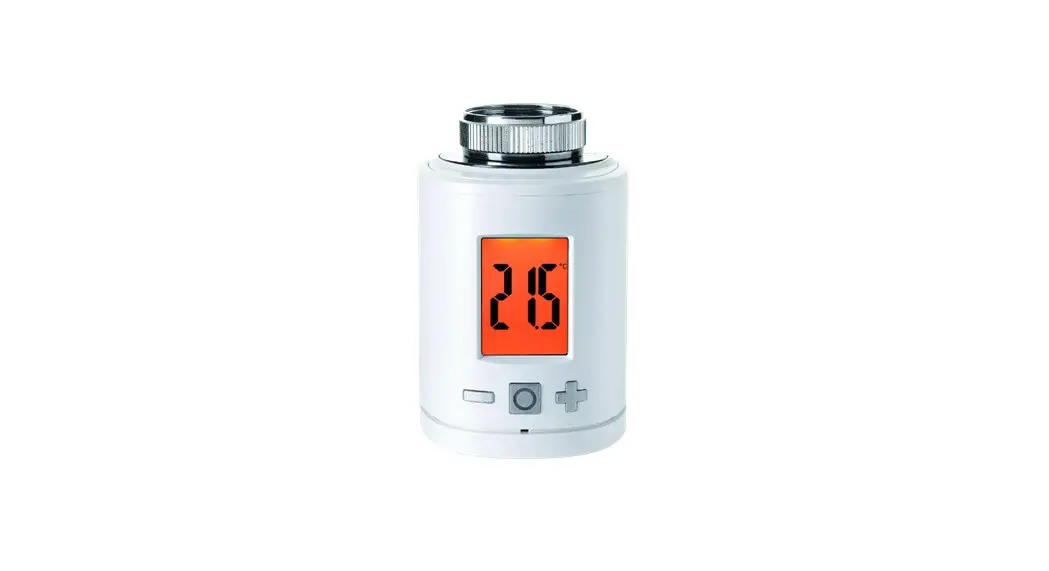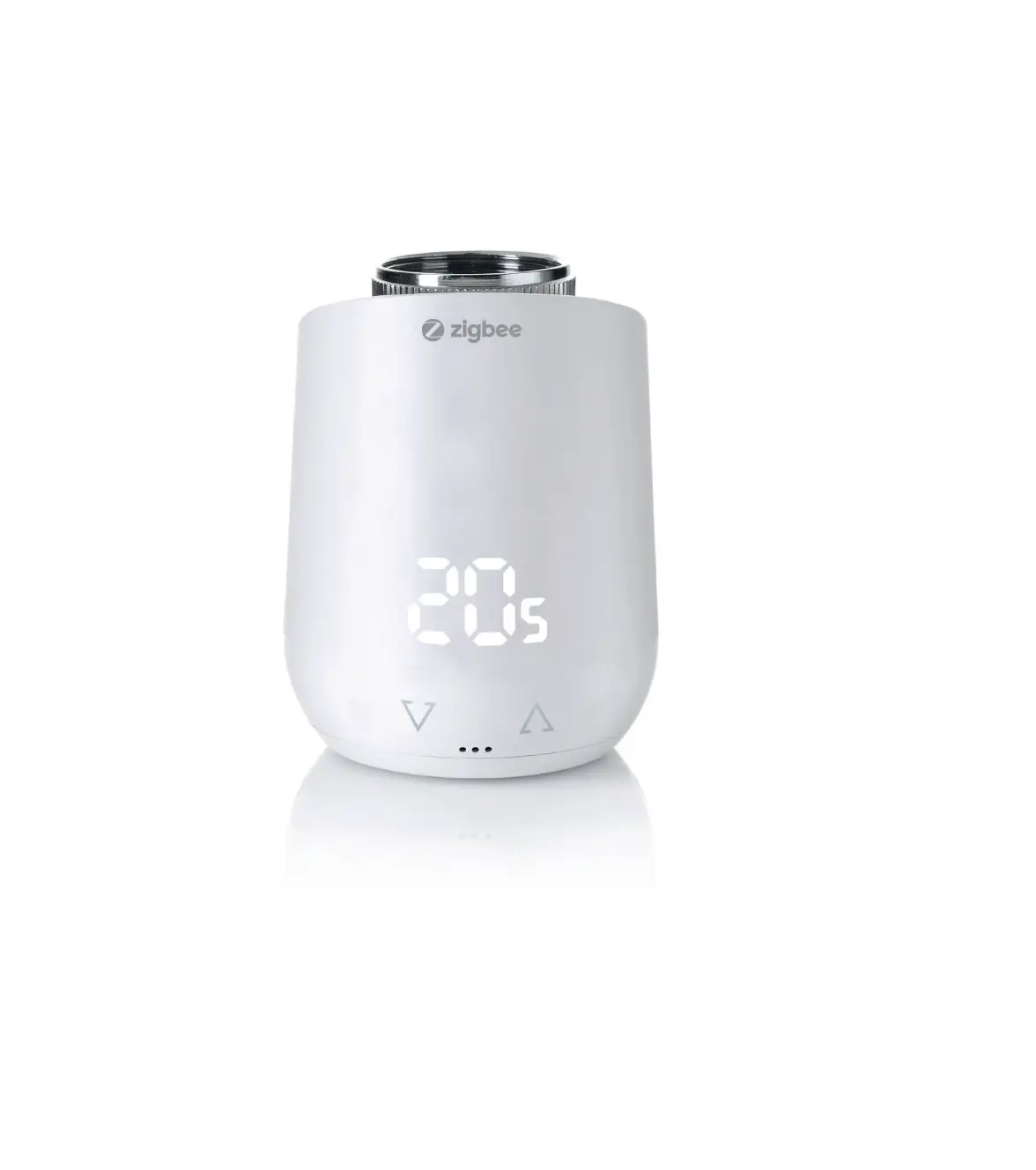
EUROTRONIC 700227 Comet Zigbee Wireless Thermostat Head Electronical
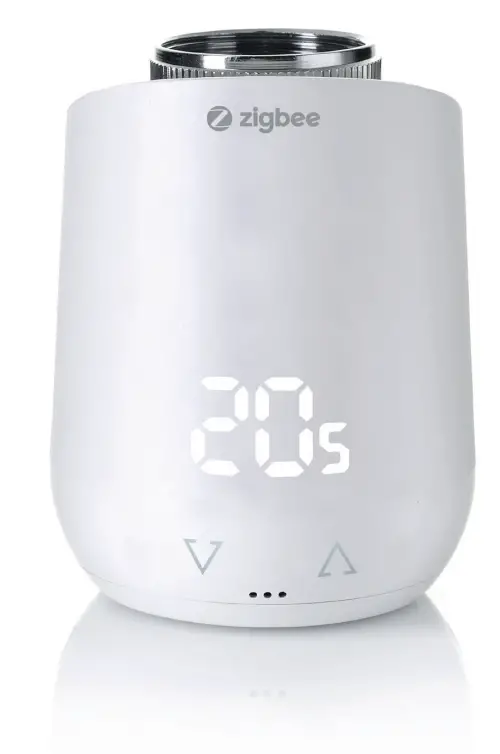
DELIVERY SCOPE
1x Comet Zigbee Energy saving radiator
1x Quick Start Guide
3x Adapter for Danfoss Ventile (Danfoss RA / RAV / RAVL)
1x Screw for adapter
2x LR6/Mignon/AA batteries
NOTE: The illustrations below are for illustrative purposes only and may differ from the actual product.
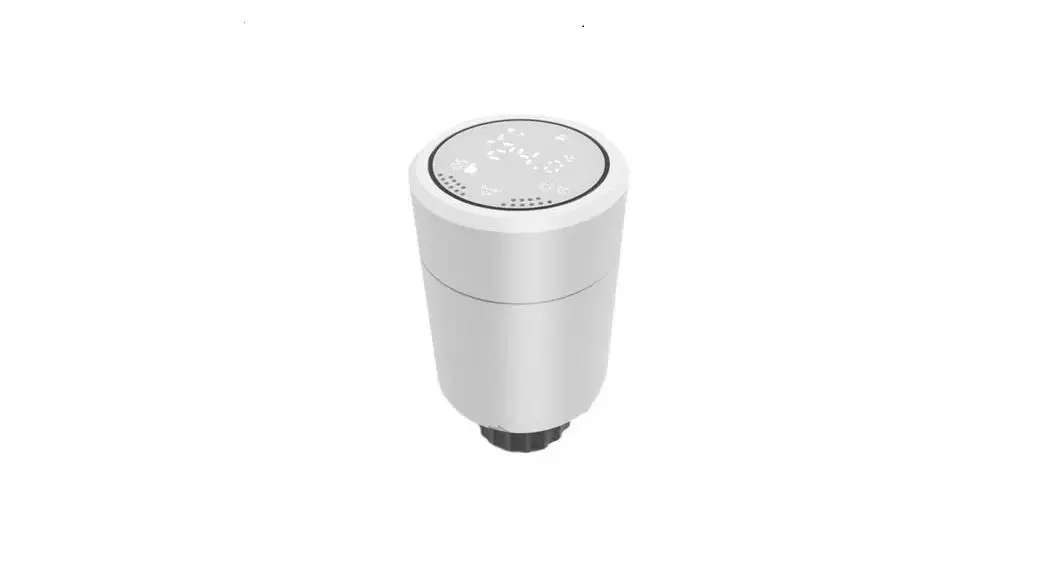
Comet Zigbee Energy saving radiator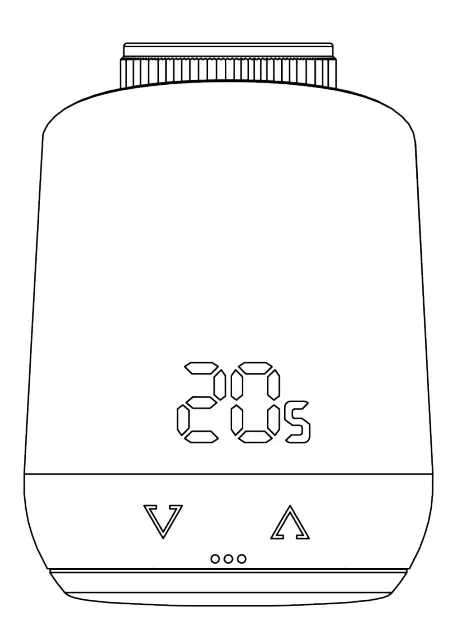
Screw for adapter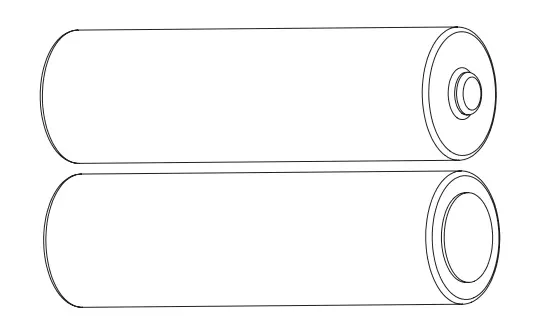
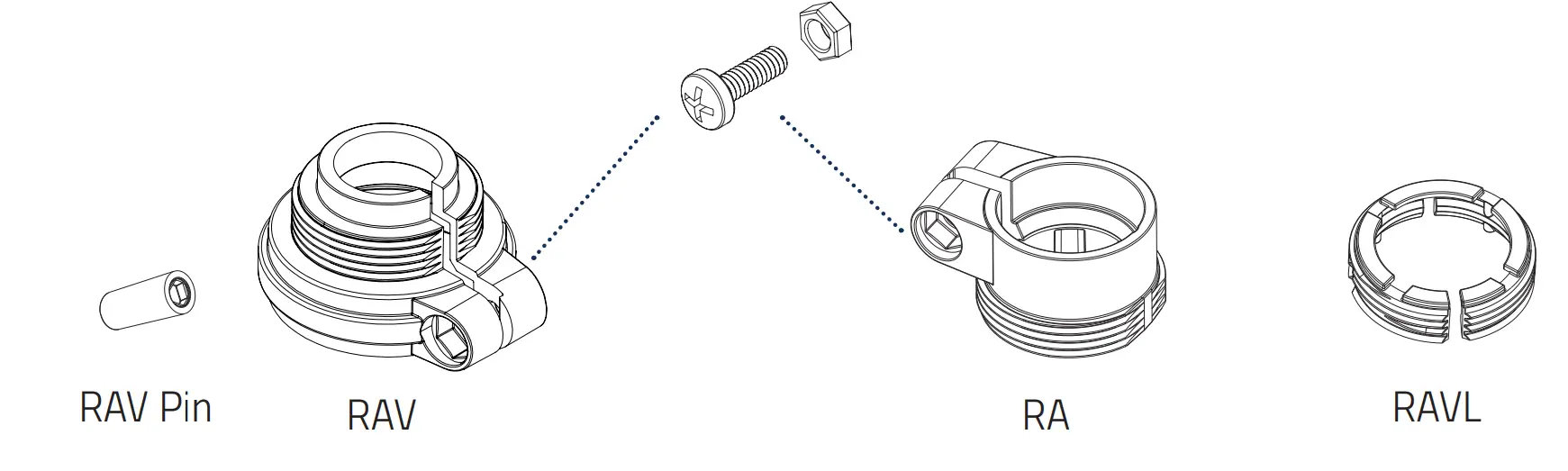
* When using the RAV adapter, you need the RAV pin to extend the valve tappet.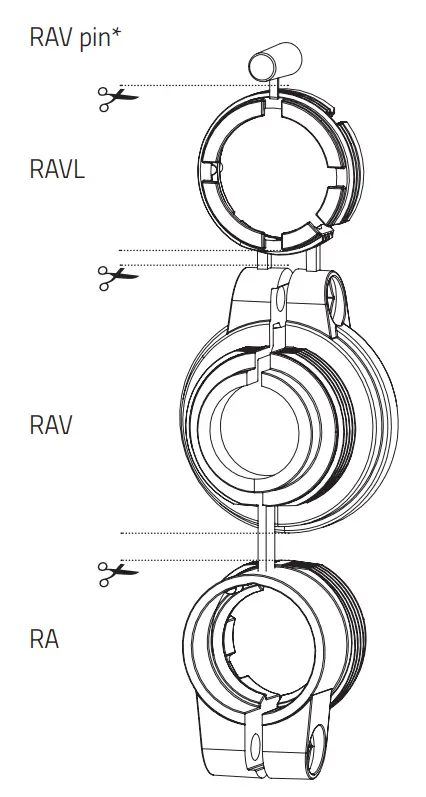
NOTE: Check the scope of delivery for completeness and intactness.
WARNINGS
WARNING!
This signal word designates a hazard with a medium level of risk which, if not avoided, can result in death or serious injury.
A NOTICE! This signal word warns of possible damage to property
Safety notice
- Comet Zigbee is intended for indoor use.
- Operate Comet Zigbee only as described in the user manual.
- Comet Zigbee should only be stored in a dry and dust-free place out of direct sunlight be put into use.
- Do not continue to operate the device if it shows obvious damage.
- Comet Zigbee may not be rebuilt, modified or opened.
WARNING! EXPLOSION HAZARD!
Improper handling of batteries can cause an explosion.
- Do not heat batteries and do not throw batteries into open fire.
- Do not place batteries in direct sunlight.
- Protect batteries from excessive heat.
- Do not short-circuit the batteries.
- Never try to charge non-rechargeable batteries.
- Never disassemble batteries.
- Do not mix new and used batteries.
- Observe the correct polarity (+/-) when inserting the batteries.
- Before inserting the batteries, clean the batteries and the contacts in the thermostat.
WARNING! RISK OF BURNS!
Leaking battery acid can cause burns.
- Avoid contact of battery acid with skin, eyes and mucous membranes.
- In the event of contact with battery acid, immediately rinse the affected areas with plenty of clear water and see a doctor.
WARNING! RISK OF INJURY!
If children play with the thermostat or the packaging, they can swallow small parts and choke.
- Do not let children play with the thermostat or the packaging.
- Keep batteries away from children. Consult a doctor immediately if batteries were swallowed.
INTRODUCTION OF COMET ZIGBEE
Thank you for choosing a product from Eurotronic Technology GmbH. This device can conveniently adjust the temperature in your rooms according to your wishes and help you effectively reduce your heating costs. Development and manufacturing are 100% “Made in Germany”, which ensures the highest quality and technology. This instruction manual will help you to start using your device easily and quickly.
HIS IS COMET ZIGBEE
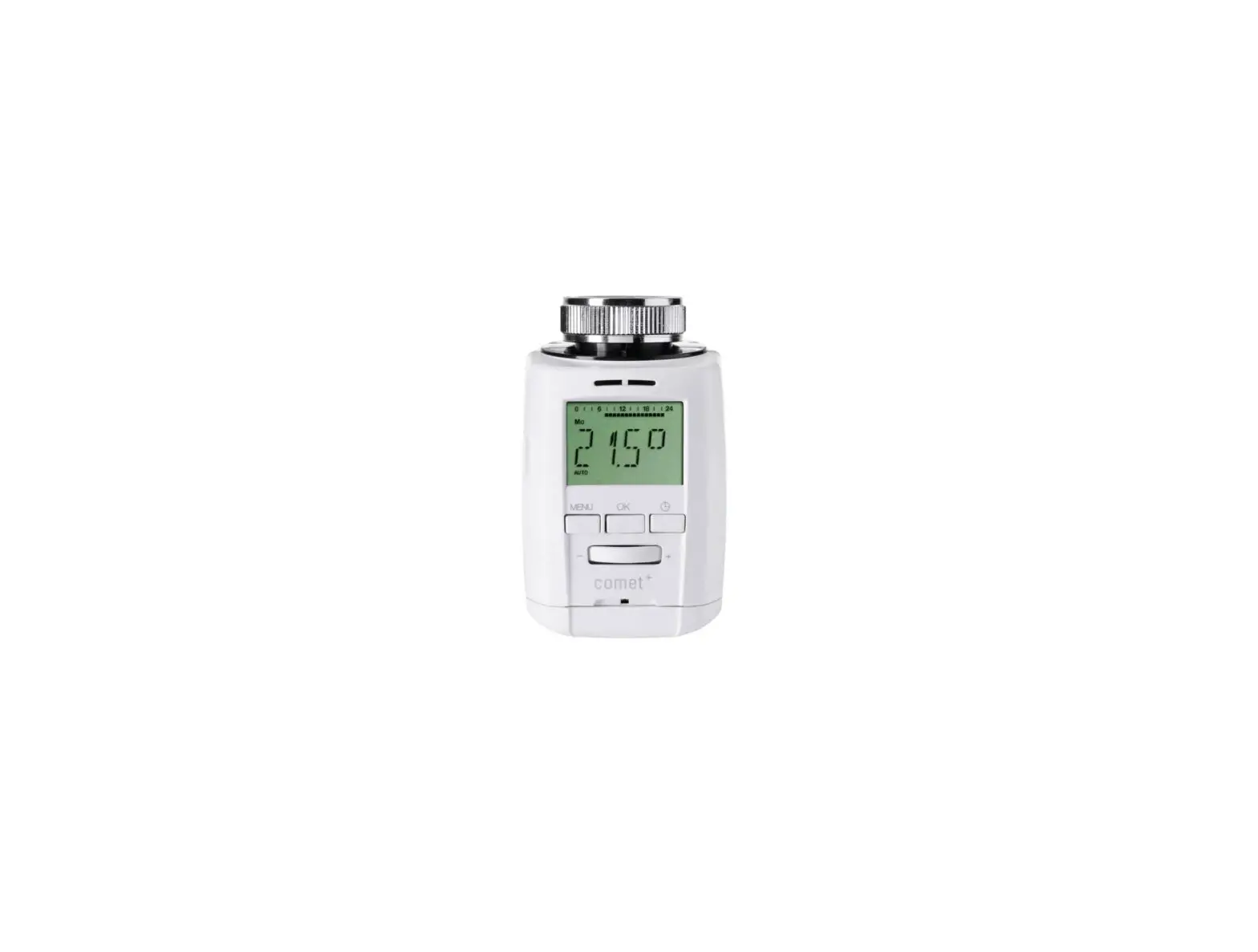
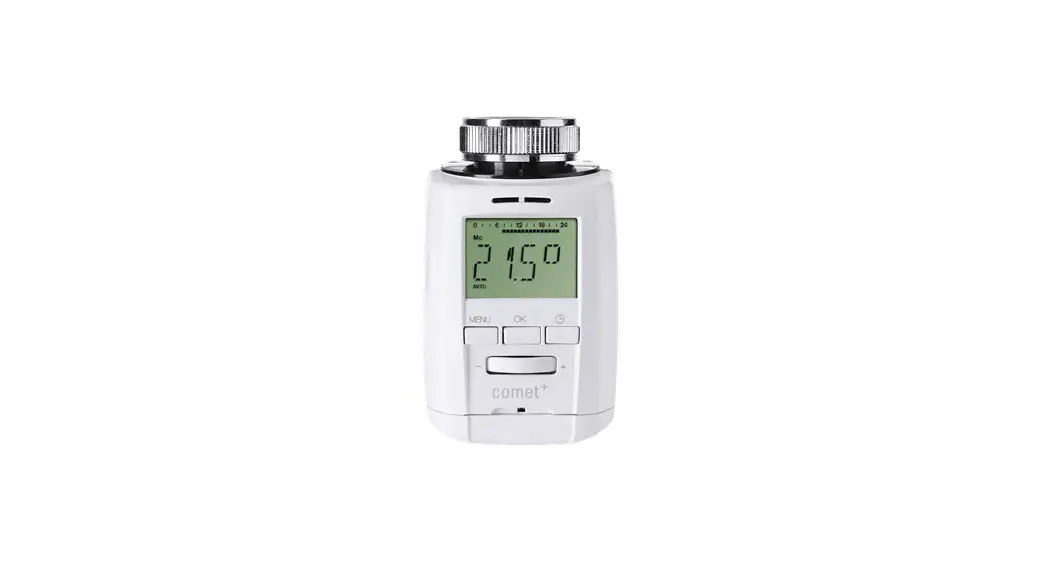
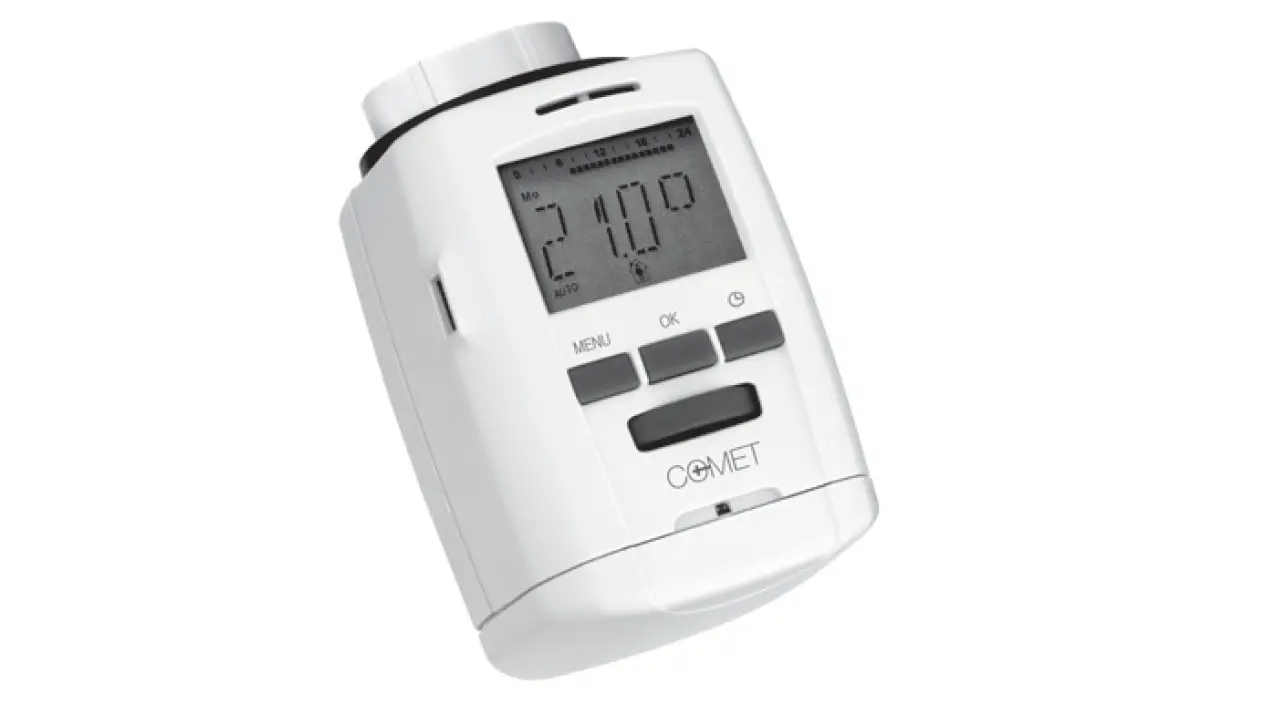
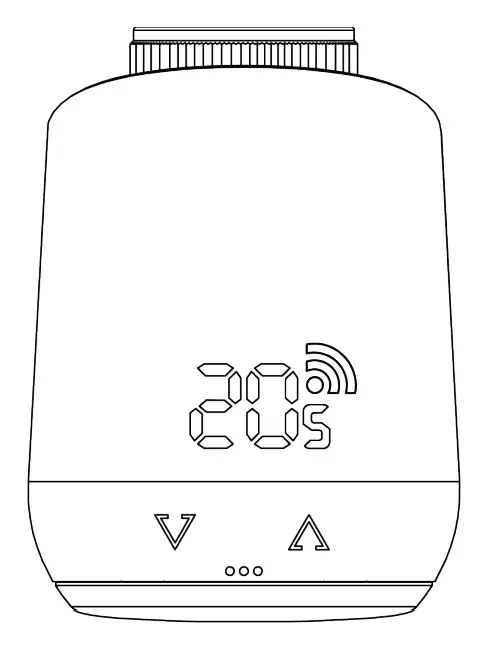
Comet Zigbee is an energy-saving radiator controller that is compatible with the Zigbee wireless standard and offers modern and simple operation. It automatically controls your room temperature according to your specifications and is configurable, directly on the controller or conveniently via smartphone through your Zigbee network.
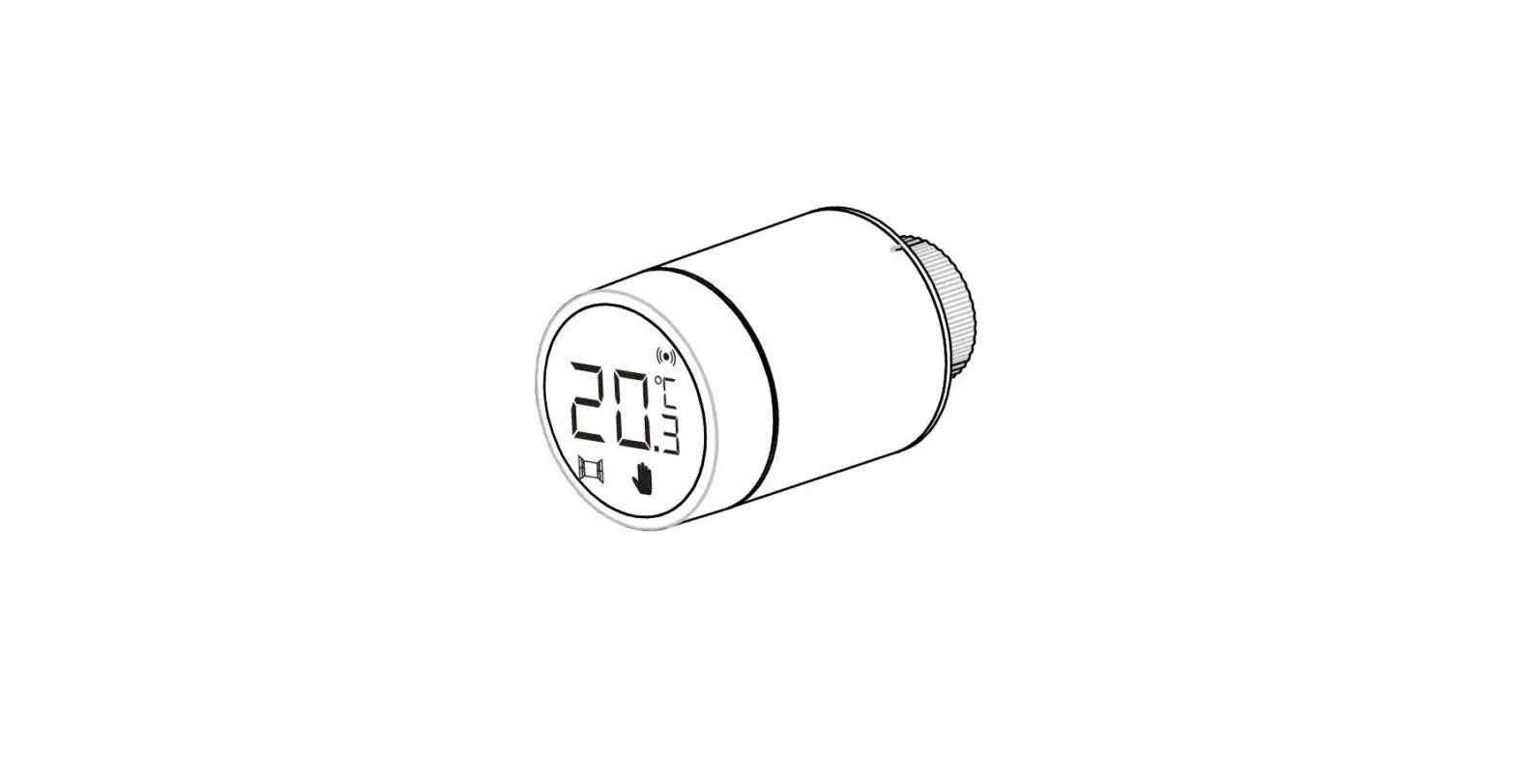
CONTROL- AND DISPLAY ELEMENTS
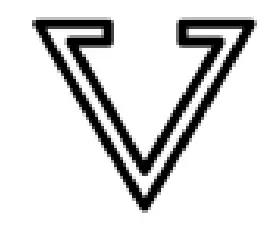
Minus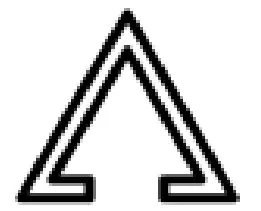
Plus
| Button | Action | Meaning |
| short push | Decrease target temperature for 0,5°C |
| press and hold | Decrease target temperature for 0,5°C, then decrease by 0.5°C every 0.5 seconds as long as the button is pressed or the end value is reached. |
 | short push | Increase target temperature for 0,5°C |
 | press and hold | Increase the target temperature immediately by 0.5°C, then increase by 0.5°C every 0.5 seconds as long as the button is pressed or the end value is reached. |
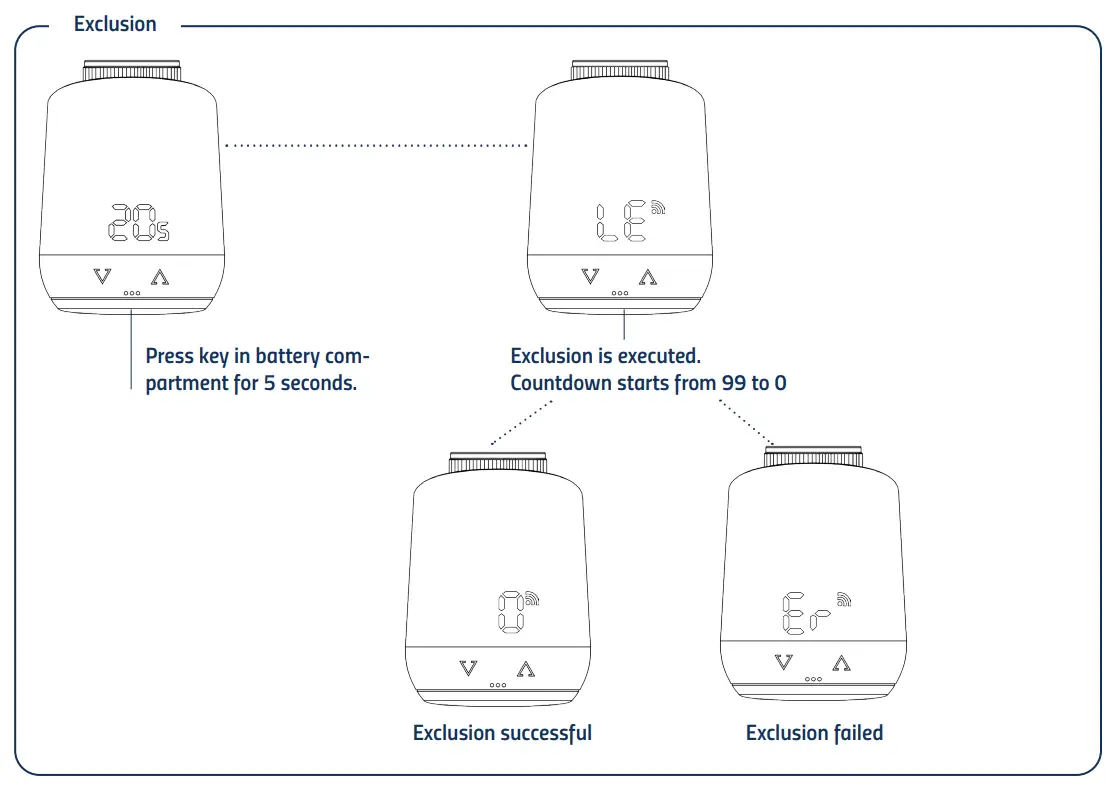
| Button in battery compartment | press and hold for 5 seconds | Comet Zigbee reacts to remove commands from the gateway. (Exclusion) |
| Button in battery compartment | press and hold for 10 seconds | The device gets a factory reset. |
 | press and hold both for 3 seconds | Activate or deactivate key lock/child lock. |
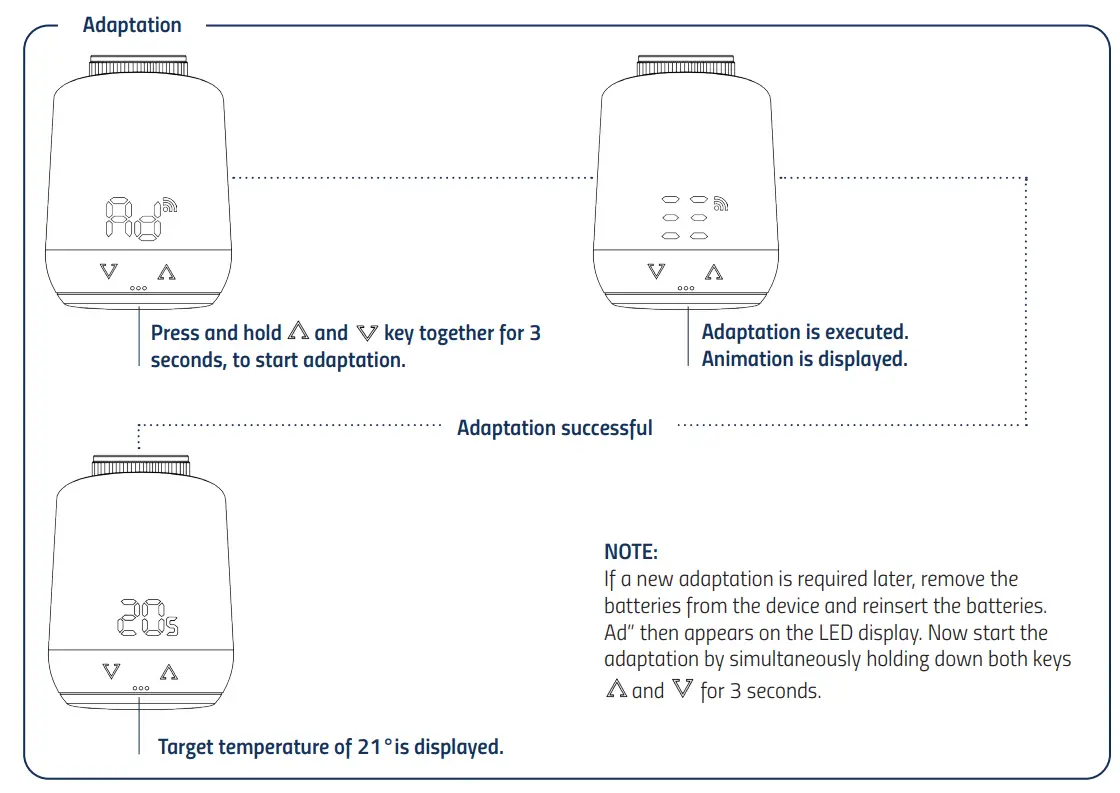
| when displayed “Ad“ press and hold both for 3 seconds | Adaptation get started |
LED-LIGHTS
 Radio symbol: Informs about radio connection and adding operations. Is switched on when radio connection is established. Turns off when radio connection is lost.
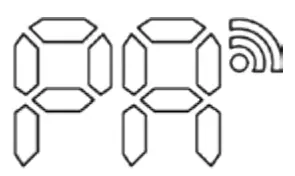 Pairing mode (Inclusion) active.
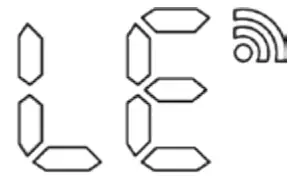 Exclusion mode active.
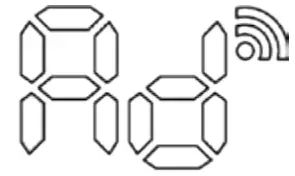 Adaptation must be started.
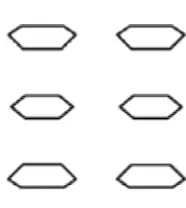 Animation: Lights up while adaptation is running.
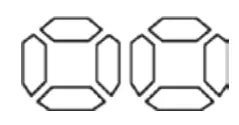 Animation: Lights up when the key lock is activated/deactivated.
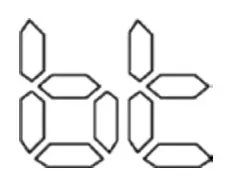 Lights up when the battery level is less than 15%.
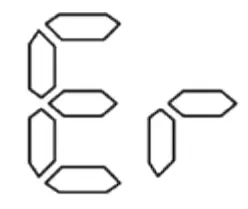
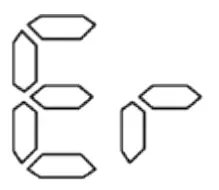 Removal operation (Exclusion) failed.
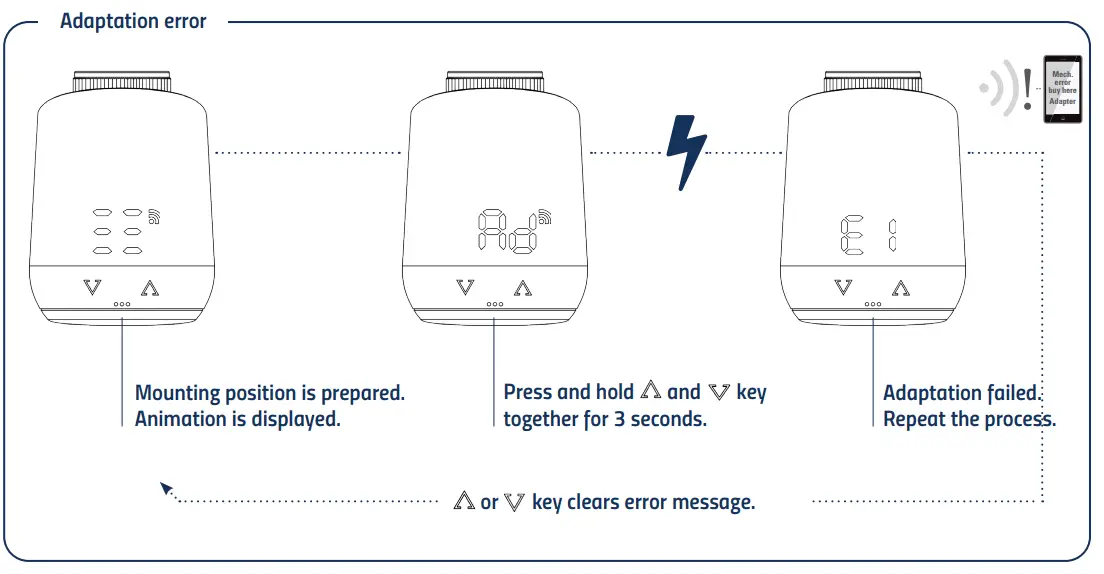
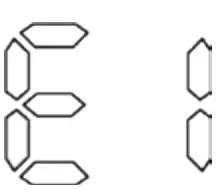 No valve movement possible .
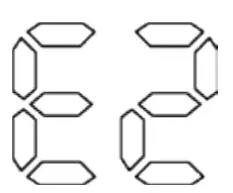 No valve detected.
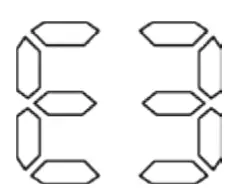 Closing point not detected.
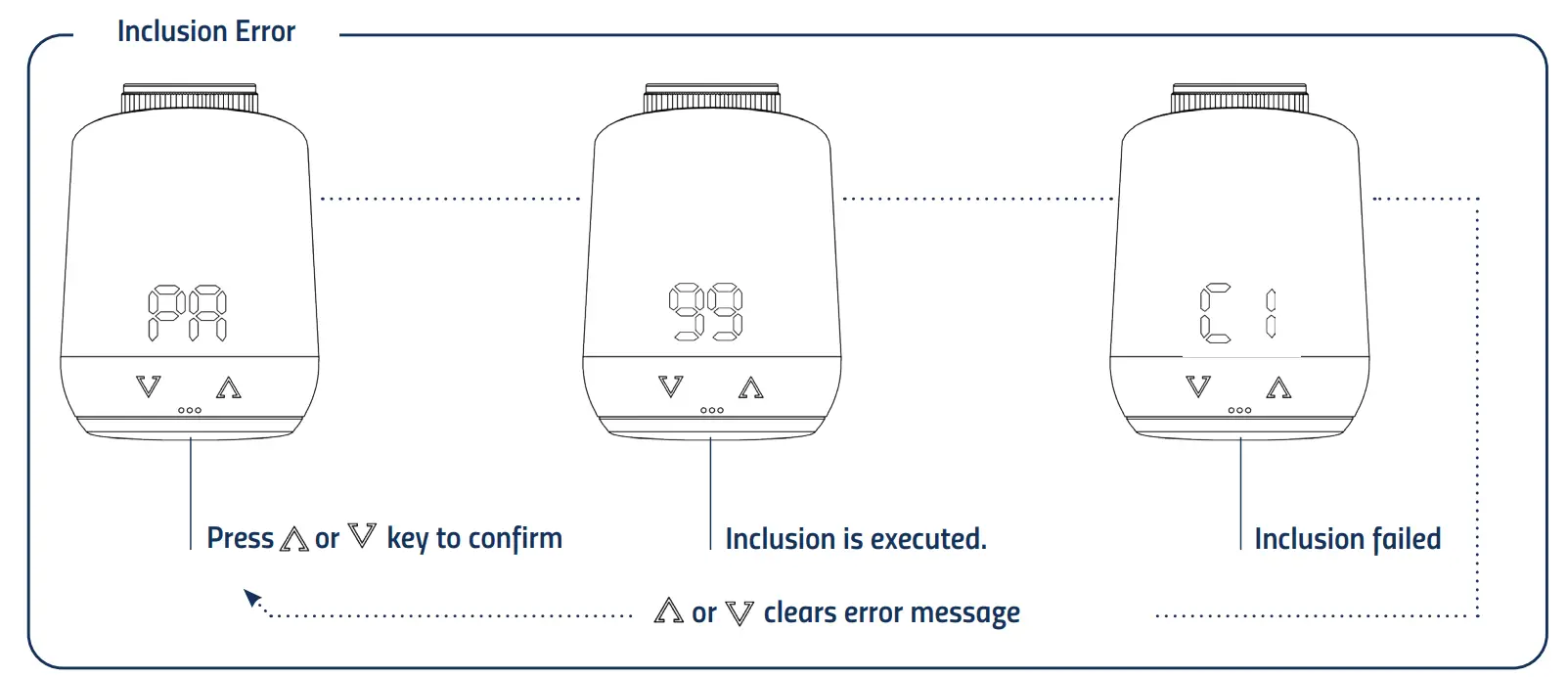
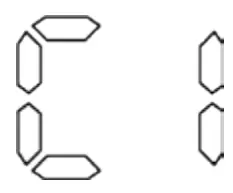 Add operation (Inclusion) failed.
INSTALLATION
The Comet Zigbee does not belong to any Zigbee network ex works. The Comet Zigbee must be added to an existing network in order to communicate with other Zigbee devices. This process is called inclusion. The Comet Zigbee can also leave a network. This operation is called removal (exclusion). Both operations must be initiated by a primary Zigbee controller. To do this, the controller must be put into Add or Remove mode. Please refer to the user manual of your Zigbee controller how to start the modes. Only when the primary controller is in add/remove mode, Zigbee devices can join or leave the network. If the device already belongs to a network, the device must first be removed from the network. Otherwise, the join attempt will fail.
Behavior in the Zigbee network
The Comet Zigbee can be added to any Zigbee network and operate with other Zigbee certified devices and/or applications from other manufacturers. All non-battery powered network nodes (nodes), regardless of manufacturer, act as repeaters within the network and improve the reliability of the wireless network.
Network security
Comet Zigbee can communicate encrypted with other Zigbee devices, if they also support encrypted communication. If this is not the case, Comet Zigbee communicates unencrypted.
NOTE: To use the full functionality of the Comet Zigbee, a security enabled Zigbee controller is required.
INSERT BATTTERIES
Remove the battery cover by pulling it upwards by the notch (Fig.1).
Now insert the batteries. Pay attention to the correct polarity! Do not use rechargeable batteries!
Reattach the battery cover to the Comet Zigbee (Fig.2) by pressing it on until it clicks.
In case of a later battery change, the configuration of your Comet Zigbee will be preserved.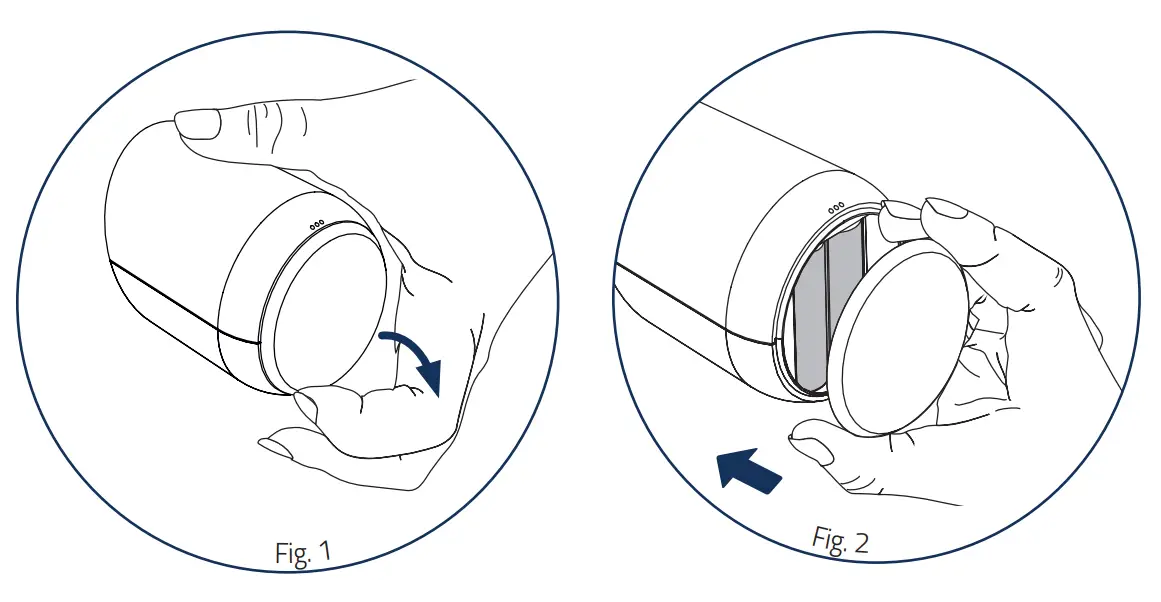
SET UP INTO A ZIGBEE NETWORK
Put your primary Zigbee controller into include mode.
If Comet Zigbee was successfully added, the LED display will show the received node ID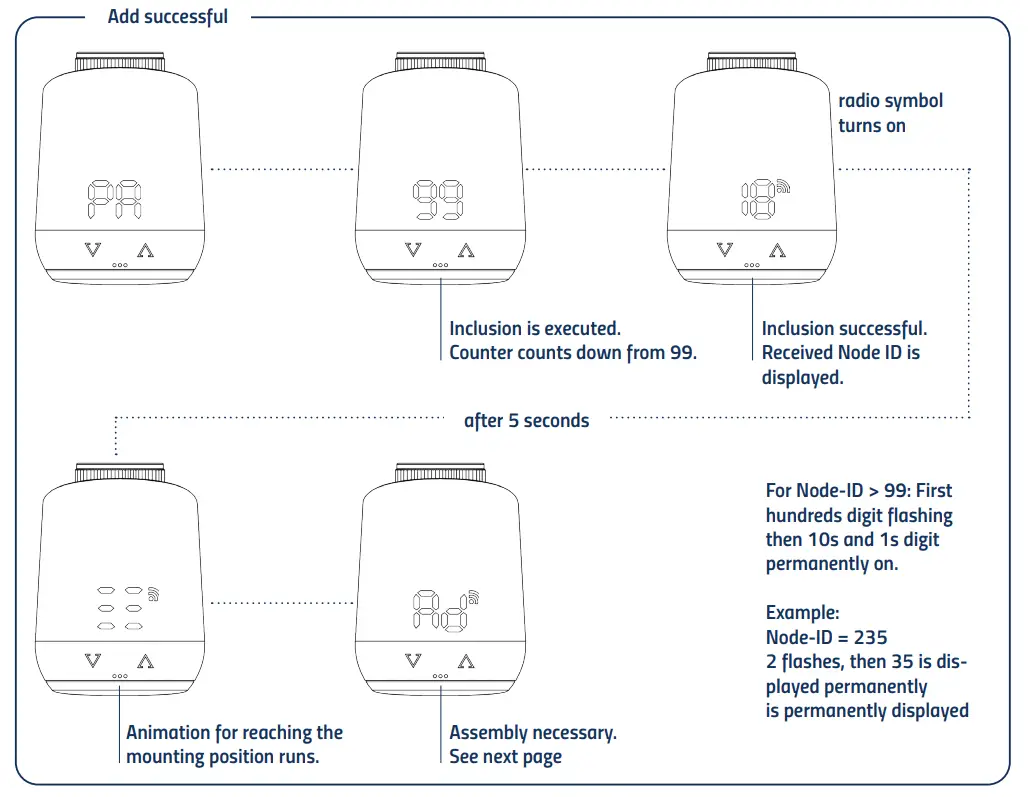
MOUNTING AT A RADIATOR
After adding (inclusion), the LED display shows an animation and the thermostat moves to the mounting position. Subsequently, the LED display shows “Ad”.
Follow the mounting steps below:
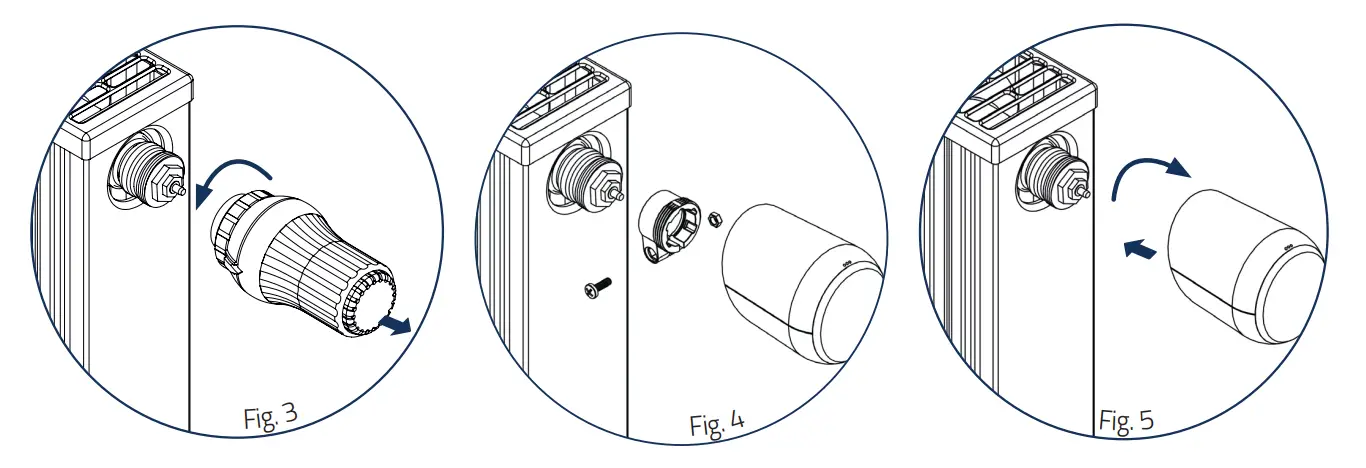
- Unscrew old thermostatic head completely, loosen fastening and pull it off the valve (fig.3).
- If necessary, select a suitable adapter and mount it on the valve (Fig.4).
- Screw the thermostat onto the valve or adapter by turning the union nut clockwise (Fig.5).
When you have mounted the Comet Zigbee on the valve, continue with 5.4 Adaptation.
ADAPTERS
NOTE:
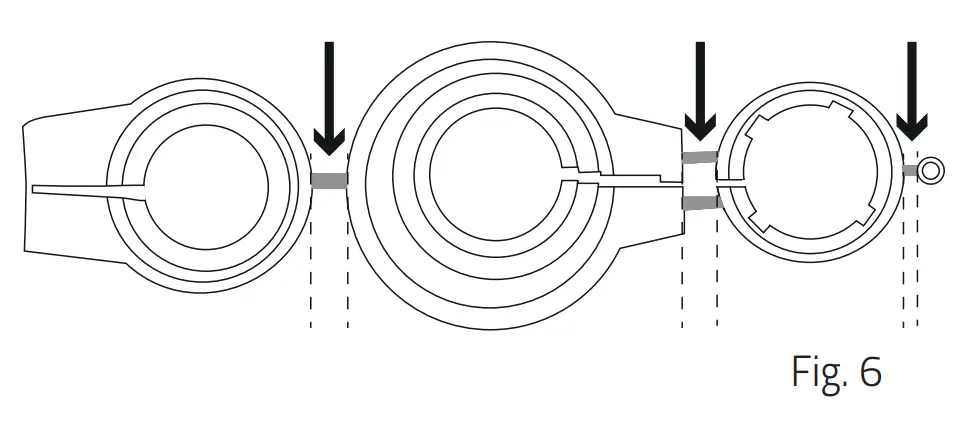
Remove the connecting pieces of the plastic adapters completely (Fig.6) before using one of the enclosed adapters! For Danfoss RA/RAV use the enclosed screw and nut.
No adapter is required for the following valves:
Heimeier; Junkers Landys+Gyr; MNG; Honeywell; Braukmann, as these have a thread dimension of M30 x 1.5 mm. The adapters for Danfoss RAV (pin must be plugged on valve tappet), Danfoss RA and Danfoss RAVL are enclosed.
You will need an adapter for the following valves:
Herz M28x1,5mm; Comap M28x1,5mm; Vaillant 30,5mm; Oventrop M30x1,0mm; Meges M38x1,5mm; Ondal M38x1,5mm; Giacomini 22,6mm; Rossweiner M33x2,0mm; Markaryd M28x1,0mm; Ista M32x1,0mm; Vama M28x1,0mm; Pettinaroli M28x1,5mm; T+A M28x1,5mm; Gampper 1/2/6; Danfoss RA/RAV/RAVL
You can purchase further metal adapters for a fee from our partners. An overview of the metal adapters and corresponding ordering options can be found under the following link: https://eurotronic.org/produkte/zubehoer/metalladapter/
If you are not sure which valve you have, see: https://eurotronic.org/service/faq In chapter “
ADAPTATION
DELETE A DEVICE OUT OF A ZIGBEE NETZWORK
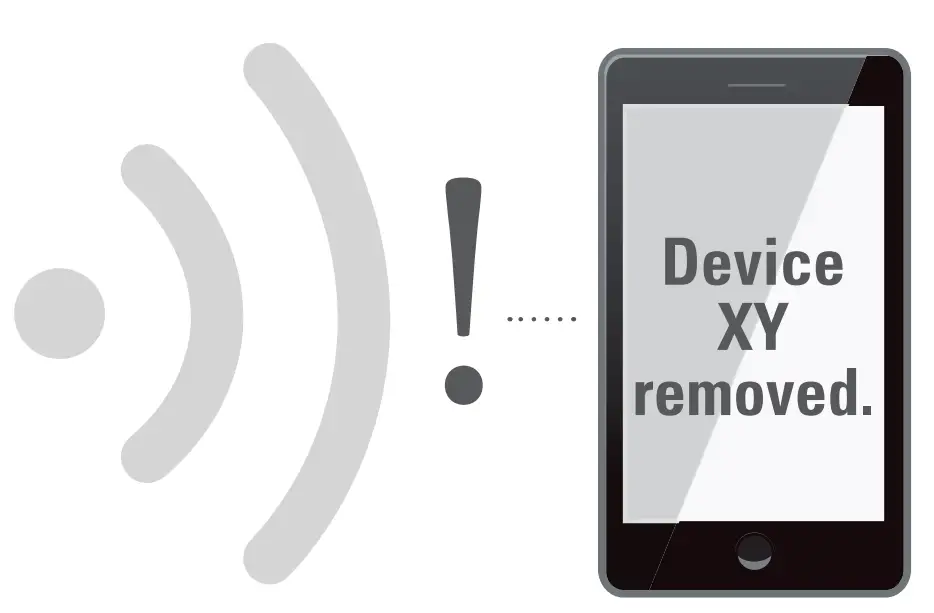
Please put your Zigbee controller into the exclusion mode. Then press and hold the button in the battery compartment for 5 seconds until “LE” appears in the display.
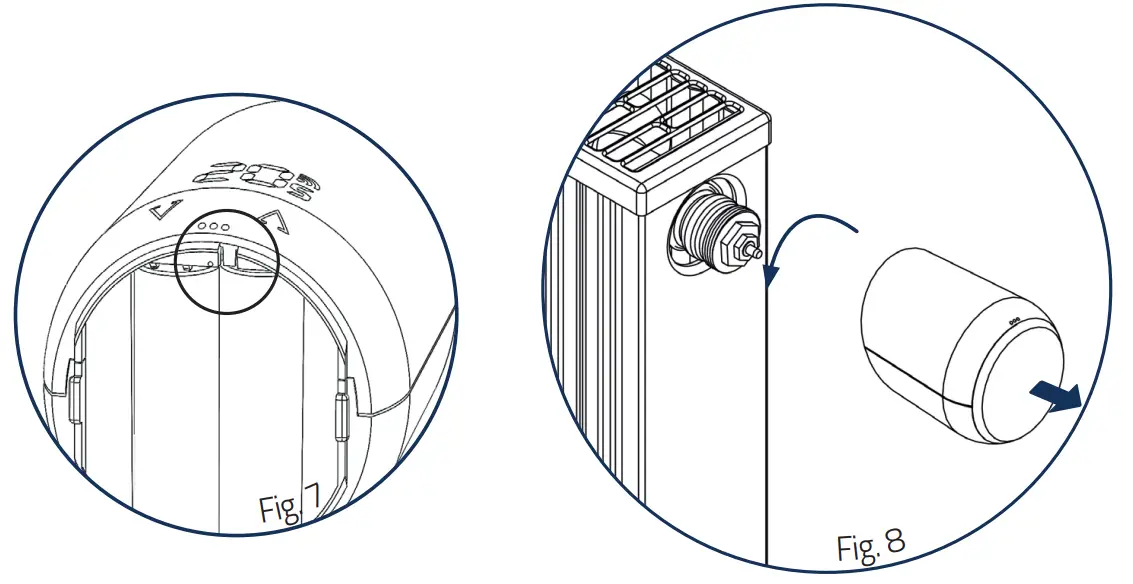
DISMOUNTING COMET ZIGBEE
FACTORY RESET
Press and hold the button in the battery compartment of your Comet Zigbee for at least 10 seconds. From the 5th second on, a counter will run on the thermostat’s display. Keep the button pressed until the 10 appears on your Comet Zigbee. Then “Ad” will be shown again on the display and the controller will be in pairing mode.
NOTE: Use the factory reset only if your primary Zigbee controller is no longer available or is inoperable for other reasons.
Counter counts up from 5 to 10. After reaching 10, the display shows “PA” again.
The pairing mode is active again.
OPERATING THE DEVICE
The LED display shows the set setpoint temperature or the set valve opening degree when the Comet Zigbee is operated in the actuator mode.
SETTING THE TARGET TEMPERATURE
The set temperature is changed via the and button.
The local change of the setpoint temperature puts the Comet Zigbee in heating mode.
The setpoint temperature of the setback mode can only be adjusted by radio.
The input range of the set temperature is 8°- 28°C.
If the temperature is increased or decreased beyond this, the Comet Zigbee will switch to boost or off mode.
CHILD PROTECTION / KEY LOCK
The child protection/key lock can be switched on and also switched off again by simultaneously holding down the and button for 3 seconds, when the display is off.
If the Comet Zigbee is set to the highest protection level by radio, local operation is no longer possible. The child safety lock can then also no longer be removed locally
CHANGING THE OPTERATING MODE
OFF-Mode
Press the key as long as “
–” is displayed on your thermostat.
Heating-Mode
If the device is not in the heating-mode, change the temperature by using keys, between 8 to 28 degrees.
Boost-Mode
If your device is not in the Boost-mode, keep the key pressed, until the device displays “ON”
WINDOW OPEN DETECTION
If the temperature drops abruptly, the window open mode is activated. The Comet Zigbee will switch to off mode for 10 minutes. The window-open mode is automatically exited after 10 minutes and the previously active mode is restored. In Manufacturer Specific Mode, the window-open detection is not executed. The sensitivity of the window open detection can be configured.
OPERATING ZIGBEE
| Cluster | Endpoint | Cluster id | Server | Client |
| Basic | 1 | 0x0000 | • | |
| Power configuration | 1 | 0x0001 | • | |
| Thermostat | 1 | 0x0201 | • | • |
| OTA | 1 | 0x0019 | • |
BASIC
| Cluster | Attribute | Attribute ID | Default Value | Data Type | Read/ Write (R/W) | Manufacturer Specific ( Y/N) | Reportable (Y/N) |
| Basic | |||||||
| ZCL Version | 0x0000 | 0x02 | 0x20 (int8u) | R | N | N | |
| Application Version | 0x0001 | App Version | 0x20 (int8u) | R | N | N | |
| Stack Version | 0x0002 | 0x04 | 0x20 (int8u) | R | N | N | |
| Hardware Version | 0x0003 | 0x22 | 0x20 (int8u) | R | N | N | |
| Manufacturer Name | 0x0004 | 0x1010 | 0x42 (0-32 byte String) | R | N | N | |
| Model Identifier | 0x0005 | COZBXXX (XXXX=Application Version) | 0x42 (0-32 byte String) | R | N | N | |
| Date Code | 0x0006 | YYYYMMDD | 0x42 (0-16 byte String) | R | N | N | |
| Power Source | 0x0007 | 0x03 (battery) | 0x30 (8-bitenum) | R | N | N | |
| Product Code | 0x000A | 1002 = Eurotronic Comet Zigbee | 0x42 (0-8 byte String) | R | N | N | |
| SW Build ID | 0x4000 | 00000000 | 0x42 (0-16 byte String) | R | N | N |
POWER CONFIGURATION
| Cluster | Attribute | Attribute ID | Default Value | Data Type | Read/ Write (R/W) | Manufactorer Specific ( Y/N) | Reportable (Y/N) |
| Power Cofiguration | |||||||
| Battery Charge Remaining | 0x0021 | 0x00 | 0x20 (int8u) | R | N | N | |
| Battery Size | 0x0031 | 0x03 (AA) | 0x20 (int8u) | R | N | N | |
| Battery Quantity | 0x0033 | 0x02 | 0x20 (int8u) | R | N | N |
THERMOSTAT
| Cluster | Attribute | Attribute ID | Default Value | Data Type | Read/ Write (R/W) | Manufactorer Specific ( Y/N) | Repor- table (Y/N) |
| Ther- mostat | |||||||
| Local Temperature | 0x0000 | 0x29 (int16s) | R | N | Y | ||
| Pi Heating Demand (valve position %) | 0x0008 | 0x00 | 0x20 (int8u) | R | N | N | |
| Local Temperature Calibration | 0x0010 | 0x00 | 0x28 (int8s) | RW | N | N | |
| Occupied Heating Set point | 0x0012 | 0x7D0 (21°C) | 0x29 (int16s) | RW | N | N | |
| Unoccupied heating | 0x0014 | 0x7D0 (21°C) | 0x29 (int16s) | RW | N | N | |
| Min Heat Setpoint Limit | 0x0015 | 0x01F4 (7,5°C) | 0x29 (int16s) | R | N | N | |
| Max Heat Setpoint Limit | 0x0016 | 0x0BB8 (28,5°C) | 0x29 (int16s) | R | N | N | |
| System Mode | 0x001C | 0x04 (Heat) | 0x30 (8-bit enum) | RW | N | N | |
| TRV Mode | 0x4000 | 0x02 (MANU Mode) | 0x30 (0-8 bit enum) | RW | Y | N | |
| Set Valve Position | 0x4001 | 0x00 | 0x20 (int8u) | RW | Y | N | |
| Errors | 0x4002 | 0x00 | 0x20 (int8u) | R | Y | Y | |
| Current Temperature Set Point | 0x4003 | 0x7D0 (21°C) | 0x29 (int16s) | RW | Y | Y | |
| Host Flags | 0x4008 | 0x000001 | 0x24 (int24u) | RW | Y | N |
SW BUILD ID ATTRIBUTE
This attribute defines the firmware version of the device. With every release of new firmware the value of this attributewill be updated.
PI HEATING DEMAND ATTRIBUTE
The attribute can only be read. An unsigned integer is supplied when reading, this representing the current valve position.
0 = Valve closed
ERRORS
| Bit | 7 6 5 | 4 | 3 | 2 | 1 | 0 |
| Error | reserved reserved Valve not moving (E3) | Valve Movement too slow (E2) | Valve Adaptatio failed (E1) | reserved | reserved | reserved |
CURRENT TEMPERATURE SETPOINT
Any value written to Thermostat / Occupied / Unoccupied Heating Setpoint attribute (0x0012 or 0x0014) will automatically be copied to the Current Temperature Set point attribute (0x4003) to allow operating the TRV without the need to be aware of the customer specific attributes.
ATTRIBUTE REPORTING
| Device Type | Pre-Configured Reporting Interval | Cluster | Attribute | Attribute ID |
| TRV | Report on change | Thermostat | Errors | 0x4002 |
| TRV | Report on change | Thermostat | Current Temperature Set point | 0x4003 |
| TRV | Report on change | Thermostat | Host Flags | 0x4008 |
ERRORS AND MESSAGES HELP
| Problem | Reason | Solution |
| Batteries almost empty | Replace the batteries |
| Radiator does not not heat up. | Boiler water temperature O.K? Valve does not open, is it calcified after the summer/heating break? | Adjust the temperature of the boiler water. Remove the Comet Zigbee. Move the valve pin back and forth manually/using tool. |
| Radiator does not cool down. | Valve does not close completely. It may be that the closing point of your valve seal has shifted. | Remove the Comet Zigbee. Move the valve pin back and forth manually – adaptation may not be possible because your valve may be calcified or the seal no longer fulfills its function. |
| Pressure piece falls out | Due to an endless thread, the pressure piece that is situated at the bottom can fall out if the device has not been mounted on the valve. | Remove the batteries from the device. Insert the pressure piece. Insert the batteries. |
| Er 1 – 3 and ER | The errors message can be cleared by pressing the or key. | |
 | Joining failed. | Zigbee controller not in pairing mode or out of range. |
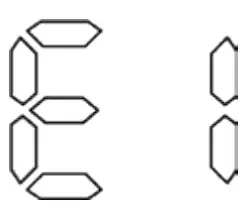 | No valve detected | Correctly mount the device on the radiator? Use the correct adapter |
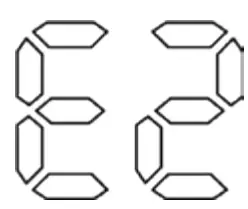 | Closing point not detected | Device correctly mounted on the radiator? |
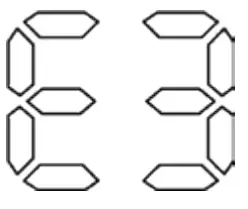 | Valve positioning not possible | Valve pin freely movable? |
CLEANING AND STORAGE
INFORMATION: NOTE RISK OF DAMAGE!
An incorrect handling of the thermostat can cause damage.
- Do not submerge the thermostat in water or other fluids.
- Do not use abrasive cleaning agents, brushes with metal or nylon bristles or sharp or metallic cleaning implements such as knife, a hardspatula etc.
- Clean the thermostat with a soft and dry cloth. Do not apply any pressure to the display
TECHNICAL SPECIFICATION
| Device name | Comet Zigbee |
| EAN | 4260012712438 |
| Article number | 700227 |
| Powery supply | 2 x 1,5V LR6/Mignon/AA |
| Radio frequence | 2,4 GHz |
| Transmitting power | +8dBm |
| Method of operation | Type 1 |
| Dimension (mm) | (B x H x T): 62x68x83 |
| Weight | 230g (incl. batteries) |
| Degree of protection | IP20 |
| Degree of pollution | 2 |
| Connection | M30 x 1,5mm |
SUPPORT AND CONTACT
For technical support please contact us by email or phon
Eurotronic Technology GmbH
Südweg 1 36396 Steinau – Ulmbach Germany
Telefon: +49 (0) 6667 91847-0
Email: [email protected]
Internet: www.eurotronic.org
WARRENTY
The warranty period is 24 months and starts on the day of purchase. Please keep the receipt as proof of purchase. During the warranty period, defective energy-saving controllers can be sent to the service address below with sufficient postage. You will then receive a new or repaired device back free of charge. Repair or replacement of the device does not start a new warranty period. Please note that we only guarantee the functions of the device, not the functionality between the interaction of the thermostat and the valve base. The application-related technical data are guaranteed only together with the valves Heimeier, Junkers Landys+Gyr, MNG, Honeywell Braukmann thread dimension (M30x1,5), Oventrop (M30x1,5) Danfoss RA, RAV and RAVL. The device combinations can be taken from our website (https://eurotronic.org/service/faq). When operating the thermostat with third-party valves/adapters that are not listed, the functionality must be ensured by the user. Eurotronic does not provide any warranty service in these cases. After the warranty period has expired, you also have the option of sending the defective device, with sufficient postage, to the address provided for the purpose of repair. Repairs carried out after the expiry of the warranty period are subject to a charge. Your statutory rights are not restricted by this warranty
LEGAL INFORMATION
Dispose of thermostat: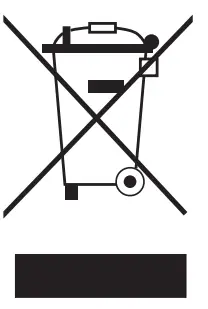 (Applicable in the European Union and other European countries with systems for separate collection of recyclable materials). Old devices must not be disposed of with household waste! If the thermostat can no longer be used, every consumer is required by law to dispose of old devices separately from household waste, e.g. at a collection point in his community/borough. This ensures that old appliances are recycled properly and that negative effects on the environment are avoided. This is why electrical appliances are marked with the symbol shown here.
Batteries and rechargeable batteries must not be disposed of with household waste! As a consumer, you are required by law to take all batteries and rechargeable batteries, whether they contain harmful substances* or not, to a collection point in your municipality/borough or to a retailer so that they can be disposed of in an environmentally friendly manner.
Dispose of packaging: Dispose of the packaging according to type. Put cardboard and carton in the waste paper collection, foils in the recyclables collection.
Konformitätserklärung: Eurotronic Technology GmbH hereby declares that the Comet Zigbee radiator thermostat is in compliance with Directive 2014/53/EU. The full text of the EU Declaration of Conformity is available at the following internet address: https://eurotronic.org/produkte/zigbee-heizkoerperthermostat.
*marked with: Cd = Cadmium, Hg = Mercury, Pb = Lead


 Home | EUROTRONIC Technology GmbH
 Zigbee | EUROTRONIC Technology GmbH