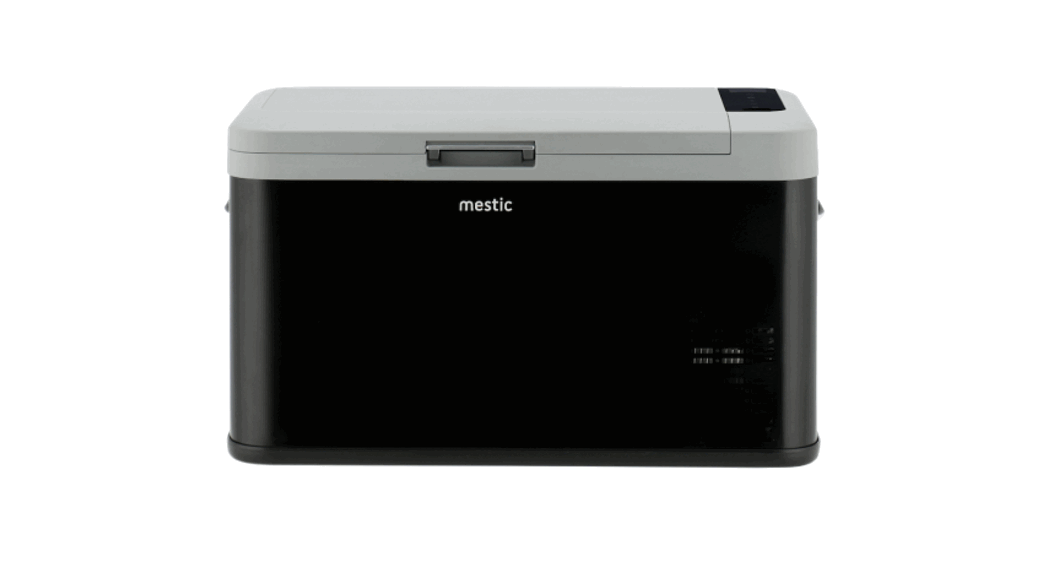
 Cool box compressor MCC-25 DC
Keep it COOL
Instruction Manual

Features
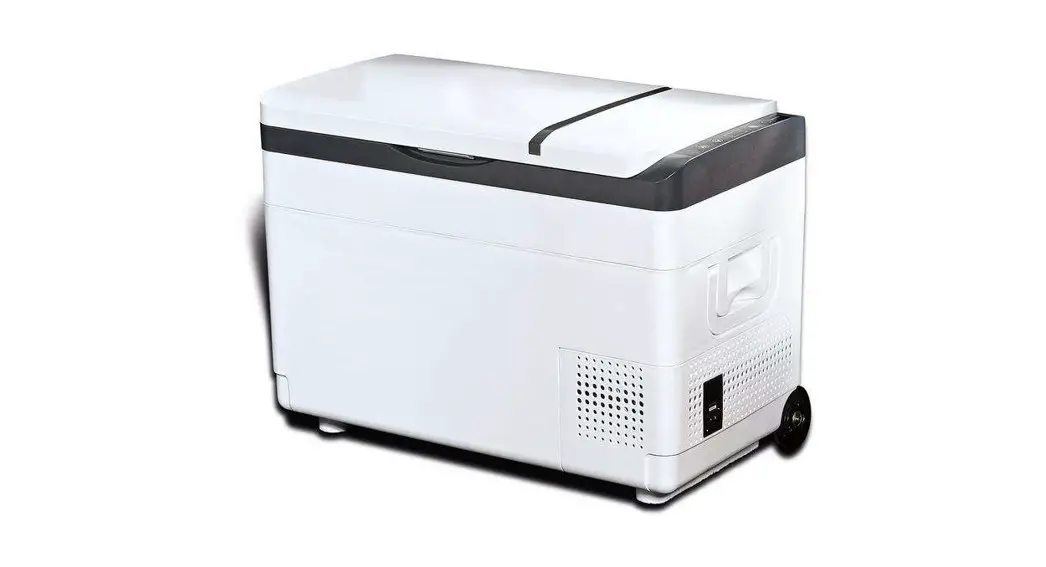
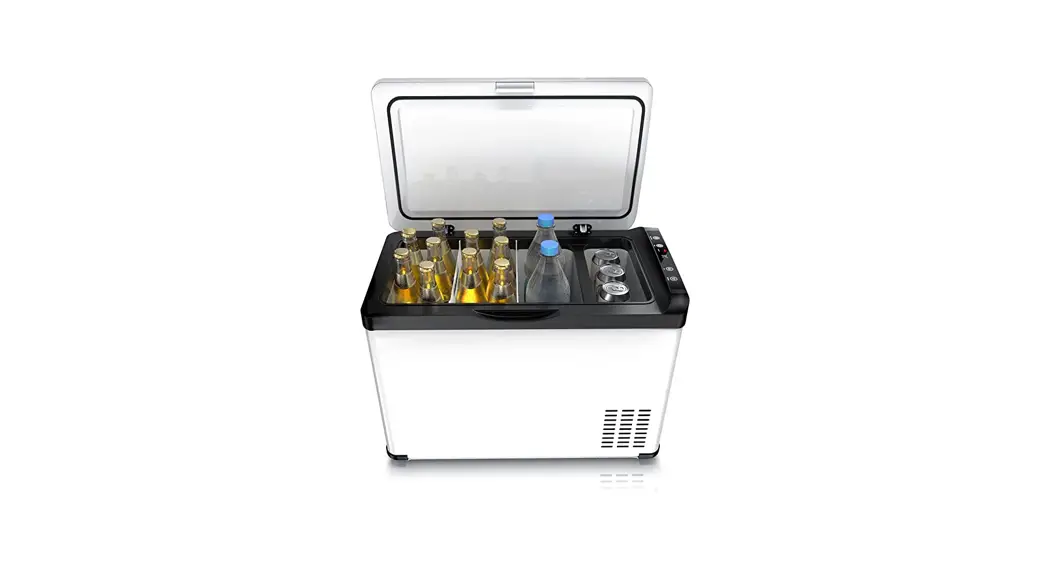
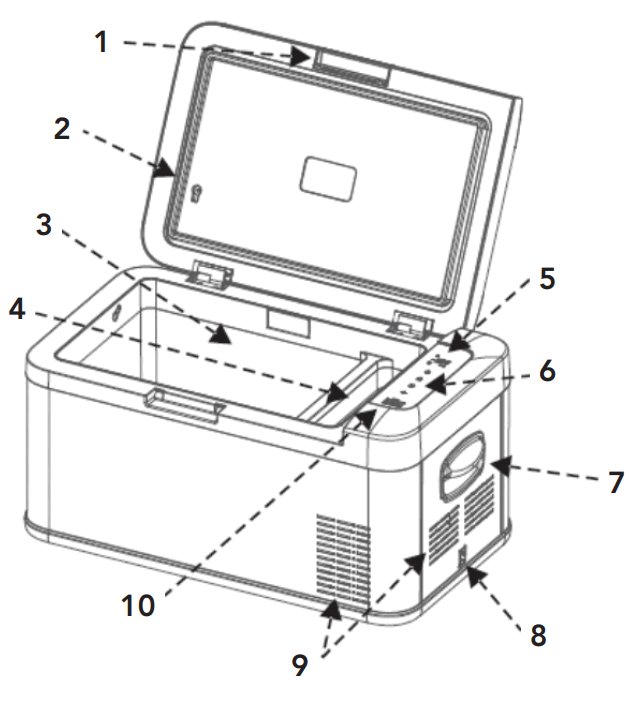
| 1. Lid handle 2. Sealing ring 3. Freezing area 4. Refrigerated area 5. Display | 6. Control panel 7. Handle 8. Cable connection 9. Ventilation 10. USB interface |
Delivery
- Cooler box
- Connection cable for 12V / 24V DC
- Instructions manual
General Safety Instructions
Read the operating instructions carefully before putting the appliance into operation and keep the instructions including the warranty, the receipt and, if possible, the box with the internal packing. If you give this device to other people, please also pass on the operating instructions.
General safety:
- Read the manual before use.
- If the conditions of use are not complied with, the manufacturer will not be liable for damage or injury resulting from the use of this device.
- Save the manual, the warranty certificate and the sales receipt.
- The use of this device is not permitted for young children. During use, someone must constantly supervise.
- Children must be supervised to ensure that they do not play with the device.
- This device is not intended for use by children up to 8 years of age and persons with limited physical, sensory or mental abilities or insufficient experience and knowledge, unless they are supervised or have received instructions on how to use the device by a person responsible is for their safety.
- The device must always be on a flat, stable and dry surface.
- Never use the appliance if it is visibly damaged or if there are breaks in the cord.
- In the event of damage to the appliance, the cord or the plug, never carry out repairs yourself. Always have this done by the manufacturer or a qualified technician.
- The device is not suitable for commercial use.
- Always use and store the device in a dry place.
- Never use accessories that are not recommended by the manufacturer.
- This device is only suitable for household use and for the purpose for which it is intended.
Safety in use
- Always remove the plug from the device when it needs to be maintained or cleaned.
- Never use the device in the vicinity of hot or hot objects.
- Prevent the device from coming into contact with rain.
- Do not place other electrical devices in the device.
- Do not place chemical or explosive agents in the device.
- Only use the DC 12V or 230V connection cable (not included). NOTE: never use both energy sources at the same time.
- Defrost the device regularly to ensure that the device functions optimally.
- Do not pull on the connecting cord, but pull on the plug to remove the cord from the socket.
- If the cool box is connected to the DC socket, disconnect your cool box and other consumers from the battery before you connect a fast charger
- If the cool box is connected to the DC socket; switch off the cool box or break the connection when you switch off the engine. The battery can be discharged otherwise.
- Pay attention! That the heat that arises during the operation of the cool box can be properly dissipated.
- Enough distance between product and objects and walls.
- Never immerse the device in water
- Ventilation slots are not covered at all times.
Accessories (not included with the shipment)
1502950 Mestic AC adapter for MCC-25 & 35 (220-240)
Use
- Remove all packaging materials from the device.
- Place the device on a flat and stable surface with at least 10 cm of free space on each side.
- Do not switch the appliance on immediately after you transport it, where the cool box has been tilted more than -30 °. This could cause damage to the cooling system. The device must first stand upright for 30 minutes so that the coolant can be collected again in the compressor. This prevents the compressor from running dry.
- Look at the above user conditions before use.
- For hygienic reasons, you must clean the inside and outside of the appliance with a damp cloth before using your cool box. (see paragraph
- Connect the cooler box.
Control panel
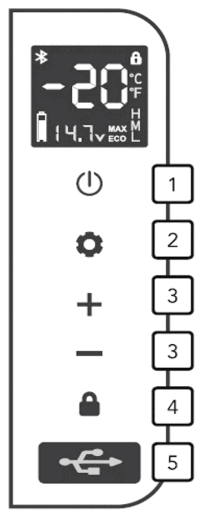
- Power ON/OFF: press to switch ON, long press for three seconds to switch OFF.
- Fast cooling / energy saving mode: In the unlocked state, press the set button to quickly switch between cooling mode MAX and energy saving mode ECO.
- Temperature adjustment: press the + or – button to adjust the temperature, the adjustment range is minus 20 degrees Celsius to 20 degrees Celsius; After the adjustment, the display will stop blinking after 3 seconds. The temperature is now set, after which the display jumps back to the current temperature.
- Screen lock / unlock: the control panel locks the screen automatically within 10 seconds without any touch, the screen displays this; press any button in the Lock screen status, theft flashes on the screen; press and hold the release button for 2 seconds to unlock
- USB charging port: 5V, 2.1A, for charging digital devices such as mobile phones and tablets
Battery power detection
The cooler box has the function of current detection of the battery voltage when the cooler box is switched on and the voltages below correspond to the following electrical quantity icons.
| NO. | 12V voltage | 24V voltage | Power display |
| 0 | U≤9.5 | U≤21.2 | 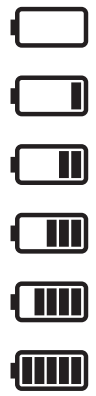 |
| 1 | 9.6≤U≤10.7 | 21.3≤U≤22.2 | |
| 2 | 10.8≤U≤11.2 | 22.3≤U≤24.5 | |
| 3 | 11.3≤U≤11.8 | 24.6≤U≤25.3 | |
| 4 | 11.9≤U≤12.5 | 25.4≤U≤26.0 | |
| 5 | U≥12.6 | U≥26.1 |
Battery check
- Battery protection function for the cooler with three-class battery protection function, can automatically check the battery voltage of the vehicle, before the electricity consumption will affect the normal functions of the car.
The cool box will stop automatically to ensure that the car’s battery does not run out. - Method for adjusting the battery protection: Unlock the cool box by holding down the release button after which you press and hold SET for 3 seconds to show the current battery protection position of the refrigerator.
By tapping the SET button, it is adjusted to the desired H-class, M-middle or L-layer. The factory setting is H - Battery protection voltage parameter value and the remaining power is displayed on the screen.
| Settings | 12V voltage | 24V voltage | Remaining battery display | ||
| Disconnection voltage | Reconnection voltage | Disconnection voltage | Reconnection voltage | ||
| L-low | 9.6V | 10.9V | 21.3V | 22.7V | 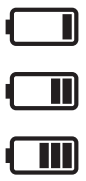 |
| M-middle | 10.8V | 11.4V | 22.3V | 23.7V | |
| H-high | 11.3V | 12.5V | 24.6V | 26.0V | |
Tip: It is recommended to set the H-class when the cool box is connected to a vehicle, otherwise the car’s battery may be too empty and affect the normal ignition of the car; When connecting the cool box to an external or backup battery, it is recommended to set the M-mid range so that the cool box can work longer.
Tip: Due to the difference in the output voltage of different cars, such as the car refrigerator, the input voltage is too low for normal cooling (the error code on the screen shows F1), the battery protection equipment can be reduced by one
The meaning of the error code on the screen and how to deal with it
| Code | Type of error | Solution |
| Fl | Low battery protection | Charge the battery or lower the battery protection position |
| F2 | Fan overload protection | Turn off the power for 30 minutes and then restart. If it appears agaian, please contact the after sales staff |
| F3 | Compressor start – Frequently protection | Turn off the power for 30 minutes and then restart. If it appears agaian, please contact the after sales staff |
| F4 | The compressor speed is too low or the load is too large | Turn off the power for 30 minutes and then restart. If it appears agaian, please contact the after sales staff |
| F5 | Control module overheat protection | Place the cool box in a well-ventilated place, turn it off for 30 minutes, and then restart it. If it appears again, please contact the after-sales staff |
| F6 | Controller hardware failure | Shut down and restart; if it appears again, please contact the after sales staff |
| F7 | Temperature head short deceit | Place the cool box in a well-ventilated place, turn it off for 30 minutes, and then restart it. If it appears again, please contact the after-sales staff |
| F8 | Temperature head open | Place the co. ol box in a well-ventilated place, turn it off for 30 minutes, and then restart it. If it appears again, please contact the after-sales staff |
Cleaning
- Before cleaning, remove the products from the device and remove the plug from the power supply. Only clean with a slightly damp cloth, if necessary a non-aggressive cleaning agent can be used. After cleaning, always dry all wet surfaces with a dry cloth.
- Never use sharp or abrasive products to clean the device.
- Defrost the cool box: frost can settle on the evaporator or inside of the cool box due to humidity, this can reduce the cooling capacity. The cool box must be defrosted in time. As follows
- Take the products out of the cool box
- Switch off the device
- Open the lid
- Sweep up the melt water or drain the melt water through the plug.
Recycling This product bears the selective sorting symbol for waste electrical and electronic equipment This means that this product must be handled pursuant to European Directive (2012/19/EU) in order to be recycled or dismantled to minimize its impact on the environment. For further information, please contact your local or regional authorities. Electronic products not included in the selective sorting process are potentially dangerous for the environment and human heath due to the presence of hazardous substances.
Declaration of conformity
Hereby Gimeg Nederland B.V. declares that the device MCC-25, applies all basic requirements and other relevant regulations listed in the European directive for electromagnetic compatibility (2014/30/EU) and low voltage directive (2014/35/EU). If you require a full declaration of conformity, you can contact the adress listed on the backside of this manual.
Technical product information
| Product name | MCC-25 |
| Volume | 25L |
| Climate classification | SN, N, ST, T |
| Refrigerant quantity | R1234yf (24g) |
| Foam vesicant | C5H10 |
| Net weight | 12kg |
| Main voltage | 12V / 24V |
| Rated current | 5.0A (12V) / 2.5A (24V) |
| Rated power | 45 W |
| Consumption of energy | 0,65 kWh |
Importer:
Gimeg Nederland B.V.
Strijkviertel 27
3454 PH De Meern
The Netherlands