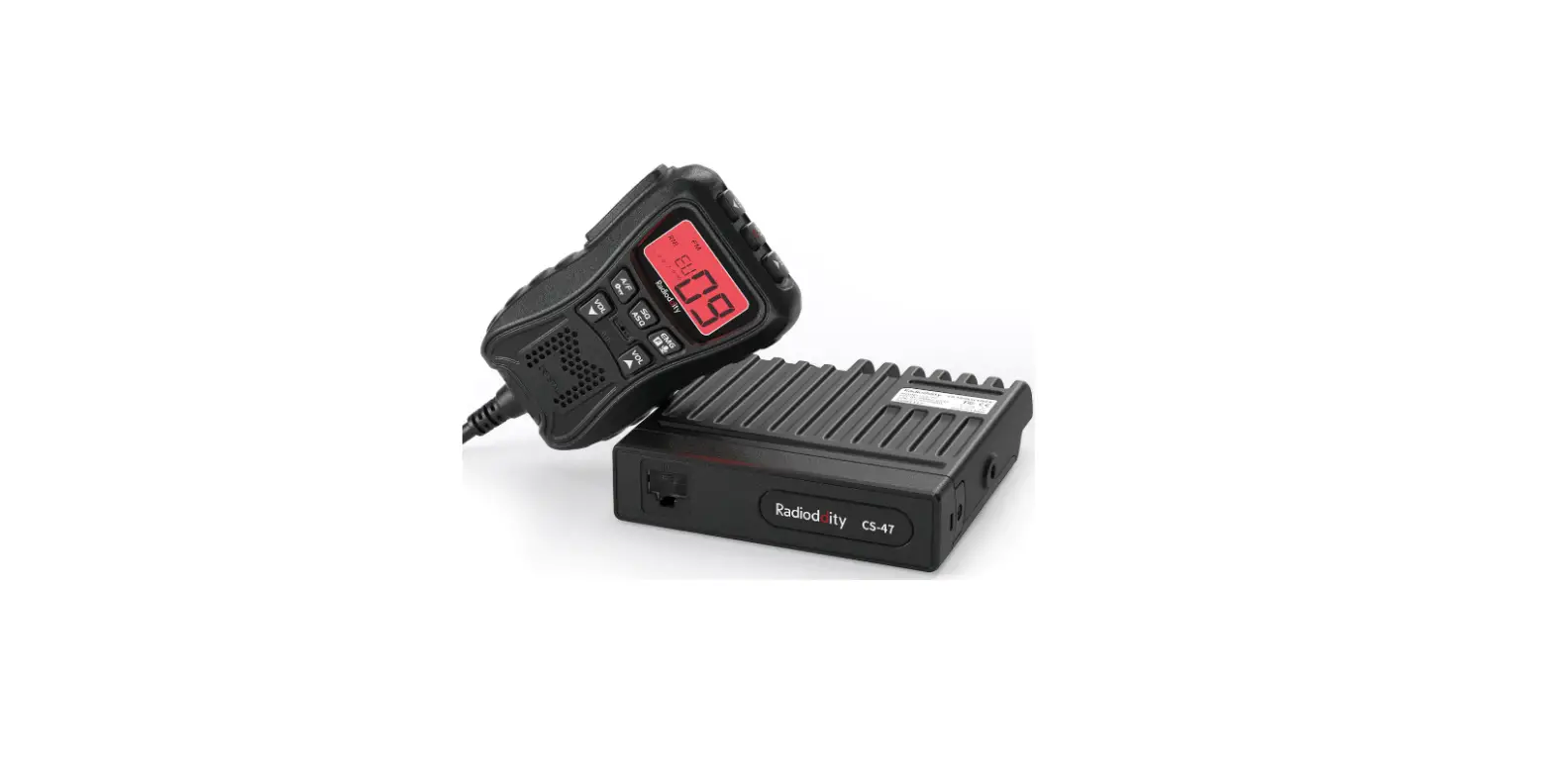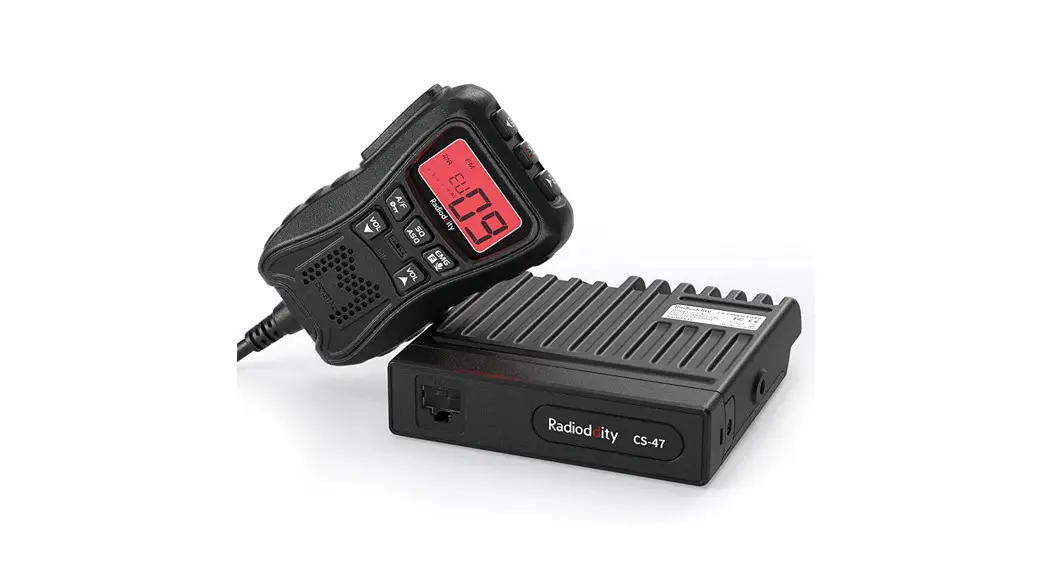

CS-47 One Hander CB Radio
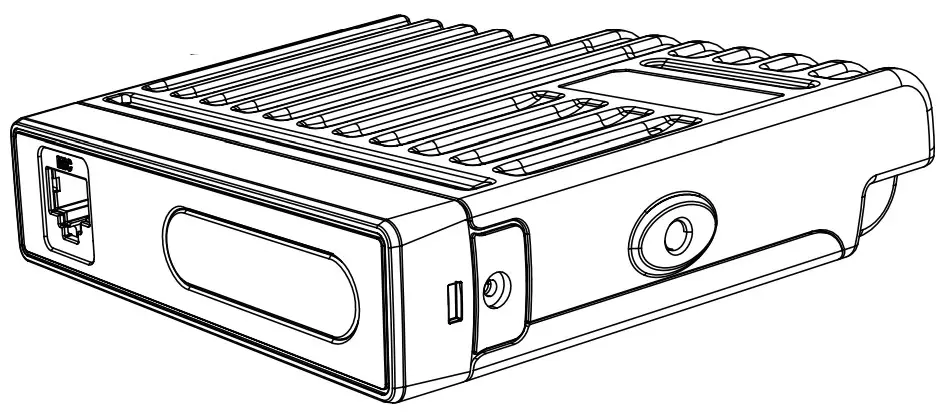 Instruction Manual
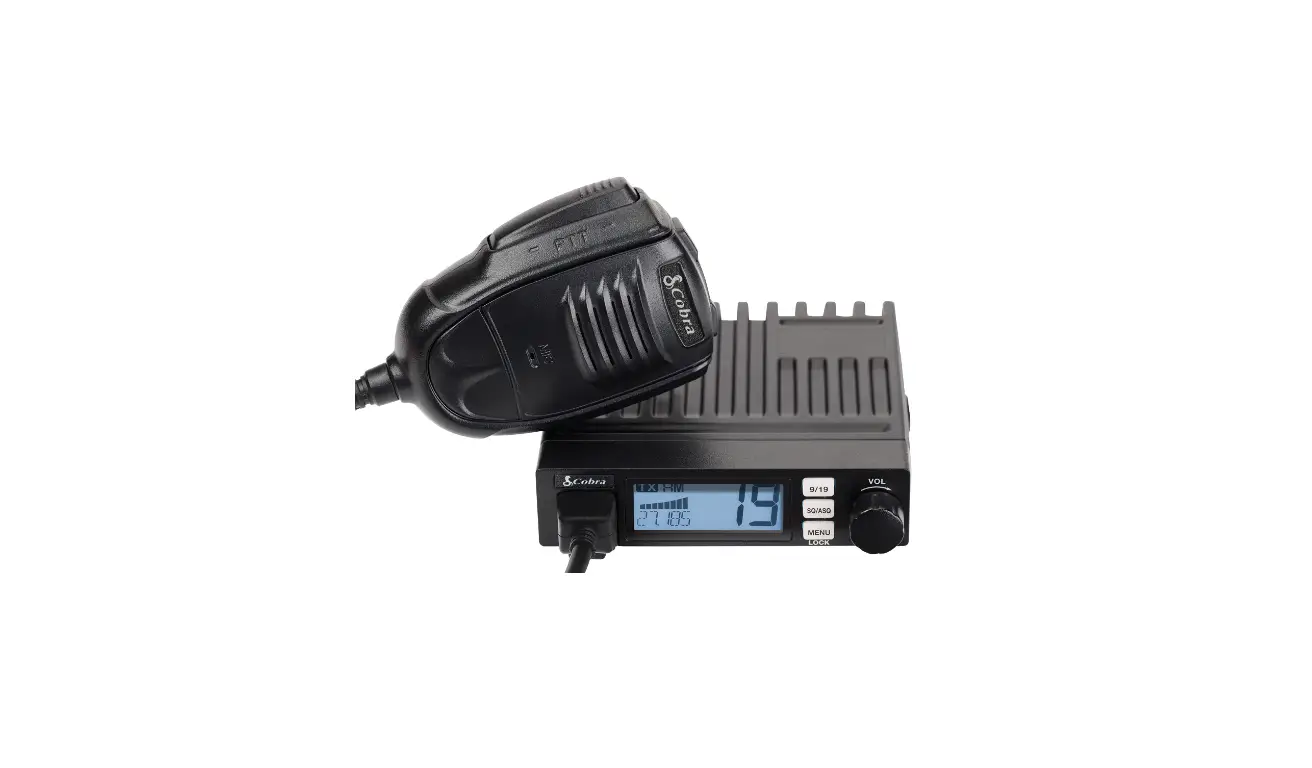
KNOW ABOUT THIS RADIO
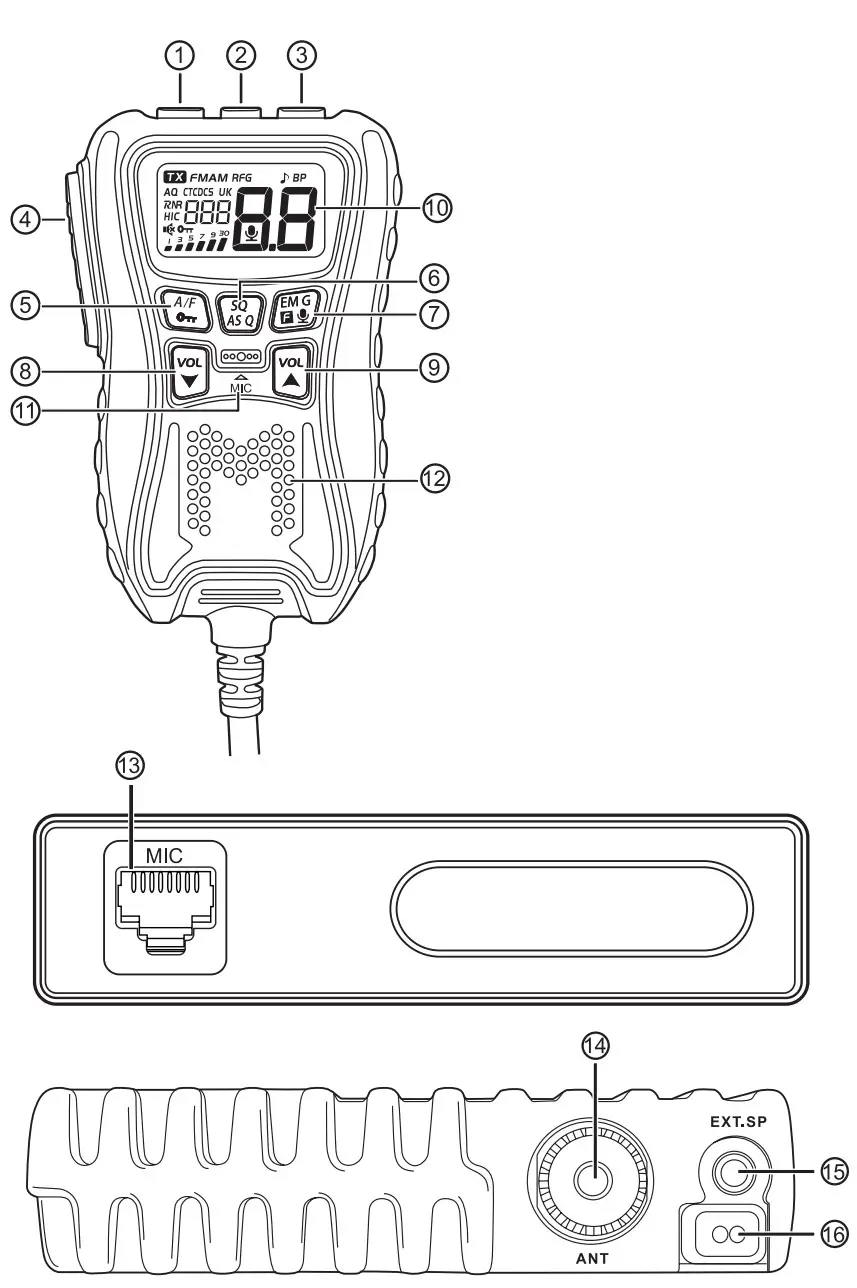
| 1 | Channel Down -‘ Scan On/Off |
| 2 | Power On/Off – Speaker Mute |
| 3 | Channel Up – Scan On/Off |
| 4 | PTT |
| 5 | Modulation Mode Select – Keypad Lock |
| 6 | Squelch Level Setting – SQ/ ASQ Switch |
| 7 | CH9/CH19 – VOX On/Off Menu |
| 8 | Decrease volume level |
| 9 | Increase volume level |
| 10 | LCD |
| 11 | Microphone |
| 12 | Built-in Speaker |
| 13 | Control Unit Connection Jack |
| 14 | Antenna Jack |
| 15 | External Speaker Jack |
| 16 | Power Cable |
HOW TO USE THIS RADIO
2.1 Power On/Off the Radio
- Short press
 key, the radio emit a prompt and LCD display on.
 - When the radio on, hold key until nothing appears on LCD and release key, the radio will power off.
 key, the radio emit a prompt and LCD display on.
2.2 Volume Control
- Short press
 or key t o adjust volume, LCD shows ” Lol xx ” for 2 seconds which means volume level.Total is 27 levels.
 - Hold key can fast increase volume level, hold key can fast decrease volume l e v e l .
 or
or 2.3 Mute Function
- Short press (Up key will fatly mute the speaker, appears on the LCD.
- Short press key again, the volume will resume t o previous volume level setting, disappears from the LCD.
2.4 Channel Control
- Short press
 or key t o choose channel.
 - Hold or key to choose channel fastly.
 or
or 2.5 Squelch Level Control
- Short press
 Fey key, until LCD shows “54. XX ” , Total is 34 levels, the bigger value stands for high squelch level.
 - Short press or key to change SQ level.
- Hold press or key can fast change SQ level.
- Short press key again or wait for 2 seconds to store and exit.
 Fey key, until LCD shows “54. XX ” , Total is 34 levels, the bigger value stands for high squelch level.
Note: The higher SQ level selected, the stronger signal required to open speaker and hear the calling.
2.6 ASQ Control
- Hold key, until LCD displays A Q , the ASQ function turned on. The LCD will shows ” AS9 XxxW ” , Total is 9 levels, the bigger value stands for high squelch level.
- Short press or key t o change ASQ level.
- Hold press or key can fast change ASQ level.
- Short press key again or wait for 2 seconds t o store and exit.
Note: The higher ASQ level selected, the stronger signal required to open speaker and hear the calling.
2.7 Mode Control
- Short press
 key t o switch between Fm / AM mode.
 - The LCD displays the selected mode.
 key t o switch between Fm / AM mode.
2.8 Keypad Lock
- Hold Ay key for over 3 seconds to lock the keys, appears on the LCD.
- Hold key for over 3 seconds again to unlock the keys, disappears from the LCD.
Note: In Lock Mode all keys except PTT is valid.
2.9 Emergency Channel
- Short press
 key to choose CH9, the channel number blinks on LCD.
 - Short press key again to choose CH19, the channel number blinks on LCD.
- Short press key third time to return t o last normal channel.
 key to choose CH9, the channel number blinks on LCD.
2 . 1 0 VOX
- Press and hold the [PTT] switch.
- Short press key to activate or deactivate the VOX function, appears on the LCD when the function is active.
2.11 Scan Function
- Press and hold or key for 7 seconds or until a beep sounds t o start scan function. The dot between the two channel digits flashes to indicate that the function is active.
- Short press or key t o change scan direction during scan;
- Press [PTT] switch t o exit scan function.
2.12 Frequency Band Selection
- Hold key while pressing key until full appears on LCD and release 2 keys, the current frequency band blinks on LCD;
- Short press or key to choose wanted frequency band;
- When the frequency band is selected, hold press wow key t o store and exit.
2.13 Install External Speaker
Choose a 160 external speaker with 3.5mm mono connector.
WARNING: The sound output mode of the machine is BTL output, and the two pins of the speaker cannot be connected of the ground net or the machine shell! Otherwise, there will be a large DC current flowing through the speaker, which will bum the speaker and components.
2.14 Menu Operations
- Long press key t o enter menu list.
- Short press or key to select menu t o be set.
- Short press key t o enter function setting parameter of the selected function, the parameter blinks on LCD.
- Short press or key to change the parameter.
- Short press key t o validate and stay in the MENU.
- Long press key or [PTT] key or wait 10 seconds t o store exit MENU.
| LCD Display | Function Detail | Setting Details |
 | Backlight color setting |  (red/default), (red/default), (green), (green), (blue), (blue), (cyan), (purple), (yellow), (cyan), (purple), (yellow), (white) (white) |
 | Beep sound |  : turn on beep sound (default) : turn on beep sound (default) :turn off beep sound :turn off beep sound |
 | RB sound setting | (default), nib – 195 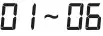 :turn off RB sound function :turn off RB sound function |
| LCD Display | Function Detail | Setting Details |
 | Mic gain control | Level: 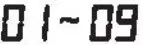 Default:  |
 | Scan type setting |  :squelch scan (default) :squelch scan (default) : time scan : time scan |
 | VOX sensitivity level setting | Level: Default:  |
 | VOX delay time setting | Level: Default:  |
 | RF gain level control | (default),  |
 | Time out timer |  Min MinDefault: |
 | HI-Cut setting | :turn on HI-Cut function :turn off HI-Cut function (default) |
 | TX noise reduction level setting | 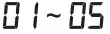  : turn off TX noise reduction function. : turn off TX noise reduction function.Default:  |
 | RX noise reduction level setting | :turn off RX noise reduction function. Default: |
2.15 CTCSS/DCS Set
- Long press key t o enter menu list.
- Short press or key t o select the CTCDCS menu.
- Short press key to validate, the code type blinks on LCD.
- Short press or key t o select the code type. oFF: stands for not set.
: stands for CTCSS tone.
: stands for DCS code. - Short press key t o confirm the code type. The code value flashes (unless selected)
- Short press or key t o select the code form 01 to 38 (3) for CTCSS and 01 to 100 to 104 (g4) for DCS)
- Short press key to confirm the selected code.
2.16 Resume Factory Default
- Long press key to enter menu list.
- Short press or key to select the “
 “menu.
 - Short press key to validate. ” ” blinks on LCD.
- Short press key until “ ” stops blinking.
- Release key, the radio automatically resented.
 “menu.
SPECIFICATION
| GENERAL | ||
| Modulation Mode | AM/FM | |
| Frequency Range | 26.965-27.405MHz | |
| Frequency Tolerance | ±5.0ppm | |
| Input Voltage | 13.2V | |
| Dimensions | 100x104x25mm | |
| Weight | 255g | |
| Ferquency Control | PLL Synthesizer | |
| Operating Temperature Range | -20°C to +50°C | |
| Current Drain | Transmit | 2A MAX |
| Receive | Squelched 0.3A | |
| VOL Max | 0.8A | |
| Antenna Connector | UHF, SO-239 | |
| TRANSMITTER | ||
| Power Output | 4 Watts FM/AM | |
| Transmission interference | inferior to 4nW(-54dBm) | |
| Frequency Response | 300-3000Hz | |
| Modulated signal distortion | inferior to 5% | |
| Output Impedance | 50 ohms | |
| RECEIVER | ||
| Sensitivity | Less than 1uV for 10dB(S+N)/N | |
| Image Rejection | 70dB | |
| Adjacent Channel Rejection | 60dB | |
| IF Frequencies | 1st 10.695MHz | |
| 2nd 455KHz | ||
| Automatic Gain Control(AGC) | Less than 10dB change in audio | |
| Output for inputs from 10 to 50000uV | ||
| Squelch | less than 1uV | |
| Audio Output Power | 1Watts | |
| Frequency Response | 300-3000Hz | |
Thank You for Shopping at Radioddity!
FIND TUTORIALS, SUPPORT AND MORE
https://www.radioddity.com/
https://www.facebook.com/radioddity
https://www.youtube.com/c/Radioddityradio