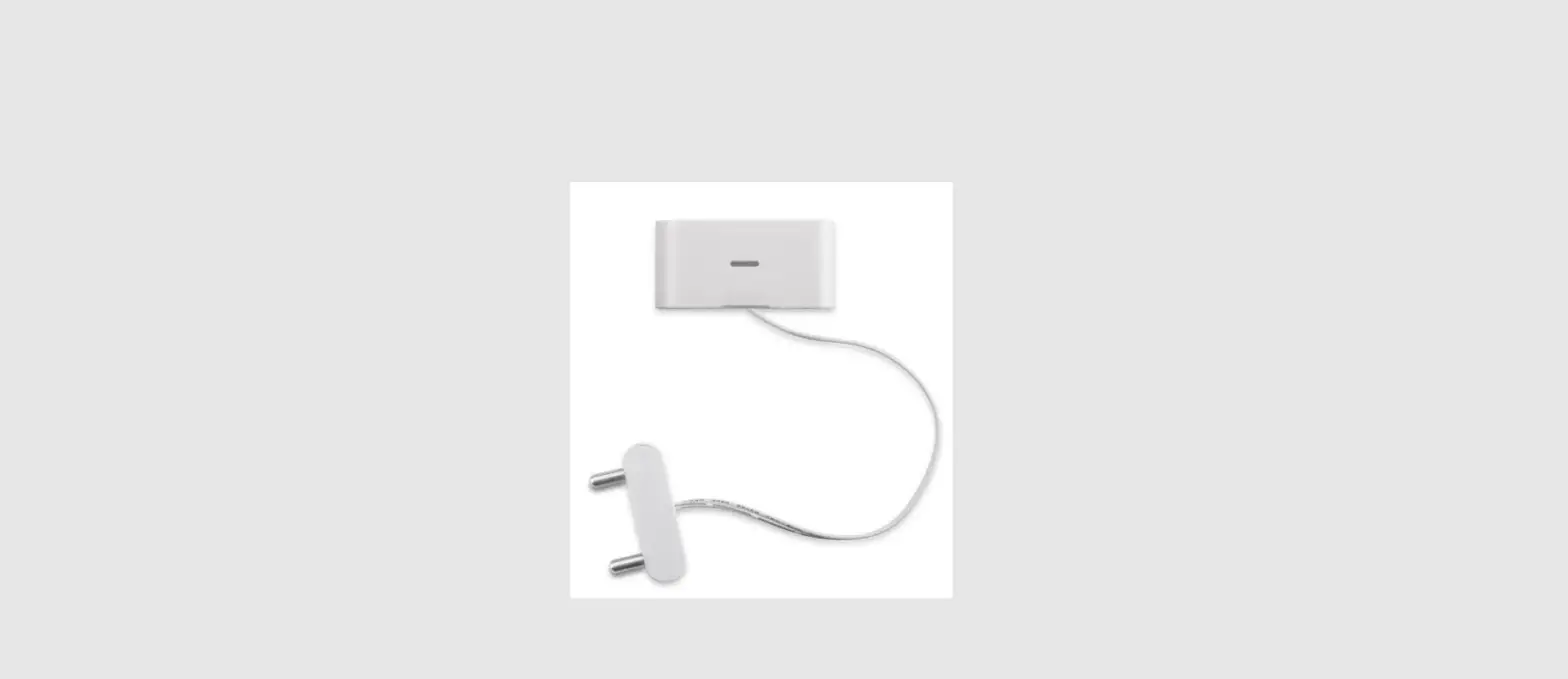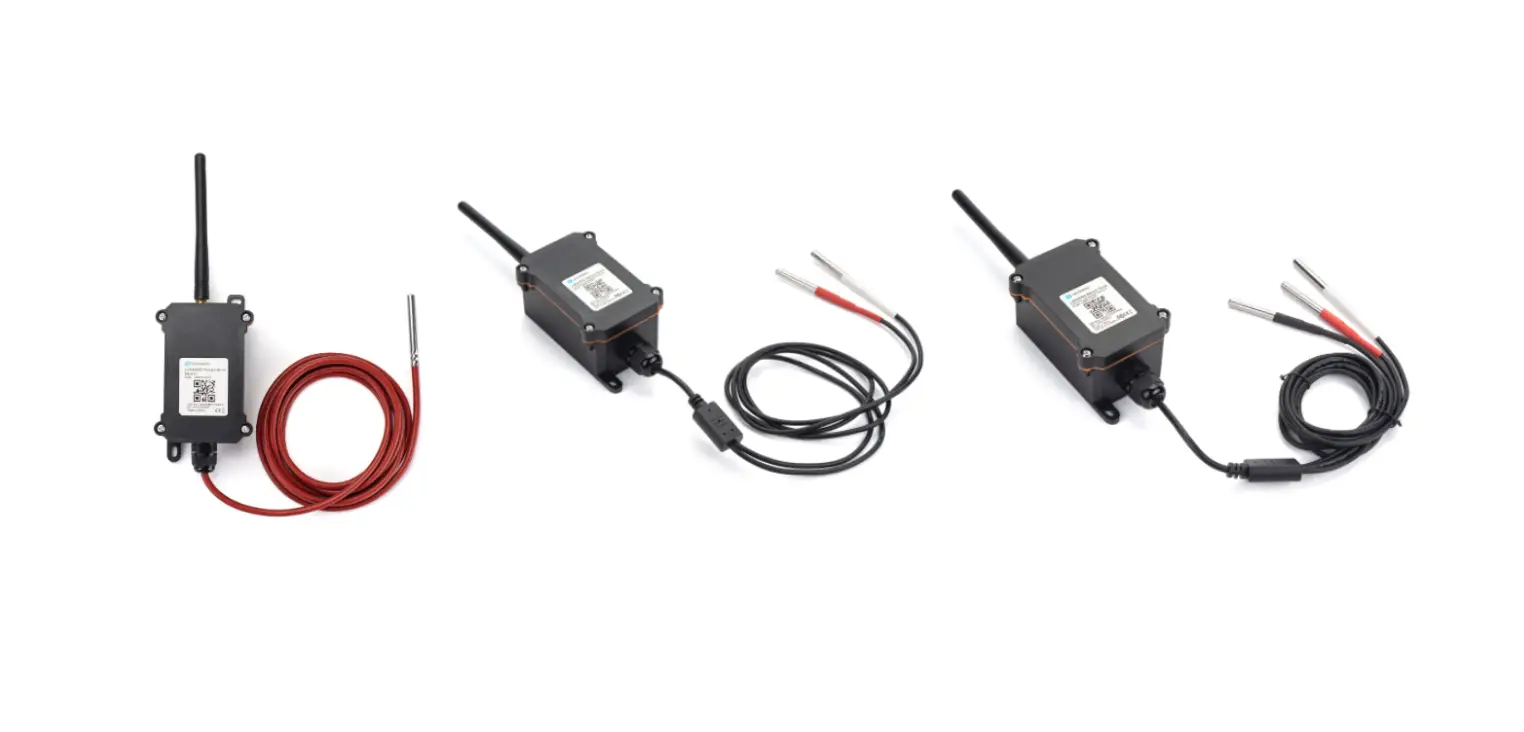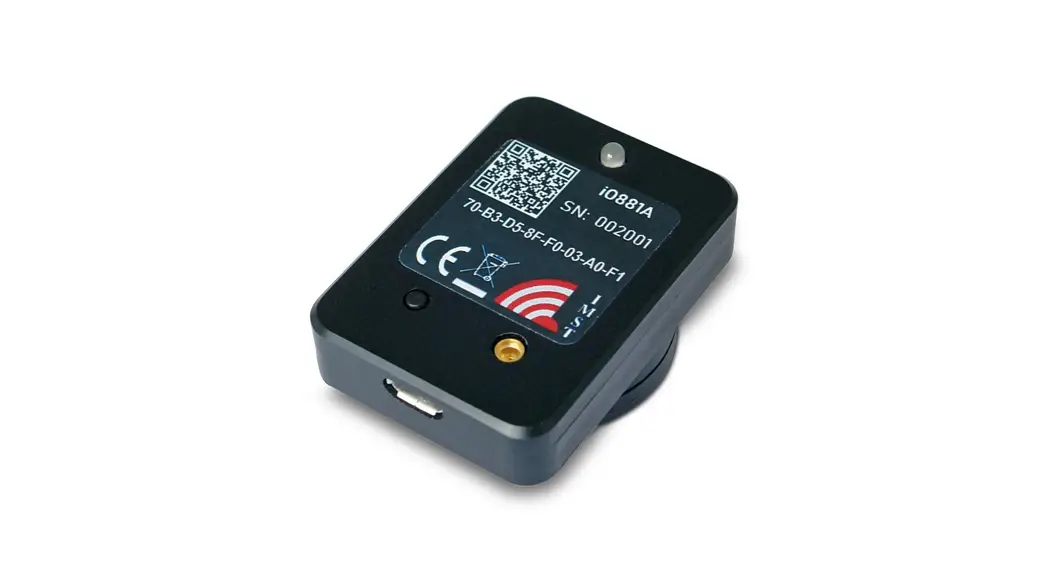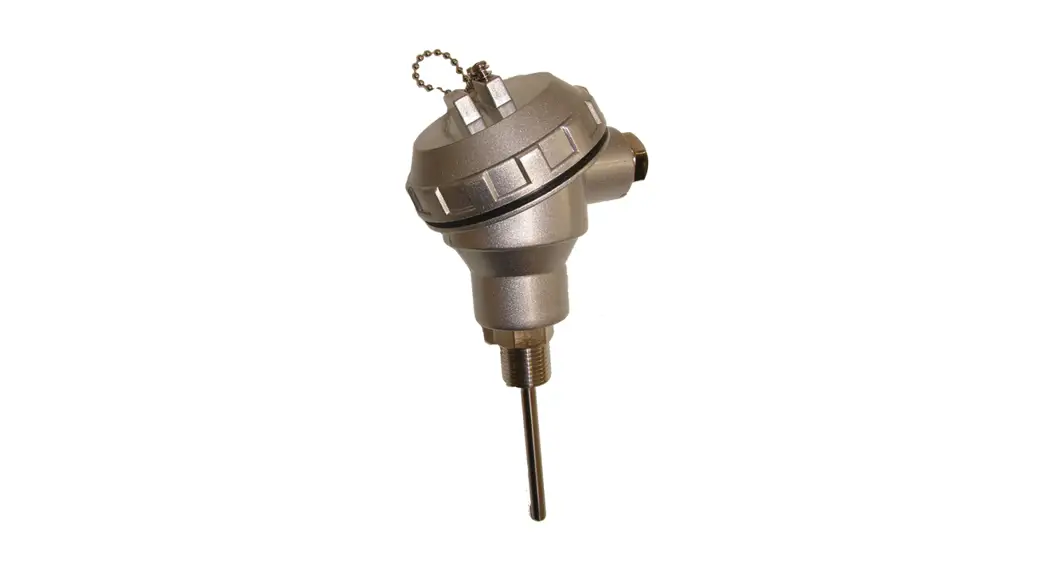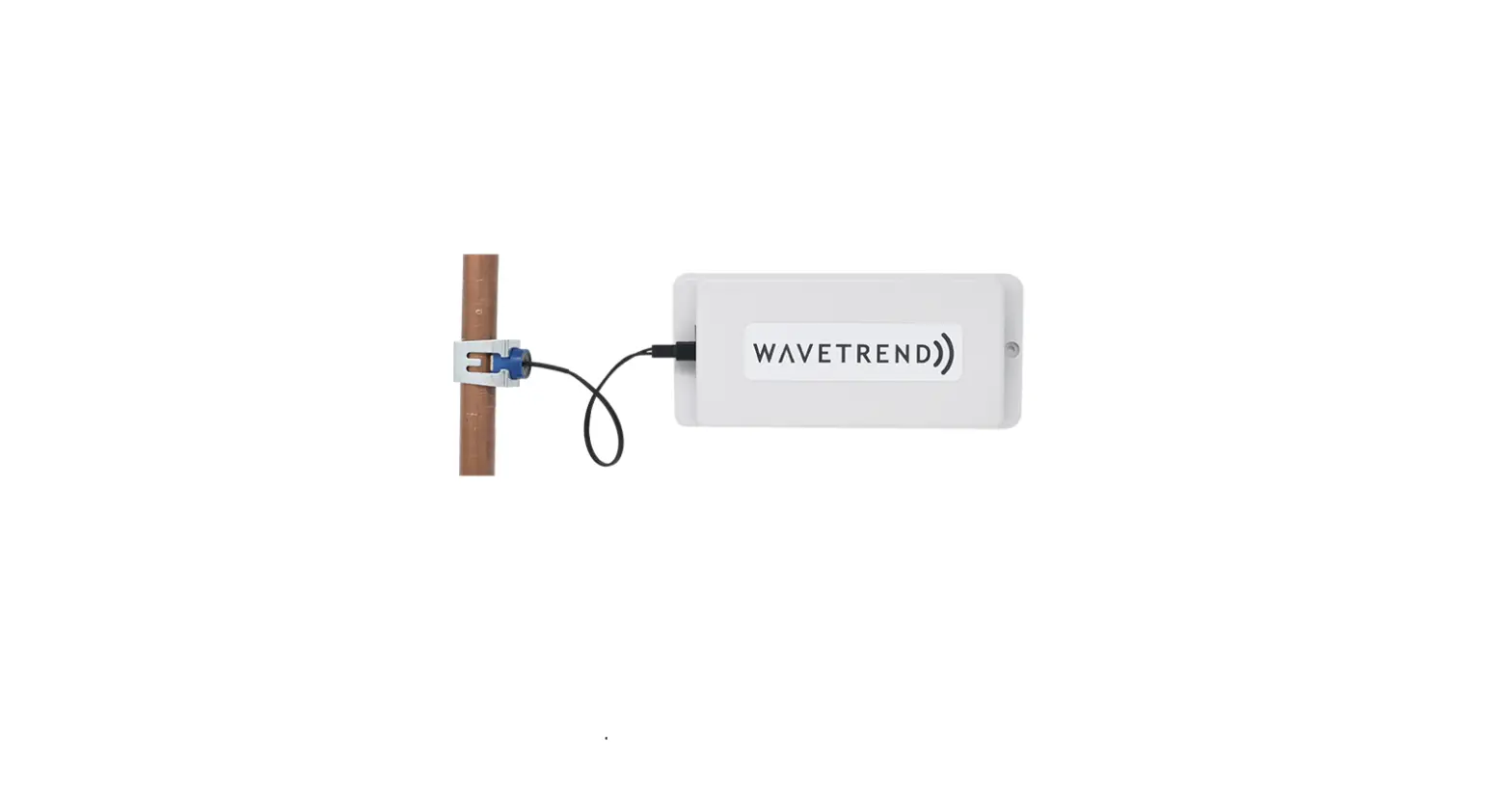
LoRaWAN Water Temperature Monitor

LoRaWAN Water Temperature Monitor – Integration Guide
Document Version 1.3
Produced by Wavetrend (Europe) Ltd
Wavetrend Europe Ltd
Barlavington Stud
Barlavington
Petworth
West Sussex
GU28 0LG
Phone: +44 (0) 330 223 2085
Copyright ♥ 2021 Wavetrend Europe Ltd. All rights reserved.
LoRaWAN Water Temperature Monitor – Integration Guide
Preface
Wavetrend’s LoRaWAN Water Temperature Monitor has been tested to work with the following Network Servers:
– The Things Network
– The Things Industries
– Loriot
This Guide provides message format details for the LoRaWAN Water Temperature Monitor and covers some detail of the requirements when using HTTP Push integration.
Each Network Server uses a proprietary format for the JSON payload conveyed in an HTTP Push. The critical fields for each are covered in this Guide.
Copyright © 2021, Wavetrend Europe Ltd. Document Version 1.3 Page 3 of 16
LoRaWAN Water Temperature Monitor – Integration Guide
Messages
General
The following section covers each message used by the system, and details each field. Field positions assume that data is HEX encoded, so 2 HEX characters per byte.
Message Types
The current firmware release for the device is v0.6.0 which supports the following message types and versions.
Type (hex) | Version (hex) | Direction | Message Description |
00 | 04 | From device | Installation Request |
01 | 02 | To Device | Device Configuration |
02 | 01 | From device | Installation Response |
03 | 01 | From device | Temperature Report |
05 | 00 | From device | Scald |
06 | 00 | From device | Freeze |
08 | 00 | From device | Sensor Error |
09 | 00 | From device | Error |
Copyright © 2021, Wavetrend Europe Ltd. Document Version 1.3 Page 4 of 16
LoRaWAN Water Temperature Monitor – Integration Guide
Install Request Message
This message is sent on device activation & thereafter at the configured “downlink days” to solicit clock sync and configuration update.
Field | Offset | Length | Type | Comment |
Message Type | 0 | 2 | uint8_t | ‘00’ |
Message Version | 2 | 2 | uint8_t | ‘04’ currently |
Sequence # | 4 | 2 | uint8_t | Increments for each message and wraps to 0 on overflow |
Device Time | 6 | 8 | uint32_t | Unix epoch time (This will be a small offset from 00:00:00 UTC on 1 January 1970 until first time sync after install) |
Nonce | 14 | 8 | uint32_t | Used for tracking Device Configuration message |
Battery Voltage | 22 | 4 | uint16_t | Battery voltage in mV i.e. Volts x 1000. Levels reported are: 3.30, 3.05, 2.83, 2.64, 2.44, 2.24, 2.04, 1.85. Green = OK, Orange = Warn, Red = critical. |
Sensor 1 Temp | 26 | 4 | uint16_t | Max uint16_t if not fitted (0xFFFF), or if fitted temperature to 1 DP decoded as follows: Temp = (value – 270) / 10 |
Sensor 2 Temp | 30 | 4 | uint16_t | |
Sensor 3 Temp | 34 | 4 | uint16_t | |
App Version | 38 | 2 | uint8_t | Device firmware version |
App Version Minor | 40 | 2 | uint8_t | |
App Version Build | 42 | 4 | uint16_t | |
Reset Reason | 46 | 4 | uint16_t | 1 = Firewall 2 = OBL 4 = Pin 8 = Power On 12 = Pin, Power On 16 = Software 32 = Watch Dog Timer 36 = Pin, Watch Dog Timer 64 = Windowed Watch Dog Timer 128 = Low Power |
Copyright © 2021, Wavetrend Europe Ltd. Document Version 1.3 Page 5 of 16
Device Configuration Message
LoRaWAN Water Temperature Monitor – Integration Guide
This downlink message is sent by the application server in response to the Installation Request message. Its purpose is to convey the configuration that device should use.
Field | Offset | Length | Type | Comment |
Message Type | 0 | 2 | uint8_t | ‘01’ |
Message Version | 2 | 2 | uint8_t | ‘02’ currently |
Sequence # | 4 | 2 | uint8_t | |
Device Time | 6 | 8 | uint32_t | Unix epoch time – provided to the Device to set the real time clock |
Nonce | 14 | 8 | uint32_t | Return the value provided in the Installation Request message |
Downlink Days | 22 | 2 | uint8_t | Number of days between config/time sync. Valid values are >= 1 and <= 30 |
Message Flags | 24 | 2 | uint8_t | Bit-mapped: Bit 0 = Scald message enable Bit 1 = Freeze message enable Bit 2 = reserved – set to 0 Bit 3 = reserved – set to 0 Bit 4 = reserved – set to 0 Bit 5 = history} see Temp Report Bit 6 = history} message |
Scald Threshold | 26 | 2 | int8_t | Threshold above which to trigger a Scald Alert message. Valid values are >= 0 and <= 100 |
Freeze Threshold | 28 | 2 | int8_t | Threshold below which to trigger a Freeze Alert message. Valid values are >= -27 and <= 10 |
Reporting Period | 30 | 4 | uint16_t | Temperature report period. Valid values are >= 1 and <= 10080 (1 min to 1 week) |
Sensor 1 Config | 34 | 2 | uint8_t | 0 = Disabled (Sensors 2&3 only) 1 = Hot Outlet 2 = Hot Outlet (Healthcare) 3 = Cold Outlet 4 = Cold Unit 5 = TMV / Blended 6 = Hot Unit Outlet (60°C) 7 = Hot Unit Return (50°C) 8 = Hot Unit Return (55°C) |
Sensor 2 Config | 36 | 2 | uint8_t | |
Sensor 3 Config | 38 | 2 | uint8_t |
Copyright © 2021, Wavetrend Europe Ltd. Document Version 1.3 Page 6 of 16
LoRaWAN Water Temperature Monitor – Integration Guide
Install Response Message
This message is sent in response to the Device Configuration downlink message.
Field | Offset | Length | Type | Comment |
Message Type | 0 | 2 | uint8_t | ‘02’ |
Message Version | 2 | 2 | uint8_t | ‘01’ currently |
Sequence # | 4 | 2 | uint8_t | Increments for each message and wraps to 0 on overflow |
Device Time | 6 | 8 | uint32_t | Unix epoch time |
Error | 14 | 2 | uint8_t | 0 = No Error 1 = Installed Sensor Disabled in Config 2 = Configured Sensor Not Installed 3 = Downlink Out of Bounds 4 = Invalid Message Flags 5 = Scald Threshold Out of Bounds 6 = Freeze Threshold Out of Bounds 7 = Reporting Period Out of Bounds 8 = Configuration Type Out of Bounds 9 = Miscellaneous Error 10 = Downlink Received Too Late 11 = Downlink Nonce Mismatch |
Copyright © 2021, Wavetrend Europe Ltd. Document Version 1.3 Page 7 of 16
LoRaWAN Water Temperature Monitor – Integration Guide
Temperature Report Message
This message provides temperature & flow report at the configured frequency.
Field | Offset | Length | Type | Comment |
Message Type | 0 | 2 | uint8_t | ‘03’ |
Message Version | 2 | 2 | uint8_t | ‘01’ currently |
Sequence # | 4 | 2 | uint8_t | Increments for each message and wraps to 0 on overflow |
Device Time | 6 | 8 | uint32_t | Unix epoch time |
Sensor 1 Min Temp | 14 | 2 | int8_t | Min temp for reporting period |
Sensor 1 Max Temp | 16 | 2 | int8_t | Max temp for reporting period |
Sensor 1 Flow Count | 18 | 2 | uint8_t | Count of flow events for the reporting period |
Sensor 1 Compliant | 20 | 2 | uint8_t | Count of compliant flow events for the reporting period |
Sensor 2 Min Temp | 22 | 2 | int8_t | |
Sensor 2 Max Temp | 24 | 2 | int8_t | |
Sensor 2 Flow Count | 26 | 2 | uint8_t | |
Sensor 2 Compliant | 28 | 2 | uint8_t | |
Sensor 3 Min Temp | 30 | 2 | int8_t | |
Sensor 3 Max Temp | 32 | 2 | int8_t | |
Sensor 3 Flow Count | 34 | 2 | uint8_t | |
Sensor 3 Compliant | 36 | 2 | uint8_t |
*Note that the fields from “Device Time” to “Sensor 3 Compliant” can be repeated for up to the last 2 historical report periods beyond the current to give an ability to recover from lost messages or WiFi network outages. This is configured using the “history” bits in the “Flags” field in the downlink message:
- Bits 5/6 = ‘00’ = no history
- Bits 5/6 = ‘01’ = 1 previous hour history
- Bits 5/6 = ‘10’ = 2 previous hours history
Integration will need to deal with de-duplication of data when using the history feature. This can be simply achieved by creating an SQL composite unique index on device ID, message time and sequence number columns in a target table.
Copyright © 2021, Wavetrend Europe Ltd. Document Version 1.3 Page 8 of 16
LoRaWAN Water Temperature Monitor – Integration Guide
Scald Message
This message is sent if enabled and the measured temperature exceeds the configured scald threshold. Message frequency is capped to 1 per hour.
Field | Offset | Length | Type | Comment |
Message Type | 0 | 2 | uint8_t | ‘05’ |
Message Version | 2 | 2 | uint8_t | ‘00’ currently |
Sequence # | 4 | 2 | uint8_t | Increments for each message and wraps to 0 on overflow |
Device Time | 6 | 8 | uint32_t | Unix epoch time |
Sensor | 14 | 2 | uint8_t | Sensor # that gave rise to the scald alert (1/2/3) |
Temperature | 16 | 2 | int8_t | Temperature at the point of scald detection |
Freeze Message
This message is sent if enabled and the measured temperature is less than the configured freeze threshold. Message frequency is capped to 1 per hour.
Field | Offset | Length | Type | Comment |
Message Type | 0 | 2 | uint8_t | ‘06’ |
Message Version | 2 | 2 | uint8_t | ‘00’ currently |
Sequence # | 4 | 2 | uint8_t | Increments for each message and wraps to 0 on overflow |
Device Time | 6 | 8 | uint32_t | Unix epoch time |
Sensor | 14 | 2 | uint8_t | Sensor # that gave rise to the freeze alert (1/2/3) |
Temperature | 16 | 2 | int8_t | Temperature at the point of freeze detection |
Copyright © 2021, Wavetrend Europe Ltd. Document Version 1.3 Page 9 of 16
LoRaWAN Water Temperature Monitor – Integration Guide
Sensor Error Message
This message is sent if the Device detects a sensor error – typically if a configured sensor is removed whilst the device is in use.
Field | Offset | Length | Type | Comment |
Message Type | 0 | 2 | uint8_t | ‘08’ |
Message Version | 2 | 2 | uint8_t | ‘00’ currently |
Sequence # | 4 | 2 | uint8_t | Increments for each message and wraps to 0 on overflow |
Device Time | 6 | 8 | uint32_t | Unix epoch time |
Sensor 1 | 14 | 2 | uint8_t | 0 = no error, 1 = error |
Sensor 2 | 16 | 2 | uint8_t | 0 = no error, 1 = error |
Sensor 3 | 18 | 2 | uint8_t | 0 = no error, 1 = error |
Error Message
This message is sent if the device detects an internal error.
Field | Offset | Length | Type | Comment |
Message Type | 0 | 2 | uint8_t | ‘09’ |
Message Version | 2 | 2 | uint8_t | ‘00’ currently |
Sequence # | 4 | 2 | uint8_t | Increments for each message and wraps to 0 on overflow |
Device Time | 6 | 8 | uint32_t | Unix epoch time |
Error # | 14 | 4 | uint16_t | 1 = Invalid 2 = Too Big 3 = No Data 4 = Invalid Protocol 5 = Bad Message 6 = No Space 7 = Message Size 8 = Name Too Long 9 = Busy, Try Again 10 = Network Unreachable |
Source File Name | 18 | 64 | uint8_t[32] | |
Source File Line # | 82 | 4 | uint16_t |
Copyright © 2021, Wavetrend Europe Ltd. Document Version 1.3 Page 10 of 16
LoRaWAN Water Temperature Monitor – Integration Guide
Network Server Integration
This section relates to the JSON payload conveyed when using HTTP Push (POST) integration.
Loriot
Typical JSON Payload
You will probably want to use the ‘rx’ record as is lower latency than the ‘gw’ record: 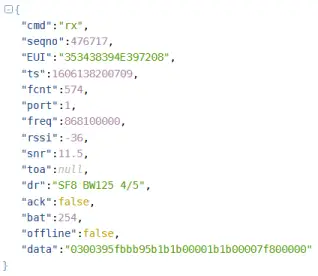
Key Data Fields
– ‘EUI’ – the device ID
– “data” – the device message. This is HEX encoded as per the message specifications in the previous section.
Copyright © 2021, Wavetrend Europe Ltd. Document Version 1.3 Page 11 of 16
LoRaWAN Water Temperature Monitor – Integration Guide
The Things Industries
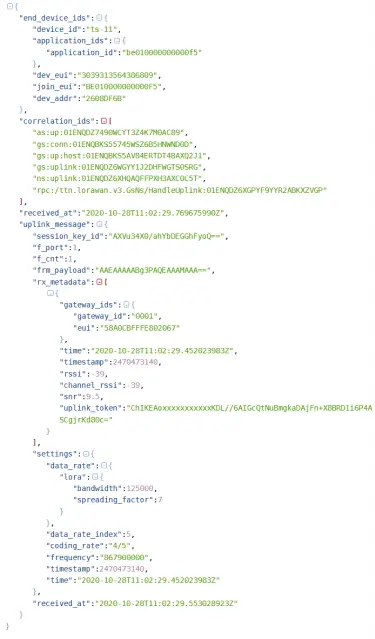
Typical JSON Payload
Copyright © 2021, Wavetrend Europe Ltd. Document Version 1.3 Page 12 of 16
LoRaWAN Water Temperature Monitor – Integration Guide
Key Data Fields
– “dev_eui” – the device ID
– “frm_payload” – the device message. This is Base64 encoded and so will need conversion to HEX for the contents to be relevant to the message specifications in the previous section. This can be easily achieved, for example if using PHP the function base64_decode().
Copyright © 2021, Wavetrend Europe Ltd. Document Version 1.3 Page 13 of 16
LoRaWAN Water Temperature Monitor – Integration Guide
The Things Network
Typical JSON Payload
 Key Data Fields
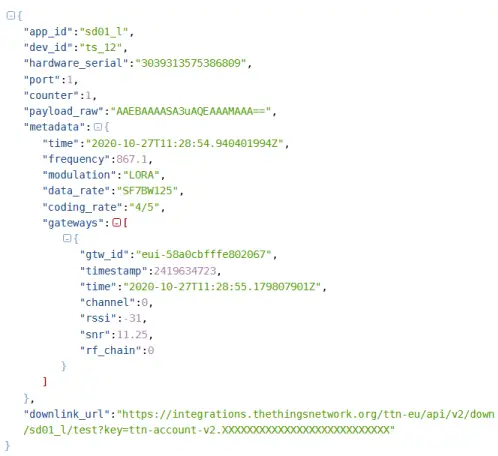
– “hardware_serial” – the device ID– “payload_raw” – the device message. This is Base64 encoded and so will need conversion to HEX for the contents to be relevant to the message specifications in the previous section. This can be easily achieved, for example if using PHP the function base64_decode().
Copyright © 2021, Wavetrend Europe Ltd. Document Version 1.3 Page 14 of 16
LoRaWAN Water Temperature Monitor – Integration Guide
Installation Message Exchange
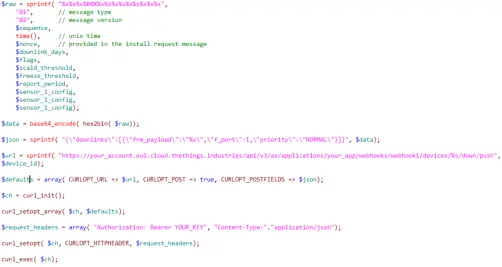
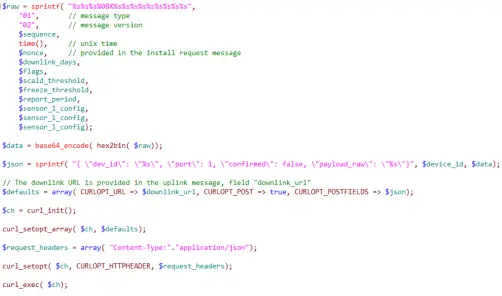
Whilst in service the device generally originates messages and the application server does not need to provide a response, however at activation there is a message exchange between device and application server that is designed to provide the device it’s configuration. This process needs to succeed for the device to be successfully installed.
An overview of the process is as follows:
- On activation the Device sends an Installation Request message (type HEX ‘00’) to the Application server.
- The Application Server must respond by scheduling a Device Configuration message (type HEX ‘01’) using the Network Server downlink mechanism. The Device Configuration message will contain the specific configuration for the device together with the ‘nonce’ value provided in the Installation Request message.
- The Device will respond to the Application Server with an Installation Response message (type HEX ‘02’). The Application Server should inspect the ‘error’ field of this message to determine success of the installation process.
Downlink Scheduling
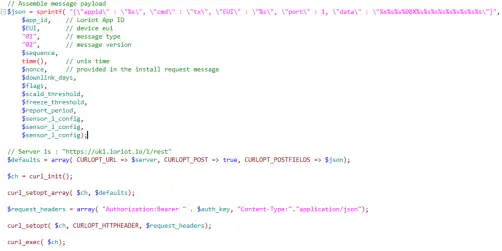
The method of scheduling a downlink is different for each Network Server, so following is some guidance for each. The samples are provided in PHP using Curl.
Loriot
 Copyright © 2021, Wavetrend Europe Ltd. Document Version 1.3 Page 15 of 16
LoRaWAN Water Temperature Monitor – Integration Guide
Loriot
The Things Network
 Copyright © 2021, Wavetrend Europe Ltd. Document Version 1.3 Page 16 of 16