UMxxxxx Evaluation Board
Product Information:
The KITPF5300SKTEVM evaluation board is designed by NXP
Semiconductors for engineers involved in the evaluation, design,
implementation, and validation of the PF5300. It allows OTP
programming of the PF5300 and basic power-up testing of a
programmed part.
Kit Contents:
- Refer to the user manual for a detailed list of kit
contents.
Additional Hardware:
- Requires additional hardware (not specified in the
extract).
Windows PC Workstation:
- Requires a Windows PC workstation with installed software.
Software:
- Installation of software is necessary to work with this
evaluation board. - Refer to the user manual for detailed instructions on
installing and configuring the software and tools.
Product Usage Instructions:
Getting Ready:
- Ensure you have the complete kit contents.
- Prepare any additional hardware required.
- Ensure you have a Windows PC workstation with the necessary
software installed.
Getting to Know the Hardware:
The KITPF5300SKTEVM evaluation board features various components
as shown in Figure 2. The connectors and jumpers on the board are
described in Table 1.
Installing and Configuring Software and Tools:
- To flash or update the GUI firmware, follow the instructions
below:- If the MCU firmware is already flashed, you can ignore this
section. - If you need to update the firmware or it is malfunctioning,
follow the instructions below:
- If the MCU firmware is already flashed, you can ignore this
- Flashing Freedom Board Firmware for Windows
7:
- Press the RST push button and connect the USB cable into the
SDA port on the Freedom Board. - Locate the file “nxp-gui-fw-frdmkl25z-usb_hid-pf5300_v0.3.bin”
or later from the package and drag and drop it into the FRDM_KL25Z
device.
10:
- Disable the storage services: Run the services, double click on
the storage service from the list, and press the stop button. - Press the RST push button and connect the USB cable into the
SDA port on the Freedom Board. - A new BOOTLOADER device should appear on the left pane of the
File Explorer. - Drag and drop the file “MSD-DEBUG-FRDM-KL25Z_Pemicro_v118.SDA”
into the BOOTLOADER device.
Note: The provided information is based on the text extract from
the user manual. For complete and accurate instructions, please
refer to the actual user manual for the KITPF5300SKTEVM evaluation
board.
UMxxxxx
KITPF5300SKTEVM Evaluation board Rev. 1.0 — January 31, 2023 User guide
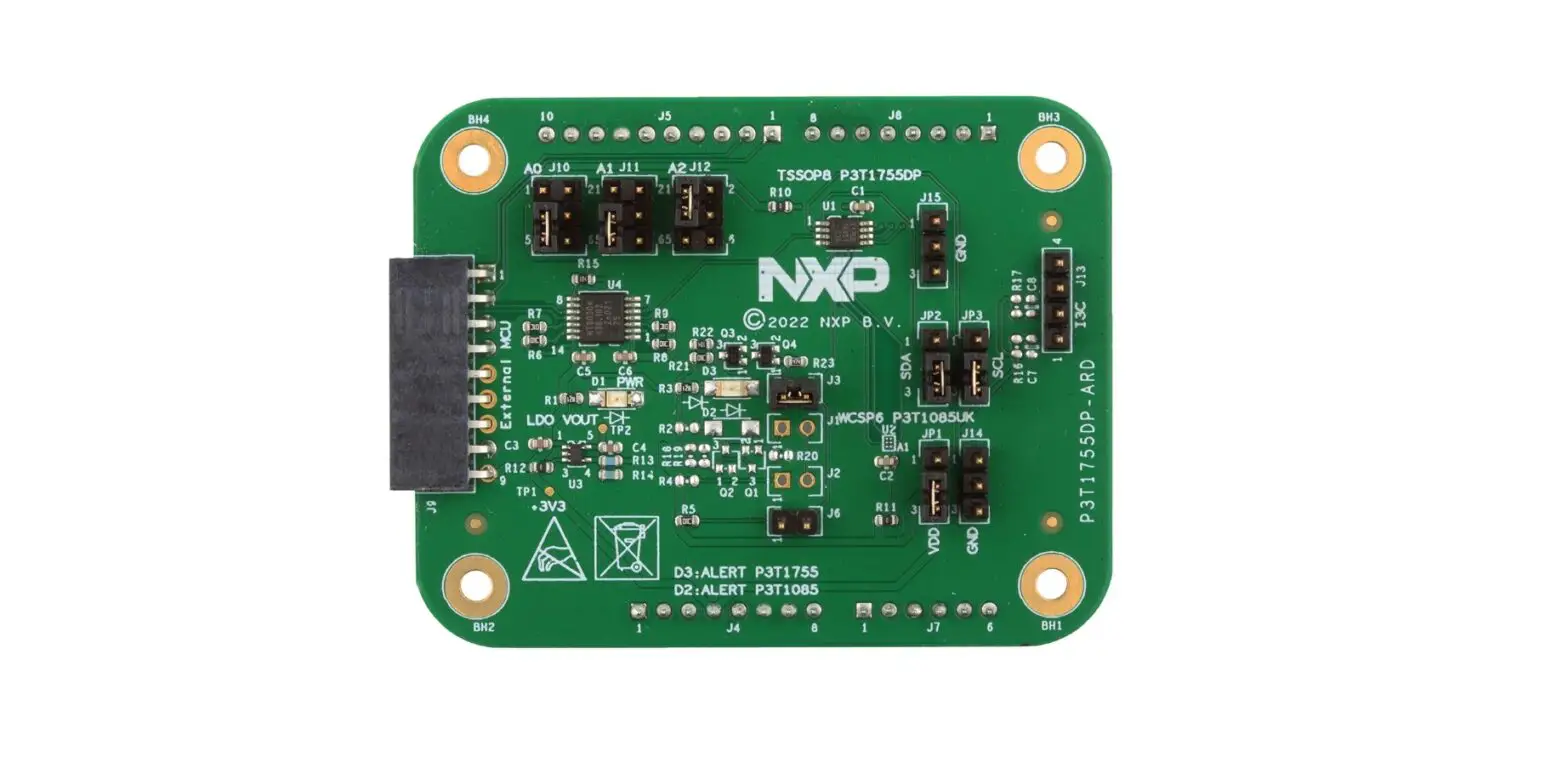
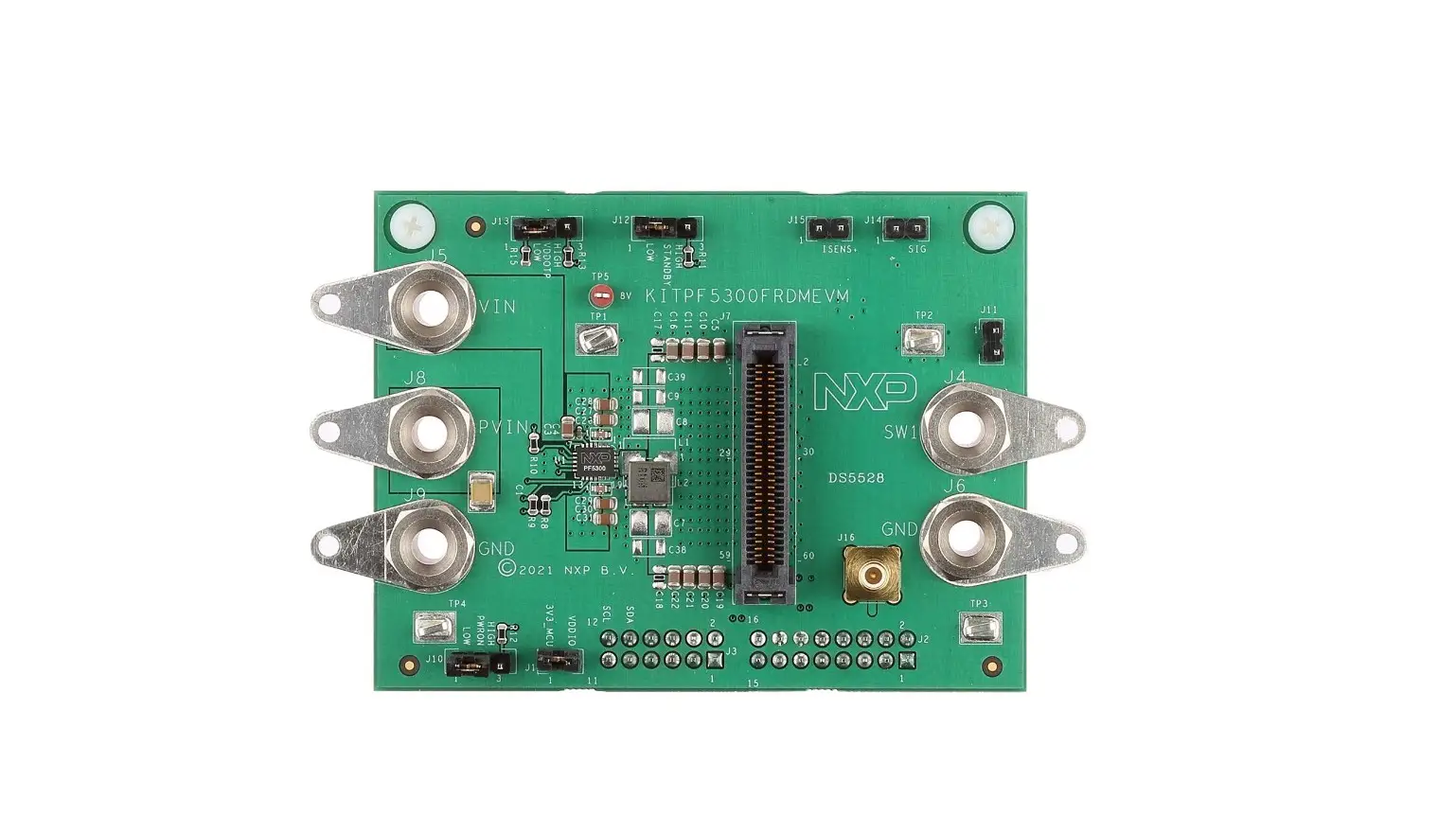
Figure 1 KITPF5300SKTEVM
Important Notice NXP provides the enclosed product(s) under the following conditions: This evaluation kit is intended for use of ENGINEERING DEVELOPMENT OR EVALUATION PURPOSES ONLY. It is provided as a sample IC pre-soldered to a printed circuit board to make it easier to access inputs, outputs, and supply terminals. This evaluation board may be used with any development system or other source of I/O signals by simply connecting it to the host MCU or computer board via off-the-shelf cables. This evaluation board is not a Reference Design and is not intended to represent a final design recommendation for any particular application. Final device in an application will be heavily dependent on proper printed circuit board layout and heat sinking design as well as attention to supply filtering, transient suppression, and I/O signal quality. The goods provided may not be complete in terms of required design, marketing, and or manufacturing related protective considerations, including product safety measures typically found in the end product incorporating the goods. Due to the open construction of the product, it is the user’s responsibility to take any and all appropriate precautions with regard to electrostatic discharge. In order to minimize risks associated with the customers applications, adequate design and operating safeguards must be provided by the customer to minimize inherent or procedural hazards. For any safety concerns, contact NXP sales and technical support services. Should this evaluation kit not meet the specifications indicated in the kit, it may be returned within 30 days from the date of delivery and will be replaced by a new kit. NXP reserves the right to make changes without further notice to any products herein. NXP makes no warranty, representation or guarantee regarding the suitability of its products for any particular purpose, nor does NXP assume any liability arising out of the application or use of any product or circuit, and specifically disclaims any and all liability, including without limitation consequential or incidental damages. Typical parameters can and do vary in different applications and actual performance may vary over time. All operating parameters, including Typical, must be validated for each customer application by customer’s technical experts. NXP does not convey any license under its patent rights nor the rights of others. NXP products are not designed, intended, or authorized for use as components in systems intended for surgical implant into the body, or other applications intended to support or sustain life, or for any other application in which the failure of the NXP product could create a situation where personal injury or death may occur. Should the Buyer purchase or use NXP products for any such unintended or unauthorized application, the Buyer shall indemnify and hold NXP and its officers, employees, subsidiaries, affiliates, and distributors harmless against all claims, costs, damages, and expenses, and reasonable attorney fees arising out of, directly or indirectly, any claim of personal injury or death associated with such unintended or unauthorized use, even if such claim alleges NXP was negligent regarding the design or manufacture of the part.
NXP Semiconductors
UMxxxxx
KITPF5300SKTEVM
1 Introduction
This document is the user guide for the KITPF5300SKTEVM evaluation board. This document is intended for the engineers involved in the evaluation, design, implementation, and validation of the PF5300.
This document covers connecting the hardware, installing the software and tools, configuring the environment and using the kit.
2 Getting ready
Working with the KITPF5300SKTEVM requires the kit contents, additional hardware and a Windows PC workstation with installed software.
2.1 Kit contents
· Assembled and tested evaluation board and preprogrammed FRDM-KL25Z microcontroller · 3.0 ft USB-STD A to USB-B-mini cable · Jumpers mounted on board
2.2 Additional hardware
In addition to the kit contents, the following hardware is necessary or beneficial when working with this kit. · Power supply with a range of 3.3V to 5.0V
2.3 Windows PC workstation
This evaluation board requires a Windows PC workstation. Meeting these minimum specifications should produce great results when working with this evaluation board. · USB-enabled computer with Windows 7 or Windows 10
2.4 Software
Installing software is necessary to work with this evaluation board.
· NXP GUI installation package
3 Getting to know the hardware
The KITPF5300SKTEVM provides a way to OTP programing the PF5300 and conduct basic power up testing of a programmed part. Loading of the DC-DC converter is not allowed.
UMXXXXX
User guide Preliminary Document
All information provided in this document is subject to legal disclaimers.
DRAFT Rev. 1.0 — January 31, 2023
© NXP B.V. 2019. All rights reserved.
NXP Semiconductors 4.1 KIT featured components
UMxxxxx
KITPF5300SKTEVM
Figure 2. Evaluation board featured component locations on top
Position J5 J8
J9, J6 J4 J12
J10
J13
J14
J15
J16 J1
Table 1. Connector and Jumper Description
Function EXT_8V VIN/PVIN
GND Output Voltage
STANDBY
PWRON Functional Control
VDDOTP Configuration
VDDOTP 8V Selection
PWRON Configuration
PWRON Connectivity VDDIO supply
Description
8V supply input needed for OTP programming Input power supply (3.3V) Ground Output Voltage 1-2: Default. STANDBY = GND 2-3: STANDBY = VDDIO Open: Default. PWRON controlled through J16. 1-2: PWRON = GND 2-3: PWRON = VDDIO Use only if J16 is open. Open: Default. Use for OTP programing. 1-2: Connect to ground. 2-3: Pull up to VDDIO. Use if trying XFAILB functionality 1-2: Do not apply EXT_8V to VDDOTP/XFAILB pin 2-3: Default. Apply 8V_EXT to VDDOTP/XFAILB pin Open: If evaluating XFAILB functionality Apply EXT_8V to PWRON pin via MCU control 1-2: Apply EXT_8V/2 to PWRON pin 2-3: Default. Apply EXT_8V to PWRON pin Open: PWRON controlled by J10 Closed: Default. PWRON controlled by J15/MCU. Closed: Default
UMXXXXX
User guide Preliminary Document
All information provided in this document is subject to legal disclaimers.
DRAFT Rev. 1.0 — January 31, 2023
© NXP B.V. 2019. All rights reserved.
NXP Semiconductors
5. Installing and configuring software and tools
5.1. Flashing or updating the GUI firmware
UMxxxxx
KITPF5300SKTEVM
The KITPF5300FRDMEVM is always delivered with the GUI firmware already flashed. If MCU firmware already flashed, you can ignore this section. If it is specified that you need to update the firmware or it is malfunctioning, you can follow these instructions:
a.FLASHING Freedom Board FIRMWARE for WINDOWS 7
Steps 1,2 is not required if BOOTLOADER is already loaded in the FRDM Board and its required to start from Step 3. 1. Press the RST push button and Connect the USB cable into the SDA port on the Freedom Board.
· A new “BOOTLOADER” device should appear on the left pane of the File explorer 2. Drag and drop the file “MSD-DEBUG-FRDM-KL25Z_Pemicro_v118.SDA” into the BOOTLOADER
drive · Note: Make sure to allow enough time for the firmware to be saved in the Boot loader
3. Disconnect and reconnect the USB cable into the SDA port · This time WITHOUT pressing the RST push button, FRDM_KL25Z device should appear on the left pane of the File explorer as pictured below.
4. Locate the file “nxp-gui-fw-frdmkl25z-usb_hid-pf5300_v0.3.bin” or later from the package and drag and drop the file into the FRDM_KL25Z device.
· Note: Make sure to allow enough time for the firmware to be saved. 5. Freedom board Firmware is successfully loaded. Disconnect and reconnect the USB cable into the
KL25Z USB port.
UMXXXXX
User guide Preliminary Document
All information provided in this document is subject to legal disclaimers.
DRAFT Rev. 1.0 — January 31, 2023
© NXP B.V. 2019. All rights reserved.
NXP Semiconductors
UMxxxxx
KITPF5300SKTEVM b. FLASHING Freedom Board FIRMWARE from WINDOWS 10
1. Disable the storage services: Run the services, double click on the storage service from the list and press the stop button
Steps 2 and 3 is not required if BOOTLOADER is already loaded in the FRDM Board and its required to start from Step 4. 2. Press the RST push button and Connect the USB cable into the SDA port on the Freedom Board.
a. A new “BOOTLOADER” device should appear on the left pane of the File explorer 3. Drag and drop the file “MSD-DEBUG-FRDM-KL25Z_Pemicro_v118.SDA” into the
BOOTLOADER drive a. Note: Make sure to allow enough time for the firmware to be saved in the Boot loader
4. Disconnect and reconnect the USB cable into the SDA port
· This time WITHOUT pressing the RST push button, FRDM_KL25Z device should appear on the left pane of the File explorer as pictured below.
· 5. Locate the file “nxp-gui-fw-frdmkl25z-usb_hid-pf5300_v0.2” from the package and drag and drop the
file into the FRDM_KL25Z device.
· Note: Make sure to allow enough time for the firmware to be saved 6. Freedom board Firmware is successfully loaded. Disconnect and reconnect the USB cable into the
KL25Z USB port.
UMXXXXX
User guide Preliminary Document
All information provided in this document is subject to legal disclaimers.
DRAFT Rev. 1.0 — January 31, 2023
© NXP B.V. 2019. All rights reserved.
NXP Semiconductors 5.2. Installing GUI software package
UMxxxxx
KITPF5300SKTEVM
To install the PF5300 NXP GUI Download or obtain the NXPGUI package, unzip an open 1NXP_GUI_Setup folder:
Then double click on the NXP_GUI_version-Setup.exe and follow the instructions.
When installation is finish you can search the application on the windows search bar as “NXPGUI_Dev” .
6. PF5300 NXP GUI Once your KIT is ready and the NXPGUI_Dev is installed Launch the KIT from your windows search bar and click to launch.
Once the NXP GUI is opened the below Kit Selection window is displayed, check for the following settings and select OK.
Figure 3. Kit Selection
To avoid the Kit Selection Window on every launch, you can check the box “Use this configuration and do not ask again”. The below window will Open.
UMXXXXX
User guide Preliminary Document
All information provided in this document is subject to legal disclaimers.
DRAFT Rev. 1.0 — January 31, 2023
© NXP B.V. 2019. All rights reserved.
NXP Semiconductors
UMxxxxx
7. OTP Programming Instructions
1. Ensure that jumpers in the board are configured per Table 1 2. Connect the FRDMKL25Z board to the socketed board. 3. Connect the mini-USB cable from the USB port of the KL25Z to the PC that will run the
GUI 4. Apply 8V to the EXT_8V connector J5. 5. Apply 3.3V to the VIN/PVIN connector J8 6. Open the GUI and click `Start’ in the top-left
7. Select `Test Mode’ from the menu selection as shown below and click Apply.
8. Go to the PROG tab in the left side selection 9. Select the programming source either from a script file, or to use the existing GUI
configuration 10. Click on the Program button to program the OTP fuses with the selected configuration.
To verify functionality of the programmed part: 1. Turn off EXT_8V. 2. Move J15 to 1-2. 3. Apply EXT_8V and check the output voltage.
UMXXXXX
User guide Preliminary Document
All information provided in this document is subject to legal disclaimers.
DRAFT Rev. 1.0 — January 31, 2023
© NXP B.V. 2019. All rights reserved.
NXP Semiconductors
8. Legal information
8.1. Definitions
Draft — The document is a draft version only. The content is still under internal review and subject to formal approval, which may result in modifications or additions. NXP Semiconductors does not give any representations or warranties as to the accuracy or completeness of information included herein and shall have no liability for the consequences of use of such information.
8.2. Disclaimers
Limited warranty and liability — Information in this document is believed to be accurate and reliable. However, NXP Semiconductors does not give any representations or warranties, expressed or implied, as to the accuracy or completeness of such information and shall have no liability for the consequences of use of such information. NXP Semiconductors takes no responsibility for the content in this document if provided by an information source outside of NXP Semiconductors. In no event shall NXP Semiconductors be liable for any indirect, incidental, punitive, special or consequential damages (including – without limitation – lost profits, lost savings, business interruption, costs related to the removal or replacement of any products or rework charges) whether or not such damages are based on tort (including negligence), warranty, breach of contract or any other legal theory. Notwithstanding any damages that customer might incur for any reason whatsoever, NXP Semiconductors’ aggregate and cumulative liability towards customer for the products described herein shall be limited in accordance with the Terms and conditions of commercial sale of NXP Semiconductors.
Right to make changes — NXP Semiconductors reserves the right to make changes to information published in this document, including without limitation specifications and product descriptions, at any time and without notice. This document supersedes and replaces all information supplied prior to the publication hereof.
Applications — Applications that are described herein for any of these products are for illustrative purposes only. NXP Semiconductors makes no representation or warranty that such applications will be suitable for the specified use without further testing or modification. Customers are responsible for the design and operation of their applications and products using NXP Semiconductors products, and NXP Semiconductors accepts no liability for any assistance with applications or customer product design. It is customer’s sole responsibility to determine whether the NXP Semiconductors product is suitable and fit for the customer’s applications and products planned, as well as for the planned application and use of customer’s third party customer(s). Customers should provide appropriate design and operating safeguards to minimize the risks associated with their applications and products. NXP Semiconductors does not accept any liability related to any default, damage, costs or problem which is based on any weakness or default in the customer’s applications or products, or the application or use by customer’s third party customer(s). Customer is responsible for doing all necessary testing for the customer’s applications and products using NXP Semiconductors products in order to avoid a
UMxxxxx
default of the applications and the products or of the application or use by customer’s third-party customer(s). NXP does not accept any liability in this respect.
Suitability for use in automotive applications — This NXP Semiconductors product has been qualified for use in automotive applications. Unless otherwise agreed in writing, the product is not designed, authorized or warranted to be suitable for use in life support, life-critical or safety-critical systems or equipment, nor in applications where failure or malfunction of an NXP Semiconductors product can reasonably be expected to result in personal injury, death or severe property or environmental damage. NXP Semiconductors and its suppliers accept no liability for inclusion and/or use of NXP Semiconductors products in such equipment or applications and therefore such inclusion and/or use is at the customer’s own risk.
Export control — This document as well as the item(s) described herein may be subject to export control regulations. Export might require a prior authorization from competent authorities.
Evaluation products — This product is provided on an “as is” and “with all faults” basis for evaluation purposes only. NXP Semiconductors, its affiliates and their suppliers expressly disclaim all warranties, whether express, implied or statutory, including but not limited to the implied warranties of non-infringement, merchantability and fitness for a particular purpose. The entire risk as to the quality, or arising out of the use or performance, of this product remains with customer. In no event shall NXP Semiconductors, its affiliates or their suppliers be liable to customer for any special, indirect, consequential, punitive or incidental damages (including without limitation damages for loss of business, business interruption, loss of use, loss of data or information, and the like) arising out the use of or inability to use the product, whether or not based on tort (including negligence), strict liability, breach of contract, breach of warranty or any other theory, even if advised of the possibility of such damages. Notwithstanding any damages that customer might incur for any reason whatsoever (including without limitation, all damages referenced above and all direct or general damages), the entire liability of NXP Semiconductors, its affiliates and their suppliers and customer’s exclusive remedy for all of the foregoing shall be limited to actual damages incurred by customer based on reasonable reliance up to the greater of the amount actually paid by customer for the product or five dollars (US$5.00). The foregoing limitations, exclusions and disclaimers shall apply to the maximum extent permitted by applicable law, even if any remedy fails of its essential purpose.
Translations — A non-English (translated) version of a document is for reference only. The English version shall prevail in case of any discrepancy between the translated and English versions.
8.3. Trademarks
Notice: All referenced brands, product names, service names and trademarks are the property of their respective owners.
NXP — is a trademark of NXP B.V. SMARTMOS — is a trademark of NXP B.V.
UMXXXXX
User guide Preliminary Document
All information provided in this document is subject to legal disclaimers.
DRAFT Rev. 1.0 — January 31, 2023
© NXP B.V. 2019. All rights reserved.
NXP Semiconductors
Contents
1 INTRODUCTION……………………………………….. 2 2 GETTING READY ………………………………………. 2
2.1 KIT CONTENTS ……………………………………… 2 2.2 ADDITIONALHARDWARE ………………………….. 2 2.3 WINDOWS PC WORKSTATION ……………………. 2 2.4 SOFTWARE …………………………………………. 2 3 GETTING TO KNOW THE HARDWARE ………….. 2 4.1 KIT FEATURED COMPONENTS…………………….. 3 5. INSTALLING AND CONFIGURING SOFTWARE AND TOOLS…………………………………………………….. 4
UMxxxxx
5.1. FLASHING OR UPDATING THE GUI FIRMWARE……4 A. FLASHING FREEDOM BOARD FIRMWARE FOR WINDOWS 7 …………………………………………………4 B. FLASHING FREEDOM BOARD FIRMWARE FROM WINDOWS 10 ……………………………………………….5 5.2. INSTALLING GUI SOFTWARE PACKAGE ……………6
6. PF5300 NXP GUI………………………………………..6
7. OTP PROGRAMMING INSTRUCTIONS…………..7
8. LEGAL INFORMATION…………………………..8 8.1. DEFINITIONS…………………………………………8 8.2. DISCLAIMERS………………………………………..8 8.3. TRADEMARKS ……………………………………….8
CONTENTS ……………………………………………………9
Please be aware that important notices concerning this document and the product(s) described herein, have been included in section ‘Legal information’.
© NXP B.V. 2019. reserved.
All rights
For more information, please visit: http://www.nxp.com For sales office addresses, please send an email to: [email protected]
UMXXXXX
User guide Preliminary Document
All information provided in this document is subject to legal disclaimers.
DRAFT Rev. 1.0 — January 31, 2023
© NXP B.V. 2019. All rights reserved.
 Automotive, IoT & Industrial Solutions | NXP Semiconductors