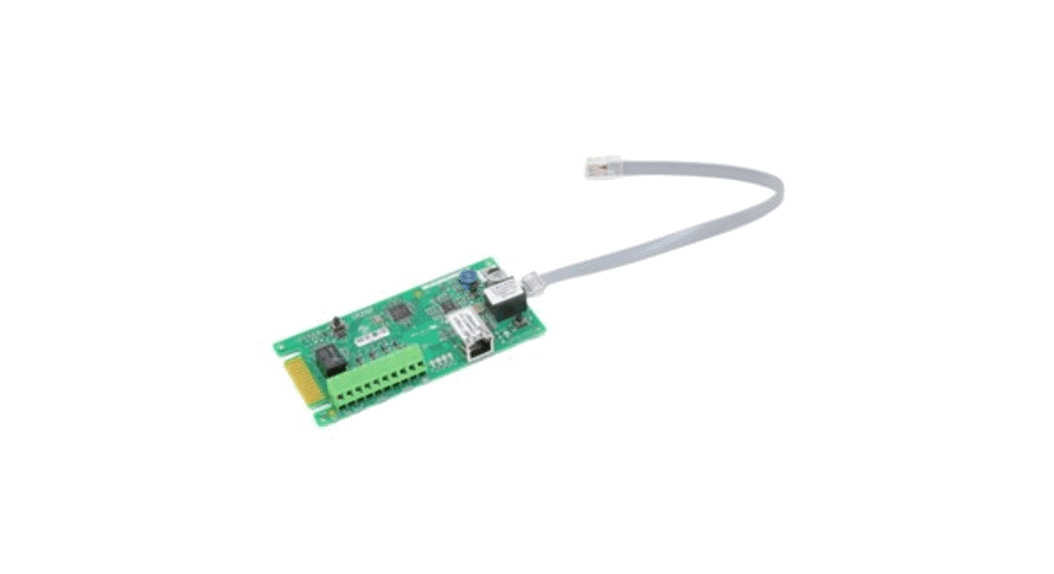
CLS-1 UltraSonic Clear LabelSensor
Product Information
This product is a multi-functional blender that can be used for
various food processing tasks such as blending, chopping, and
pureeing. It comes with a powerful motor and a range of attachments
to cater to different food preparation needs.
Key Features:
- Powerful motor with variable speed control
- Multiple attachments for different food processing tasks
- Large capacity blending jar
- Durable stainless steel blades
- Easy-to-use control panel with LED display
- Safety lock system for secure operation
Product Usage Instructions:
1. Before using the blender, ensure that all parts are properly
assembled and securely locked in place.
2. Place the desired ingredients into the blending jar, making
sure not to exceed the maximum capacity indicated.
3. Select the appropriate attachment for the desired food
processing task (e.g., chopping blade for chopping vegetables).
4. Adjust the speed control dial to the desired setting. Start
with a low speed for gentle blending and increase as needed.
5. Press the power button to start the blending process.
6. Monitor the progress and adjust the speed or pause as
necessary.
7. Once the desired consistency is achieved, turn off the
blender by pressing the power button.
8. Carefully remove the blending jar from the base and detach
the attachment for cleaning.
9. Clean all parts thoroughly with warm soapy water and dry
before storing.
Please refer to the user manual for more detailed instructions
and safety precautions.
SUPPLY VOLTAGE · 12 to 30 VDC · Polarity Protected Note: For use in Class 2 Circuits
CURRENT REQUIREMENTS · 95mA @ 12 VDC, 45mA @ 30 VDC
DIGITAL OUTPUTS · (1) NPN and (1) PNP open collector output 150mA Max; <2V Residual Voltage (Note: On CLSC-1M8, NPN & PNP are software selectable). · All outputs are continuously short circuit protected
REMOTE AUTOSET INPUT · Momentary sinking or sourcing input; 1.2mA max; Software Selectable
DIAGNOSTIC INDICATORS · OLED Graphic Display – Includes Contrast Indicator, Numerical Display, Set Point and Trigger Point, and all sensor options and modes. · Red LED Output Indicator Illuminates when the sensor’s output transistors are “ON”. Note: If output LED flashes on power up, a short circuit condition exists.
PUSHBUTTON CONTROL
Specifications · Three (3) push button controls
· Gap (for Gap AUTOSET)
· Label (for multi-layered labels)
· Menu (for accessing Options)
HYSTERESIS
· Dynamic adjusted by AUTOSET
RESPONSE TIME
· 200s REPEATABILITY
· 125s
AMBIENT TEMPERATURE
· 4°C to 50°C (39°F to 122°F)
RUGGED CONSTRUCTION
· Chemical resistant, high impact
Aluminum housing
· Waterproof ratings: NEMA 4X, 6P and
IP65 · Conforms to heavy industry grade CE
OUTPUT TIMERS · On Delay, Off Delay, One Shot, or
requirements
Debounce (Advanced Option, software
THRESHOLD SET
selectable).
· 1-Point, 2-Point, or Dynamic AUTOSET; CONNECTOR
manually or remotely. THRESHOLD ADJUST
· M12 5-Pin, M8 4-Pin, or 6′ (1.8m) Shielded Cable
· Manual or AUTO Adjust
RoHS Compliant Product subject to change without notice
Connections and Dimensions
Ultrasonic Clear Label Sensor
M8 & M8LE MODELS
CABLED MODELS
M12 MODELS
OUTPUT
OUTPUT
OUTPUT
T
4.181″ [106.20m m]
T
4.332″ [110.03m m]
T
4.522″ [114.86m m]
A A A
UTOSE GAP LABE L MENU
UTOSE GAP LABE L MENU
UTOSE GAP LABE L ME NU
M12 and Cable Wiring
Red Brown* (1)
W hite W hite* (2)
G reen Black* (4)
B lack Blue* (3)
Pos
LOAD
NPN (S ink)
PNP (S o u rce)
12 To 30 VDC
LOAD
Neg
M8 Wiring
Brown (1)
Pos
W hite (2) B lack (4)
Rem ote A u to s e t
O utput
LOAD
(2)
12 To 30 VDC (1)
Blue (3)
Neg
CLSC-1M8LE Wiring
Brown (1)
Pos
W hite (2) Black (4) Blue (3)
LOAD
NPN (S in k )
PNP (Source)
12 To 30 VDC
LOAD
Neg
B lue
Rem ote
G ray* (5) Autoset
(2)
(1) – NPN (SINKING) O UTPUT LO AD TERMINATED TO POSITIVE
PNP (SO URCING ) OUTPUT LOAD TERM INATED TO NEGATIVE
(2) – NPN (SINKING) INPUT ACTIVATED BY CO NNECTING TO NEGATIVE PNP (SO URCING ) INPUT ACTIVATED BY CONNECTING TO POSITIVE
M 12 M ale C o n n e ctor
2
1
5
3
4
1 – P ositive 2 – NPN 3 – N egative 4 – PNP 5 – R e m o te AUTOSET
* – S ensors w ith connectors
M 8 M ale C o n n e ctor
2
4
1
3
1 – P ositive 2 – Remote AUTOSET 3 – N egative 4 – Output
M 8 LE M a le C o n n e ctor
2
4
1
3
1 – P ositive 2 – NPN 3 – N egative 4 – PNP
1.110″ [28.2m m ]
2.022″ [51.4m m ] 1.944″ [49.4m m ]
1.441″ [36.6m m ]
Load
PNP
Load
NPN
0.551″ [14.0m m ]
Gry (5)
Blu (3)
Blk (4)
(1)
Brn
Wht (2)
0.158″ [4.0m m ]
0.767″ [19.5m m ]
2.767″ [70.3m m ] 3.113″ [79.1m m ] 3.893″ [98.9m m ]
4
M12 MODELS
M8 & M8LE MODELS
0.250″ [6.3m m ]
0.360″ [9.1m m ]
2X Ø0.205″ [2X 5.20m m ]
0.472″ [1 2 .0m m ]
0.360″ [9 .1m m ] 2X 6-32 M ounting Holes, 0.150″ [3.8mm] Deep
800-237-0946 · ttco.com
0.676″ [17.2m m ]
0.850″ [21.6m m ] 070-0210 Rev. 2
Installation Manual
Setup Instructions
Contrast Indicator
Label Position
Signal Strength
Locked
Threshold Number
Output ON Gap / Label
AUTO Adjust Mode
Simple Setup Start
Put the Gap
in view, press and hold the AUTOSET/GAP
button for two seconds, “Gap Set” will be
displayed when complete. This will result in
a perfect setup 99% of the time. If you have
any false triggers, put the Label in view,
push and hold the AUTOSET/LABEL button
for two seconds, “Label Set” will be
displayed when complete. This two-point
setup will create a new threshold setting
resulting in a more consistent signal span
between web and label.
Note: Sensor is shipped with a protective
plastic covering for the display. Remove
protective covering for clearer viewing.
Align Label to Arrow (above) Place the label web so that it is centered on the arrow. The arrow is where the transducers are aligned.
Align Gap to Line (right top) Place label gap in center of the sensor using the alignment line as shown on right. When viewing from the top of the sensor, use the output LED to center label gap.
Gentle Tension (right bottom) Place label webbing so that it slides along the bottom of the sensor gap plate. This will ensure a more consistent setup and performance.
OUTPUT INDICATORS Red LED illuminates when when outputs are ON
Flashes when short circuit or overload detected
AUTOSET/GAP _ BUTTON 1. Push and Hold with gap in view for 2 seconds
for AUTOSET. 2. Tap for UP on Contrast Indicator, or reduce
threshold. 3. Change settings in MENU options
AUTOSET/LABEL + BUTTON 1. Push and Hold with label in view after GAP
AUTOSET on rare occasions when labels have multiple layers. 2. Tap DOWN on Contrast Indicator, or increase threshold. 3. Change settings in MENU options
OLED NUMERICAL DISPLAY
1. 1 to 10 bar Contrast Indicator
2. Numerical display for threshold and feedback number
3. Options Status Display: Button Lock or Unlock ( ); auto adjust on/off (AUTO); output in Gap( ) or on Label ( ).
4. View Menu Options
MENU BUTTON
1. Scroll through MENU options
2. Hold during power up for additional Menu Options; Timer and Factory Diagnostics (sensor scope)
P.O. BOX 25135, TAMPA, FL 33622-5135
813-886-4000 / 800-237-0946
ttco.com / [email protected]
1
Press Menu for Detailed Setup
Press press
either either
the the
_ or _ or
++
button button
to to
start a Dynamic complete.
Set;
pull
labels
and
gaps
through
sensor;
Sensor exits to run mode and should be setup and ready for operation.
Change from off to on by momentarily pressing either the _ or + button. The Auto adjust evaluates signal levels and makes automatic adjustments to keep the sensor in optimum
response levels.
Change from GAP ( ) to LABEL ( ) by momentarily pressing either the _ or + button. Output will toggle back and forth in this mode.
= Output on the Label = Output in the Gap
Momentarily press either the _ or + button to toggle orientation.
(**Advanced Option) PRESS the + button
PRESS the _ button
Off Delay: Outputs stay on for set time after duration of input.
On Delay: Outputs turn on when input exceeds set time
One Shot: Outputs turn on for set time when triggered by input
Debounce: Outputs are stabilized and held in current state for duration of time setting
Momentarily press either the _ or + button to toggle from Lock ( ) to Unlock (no symbol). Useful for tamper-free operation.
PRESS the + button
PRESS the _ button
Run Mode
Dynamic Set
Remote Imput
Label Set
Factory Menu
Support
Hold – : Gap Set
Tap Menu Button
Tap 1x : Gap Set
Can be used after a
Hold Menu on Power Up
Tri-Tronics Tampa, FL
Hold + : Label Set
Tap +/- to Start
Tap 2x : Label Set*
Gap/Dyn Set to set
for more Options
www.ttco.com/cls
Tap +/- : Threshold
Advance 3+ Labels
Hold : Dynamic Set
max label thickness
Tap +/- to End
Support
Tri-Tronics Tampa, FL
Press
the
the
_
button
to
scroll
down
through
simple
setup
and
www.ttco.com/cls
[email protected] structions.
Press the the + button to scroll up.
(**Advanced Option)
This option allows the operator to visually inspect the current setup for repeatability. The sensor scope will also reveal any nominal setup issues or sensitivities to label or gap thickness changes. Momentarily press the _ button to shorten the time between signals. Momentarily press the + button to lengthen the time between signals.
How to Specify 1. Select Sensor:
Ultrasonic Clear Label Sensor
2. Select Cable: Blank = 6′ (1.8m) Cable C = Connector M12, 5-Pin (Standard)
3. Select Connector:
-1 = Standard M12 Connector, see #2 Includes both NPN and PNP
-1M8 = M8, 4-Pin Connector NPN/PNP Software Selectable
-1M8LE = Wired like LER
Example:
Ultrasonic Clear Label Sensor
Blank = 6′ Cable C = Connector
-1 -1M8 -1M8LE
CLS C -1
Advanced Options
To access Advance Options, press and hold the Menu button during power up.
Press the Menu button to move from screen to screen. Press either the _ or + button to select.
Factory Reset
Press either the _ or + button to initiate factory reset. Note:Advanced Option screen will time out in 5 minutes.
Input Mode (-1, -1M8 models only)
Press either the _ or + button to toggle to PNP / Source or NPN / Sink.
Timer Features
Press either the _ or + button to toggle to Enable or Disable.
Factory Diagnostics/Sensor Scope
Press either the _ or + button to toggle to Enable or Disable.
Returns to Main Screen
Remote Input Signals
Gap Set: Pulse once, 40ms to 400ms.
Label Set: Pulse twice, 40ms to 400ms, with 40ms to 400ms idle time between pulses.
Dynamic Set: Hold Remote Input on for more than 750ms, pull labels and gaps through sensor, release Remote Input line and sensor returns to Run mode.
Note:W aveforms shown correspond to PNP input mode.
 You are being redirected...
 You are being redirected...