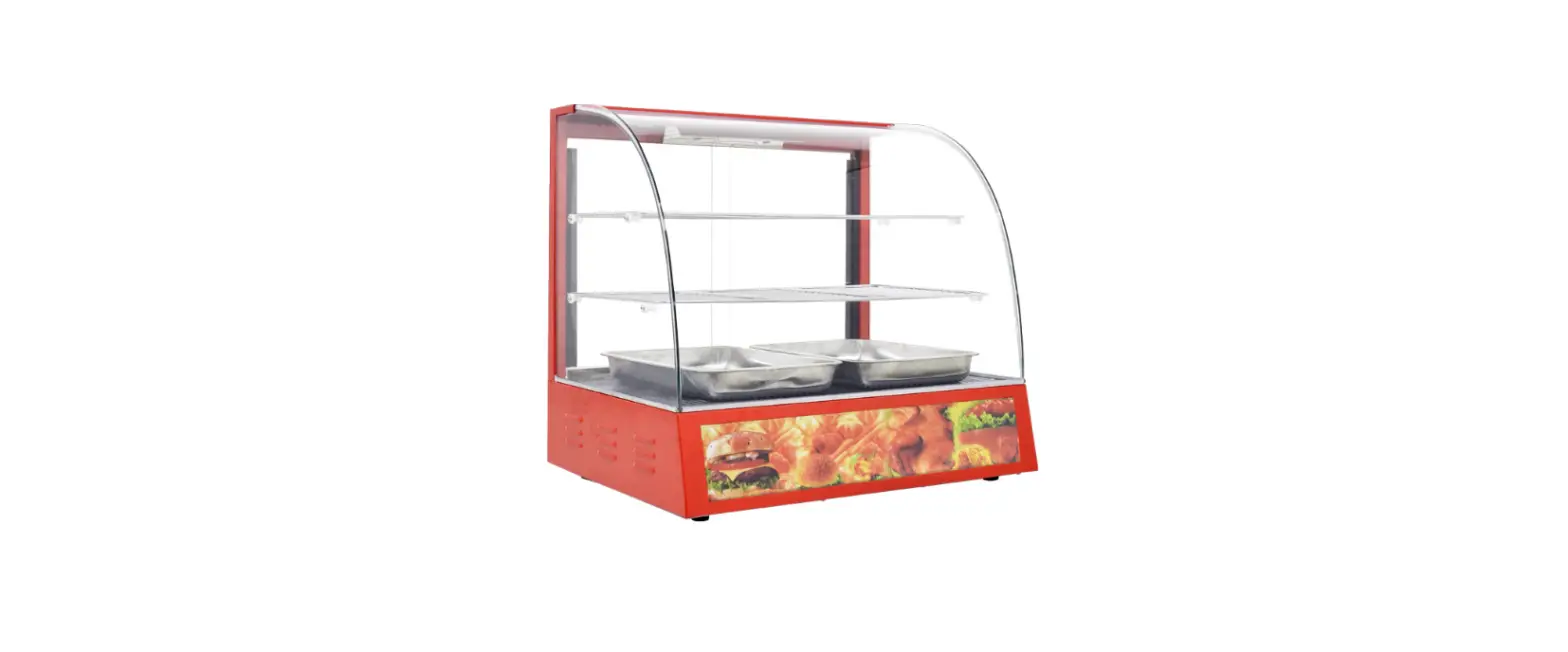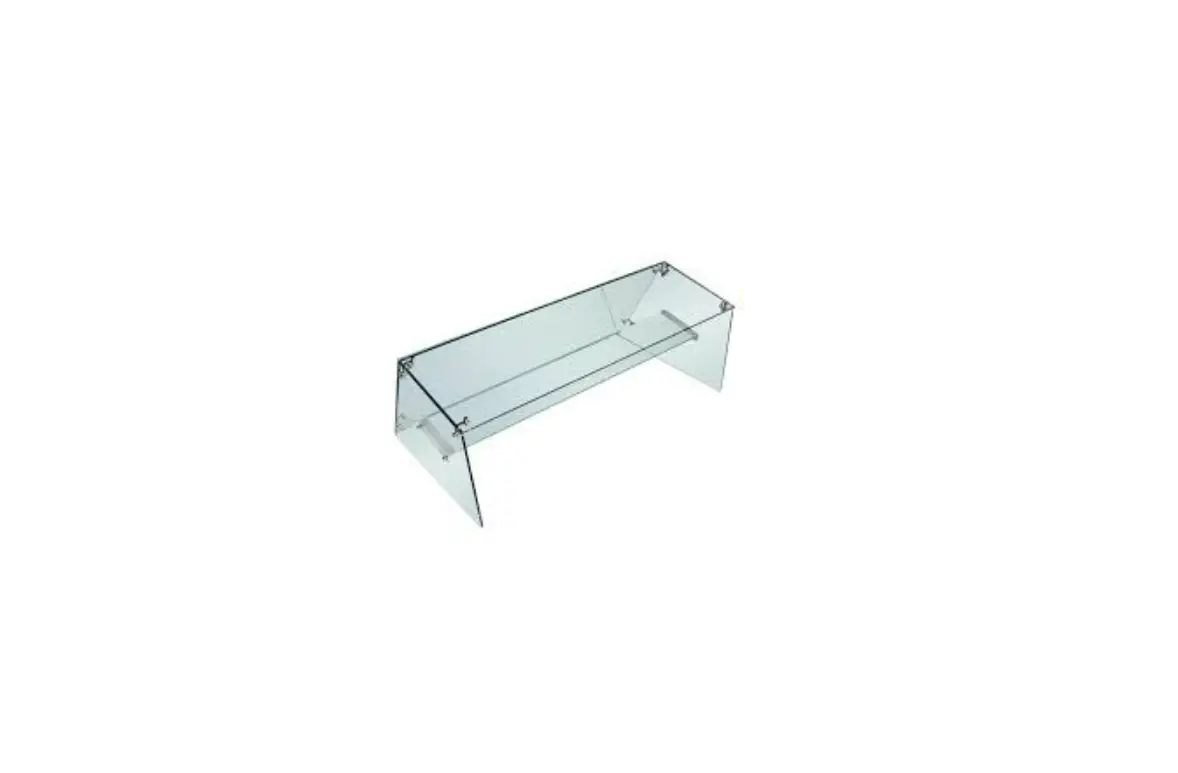

POLAR GM498 Glass Surround
Mounting the glass surround
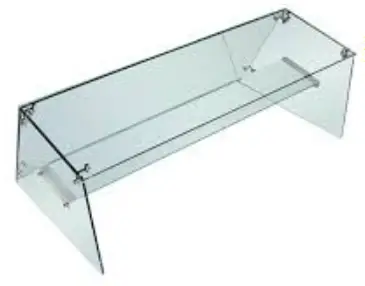
Step 1: Remove the protective caps from the sides of GM489/GM489.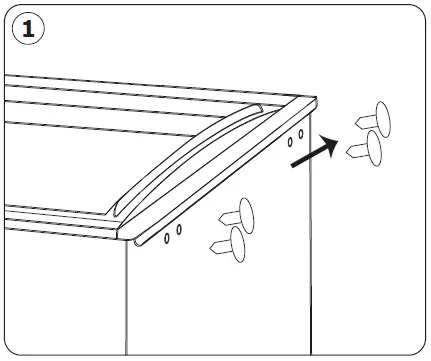
Step 2: Install the glass fixing clips. Do not tighten the clips at this stage.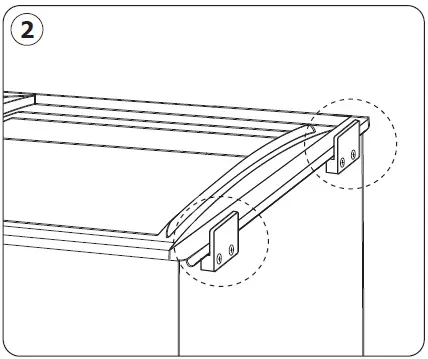
Step 3: Slot the 2 side panels into the clips. Then tighten the clips with screws to fix the side panels in place. Mount the joint assembly on the side panels.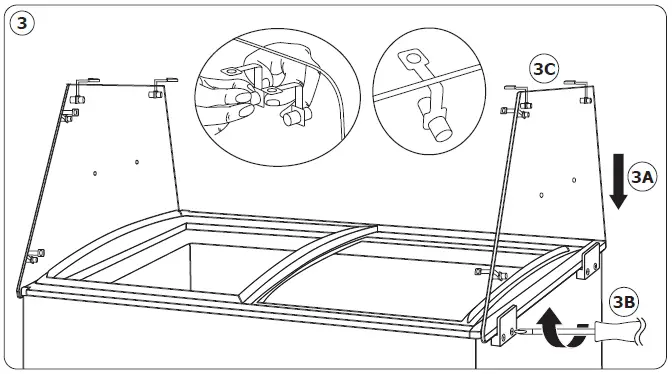
Step 4: Mount the front glass panel and fix it with side panels with the joint assembly.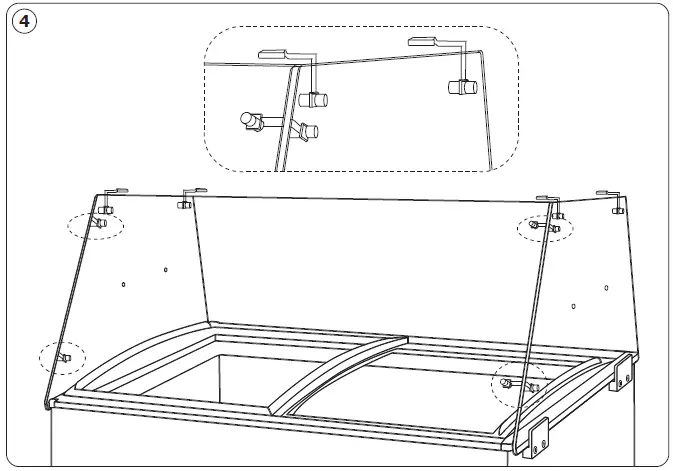
Step 5: Mount the top glass panel and fix it with the side panels with the joint assembly.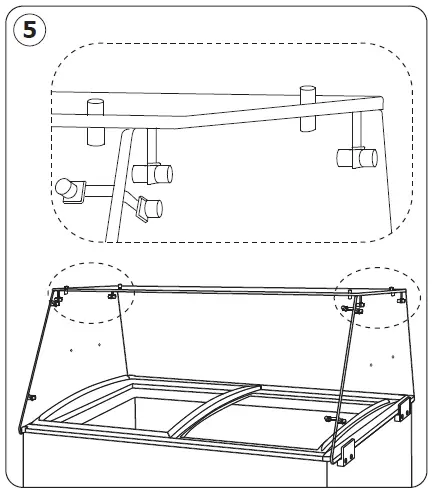
Step 6: Mount the glass shelf support with bolt assembly. Then put the glass shelf in place. Now the glass surround is mounted.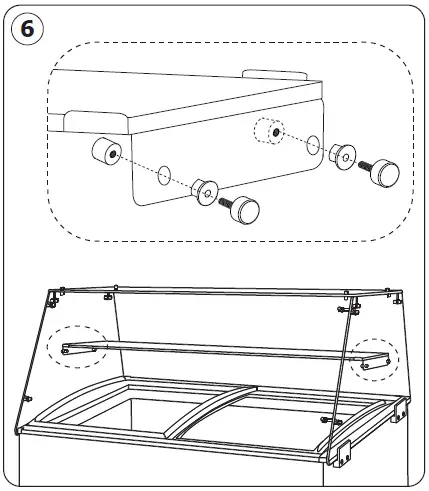
Customer Support
| UK |
+44 (0)845 146 2887 | Fourth Way, Avonmouth, Bristol, BS11 8TB United Kingdom | BE-FR | 0800-29229 | |||
| DE | 0800 – 1860806 | ||||||
| Eire | 42 North Point Business Park, New Mallow Road, Cork, Ireland | ||||||
| ES | 901-100 133 | ||||||
| NL | 040 – 2628080 | AU | 1300 225 960 | 15 Badgally Road, Campbelltown, 2560, NSW, Australia | |||
| FR | 01 60 34 28 80 | ||||||
| BE-NL | 0800-29129 |