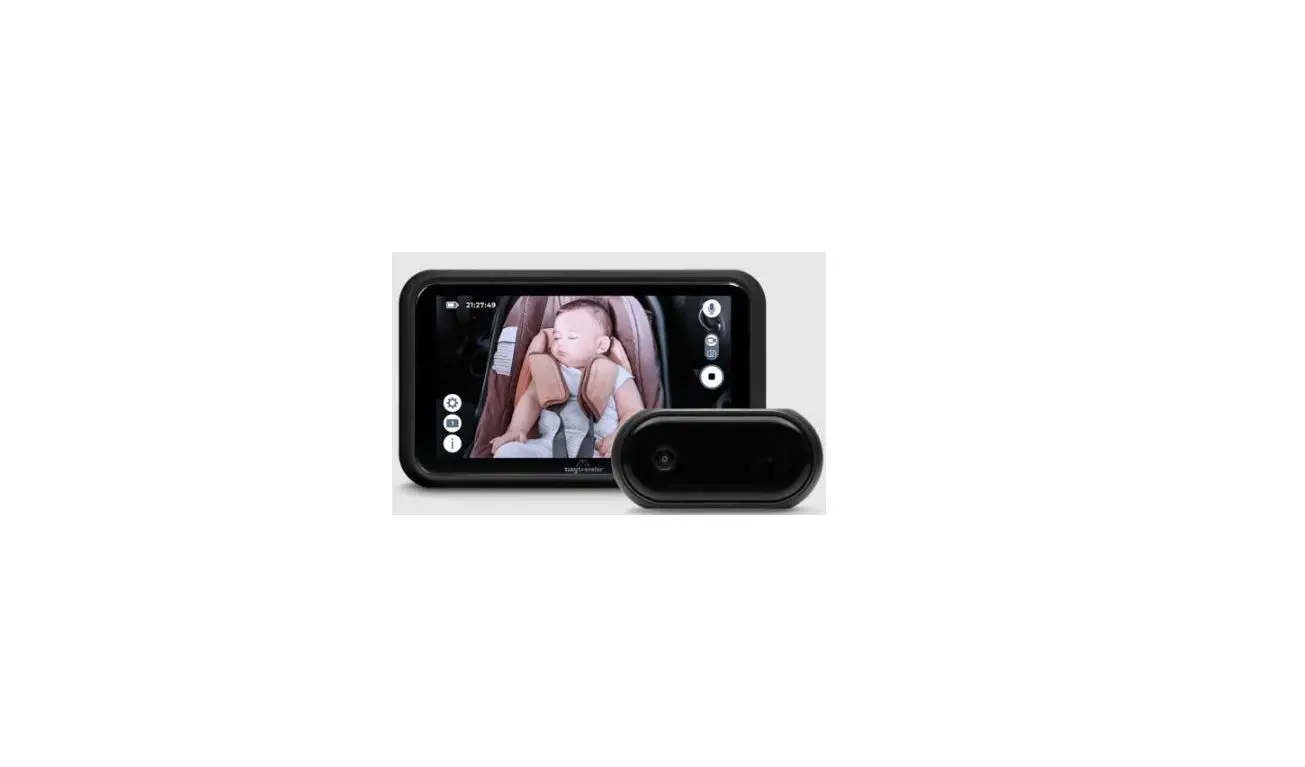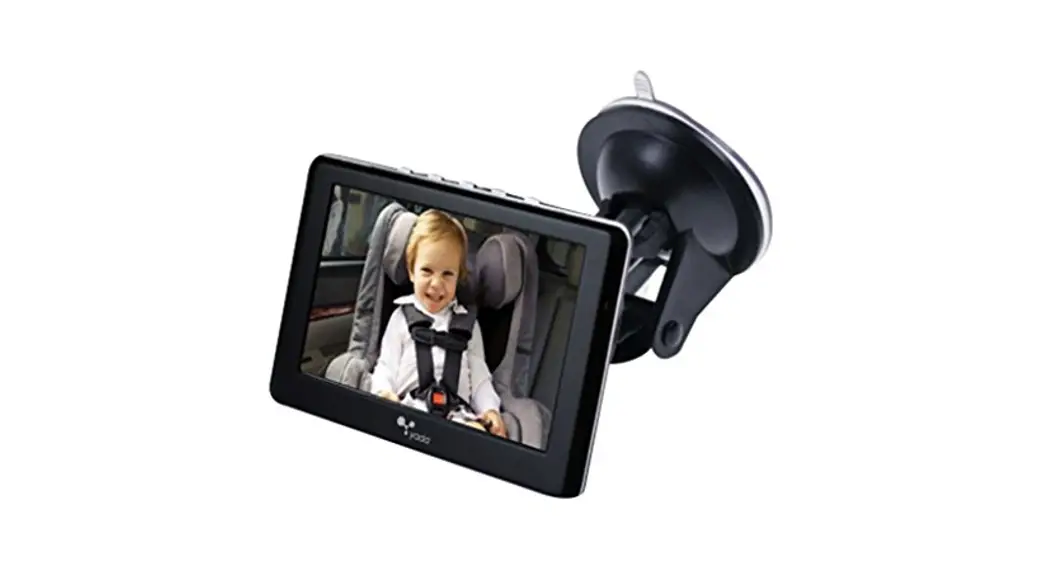
![Bebe Logo [ Download - Logo - icon ] png svg](https://iconape.com/wp-content/files/qd/201487/svg/201487.svg) CarEview J5045 WiFi Baby Car Monitor
CarEview J5045 WiFi Baby Car Monitor
User Manual
BeBe CarEview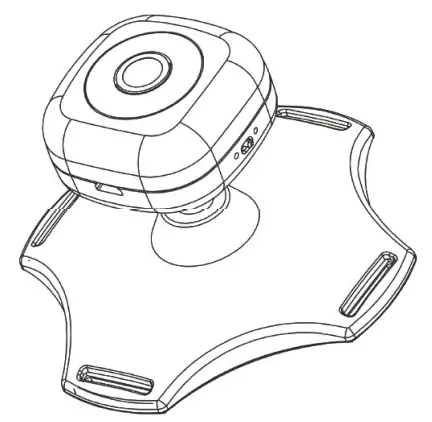
Model: .35045
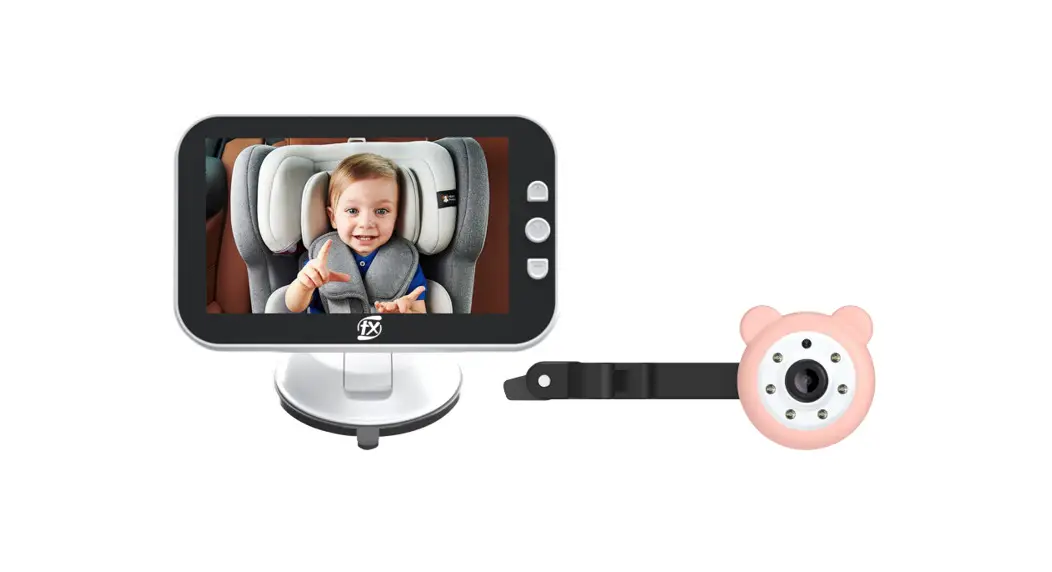
WiFi Baby car monitor
WiFi Baby car monitor
Type: WA car monitor
Connectivity protocol: Wi-Fi
Controller Type: Los Android
Color ovadoble BiaciONnite
Accessories List
- USB charging cable
- User manual
How to use it
Use your mobile phone to scan the OR code, download, and install.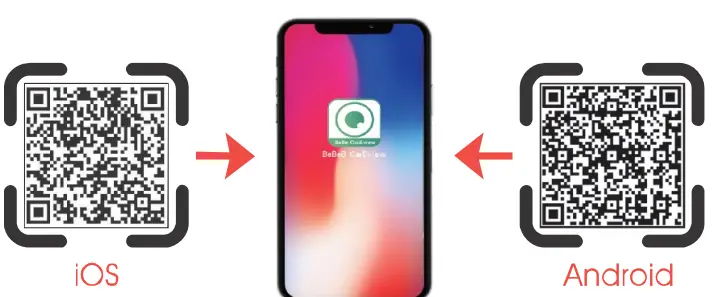 Or download and install from a trusted mobile app store such as app Store@ and Google Play
How to install
- Intern the camera on the headrest on the back seat.

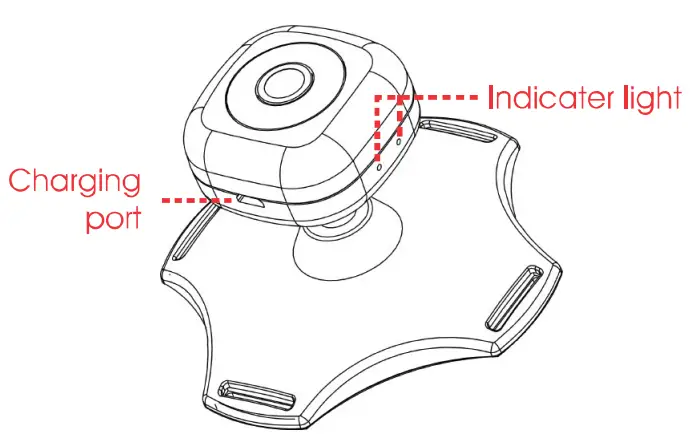
- Plug the cable into the camera charging port.

- Plug the other end of the cable Into the cir UEB port

- Admit the camera head to night postmen.

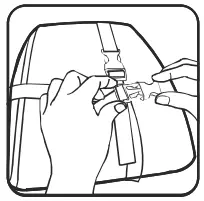
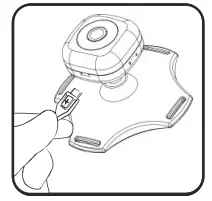
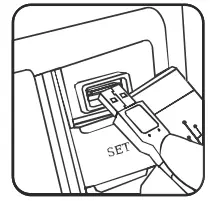
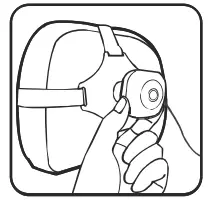
Note: Outlook of the unit Installation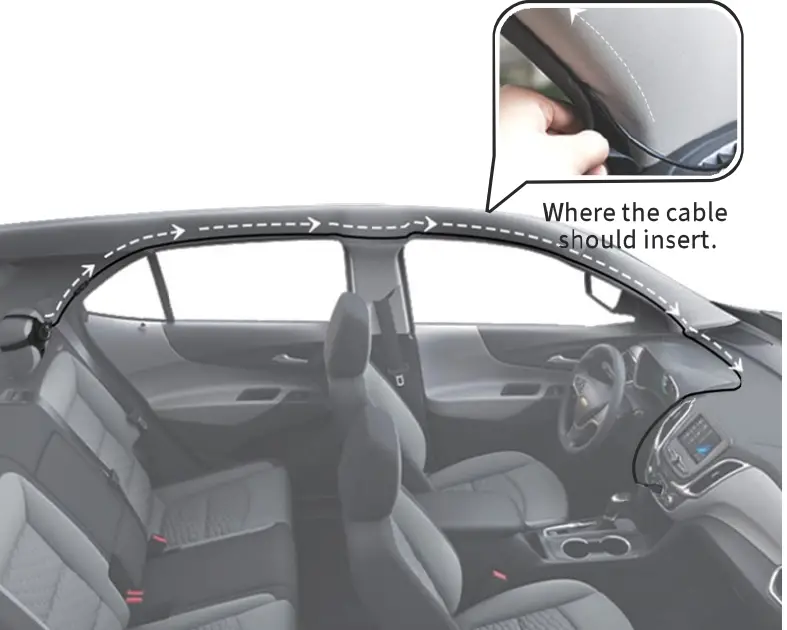 Note: Connect both ends of the cable to see If the monitor lights up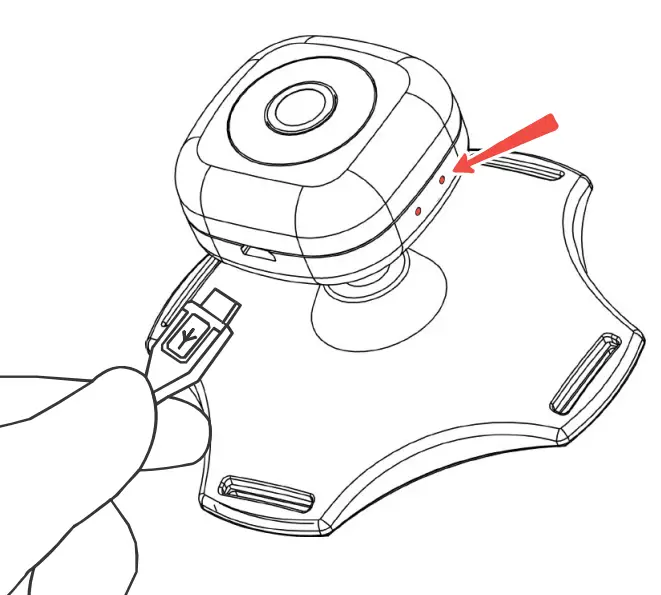
Connect BeBe review Wifi: Settings–WLAN –Connect “BeBe review”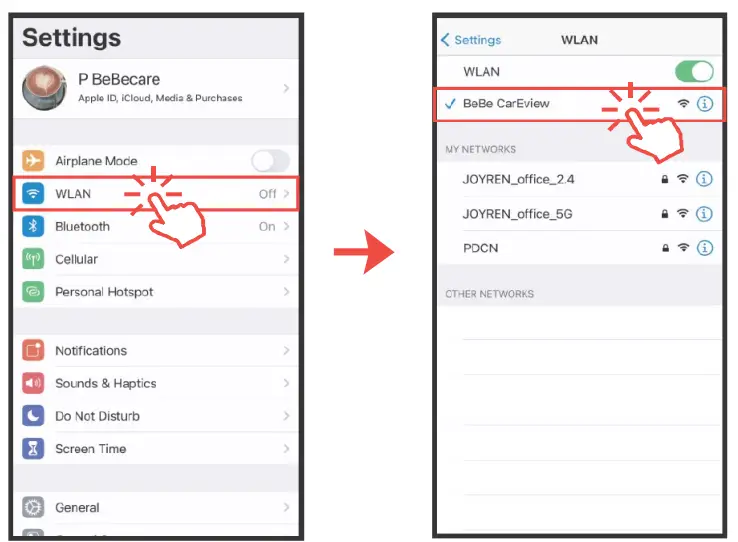 –Connect camera: Enter”BeBe review”
–Click “Camera”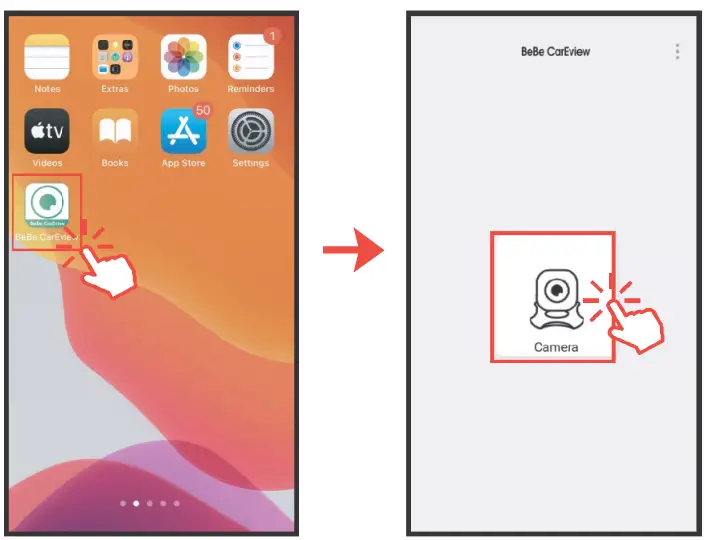 –Add camera: choose to add method– search Lan
— connect camera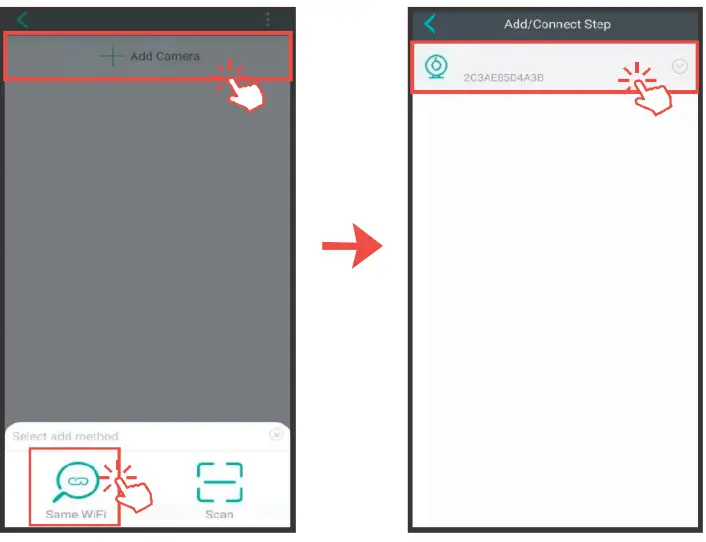 –Name the camera (any name as you create)
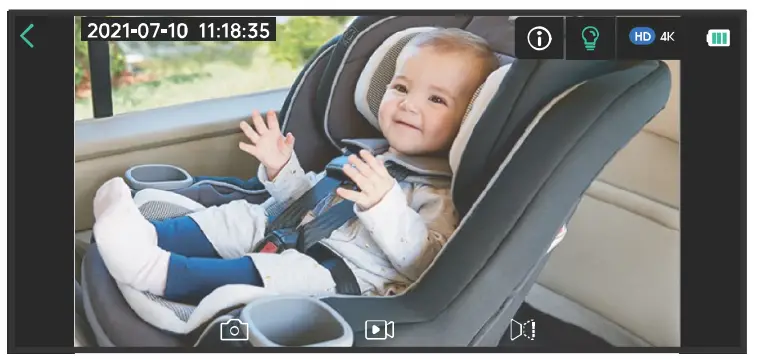
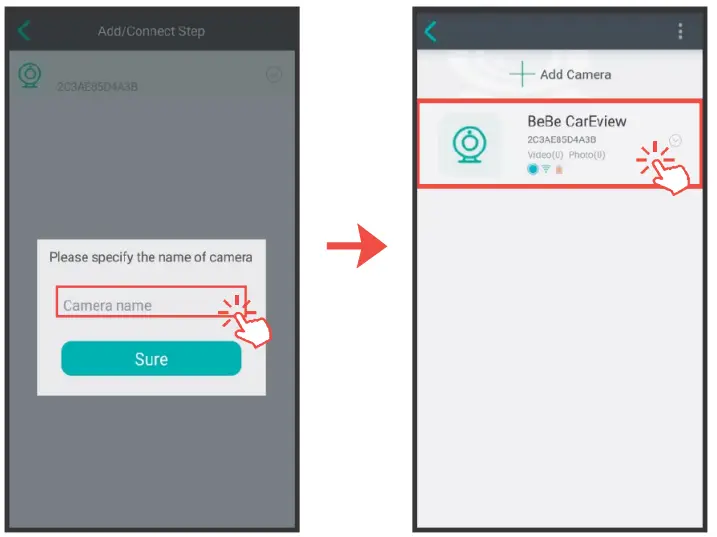 It’s Ready .Try Now
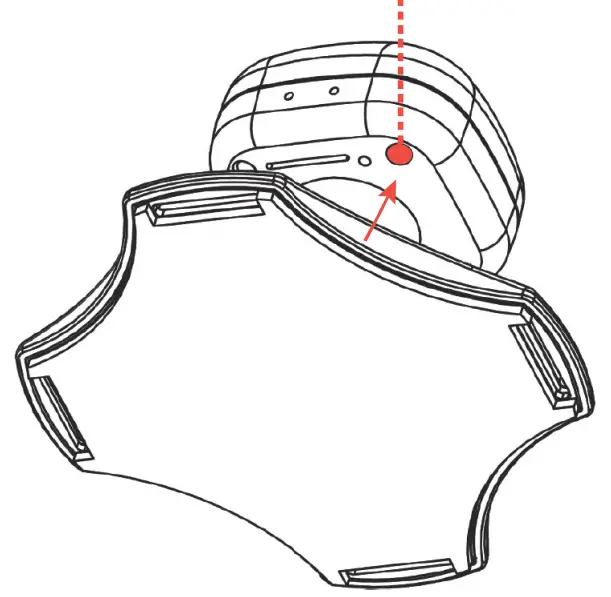
 Note: Put a sharp object to reset the camera if the clue is frozen no refresh.
FCC COMPLIANCE STATEMENT:
I his device complies with part 1 b of the I CC Rules.
Operation is subject to the flowing two conditions:
(1) This device may not cause harmful interference, and
(2) this device must accept any interference received, including interference that may cause undesired operation.
Note: This equipment has been tested and found to comply with the limits for a Class B digital device, pursuant to Part 15 of the FCC Rules. These limits are designed to provide reasonable protection. harmful interference in a residential installation. This equipment generates, uses, and can radiate radio frequency energy and, if not installed and used in accordance with the instructions. may cause harmful interference to radio communications.
However, there is no guarantee that interference will not occur in a particular installation. If this equipment does cause harmful interference to radio or television reception, which can be determined by turning the equipment off and on, the user is encouraged to try to correct the interference by one or more of the following measures:
- Reorient or relocate the receiving antenna.
- Increase the separation between the equipment and receiver.
- Connect the equipment into an outlet on a circuit different from that to which the receiver is connected.
- Consult the dealer or an experienced radio/TV technician for help.
Warning: Changes or modifications to this unit not expressly approved by the party responsible for compliance could void the user’s authority to operate the equipment.
FCC Radiation Exposure Statement
The device has been evaluated to meet general RF exposure requirements. The device can be used in mobile(min20cm) exposure conditions.
LOVE WHO YOU LOVE