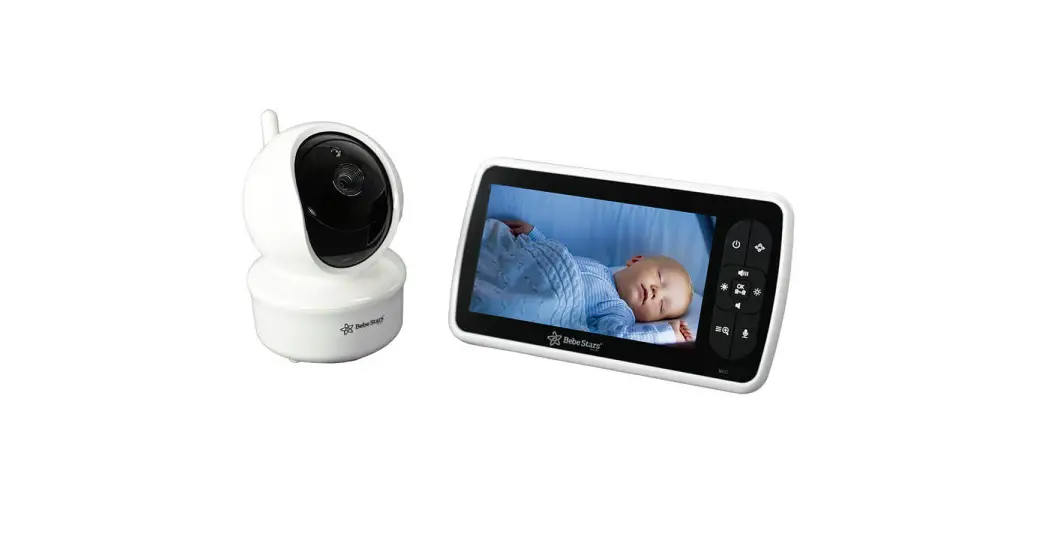
User’s Manual


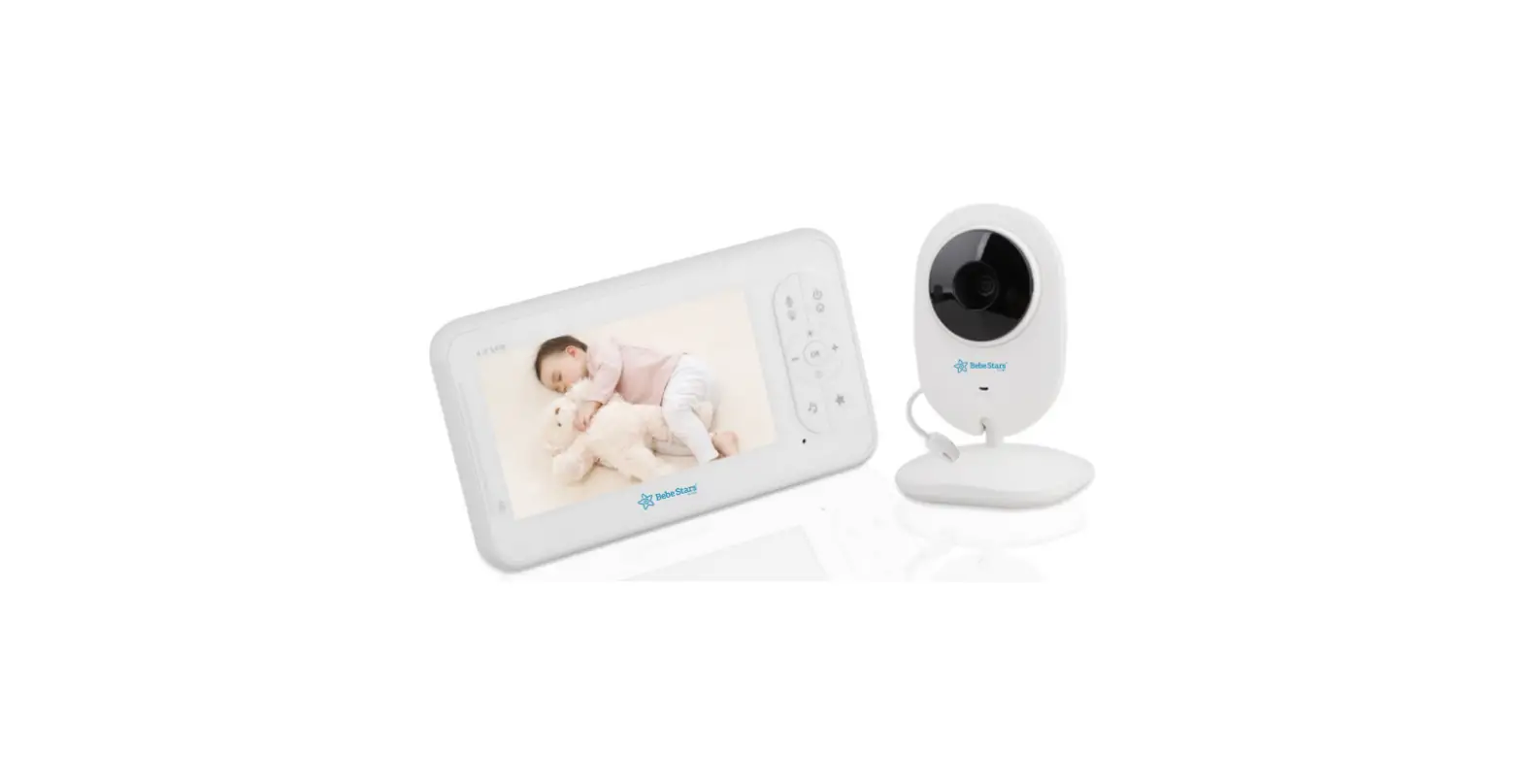
Wireless video
Baby Monitor
Item 9505 (SM650)
STANDARDS | EN 301489

Your child’s safety depends on you. Proper usage cannot be assured unless you follow these instructions.
DO NOT USE THIS PRODUCT UNTIL YOU READ AND UNDERSTAND THESE INSTRUCTIONS
IMPORTANT INFORMATION
Thank you for purchasing this baby monitor by Bebe Stars. We will always give you the best products and service .
Congratulations!
Now you can take care of your babies anywhere and any me ! Please read the user manual before you use!
Before you use the product, we recommend you to fully charge the battery in the parent unit, so that it continues to work if you disconnect it from the power supply to carry it to another location. Please read the safety instructions carefully.
1. SAFETY INSTRUCTIONS :
CAUTION: Keep small parts away from children.
Strangulation Hazard: Children can become entangled in cords. Power cords should be kept more than 3 feet away from the crib and baby’s reach all the me.
Baby monitors and cameras with power cords should never be hung on or near the crib. This product is not a toy and should be kept out of children’s reach.
Read and keep instructions: All the safety and opera ng instructions should be read before the video baby monitor is operated.
This product cannot replace responsible adult supervision.
Water and moisture: This product is designed for indoor use only. The unit should not be exposed to rain, moisture, dripping or splashing.
No objects filled with liquid should be placed on top of, or beside the product, such as a glass or vase. This item should not be used near water.
DO NOT: Use the appliance if the cord or plug is damaged. If your baby monitor is not opera ng properly or has suffered any damage, contact service center to request inspection and repair it in order to avoid any possible risk.
DO NOT: Attempt to repair or adjust any of the electrical or mechanical functions of the unit since, if you do, the guarantee will be void.
Ventilation: This baby monitor should not be used on a bed, sofa, rug or similar surface that may block the ventilation openings, or be placed in an enclosed area, such as a bookcase or drawer that may impede air flow.
Keep away from sources of heat: This unit should not be exposed to direct heat sources such as a candle, fireplace, radiator, stove or other appliance that emits heat. The unit should not be left in direct sunlight.
Power source: This unit should only be used with the AC power adapters included in this package.
Damage requiring service: This unit should be serviced by qualified personnel.
2. WARRANTY TERMS
We take quality very seriously. This is why all of our products come with a one year warranty from the original purchase date against defects in workmanship and materials. If you have warranty or support issues please contact the store where you purchased the product, or contact the manufacturer.
3. IMPORTANT GUIDELINES FOR INSTALLING YOUR BABY MONITOR.
- To use your parent unit and baby unit together, you must be able to establish a radio link between them.
- The range can be affected by environmental conditions.
- Any large metal object, like a refrigerator, a mirror, a filling cabinet, metallic doors or reinforced concrete between the baby and parent unit may block the radio signal.
- The signal strength may also be reduced by other solid structures, like walls, or by radio or electrical equipment, such as TV, computers, cordless or mobile phones, fluorescent lights or dimmer switches.
- Use of other 2.4GHz product, such as wireless networks (Wi-Fi routers), Bluetooth systems, or microwave ovens, may cause interference with this product, so keep the baby monitor away at least 5 (1.5m) from these types of products, or turn them off if they appear to be causing interference.
MAINTENANCE
Keeping the lens clean can help you monitor the clearest picture. Gently wipe the fingerprints and dust on the lens and LCD screen by so gauze.
Wipe the surface of the machine with a clean, dry cloth. Don’t use rough cloth, which will scratch the outer surface of the machine.
In order to avoid the danger of electric shock. Don’t open the machine or fix it by yourself.
Keep the machine dry. Don’t use the machine in an environment that is too wet. If used in wet environment, it may cause machine failure.
Note: the right to change the design and specifications of this product is subject to change without prior notice
PRODUCT OVERVIEW
This package contains:
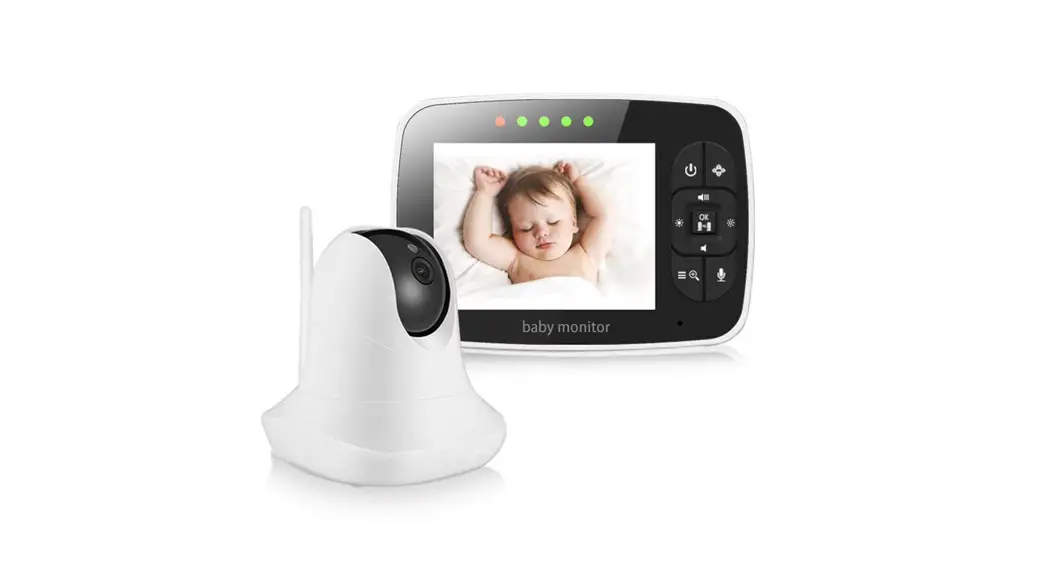
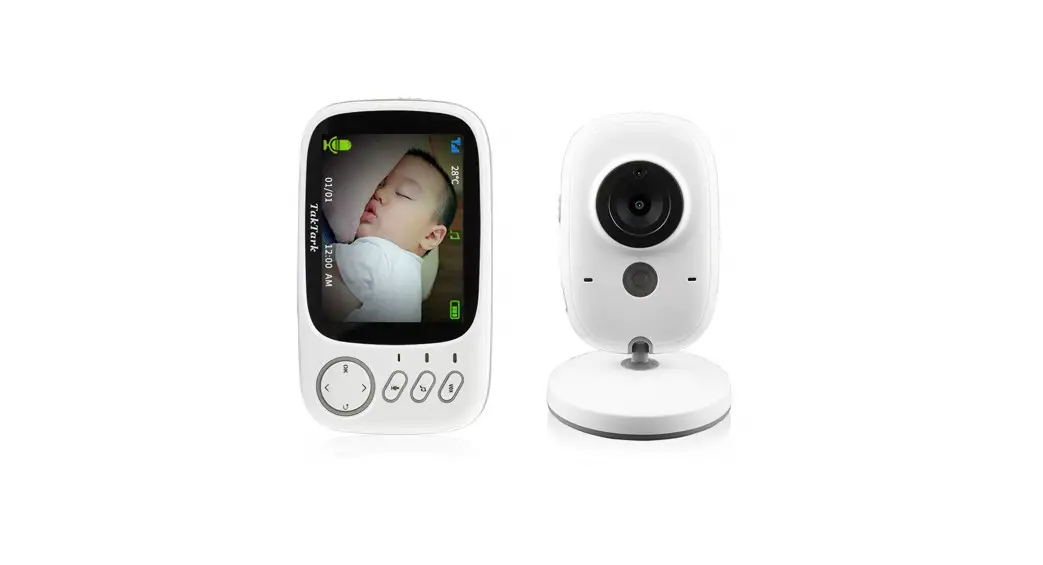
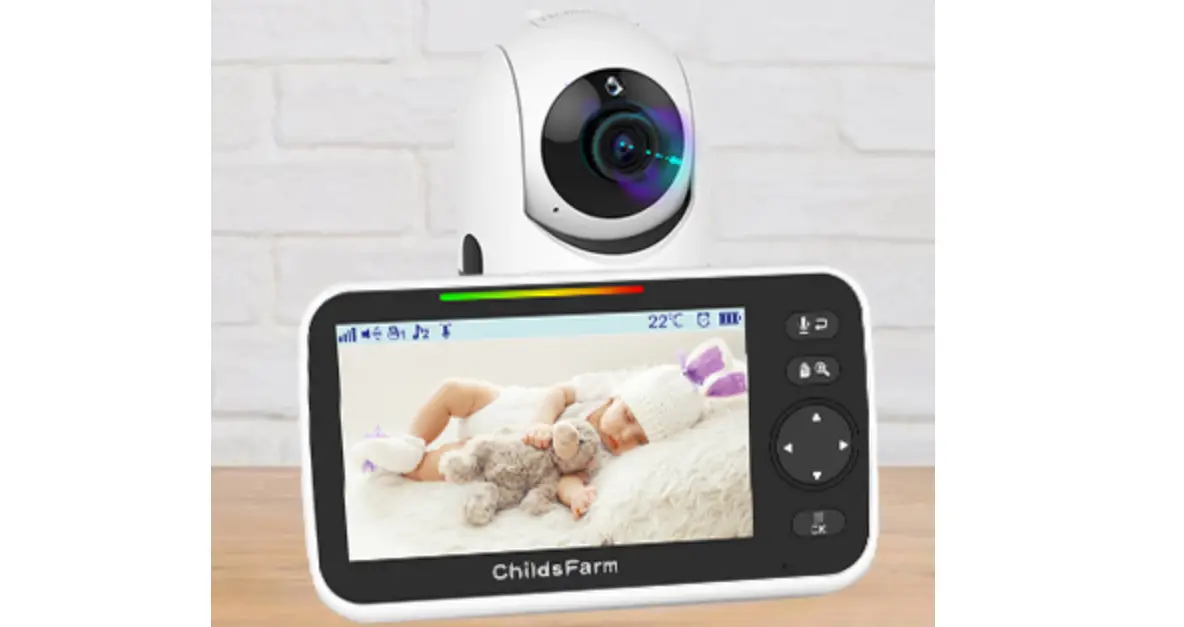
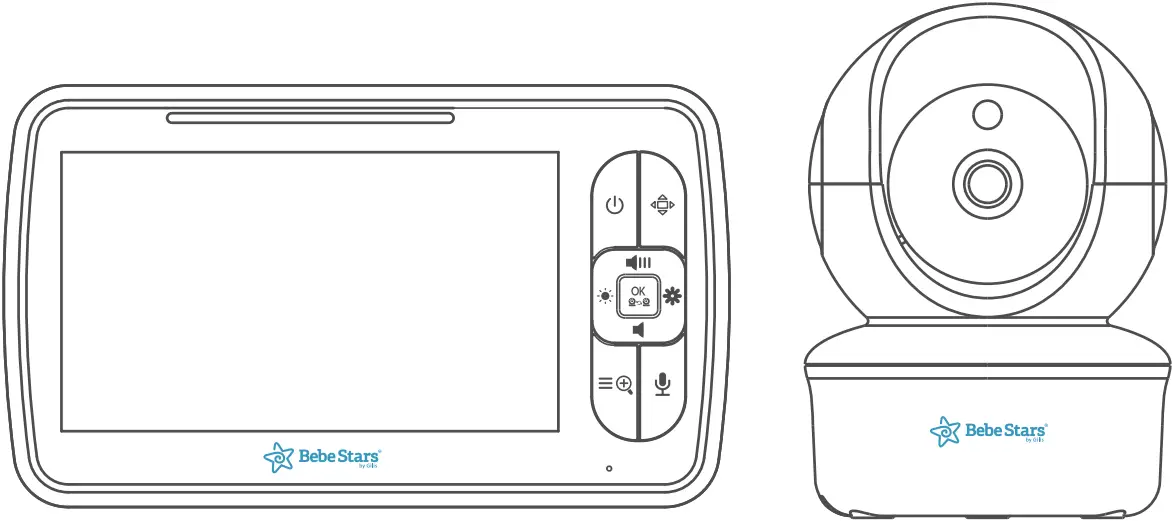
1. Parent unit X1 | 2. Baby unit X1 | 3. Power adapter X2 | 4. User manual X1
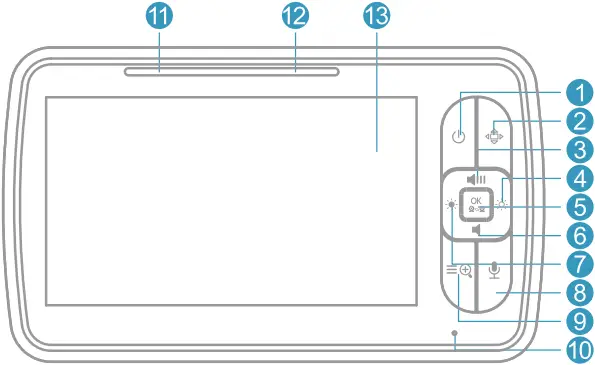
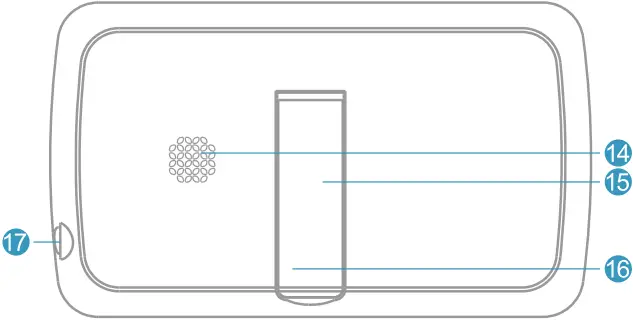
A. Parent unit overview:
1. Power key:
Long press to turn on/off the monitor; short press to screen on/off.
2. Pan/Tilt:
Press the key to enter into the Pan/Tilt mode.
3. Volume+/Up key:
Press Volume+ to increase the volume/to up the camera in the Pan/Tilt mode.
4. Brightness+/Right key:
Press the Brightness+ to increase the brightness/to right the camera in the Pan/Tilt mode.
5. OK: Press the OK key to view/scan camera or to confirm.
6. Volume-/Down key:
Press Volume- to decrease the volume/to down the camera in the Pan/Tilt mode.
7. Brightness-/Left key:
Press the Brightness- to decrease the brightness/to left the camera in the Pan/Tilt mode.
8. Talk to baby:
To talk, press and hold the talk key on the front of the monitor; release to turn it off. Bear in mind that you can’t listen to your baby while you’re talking to them; to listen to it, you will have to stop press this button.
9. Menu/Exit:
Short press the Menu/Exit key the menu will pop up, and press again to Exit.
Press and hold the Menu/Exit key around 2 seconds to operate Zoom in/out.
10. MIC: Microphone to talk to the baby
11. Power & Charging Indicator LED:
*The LED shows red when charging under the display is turn off state.
*The LED shows orange when charging under the turn on state.
*The LED shows green after the battery is fully charged.
12. Volume LED:
When the baby unit detects the voice, the indicator light will be on, The louder the detected sound, the more lights will light up.
13. LCD screen:
Display the baby’s picture and adjustment of each button function.
14. Speaker:
Hear the sound from the baby.
15. Stand:
Monitor placement stand.
16. Reset key(under the stand):
Long press the reset button with a pin to reset the display.
17. DC-jack:
Charge the monitor by connecting the Power Adapter to the monitor and a socket.
Note:
If you want to adjust the Volume/Brightness, you have to exit the Pan/Tilt mode
B. Baby unit (camera) overview:
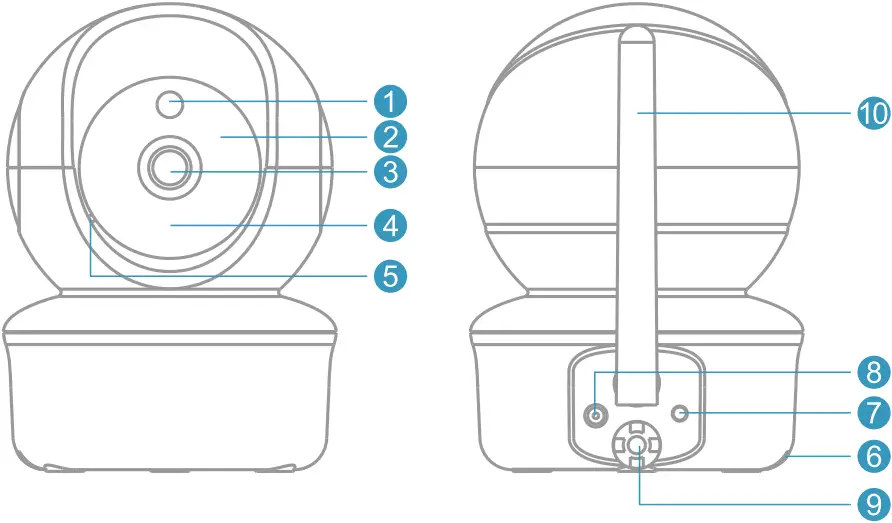
1. Light sensor
2. Infrared LEDs
3. CMOS sensor
4. Power LED
5. MIC
6. Speaker
7. Pair key
8. DC-Jack
9. Temperature sensor
10. Antenna
Icons overview
 — Signal
  — Volume
  — Zoom
 — Alarm
  — Brightness
  — Night vision
 — Lullaby
  — VOX
— VOX  — Talk to baby
 — Camera
  — Battery 80°F — Temperature
INSTRUCTIONS FOR USE
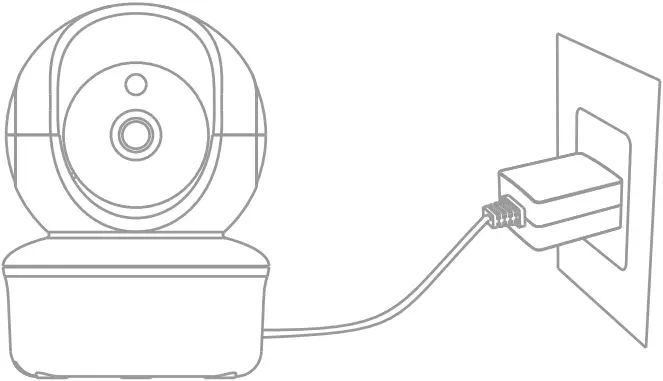
Turn on the baby unit:
Use the provided AC adapter included in this package to connect the wall outlet with the baby unit. Once the adapter connects then the unit will turn on automatically and the power LED will light up.
Charging and turn on the parent unit:
Press and hold the power button for 2 seconds to turn on the parent unit. We suggest to connect the monitor to the adapter plugged into the mains whenever possible, in order to keep the battery charged. Once the adapter connects then the unit will turn on automatically and the power LED will light up.
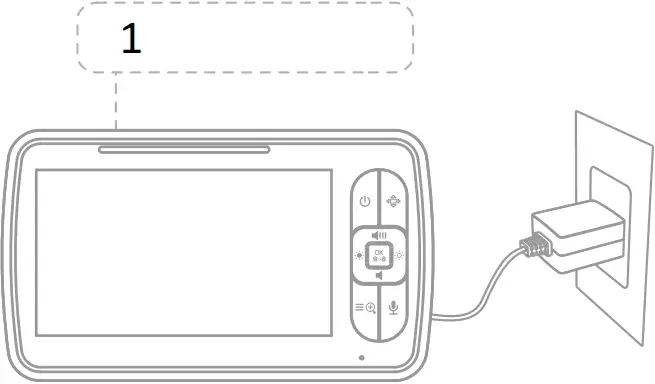
- Charging: Red/orange
Fully charged: Green
Prepare for connecting the baby unit:
Press the MENU key  and chose
  to select
  , press OK key for paring.
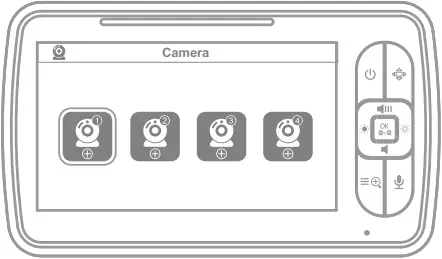
Pair the parent unit with the baby unit:
Long press the “pair” button at the back of the baby unit until the parent unit shows images.
*The baby unit has already been paired with the parent unit in factory setting, no repeated operation is needed.
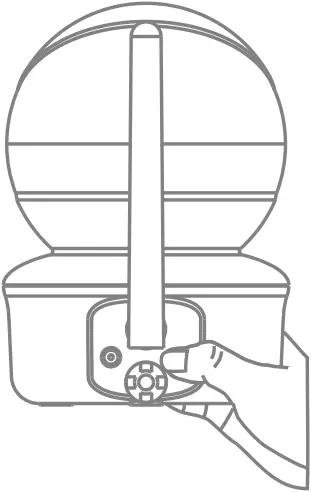
OSD MODE OPERATION
Pan/Tilt
The camera unit can be remotely controlled from the monitor unit.
Step1. Press the Pan/Tilt key  to enter the Pan/Tilt mode.
Step2. Press the  or
or  to tilt upward or downward.
Step3. Press  or
or  to Pan left or right.
Step4. Press the Pan/Tilt key to exit the Pan/Tilt mode.
Note: During the Pan/Tilt mode cannot use the navigation key to adjust volume and Brightness.
Night vision mode
When the built-in photo sensor detects a low level of ambient light, the screen on the monitor unit will display in black and white. The icon will be displayed on the screen.
Talk mode
Press and hold the on the monitor unit to talk to your baby through the camera unit’s loudspeaker. An icon will be displayed at the bottom right corner of the screen.
Digital Zoom
Step1. Press & hold the Menu/Exit key around 2 seconds to enter Zoom mode.
Step2. At the Zoom mode, press the Pan/Tilt key to adjust the direction of the camera/image.
Step3. Press LEFT key to pan left; Press RIGHT key to pan right; Press UP key to tilt up; Press DOWN key to tilt down.
Step4. Press and hold the Menu/Exit key again around 2 seconds to operate Zoom out. During digital zoom mode, the zoom icon will be displayed on the top of screen.
Warm reminder: If you want to adjust the Volume/Brightness, you have to exit the Pan/Tilt (press Pan/Tilt key) mode before you operate it.
Scan and switch the cameras
Short press OK key to view/scan camera, during the scan mode, the  icon will be displayed on the top of the screen. Each camera’s video will be stay on the LCD around 10 seconds then change to the next camera. Short press the scan key again to switch the camera under the scan mode. This function is only available when two or more cameras are paired.
Pairing the camera and monitor
Step1. Press Menu/Exit key and the menu will pop up.
Step2. Select the camera icon and press OK key to enter into sub-menu.
Press the LEFT key or RIGHT key to select the camera to be paired.
Step3. Press OK key to start the paring, while the screen shows paring then press the PAIR button on the back of camera(baby unit).
Step4. Once paired, then the screen will display the image from the camera.
Step5. If unsuccessful, please repeat above steps.
Delete the camera
Step1. Press Menu/Exit key and the menu will pop up.
Step2. Select the camera icon and press OK key to enter into sub-menu.
Press the LEFT key or RIGHT key to select the camera to be canceled.
Step3. Press OK key and select the icon.
Step4. Select YES, the camera will be deleted.
Lullaby setting
You can soothe the baby to sleep by playing a gentle lullaby from the baby unit.
Step1. Press Menu/Exit key and the menu will pop up.
Step2. Select the lullaby icon  and press OK key to enter into sub-menu.
Step3. press the NAVIGATION key to select the lullaby you need.
Step4. Press OK key to confirm.
Feeding Timer setting
You can use the alarm to remind yourself to feed baby/change diapers/sleep, etc.
Step1. Press Menu/Exit key and the menu will pop up.
Step2. Select the alarm icon  and press OK key to enter into sub-menu.
Step3. Press the NAVIGATION key to select desired alert me.
Step4. Press OK key to confirm.
VOX setting
Step1. Press Menu/Exit key and the menu will pop up.
Step2. Select the VOX icon  and press OK key to enter into sub-menu.
Step3. Press LEFT key or RIGHT key to select desired level.
Step4. Press OK key to confirm.
Temperature setting
Temperature alarm setting
Step1. Press Menu/Exit key and the menu will pop up.
Step2. Select the Temperature icon  and press OK key to enter into sub-menu.
Step3. Press the LEFT key or RIGHT key to select between ºCor ºF. Follow up on your needs to select the maximum and minimum alarm temperatures.
Temperature Hi/Lo alert limits
Step1. Press LEFT key or RIGHT key to select  (red) or
  (green) for Hi/Lo limits settings.
Step2. Press the up key/down key to adjust the Hi limit when (red) is selected.
Step3. Press the up key/down key to adjust the Lo limit when (green) is selected.
Setting
Language setting
Step1. Press Menu/Exit key and the menu will pop up.
Step2. Select the setting icon  and press OK key to enter into sub-menu.
Step3. Select the language setting  and press OK key to enter into sub-menu.
Select the language you need and press OK to confirm.
Frequency setting
Step1. Press Menu/Exit key and the menu will pop up.
Step2. Select the setting icon and press OK key to enter into sub-menu.
Step3. Select the frequency setting  and press OK key to enter into sub-menu.
Select 60Hz if you are in North America, Select 50Hz if you are in EUROPE.
Reset setting
Step1. Press Menu/Exit key and the menu will pop up.
Step2. Select the setting icon and press OK key to enter into sub-menu.
Step3. Select the reset setting  and press OK key to enter into sub-menu. Select YES if you need to reset it.
TECHNICAL SPECIFICATIONS
| Frequency | 2.4GHz FHSS |
| Operation Environment | Indoor use only; Temperature: 0-40 C; Humidity: 5%-90% rh.(relative humidity) |
| Operating Range | Up to 900 feet(straight line and open space) |
| Power adapter | Input: 100-240VAC 50/60Hz, 300mA Max Output: 5V,700mA |
| LCD | 5.0″ LCD Screen |
| Rechargeable battery for monitor | Model: 503450; 3.7V, 2100 mAh |
| Operating me with battery fully charged(parent unit) | Up to 12 hours (VOX on) |
| Image sensor type | 1/6.5″ Color CMOS image sensor |
| IR LED type | 940 nm |
TROUBLESHOOTING
| No reception on the monitor |
|
| Interference or poor reception |
|
| Feedback (screeching, static) |
|
| Cannot hear the baby on the parent unit |
|
| Image frozen |
|

1 YEAR GUARANTEE
With this guarantee Bebe Stars undertakes the free coverage of any production fault and the repairing or replacement of any defected elements of this product.
This guarantee does not cover.
- Deterioration from use.
- Any damage made by user / owner.
- Any damage from the misuse of this product.
Any repair cost for any of the above mentioned cases must be covered by the customer. This guarantee is not valid if the date of purchase field is modified.
In case of damage, the product should be handed to the store where it was purchased with this guarantee. The company takes care of the suitable replacement item(s) shipment, after contacting the store of purchase. Any shipment costs for a repairmen not covered by this guarantee must be covered by the customer.
[email protected] www.bebestars.gr
GUARANTEE
CUSTOMER’S DETAILS
SURNAME ……………………………………………………………
NAME …………………………………………………………………..
ADDRESS …………………………………………………………….
PHONE ………………………………………………………………..
PRODUCTS No. …………………………………………………..
DATE OF PURCHASE 
| STORE STAMP
|
WARNING: This guarantee is valid only with the store’s stamp and the date of purchase field filled.
Thank you for choosing Bebe Stars products
FOLLOW US
www.bebestars.gr

 bebestarsbygilis
 @bebe.stars
 bebestarsbygilis
 63200 | Nea Moudania | Greece
 Παιδικά Προϊόντα & Βρεφικά Είδη στη Χαλκιδική - Bebe Stars