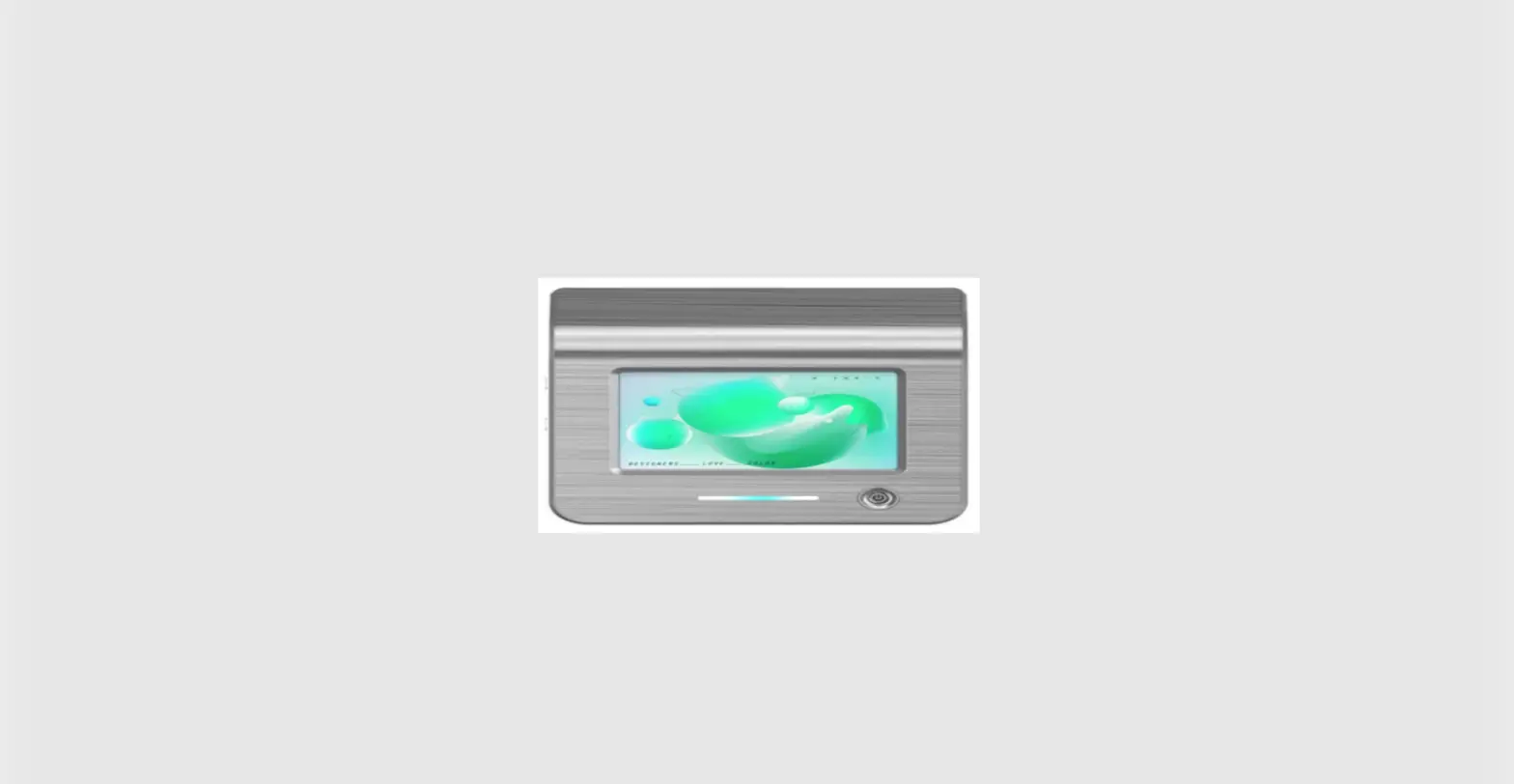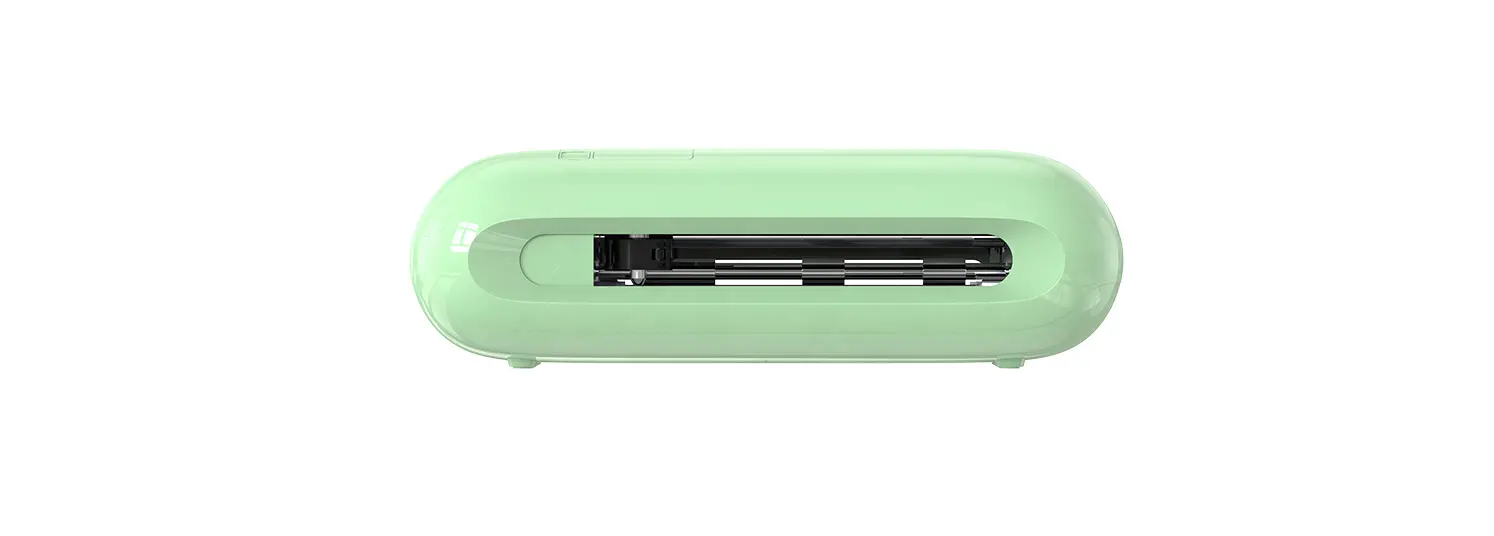
Visualization care Instrument
(FCC ID: 2AZYG-M6)
Turn on the ear picker
- Scan the QR code to download Cooleer APP
 http://qr06.cn/Ce7Gtz
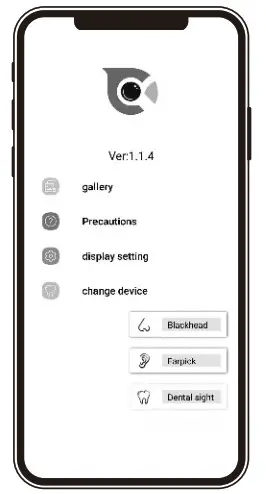
 - Open cooleer APP Choose visual earwax remover

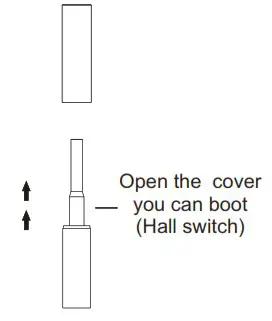
- Open the cover you can boot

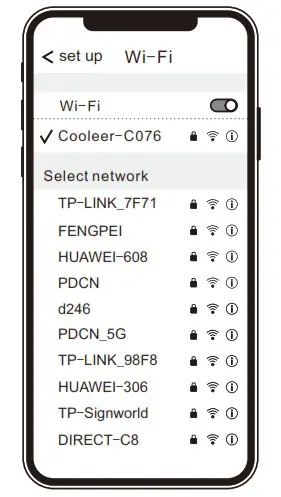
- Mobile phone connection products WIFI “Cooleer-xxxx” password:12345678

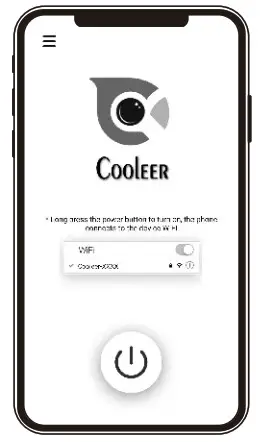
- Return to the APP interface, press the power button to turn on ready to use


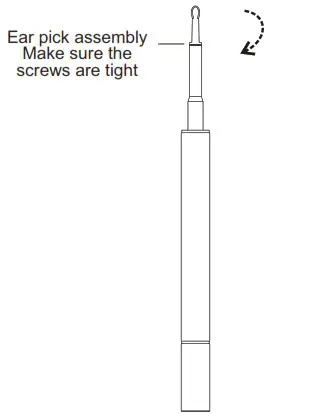
Parts replacement
Screw-tooth earspoon is more convenient to remove and install
 Accessories display
 Accessories display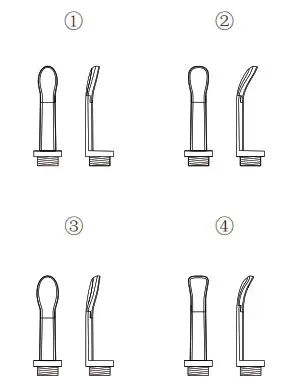
Product size
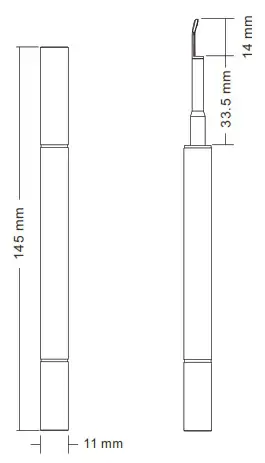
Instructions
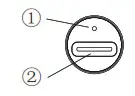
- Indicator light:
1>. The red light is on when charging, and the light is automatically turned off when the battery is fully charged;
2>. When the battery is low, the red light flashes;
3>. After the ear picker is turned on, the green light is on. - Charging port: DC 5V/220mA.
Product parameter
Name: Visual earwax remover
Number: M6
Weight: 27g
Network standard: IEEE802.11b/g/n
Antenna: Built-in FPC antenna
Working frequency: 2.4Ghz
Image transfer rate: 30fps
Image sensor: CMOS
Working temperature: -1050
Battery: 220mAh Li-Polymer
Battery life: About 90 minutes
Charging time About: 1 hours
Input parameter: DC 5V/220mA
Lens diameter: 3.6mm
Best focus: 1.52cm
Pixel: 5 million pixels
Gyro: 6 axis
Trouble shooting
| Malfunction | Solution |
| No reaction on, no light on | Fully charge before use |
| APP unable to install | Support system:Android version 5.0 or higher; ios12 or higher |
| APP crashes | Clean the phone running background, restart the APP |
| Accessories are not installed smoothly | Align the accessories with the lens barrel and turn clockwise |
| Power red color indicator flashes | Prompt that this product has a low battery, please charge it before use |
| Charging does not light up | Put on the cover and recharge |
| The product failed to display the real-time image after successfully connecting to the APP | Disconnect the phone from the WIFI connection, restart the product or clean the background of the mobile phone, reopen the APP, and reconnect to the WIFI |
| WIFI connection is unstable fixed, sometimes a few seconds the clock breaks | Restart the product and reconnect app |
| Insufficient battery, please recharge in a hurry | |
| After entering the APP white screen occasionally appears | Wait a moment |
| Restart the product or clean the background of the mobile phone, reopen the APP, and reconnect to the WIFI |
If the above operation fails to solve the problem, Please get in touch with the customer service, We will further help you provide practical solutions.
Precautions
- When cleaning the lens, please wipe it carefully with a professional alcohol swab.
- Please observe the surrounding environment before use, do not use the product in an environment where people are running to avoid impact.
- This product is not suitable for children under 1-year-old.
- It is forbidden for children to use this product alone to avoid accidental injury.
- Do not use the endoscope in liquid to avoid damage caused by immersion.
- The product has a built-in lithium battery, if it is not used frequently, it must be recharged once a month.
- Avoid exposing the product to direct sunlight or placing it near any heat source or high temperature.
- When using, the product temperature will rise slightly (maximum 35), please rest assured to use.
- Before using the ear pick, please make sure that the screw of the ear pick is fastened to prevent it from loosening and falling off and causing injury.
- In order to ensure the best experience, please keep the child In a sitting position when picking up ears.
- For your ear canal cleanness and safety, if the ear tip is loose or used more than 30 times, please change it.
- Do not use in a high magnetic environment to avoid product interference affecting WIFI connection or image problems in APP.
- It is forbidden to ear picking while charging.
Harmful materials
| Part Name | Circuit assembly | Metal parts | Plastic parts |
| Pb |  | | |
| Hg | | | |
| Cd | | | |
| Cr(VI) | | | |
| PBB | | | |
| PBDE | | | |
| DIBP | | | |
| DBP | | | |
| BBP | | | |
| DEHP | | | |
: Indicates that the content of the hazardous substance in all homogeneous materials of the part is below the limit requirement specified in RoHS Directive (EU) 2015/863 amending Annex II to Directive 2011/65/EU.
X: Indicates that the hazardous substance contained in at least one of the homogeneous materials of the part exceeds the limit requirement specified in RoHS Directive (EU) 2015/863 amending Annex II to Directive 2011/65/EU.
FCC Warning
This device complies with Part 15 of the FCC Rules. Operation is subject to the following two conditions:
- This device may not cause harmful interference, and
- this device must accept any interference received, including interference that may cause undesired operation.
NOTE 1: This equipment has been tested and found to comply with the limits for a Class B digital device, pursuant to part 15 of the FCC Rules. These limits are designed to provide reasonable protection against harmful interference in a residential installation. This equipment generates, uses and can radiate radio frequency energy and, if not installed and used in accordance with the instructions, may cause harmful interference to radio communications. However, there is no guarantee that interference will not occur in a particular installation. If this equipment does cause harmful interference to radio or television reception, which can be determined by turning the equipment off and on, the user is encouraged to try to correct the interference by one or more of the following measures:
- Reorient or relocate the receiving antenna.
- Increase the separation between the equipment and receiver.
- Connect the equipment into an outlet on a circuit different from that to which the receiver is connected.
- Consult the dealer or an experienced radio/TV technician for help.
NOTE 2: Any changes or modifications to this unit not expressly approved by the party responsible for compliance could void the user’s authority to operate the equipment.
The device has been evaluated to meet general RF exposure requirements.
After-sales warranty
User Info: _________________________________________
username: _________________________________________
contact number: ____________________________________
Shipping Address: ___________________________________
Selling business: _____________________________________
contact number: _____________________________________
Sale date: ___________________________________________