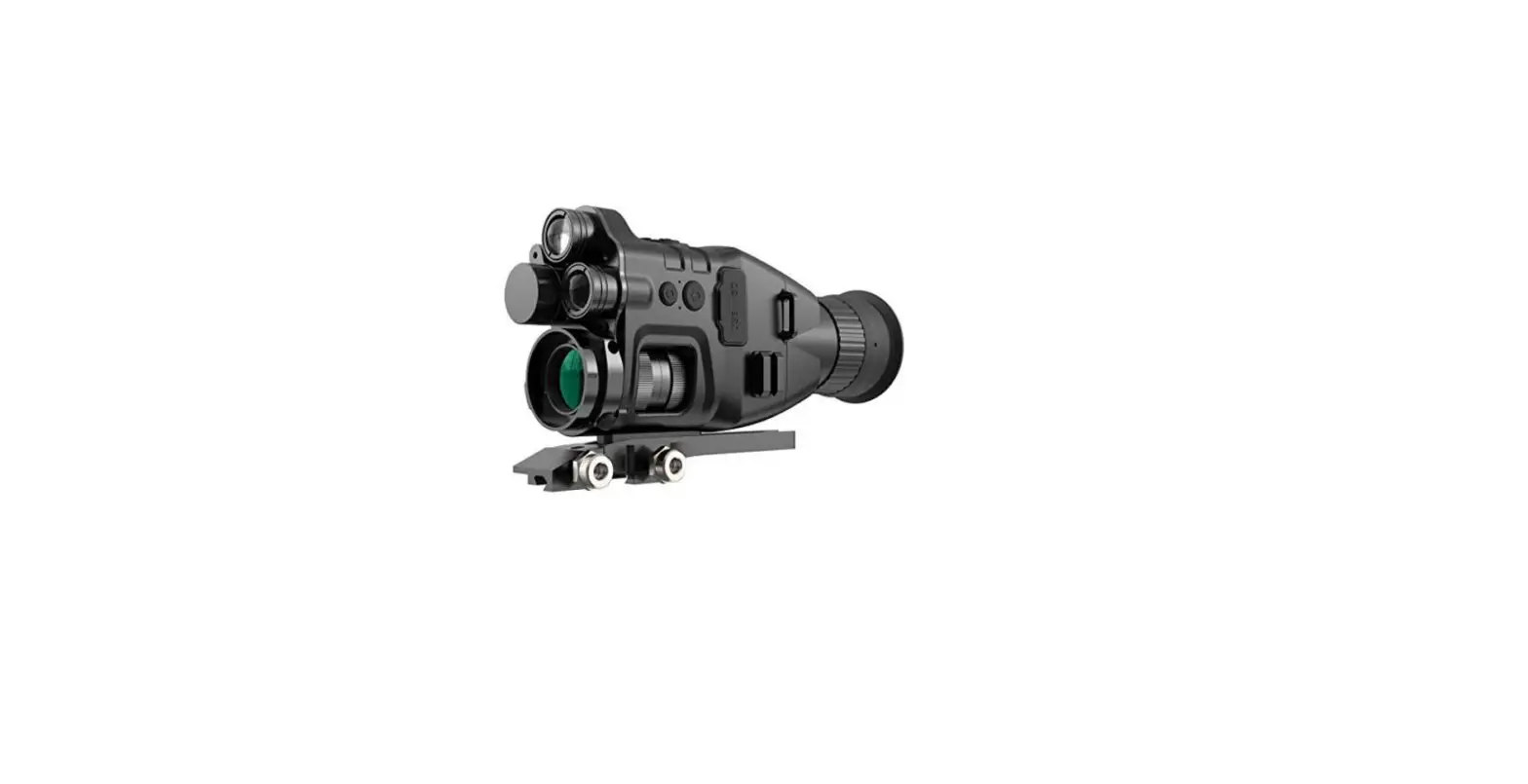
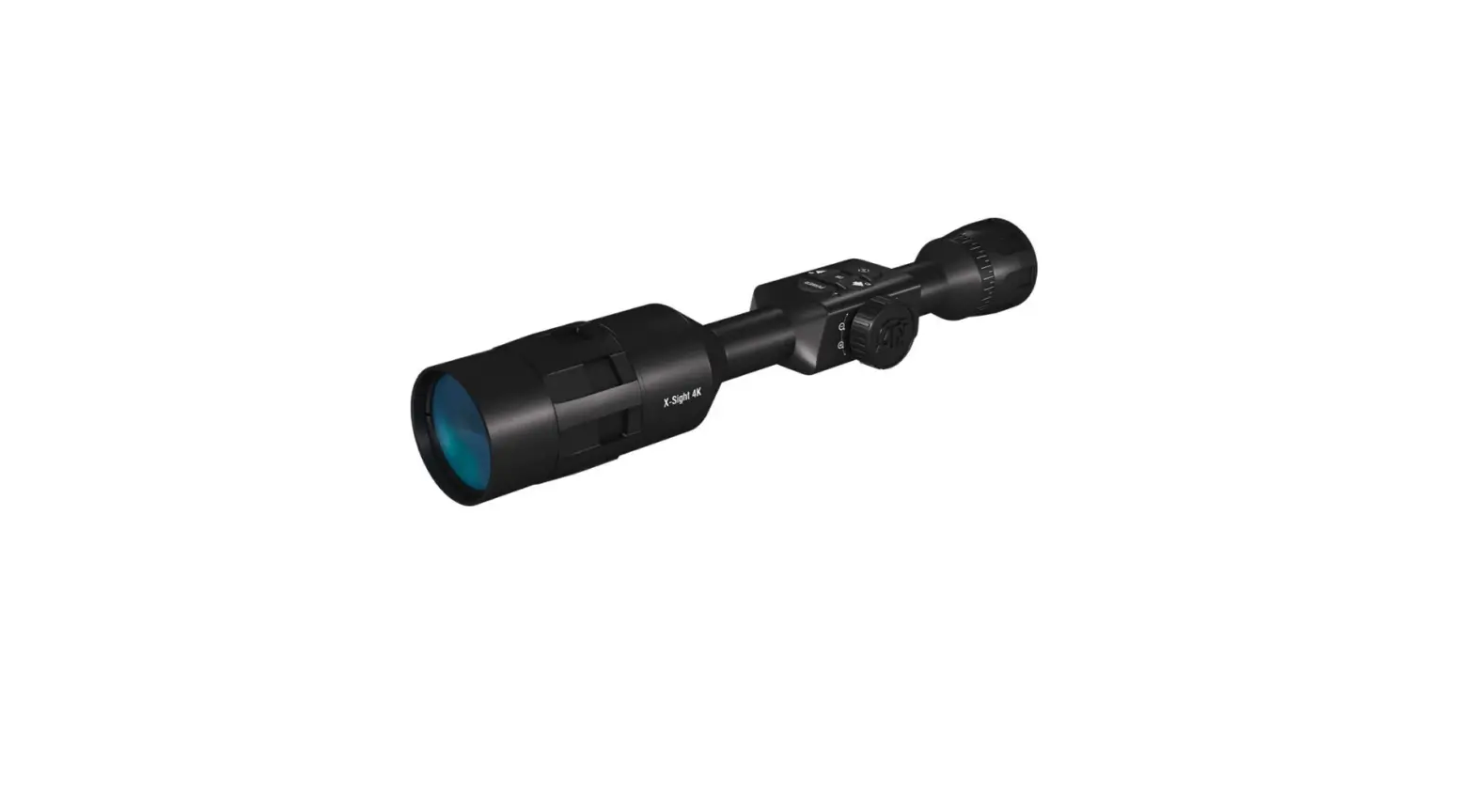
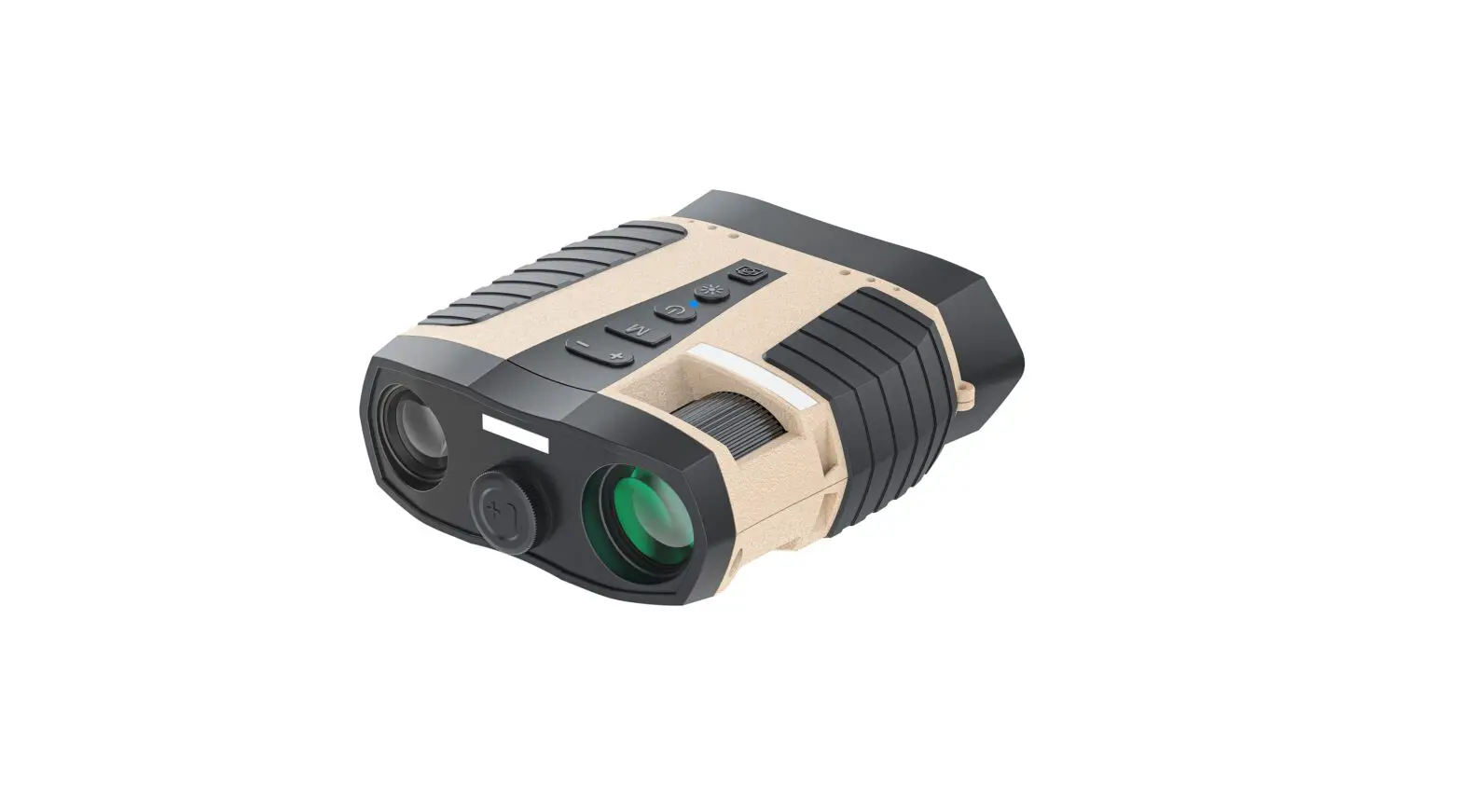
ZG25 DR Digital Day and Night Vision Riflescope
Product Information
Product Name: DR Digital Day & Night Vision
Riflescope
Available Languages: GB, RU, DE, FR, IT, ES,
JP, KR, PL
Product Usage Instructions
| Step | Action |
|---|---|
| 1 | Please charge the battery with the method described in the user manual and follow the charging procedure and precautions. |
| 2 | Do not try to open or disassemble the battery at any time. If the battery leaks and the spill enters the human eye, wash the eyes with clean water immediately and seek medical care. |
| 3 | When using the equipment, try to keep it stable and avoid violent shaking. |
| 4 | Do not use or store the instrument in an environment that exceeds the allowable working temperature or storage temperature of the equipment. |
| 5 | Do not directly aim the equipment at high-intensity thermal radiation sources, such as the sun, lasers, spot welding machines, etc. |
| 6 | Do not block the holes on the equipment. |
| 7 | Do not knock, throw, or vibrate instruments and accessories to avoid damage. |
| 8 | Do not disassemble the machine by yourself. If necessary, refer to the user manual for instructions. |
| 9 | Avoid putting the battery in a high-temperature environment or close to high-temperature objects. |
| 10 | Do not short circuit the positive and negative poles of the battery. |
| 11 | Avoid putting the battery in a wet environment or water. |
| 12 | Avoid exposing the device to dust or moisture. Cover the lens when not in use. Put the device and all accessories in a special packing box when not used. |
| 13 | Avoid using SD cards for other purposes. |
| 14 | Using the eyepiece for a long time may reduce the contrast. Switch to LCD display and then to eyepiece display after a period of time. |
List of Accessories
- Sighting telescope base
- 18650 charger
- 5V2A adapter
- Fill light stand
- Type-C cable
- Infrared fill light
- Plug of American, British, Australian, European standard
- Cell
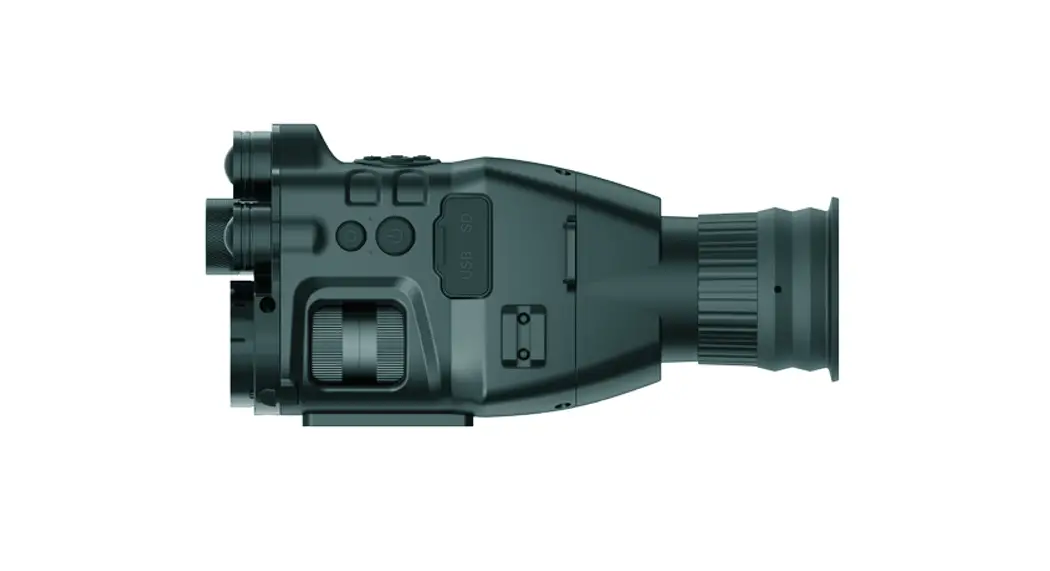
Introduction to Product Parts
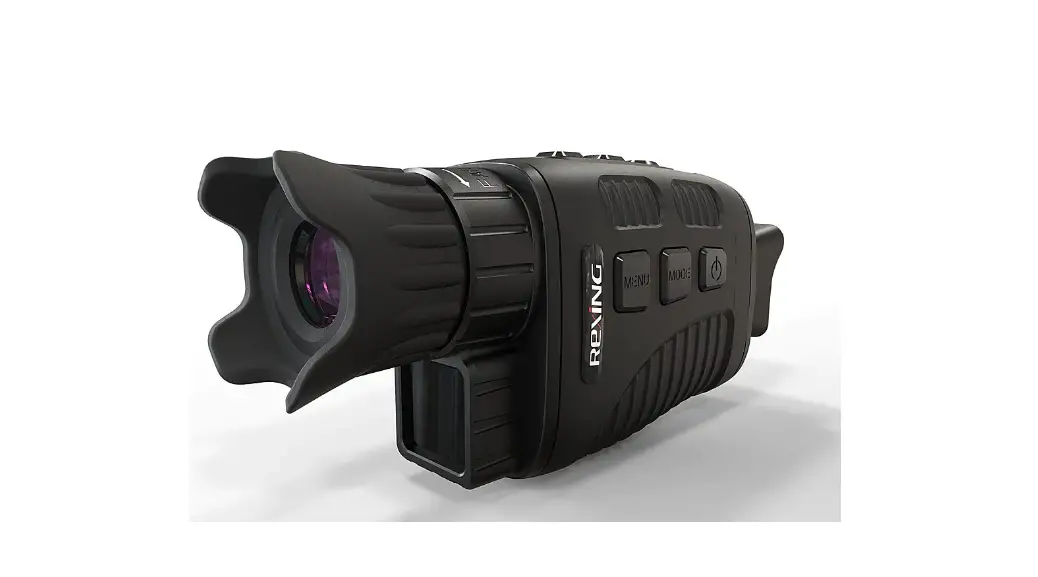
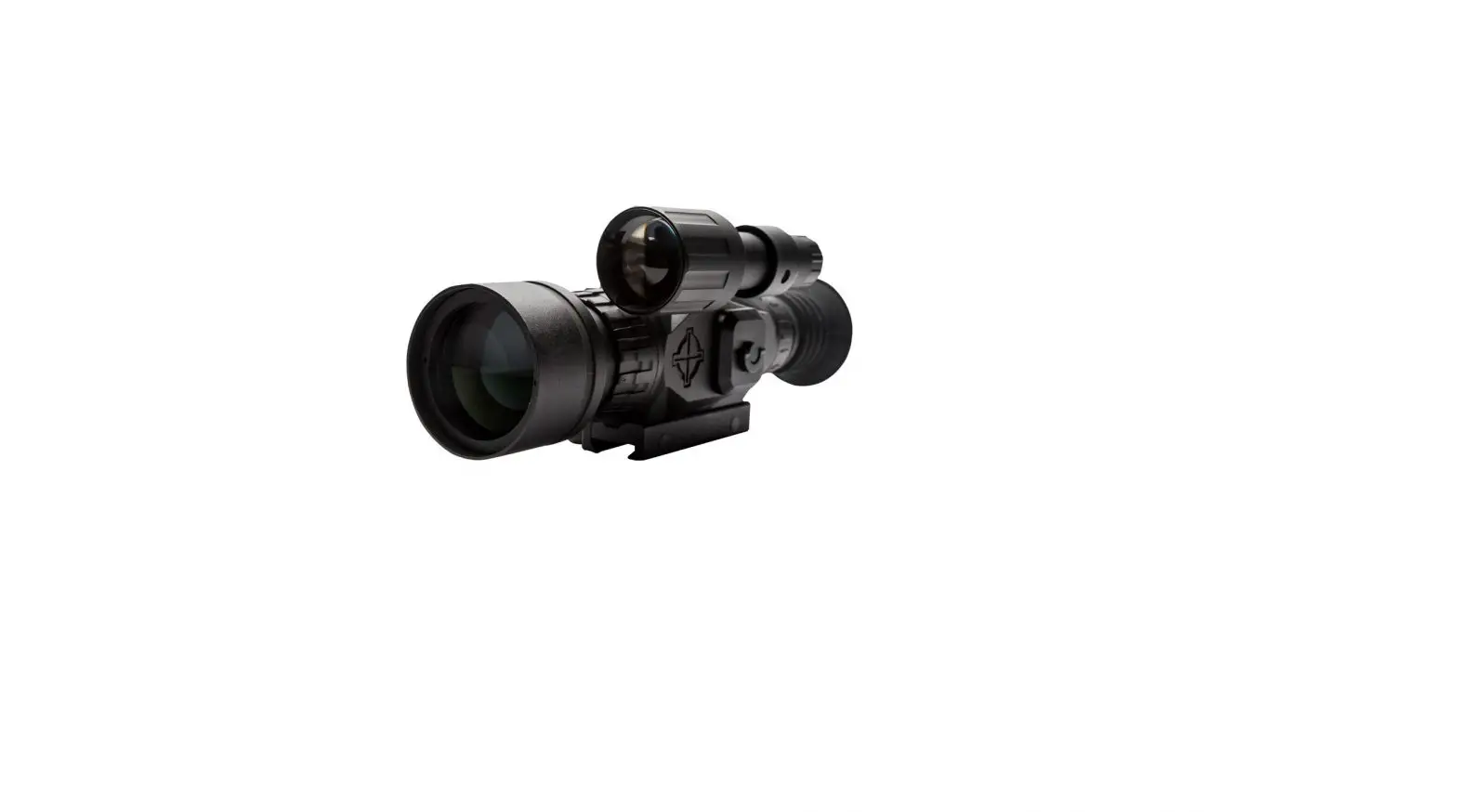
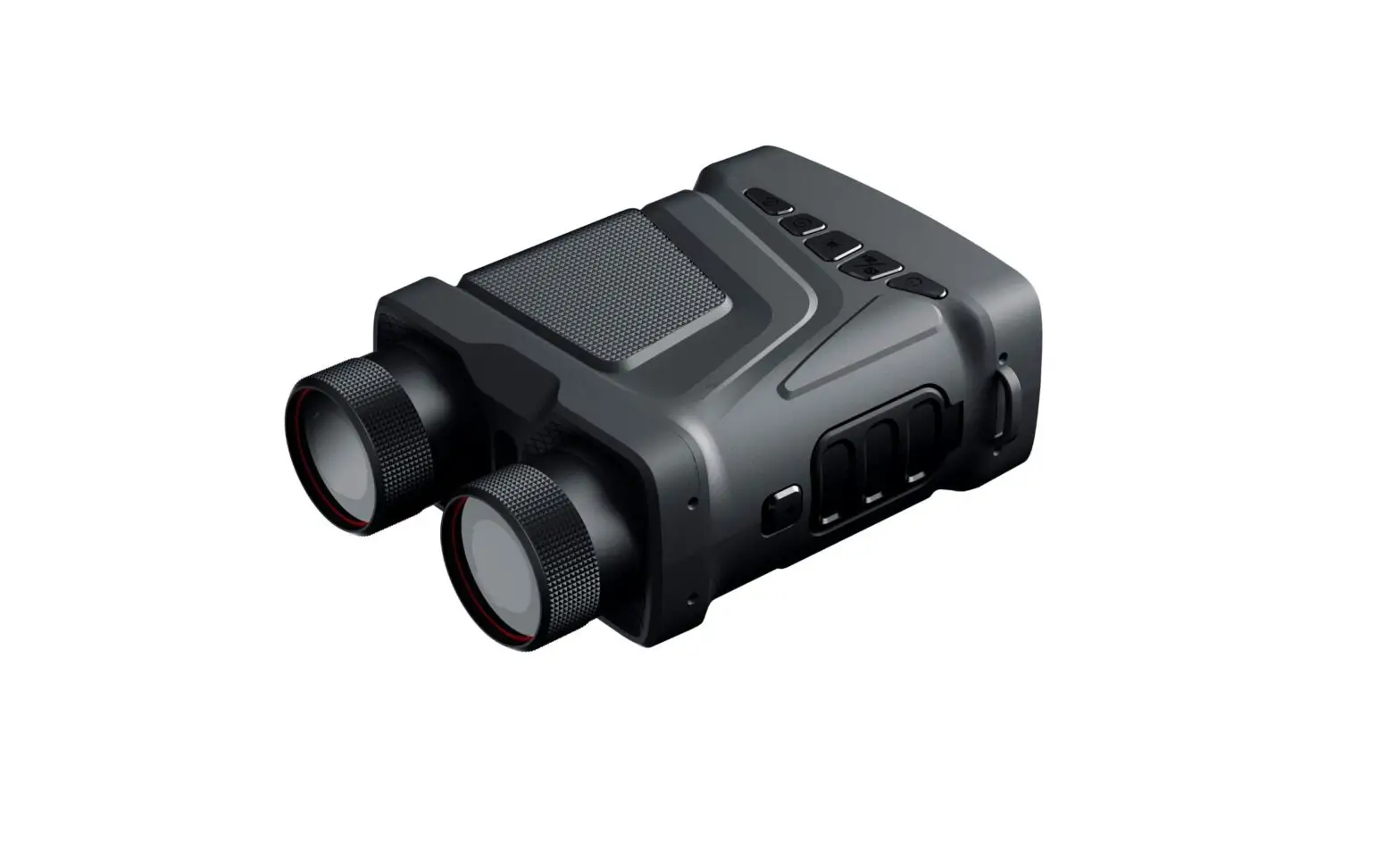
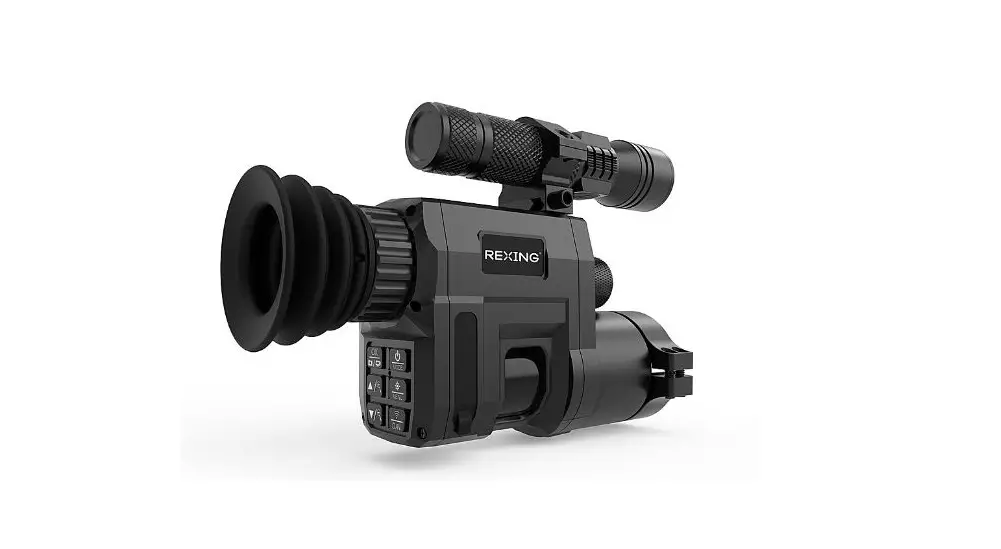
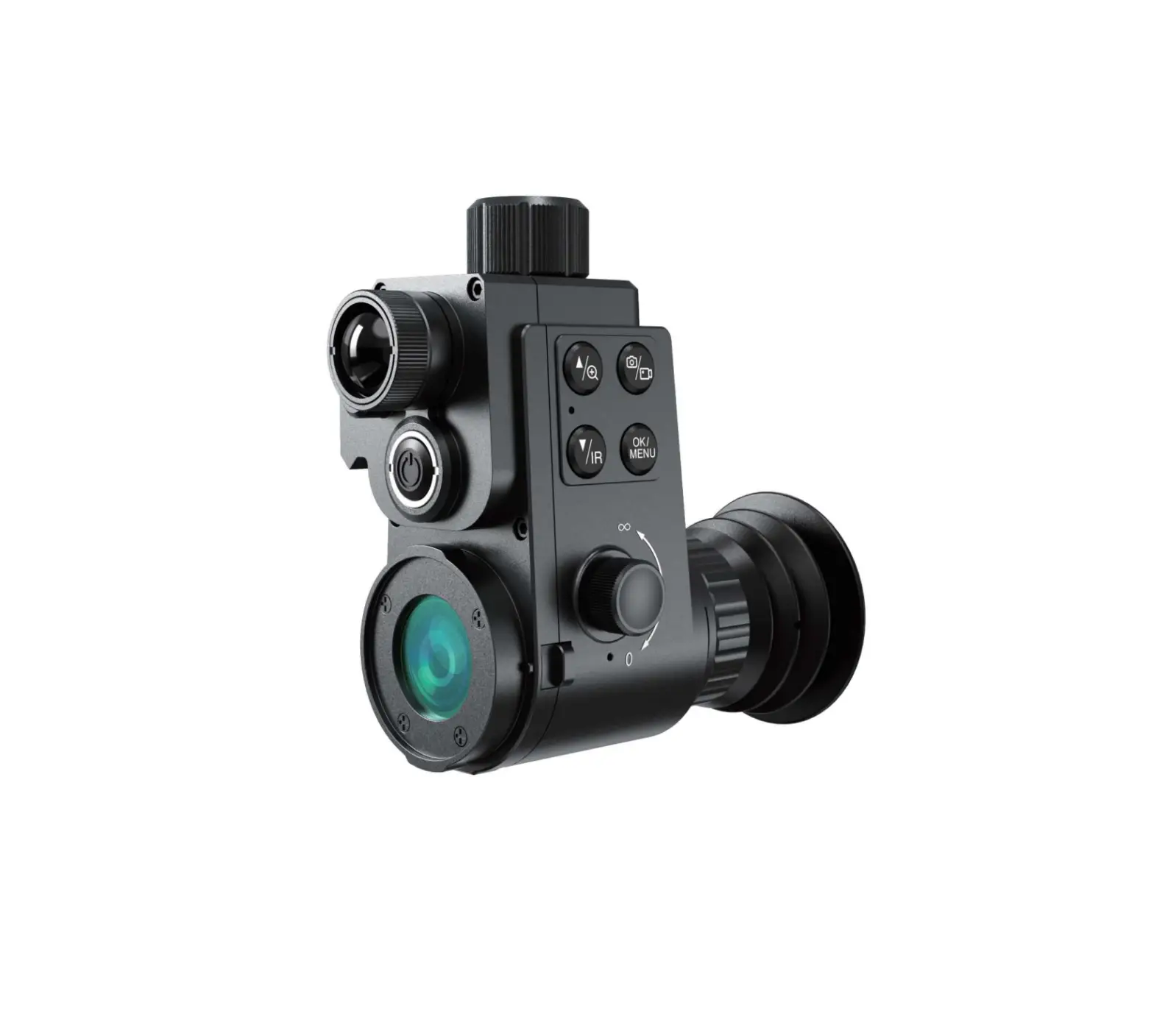
The following image represents one of the products in the series
and may not be an exact representation of the specific model:

Battery Cover: The cover to access the battery
compartment.
Type C Port: The port for connecting the device
with a Type-C cable.
Focus Ring: The ring used for adjusting the
focus of the riflescope.
Lens Cover: The cover for protecting the lens
of the riflescope.
Shutter Button: The button used for capturing
images or videos.
Rotate: Menu Knob: The knob used for rotating
through menu options.
Press: Menu Button: The button used for
selecting menu options.
Diopter Adjustment: The adjustment feature for
correcting the focus of the eyepiece.
Power Button: The button used for turning
on/off the device.
GB RU DE FR IT ES JP KR PL
Quickstart Guide
DR Digital Day & Night Vision Riflescope
Thank you for choosing our product. Please thoroughly go through user manual before operation and keep it well for future reference. All photos here are for reference only. and specifications are subject to the physical product.
– CONTENTS –
GB DR Digital Day & Night Vision Riflescope Quick Start Guide ………………………………………….. 1-18
RU DR ……..19-38
DE Kurzanleitung für das digitale Tag/Nacht-Sichtgerät DR ……………………………….39-58
FR Guide d’exploitation rapide de la lunette numérique de visée à vision diurne/nocturne DR……………………59-77
IT Guida di operzione rapida per DR Telescopio di Puntamento Digitale a Vista Diurna e Notturna ……………………………………………………..79-97
ES Guía de Inicio Rápido del Visor de Visión Diurna y Nocturna Digital DR……………………………………..99-117
JP DR……. 119-136
KR DR …………… 137-154
PL Cyfrowy celownik optyczny DR, dzie i noc Skrócona instrukcja obslugi………………………………………155-174
GB RU DE FR IT ES JP KR PL
– IMPORTANT –
Thank you for choosing this product. Please read this guide before use and keep it for future reference. We hope you’ll be satisfied with this product. This guide is a general guide for a series of products, which means that the specific model you receive may differ from the picture in the guide. Please refer to the actual product you receive. This user guide is organized for the convenience of users to use and understand our products. We will do our best to ensure the accuracy of the contents of this guide, however, we still cannot guarantee the completeness of the contents thereof. As our products are subject to continuous upgrading, we reserve the right to modify this guide from time to time without prior notice.
1
GB RU DE FR IT ES JP KR PL
– FCC WARNING –
This equipment may generate or use radio frequency energy. Changes or modifications to this equipment may cause harmful interference unless the modifications are expressly approved in the instruction manual. The user could lose the authority to operate this equipment if an unauthorized change or modification is made. This device complies with part 15 of the FCC Rules. Operation is subject to the following two conditions: (1) This device may not cause harmful interference, and (2) this device must accept any interference received, including interference that may cause undesired operation. The device has been evaluated to meet general RF exposure requirement. The device can be used in portable exposure condition without restriction. NOTE: This equipment has been tested and found to comply with the limits for a Class B digital device, pursuant to part 15 of the FCC Rules. These limits are designed to provide reasonable protection against harmful interference in a residential installation. This equipment generates, uses and can radiate radio frequency energy and, if not installed and used in accordance with the instructions, may cause harmful interference to radio communications. However, there is no guarantee that interference will not occur in a particular installation. If this equipment does cause harmful
2
GB RU DE FR IT ES JP KR PL interference to radio or television reception, which can be determined by turning the equipment off and on, the user is encouraged to try to correct the interference by one or more of the following measures: · Reorient or relocate the receiving antenna. · Increase the separation between the equipment and
receiver. · Connect the equipment into an outlet on a circuit
different from that to which the receiver is connected. · Consult the dealer or an experienced radio/TV
technician for help. · The rating information is located at the bottom of the
unit.
3
GB RU DE FR IT ES JP KR PL
– PRECAUTIONS –
DANGER 1) Please charge the battery with the method
described in this Guide and follow the charging procedure and precautions. Improper battery charging will cause heating, damage and even physical injury. 2) Do not try to open or disassemble the battery at any time. Once the battery leaks and the spill enters the human eye, wash the eyes with clean water immediately and take medical care.
WARNING 1) When using the equipment, please try to keep it
stable and avoid violent shaking. 2) Do not use or store the instrument in an environment
that exceeds the allowable working temperature or storage temperature of the equipment. 3) Do not directly aim the equipment at high-intensity thermal radiation sources, such as the sun, lasers, spot welding machines, etc. 4) Do not block the holes on the equipment. 5) Do not knock, throw or vibrate instruments and
4
GB RU DE FR IT ES JP KR PL
accessories to avoid damage. 6) Do not disassemble the machine by yourself,
which may cause equipment damage and loss of warranty rights. 7) Do not use soluble or similar liquids on equipment and cables, which may cause damage to the equipment. 8) Please do not use the equipment in an environment that exceeds the operating temperature of the equipment, which may cause damage to the equipment. 9) Please observe the following measures when wiping this device: · Non-optical surface: use a clean soft cloth
to wipe the non-optical surface of the thermographic camera when necessary. · Optical surface: when using the thermographic camera, please avoid polluting the optical surface of the lens, especially avoid touching the lens with your hands, because the sweat on your hands will leave traces on the lens glass and may corrode the optical coating on the glass surface. When the surface of the optical lens is polluted, use special lens paper to wipe
5
GB RU DE FR IT ES JP KR PL it carefully.
10) Do not put the battery in a high-temperature environment or close to high-temperature objects.
11) Do not short circuit the positive and negative poles of the battery.
12) Do not put the battery in wet environment or water.
CAUTION: 1) Do not expose the device to dust or moisture. Avoid
water splashing to the device when being used in an environment with water. Cover the lens when not using the camera. 2) When this device is not used, please put the device and all accessories in a special packing box. 3) Avoid using SD cards for other purposes. 4) Using the eyepiece for a long time will reduce the contrast of the eyepiece, and the picture will turn white. You can switch to LCD display, and then to eyepiece display after a period of time.
6
GB RU DE FR IT ES JP KR PL
– LIST OF ACCESSORIES –
Standard accessories
Sighting telescope base
18650 charger
5V2A adapter
Fill light stand Type-C cable
Infrared fill light
Plug of American, British, Australian, European standard
Cell
Optional accessories · 18650 battery · External laser ranger · Bluetooth remote control · Dovetail guide
7
GB RU DE FR IT ES JP KR PL
– INTRODUCTION TO PRODUCT PARTS –
This guide is applicable to multiple products of this series, and the illustration is only for one of them.
BATTERY COVER
TYPE C PORT FOCUS RING
LENS COVE
SHUTTER BUTTON
ROTATE: MENU KNOB PRESS: MENU BUTTON
DIOPTER ADJUSTMENT
POWER BUTTON 8
GB RU DE FR IT ES JP KR PL 1. FOCUSING RING
Focus the target after the thermographic camera is turned on. The image may appear blurry when the distance to the target changes. Turn the lens focusing ring to refocus until the target image sharpens. 2. LENS COVER Please cover the lens when not using the product to protect the lens! 3. USB TYPE C PORT Use the USB cable to connect external power via the external interface to supply power to the product. The output specification of external power is 5V 2A. 4. BATTERY COVER The battery cover is the entrance of battery disassembly and assembly when the product uses battery.
9
GB RU DE FR IT ES JP KR PL
– QUICKSTART INSTRUCTIONS –
Current Buttons Device
Status
Rotate Short Press Long Press
Power.on
/
Power.
button Power.off
/
/
Display.off/ Power.off
/
Power.on
Display.off
/
Display.on Display.on
Menu.
Menu.not. displayed
Rotate. clockwise.to.
zoom.in
/
/
knob
Menu.not. displayed
Rotate. anticlockwise. to.zoom.out
/
/
Menu.not. displayed
/
Display.the. shortcut. menu
Enter. menu
Menu. button Initial.
menu. displayed
/
Confirm. the.current. option.and. back.to.the.
previous. menu
Not. confirm. the.current. option.and. back.to.the. previous. menu
Take.a.
photo.and.
Menu.not. displayed Shutter. button
/
freeze.it.for. 300ms.to. restore.the.
Start.video. recording
real-time.
screen
Video. recording
End.video.
/
Take.photos
recording. and.save.
the.video
10
GB RU DE FR IT ES JP KR PL
BUTTON DESCRIPTION] 1. POWER BUTTON
POWER ON Long press the Power button until the boot screen appears in the eyepiece, then the device is turned on successfully. POWER OFF Manual power-off: Long press the Power button to display the shutdown progress bar until the progress bar is completed and the shutdown is successful. DISPLAY OFF Long press the Power key to display the shutdown progress bar. Before the progress bar is completed, release the Power key to cancel the shutdown and enter the Display off mode. DISPLAY ON In Display off mode, press any button to wake up the screen. 2. MENU KNOB ROTATE CLOCKWISE The menu is not displayed, rotate clockwise to zoom in and lock at the maximum. ROTATE ANTICLOCKWISE The menu is not displayed, rotate anticlockwise to zoom
11
GB RU DE FR IT ES JP KR PL out and lock at the minimum.
3. MENU BUTTON ENTER MENU When it is turned on and the menu is not called up, short press the Menu key to pop up the shortcut menu. Rotate the knob to select. TOGGLE MENU OPTIONS When it is turned on and the menu is called up, short press the Menu button and rotate the knob to adjust the value. EXIT MENU When it is turned on and the menu is called up, long press the Menu button to save and exit menu.
4. SHUTTER BUTTON TAKE PHOTOS Short press the Shutter button to take a photo and freeze it for 300ms to restore the real-time screen. TAKE VIDEOS Long press the Shutter button to start video recording, and long press it again to end video recording the save the video.
12
Icon
GB RU DE FR IT ES JP KR PL
Meaning
Image adjustment
Icon
Meaning Other settings
Line settings
Scene mode
Zero calibration
settings
WiFi
PIP
Screen brightness
Record mode
Super power saving
Power saving settings
Local settings
Photo taking successfully
Rough ranging
Zero calibration
distance Video
recording successfully
FUNCTION DESCRIPTION · Image adjustment: The image can be adjusted, including switching the scene mode, enabling image enhancement and setting the brightness and
13
GB RU DE FR IT ES JP KR PL
contrast. · Line settings: The line configuration, type, color and
brightness can be set. · WIFI settings: WIFI switch. When the mobile client
and the device are connected, real-time videos can be transmitted to the mobile phone, the device can be operated through the APP. · Record mode: There are three modes to be selected: Single shot/Shooting while transmitting/ Transmitting record. · Power saving settings: Auto sleep time can be set at 5min/10min/15min or automatic power off time can be set at 15min/30min/60min to achieve power saving. · Time settings: The time format can be 12H/24H. · Language settings: Language can be selected in English/Russian/German/French/Simplified Chinese /Spanish/Italian/Japanese/Korean/Polish. · Memory card formatting: The memory card can be formatted. · Restore default: You can restore the device to the default values. · Remote control: Switch on the controller and turn on Bluetooth to search for nearby Bluetooth remote
14
GB RU DE FR IT ES JP KR PL control to connect, and external ranging device is not connected. · External ranging: Switch on external ranging and turn on Bluetooth to search for nearby external ranging device to connect, and remote control is not connected. · Scene mode: The scene mode can be switched among day, night and low light. · PIP: PIP can be switched among four states: upper left, upper middle, upper right and off. · Screen brightness: The screen brightness can be adjusted from level 1 to 10. · Super power saving: The super power saving mode can be turned on or turned off. · Rough ranging: The approximate distance (m) to rabbit, wolf, boar and deer can be calculated. · Zero calibration distance: You can quickly select the zero calibration settings saved for different zero calibration distances (50m / 100m / 200m/ 300m / 500m). · Photo and video: Short press the Shutter button to take photos and long press the Shutter button to take videos.
15
GB RU DE FR IT ES JP KR PL
· Battery status: When the thermographic camera is turned on and the battery capacity changes, the capacity indicator is displayed in the lower left corner of the screen, and the part of the lit power indicator shows the remaining battery capacity. After starting up and entering the real-time screen, the icon corresponding to the above power capacity will be displayed in the left bottom of the screen. The power capacity is as follows:
High capacity
Medium high capacity
Medium capacity
Medium low capacity
Low capacity
Insufficient capacity
Notes:
Please replace the battery in a timely manner when
the battery is low!
16
GB RU DE FR IT ES JP KR PL
– COMMON TROUBLESHOOTING GUIDE –
1. The device cannot be powered on Solution: replace the battery or connect the adapter for power supply
2. The device cannot take photos/videos Solution: the internal storage space of the device is full. It is needed to format the memory card or disconnect the device from the computer
3. The display time of the device is inconsistent with the actual time Solution: reset the time and date of the device in the menu
4. The screen goes black during use Solution: short press any key to wake up sleep and light up the screen
5. The imaging of the device is blurred in use Solution: turn the lens for manual focusing until the image sharpens
17
GB RU DE FR IT ES JP KR PL
– STORAGE AND TRANSPORT –
The following is the correct storage and transportation of the product. To prevent danger, property loss, etc., please read the manual carefully before using the device. Strictly observe it, and keep the instruction properly after reading it. Storage: 1. The packaged product shall be stored in a well-
ventilated, clean, condensate-free and corrosive gasfree room with temperature of -30 ~ 60 and relative humidity not exceeding 95%. 2. Please take it out and charge it once every 3 months. Transport: During transport, it shall be protected against rain, water flooding and falling, without severe vibration and impact. It shall be handled with care and throwing is strictly prohibited.
18
GB RU DE FR IT ES JP KR PL
– –
, , , , , , . . , , , .. , .
19
GB RU DE FR IT ES JP KR PL
– FCC WARNING –
This equipment may generate or use radio frequency energy. Changes or modifications to this equipment may cause harmful interference unless the modifications are expressly approved in the instruction manual. The user could lose the authority to operate this equipment if an unauthorized change or modification is made. This device complies with part 15 of the FCC Rules. Operation is subject to the following two conditions: (1) This device may not cause harmful interference, and (2) this device must accept any interference received, including interference that may cause undesired operation. The device has been evaluated to meet general RF exposure requirement. The device can be used in portable exposure condition without restriction. NOTE: This equipment has been tested and found to comply with the limits for a Class B digital device, pursuant to part 15 of the FCC Rules. These limits are designed to provide reasonable protection against harmful interference in a residential installation. This equipment generates, uses and can radiate radio frequency energy and, if not installed and used in accordance with the instructions, may cause harmful interference to radio communications. However, there is no guarantee that interference will not occur in a particular installation. If this equipment does cause harmful
20
GB RU DE FR IT ES JP KR PL interference to radio or television reception, which can be determined by turning the equipment off and on, the user is encouraged to try to correct the interference by one or more of the following measures: · Reorient or relocate the receiving antenna. · Increase the separation between the equipment and
receiver. · Connect the equipment into an outlet on a circuit
different from that to which the receiver is connected. · Consult the dealer or an experienced radio/TV
technician for help. · The rating information is located at the bottom of the
unit.
21
GB RU DE FR IT ES JP KR PL
– –
1) , ,
, . , ; 2) . , .
1)
; 2) , ; 3)
22
GB RU DE FR IT ES JP KR PL
, , , . .; 4) ; 5) , ; 6) , ; 7) , ; 8) , , , ; 9) : · :
; · :
23
GB RU DE FR IT ES JP KR PL
,
,
.
;
10)
;
11)
;
12)
.
: 1)
. . , ;
24
GB RU DE FR IT ES JP KR PL
2) ,
;
3) SD-
;
4)
.
-,
.
25
GB RU DE FR IT ES JP KR PL
– –
18650
5V2A
Type-c
, , ,
· 18650 · · Bluetooth · « »
26
GB RU DE FR IT ES JP KR PL
– –
, — .
Type C
: :
27
GB RU DE FR IT ES JP KR PL 1.
. , , .
2. , , , !
3. USB Type C , USB, . 5V2A.
4. , , .
28
GB RU DE FR IT ES JP KR PL
– –
/
.
/
/
Display.off/
/
.
/
.
.
.
.. ..
. .
..
,.. .
..
,..
/ /
/ /
..
/
.
..
. .
.
. .0.
/
. … .
.. .
. . .,.
.. .
..
…
..
/
300.,.. . . ..
. .. ,
.
.
/
. .. .
29
GB RU DE FR IT ES JP KR PL
1.
, , . : , , , . , , , display off. . 2. , , ,
30
GB RU DE FR IT ES JP KR PL
. , , , . 3. , , . , . , , . , , . 4. , , 300 ,
31
GB RU DE FR IT ES JP KR PL
.
, ,
,
.
.
WiFi
32
GB RU DE FR IT ES JP KR PL
·
:
,
,
,
.
· :
, ,
.
· WiFi:
Wi-Fi,
,
,
.
· :
/ /
.
· :
5/10/15
15/30/60
.
· :
12 24 .
· :
33
GB RU DE FR IT ES JP KR PL
: // //// ///. · : .
· : .
· Bluetooth: , Bluetooth, Bluetooth .
· :
,
Bluetooth
,
.
· :
: ,
.
· :
34
GB RU DE FR IT ES JP KR PL
: , ,
.
· : ,
1-10 .
· :
.
·
:
, , ,
.
· :
,
,
50m/100m/200m/300m/500m.
· /: ,
,
, .
· : , .
35
GB RU DE FR IT ES JP KR PL , , , . :
–
–
: , !
36
GB RU DE FR IT ES JP KR PL
– –
1. :
2. / : , .
3. . :
4. : , .
5.
:
,
,
.
37
GB RU DE FR IT ES JP KR PL
– –
: 1.
-45°C 70°C, 10% 95% ( ), , ; 2. , 3 . : , , .
38
GB RU DE FR IT ES JP KR PL
– Wichtige Hinweise –
Dieses Handbuch ist ein allgemeines Handbuch für eine Produktpalette. Das bedeutet, dass das von Ihnen erhaltene spezifische Modell möglicherweise von den Abbildungen im Handbuch abweicht. Bitte beachten Sie das tatsächliche Produkt. Dieses Benutzerhandbuch dient dazu, unseren Kunden die Verwendung und Kenntnis unserer Produkte zu erleichtern. Wir werden unser Bestes tun, um die Richtigkeit des Inhalts dieses Handbuchs sicherzustellen. Wir können jedoch nicht garantieren, dass das Handbuch vollständig ist, da unsere Produkte kontinuierlich aktualisiert und verbessert werden. Wir behalten uns das Recht vor, Änderungen ohne gesonderte Benachrichtigung vorzunehmen.
39
GB RU DE FR IT ES JP KR PL
– FCC WARNING –
This equipment may generate or use radio frequency energy. Changes or modifications to this equipment may cause harmful interference unless the modifications are expressly approved in the instruction manual. The user could lose the authority to operate this equipment if an unauthorized change or modification is made. This device complies with part 15 of the FCC Rules. Operation is subject to the following two conditions: (1) This device may not cause harmful interference, and (2) this device must accept any interference received, including interference that may cause undesired operation. The device has been evaluated to meet general RF exposure requirement. The device can be used in portable exposure condition without restriction. NOTE: This equipment has been tested and found to comply with the limits for a Class B digital device, pursuant to part 15 of the FCC Rules. These limits are designed to provide reasonable protection against harmful interference in a residential installation. This equipment generates, uses and can radiate radio frequency energy and, if not installed and used in accordance with the instructions, may cause harmful interference to radio communications. However, there is no guarantee that interference will not occur in a particular installation. If this equipment does cause harmful
40
GB RU DE FR IT ES JP KR PL interference to radio or television reception, which can be determined by turning the equipment off and on, the user is encouraged to try to correct the interference by one or more of the following measures: · Reorient or relocate the receiving antenna. · Increase the separation between the equipment and
receiver. · Connect the equipment into an outlet on a circuit
different from that to which the receiver is connected. · Consult the dealer or an experienced radio/TV
technician for help. · The rating information is located at the bottom of the
unit.
41
GB RU DE FR IT ES JP KR PL
– Hinweise –
Gefahr 1) Bitte laden Sie den Akku gemäß den Anweisungen in
diesem Handbuch auf und befolgen Sie die Schritte und Sicherheitshinweise beim Laden. Falsches Aufladen kann zu Überhitzung, Beschädigung der Batterie oder sogar Verletzungen führen. 2) Versuchen Sie niemals, den Akku zu öffnen oder zu zerlegen. Wenn der Akku undicht wird und Flüssigkeit in die Augen gelangt, spülen Sie die Augen sofort mit klarem Wasser aus und suchen Sie medizinische Hilfe auf.
Warnung 1) Vermeiden Sie starke Vibrationen während der
Benutzung, um Stabilität zu gewährleisten. 2) Verwenden oder lagern Sie das Gerät nicht in
Umgebungen mit Temperaturen außerhalb der zulässigen Betriebs- oder Lagerungstemperatur. 3) Richten Sie das Gerät nicht direkt auf eine starke Wärmequelle wie die Sonne, einen Laser oder einen Schweißpunkt usw. 4) Blockieren Sie keine Löcher auf dem Gerät.
42
GB RU DE FR IT ES JP KR PL 5) Vermeiden Sie Schläge, Stöße oder Vibrationen
gegen das Gerät und Zubehör, um Beschädigungen zu vermeiden. 6) Bitte öffnen Sie das Gerät nicht eigenmächtig, da dies zu Schäden führen kann und Garantieansprüche erlöschen. 7) Verwenden Sie keine lösungsmittelhaltigen oder ähnlichen Flüssigkeiten für das Gerät oder Kabel, da dies zu Beschädigungen des Geräts führen kann. 8) Verwenden Sie das Gerät nicht in Umgebungen mit Temperaturen über dem zulässigen Betriebstemperaturbereich, da dies zu Beschädigungen des Geräts führen kann. 9) Bitte befolgen Sie beim Reinigen dieses Geräts die folgenden Maßnahmen: · Nicht-optische Oberflächen: Bei Bedarf können
Sie die nicht-optischen Oberflächen des Wärmebildgeräts mit einem sauberen, weichen Tuch abwischen. · Optische Oberflächen: Vermeiden Sie es, die optischen Oberflächen der Linse des Wärmebildgeräts zu verschmutzen, insbesondere vermeiden Sie es, die Linse mit
43
GB RU DE FR IT ES JP KR PL den Händen zu berühren, da Fingerabdrücke auf dem Glas der Linse zurückbleiben und die optischen Beschichtungsschicht des Glasoberfläche korrodieren können. Wenn die Oberfläche des optischen Objektivs verschmutzt ist, verwenden Sie vorsichtig professionelles Objektivpapier zum Reinigen.
10) Bewahren Sie die Batterie nicht in einer Umgebung mit hoher Temperatur oder in der Nähe von heißen Gegenständen auf.
11) Kurzschließen Sie nicht die Pole der Batterie. 12) Legen Sie die Batterie nicht in eine feuchte
Umgebung oder ins Wasser.
Hinweis: 1) Setzen Sie das Gerät nicht in staubigen oder
feuchten Umgebungen aus. Vermeiden Sie das Spritzen von Wasser auf das Instrument in feuchten Umgebungen. Decken Sie das Objektiv mit einer Objektivkappe ab, wenn das Gerät nicht verwendet wird. 2) Wenn das Gerät nicht verwendet wird, bewahren Sie es und alle Zubehörteile in einer speziellen Verpackungsbox auf.
44
GB RU DE FR IT ES JP KR PL 3) Vermeiden Sie es, die mitgelieferte SD-Karte
anderweitig zu verwenden; 4) Eine langfristige Nutzung des Fernglases kann zu
einer Reduzierung des Kontrasts der Gläser, einem weißen Bild und einer Veränderung des LCDBildschirms führen. Schalten Sie in diesen Fällen auf den LCD-Bildschirm um und wechseln Sie später zurück auf die Gläser.
45
GB RU DE FR IT ES JP KR PL
– Zubehörliste –
Standardmäßig enthalten
Zielfernrohrmontage
18650 Ladegerät
5V2A-Adapter
Lampenhalterung Type-C-Kabel
Infrarot-Aufhellungslampe
Amerikanische, Britische, Australische, Europäische Stecker
Zusatzoptionen · 18650 Batterie · Externes Laser-Entfernungsmessgerät · Bluetooth-Fernbedienung · Picatinny-Schiene
46
Akku
GB RU DE FR IT ES JP KR PL
– Vorstellung der Produktkomponenten –
Dieses Handbuch gilt für verschiedene Modelle dieser Serie, die Abbildungen beziehen sich nur auf eines dieser Modelle.
Batterieabdeckung
Typ C Schnittstelle Fokusring
Objektivdeckel Drehen: Menüknopf Drücken: Menütaste
Fokus-Einstellung
Kamera-Taste
Ein- / Ausschalter 47
GB RU DE FR IT ES JP KR PL 1. Fokusring
Nach dem Einschalten der Wärmebildkamera sollte das Zielobjekt ausgerichtet werden. Wenn sich die Entfernung des Zielobjekts ändert, kann das Bild unscharf werden. Drehen Sie den Fokusring, um das Bild neu zu fokussieren, bis das Zielbild scharf ist.
2. Objektivdeckel Bitte setzen Sie den Objektivdeckel auf, um das Objektiv zu schützen, wenn das Produkt nicht verwendet wird!
3. USB-Typ-C-Schnittstelle Durch die externe USB-Schnittstelle können Sie das Produkt mit einer externen Stromquelle verbinden und aufladen. Die Ausgangsspezifikation der externen Stromversorgung beträgt 5V2A.
4. Batterieabdeckung Wenn das Produkt mit einer Batterie verwendet wird, ist dies der Eingang zum Entfernen und Installieren der Batterie.
48
GB RU DE FR IT ES JP KR PL
– Schnellbedienungsanleitung –
Taste
Aktueller Gerätestatus
Drehen
Kurzes Drücken Langes Drücken
Einschalten
/
Ein-./.
Ausschalter Ausschalten
/
/
Display.aus./. Ausschalten
/
Einschalten
Display.aus
/
Display.an
Display.an
Menüknopf
Kein.Menü. angezeigt
Kein.Menü. angezeigt
Kein.Menü. angezeigt
Im. Uhrzeigersinn. drehen,.um.zu. vergrößern
Gegen.den. Uhrzeigersinn. drehen,.um.zu. verkleinern
/
Menütaste Stufe.0-Menü. anzeigen
/
Kein.Menü. angezeigt
/
Kamera-
Taste
Videoaufnahme. läuft
/
/
/
/
/
Schnellmenü. Menüoptionen.
anzeigen
aufrufen
Bestätigt.die.
Bestätigt.die.
aktuelle.Auswahl. aktuelle.Auswahl.
und.kehrt.zum. nicht.und.kehrt.
vorherigen.Menü. zum.vorherigen.
zurück
Menü.zurück
Foto.aufnehmen.
und.300ms.
einfrieren,.bevor. Videoaufnahme.
das.Live-Bild.
starten
wiederhergestellt.
wird
Beendet.die.
Foto.aufnehmen
Aufnahme.und. speichert.das.
Video
49
GB RU DE FR IT ES JP KR PL Tastenbeschreibung 1. Ein- / Ausschalter
Einschalten Halten Sie die Power-Taste gedrückt, bis das Einschaltbild im Okular erscheint , um das Gerät erfolgreich einzuschalten. Ausschalten Manuelles Herunterfahren: Drücken Sie lange auf die Ein-/Aus-Taste, um den Fortschrittsbalken für das Herunterfahren anzuzeigen, und fahren Sie fort, bis der Fortschrittsbalken abgeschlossen ist und das Herunterfahren erfolgreich ist. Display aus Drücken Sie lange auf die Ein-/Aus-Taste, um den Fortschrittsbalken für das Herunterfahren anzuzeigen, bevor der Fortschrittsbalken abgeschlossen ist, lassen Sie den Netzschalter los, um das Herunterfahren abzubrechen, und wechseln Sie in den Aus-Modus des Displays. Display an Drücken Sie im Modus Display aus eine beliebige Taste, um den Bildschirm aufzuwecken.
50
GB RU DE FR IT ES JP KR PL
2. Menüknopf Im Uhrzeigersinn drehen Wenn kein Menü angezeigt wird, im Uhrzeigersinn drehen, um zu vergrößern. Bei Erreichen des Maximums wird die Vergrößerung gesperrt. Gegen den Uhrzeigersinn drehen Wenn kein Menü angezeigt wird, gegen den Uhrzeigersinn drehen, um zu verkleinern. Bei Erreichen des Minimums wird die Verkleinerung gesperrt.
3. Menütaste Menü aufrufen Kurzes Drücken der Menütaste, wenn das Gerät eingeschaltet ist und sich nicht im Menümodus befindet, um das Schnellmenü aufzurufen. Mit dem Drehknopf auswählen. Menüoptionen wechseln Kurzes Drücken der Menütaste, wenn das Gerät eingeschaltet ist und sich im Menümodus befindet, um den entsprechenden Optionswert anzupassen. Menü verlassen Wenn das Gerät eingeschaltet ist und sich im Menümodus befindet, halten Sie die Menütaste gedrückt, um die Menüoptionen zu speichern und das Menü zu verlassen.
51
GB RU DE FR IT ES JP KR PL
4. Kamera-Taste Foto aufnehmen Drücken Sie kurz die Fototaste, um ein Foto zu machen, und halten Sie es für 300 ms an, um das Echtzeitbild anzuzeigen. Video aufnahmen Halten Sie die Fototaste gedrückt, um mit der Aufnahme zu beginnen, und halten Sie sie erneut gedrückt, um die Aufnahme zu beenden und zu speichern.
Symbolbild Symbolbedeutung Symbolbild Symbolbedeutung
Bildanpassung
Weitere Einstellungen
Gitterlinien Einstellungen
Nullpunkt kalibrieren
WiFi
Bildmodus Bild-in-Bild Bildschirmhelligkeit
Aufnahmemodus
StromsparEinstellungen
52
Ultra-Stromsparmodus Schnellentfernungsmessung
GB RU DE FR IT ES JP KR PL
Geräteeinstellung
Nullpunkt-Distanz
Fotografie erfolgreich
Video Aufnahme erfolgreich
Funktionsbeschreibung · Bildanpassung: Das Gerät kann das Bild anpassen, einschließlich des Wechselns des Szenenmodus, des Aktivierens der Bildverbesserung, der Einstellung von Helligkeit und Kontrast. · Gitterlinien Einstellungen: Das Gerät kann Gitterlinien einstellen, einschließlich Typ, Farbe und Helligkeit. · WiFi-Einstellungen: WiFi-Schalter. Wenn das Mobilgerät mit dem Gerät verbunden ist, können Sie Echtzeitvideos auf das Mobilgerät übertragen und das Gerät über die App steuern. · Aufnahmemodus: Es können drei Aufnahmemodi ausgewählt werden: Einzelaufnahme, Fotografie während des Schießens und Schießaufzeichnung. · Stromspar-Einstellungen: Sie können den automatischen Ruhezustand auf 5 Minuten/10 Minuten/15 Minuten oder die automatische Abschaltung auf 15 Minuten/30 Minuten/60 Minuten
53
GB RU DE FR IT ES JP KR PL
einstellen, um Strom zu sparen. · Zeiteinstellungen: Sie können die Zeitanzeige im
12-Stunden- oder 24-Stunden-Format einstellen. · Spracheinstellungen: Es stehen Englisch, Russisch,
Deutsch, Französisch, vereinfachtes Chinesisch, Spanisch, Italienisch, Japanisch, Koreanisch und Polnisch zur Auswahl. · Speicherkarte formatieren: Sie können eine Formatierung der Speicherkarte durchführen. · Auf Werkseinstellungen zurücksetzen: Sie können das Gerät auf die Werkseinstellungen zurücksetzen. · Fernbedienung: Schalten Sie den Controller ein, aktivieren Sie Bluetooth und suchen Sie nach in der Nähe befindlichen BluetoothFernbedienungsgeräten zum Verbinden. Es wird keine externe Entfernungsmesseinrichtung angeschlossen. · Externe Entfernungsmesseinrichtung: Schalten Sie die externe Entfernungsmesseinrichtung ein, aktivieren Sie Bluetooth und suchen Sie nach in der Nähe befindlichen externen Entfernungsmesseinrichtungen zum Verbinden. Es wird keine Fernbedienung angeschlossen. · Szenenmodus: Das Gerät kann zwischen den drei
54
GB RU DE FR IT ES JP KR PL
Szenenmodi Tag, Nacht und Schwachlichtmodus
wechseln.
· Bild-in-Bild: Das Gerät kann zwischen den vier Modi
Links oben, Mitte oben, Rechts oben und Aus für das
Bild-in-Bild wechseln.
· Bildschirmhelligkeit:
Sie
können
die
Bildschirmhelligkeit in 10 Stufen von 1 bis 10
einstellen.
· Ultra-Stromsparmodus: Sie können den Ultra-
Stromsparmodus aktivieren oder deaktivieren.
· Grobe Entfernungsmessung: Sie können die grobe
Entfernung von vier Tierarten, nämlich Hasen,
Wölfen, Wildschweinen und Hirschen, in Metern
berechnen. .
· Nullpunkt kalibrieren:Sie können schnell
verschiedene Nullpunkteinstellungen auswählen
und speichern, die Nullpunktentfernungen von 50
m/100 m/200 m/300 m/500 m betragen können.
· Foto und Video Aufnahme: Drücken Sie kurz die
Fototaste, um ein Foto zu machen, und halten Sie die
Fototaste gedrückt, um Video Aufnahme zu starten.
· Batterieanzeige: Wenn die Wärmebildkamera eingeschaltet ist und sich der Ladestand des Akkus ändert, wird das
55
GB RU DE FR IT ES JP KR PL Batteriesymbol unten links auf dem Bildschirm angezeigt, wobei der beleuchtete Teil des Symbols den verbleibenden Batterieladestand anzeigt. Nach dem Einschalten wird das Symbol für den Batterieladestand entsprechend der oben genannten Einstellungen unten links auf dem Bildschirm angezeigt. Die Batterieladestände sind wie folgt:
Hoher Ladestand
Mittelhocher Ladestand
Mittlerer Ladestand
Mittelniederer Ladestand
Niedriger Ladestand
Batterie zu niedrig
Achtung: Wenn der Batteriestand niedrig ist, wechseln Sie bitte rechtzeitig die Batterie!
56
GB RU DE FR IT ES JP KR PL
– Häufig gestellte Fragen und Probleme –
1. Das Gerät kann nicht eingeschaltet werden. Lösung: Batterie austauschen oder Adapter anschließen, um Stromversorgung zu gewährleisten.
2. Das Gerät kann kein Foto/Video aufnehmen. Lösung: Der interne Speicher des Geräts ist voll und Sie müssen die Speicherkarte formatieren oder die Verbindung zwischen Gerät und Computer trennen.
3. Die angezeigte Zeit des Geräts stimmt nicht mit der tatsächlichen Zeit überein. Lösung: Stellen Sie die Zeit und das Datum des Geräts im Menü erneut ein.
4. Das Display schaltet sich während der Verwendung aus. Lösung: Drücken Sie eine beliebige Taste, um aufzuwachen, und schlafen Sie, um den Bildschirm zu beleuchten
5. Das Gerät liefert während der Verwendung unscharfe Bilder. Lösung: Drehen Sie das Objektiv manuell, um den Fokus einzustellen, bis das Bild scharf angezeigt wird.
57
GB RU DE FR IT ES JP KR PL
– Lagerung und Transport –
Lagerung: 1. Die Lagerungstemperatur des verpackten Produkts
liegt zwischen -30°C und 60°C, die relative Luftfeuchtigkeit darf 95% nicht überschreiten, es darf kein kondensierendes oder korrosives Gas vorhanden sein, die Belüftung muss gut sein und die Innenräume müssen sauber sein. 2. Bitte laden Sie das Produkt alle 3 Monate auf.
Transport: Transport und Vertrieb sollten vor Regen, Wasser, Umkippen geschützt werden und keine starken Vibrationen und Stöße haben. Beim Transport ist Vorsicht geboten, es sollte vorsichtig abgestellt werden, werfen und fallenlassen ist strengstens verboten.
58
GB RU DE FR IT ES JP KR PL
– Note importante –
Ce manuel est universel pour les produits de cette série, cela signifie que le produit spécifique que vous avez obtenu pourrait être plus ou moins différent que les illustrations présenté dans ce manuel, par conséquent, c’est le produit en nature qui fait foi. Afin que l’utilisateur puisse comprendre et utiliser facilement nos produits, nous ferons le mieux pour s’assurer que la description dans ce guide est exacte, toutefois, nous ne pouvons pas garantir l’exhaustivité de son contenu, parce que nos produits sont constamment mis à jour et améliorés, et nous nous réservons le droit d’apporter des modifications à tout moment sans préavis.
59
GB RU DE FR IT ES JP KR PL
– FCC WARNING –
This equipment may generate or use radio frequency energy. Changes or modifications to this equipment may cause harmful interference unless the modifications are expressly approved in the instruction manual. The user could lose the authority to operate this equipment if an unauthorized change or modification is made. This device complies with part 15 of the FCC Rules. Operation is subject to the following two conditions: (1) This device may not cause harmful interference, and (2) this device must accept any interference received, including interference that may cause undesired operation. The device has been evaluated to meet general RF exposure requirement. The device can be used in portable exposure condition without restriction. NOTE: This equipment has been tested and found to comply with the limits for a Class B digital device, pursuant to part 15 of the FCC Rules. These limits are designed to provide reasonable protection against harmful interference in a residential installation. This equipment generates, uses and can radiate radio frequency energy and, if not installed and used in accordance with the instructions, may cause harmful interference to radio communications. However, there is no guarantee that interference will not occur in a particular installation. If this equipment does cause harmful
60
GB RU DE FR IT ES JP KR PL interference to radio or television reception, which can be determined by turning the equipment off and on, the user is encouraged to try to correct the interference by one or more of the following measures: · Reorient or relocate the receiving antenna. · Increase the separation between the equipment and
receiver. · Connect the equipment into an outlet on a circuit
different from that to which the receiver is connected. · Consult the dealer or an experienced radio/TV
technician for help. · The rating information is located at the bottom of the
unit.
61
GB RU DE FR IT ES JP KR PL
– Consignes –
Danger 1) Veuillez charger les piles suivant les méthodes,
les étapes et les instructions indiquées dans ce manuel. Une charge incorrecte pourrait provoquer la surchauffe, l’endommagement des piles, même une blessure corporelle. 2) N’essayez jamais d’ouvrir ou de décomposer une pile, en cas d’une introduction du produit chimique dans l’oeil causée par la fuite de la pile, il faut rincer immédiatement l’oeil et recevoir un soin médical.
Avertissement 1) Il convient de maintenir autant que possible la
stabilité de l’appareil tout en évitant une forte oscillation lors de son fonctionnement. 2) N’exploitez ni stockez l’appareil dans un milieu où la température de service ou de stockage dépasse celle admissible. 3) Ne pointez jamais directement l’appareil vers un foyer à fort rayonnement thermique, tel que le soleil, un laser ou une soudeuse à point, etc. 4) Ne bouchez jamais les trous de l’appareil. 5) Veuillez ne pas frapper, ni jeter ou faire vibrer
62
GB RU DE FR IT ES JP KR PL
l’appareil et ses accessoires afin d’éviter leur dommage. 6) Veuillez ne pas déposer sans autorisation cet appareil, sinon, il serait endommage et vous risquez de perdre les droits de garantie. 7) N’appliquez aucun liquide dissolvant ou similaire à l’appareil et au câble, cela pourrait l’endommager. 8) Veuillez ne pas exploiter cet appareil dans un milieu où la température dépasse celle de son fonctionnement, sinon, l’appareil serait endommagé. 9) Lorsque vous essuyez l’appareil, veuillez respecter les mesures suivantes : · Surface non optique: vous pouvez essuyer la
surface non optique de l’appareil si nécessaire à l’aide d’un chiffon propre et souple. · Surface optique: lors d’exploitation de l’imageur thermique, veuillez éviter de polluer la surface optique de l’objectif, surtout il est interdit de toucher manuellement l’objectif parce que la trace de sueur de la main laissée sur le verre de l’objectif pourrait corroder le revêtement optique sur sa surface. Lorsque la surface de l’objectif optique est pollué, il convient de l’essuyer soigneusement au moyen
63
GB RU DE FR IT ES JP KR PL du papier spécial destiné à l’objectif.
10) Écartez les piles d’un milieu chaud ou d’un objet à haute température.
11) Ne court-circuitez pas les électrodes positive et négative de la pile.
12) Ne mettez pas les piles dans un milieu humide ou dans l’eau.
Attention: 1) N’exposez pas l’appareil à un milieu poussiéreux
ou humide. Lors de l’exploitation dans un milieu en présence d’eau, il faut éviter la projection d’eau sur l’appareil. Veuillez monter le couvercle de l’objectif lorsque l’appareil est inutilisé ; 2) Lorsque l’imageur thermique est inutilisé, veuillez mettre cet appareil avec tous les accessoires dans la boîte d’emballage spécial 3) Évitez l’utilisation de la carte SD associée à l’appareil à autres fins ; 4) Après une longue période de fonctionnement, le contraste de l’oculaire est réduit de sorte que l’image devient plus blanche, dans ce cas, vous pouvez passer à l’affichage LCD pendant une certaine période avant le retour à l’affichage par l’oculaire.
64
GB RU DE FR IT ES JP KR PL
– Liste des composants –
Composants standard
Base de viseur
Chargeur électrique pour la pile 18650
Adaptateur de 5V2A
Support de lampe câble Type-C compensatrice
Lampe compensatrice Infrarouge
Amerikanische, Britische, Australische, Europäische Stecker
Composants en option · Pile 18650 · Télémétrie laser périphérique · Télécommande Bluetooth · Guide en queue d’aronde
Batterie 65
GB RU DE FR IT ES JP KR PL
– Description des composants du produit –
Ce manuel est adaptable aux plusieurs types d’appareil de la série, les illustrations ne concernent qu’un des types.
Couvercle de compartiment à
piles
Port Type C Anneau de focalisation
Couvercle de l’objectif
Rotation : Bouton du menu Appui : Touche de menu
Ajustement de la visibilité
Touche photo
Touche d’alimentation 66
GB RU DE FR IT ES JP KR PL 1. Anneau de focalisation
Après le démarrage de l’imageur thermique, il faut le pointer vers la cible à observer. Lorsque la distance de cible observée change, l’image pourra devenir floue, il convient à ce moment de tourner l’anneau de focalisation pour remettre au point focal jusqu’à obtenir une image claire.
2. Couvercle de l’objectif Veuillez monter le couvercle de l’objectif pour protéger le dernier lorsque le produit est inutilisé !
3. Port USB Type C A travers le câble USB associé connecté au port externe, le produit peut être alimenté par une alimentation électrique externe. La spécification de sortie de l’alimentation externe est de 5V 2A.
4. Couvercle de compartiment à piles Lors de fonctionnement des piles associées à l’imageur thermique, ce couvercle joue un rôle d’accès pour le montage et le démontage des piles.
67
GB RU DE FR IT ES JP KR PL
– Description de l’exploitation rapide –
Touches
État actuel de l’appareil
Rotation
Appui court
Appui long
Démarrage
/
Touche.
d’alimentation Arrêt
/
/
Display.off/Arrêt
/
Démarrage
Display.off
/
Display.on
Display.on
Agrandissement.
Menu.dissimulé
par.rotation. suivant.le.sens.
/
/
Bouton.du.
horaire
menu
Réduction.
Menu.dissimulé
par.rotation. suivant.le.sens.
/
/
antihoraire
Menu.dissimulé
/
Apparition. du.menu.de.
raccourci
Accès.aux.options. du.menu
Touche.de.
menu
Affichage. du.menu.de.
niveau.0
L’option.actuelle. L’option.actuelle.
/
est.validée.avec. n’est.pas.validée. le.retour.au.menu. avec.le.retour.au.
précédent menu.précédent
Menu.dissimulé
/
Touche.photo
Enregistrement. vidéo.en.cours
/
Prenez.la.photo.
avec.un.arrêt.de. Début.de.
300.ms.avant.le. l’enregistrement.
retour.à.l’image.
vidéo
actuelle.
Photographie
Mise.en.fin.et. enregistrement.
vidéo
68
GB RU DE FR IT ES JP KR PL
Description des touches 1. Touche d’alimentation
Démarrage Appuyez longuement sur la touche d’alimentation jusqu’à ce que l’image de démarrage se présente sur l’écran de l’oculaire, l’imageur thermique démarre avec succès. Arrêt Arrêt manuel : appuyez longuement sur la touche d’alimentation, la barre d’avancement de l’arrêt se présente, l’arrêt est réalisé lors de toucher la fin de la barre d’avancement. Display off Appuyez longuement sur la touche d’alimentation, la barre d’avancement de l’arrêt se présente, libérez la touche d’alimentation, l’arrêt est annulé, l’état Display off est activé. Display on Dans l’état Display off, il suffit d’appuyer sur n’importe quelle touche pour réveiller l’écran. 2. Bouton du menu Rotation suivant le sens horaire L’état de menu n’est pas affiché, tournez le bouton suivant le sens horaire pour l’agrandissement jusqu’à la
69
GB RU DE FR IT ES JP KR PL
limite maximale qui sera fixée. Rotation suivant le sens antihoraire L’état de menu n’est pas affiché, tournez le bouton suivant le sens antihoraire pour la réduction jusqu’à la limite minimale qui sera fixée. 3. Touche de menu Accès au menu Après le démarrage et avant l’appel de menu, appuyez brièvement sur la touche de menu pour faire sortir le menu de raccourci. Tournez le bouton pour sélectionner une option. Changement d’option de menu Après le démarrage et après l’appel de menu, appuyez brièvement sur la touche de menu et tournez le bouton pour régler la valeur de l’option correspondante Quitter le menu Après le démarrage et après l’appel de menu, appuyez longuement sur la touche de menu pour enregistrer l’option et quitter le menu. 4. Touche photo Photographie Appuyez brièvement sur la touche photo, prenez la photo avec un arrêt de 300 ms avant le retour à l’image actuelle.
70
GB RU DE FR IT ES JP KR PL
Enregistrement vidéo Appuyez longuement sur la touche photo, démarrez l’enregistrement de vidéo, appuyez de nouveau sur cette touche pour mettre fin et sauvegarder l’enregistrement.
Icône
Signification
Icône
Signification
Réglage d’image
Autres paramètres
Réglage des divisions
Réglage de mise à zéro
WiFi
Mode d’enregistrement
Réglage de l’économie d’énergie Paramétrage de l’appareil
Photographie en réussite
Mode de scène
Image dans image
Luminosité de l’écran
Ultra-économie d’énergie
Télémétrie probabiliste
Distance de mise à zéro
Enregistrement vidéo en réussite
71
GB RU DE FR IT ES JP KR PL Description des fonctions
· Réglage d’image : l’appareil permet le réglage d’image, y compris le réglage concernant le passage d’un mode de scène à un autre, l’activation ou la désactivation de mise en relief d’image, la luminosité et le contraste.
· Réglage des divisions : l’appareil permet de régler les paramètres, les types, les couleurs, la luminosité des divisions.
· Réglage Wifi : il s’agit de l’interrupteur de Wifi. Lorsque le client d’un téléphone mobile est connecté à l’appareil, la vidéo en temps réel peut être transmise au client du téléphone portable. En outre, vous pouvez opérer l’appareil à travers l’APP.
· Mode d’enregistrement : il permet un passage parmi les trois modes suivants : Photographie simple et enregistrement simple/Photographie au cour de tir/Enregistrement au cour de tir.
· Réglage l’économie d’énergie : il permet de définir le temps de veille automatique après 5 minutes/10 minutes/15 minutes ou le temps d’arrêt automatique après 15 minutes/30 minutes/60 minutes pour réaliser l’économie d’énergie.
· Réglage de temps : les régimes réglables sont de
72
GB RU DE FR IT ES JP KR PL 12H ou de 24H. · Réglage de langue : les langues disponibles comprennent l’anglais/le russe/l’allemand/le français/le chinois simplifié/l’espagnol/l’italien/le japonais/le coréen/le polonais. · Formatage de la carte de mémoire interne : elle permet d’effectuer les opérations relatives au formatage de la carte de mémoire interne. · Réinitialisation : il s’agit de réinitialisation de l’appareil. · Télécommande : après avoir allumé le bouton de télécommande, le dispositif de Bluetooth est activé pour rechercher et se connecter à une télécommande Bluetooth environnante, mais il n’est pas connecté au dispositif de télémétrie périphérique. · Télémétrie périphérique : après avoir allumé le bouton de télémétrie périphérique, le dispositif de Bluetooth est activé pour rechercher et se connecter à un télémètre périphérique environnante, mais il n’est pas connecté à la télécommande. · Mode de scène : cette fonction permet à l’appareil de réaliser un passage parmi trois modes de scènes: Jour, Soir, Lumière faible. · Image dans image : cette fonction permet à l’appareil
73
GB RU DE FR IT ES JP KR PL de définir l’état de l’image dans image : l’affichage dans la partie supérieure gauche, la partie centrale, la partie supérieure droite, la fermeture de l’image dans image.
· Luminosité de l’écran : la luminosité de l’écran est réglable dans une échelle de 1 à 10 degrés, soit au total 10 degrés.
· Ultra-économie d’énergie : elle permet d’activer ou de désactiver le mode d’ultra-économie d’énergie.
· Télémétrie probabiliste : elle permet de calculer la distance probabiliste entre l’utilisateur et un des quatre animaux suivants : un lapin, un loup, un sanglier, un cerf, l’unité est en m.
· Distance de mise à zéro : cette fonction permet une sélection rapide parmi différentes options enregistrées de la distance de mise à zéro, les distances disponibles sont de 50m/100m/200m/300m/500m.
· Photographie et enregistrement vidéo : appuyez brièvement sur la touche photo pour prendre une photo, longuement pour enregistrer une vidéo.
· Indication de l’état de pile : Lorsque l’imageur thermique est en état allumé, lorsque le niveau d’électricité des piles change, l’icône de l’état de pile se présente au coin inférieur
74
GB RU DE FR IT ES JP KR PL à gauche de l’écran, la partie lumineuse de l’icône est l’énergie électrique restante de la pile. Après l’accès à l’image en temps réel à la suite du démarrage, l’icône indiquant le niveau d’électricité susmentionné se présente au coin inférieur à gauche de l’écran. Les niveaux de tension sont comme ce qui suit :
Fort
Moyen supérieur
Moyen
Moyen inférieur
Faible
Insuffisant
Attention : Lorsque la pile est en état faible, veuillez remplacer la pile immédiatement !
75
GB RU DE FR IT ES JP KR PL
– Guide pour éliminer des défauts courants –
1. Démarrage impossible de l’appareil Solution : remplacez la pile ou chargez l’appareil à l’aide d’un adaptateur.
2. Photographie/enregistrement vidéo impossibles Solution : la mémoire interne de l’interne est pleine, il est nécessaire de la formater ou de couper la connexion entre l’appareil et l’ordinateur.
3. Le temps affiché de l’appareil ne correspond pas au temps réel Solution : Redéfinissez le temps et la date dans le menu
4. L’écran s’éteint au cours de l’exploitation Solution : Appuyez brièvement sur n’importe quelle touche pour réveiller l’écran en veille.
5. L’image est floue lors d’exploitation de l’appareil. Solution : Tournez l’objectif pour la focalisation jusqu’à obtenir une image claire.
76
GB RU DE FR IT ES JP KR PL
– Stockage et transport –
Stockage : 1. Les conditions du milieu de stockage pour un produit
emballé sont comme ce qui suit : la température : -30. à.60, l’humidité relative : 95% au maximum, un espace intérieur exempt de condensat, de gaz corrosif, bien aéré et propre. 2. Veuillez retirer les piles tous les 3 mois pour une recharge.
Transport : Au cours de transport, il faut prévenir contre la pluie, l’inondation, le renversement. De plus, il faut opérer doucement pendant la manutention sans que l’appareil ne subit une forte vibration et un choc, la projection du produit est interdite.
77
GB RU DE FR IT ES JP KR PL
– Nota importante –
Questo manuale è un manuale generico per una serie di prodotti, il che significa che il modello specifico del prodotto ricevuto potrebbe differire dall’immagine del manuale; fare riferimento al prodotto effettivamente ricevuto. Questo manuale d’uso è pensato per facilitare gli utenti nel comprendere e utilizzare i prodotti dell’azienda; facciamo del nostro meglio per garantire l’accuratezza del contenuto di questo manuale, ma non possiamo ancora garantire la completezza del contenuto di questo manuale, perché i nostri prodotti vengono continuamente aggiornati e migliorati, l’azienda si riserva il diritto di modificarli in qualsiasi momento senza preavviso.
79
GB RU DE FR IT ES JP KR PL
– FCC WARNING –
This equipment may generate or use radio frequency energy. Changes or modifications to this equipment may cause harmful interference unless the modifications are expressly approved in the instruction manual. The user could lose the authority to operate this equipment if an unauthorized change or modification is made. This device complies with part 15 of the FCC Rules. Operation is subject to the following two conditions: (1) This device may not cause harmful interference, and (2) this device must accept any interference received, including interference that may cause undesired operation. The device has been evaluated to meet general RF exposure requirement. The device can be used in portable exposure condition without restriction. NOTE: This equipment has been tested and found to comply with the limits for a Class B digital device, pursuant to part 15 of the FCC Rules. These limits are designed to provide reasonable protection against harmful interference in a residential installation. This equipment generates, uses and can radiate radio frequency energy and, if not installed and used in accordance with the instructions, may cause harmful interference to radio communications. However, there is no guarantee that interference will not occur in a particular installation. If this equipment does cause harmful
80
GB RU DE FR IT ES JP KR PL interference to radio or television reception, which can be determined by turning the equipment off and on, the user is encouraged to try to correct the interference by one or more of the following measures: · Reorient or relocate the receiving antenna. · Increase the separation between the equipment and
receiver. · Connect the equipment into an outlet on a circuit
different from that to which the receiver is connected. · Consult the dealer or an experienced radio/TV
technician for help. · The rating information is located at the bottom of the
unit.
81
GB RU DE FR IT ES JP KR PL
– Precauzioni –
Pericolo 1) Caricare la batteria come descritto in questo
manuale e seguire le fasi e le precauzioni per la ricarica. Una ricarica errata può causare il surriscaldamento della batteria, danneggiando o addirittura causando lesioni al corpo umano; 2) Non tentare mai di aprire o smontare la batteria; se la batteria perde e il liquido entra a contatto con gli occhi, sciacquare immediatamente gli occhi con acqua e richiedere assistenza medica.
Avvertenza 1) Cercare di mantenere il dispositivo stabile ed
evitare di scuoterlo; 2) Non utilizzare o conservare lo strumento in
un ambiente che superi la temperatura di funzionamento o di conservazione consentita per il dispositivo; 3) Non dirigere il dispositivo verso fonti di radiazioni termiche ad alta intensità, come sole, laser, saldatrici a punti, ecc; 4) Non ostruire i fori sul dispositivo;
82
GB RU DE FR IT ES JP KR PL
5) Non urtare, lanciare o scuotere gli strumenti e gli accessori per evitare di danneggiarli;
6) Non smontare il dispositivo da soli, per evitare di danneggiarlo e di perdere i diritti di garanzia;
7) Non utilizzare detergenti liquidi o simili sul dispositivo, sui cavi, può causare danni al dispositivo;
8) Non utilizzare il dispositivo in un ambiente con temperature superiori a quella di esercizio del dispositivo, ciò può causare danni al dispositivo;
9) Per la pulizia del dispositivo, attenersi alla seguente procedura: · Superfici non ottiche: le superfici non ottiche della termocamera possono essere pulite con un panno morbido e pulito, se necessario; · Superfici ottiche: quando si utilizza la termocamera, evitare di macchiare la superficie ottica dell’obiettivo, in particolare toccando l’obiettivo con le mani, poiché il sudore delle mani può lasciare segni sul vetro dell’obiettivo e può corrodere lo strato di rivestimento ottico sulla superficie del vetro. Se la superficie dell’obiettivo ottico è sporca, pulirla accuratamente con salviettine professionali per
83
GB RU DE FR IT ES JP KR PL
lenti; 10) Non collocare la batteria in un ambiente ad alta
temperatura o vicino a oggetti ad alta temperatura; 11) Non cortocircuitare i terminali positivo e negativo
della batteria; 12) Non lasciare la batteria in un ambiente umido o in
acqua.
Attenzione: 1) Non esporre il dispositivo a polvere o umidità.
In caso di utilizzo in ambienti con presenza di acqua, è necessario evitare spruzzi d’acqua sullo strumento. Il copriobiettivo deve essere chiuso quando lo strumento non è in uso; 2) Quando non si utilizza il dispositivo, riporre lo strumento e tutti gli accessori nell’apposita custodia; 3) Evitare di utilizzare schede SD per altri scopi a caso: 4) L’uso prolungato dell’oculare diminuisce il contrasto dell’oculare e l’immagine diventa bianca, quindi è possibile passare alla visualizzazione su schermo LCD e quindi passare alla visualizzazione su oculare dopo un certo periodo di tempo.
84
GB RU DE FR IT ES JP KR PL
– Elenco delle parti –
Accessori standard
Base del mirino
Caricatore 18650
Adattatore 5V2A
Supporto per la lampada a luce di riempimento
Cavo di tipo C
Lampada a luce di riempimento agli infrarossi
connettori di standard, americane, inglese, australiano ed europeo
Opzioni · Batteria 18650 · Telemetro laser esterno · Telecomando Bluetooth · Guida a coda di rondine
Batteria 85
GB RU DE FR IT ES JP KR PL
– Introduzione alle parti del prodotto –
Questo manuale è applicabile a diversi modelli di questa serie. In questa immagine viene presentato solo un modello a titolo di esempio.
Coperchio della batteria
Interfaccia di tipo C Anello di messa a fuoco
Copriobiettivo
Tasto fotocamera
Ruotare: manopola del menu
Premere: tasto menu Regolazione della visibilità
Tasto di accensione 86
GB RU DE FR IT ES JP KR PL 1. Ghiera di messa a fuoco
Dopo l’accensione, puntare la termocamera sul bersaglio. Quando la distanza del bersaglio osservato cambia, l’immagine potrebbe risultare sfocata. In questo caso, è necessario ruotare la ghiera di messa a fuoco dell’obiettivo per rimettere a fuoco finché l’immagine del bersaglio non è nitida.
2. Copriobiettivo Applicare il copriobiettivo quando il prodotto non è in uso per proteggere l’obiettivo!
3. Interfaccia USB di tipo C Tramite l’interfaccia esterna che supporta il cavo USB, è possibile collegare l’alimentatore esterno e caricare il prodotto. Le specifiche di uscita dell’alimentatore esterno devono essere di 5V2A.
4. Coperchio della batteria Quando il prodotto viene utilizzato con la batteria, è necessario smontare e installare la batteria.
87
GB RU DE FR IT ES JP KR PL
– Istruzioni rapide per l’utilizzo –
Tasto
Stato attuale del dispositivo
Ruotare
Pressione breve
Premere e tenere premuto
Avvio
/
Tasto.di.
accensione Spegnimento
/
/
Display.spento/ Spegnimento
/
Avvio
Display.spento
/
Display.acceso Display.acceso
Manopola.
Il.menu. non.viene. visualizzato
Rotazione.in. senso.orario.per. aumentare.lo.
zoom
/
/
del.menu
Il.menu. non.viene. visualizzato
Rotazione.in. senso.antiorario.
per.ridurre.lo. zoom
/
/
Il.menu. non.viene. visualizzato
Tasto.menu
Mostra.menu. Lv.0
Tasto. fotocamera
Il.menu. non.viene. visualizzato
Nella. registrazione.
video
/
Viene.visualizzato. un.menu.di.scelta.
rapida.
Accedi.alle. opzioni.del.menu
Non.confermare.
Conferma.l’opzione. l’opzione.
/
corrente.e.torna.al. corrente.e.
menu.precedente torna.al.menu.
precedente
Scatta.una.foto.e.la.
ferma.per.300ms,. Avvia.la.
/
quindi.ripristina. registrazione.
l’immagine.in.
video
tempo.reale
/
Scattare.foto
Termina.e.salva.la. registrazione
88
GB RU DE FR IT ES JP KR PL
Tasto Descrizione 1. Tasto di accensione
Avvio Tenere premuto il tasto di accensione finché nell’oculare non appare un’immagine di avvio , a indicare che il corretto avvio del dispositivo. Spegnimento Spegnimento manuale: Premere a lungo il pulsante di accensione per visualizzare la barra di avanzamento dello spegnimento e continuare fino a quando lo spegnimento è riuscito al termine della barra di avanzamento. Display spento Premere a lungo il pulsante di accensione per visualizzare la barra di avanzamento dello spegnimento. Prima che la barra di avanzamento sia terminata, rilasciare il pulsante di accensione per annullare lo spegnimento e accedere alla modalità di spegnimento del display. Display acceso In modalità display spento, premere un tasto qualsiasi per riattivare lo schermo. 2. Manopola del menu Manopola in senso orario Lo stato del menu non viene visualizzato, ruotare in
89
GB RU DE FR IT ES JP KR PL
senso orario per aumentare lo zoom e bloccarlo al raggiungimento del valore massimo. Rotazione in senso antiorario Lo stato del menu non viene visualizzato, ruotare in senso antiorario per ridurre lo zoom e bloccarlo al raggiungimento del valore minimo. 3. Tasto menu Entra nel menu Quando la macchina è accesa e il menu non viene visualizzato, premere brevemente il tasto menu per visualizzare il menu di scelta rapida. Ruota la manopola per eseguire una selezione. Alterna le opzioni del menu Quando la macchina è accesa e viene visualizzato il menu, premere brevemente il tasto menu e ruotare la manopola per regolare i valori delle opzioni corrispondenti. Esci dal menu Quando la macchina è accesa e viene visualizzato il menu, tenere premuto il tasto menu per salvare e uscire dalle opzioni del menu. 4. Tasto fotocamera Scattare foto Premere brevemente il pulsante della fotocamera
90
GB RU DE FR IT ES JP KR PL
per scattare una foto e fermarla per 300ms per poi ripristinare l’immagine in tempo reale.
Registrazione video
Tenere premuto il pulsante della fotocamera per avviare
la registrazione, quindi tenerlo premuto nuovamente
per terminare e salvare la registrazione.
Icona
Significato dell’icona
Icona
Significato dell’icona
Regolazione dell’immagine
Altre impostazioni
Impostazione della linea di divisione
Modalità scena
Impostazione della calibrazione zero
WiFi
Modalità di registrazione Impostazione
risparmio energetico
Impostazioni native
Immagine nell’immagine Luminosità dello
schermo Super risparmio
energetico
Intervallo approssimativo
Distanza calibrazione zero
Foto scattata con successo
Registrazione video riuscita
91
GB RU DE FR IT ES JP KR PL
Descrizione della funzione · Regolazione dell’immagine: Il dispositivo può regolare l’immagine, incluso la commutazione della modalità scena, l’attivazione del miglioramento dell’immagine e l’impostazione di luminosità e il contrasto. · Impostazione della linea di divisione: Il dispositivo può impostare la configurazione, il tipo, il colore e la luminosità della linea divisoria. · Impostazioni WiFi: Un interruttore WIFI, che può trasmettere video in tempo reale al telefono quando il client del telefono è collegato al dispositivo, e il dispositivo può essere gestito tramite l’APP. · Modalità di registrazione: È possibile passare tra tre modalità: ripresa singola e registrazione singola/ scatto di foto durante la ripresa e registrazione della ripresa. · Impostazione risparmio energetico: Per risparmiare energia è possibile impostare la sospensione automatica in 5 minuti / 10 minuti / 15 minuti o impostare lo spegnimento automatico in 15 minuti / 30 minuti / 60 minuti. · Impostazioni dell’ora: È possibile impostare l’ora nel formato 12H o 24H.
92
GB RU DE FR IT ES JP KR PL
· Impostazioni della lingua: Sono disponibili inglese/
russo/tedesco/francese/cinese
semplificato/
spagnolo/italiano/giapponese/coreano/polacco.
· Formattazione della scheda di memoria: La scheda
di memoria può essere formattata.
· Ripristinare il valore predefinito: Il dispositivo può
essere ripristinato al suo valore predefinito.
· Telecomando: Attivare l’interruttore del controller e
il Bluetooth in modo da poter cercare la connessione
dei dispositivi di controllo remoto Bluetooth nelle
vicinanze, ma senza connessione a dispositivi di
portata esterna.
· Telemetria esterna: Accendere l’interruttore
di telemetria esterna e il Bluetooth per cercare
la connessione di un dispositivo di telemetria
esterna nelle vicinanze, ma senza connessione al
telecomando.
· Modalità scena: Il dispositivo può passare tra tre
modalità scena: giorno, notte e scarsa illuminazione.
· Immagine nell’immagine: Il dispositivo può passare
tra quattro stati: in alto a sinistra, in alto al centro, in
alto a destra e spento.
· Luminosità dello schermo: Luminosità dello
schermo regolabile da 1 a 10, per un totale di 10
93
GB RU DE FR IT ES JP KR PL
livelli. · Super risparmio energetico: È possibile attivare o
disattivare la modalità di super risparmio energetico. · Intervallo approssimativo:È possibile calcolare la
distanza approssimativa di conigli, lupi, cinghiali e cervi e l’unità di misura della distanza è m. · Distanza calibrazione zero:È possibile selezionare rapidamente le impostazioni di calibrazione zero salvate per diverse diverse distanze di calibrazione zero; la distanza opzionale è 50m/100m/200m/300m/500m. · Fotografia e registrazione video: Premere brevemente il tasto foto per scattare una foto, premere a lungo il tasto foto per avviare la registrazione video. · Display alimentazione: Quando la termocamera è accesa e il livello di carica della batteria cambia, l’identificazione dell’alimentazione viene visualizzata nell’angolo inferiore sinistro dello schermo e la parte illuminata dell’identificazione dell’alimentazione mostra la carica residua della batteria. Dopo l’accensione e l’accesso alle immagini in tempo reale, nell’angolo inferiore sinistro dello
94
GB RU DE FR IT ES JP KR PL schermo viene visualizzata l’icona corrispondente al livello di alimentazione sopra indicato. Il livello di alimentazione è il seguente:
Alimentazione alta
Alimentazione media e alta
Alimentazione media
Alimentazione media e bassa
Alimentazione bassa
L’alimentazione è troppo bassa
Nota: Quando l’alimentazione è bassa, sostituire la batteria per tempo!
95
GB RU DE FR IT ES JP KR PL
– Guide comuni per la risoluzione dei problemi –
1. Il dispositivo non si accende. Soluzione: sostituire la batteria o collegare l’adattatore per l’alimentazione.
2. Il dispositivo non è in grado di fare foto/video. Soluzione: Lo spazio di archiviazione interno del dispositivo è pieno, quindi è necessario formattare la scheda di memoria o scollegare il dispositivo dal computer.
3. L’ora visualizzata dal dispositivo non è coerente con quella effettiva. Soluzione: Reimpostare l’ora e la data del dispositivo nel menu.
4. Lo schermo si spegne durante l’uso. Soluzione: Premere brevemente un tasto qualsiasi per disattivare la sospensione e illuminare lo schermo.
5. L’immagine del dispositivo è sfocata durante l’uso. Soluzione: Ruotare l’obiettivo per mettere a fuoco manualmente fino a quando il display non è chiaro.
96
GB RU DE FR IT ES JP KR PL
– Conservazione e Trasporto –
Conservazione: 1. La temperatura di conservazione del prodotto riposto
è compresa tra -30°C e 60°C, umidità relativa massima 95%, in un ambiente privo di condense e gas corrosivi, ben ventilato e pulito. 2. Estrarre dal dispositivo e caricare la batteria ogni tre mesi.
Trasporto: Durante il trasporto e la circolazione, è necessario evitare la pioggia, infiltrazioni d’acqua, il capovolgimento, non devono esserci forti vibrazioni e urti violenti e deve essere maneggiato con attenzione durante la movimentazione senza farlo cadere.
97
GB RU DE FR IT ES JP KR PL
– Nota importante –
Este es un manual general para una serie de productos, lo que significa que el modelo de producto específico que recibe puede ser diferente de la imagen del manual. El producto que recibe es el que cuenta. Este manual de usuario ha sido elaborado para facilitar a los usuarios el uso y la comprensión de nuestros productos. Haremos todo lo posible para asegurar la exactitud del contenido de este manual, pero no podemos garantizar su integridad, ya que nuestros productos se actualizan y mejoran constantemente y nos reservamos el derecho a realizar cambios en cualquier momento sin previo aviso.
99
GB RU DE FR IT ES JP KR PL
– FCC WARNING –
This equipment may generate or use radio frequency energy. Changes or modifications to this equipment may cause harmful interference unless the modifications are expressly approved in the instruction manual. The user could lose the authority to operate this equipment if an unauthorized change or modification is made. This device complies with part 15 of the FCC Rules. Operation is subject to the following two conditions: (1) This device may not cause harmful interference, and (2) this device must accept any interference received, including interference that may cause undesired operation. The device has been evaluated to meet general RF exposure requirement. The device can be used in portable exposure condition without restriction. NOTE: This equipment has been tested and found to comply with the limits for a Class B digital device, pursuant to part 15 of the FCC Rules. These limits are designed to provide reasonable protection against harmful interference in a residential installation. This equipment generates, uses and can radiate radio frequency energy and, if not installed and used in accordance with the instructions, may cause harmful interference to radio communications. However, there is no guarantee that interference will not occur in a particular installation. If this equipment does cause harmful
100
GB RU DE FR IT ES JP KR PL interference to radio or television reception, which can be determined by turning the equipment off and on, the user is encouraged to try to correct the interference by one or more of the following measures: · Reorient or relocate the receiving antenna. · Increase the separation between the equipment and
receiver. · Connect the equipment into an outlet on a circuit
different from that to which the receiver is connected. · Consult the dealer or an experienced radio/TV
technician for help. · The rating information is located at the bottom of the
unit.
101
GB RU DE FR IT ES JP KR PL
– Precauciones –
Peligro 1) Cargue la batería de acuerdo con el método descrito
en este manual y siga los pasos y precauciones de carga. Una carga incorrecta puede resultar en el calentamiento o el daño de la batería, o incluso lesiones personales. 2) No intente abrir o desmontar la batería en ningún momento. En caso de que una fuga de la batería provoque el contacto del líquido con sus ojos, debe lavárselos con agua y recibir atención médica inmediatamente.
Advertencias 1) Al utilizar el dispositivo, intente mantenerlo lo más
estable posible, evite sacudidas violentas. 2) No utilice ni almacene el dispositivo en un entorno
que exceda la temperatura de funcionamiento o de almacenamiento permitida del dispositivo. 3) No exponga el dispositivo directamente a fuentes de radiación térmica de alta intensidad, como el sol, láseres, soldadoras por puntos, etc.. 4) No atasque los orificios del dispositivo.
102
GB RU DE FR IT ES JP KR PL
5) No golpee, arroje ni agite el dispositivo y accesorios para evitar daños.
6) No desmonte el dispositivo usted mismo. Esto puede causar daños al dispositivo y la pérdida de la garantía.
7) No utilice líquidos solubles o similares para el dispositivo y cables, que pueden causar daños al dispositivo.
8) No utilice el dispositivo en un entorno que exceda la temperatura de funcionamiento del dispositivo, lo que puede causarle daños.
9) Siga las siguientes medidas cuando limpie el dispositivo: · Superficie no óptica: use un paño limpio y suave para limpiar la superficie no óptica del dispositivo térmico cuando sea necesario. · Superficie óptica: cuando utilice el dispositivo térmico, evite ensuciar la superficie óptica de la lente, especialmente evite tocar la lente con las manos, ya que el sudor de las manos dejará marcas en la lente y puede corroer el revestimiento óptico de la lente. Cuando la superficie de la lente óptica esté contaminada, límpiela cuidadosamente con papel especial
103
GB RU DE FR IT ES JP KR PL
para lentes. 10) No coloque la batería en un entorno de alta
temperatura o cerca de un objeto de alta temperatura. 11) No cortocircuite los polos positivo y negativo de la batería. 12) No coloque la batería en un entorno húmedo o en el agua.
Atención: 1) No exponga el dispositivo a un entorno húmedo
o con polvo. Si lo utiliza en un entorno con presencia de agua, evite que el dispositivo reciba salpicaduras de agua. Cubre la lente cuando el dispositivo no esté en uso. 2) Cuando el dispositivo no esté en uso, coloque el dispositivo y todos los accesorios en una caja de embalaje especial. 3) Evite utilizar la tarjeta SD que viene con el dispositivo para otros fines. 4) Si el ocular se usa durante mucho tiempo, su contraste se reducirá y la pantalla se volverá blanca. Se puede cambiar a la pantalla LCD y luego cambiar a la pantalla de ocular después de un período de tiempo.
104
GB RU DE FR IT ES JP KR PL
– Lista de accesorios –
Accesorios estándar
Base del visor
Cargador 18650
Adaptador 5V 2A
Soporte de luz de relleno
Cable Type-C
Luz de relleno infrarroja
De enchufe estadounidense, británico, australiano y europeo
Accesorios opcionales · Batería 18650 · Telémetro láser externo · Mando a distancia Bluetooth · Riel en forma de V
Batería 105
GB RU DE FR IT ES JP KR PL
– Descripción de los componentes del producto –
Este manual es aplicable a muchos modelos de esta serie, y el de la imagen mostrada es solo uno de ellos.
Tapa de batería
Interfaz Type C Anillo de enfoque
Tapa de lente Girar: perilla de menú Pulsar: botón de menú
Acomodación de dioptrías
Disparador
Botón de encendido 106
GB RU DE FR IT ES JP KR PL 1. Anillo de enfoque
Después de encender el visor térmico, debe enfocar el objetivo de observación. Cuando la distancia al objetivo de observación cambia, la imagen puede aparecer borrosa y debe girar el anillo de enfoque del objetivo para volver a enfocar hasta que la imagen del objetivo sea clara. 2. Tapa de lente ¡Proteja el objetivo cerrando la tapa del mismo cuando no lo utilice! 3. Interfaz USB Type C La interfaz externa con cable USB permite conectar una fuente de alimentación externa, que puede utilizarse para cargar el producto. La fuente de alimentación externa tiene una especificación de salida de 5V2A. 4. Tapa de batería Cuando el producto se utiliza con una batería, la tapa de batería es el punto de entrada para extraer e instalar la batería.
107
GB RU DE FR IT ES JP KR PL
– Instrucciones de operación rápida –
Botón
Estado actual del dispositivo
Girar
Pulsar brevemente
Mantener pulsado
Encendido
/
Botón.de.
encendido Apagado
/
/
Display.off/ Apagar
/
Encendido
Display.off
/
Display.on
Display.on
Girar.en.el.
Menú.no. sentido.de.las. mostrado agujas.del.reloj.
/
/
Perilla.de.
para.ampliar
menú
Girar.en.sentido.
Menú.no. contrario.a.las. mostrado agujas.del.reloj.
/
/
para.reducir
Botón.de. menú
Menú.no. mostrado
Menú.nivel.0. mostrado
/
Aparece.un.menú. de.acceso.directo
Acceder.a.las. opciones.de.
menú
Confirmar.la.opción. No.confirmar.la.
/
actual.y.volver. opción.actual,. al.nivel.de.menú. volver.al.menú.
anterior
anterior
Disparador
Menú.no. mostrado
Se.toma.una.foto.
y.se.restablece.a.la.
/
pantalla.en.tiempo. Se.graba.un.vídeo
real.después.de.
300ms
En.grabación. de.vídeos
/
Se.toma.una.foto
Finalizar. y.guardar. grabación
108
GB RU DE FR IT ES JP KR PL
Descripción de botón 1. Botón de encendido
Encendido Mantenga pulsado el botón de encendido hasta que
aparezca la imagen de inicio en el ocular, y el dispositivo se enciende con éxito. Apagado Apagado manual: mantenga pulsado el botón de encendido para mostrar la barra de progreso de apagado, que continúa hasta que se complete la barra de progreso y el apagado se realiza correctamente. Display off Mantenga pulsado el botón de encendido para mostrar la barra de progreso de apagado. Antes de que se complete la barra de progreso, suelte el botón de encendido para cancelar el apagado y acceder al modo de Display off. Display on En el modo Display off, pulse cualquier botón para activar la pantalla. 2. Perilla de menú Perilla en el sentido de las agujas del reloj Cuando el menú no está mostrado, gírela en el sentido de las agujas del reloj para ampliar y bloquee en el valor
109
GB RU DE FR IT ES JP KR PL
máximo después de alcanzar el valor máximo. Giro en sentido contrario a las agujas del reloj Cuando el menú no está mostrado, gírela en el sentido contrario de las agujas del reloj para reducir y bloquee en el valor mínimo después de alcanzar el valor mínimo. 3. Botón de menú Acceso al menú Cuando el dispositivo está encendido y el menú no está mostrado, pulse brevemente el botón de menú para acceder al menú de acceso directo. Gire la perilla para seleccionar. Cambio de las opciones del menú Al conectar la alimentación y abrir el menú, pulse brevemente el botón de menú y gire el mando para ajustar el valor de la opción correspondiente. Salida del menú Cuando el dispositivo esté encendido y el menú esté mostrado, mantenga pulsado el botón de menú para guardar y salir de las opciones del menú. 4. Disparador Se toma una foto Pulse brevemente el disparador para hacer una foto, y la foto se congelará durante 300ms y luego se restaurará la imagen en tiempo real.
110
GB RU DE FR IT ES JP KR PL
Grabar vídeos Mantenga pulsado el disparador para iniciar la grabación, vuelve a mantenerlo pulsado para finalizar y guardar la grabación.
Icono
Significado del icono
Icono
Ajustes de imagen
Significado del icono
Otros ajustes
Ajustes de retícula
Modo de escena
Puesta a cero
WiFi
Modo de grabación
Ajustes de ahorro de energía
Configuración del dispositivo
Foto tomada con éxito
Imagen en imagen
Brillo de pantalla
Súper ahorro de energía
Medición de la distancia aproximada Distancia de puesta
a cero
Vídeo grabado con éxito
111
GB RU DE FR IT ES JP KR PL
Descripción de funciones · Ajuste de imagen: el dispositivo puede realizar ajustes de imagen, como el cambio de modo de escenario, la activación o desactivación de la mejora de imagen y los ajustes de brillo y contraste. · Ajustes de retícula: el dispositivo puede establecer la configuración, el tipo, el color y el brillo de las retículas. · Ajustes de WiFi: interruptor WIFI, cuando el teléfono móvil y el dispositivo están conectados, el vídeo en tiempo real puede ser transferido al teléfono móvil, y el dispositivo puede ser operado a través de la APP. · Modo de grabación: se puede cambiar entre tres modos: fotografía y grabación única/fotografía durante disparo/grabación de disparo. · Ajustes de ahorro de energía: se puede configurar el reposo automático en 5 minutos/10 minutos/15 minutos o apagado automático en 15 minutos/30 minutos/60 minutos para ahorrar energía. · Ajustes de hora: se puede ajustar el formato de hora 12H o 24H. · Ajustes de idioma: Disponible en inglés / ruso / alemán / francés / chino simplificado / español / italiano /japonés / coreano/polaco.
112
GB RU DE FR IT ES JP KR PL
· Formateo de tarjeta de memoria: permite formatear la tarjeta de memoria.
· Restauración de valores predeterminados: permite realizar la restauración de valores predeterminados en el dispositivo.
· Mando a distancia: active el interruptor del mando a distancia, el Bluetooth se activará, puede buscar un dispositivo de mando a distancia Bluetooth cercano para conectarse sin conectar a ningún dispositivo telémetro externo.
· Telémetro externo: active el interruptor del telémetro externo, el Bluetooth se activará, puede buscar un dispositivo telémetro externo cercano para conectarse, sin conectar a ningún mando a distancia.
· Modo de escenario: el dispositivo puede cambiar entre tres modos de escenario: día, noche y poca luz.
· Imagen en imagen: el dispositivo puede cambiar la imagen en imagen en cuatro estados: superior izquierdo, superior central, superior derecho y desactivado.
· Brillo de pantalla: brillo de pantalla ajustable, de 1 a 10 niveles en total.
113
GB RU DE FR IT ES JP KR PL
· Súper ahorro de energía: se puede activar o desactivar el modo de súper ahorro de energía.
· Medición de distancia aproximada: se puede calcular la distancia aproximada en m para cuatro animales: conejo, lobo, jabalí y ciervo.
· Distancia de puesta a cero: se pueden seleccionar rápidamente las configuraciones de puesta a cero guardadas por diferentes distancias de puesta a cero, las distancias opcionales son 50m/100m/200m/300m/500m.
· Foto y vídeo: pulse brevemente el disparador para tomar una foto, mantenga pulsado el disparador para iniciar la grabación de vídeo.
· Visualización del SoC de la batería Cuando el dispositivo de imágenes térmicas está encendido y cambia el SoC de la batería, el indicador del SoC se mostrará en la esquina inferior izquierda de la pantalla y la parte iluminada del indicador del SoC de la batería muestra la carga restante de la batería. Cuando el dispositivo está encendido y aparece la imagen de inicio, el icono correspondiente al SoC se mostrará en la esquina inferior izquierda de la pantalla.
114
GB RU DE FR IT ES JP KR PL Los niveles del SoC son los siguientes:
Nivel alto
Nivel medio-alto
Nivel medio
Nivel medio-bajo
Nivel bajo
Nivel insuficiente
Atención: Cuando la batería esté baja, reemplace la batería a tiempo.
115
GB RU DE FR IT ES JP KR PL
– Guía de solución de problemas comunes –
1. El dispositivo no se enciende. Solución: reemplazar la batería o conectar el adaptador a la fuente de alimentación.
2. El dispositivo no puede tomar fotos/vídeos. Solución: la tarjeta de memoria del dispositivo está llena y es necesario formatearla o desconectar el dispositivo del ordenador.
3. La hora mostrada en el dispositivo no coincide con la hora real. Solución: restablecer la hora y la fecha del dispositivo en el menú.
4. La pantalla se apaga durante el uso. Solución: pulse brevemente cualquier botón para desactivar el reposo e iluminar la pantalla.
5. Imágenes borrosas del dispositivo durante su uso. Solución: gire el objetivo para enfocar manualmente hasta que la imagen sea nítida.
116
GB RU DE FR IT ES JP KR PL
– Almacenamiento y transporte –
Almacenamiento: 1. Después del envasado, el producto debe almacenarse
en un lugar interior limpio y bien ventilado a una temperatura de -30 a 60, con una humedad relativa no superior al 95%, sin condensación ni gases corrosivos. 2. Por favor, sáquelo y cárguelo una vez cada 3 meses. Transporte: Durante el transporte evite la lluvia, el agua, el estar boca abajo, esté libre vibraciones ni golpes violentos, y manipule con cuidado y de forma suave, no lo arroje ni lo deje caer.
117
GB RU DE FR IT ES JP KR PL
– –
119
GB RU DE FR IT ES JP KR PL
– FCC WARNING –
This equipment may generate or use radio frequency energy. Changes or modifications to this equipment may cause harmful interference unless the modifications are expressly approved in the instruction manual. The user could lose the authority to operate this equipment if an unauthorized change or modification is made. This device complies with part 15 of the FCC Rules. Operation is subject to the following two conditions: (1) This device may not cause harmful interference, and (2) this device must accept any interference received, including interference that may cause undesired operation. The device has been evaluated to meet general RF exposure requirement. The device can be used in portable exposure condition without restriction. NOTE: This equipment has been tested and found to comply with the limits for a Class B digital device, pursuant to part 15 of the FCC Rules. These limits are designed to provide reasonable protection against harmful interference in a residential installation. This equipment generates, uses and can radiate radio frequency energy and, if not installed and used in accordance with the instructions, may cause harmful interference to radio communications. However, there is no guarantee that interference will not occur in a particular installation. If this equipment does cause harmful
120
GB RU DE FR IT ES JP KR PL interference to radio or television reception, which can be determined by turning the equipment off and on, the user is encouraged to try to correct the interference by one or more of the following measures: · Reorient or relocate the receiving antenna. · Increase the separation between the equipment and
receiver. · Connect the equipment into an outlet on a circuit
different from that to which the receiver is connected. · Consult the dealer or an experienced radio/TV
technician for help. · The rating information is located at the bottom of the
unit.
121
GB RU DE FR IT ES JP KR PL
– –
1).
2). .
1)
2)
3)
4) 5)
6)
7)
122
GB RU DE FR IT ES JP KR PL 8) 9) ·
·
10) 11) 12)
1)
123
GB RU DE FR IT ES JP KR PL 2) 3) SD 4) LCD
124
GB RU DE FR IT ES JP KR PL
– –
18650
5V2A
Type-C
·. 18650 ·. ·. Bluetooth ·.
125
GB RU DE FR IT ES JP KR PL
– –
USB.TypeC
126
GB RU DE FR IT ES JP KR PL 1. .
2. . 3. USB Type C . USB . 5V2A 4. .
127
GB RU DE FR IT ES JP KR PL
– –
/
/
/
/
/
/
/
/
/
/
/
/
/
300ms
/
128
GB RU DE FR IT ES JP KR PL 1.
.
. . . 2. . .
129
GB RU DE FR IT ES JP KR PL 3.
.
. . 4. . 300ms .
130
GB RU DE FR IT ES JP KR PL
PIP
Wi-Fi.
· · · WiFiWiFiAPP
131
GB RU DE FR IT ES JP KR PL
APP · 1//3 · 5/10/15 15/30/60 · 12H24H · //// ///// · · · BluetoothBluetooth · Bluetooth · 3
132
GB RU DE FR IT ES JP KR PL · PIP4 PIP · 11010 · · 4 m · 50m/100m/200m/300m/500m · · . . .
133
GB RU DE FR IT ES JP KR PL
…
134
GB RU DE FR IT ES JP KR PL
– –
1. . AC 2. .
3. . 4. . 5. .
135
GB RU DE FR IT ES JP KR PL
– –
1.. -3060 95% 2.. 31
.
136
GB RU DE FR IT ES JP KR PL
– –
, .
. . . .
137
GB RU DE FR IT ES JP KR PL
– FCC WARNING –
This equipment may generate or use radio frequency energy. Changes or modifications to this equipment may cause harmful interference unless the modifications are expressly approved in the instruction manual. The user could lose the authority to operate this equipment if an unauthorized change or modification is made. This device complies with part 15 of the FCC Rules. Operation is subject to the following two conditions: (1) This device may not cause harmful interference, and (2) this device must accept any interference received, including interference that may cause undesired operation. The device has been evaluated to meet general RF exposure requirement. The device can be used in portable exposure condition without restriction. NOTE: This equipment has been tested and found to comply with the limits for a Class B digital device, pursuant to part 15 of the FCC Rules. These limits are designed to provide reasonable protection against harmful interference in a residential installation. This equipment generates, uses and can radiate radio frequency energy and, if not installed and used in accordance with the instructions, may cause harmful interference to radio communications. However, there is no guarantee that interference will not occur in a particular installation. If this equipment does cause harmful
138
GB RU DE FR IT ES JP KR PL interference to radio or television reception, which can be determined by turning the equipment off and on, the user is encouraged to try to correct the interference by one or more of the following measures: · Reorient or relocate the receiving antenna. · Increase the separation between the equipment and
receiver. · Connect the equipment into an outlet on a circuit
different from that to which the receiver is connected. · Consult the dealer or an experienced radio/TV
technician for help. · The rating information is located at the bottom of the
unit.
139
GB RU DE FR IT ES JP KR PL
– –
1)
. , . 2) . .
1)
. 2)
. 3) , ,
. 4) . 5)
. . 6) .
. 7) ,
140
GB RU DE FR IT ES JP KR PL
. . 8) .
. 9) .
· : .
· : . . .
10) .
11) . 12) .
1) .
. . 2) .
141
GB RU DE FR IT ES JP KR PL 3) SD . 4) LCD .
142
GB RU DE FR IT ES JP KR PL
– –
18650
5V2A
Type-c
, , ,
· 18650 · · ·
143
GB RU DE FR IT ES JP KR PL
– –
.
Type C
: :
144
GB RU DE FR IT ES JP KR PL 1.
………. . . . . . . . . . …….. 2. …….. ! 3. USB Type C .USB…… ……5V2A. 4. . . . . . . . . . .
145
GB RU DE FR IT ES JP KR PL
– –
/
/
Display off
/
/
Display off/
/
Display on Display on
/
/
/
/
0
/
/
300ms
/
/
146
GB RU DE FR IT ES JP KR PL 1.
( ) . : . . Display off Display off . Display on Display off . 2. . .
147
GB RU DE FR IT ES JP KR PL 3.
. . . . 4. 300ms . .
148
GB RU DE FR IT ES JP KR PL
WiFi
· : , , , . · : , , , . · WiFi :WIFI
149
GB RU DE FR IT ES JP KR PL
. · :/ / . · : 5/10/15 15/30/60 · : 12H 24H . · : ///// //// . · : . · : . · : . · : . · : // . · : , , ,
150
GB RU DE FR IT ES JP KR PL . · : 1-10 · : . · :, , , 4 m . · : 50m/100m/200m/300m/500m. · : . · : . . .
151
GB RU DE FR IT ES JP KR PL
: !
152
GB RU DE FR IT ES JP KR PL
– –
1. . : .
2. / . : .
3. . : .
4. : .
5. . : .
153
GB RU DE FR IT ES JP KR PL
– –
: 1. -30~60, 95% ,
. 2. 3 . : . .
154
GB RU DE FR IT ES JP KR PL
– Wana uwaga –
Niniejsza broszura stanowi ogóln instrukcj obslugi dla serii produktów, co oznacza, e okrelony model otrzymanego produktu moe róni si od przedstawionego na rysunku. Naley zapozna si z faktycznym otrzymanym produktem. Niniejsza instrukcja obslugi zostala opracowana z myl o wygody uytkowników w korzystaniu z produktów firmy i zrozumieniu ich produktów. Doloymy wszelkich stara, aby zapewni dokladno treci niniejszej instrukcji, jednak nadal nie moemy zagwarantowa kompletnoci treci niniejszej instrukcji, poniewa nasze produkty s stale modernizowane i uaktualniane, firma zastrzega sobie prawo do wprowadzania zmian w dowolnym czasie i bez uprzedzenia.
155
GB RU DE FR IT ES JP KR PL
– FCC WARNING –
This equipment may generate or use radio frequency energy. Changes or modifications to this equipment may cause harmful interference unless the modifications are expressly approved in the instruction manual. The user could lose the authority to operate this equipment if an unauthorized change or modification is made. This device complies with part 15 of the FCC Rules. Operation is subject to the following two conditions: (1) This device may not cause harmful interference, and (2) this device must accept any interference received, including interference that may cause undesired operation. The device has been evaluated to meet general RF exposure requirement. The device can be used in portable exposure condition without restriction. NOTE: This equipment has been tested and found to comply with the limits for a Class B digital device, pursuant to part 15 of the FCC Rules. These limits are designed to provide reasonable protection against harmful interference in a residential installation. This equipment generates, uses and can radiate radio frequency energy and, if not installed and used in accordance with the instructions, may cause harmful interference to radio communications. However, there is no guarantee that interference will not occur in a particular installation. If this equipment does cause harmful
156
GB RU DE FR IT ES JP KR PL interference to radio or television reception, which can be determined by turning the equipment off and on, the user is encouraged to try to correct the interference by one or more of the following measures: · Reorient or relocate the receiving antenna. · Increase the separation between the equipment and
receiver. · Connect the equipment into an outlet on a circuit
different from that to which the receiver is connected. · Consult the dealer or an experienced radio/TV
technician for help. · The rating information is located at the bottom of the
unit.
157
GB RU DE FR IT ES JP KR PL
– rodki ostronoci –
Niebezpieczestwo 1) Naley naladowa akumulator zgodnie z opisem
w niniejszej instrukcji oraz postpowa zgodnie z instrukcjami ladowania i rodkami ostronoci. Nieprawidlowe ladowanie moe spowodowa nagrzewanie si akumulatora, uszkodzenie lub nawet obraenia; 2) Nigdy nie wolno otwiera ani rozmontowywa akumulatora. Jeli akumulator przecieka i spowoduje dostanie si plynu do ludzkich oczu, naley natychmiast przepluka oczy wod i uzyska pomoc medyczn.
Ostrzeenie 1) Naley stara si utrzymywa urzdzenie w
bezruchu i unika gwaltownych jego wstrzsów; 2) Nie naley uywa ani przechowywa urzdzenia
w rodowisku, w którym temperatura pracy lub przechowywania przekracza dopuszczaln dla tego; 3) Nie naley naraa urzdzenia na dzialanie ródel promieniowania cieplnego o bardzo duej
158
GB RU DE FR IT ES JP KR PL
intensywnoci, takich jak: sloce, lasery, zgrzewarki punktowe itp.; 4) Nie przykrywa otworów w urzdzeniu; 5) Nie uderza, nie wyrzuca ani nie potrzsa narzdziami ani akcesoriami, aby unikn ich uszkodzenia; 6) Nie wolno samodzielnie demontowa urzdzenia, poniewa moe to spowodowa jego uszkodzenie i utrat praw; 7) Nie naley uywa rozpuszczalników ani podobnych plynów do czyszczenia urzdzenia ani jego kabli, poniewa moe to spowodowa uszkodzenie urzdzenia; 8) Nie uytkowa urzdzenia w rodowisku,o nadmiernej temperaturze, gdy moe to spowodowa jego uszkodzenie; 9) Wycierajc urzdzenie wykonaj nastpujce czynnoci: · Powierzchnie nieoptyczne: Nieoptyczne
powierzchnie kamery termowizyjnej mona w razie potrzeby przetrze czyst; · Powierzchnie optyczne: Podczas korzystania z kamery termowizyjnej naley unika zaplamienia powierzchni optycznej obiektywu,
159
GB RU DE FR IT ES JP KR PL
zwlaszcza dotykajc obiektywu rkami, poniewa pot na rkach moe pozostawia lady na szkle obiektywu i powodowa naruszenie warstwy powloki optycznej na powierzchni szkla. Gdy powierzchnia soczewki optycznej jest zanieczyszczona, naley j ostronie przetrze bibul do profesjonalnych; 10) Nie zostawiaj akumulatora w rodowisku wysokiej temperatury ani w pobliu ródel; 11) Nie zwieraj dodatnich i ujemnych biegunów akumulatora; 12) Nie pozostawia akumulatora w wilgotnym rodowisku ani w wodzie.
Uwaga 1) Nie wystawiaj urzdzenia na dzialanie kurzu ani
wilgoci. W przypadku uytkowania urzdzenia w rodowisku z obecnoci wody naley unika rozpryskiwania si wody. Oslona obiektywu powinna by zamknita w przypadku, gdy kamera nie jest; 2) Jeli urzdzenie nie jest uywane, naley umieci je wraz wszystkimi jego akcesoriami w specjalnym; 3) Unikaj uywania kart SD kamery do innych celów;
160
GB RU DE FR IT ES JP KR PL 4) Dlugotrwale uywanie okularu zmniejszy kontrast
okularu i doprowadzi do wybielenia obrazu, dlatego mona go przelczy na wywietlanie na ekranie LCD, a nastpnie po uplywie dluszego czasu przelczy na wywietlanie przez okular.
161
GB RU DE FR IT ES JP KR PL
– Lista czci –
Akcesoria standardowe
Podstawa celownika
Ladowarka 18650
Adapter 5V2A
Wspornik lampy Kabel Typu-C wypelniajcej
Lampa wypelniajca na podczerwie
Amerykaska standardowa wtyczka, brytyjska standardowa wtyczka, australijska standardowa
wtyczka, europejska wtyczka
Opcje · Akumulator 18650 · Zewntrzny dalmierz laserowy · Zdalny sterownik Bluetooth · Szyna prowadzca na jaskólczy ogon
162
Akumulator
GB RU DE FR IT ES JP KR PL
– Wprowadzenie do czci zamiennych –
Niniejsza instrukcja dotyczy rónych modeli z tej serii. Tylko jeden model jest przedstawiony na tym zdjciu jako przyklad.
Pokrywa akumulatora
Interfejs typu C Piercie regulacji ostroci
Oslona obiektywu
Obrót: pokrtlo menu Nacinij: przycisk menu
Przycisk kamery
Regulacja widocznoci
Przycisk zasilania 163
GB RU DE FR IT ES JP KR PL 1. Piercie regulacji ostroci
Po wlczeniu kamera termowizyjna powinna by nakierowana na cel. Gdy odleglo obserwowanego celu ulegnie zmianie, obraz moe by rozmazany. W takim przypadku piercie ostroci obiektywu naley obróci, aby ustawi ostro, a obraz docelowy bdzie wyrany. 2. Oslona obiektywu Zaló oslon na obiektyw, gdy produkt nie jest uywany w celu ochrony obiektywu! 3. Interfejs USB typu C Poprzez zewntrzny interfejs obslugujcy kabel USB mona podlczy zewntrzne ródlo zasilania i naladowa produkt. Zasilacza zewntrzny powinien mie specyfikacj 5V 2A. 4. Pokrywa akumulatora Gdy produkt jest uywany z akumulatorem, jest to wejcie do demontau i montau akumulatora.
164
GB RU DE FR IT ES JP KR PL
– Szybka instrukcja obslugi –
Klawisz
Biecy stan wyposaenia
Uruchamianie
Przycisk zasilania Wylczanie
Obró / /
Krótkie nacinicie / /
Nacinij i przytrzymaj
przycisk
Wylczanie/ odcinanie wywietlacza
Uruchamianie
Pokrtlo menu
Klawisz menu
Przycisk kamery
Wywietlacz wylczony Menu nie wywietla si
Menu nie wywietla si
Menu nie wywietla si
Poka menu Lv.0
Menu nie wywietla si
Podczas nagrywania
wideo
/
Wywietlacz wlczony
Wywietlacz wlczony
Obrót w prawo
umoliwia powikszenie
/
/
obrazu
Obrót w kierunku
przeciwnym do
ruchu wskazówek
/
/
zegara –
pomniejszanie
/
Pojawi si menu Wprowad opcje
skrótów
menu
/
Zatwierd biec opcj i wró do poprzedniego menu
Nie potwierdzaj biecej opcji
i wró do poprzedniego
menu
Zrób zdjcie
/
i zatrzymaj je na 300ms, a nastpnie przywró obraz w czasie
Rozpocznij nagrywanie
wideo
rzeczywistym
Zakocz
/
Wykonywanie zdj nagrywanie i
zapisz nagranie
165
GB RU DE FR IT ES JP KR PL
Opis klawisza 1. Przycisk zasilania
Uruchamianie Nacinij i przytrzymaj klawisz zasilania, a w okularze pojawi si obraz startowy , co oznacza pomylne uruchomienie urzdzenia. Wylczanie Rczne wylczanie: Dlugo przycinij przycisk zasilania, aby wywietli pasek postpu wylczania oraz kontynuuj, dopóki wylczanie nie zakoczy si sukcesem po zamkniciu paska postpu. Wywietlacz wylczony Nacinij dlugo przycisk zasilania, aby wywietlil si pasek postpu wylczania. Przed zakoczeniem wywietlania paska postpu zwolnij przycisk zasilania, aby anulowa wylczanie i przej do trybu wylczenia wywietlacza. Wywietlacz wlczony W trybie wylczenia wywietlacza nacinij dowolny klawisz, aby wybudzi ekran. 2. Pokrtlo menu Pokrtlo w prawo Stan menu nie zostanie wywietlony, obró je zgodnie z ruchem wskazówek zegara, aby powikszy, a po
166
GB RU DE FR IT ES JP KR PL
osigniciu maksymalnej wartoci zablokuj je. Obrót w kierunku przeciwnym do ruchu wskazówek zegara Stan menu nie jest wywietlany, obróci w kierunku przeciwnym do ruchu wskazówek zegara, aby powikszy, i po osigniciu wartoci minimalnej zablokowa. 3. Klawisz menu Wejd do menu Gdy urzdzenie jest wlczone, a menu nie jest wywietlane, nacinij krótko przycisk menu, aby wywietli menu skrótów. Przekr pokrtlo, eby wybra. Przelczanie opcji menu Po wlczeniu urzdzenia i wywietleniu menu, nacinij krótko przycisk menu i obró pokrtlo, aby ustawi odpowiednie wartoci opcji. Wyjcie z menu Po wlczeniu urzdzenia i wywietleniu menu, nacinij i przytrzymaj przycisk menu, aby zapisa i wyj z opcji menu. 4. Przycisk kamery Wykonywanie zdj Nacinij krótko przycisk fotografowania, aby zrobi
167
GB RU DE FR IT ES JP KR PL
zdjcie i zamrozi na 300ms, aby przywróci obraz w czasie rzeczywistym. Nagrywanie wideo Nacinij i przytrzymaj przycisk kamery, by rozpocz nagrywanie, a nastpnie ponownie nacinij i przytrzymaj, by zakoczy i zapisa nagranie.
Ikona Znaczenie ikony Ikona Znaczenie ikony
Regulacja obrazu
Ustawienie linii podzialu
Ustawienie kalibracji zera
Inne ustawienia Tryb scenerii
Obraz w obrazie
WiFi
Jasno ekranu
Tryb nagrywania
Ustawienie oszczdzania
energii
Ustawienia natywne
Zdjcie wykonane pomylnie.
168
Super oszczdzanie energii
Przybliony zasig
Kalibracja odlegloci zerowej
Nagrywanie wideo ukoczone
pomylnie
GB RU DE FR IT ES JP KR PL
Opis funkcji · Regulacja obrazu: Urzdzenie moe regulowa obraz, w tym przelczanie trybu sceny, czy wlczy wzmocnienie obrazu oraz ustawi jasno i kontrast. · Ustawienie linii podzialu: Urzdzenie moe ustawi konfiguracj, typ, kolor i jasno linii podzialu. · Ustawienia Wi-Fi: Przelcznik WIFI, który moe wysyla wideo w czasie rzeczywistym do telefonu komórkowego, jeeli klient telefonu komórkowego jest polczony z urzdzeniem, a urzdzenie moe by obslugiwane przez APP. · Tryb nagrywania: Moliwo przelczania si pomidzy trzema trybami: pojedynczego fotografowania i pojedynczego nagrywania/ robienia zdj podczas fotografowania/i nagrywania zdj. · Ustawienie oszczdzania energii: Moliwo ustawienia automatycznego upienia na 5 minut/10 minut/15 minut lub ustawienia automatycznego wylczenia na 15 minut/30 minut/60 minut w celu oszczdzania energii. · Ustawienia czasu: Moliwo ustawienia czasu w formacie 12H lub 24H. · Ustawienia jzykowe: Moliwy jest wybór
169
GB RU DE FR IT ES JP KR PL
jzyka
angielskiego/rosyjskiego/niemieckiego/
francuskiego/
uproszczonego
chiskiego/
hiszpaskiego/wloskiego/japoskiego/
koreaskiego/polskiego.
· Formatowanie karty pamici: Karta pamici moe
zosta sformatowana.
· Przywrócenie wartoci domylnej: Urzdzenie
moe zosta przywrócone do wartoci domylnej.
· Zdalny sterownik: Wlcz przelcznik sterownika i
Bluetooth, dziki czemu mona wyszuka polczenie
pobliskich urzdze zdalnego sterowania Bluetooth,
ale bez polczenia z zewntrznymi urzdzeniami do
pomiaru zasigu.
· Zewntrzne urzdzenia dystansowe: Wlcz
przelcznik zasigu zewntrznego i Bluetooth,
aby wyszuka polczenie pobliskich zewntrznych
urzdze nadawczych, jednak bez polczenia z
pilotem zdalnego sterowania.
· Tryb scenerii: Moliwo przelczania urzdzenia
pomidzy trzema trybami scen: dzie, noc i slabe
owietlenie
· Obraz w obrazie: Moliwo przelczania
urzdzenia pomidzy czterema stanami: górny
lewy, górny rodkowy, górny prawy i wylczony.
170
GB RU DE FR IT ES JP KR PL
· Jasno ekranu: Regulowana jasno ekranu, 1-10, w sumie 10 poziomów.
· Super oszczdzanie energii: Moliwo ustawienia trybu super oszczdzania energii wl. lub wyl.
· Przybliony
zasig:Moliwo
obliczenia
przyblionej odlegloci królika, wilka, dzika i jelenia,
a jednostk odlegloci jest m.
· Kalibracja odlegloci zerowej: Moliwo szybkiego wyboru ustawie kalibracji zera zapisanych przez
róne odlegloci kalibracji zera, a opcjonalna
odleglo to 50m/100m/200m/300m/500m.
· Fotografia i nagrywanie wideo: Krótko nacinij przycisk fotografowania, aby wykona zdjcie, dlugo
nacinij przycisk fotografowania, aby rozpocz
nagrywanie wideo.
· Wywietlacz zasilania: Gdy kamera termowizyjna znajduje si w stanie
wlczonym i zmienia si poziom naladowania
akumulatora, w dolnym lewym rogu ekranu
wywietlana jest identyfikacja zasilania, a
podwietlona cz identyfikacji zasilania wskazuje
pozostal moc akumulatora.
Po wlczeniu zasilania i wejciu w obraz w czasie
rzeczywistym, ikona odpowiadajca powyszemu
171
GB RU DE FR IT ES JP KR PL poziomowi mocy zostanie wywietlona w lewym dolnym rogu ekranu. Poziom mocy przedstawiony jest w nastpujcy sposób:
Wysoka moc
rednia i wysoka moc
rednia moc
rednia i niska moc
Niska moc
Moc jest zbyt niska
Uwagi: Przy niskiej mocy naley w por wymieni bateri!
172
GB RU DE FR IT ES JP KR PL
– Rozwizywanie najczstszych problemów –
1. Nie mona uruchomi urzdzenia. Rozwizanie: Wymie akumulator lub podlcz zasilacz do ródla zasilania.
2. Urzdzenie nie moe wykonywa zdj/filmów. Rozwizanie: Wewntrzna przestrze pamici masowej urzdzenia jest zapelniona, dlatego konieczne jest sformatowanie karty pamici lub odlczenie urzdzenia od komputera.
3. Czas wywietlany przez urzdzenie jest niezgodny z rzeczywistym czasem wywietlanym przez urzdzenie. Rozwizanie: Zresetuj godzin i dat urzdzenia w menu.
4. Ekran jest wylczony podczas pracy. Rozwizanie: Nacinij krótko dowolny klawisz, aby wybudzi upienie i rozwietli ekran.
5. Obrazowanie urzdzenia jest rozmazane podczas uytkowania. Rozwizanie: Obró obiektyw, aby rcznie ustawi ostro, do momentu, a wywietlacz bdzie wyrany.
173
GB RU DE FR IT ES JP KR PL
– Przechowywanie i transport –
Przechowywanie: 1. rodowisko przechowywania zapakowanego produktu
wynosi -30~60, wilgotno wzgldna nie przekracza 95%, nie ma kondensacji i brak obecnoci rcego gazu w pomieszczeniu, które jest dobrze wentylowane i utrzymywane w czystoci. 2. Wyjmuj urzdzenie i laduj akumulator co trzy miesice.
Transport: W transporcie naley chroni przed deszczem, wnikaniem wody, przechowywa do góry nogami, nie powinno by powanych wibracji ani wstrzsów, a podczas przenoszenia naley produkt ostronie i delikatnie kla i surowo zabronione jest rzucanie urzdzeniem.
174
GB
Special statement: the version of the Guide will be updated after the technical improvement of the product.
RU
: .
DE
Besonderer Bemerkung: Die Version des Handbuchs kann nach der technischen Verbesserung des Produkts aktualisiert werden.
FR
Déclaration particulière : Ce guide sera mis à jour après l’optimisation technologique du produit.
IT
Dichiarazione speciale: La versione manuale sarà aggiornata dopo il miglioramento tecnico del prodotto.
ES
Declaración especial: La versión del manual se actualizará después de la mejora técnica del producto.
JP
KR : . PL Owiadczenie specjalne: Wersja instrukcji zostanie zaktualizowana po
ulepszeniu technologii produktu.
 金莎赌场
金莎赌场 back.to
 opciones.de
 touche.de
 Custom Domain by Bitly