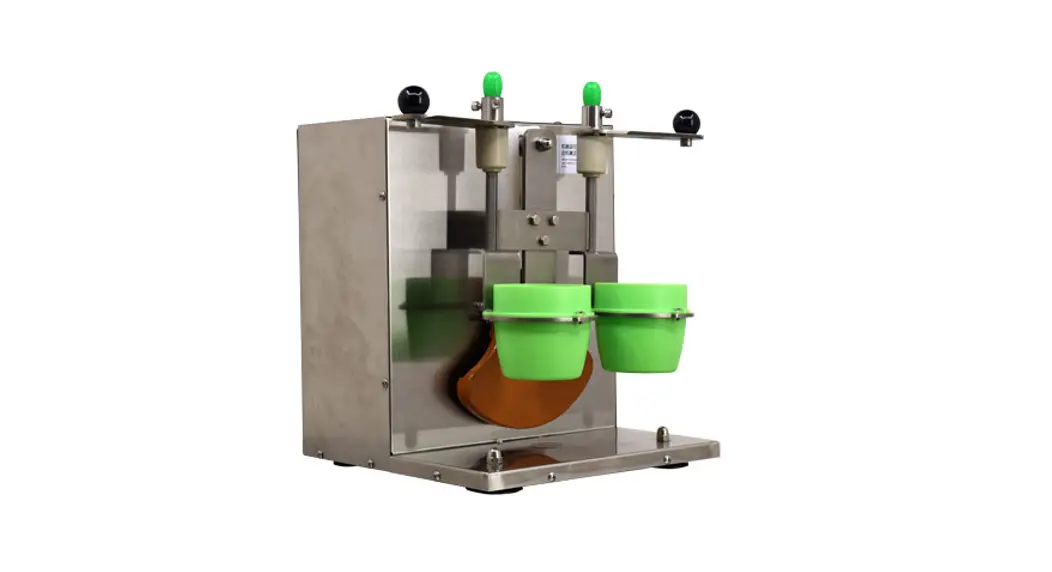
 FP-CN-0200 Drink Shaking Machine
Instruction Manual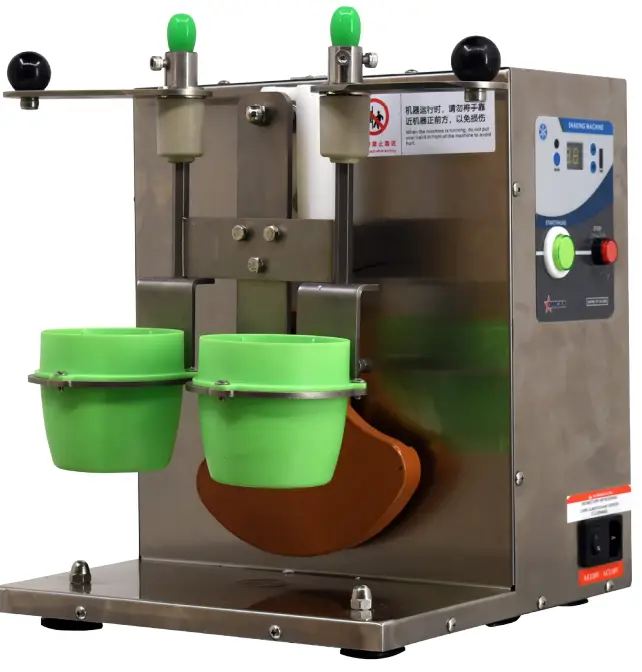 Revised – 09/02/2021
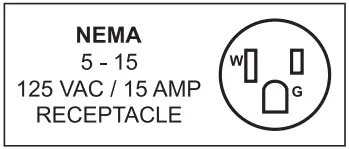
General Information
Omcan Manufacturing and Distributing Company Inc., Food Machinery of America, Inc. dba Omcan and Omcan Inc. are not responsible for any harm or injury caused due to any person’s improper or negligent use of this equipment. The product shall only be operated by someone over the age of 18, of sound mind, and not under the influence of any drugs or alcohol, who has been trained in the correct operation of this machine, and is wearing authorized, proper safety clothing. Any modification to the machine voids any warranty, and may cause harm to individuals using the machine or in the vicinity of the machine while in operation.
CHECK PACKAGE UPON ARRIVAL
Upon receipt of an Omcan shipment please inspect for external damage. If no damage is evident on the external packaging, open carton to ensure all ordered items are within the box, and there is no concealed damage to the machine. If the package has suffered rough handling, bumps or damage (visible or concealed), please note it on the bill of lading before accepting the delivery and contact Omcan within 24 hours, so we may initiate a claim with the carrier. A detailed report on the extent of the damage caused to the machine must be filled out within three days, from the delivery date shown in the shipping documents. Omcan has no recourse for damaged products that were shipped collect or third party.
Before operating any equipment, always read and familiarize yourself with all operation and safety instructions. Omcan would like to thank you for purchasing this machine. It’s of the utmost importance to save these instructions for future reference. Also save the original box and packaging for shipping the equipment if servicing or returning of the machine is required.
Safety and Warranty
RESIDENTIAL USERS: Vendor assumes no liability for parts or labor coverage for component failure or other damages resulting from installation in non-commercial or residential applications. The right is reserved to deny shipment for residential usage; if this occurs, you will be notified as soon as possible.
Within the warranty period, contact Omcan Inc. at 1-800-465-0234 to schedule a drop off to either an Omcan authorized service depot in the area, or to an Omcan Service warehouse to repair the equipment.
Unauthorized maintenance will void the warranty. Warranty covers electrical and part failures, not improper use.
Please see https://omcan.com/disclaimer for complete info.
WARNING:
The packaging components (cardboard, polyethylene, and others) are classified as normal solid urban waste and can therefore be disposed of without difficulty.
In any case, for suitable recycling, we suggest disposing of the products separately (differentiated waste) according to the current norms.
DO NOT DISCARD ANY PACKAGING MATERIALS IN THE ENVIRONMENT!
Technical Specifications
| Model | FP-CN-0200 |
| Material | Stainless Steel |
| Electrical | 110V / 60Hz / 1 |
| Power | 60W |
| Number of Cups | 2 |
| Cup Capacity | 500 – 700cc |
| Dimensions | 11.8- x 14.2″ x 16.5″ / 300 x 360 x 420mm |
| Weight | 41.9 lbs. / 19 kgs. |
| Packaging Weight | 46.3 lbs. / 21 kgs. |
| Item Number | 47110 |
Operation
PANEL
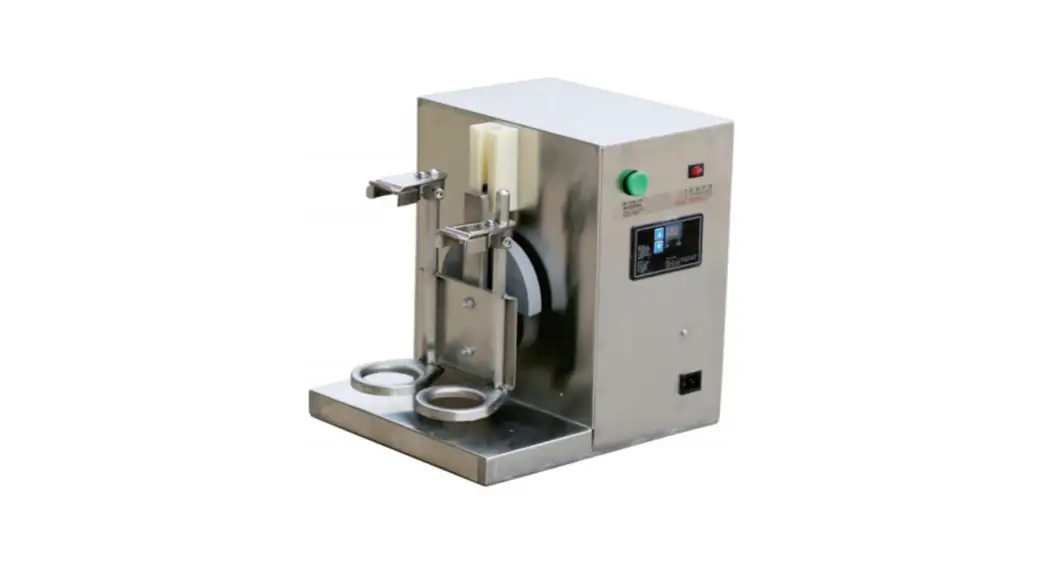
The operation panel includes:
- 1 on/off button.
- 1 emergency stop button.
- 1 set button.
- A 2 digit digital tube display.
- A set of up and down arrow buttons to adjust the time.
The screen displays “–” in standby mode.
OPERATION
After the shaking machine is powered on, it enters the standby state. The shaking machine has 4 operating states; standby, running, setting, emergency stop.
In the standby mode:
- Press the “on/off” button to enter the running mode.
- Press the “set” button to enter the setting mode.
- Press the arrow buttons to enter the direct view mode.
- Press the emergency stop button to enter the emergency stop mode.
DEVICE OPERATION
Press the on/off button in the standby state, the device will start according to the currently set time parameters and the digital tube will display the current operations countdown. When running, pressing the on/off button will stop the running state and return the machine to the standby state.
TIME SETTING
Press the set button to enter the running time setting state. The digital tube displays the current setting value.
Press the arrow buttons to adjust the time and it will be displayed on the digital tube. By pressing the arrow keys once, you can change the time values by 1 second. By holding the arrow buttons you can adjust the time values quickly (between 1-99 seconds). Press the set button to save the current settings, press the set button again to exit back to the standby state.
Note: If no action is taken for more than 5 seconds in the setting state, it will automatically return to the standby state without saving.
EMERGENCY STOP FUNCTION
Once the emergency stop button is pressed, the device will enter the emergency stop state instantly. In this state, the following happens:
- The device stops running.
- The display screen flashes “PS”.
- After the emergency stop button is released, you can press the on/off button to return to the standby state.
VIEWING TIME
Press the arrow buttons in the standby state to view the set time value. If there is no operation for more than 5 seconds, it will return to the standby state.
Maintenance
SHAKER BAFFLE ADJUSTMENT
By loosening the limited screws you are able to adjust the height of the shaker in order to fit different size cups.
Firmly lock the limited screws when the required height has been achieved.
Parts Breakdown
Model FP-CN-0200 47110
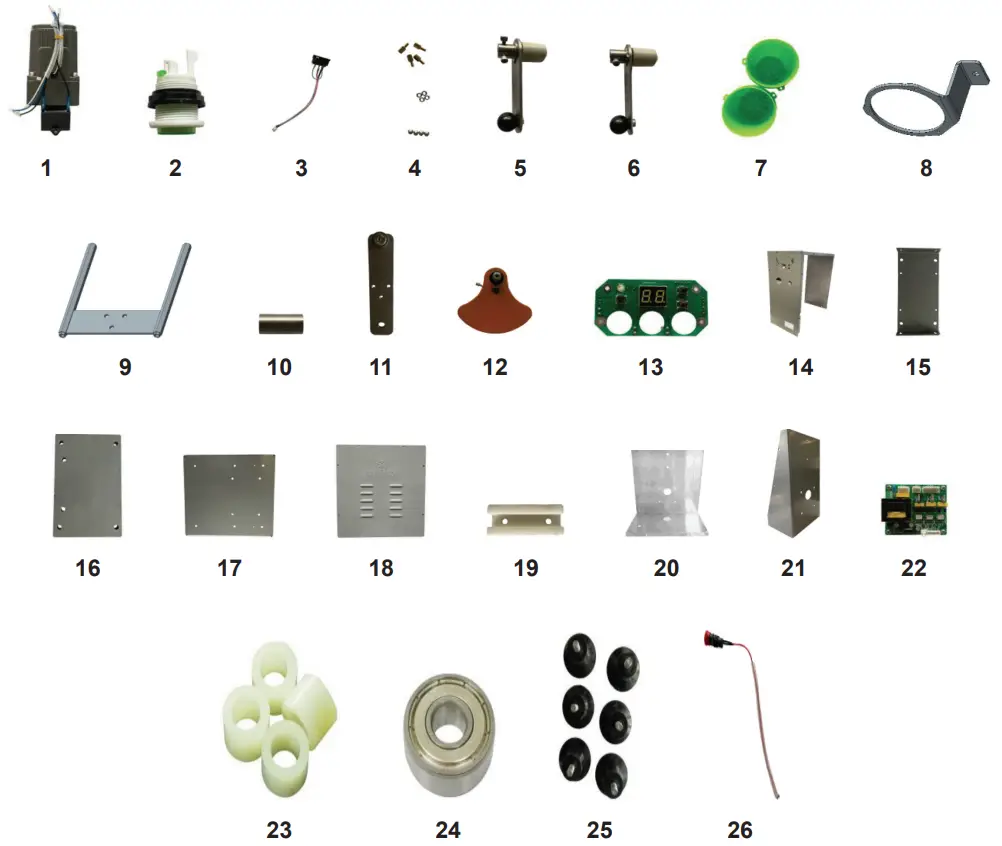
| Item No. | Description | Position |
| AG676 | Motor for 47110 | 1 |
| AG677 | Big Circle Button Switch for 47110 | 2 |
| AG678 | Three in One Socket Assembly for 47110 | 3 |
| AG679 | Panel Fixing Studs for 47110 | 4 |
| AG680 | Right Pressure Plate Assembly for 47110 | 5 |
| AG681 | Left Pressure Plate Assembly for 47110 | 6 |
| AG682 | Holder for 47110 | 7 |
| AG683 | Bracket for 47110 | 8 |
| AG684 | Shelf for 47110 | 9 |
| AG685 | Column for 47110 | 10 |
| AG686 | Connecting Plate for 47110 | 11 |
| AG687 | Eccentric Weight Assembly for 47110 | 12 |
| AG688 | Control Panel for 47110 | 13 |
| AG689 | Side Cover for 47110 | 14 |
| AG690 | Drive Board Bracket for 47110 | 15 |
| AG691 | Stiffener for 47110 | 16 |
| AG692 | Bottom Plate for 47110 | 17 |
| AG693 | Back Cover for 47110 | 18 |
| AG694 | Slide for 47110 | 19 |
| AG695 | Front Cover for 47110 | 20 |
| AG696 | Motor Bracket for 47110 | 21 |
| AG697 | Driver Board for 47110 | 22 |
| AG698 | 4×5 Insulating Column for 47110 | 23 |
| AG699 | Deep Groove Ball Bearing for 47110 | 24 |
| AG700 | Short Suction Feet for 47110 | 25 |
| AG701 | Small Emergency Stop Button for 47110 | 26 |
Electrical Schematics
Model FP-CN-0200 47110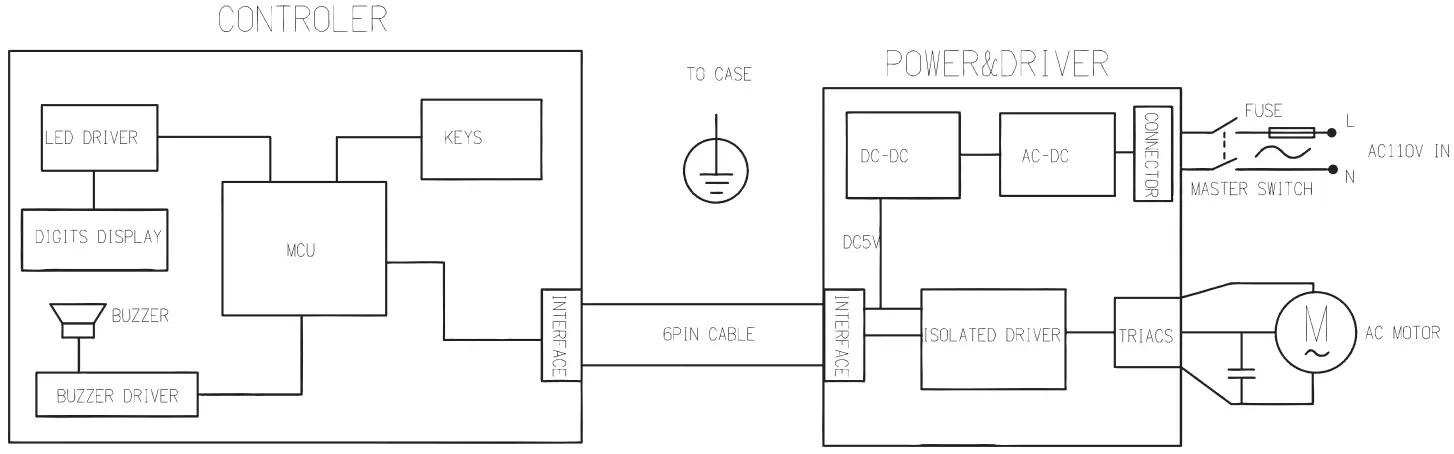
Warranty Registration
Thank you for purchasing an Omcan product. To register your warranty for this product, complete the information below, tear off the card at the perforation and then send to the address specified below. You can also register online by visiting: https://omcan.com/warranty-registration/
For mailing in Canada
OMCAN
PRODUCT WARRANTY REGISTRATION
3115 Pepper Mill Court,
Mississauga, Ontario
Canada, L5L 4X5
For mailing in the US
OMCAN
PRODUCT WARRANTY REGISTRATION
4450 Witmer Industrial Estates, Unit 4,
Niagara Falls, New York
USA, 14305
or email to: [email protected]
Purchaser’s Information
Name:……………………………………
Address:…………………………………
City:…………………………….Province or State:………………..Postal or Zip:………………..
Country:………………………………….
Dealer from which Purchased:…………………………
Dealer City:……………………………………………………….Dealer Province or State:……………………
Invoice:………………………………………………………………
Model Name:………………………………….Model Number:…………………..
Machine Description:……………………………………………………………………
Date of Purchase (MM/DD/YYYY):…………………………………………..
Would you like to extend the warranty? Yes No
Company Name:…………………………………………….
Telephone:………………………………………………………
Email Address:…………………………………………………
Type of Company:
- Restaurant
- Butcher
- Bakery
- Supermarket
- Deli
- Caterer
Institution (specify):………………………………………
Other (specify):……………………………………………….
Serial Number:………………………………………………..
Date of Installation (MM/DD/YYYY):…………
Thank you for choosing Omcan
Since 1951 Omcan has grown to become a leading distributor of equipment and supplies to the North American food service industry. Our success over these many years can be attributed to our commitment to strengthen and develop new and existing relationships with our valued customers and manufacturers. Today with partners in North America, Europe, Asia and South America, we continually work to improve and grow the company. We strive to offer customers exceptional value through our qualified local sales and service representatives who provide convenient access to over 5,000 globally sourced products.

 http://www.omcan.com
Toll Free: 1-800-465-0234
Fax: 905-607-0234
Email: [email protected]
www.omcan.com
 Omcan
Omcan Disclaimer – Omcan