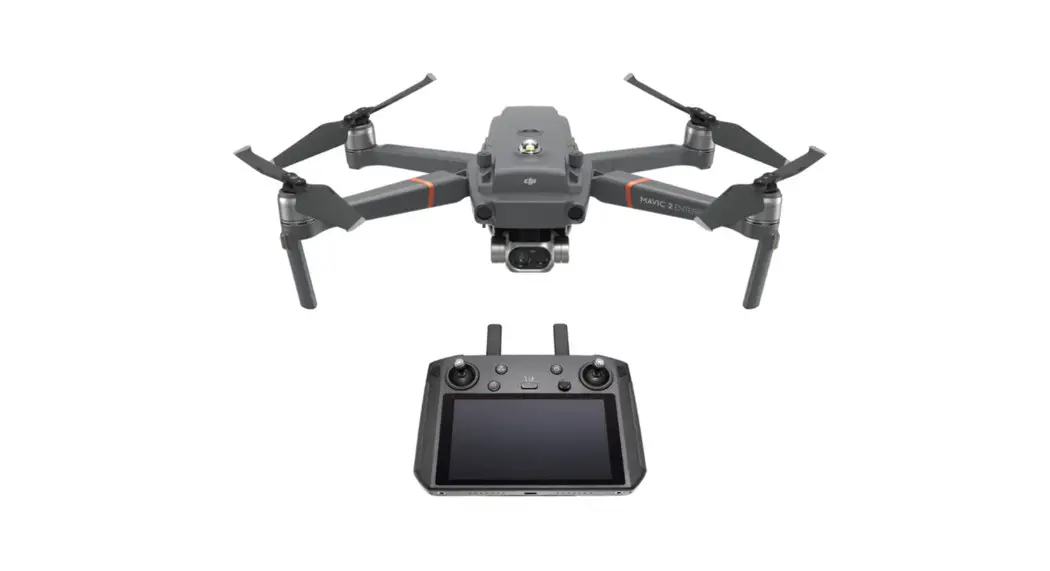
 MAVIC 2 ENTERPRISE
with Smart Controller Drone
Quick Start Guide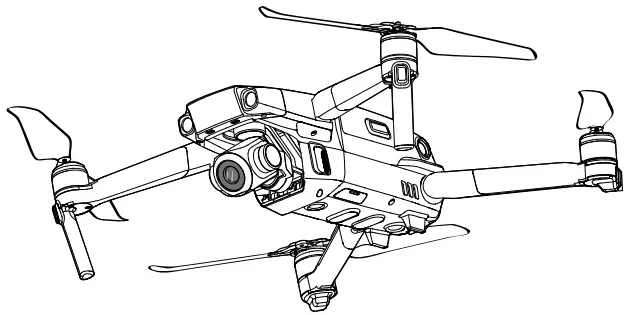
Aircraft
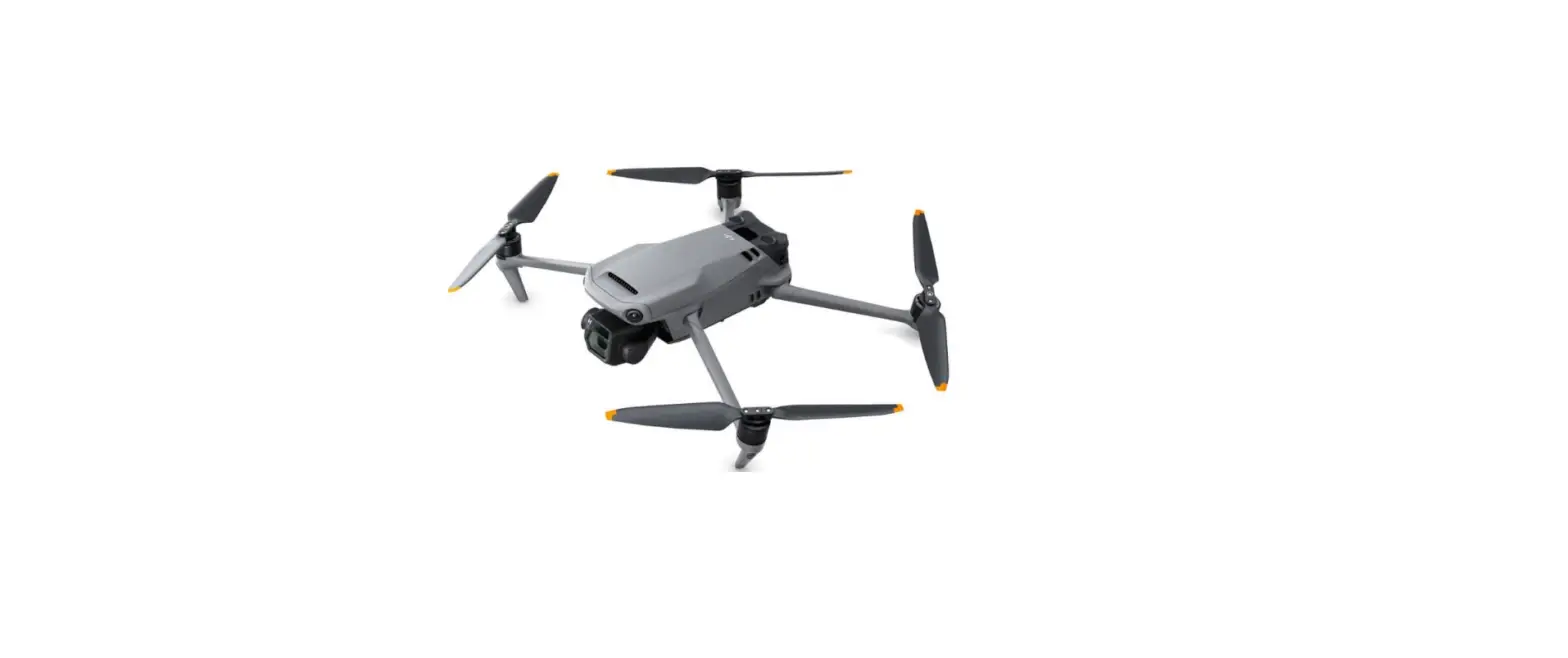
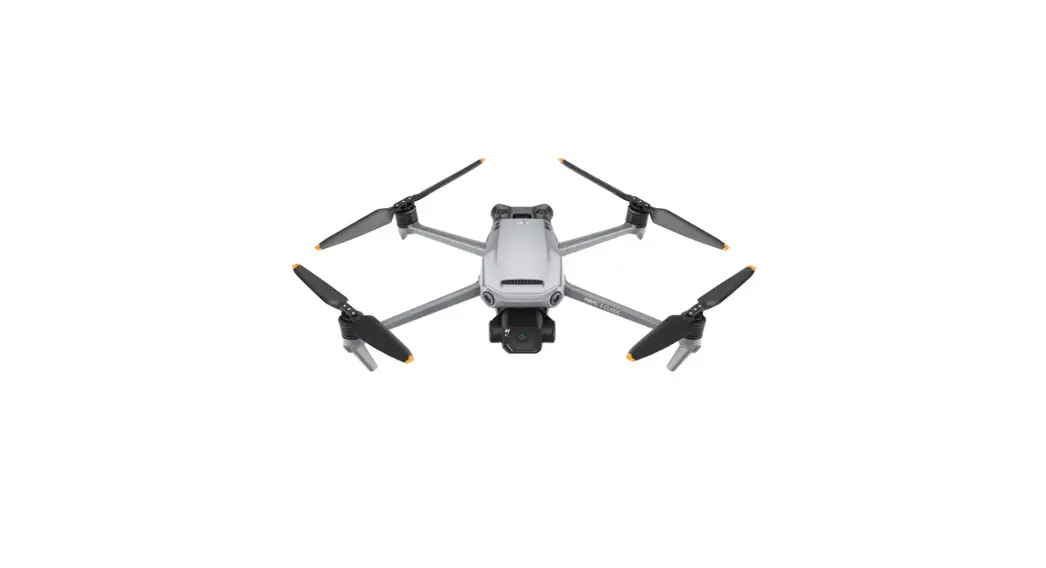
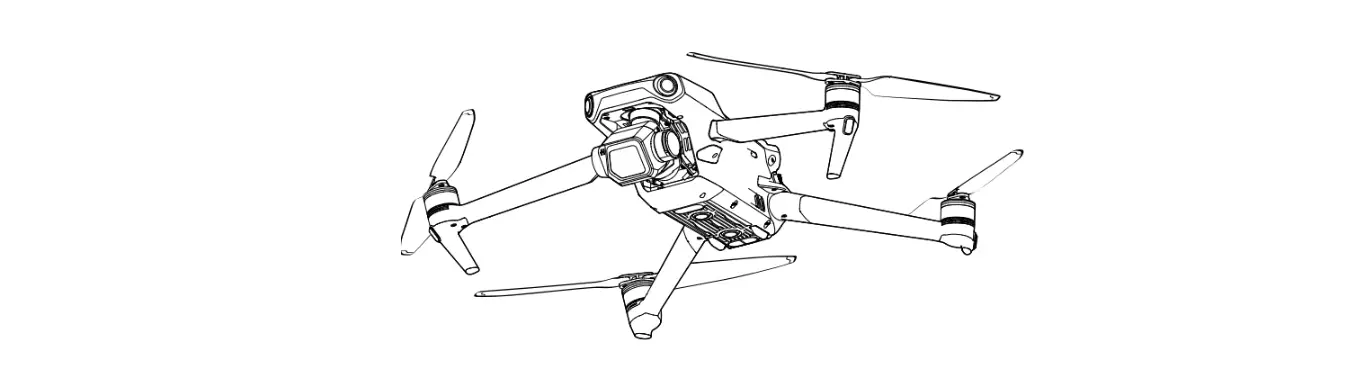
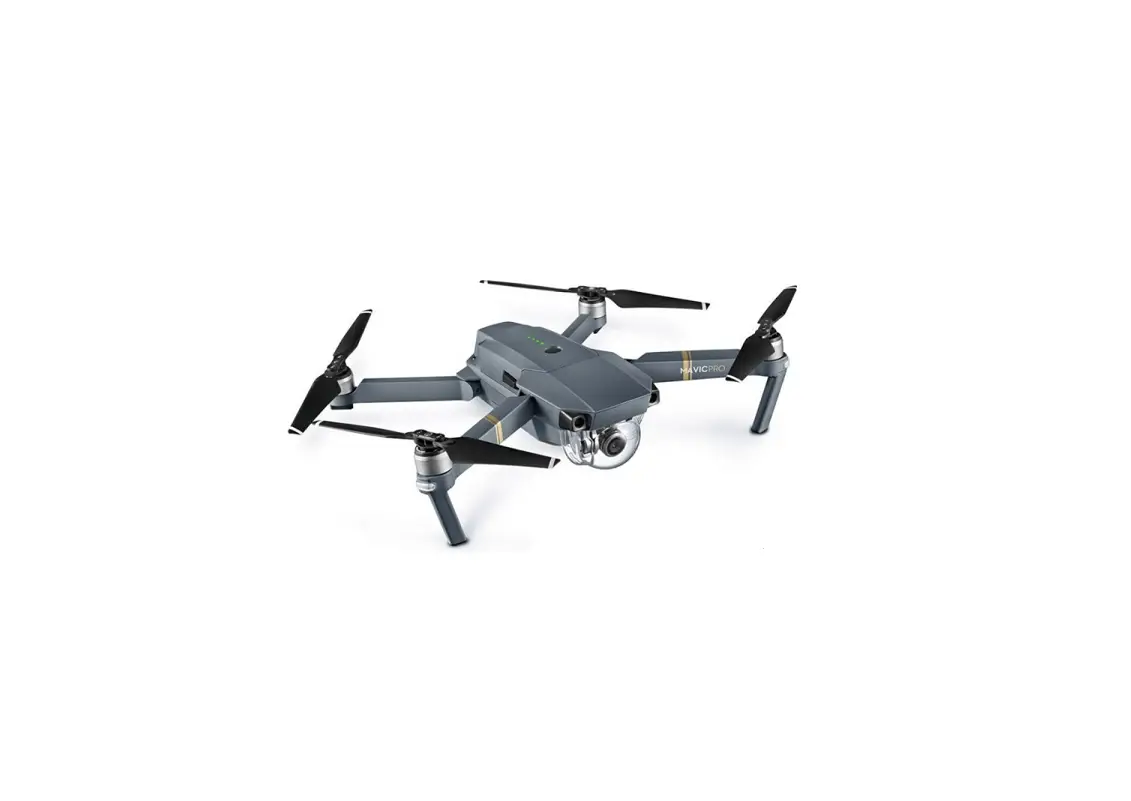
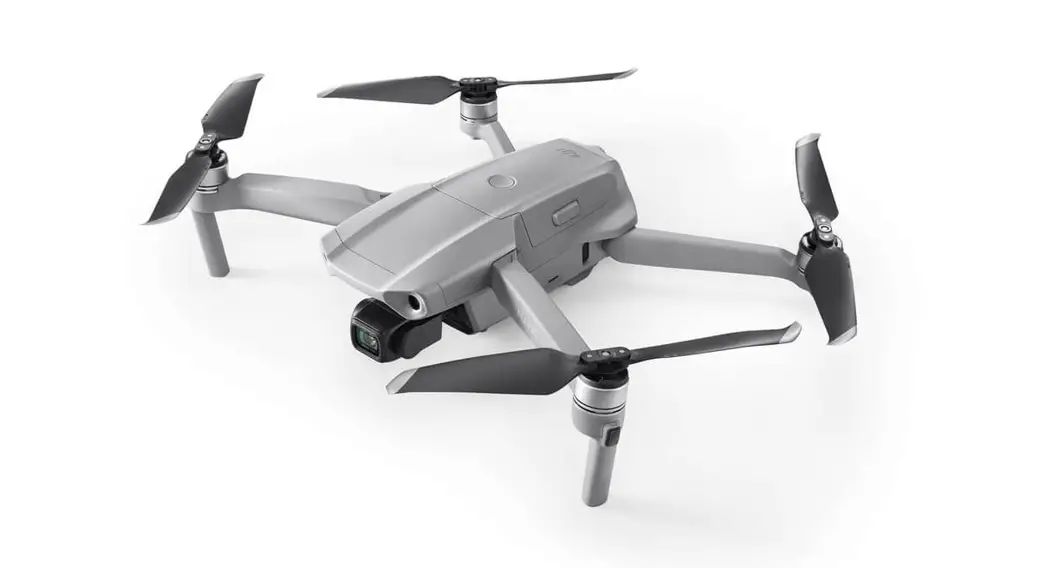
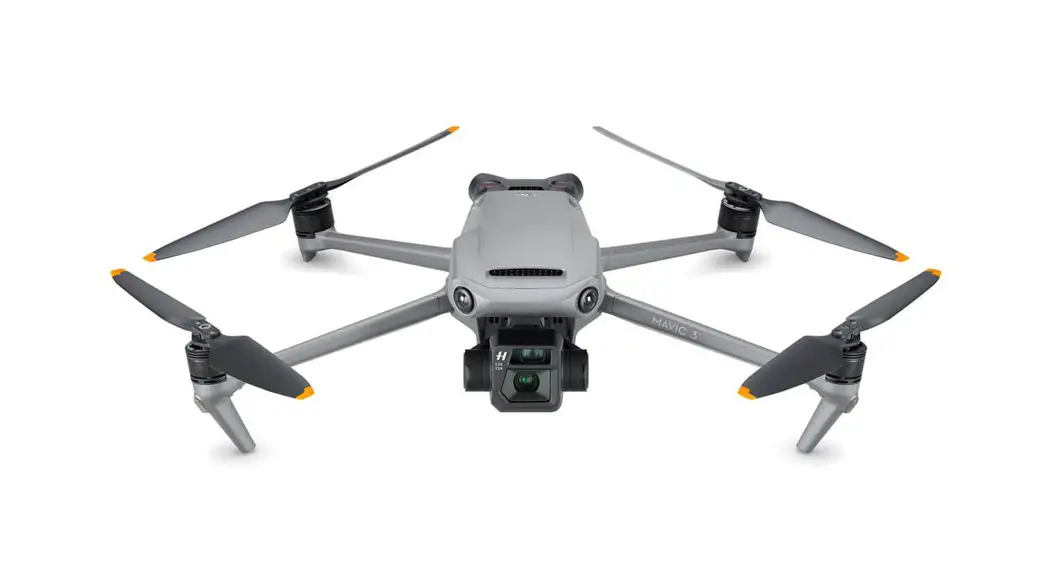
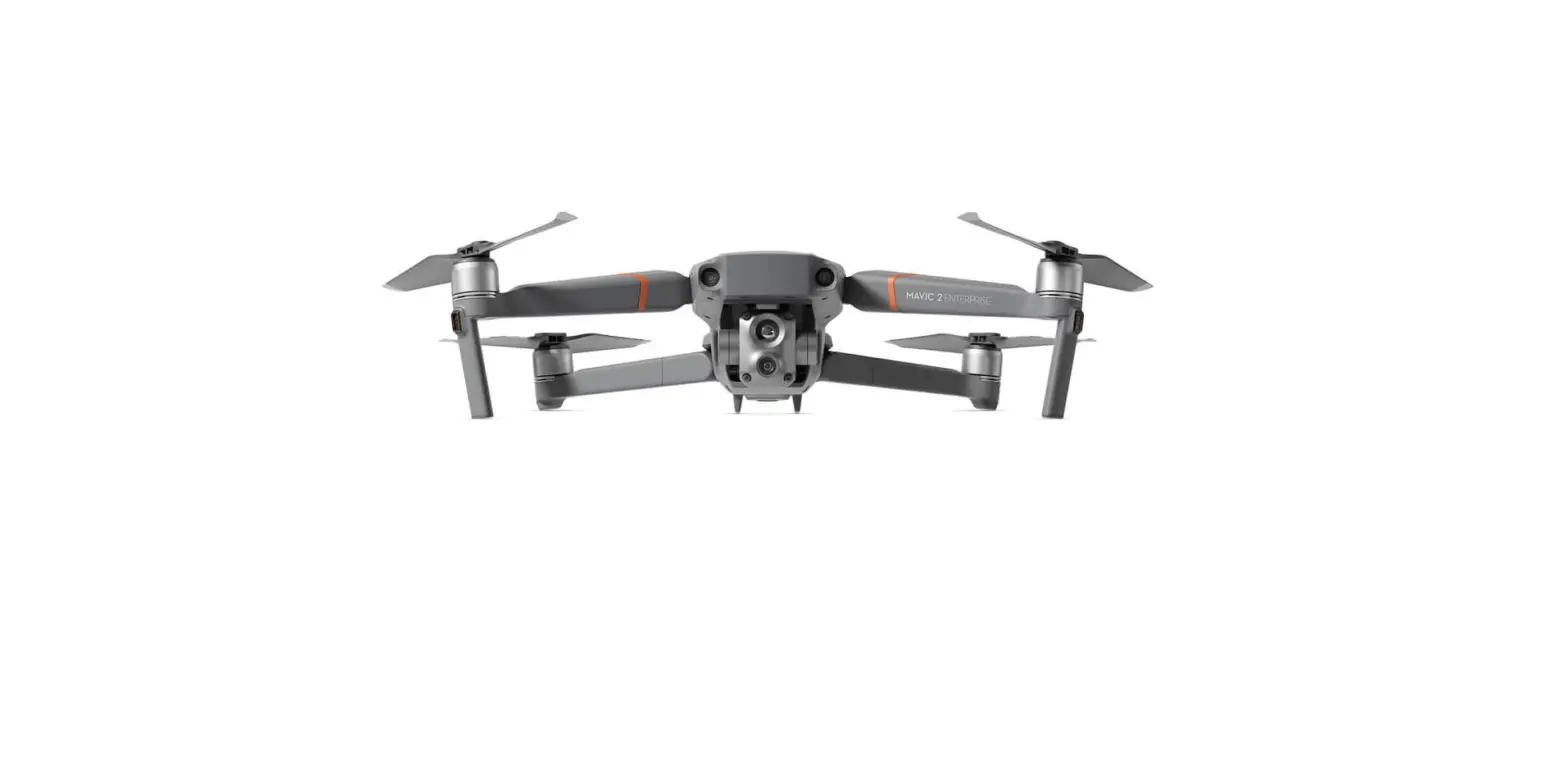
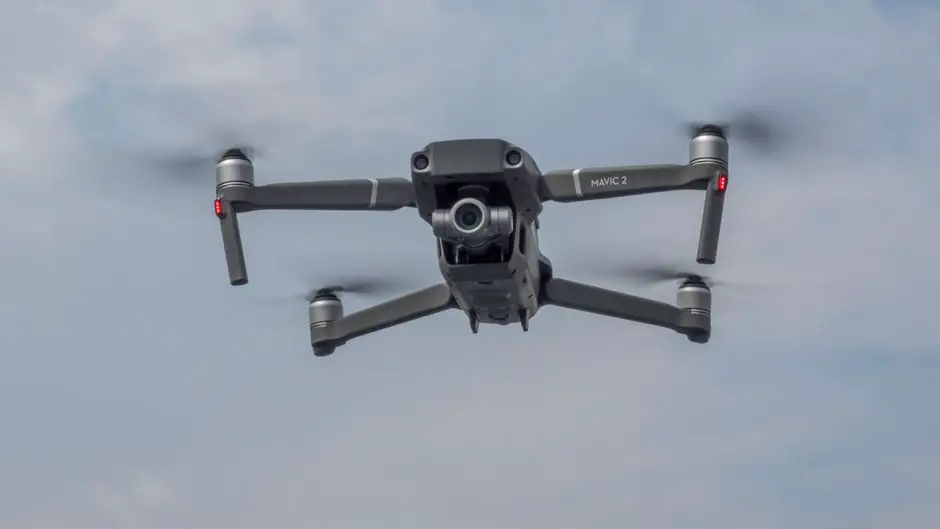
The DJITM MAVICTM 2 Enterprise features omnidirectional Vision Systems and Infrared Sensing Systems*, and comes with a fully stabilized 3-axis gimbal camera with an equivalent 24-48 mm 2x optical Enterprise lens capable of shooting 4K videos and 12-megapixel photos that support up to 6x FHD zoom. DJI signature technologies such as Obstacle Sensing and the Advanced Pilot Assistance System, help you capture complex shots effortlessly. Additional features like the built-in AirSense makes you aware of your surrounding airspace, and password protection helps you maintain secure access to your aircraft and protect your data. The Mavic 2 Enterprise also has attachable modular accessories like the M2E Spotlight, M2E Beacon, and M2E speaker that are purpose-built for various applications. The Mavic 2 Enterprise boasts a
maximum flight speed of 44.7 mph (72 kph) and a maximum flight time** of 31 minutes.
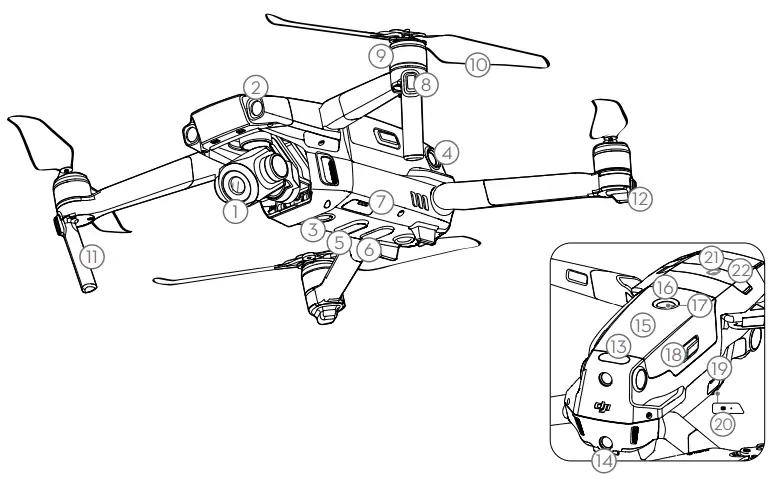
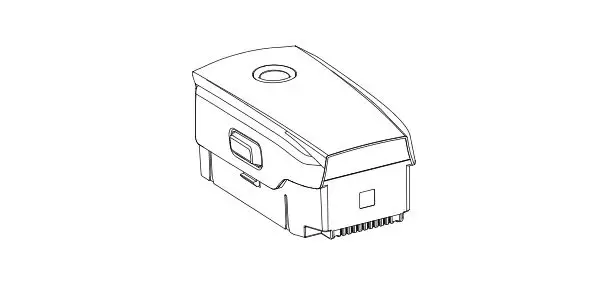
| 1. Gimbal and Camera 2. Forward Vision System 3. Downward Vision System 4. Lateral Vision System 5. Downward Infrared Sensing System 6. Auxiliary Bottom Light 7. MicroSD Card Slot 8. Front LEDs 9. Motors 10. Propellers 11. Antennas | 12. Aircraft Status Indicator 13. Upward Infrared Sensing System 14. Backward Vision System 15. Intelligent Flight Battery 16. Battery Level LEDs 17. Power Button 18. Battery Buckles 19. USB-C Port 20. Link Button/Linking Status Indicator 21. Extended Port (to connect accessories) 22. Extended Port Cover |
* The Vision Systems and Infrared Sensing Systems are affected by surrounding conditions. Read the Disclaimer and Safety Guidelines, User Manual, and watch the tutorial videos on the official DJI website to learn more. http://www.dji.com/mavic-2-enterprise
** Maximum flight time was tested in an environment with no wind while flying at a consistent 15.5 mph (25 kph). This value is for reference only.
DJI Smart Controller
The DJI Smart Controller is a remote controller built with DJI’s long-range transmission technology OCUSYNCTM 2.0, offering a maximum transmission range of five mi (eight km) and providing a live HD view from the aircraft’s camera. The Smart Controller comes with a number of aircraft and gimbal controls as well as customizable buttons and has a built-in 5.5-inch high-brightness screen with multiple functions such as Bluetooth and GNSS. Connection to the Internet via Wi-Fi is also supported. The Smart Controller has a maximum working time of 2.5 hours*.
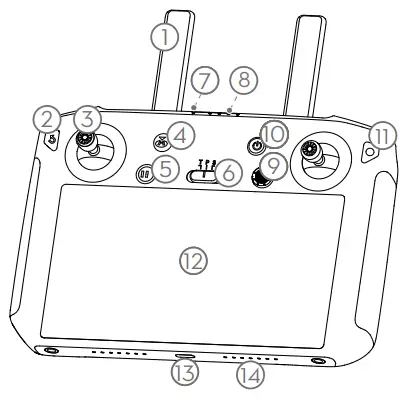
| 1. Antennas 2. Back Button / Function Button 3. Sticks 4. RTH Button 5. Flight Pause Button 6. Flight Mode Switch 7. Status LED | 8. Battery Level LEDs 9. 5D Button 10. Power Button 11. Confirm Button / Customizable Button C3 12. Touch Screen 13. USB-C Port 14. Microphone 15. Gimbal Dial |
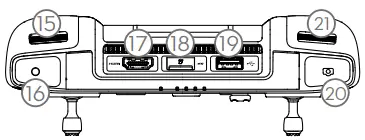
| 16. Record Button 17. HDMI Port 18. MicroSD Card Slot | 19. USB-A Port 20. Focus / Shutter Button 21. Aperture/Shutter Adjustment Dial |
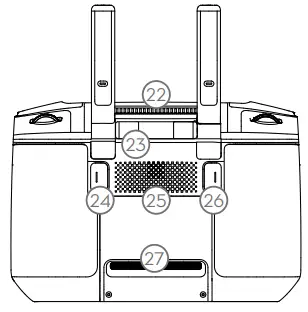
| 22. Air Vent |23. Sticks Storage Slot 24. Customizable Button C2 | 25. Speaker 26. Customizable Button C1 27. Air Intake |
* The Smart Controller is able to reach its maximum transmission distance (FCC) in a wide-open area with no electromagnetic Interference at an altitude of about 400 ft (120m).
The maximum runtime is tested in a laboratory environment. This value is for reference only.
Watch the Tutorial Videos
Watch the tutorial videos at www.dji.com/mavic-2-enterprise/info#video.
http://www.dji.com/mavic-2-enterprise/info#video
Preparing the Aircraft
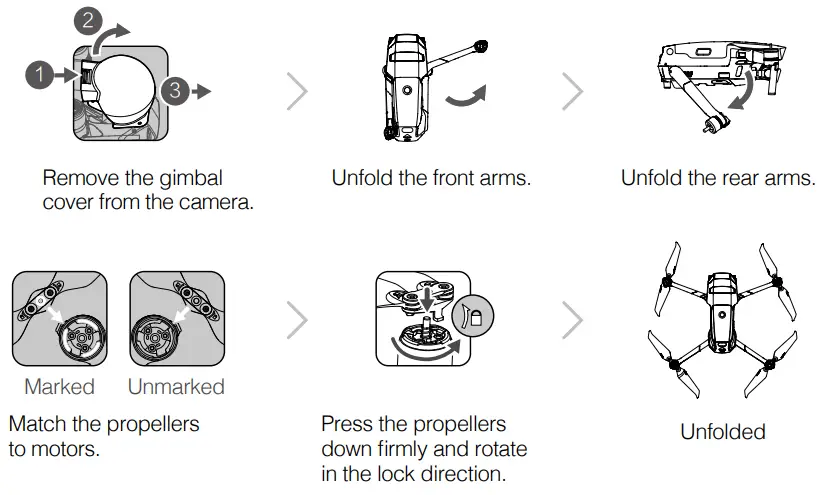
 Unfold the front arms and the propellers before the rear ones. All arms and propellers must be unfolded before takeoff
Charging the Batteries
Use the provided charger to fully charge the Intelligent Flight Battery before first use.
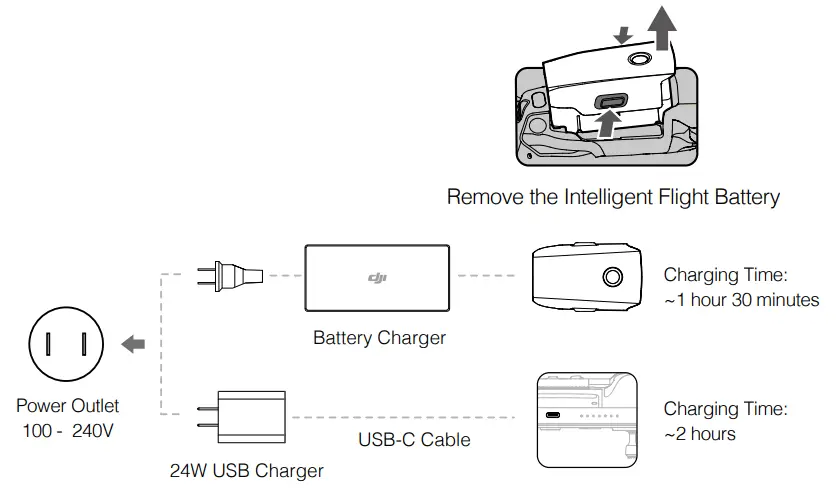
Please use the official 24W USB charger to charge the Smart Controller. When a standard 24W USB charger is not available, it is recommended to use an FCC/ CE certified USB charger rated 12V/2A.
Checking the Battery Levels and Powering On/Off
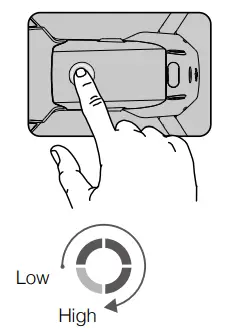
Press once to check the battery level. Press, then press and hold to turn on/off.
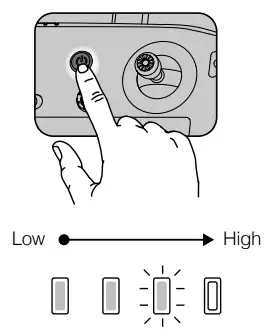
Press once to check the battery level on the LCD screen.
Press once, then press and hold to turn on/ off the remote controller.Install the battery to the aircraft and power it on. Once the battery temperature is lower than 6° C, it will auto heat to maintain a temperature between 8-10° C. Refer to the User Manual for more details.
Preparing the Remote Controller
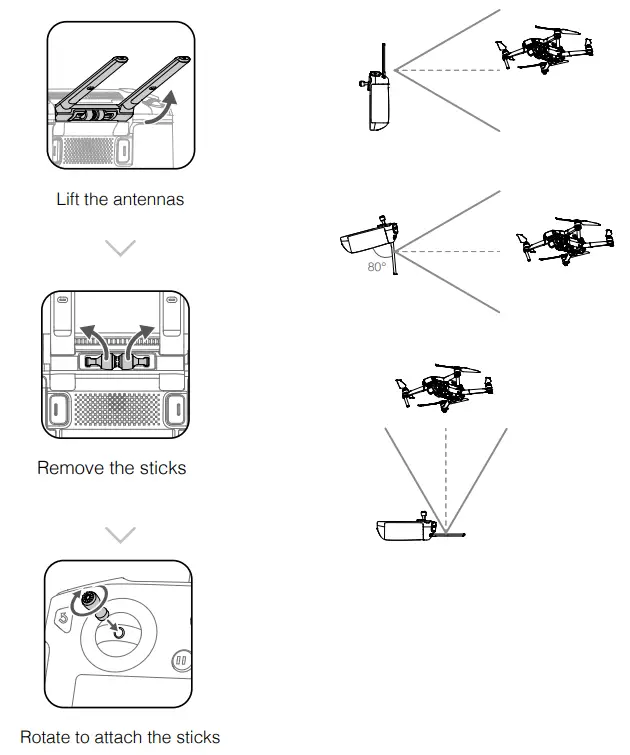
The optimal transmission range is shown above. Ensure the antennas are facing towards the aircraft. When the angle between the antennas and the back of the Smart Controller is 80° or 180°, the connection between the Smart Controller and the aircraft can reach its optimal performance.
The illustrations above show situations where the operator and aircraft are far away.
- Ensure the control sticks are firmly mounted.
- In real operation, the DJI Pilot app will prompt to warn that the transmission signal is weak, and please adjust the antennas to ensure that the aircraft is back to the optimal transmission range.
Preparing for Takeoff
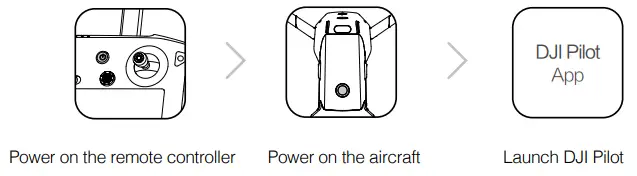
 Use a DJI account to activate the aircraft and the Smart Controller. Activation requires an internet connection. Before activating the aircraft in DJI Pilot, power on Internet the Smart Controller and follow the prompts to activate.Set a password for the aircraft in the DJI Pilot app to ensure secure access and protect your onboard data.
Flight
Before taking off, make sure the Aircraft Status Bar in DJI Pilot displays “Ready to Go”.
Ready to Go (GPS)
Manual Takeoff / Landing
Combination stick command to start/stop the motors
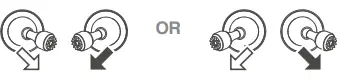
 Left stick up (slowly) to take off
 Left stick down (slowly) until you touch the ground
Hold a few seconds to stop the motorsThe motors can only be stopped mid-flight when the flight controller detects a critical error.
Remote Controller Operation
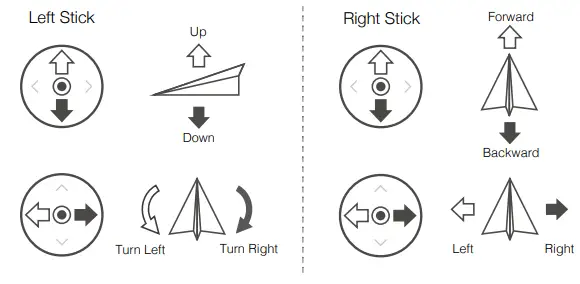
The default flight control is known as Mode 2. The left stick controls the aircraft’s altitude and heading, while the right stick controls its forward, backward, left, and right movements. The gimbal dial controls the camera’s tilt.
- Always set an appropriate RTH altitude before takeoff. When the aircraft is returning to the Home Point, you should guide it with the control sticks.
- Press the Flight Pause button for emergency braking during flight.
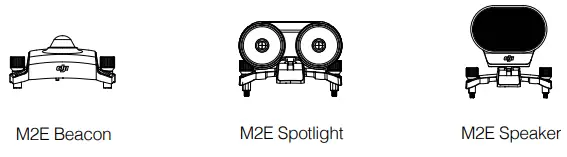
* Modular Accessories
Fly Safe
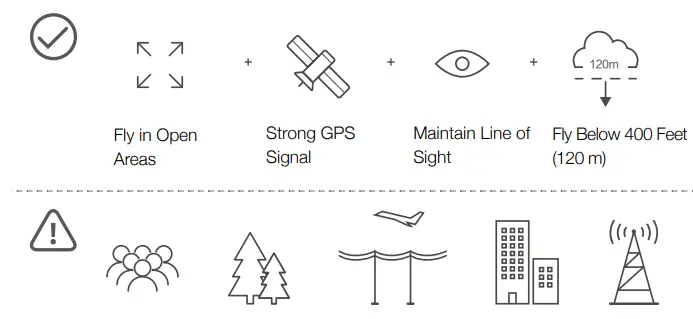
Avoid flying over or near obstacles, crowds, high voltage power lines, trees, or bodies of water.
DO NOT fly near strong electromagnetic sources such as power lines and base stations as it may affect the onboard compass.
 DO NOT use the aircraft in adverse weather conditions such as rain, snow, fog, and wind speeds exceeding 10 m/s or 22 mph.
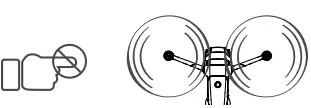
Stay away from the rotating propellers and motors.
 Learn more at: http://flysafe.dji.com/no-fly
 It’s important to understand basic flight guidelines, for the safety of both you and those around you. Don’t forget to read the Disclaimer and Safety Guidelines.
Specifications
| Aircraft | |
| Weight | 905 g |
| Max Speed | 44.7 mph (72 kph) in Sport mode without wind |
| Max Service Ceiling Above | 19685 ft (6000 m) |
| Sea Level | 14° to 104° F (-10° to 40° C) |
| Operating Temperature | GPS + GLONASS |
| GNSS | 2.4-2.4835 GHz; 5.725-5.850 GHz |
| Operating Frequency | 2.4 GHz |
| Transmitter Power (EIRP) | FCC: ≤26 dBm; CE/MIC:≤ 20 dBm; SRRC: ≤20 dBm 5.8 GHz FCC: ≤26 dBm; CE:≤ 14 dBm; SRRC: ≤26 dBm |
| Internal Storage | 24 GB |
| Gimbal | |
| Controllable Range | Pitch: -90° to +30° |
| Camera | |
| Sensor | 1/2.3″ CMOS; Effective pixels: 12M |
| Lens | FOV: approx. 83° (24 mm), approx. 48° (48 mm) 35 mm format equivalent: 24-48 mm Aperture: f/2.8 (24 mm) – f/3.8 (48 mm) Focus: 0.5 m to ∞ |
| ISO Range | Video: 100-3200 Photo: 100-1600 (auto); 100-3200 (manual) |
| Electronic Shutter Speed | 8-1/8000 s |
| Max Image Size | 4000×3000 |
| Still Photography Modes | Single shot Burst shooting: 3/5/7 frames Auto Exposure Bracketing (AEB): 3/5 bracketed frames at 0.7 EV Bias Interval |
| Video Recording Modes | 4K Ultra HD: 3840×2160 24/25/30p 2.7K: 2688×1512 24/25/30/48/50/60p FHD: 1920×1080 24/25/30/48/50/60/120p |
| Video Storage Bitrate | 100 Mbps |
| Photo | JPEG, DNG (RAW) |
| Video | MP4, MOV(MPEG-4 AVC/H.264, HEVC) |
| Supported SD Cards | microSD Max Capacity: 128 GB (UHS-I Speed Grade 3 rating required) |
| Smart Controller | |
| Battery | 5000mAh @ 7.2V |
| Operation Temperature Range | -4° to 104° F (-20° to 40° C) |
| Storage Capacity | ROM 16GB + Scalable(microSD card) |
| Ocusync 2.0 | |
| Operation Frequency Range | 2.4-2.4835 GHz; 5.725-5.850 GHz |
| Max Transmission Distance | FCC: 8 km; CE/MIC: 4 km; SRRC: 5 km (Unobstructed, free of interference) |
| Transmitter Power (EIRP) | 2.4 GHz FCC: ≤25.5 dBm; CE/MIC:≤ 18.5 dBm; SRRC: ≤19 dBm 5.8 GHz FCC:≤ 25.5 dBm; CE: ≤12.5 dBm; SRRC: ≤18.5 dBm |
| Wi-Fi | |
| Protocol | Wi-Fi Direct, WiFi Display, 2×2 MIMO, and 802.11a/g/n/ac |
| Operation Frequency Range | 2.4-2.4835 GHz; 5.150-5.250 GHz; 5.725-5.850 GHz |
| Transmitter Power (EIRP) | 2.4 GHz FCC: 21.5 dBm; CE/SRRC: 18.5 dBm; MIC: 20.5 dBm 5.2 GHz FCC/CE/SRRC/MIC: 19 dBm 5.8 GHz FCC/SRRC: 21 dBm; CE: 13 dBm |
| Bluetooth | |
| Protocol | Bluetooth 4.2 |
| Operation Frequency Range | 2.4-2.4835 GHz |
| Transmitter Power (EIRP) | ≤4 dBm |
| Battery Charger | |
| Voltage | 17.6±0.1 V |
| Rated Power | 60 W |
| Intelligent Flight Battery | |
| Capacity | 3850 mAh |
| Voltage | 17.6 V (max) 15.4 V (typical) |
| Battery Type | LiPo 4S |
| Energy | 59.29 Wh |
| Net Weight | Approx. 297 g |
| Charging Temperature Range | 41° to104° F (5° to 40° C) |
| Max Charging Power | 80 W |
| Auto Heating Temperature Range | -4° to 43° F (-20° to 6° C) |
| Auto Heating Time | 600 s (max) |
| Auto Heating Power | 35 W (max) |
| 24W USB Charger | |
| Input | 100-240 V~50/60 Hz, Max. 0.8 |
| Output | A 3.6-8 V  3.0 A / 12 V 2.0 A 3.0 A / 12 V 2.0 A |
Local regulations in some countries prohibit the use of the 5.8 GHz and 5.2 GHz frequencies and in some regions, the 5.2 GHz frequency band is only allowed for indoor use.
For more information, read the User Manual: www.dji.com/mavic-2-enterprise
This content is subject to change without prior notice.
MAVIC is a trademark of DJI. Copyright © 2019 DJI All Rights Reserved.
Printed in China. 11
MAVIC 2 ENTERPRISE
with Smart Controller Drone
For online support, please scan this code with
Facebook Messenger http://weixin.qq.com/q/02nFZUYq_2eF410000g03F