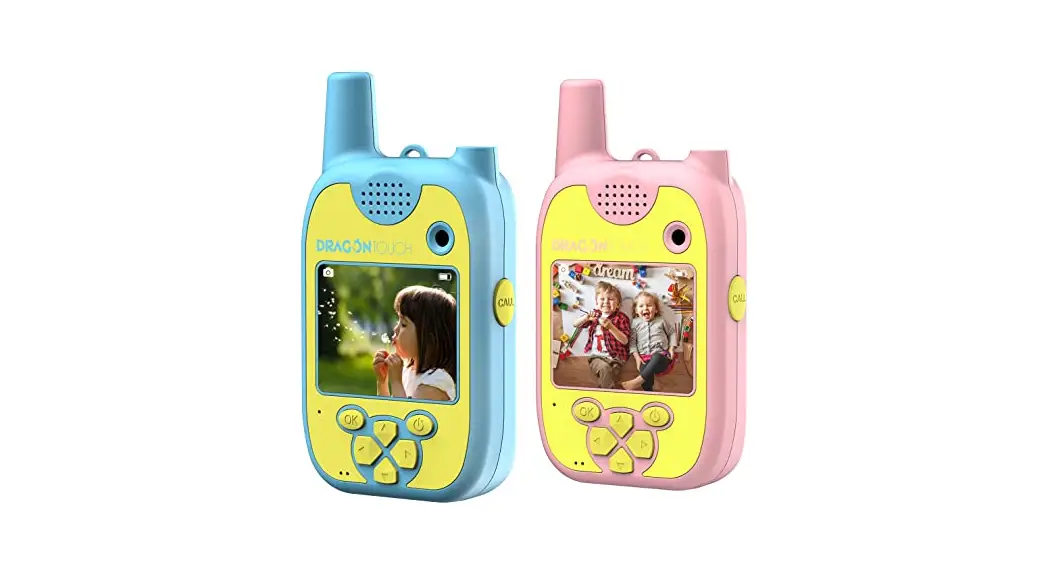

USER MANUAL
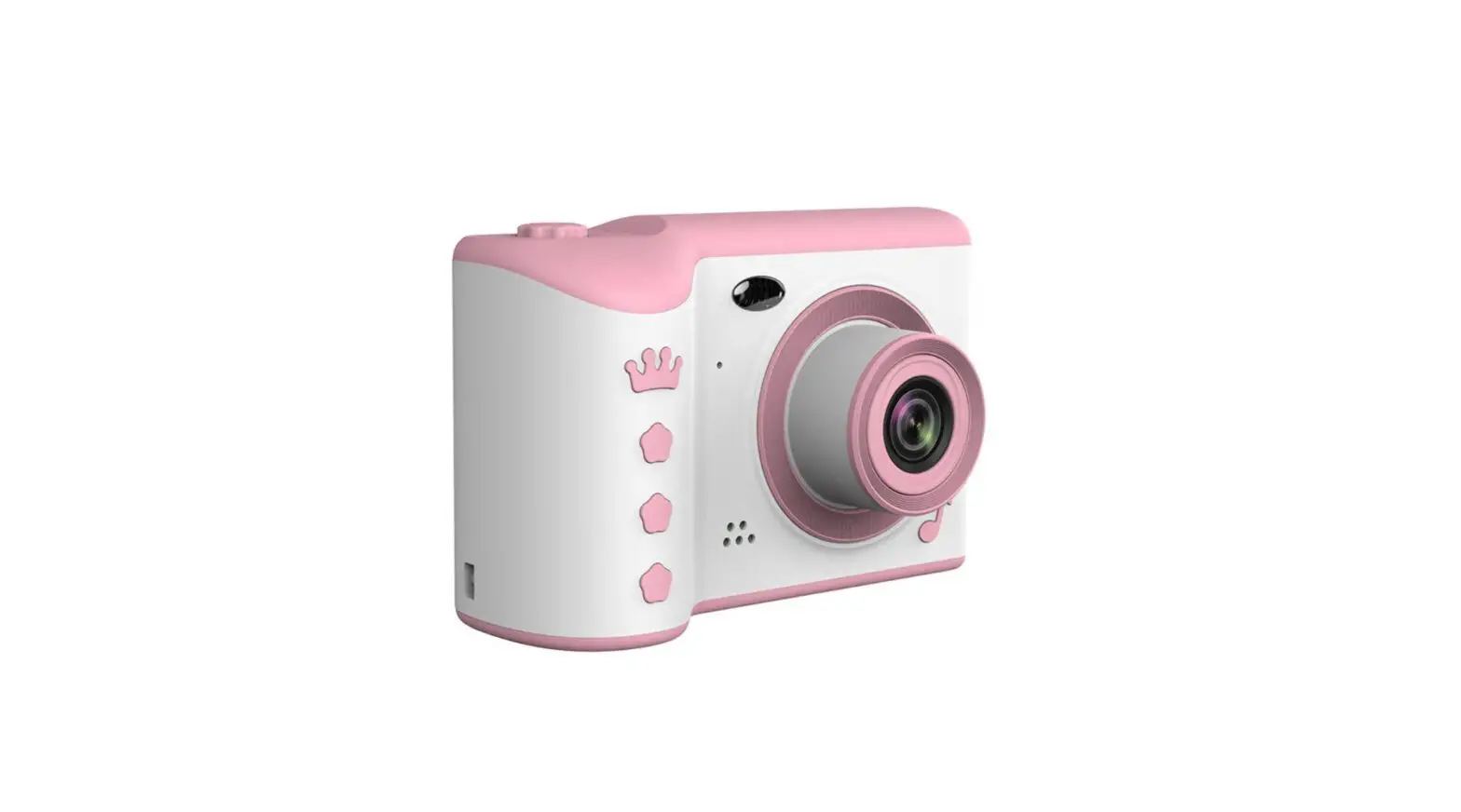
Dragon Touch Talkiecam Kids Camera
V1.0
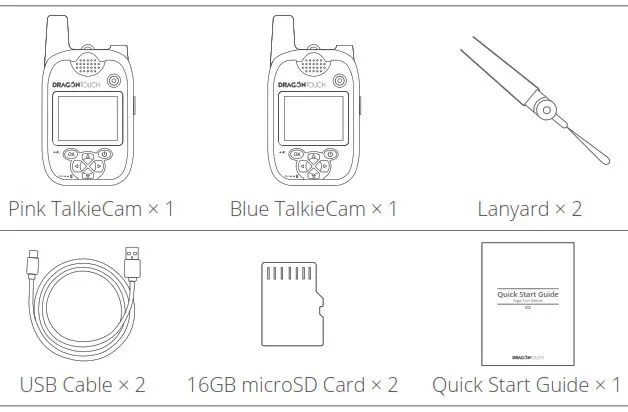
What’s in the box
Product Specifications
Dimension: 4.9×2.6×1.0in (125×66.3×24.3mm)
Weight: 6.0oz (169.7g)
Display: 2″ IPS, 320×240 resolution
Photo Resolution: 8MP/5MP/1.3MP
Video Resolution: FHD(1920×1080)/HD(1280×720)
Lens: Fixed focus, F2.8, 3.56mm focal length, 100° viewing angle
Communication Frequency: 462.5652MHz
Indicator Lights: Blue working light, Red charging light
Storage: 2MB internal memory; support an up to 32GB external microSD card
Battery Capacity: 900mAh
Battery Life: Approximately 50 minutes
Charging Input: Micro-USB
File formats: jpg (still images), avi (video)
Product Features
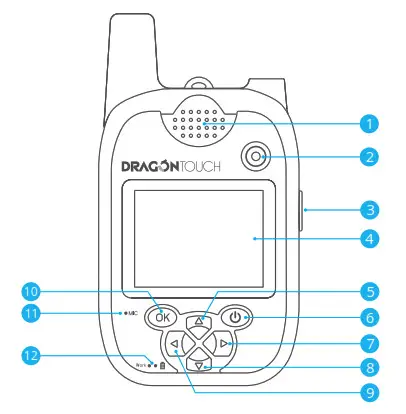
| 1. Speaker 2. Front Lens 3. Push-to-talk Button 4. Screen 5. Up/Light on Button 6. Power/Exit | 7. Right/Next 8.Down 9. Left/Previous 10. OK/Shutter 11. Microphone 12. Indicator |
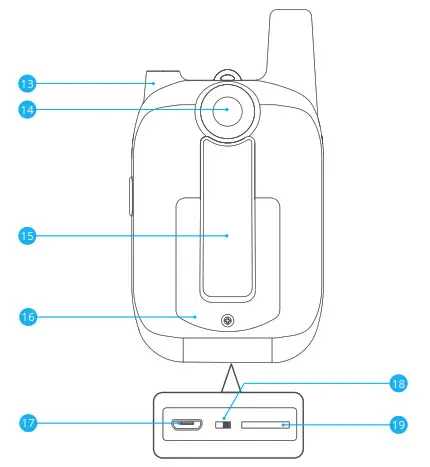
| 13. Flashlight 14. Rear Lens 15. Back Clip 16. Battery | 17. Micro USB Port 18. Power Switch 19. MicroSD Card Slot |
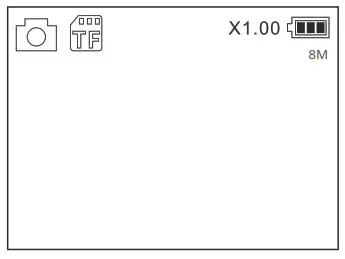
|  MicroSD Card Status |  Digital Zoom |  Battery Status |
|


Getting Started
Charging and Power On/Off
Press and hold  for 3 seconds to power on/off the camera. Please charge it for at least 30 minutes if it doesn’t power on. Charging in power off status is highly recommended.
Insert a microSD card
Please insert a microSD card into the card slot before taking photos or videos. Format the microSD card on the camera before using, then restart the camera after formatting.
Turn the Flashlight On/Off
Press and hold  to turn the flashlight on/off.
Auto Power Off
This camera will automatically turn the display off after 3 minutes of inactivity. To save energy, the camera will power off after 5 minutes of inactivity.
Modes
Photo Mode
Press  to take photos.
Press  or
or  to select different photo modes, photo frames, filters and special effects.
Press and hold or  to zoom out/in.
Press to exit.
Video Mode
Press to start recording, and press it again to end recording.
Press or to select different filters.
Press to exit.
Music Mode
Press to select MP3 or Story, and press to confirm.
While playing,
① Press or to switch songs or stories.
② Press to pause/continue.
③ Press or button to adjust volume.
Press to exit.
Tips:
- Please insert a microSD card to automatically build MP3 and Story folders.
- Please download music and stories to MP3 and Story folders respectively on your microSD card.
Playback Mode
Press or to view photos or videos saved in the camera.
Press to play/pause the video.
Press and hold to show the delete interface, then press to confirm.
Press to exit.
Game Mode
Press or to select the game you want to play, then press to enter the game.
Press to exit.
Walkie Talkie Mode
Note: The range is around 150m in an open area; 50m in the residential area.
To use the walkie talkie function, please make sure the Flight Mode has been turned off (Settings → Flight Mode → Off).
- Transmit
Press Push-to-talk (PTT) button to speak, release it to stop talking and to transmit.
While talking and transmitting, the camera cannot receive messages. - Receive
The camera will automatically receive messages if the Flight Mode is off and if the
PTT button is not being pressed.
Settings
You can change and check following settings under this menu. Use the arrow and OK buttons to navigate the settings menu.
Format SD card
Press to format the microSD card.
Please format the microSD card before using the camera. To prevent data stored on the microSD card from becoming corrupt, reformat it on a regular basis. Reformatting erases all your content, so please make sure to download your photos and videos before reformatting.
Walkie Talkie Mode Note: The range is around 150m in an open area; 50m in the residential area. To use the walkie talkie function, please make sure the Flight Mode has been turned off (Settings ¹Flight Mode ¹Off).
Camera Version
You can check the system information of your camera under this setting.
Default Setting
This setting will reset the camera to the factory default settings.
Language Selection
English/Deutsch/Français/Italiano/Español/
Airplane Mode
If the airplane mode is turned on, the walkie talkie function cannot be used.
Camera Resolution
8MP/5MP/1.3MP
Video Resolution
1080P/720P
Volume
You can adjust the key tone volume under this setting.
Date/Time
You can set the date and time under this setting.
FAQ
Why the walkie talkie mode doesn’t work?
Please make sure the airplane mode has been turned off (Settings¹Flight mode ¹Off). Also, the effective communication range is approximately 330-500 feet (100-150 meters) in an open space, and 150 feet (50 meters) in a residential area. Any obstacles (homes, trees, other structures) may interfere with the signal and decrease the effective communication range.
How can I upload MP3 and audio stories onto the camera?
When you insert the microSD card for the first time, it will create a directory named Music, with two subfolders named MP3 and Story. You can upload your music to the folders accordingly.
Contact Us
For any inquiries with Dragon Touch products, please feel free to contact us. We will respond within 24 hours.
E-mail: [email protected]
Tel: 888-811-1140 (US) Mon-Fri (except holidays) 9am-5pm (EST)
Official website: www.dragontouch.com
 Dragon Touch Android Tablet PC, 4k Action Camera & Sports DV Camera at Dragon Touch