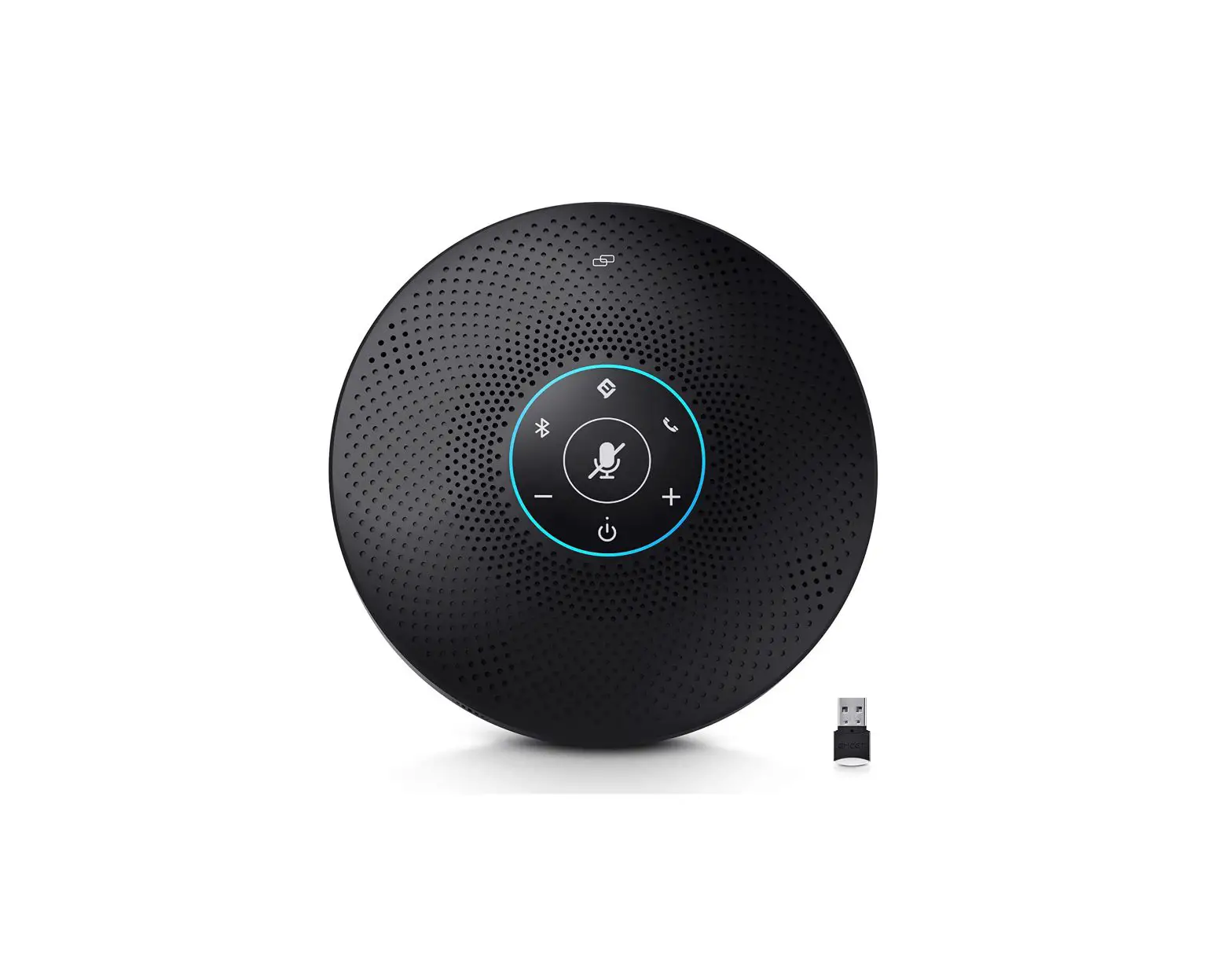
EMEET Speaker and Microphone Settings Instructions

For Mac OS Users
Setting Default Microphone (Mac OS)
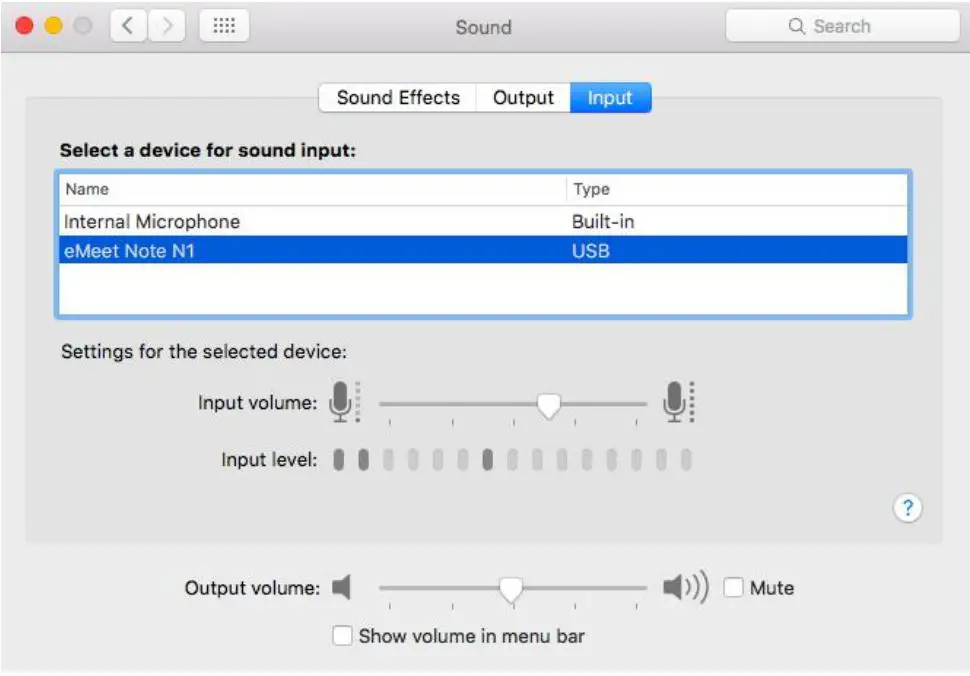
- Select System Preferences > Sound.
- Under the Sound tab, click Input, and then select eMeet Note N1.
- If necessary, adjust input volume at Settings for the selected device on the same panel.
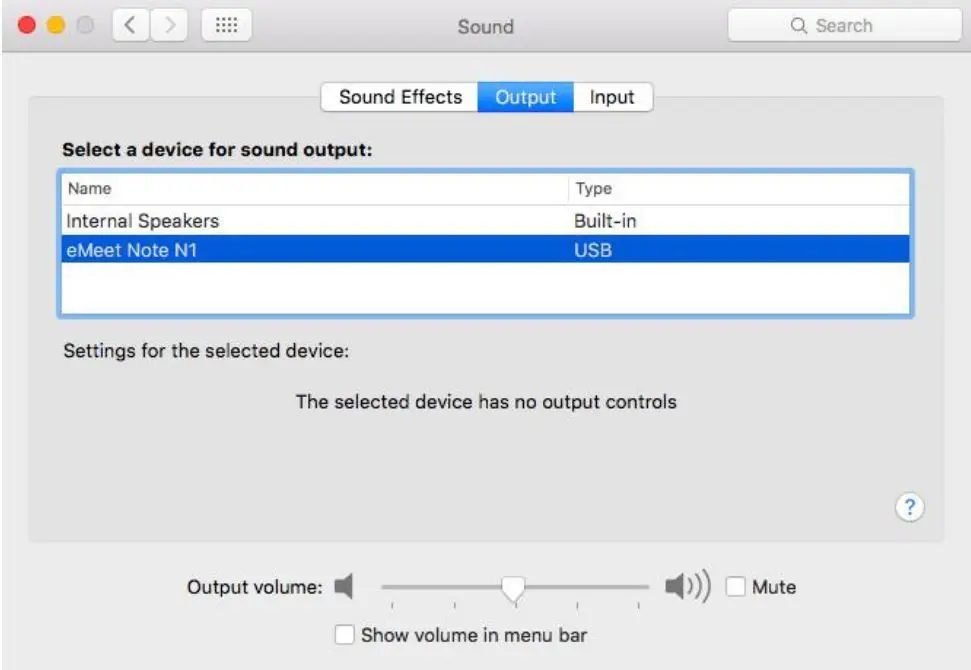
Set Default Speaker (Mac OS)
- Select System Preferences > Sound.
- Under the Sound tab, click Output, and then select eMeet Note N1.
- If necessary, adjust output volume at Settings for the selected device on the same panel.
For Windows Users
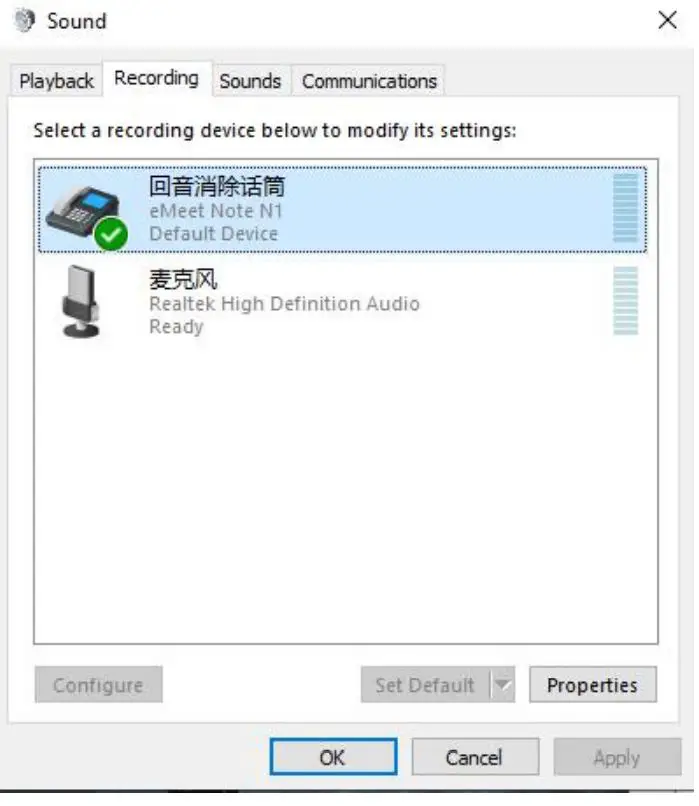
Set Default Microphone (Windows Vista/7/8/8.1/10)
- Select Start > Control Panel > Hardware and Sound.
- Under the Sound tab, click Manage Audio Devices. Click the Record tab on the top of the displayed setup window.
- Under the Record tab, select eMeet Note N1, and then click the Set Default button. Click OK to save your changes.
- If necessary, you can make changes to the property (level) of the same panel to adjust input volume.
Set Default Speaker (Windows Vista/7/8/8.1/10)
- Select Start > Control Panel > Hardware and Sound.
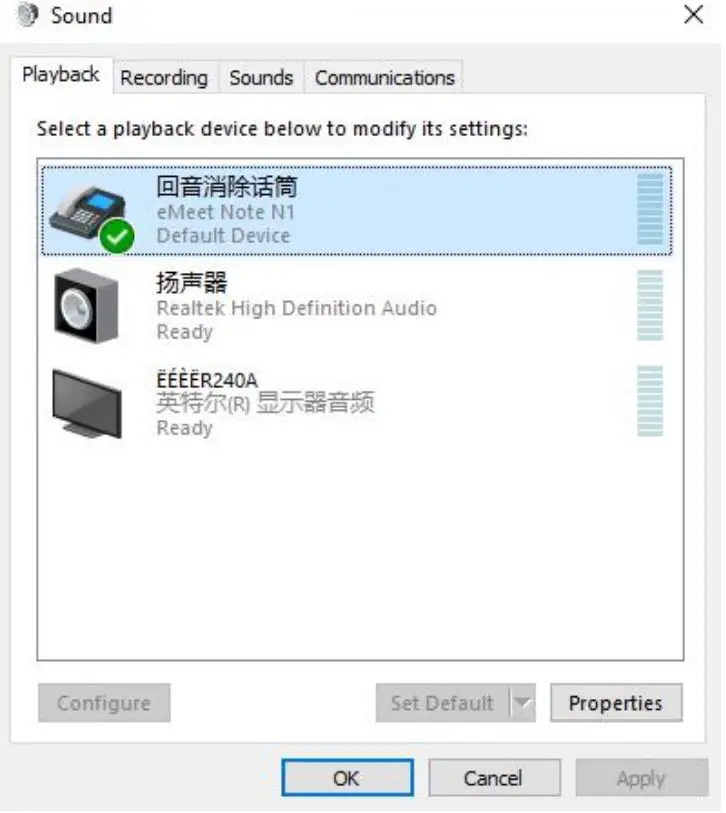
- Under the Sound tab, click Manage Audio Devices. Click the Playback tab on the top of the displayed setup window.
- Under the Playback tab, select eMeet Note N1, and then click the Set as Default button. Click OK to save your changes.
- If necessary, you can make changes to the property (level) of the same panel to adjust output volume.