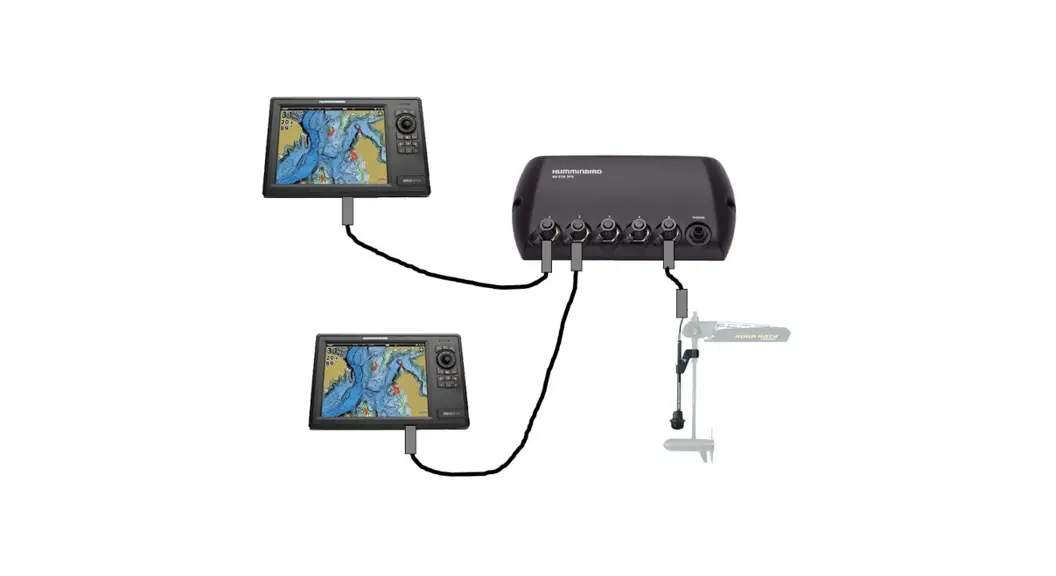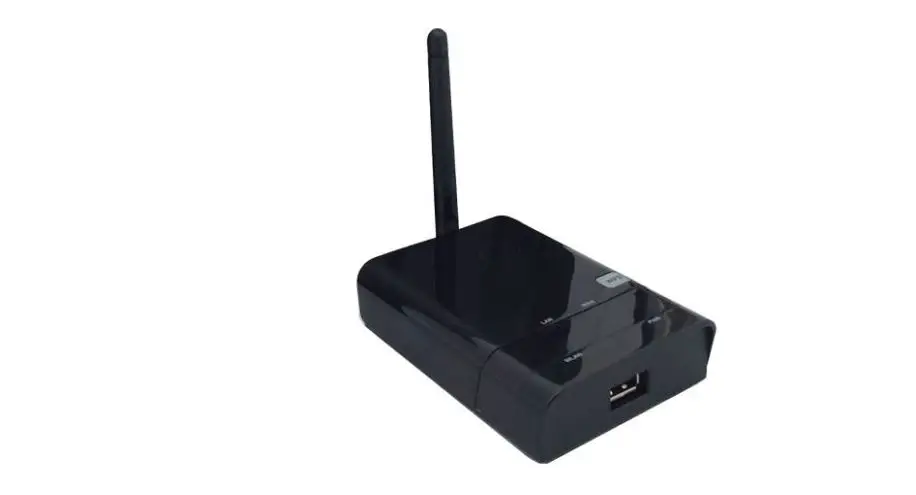

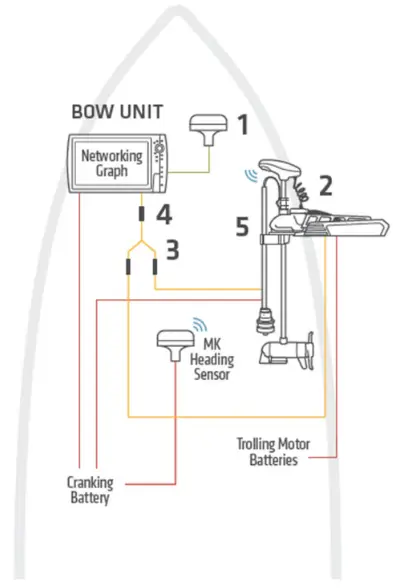
ONE-BOAT 720074-1 Networking Diagram 5
Product Information
The product is a fish finder system that includes a saltwater installation kit with a GPS puck, heading sensor, and high-speed transducer with y-cable. The kit includes an Ethernet Adapter Cable AS EC QDE | #720074-1, GPS + Heading Sensor AS GPS HS | #408400-1, Minn Kota Trolling Motor with i-Pilot Link*, Transducer Splitter Cable 9 M SIDB Y | #720101-1, High-Speed Transducer (fiberglass hull) XP 9 HW T | #710276-1, and High-Speed Transducer (aluminum hull) XNT 9 HW T | #710274-1. Additionally, the kit includes an Optional Transducer (thru-hull) SSTH 14 HW MSI+ T | #710302-1, and MKR-MI-1 HB | #1852088.
Product Usage Instructions
- Begin by unpacking the fish finder system and locating all the components mentioned in the user manual.
- Install the Ethernet Adapter Cable AS EC QDE | #720074-1 into the Networking MFD and connect it to the GPS + Heading Sensor AS GPS HS | #408400-1. If using APEX/SOLIX G2/G3 networking models, connect it to AS GPS NMEA | #720080-1.
- Mount the High-Speed Transducer (fiberglass hull) XP 9 HW T | #710276-1 or High-Speed Transducer (aluminum hull) XNT 9 HW T | #710274-1 on the transom of the boat according to theinstructions provided in the user manual.
- Connect the High-Speed Transducer to the Transducer Splitter Cable 9 M SIDB Y | #720101-1.
- Connect the Transducer Splitter Cable to the Minn Kota Trolling Motor with i-Pilot Link*.
- If using an Optional Transducer (thru-hull) SSTH 14 HW MSI+ T | #710302-1, install it according to the instructions provided in the user manual.
- Connect the trolling motor battery and cranking battery to the CONSOLE UNIT as per the instructions.
- Connect the MK Heading Sensor to the Networking MFD.
- Turn on the fish finder system and follow the instructions to calibrate and set up the device according to your preferences.
- Once set up, use the system to locate fish and underwater structures by interpreting the data displayed on the screen.
Minn Kota Riptide trolling motor with i-Pilot Link and (1) console-mounted Humminbird unit, with heading sensor GPS puck and high-speed transducer with y-cable.
INSTALLATION INSTRUCTIONS
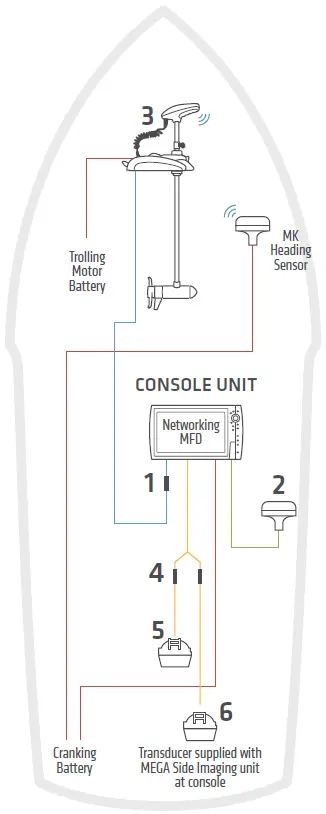
| 1 | Ethernet Adapter Cable AS EC QDE | #720074-1 | Ethernet Adapter Cable N/A |
| 2 | GPS + Heading Sensor AS GPS HS | #408400-1 | GPS + Heading Sensor APEX: AS GPS HS | #408400-1 AS GPS | #720113-1 SOLIX: AS GPS HS | #408400-1 AS GPS NMEA | #720080-1 |
| 3 | Minn Kota Trolling Motor with i-Pilot Link* | Minn Kota Trolling Motor with i-Pilot Link* |
| 4 | Transducer Splitter Cable 9 M SIDB Y | #720101-1 | Transducer Splitter Cable 14 M ID SIDB Y | #720111-1 |
| 5 | High Speed Transducer (fiberglass hull) XP 9 HW T | #710276-1 High Speed Transducer (aluminum hull) XNT 9 HW T | #710274-1 | High Speed Transducer (fiberglass hull) XP 14 HW T | #710287-1 High Speed Transducer (aluminum hull) XNT 14 HW T | #710285-1 Optional Transducer Airmar CHIRP Transducer |
| 6 | Optional Transducer (thru-hull) SSTH 14 HW MSI+ T | #710302-1 MKR-MI-1 HB | #1852088 | Optional Transducer (thru-hull) SSTH 14 HW MSI+ T | #710302-1 |
One (1) AS EC 30E 30 ethernet cable included with trolling motor. The accessories and part numbers listed above are valid as of November 2021. Installations shown are for HELIX G3N/G4N and APEX/SOLIX G2/G3 networking models and Minn Kota trolling motors with i-Pilot Link.
 NMEA 0183
 Ethernet
 12V DC Power
 Transducer Cable
 Bluetooth® Signal
 NMEA 0183
 Ethernet
 12V DC Power
 Transducer Cable
 Bluetooth® Signal
 HUMMINBIRD.COM