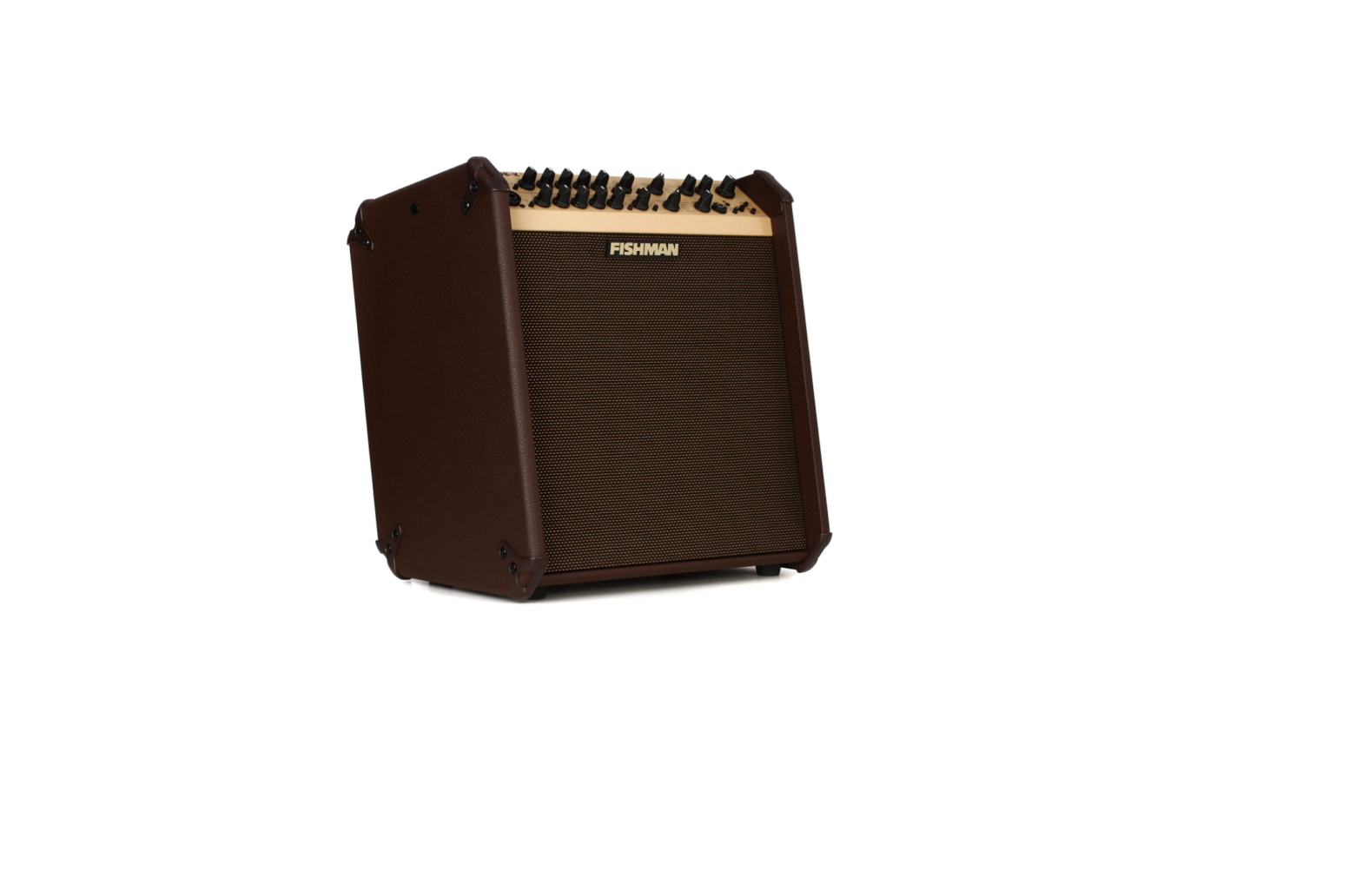
428186 Loudbox Mini Charge Amplifier
Product Information: Loudbox Mini Charge
The Loudbox Mini Charge is an amplifier that is capable of
reproducing the sound of an instrument at high volume levels. The
product comes with important safety instructions and guidelines to
ensure personal safety and the safety of others.
Important Safety Instructions:
- Risk of electric shock. Do not open the amplifier as there are
no user serviceable parts inside. Refer servicing to qualified
personnel. - Do not expose the amplifier to rain or moisture.
- Operate the amplifier only after reading the instructions and
heeding the warnings listed. - Do not use the amplifier near water.
- Clean the amplifier only with a dry cloth.
- Do not block the ventilation openings and install it in
accordance with the manufacturer’s instructions. - Do not install the amplifier near any heat sources such as
radiators, heat registers, stoves or other apparatus that produce
heat. - Do not defeat the safety purpose of the polarized or
grounding-type plug. A polarized plug has two Warning: The mains
plug/appliance coupler is used as a disconnect device, the
disconnect device shall remain readily operable.
Hearing Protection:
The Loudbox Mini Charge is capable of producing high sound
pressure levels (SPLs) that can cause permanent hearing loss. To
ensure against permanent hearing loss, wear hearing protection when
performing with amplification.
Disposal and Recycling:
The product must not be discarded as household waste and should
be delivered to an appropriate collection facility for recycling.
For more information on disposal and recycling of this product,
contact your local municipality, disposal service, or the shop
where you bought this product.
Compliance:
The Loudbox Mini Charge complies with Part 15 of the FCC Rules,
Industry Canada license-exempt RSS standard(s), and essential
requirements and other relevant provisions of Directive 2014/53/EU,
2014/30/EU, 2014/35/EU.
Product Usage Instructions:
- Read and understand the safety instructions before operating
the amplifier. - Connect the amplifier to a power source that meets the voltage
requirements listed in the manufacturer’s instructions. - Connect your instrument to the amplifier using the appropriate
cable. - Turn on the amplifier and adjust the volume to a comfortable
level. - If performing with amplification, wear hearing protection to
prevent permanent hearing loss. - When finished, turn off the amplifier and disconnect it from
the power source and instrument.
USER GUIDE LOUDBOX MINI CHARGETM
Whenever this symbol appears, it alerts you to the presence of important operating and maintenance (servicing) instructions in the user’s manual for this amplifier.
Wherever this symbol appears, it alerts you to the presence of uninsulated dangerous voltage inside the enclosure that may be sufficient to constitute a risk of shock.
Important Safety Instructions
CAUTION Risk of electric shock.
Do not open.
No user serviceable parts inside. Refer servicing to qualified personnel.
Do not expose to rain or moisture.
To ensure your personal safety and the safety of others, operate this apparatus only after reading these
instructions and heeding the warnings listed below.
1. Read these instructions. 2. Keep these instructions. 3. Heed all warnings. 4. Follow all instructions. 5. Do not use this apparatus near water. 6. Clean only with a dry cloth. 7. Do not block the ventilation openings. Install in accordance with the manufacturer’s instructions. 8. Do not install near any heat sources such as radiators, heat registers, stoves or other apparatus
(including amplifiers) that produce heat. 9. Do not defeat the safety purpose of the polarized or grounding-type plug. A polarized plug has two
blades with one wider than the other. A grounding-type plug has two blades and a third grounding prong. The wide blade or the third prong are provided for your safety. If the provided plug does not fit into your outlet, consult an electrician for replacement of the obsolete outlet. 10. Protect the power cord from being walked on or pinched, particularly at the plugs, convenience receptacles and the point where they exit from the apparatus. 11. Use only attachments/accessories specified by the manufacturer. 12. Use only with a cart, stand, tripod, bracket or table specified by the manufacturer, or sold with the apparatus. When a cart is used, use caution when moving the cart/apparatus combination to avoid injury from tip-over. 13. Unplug this apparatus during lightning storms or when unused for long periods of time. 14. Refer all servicing to qualified service personnel. Servicing is required when the apparatus has been damaged in any way, such as a power-supply cord or plug is damaged, liquid has been spilled or objects have fallen into the apparatus, the apparatus has been exposed to rain or moisture, does not operate normally, or has been dropped. 15. Do not expose the apparatus to dripping or splashing liquids and do not place objects filled with liquids (such as a beverage container or a vase) on the apparatus. 16. Warning” To reduce the risk of fire or electric shock, do not expose this apparatus to moisture. 17. The device is designed and evaluated under the condition of non-tropical climate; and, it can be only used in locations in non-tropical climate areas. Using the device in tropical climate areas would result in high safety risk. 18. Normal operating environmental temperature range: 0 °C [32 °F] to 35 °C [95 °F]. 19. WARNING: The battery (battery or batteries or battery pack) shall not be exposed to excessive heat such as sunshine, fire or the like. 20. CAUTION: Danger of explosion if battery is incorrectly replaced. To replace battery use Fishman’s approved battery kit only at Certified Service Centers 21. No naked flame sources, such as lighted candles, should be placed on the apparatus. 22. Do not install this equipment in a confined or building-in space such as a book case or similar unit, and remain a well ventilation conditions at open site. The ventilation should not be impeded by covering the ventilation openings with items such as newspaper, table-cloths, curtains etc.
Warning: The mains plug/appliance coupler is used as disconnect device, the disconnect device shall
remain readily operable.
Copyright © 2017 FISHMAN TRANSDUCERS, INC.
All rights reserved. No part of this document may be reproduced in any form without the written permission of FISHMAN TRANSDUCERS, INC.
2
Hear This!
The Loudbox Mini Charge amplifier is capable of cleanly reproducing the sound of your instrument at very high volume levels. Prolonged repeated exposure to high sound pressure levels (SPLs) without protection can cause permanent hearing loss. OSHA has set guidelines and specified permissible soundexposure limits for those who work in high SPL environments.
Permissible Noise Exposures
Duration per day, hours Sound level dBA slow response
8
90
6
92
4
95
3
97
2
100
1 1/2
102
1
105
1/2
110
1/4 or less
115
To ensure against permanent hearing loss, wear hearing protection when you perform with amplification.
This symbol means the product must not be discarded as household waste, and should be delivered to an appropriate collection facility for recycling. For more information on disposal and recycling of this product, contact your local municipality, disposal service, or the shop where you bought this product.
FCC Compliance Notice This equipment has been tested and found to comply with the limits for a Class B digital device, pursuant to Part 15 of the FCC Rules. These limits are designed to provide reasonable protection against harmful interference in a residential installation. This equipment generates, uses, and can radiate radio frequency energy and, if not installed and used in accordance with the instructions, may cause harmful interference to radio communications. However, there is no guarantee that interference will not occur in a particular installation. If this equipment does cause harmful interference to radio or television reception, which can be determined by turning the equipment off and on, the user is encouraged to try to correct the interference by one or more of the following measures: Reorient or relocate the receiving antenna. Increase the separation between the equipment and receiver. Connect the equipment into an outlet on a circuit different from that to which the receiver is connected. Consult the dealer or an experienced radio/TV technician for help. Changes and modifications not expressly approved by FISHMAN TRANSDUCERS can void your authority to operate this equipment under Federal Communications Commissions rules.
M/N: 494-000-582 FCC ID: RMU-494000582 IC: 10812A-494000582
3
FCC Compliance Statement: This device complies with Part 15 of the FCC Rules. Operation is subject to the following two conditions:
1. This device may not cause harmful interference, and 2. This device must accept any interference received, including interference that may cause
undesired operation.
EU Declaration of Conformity CE: Hereby, Fishman declares that this Loudbox Mini Charge is in compliance with the essential requirements and other relevant provisions of Directive 2014/53/EU, 2014/30/EU, 2014/35/EU.
This device complies with Industry Canada license-exempt RSS standard(s): Operation is subject to the following two conditions: (1) this device may not cause interference, and (2) this device must accept any interference that may cause undesired operation of the device.
Cet appareil est conforme aux normes Industry Canada exemptes de licence standard RSS(s): Son fonctionnement est sujet aux deux conditions suivantes: (1) cet appareil ne peut pas provoquer d’interférences et (2) cet appareil doit accepter toute interférence, y compris les interférences susceptibles de provoquer un fonctionnement indésirable.
Bluetooth® The Bluetooth® word mark and logos are registered trademarks owned by Bluetooth SIG, Inc. and any use of such marks by Fishman Transducers is under license. Other trademarks and trade names are those of their respective owners.
WARNING! FCC and IC Radiation Exposure Statement: This equipment complies with FCC’s and IC’s RF radiation exposure limits set forth for an uncontrolled environment under the following conditions: 1. This equipment should be installed and operated such that a minimum separartion distance of
20cm is maintained between the radiator (antenna) & user’s/nearby person’s body at all times. 2. This transmitter must not be co-located or operating in conjunction with any other antenna or
transmitter.
Before using Loudbox Mini Charge, carefully read the following: Important Safety Instructions (page 1) Getting Started (page 5) Good habits to prolong battery life (page 14)
4
Welcome Thank you for making Fishman a part of your acoustic experience. We are proud to offer the finest acoustic amplification products available; high-quality, professional-grade tools which empower you to sound your very best.
5
Getting Started
Your new Loudbox Mini Charge is a portable, battery-powered amplifier designed to faithfully reproduce the sound of acoustic instruments and a diverse assortment of vocal or recorded accompaniments.
With the addition of Bluetooth® wireless connectivity, you can now easily and neatly add backing tracks or other accompaniment to your performances, jams, or wherever your Loudbox Mini Charge takes you and your music.
Here are some basic setup tips to help get you going. To operate your Loudbox Mini Charge safely, please read the entire manual, especially the Important Safety Instructions on page 2.
1. Locate the Power switch (next to the rear panel power cord socket) and switch it off, then connect the provided AC adapter into the back of the amplifier and the provided line cord into the AC adapter.
2. Plug the Loudbox Mini Charge line cord into an electrical outlet with the appropriate AC voltage, 100-240VAC 50/60 Hz.
3. Turn down the Master Volume control and turn on the Power switch. The Power Indicator should illuminate. Either the Battery Indicator will illuminate if the battery is fully charged or the Low Battery Indicator will illuminate if the battery needs charging.
4. Connect your instrument to the Instrument input with a shielded ¼” cable.
5. Gradually increase the Instrument channel Gain:
· For instruments featuring active (battery-powered) onboard preamps, start with the control around 10 o’clock.
· For passive pickups, you may start with the control set much higher. It is normal to run this control near its maximum with many passive soundhole pickups.
6. Slowly raise the Master Volume to the desired level.
Instrument
Phase
Gain
Low
Mid
High
Reverb Chorus
mild
heavy
off
Mic
Gain
Low
pairing
High Reverb
battery low battery
charging
Master
power
6
Front Panel
1. Instrument Input This 1/4″ input accepts all types of passive or active acoustic pickups.
2. Phase Use the Phase switch to improve bass at low volume and suppress feedback at high volumes.
3. Gain Use the Gain knob to set the signal level for the instrument input.
4. Low Boost here to add weight to the sound. In general, boost bass at low volumes and cut bass at higher levels. With the dial set at 12 o’clock, the control is effectively out of the circuit.
5. Mid This control affects how well the instrument blends in or stands out in the mix. At loud volumes, a midrange cut will achieve a more natural sound. With the dial set at 12 o’clock, the control is effectively out of the circuit.
6. High Boost highs to add “air” to the sound of the instrument. With the knob set at 12 o’clock, the control is effectively out of the circuit.
7. Reverb Controls the amount of digital reverb in the Instrument channel.
8. Chorus Controls the depth of two separate chorus presets.
Instrument
Phase
Gain
Low
Mid
High
Reverb Chorus
mild
heavy
off
1 23 4 5 6 7
8
7
Front Panel (cont.)
9. Mic Input
Plug in a balanced microphone into this XLR input for vocal or for your instrument. The Loudbox Mini Charge makes an excellent mini PA or vocal monitor. You may also connect an outboard preamp with balanced XLR out to this input.
10. Gain
Use the Gain knob to set the signal level for the Microphone input.
11. Low
Boost here to add weight to the sound. In general, boost bass at low volumes and cut bass at higher levels. With the dial set at 12 o’clock, the control is effectively out of the circuit.
12. High
Boost highs to add “air” to the sound of the microphone. With the knob set at 12 o’clock, the control is effectively out of the circuit.
13. Reverb
Controls the amount of digital reverb in the Microphone channel.
14. Master Volume
Set the overall level of the Loudbox Mini Charge with the Master Volume. In general, put the Master Volume as high as possible using less Gain (2 o’clock to 5 o’clock) to achieve the cleanest sound.
15. Power
Lights up when the amplifier power is on. The Power switch is located behind the amp next to the power cord socket.
Gain
Low
pairing
High Reverb
battery low battery
charging
Master
power
Mic
9
10 11 12 13
14 15
8
Front Panel (cont.)
16. Bluetooth® Indicator This green indicator will display a medium flash indicating the Bluetooth® module is ready for pairing. It will display a slow flash indicating the module is ready for reconnection with a previously paired device. The indicator will be on when playback is active and display a fast flash when playback is paused.
17. Bluetooth® Pairing To pair a Bluetooth® enabled device for the first time, hold the Pairing button more than 5 seconds. You will hear an ascending tone and the Bluetooth® Indicator will change from a slow flash to a fast flash indicating it is ready to pair. Ensure your Bluetooth® enabled device is in pairing mode. Once paired the indicator will stop flashing and will allow you to stream music to the amplifier. If the button is pressed during paired playback, the playback will be paused and the Bluetooth® Indicator will display a fast flash. Press the button again to resume playback and the Bluetooth® Indicator will return to on.
To activate Bluetooth® for a previously paired device, hold the Pairing button for approximately 1-2 seconds (must be less than 5 seconds). An ascending tone will play briefly to indicate the Bluetooth® is powering on. The Bluetooth® Indicator will slowly flash informing it is ready to reconnect and will pair if your device is in pairing mode.
To turn off the Bluetooth® when already paired, hold the button for 1-2 seconds. A descending tone will indicate that the connection is powering down and the Bluetooth® Indicator will turn off.
16 17
Chorus
mild
heavy
off
Mic
Gain
Low
pairing
High Reverb
battery low battery
charging
Master
power
9
Front Panel (cont.)
18. Green Battery Indicator
When on, this green indicator tells you that the battery is charged, functional and power is available.
19. Red Low Battery Indicator
When on, this red indicator denotes that the battery’s available charge is low. All indicators will turn off and the amplifier will shut down if the battery no longer has enough charge to power the amplifier. At this point, the amplifier cannot be powered up until the AC adapter has been plugged in to recharge the battery. The amplifier can be used normally while charging.
20. Yellow Charging Indicator
When on, this yellow indicator denotes that the battery is charging. It only illuminates when the AC adapter is plugged in and the battery is receiving external power to recharge. After the battery is fully charged, this indicator will turn off. The Charging Indicator will also be off if the AC adapter is not connected or receiving power.
Be sure to check out our Good habits to prolong battery life on page 14.
pairing
battery low battery
charging
18 19 20
Gain
Low
High Reverb
Master
power
Mic
10
Rear Panel
1. DC In Operate the amplifier only at the voltage indicated on the rear panel.
Plug in the supplied DC cable into the DC In power socket on the amp. Plug the provided AC cable with the female IEC-style 320 connector into the AC Adapter and the male AC plug appropriate for your region into an outlet.
The DC In is the power input, and when connected appropriately as described above, it will also simultaneously charge the battery if it is below full charge. The amplifier may be used while charging and may be charged when powered down. See the battery indicators on the front panel for battery charge status.
2. Power switch
Lower the Master Volume before you turn on the amp. Flip the power switch to the up position for On.
3. Aux Input – 1/8″ Plug in a line-level stereo audio source such as a CD or MP3 player in this input. The input is stereo; however, the left and right signals are mixed to mono within the amplifier.
4. Mix D.I. (Post) Plug in here when you wish to send signals from both Channel 1 and 2, plus 1/8″ Aux and Bluetooth signals, to a mixing console or a slave amplifier. This post-EQ output is always ground-isolated to prevent ground loop hum.
DC In 12V 5A
1
2
Aux Input
3
4
11
Tone Tips
Set up For reference, start with the tone controls set straight-up, (twelve o’clock). In this position, there is no additional boost or cut equalization applied to your sound. Begin at a very low volume and work your way up. As you turn up, try adjusting the Loudbox Mini Charge’s tone controls as recommended below.
1. Low volume At a low volume (just above conversation level) our ears are not very sensitive to bass and treble, so give the Low and High controls a good boost. Try three o’clock on the dial.
Instrument
Phase
Gain
Low
Mid
High
Reverb Chorus
mild
heavy
off Mic
Gain
Low
pairing
High Reverb
battery low battery
charging
Master
power
2. Medium volume At medium levels, when you need to raise your voice to be heard over the music, the human ear is quite sensitive to midrange. Cut the Mid control to about ten o’clock or to your taste. At this level, our perception of bass and treble starts to catch up to the rest of the tonal spectrum, so you can back off the Low and High controls slightly for good tonal balance.
Instrument
Phase
Gain
Low
Mid
High
Reverb Chorus
mild
heavy
off Mic
Gain
Low
pairing
High Reverb
battery low battery
charging
Master
power
3. High volume At loud levels, when you must shout to be heard over the music, your ears (and your audience) will benefit from a deep midrange cut. Set the Mid dial between nine and seven o’clock. Our perception of bass and treble “flattens out” at high volumes, so you won’t need much, if any, Low or High boost. Set the Low and High knobs to between twelve and one o’clock. In many cases, you can also improve the tone at very high volume if you cut bass. Try setting the Low knob between ten and eleven o’clock.
Instrument
Phase
Gain
Low
Mid
High
Reverb Chorus
mild
heavy
off Mic
Gain
Low
pairing
High Reverb
battery low battery
charging
Master
power
12
Block Diagram
Instrument Class-A Input Buffer
Hi-pass Filter
Gain
Low, High
Middle
Phase
Instrument Reverb Level
Mic Reverb Level
Instrument Chorus
Chorus In Reverb In
Digital Effects
Mic Input
Mic Preamp
Hi-Pass Filter
Gain
Low, High
Stereo Aux Input
1/8″
Tip = Left Ring = Right
Bluetooth®
Mix D.I. Output (mic level)
Master Volume
Limiter
Power Amplifier
Crossover
Tweeter
Woofer
13
Good habits to prolong battery life
Loudbox Mini Charge houses a sealed lead acid battery, so you can take it nearly anywhere. Similar to a common car battery, proper maintenance will lead to a long life span of up to 5 years, possibly longer. Here are some helpful tips to prolonging battery life.
Always charge it to full before playing for an extended period of time. While charging, your Loudbox Mini Charge will continue to perform without any impact to output level or sound quality.
When the Low Battery light comes on, plug it in and recharge it to full. Like a car battery, if you let it sit for months after the Low Battery light has lit, the battery will begin to lose its ability to reach full capacity and impact its performance.
If left for long periods of time, especially if the Low Battery light was on before sitting, it may take as long as 24 to 48 hours to charge back up to capacity. The longer it sits uncharged, the longer it will take to return to full charge. Due to the chemistry of lead acid batteries, an older battery left this way may not ever return to full charge and you may see performance times shorten.
If you feel you need a battery replacement, do not attempt to replace the battery yourself without first contacting Fishman Support at https://www. fishman.com/support/. We offer a replacement kit containing an approved battery with instructions on how to replace it yourself.
Only use the supplied power adapter to power and charge the Loudbox Mini Charge. Do not attempt to connect a battery directly to the power inlet
Do not attempt to replace the internal battery with one of larger capacity. The charge circuit is matched to the battery specified for this amp and any modifications will void your warranty.
14
Technical Specifications
Ratings applicable to internal battery or external power source
Output rating: SPL @ 1 meter Frequency Response
108 dB (measured) 80 Hz 20 kHz
Power rating:
60 W
Battery: Est. Performance Times
Charge Time
18 hours (low volume) 12 hours (average volume) 4 hours (full volume) 10 hours
Input impedance:
Ch. 1 Ch. 2 Aux Input (stereo)
10 M 2 k 10 k
Tone controls:
Low Mid High
±12 dB @ 80 Hz (resonant) ±10.5 dB @ 750 Hz (resonant) ±12.5 dB @ 15 kHz (shelving)
Mix D.I. out: Output Impedance
600 balanced, mic level Phantom power tolerant
Speaker system:
Woofer Tweeter Baffle Angle
6.5″ paper cone 1″ soft dome 10 degrees
Physical: Dimensions
Weight
9.7″ [D] x 13.7″ [W] x 12″ [H] (24.7 cm x 34.9 cm x 30.5 cm) 21.2 lbs (9.6 kg)
Connectivity: Playback
Bluetooth® 4.0
We reserve the right to change any of the specifications and information in this manual without notice. 15
fishman.com
Fishman and Fishman Transducers are trademarks or tradenames of Fishman Transducers Inc.
513-300-271 r3
 Fishman | Fishman - Inspired Performance Technology