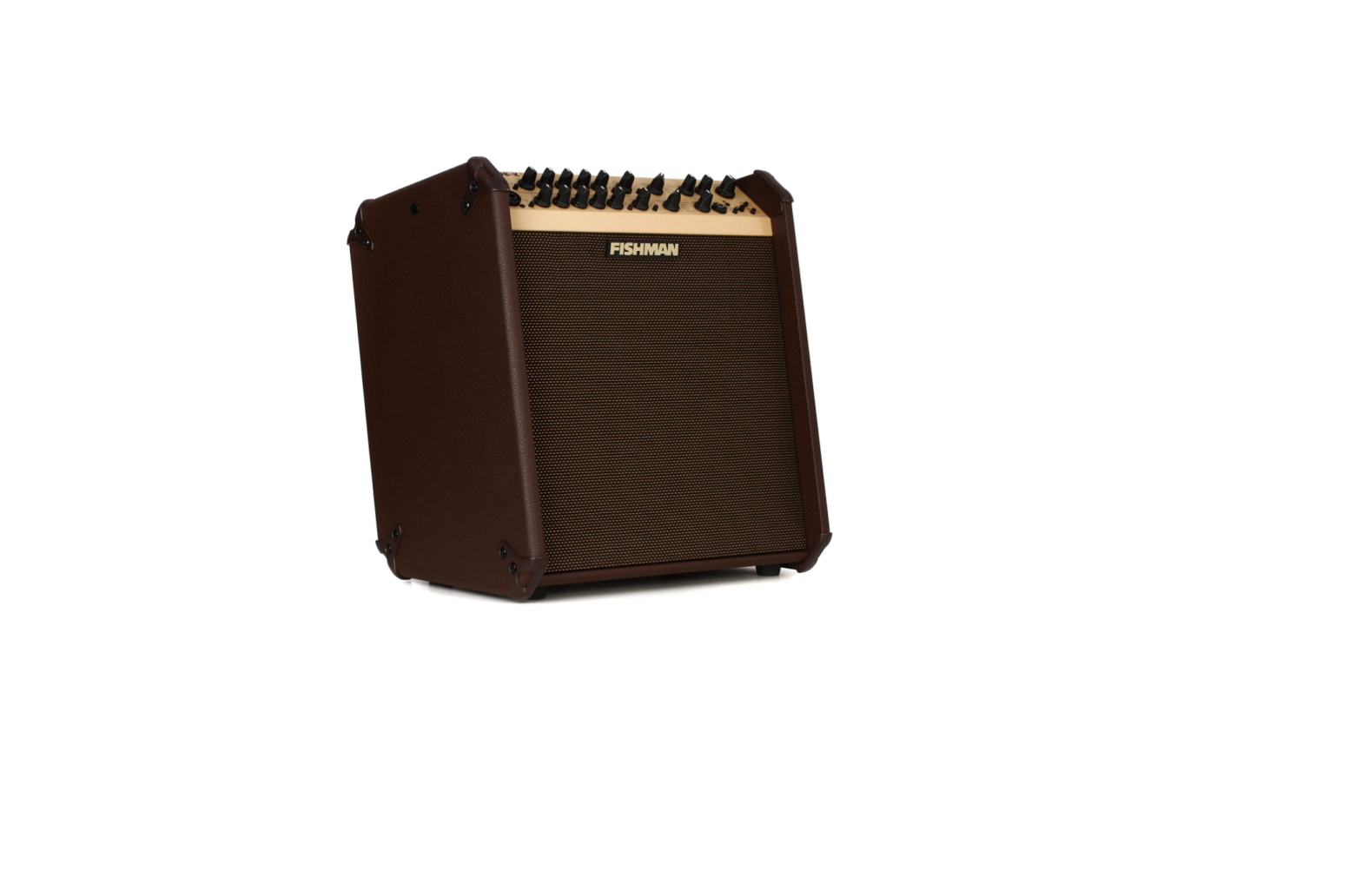
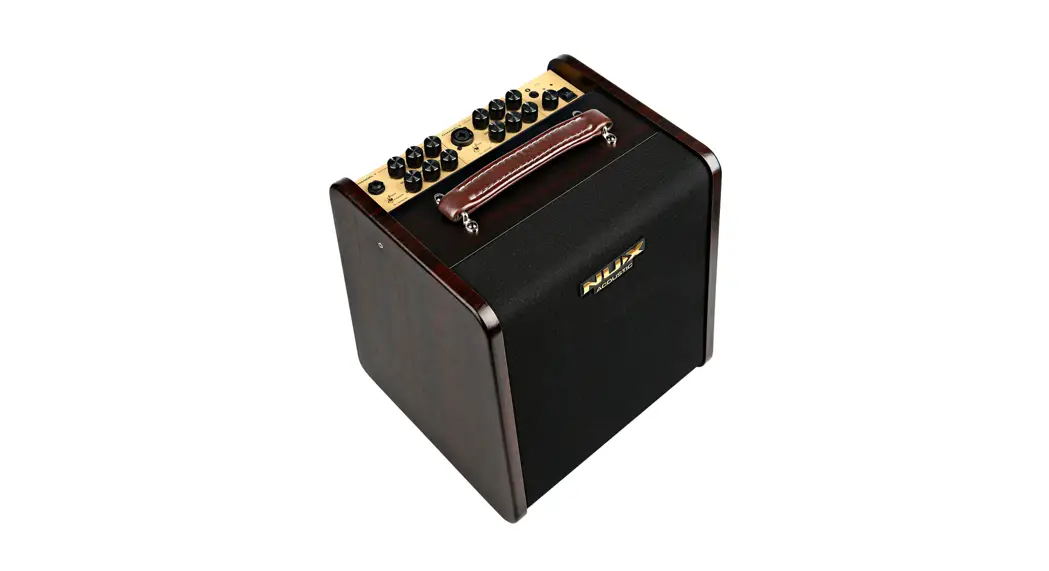
Loudbox Performer Amplifier
Product Information
The Loudbox Performer is an amplifier designed to reproduce the
sound of instruments at high volume levels. The device has a
warning symbol that alerts users to important operating and
maintenance instructions. Another warning symbol indicates the
presence of dangerous voltage inside the enclosure that can pose a
risk of electric shock. The device should be unplugged during
lightning storms or when not in use for long periods. Servicing of
the device should only be done by qualified service personnel.
The Loudbox Performer is capable of producing heat, and users
should not defeat the safety purpose of the polarized or
grounding-type plug. The device complies with Part 15 of the FCC
Rules and is subject to FCC and IC radiation exposure limits.
Users should wear hearing protection to prevent permanent
hearing loss when using the device in high SPL environments. The
device should not be discarded as household waste but delivered to
an appropriate collection facility for recycling.
Product Usage Instructions
1. To use the Loudbox Performer, plug it into a power source
using a polarized or grounding-type plug.
2. Connect your instrument to the amplifier using an appropriate
cable.
3. Turn on the amplifier and adjust the volume and tone controls
to your desired settings.
4. To prevent permanent hearing loss, wear hearing protection
when using the device in high SPL environments.
5. Unplug the device during lightning storms or when not in use
for long periods.
6. Do not attempt to service the device yourself. Refer all
servicing to qualified service personnel.
7. Deliver the device to an appropriate collection facility for
recycling when it is no longer in use.
USER GUIDE LOUDBOX PERFORMER
Whenever this symbol appears, it alerts you to the presence of important operating and maintenance (servicing) instructions in the user’s manual for this amplifier.
Wherever this symbol appears, it alerts you to the presence of uninsulated dangerous voltage inside the enclosure that may be sufficient to constitute a risk of shock.
Important Safety Instructions
To ensure your personal safety and the safety of others, operate this apparatus only after reading these instructions and heeding the warnings listed below. 1. Read these instructions. 2. Keep these instructions. 3. Heed all warnings. 4. Follow all instructions. 5. Do not use this apparatus near water. 6. Clean only with a dry cloth. 7. Do not block the ventilation openings. Install in accordance with the manufacturer’s instructions. 8. Do not install near any heat sources such as radiators, heat registers, stoves or other apparatus (including
amplifiers) that produce heat. 9. Do not defeat the safety purpose of the polarized or grounding-type plug. A polarized plug has two blades
with one wider than the other. A grounding-type plug has two blades and a third grounding prong. The wide blade or the third prong are provided for your safety. If the provided plug does not fit into your outlet, consult an electrician for replacement of the obsolete outlet. 10. Protect the power cord from being walked on or pinched, particularly at the plugs, convenience receptacles and the point where they exit from the apparatus. 11. Use only attachments/accessories specified by the manufacturer. 12. Use only with a cart, stand, tripod, bracket or table specified by the manufacturer, or sold with the apparatus. When a cart is used, use caution when moving the cart/apparatus combination to avoid injury from tip-over.
13. Unplug this apparatus during lightning storms or when unused for long periods of time. 14. Refer all servicing to qualified service personnel. Servicing is required when the apparatus has been
damaged in any way, such as a power-supply cord or plug is damaged, liquid has been spilled or objects have fallen into the apparatus, the apparatus has been exposed to rain or moisture, does not operate normally, or has been dropped. 15. Do not expose the apparatus to dripping or splashing liquids and do not place objects filled with liquids (such as a beverage container or a vase) on the apparatus. 16. Warning” To reduce the risk of fire or electric shock, do not expose this apparatus to moisture. 17. The apparatus should be connected to mains outlet with a protective earthing connection.
Disconnect device is Mains Plug, which should remain readily operable.
Copyright © 2018 FISHMAN TRANSDUCERS, INC.
All rights reserved. No part of this document may be reproduced in any form without the written permission of FISHMAN TRANSDUCERS, INC.
2
INFORMATIONS IMPORTANTES WARNING:
DE SECURITE
· Lisez attentivement ces instructions. · Veuillez conserver ces instructions. · Observez tous les avertissements. · Suivez toutes les consignes à la lettre. · N’utilisez jamais cet appareil dans un endroit humide ni à proximité
d’eau. · L’appareil alimenté par courant électrique ne peut pas être exposé à
des éclaboussures; évite en outre de placer des récipients contenant des liquides, comme un vase (ou un verre de bière), sur l’appareil. · Nettoyez uniquement l’appareil avec un chiffon doux et sec. · Ne bloquez jamais les orifices de ventilation de l’appareil et installez-le toujours conformément aux instructions du fabricant. · N’installez jamais l’appareil à proximité d’une source de chaleur, telle que des radiateurs, poêles ou tout autre dispositif (y compris des amplificateurs) générant de la chaleur. · N’essayez jamais de contourner le dispositif de sécurité d’une prise de type polarisée ou d’une prise de terre. Une prise dite polarisée dispose de deux broches, dont l’une est plus large que l’autre. Une prise de terre comporte trois broches, dont une de mise à la terre. Cette broche plus large ou broche de mise à la terre vise à assurer votre sécurité. Si la fiche du cordon d’alimentation ne correspond pas au type de prise de courant de votre région, faites remplacer la prise obsolète par un électricien qualifié (pour les Etats-Unis et le Canada). · Placez toujours le cordon d’alimentation de sorte qu’on ne risque pas de marcher dessus ni de le pincer. Cette précaution vise tout spécialement la fiche du cordon et sa sortie de l’appareil. · Utilisez exclusivement les fixations/accessoires préconisés par le fabricant. · S’il y a risque d’orage ou que vous ne comptez pas utiliser l’appareil pendant une période prolongée, débranchez-le du secteur. · La mise sur OFF de l’interrupteur d’alimentation n’isole pas totalement ce produit de la ligne secteur; aussi, retirez la fiche de la prise s’il doit rester inutilisé pendant une période prolongée. · Installez ce produit près de la prise électrique murale et gardez un accès facile à la prise électrique et au cordon d’alimentation. · ATTENTION: Cet appareil doit absolument être connecté à une prise électrique reliée à la terre. · Confiez tout travail de réparation uniquement à un S.A.V. qualifié. Faites appel au S.A.V. si l’appareil a subi tout endommagement, comme par exemple si sa fiche secteur ou son cordon d’alimentation sont endommagés, si de l’eau ou des objets ont pénétré à l’intérieur de l’appareil, si celui-ci a été exposé à la pluie ou à la moisissure, s’il est tombé ou présente tout signe de dysfonctionnement. · N’utilisez jamais d’allonge trop longue avec cet appareil et ne l’alimentez jamais via les prises secteur équipant d’autres dispositifs. · N’installez jamais cet appareil dans un endroit confiné comme une caisse de transport ou tout autre récipient similaire. · Des niveaux d’écoute trop importants lors de l’utilisation d’un casque ou d’écouteurs peuvent entraîner des pertes d’audition. · Utilisez l’appareil uniquement avec le chariot, stand, trépied, fixation ou table spécifiés par le fabricant ou fourni avec l’appareil. Si vous avez placé l’appareil sur un chariot, soyez très prudent quand vous déplacez le chariot, afin d’éviter une chute et des blessures.
L’éclair dans le triangle est un symbole destiné à attirer l’attention de l’utilisateur sur la présence de parties non isolées et de “tension dangereuse” à l’intérieur de l’appareil, qui posent des risques d’électrocution pour l’utilisateur.
Le point d’exclamation dans un triangle est un symbole destiné à attirer l’attention de l’utilisateur sur des sections de ce manuel contenant des informations importantes, liées à l’utilisation et à l’entretien de ce produit.
ATTENTION
Le non-respect de la polarité lors du remplacement de la pile peut poser un risque d’explosion. Remplacez la pile uniquement avec un modèle identique ou équivalent.
Note concernant les disposition (Seulement EU) Quand un symbole avec une poubelle barrée d’une croix apparait sur le produit, le mode d’emploi, les piles ou le pack de piles, cela signifie que ce produit, manuel ou piles doit être déposé chez un représentant compétent, et non pas dans une poubelle ou toute autre déchetterie conventionnelle. Disposer de cette manière, de prévenir les dommages pour la
santé humaine et les dommages potentiels pour l’environnement. La bonne méthode d’élimination dépendra des lois et règlements applicables dans votre localité, s’il vous plaît, contactez votre organisme administratif pour plus de détails. Si la pile contient des métaux lourds au-delà du seuil réglementé, un symbole chimique est affiché en dessous du symbole de la poubelle barrée d’une croix sur la pile ou le pack de piles.
* Tous les noms de produits et de sociétés sont des marques commerciales ou déposées de leur détenteur respectif.
3
Hear This!
The Loudbox Performer amplifier is capable of cleanly reproducing the sound of your instrument at very high volume levels. Prolonged repeated exposure to high sound pressure levels (SPLs) without protection can cause permanent hearing loss. OSHA has set guidelines and specified permissible sound-exposure limits for those who work in high SPL environments.
Permissible Noise Exposures
Duration per day, hours Sound level dBA slow response
8
90
6
92
4
95
3
97
2
100
1 1/2
102
1
105
1/2
110
1/4 or less
115
To ensure against permanent hearing loss, wear hearing protection when you perform with amplification.
This symbol means the product must not be discarded as household waste, and should be delivered to an appropriate collection facility for recycling. For more information on disposal and recycling of this product, contact your local municipality, disposal service, or the shop where you bought this product.
FCC Compliance Notice This equipment has been tested and found to comply with the limits for a Class B digital device, pursuant to Part 15 of the FCC Rules. These limits are designed to provide reasonable protection against harmful interference in a residential installation. This equipment generates, uses, and can radiate radio frequency energy and, if not installed and used in accordance with the instructions, may cause harmful interference to radio communications. However, there is no guarantee that interference will not occur in a particular installation. If this equipment does cause harmful interference to radio or television reception, which can be determined by turning the equipment off and on, the user is encouraged to try to correct the interference by one or more of the following measures: Reorient or relocate the receiving antenna. Increase the separation between the equipment and receiver. Connect the equipment into an outlet on a circuit different from that to which the receiver is connected. Consult the dealer or an experienced radio/TV technician for help. Changes and modifications not expressly approved by FISHMAN TRANSDUCERS can void your authority to operate this equipment under Federal Communications Commissions rules.
Loudbox Performer FCC ID: RMU-494000230 IC: 10812A-494000230 1.0
4
FCC Compliance Statement The device complies with Part 15 of the FCC Rules. Operation is subject to the following two conditions:
1. This device may not cause harmful interference, and 2. This device must accept any interference received, including interference that may cause
undesired operation.
EU Declaration of Conformity CE: Hereby, Fishman declares that this Loudbox Performer is in compliance with the essential requirements and other relevant provisions of Directive 2014/53/EU, 2014/30/EU, 2014/35/EU.
This device complies with Industry Canada license-exempt RSS standard(s): Operation is subject to the following two conditions: (1) this device may not cause interference, and (2) this device must accept any interference that may cause undesired operation of the device.
Cet appareil est conforme aux normes Industry Canada exemptes de licence standard RSS(s): Son fonctionnement est sujet aux deux conditions suivantes: (1) cet appareil ne peut pas provoquer d’interférences et (2) cet appareil doit accepter toute interférence, y compris les interférences susceptibles de provoquer un fonctionnement indésirable.
Bluetooth® The Bluetooth® word mark and logos are registered trademarks owned by Bluetooth SIG, Inc. and any use of such marks by Fishman Transducers is under license. Other trademarks and trade names are those of their respective owners.
WARNING! FCC and IC Radiation Exposure Statement: The device complies with FCC’s and IC’s RF radiation exposure limits set forth for an uncontrolled environment under the following conditions: 1. This equipment should be installed and operated such that a minimum separation distance of
20cm is maintained between the radiator (antenna) & user’s/nearby person’s body at all times. 2. This transmitter must not be co-located or operating in conjunction with any other antenna or
transmitter.
Before using Loudbox Performer, carefully read the following: Important Safety Instructions (Page 2) Getting Started (Page 7)
5
Welcome
Thank you for making Fishman a part of your acoustic experience. We are proud to offer the finest acoustic amplification products available; high-quality professional-grade tools which empower you to sound your very best.
6
Getting Started
Your new Loudbox Performer is a portable amplifier designed to faithfully reproduce the sound of acoustic instruments and a diverse assortment of vocal or recorded accompaniments.
With the addition of Bluetooth® wireless connectivity, you can now easily add backing tracks or other accompaniment to your performances.
Here are some basic setup tips to help get you going. To operate the Loudbox Performer safely, please read the entire manual, especially the Important Safety Instructions on page 2.
Plug the provided AC line cord into the back of the amplifier.
1. Locate the Power switch (above the rear panel power cord terminal) and switch it off (down position)
2. Plug the Loudbox Performer into an electrical outlet with the appropriate AC voltage.
3. Turn down the Master Volume control and turn on the Power switch.
4. Connect your instrument to the Channel 1 input with a shielded ¼” cable.
5. Play aggressively and raise Channel 1 Gain until the Clip LED (inside the Pad button) flashes, then back off the Gain until no clipping occurs.
6. Set the tone controls “flat” as illustrated below.
7. Slowly raise the Master Volume to the desired level.
pairing
Tweeter
Channel
Phantom
Mute
24V
7
Front Panel
Controls 1 through 10 are identical for both channels.
1. Channel 1 Input
The 1/4″ input accepts all types of passive or active acoustic pickups. Plug a balanced mic into the XLR input for vocal or instrument use.
2. 10dB Pad & Clip LED
If you have a high output pickup and the Clip LED (located in the center of the Pad button) comes on at low Gain settings, push this switch in to put your pickup level into a more useable range.
3. Gain Use the Gain knob to set the level of the signal.
4. Low
Boost here to add weight to the sound. In general, boost bass at low volumes and flatten it out (or cut) at higher levels. With the dial set at 12 o’clock, the control is effectively out of the circuit.
5. Mid
This control affects how well the instrument blends in or stands out in the mix. At loud volumes a midrange cut will achieve a more natural sound. With the dial set at 12 o’clock, the control is effectively out of the circuit.
6. High
Boost highs to add “air” to the sound of the instrument. With the knob set at 12 o’clock, the control is effectively out of the circuit.
1
23
4
5
6
78
8
Front Panel
7. Anti-Feedback If you encounter low-frequency feedback, sweep this control to isolate and eliminate it. To learn more about acoustic feedback, see page 15. 8. Phase Use the Phase switch in conjunction with the Anti-Feedback filter to eliminate acoustic feedback. To read more about acoustic feedback, see page 15. 9. Effect A Level Controls the amount of Effect A in the input channel. 10. Effect B On When this button is lit, the input channel’s audio is processed by Effect B. 11. Effect A Use this control to select one of four effects for Effect A. 12. Effect A “Time” Determines the length of time for the delay or reverb effects. 13. Effect B Use this control to select one of four effects for Effect B. 14. Effect B “Depth” Adjusts the intensity of Effect B.
9 10
11
12
15 16 17 18 19
pairing
Tweeter
Channel
Phantom
Mute
24V
13
14
20 21 22 23
9
Front Panel (cont.)
15. Aux Level Use this to control the level of an audio device plugged into the Aux input. Note that the Aux channel is independent of the Mute switch, so you can play prerecorded music on your breaks. 16. Bluetooth® Indicator This green indicator will display a medium flash indicating the Bluetooth® module is ready for pairing. It will display a slow flash indicating the module is ready for reconnection with a previously paired device. The indicator will be on when playback is active and display a fast flash when playback is paused. 17. Master Volume Set the overall level of the Loudbox Performer with the Master Volume. In general put the Master Volume as high as possible (2 o’clock to 5 o’clock) to achieve the cleanest sound. 18. Bluetooth® Pairing Press the Pairing button briefly to turn on the amp’s Bluetooth receiver. To pair a Bluetooth device for the first time, hold the Pairing button for 2 seconds to enter pairing mode. You will hear an ascending tone and the Bluetooth indicator will flash quickly. Check that your Bluetooth device is also in pairing mode. Once paired, you will hear a single tone and the indicator will stop flashing allowing you to stream music to the amplifier. To turn off the amp’s Bluetooth receiver, press the Pairing button briefly. A descending tone will indicate that the connection is powering down and the Bluetooth® Indicator will turn off. 19. Power Lights up when the amplifier power is on.
10
Front Panel (cont.)
20. Headphone Jack When you plug in stereo headphones here, the speakers shut off. This output monitors Channels 1 & 2 and the Aux input, so you can play along with pre-recorded music through the headphones. 21. Channel Mute The Channel Mute switch shuts off the signals from Channels 1 and 2 to the speakers and all XLR outputs. The Channel Mute does not affect the Aux Inputs or the effects sends. When mute is active, its button LED will be lit. 22. Tweeter Level Turn this control to attenuate the tweeter’s output level to where it sounds best to you. 23. Phantom Power Provides 24V to the XLR input on each input channel to power a condenser microphone. When phantom power is active, its button LED will be lit. Most condenser and dynamic microphones, as well as some preamps, can be used safely with phantom power. However, phantom power can damage some audio devices including some unbalanced mics, preamps or stompboxes that have been modified for balanced XLR use. Whenever there is doubt, contact the manufacturer to confirm compatibility.
11
Rear Panel
1
2
3
4
5
6
7
8
9
1. Power switch
Lower the Master Volume before you turn on the amp. Flip the power switch to the up position.
2. AC power Operate the amplifier only at the voltage indicated on the rear panel.
Disconnect device is AC inlet or power switch.
3. Mute Foot Switch
Plug a Fishman dual foot switch into this jack for remote access to Channel Mute and Effect B Mute.
4. Aux Input – 1/4″ & 1/8″
Plug in a line level stereo audio source such as a CD or MP3 player in either input. Both inputs may be used at the same time. They are stereo (TRS) inputs, however the left and right signals are mixed to mono.
5. Mix D.I. (Post)
Plug in here when you wish to send signals from both Channel 1 and 2 to a mixing console or a slave amplifier. This post-EQ output is always ground isolated to prevent ground loop hum.
12
Rear Panel (cont.)
6. Channel 2 Effects Loop (serial) Patch an external effect through these jacks. Use a standard ¼” shielded instrument cable to connect the Channel 2 Send to the input of the effect. Connect the Channel 2 Return jack to the output of the effect. The Channel 2 loop is located post-EQ and is compatible with battery-operated stompboxstyle effects processors. 7. Channel 2 D.I. Out (Pre-EQ) Use this output when you want a flat D.I. signal to send to a mixing console. This pre-EQ output is always ground isolated to prevent ground loop hum. 8. Channel 1 Effects Loop (serial) Patch an external effect through these jacks. Use a standard ¼” shielded instrument cable to connect the Channel 1 Send to the input of the effect. Connect the Channel 1 Return jack to the output of the effect. The Channel 1 loop is located post-EQ and is compatible with battery-operated stompboxstyle effects processors. 9. Channel 1 D.I. Out (Pre-EQ) Use this output when you want a flat D.I. signal to send to a mixing console. This pre-EQ output is always ground isolated to prevent ground loop hum.
13
Tone Tips
Set up For reference, start with the tone controls flat (straight-up, twelve o’clock). In this position, there is no equalization applied to your sound. Begin at a very low volume and work your way up. As you turn up, try adjusting the Loudbox Performer’s tone controls as recommended below. 1. Low volume At a low volume (just above conversation level) our ears are not very sensitive to bass and treble, so give the Low and High controls a good boost.
2. Medium volume At intermediate levels, when you need to raise your voice to be heard over the music, the human ear is quite sensitive to midrange. Cut the Mid control to about ten o’clock or to your taste. At this level our perception of bass and treble starts to catch up to the rest of the tonal spectrum, so you can back off the Low and High controls slightly for good tonal balance.
3. High volume At loud levels, when you must shout to be heard over the music, your ears (and your audience) will benefit from a deep midrange cut. Set the Mid dial between nine and seven o’clock. Our perception of bass and treble “flattens out” at high volumes, so you won’t need much, if any, Low or High boost. Set the Low and High knobs to between twelve and one o’clock.
14
About Acoustic Feedback
Feedback usually occurs in the lowest octave of your instrument, generally with two notes about a half step apart. The lower type of feedback (cavity resonance) starts when the sound pressure coming out of the speakers excites the resonant air chamber inside your instrument. We have found that it is effective to tune out an instrument’s cavity resonance feedback with the Anti-Feedback (notch filter) in the Loudbox Performer. For acoustic guitar this occurs at G# on the low E-string, or at about 100Hz. Turn the Anti-Feedback knob to about 11 o’clock to dial out this resonance. Note that the circuit can be effectively defeated by moving the dial to the Off (7 o’clock) position.
The higher range of feedback (top resonance) usually starts about a half or whole step above cavity resonance of the instrument. Top resonance feedback happens when the sound pressure coming off the speakers excites the resonant frequency of the soundboard of your instrument. For acoustic guitar, this occurs at A and above on the low E-string. Push the Phase switch in and out until you find the position that subdues top resonance feedback.
Anti
Lower
Feedback
Feedback Range
(E to G#)
Upper Feedback Range
(A and above)
Phase
15
Block Diagram
16
Mic
Mic
Input Preamp
Phantom Power +24V
Channel 1
Channel Mute Foot Switch
Phase Pre-EQ D.I. Output (bal., mic level)
Instrument Input
HPF
Pad
Tone Controls Anti-feedback
Effect Effect
40Hz
10dB Gain Low, Mid, High Notch Filter
Phase
Send Return
Mix D.I. Output (bal., mic level)
Ch 1 Effect A Level
Ch 2 Effect B Level
Ch 1 Effect B On
Ch 2 Effect B On
Effect A Reverb, Delay
Effect B Chorus, Flanger, Slap Echo
Effect B Mute Foot Switch
Channel Mute Foot Switch
Master Volume
Passive
Crossover
HPF
Limiter
60Watt Power Amp
Tweeter Level
LPF
Limiter
120Watt Power Amp
Tweeter Midrange
Woofer
Mic
Mic
Input Preamp
Phantom Power +24V
Channel Mute Foot Switch
Phase Pre-EQ D.I. Output (bal., mic level)
Instrument Input
HPF
Pad
Tone Controls Anti-feedback
Effect Effect
40Hz
10dB Gain Low, Mid, High Notch Filter
Phase
Send Return
Channel 2
Stereo Aux Inputs
1/4″
Tip = Left Ring = Right
1/8″
Bluetooth®
Aux Level
Technical Specifications
Input Impedance:
1/4″ Input XLR Input Aux Input (stereo)
5MOhm 2.4kOhm Balanced 10kOhm
Phantom Power XLR Input
24VDC / 1.2kOhm DC source impedance per pin
Tone Controls and Anti-Feedback:
Low
±12.5dB @ 50Hz (resonant)
Mid
±10.5dB @ 750Hz (resonant)
High
±12.5dB @ 10kHz (shelving)
Anti Feedback range -14dB @ 15Hz 330Hz (Hi-Q resonant notch)
Channel 1 & 2 D.I. Output:
Output Impedance
440Ohm balanced
Phantom power tolerant, ground isolated
Channel 1 & 2 Effects Sends:
Output Impedance
2.2kOhm
Operating Level
-10dBV Nominal
Channel 1 & 2 Effects Returns:
Input Impedance
28k Ohm
Input Voltage
-10dBV Nominal
(Sends and returns are compatible with battery operated effects processors)
Mix D.I. Output: Output Impedance
440Ohm balanced Phantom power tolerant, ground isolated
17
Technical Specifications (cont.)
Speaker System: Woofer Midrange Tweeter Tweeter Level Crossover
Baffle Angle
8″ paper cone, acoustic suspension 5″ poly cone, acoustic suspension 1″ cloth dome,neodymium magnet Up to 6dB cut @ 10kHz Bi-amplified with active/passive hybrid crossover
500Hz, active; 3.5kHz, passive 10 Degrees
Rated Power:
Cumulative Woofer Amp Mid/Tweeter Amp SPL @ 1 Meter Frequency Response
180Wrms 120Wrms continuous 60Wrms continuous 114dB SPL 80Hz 20kHz (-4dB)
Power Consumption: 200W max
Fuse Rating:
100V, 50/60Hz: T2.5AL 250V (2.5A slow-blow) 120V, 50/60Hz: T2.5AL 250V (2.5A slow-blow) 240V, 50/60Hz: T1.25AL 250V (1.25A slow-blow)
Physical: Dimensions
Weight
18.2″ H x 15.8″ W x 11.5″D (462mm x 401mm x 292mm) 29.4 (13.3 kg)
Connectivity: Playback
Bluetooth® 5.1
We reserve the right to change any of the specifications and information in this manual without notice.
18
19
fishman.com
Fishman and Fishman Transducers are trademarks or tradenames of Fishman Transducers Inc.
513-300-195 rev 4
 Fishman | Fishman - Inspired Performance Technology