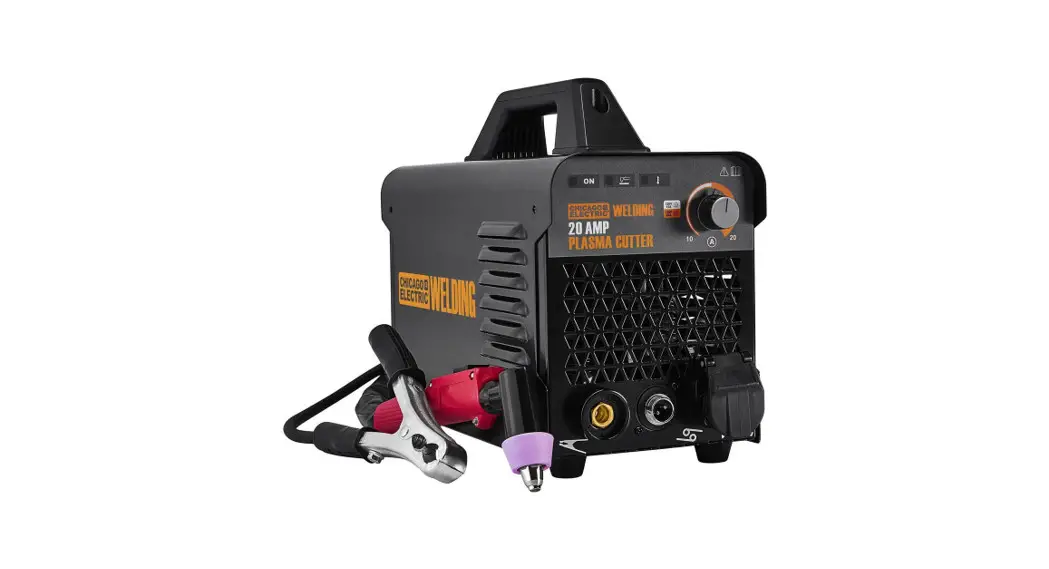
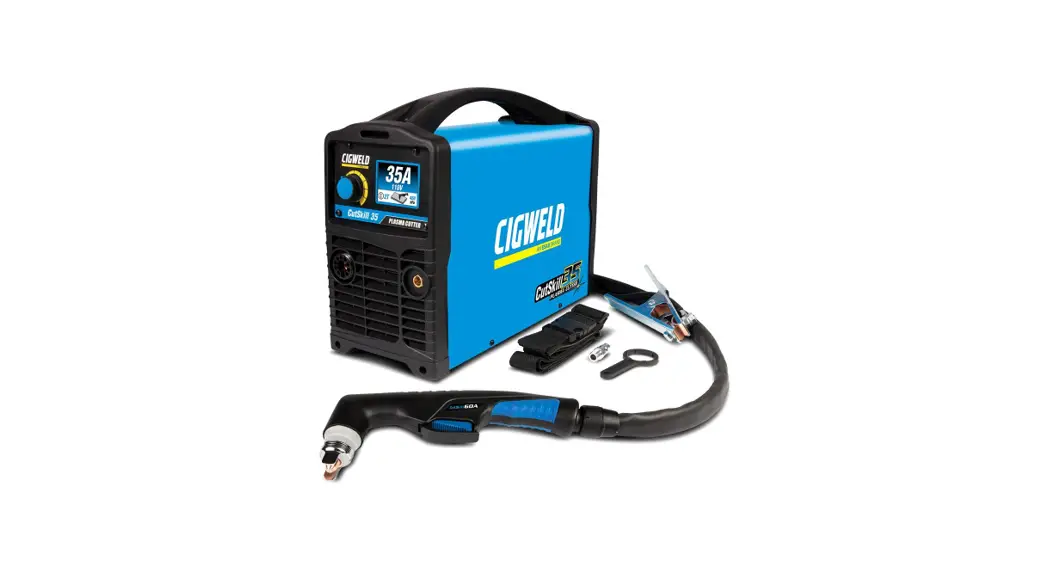
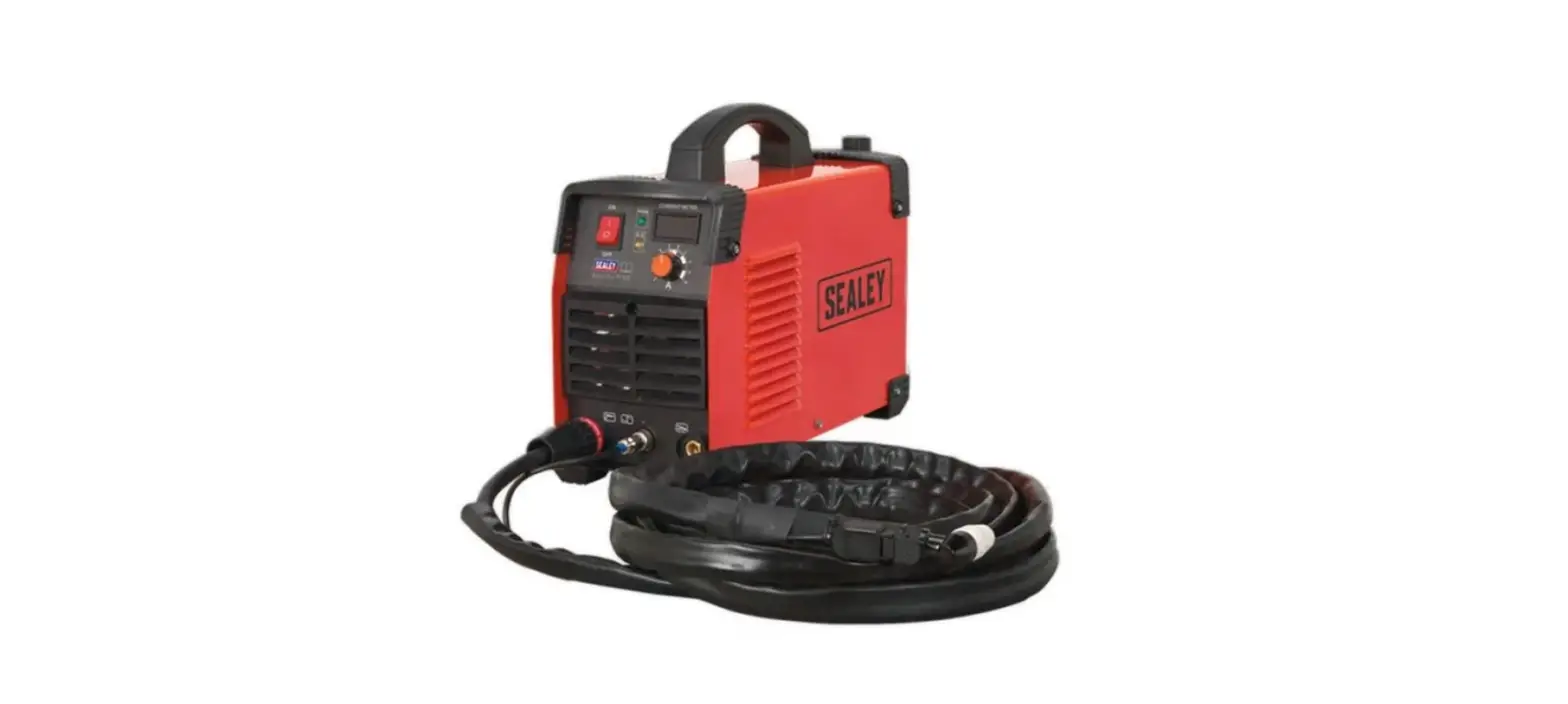
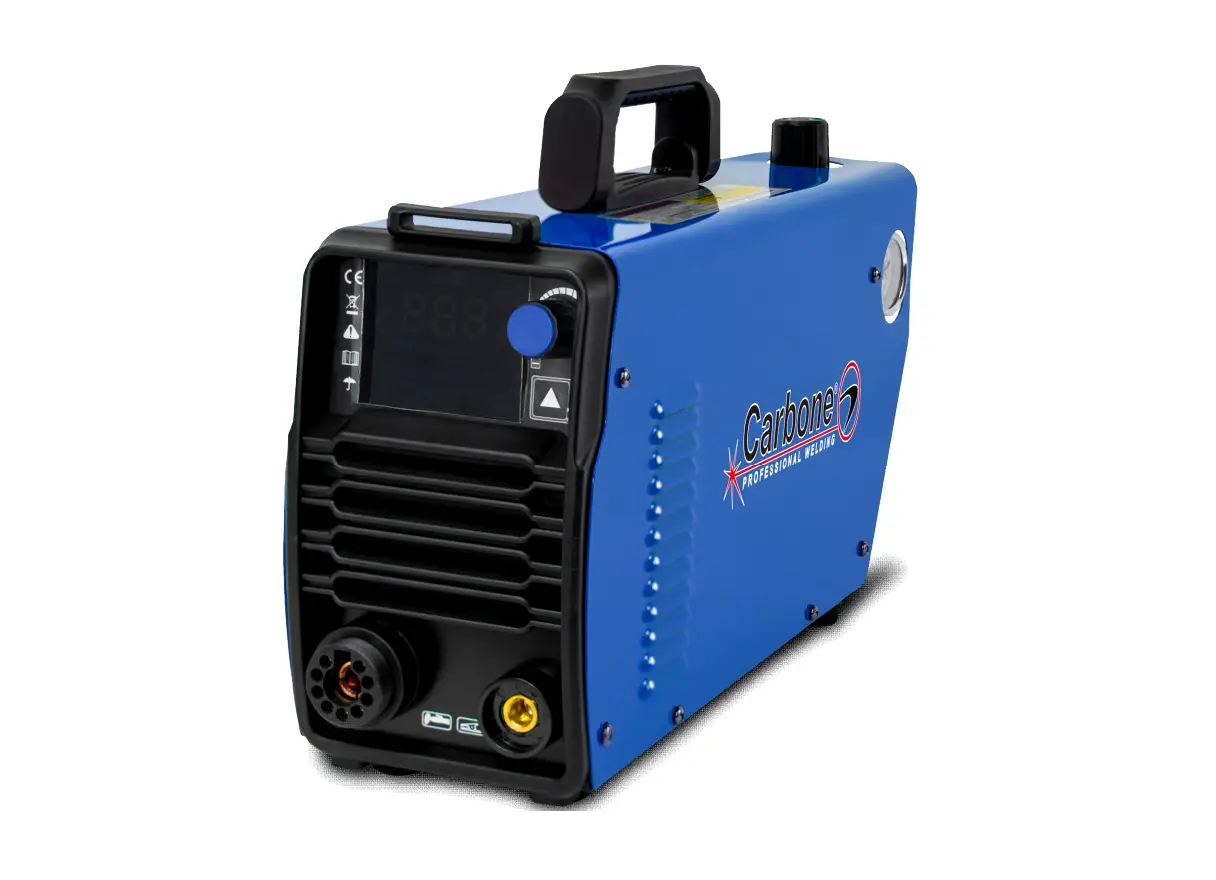
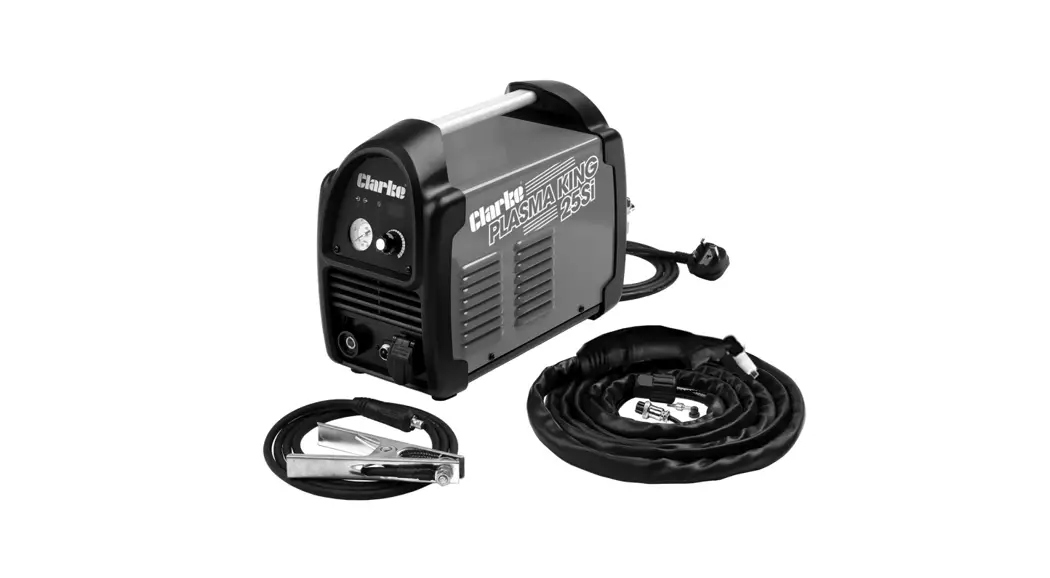
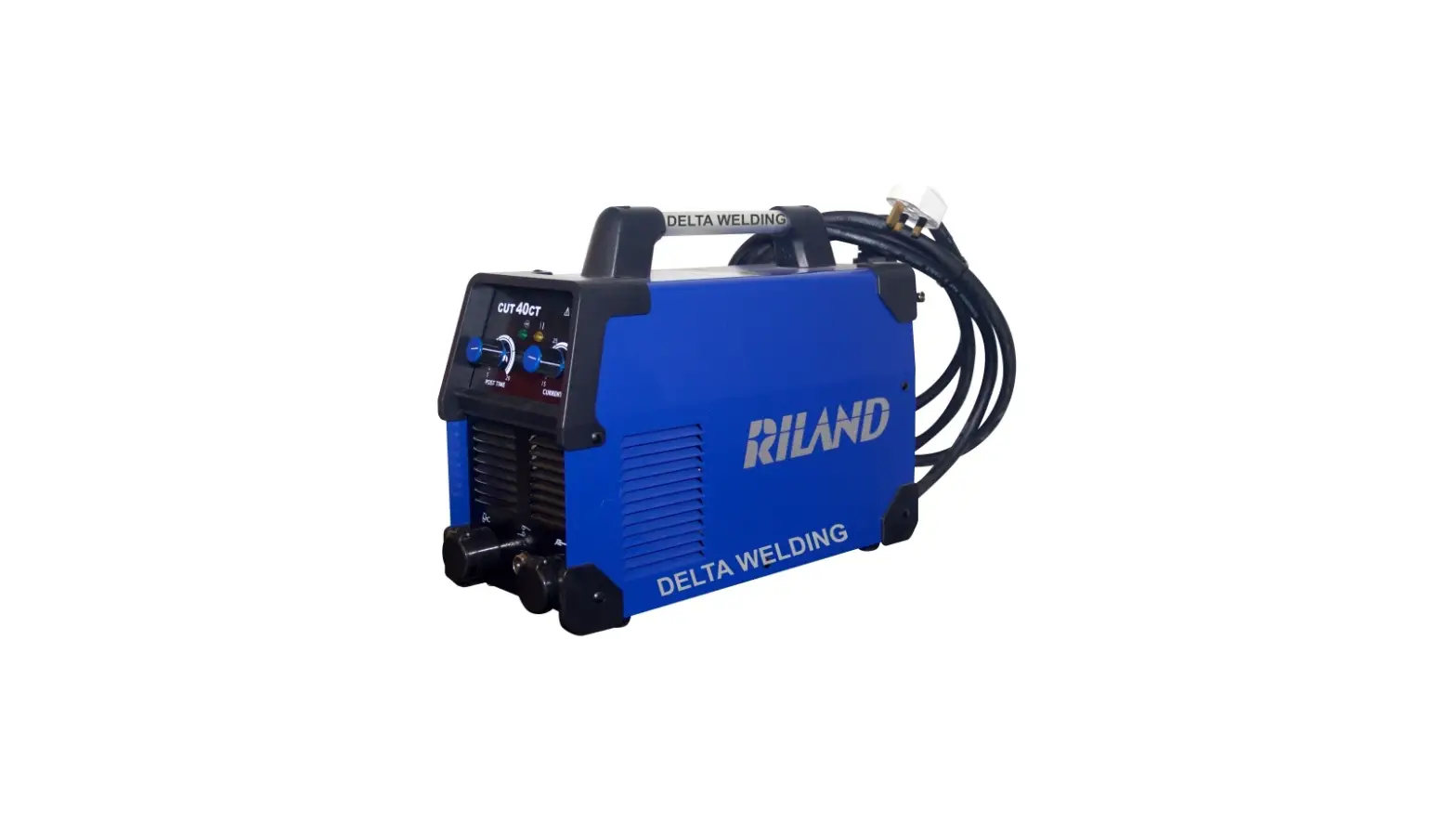
58605 20Amp 120V Plasma Cutter
Product Information
The product is a plasma cutter designed for cutting through
electrically conductive materials. The product produces strong,
fluctuating electromagnetic fields that can cause pacemaker
interference or pacemaker failure. Therefore, it is not recommended
for people with pacemakers to use this product or be nearby during
use.
The product comes with a user manual that provides safety
warnings and precautions, assembly, operating, inspection,
maintenance, and cleaning procedures. The manual also includes a
table of contents, specifications, setup, operation, maintenance,
troubleshooting, parts list and diagram, wiring diagram, and
warranty information.
Product Usage Instructions
- Read all safety warnings and instructions before using the
product. Failure to follow the warnings and instructions may result
in electric shock, fire, and/or serious injury. Save all warnings
and instructions for future reference. - Maintain a safe working environment. Keep the work area well
lit. Make sure there is adequate surrounding workspace. Keep the
work area free of obstructions, grease, oil, trash, and other
debris. Do not use in areas near flammable chemicals, dusts, and
vapors. Do not use in a damp or wet location. - People with pacemakers should not use this plasma cutter or be
nearby during use. The product produces strong, fluctuating
electromagnetic fields that can cause pacemaker interference or
pacemaker failure. People with pacemakers should consult their
physician(s) for advice. - To prevent eye injury and burns, wear personal protective
equipment such as gloves, safety glasses, and an apron. - Avoid unintentional starting. Make sure the switch is in the
off position before plugging in. Make sure you are prepared to
begin work before turning on the Plasma Cutter.
When unpacking, make sure that the product is intact and
undamaged. If any parts are missing or broken, please call
1-888-866-5797 as soon as possible. Tools required for assembly and
service may not be included.
Write the product’s serial number in the back of the manual near
the assembly diagram (or month and year of purchase if product has
no number). Keep this manual and the receipt in a safe and dry
place for future reference.
Visit the website at http://www.harborfreight.com or email
technical support at [email protected] for further
assistance.
Owner’s Manual & Safety Instructions
Save This Manual Keep this manual for the safety warnings and precautions, assembly,
operating, inspection, maintenance and cleaning procedures. Write the product’s serial number in the
back of the manual near the assembly diagram (or month and year of purchase if product has no number).
Keep this manual and the receipt in a safe and dry place for future reference.
23b
Visit our website at: http://www.harborfreight.com Email our technical support at: [email protected]
58605
When unpacking, make sure that the product is intact and undamaged. If any parts are missing or broken,
please call 1-888-866-5797 as soon as possible.
Copyright© 2023 by Harbor Freight Tools®. All rights reserved. No portion of this manual or any artwork contained herein may be reproduced in any shape or form without the express written consent of Harbor Freight Tools. Diagrams within this manual may not be drawn proportionally. Due to continuing improvements, actual product may differ slightly from the product described herein.
Tools required for assembly and service may not be included.
Read this material before using this product. Failure to do so can result in serious injury. SAVE THIS MANUAL.
SaFEty
table of contents
Safety ………………………………………………………………2 Specifications ……………………………………………………5 Setup ……………………………………………………………….6 Operation ………………………………………………………….8 Maintenance …………………………………………………….12
Troubleshooting ……………………………………………….. 13 Parts List and Diagram ………………………………………17 Wiring Diagram…………………………………………………19 Warranty ………………………………………………………….20
WarninG SyMBOLS anD DEFinitiOnS This is the safety alert symbol. It is used to alert you to potential personal injury hazards. Obey all safety messages that follow this symbol to avoid possible injury or death.
Indicates a hazardous situation which, if not avoided, will result in death or serious injury.
Indicates a hazardous situation which, if not avoided, could result in death or serious injury.
Indicates a hazardous situation which, if not avoided, could result in minor or moderate injury.
Addresses practices not related to personal injury.
SEtup
OpEratiOn
iMpOrtant SaFEty inStructiOnS
read all safety warnings and instructions. Failure to follow the warnings and instructions may result in electric shock, fire and/or serious injury. Save all warnings and instructions for future reference.
1. DanGEr! people with pacemakers should
4. avoid unintentional starting. Make sure
not use this plasma cutter or be nearby
switch is in off position before plugging in.
during use. plasma cutters, such as this one,
Make sure you are prepared to begin work
produce strong, fluctuating electromagnetic
before turning on the Plasma Cutter.
fields that can cause pacemaker interference or pacemaker failure. people with pacemakers 5. should consult their physician(s) for advice.
prevent eye injury and burns. Wearing personal protective equipment reduces the risk of injury.
2. Maintain a safe working environment. Keep the work area well lit. Make sure there is adequate surrounding workspace. Keep the work area free of obstructions, grease, oil, trash, and other debris. Do not use in areas near flammable chemicals, dusts, and vapors. Do not use in a damp or wet location.
· Wear an ANSI-approved welding helmet featuring at least a number 10 shade lens rating.
· Leather leggings, fire resistant shoes or boots should be worn when using this product. Do not wear pants with cuffs, shirts with open pockets, or any clothing that can catch and hold molten metal or sparks.
3. never leave the plasma cutter unattended when it is plugged into an electrical outlet. Turn off the Plasma Cutter, and unplug it from its electrical outlet before leaving. unplug the plasma cutter from its electrical outlet before performing any inspection, maintenance, or cleaning procedures,
· Keep clothing free of grease, oil, solvents, or any flammable substances. Wear dry, insulating gloves and protective clothing.
· Wear an approved head covering to protect the head and neck. Use aprons, cape, sleeves, shoulder covers, and bibs designed and approved for welding and cutting procedures.
including changing accessories.
· When welding/cutting overhead or in confined
spaces, wear fire resistant ear plugs or
ear muffs to keep sparks out of ears.
Page 2
For technical questions, please call 1-888-866-5797.
58605
MaintEnancE
SaFEty
SEtup
6. Maintain labels and nameplates
8.
inHaLatiOn HaZarD:
on the plasma cutter.
Welding and cutting produce
These carry important information.
tOXic FuMES.
If unreadable or missing, contact Harbor Freight Tools for a replacement.
Exposure to welding or cutting exhaust fumes can increase
7. prevent accidental fires. Remove any combustible material from the work area.
· When possible, move the work to a location well away from combustible materials. If relocation is not possible, protect the combustibles with a cover made of fire resistant material.
· Remove or make safe all combustible materials for a radius of 35 feet (10 meters) around the work area. Use a fire resistant
the risk of developing certain cancers, such as cancer of the larynx and lung cancer. Also, some diseases that may be linked to exposure to welding or cutting exhaust fumes are: · Early onset of Parkinson’s Disease · Heart disease · Ulcers · Damage to the reproductive organs · Inflammation of the small intestine or stomach · Kidney damage
material to cover or block all open doorways,
· Respiratory diseases such as
windows, cracks, and other openings.
emphysema, bronchitis, or pneumonia
· Enclose the work area with portable fire resistant screens. Protect combustible walls, ceilings, floors, etc., from sparks and heat with fire resistant material.
· If working on a metal wall, ceiling, etc., prevent ignition of combustibles on the other side by moving the combustibles to a safe location. If relocation of combustibles is not possible, designate someone to serve as a fire watch, equipped with a fire extinguisher, during the cutting process and for at least one half hour after the cutting is completed.
· Do not weld or cut on materials having a combustible coating or combustible internal structure, as in walls or ceilings, without an approved method for eliminating the hazard.
Use natural or forced air ventilation and wear a respirator approved by NIOSH to protect against the fumes produced to reduce the risk of developing the above illnesses.
9. avoid overexposure to fumes and gases. Always keep your head out of the fumes. Do not breathe the fumes. Use enough ventilation or exhaust, or both, to keep fumes and gases from your breathing zone and general area.
· Where ventilation is questionable, have a qualified technician take an air sampling to determine the need for corrective measures. Use mechanical ventilation to improve air quality. If engineering controls are not feasible, use an approved respirator.
· Do not dispose of hot slag in containers holding combustible materials. Keep a fire extinguisher nearby and know how to use it.
· Work in a confined area only if it is well ventilated, or while wearing an air-supplied respirator.
· After welding or cutting, make a thorough
· Follow OSHA guidelines for
examination for evidence of fire. Be aware
Permissible Exposure Limits (PELs)
that easily visible smoke or flame may not
for various fumes and gases.
be present for some time after the fire has started. Do not weld or cut in atmospheres containing dangerously reactive or flammable gases, vapors, liquids, and dust.
· Follow the American Conference of Governmental Industrial Hygienists recommendations for Threshold Limit Values (TLVs)
· Provide adequate ventilation in work areas
for fumes and gases.
to prevent accumulation of flammable gases, vapors, and dust. Do not apply heat to a container that has held an unknown substance or a combustible material whose contents, when heated, can produce flammable or explosive vapors. Clean and purge containers before
· Have a recognized specialist in Industrial Hygiene or Environmental Services check the operation and air quality and make recommendations for the specific welding or cutting situation.
applying heat. Vent closed containers, including 10. Keep hoses away from welding/cutting area.
castings, before preheating, welding, or cutting.
Examine all hoses and cables for cuts,
· Only use compressed air or nitrogen to
burns, or worn areas before each use.
operate the Plasma Cutter. Never use
If any damaged areas are found, replace
other compressed gases. Don’t exceed
the hoses or cables immediately.
maximum PSI for this product as stated on
the specification table on page 5.
OpEratiOn
MaintEnancE
58605
For technical questions, please call 1-888-866-5797.
Page 3
SaFEty
SEtup
11. proper cylinder care. Secure cylinders to a
15. Avoid tipping. Do not place on an
cart, wall, or post, to prevent them from falling.
unstable or tilted surface.
All cylinders should be used and stored in an upright position. Never drop or strike a cylinder.
16. Do not use for pipe thawing.
Do not use cylinders that have been dented. Cylinder caps should be used when moving or storing cylinders. Empty cylinders should be kept
17. KEEP CHILDREN AWAY. All visitors should be kept safe distance from work area.
in specified areas and clearly marked “empty.”
18. MAKE WORKSHOP KID PROOF with padlocks,
12. never use oil or grease on any inlet connector,
master switches, or by removing starter keys.
outlet connector, or cylinder valves.
19. USE RIGHT Plasma Cutter. Don’t force
13. use only supplied torch on this plasma cutter. Using components from other systems may cause
Plasma Cutter or attachment to do a job for which it was not designed.
personal injury and damage components within.
20. SECURE WORK. Use clamps or a vise to hold
14. uSE prOpEr EXtEnSiOn cOrD. Make sure your extension cord is in good condition. When
work. It’s safer than using your hand and it frees both hands to operate Plasma Cutter.
using an extension cord, be sure to use one heavy 21. MAINTAIN PLASMA CUTTER WITH CARE.
enough to carry the current your product will draw.
Keep Plasma Cutter clean for best and
An undersized cord will cause a drop in line
safest performance.
voltage resulting in loss of power and overheating.
Follow instructions for changing accessories.
A 50 foot extension cord must be at least
12 gauge in diameter, and an 100 foot extension 22. Inspect before every use;
cord must be at least 10 gauge in diameter.
do not use if parts loose or damaged.
If in doubt, use the next heavier gauge. The
smaller the gauge number, the heavier the cord.
Symbology
Vac a
OcV
Volts Alternating Current
Amperes
Open Circuit Voltage
Electric Shock Hazard. Do not touch energized parts.
Inhalation Hazard. Keep head out of fumes and use proper ventilation.
Read manual before setup and/or use.
Fire Hazard. Keep flammable materials away during welding. Spatter can cause accidental fires.
Arc Ray Hazard. Wear welding helmet with properly rated filter lens.
Pacemaker Hazard. Welding processes may interfere with pacemakers. Consult doctor before use.
OpEratiOn
MaintEnancE
Page 4
For technical questions, please call 1-888-866-5797.
58605
SaFEty
Specifications
Rated Input Open Circuit Voltage (OCV) Output Range Rated Output Voltage
Rated Duty Cycle
Cutting Capacity Arc Striking System Gas Type Air Requirements Air Inlet
120VAC/60Hz/20A· 120VAC/15A with adaptor
400V
20A Plug: 1020A
15A Plug: 1016A
Cutting current 20A· Working voltage 115VDC
35% @ 20A 60% @ 16A 100% @ 12A
22 gauge (0.79mm) 5/16″ (8.0mm)
High Frequency arc ignition
Clean, dry, oil-free air, or nitrogen gas
5 CFM @ 70110 PSI
1/4″18 NPT
SEtup
OpEratiOn
MaintEnancE
58605
For technical questions, please call 1-888-866-5797.
Page 5
SaFEty
SEtup
Setup
read the EntirE iMpOrtant SaFEty inFOrMatiOn section at the beginning of this manual including all text under subheadings therein before set up or use of this product. note: For additional information regarding the parts listed in the following pages, refer to the Assembly Diagram near the end of this manual. note: This Plasma Cutter may be shipped with a protective plug covering the Air Inlet. Remove this plug before set up.
Functions
air pressure Gauge
(on back)
air inlet (on back)
power Switch (on back)
Output current Knob
Ground clamp
torch
torch cable Socket
Ground clamp cable Socket
torch trigger connector
OpEratiOn
MaintEnancE
Page 6
For technical questions, please call 1-888-866-5797.
58605
SaFEty
power plug
1. A 120VAC, 20A plug is wired into this item.
air Supply
2. This item includes a 120VAC, 15A Plug Adapter to use unit on a 120VAC, 15A circuit.
tO prEVEnt SEriOuS inJury anD DEatH FrOM EXpLOSiOn: use only clean, dry, regulated, oil-free, compressed air or nitrogen gas with this plasma cutter. Do not use oxygen, acetylene, carbon dioxide, combustible gases, or any other bottled gas as a power source for this plasma cutter.
1. Use a compressor that is capable of supplying 5 CFM @ 70110 PSI.
2. Incorporate a filter, regulator with pressure gauge, dryer, in-line shutoff valve, and quick coupler for best service. an in-line shutoff ball valve is an important safety device because it controls the air supply even if the air hose is ruptured. the shutoff valve should be a ball valve because it can be closed quickly.
note: in humid locations, multiple dryers may need to be incorporated to keep the air dry. MOiSturE in air SuppLy May cauSE SHOrtEnED cOMpOnEnt LiFE anD pOOr cut QuaLity.
note: Do not use an oiler system with this plasma cutter. the oil will mix with the air being propelled, causing poor results.
3. Attach an air hose to the compressor’s air outlet. Connect the air hose to the Air Inlet on the back of the Plasma Cutter. Other components, such as a coupler plug and quick coupler, will make operation more efficient, but are not required.
note: Air flow, and therefore Plasma Cutter performance, can be hindered by undersized air supply components. The air hose must be long enough to reach the work area with enough extra length to allow free movement while working.
Setting compressor’s air pressure
1. Set the Plasma Cutter’s power Switch to the OFF position.
2. Turn on the air compressor according to the manufacturer’s directions and allow it to build up pressure until it cycles off.
3. Verify that the air compressor’s output air pressure regulator is between 70110 pSi.
4. Inspect the air connections for leaks. Repair any leaks found.
SEtup
OpEratiOn
MaintEnancE
58605
For technical questions, please call 1-888-866-5797.
Page 7
SaFEty
SEtup
Operation
read the EntirE iMpOrtant SaFEty inFOrMatiOn section at the beginning of this manual including all text under subheadings therein before set up or use of this product.
controls and indicators
23
4
7 8 9
1. Output current Knob
Turn the Output Current Knob to the desired
current (10 to 20 amps). Lower currents reduce
circuit breaker tripping. Adjust as needed after
test cuts.
Thicker material will use greater amperage.
1
Thinner material will use lower amperage.
2. power On Light Green light turns on when power is on.
3. cutting Light Red light turns on during cutting operation.
4. thermal Overload Light Yellow light turns on if the Plasma Cutter shuts down due to overload. Stop using the Plasma Cutter while leaving the Power Switch ON to allow the cooling fan to operate. The light will turn off automatically when the Plasma Cutter cools down. Continue use while paying attention to Duty Cycle discussed on page 10.
5. power Switch Use to turn unit ON and OFF.
6. power cord
5
7. air pressure regulator
8. air inlet
6
9. air pressure Gauge
10. air Dryer
10
OpEratiOn
MaintEnancE
Page 8
For technical questions, please call 1-888-866-5797.
58605
SaFEty
SEtup
preparation and Work area
WarninG! prevent eye serious injury and burns. Wearing personal protective equipment reduces the risk of serious injury.
1. Wear an ANSI-approved welding helmet featuring at least a number 10 shade lens rating.
Leather leggings, fire resistant shoes or boots should be worn when using this product. Do not wear pants with cuffs, shirts with open pockets, or any clothing that can catch and hold molten metal or sparks.
Keep clothing free of grease, oil, solvents, or any flammable substances. Wear dry, insulating gloves and protective clothing.
Wear an approved head covering to protect the head and neck. Use aprons, cape, sleeves, shoulder covers, and bibs designed and approved for welding and cutting procedures.
Wear fire resistant ear plugs or ear muffs to keep sparks out of ears.
Do not breathe arc fumes. Use natural or forced air ventilation and wear a NIOSH-approved respirator.
WarninG! tO prEVEnt SEriOuS inJury: prevent accidental fires. remove any combustible material from the work area.
2. Remove or make safe all combustible materials for a radius of 35 feet (10 meters) around the work area. Use a fire resistant material to cover or block all open doorways, windows, cracks, and other openings.
Enclose the work area with portable fire resistant screens. Protect combustible walls, ceilings, floors, etc., from sparks and heat with fire resistant covers.
3. The floor and surrounding area must not be flammable. A clean concrete floor is recommended. The cutting process will eject molten metal slag onto the floor, and it will scatter for 8-10 feet or more in all directions.
4. Keep multiple aBc-type fire extinguishers near work area.
5. Place the Plasma Cutter on a sturdy, level surface at least six feet from the work area. Allow at least 18″ around all sides of the Plasma Cutter for air flow.
6. Put the workpiece on a sturdy metal work table that is open below the cutting area. Molten slag will be blown through the workpiece, and must be able to fall away freely. Mount the workpiece to be cut to the work table so that the cutting debris falls to the concrete floor.
7. Set up Air Supply according to instructions on page 7.
8. Verify that the Power Switch is in the OFF position, then plug the Plasma Cutter:
a. into an appropriate 120VAC outlet rated to at least 20 amps to limit nuisance circuit breaker tripping, or
b. into an appropriate 120VAC outlet rated to at least 15 amps, connecting the included 15A Plug Adapter to the end of the Power Cord.
9. pLaSMa cuttinG tipS: Using a Plasma Cutter is a skill that requires time and effort to do well.
a. Practice striking and maintaining an arc on scrap work pieces before beginning work. This will help determine the best settings for the Plasma Cutter for the material at hand.
b. All metals that conduct electricity can be cut. See cutting capacity on page 5 for thickness capabilities. Very thin or very thick metals are more difficult to cut cleanly.
c. Set the air pressure between 70 and 110 PSI. Increased air pressure will increase plasma speed and cutting pressure. Air pressure and amperage should be adjusted in tandemair pressure needs to increase as amperage increases. However, low amperage cuts will require less air pressure for a more stable cut.
d. Generally start with a mid-range amperage setting and adjust up or down from there. Increased amperage will increase cutting heat. This is needed with thicker and harder metals. However, increased amperage will reduce Duty Cycle time. (See page10.)
e. Move the Torch more slowly for thicker and harder metals, and more quickly for thin or soft metals. Keep the Torch moving while cutting.
thicker Material thinner Material
High amps More air pressure Low amps Less air pressure
OpEratiOn
MaintEnancE
58605
For technical questions, please call 1-888-866-5797.
Page 9
SaFEty
Basic Operation
pLaSMa arc can cauSE SEriOuS inJury, incLuDinG SEVErE cutS, BurnS, pErManEnt EyE DaMaGE anD BLinDnESS! Once the trigger is squeezed, the arc will ignite iMMEDiatELy. the torch does not need to contact the workpiece before the pilot arc ignites. Do not look at the plasma arc without an anSi-approved welding helmet featuring at least a number 10 shade lens rating.
1. BEFOrE EacH uSE, inspect the general condition of the Plasma Cutter. Check for:
· loose hardware · damaged cord/electrical wiring · cooling fan operation · cracked or broken parts · any other condition that may
affect its safe operation. Have a qualified technician correct any problems before operation.
2. Maintain tOrcH cOMpOnEntS BEFOrE EVEry uSE anD aFtEr EVEry HOur OF OpEratiOn. Make sure Torch is completely cool, then:
a. Disassemble Torch.
DO nOt uSE WitH WOrn cOMpOnEntS. uSinG WOrn cOMpOnEntS WiLL VOiD tHE Warranty anD DaMaGE tHE pLaSMa cuttEr.
Duty cycle
Duty Cycle is the equipment specification which defines the number of minutes within a 10 minute period that a piece of equipment can safely operate.
When using a 120V 15A circuit, this Plasma Cutter has a 60% duty cycle at 16 amps, which means that it may be used only 6 minutes at 16 amps out of any 10 minute period, and must be rested the remaining 4 minutes.
When using a 120V 20A circuit, this Plasma Cutter has a 35% duty cycle at 20 amps, which means that it may be used only 3.5 minutes at 20 amps out of any 10 minute period, and must be rested the remaining 6.5 minutes.
nOticE: Failure to follow the duty cycle limitations of this Plasma Cutter can easily damage this equipment, and will void the warranty.
Electrode
SEtup
OpEratiOn
MaintEnancE
3.
cutting tip
retaining cup
4.
b. Inspect the cutting tip. replace if interior is damaged, or if opening is enlarged or gouged. Clean inside as needed with steel wool, (remove any pieces of steel wool afterwards).
c. Inspect the Electrode. replace if pitted 1/16″ or more or if misshapen.
iMMEDiatELy rEpLacE WOrn cOMpOnEntS.
d. Make sure all other internal torch components are undamaged, clean, and free of debris.
e. nOticE: assemble Electrode just snug using a wrench, but do not overtighten.
f. Insert the Cutting Tip into the torch.
g. Assemble the Retaining Cup tightly.
Securely attach the Ground Clamp to a part of the workpiece or metal work table that is clean, dry, and free from paint, oil, or dirt. Clamp as close as possible to the planned cut without exposing the Clamp to damage.
When everything is in place for cutting, set the Power Switch to the On position. The green Power Light will illuminate, but the Torch is not yet energized.
Page 10
For technical questions, please call 1-888-866-5797.
58605
SaFEty
5. Orient yourself to one side of the cutting area, and move the Welding Helmet (sold separately) over your eyes.
90º torch needs to make contact with workpiece 6. Position Torch near workpiece at start of cut.
Keep Cutting Tip at a 90º angle to workpiece, and in contact with the workpiece.
SpEED up
if sparks pass straight down through bottom
of workpiece
10. If sparks pass straight down through bottom of workpiece instead of at a slight angle, the Torch is being moved too slowly. This could cause the arc to extinguish. Move the Torch a little faster.
note: if the plasma cutter suddenly shuts off, check: a. torch contact with workpiece. b. poor workpiece grounding. c. dirty/painted workpiece. d. thermal Overload tripping. (See number 4 on page 8.)
7. Do not press trigger until torch is in position to start cutting. Starting at the edge of the workpiece, press and hold the Trigger to strike the pilot arc. When the arc ignites, start slowly moving the Torch along the cut line.
11. Pause briefly at end of cut.
SEtup
OpEratiOn
MaintEnancE
8. Slowly move the Torch along the cutting line with the Cutting Tip trailing.
note: Keep the Torch Cutting Tip pointed straight (90º) into the workpiece and in contact with the surface throughout cut. Consistent workpiece contact and cutting speed are critical. Sparks should pass through the workpiece at a slight angle.
SLOW DOWn
if sparks do not pass through workpiece
9. If sparks start shooting up from the workpiece instead of passing through, the Torch is being moved too quickly so the cut is not being made completely. Move the Torch along the workpiece more slowly to cut completely.
12. Release the Trigger. The air will continue to come out of the Torch for a few seconds once the Trigger is released to cool off the Torch components.
13. When finished cutting:
a. Lift the Torch from the workpiece and set down on a cool part of the metal work table.
b. Wait 10 minutes for the Plasma Cutter to cool down with the Power Switch On so the fan continues to operate.
c. Press the Power Switch to the OFF position.
d. Turn the air supply off and disconnect air lines.
e. Unplug the Power Cord from the electrical outlet.
58605
For technical questions, please call 1-888-866-5797.
Page 11
SaFEty
Maintenance instructions
procedures not specifically explained in this manual must be performed only by a qualified technician.
tO prEVEnt SEriOuS inJury FrOM acciDEntaL OpEratiOn Or ELEctric SHOcK: Make sure the power Switch of the plasma cutter is in its “OFF” position and that the plasma cutter is unplugged from the electrical outlet before performing any inspection, maintenance, or cleaning procedures.
tO prEVEnt SEriOuS inJury FrOM pLaSMa cuttEr FaiLurE: Do not use damaged equipment. if abnormal noise, vibration, or leaking air occurs, have the problem corrected before further use.
cleaning and Maintenance
note: These procedures are in addition to the regular checks and maintenance explained as part of the regular operation of the air-operated tool.
1. BEFOrE EacH uSE, disassemble torch, inspect and replace worn components, then reassemble torch tightly according to number 2 on page 10.
4. If the unit repeatedly shuts down from thermal overload, stop all use. Have the Plasma Cutter inspected and repaired by a qualified service technician.
2. Daily – air Supply Maintenance: Every day, maintain the air supply according to the component manufacturers’ instructions. Drain the dryer regularly. Performing routine air supply maintenance will allow the tool to operate more safely and will also reduce wear on the tool.
3. pEriODicaLLy, blow the dust from the cooling vents with compressed air.
5. Opening the plasma cutter will void the warranty, and may result in damage to equipment or possible personal injury. DO nOt OpEn tHE HOuSinG. Any repairs must be completed by a qualified technician.
6. Store the Plasma Cutter and accessories in a clean and dry location out of reach of children.
7.
WarninG! tO prEVEnt SEriOuS inJury:
if the supply cord of this plasma cutter
is damaged, it must be replaced only
by a qualified service technician.
SEtup
OpEratiOn
MaintEnancE
Page 12
For technical questions, please call 1-888-866-5797.
58605
SaFEty
SEtup
troubleshooting
iMpOrtant!
Be cErtain to shut off the plasma cutter, and disconnect it from power and air before adjusting, cleaning, or repairing the unit. a technician should discharge all capacitors before performing any internal procedures.
Fan runS WHEn SWitcHED On But arc WiLL nOt iGnitE
air pressure too high or too low. check the air pressure setting on both the compressor and the plasma cutter.
air prESSurE tOO HiGH
Set compressor’s air pressure regulator between 70110 pSi.
air prESSurE cOrrEct
check that the grounding point and the metal being cut are both clean, dry, and free from paint, oil, or dirt. these sections need to conduct electricity efficiently.
air prESSurE tOO LOW
a. Verify that the compressor is delivering 5 cFM @ 70110 pSi.
b. Set cutter’s air pressure regulator between 70110 pSi.
Dirty Or cOatED MEtaL
use a wire wheel brush or sander (not included) to thoroughly clean both the grounding point and the area that will be cut. if any cleaners are used, allow them to dry thoroughly before continuing.
MEtaL iS cLEan in BOtH arEaS
torch isn’t maintaining contact with the workpiece.
a. Maintain cutting tip contact with the workpiece at all times.
b. Disassemble torch, inspect and replace worn components, then reassemble torch tightly according to number 2 on page 10.
c. torch is moving too slowly across the metal and cutting the material from underneath, breaking contact. Move torch more quickly.
OpEratiOn
MaintEnancE
58605
if the steps above do not solve the problem or if the repairs involved are too complex, contact a qualified technician.
For technical questions, please call 1-888-866-5797.
Page 13
SaFEty
SEtup
troubleshooting (continued)
iMpOrtant!
Be cErtain to shut off the plasma cutter, and disconnect it from power and air before adjusting, cleaning, or repairing the unit. a technician should discharge all capacitors before performing any internal procedures.
arc iGnitES FOr SEVEraL SEcOnDS But tHEn GOES Out
air pressure too high or too low. check the air pressure setting on both the compressor and the plasma cutter.
air prESSurE tOO HiGH
Set compressor’s air pressure regulator between 70110 pSi.
air prESSurE cOrrEct
check that the grounding point and the metal being cut are both clean, dry, and free from paint, oil, or dirt. these sections need to conduct electricity efficiently.
air prESSurE tOO LOW
a. Verify that the compressor is delivering 5 cFM @ 70110 pSi.
b. Set cutter’s air pressure regulator between 70110 pSi.
Dirty Or cOatED MEtaL
use a wire wheel brush or sander (not included) to thoroughly clean both the grounding point and the area that will be cut. if any cleaners are used, allow them to dry thoroughly before continuing.
MEtaL iS cLEan in BOtH arEaS
torch isn’t maintaining contact with the workpiece.
a. Maintain cutting tip contact with the workpiece at all times.
b. Disassemble torch, inspect and replace worn components, then reassemble torch tightly according to number 2 on page 10.
c. torch is moving too slowly across the metal and cutting the material from underneath, breaking contact. Move torch more quickly.
OpEratiOn
MaintEnancE
Page 14
if the steps above do not solve the problem or if the repairs involved are too complex, contact a qualified technician.
For technical questions, please call 1-888-866-5797.
58605
SaFEty
troubleshooting (continued)
iMpOrtant!
Be cErtain to shut off the plasma cutter, and disconnect it from power and air before adjusting, cleaning, or repairing the unit. a technician should discharge all capacitors before performing any internal procedures.
cut GOES OnLy partiaLLy tHrOuGH tHE WOrKpiEcE
Material being cut is too thick. See cutting capacity on page 5.
WitHin tHicKnESS ranGE
turn up the Output current Knob and try again at a slower torch travel speed.
tOO tHicK
use a more powerful plasma cutter.
prOBLEM cOrrEctED
take note of the setting required for this metal thickness.
prOBLEM pErSiStS at MaXiMuM currEnt SEttinG
air pressure too low. Set cutter’s air pressure regulator between 70110 pSi.
SEtup
OpEratiOn
MaintEnancE
air prESSurE cOrrEct
Disassemble torch, inspect and replace worn components, then reassemble torch tightly according to number 2 on page 10.
air prESSurE tOO LOW
a. Verify that the compressor is delivering 5 cFM @ 70110 pSi.
b. Set cutter’s air pressure regulator between 70110 pSi
tOrcH in GOOD cOnDitiOn
cut at a slower pace–the arc may not have enough time to cut through the workpiece.
DaMaGED cOMpOnEntS FOunD
Disassemble torch, inspect and replace worn components, then reassemble torch tightly according to number 2 on page 10.
58605
if the steps above do not solve the problem or if the repairs involved are too complex, contact a qualified technician.
For technical questions, please call 1-888-866-5797.
Page 15
SaFEty
troubleshooting (continued)
iMpOrtant!
Be cErtain to shut off the plasma cutter, and disconnect it from power and air before adjusting, cleaning, or repairing the unit. a technician should discharge all capacitors before performing any internal procedures.
FaSt cuttinG tip WEar Or EXcESSiVE SLaG FOrMatiOn
these two problems have similar causes and will often appear simultaneously. the same diagnostic procedures and remedies apply to both.
current set too high. cut at lowest setting possible for the metal being cut.
prOBLEMS rEDucED
take into account the thickness and type of metal to be cut before starting. thinner materials require lower amp settings.
prOBLEMS pErSiSt at LOWESt practicaL SEttinG
Disassemble and inspect torch according to number 2 on page 10.
SEtup
OpEratiOn
MaintEnancE
tOrcH in GOOD cOnDitiOn
air supply pressure may be inadequate:
a. Verify that the compressor is delivering 5 cFM @ 70110 pSi.
b. Set cutter’s air pressure regulator between 70110 pSi.
additional factors: a. Maintain cutting tip contact with
the workpiece at all times. b. Move torch at proper rate. Move the torch
more slowly for thicker and harder metals, and more quickly for thin or soft metals. Keep the torch moving while cutting. c. compare workpiece thickness to cutting capacity on page 5.
DaMaGED cOMpOnEntS FOunD
replace worn components, then reassemble torch tightly according to number 2 on page 10.
Page 16
if the steps above do not solve the problem or if the repairs involved are too complex, contact a qualified technician.
For technical questions, please call 1-888-866-5797.
58605
SaFEty
parts List and Diagram
pLEaSE rEaD tHE FOLLOWinG carEFuLLy
THE MANUFACTURER AND/OR DISTRIBUTOR HAS PROVIDED THE CIRCUIT DIAGRAM, PARTS LIST AND ASSEMBLY DIAGRAM IN THIS MANUAL AS A REFERENCE TOOL ONLY. NEITHER THE MANUFACTURER OR DISTRIBUTOR MAKES ANY REPRESENTATION OR WARRANTY OF ANY KIND TO THE BUYER THAT HE OR SHE IS QUALIFIED TO MAKE ANY REPAIRS TO THE PRODUCT, OR THAT HE OR SHE IS QUALIFIED TO REPLACE ANY PARTS OF THE PRODUCT. IN FACT, THE MANUFACTURER AND/OR DISTRIBUTOR EXPRESSLY STATES THAT ALL REPAIRS AND PARTS REPLACEMENTS SHOULD BE UNDERTAKEN BY CERTIFIED AND LICENSED TECHNICIANS, AND NOT BY THE BUYER. THE BUYER ASSUMES ALL RISK AND LIABILITY ARISING OUT OF HIS OR HER REPAIRS TO THE ORIGINAL PRODUCT OR REPLACEMENT PARTS THERETO, OR ARISING OUT OF HIS OR HER INSTALLATION OF REPLACEMENT PARTS THERETO.
parts List
part
Description
1 Handle
2 Top Housing
3 Solenoid Valve
4 Beam
5 Air Interface
6 Display PCB
7 Output Current Knob
8 Transfer PCB
9 Bracket
10 Torch Cable Socket
11 Torch Trigger Connector
12 Ground Clamp Cable Socket
13 Bottom
14 Foot
15 Transformer
16 HF PCB
Qty part
Description
Qty
1
17 Resistor
1
1
18 Radiator
1
1
19 Fast Recovery Diode
3
1
20 Radiator
1
1
21 IGBT
2
1
22 Radiator
2
1
23 Radiator Support Bar
1
1
24 Fan
1
1
25 Air Regulator Connector
1
1
26 Power Switch
1
1
27 Power Cord
1
1
28 Air Pressure Regulator
1
1
29 Air Inlet Connector
1
4
30 Torch
1
1
31 Ground Clamp
1
1
32 120VAC 15A Plug Adapter (not shown) 1
SEtup
OpEratiOn
MaintEnancE
58605
For technical questions, please call 1-888-866-5797.
Page 17
SaFEty
assembly Diagram
1
2
29
27
25
3
28
4
5
26
20
6
24 22 23 22
21 19 15
7
8 9
18 17 16
10
30
14 14
11 12 13
31
SEtup
OpEratiOn
MaintEnancE
record product’s Serial number Here: note: if product has no serial number, record month and year of purchase instead.
note: Some parts are listed and shown for illustration purposes only, and are not available individually as replacement parts. Specify UPC 193175502384 when ordering parts.
Page 18
For technical questions, please call 1-888-866-5797.
58605
1
Wiring Diagram
58605
1 2
2 1
For technical questions, please call 1-888-866-5797.
2
1 2 1/4 1/4
AC 120V/50-60HZ AC1 AC2 G
4 K2B 3
AC1
CN6
4 K1B 3
1 + 2
2 1
10
J16
3
–
4
1
12V J
1/4 1/4 1/4 1/4
2 1
HF
AC2 RECITIFIER J17
1 2
2 1
2*2.54
K3AA J
2
6.3
6.3
1 2
3
4
K3BB
High Frequency Circuit
1
2
2
6.3 6.3
1
Starting inductance
14
4 T1 1
2 3
6
1 2
IF
1/4
3
5
4
14 14
1 2
H3 OUT-A
1
2
5
5
OUT+
J12
2
1
Switch
J13
2 1
OUT-
REAR OF MACHINE
FRONT OF MACHINE
LED G
LED R LED Y
Output Control VR1
Page 19
MaintEnancE
OpEratiOn
SEtup
SaFEty
Limited 90 Day Warranty
Harbor Freight Tools Co. makes every effort to assure that its products meet high quality and durability standards, and warrants to the original purchaser that this product is free from defects in materials and workmanship for the period of 90 days from the date of purchase. This warranty does not apply to damage due directly or indirectly, to misuse, abuse, negligence or accidents, repairs or alterations outside our facilities, criminal activity, improper installation, normal wear and tear, or to lack of maintenance. We shall in no event be liable for death, injuries to persons or property, or for incidental, contingent, special or consequential damages arising from the use of our product. Some states do not allow the exclusion or limitation of incidental or consequential damages, so the above limitation of exclusion may not apply to you. THIS WARRANTY IS EXPRESSLY IN LIEU OF ALL OTHER WARRANTIES, EXPRESS OR IMPLIED, INCLUDING THE WARRANTIES OF MERCHANTABILITY AND FITNESS. To take advantage of this warranty, the product or part must be returned to us with transportation charges prepaid. Proof of purchase date and an explanation of the complaint must accompany the merchandise. If our inspection verifies the defect, we will either repair or replace the product at our election or we may elect to refund the purchase price if we cannot readily and quickly provide you with a replacement. We will return repaired products at our expense, but if we determine there is no defect, or that the defect resulted from causes not within the scope of our warranty, then you must bear the cost of returning the product. This warranty gives you specific legal rights and you may also have other rights which vary from state to state.
26677 agoura road · calabasas, ca 91302 · 1-888-866-5797