 Order Number : GETEC-C1-21-525 FCC Part 15 subpart C
Test Report Number : GETEC-E3-21-029
APPENDIX H
: USER’S MANUAL
EUT Type: Remote Controller
FCC ID.: OZ5RCRBT1
CS-800 MANUAL
1 – Mechanical
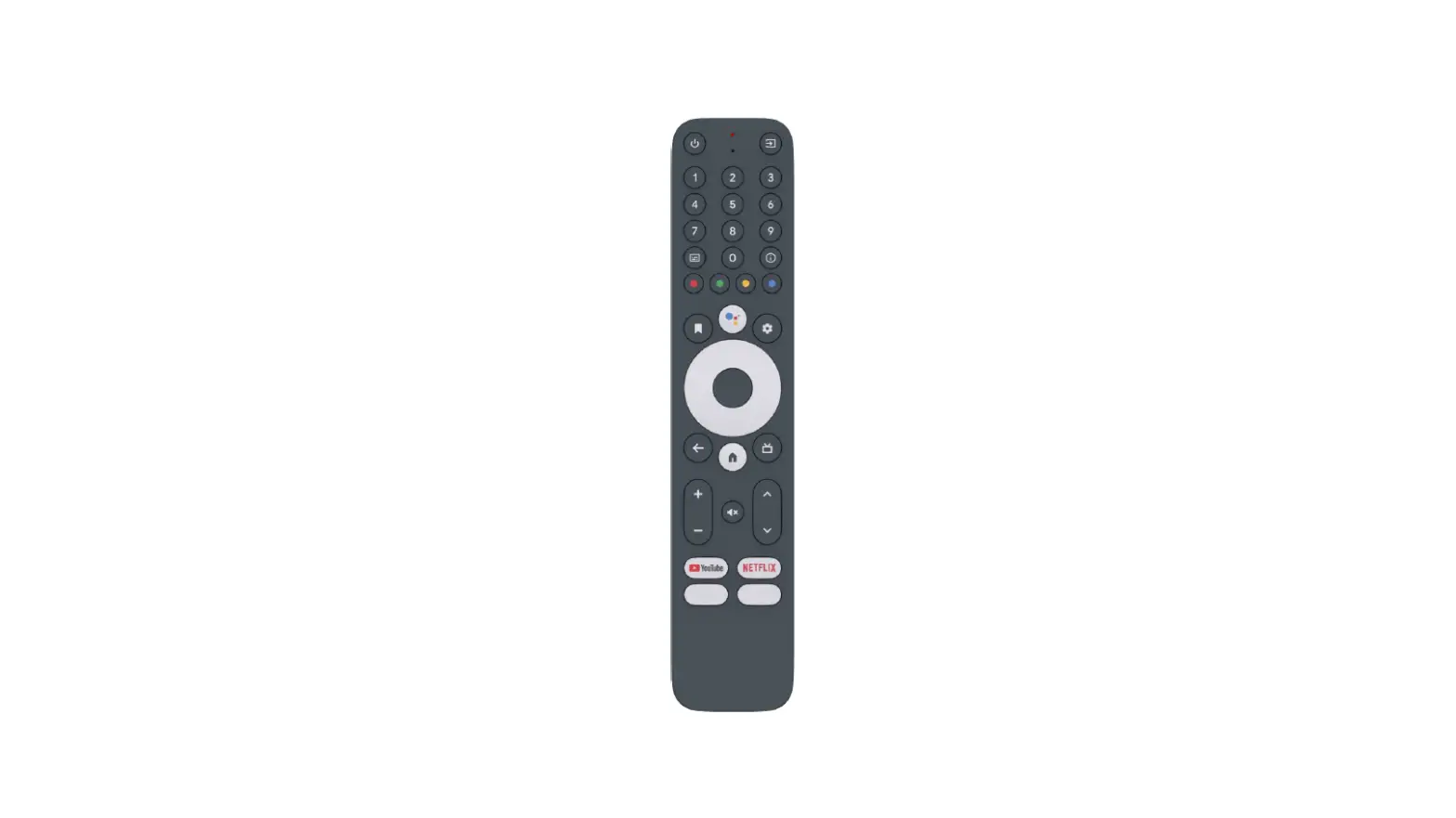
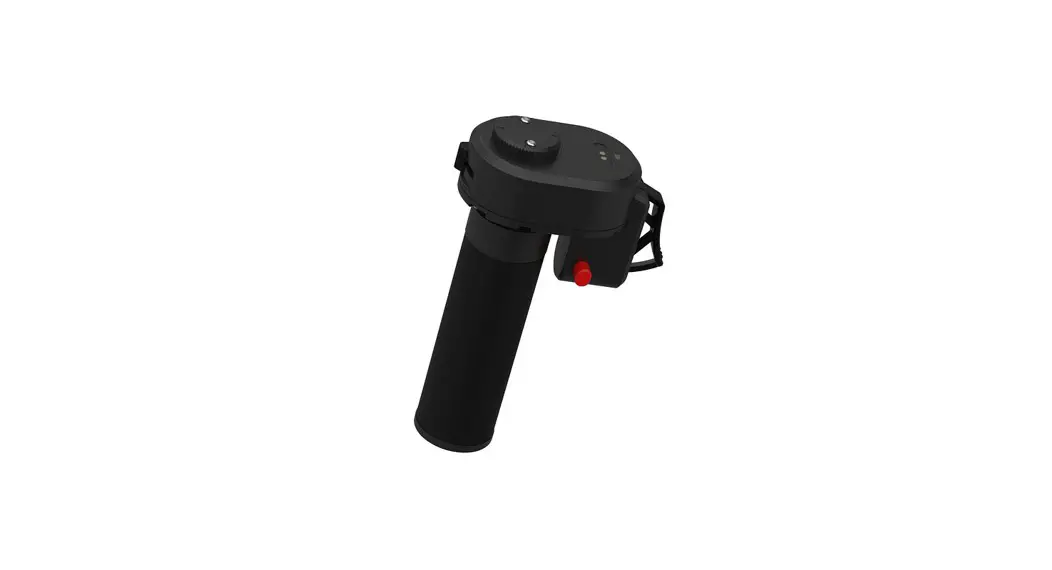
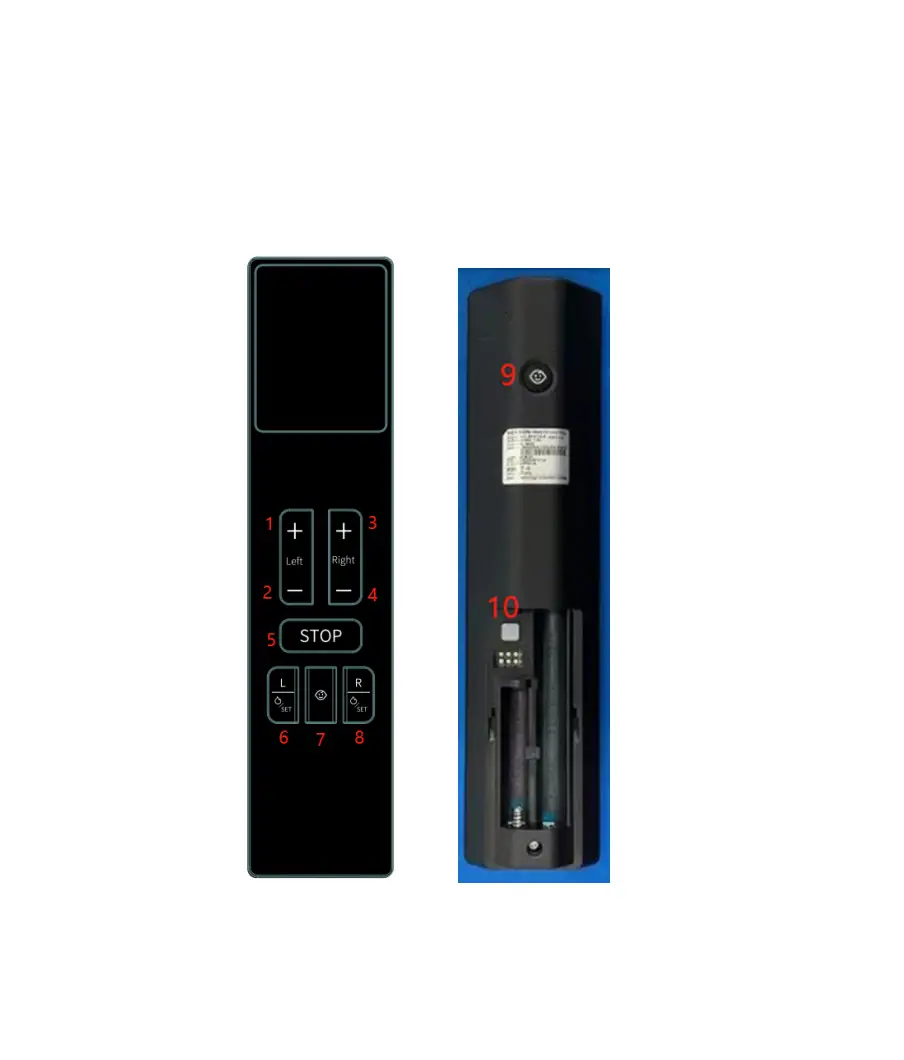
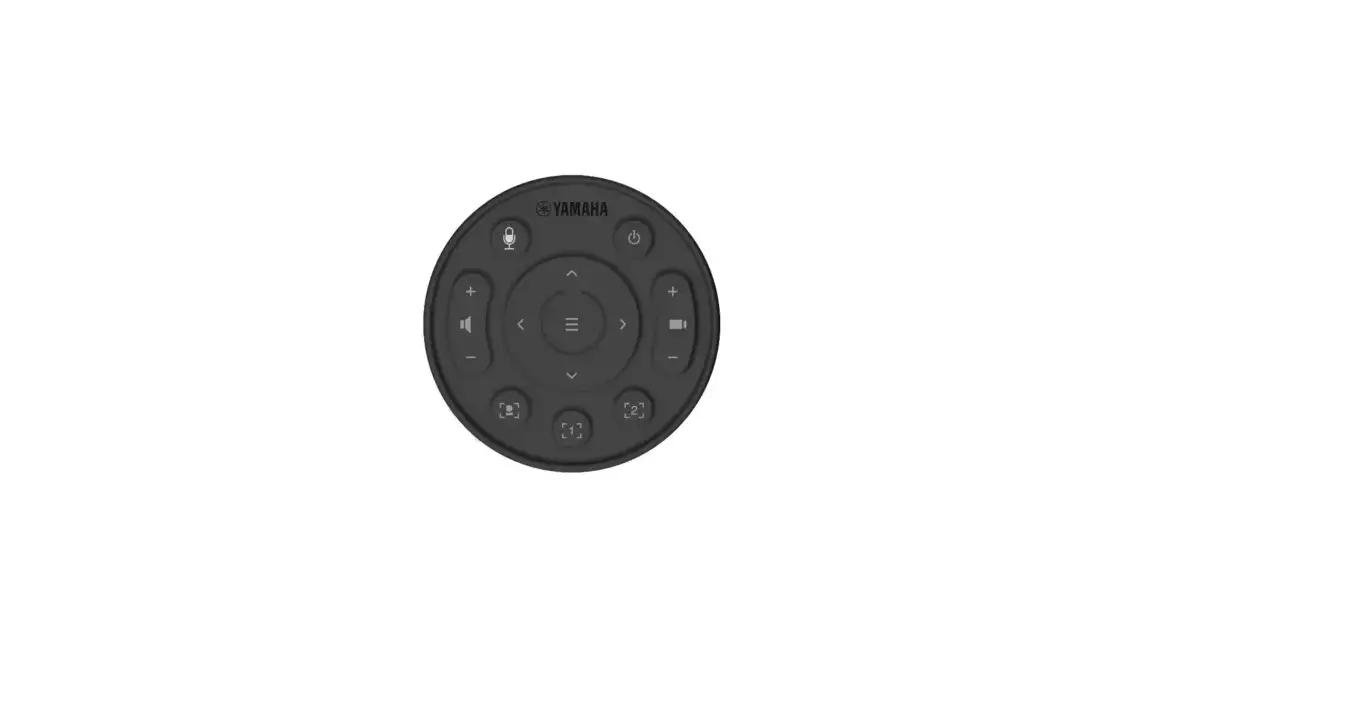
1.1 – Pictures

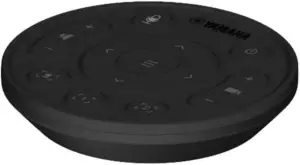
1.2 - Dimensions
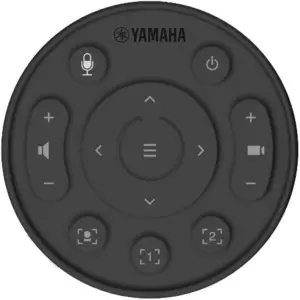
– Dimensions : ∅ 80.25 x15.2mm
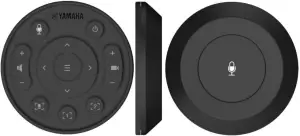
1.3 – Materials & coloyrs
| PART NAME | DESCRIPTION | SPECIFICATION |
| TOP CASE | Material | PC+ABS / TPE (BLACK ) |
| Spray Color | 1Coat’ : PRIMER CLEAR 2Coat’ : YMB-M-S BLACK | |
| Print Color | PANTONE Cool Gray 5C | |
| Except For Designate Print Color | PANTONE Cool Gray 9C | |
| Surface Treatment | Nihon etching HN21/Semi-Gloss | |
| MIDDLE CASE BATTERY COVER | Material | ABS (BLACK ) |
| Surface Treatment | Nihon etching HN21/Semi-Gloss | |
| BOTTOM CASE | Material | PC+ABS / TPE(BLACK ) |
| Spray Color | 1Coat’ : PRIMER CLEAR 2Coat’ : YMB-M-S BLACK | |
| Surface Treatment | Nihon etching HN21/Semi-Gloss | |
| MIC BUTTON KNOB | Material | PC+ABS / TPE (BLACK ) |
| Spray Color | 1Coat’ : PRIMER CLEAR 2Coat’ : YMB-M-S BLACK | |
| Print Color | PANTONE Cool Gray 5C | |
| Surface Treatment | Nihon etching HN21/Semi-Gloss |
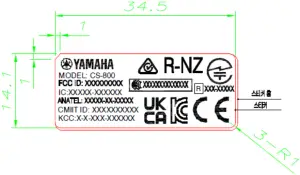
1.4 - Label
It is attached to the Middle case and it can be seen compartment after removing the bottom case.
2 – Electrical
2.1 – Electrical Characteristic
| Parameter | Condition | Spec | Unit | |
| Frequency Range | Bluetooth | 2.402 ~ 2.480 | [GHz] | |
| Channel | Low Energy | 39 | [Num] | |
| RF Power | Specification | 3.5 | [dBm] | |
| Test channel | TC-3000 (RF measuring instrument) | 19 | [Num] | |
| RF Power | PAvg | -20~+10 | [dBm] | |
| PMax | +8 | [dBm] | ||
| Pmin | -20 | [dBm] | ||
| Modulation Characteristics | ∆f1 avg | 225~275 | [KHz] | |
| ∆f2 avg | ≥ 185 | [KHz] | ||
| ∆f2/∆f1 | 0.8 | |||
| ∆f2min | ≥ 92.5 | [KHz] | ||
| ∆f2rate | ≥ 99 | [%] | ||
| Carrier Frequency Offset and Drift | fTx-fn | ≤ 150 | [KHz] | |
| ∆f0-fn | ≤ 50 | [KHz] | ||
| f1-f0 | ≤ 20 | [KHz] | ||
| ∆fn-f(n-5) | ≤ 20 | [KHz] | ||
| Operating Voltage | RF (Bluetooth) | 2.2~3.6 | [V] | |
| LVI Voltage | Low Voltage Indicate | – | [V] | |
| Operating current (IR) | Power: 3V | – | [mA] | |
| Operating current (RF KEY) | Power: 3V Non-directional distance | ≤ 10 | [mA] | |
| Operating current (RF+Voice) | – | [mA] | ||
| Leakage current | 1 | [ uA] | ||
| RF range (distance) | ≥10 | [m] | ||
| IR Range | Direct | – | [m] | |
| Horizontal | – | [m] | ||
| VOICE | 300Hz | Voice Inspection JIG | – | [dB] |
| 2KHz | – | [dB] | ||
| 3.8KHz | – | [dB] | ||
3 – Software Specification
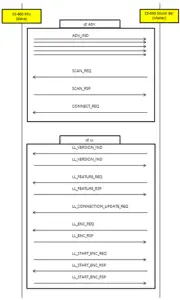
3.1 Pairing
3.1.1 Pairing Condition
1. RCU can perform pairing with 1 Sound Bar.
3.1.2 Pairing (Re-pairing) Scenario
- Press and hold the BT button on the Sound Bar
- Sound Bar LED will indicate RCU pairing mode, like flashing blue.
- Press the RCU [Enter OSD Menu] or [Exit OSD Menu] Button for about 3 seconds to start pairing.
i. If the previous pairing information remains.
1. Send un-pairing command to the Sound Bar.
2. Delete the pairing information and start pairing.
ii. After pairing starts, advertise until Advertising Time Out.
1. Advertising Time Out is about 30 seconds.
2. Advertising Interval is about 30 ~ 35ms. - When the Sound Bar find the new RCU, deleting the previous pairing information and pairing with the new RCU.
- When pairing is complete, all buttons of the RCU output RF code.
3.1.3 Reconnection (Disconnected State)
- After pairing, when the power of the RCU is re-applied or the BLE connection between the Sound Bar and the RCU is disconnected, it advertises every 5 seconds.
- When the BLE connection is disconnected, Press any RCU button to start direct advertising for 5 seconds to reconnect.
- When reconnection is completed, all buttons of RCU output RF Code.
3.1.4 Factory Reset
- Press about 5 seconds [Power] + [
 ] Button, try the Factory Reset.
 - In case of Factory Reset, the BLE connection between the Sound Bar and RCU is disconnected. And the pairing information of the RCU is also deleted.
- The RCU sends an un-pairing command to the Sound Bar before deleting the pairing information.
- Sound Bar receives the Un-Pairing Command Code, it deletes the pairing information.
3.2 Operation Mode
3.2.1 Normal Operation Mode
- The keys below work.
– [Power]
– [Smart Framing]
– [, ,
,  ]
]
– [Enter OSD Menu]
– [Camera Preset 1]
– [Camera Preset 2]
– [Speaker Volume +, -]
– [Zoom +, -]
– [Mic Mute]
3.2.2 OSD Menu Operation Mode
- The keys below work.
– [Mic Mute]
– [Cursor Control,, ]
– [Exit OSD Menu]
– [Speaker Volume +, -]
3.3 Enable Full Function
- Press the RCU [Enter OSD Menu] + [Camera Preset 2] Button for about 3 seconds to start to enable full function
- The RCU sends an enable full function command to the Sound Bar
3.4 Couch Mode (Stuck)
- Any Hard Button is pressed for more than 30 seconds, Release Code is output
3.5 OTA: Over the Air (Firmware Update)
3.5.1 OTA Scenario
Provide bin file for RCU OTA.
- Perform RCU OTA by running the App on Sound Bar.
- When the RCU enters the OTA mode, all buttons do not work.
- When the OTA is complete, the RCU reboots and attempts to reconnect.
3.6.1 Button Code Table
| RCU Image | Button | Code | |
| Normal Operation | OSD Menu Operation | ||
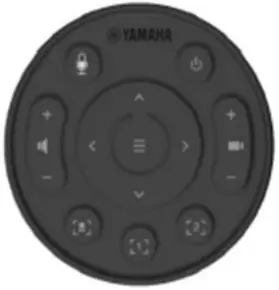 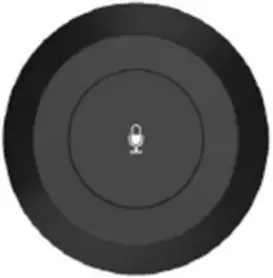 | Power | N/A | 0x01 |
| Smart Framing | N/A | 0x02 | |
Up  | Cursor Up | 0x03 | |
Down  | Cursor Down | 0x04 | |
Left  | Cursor Left | 0x05 | |
Right  | Cursor Right | 0x06 | |
| Enter OSD Menu | Exit OSD Menu | 0x07 | |
| Camera Preset 1 | N/A | 0x08 | |
| Camera Preset 2 | N/A | 0x09 | |
| Speaker Volume Up | Speaker Volume Up | 0x0A | |
| Speaker Volume Down | Speaker Volume Down | 0x0B | |
| Zoom Up | N/A | 0x0C | |
| Zoom Down | N/A | 0x0D | |
| Mic Mute | Mic Mute | 0x0E | |
| Un-Pairing | Un-Pairing | 0x50 | |
| Enable Full Function | N/A | 0x51 | |
Hold operation should be implemented by checking the output of the repeated operation every 100ms in the Sound Bar
3.7 Battery Specification
3.7.1 Battery Level
- Sound Bar can read Battery Level of RCU using BLE Battery Service.
- The battery level is evenly divided into 10 steps in the battery voltage range from 2.50V to 3.10V.
1. +/- 0.15% tolerance - Percentage (%) Table by Voltage
2. Table
| Voltage | Percentage (%) | Battery info |
| 3.10 ~ | 100% | 0x0A |
| 2.98 ~ 3.10 | 90% | 0x09 |
| 2.92 ~ 2.98 | 80% | 0x08 |
| 2.86 ~ 2.92 | 70% | 0x07 |
| 2.80 ~ 2.86 | 60% | 0x06 |
| 2.74 ~ 2.80 | 50% | 0x05 |
| 2.68 ~ 2.74 | 40% | 0x04 |
| 2.62 ~ 2.68 | 30% | 0x03 |
| 2.56 ~ 2.62 | 20% | 0x02 |
| 2.50 ~ 2.56 | 10% | 0x01 |
| ~ 2.50 | 0% | Cut-Off |
# Scheduled to be updated upon correction after H/W measurement.
3.7.2 Operating Voltage
- RF Button Code output is possible up to 2.50V.
3.7.3 Cut-Off Scenario
- Cut-off stops the use of the remote control to prevent damage to the circuit due to low voltage.
- When the battery level is measured below 2.50V, the RCU operation stops.
- When a voltage of 2.65V or higher is applied in the cut-off state, the RCU operates
3.8 BLE Protocol
3.8.1 Pairing Scenario
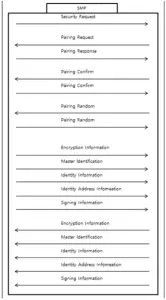
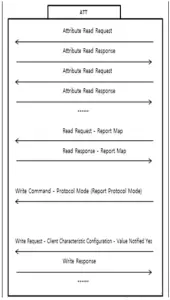
3.8.2 Key Packet Structure
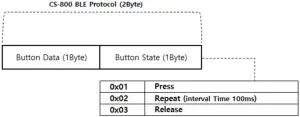
4. CS-800 BLE Protocol consists of a total of 2 bytes..
5. Button Data is composed of 1 byte and means RCU Button Code.
6. Button State is composed of 1 byte and means the pressed state of the RCU Button.
1. The state when the button is first pressed is Press State (0x01).
2. The state of pressing the button is Repeat State (0x02).
A. If the button is kept pressed, the button state repeats every 100ms and the packet is repeatedly output.
3. When the button is released, the state is Release State (0x03).
3.8.3 Key Packet Example
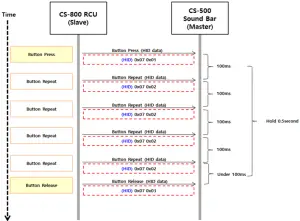
- When the Camera Home Button is pressed, Key Packet consisting of Button Data (0x07), Button State (Press 0x01), output
- If the button is pressed continuously, only the Button State is changed to Repeat 0x02, output at intervals of 100ms.
- When the button is released, only the button state is changed to Release 0x03, output.
4 – Environmental Tests
4.1 – Temperatures Conditions
– Operating Temperature: 0°C ~ +45°C
– Storage Temperature: -10°C ~ +60°C at 95% Humidity
4.2 – Operating Tests
4.2.1 – Dry Heat Test
– Temperature: +45°C
– Test Time: 72hours
– Test Quantity: 3EA
– Functional Test: Take the measurements after for 1 hour at room temperature.
– Requested level: Remote Control should satisfy electrical and mechanical performances.
4.2.2 – Cold Test
– Temperature: 0°C
– Test Time: 72hours
– Test Quantity: 3EA
– Functional Test: Take the measurements after for 1 hour at room temperature.
– Requested level: Remote Control should satisfy electrical and mechanical performances.
4.3 – Non-Operating Tests
4.3.1 – Dry Heat Test
– Temperature: +60°C
– Test Time: 72hours
– Test Quantity: 3EA
– Functional Test: Take the measurements after keeping for 1 hour at room temperature.
– Requested level: Remote Control should satisfy electrical and mechanical performances.
4.3.2 – Cold Test
– Temperature: -10°C
– Test Time: 72hours
– Test Quantity: 3EA
– Functional Test: Take the measurements after keeping for 1 hour at room temperature.
– Requested level: Remote Control should satisfy electrical and mechanical performances.
5 – Certification
Assesment of compliance of the product to the requirements relating to Electromagnetic Compatibility is based on the following standards
– FCC Part 15 subpart C 15.247
– EN 62368-1:2020 + A11:2020
– ETSI EN 301 489-1 V2.2.3:2019
– ETSI EN 301 489-17 V3.2.4:2020
– ETSI EN 300 328 V2.2.2:2019
– EN 62479:2010
6 – Manufacturer & Importer
6.1 – Manufacturer
– Name: Ohsung Electronics Co., Ltd.
– Address: #181 Gongdan-dong, Gumi, Gyeongbuk Republic of Korea.
6.2 Importer
– Name: YAMAHA
7 – Battery Management
7.1 – Caution
– “Do not ingest battery, Chemical Burn Hazard”
– [The remote control supplied with] This product contains a coin / button cell battery.
If the coin / button cell battery is swallowed, it can cause severe internal burns in just 2 hours and can lead to death.
– Keep new and used batteries away from children..
If the battery compartment does not close securely, stop using the product and keep it away from children. If you think batteries might have been swallowed or placed inside any part of the body, seek immediate medical attention.
Federal Communication Commission Interference Statement
This equipment has been tested and found to comply with the limits for a Class B digital device, pursuant to part 15 of the FCC Rules. These limits are designed to provide reasonable protection against harmful interference in a residential installation. This equipment generates, uses and can radiate radio frequency energy and, if not installed and used in accordance with the instructions, may cause harmful interference to radio communications. However, there is no guarantee that interference will not occur in a particular installation. If this equipment does cause harmful interference to radio or television reception, which can be determined by turning the equipment off and on, the user is encouraged to try to correct the interference by one more of the following measures:
 Reorient or relocate the receiving antenna. Increase the separation between the equipment and receiver. Connect the equipment into an outlet on a circuit different from that to which the receiver is connected. Consult the dealer or an experienced radio/TV technician for help.
Warning!
Changes or modifications not expressly approved by the manufacturer could void the user’s authority to operate the equipment.
Note: The manufacturer is not responsible for any Radio or TV interference caused by unauthorized modifications to operate the equipment.
FCC Caution
This device complies with Part 15 of the FCC Rules. Operation is subject to the following two conditions:
- This device may not cause harmful interference
- This device must accept any interference received, including interference that may cause undesired operation. Any changes or modifications not expressly approved by the party responsible for compliance could void the authority to operate equipment. The antenna(s) used for this transmitter must not be co-located or operating in conjunction with any other antenna or transmitter.
Federal Communication Commissions (FCC) Radiation Exposure Statement
This equipment complies with FCC radiation exposure limits set forth for an uncontrolled environment. The device has been evaluated to meet general RF exposure requirement. The device can be used in portable exposure condition without restriction.
October 26, 2021
The contents of this document may not be reproduced or distributed without prior written permission of OHSUNG ELECTRONICES CO., LTD.
Address: #335-4, SANHO-DAERO, GUMI, GYUNG BUK, KOREA