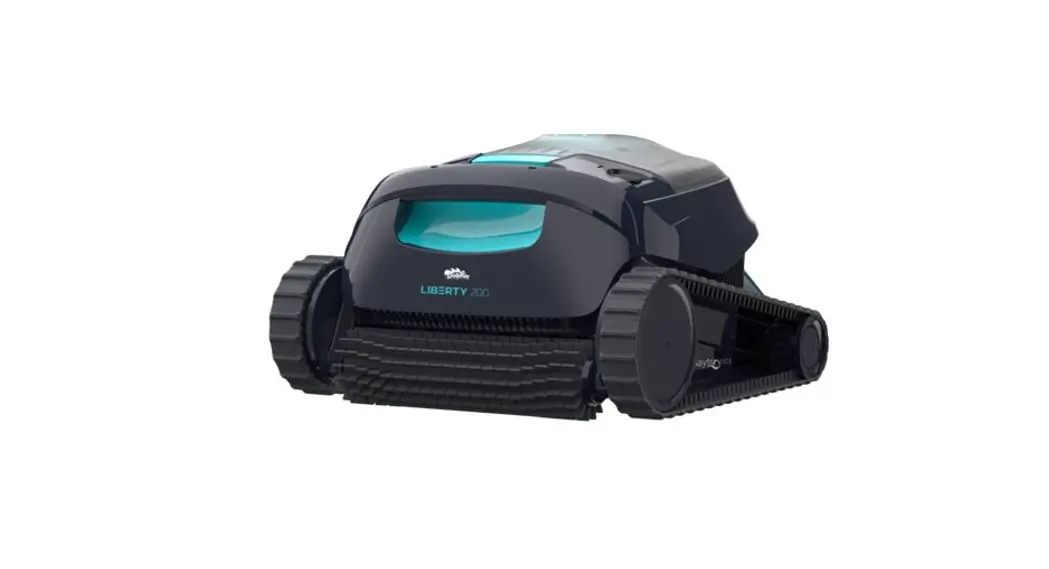
Dolphin Liberty 200 Cordless Robotic Pool Cleaner
Product Information: Robotic Pool Cleaner LIBERTY 200 |
300
The Robotic Pool Cleaner LIBERTY is a high-performance pool
cleaning device designed to efficiently clean the floors and walls
of your swimming pool. It comes in two models, LIBERTY 200 and
LIBERTY 300, each offering different features and
functionalities.
1. Pool Cleaner Parts
- Settings and status indicator
- Power button
- Battery indicators
- Inductive charger connection
- Extra filter panels* (only for LIBERTY 300)
- Filter basket
- Grab hook
- Clicker* (only for LIBERTY 300)
- Charger
2. Specifications
2.1 Robot
- pH: 7.0-7.8
- NaCl: 5000 ppm, Max.
- Battery: Lithium-ion | 5,000mAh | 25.2V@5Ah / 126Wh
- Charger protection: IP 54
2.2 Water Conditions
The LIBERTY pool cleaner is designed to work effectively in
various water conditions.
3. Features and Indications
The LIBERTY 300 model offers additional features for
customization and energy efficiency.
Cycle Selector – LIBERTY 300
Use the Cycle Selector to customize the cleaning mode to focus
on the pool floor only. Follow the steps below:
- Press the ON button to activate until the LED lights up.
- Press the ON button again for 3 seconds until the purple LED
blinks 3 times. - Place the robot in the pool, and within 30 seconds, it will
start cleaning the pool floor. After a cleaning cycle of 90
minutes, the robot will return to the default Floor and Walls
mode.
Eco Mode – LIBERTY 300
Use the Eco Mode to keep your pool floor clean for a week on one
charge. The robot will automatically clean the pool floor for up to
30 minutes, 3 times a week, with 48 hours between cleaning cycles.
Follow the steps below:
- Press the ON button to activate until the LED lights up.
- Press the ON button again for 6 seconds until the purple LED
light turns green. - Place the robot in the pool, and within 30 seconds, it will
start working.
Error
In case of error notification, please refer to troubleshooting
or contact customer care at www.maytronics.com.
4. Charging Recommendations
Follow the recommended charging instructions provided in the
user manual.
5. Removing The Robot Out Of The Pool
Using Click-UPTM (for LIBERTY 300)
- Place the black capsule of the clicker in the water.
- Ensure that the clicker is no more than 8 meters (26 feet) away
from the robot. - Shake the clicker for at least 3 seconds.
After a few seconds, the robot will climb to the waterline and
wait there for 60 seconds to be collected. Then, you can easily
take the robot out of the water.
Using Grab Hook (for LIBERTY 200)
- Follow the provided instructions in the user manual to use the
Grab Hook to remove the robot from the pool.
6. Cleaning The Filter Basket
It is highly recommended to clean the filter basket after each
cleaning cycle. Do not let the filter basket dry out before
cleaning.
To clean the filter basket:
- Open the filter cover.
- Upon opening the filter cover, the handle will lift
independently. - Lift up the basket.
- Open the latch to release the bottom lid and remove the
debris. - Clean the filter basket with a hose.
7. Periodic Cleaning – Recommended at Least Once a Month
Follow the periodic cleaning instructions provided in the user
manual to ensure optimal performance of your LIBERTY pool
cleaner.
Robotic Pool Cleaner LIBERTY
LIBERTY 200 | 300 User Instructions
EN
8151995
EN
Robotic Pool Cleaner LIBERTY 200 | 300 User Instructions
Contents
1. Pool cleaner parts………………………………………………………………………………………………………………………………………. 3 2. Specifications………………………………………………………………………………………………………………………………………………. 3
2.1 Robot …………………………………………………………………………………………………………………………………………………… 3 2.2 Water conditions………………………………………………………………………………………………………………………………… 3 3. Features and indications …………………………………………………………………………………………………………………………. 4 4. Charging recommendations…………………………………………………………………………………………………………………….. 4 5. Removing the robot out of the pool using click-upTM (for LIBERTY 300) …………………………………………… 5 5.1 Removing the robot out of the pool using grab hook (for LIBERTY 200) …………………………………….. 5 6. Cleaning the filter basket………………………………………………………………………………………………………………………….. 6 7. Periodic cleaning – recommended at least once a month………………………………………………………………… 7 8. Troubleshooting …………………………………………………………………………………………………………………………………………. 8 9. Off-season storage……………………………………………………………………………………………………………………………………. 9 10. Warnings and cautions……………………………………………………………………………………………………………………………… 9 10.1 Warnings ……………………………………………………………………………………………………………………………………………. 9 10.2 Cautions …………………………………………………………………………………………………………………………………………….. 9
2
Robotic Pool Cleaner LIBERTY | User Instructions
Robotic Pool Cleaner LIBERTY 200/300
User Instructions
1. POOL CLEANER PARTS
Settings and status indicator
Power button
Battery indicators
Inductive charger connection
Extra filter pannels*
Filter basket
Grab hook
Clicker* * For LIBERTY 300
Charger
2. SPECIFICATIONS
2.1 Robot
Water temperature range: 6°C-35°C / 43°F-95°F Water depth range: 0.4m-2.5m / 1.33ft-8.2ft Motor protection: IP 68 Chlorine – 4 ppm, Max.
pH – 7.0-7.8 NaCl – 5000 ppm, Max. Battery Lithium-ion | 5,000mAh | 25.2V@5Ah / 126Wh Charger protection: IP 54
2.2 Water Conditions
Use only the robotic pool cleaner in the following water conditions: · Chlorine: 4 ppm max. · pH: 7.0 7.8 · Temperature: 6°C 35°C / 43°F 95°F · NaCl: 5000 ppm max.
3
Robotic Pool Cleaner LIBERTY | User Instructions
Step 1
Step 2
Step 1
Step 2
Step 3
3. FEATURES AND INDICATIONS
Cycle Selector – LIBERTY 300 Use Cycle Selector to customize cleaning mode to “Floor only”: 1. Press ON to activate until the LED lights up. 2. Press ON again for 3 seconds until the purple LED blinks 3 times. Place the robot in the pool, and within 30 sec, it will start cleaning the pool floor. After cleaning cycle (90 minutes each cycle), the robot will return to default “Floor and Walls” mode.
Eco Mode – LIBERTY 300 Use Eco Mode to keep your pool floor clean for a week on one charge. The robot will automaticly clean the pool floor for up to 30 min, 3 times a week, with 48 hours between cleaning cycles. 1. Press ON to activate until LED lights up. 2. Press ON again for 6 seconds until the purple LED light turns green. Place the robot in the pool, and within 30 sec, it will start working.
Temperature Warning In case of temperature warning notification, place and charge the pool cleaner in a protected and shaded area, at a temperature range of 6°C – 35°C / 43°F – 95°F.
Error In case of error notification, please refer to troubleshooting.
or contact customer care – www.maytronics.com
4. CHARGING RECOMMENDATIONS
· When the battery is low and all indicators are off – the cleaner is on standby mode. Connect to charger to wake it up.
· Always Charge the pool cleaner in a protected and shaded area at a temperature range of 6°C – 35°C / 43°F – 95°F, until you see 3 green bars in the battery indicator panel (up to 6 hours).
· Make sure that the charger surface and power unit surface are clean, and there is no object between the robot and the charger.
4
Robotic Pool Cleaner LIBERTY | User Instructions
5. REMOVING THE ROBOT OUT OF THE POOL USING CLICK-UPTM (for LIBERTY 300)
1
2
3
1. Place the black capsule of the clicker, in the water. 2. Make sure the clicker is no more than 8 m/26 ft away from the robot. 3. Shake the clicker for at least 3 seconds.
After a few seconds the robot will climb to the waterline and will wait there for 60 seconds to be collected.
Take the robot easily out of the water.
· The robot will climb the nearest wall, and will wait for 60 seconds on the waterline. · If you can’t reach this wall, wait for the robot to move to another wall. Shake the clicker and the robot will climb to
the waterline.
5.1 Removing The Robot Out Of The Pool Using Grab Hook (for LIBERTY 200)
1
2
3
· Standard pole. Not included.
· After finishing its cleaning cycle, the robot will stop next to a random wall, so you will be able to pick it up with the grab-hook.
5
Robotic Pool Cleaner LIBERTY | User Instructions
6. CLEANING THE FILTER BASKET
It is highly recommended to clean the filter basket after each cleaning cycle. Note: Do not let the filter basket dry out before cleaning.
Cleaning after use – removing and cleaning the filter basket
Open the filter cover.
Upon opening the filter cover, the handle will lift independently.
Lift up the basket.
Open the latch to release the bottom lid in order to remove the debris.
Clean the filter basket with a hose.
6
Robotic Pool Cleaner LIBERTY | User Instructions
7. PERIODIC CLEANING – RECOMMENDED AT LEAST ONCE A MONTH
Dismantle the 2 ultra-fine filter panels of the basket, according to the following steps:
Dismantle the 2 panels using your thumbs.
Clean the filter panels with a hose.
Assemble the filter panels.
Insert the clean filter basket and close the filter cover.
7
Robotic Pool Cleaner LIBERTY | User Instructions
8. TROUBLESHOOTING
Main Symptom
Additional Symptoms
Troubleshooting Steps – Customer
Robot’s Battery LEDs are blinking 1. In case the robot feels hot to the touch: charge the robot
in a special pattern (central LED in a shaded location or when the temperature is low, for
– then right and left LEDs). The
example: overnight / indoors.
issue occurred while the robot was 2. In case the robot feels cold to the touch: try charging the
connected to the charger
robot in a warmer location.
The Power Unit doesn’t show any Try connecting the charger to a different power outlet.
LEDs at all
Make sure that the charger LED is on.
The robot doesn’t charge
The Power Button LED is red
1. Try disconnecting the charger from the Power Unit and connecting it back a few times.
2. Check whether an object is blocking the connection between the charger and the Power Unit.
The charging process stops, and the Power Button LED is blinking red for a short period of time
1. Make sure that the charger is connected properly.
2. Check whether an object is blocking the connection between the charger and the Power Unit.
Charging progress is stuck: one of the battery LEDs is blinking and doesn’t switch to the steady light after a long period of time
1. Check that the charger LED turns on. 2. Make sure that the charger is connected properly. 3. Check whether an object is blocking the connection between the charger and the Power Unit. 4. Charge overnight in a cooler location.
The battery is not full after charging
The robot’s battery discharges while the robot is turned off
Fully charge the robot (until all battery LEDs are steady green), make sure that the robot is turned off. Do not start the cleaning process. Check the battery status after 2 days.
If the battery charge level is significantly lower – contact Customer Care.
Red LED light appears above the power button
Make sure there’s nothing stuck in the tracks or brushes. Clean the filter and make sure it’s not clogged. Disconnect and reconnect the charger 3 times.
The robot will not start the cleaning cycle. The Power Button LED is red
The charging process works properly
The robot finishes a 90-minute cleaning cycle
During the Eco mode and Cycle Selector, the robot will climb the walls even if configured otherwise
The robot will not respond to Click-UpTM properly – will start the cleaning cycle instead of waiting at the wateline
The charger is connected to the robot
The charger is disconnected from the robot. The charging process works properly
Contact Customer Care: [email protected]
Disconnect the charger and press on the robot’s power button to operate. Contact Customer Care: [email protected]
8
Robotic Pool Cleaner LIBERTY | User Instructions
9. OFF-SEASON STORAGE
Before off-season or storing the robot during the winter – we recommend charging the battery at least 50% (2 green bars in the battery indicator panel). Recommended storage temperature range: -10°C – 40°C / 14°F – 104°F. After off-season storage, charge the robot to its fullest.
10. WARNINGS AND CAUTIONS
10.1 Warnings
· Remove the robotic pool cleaner from the pool before allowing people to enter the pool. · When examining the robotic pool cleaner, make sure the robotic pool cleaner is switched OFF. · Charge the battery only in the temperature range between 6°C to 35°C / 43°F to 95°F · Keep the robotic pool cleaner out of the reach of children or persons with reduced physical, sensory, or
mental capabilities, or lack of experience and knowledge, unless they have been given supervision or instruction. Cleaning and maintenance shall not be made by children. · Use only the original battery charger. · The battery charger must be supplied through a residual current device (RCD) having a rated residual operating current not exceeding 30mA. · The power cord is not user-replaceable. If the power cord is damaged, stop using the battery charger and contact the service center for repair. Do not use extension cord to connect the battery charger to electric supply; provide a properly located outlet. · DO NOT USE the robotic pool cleaner and/or its battery / power pack in case of mechanical damage to the robotic pool cleaner and/or its battery. · To avoid the risk of fire and burns, DO NOT open, crush, heat, or burn the battery case.
10.2 Cautions
· Keep hands and fingers away from impeller motor area and driving belt mechanism to avoid injury. · Position the battery charger at least 3.5 m / 12 ft from pool edge during operation. · For continuous protection against possible electric shock, place the battery charger at least 11 cm / 4 in
above ground. · When lifting the robotic pool cleaner, take care to prevent back injury. · Do not use the robotic pool cleaner if you have added liquid flocculant or any other clarifier to the pool
water. These substances obstruct and damage the robot filters. · The Lithium-Ion battery in this product is non-replaceable. It should be recycled at certified battery
electronics recyclers that accept batteries. Batteries should NOT be discarded in the trash or put in municipal recycling bins. Do not disassemble the battery.
Contact us
North America US 1-888-365-7446 Canada 1-855-634-8572 [email protected]
France +33 (0)4 42 98 14 90 [email protected]
Australia, NZ, South Africa 1 300 693 657 [email protected]
Rest of the world / Maytronics HQ 00 800 69694141 (toll free number) 00 972 77 96 14 204 (international call) [email protected]
9
Robotic Pool Cleaner LIBERTY | User Instructions
 Dolphin Robotic Swimming Pool Cleaner | Maytronics