CE-03 Multi LED Electric Bike Handlebar

Product Manual
LED Multi (CE-03)
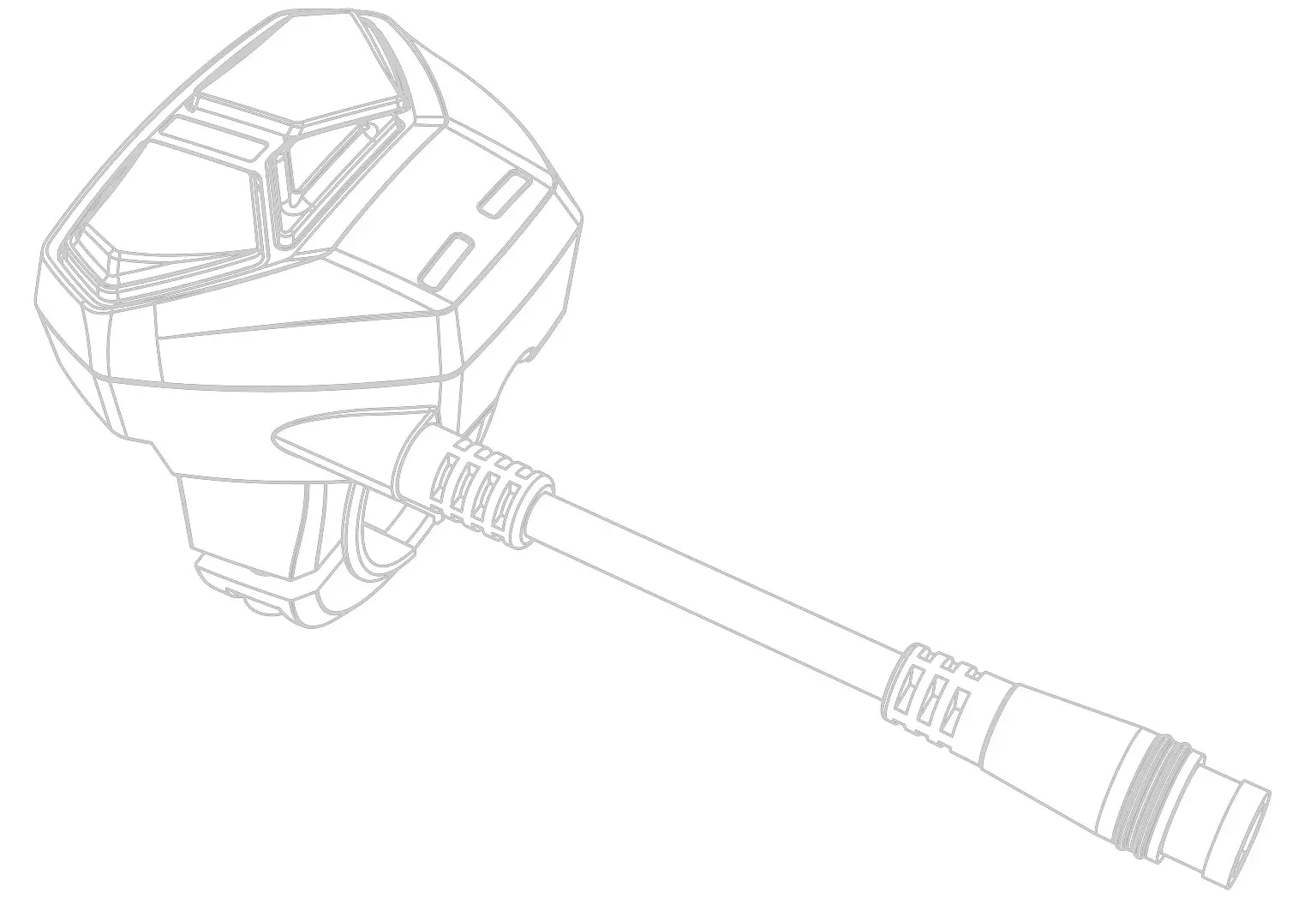 Original Instruction
Version 221129 Copyright
© 2022 HYENA INC. All Right Reserved.
Introduction
This manual is intended primarily for the trained technician to install, disassemble, or maintain the Hyena e-bike system only. Please read all the safety warnings and instructions carefully. Failure to follow the warnings and instructions may result in death or severe injuries. Save this manual for future reference.
Product Features
Product Description
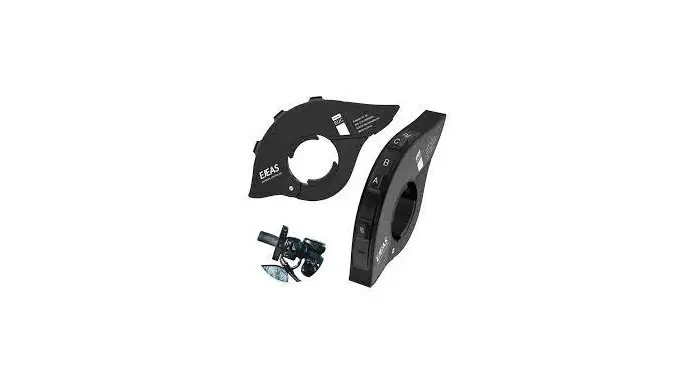
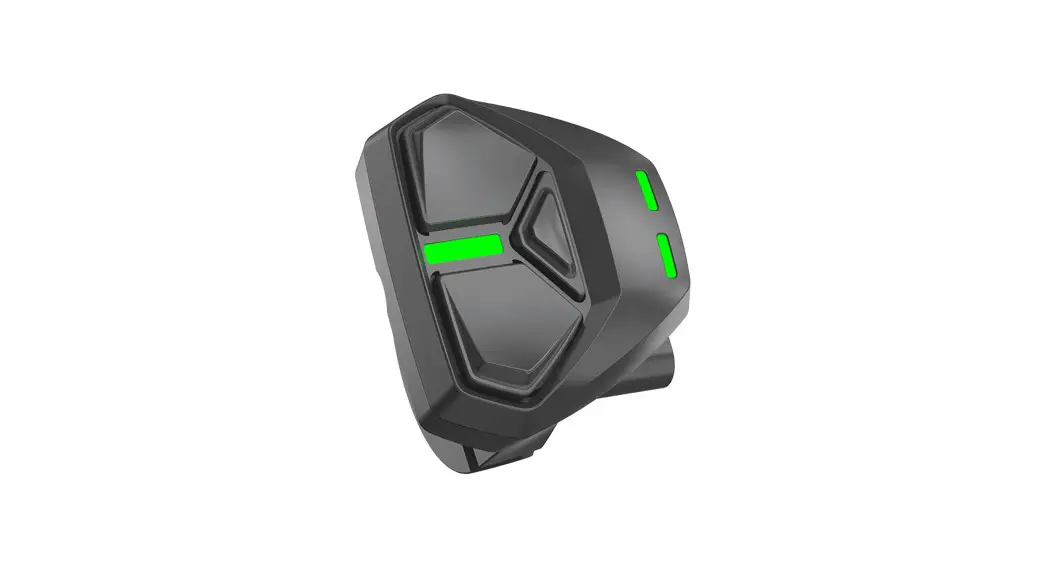
The Hyena LED Multi (CE-03) e-bike handlebar HMI features a compact size, 3 multi-color LED indicators, and flexible mounting position on handlebars (both left and right-hand sides). It also supports the rider’s app and service tool connection via Bluetooth.
Parts Description
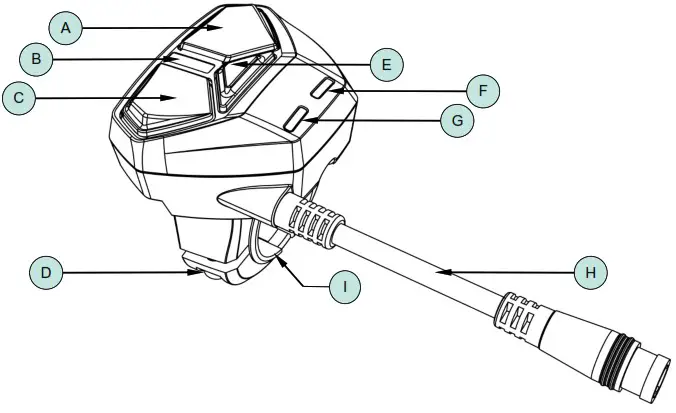
| Item | Description | Item | Description |
| A | Up & Increase support level button | F | Battery status indicator |
| B | Support level indicator | G | Bluetooth / error indicator |
| C | Down & Decrease support level button | H | Cable |
| D | Fastening screw | I | Rubber ring |
| E | Power on/off button |
Product Dimension
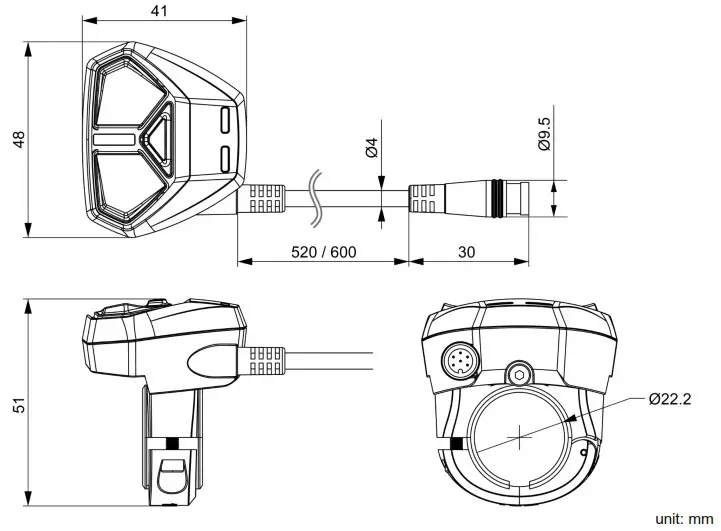
Cable Pin Definition
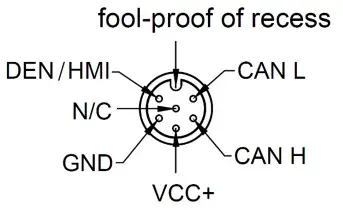
Technical Data
Function
| Number of button | 3 | Power/Up/Down |
| Turn on/off system | Power button | |
| Switch motor support level | UP/Down button | |
| Turn on/off light | Long press UP button | |
| Walk-assist | Long press DOWN button | |
| Connection | Bluetooth/Hyena 6P | CM-WP408-06M |
| Battery wake up function | Yes | HMI/DEN |
Characteristic
| Protocol | CAN | Support Hyena CAN |
| Rated voltage | 12Vdc | |
| Operating voltage | 10 to 14Vdc | |
| Rated current | 0.1A | |
| Quiescent current | <1mA | Measure condition a. System off b. Battery, HMI, Display, Controller, Motor and Sensor are connected well. c. Remove all smart parts. |
| Operating temperature | -10℃ to +40℃ 80%RH | |
| Storage temperature | -20℃ to +70℃ 80%RH | |
| Waterproof level | IPX5 |
Mounting Parameter
| Dimension (mm) | L48, W40, H51 mm | |
| Mounting position | Left/Right handle bar | |
| Clamp diameter | 22.2 mm | |
| Cable length | 520 mm (40010C19B) 600 mm (40010C20B) | |
| Standard connector | Hyena 6P male | CM-WP408-06M |
Connection
| Bluetooth connection | Bluetooth 4.2 BLE | Support to HRA (Hyena Rider Assistant ) & HST (Hyena Service Tool) |
LED Indicator Information
| Riding support level | 0 to 3 |
| Battery status | 4 segments |
Certification
| EN 15194:2017 | Yes | |
| CE | Yes | |
| BQB | Yes | Bluetooth |
| RoHS 2.0 | Yes |
Mounting
Tool List
Hexagon key M3
Disc hex bolts
Accessory List
Hex socket head cap screw
M3x0.5Px12mm
1 pc
Rubber ring
1 pc
Mounting Instructions · Use the proper tools during the installation or removal process. · Fasten the hex bolt with 1 Nm torque value. · Carefully install is necessary, do not strike it with any tool such as a hammer or wrenches.
STEP 1
Insert the rubber ring.
STEP 2
Mount the HMI hook on the rubber ring
STEP 3
Fasten the hex bolt.
HYENA E-BIKE SYSTEMS
5
E-System Operation
CAUTION! The e-bike system can only be activated when the following requirements are met: – A sufficiently charged battery is attached. – The e-system is connected properly.
Operation Instructions Turn on/off the e-bike system Long press the POWER button to turn on/off.
Support level adjusting Short press UP/DOWN button to adjust the riding support level while you pedaling. – Default on Off mode. – Press UP/DOWN button to adjust. – None circulation. – Automatic memory previous setting.
< 0.5 sec ON
> 2 secs OFF
NOTE Always switch off the e-bike system when you park the e-bike or before removing the battery.
Turn on/off light Long press UP button to turn on/off light. When e-bike equipped with front/rear lights.
> 2 secs
Off Mode White Light
Mode 1 Green Light
Mode 2 Yellow Light
Mode 3 Red Light
NOTE -The system is activated as soon as you start pedaling. -The e-bike drive output only supports a speed below
25/45 km/h, as soon as you have reached 25/45 km/h, e-system switches off the assistance, then automatically reactivated when your speed is below 25/45 km/h.
HYENA E-BIKE SYSTEMS
6
Walk assist mode Long press on DOWN button for 2 seconds to active the walk assist mode. When the walk assist mode activated, the support level indicator will keep flashing in green.
Battery indicator The indicator shows the battery status.
> 2 secs to active
Green light flashing while walk assist mode activated.
– Long Press the UP Button start the walk assist. As long as you are holding the UP button, your e-bike will be propelled forward at a slow speed.
– Release the UP button to stop pushing your e-bike. – At the walk assist mode, if the UP button isn’t
pressed > 5 secs or the DOWN button isn’t pressed < 0.5 sec, the walk assist mode will automatically turn off for safety.
NOTE The walk assistance function must only be used when pushing the e-bike. Make sure you are ready and stand steady before activating the walk assistance. Do NOT activate the walk assistance when you ride on the e-bike or if the wheels are not in contact with the ground.
Bluetooth connection Blue lights flash 3 times when Bluetooth connected or disconnected.
76-100% Green light
51-75% Blue light
26-50% Yellow light
1-25% Red light
Red light keeps flashing when capacity under 9%
Error alert Red lights flash when a system error is detected.
10 seconds
Loop
Error Alert
Flash 3 seconds
General Mode
HYENA E-BIKE SYSTEMS
7
Safety Instructions
Instructions Pertaining To A Risk Of Fire,
Electric Shock, Or Injury To Persons
WARNING! When using the LED Multi (CE-03), basic precautions should always be followed, including the following: · Read all the instructions before using the product. · Close supervision is necessary to reduce the risk of
injury when using the product near children. · Do NOT put fingers or hands into the product. · Do NOT use this product if the flexible power cord or
output cable is frayed, has broken insulation, or any other signs of damage. · All the component leads shall use original Hyena components. · This product is not intended to be used at ambient temperatures above 40°C(104°F) or less at ambient temperatures of -10°C(14°F). · Do NOT immerse the product or any e-system component in water. · Do NOT place the product or any e-system component near fire or heat. · Always turn off the e-bike system and remove the battery before installing, disassembling, or modifying any components on the e-bike.
· Do NOT place any heavy item on the product or any esystem component.
· Do NOT place the product or any e-system component in the car trunk for more than one day.
· Do NOT load or move the product in the rain whenever possible, and make sure it has no moisture or mildew before loading it.
· Do NOT drop the product from more than 30 cm (11.81 inches) in height.
Maintenance · Do NOT clean the product or any e-system component
with detergent or organic solvent. Only clean the product with a water-dampened soft cloth. · Do NOT clean the product or any e-system component with pressured water.
Product Label · On the product label at the bottom of the HMI, you can
find the product number and QR code.
Important Notice · This product manual is intended primarily for the trained
technician to install, disassemble or maintain the e-bike. · Users not professionally trained for bicycle assembly
should not attempt to install, disassemble or modify the components themselves. · All Hyena e-system manuals and technical documents are accessible online at “www.hyena-ebike.com”. · The term “battery” is used in these instructions to mean all original Hyena e-bike batteries. · Read and observe the safety warnings and directions contained in all the Hyena e-bike system operating instructions and in the operating instructions of your e-bike.
Moving and Storage Instructions · Please keep the product and all e-system components in
their original package and keep tools or other metal objects away from them during storage and moving. · If you did not keep the original packaging, they can be packed in strong cartons with proper packing materials such as bubble wrap or soft cloth, and label the cartons “Fragile”. · Do NOT store the product at ambient temperatures above 70°C (158°F) or less at ambient temperatures of -20°C (4°F). · Cover the product to prevent sunlight damage if you keep it stored at any place for more than a week. · Store the product on a fireproof surface without contact with water, heat, or sand.
Disposal · In accordance with Directive 2012/19/EU, electronic
devices that are no longer usable and defective/ drained batteries must be collected separately and recycled in an environmentally friendly manner.
This symbol is only valid within the European Union. Follow local regulations when disposing of used batteries. If you are not sure, consult the place of purchase or a bicycle dealer.
· The e-system drive unit, including the motor, controller, battery, speed sensor, torque sensor, HMI, accessories, and packaging, should be disposed of in an environmentally correct manner.
· Do NOT dispose of e-bikes and their components with household waste.
SAVE THESE INSTRUCTIONS
HYENA E-BIKE SYSTEMS
8
This page is intended to be blank.
HYENA E-BIKE SYSTEMS
9
Hyena Inc. Tel: +886 4 23598810 Fax: +886 4 23598610 www.hyena-ebike.com Address: No.25, Jingke N. Rd., Nantun Dist., Taichung City 408, Taiwan (R.O.C.)
HYENA E-BIKE SYSTEMS
10
 Hyena E-bike Systems | Comprehensive E-Bike System Solutions