 ZBELT-09 System
User Manual 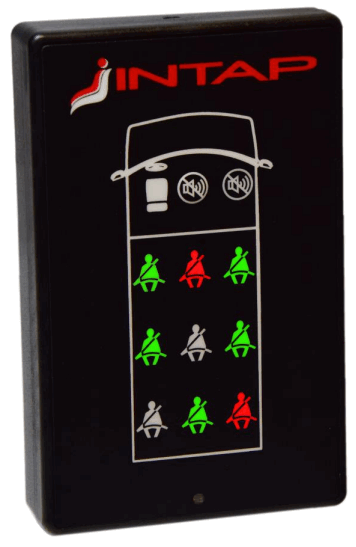
General information
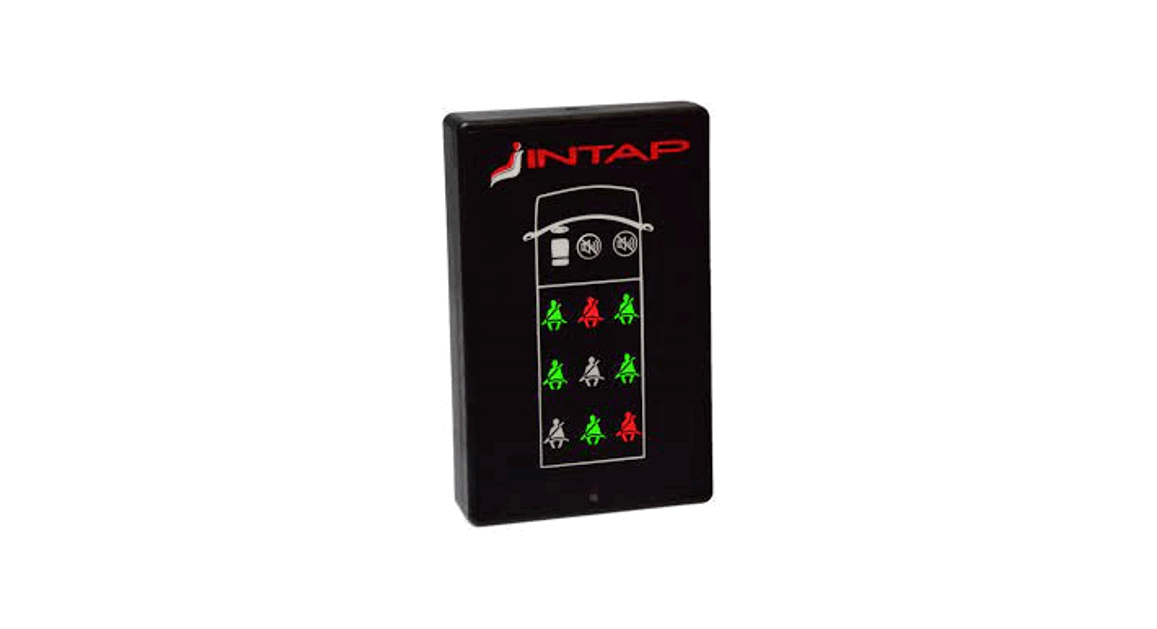
The ZBELT-09 system is designed to signal the lack of fastening of seat belts in special vehicles not equipped with such a system at the factory. A characteristic feature of the system is wireless communication between devices in the 868MHz band. The system consists of two types of devices:
- ZBELT-09K driver module installed in a place visible by the driver
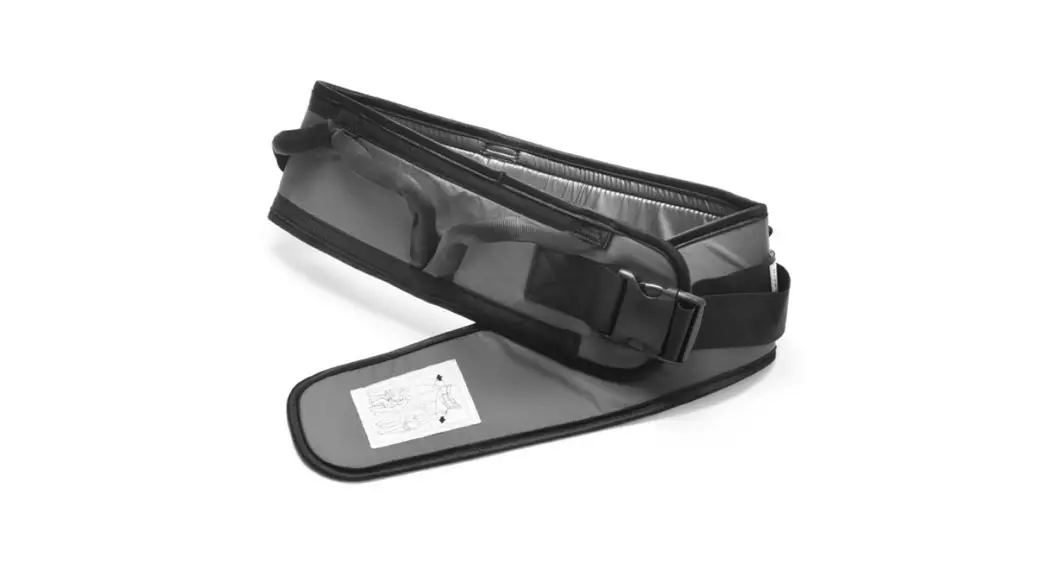
- ZBELT-0F seat module installed in the seats.
A maximum of 9 seats can be assigned to the driver module. The operation of the device has been adapted to the requirements of UNECE 16 regulation. When the vehicle ignition is switched ON, the state of the seats is visually indicated by two-color LEDs. When the vehicle is moving, lack of fastening the seat belt is also signaled acoustically. The device is equipped with two buttons – the first to turn off the sound signal and the second to pair the seat modules. 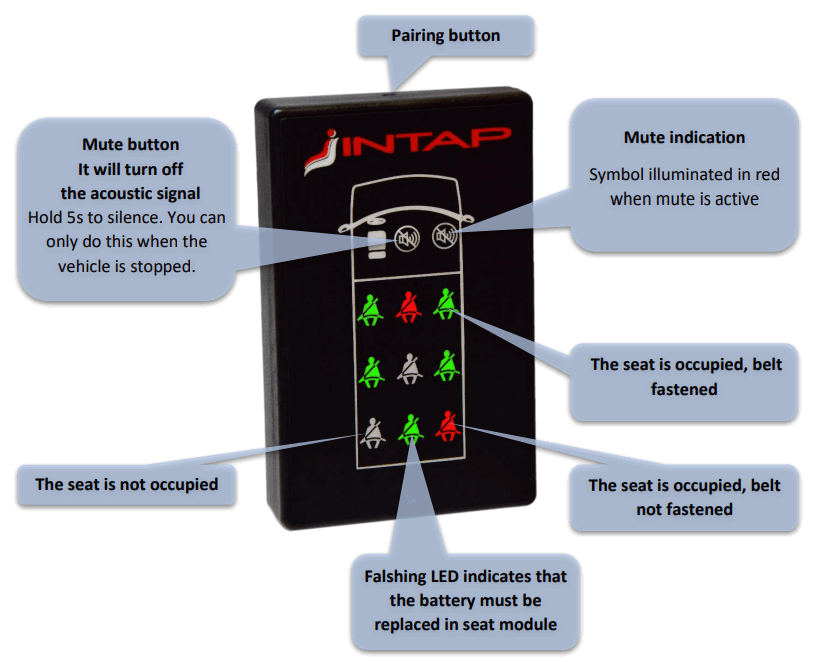 Driver module – Installation in the vehicle
The driver module is installed in a place clearly visible to the driver using the RAM mount. The device is equipped with an adapter with a B-size ball with a diameter of 1 inch. 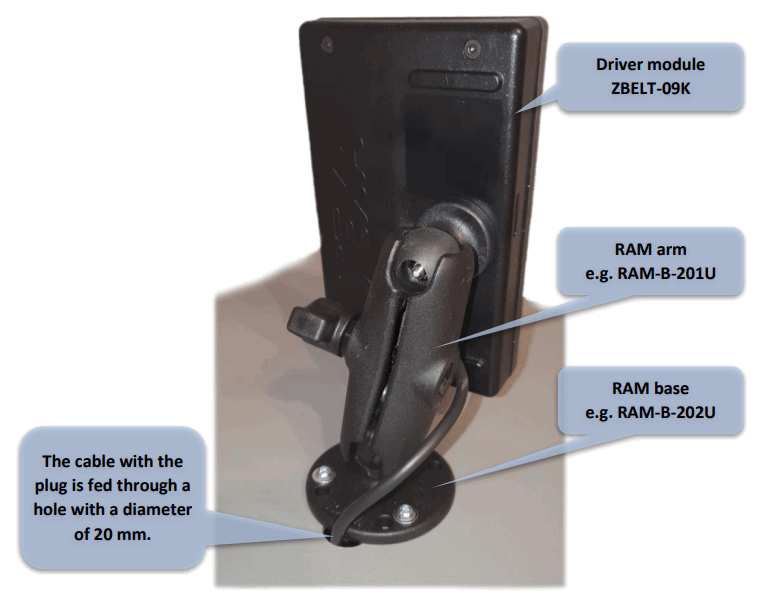
Driver module – Electrical connection
The device has a cable terminated with male, 6 -pin MINI-FIT connector.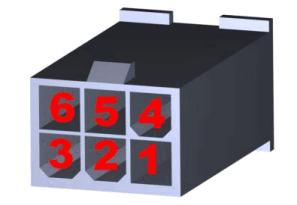 ZBELT-09K Signal outputs on the connector
| PIN | Colour | Function | Description |
| 1 | RED | +12V/+24V power supply | Permanent power supply (+30 signal) to the module from the battery through a 1A fuse |
| 2 | BLACK | Ground | |
| 3 | WHITE | Speed | Speed Signal — ground signal active |
| 4 5 6 7 | YELLOW BLUE GREEN | +15 — ignition K-Line | Vehicle ignition signal Not connect Optional |
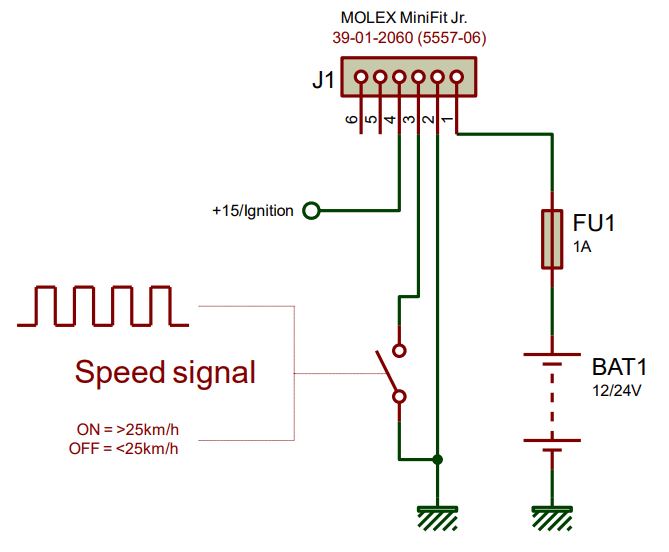 For the correct operation of the driver module, it is required to connect the constant power supply of the module (available after removing the key), the ignition signal +15 and the speed signal.
The device accepts the ground speed signal according to the following standards :
- Short circuit to ground when the vehicle speed >25km/h (e.g. output from the KFG/PSM computer)
- Impulse speed signal – impulse frequency proportional to the vehicle speed
- No speed signal – the audible warning is activated 60s second after switching on the ignition
Driver module – Installer settings
In order for the driver module to work properly, the way of detecting the vehicle movement must be set. To do this, it is necessary to enter the installer settings mode.
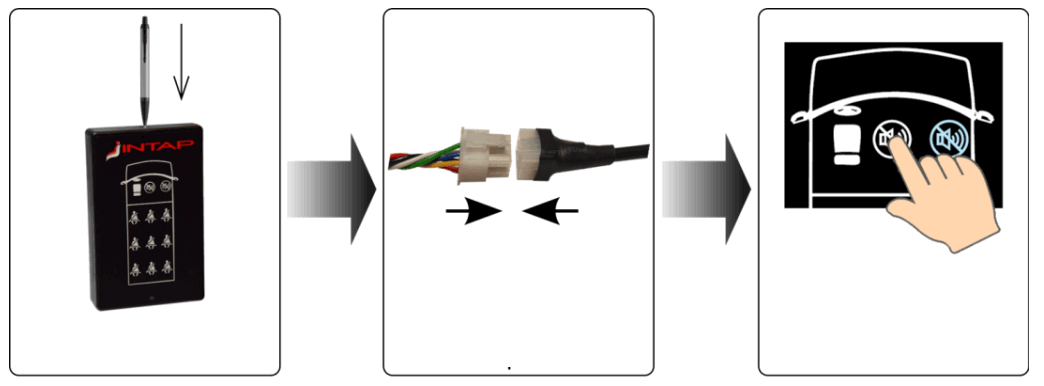 | ||
| Press and hold the pairing button | Connectthe power supply ofdriver’s panel while keeping the pairing button pressed | Selectconfiguration with the mute button |
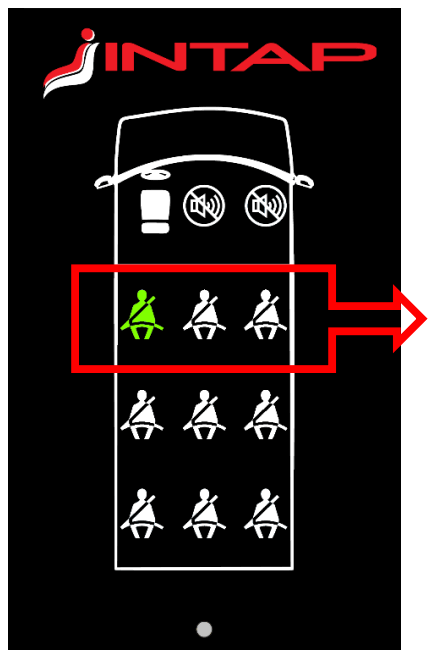 Available speed modes
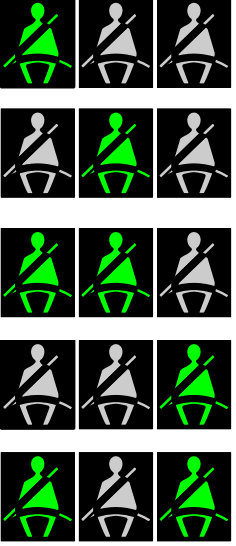 | ON/OFF mode Short to ground means>25km/h |
| Time mode The system assumes the vehicle is driving 60 seconds after the ignition is turned on (+15) | |
| Pulse mode 34Hz The system assumes the vehcle is driving when pulse frequency >34Hz | |
| Pulse mode 100Hz The system assumes the vehcle is driving when pulse frequency >100Hz | |
| Pulse mode 150Hz The system assumes the vehcle is driving when pulse frequency >150Hz |
 Connecting the seat module
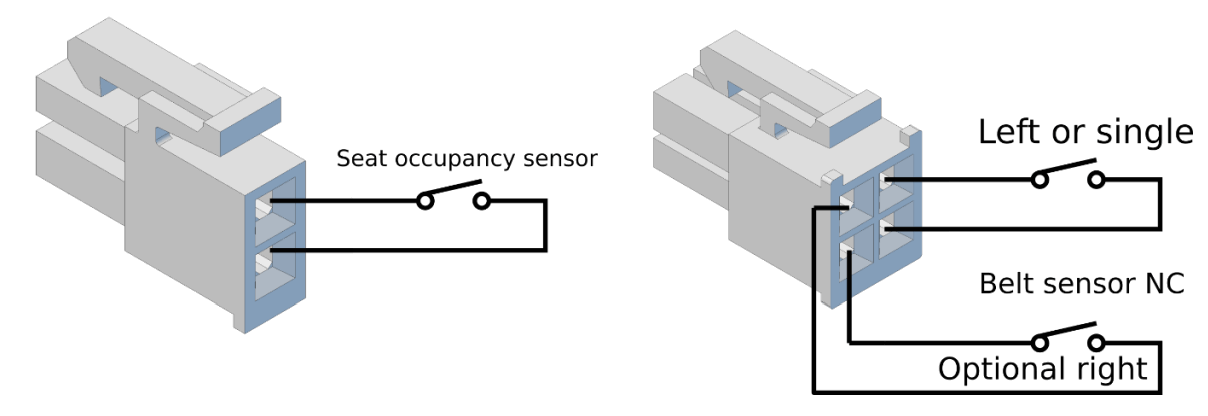
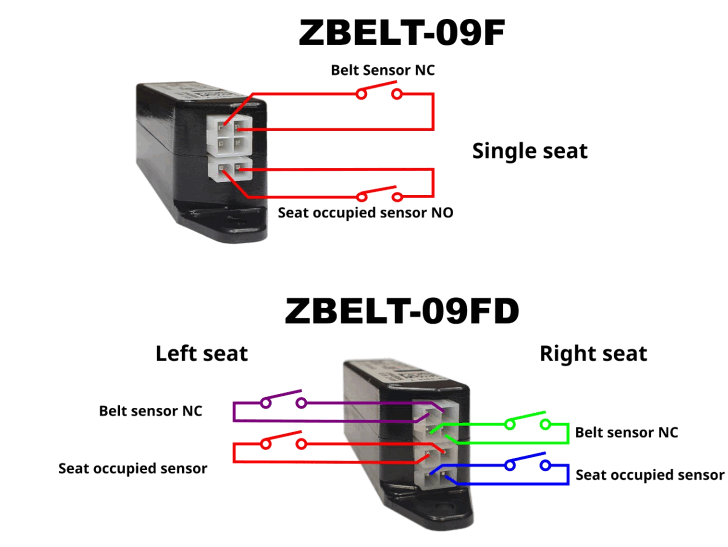
The seat module is powered by a 3.6V lithium battery located inside the module. There are two sensors connected to the seat module:
- Seat occupancy pressure sensor – closed when the seat is occupied
- Micro-switch located in the safety belt buckle – short when the belt is not fastened


Seats pairing process
In order for the system to work properly, the seats must be assigned to the places on the panel.
When the system has no preset seats, it signals this fact by displaying the sequential letters INTAP to indicate it is not ready for operation.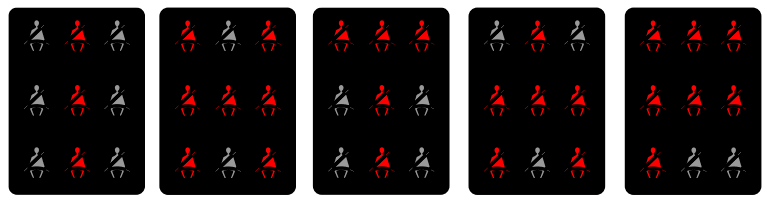 You must pair at least one seat module with the driver module for the system to work properly. Follow the procedure below :
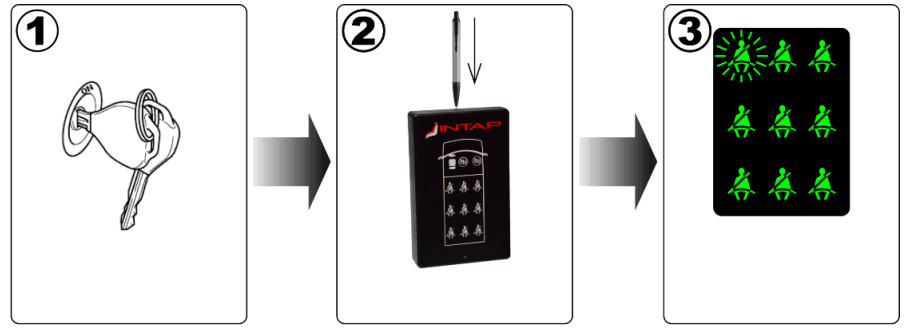 | ||
| Turn ON the ignitition. | Press the pairing button. | Panel is ready for pairing in flashing place. Green symbols are free, red already paired. |
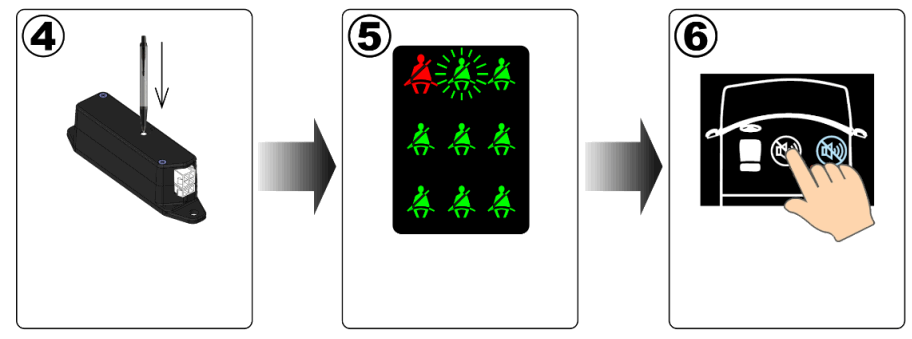 | ||
| Press the pairing button.on the module of the seat you are pairing. | The panel will confirm pairing with a sound, the symbol will change color to red | Choose next pairing [ place by pressing the muting button. |
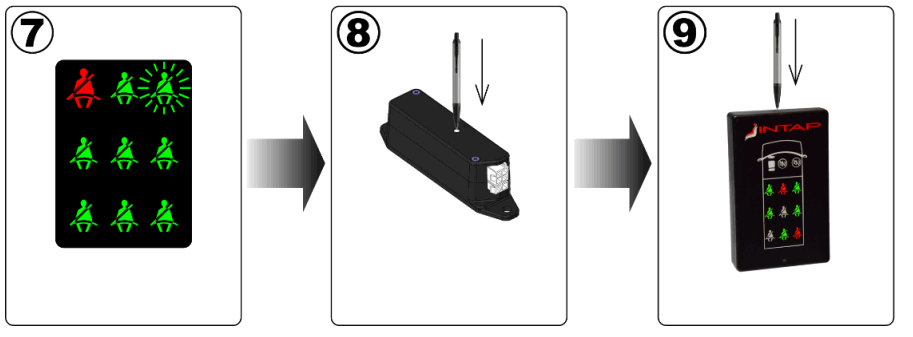 | ||
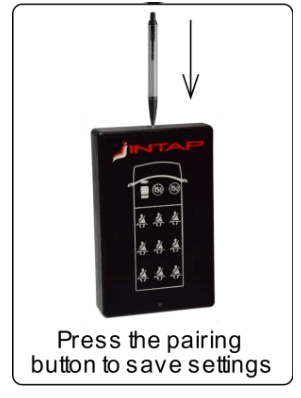
| Ready for pairing next module | Press the pairing button on the module of the seat you are pairing | Press the pairing button to save to memory |
- Pairing is only possible when the vehicle is stopped. If the driver module detects a speed signal, it will immediately stop pairing without saving anything to memory.
- If you want to stop pairing without saving, just turn off the ignition.
- Holding down the mute button (5 seconds) in pairing mode will delete the pairing memory.
- If you select the location already assigned (red symbol), when you press the pairing button on the seat module, the old assignment will be replaced with the new one.
- If you pair the seat in new location, the system will automatically release the old location.
Replacing battery in the seat module
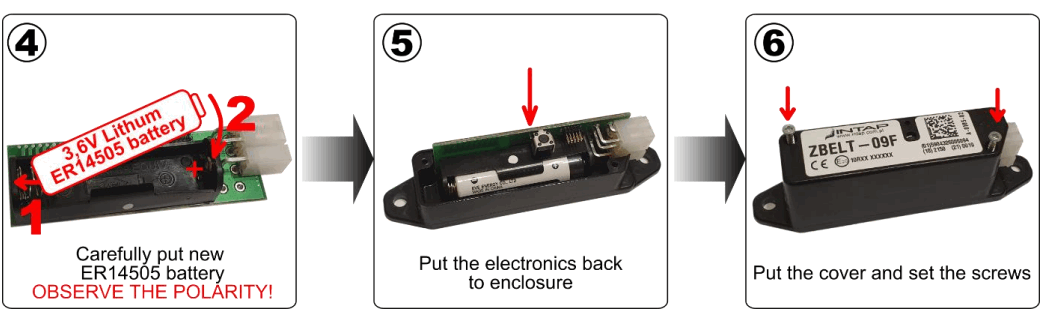
The seat module is powered by a 3,6V lithium battery placed inside the module. The battery should last at least two years. You need to replace it when the driver’s panel indicates low battery by flashing the seat belt symbol.
You should use ER14505 battery type.Please note that it is NOT popular 1.5V AA battery.
Using other battery will damage the module!
To replace battery you have to open seat module. Please follow instructions below. 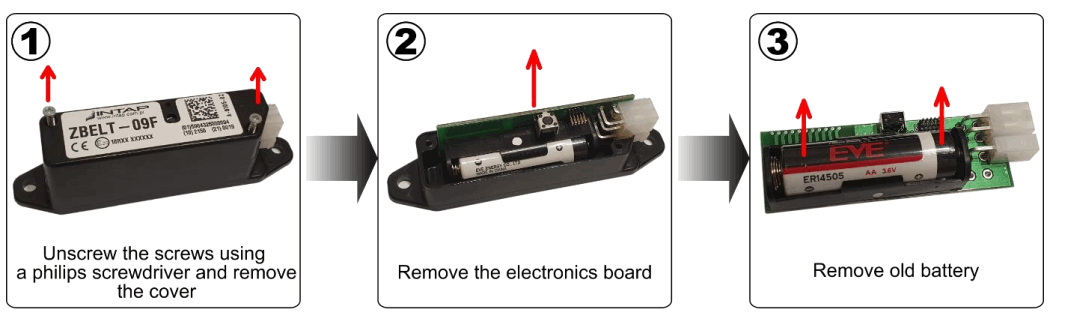
Technical data
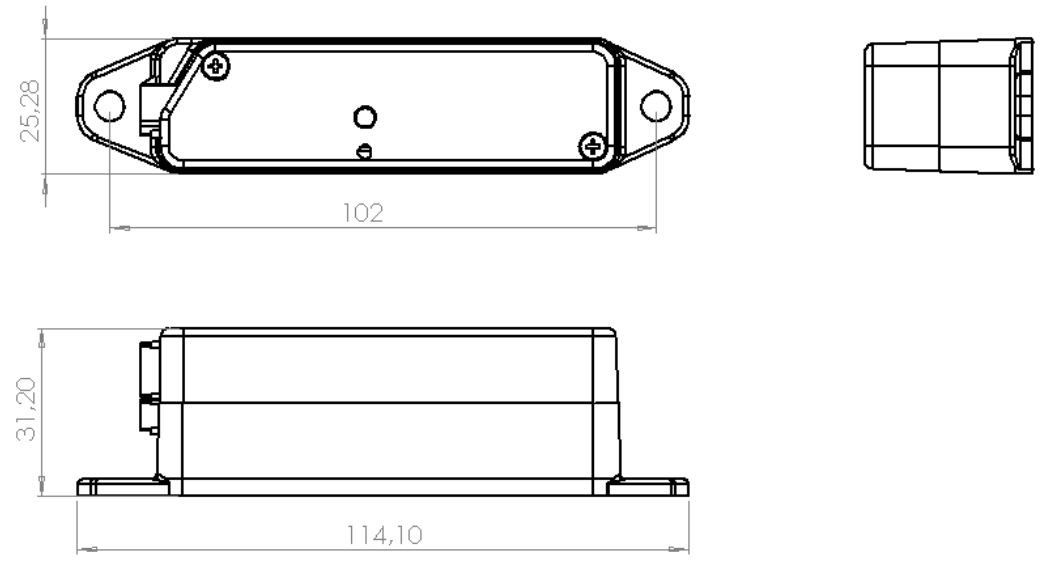
Seat module ZBELT-09F
| rated supply voltage | 3,6V – lithium battery ER14505 |
| power consumption | ~1.4uA in waking time mode |
| transmiter power | ~8dBm ERP |
| frequency of work | 868,5MHz |
| type of modulation | LORA |
| battery life | >4 years |
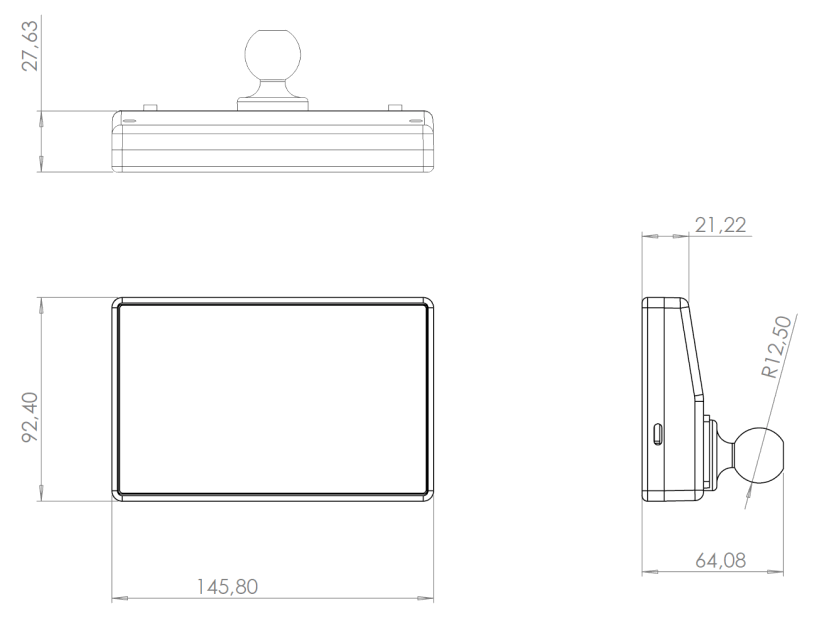
 Moduł kierowcy ZBELT-09K
| rated supply voltage | 12V or 24V |
| power consumption | ~3mA@12V in standby mode |
| transmiter power | ~11dBm ERP |
| frequency of work | 868,5MHz |
| type of modulation | LORA |
![Zkteco Elite Series [ti] Instruction Manual](https://static-data1.manualsee.com/1/img/320/5146398/2022/11/fb4f414223137c521cec43028c1d4580.jpg "Zkteco Elite Series [ti] Instruction Manual")