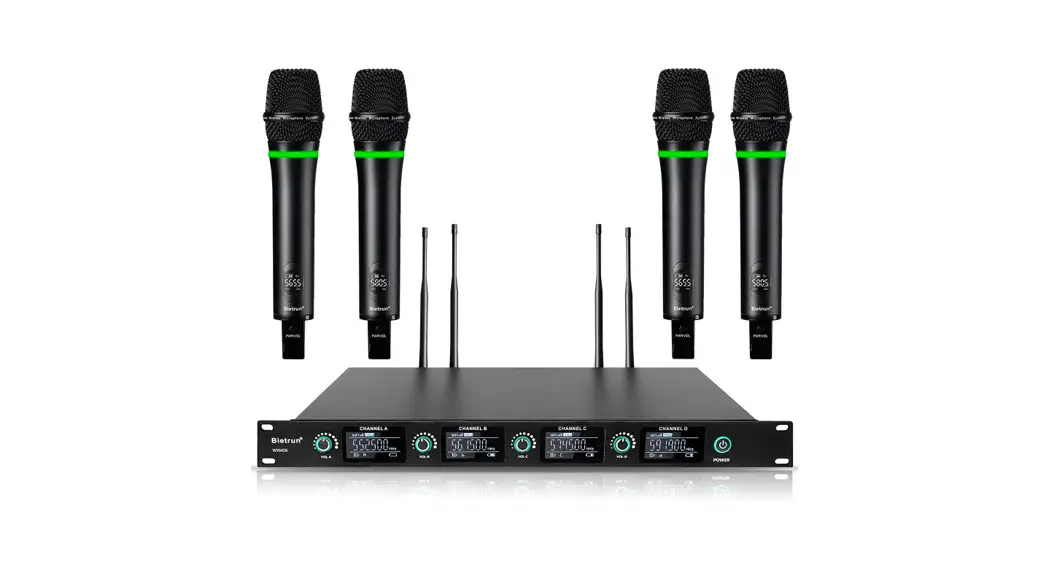
 WXM26
WXM26
UHF Professional 4-Channels Rechargeable Wireless Microphone System
User manual
If you have any questions, please feel free to contact us.
E-mail: [email protected]
Product introduction
This UHF Professional 4-Channels Rechargeable Wireless Microphone System uses UHF frequency band transmission, which has the characteristics of long transmission distance, strong anti-interference ability, low delay, and clear sound quality. It is easy to use and operate.
Note: Please read and follow all warnings carefully before use, and keep this manual for subsequent use.
Product description
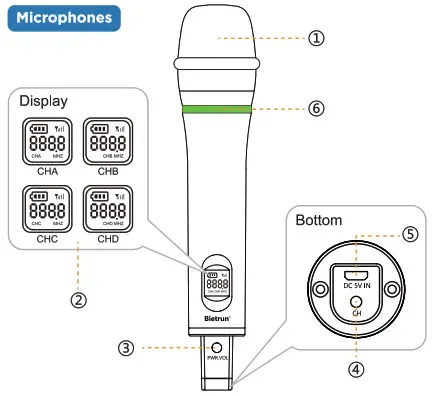
No. | Part Name | Function Description | Notes |
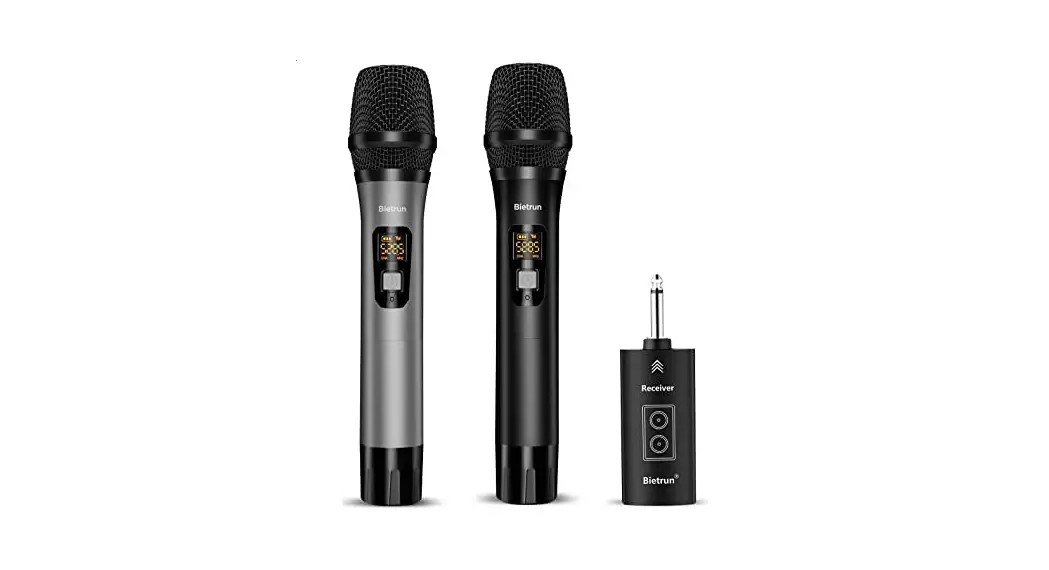
| 1 | Microphone | Pickup voice | |
| 2 | Display | (1) Information about microphone: power, signal, channel, volume, microphone A, B, C, D; (2) Only battery level will be displayed after 5 seconds of no operation on the microphone. | |
| 3 | Power | (1) Power on/off: Press and hold to turn on, long press to turn off; (2) Volume: Short press to adjust the volume in turn. 1-5 levels, level 1 is the smallest, level 5 is the largest. | |
| 4 | Channel | Press this button to adjust the channel, 5 channels in total. | Press this button to switch channels when the connection is unstable. |
| 5 | Charging port | External DC 5V power supply charges the product. | (1) Charge it once before your first use; (2) Charge it with low power. |
| 6 | Indicator light | (1) Green: the microphone is on;| (2) Red flash low power; (3) Red: charging; Red light is off when fully charged. |
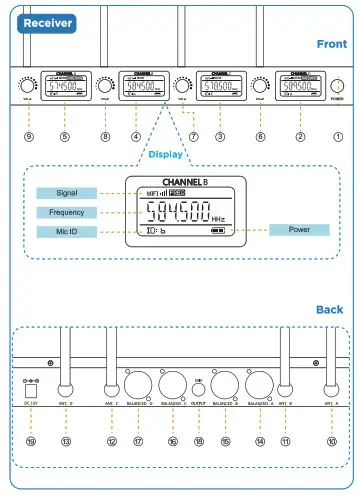
| No. | Part Name | Function Description | Notes |
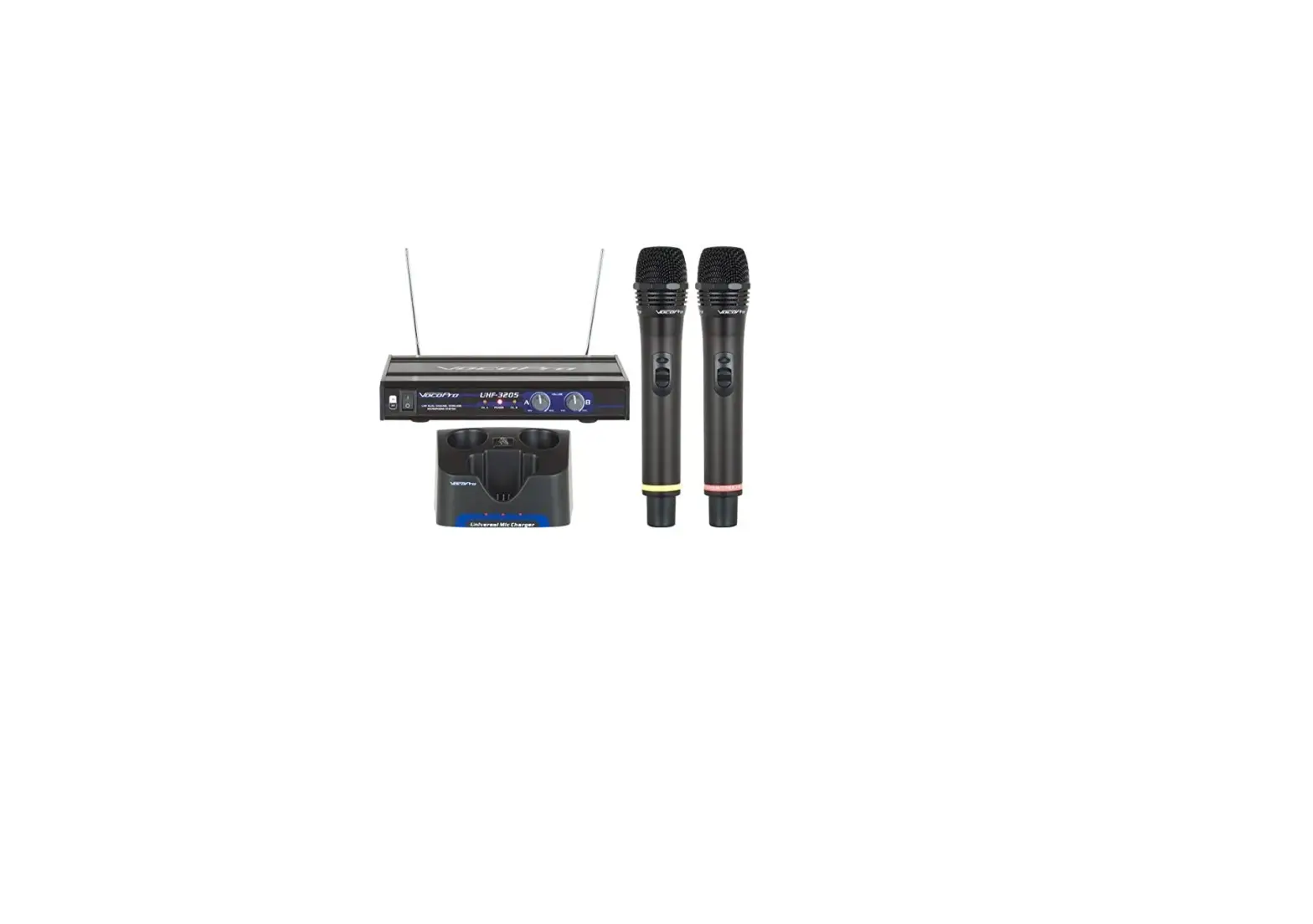
| 1 | Power | Short press to turn on, long press to turn off | |
| 2,3,4,5 | Channel Display | iDisplay connection information of Microphones A, B, C, D | When the mic is not turned on, the “—” on the display of the channel flashes in sequence. |
| 6,7,8,9 | ©O volum | Adjust the volume of mic A, B, C, D: Turn left to decrease the volume, turn right to increase the volume. | |
| 10,11,12,13 | Antenna | Receive wireless signals from microphones A, B, C, D | (1) Please tighten the nut to the right of the antenna before turning it on for the first time (2) When the connection is unstable and the sound is intermittent, you can adjust the antenna direction to improve it. |
| 14,15,16,17 | Microphone Output | The XLR output port of mic A, B, C, D | This port only outputs the audio signal of its own microphone |
| 18 | 6 35mm audio output | 6.35mm audio output interface | The audio is a mixture of microphone A, B, C, D |
| 19 | Power port | The input voltage is DC 12V | Please use the adapter provided with the product |
Connection
Input Connection
When the microphones and receiver are turned on, They will be automatically paired.
Output Connection
Audio amplifier devices with XLR interface, 6.35mm audio input interfaces can be connected to this product, including mixers, multimedia speakers, PA systems, amplifiers, and lever speakers.
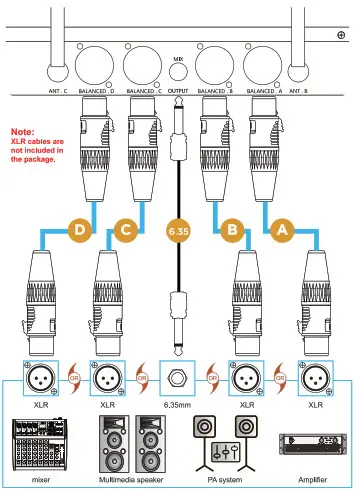
Note: XLR audio output and 6.35mm output can not be connected to the same devices, otherwise the sound may not be played normally.
FAQ
| No. | Problems | Solutions |
| 1 | The receiver can’t be turned on | (1) Check whether the power is turned on (2) Check whether the adapter and cable are connected with the receiver correctly and firmly. |
| 2 | Microphones can’t be turned on | 1) Charge first and check whether the mic charging indicator is on (2) Short press the power button to turn it on. |
| 3 | No sound | (1) Check whether the volume of the microphone, amplifier, and Bluetooth devices have been turned on; (2) Check whether the microphone is successfully connected to the receiver, the display wit be on if the connection is successful; (3) Turn up the volume of the receiver; (4) Check whether the XLR interface and 6.35 interface are connected correctly: (5) The amplifying device may need to set the input mode, please refer to the manual of the amplifying device for setting; |
| 4 | Small sound | (1) Adjust the VOL button on the microphone to increase the volume, 1 is the minimum, 5 is the maximum; (2) Turn the knob to the right to increase the microphone volume on the receiver; (3) Turn up the volume of the amplifier. |
| 5 | Intermittent sound | (1) Shorten the distance between the microphone and the receiver(within 30M, with No obstacle) (2) Switch channel |
| 6 | Howling or screaming | (1) Reduce the volume of amplifier or microphones; (2) Don’t place the microphones to dose to the speaker. |
Parameter
| Receiver | |||
| Receiving frequency: | U Band | Frequency stability: | <0.005% |
| Sensitivity: | 2mV | Interference frequency ratio: | > 90dB |
| Image interference ratio: | >88dB | Signal to noise ratio: | >95dB |
| Audio output: | 800mV-1.4V | Working range: | Standard conditions are 30 to 50 m |
| Receiver | |||
| Receive channel: | 4 | Supply Voltage: | DC 12V |
| Power consumption: | 3W | Antenna: | UHF antenna |
| Handheld Microphones | |||
| Carrier frequency: | U Band | Frequency stability: | <0.005% |
| Transmit power: | 30mW | Current consumption: | <25mA |
| Harmonic: | <Main wave 40dB | Standard: | Frequency Hopping |
| Pickup: | 6000 single unidirectional | Battery: | lithium battery |
| Antenna: | built-in | Supply Voltage: | DC 5V |
| Complex Index | |||
| Dynamic Range: | >95dB | System distortion: | <1%, 1K Hertz modulation |
| Frequency response: | 50Hz-18KHz(t3dB) | ||
Packing List
- 4X Microphone (A, B, C, D)
- 1X Receiver
- 4X Microphone Antenna
- lx 6.35mm to 6.35mm cable
- 2X Charging cable
- 1X Adapter
- 1X Manual
FCC Warning Statement
Changes or modifications not expressly approved by the party responsible for compliance could void the user s authority to operate the equipment. This equipment has been tested and found to comply with the limits for a Class B digital device, pursuant to Part 15 of the FCC Rules. These limits are designed to provide reasonable protection against harmful interference in a residential installation. This equipment generates uses and can radiate radio frequency energy and, if not installed and used in accordance with the instructions, may cause harmful interference to radio communications. However, there is no guarantee that interference will not occur in a particular installation. If this equipment does cause harmful interference to radio or television reception, which can be determined by turning the equipment off and on, the user is encouraged to try to correct the interference by one or more of the following measures
- Reorient or relocate the receiving antenna.
- Increase the separation between the equipment and receiver.
- Connect the equipment into an outlet on a circuit different from that to which the receiver is connected.
- Consult the dealer or an experienced radio/TV technician for help.
This device complies with part 15 of the FCC Rules. Operation is subject to the following two conditions: (1) This device may not cause harmful interference, and (2) this device must accept any interference received, including interference that may cause undesired operation. The device has been evaluated to meet general RF exposure requirements.
Manufacturer:
SHENZHEN LONGXIANG INTELLIGENT TECHNOLOGY CO, LTD.
Address: FLOOR 4, BUILDING D, FUXINLIN INDUSTRIAL AREA, HANGCHENG INDUSTRIAL ZONE FUHUA COMMUNITY XIXIANG STREET, BAOAN DISTRICT SHENZHEN GUANGDONG CHINA