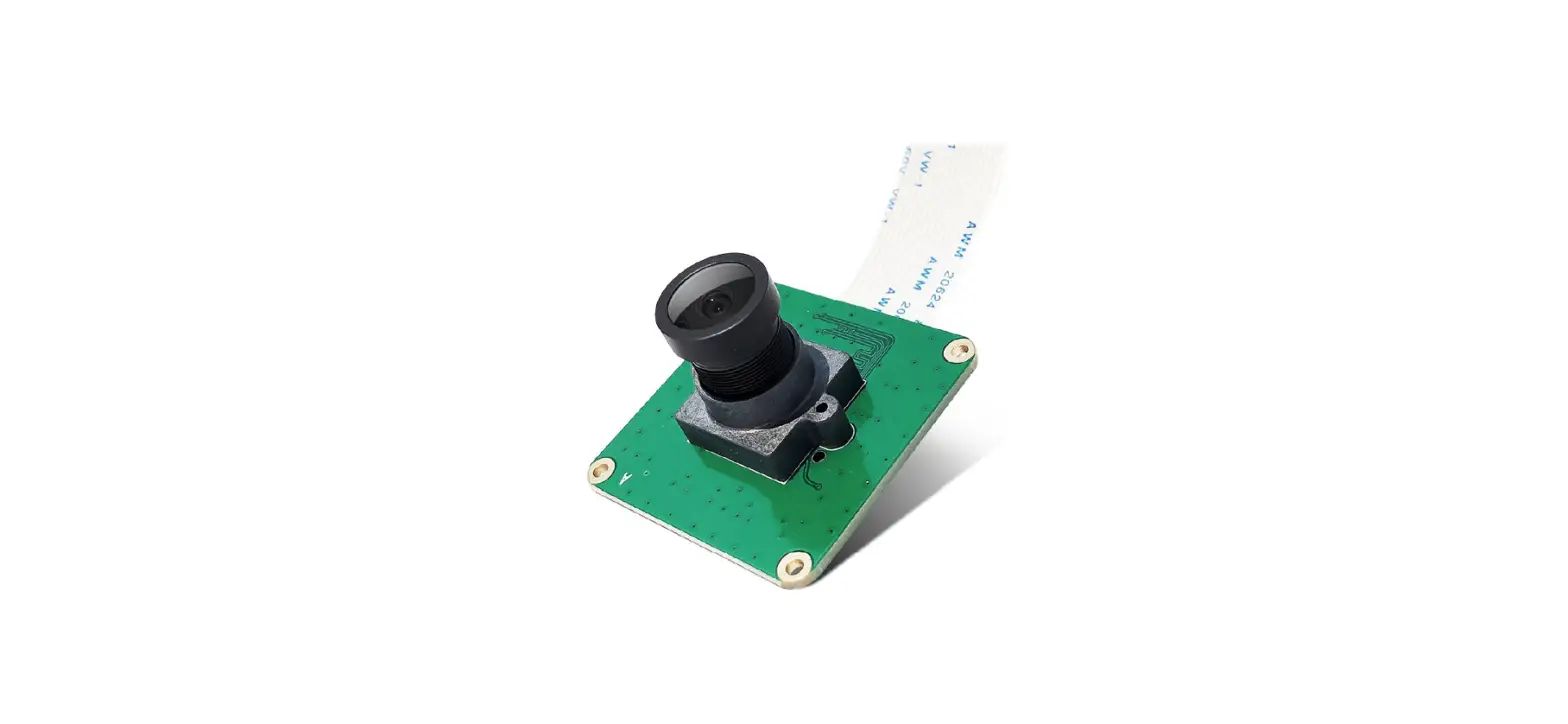

Inno CAM-MIPI327RAW Pi Industrial Camera Module
Product Information
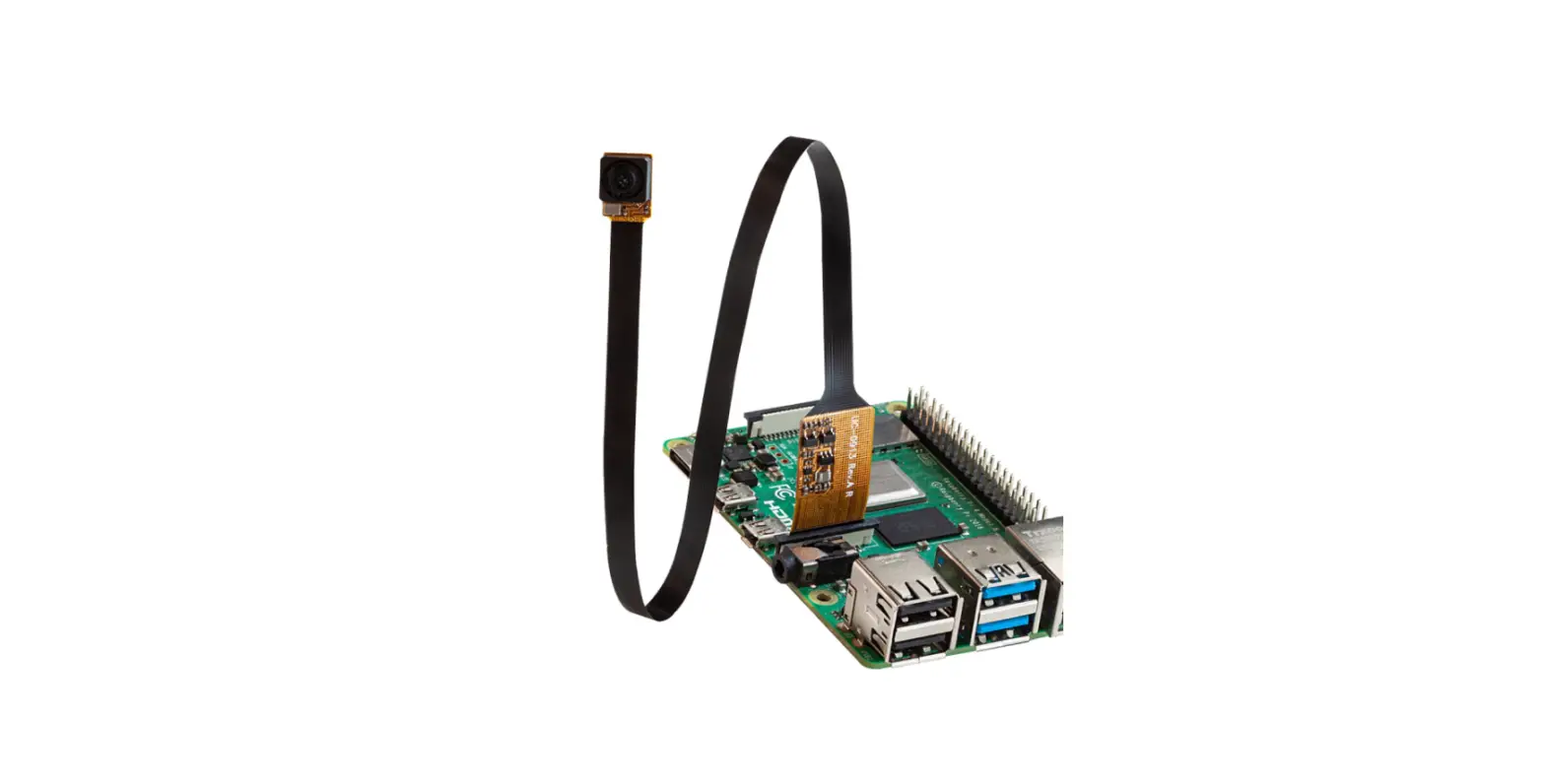
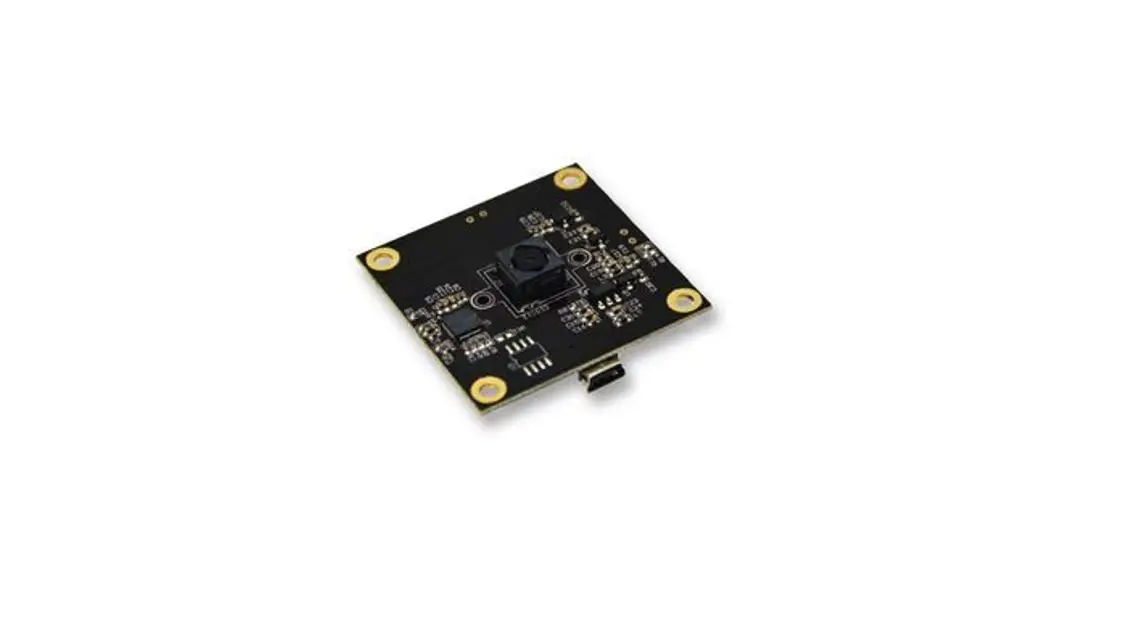
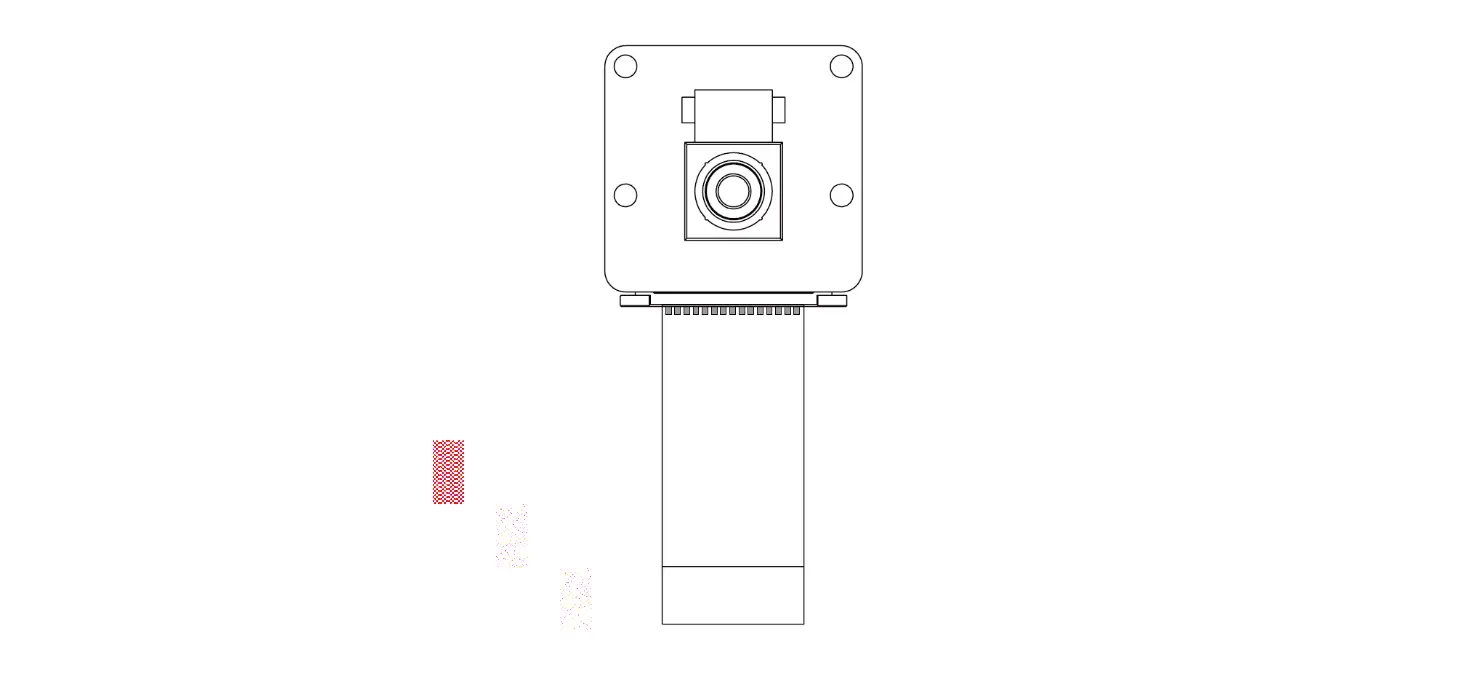
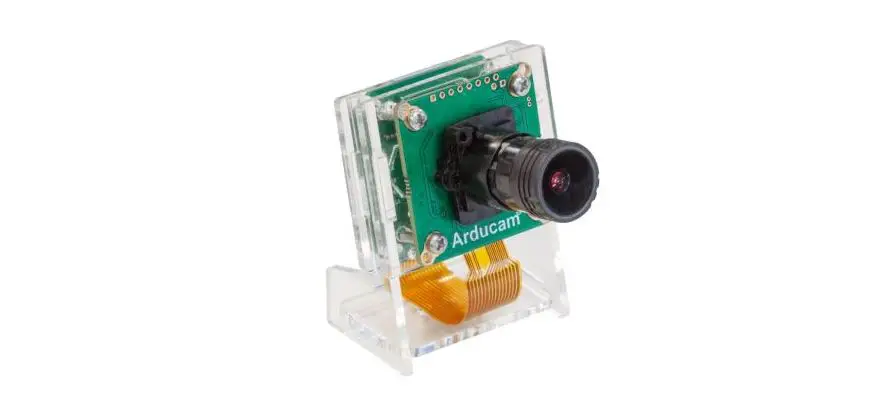
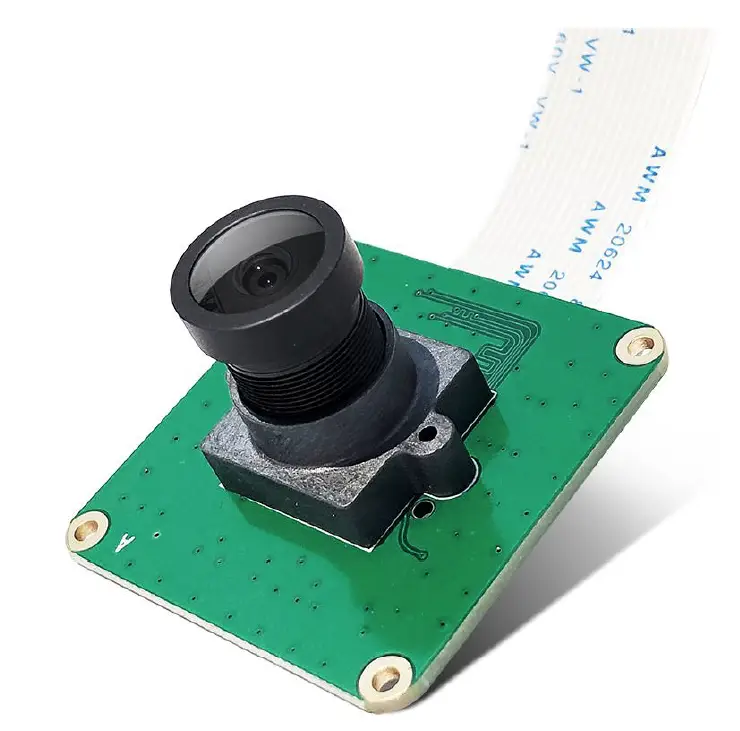
The CAM-MIPI327RAW is a low-cost fisheye lens camera module designed for use with Raspberry Pi boards (P4/Pi3B+/PI3A+/PI3/CM3/CM3+). It features the IMX327LQR-C image sensor which has a diagonal of 6.46 mm (Type 1/2.8), a square pixel array, and 2.13 M effective pixels. The chip operates with analog 2.9 V, digital 1.2 V, and interface 1.8 V triple power supply, and has low power consumption. The module supports CSI-2 output with 2 lanes/RAW10 or RAW12 and comes with a wide-angle lens with Fov(D)=148 degrees and Fov(H)=118 degrees. The focal distance is adjustable and the module is capable of high sensitivity, low dark current, and no smear.
Features
- Industrial Camera Module for Raspberry Pi 4,3B+ 3B, 3A+ CM3+, CM3, Pi zero
- Sensor Type: STARVIS IMX327LQR Color CMOS Active Pixel type Solid-state Image Sensor with Square Pixel Array 2.13 M Effective Pixels
- Pixel count: 1920×1080
- Supports V4L2 and libcamera
- Comes with user manual, test demo and friendly technology support
- Custom design service available
Hardware DescriptionThe CAM-MIPI327RAW module connects directly to the CSI connector on the Raspberry Pi board. It has a field of view of Fov(D)=148 degrees and Fov(H)=118 degrees. The focal length and distance are adjustable. It weighs approximately ________ and the still resolution is ________. It supports Linux integration and has a high S/N ratio and dynamic range.
Sensor
- Sensor Resolution: ________
- Sensor image area: ________
- Pixel size: ________
- Optical size: ________
- TV DISTORTION F(N) /Aperture: ________
Product Usage Instructions
- Connect the CAM-MIPI327RAW module to the CSI connector on your Raspberry Pi board.
- If necessary, adjust the focal length and distance of the lens for your specific application.
- Install any necessary software drivers or libraries for your operating system.
- Use the supported V4L2 or libcamera interface to access the camera module and capture images or video.
- Refer to the user manual and test demo for additional guidance on using this product.
General
- CAM-MIPI327RAW is a low-cost fisheye Lens excellent low illumination and wide dynamic camera module, designed for whole series Raspberry(P4/Pi3B+/PI3A+/PI3/CM3/CM3+). Plug into the CSI-2 Pi camera interface directly.
- On-board IMX327LQR-C is a diagonal 6.46 mm (Type 1/2.8) CMOS active pixel type solid-state image sensor with a square pixel array and 2.13 M effective pixels. This chip operates with analog 2.9 V, digital 1.2 V, and interface 1.8 V triple power supply, and has low power consumption. High sensitivity, low dark current and no smear are achieved through the adoption of R, G and B primary color mosaic filters. This chip features an electronic shutter with variable charge integration time.
Features
- Raspberry Pi Camera CAM-MIPI327RAW is an Industrial Camera Module for Raspberry Pi 4,3B+ 3B, 3A+ CM3+, CM3, Pi zero.
- Sensor Type: STARVIS IMX327LQR Color CMOS Active Pixel type Solid-state Image Sensor with Square Pixel Array 2.13 M Effective Pixels. Diagonal 6.46 mm (Type 1/2.8). Pixel count: 1920×1080. High to
- This IMX327LQR module connects to the CSI connector on the Raspberry Pi directly. CSI-2 output: 2 lanes/RAW10 or RAW12. Support V4L2 and libcamera.
- Match a wide-angle Lens. Fov(D)=148 degrees, Fov(H)=118 degrees. The focal distance is adjustable.
- Comes with a user manual, test demo and friendly technical support. We offer custom design services.
Hardware Description
| Features | |
| Size | 39mm x 39mm |
| Weight | 4g |
| Still Resolution | 2.07M pixels |
| Video Modes | 1920×1080 60fps, SRGGB10P |
| Linux integration | V4L2 Libcamera |
| Sensor | IMX327LQR-C |
| Sensor Resolution | 1920 (H) × 1080 (V) |
| Sensor image area | 5568 µm (H)*3132 µm (V) |
| Pixel size | 2.9 µm (H) × 2.9 µm (V) |
| Optical size | 1/2.8″ |
| S/N ratio | 55dB |
| Dynamic range | 120db |
| Output interface | global shutter |
| Output formats | RAW10/RAW12 |
| Field of view | Fov(D) = 148 degrees , Fov(H) = 118 degrees |
| Focal Length | 2.8 mm |
| Focal Distance | Adjustable |
| TV DISTORTION | <-17% |
| F(N) /Aperture | 2.2 |
Size
PCB Size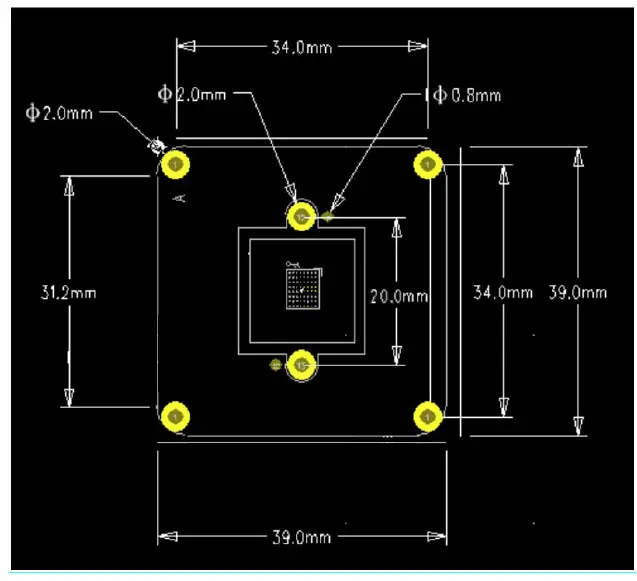
Len Size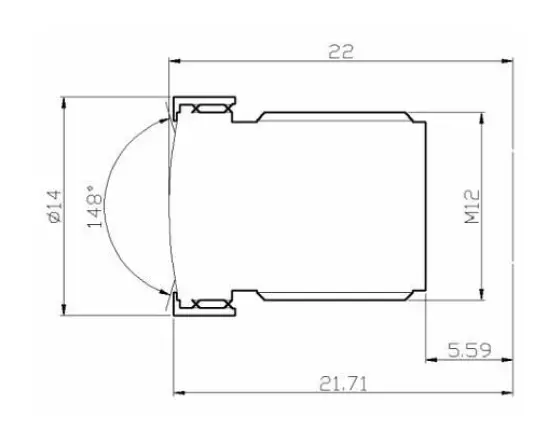
Connection Of The Hardware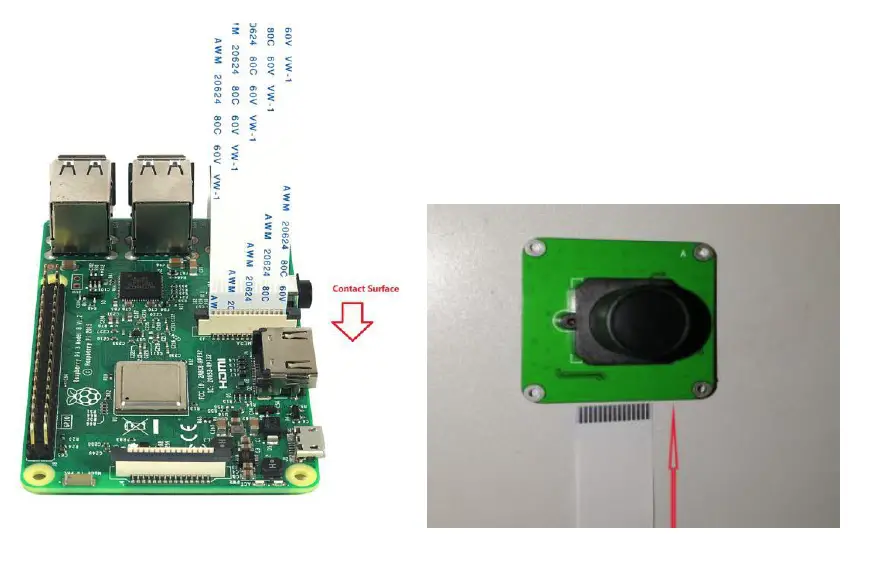
Pin-Out
Signal/Power Connector J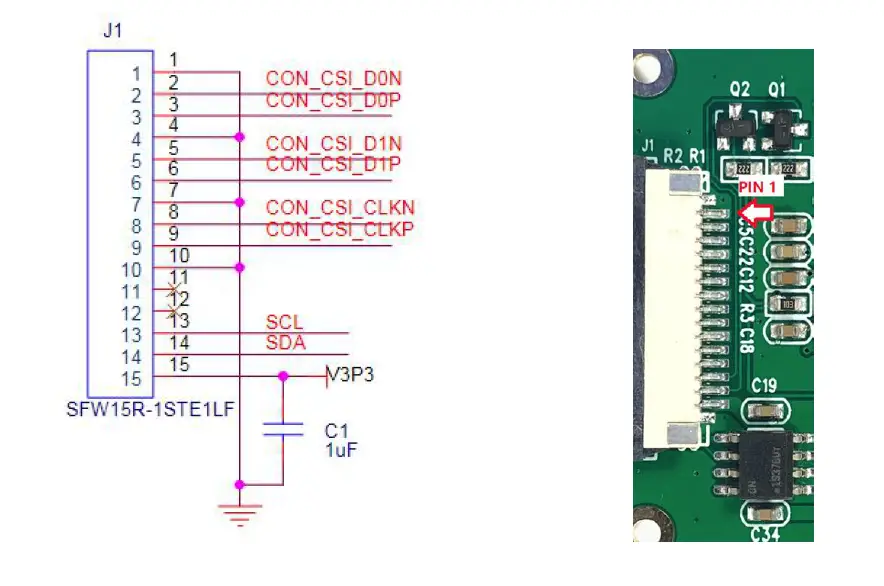
| PIN | Symbol | Description |
| 1 | GND | Ground Pin |
| 2 | CON_CSI_D0N | Pixel Data Lane0 Negative |
| 3 | CON_CSI_D0P | Pixel Data Lane0 Positive |
| 4 | GND | Ground Pin |
| 5 | CON_CSI_D1N | Pixel Data Lane1 Negative |
| 6 | CON_CSI_D1P | Pixel Data Lane1Positive |
| 7 | GND | Ground Pin |
| 8 | CON_CSI_CLKN | Pixel Clock Output Form Sensor Negative |
| 9 | CON_CSI_CLKP | Pixel Clock Output Form Sensor Positive |
| 10 | GND | Ground Pin |
| 11 | None | None |
| 12 | None | None |
| 13 | SCL | CLK input, SIO_C of SCCB |
| 14 | SDA | DATA input,SIO_D of SCCB |
| 15 | 3.3V Power | Power Supply |
The J1 pin map is same Raspberry Pi camera.
Using Raspbian Build-In Driver
Load Raspberry Pi image
Prepare a capacity of more than 8GB TF card(16Gb Class10 is better) and a card reader. Load the image file on to the SD card, using the instructions provided on the Raspberry Pi website for Linux,
Mac or PC:
https://www.raspberrypi.org/documentation/installation/installing-images/README.md
Raspbian Image download:
https://www.raspberrypi.org/downloads/
Driver Sources Codes
The existing IMX290 driver and overlay also work fine with IMX327 and IMX426.
The open source driver on Raspbian:
https://github.com/raspberrypi/linux/blob/rpi-5.10.y/drivers/media/i2c/imx290.c
Reference codes:
https://github.com/torvalds/linux/blob/master/drivers/media/i2c/imx290.c
Dtoverlay
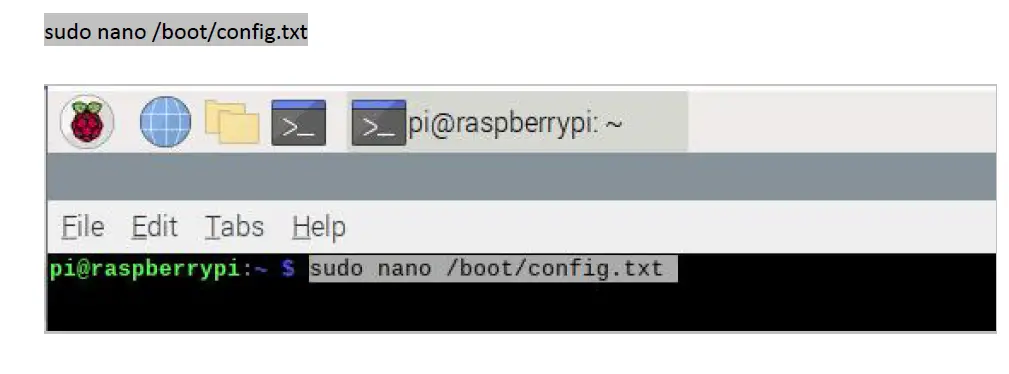
- Open the config.txt on Raspbian:
sudo nano /boot/config.txt
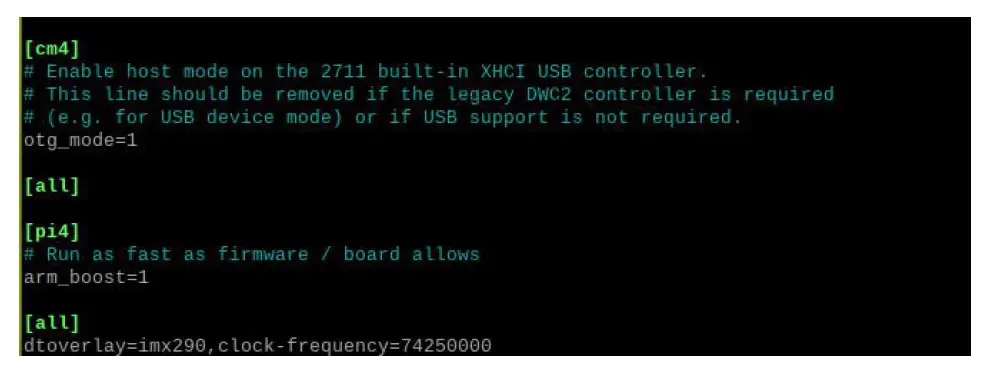
- Add the dtoverlay into the config.txt file,
dtoverlay=imx290,clock-frequency=74250000
- And then press ctrl+ x to exit nad press ‘y’ to save.

- Rebooted your Pi
sudo reboot - Use below command to check the camera is ready.
ls /dev/video0

Successful: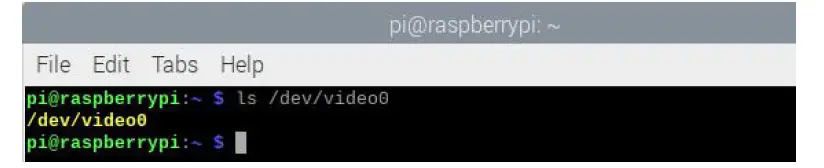 Unsuccessful: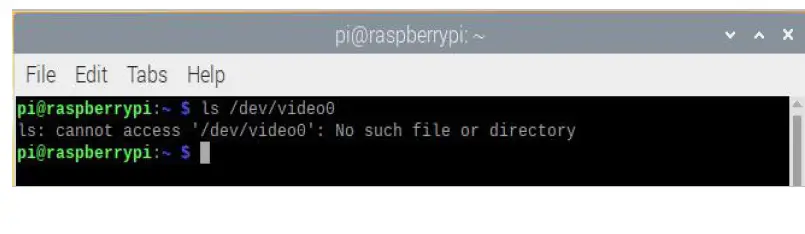
Frame Rate(fps) Test
Use below command, you can see frames-per-second information of your camera.
v4l2-ctl –stream-mmap –stream-count=-1 -d /dev/video0 –stream-to=/dev/null
30 fps: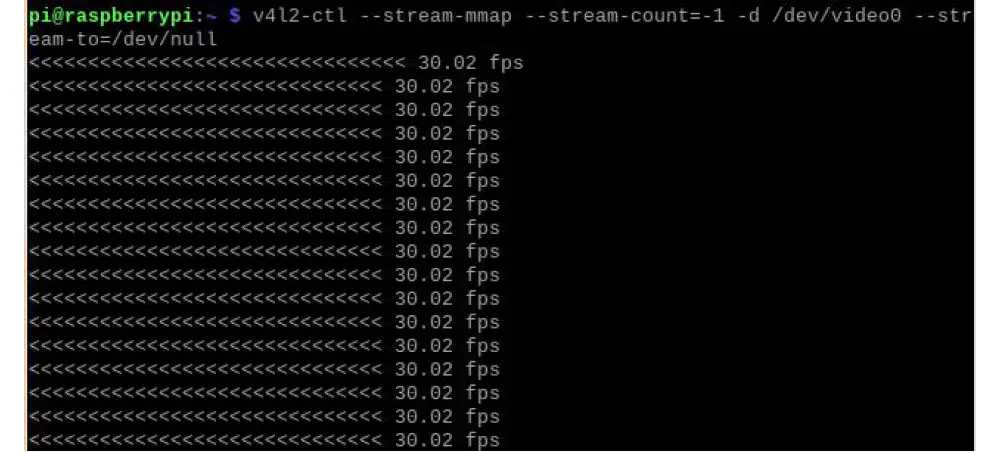
60 fps: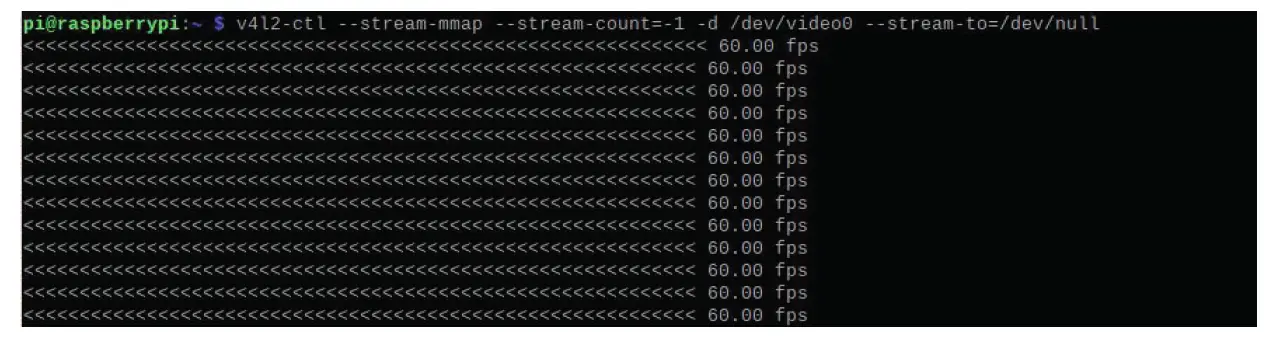
Libcamera On Raspbian
libcamera is an open-source Linux community project. More information is available at the libcamera website: https://libcamera.org/
The libcamera source code can be found and checked out from the official libcamera repository. https://git.linuxtv.org/libcamera.git/
When running a Raspberry Pi OS based on Bullseye, the 5 basic libcamera-apps are already installed. In this case, official Raspberry Pi cameras will also be detected and enabled automatically. Below we only take ‘libcamera-hello’ for example. For more information, please refer to below link:
https://www.raspberrypi.com/documentation/accessories/camera.html#binary-packages
In addition, Below test base on Raspberry Pi 4, If you want libcamera apps on Bullseye running on Pi 0 – 3, please refer to below link:
https://forums.raspberrypi.com/viewtopic.php?t=323547
Libcamera-hello
libcamera-hello is the equivalent of a “hello world” application for the camera. It starts the camera, displays a preview window.
Preview
Use below command to start the preview. libcamera-hello -t 10000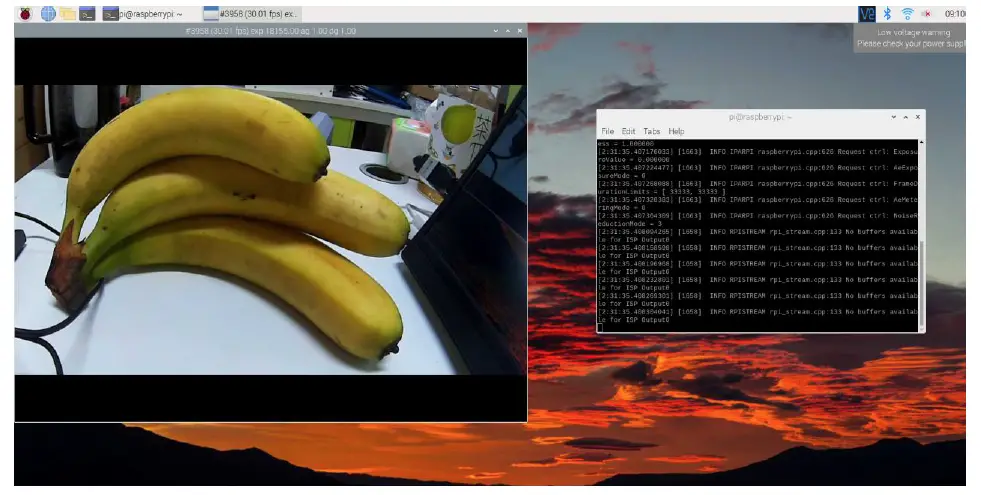
Set the Frame Rate
The IMX327 modue can support up 60fps.
https://github.com/raspberrypi/linux/pull/4398/commits/192569ee019ad4bd642dc7012e176d1aa87ccd2c
https://github.com/raspberrypi/linux/pull/4398
libcamera-hello –framerate 60
Set the Bit-Depth
libcamera-hello -t 10000 –mode 1920:1080:12:U
Above command set IMX327 work on 12bit , 1920(W) * 1080(H) unpacked mode. For more detail –mode arg : Camera mode as W:H:bit-depth:packing, where packing is P (packed) or U(unpacked)
User Manual Version Descriptions
| Version | Description | Date | |
| V1.0 | 2021.11.25 | [email protected] [email protected] |
If you have any suggestions, ideas, codes and tools please feel free to email to me. I will update the user manual and record your name and E-mail in list. Look forward to your letter and kindly share.
Support: [email protected] www.inno-maker.com/wiki
Bulk Price: [email protected]