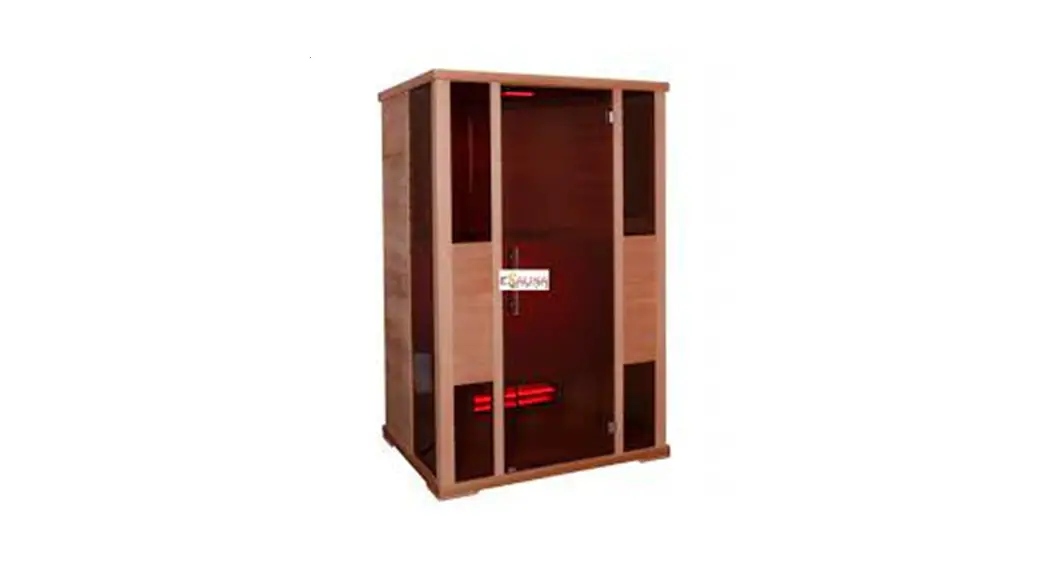

User’s manual
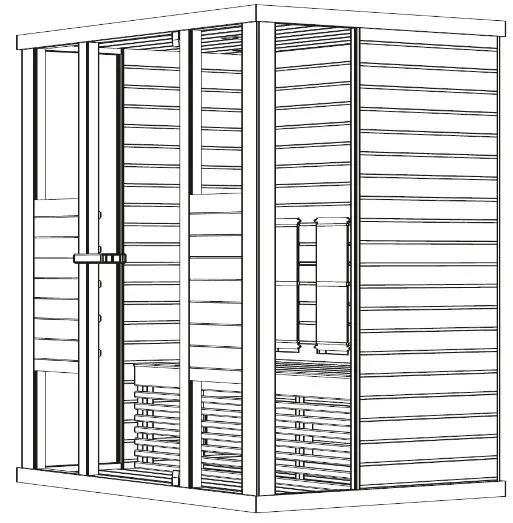
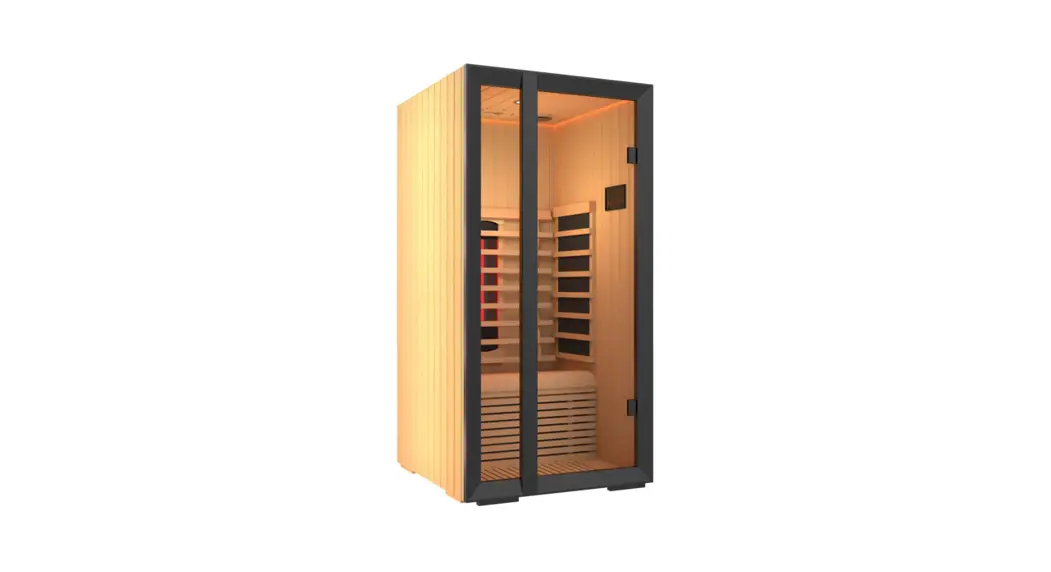
Infrared Cabin
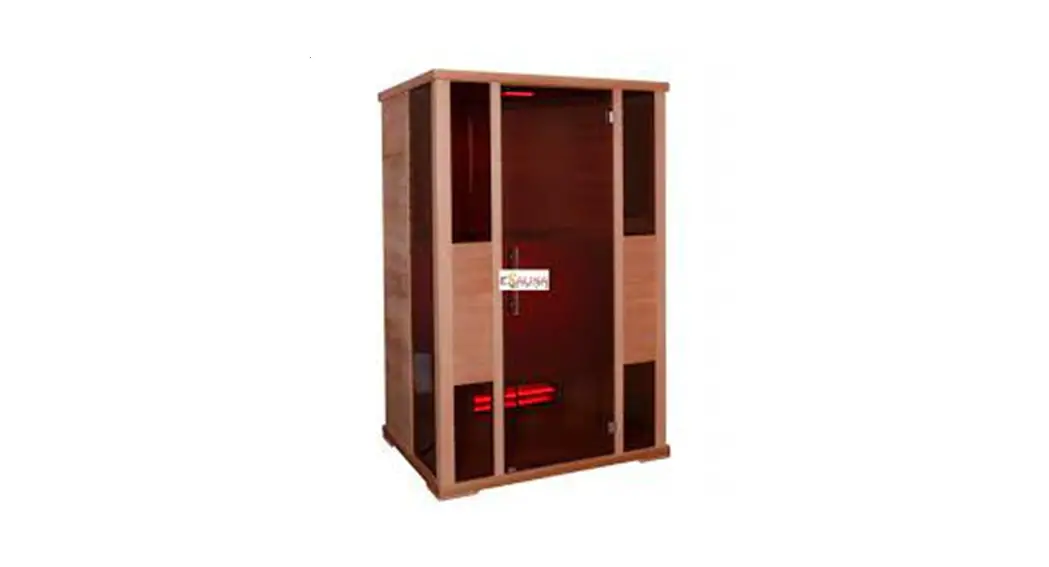
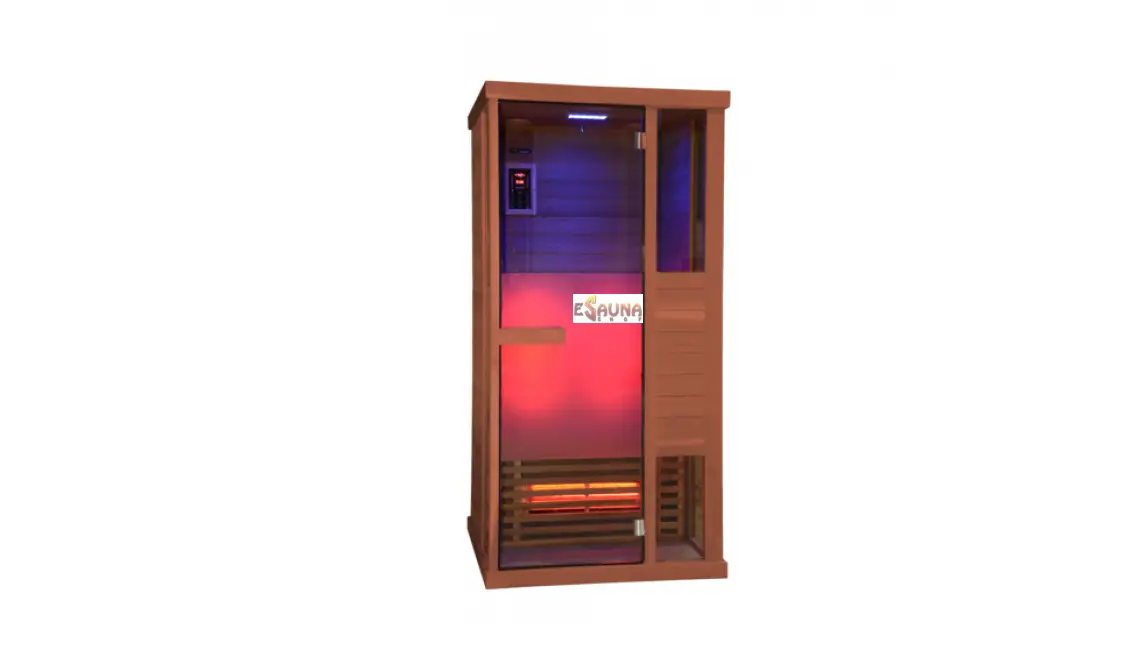
PHÖNIX-M (1-030-314)
PREFACE
Thank you very much for purchasing our product.
Please read this manual carefully before assembling and save it afterwards. Please write down the control box serial number of the cabin as this number will be required in case of repair or order of spare parts.
ATTENTION
Installation and repair should only be done by a qualified electrician! Check power supply rating and make sure the grounded outlet is correctly connected before installation. Use original parts only. Do not share the outlet with any other appliances. When not in use, turn off the cabin’s power unit. Locate your cabin indoors and on a flat, level and dry surface.
DANGER
Heaters shall not be subjected to water spray; shower heads shall not be installed within the infrared cabin. Covering the radiator causes a fire hazard due to overheating. Do not cover the heaters ! Keep flammable or easily combustible materials/objects (eg.towels) away from the radiator at all times. Do not touch the radiator during and shortly after use as a burning hazard exists due to hot parts. The light bulb heats in use. If the bulb needs to be changed, unplug the cabin and let the bulb cool down before changing it.
Should the electrical connection get damaged, it must be replaced-either by the manufacturer or by a licensed electrician!
WARNING
If you suffer from illness or other health-related problems, especially heart conditions or circulatory disturbances or if you take medication, you should consult a doctor before using the infrared cabin. Children and frail persons should never be in the cabin without supervision.
If you feel uncomfortable while using the infrared cabin, stop immediately and consult with your doctor. Never go to a hot infrared cabin if you have taken alcohol, strong medicines or narcotics.
Technical data
| Model | PHÖNIX-M (1-030-314) | |
| Cabin material | Canadian red cedar | |
| Length | 1300 mm | |
| Width(depth) | 1020 mm | |
| Height | 2000 mm | |
| Voltage | 230volt 50Hz | |
| Radiators | Type | Halogen radiators with red glass |
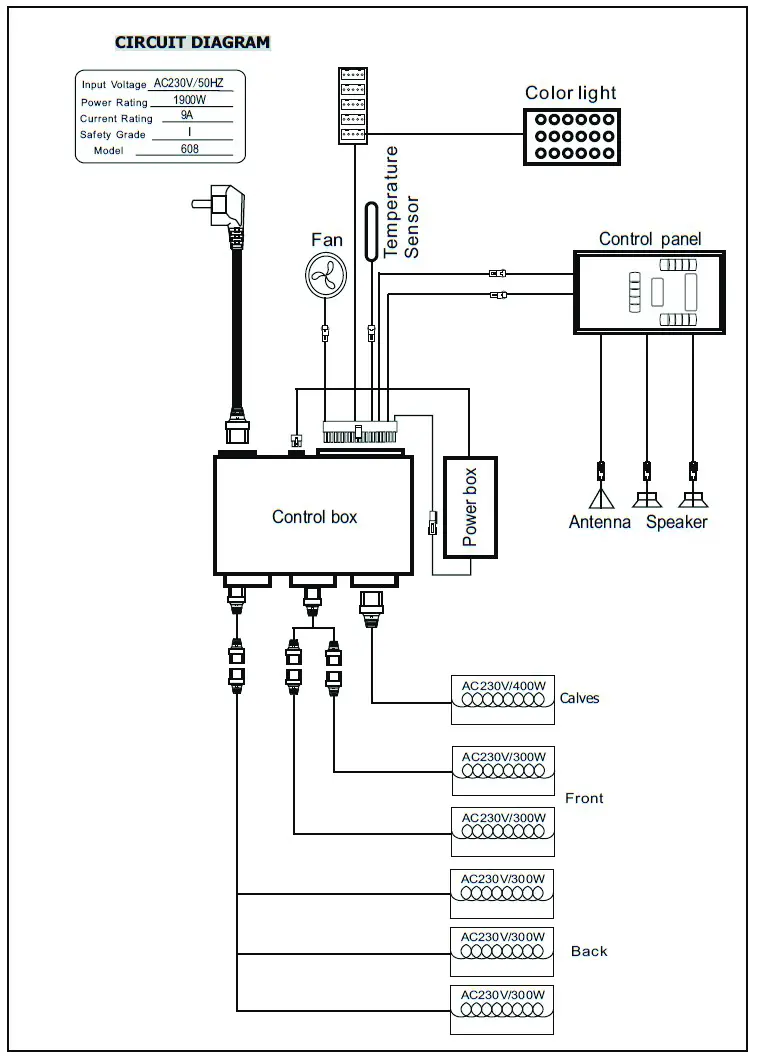
| Total output | 1900W 8.9A | |
| Back panel | 300W x 4 | |
| Front panel | 300W x 2 | |
| Calves | 400W x 1 | |
PARTS LIST
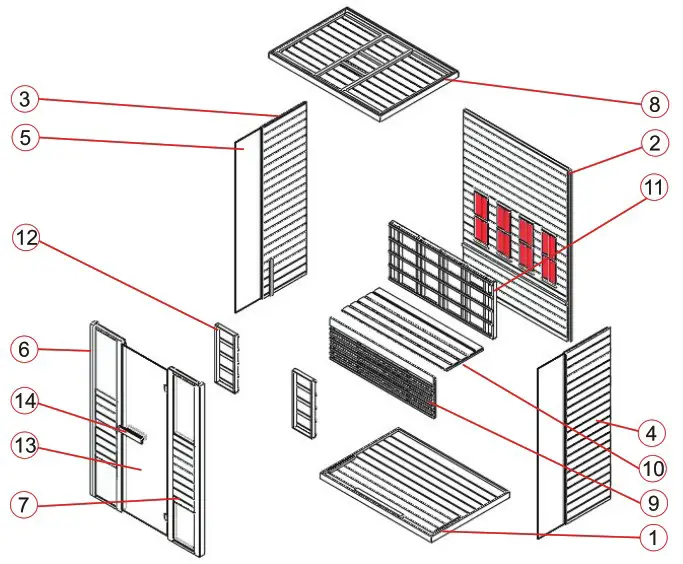
Cabin Individual parts (variations possible)
| NO | NAME | Q’TY |
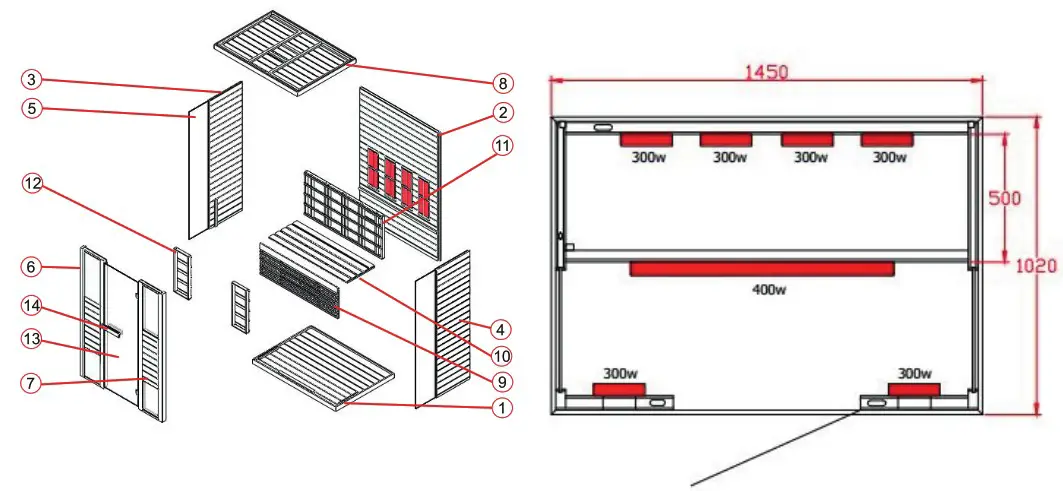
| 1 | Floor panel (1300*l020*65mm) | 1 |
| 2 | Back panel (1927*l242*43mm) | 1 |
| 3 | Side panel 1 (1927*593*33mm) | 1 |
| 4 | Side panel 2 (1927*593*33mm) | 1 |
| 5 | Side glass (1896*344*6mm) | 2 |
| 6 | Front panel 1 with glass (1927*409*48mm) | 1 |
| 7 | Front panel 2 with glass (1927*409*48mm) | 1 |
| 8 | Toppanel (1300*1020*65mm) | 1 |
| 9 | Bench support panel (1202*468*33mm) | 1 |
| 10 | ench surface panel (1202*500*33mm) | 1 |
| 11 | Guardrail 1 (1200*650*54mm) | 1 |
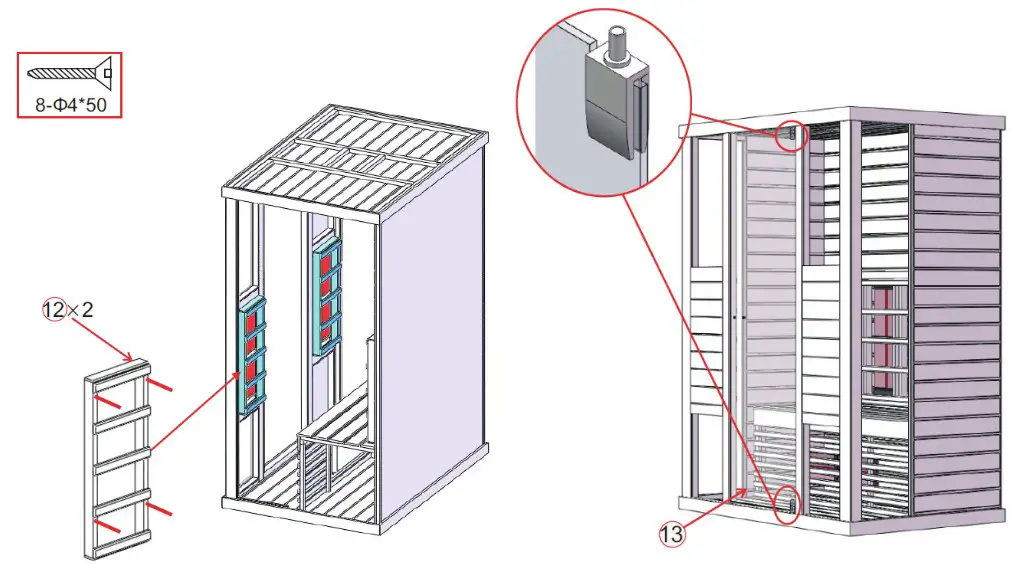
| 12 | Guardrail 2 (260*650*54mm) | 2 |
| 13 | Glass door (1866*592*6mm) | 1 |
| 14 | Door handle (outside, 300*65*45mm & inside, 230*65*45mm) | 2 |
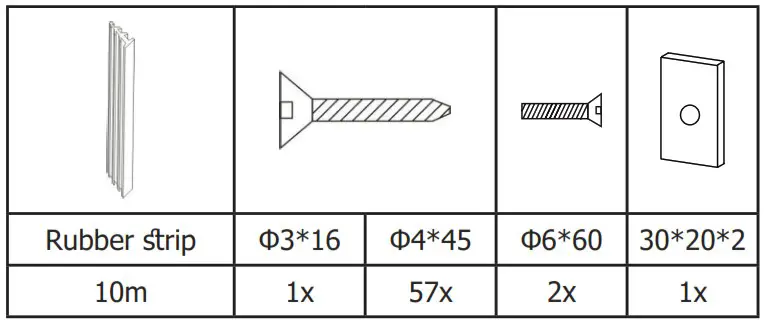
Hardware parts (variations possible)
ASSEMBLE INSTRUCTIONS
Assemble tips
Please remove transport packaging and inspect that your infrared cabin has been delivered complete and intact before beginning assemble.
A least 2 persons are required for assemble of the cabin
Please check the countersink and hole diameter of the drill holes to avoid damaging the wood.
The minimum room height required for installation is 2120 mm
Tools
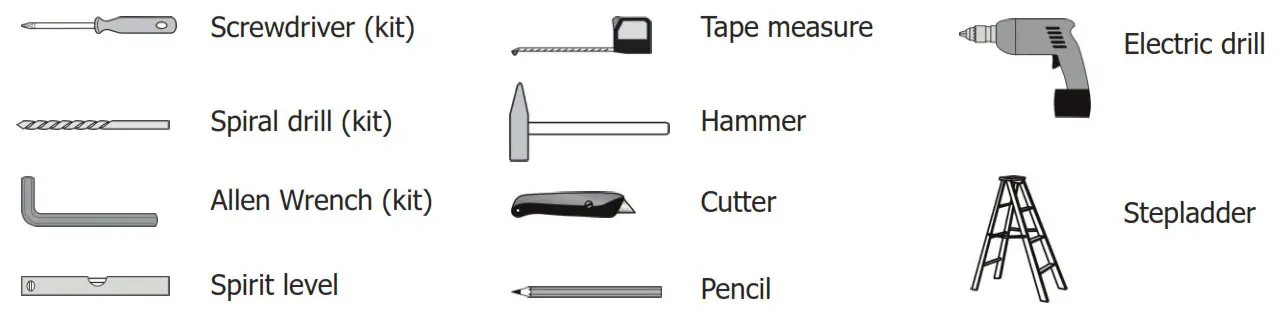
Assemble steps
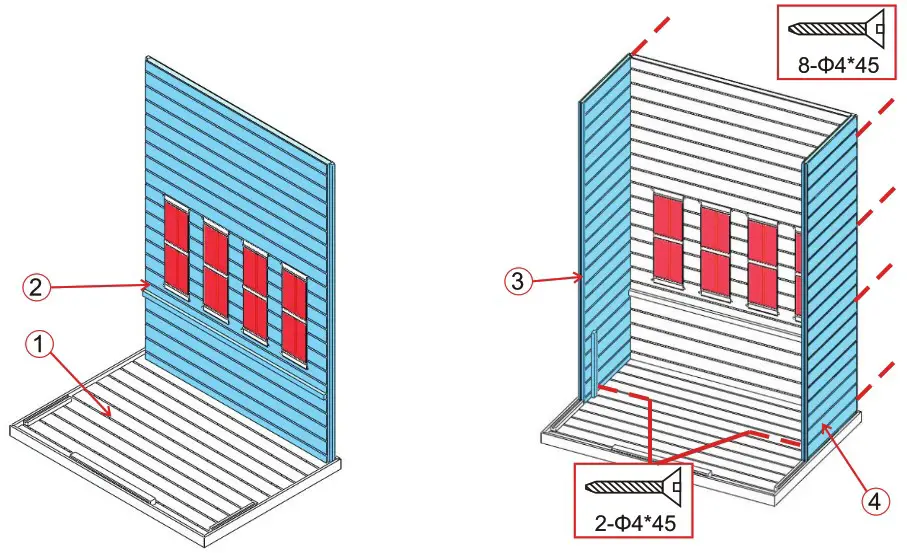
Note: back panel has ventilation slits must keep 5 cm away from the next wall
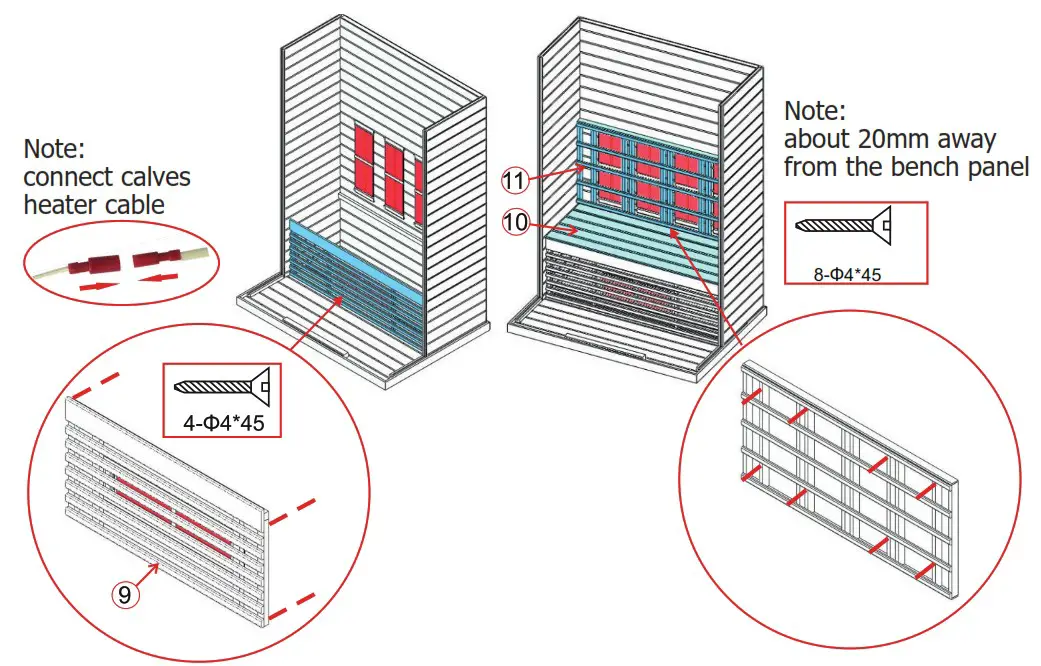
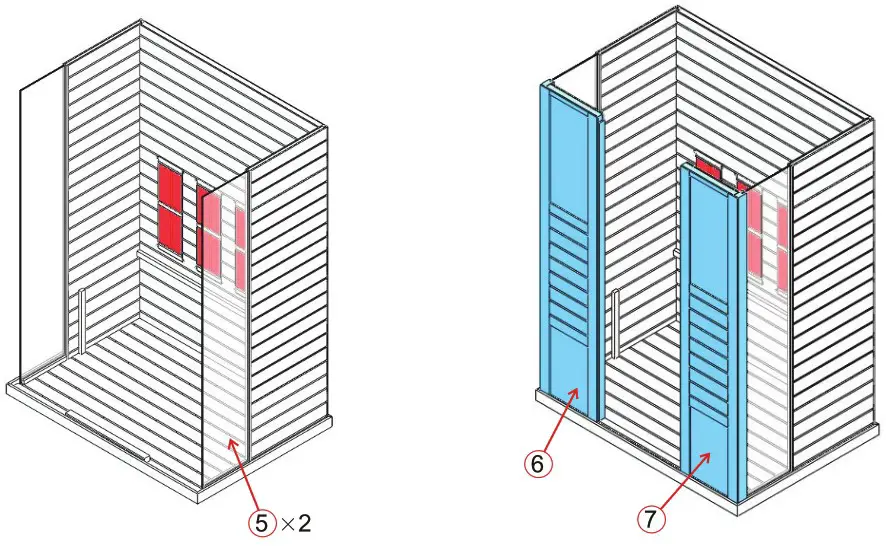
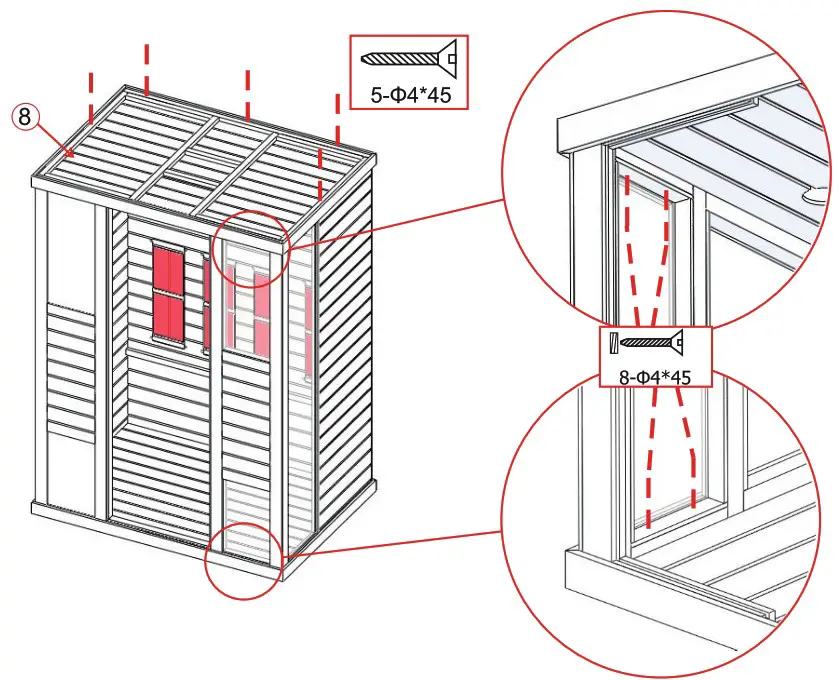
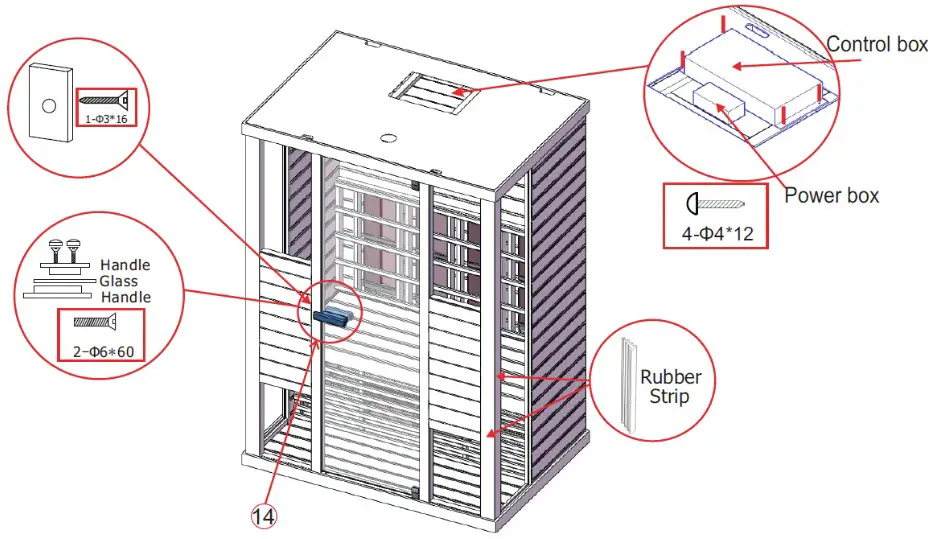
Note: connect all cables on the roof of the cabin
CIRCUIT DIAGRAM
OPERATING INTRUCTIONS
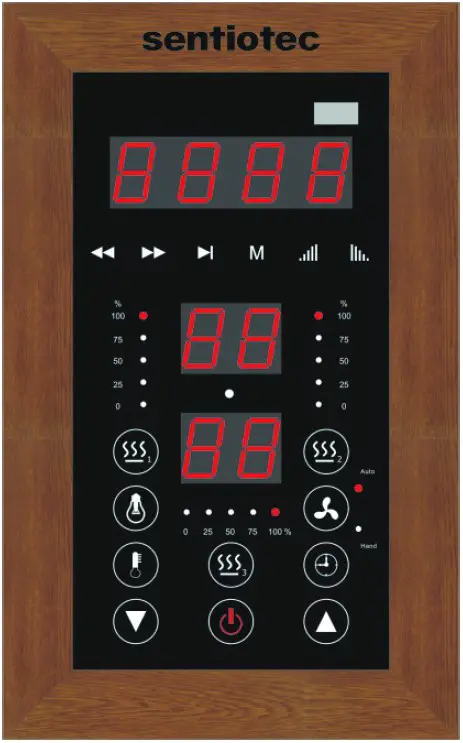
Connect the power unit to wall outlet, the LED indicator will start to blink on the display. Now it is possible to switch on the infrared heaters, the light and the music function.
- Startup
Press to switch on the cabin and heaters start to work, the length of time is automatically set to 99 minutes and the air temperature inside the cabin will be displayed. Press again switch off the heaters.
Press or separately to adjust the power intensity of front/back/ calves heaters from 100%-0%.
 - Temperature settings
The upper display refers to the air temperature. Press you can set the desired temperature (35-60°C) using the
  keys. When at this temperature, the heaters will stop working automatically; When it fall 4°C below this temperature, the cabin will start up automatically.
Please note: The maximum air temperature reachable in the cabin may be lower than the desired temperature. This is dependent on the temperature outside the cabin. Default temperatur = 40°C. - Time settings
The lower display refers to the length of time. Press , you can set the desired time (5-90mins) using the keys. When countdown to “00”, the heaters will shut off automatically.
 - Sky light
Short press , you can set the desired colour (7 colors totally); Long press to go into an automatically cycling mode, changing colour every 5 seconds.
 - Fan
The fan has three modes: automatic, manual, close. The automatic mode is present when the heaters switch on. In automatic mode, the fan switches on when the set cabin air temperature is reached. Press once for manual mode, the fan switches on. Press once more for close mode, it switches off.
 - MP3 player
In the condition of connecting electricity, long press „M“, the MP3-player power on, (if the player is inserted with an USB-disc, it will acquiescently play USB file), otherwise, the MP3 player will turn on Bluetooth by default. Then turn on the Bluetooth search function of mobile phone and search „FJF – BT“ Bluetooth device. The MP3 player can play music after successfully connecting the phone (Note: each mobile phone just can connect one MP3 player). Press „ “ to pause playing. Press „
 “ or „
 “ to play the previous/next song.
Press the „ “ or „
 “key to adjust the volume plus or minus, the adjustment range is 0 – 30 level.
Press the „M“ key, the MP3 player cycle Bluetooth- MP3 external input-FM function.
Long press „ “ in the FM state, the MP3 player search and sace the channels automatically (channels from 87.5 MHz to 108.5 MHz). After the searching finish, press „ “ or „ “, the MP3 player broadcast the stored channels. - Remote control included
 to switch on the cabin and heaters start to work, the length of time is automatically set to 99 minutes and the air temperature inside the cabin will be displayed. Press
  or separately to adjust the power intensity of front/back/ calves heaters from 100%-0%.
 you can set the desired temperature (35-60°C) using the
  keys. When at this temperature, the heaters will stop working automatically; When it fall 4°C below this temperature, the cabin will start up automatically.
 , you can set the desired time (5-90mins) using the
  , you can set the desired colour (7 colors totally); Long press
  once more for close mode, it switches off.
 “ to pause playing. Press „
 “ or „
 “ to play the previous/next song.
 “ or „
 “key to adjust the volume plus or minus, the adjustment range is 0 – 30 level.
SERVICE
Use instructions
Drink plenty of liquids before and after use of the infrared cabin.
Dry yourself off completely.
The optimal cabin temperature for a pleasant session lies between 35 and 40°C.
After a heating period of an hour at the latest, the cabin should be switched off and a heating brake of at least 30 minutes should be taken.
It is recommended to take a warm shower and relax after use.
Maintenance instructions
Clean the cabin with a damp cotton towel, dry with a clean dry towel.
Clean the glass with a window/glass cleaner and a soft cloth.
Do not pour water in the control panel or clean it with wet cloth. For cleaning purposes, use a cleaning cloth that has been only slightly moistened with a mild soapy solvent (dish detergent).
Do not use chemical detergents to clean the cabin.
Please fasten the screws of the bench once every three months, avoid the loose or drop off.
Notes:
……………………………………………………………………………………………………………………………………………………………………………..
……………………………………………………………………………………………………………………………………………………………………………..
GUARANTEE CARD
| Control unit label |
Fill in this form and make a picture of it and Email to:
______________________________________________
Date of purchase: _______________________________
Serial Number: _________________________________
Reference number: ______________________________
Name: ________________________________________
Article state (unopened, just opened or used): ________
Please encircle on picture below which heater or which panel has a fault.
Attach pictures of the problem and send them through email.

sentiotec GmbH | Division of Harvia Group | Wartenburger Straße 31, A-4840 Vöcklabruck
T +43 (0) 7672/22 900-50| F -80 | [email protected] | www.sentiotec.com
 sentiotec