
Highline 2
Installation Guide for 701912-C1I75,
701912-L1C1I75,
701912-35C2I75, 701912-L135C2I75
General Information:
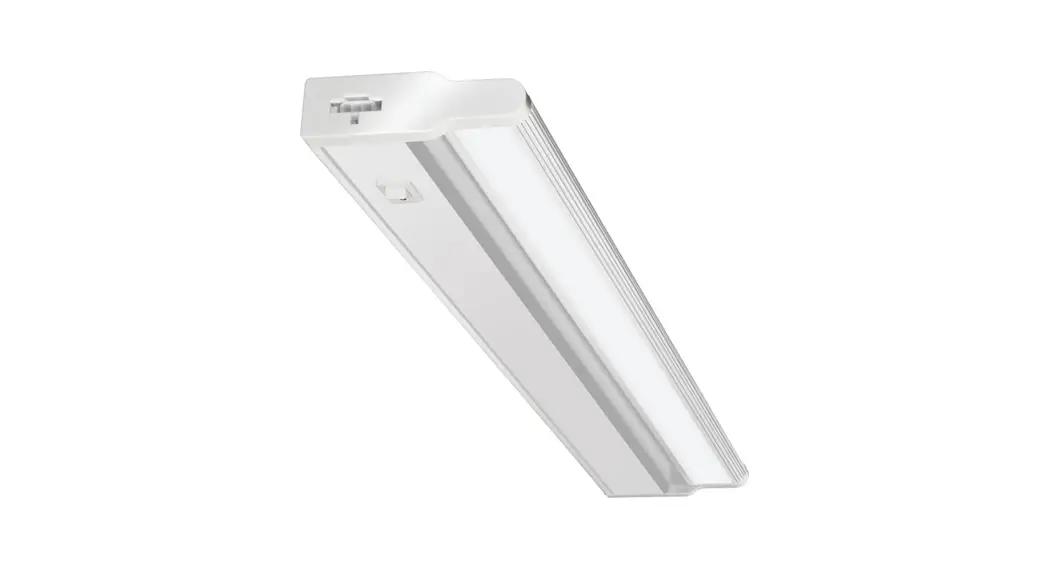
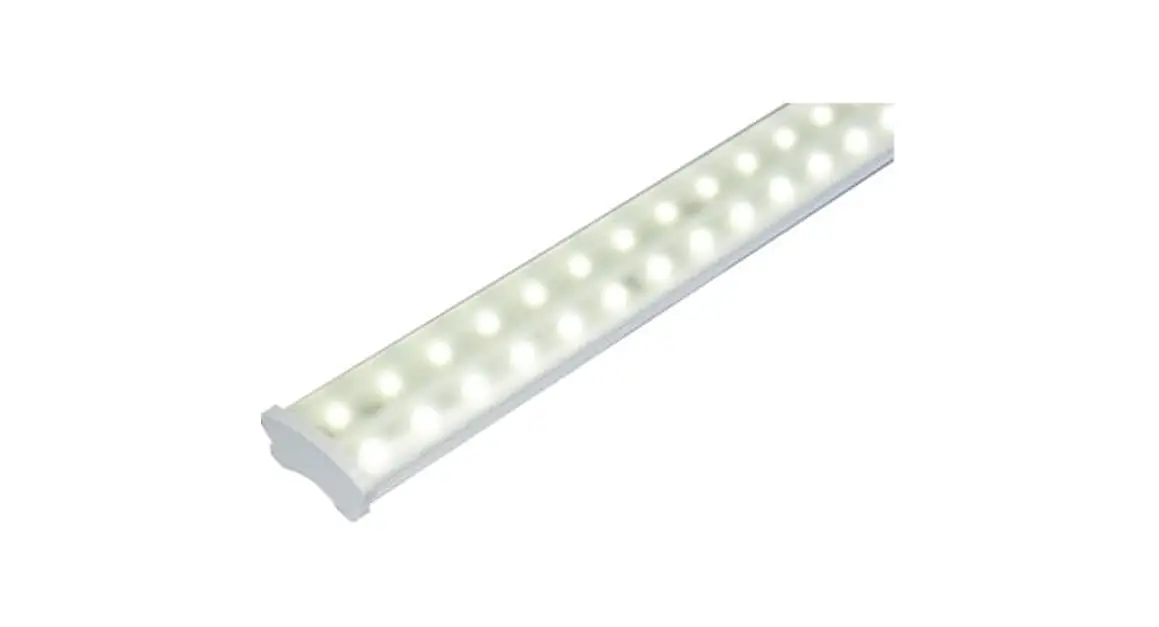
Highline 2 is intended for linear lighting in storerooms, walk-in coolers, indoor and outdoor soffits, outdoor canopies, car washes, and a variety of other lighting applications. Do not mount completely or partially submerged in water. Highline 2 luminaires should only be used with SloanLED 100 Watt 24 VDC Power Supply. To clean HighLINER 2 luminaire use a damp cloth and mild cleaning agent only.
FOR YOUR SAFETY
- Read and observe all NOTES, CAUTIONS, and WARNINGS shown throughout these instructions
- Installation of power supplies to be performed by a licensed electrician only
- Safety glasses or goggles should be worn while performing installation
- This product is UL and ETL listed for dry, damp, and wet locations
- Electrical Specifications: Maximum 0.600 A, 24 VDC, Class 2 circuit
- Install to national, local, and state regulations
Tools and Accessories Recommended

Tools and connections shown are for secondary connections: Safety glasses, flat and Phillips head screwdrivers, screws, drill, measuring tape, electrical tape, wire strippers, twist-on or push-in UL Listed wire connectors, tie-wraps, chalk line, junction-box, and 18 AWG UL Listed PLTC cable.
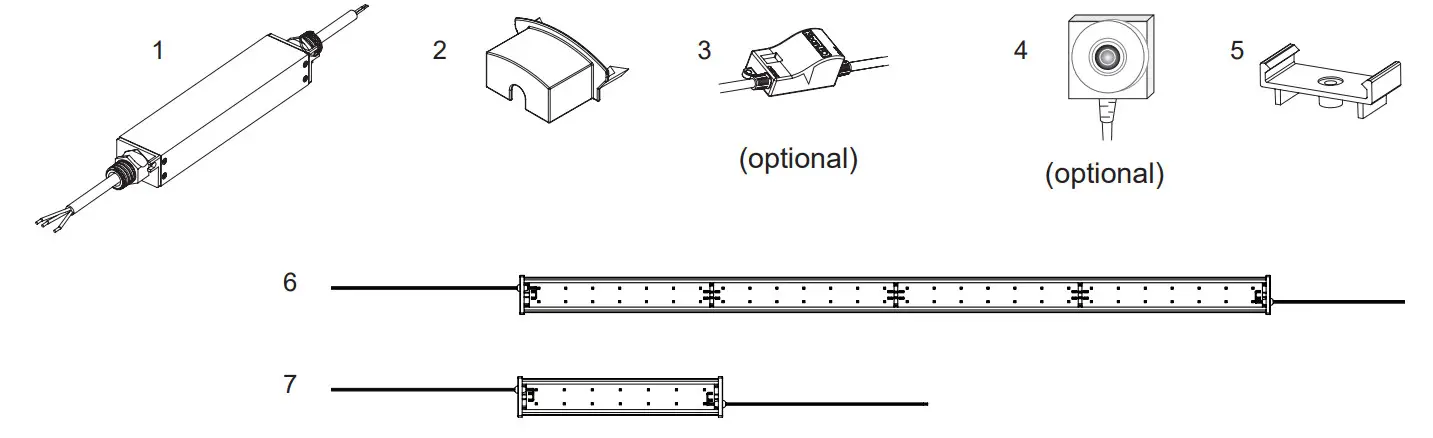
Items Provided
- Power Supply
- Wire Nut Housing
- Dimming Controller
- Motion Sensor
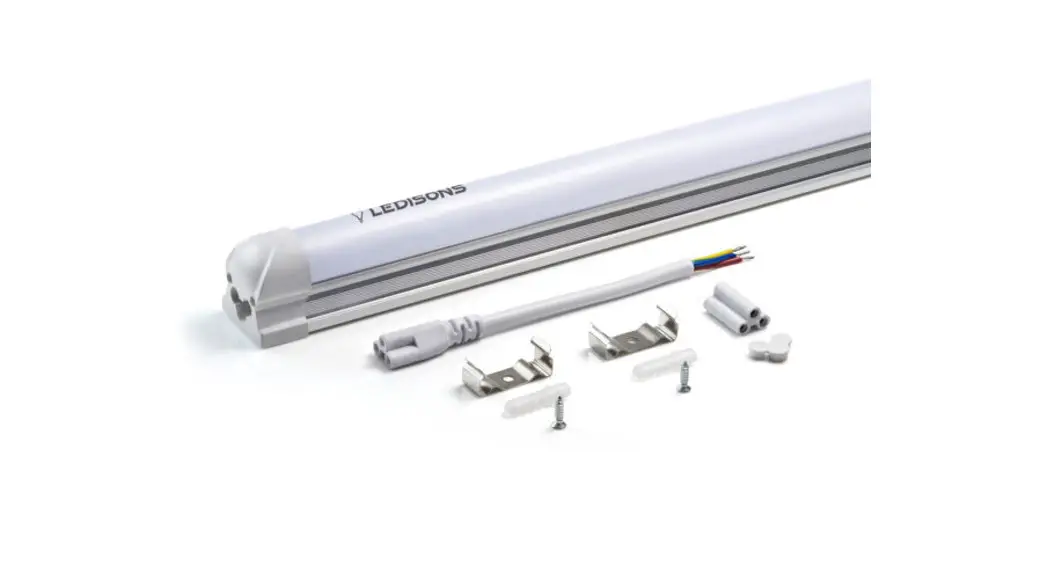
- Mounting Clip
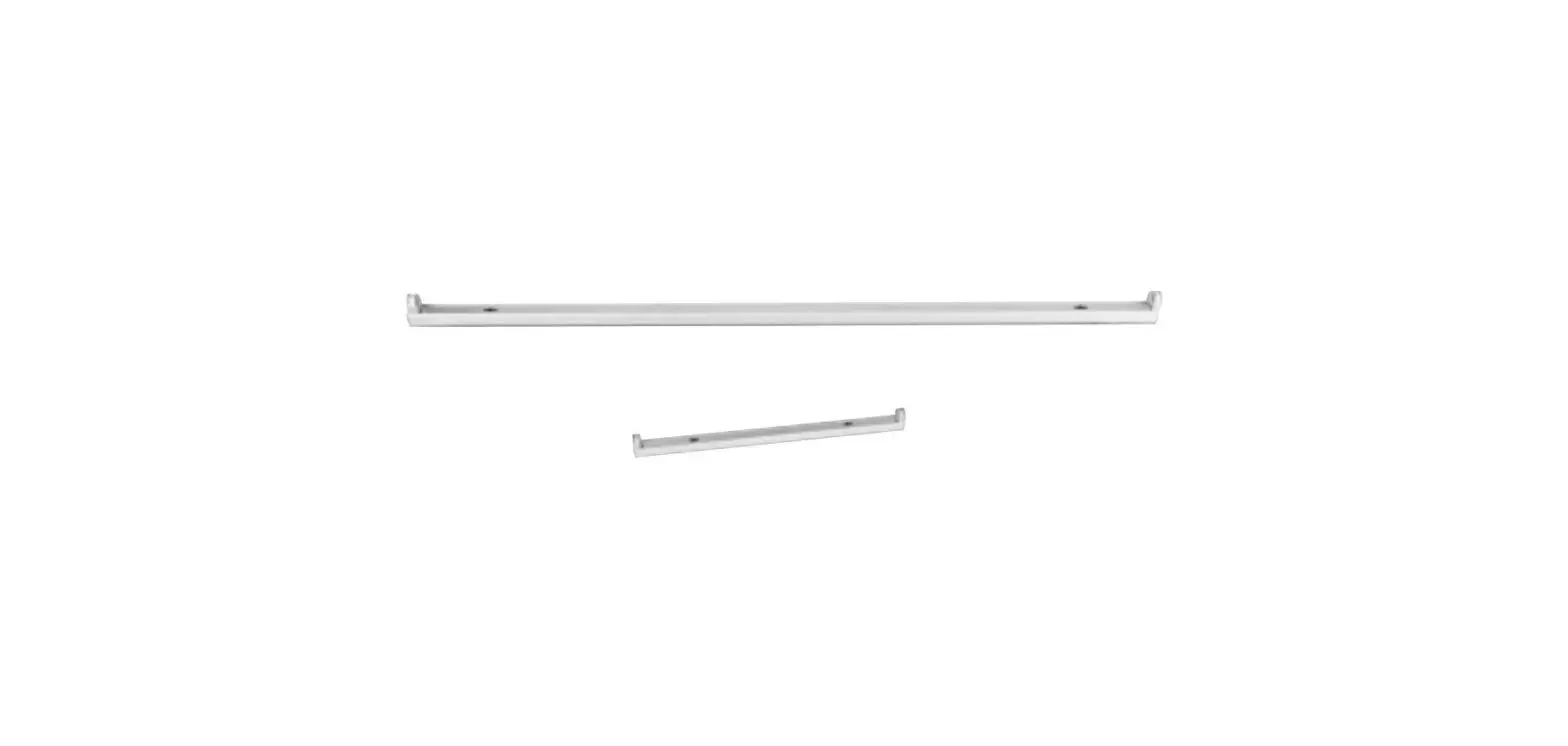
- 4 ft (1.2 m) HighLINER 2
- 1 ft (0.30 m) HighLINER 2
Preparation for Installation
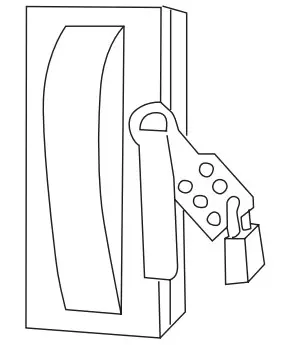
WARNING: Risk of electrical shock. Locate main circuit breaker panel, de-energize, and perform lockout/Tagout prior to installing light fixtures. All primary wiring must be done by a licensed electrician.
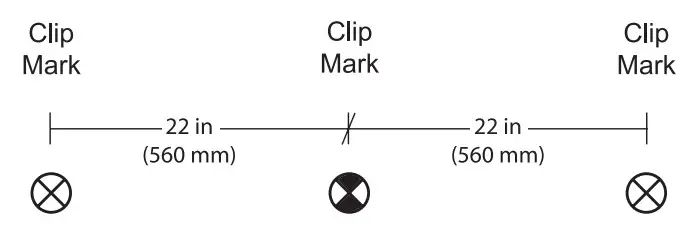
Mark clip locations: Snap a chalk line on the surface. Measure 22″ (560 mm) off-center to left and to right to determine clip location.
CAUTION: Power supplies should not be mounted near any other heat-generating element. Mount power supply with two self-drilling/self-tapping screws through tabs in both end caps.
Installation
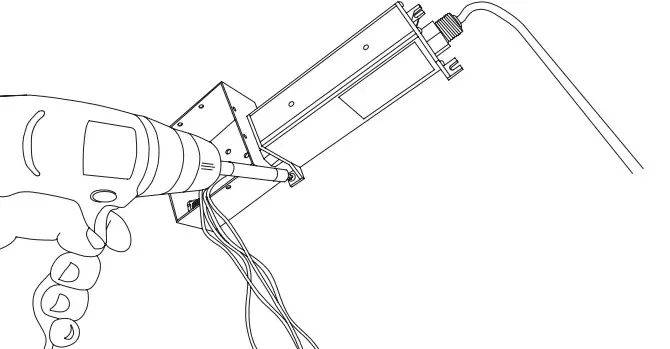
- Install junction box and power supply:
Follow power supply instructions for installing the secondary side. Use UL-listed twist-on, push-in, wire connectors for connections. Follow connector manufacturer’s instructions.
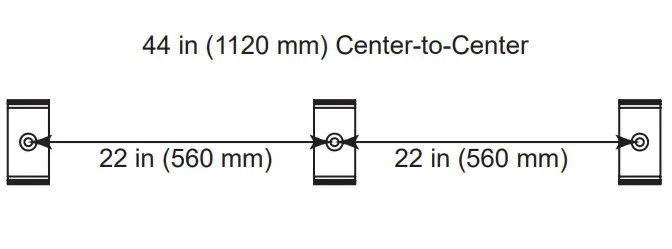
- Attach mounting clips as shown in the diagram: Three mounting clips per luminaire. Use screw of appropriate length and thread type for mounting surface, #8 or #10 (4 mm or 5 mm), pan, or hex head screws. Stainless steel screws are recommended.
CAUTION: All primary connections including grounding must comply with national, local, and state regulations. Have a licensed electrician connect primary wires.
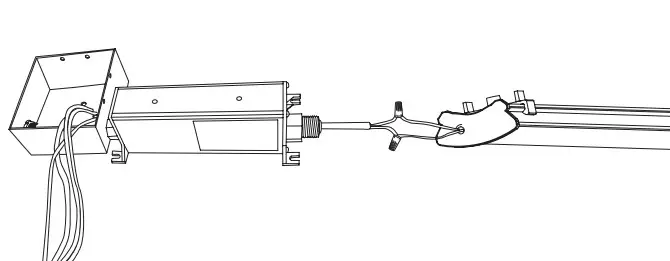
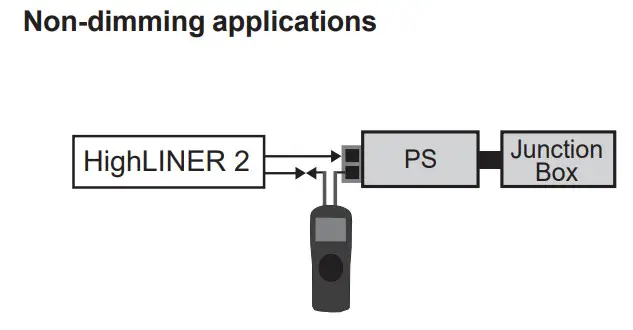
- Install luminaire: Orient luminaire so that lead wires face towards power supply and junction box. Snap luminaire into mounting clips. Attach wires to the power supply using UL Listed twist-on or push-in wire connectors or equivalent. If mounted outdoors or exposed to moisture, ensure all wire
connections are waterproof.
NOTE: If multiple luminaires are being attached to same power supply refer to step 5 for daisy chain instructions.
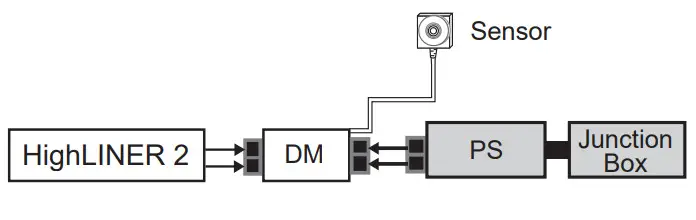
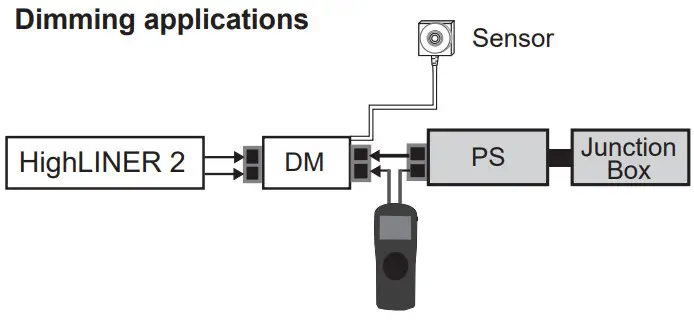
- Install Dimming Controller and Motion Sensor (optional): Connect Dimming Controller to the secondary side of the power supply. Ensure Motion Sensor is aimed at primary task area. Cat 5 cable may be concealed as required.
WARNING: Check polarity. All connections must be RED-TO-RED (+) and BLACKTO-BLACK (-). Reverse polarity connections may damage
LEDs and will void the product warranty.
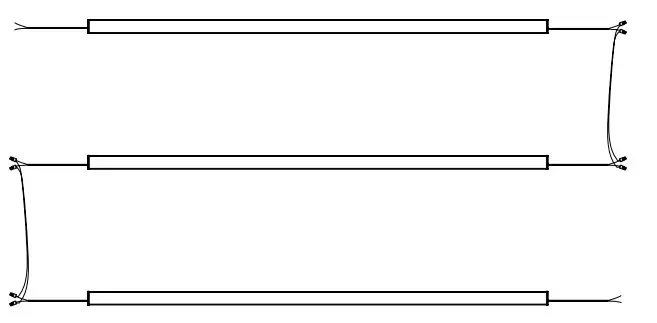
Daisy chain as required: Up to six luminaires can be attached to a single power supply. Multiple luminaires can be connected at the same locations using 18 AWG UL Listed PLTC cable and UL Listed twist-on or push-in or equivalent wire connector. Length will be determined by luminaire placement.

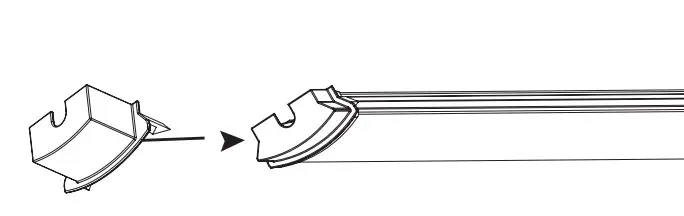
- Wire Nut Housing: Conceal twist-on wire connectors using provided Wire Nut Housing. When properly installed, Wire Nut Housing sits flush with a profile of the luminaire.


- Turn on the system: Re-energize the power circuit after installation is complete. Check the secondary current of each power supply to ensure it is not overloaded per rating on the label.
24 VDC Power Supply Capacity Chart
| Power output | Maximum number of 4′ (1.2 m) luminaires |
| 30 W (EU/ROW ONLY) | 1 |
| 60 W | 3 |
| 96 W | 6 |
| 3 x 96 W | 3 X 6 |
| 100 W | 6 |
| 150 W (EU/ROW ONLY) | 9 |
Capacities based on 90% of power supply output.
NOTE: Refer to “SloanLED Power Supply Guide for Sign Products” for appropriate 24 V power supply models.
Scan QR code to download SloanLED Power Supply Guide for Sign Products

https://sloanled.com/downloads/SloanLEDPowerSupplyGuideForSignProducts.pdf
Dimming Controller settings
Switches 1 and 2 adjust the brightness level
Switches 3 and 4 adjust dim mode brightness
| Switch 1 | Switch 2 | Brightness level | Switch 3 | Switch 4 | Percent of full brightness |
| Off | Off | NA | Off | Off | 0.0% |
| On | Off | Energy Saver | On | Off | 12.5% |
| Off | On | Standard | Off | On | 25.0% |
| On | On | MerchandiserMax | On | On | 50.0% |
A number of luminaires required per 100 square feet (9.29 square meters) for open, continuously lit areas.
| Minimum illumination intensities* (lux)t | ||||
| Ceiling height | 300 lx | 400 lx | 500 lx | 600 lx |
| 8 ft (2.4 m) | 2 | 3 | 3 | 4 |
| 10 ft (3.0 m) | 2 | 3 | 3 | 4 |
| 12 ft (3.7 m) | 2 | 3 | 4 | 4 |
* Intensity measured at standard tabletop height (30 in (760 mm) from ground) t100 lux = 9.29 foot-candela
For complete workplace lighting requirements, see OSHA requirements
– Code of Federal Regulations Title 29, Section 1926.56.
Visit www.osha.gov for more information.
Troubleshooting
Luminaire won’t turn on.
- Most likely a connector or connection problem. Check connections and voltage at connector. It could be a loose connection, wire, or connector.
- Ensure lockout/Tagout removed and main circuit breaker energized.
- Ensure all connections are secure and no shorts to the ground.
- Verify proper operation of power supply with a multimeter. Measure power supply output 24 +/- 10% VDC and if 24 VDC present, replace luminaire.
- If no output voltage, have a certified electrician measure input voltage to power supply 90-240 VAC. If voltage is present within range, replace the power supply.
- Check to ensure the total number of lights does not exceed power supply capacity. If a proper number of lights per power supply, ensure proper wire sizing for minimal voltage drop based on length of wire run.
Customer service and technical support
SloanLED Headquarters
5725 Olivas Park Drive, Ventura, CA, USA
888.747.4LED (888.747.4533)
[email protected]
SloanLED.com
P/N 401264 Rev I 2021-08-20
SloanLED Europe b.v.
Argonstraat 110, 2718 SN Zoetermeer, NL
+31 88 12 44 900 • [email protected]