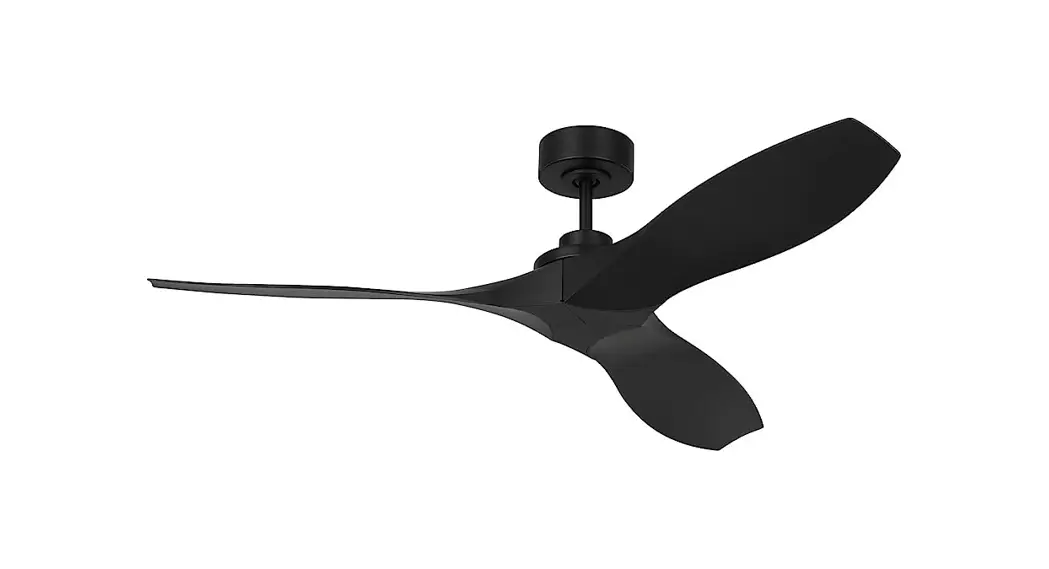
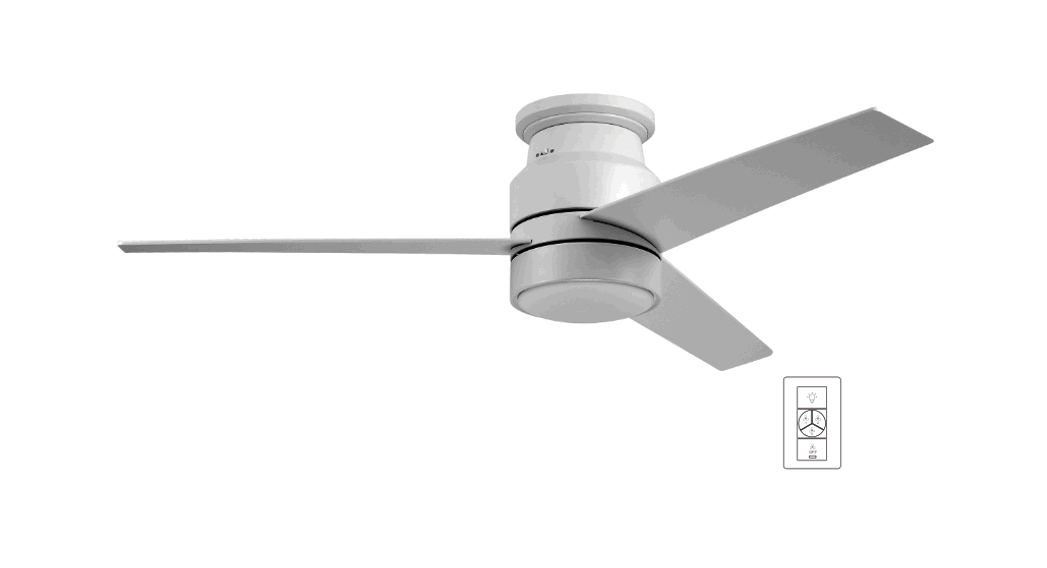
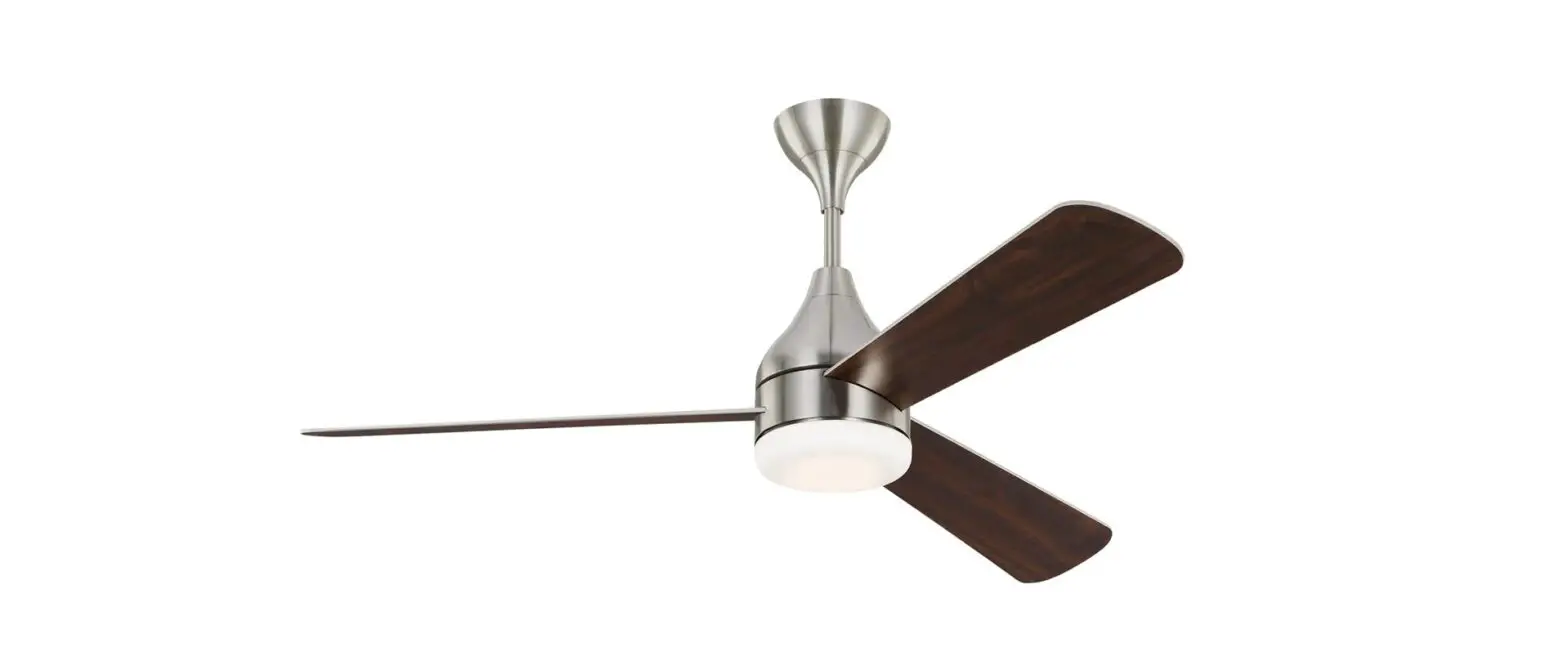
3OBSHR52XXXD Orbis 52 Inch Flush Mount Fan
Owner’s Guide and Installation Manual 3OBSHR52XXXD Series Fan
Product Information: – Model: 3OBSHR52XXXD – CUL Model NO.:
3OBSHR52XXXD – Weight: 6.54 kg / 14.4 lbs (total fan weight with
light) – Customer Service: 800-969-3347 – Customer Service Center:
7400 Linder Ave. Skokie, IL 60077 – Website: www.montecarlofans.com
Cautions and Warnings: – Read and save these instructions for
safety. – To reduce the risk of fire, electric shock, or injury to
persons, follow the instructions carefully. – Use AC 120V/60HZ
power supply only. – Ensure proper installation of the outlet box
to the house structure. – Mount the fan to an outlet box or
supporting system acceptable for fan support. – Use a metal outlet
box suitable for fan support and use only the screws provided with
the outlet box. – Securely fasten the outlet box by at least two
points to a structural ceiling member. – The fan should not be
operated until it is completely installed. Tools Required for
Assembly (not included): – Electrical Tape – Phillips Screwdriver –
Pliers – Safety Glasses – Stepladder – Wire Strippers Product Usage
Instructions: 1. Before you begin installing the fan, switch off
the power at the service panel and lock the service disconnecting
means to prevent accidental power switch-on. If locking is not
possible, securely fasten a warning device to the service panel. 2.
Make sure the outlet box is properly installed to the house
structure before installing the fan. 3. Use a metal outlet box
suitable for fan support and ensure it can support at least 35 lbs.
4. Before attaching the fan to the outlet box, ensure that the
outlet box is securely fastened by at least two points to a
structural ceiling member. 5. Remove the 2 set screws corresponding
to the round holes in the canopy and loosen the other 2 set screws.
Keep the screws. 6. Install the mounting bracket onto the outlet
box by sliding it over the two screws on the outlet box. 7.
Position the mounting bracket and tighten the set screws. 8. Place
the decorative ring over the canopy. 9. Hang the motor assembly
onto the hook on the mounting plate for hands-free wiring and
safety cable installation. 10. For Canadian installation and for
USA fan and light kit combinations over 35 lbs, use the safety
cable provided to install it into the house structure beams using 3
lag screws, washers, and lock washers. Ensure that when the safety
cable is fully extended, the lead wires are longer than the cable
and no stress is placed on the lead wires. 11. Refer to page 6 for
wiring, installation, and operation of the wall controller. 12. Do
not operate the fan or light until it is completely installed. For
more information and registration, please visit our website at
www.montecarlofans.com.
Owner’s Guide and Installation Manual
3OBSHR52XXXD Series Fan
CUL Model NO. : 3OBSHR52XXXD
Attach sales receipt to this card and retain as your proof of purchase
DATE OF PURCHASE: MODEL NUMBER:
RETAILER NAME: RETAILER ADDRESS:
To register your fixture, please visit our website www.montecarlofans.com
6.54 kg 14.4 lbs
Total fan weight with light
Cautions and Warnings
WARNING: TO REDUCE THE RISK OF FIRE, ELECTRIC SHOCK, OR INJURY TO PERSONS, OBSERVE THE FOLLOWING READ AND SAVE THESE INSTRUCTIONS
Installation work and electrical wiring must be done by qualified person(s) in accordance with applicable codes and standards (ANSI/NFPA 70) including fire-rated construction. Use this unit only in the manner intended by the manufacturer. If you have any questions contact the manufacturer. After making the wire connections, the wires should be spread apart with the grounded conductor and the equipment-grounding conductor on one side of the outlet box and ungrounded conductor on the other side of the outlet box. The splices, after being made, should be turned upward and pushed carefully up into the outlet box. WARNING: Before you begin installing the fan, servicing or cleaning unit, Switch power off at Service panel and lock service disconnecting means to prevent power from being switched on accidentally. When the service disconnecting means cannot be locked, securely fasten a prominent warning device, such as a tag, to the service panel. Be cautious! Read all instructions and safety information before installing your new fan. Review the accompanying assembly diagrams. When cutting or drilling into wall or ceiling, do not damage electrical wiring and other hidden utilities. Make sure the installation site you choose allows the fan blades to rotate without any obstructions. Allow a minimum clearance of 7 feet from the floor to the trailing edge of the blade. WARNING: To Reduce The Risk Of Fire, Electric Shock, or Personal Injury, Mount To Outlet Box Marked “Acceptable for Fan Support of 15.9 kg (35 lbs) or less” And Use Mounting Screws Provided With The Outlet Box. CAUTION: For Compliance with Local Codes and Regulations, If Installing The Secondary Support Safety Cable in the U.S., Do Not Remove Knockouts In The Outlet Box. Mount the secondary support safety cable through the reserved nail/screw hole on the outlet box to the building structure (or the ceiling joist). WARNING: To reduce the risk of personal injury, do not bend blade holders during installation to motor, balancing or during cleaning. Do not insert foreign object between rotating blades. Attach the mounting bracket using only the hardware supplied with the outlet box. WARNING: To reduce the risk of fire or electric shock, this fan must be installed with an isolating wall control/switch. WARNING: To reduce the risk of fire or electric shock, this fan should only be used with fan speed control part no. UC9031 manufactured by Rhine Electronic Co., Ltd. WARNING: To reduce the risk of fire or electric shock, do not use this fan with any other solid state fan speed control device, or variable speed control. If this unit is to be installed over a tub or shower, it must be marked as appropriate for the application. Never place a switch where it can be reached from a tub or shower. The combustion airflow needed for safe operation of fuel-burning equipment may be affected by this unit’s operation. Follow the heating equipment manufacturer’s guideline safety standards such as those published by the National Fire Protection Association (NFPA), and the American Society for Heating, Refrigeration and Air Conditioning Engineers (ASHRAE) and the local code authorities. CAUTION: To Reduce the Risk of Electric Shock, Disconnect the electrical supply circuit to the fan before installing the light kit. CAUTION: The light source is designed for this specific application and can overheat if serviced by untrained personnel. If any servicing is required, the product should be returned to an authorized service facility for examination or repair. All set screws must be checked and tightened where necessary before installation.
Tools Required for Assembly (not included): Electrical Tape, Phillips Screwdriver, Pliers, Safety Glasses, Stepladder and Wire Strippers
Customer Service 800-969-3347
Customer Service Center 7400 Linder Ave. Skokie, IL 60077
www.montecarlofans.com
2 © 2022 Monte Carlo Fan Collections
9/2022
1
2
ON ON OFF OFF
3 Outlet box
Before you begin installing the fan, Switch power off at Service panel and lock service disconnecting means to prevent power from being switched on accidentally. When the service disconnecting means cannot be locked, securely fasten a warning device, such as a tag, to the service panel. Use AC 120V/60HZ power supply only.
Before installing this fan make sure the outlet box is properly installed to the house structure. To reduce the risk of fire, electric shock, or personal injury, mount to outlet box or supporting system acceptable for fan support. (Mounting must support at least 35 lbs.)
Use metal outlet box suitable for fan support and use only the screws provided with the outlet box (must support 35 lbs). Before attaching fan to outlet box, ensure the outlet box is securely fastened by at least two points to a structural ceiling member ( a loose box will cause the fan to wobble).
4
5
6
Mounting plate
Mounting plate
Decorative ring
Motor assembly
Remove the 2 set screws corresponding the round holes in the canopy and loosen the other 2 set screws. Keep the screws.
Install the mounting bracket onto the outlet box. Partially loosen the two screws on the outlet box, attach the mounting bracket onto the outlet box by sliding it over the two screws as shown in the illustration.
Have the mounting bracket in position and tighten the set screws.
Place the decorative ring over the canopy.
3 © 2022 Monte Carlo Fan Collections
9/2022
7
8
Safety cable installation
9
Black (Live)
Hook
Ground/Green Blue
White (Neutral)
Lag screw Safety cable
Ground/ Green
White Black
Blue
To Wall Outlet Box
Washer Lock washer
Hang motor assembly onto the hook on mounting plate for hands-free wiring and safety cable installation.
(Use one of non-slotted holes on the
rim of the canopy).
For Canadian installation and for USA fan and light kit combinations over 35 lbs, in both flush and downrod modes the safety cable must be installed into the house structure beams using 3″ lag screws, washers and lock washers provided. Make sure that when the safety cable is fully extended the lead wires are longer than the cable and no stress is placed on the lead wires. Note: If Installing The Secondary Support Safety Cable in the U.S., Do Not Remove
Knockouts In The Outlet Box.
Refer to page 6 for wiring, installation and operation of Wall controller. Do not operate the fan or light until it is installed completely.
10 Grounded wires
11
Ungrounded wires
12
Canopy
Decorative ring Motor assembly
Blade
Washer Set screw
Flywheel
After making the wire connections, the wires should be spread apart with the grounded conductor and the equipment-grounding conductor on one side of the outlet box and ungrounded conductor on the other side of the outlet box. The splices after being made should be turned upward and pushed carefully up into the outlet box.
Lift fan to mounting bracket, aligning the “L” shape holes on canopy with the screws on the mounting bracket. Turn the fan clockwise to lock in position. Install the other 2 canopy mounting set screws that are removed in the installation step 4 and tighten all screws securely.
Install decorative ring. Align the head of
set screws on the canopy with the groove
in the decorative ring and twist
counterclockwise till tight.
Insert blade into the slot on the flywheel. Install blade by the screws and washers provided, aligning each of the holes as shown and tighten all screws securely. Repeat this process for remaining blades.
4 © 2022 Monte Carlo Fan Collections
9/2022
13
14
15
Light fixture
4000K 3000K 2700K
Plate on motor
Light pan
Color temperature converted switch
Loosen 2 and remove 1 preassembled screw from the plate on motor. Save screw for later use. Place the lead wires from fan over the central hole of light pan Aligning the keyhole slots on the light pan with the preassembled screws on the plate and twist it clockwise till lock. Reinstall the screw that is just removed. Tighten all screws securely.
Loosen 2 and remove 1 preassembled screw from light pan. Save screw for later use.
16
17
Reverse switch
Connect white wire from fan to white wire from LED light fixture and then connect blue (or black) wire from fan to black (or blue) wire from LED light fixture. Be sure plugs connection clasped together firmly. Attach LED light fixture onto the light pan, aligning the keyhole slots on the LED light fixture with the preassembled screws on the light pan. Twist clockwise till lock. Reinstall the screw removed in installation step 14. Tighten all screws securely. This light kit includes 2700 (Warm white), 3000 (Soft white) and 4000K (Daylight) correlated color temperatures (CCT). Get desired CCT by operating the converted switch.
18
Light shade
Attach light shade by locating dimples in light pan with grooves on the light shade and twist clockwise until tight.
Setting the reverse switch in the left hand side will result in downward airflow and setting the switch in the right hand side will result in upward airflow. Note: Reverse switch must be set either completely Left or completely Right for fan to function. If the reverse switch is set in the middle position, fan will not operate.
5 © 2022 Monte Carlo Fan Collections
9/2022
Wall Control Wiring, Installation and Operation
Warning: Before proceeding, be sure to shut off electricity at main switch or circuit breaker in order to avoid electrical shock.
Note: Before installing the wall transmitter, place it in OFF position. (Fig.2)
Make series-wound connection for the wall controller with HOT wire from house and lead wires from fan.
Connect the black/white wire marked “AC IN L” from wall controller to the HOT wire from house and then connect the black wire marked “TO MOTOR L” of wall controller to the fan lead wire from fan in outlet box. Connect the blue wire marked “FOR LIGHT” from wall controller to the light lead wire from fan (fan with light)
Connect green/yellow grounded wire to grounded wire from outlet box.
Install the wall controller to outlet box using machine screws provided.
Attach wall plate to wall control unit with screws provided. (Fig.1)
WHITE (Neutral)
120V/60HZ Power supply BLACK (Live)
BLUE BLACK
Operation
This wall controller provides 4 fan speeds, light on/off and light dimming control.(Fig.2)
1 – High – , 2 – Medium high , 3 Medium , 4 – Low , – Off.
Light on/off and dimming.
Wall controller
Black/White(AC IN L) Blue (FOR LIGHT) Black (TO MOTOR L)
Wall plate
Outlet box Green/Yellow (Grounding)
Fig.1
ON and Dimming Off
Fig.2
6 © 2022 Monte Carlo Fan Collections
9/2022
Troubleshooting
or wiring. In some cases, these installation errors may be mistaken for defects. If you experience any faults,
installation, please call our Customer Service Center at the number printed on your parts list insert sheet.
Warning and lock the service panel to prevent the power from being switched back on accidentally. If the service panel cannot be locked to prevent the power from being switched on accidentally, securely fasten a warning sign to the service panel.
Trouble
Suggested Remedy
1. If fan does not start: 1. Check main and branch circuit fuses or circuit breakers. 2. Check line wire connections to fan and switch wire connections in switch housing.
CAUTION
either way. Fan will not operate when switch is in the middle. 4. If this fan uses a remote controller, make sure dip switches are in the correct setting and make sure the battery works.
2. If fan sounds noisy:
1. Check to make sure all screws in motor housing are snug (not over tightened). 2. Check to make sure the screws which attach the fan blade holder to the motor are tight. 3. Check to make sure wire nut connectors in switch housing are not rattling against each other or against the interior wall of the switch housing. CAUTION 4. Check to be sure light bulb is tight in socket and not touching the glass shade. 5. Some fan motors are sensitive to signals from Solid State variable speed controls. 6. Allow “break-in” period of 24 hours. Most noises associated with a new fan will disappear after this period.
3. If fan wobbles:
1. If this is a downrod mount fan, make sure the ridge on mounting bracket engages the notch in the downrod ball. 2. Make sure that canopy, mounting bracket or mounting plate are tightened securely to
4. Check that all blade holders are tightened securely to motor. 5. Most fan wobble problems are caused when blade levels are unequal. Check this level by selecting a point on the ceiling above the tip of one of the blades. Measure this distance from blade tip to ceiling. Keeping measure within 1/8″, rotate the fan until the next blade is positioned for measurement. Repeat for each blade. If all blade levels are not equal, you can adjust blade levels by the following procedure. To adjust a blade tip down, insert a washer (not supplied) between the blade and blade holder at the screw closest to the motor. To adjust a blade tip up, insert washer (not supplied) between the blade and blade holder at the two screws farthest from the motor. Reverse the position of the washer if blades mount from top of blade. 6. If blade wobble is still noticeable, interchanging two adjacent blades can redistribute the weight and possibly result in smoother operation. If the above steps do not eliminate the wobble problem, you will need to dynamically balance your fan with balancing kit provided.
4. If light does not work: 1. Check blue wire from fan to make sure it is connected to hot wire from house. 2. Check for loose or disconnected wires in fan switch housing. 3. Check for loose or disconnected wires in light kit. 4. Check for faulty lightbulb and make sure bulb is tight in socket. 5. Remove light kit and check the plug connections if they are present. 6. If this fan uses a remote controller, make sure dip switches are in the correct setting and make sure the battery works.
CAUTION: Make sure main power is turned off before entering switch housing and/or canopy.
7 © 2022 Monte Carlo Fan Collections
9/2022
Nov.2022