
WIRED PORT (INPUT) MODULE
Is a part of the U-Prox security alarm system
User manual
Manufacturer: Integrated Technical Vision Ltd.
Vasyl Lypkivsky str. 1, 03035, Kyiv, Ukraine
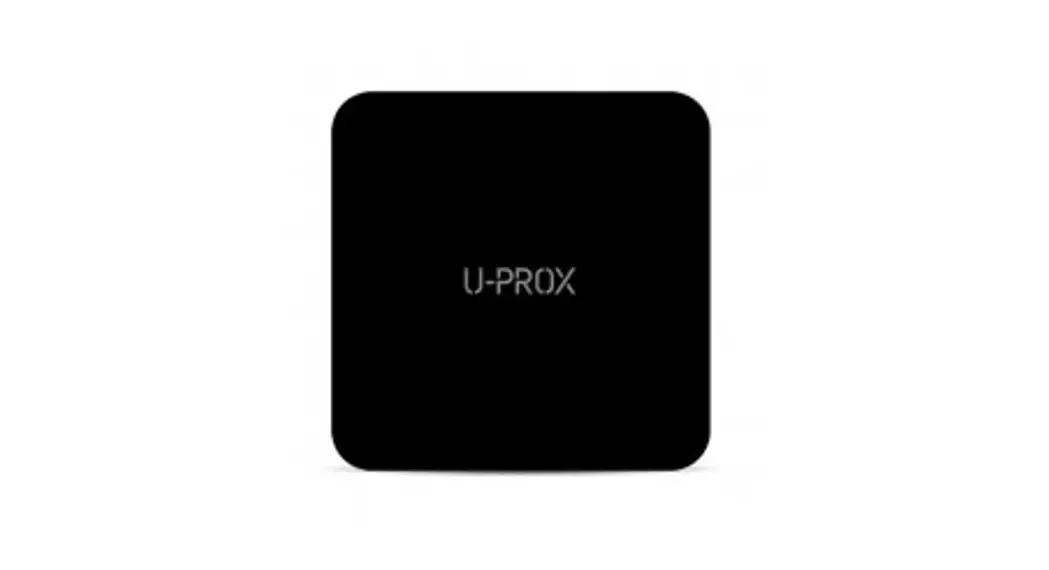
WIREPORT Wireless Module with 3 Inputs
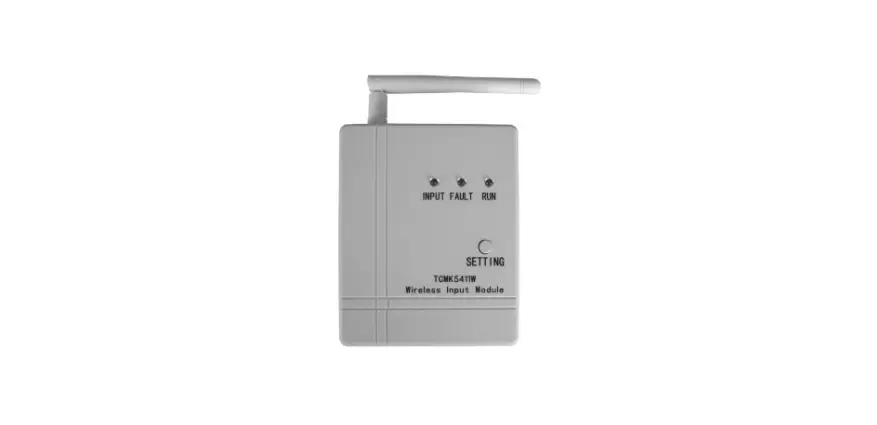
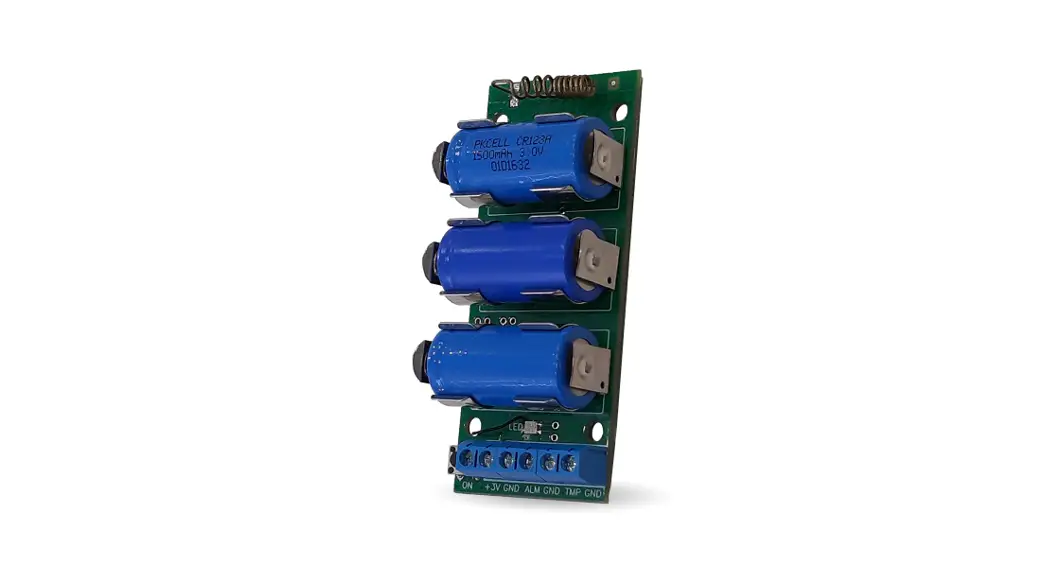
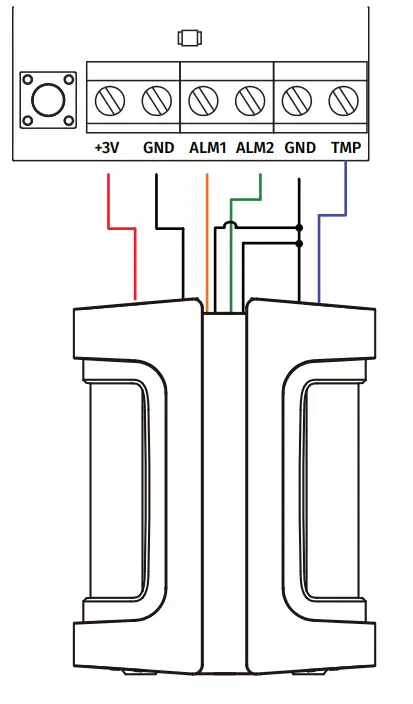
U-Prox Wireport – is a wireless module with 3 inputs, designed to connect wired equipment (detectors, IR barriers etc.) to wireless U-Prox control panel. It has 3V controlled power output and can be built into detectors.
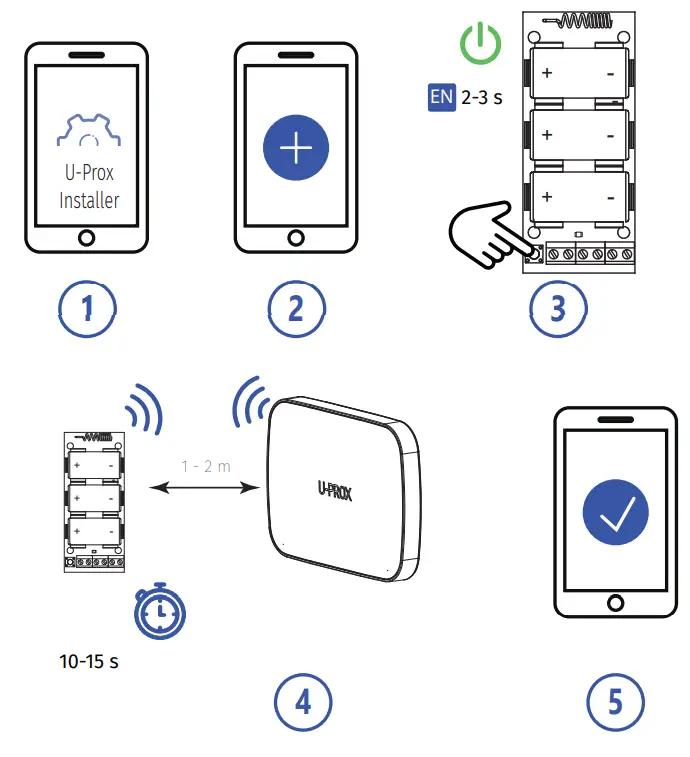
The device is connected to the control panel and is configured with the U-Prox Installer mobile application.
 https://u-prox.systems/Installer
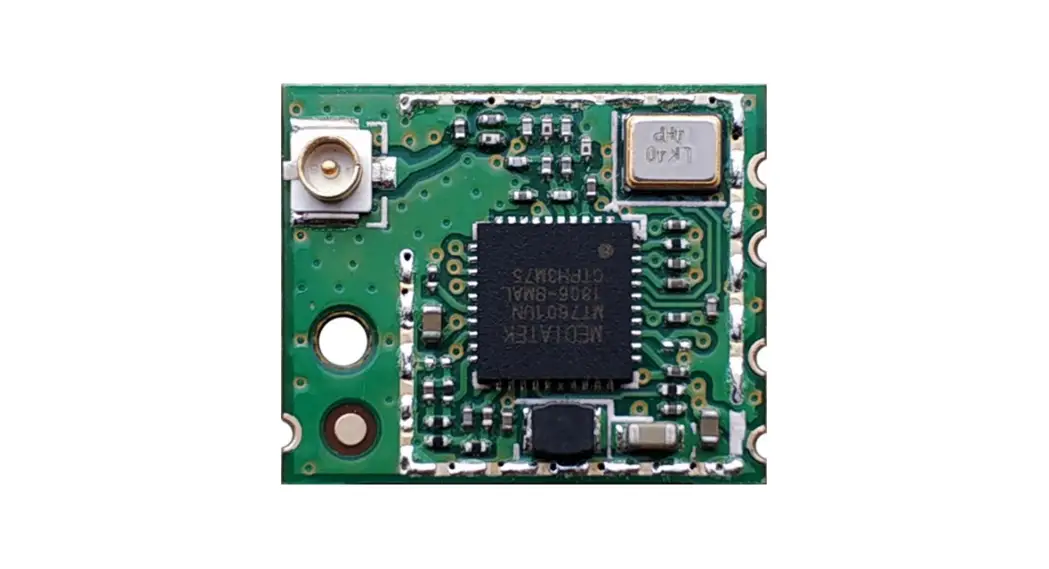
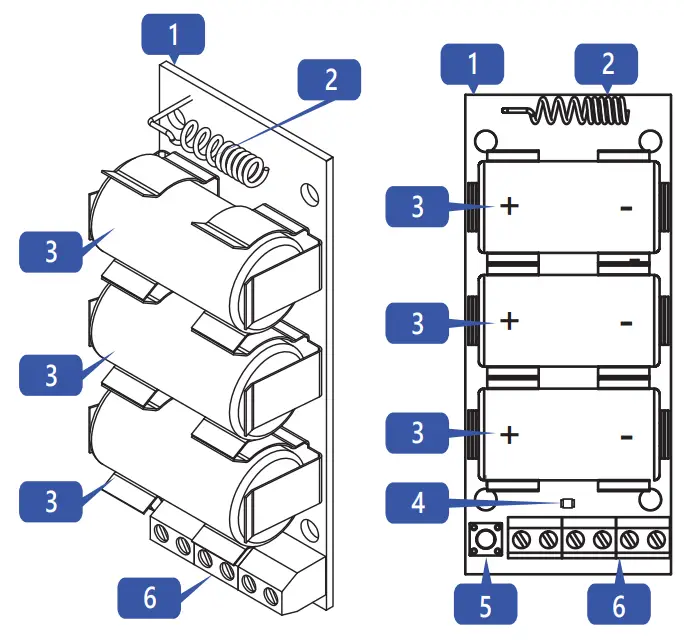
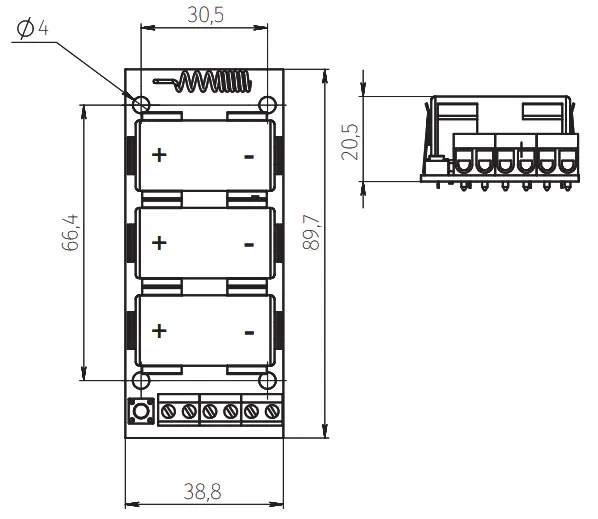
Functional parts of the device (see picture)
- Device plate
- Antenna
- CR123A battery
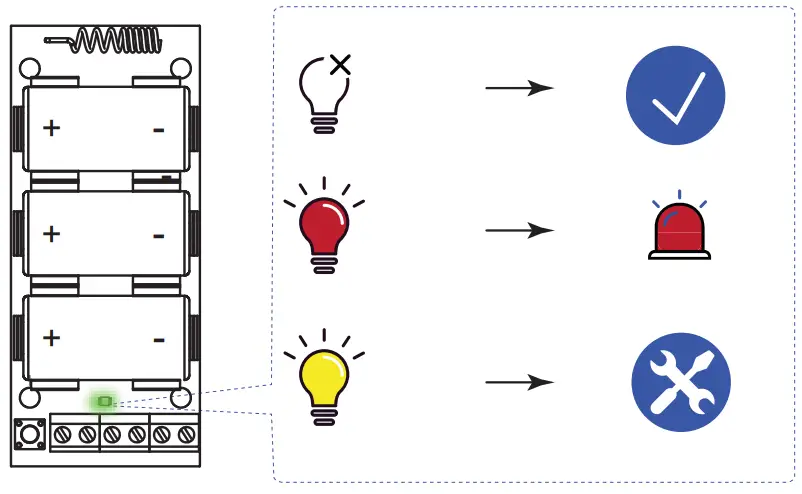
- Light indicator
- On/off button
- Terminal block
TECHNICAL SPECIFICATIONS
| Inputs | 3 – ALM1, ALM2 (Alarm) and TMP (Tamper switch) |
| Power output | 3V, 50 mA max. |
| Battery | Three (3) CR123A batteries, 1500 mAh. Up to 5 years, (2 wired detectors, 24 μA each in standby) |
| Radio frequency | ISM-band wireless interface with several channels |
| ITU region 1 (EU, UA): 868.0 to 868.6 MHz, bandwidth 100kHz, 20 mW max., up to 4800m (in line of sight) ITU region 3 (AU): 916.5 to 917 MHz, bandwidth 100kHz, 20 mW max., up to 4800m (in line of sight) | |
| Communication | Secure two way communication, sabotage detection, key – 256 bits |
| Dimensions & weight | -10°C to +55°C |
| Operating temperature range | 89.7 х 38.8 х 20.5 mm & 0.34 kg |
COMPLETE SET
- U-Prox Wireport; 2. Three CR123A batteries (pre-installed);
- Quick start guide
CAUTION. RISK OF EXPLOSION IF BATTERY IS REPLACED BY AN INCORRECT TYPE. DISPOSE USED BATTERIES ACCORDING TO THE NATIONAL REGULATIONS
WARRANTY
Warranty for U-Prox devices (except batteries) is valid for two years after the purchase date.
If the device operates incorrectly, please contact s[email protected] at first, maybe it can be solved remotely.
REGISTRATION
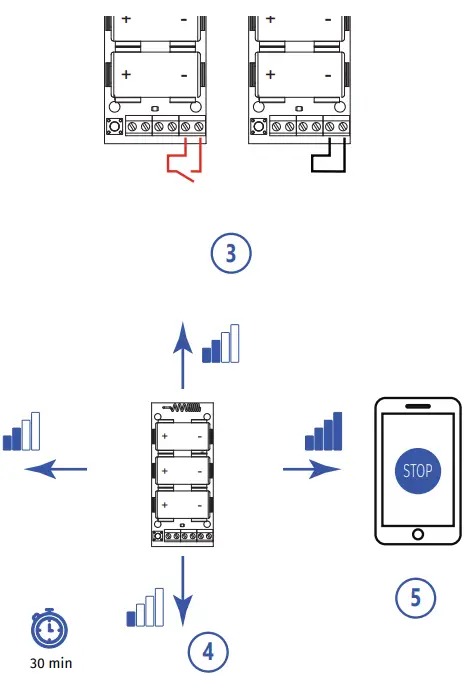
RANGE TEST FOR OPTIMAL
INSTALLATION LOCATION
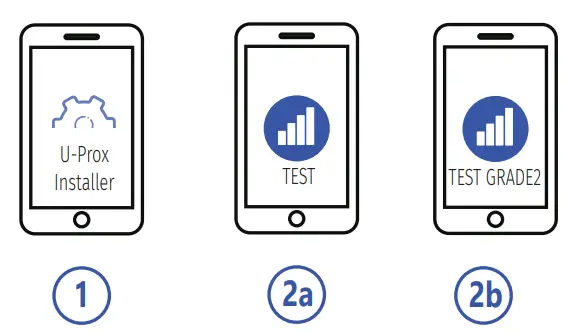
Due to Grade 2 requirement RF link works with reduction of power in 8 dB
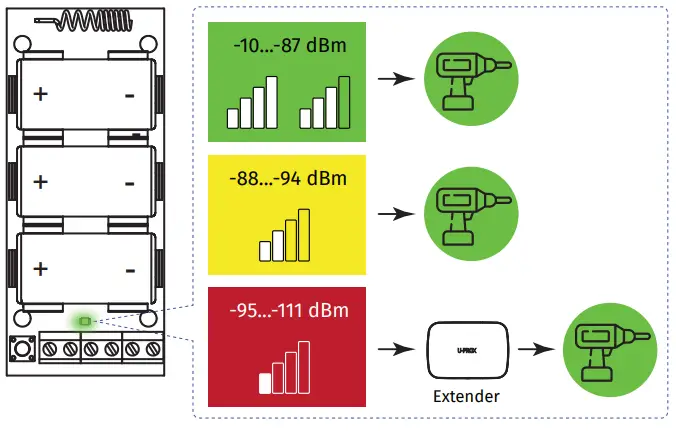
INDICATION IN RANGE TEST MODE
INSTALLATION
INDICATION
CONNECTIONS

www.u-prox.systems https://www.u-prox.systems/doc_wireprt[email protected]
 u-prox.systems/doc_wireprt