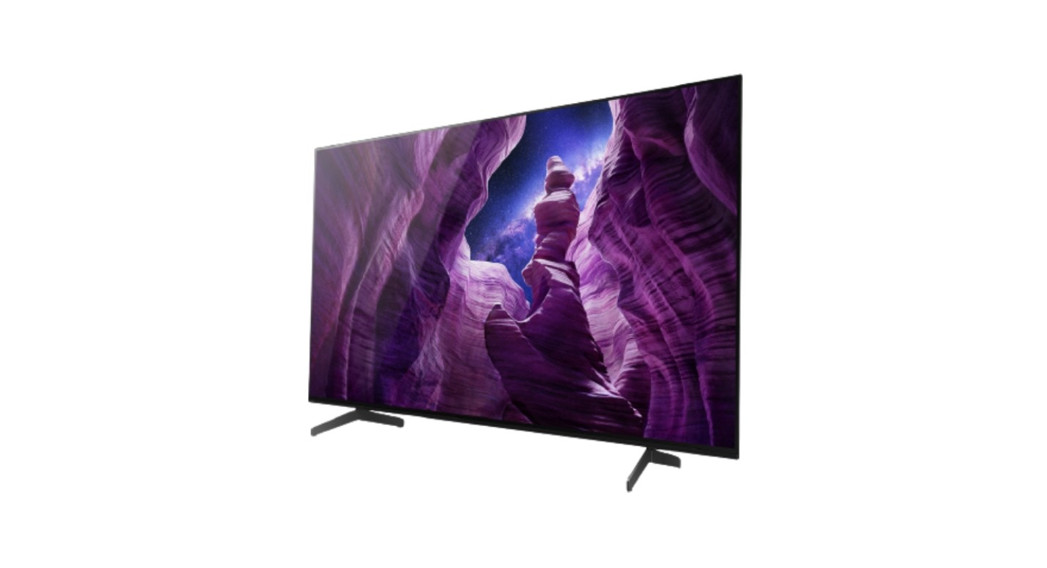
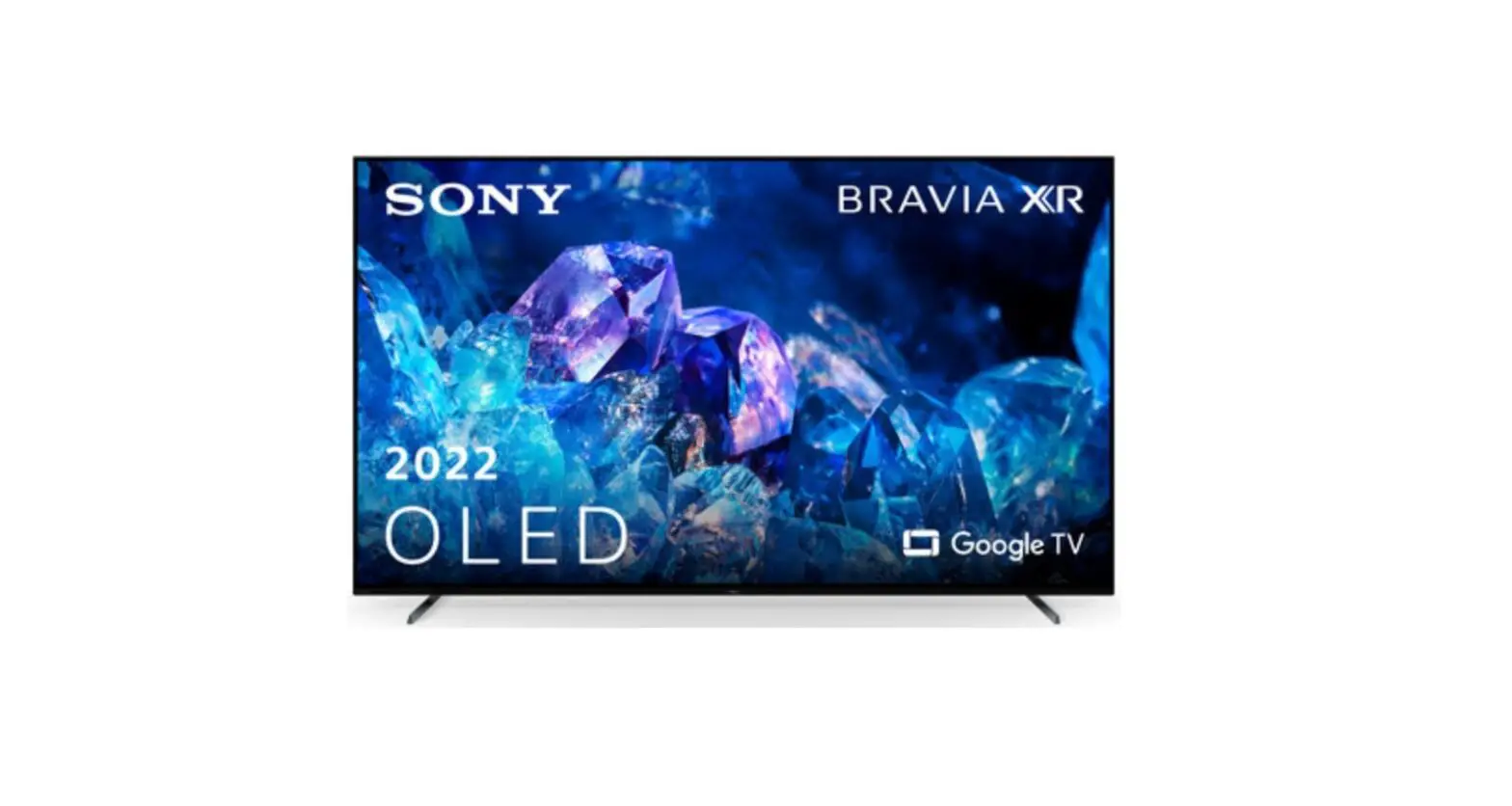
XR-65A80L 4K HDR Google TV
Product Information:
Brand: Sony
Product: Television
Model: XR-65A80L / XR-65A80CL / XR-55A80L / XR-55A80CL
Setup Guide available in multiple languages
Customer Support:
– U.S.A.: Visit https://www.sony.com/tvsupport
or call 1.800.222.SONY
– Canada: Visit https://www.sony.ca/support or
call 1.877.899.SONY
Product Support in Spanish: Visit https://esupport.sony.com/ES/LA/
or refer to warranty policy for contact number
Please do not return the product to the store Product Usage
Instructions:
1. Before using the product, read this manual. 2. Connect the
television to a power source using the AC IN. 3. For limited
region/country/models, refer to the Reference Guide for specific
instructions. 4. Connect audio and video devices using the provided
ports: – L / G / L (left) / L (E) – Video – GND / Tierra (ground) –
R / D / R (right) / R (D) 5. For audio output, use the 3.5mm jack.
6. Follow the specified voltage and power requirements. 7. For
further assistance and support, refer to the Customer Support
contact details mentioned above. Note: The text provided in the
user manual contains some additional information and symbols that
are not related to product information or usage instructions.
SONY.
Television
5-048-121-11{1)
Setup Guide
Televiseur Televisor digital a color con pantalla de diodo organico de emisi6n de luz (OLEO)
Televisor
0/ X
m
Setup Guide
Manuel de configuration
i i Guia de configuraci6n
I i Guia de Configura~ao
© 2023 Sony Corporation
Sony Customer Support
U.S.A.: https://www.sony.com/tvsupport
Canada : https://www.sony.ca/support
United States 1.800.222.SONY
Canada 1.877.899.SONY
Please Do Not Return the Product to the Store
Service a la clientele Sony
Canada: https:/ /www.sony.ca/support
Etats-Unis: https://www.sony.com/tvsupport
Canada 1.877.899.SONY
ttats-Unis 1.800.222.SONY
Ne retournez pas le produit au magasin
ILea este manual antes de usar el producto
Centro de Asistencia de Sony
https://esupport.sony.com/ES/LA/ Llame al numero telef6nico que aparece en su p61iza de garantfa. Por favor no devuelva el producto a la tienda donde adquiri6 el producto.
BRAVIA XR
XR-65A80L / 65A80CL XR-55A80L / 55A80CL
0
tIB
————–y————–
eB
0
1.5 N·m/1,5 N·m {15 kgf-cm}
65
—- –
~
55
Refer Reference Guide/ Reportez-vous au Manuel de reference / Consulte la Gufa de referencia / Consulte o manual de instru~6es
Only for limited region/country/model./ Uniquement pour certaines regions/pays/modeles. / Solo para regiones/pafses/modelos limitados. / Exclusivo para regi6es/pafses/modelos especificados.
3A B C
SB2
SB1
SB1 SB2
SB2
0/ X
U
(lnID
SB1
(lnID
UU
U
cm!(} (lnID cm!(} (lnID
4
(9
*2 Only for limited region/country/model.
5A
0 B 0 C
65
SB2
55
SB2
SB1
65
SB2
55
SB2
65
55
SB1
SB1
SB2
65
55
SB1 SB1
6
*2
AC IN . . e;5l
~;fiE$®A
~
1111
*2 :
:
”i*6
!
‘ ‘
!” *7
i”
*8*9
Only for limited region/country/model./ Uniquement pour certaines regions/pays/modeles. / Solo
para regiones/pafses/modelos limitados. / Exclusivo para regi6es/pafses/modelos especificados.
*3 3.5/3,5 mm j : ~
*4 .- — —— ——— — — — —— —-~
1234
1 : L / G / L (lzq.) / L (E) 2 : Video/ Video / Video 3: GND / Tierra 4: R / D / R (Der.)/ R (D)
*5 <21mmt~
< 12 mm
*6 3.5/3,5 mm j : ~
1 23
1 : TxD 2: RxD 3: GND / Tierra
*7 3.5/3,Smmj:~
1 2
1 : IR 2: GND / Tierra
*8
I
‘ – ~ < 7 mm L.:..:iR7rrn.. < 1.5/1,5 mm
0 *2 G) ® ®
Only for limited region/country/model./ Uniquement pour certaines regions/pays/modeles. / Solo para regiones/pafses/modelos limitados. / Exclusivo para regioes/pafses/modelos especificados.
9
CC
10
11
l
~
w~ -~-,Q ~ 1 ~
=
https://www.sony.com/tvsupport https://www.sony.ca/support https://esupport.sony.com/ES/LA/
SONYe
Television Téléviseur Televisor digital a color con pantalla de diodo orgánico de emisión de luz (OLED) Reference Guide
Manuel de référence / Guía de referencia
5-048-119-12(1)
XR-83A80L / 83A80CL / 77A80L XR-77A80CL / 65A80L / 65A80CL XR-65A75L / 55A80L / 55A80CL XR-55A75L
(!)
woeo
…C) 0
1:1
000
c~ ::c:::m=
https://rd1.sony.net/help/tv/ kusltn1/h_usltn/
Read this manual before using this product
Sony Customer Support
U.S.A.: https://www.sony.com/tvsupport Canada: https://www.sony.ca/support
United States 1.800.222.SONY
Canada 1.877.899.SONY
Call the telephone number that appears on your warranty card/policy. Please do not return the product to the store.
Lisez ce manuel avant d’utiliser le produit
Service à la clientèle Sony
Canada : https://www.sony.ca/support États-Unis : https://www.sony.com/tvsupport
Canada 1.877.899.SONY
États-Unis 1.800.222.SONY
Appelez le numéro de téléphone qui apparaît sur votre carte/police de garantie.
Ne retournez pas le produit au magasin.
Lea este manual antes de usar el producto
Centro de Asistencia de Sony
https://esupport.sony.com/ES/LA/
Llame al número de teléfono que aparece en su tarjeta/póliza de garantía. Por favor no devuelva el producto a la tienda donde adquirió el producto.
© 2023 Sony Corporation
Dimensions and weight (without Table-Top Stand) / Dimensions et poids (sans support de table) / Dimensiones y peso (sin soporte de sobremesa)
*1 (Approx. / Environ / Aprox.)
(mm)/(inches/pouces/pulgadas)*1
XR-83A80L XR-83A80CL XR-77A80L XR-77A80CL XR-65A80L XR-65A80CL
XR-65A75L
XR-55A80L XR-55A80CL
XR-55A75L
1850 / 72 7/8 1 850 / 72 7/8 1722 / 67 7/8 1 722 / 67 7/8 1448 / 57 1/8 1 448 / 57 1/8 1448 / 57 1/8 1 448 / 57 1/8 1227 / 48 3/8 1 227 / 48 3/8 1227 / 48 3/8 1 227 / 48 3/8
1067 / 42 1/8 1 067 / 42 1/8 998 / 39 3/8 998 / 39 3/8
836 / 33 836 / 33
836 / 33 836 / 33
712 / 28 1/8 712 / 28 1/8 712 / 28 1/8 712 / 28 1/8
(kg)/(lb.)*1
53 / 2 1/8 53 / 2 1/8 54 / 2 1/4 54 / 2 1/4 53 / 2 1/8 53 / 2 1/8 53 / 2 1/8 53 / 2 1/8 53 / 2 1/8 53 / 2 1/8 53 / 2 1/8 53 / 2 1/8
42 / 92.6 42 / 92,6
34.8 / 76.7 34,8 / 76,7
23.3 / 51.4 23,3 / 51,4
22.9 / 50.5 22,9 / 50,5
17.9 / 39.5 17,9 / 39,5
17.8 / 39.3 17,8 / 39,3
Dimensions and weight (Table-Top Stand) / Dimensions et poids (support de table) / Dimensiones y peso (soporte de sobremesa)
@
—
®1 l
:….,______..:
@ 1
©
@
__J®21
:..,______…:
@ 2
©
@
® 3
m
@ 3
·©-· 00
(mm)/(inches/pouces/pulgadas)*1
1
2
XR-83A80L 1850 / 72 7/8 1072 / 42 1/4 1099 / 43 3/8 XR-83A80CL 1 850 / 72 7/8 1 072 / 42 1/4 1 099 / 43 3/8
XR-77A80L 1722 / 67 7/8 1024 / 40 3/8 1024 / 40 3/8 XR-77A80CL 1 722 / 67 7/8 1 024 / 40 3/8 1 024 / 40 3/8
XR-65A80L 1448 / 57 1/8 XR-65A80CL 1 448 / 57 1/8
862 / 34 862 / 34
862 / 34 862 / 34
XR-65A75L
1448 / 57 1/8 910 / 35 7/8 1 448 / 57 1/8 910 / 35 7/8
–
XR-55A80L 1227 / 48 3/8 738 / 29 1/8 738 / 29 1/8 XR-55A80CL 1 227 / 48 3/8 738 / 29 1/8 738 / 29 1/8
XR-55A75L
1227 / 48 3/8 1 227 / 48 3/8
785 / 31 785 / 31
–
3 1137 / 44 7/8 1 137 / 44 7/8
1066 / 42 1 066 / 42
904 / 35 5/8 904 / 35 5/8
–
780 / 30 3/4 780 / 30 3/4
–
428 / 16 7/8 428 / 16 7/8 389 / 15 3/8 389 / 15 3/8
330 / 13 330 / 13
338 / 13 3/8 338 / 13 3/8
330 / 13 330 / 13
338 / 13 3/8 338 / 13 3/8
1 1880 / 74 1/8 1 880 / 74 1/8 1409 / 55 1/2 1 409 / 55 1/2 1184 / 46 5/8 1 184 / 46 5/8 1052 / 41 1/2 1 052 / 41 1/2 1184 / 46 5/8 1 184 / 46 5/8 1052 / 41 1/2 1 052 / 41 1/2
2 700 / 27 5/8 700 / 27 5/8
619 / 24 3/8 619 / 24 3/8
847 / 33 3/8 847 / 33 3/8
–
3 1880 / 74 1/8 1 880 / 74 1/8
1409 / 55 1/2 1 409 / 55 1/2
1184 / 46 5/8 1 184 / 46 5/8
–
847 / 33 3/8 847 / 33 3/8
–
1184 / 46 5/8 1 184 / 46 5/8
–
(kg)/(lb.)*1
43.5 / 95.9 43,5 / 95,9
37 / 81.5 37 / 81,5
24.9 / 54.9 24,9 / 54,9
24.2 / 53.4 24,2 / 53,4
19.5 / 43 19,5 / 43
19.1 / 42.1 19,1 / 42,1
*1 (Approx. / Environ / Aprox.)
The length of the screw for Wall-Mount Bracket differs depending on the Wall-Mount Bracket thickness / La longueur des vis pour le support de fixation murale diffère selon l’épaisseur du support de fixation murale / La longitud del tornillo para el soporte de montaje mural varía dependiendo del espesor del soporte de montaje mural
XR-83A80L / 83A80CL
XR-77A80L / 77A80CL / 65A80L / 65A80CL / 65A75L / 55A80L / 55A80CL / 55A75L
10 – 14 (mm)
10 – 12 (mm)
E t ~ M6
MM66
IJJ – – ~
TV’s rear cover / Couvercle arrière du téléviseur / Parte posterior del TV
— – Wall-Mount Bracket / Support de fixation murale / Soporte de montaje mural
Wall-Mount Attachment VS / Accessoire de fixation murale VS / Sujeción del soporte de montaje mural VS
Optiona l Came ra and Microphone Unit (not supp li ed) Cab le Management/ Gestion du cab le de la camera avec microphone en opt ion (non fourn i) / Manejo del cab le de la uni dad de cilmara y micr6fono opc iona l (no sum ini strado)
EDE5 XR-83A80L/ 83A80CL
XR-77A80L/ 77A80CL/ 6SA80L/ 6SA80CL / 65A75L/ SSASOL/ SSASOCL/ SSA75L
~
~ ~
e1 .CD O11
Light sensor'”‘
MIC
il ‘ – – – ‘ – – Buzzer*2*3
The remote control shape, layout, availability and function of remote control buttons may vary depending on your region/country/TV model/TV settings.*4
[I] (‘) (Power) TV: Display TV channe l li st or sw itch to in put. J, (Quick settings): Display Qu ick Setting s.
-El (Input): Display and select the input
source, etc.
MENU (Control menu): Display the
Control menu.
[2l .ol. / ‘I’ I I I (D: On screen menu navigation and se lect ion. ~(Back) ft(Home) -” (Google Assistant/ Microphone): Use Goog le Assista nt*5*6·
~ …… + I – (Volume) ‘* (Mute)” CH + / – (Channel) I) (Dashboard): Display Dashboard. I
83 (Guide): Display the d ig ital program
gu id e of TV or Cab le/sate llite box*8·
@] App buttons
*1 The remote contro l backlight wi ll illumin ate when the li ght sensor detects the amb ient li ght is low. Automatic illumin ation of the backlight can be turned off.
*2 RMF-TX910U on ly. To see the model name of the remote contro l, open the remote contro l cover and see the labe l on the remote contro l.
*3 The buzzer w ill em it a sound when you use the remote contro l finder function. Refer to the on lin e Help Gu id e for deta il s.
*4 For other remote contro l models, refer to the on lin e Help Gu ide for details.
*S On ly for limited region/country/model/ language.
*6 Google Ass istant requires an Internet connection .
“‘7 Access ibility shortcut is ava il ab le by pressing and holding a;&.: (Mute).
*8 [Cable/Satellite box setup] settin g is required.
Note · In structions about “Insta llin g the TV to the
WaW are in clud ed w ithin this TV’s in struct ion manual. · Read the supp li ed safety documentation for additional safety information.
Location of the identification label Labe ls for the TV Model No. and Power Supp ly rating are located on the rear of the TV. They can be found by removing the terminal cover.
IMPORTANT NOTICE
Owner’s Record The model and se ri al numbers are located at the sid e and/or rear of the TV. Record these numbers in the spaces provided be low. Refer to them whenever you ca ll upon your Sony dea ler regard in g this TV.
Model Name
Serial No.
IMPORTANT NOTICE FOR MEXICO Operation of this equ ipment is subject to the fo ll ow in g two cond iti ons: (1) it is poss ibl e that this equ ipm ent or device may not cause harmful interference and (2) this equ ipm ent or device must accept any interference, in cludin g interfere nce that may cause undesired operation.
For in formation related to the cert ifi cate number, refer to the package labe l and/ or product.
Before setting upyourTV Some TV models are packaged w ith a detached Table-Top Stand so you can mount your TV to a wa ll right away. See ” Insta llin g the TV to the WaW if you want to mount the TV to a wa ll. If yo u are not mounting the TV to a wa ll, you w ill need to attach the Table-Top Stand (refer to the Setup Guid e). Be sure to cons id er the following w hil e setting up your TV: · Disconnect all cab les when carryin g the TV. · Before transporting the TV set, remove the
terminal covers. · Two or more persons (three or more persons
for 209.6 cm (83 in ches) and above TV) are needed to transport a large TV set. · Co rrect hand placement wh il e carryin g the TV is very imp ortant for safety and to avo id damage. · When handling or mounting the TV set, do not lay down the TV (for app li cab le TV model on ly).
XR-83ABOL / 83ABOCL
XR-77ABOL / 77ABOCL / 65ABOL / 65ABOCL / 65A75L / SSABOL / SSABOCL / SSA75L
XR-83A80L / 83A80CL
Screw hole on the rear cover
!
M6 machine sc~e.w “‘- ~
(not supp li ed) Rope or c~ain _,. (not supp li ed) ”
1.SN-m {15 kgf-cm)
XR-77A80L / 77A80CL / 6SA80L/ 6SA80CL / 65A75L/ SSASOL/ SSASOCL/ SSA75L
CD
@ ~i!o
~ e on the
J, ~
…_~_’.:Ppli ed)
M6 machine sc~ew_ ‘ -~ (not supp li ed) –
Rope or c~ain (not supp li ed) ·
,:: :i-.
Wa ll -anchor
(not supp li ed)
XR-77A80L/ 77A80CL / 6SA80L / 6SA80CL / 65A75L/ SSASOL/ SSASOCL/ SSA75L
Wa ll -mount holes
(supp li ed)
_·…,~
M6 eye bolts (not supp li ed)
Wa ll -anchor (not supp li ed)
Note: This product uses the fo ll owin g module for w ireless functionalities: Model: DHUR-SY63 Brand: Wistron NeWeb Corporation
WLAN: 2.4 GHz (2.4000 GHz -2.4835 GHz) 5 GHz (5.150 GHz-5.850 GHz) B l u e t o o t h ®: 2.4 GHz (2.4000 GHz -2.4835 GHz)
Informat ion for the remote contro l w ith vo ice command includ ed w ith this product: Model: RMF-TX810U’ Brand: Sony
Note: Uses the fo ll ow ing device for w ireless functionalities: Model: UE878 Brand: UEI
* To see the model name of the remote contro l, open the remote contro l cover and see the labe l on the remote contro l.
Safety Information
Noticeforcustomers in the United States of America
Supplier’sDeclaration of Conformity Trade Name : SONY Model: XR-83A80L / XR-83A80CL / XR-77A80 L / XR-77A80C L / XR-6SA80 L / XR-65A80C L / XR-65A75 L / XR-55A80 L / XR-55A80C L / XR-55A75 L Responsible Party: Sony Electronics Inc. Address: 16535 Via Esprillo, San Diego, CA 92127 U.S.A. Telephone Number: 858-942-2230
Compatible Wall-Mount Bracket Information Use the fo ll ow in g Sony Wa ll -Mount Bracket w ith your TV model.
Sony TV Model No.
I Sony Wa ll-Mount Bracket Model No.
XR-77A80 L / XR-77A80CL/ XR-6SA80 L / XR-65A80CL / XR-65A75 L / XR-55A80L/ XR-55A80CL /
XR-55A75 L
SU-W L8 5 5 ”
Use w ith other Wa ll -Mount Brackets*2 may cause in stab ility and cou ld result in property damage or injury.
*1 On ly for limited region/country/model. *2 For in structions on using the Wa ll –
Mount Bracket w ith your TV please go to https://www.sony.com/am/support for your TV model and download HWa ll -Mount Bracketff.
To Customers Sufficient expert ise is required for TV in sta ll ations. Be sure to subcontract the in sta ll ation to a Sony dealer or li censed contractor and pay adequate attention to safety during the in sta ll ation.
Before setting upyourTV Some TV models are packaged w ith a detached Table-Top Stand so you can mount your TV to a wa ll right away. See “Insta llin g the TV to the WaW if you want to mount the TV to a wa ll. If
Securing the TV
&
Sony strong ly recommends taking measures to prevent the TV from toppling over. Unsecured TVs may topple and result in property damage, ser ious bod ily injury or even death.
The length of the M6 machine screw differs depending on the rope or cha in diameter. Please refer to below illu stration.
XR-83A80L/ 83A80CL 10 – 14 (mm)
Preventing the TV from Toppling · Secu re the TV to a wa ll and/or Stand. · Do not all ow ch ildren to play or climb on
furniture and TV sets. · Avoid placing or hanging items on the TV. · Never in sta ll the TV on:
– sli ppery, unstable and/or uneven surfaces. -furn iture that can eas il y be used as steps,
such as a chest of drawers. · In sta ll the TV w here it cannot be pulled ,
pushed, or knocked over. · In sta ll the TV so that the TV’s Table-Top Stand
does not protrude out from the Stand (not supp li ed). If the Table-Top Stand protrudes out
from the Stand, it may cause TV set to topple over, fa ll down, and cause persona l injury or damage to the TV.
XR-77A80L / 77A80CL / 6SA80L / 65A80CL / 65A75L/ SSASOL/ SSASOCL/ SSA75L
10 12 (mm)
t_ Screw (M6)
…,__ Rope or cha in
3 Anchor the TV to the wa ll by using bolts, wa ll
anchor and cha in (or rope).
XR-83A80L/ 83A80CL
· Route all AC power cords and connectin g cab les so that they are not access ibl e to curious ch ildren.
w,”j:f”‘”‘
Recommended Measures to Secure the TV Cons id er the fo ll owin g measures when securin g your TV to a Stand (not supp li ed).
1 Secure the Stand for the TV.
Make sure the Stand can adequate ly support the we ight of the lV. Use two ang le bra ces (not supp li ed) to secure the Stand. For each angle brace use the appropriate hardware to: · Attach one sid e of the ang le brace to the
wa ll stud. · Attach the other side to the Stand.
~
———– / I
Angle brace (notsupp li ed)
0
“,
M6 eye bolts (not supp li ed)
,:: :i-.
Wa ll -ancho r (not supp li ed)
~
Stand
2 Secure the TV to the Stand.
Use the optiona l hardware li sted as follows (not supp li ed): · M6 machine screws (screwed int o the TV’s
rear cover). · A screw or sim il ar (attac h it to the Stand). · Rope or chain (strong enough to support
the we ight of the TV). Make sure that there is no excess slack in the rope or cha in.
XR-77A80L / 77A80CL / 6SA80L / 65A80CL / 65A75L/ SSASOL/ SSASOCL/ SSA75L
Wa ll -mount ho les
(supp li ed)
·…,~
oils (not supp li ed)
Please refer to below illu stration for M6 eye bolt length.
XR- 83A80L / 83A80CL 10- 14 (mm)
~ M 6 e y e b olt
L TV’s rear cover
XR-77A80L / 77A80CL / 6SA80L / 6SA80CL / 65A75L/ SSASOL/ SSASOCL/ SSA75L
10 – 12(mm)
~~ .
– M6eye bolt
C
TV’srearcover
Note · Your TV is sh ipped w ith screws attached to
the rear of the TV depend in g on the TV model. (They are fastened in the screw holes for wa ll mounting.) Be sure to remove the upper two screws prior to anchorin g the TV to a wa ll. · Securin g the TV to the Stand w ith out securin g the TV and the Stand to the wa ll provides minimum protection aga in st the TV toppling over. For further protection, be sure to fo ll ow the three measures recommended.
The BRAVIA” 4K TV Experience Thank you for choos ing Sony! Your new BRAVIA®TV opens the door to the “4K TV Experience”. Thi s document w ill help you get the most out ofyourTV. Please take a moment to register your TV at: U.S.A. : https://productregistration.sony.com Canada: https://www.sony.ca/registration
This TV displays all vid eo in put sign als in a resolution of3840 dots x 2160 lin es.
Note · For supported PC formats, refer to the on lin e
Help Gu id e.
Guidelines for IR Remote Control · Point your remote contro l d irectly at the IR
sensor located on your TV. · Make sure that no objects are block in g the
path between the remote contro l and the IR sensor on your TV.
· Fl uoresce nt lamps can Interfe re w it h yo ur remote co ntro l; try t urn in g off t he f lu oresce nt lamps.
· If you are having prob lems with the remote contro l, reinsert or replace your batteries and make sure that they are correctly inserted.
Installing the TV to the Wall
Using the optional Wall-Mount Bra cket (SU -WLB55 only)* (not suppli ed)
To Customers : For product protection and safety reasons, Sony strongly recommends that installation of your TV be performed by Sony dealers or licensed contractors. Do not attempt to install it you rself.
To Sony Dealers and Contractors: Provide fu ll attent ion to safety during t he in st all ation, period ic ma in te nance and exa min ati on of thi s prod uct.
Wall-Mount Bracket Installation Information For instructions on Wall – Mount Bracket installation, see the Installation Information (Wall-Mount Bracket) on the Sony Customer Support website for your TV model at the following address. https ://www.sony.com/a m/support · Follow the instruction guide provided with the
Wall-Mount Bracket for your model. Sufficient expertise is required in installing this TV, especially to determine the strength of the wall for withstanding the TV’s weight. · Sony is not liable for any damage or injury caused by mishand ling or improper insta ll ation. · Be sure to sto re t he unused screws and Tabl eTop Sta nd in a safe place until yo u are rea dy to attac h t he Tab le-Top Stand. Keep t he sc rews away from sma ll chi ldren.
Note · Read the supplied sa fety documentation for
additional safety information .
* Only for limited region /country/ model.
Using the optional Wall-Mount Bracket(except SU -WLB55) (not supplied) This TV’s instruction manual only provides the steps to prepare the TV for Wall-Mount installation before it is installed on the wall.
Your TV can be mounted to a wall using a suitable Wa ll-Mount Bracket (not supp lied). If t he Tab le-Top Stand is attached to the TV, t he TV may requ ire detaching the Tab le-Top Stand; see ~Detac hin g th e Tab le-Top Stand from th e TVH. Prepa re th e TV fo r t he Wa ll – Mou nt Bracket before making cab le connections.
For product protection and safety reasons, Sony strongly recommends that installation ofy o urTVonthe w all b e performed by qualified profession als. Do not attempt to install it y o urs elf. · Follow the instruction guide provided with the
Wall-Mount Bracket for your model. Sufficient expertise is required in installing this TV, especially to determine the strength of the wall for withstanding the TV’s weight. · The screws for installing the Wall-Mount Bracket to the TV are not supplied. · Refer to the following tab le for wa ll -mount ho le pattern.
Model Name
XR-83A80l XR-83A80Cl
XR-77A80l XR-77A80Cl
XR-65A80l XR-65A80Cl XR-65A75L
XR-SSA80L XR-55A80CL XR-55A75L
Wall-mount hole pattern
E) xC!)
400×400 mm 300×300 mm
300×300 mm
300×300 mm
0
1–1
0[ 0 0
· Be sure to store the unused screws and TableTop Stand in a safe place until you are ready to attach the Table-Top Stand. Keep the screws away from small chlldren.
Note · Read the supplied safety documentation for
additional safety information. · For more detailed information, visit Sony
Customer Support website.*
* Only fo r li m ited reg ion/co untry/model.
Remove the stand covers (XR-83A80L / 83ABOCL on ly) and te rminal cove rs.
XR-83A80L / 83A80CL
Detaching the Table-Top Stand from the TV XR-83A80L / 83ASOCL
To detach the Tab le-Top Stand from t he TV, remove the screws + .
XR-77A80L / 77A80CL / 65A80L / 65A80CL / 65A75L / SSAS0L / SSA80CL / SSA75L
2 Remove the screws from the rear of the TV.
XR-83A80L / 83ASOCL
XR-77A80L / 77A80CL / 6SA80L / 6SA80CL / 65A75L / SSASOL / SSA80CL / SSA75L
1 Remove one side of the Table-Top Stand at a
time . Firmly hold the Table-Top Stand securely with both hands while the other people lift up the TV.
XR-77A80L / 77A80CL / 65A80L / 65A80CL / 65A75L / 55ASOL / SSA80CL / SSA75L
3 Attach the Wall-Mount Attachment(supplied
with the TV) to the rear of the TV (to make it parallel with the wall).
XR-77A80L / 77A80CL / 65A80L / 6SA80CL / 65A75L / 55ASOL/ 55A80CL / SSA75L
2 Repeat the previous step and remove the
other side of the Table-Top Stand.
Note · Be careful when lifting the TV as the Table-Top
Stand is detached, the Table-Top Stand may
topple over and cause personal injury.
· Take care when removing the Table-Top Stand
from the TV to prevent it from falling over and
damaging the surface that the TV is sitting on.
~,~
· Do not remove the Table-Top Stand for any
reason other than to install correspond ing
accessories on the TV.
‘ ~ ~ · Be sure the TV is vert ica l before tu rnin g on. To
avo id uneven pictu re unifo rmity do not powe r
on th e TV w it h th e pane l fac in g down.
~ ~ ~ XR-83A80L / 83A80CL only
·’ ~1.SN-m
· When attaching the Table-Top Stand aga in, be sure to fasten the screws (previously removed) to the original holes on the rear of the TV.
{15kgf-cm)
Except XR- 83ASOL / 83A80CL
4 Attach the Wall -Mount Bracket (not supplied)
using the screws (not supplied).
. 1~Wall-Mount Bracket (not supplied)
· Three or more people are required to detach the Table-Top Stand.
· Be careful not to use excessive force while detaching the Table -Top Stand from the TV as it may cause the TV set to fall resulting in personal injury or physical damage to the TV.
· Take care when handling the Table-Top Stand
:’£¼~~
to prevent damage to the TV.
Troubleshooting
General t roub les hootin g fo r iss ues like: bl ack sc ree n, no sound, froze n pict ure, TV does not
–l~t~
respond, or network is lost, do the fo ll ow in g steps.
1 Restart your TV by pressing the power button
on the remote control for about five seconds.
Screw (not supplied)
Note · lf using an electric screwdriver, set the torque
at approximately 1.5 N-m {15 kgf-cm). · Be sure to fasten the Wall-Mount Attachment
when attaching them to the TV. Use only a flat head screwdriver to install the Wall-Mount
The TV will restart . If the TV does not recover, try unplugging the AC power cord then press the power button on the TV and release it. Wait for two minutes, and plug in the AC power cord. Or, pres s the power button on the TV for about40 seconds until the TV turns off.
2 Refer to the Help menu shown below.
Attachment. Use of another tool might res ul t
3 ConnectyourTVtothe Internet and perform
in over torqueing the Wa ll -Mount Attac hment and damaging t he TV. (Except XR-83A80 L / 83A80C L)
a software update. Sony recommends you to keep you r TV software updated. Softwa re updates p rov ide new fea tures and
performa nce im prove ments.
4 Visit Sony support webs ite (info rm ati o n
provided at t he end of eac h language).
5 Perfo rm the factory data reset .
Wireless tec hn ology Protoco l IEEE 802.11a/b/g/n/ac Blu etooth* Version 4 .2
When you plug in the TV, the TV may not be able to turn on for a while even if you press the power button on the remote control or the TV. It takes time to initialize the system. Wait for about one minute, then operate it again.
How to reset the TV to factory settings WARNING : The reset will clear all of your customized settings including the parental lock setting. · You can reset the TV to factory settings by
selecting [Factory data reset]. How t o se lect [Factory data reset], refer to the on li ne Help Guide. · To force factory data reset, un plu g th e AC powe r co rd. Press and hold C) butto n on th e TV, t hen plug in t he AC power co rd. · For secu ri ty purposes, be su re to rem ove all persona l and account information befo re discarding, se lling or passing your TV to someone else by: unlinking/unregistering, signing out of and deactivating all network services as well as factory reset the TV.
The remote control does not function. · Replace the batteries.
The parental lock password has been forgotten .
Input/Output jacks CABLE/ANTENNA
75 ohm external terminal for RF inputs HDMI IN 1/2/3/4 (HDCP 2.3-compatible)
Video: 4096 x 2160p (60 Hz)”··, 4096 x 2160p (24 Hz)·’. 3840 x 2160p (60 Hz)”. 3840 x 2160p (24, 30 Hz). 1080p (24, 30. 60,120 Hz). 1080i (60 Hz), 720p (24, 30, 60 Hz). 480p. PC Formats·S 3840 x 2160p (120 Hz)·0 · Audio : In eARC(Enhanced Audio Return Channe l) mode Refe r to the on line Help Gu ide fo r detail s. Except eARC mode 5.1 channel lin ea r PCM: 32/44.1/48/88.2/96/ 176.4/192 kHz 16/20/24 bits. Do lby Aud io, Dolby Atmos, DTS
eARC/ARC(Enhanced Audio Return Channe l/ Audio Return Channel) (HDMI IN 3 only)”
In eARCmode Refer to the online Help Guide for details. In ARC mode Two channel linear PCM:48 kHz16 bits, Dolby Audio. Dolby Atmos. DTS
0+ DIGITALAUDIO OUT (OPTICAL)
Digital optical jack (Two channel linear PCM:
· Enter4357forthe PIN and enter the new PIN. ~ k t ~ ~s, Dolby Audio, DTS)
The screen becomes darker while watching TV.
USB port 1 supports High Speed USB (USB 2.0) USB port 2 supports Super Speed USB (USB 3.2
· If t he who le image or part of t he image
Gen 1)
rema ins sti ll, t he screen bri g ht ness w ill be
i57j LAN
g rad uall y red uced to preve nt im age retenti o n. 10BASE-T/ 100BASE-TX co nn ecto r (Dependin g
Thi s is not a ma lfuncti on of th e TV.
on t he operating environ ment of th e netwo rk,
You are co_ncern~d ~bout image retention. ~~~n~~t~~;a:Fo~er~t::~~ i=~:· ~~: re not 1
If the sa~e Imag.e Is ~Isp layed rep~ated ly or for guaranteed.)
long peno?s oftIme, I~age retention may occur. Home Network supported files and formats·s To reduce image retention , we recommend that REMOTE
you turn off the TV normally by pressing the
RS-232( mini jack, IR IN mini jack
power button on the remote control or the TV. These jacks are for receiving the external
Note
control signal.
· Perform Panel refresh only when image
Power and others
retention is particularly noticeable. Avoid
Power requirements
performing Panel refresh more than once a
110 V- 240 V AC, 50/60 Hz (U.S.A./Canada
year becau se it may affect the usable life of
120 V AC. 60 Hz)
the panel.
Power consumption
· Images that fnclude logos and bright co lors
lnuse(W)
(inc luding white) easi ly cause image retent ion. XR-83A80L / 83A80CL: 826
Avo id displaying these types of images
XR-77A80 L / 77A80CL: 581
fo r long pe ri ods oft ime, othe rw ise image
XR-65A80 L / 65A80CL / 65A75L: 438
retent io n may occ ur.
XR-55A80 L / SSA80CL / SSA75L: 340
A white line appears on the screen. (XR-83A80L / 83A80CL only)
In st andby*8*9 Less tha_n 0.5 W w ith 120 V AC and less th an
· The Pane l refresh has been perfo rmed. A white 0.5 W ~1th 240 V AC line may be displayed on the screen during the Scre~n size (measured diagona ll y) (Approx.)
Panel refresh . This is not a malfunction of the (cm/inches)
TV. Panel refresh starts after the TV is turned
XR-83A80L/ 83A80CL : 209.6 / 82.5 (83″ class)
oft and take s about one hour to complete.
XR-77A80L/ 77A80CL: 194.7 /76.8 (7, class)
Licensing Information · Do lby, Do lby Vision, Do lby Atm os, Do lby
Aud io, and the double-D symbo l are trademarks of Do lby Labo ratories Li cens ing Corporation. Manufactured under license from Dolby Laboratories. Confidential unpublished works. Copyright (0 1992-2022 Dolby Laboratories.All rights reserved. · Gracenote, the Gracenote logo and logotype, “Powered by Gracenote” loco are either registered trade marks or trademarks of Gracenote, Inc. in the United States and/or other countries. · For DTS patents, see http ://patents.dts.com. Manufactured under license from DTS, Inc. DTS, Digital surround, and the DTS logo are registered trademarks or trademar ks of DTS, Inc. in the United States and ot her co untri es.© 2020 DTS, Inc. ALL RIGHTS RE SERVED. · TUXERA is a reg iste red trade mark ofTuxe ra Inc. in t he US and othe r co untri es.
For Your Convenience
Online Registration:
Be sure t o register your TV.
United https:// States productregistration.
sony.com
Canada https://www.sony.ca/ regi stration
The message [Panel refresh did not
t6~·.6:i::s~L I 65A80CL / 65A75L: 163.9 / 64.5
finish … ] is displayed.
XR-55A80L / SSA80CL/ SSA75L: 138.8 / 54.6
· When i) the TV is turned on, ii) the AC power
(55″ class)
cord is u~plugged, or iii) the room temperature Display resolution (horizontal x vertical) (pixels)
falls outside of the range between SO °F
3840 x 2160
and 104 °F (10 °( and 40 °() during the Panel Output rating
refresh, the Panel refresh is not comp leted.
500 mA(for USB1), 900 mA(forUSB2)
Please avoid the above three cond it ions during the Pane l refresh. (XR-83A80 L / 83A80CL onl y) · When i) t he TV is t urn ed on or ii ) th e AC powe r co rd is unplugged d uring t he Panel refres h, the Pane l refresh is not comp leted. Pl ease avoid the above two conditions du ri ng t he Panel refresh . (Except XR-83A80 L / 83A80CL)
Others Optiona l accessories
Wa ll -Mou nt Bracket: SU-W L855 (exce pt XR-83A80 L / 83A80CL) Camera and Microp hone Un it: CMU – BC1
Ope rating temperature 0 °C-40 °C/32 °F-104 °F
:1 ~1:ir;J’= r .—-Fo_r_m-or-ei-nf-or-m-at-io-n.-re-fe-rt-o-,
the Help Guide. Press-) (Input) on the
U.S.A. ·3 When 4096 x 2160p is input and [Wide mode)
remote control and select
is set to [Normal], the resolution is displayed
;.°;l;1 [Help). If [Help) does not exist.
as 3840 x 2160p. To display 4096 x 2160p, set
0
11
~ —-se_le_ct_[E_d_it)_an_d_a_dd_[H_e_lP_l- __, , 4 ~~i~~t:~hd..~~es:~:;~ ~:~ ~
~~~I
signal format].
Specifications
*S Refer to the online Help Guide fo r details. *6 HDM I IN 3 and 4 only. Use the Ultra High
System TV system
NTSC: Nat ional Television System Co mmit tee ATSC: BVSB Te rrest ri al NEXTGEN TV: ATSC 3.0 comp li ant (S in gle tuner)*1 QAM on cab le: ANSI/SCTE 07 2000 (Does not
Speed HDM I Cab le to connect. *7 Connect your aud io system to th e HDMI IN 3
to route TV aud io t o your aud io system . *8 Spec ified sta ndby powe r is reached after th e
TV fin ishes necessa ry interna l processes. *9 Standby power consumption w ill increase
when your TV is connected to the network.
include CableCARD functionality) Channel coverage Depending on your country/area selection/TV model
Analog terrestrial : 2 – 69 / Digital terrestrial: 2 -69*2 Analog Cable: 1 -135 / Digital Cable: 1 -135
Panel system OLED (Organic Light Emitting Diode) Panel
Speaker output (W) XR-83A80L / 83A80CL: 20 + 20 + 10 + 10 XR-77A80L/ 77A80CL: 20 + 10 + 10 + 10 + 10 XR-65A80L / 65A80CL / 55A80L / SSA80CL: 10+ 10+ 10+ 10+ 10
Note · Optional accessories availability depends on
countries/region/TV model/stock. · Design and specifications are subject to
change without notice. · Subscriptions for services and applications
may be required and additional terms, conditions and/or charges may apply when using Google Assistant. · Power consumption will increase when the built-in MIC fs enabled as it is always li stening. · Visit Sony website fo r more information on product specifications.
XR-65A75 L / 55A75L: 10 + 10 + 10 + 10
Wall-Mount Bracket
Installation Information
EN
Informations d’installation
FR
Información para la instalación
ES
SU-WL855
Lea este manual antes de usar el producto
H-015-100-11(1)
Installation Information for Using Sony Wall-Mount Bracket (SU-WL855)
Supported models*:
* In the actual model names, the “x”/”xx” indicates numbers and/or characters specific to each model.
XR-77A8xL / 77A8xCL / 65A8xL / 65A8xCL / 55A8xL / 55A8xCL To Customers For product protection and safety reasons, Sony strongly recommends that installation of your TV be performed by Sony dealers or licensed contractors. Do not attempt to install it yourself. To Sony Dealers and Contractors Provide full attention to safety during the installation, periodic maintenance and examination of this product.
Sufficient expertise is required for installing this product, especially to determine the strength of the wall for withstanding the TV’s weight. Be sure to entrust the attachment of this product to the wall to Sony dealers or licensed contractors and pay adequate attention to safety during the installation. Sony is not liable for any damage or injury caused by mishandling or improper installation. For Safety and proper installation, follow the Wall-Mount Bracket Operation Instructions, TV Setup Guide and the directions in this manual.
– 2 (EN) –
Wall-Mount Bracket On Safety
To Customers
Do not apply any load other than the TV on the Wall-Mount Bracket.
Thank you for purchasing this product.
To Customers
Installing the TV to the Wall
WARNING
If the following precautions are not observed, serious injury or death through fire, electric shock, or the product dropping can result.
Do not shake the TV left/ right, up/down.
If you do so, the TV may fall and cause injury or property damage.
WARNING
PROFESSIONAL INSTALLATION REQUIRED
Be sure to subcontract the installation to licensed contractors and
Do not lean on or hang from the TV.
Do not lean on or hang from the TV as it may fall on you and cause serious injury.
This product should only be installed by a professional installer who is trained to determine the strength of the wall for withstanding the TV’s weight. If it is not properly secured during installation, the TV may fall and cause serious injury. Sony is not liable for any damage or injury caused by mishandling or improper installation, or installing any other than the specified product. Your Statutory Rights (if any) are not affected.
To Sony Dealers
Sufficient expertise is required for installing this product. Be sure to read this instruction manual thoroughly to do the installation work safely. Sony is not liable for any damages or injury caused by mishandling or improper installation. Please give this manual to the customer after installation.
This instruction manual shows the correct handling of the product and important precautions necessary to prevent accidents. It is your responsibility to read, thoroughly understand, and follow all instructions in this instruction manual. Failure to do so may result in serious personal injury or property damage, and may void the warranty. Keep this manual available for future reference.
Products by Sony are designed with safety in mind. If the products are used incorrectly, however, it may result in a serious injury through fire, electric shock, the product toppling over, or the product dropping. Be sure to observe the precautions for safety to prevent such accidents.
keep small children away during the installation.
If the Wall-Mount Bracket or the TV is not installed correctly, the following accidents may occur. Be sure licensed contractors carry out installation. The TV may fall and cause a serious injury
such as a bruise or a fracture. If the wall on which the Wall-Mount
Bracket is installed is unstable, uneven, or not perpendicular to the floor, the unit may fall and cause injury or property damage. The wall should be capable of supporting a weight of at least six times the TV weight. (Refer to your TV’s Reference Guide for its weight.) If the installation of the Wall-Mount Bracket on the wall is not sufficiently sturdy, the unit may fall and cause injury or property damage.
Be sure to subcontract moving or dismounting of the TV to licensed contractors.
If persons other than licensed contractors transport or dismount the TV, it may fall and cause injury or property damage. Two or more persons (three or more persons for 189.3 cm (75 inches) and above TV) are needed to transport a large TV set.
Do not remove screws, etc., after mounting the TV.
CAUTION
If the following precautions are not observed, injury or property damage may occur.
Be careful to not pinch your fingers while handling the Wall-Mount Bracket or swiveling the TV set.
While swiveling the TV set, handle it with caution and take care not to hit any people nearby.
Be sure to store the unused parts in a safe place for future use. Keep them away from children.
Do not handle the product with excessive force during cleaning or maintenance.
Do not apply excessive force on the topside of the TV. If you do so, the TV may fall and cause injury or property damage.
Do not place this product close to medical devices.
This product (including accessories) has magnet(s) which may interfere with pacemakers, programmable shunt valves for hydrocephalus treatment, or other medical devices. Do not place this product close to persons who use such medical devices. Consult your doctor before using this product if you use any such medical device.
EN
CAUTION
Specified products
This Wall-Mount Bracket is designed for use with the products specified TVs. For TVs, refer to their Reference Guide to verify that the Wall-Mount Bracket can be used.
If you do so, the TV may fall and cause injury or property damage.
Do not make alterations to the parts of the WallMount Bracket.
If you do so, the Wall-Mount Bracket may fall and cause injury or property damage.
Do not mount any
Keep out of the reach of
children or the
supervised individuals.
This product (including accessories) has magnet(s). Swallowing magnet(s) could cause serious harm, such as choking hazard or intestinal injuries. If magnets (or a magnet) were swallowed, consult a doctor immediately.
equipment other than
the specified product.
This Wall-Mount Bracket is designed for use with the specified product only. If you mount equipment other than specified, it may fall or break, and cause injury or property damage.
– 3 (EN) –
Notice
If you use the TV installed on the Wall-Mount Bracket for a long time, the wall behind or above the TV may become discolored or the wallpaper may come unstuck, depending on the material of the wall.
If the Wall-Mount Bracket is removed after installing it on the wall, the screw holes are left.
Do not use the Wall-Mount Bracket in a place where it is subjected to mechanical vibrations.
Installing the WallMount Bracket
To Sony Dealers
WARNING
The following instructions are for Sony dealers only. Be sure to read safety precautions described above and pay special attention to safety during the installation, maintenance and checking of this product.
Do not install the WallMount Bracket on wall surfaces where the corners or the sides of the TV protrude away from the wall surface.
Do not install the Wall-Mount Bracket on wall surfaces such as a pillar, where the corners or the sides of the TV protrude away from the wall surface. If a person or object happens to hit the protruded corner or side of the TV, it may cause injury or property damage.
Do not install the TV over or under an airconditioner.
If the TV is exposed to water leaks or air current from an air conditioner for a long time, it may cause a fire, an electric shock or a malfunction of the TV.
Be sure to install the Wall-Mount Bracket securely to the wall following the instructions in this instruction manual.
If any of the screws are loose or fall out, the Wall-Mount Bracket may fall and cause injury or property damage. Be sure to use the appropriate screws for the material of the wall and install the unit securely using supplied screws and anchors.
Be sure to use the supplied screws and attachment parts properly following the instructions given in this instruction manual. If you use substitute items, the TV may fall and cause bodily injury to someone or damage to the TV.
Be sure to assemble the bracket properly following the instructed procedure explained in this instruction manual.
If any of the screws are loose or fall out, the TV may fall and cause bodily injury to someone or damage to the TV.
Be sure to tighten the screws securely in the designated position.
If you fail to do so, the TV may fall and cause bodily injury to someone or damage to the TV.
Be careful not to subject the TV to shock during installation.
If the TV is exposed to shock, it may fall or break apart. This may cause injury.
Be sure to install the TV on a wall that is both perpendicular and flat.
If you fail to do so, the TV may fall and cause injury.
After proper installation of the TV, secure the cables properly.
If people or objects get tangled with cables, this may result in injury or damage to the TV.
Do not allow the AC power cord or the connecting cable to be pinched.
If the AC power cord or the connecting cable is pinched between the unit and the wall or is bent or twisted by force, the internal conductors may become exposed and cause a short circuit or an electrical break. This may cause a fire or an electric shock.
– 4 (EN) –
Before Getting Started
The TV illustrations shown in this manual are examples used to provide clear explanations of the operations. For this reason, the illustrations may appear different from your actual TV.
What Is Your Wall Made Of?
Firstly, check the type of the wall to install the TV. The Wall-Mount Bracket differs depending on the type of the wall.
Dry wall with studs
Solid concrete or concrete block
EN
Precautions Maximum dry wall thickness:
16 mm (21/32 inch). Ensure that the inner wood stud size is at
least 51 mm × 102 mm (2 1/8 inch × 4 1/8 inch) for common or 38 mm × 89 mm (1 1/2 inch × 3 5/8 inch) for nominal. Keep minimum 406 mm (16 inch) horizontal space between fasteners.
Precautions
Mount the Wall-Mount Bracket directly onto the solid concrete wall.
Ensure that the thickness of solid concrete wall is at least 203 mm (8 inch).
Ensure that the size of each concrete block is at least 203 mm × 203 mm × 406 mm (8 inch
× 8 inch × 16 inch).
Use the Lateral Shift Bracket.
Use the Wall-Mount Bracket.
+
– 5 (EN) –
Checking the Parts
Supplied with SU-WL855 Verify that all the parts are included.
WM1 (×1)
WM2 (×1)
WM4 (×1)
M6 (×4)
WS1 (×4)
WS2 (×6)
6 mm × 20 mm (1/4 inch × 13/16 inch)
WW1 (×6)
8 mm × 12 mm (11/32 inch × 1/2 inch)
WW2 (×4)
8 mm × 60 mm (11/32 inch × 2 3/8 inch)
WA1 (×4)
WT1 (×6)
WM3 (×4)
Supplied with the TV
Wall-Mount Attachment VS (×4)*
* Only for limited region/country/model.
– 6 (EN) –
Preparing for Installation
Have the TV’s Reference Guide and Setup Guide at hand before installation. Confirm the installing position of your TV. Prepare the following tools:
*1
*2 13 mm (1/2 inch)
5.5 mm (7/32 inch)
10 mm (13/32 inch)
*3
EN
1.5 N·m/1,5 N·m {15 kgf·cm}
1.5 N·m/1,5 N·m {15 kgf·cm}
12.5 N·m/12,5 N·m {130 kgf·cm}
*1 Only for dry wall with studs
*2 Only for solid concrete or concrete block *3 Depending on models
– 7 (EN) –
Attaching the Wall-Mount Bracket to the Dry Wall with Studs
We recommend you to check the position of TV in the viewing environment.
2
WM4
3 Align WM4 to the wall and make
four marks aligned with the studs.
WM1
× 4
WM4
Installing the Lateral Shift Bracket to the Wall
1 Decide on the installation
location.
Make sure that the wall has enough space for the TV and is capable of supporting a weight of at least six times that of the TV. · Refer “Measurement for Lateral Shift
Bracket installation on the wall” on page 20. · Refer to your TV’s Reference Guide for the TV’s weight.
Note When your TV is installed on the wall, the upper
side of the TV slightly leans forward.
Note Use a level to check whether WM4 is level.
4 Drill upper pilot holes on the
marks.
Make sure the location on the wall to drill the holes are strong enough to support a weight of at least six times that of the TV.
× 2
5.5 mm (7/32 inch)
75 mm (3 inch)
– 8 (EN) –
Note Pilot holes must be drilled to a depth of 75 mm
(3 inch), using a 5.5 mm (7/32 inch) diameter drill bit.
5 Install WM4 on the wall.
× 2
WS2 WW1
WM4
Note Use a level to check whether WM4 is level.
8
WM1
WW2 WS1
Note Use a level to check whether WM4 is level.
9 Pull out the arm of the bracket to
the end.
EN
Precaution
Do not over-tighten the lag bolts WS2 . Improper tightening could reduce the holding power of the lag bolts WS2 .
6 Drill lower pilot holes on the
marks. (Refer step 4 for the drill instruction.)
Preparing for the Installation of the TV
Note
× 2
Be sure to store the removed screws and unused parts
in a safe place, keeping them away from children.
7 Fit the screws and spacers to the
holes.
WM4
× 2 WW1 WS2
– 9 (EN) –
Installing the TV to the Wall from Carton*
* Only for limited region/country/model.
1 Remove the screws from the rear
of the TV.
Installing the TV to the Wall from Table-Top Stand
1 Remove the terminal cover.
2 Attach the Wall-Mount
Attachment VS (supplied with the TV) to the rear of the TV (to make it parallel with the wall).
2 Remove the screws from the rear
of the TV.
1.5 N·m/1,5 N·m {15 kgf·cm}
VS
Note Be sure to fasten the Wall-Mount Attachment
VS when attaching them to the TV. Use only a flat head screwdriver to install the Wall-Mount Attachment VS . Use of another tool might result in over torqueing the Wall-Mount Attachment
VS and damaging the TV.
3 Attach the WM2 to the TV using
M6 .
WM2
3 Attach the Wall-Mount
Attachment VS (supplied with the TV) to the rear of the TV (to make it parallel with the wall).
1.5 N·m/1,5 N·m {15 kgf·cm}
VS
Note Be sure to fasten the Wall-Mount Attachment
VS when attaching them to the TV. Use only a flat head screwdriver to install the Wall-Mount Attachment VS . Use of another tool might result in over torqueing the Wall-Mount Attachment
VS and damaging the TV.
M6
– 10 (EN) –
4 Attach the WM2 to the TV using
M6 .
WM2
Note
Three or more people are required to detach the Table-Top Stand.
Be careful not to use excessive force while detaching the Table-Top Stand from the TV as it
may cause the TV set to fall resulting in personal
injury or physical damage to the TV.
Take care when handling the Table-Top Stand to prevent damage to the TV.
Be careful when lifting the TV as the Table-Top Stand is detached, the Table-Top Stand may topple
over and cause personal injury.
Take care when removing the Table-Top Stand from the TV to prevent it from falling over and damaging
the surface that the TV is sitting on.
Installing the TV on the Wall
M6
5 Detach the Table-Top Stand from
EN
the TV.
Remove one side of the Table-Top Stand at a time. Firmly hold the Table-Top Stand
securely with both hands while the other
people lift up the TV.
1
Repeat the previous step and remove the other side of the Table-Top Stand.
– 11 (EN) –
2
M6
3 Screw the left and right side of
the Wall-Mount Bracket using
M6 and attach WM3 .
4
Note Do not attach WM3 on the labels.
WM3
5 When moving the TV, hold it
firmly from the bottom.
M6
Note The TV may not move near close to the wall
depending on the type and number of cables attached. This is not a malfunction.
– 12 (EN) –
6
Attaching the Wall-Mount
Bracket to the Solid Concrete or
Concrete Block
WARNING
Two or more persons (three or more persons for 189.3 cm (75 inches) and above TV) are needed to transport a large TV set.
EN
WM1
Confirming the Completion of the Installation
Check the following points. The cord and the cable are not twisted or
pinched.
WARNING Improper placement of the AC power cord, etc. may
cause fire or electric shock through a short circuit. Be sure to confirm the completion of the installation for safety.
Installing the Wall-Mount Bracket to the Wall
1 Decide on the installation
location.
Make sure that the wall has enough space for the TV and is capable of supporting a weight of at least six times that of the TV. · Refer “Measurement for Wall-Mount
Bracket installation on the wall” on page 22. · Refer to your TV’s Reference Guide for the TV’s weight.
Note When your TV is installed on the wall, the upper
side of the TV slightly leans forward. We recommend you to check the position of TV in
the viewing environment.
Other Information
When removing the TV, reverse the previous installation procedure.
WARNING Two or more persons (three or more persons for
189.3 cm (75 inches) and above TV) are needed to transport a large TV set.
– 13 (EN) –
2 Align WM1 to the wall and make
four marks.
5 Install WM1 on the wall.
× 4 WM1
WM1
Note Use a level to check whether WM1 is level.
3 Drill pilot holes on the marks.
Make sure the location on the wall to drill the holes are strong enough to support a weight of at least six times that of the TV.
× 4
10 mm (13/32 inch)
WW1 WS2
Note Use a level to check whether WM1 is level. Precaution Do not over-tighten the lag bolts WS2 . Improper
tightening could reduce the holding power of the lag bolts WS2 .
6 Pull out the arm of the bracket to
the end.
75 mm (3 inch)
Note Pilot holes must be drilled to a depth of 75 mm
(3 inch), using a 10 mm (13/32 inch) diameter drill bit.
4
Preparing for the Installation of the TV
Note Be sure to store the removed screws and unused parts
in a safe place, keeping them away from children.
WA1
– 14 (EN) –
Installing the TV to the Wall from Carton*
* Only for limited region/country/model.
1 Remove the screws from the rear
of the TV.
Installing the TV to the Wall from Table-Top Stand
1 Remove the terminal cover.
2 Attach the Wall-Mount
Attachment VS (supplied with the TV) to the rear of the TV (to make it parallel with the wall).
2 Remove the screws from the rear
of the TV.
EN
1.5 N·m/1,5 N·m {15 kgf·cm}
VS
Note Be sure to fasten the Wall-Mount Attachment
VS when attaching them to the TV. Use only a flat head screwdriver to install the Wall-Mount Attachment VS . Use of another tool might result in over torqueing the Wall-Mount Attachment
VS and damaging the TV.
3 Attach the WM2 to the TV using
M6 .
WM2
3 Attach the Wall-Mount
Attachment VS (supplied with the TV) to the rear of the TV (to make it parallel with the wall).
1.5 N·m/1,5 N·m {15 kgf·cm}
VS
Note Be sure to fasten the Wall-Mount Attachment
VS when attaching them to the TV. Use only a flat head screwdriver to install the Wall-Mount Attachment VS . Use of another tool might result in over torqueing the Wall-Mount Attachment
VS and damaging the TV.
M6
– 15 (EN) –
4 Attach the WM2 to the TV using
M6 .
WM2
Note
Three or more people are required to detach the Table-Top Stand.
Be careful not to use excessive force while detaching the Table-Top Stand from the TV as it
may cause the TV set to fall resulting in personal
injury or physical damage to the TV.
Take care when handling the Table-Top Stand to prevent damage to the TV.
Be careful when lifting the TV as the Table-Top Stand is detached, the Table-Top Stand may topple
over and cause personal injury.
Take care when removing the Table-Top Stand from the TV to prevent it from falling over and damaging
the surface that the TV is sitting on.
M6
5 Detach the Table-Top Stand from
the TV.
Remove one side of the Table-Top Stand at a time. Firmly hold the Table-Top Stand securely with both hands while the other people lift up the TV.
Installing the TV on the Wall
1
Repeat the previous step and remove the other side of the Table-Top Stand.
– 16 (EN) –
2
3 Screw the left and right side of
the Wall-Mount Bracket using
M6 and attach WM3 .
4
Note Do not attach WM3 on the labels.
M6
EN
WM3
5 When moving the TV, hold it
firmly from the bottom.
M6
Note The TV may not move near close to the wall
depending on the type and number of cables attached. This is not a malfunction.
– 17 (EN) –
6
WARNING Two or more persons (three or more persons for
189.3 cm (75 inches) and above TV) are needed to transport a large TV set.
Confirming the Completion of the Installation
Check the following points. The cord and the cable are not twisted or
pinched. WARNING
Improper placement of the AC power cord, etc. may cause fire or electric shock through a short circuit. Be sure to confirm the completion of the installation for safety.
Other Information
When removing the TV, reverse the previous installation procedure. WARNING
Two or more persons (three or more persons for 189.3 cm (75 inches) and above TV) are needed to transport a large TV set.
– 18 (EN) –
Specifications
WM4 a d
bc
WM1
h
EN
i
j
k
m
ef g
l
Dimensions: (Approx.) (mm (inch))
a : 860 (33 7/8)
h : 563 (22 1/4)
b : 272 (10 3/4)
i : 533 (21)
c : 245 (9 3/4)
j : 370 (14 5/8)
d : 11 (7/16)
k : 368 (14 1/2)
e : 354 (14)
l : 350 (13 7/8)
f : 116 (4 5/8)
m : 11 (7/16)
g : 77 (3 1/8)
Mass (base only): (Approx.) (kg (lb.)) WM4 4.2 (9.3) WM1 3.0 (6.6)
Design and specifications are subject to change without notice.
– 19 (EN) –
References
Measurement for Lateral Shift Bracket installation on the wall Figures in the table may differ slightly depending on the installation.
Screen center point
Screen center point
– 20 (EN) –
(mm/inch)
Model Name
1
2
*
* (º)
XR-77A8xL / 77A8xCL
1722 / 67 7/8
998 / 39 3/8
424 / 16 3/4
81 / 3 1/4
76 /
279 /
3
11
15
XR-65A8xL / 65A8xCL
1448 / 57 1/8
836 / 33
426 / 16 7/8
3 / 1/8
76 /
279 /
3
11
18
XR-55A8xL / 55A8xCL
1227 / 48 3/8
712 / 28 1/8
426 / 16 7/8
65 /
76 /
279 /
2 5/8
3
11
19
* (Approx.)
EN
– 21 (EN) –
Measurement for Wall-Mount Bracket installation on the wall Figures in the table may differ slightly depending on the installation.
Screen center point
(mm/inch)
Model Name
*
* (º)
XR-77A8xL / 77A8xCL
1722 / 67 7/8
998 / 39 3/8
340 / 13 1/2
165 / 6 1/2
66 / 2 5/8
269 / 10 5/8
15
XR-65A8xL / 65A8xCL
1448 / 57 1/8
836 / 33
342 / 13 1/2
82 / 3 1/4
66 / 2 5/8
269 / 10 5/8
18
XR-55A8xL / 55A8xCL
1227 / 48 3/8
712 / 28 1/8
342 / 13 1/2
20 / 13/16
66 / 2 5/8
269 / 10 5/8
19
* (Approx.)
– 22 (EN) –
5-047-111-11(1)
Safety and Regulatory Booklet ________________ EN
Read and understand the contents of this booklet before operating your new TV.
Feuillet de consignes d’utilisation et de sécurité _ FR
Veuillez lire et vous assurer de comprendre le contenu de ce feuillet avant d’utiliser votre nouveau téléviseur.
Folleto de instrucciones de seguridad __________ ES
Lea y entienda el contenido de este folleto antes de operar su nuevo televisor.
© 2023 Sony Corporation
About Manuals*
Please retain the manuals for future reference.
Paper manual
Setup Guide (on top of the product) / Reference Guide / Safety and Regulatory Booklet (this manual).
Help Guide (On screen Manual)
To open it, press (Input) on the remote control and select [Help]. If [Help] does not exist, select [Edit] and add [Help].
You can refer to the Help Guide with your smartphone (visit website provided on the front cover of Reference Guide).
Read and understand the contents of this manual before operating this product.
Note
Images and illustrations used in the supplied manuals are for reference and may differ from the actual product.
Setting menus are subject to change without notice due to software updates. For latest information, visit Sony support website.
IMPORTANT – Read the End User Software License Agreement before using your Sony product.* Using your product indicates your acceptance of the End User Software License Agreement. The software license agreement between you and Sony is available online at Sony website (https://www.sony.net/ tv-software-licenses/) or on your product screen. Press (Quick Settings) on the remote control and select [Settings] t [System] t [About] t [Legal information] t [End user license agreement].
* If this information is described in both Reference Guide and this manual, please refer to the Reference Guide.
Notice for customers in the United States of America
FCC Related Information
This equipment has been tested and found to comply with the limits for a Class B digital device, pursuant to Part 15 of the FCC Rules. These limits are designed to provide reasonable protection against harmful interference in a residential installation. This equipment generates, uses and can radiate radio frequency energy and, if not installed and used in accordance with the instructions, may cause harmful interference to radio communications. However, there is no guarantee that interference will not occur in a particular installation. If this equipment does cause harmful interference to radio or television reception, which can be determined by turning the equipment off and on, the user is encouraged to try to correct the interference by one or more of the following measures: Reorient or relocate the receiving
antenna. Increase the separation between the
equipment and receiver. Connect the equipment into an outlet on
a circuit different from that to which the receiver is connected. Consult the dealer or an experienced radio/TV technician for help.
Pursuant to FCC regulations, you are cautioned that any changes or modifications not expressly approved in this manual could void your authority to operate this equipment.
2EN
Safety and Regulatory
Notice for customers in the
FCC regulations restrict operation of this United States of America and
device to indoor use only.
Canada
This equipment complies with FCC/IC
WARNING
radiation exposure limits set forth for an uncontrolled environment and meets the
FCC radio frequency (RF) Exposure
This device complies with part 15 of the Guidelines and RSS-102 of the IC radio
FCC Rules. Operation is subject to the
frequency (RF) Exposure rules. This
EN
following two conditions: (1) This device equipment should be installed and operated
may not cause harmful interference, and keeping the radiator at least 20 cm or more
(2) this device must accept any
away from person’s body (excluding
interference received, including
extremities: hands, wrists, feet and ankles).
interference that may cause undesired operation.
This device and its antenna(s) must not be co-located or operating with any other
Notice for customers in Canada
This device contains licence-exempt
antenna or transmitter except Grant condition.
transmitter(s)/receiver(s) that comply with Innovation, Science and Economic Development Canada’s licence-exempt RSS(s). Operation is subject to the following two conditions:
Sony Products can be returned for recycling to a number of locations throughout the United States and Canada. Visit www.sony.com/ecotrade for details.
(1) This device may not cause interference. For models with supplied plug
(2) This device must accept any
adapter:
interference, including interference that may cause undesired operation of the device.
This plug adapter is not for the use in Argentina, Chile, Paraguay and Uruguay. Please use this plug adapter in the countries
To prevent radio interference to the
where it is necessary.
licensed service, this device is intended to
be operated indoors and away from
windows to provide maximum shielding.
Equipment (or its transmit antenna) that is
installed outdoors is subject to licensing.
High-power radars are allocated as primary users (i.e. priority users) of the bands 5250-5350 MHz and 5650-5850 MHz and that these radars could cause interference and/or damage to LE-LAN devices.
3EN
Important Safety Instructions
1) Read these instructions. 2) Keep these instructions. 3) Heed all warnings. 4) Follow all instructions. 5) Do not use this
apparatus near water.
6) Clean only with dry cloth.
7) Do not block any ventilation openings. Install in accordance with the manufacturer’s instructions.
8) Do not install near any heat sources such as radiators, heat registers, stoves, or other apparatus (including amplifiers) that produce heat.
9) Do not defeat the safety purpose of the polarized or groundingtype plug. A polarized plug has two blades with one wider than the other. A grounding type plug has two blades and a third grounding prong. The wide blade or the third prong are provided for your safety. If the provided plug does not fit into your outlet, consult an electrician for replacement of the obsolete outlet.
4EN
10) Protect the power cord from being walked on or pinched particularly at plugs, convenience receptacles, and the point where they exit from the apparatus.
11) Only use attachments/ accessories specified by the manufacturer.
12) Use only with the cart, stand, tripod, bracket, or table specified by the manufacturer, or sold with the apparatus. When a cart is used, use caution when moving the cart/apparatus combination to avoid injury from tip-over.
13) Unplug this apparatus during lightning storms or when unused for long periods of time.
14) Refer all servicing to qualified service personnel. Servicing is required when the apparatus has been damaged in any way, such as power-supply cord or plug is damaged, liquid has been spilled or objects have fallen into the apparatus, the apparatus has been exposed to rain or moisture, does not operate normally, or has been dropped.
Please observe the Additional Safety DOs and DON’Ts to avoid electric shock, short-circuit, fire, bodily injury or property damage.
Internet security caution
It is strongly recommended for security purposes to connect your TV to the Internet via a router/modem that includes router functionality. Direct connection of your TV to the Internet may expose your TV to a security threat such as extraction or tampering of content or personal information.
WARNING
To reduce the risk of fire or electric shock, do not expose this product to rain or moisture. The product must never be exposed to dripping, splashing, or spilling liquids of any kind.
CAUTION
RISK OF ELECTRIC SHOCK DO NOT OPEN
CAUTION
To prevent electric shock and blade exposure, do not use this AC plug with an extension cord, receptacle or other outlet unless the blades can be fully inserted. Operate the TV only on 110 V 240 V
AC (U.S.A./Canada 120 V AC). Operate the TV only on DC 19.5 or 24 V
(For model with supplied AC adapter)*. EN
* Refer to the Reference Guide to know the exact value.
Note
This television includes a QAM demodulator which should allow you to receive unscrambled digital cable television programming via subscription service to a cable service provider. Availability of digital cable television programming in your area depends on the type of programming and signal provided by your cable service provider.
ATTENTION
RISQUE DE CHOC ÉLECTRIQUE, NE PAS OUVRIR
How to care for your
PRECAUCION
RIESGO DE CHOQUE ELECTRICO NO ABRIR
This symbol is intended to alert the user to the presence of uninsulated “dangerous voltage” within the product enclosure that may be of sufficient magnitude to constitute a risk of electric shock to persons.
This symbol is intended to alert the user to the presence of important operating and maintenance (servicing) instructions in the literature accompanying the product.
Danger of explosion if battery is incorrectly replaced. Replace only with the same or equivalent type.
BRAVIA TV
Safety is very important. Unplug the TV and other connected equipment from the wall outlet before you begin cleaning your TV. The TV should also be placed on a stable surface to prevent it from toppling over (refer to Reference Guide). If you have young children or pets at home, check regularly to ensure the TV is securely fastened. Ensure your TV has adequate
ventilation, refer to the “Installing the TV against a wall or enclosed area*”. For best picture quality, do not expose the screen to direct illumination or sunlight. Avoid installing the TV in a room with reflective wall and floor materials. Avoid moving the TV from a cold area to a warm area. Sudden room temperature changes may cause moisture condensation. This may cause the TV to show poor picture and/or poor color. Should this occur, allow moisture to evaporate completely before powering the TV on.
5EN
CLEANING
When cleaning, be sure to unplug the power cord to avoid any chance of electric shock. Clean the cabinet of the TV
with a dry soft cloth. Wipe the screen gently with a
soft cloth. Stubborn stains may be removed with a
cloth slightly moistened with a solution of mild soap and warm water. Do not spray water or detergent directly on the TV set. It may drip to the bottom of the screen or exterior parts, and may cause a malfunction. If using a chemically pretreated cloth, please follow the instruction provided on the package. Never use strong solvents such as a thinner, alcohol or benzine for cleaning. Do not plug in the TV into the wall outlet until the moisture from cleaning has evaporated. Periodic vacuuming of the ventilation openings is recommended to ensure to proper ventilation.
Installed on the wall
4 inches (10 cm)
11 7/8 inches (30 cm)
4 inches (10 cm)
13/16 inches (2 cm)*2
4 inches (10 cm) Leave at least this much space around the set.
*2 13/32 inches (1 cm) for SU-WL8xx only. Refer Reference Guide to know whether your TV is compatible with this Wall-Mount Bracket.
Never install the tv set as follows:
Air circulation is blocked. Air circulation is blocked.
Wall
Wall
Installing the TV against a wall or enclosed area*
Air circulation
Ventilation
Never cover the ventilation holes or insert anything into the cabinet.
Leave space around the TV set as shown below.
Installed with stand
4 inches (10 cm)
11 7/8 inches (30 cm)
4 inches
(10 cm)
2 3/8 inches (6 cm)
Leave at least this much space around the set.
Do not block the air circulation area.
Note Inadequate ventilation can lead to
overheating of the TV and may cause damage to your TV or cause a fire. * The ventilation condition is depending on your TV model. If this information is described in both Reference Guide and this manual, please refer to the Reference Guide.
6EN
Outdoor Antenna Grounding
WARNING
A television set may fall, causing serious
Antenna lead-in wire personal injury or death. Many injuries,
particularly to children, can be avoided by
Ground clamps
Antenna discharge unit (NEC Section 810-20)
taking simple precautions such as: ALWAYS use cabinets or stands or
mounting methods recommended by the
Electrical service equipment
Grounding conductors
manufacturer of the television set.
EN
(NEC section 810-21) ALWAYS use furniture that can safely
Ground clamps
support the television set.
NEC: National Electrical Code
Power service grounding electrode system (NEC Art 250 Part H)
ALWAYS ensure the television set is not overhanging the edge of the supporting furniture.
ALWAYS educate children about the
BATTERIES
dangers of climbing on furniture to reach the television set or its controls.
Your remote control batteries are
ALWAYS route cords and cables
consumables.
connected to your television so they
Dispose of batteries in an
cannot be tripped over, pulled or
environmentally friendly way. Certain
grabbed.
regions may regulate the disposal of
NEVER place a television set in an
batteries. Please consult your local
unstable location.
authority.
NEVER place the television set on tall
Caution
furniture (for example, cupboards or bookcases) without anchoring both the
Danger of explosion if battery is incorrectly
furniture and the television set to a
replaced. Replace only with the same or
suitable support.
equivalent type.
NEVER place the television set on cloth
Batteries must not be exposed to excessive
or other materials that may be located
heat such as sunshine, fire or the like or
between the television set and
extremely low air pressure that can result in
supporting furniture.
an explosion or leakage of flammable liquid NEVER place items that might tempt
or gas.
children to climb, such as toys and
Stability Hazard
remote controls, on the top of the television or furniture on which the
The television set may fall, causing serious
television is placed.
personal injury or death.
If your existing television set is being
retained and relocated, the same
considerations as above should be applied.
7EN
NOTE ON AC
ADAPTER (models
with supplied AC
adapter only)
Warning
To reduce the risk of fire or electric shock, do not expose this apparatus to rain or moisture. To prevent fire or shock hazard, do not place objects filled with liquids, such as vases, on the apparatus. Do not install this equipment in a confined space, such as a bookshelf or similar unit. Please ensure that the AC power outlet is
installed near the equipment and shall be easily accessible. Be sure to use the supplied AC adapter and AC power cord. Otherwise it may cause a malfunction. Connect the AC adapter to an easily accessible AC power outlet. Do not coil the AC power cord around the AC adapter. The core wire may be cut and/or it may cause a malfunction of the TV. Do not touch the AC adapter with wet hands. If you notice an abnormality in the AC adapter, disconnect it from the AC power outlet immediately. The set is not disconnected from the AC source as long as it is connected to the AC power outlet, even if the set itself has been turned off. As the AC adapter will become warm when it is used for a long time, you may feel hot when touching it by hand.
Prohibited Usage
Do not install/use the TV set in locations, environments or situations such as those listed below, or the TV set may malfunction and cause a fire, electric shock, damage and/or injuries.
Locations: Outdoors (in direct sunlight), at the seashore,
on a ship or other vessel, inside a vehicle, unstable locations, near water, rain, moisture or smoke.
Environments: Places that are hot, humid, or excessively
dusty; where insects may enter; where it might be exposed to mechanical vibration, near the source of naked flame, such as lighted candle, which is placed on a TV. The TV set shall not be exposed to dripping or splashing and no objects filled with liquids, such as vases, shall be placed on the TV.
Situations: Use when your hands are wet, with the
cabinet removed, or with attachments not recommended by the manufacturer. Disconnect the TV set from AC power outlet and aerial during lightning storms.
Additional Safety DOs and DON’Ts
MOISTURE
Do not place liquid filled objects such as a vase or potted plant on the TV.
Do not use a power line operated TV set near water; for example, near a bathtub, washbowl, kitchen sink, laundry tub, wet basement or near a swimming pool, etc.
Do not install the TV in a location where sulfur is present (e.g., hot springs). This may cause a fire, electric shock or damage to your TV.
VENTILATION
The ventilation openings in the TV are necessary to ensure reliable operation of the TV and to protect it from overheating. Do not block or cover the
ventilation openings with cloth or other materials.
8EN
Never place the TV on a bed, sofa, rug or other similar surface where ventilation openings may be blocked.
Unless proper ventilation is provided, the TV may accumulate dust and cause damage.
Never allow liquid or solid objects to fall into the ventilation openings.
If any liquid or solid object falls inside the TV, unplug the TV immediately and have it checked by qualified service personnel before operating it further.
Never push objects of any kind into the TV through the ventilation openings as they may come in contact with dangerous voltage points or short out parts that could result in a fire or an electric shock.
Allow adequate space around the TV set to ensure proper air circulation. Never place the TV in a
confined space, such as a bookcase or built-in cabinet, unless proper ventilation is provided. There should be a clearance of at least 11 7/8 inches (30 cm) above the TV set and 4 inches (10 cm) on each side. If mounted on the wall, allow at least 4 inches (10 cm) of clearance at the bottom of the screen. (refer page 6)
INSTALLATION
Apparatus connected to the protective earthing of the building installation through the mains connection or through other apparatus with a connection to protective earthing – and to a television distribution system using coaxial cable, may in some circumstances create a fire hazard. Connection to a television distribution system therefore has to be provided through a device providing electrical isolation below a certain frequency range (galvanic isolator, see EN 60728-11). The TV set should be installed near an easily accessible AC power outlet. Do not install the TV face up or down,
upside down or on its side.
Do not install the TV in
hot, humid, excessively
dusty places or in areas
with oily smoke or steam
(e.g., near a stove or humidifier). Fire,
electric shock, or warping may occur.
Do not install the TV in
places subject to extreme
temperature, such as in
EN
direct sunlight, near
a radiator or a heating vent.
The TV may overheat in such
conditions which can cause
deformation of the enclosure
and/or TV malfunction.
Do not install the TV in a
place exposed to direct air
conditioning; moisture may
condense inside and may
cause TV malfunction.
Do not install the TV where it may be
exposed to mechanical vibration.
Do not install the TV where insects may
enter.
Do not install the TV so
that it protrudes into an
open space. Injury or
damage may result from a
person or object bumping
into the TV.
To prevent fire keep flammable objects
or open flame (e.g. candles) away from
the TV.
Do not place optional equipment on top
of the TV.
Prevent the TV from toppling over Take measures to prevent the TV from toppling over and causing injury or damage to the TV and property. Secure the TV to a wall and/or stand. Never install the TV on unstable and/or
uneven surfaces. Do not allow children to climb on or
play with furniture and TV sets. Do not install the TV on furniture that
can easily be used as steps, such as a chest of drawers. Care should be taken to install the TV where it cannot be pushed, pulled over, or knocked down. Care should be taken to route all AC power cords and connecting cables so that they cannot be pulled or grabbed by curious children.
9EN
Medical institutions This product cannot be used as a medical device. It may cause a medical equipment malfunction.
Outdoor use Do not install this TV outdoors. The TV should not be exposed to rain or direct sunlight in order to avoid damage and possible fire or electric shock.
Do not install this TV in a vehicle, ship or other vessel Excessive bumping motion
of a moving vehicle or continuous swaying motion on a boat may cause the TV to fall down and cause injury. Exposing the TV to seawater may cause a fire, electric shock or damage to your TV.
Magnetic influence This product (including accessories such
as covers) uses magnets. Do not place magnetically sensitive objects (cash cards, credit cards with magnetic coding, etc.) near this product. This TV contains a strong magnet in the speaker unit that generates a magnetic field. Keep any items susceptible to magnetic fields away from the speaker. Electro-magnetic radiation emitted from optional equipment installed too close to the TV may cause picture distortion and/or noisy sound.
Do not place this product close to medical devices
This product (including accessories) has magnet(s) which may interfere with pacemakers, programmable shunt valves for hydrocephalus treatment, or other medical devices. Do not place this product close to persons who use such medical devices. Consult your doctor before using this product if you use any such medical device.
Keep out of the reach of children or the supervised individuals
This product (including accessories) has magnet(s). Swallowing magnet(s) could cause serious harm, such as choking hazard or intestinal injuries. If magnets (or a magnet) were swallowed, consult a doctor immediately.
Wall-mount use Wall-mount installation
requires the use of a Wall-Mount Bracket. When installing or removing the TV and the Wall-Mount Bracket, be sure to use qualified contractors. If not properly secured during installation or removal from the Wall-Mount Bracket, the TV may fall and cause serious injury. Be sure to follow the installation guide supplied with the Wall-Mount Bracket when installing the TV. Be sure to attach the brackets with the specified parts supplied with the Wall-Mount Bracket. Do not hang the TV from the ceiling. It may fall and cause serious injury. Do not hang anything on the TV. Do not allow children to climb on the TV.
AC POWER CORD Do not touch the AC power
cord and its plug with wet hands as it may cause electric shock. When disconnecting the AC power cord, grasp the plug and disconnect from the wall outlet first. Do not pull by the cord. Keep the power cord away from heat sources.
A TV set with a three-wire grounding type AC power cord plug must be connected to an AC power outlet with a protective earthing connection (only applicable for Class I product). Do not convert or damage the AC power
cord. Consult your electrician to have the
outlet changed to suit your TV.
10EN
Subjecting the AC power cord to wear and/ Clean the AC power plug
or abuse can damage the AC power cord
Unplug the AC power plug
and your TV.
and clean it occasionally to
Do not place the TV where the power
avoid dust from
cord can be easily pinched, bent, twisted, accumulating. While
or catch your feet.
cleaning, look for signs of damage. A
damaged AC power cord should never be
used.
ACCESSORIES
EN
Keep small accessories out of children’s
Do not allow anything to rest on or roll over the cord.
reach. Use only the specified accessories with this TV.
Before connecting cables, be sure to
Volume Adjustment
unplug the AC power cord for your
When using headphones,
safety.
adjust the volume to avoid
Do not move the TV with the AC power
excessive audio levels from
cord (or other cables such as audio and
causing possible hearing
video) connected.
loss.
Use only an original Sony AC power cord with your TV; no brand substitution is allowed.
Do not use AC power cord supplied with the TV with any other equipment.
Never use a damaged AC power cord. A damaged AC power cord can cause a short-circuit, which may result in a fire or electric shock.
Do not use a damaged or poorly fitting AC power outlet as your TV’s power source. Insert the plug fully into the
outlet. If it is loose, it may cause arcing and result in a fire. Do not overload the same AC power outlet.
SCREEN (For LCD TV only):
Although the LCD screen is made with high-precision technology and has effective pixels of 99.99% or more, black dots or bright points of light (red, blue, or green) may appear constantly on the LCD screen. This is a structural property of the LCD panel and is not a malfunction.
The LCD screen is made with highprecision technology and to achieve a high level of performance and picture quality, this TV’s backlight setting is set to maximize the brightness of the TV. However, uneven brightness may be observed when the LCD TV is viewed in a dark ambient without an input source or with a blank screen. This condition is normal and not a malfunction of the TV. Changing the Picture mode, Backlight
Unplugging the AC power cord from the wall outlet will completely remove power from the TV. As the TV set is not disconnected from
the AC power cord when the TV set is just turned off, pull the plug from the AC power outlet to disconnect the TV set completely.
setting, enabling the Light Sensor (if applicable), or turning on the Power Management will improve this condition. To avoid damaging the LCD panel, do not expose the LCD screen to direct sunlight. Do not push or scratch the LCD screen, or place objects on top of the TV. The images may be uneven or the LCD panel
may be damaged.
If the TV is used in a cold place, the
picture may smear or become dark. This
does not indicate a failure. These
phenomena improve as the temperature
rises.
11EN
Ghosting may occur when still pictures are displayed continuously. It should disappear after a few moments.
The LCD screen and enclosure get warm when the TV is in use. This is not a malfunction.
Avoid spraying insect repellent with volatile material on the LCD screen.
Avoid prolonged contact with rubber or plastic material to the LCD screen.
OLED SCREEN (For OLED TV only):
Although the OLED screen is made with high-precision technology and 99.99% or more of the pixels are effective, black dots may appear or bright points of light (white, red, blue, or green) may appear constantly on the OLED screen. This is a structural property of the OLED screen and is not a malfunction.
To avoid damaging the OLED screen, do not expose the OLED screen to direct sunlight.
Do not push or scratch the OLED screen, or place objects on top of this TV set. The image may be uneven or the OLED screen may be damaged.
The screen and cabinet get warm when this TV set is in use. This is not a malfunction.
Avoid spraying insect repellent with volatile material on the OLED screen.
Avoid prolonged contact with rubber or plastic material to the OLED screen.
When disposing of your TV be sure to follow your local laws and regulations.
Protecting the TV Screen (For OLED TV only)
Precautions to Protect the Screen from Damage
Image retention OLED TV’s are susceptible to image retention (burn-in) due to the characteristics of the materials used. Image retention may occur if images are displayed in the same location on the screen repeatedly or over extended periods of time. This is not a malfunction of the TV. Avoid displaying images that may cause image retention.
The following are examples of images that may cause image retention:
Content with black bars either on the top and bottom and/or the left and right sides of the screen. (for example, Letterboxed, 4:3 screen, Standard definition)
Static images such as photos. On-screen menus, program guides,
channel logos etc. Static content from applications. On-screen tickers, such as those used for
news and headlines.
To reduce the risk of image
retention:
Sony recommends that you turn off the
TV normally by pressing the power
button on the remote control or the TV.
Fill the screen by changing [Wide mode]
to eliminate the black bars.
Turn off the OSD (On Screen Display)
by pressing
(Control menu)
button and select [Info], and turn off the
menus from connected equipment.
Avoid displaying static images with
bright colors (including white) or logos
on any portion of the screen.
Set the picture settings based on the
ambient conditions. The Standard
Picture is recommended for home use
and when viewing content that often
displays the station logos, etc.
12EN
The TV has following features to help
Do not touch the broken glass with bare
reduce/prevent image retention.
hands. As with any broken glass pieces,
Panel refresh A panel refresh will adjust the panel uniformity. Panel refresh can be performed and should only be used when image retention is very noticeable.
avoid skin contact and exposure to your eyes or mouth. Avoid direct contact with liquid or damp surfaces of the glass as these may have an adverse effect on some people. The contacted area should be rinsed thoroughly with water. If
Caution:
conditions persist, see your doctor.
EN
The Panel refresh function may affect
If the surface of the TV cracks, do not
the panel. Do not perform Panel refresh
touch the TV until you have unplugged
more than once a year as it may affect
the AC power cord. Otherwise this may
the usable life of the panel.
cause an electric shock.
The effectiveness of a panel refresh may
vary depending on the image retention condition. Panel refresh takes up to one hour to complete.
Broken screen panel (For OLED TV only):
Do not throw anything at the TV set. The screen glass may
The following also applies for some models as indicated before executing a Panel refresh. A white, red, green, or blue line may be
displayed on the screen during the Panel refresh, this is not a malfunction of the TV. Panel refresh will only work when the room temperature is between 50 ºF and 104 ºF (10 ºC and 40 ºC).
break by the impact and cause serious injury. Do not touch the broken
glass with bare hands. As with any broken glass pieces, avoid skin contact and exposure to your eyes or mouth. If the surface of the TV cracks, do not touch the TV until you have unplugged the AC power cord. Otherwise this may cause an electric shock.
Pixel shift Automatically moves the image on the screen to prevent image retention.
Other feature The screen brightness is automatically reduced when displaying still images, clocks, bright colors or logos etc.
Broken screen panel (For LCD TV only):
Do not throw anything at the LCD screen and its edges as the impact can cause the LCD screen glass to crack, break or shatter. If damage occurs to the LCD panel,
small traces of liquid crystal sandwiched between the glass may be found on scattered broken glass.
Optional Equipment
This equipment has been tested and found to comply with the limits set out in the EMC Standards using a connection signal cable shorter than 3 meters.
SERVICING
Do not use the TV if you suspect the TV is damaged or if the TV is damaged. Do not attempt to
service the TV yourself since opening the cabinet may expose you to dangerous voltage levels or other hazards. Refer all servicing to qualified service personnel.
13EN
If replacement parts are required, acquire a written certification from the service technician which states that adequate replacement parts with the same or similar characteristics as the original parts have been used. Unauthorized substitutions may result in a fire, an electric shock or other hazards.
Safety check Upon completion of any
TV servicing or repair, ask the service technician to perform routine safety checks as specified by Sony and to certify that the TV is safe to operate. Have a qualified service technician dispose of the TV if it is not safe to operate.
Licensing Information
The terms HDMI, HDMI HighDefinition Multimedia Interface, HDMI Trade dress and the HDMI Logos are trademarks or registered trademarks of HDMI Licensing Administrator, Inc.
Google TV is the name of this device’s software experience and a trademark of Google LLC. Google, YouTube and other marks are trademarks of Google LLC.
Netflix is a registered trademark of Netflix, Inc.
All other trademarks are the property of their respective owners.
14EN
Support
Assistance
Soporte
https://www.sony.com/tvsupport https://www.sony.ca/support https://esupport.sony.com/ES/LA/
11111111111111111111111111111 4-595-333-03
SONY@
LIMITED WARRANTY
U.S. and Canada only – One (1) year
Television
Sony Electronics Inc. solely for purchases made in the United States and Sony of Canada Ltd. solely for purchases made in Canada (collectively “Sony”) warrants this product against defects in material or workmanship for the original owner and any subsequent end user owner(s) (“You” or ”Your”) for the time period set forth above as set forth herein. Pursuant to this Limited Warranty, Sony will, at its option, (i) repair the product using new or refurbished parts or (ii) replace the product with a new or recertified/refurbished product of the same (or similar) model. For purposes of this Limited Warranty, “recertified” or “refurbished” means a product or part that has been returned to its original specifications. In the event of a defect, these are Your exclusive remedies. Sony does not warrant that the operation of the product will be uninterrupted or error-free.
Term: For the time period set forth above from the original date of purchase of the product when purchased directly from Sony or Sony authorized dealer (To determine if a dealer is in the Sony authorized dealer network, please visit US: www.sony.com/retailers; Canada: https://dealerlocator.sony.ca/locator; or contact Sony directly) , Sony will, at its option , repair or replace with a new, recertified or refurbished product or part, any product or part determined to be defective.
This Limited Warranty covers only the hardware components packaged with the product. It does not cover separate accessories, technical assistance for hardware or software usage and it does not cover any software products whether or not contained in the product, and other included content; any such software or other included content is provided “AS IS” unless expressly provided for in any enclosed software Limited Warranty or End User License Agreement. Please refer to the End User License Agreement(s) included with the product for Your rights and obligations with respect to the software or other included content. If You purchased an extended service plan , please refer to the service plan for the coverage, duration and terms of service. Extended service plans are not governed by this Limited Warranty.
To obtain warranty service, You must deliver the product, in either its original packaging or packaging affording an equal degree of protection to a Sony authorized service center together with a dated purchase receipt in order to obtain warranty service. Sony cannot guarantee that it will be able to repair any product under this warranty or make a product exchange without risk to or loss of software or data. It is Your responsibility to remove or backup any removable media or parts, data, software or other materials You may have stored or preserved on Your product. It is likely that any media or parts, data, software, or other materials (like pictures, music, videos, etc.) will be lost or reformatted during service and Sony will not be responsible for any such damage or loss. Contact the following for specific instructions on how to obtain warranty service for Your product:
For purchases made in the UNITED STATES: Visit Sony’s Website: www.sony.com/support
Or call the Customer Experience Center: 1-800-222-SONY (7669) To register Your product or for contact information to purchase accessories or parts go to Sony’s Website
For purchases made in CANADA: Visit Sony’s Website: www.sony.ca/support
Or call the Customer Experience Center: 1-877-899-SONY (7669) To register Your product or for contact information to purchase accessories or parts go to Sony’s Website On-site service for televisions of certain dimensions may be available to a customer living within a 50km radius of an authorized Sony service facility, provided the
residence can be accessed by an on-road service vehicle.
Repair/Replacement Warranty: This Limited Warranty shall apply to any repair, replacement part or replacement, recertified or refurbished product for the remainder of the original Limited Warranty period or for ninety (90) days, whichever is longer. Any parts or product replaced under this Limited Warranty will become the property of Sony. Any replacement, recertified or refurbished product provided under this Limited Warranty may, at Sony’s option, vary in color and/or cosmetic design from the original product and may not include any original engraving or similar customization/personalization .
Sony is not responsible for, and this Limited Warranty does not cover, any damage arising from a failure to operate the product within its intended uses, or otherwise follow the owner’s manual and safety instructions relating to the product’s use and installation. Sony is not responsible for any labor or parts costs you incur relating to repairs or services from providers/servicers other than from a Sony authorized service center. This Limited Warranty only covers product issues caused by defects in material or workmanship during ordinary consumer use.This Limited Warranty does not cover products purchased from sources other than Sony or a Sony authorized dealer (including non-authorized online auctions), or issues due to: (i) outdoor exposure and other acts of nature; (ii) power surges; (iii) accidental damage; (iv) abuse; (v) limitations of technology; (vi) cosmetic damage; (vii) contact with liquid, heat, humidity or perspiration, sand, smoke, or foreign materials; (viii) damage, malfunction and/or failure to product resulting from use of parts or supplies not sold or authorized by Sony; (ix) damage, malfunction and/or failure to product resulting from servicing not authorized or performed by Sony or a Sony authorized service center; (x) computer or internet viruses, bugs, worms, or Trojan Horses; (xi) malfunctions due to peripherals/accessories; (xii) modifications of or to any part of the product, including “rooting” or other modifications to control the behavior of the product or any factory installed operating system; (xiii) consumable parts such as batteries; or (xiv) any product where the factory-applied serial number has been altered or removed from the product. Further, to the extent this product incorporates use of a display, please note that a display contains hundreds of thousands of individual pixels, and displays typically contain a small number of pixels that do not function properly. This Limited Warranty does not cover up to .01 % pixel outages (small dot picture elements that are dark or incorrectly illuminated).
This Limited Warranty does not cover Sony products sold “AS IS” or “WITH ALL FAULTS” or consumables (such as fuses or disposable batteries). Sony will not replace missing components from any package purchased “Open Box” or “AS IS”. This Limited Warranty is valid only in the United States and Canada (as applicable).
LIMITATION ON DAMAGES: SONY SHALL NOT BE LIABLE FOR ANY INCIDENTAL OR CONSEQUENTIAL DAMAGES FOR BREACH OF ANY EXPRESS OR IMPLIED WARRANTY OR COND ITION ON THIS PRODUCT. NOR SHALL RECOVERY OF ANY KIND AGAINST SONY BE GREATER THAN THE ORIGINAL PURCHASE PR ICE OF THE PRODUCT FROM SONY OR AN AUTHORIZED SONY DEALER.
DURATION OF IMPLIED WARRANTIES OR CONDITIONS: EXCEPT TO THE EXTENT PROHIBITED BY APPLICABLE LAW, ANY IMPLIED WARRANTY OF MERCHANTIBILITY OR FITNESS FOR A PARTICULAR PURPOSE ON THIS PRODUCT IS LIMITED IN DURATION TO THE DURATION OF THIS LIMITED WARRANTY.
Some jurisdictions do not allow the exclusion or limitation of incidental or consequential damages, or allow limitations on how long an implied warranty lasts, so the above limitations or exclusions may not apply to You. This Limited Warranty gives You specific legal rights and You may have other rights which vary from jurisdiction to jurisdiction.
For purchases made in the U.S.: Read the following Dispute Resolution/Arbitration provision carefully. It details Your rights and instructions should a dispute related to the product arise.
What Happens If We Have A Dispute: Should a dispute or claim arise related to the product, Your purchase and/or use of the product, the terms of this Limited Warranty, or any service provided under the terms of this Limited Warranty (including any repair or replacement) (“Dispute”), You and Sony agree that the Dispute shall be resolved exclusively through binding arbitration. YOU UNDERSTAND AND ACKNOWLEDGE THAT BY AGREEING TO ARBITRATION, YOU ARE GIVING UP THE RIGHT TO LITIGATE (OR PARTICIPATE IN AS A PARTY OR CLASS MEMBER) IN ANY DISPUTES IN COURT. You also agree that ANY DISPUTE RESOLUTION PROCEEDING WILL ONLY CONSIDER YOUR INDIVIDUAL CLAIMS, AND BOTH PARTIES AGREE NOT TO HAVE ANY DISPUTE HEARD AS A CLASS ACTION, REPRESENTATIVE ACTION, CONSOLIDATED ACTION, OR PRIVATE ATTORNEY GENERAL ACTION. Despite the above, You have the right to litigate any Dispute on an individual basis in small claims court or other simi lar court of limited jurisdiction, to the extent the amount at issue does not exceed $15,000, and as long as such court has proper jurisdiction and all other requirements (including the amount in controversy) are satisfied.
Arbitration Instructions. To begin Arbitration , either You or Sony must make a written demand to the other for arbitration. The Arbitration wi ll take place before a single arbitrator. The arbitration will be administered in keeping with the Expedited Procedures of the Commercial Arbitration Rules and the Supplementary Proceedings for Consumer-Related disputes (“Rules”) of the American Arbitration Association (“AAA”), when applicable and in effect when the claim is filed. You may get a copy of AAA’s Rules by contacting AAA at (800) 778-7879 or visiting www.adr.org. The filing fees to begin and carry out arbitration will be shared between You and Sony, but in no event shall Your fees ever exceed the amount allowable by the special rules for Consumers Disputes provided for by AAA, at which point Sony will cover all additional administrative fees and expenses. This does not prohibit the Arbitrator from giving the winning party their fees and expenses of the arbitration when appropriate pursuant to the Rules. Unless You and Sony agree differently, the arbitration will take place in the county and state where You live, and applicable federal or state law shall govern the substance of any Dispute during the arbitration . However, the Federal Arbitration Act, 9 U.S.C. § 1, et seq., will govern the arbitration itself and not any state law on arbitration. The Arbitrator’s decision will be binding and final, except for a limited right of appeal under the Federal Arbitration Act.
Opt-Out Instructions. IF YOU DO NOT WISH TO BE BOUND BY THE BINDING ARBITRATION PROVISION, THEN: (1) You must notify Sony in writing within 30 days of the date that You purchased the product; (2) Your written notification must be mailed to Sony Electronics Inc., 16535 Via Esprillo, MZ 1105, San Diego CA 92127, Attn: Legal Department; AND (3) Your written notification must include (a) Your NAME, (b) Your ADDRESS, (c) the DATE You purchased the product, and (d) a clear statement that “YOU DO NOT WISH TO RESOLVE DISPUTES WITH ANY SONY ELECTRONICS ENTITY THROUGH ARBITRATION AND/OR BE BOUND BY THE CLASS ACTION WAIVER.” Opting out of this dispute resolution procedure will not affect the coverage of the Limited Warranty in any way, and You will continue to enjoy the benefits of the Limited Warranty.
Printed in USA
SONY@
GARANTIE LIMITEE
E.-U. et Canada uniquement – Un (1) an
Sony Electronics Inc. exclusivement pour les achats effectues aux Etats-Unis et Sony du Canada Ltee. exclusivement pour les achats effectues au Canada (collectivement « Sony ») garantit
a a ce produit contre les defauts de materiaux ou de fabrication pour le proprietaire d’origine et tous les proprietaires utilisateurs finaux suivants (« Vous » ou « Vos ») pendant la periode definie ci-
dessus et comme indique dans les presentes. Conformement cette Garantie limitee, Sony, son gre, (i) reparera le produit en utilisant des pieces neuves ou remises en eta! ou (ii) remplacera le produit par un produit neut ou recertifie/remis en etat du meme modele (ou similaire). Aux fins de la presente Garantie limitee, les termes « recertifie »ou « remis en etat »designent un produit ou une piece qui a retrouve ses specifications d’origine. En cas de defaut, ce son! Vos recours exclusifs. Sony ne garantit pas le fonctionnement ininterrompu au sans erreur du produit.
a Modalile : Pendant la periode definie ci-dessus campier de la date d’ac.hat du produit directement chez Sony ou un vendeur autorise Sony (pour determiner si un vendeur fail a partie du reseau de vendeurs autorises de Sony, veuillez visiter, pour les E.-U. : www.sony.com/retailers; pour le Canada : https://dealerlocator.sony.ca/locator; au contactez Sony
directement), Sony, son gre, reparera ou remplacera par un produit au une piece recertifie(e) au remis(e) en eta! tout produit au piece defaillant(e).
Celle garantie limitee couvre uniquement les composants materiels emballes avec le produit. Elle ne couvre pas les accessoires separes, !’assistance technique pour l’utilisatjon du
a a a materiel au du logiciel et elle ne couvre pas les produits logiciels contenus au non dans le produit, et tout autre contenu inclut; tout logiciel ou autre contenu inclut est fourni « EN l.’.ETAT »
sauf indication contraire conformement la Garantie limitee du logiciel joint au la Licence d’utilisation de l’utilisateur final. Veuillez vous reporter la Licence d’utilisation de l’utilisateur final incluse avec le produit pour conna1tre vos droits et obligations en ce qui concerne le logiciel au tout autre contenu inclut. Si vous avez achete un plan de services etendu, veuillez vous reporter au plan de services pour connaitre l’etendue de la couverture, la duree et les conditions d’utilisation. Les plans de services etendus ne son! pas regis par cette Garantie limitee.
a Pour obtenir un service de garanlie, vous devez livrer le produit, dans son emballage d’origine au un emballage offrant un niveau de protection equivalent, un centre de service
autorise Sony accompagne du rer,u d’achat date afin d’acceder au service de garantie. Sony n’est pas en mesure de garantir la reparation d’un produit au titre de ladite garantie au l’echange d’un produit sans risque d’alterer le logiciel au de perdre des donnees. II releve de votre responsabilite de retirer ou sauvegarder tout media ou toute piece amovible, toutes donnees, tout logiciel ou autre materiel stocke ou conserve sur votre produit. II est probable que tout media ou toute piece, toutes donnees, tout logiciel ou autre materiel (comme des images, de la musique, des videos, etc.) soil perdu ou reformate pendant le service et Sony ne pourra etre tenu pour responsable dud it dommage ou de ladite perte. Contactez les services suivants pour des instructions specifiques sur la far,on d’obtenir un service de garantie pour votre produit :
Pour les achats effectues aux ETATS-UNIS : Visitez le site Web Sony : www.sony.com/support
Ou appelez le centre d’experience client : 1-800-222-SONY (7669) Pour enregistrer votre produit au obtenir des coordonnees pour acheter des accessoires au des pieces, rendez-vous sur le site Web Sony
Pour les achats effectues au CANADA :
Visitez le site Web Sony : www.sony.ca/support
Ou appelez le centre d’experience client: 1-877-899-SONY (7669)
Pour enregistrer votre produit au obtenir des coordonnees pour acheter des accessoires au des pieces, rendez-vous sur le site Web Sony
a Un service sur place pour les televiseurs de certaines dimensions est disponible pour les clients vivant dans un rayon de 50 km d’un local de service Sony autorise, condition a que le lieu de residence soil accessible un vehicule de service.
a Garantie de reparation/remplacement : Celle Garantie limitee s’applique toute reparation, piece de rechange au tout produit de remplacement, recertifie au remis en etat
pendant la periode restante de la Garantie limitee d’origine au pour une periode de quatre-vingt-dix (90) jours, la plus longue date etant celle retenue. Toute piece au tout produit
remplace(e) au titre de ladite Garantie limitee sera la propriete de Sony. Tout produit de remplacement, recertifie au remis en etat fourni au titre de ladite Garantie limitee peut, au gre de Sony, etre de couleur et/au d’aspect different par rapport au produit d’origine et peut ne pas inclure de gravure d’origine au une personnalisation similaire.
a Sony n’est pas responsable de, et ladite Garantie limitee ne couvre pas, tout dommage survenu suite une utilisation du produit ne respectant pas ses utilisations prevues, au autrement le a a a non- respect du manuel du proprietaire et des consignes de securite se rapportant !’utilisation et !’installation du produit. Sony ne pourra etre tenue responsable des frais lies la maina a d’oeuvre au l’achat de pieces payes suite une reparation au des services offerts par un centre autre que ceux dument autorises par Sony. Ladite Garantie limitee couvre uniquement les
dommages causes au produit par des defauts de materiaux au de fabrication pendant son utilisation normale par le client. Ladite Garantie limitee ne couvre pas les produits achetes aupres de sources autres que Sony au un vendeur autorise Sony (y compris les ventes aux encheres en ligne non autorisees), au les dommages causes par : (i) une exposition exterieure et d’autres
actes de la nature; (ii) les surtensions; (iii) un dommage accidentel; (iv) un abus; (v) les limites de la technologie; (vi) un dommage cosmetique; (vii) le contact avec un liquide, la chaleur, l’humidite
a au la sueur, le sable, la fumee au des materiaux etrangers; (viii) les dommages, defaillances et/au tout fonctionnement incorrect du produit suite une reparation effectuee avec des pieces a au fournitures n’etant pas vendues au autorisees par Sony; (ix) les dommages, defaillances et/au tout fonctionnement incorrect du produit suite des services non offerts au autorises par
Sony au un centre autre que ceux dument autorise par Sony; (x) les virus informatiques au circulant sur Internet, les bogues, les vers au les chevaux de Troie; (xi) les dysfonctionnements dus
a a a des peripheriques/accessoires; (xii) les modifications apportees une piece du produit, incluant l’enracinement au toute autre modification visant contr6Ier le comportement du produit au a a tout systeme d’exploitation installe l’usine; (xiii) les consommables comme les batteries; au (xiv) tout produit don! le numero de serie applique l’usine a ete altere au retire du produit. En a outre, dans la mesure au ledit produit requiert !’utilisation d’un ecran, veuillez noter qu’un ecran contient des centaines de milliers de pixels individuels, et les ecrans contiennent generalement
un petit nombre de pixels qui ne fonctionnent pas correctement. Ladite Garantie limitee ne couvre pas les defauts de pixels hauteur de 0,01 % (petits elements d’image sous forme de points sombres au mal eclaires).
Ladite Garantie limitee ne couvre pas les produits Sony vendus « EN l.’.ETAT » au « AVEC D~FAUTS » au les consommables (comme les fusibles au l!)s piles jetables). Sony ne remplacera pas les composants manquants d’un emballage achete comme « Baile ouverte »au « EN l.’.ETAT ». Ladite Garantie limitee est valide uniquement aux Etats-Unis et au Canada (selon le cas).
LIMITATIONS DES DOMMAGES-INTERETS : SONY NE PEUT PAS ETRE TENU RESPONSABLE DES DOMMAGES ACCESSOIRES OU CONSECUTIFS RESULTANT DE
l.’.INEXECUTION D’UNE GARANTIE EXPRESSE OU IMPLICITE OU D’UNE CONDITION SUR CE PRODUIT. TOUT RECOUVREMENT DE SONY NE POURRA PAS EXCEDER LE PRIX D’ACHAT D’ORIGINE DU PRODUIT VEN DU PAR SONY OU UN VENDEUR SONY AUTORISE.
DUREE DES GARANTIES OU DES CONDITIONS IMPLl~ITES : SAUF DANS LA MESURE OU CELA EST INTEl;ID l,T PAR LA, LOI EN VIGUEUR, TOUTE GAflANTIE IMPLICITE DE VALEUR MARCHANDE OU D’ADAPTATION A UN USAGE PARTICULIER SUR CE PRODUIT EST LIMITEE A LA DUREE DE LADITE GARANTIE LIMITEE.
Certaines juridictions n’autorisent pas !’exclusion au la limitation des dommages accessoires au consecutifs, au autorisent les limitations de duree d’une garantie implicite, ainsi
a les limitations au exclusions ci-dessus peuvent ne pas s’appliquer vous. Ladite Garantie limitee vos octroie des droits specifiques reconnus par la loi et vous pouvez beneficier a d’autres droits qui varient d’une juridiction une autre.
Pour les achats effectues aux Etats-Unis : Lisez attentivement la clause de resolulion/d’arbitrage des litiges suivante. Vos droits et les etapes asuivre en cas de
litige lie au produit y sont detailles.
a a a Que se passe-t-il en cas de litige : En cas de litige au de reclamation lie(e) au produit, votre achat et/au l’utilisation du produit, aux clauses de ladite Garantie limitee, au un
service fourni conformement aux conditions de ladite Garantie limitee (incluant une reparation au un remplacement) (« Litige »), vous et Sony acceptez que le litige soil resolu
exclusivement a!ravers un arbitrage executoire. VOUS COMPRENEZ ET RECONNAISSEZ QU’EN ACC!:PTANT,L’ARBITRAGE VOUS AVEZ LE DROIT D’INTENTER UNE
ACTION EN JUSTICE POUR (OU DE P~RTICIPER ~N TANT QUE PARTIE ,OU MEMBRE DU_ RECOURS A) LA RESOLUTION DES LITIGES DEVANT UN TRIBUNAL. Vous acceptez egalemenl que TOUTE PROCEDURE DE REGLEMENT DES DIFFERENDS CONSIDERERA UNIQUEMENT VOS REVENDICATION~ l~DIVIDUELLES, ET LES DEUX
a PARTIES ACCEPTENT QU’UN LITIGE NE SOIT PAS ENTENDU COMME UN RECOURS COLLECTIF OU UN RECOURS DU PROCUREUR GENERAL. Malgre les indications ci-
dessus, vous avez le droit d’intenter une action en justice de maniere individuelle devant la Gour des petites creances ou une Gour similaire la competence limitee, dans la mesure au le montant en question n’excede pas 15 000 $, et aussi longtemps que la dite Gour soil competente et que toutes les autres exigences (incluant le montant en litige) soient satisfaites.
a Consignes d’arbitrage. Pour commencer !’arbitrage, vous au Sony devez faire une demande d’arbitrage ecrite l’autre partie. l.’.arbitrage aura lieu devant un seul arbitre.
l.’.arbitrage sera gere en suivant les Procedures accelerees des Regles d’arbitrage commercial et les Procedures additionnelles (les « Regles ») de !’association americaine d’arbitrage (« AAA ») pour les differends de consommateur, si elles sont applicables et en vigueur au moment au la reclamation est traitee. Vous pouvez demander une copie des Regles de l’AAA en contactant l’AAA au (800) 778-7879 au en visitant le site Web www.adr.org. Les droits de depot pour commencer et mener !’arbitrage seront partages
a a entre vous et Sony, mais vos frais ne devront en aucun cas exceder le montant permis par les regles specifiques de l’AAA pour les Differends de consommateur, apres quoi Sony
couvrira taus les frais administratifs et depenses additionnels. Ce paragraphe n’interdit pas l’arbitre de restituer la partie ayant obtenu gain de cause les,frais et depenses qu’elle a engagees daris !’arbitrage lorsque les Regles le permettent. Saul si Sony et vous en conveniez autrement, !’arbitrage aura lieu dans le pays et l’Etat au vous vivez,
a et la loi federale 9u d’Etat applicable regira le fond du differend pendant !’arbitrage. Cependant, la Loi sur !’arbitrage federal 9 U.S.C. § 1, et seq., regira !’arbitrage et non une
quelconque loi d’Etat sur !’arbitrage. La decision de l’arbitre sera obligatoire et definitive, sauf dans le cadre d’un droit d’appel limite conformement la Loi sur !’arbitrage.
Consignes d’exclusion. SI VOUS NE SOUHAITEZ PAS ETRE CONTRAINT PAR LA CLAUSE D’ARBITRAGE OBLIGATOIRE, ALORS: (1) Vous devez en informer Sony par
a a ecrit dans les 30 jours campier de la date d’achat du produit; (2) Votre notification ecrite doit etre envoyee par courrier Sony Electronics Inc., 16535 Via Esprillo, MZ 1105, a San Diego CA 92127, l’attention de: Service juridique; ET (3) ~otre notification ecrite,doit inclure (a) votre NOM (q) votre ADRESSE , (c) la QATE d’achat du produit, et (d} une
geclaration claire stipu lant que « VOUS NE SQUHAITEZ PAS RESOUDRE; LES DIFFERENDS AVEC UNE ENTITE SONY ELECTRONICS A TRAVERS l.’.ARBITRAGE ET/OU
a a ETRE CONTRAINT PAR LA RENONCIATION A INITI ER OU PARTICIPER A UN RECOURS COLLECTIF ».
Decider de ne pas adherer cette procedure de resolution des differends n’affectera en aucun cas la couverture de la Garantie limitee et vous continuerez beneficier des avantages de la garantie limitee.
C-2662-819-2
SONY.:
5-013-155-13(1)
END USER LICENSE AGREEMENT CONTRAT DE LICENCE D’UTILISATION ACUERDO DE LICENCIA DE USUARIO
FINAL
FOR CERTAIN SOFTWARE AND SERVICE TO BE USED WITH YOUR SONY PRODUCT
POUR CERTAINS LOGICIELS ET SERVICES DEVANT ETRE UTILISES AVEC VOTRE PRODUIT SONY
PARA CIERTO SOFTWARE Y SERVICIO QUE SE UTILIZARA CON EL PRODUCTO SONY
© 2020 Sony Electronics Inc. All Rights Reserved. Printed in Mexico
·MJ.l®ti
IMPORTANT – READ THIS AGREEMENT BEFORE USIN G YOUR SONY PRODUCT. USING YOUR PRODUCT INDICATES YOUR ACCEPTANCE OF THIS AGREEMENT.
If you do not agree to the terms of this EULA as amended from time to time by Sony in its discretion, Sony is unwilling to license the Sony Software (as defined below) to you and you should before using the Sony Product promptly contact Sony for instructions on the return of the entire Sony Product and included Sony Software for a refund of the purchase price of the Sony Product. If you do not agree to the terms of this EULA or Sony’s applicable privacy policy, as amended from time to time by Sony in its discretion, Sony is unwilling to allow you to access the applicable Sony Content Services and Sony Content (as defined below).
This End User License Agreement (“EULA”) is a legal agreement between you and Sony Electronics Inc. {“Sony” ), the licensor of the software (other than the software which is governed by other licenses as defined below, as “Excluded Software”) included in this Sony Product and related materials which shall be collectively referred to as the “Sony Software.” This EULA covers the Sony Software and that of Sony’s parent, subsidiaries, affiliates and third party licensors (“Third Party Licensors”) and accompanying printed or online documentation. The Sony Software includes software in your Sony Product, including updates or modified software, provided to you by Sony, whether stored on media or downloaded to the Sony Product via any method, but not Excluded Software as defined below.
Note: This EULA contains a binding individual arbitration clause, jury trial waive r and class action waiver. If you wish to opt out of these provisions, please follow the instructions in Section entitled “Resolving Disputes; Arbitration; Small Claims; Jury Trial Waiver; Class Action Waiver” below.
This Sony Product also includes the Sony Entertainment Network feature which provides access to selected content services {“Services”) from third party content providers including Sony entities other than Sony Electronics Inc. (“Third Party Providers”) as a courtesy to you. The Sony Entertainment Network feature also provides you access to selected Sony content services (“Sony Content Services”), which services and related content (“Sony Content”) shall both be considered Sony Software under this EULA.
INTERNET CONNECTIVITY AND THIRD-PARTY SERVICES
The Sony Entertainment Network feature requires an Internet connection. Your ability to access the Services, and the quality of the Services presented, are subject to your Internet provider’s service and terms as well as the broadband Internet connection speed you use. Your ability to access the Services, and the quality of the Services presented, are subject to your Internet provider’s service and terms. Video quality and picture size varies and is dependent upon the speed of your broadband service from your Internet provider and delivery by the Third-Party Providers. The content, including but not limited to data, music, sound, audio, photographs, images, graphics, likenesses, software, text, video, messages, tags, animation, text and “applets” or other materials, provided by Third Party Providers (“Content”) and the availability of the Services are at the sole discretion and under the control of the Third Party Providers. The Content and Services of each Third Party Provider are provided pursuant to the terms and conditions of that Third Party Provider. Premium Content may require additional fees, registration and credit card information with the Third Party Provider through a computer. The Services and the Content may only be used for your own personal, private viewing, and shall not be used for non-theatrical exhibition, or any viewing or exhibition for which (or in a venue in which) an admission, access, or viewing fee is charged, or for any public exhibition or viewing. The Services may be changed at any time and may be unavailable from time to time.
You understand, acknowledge and agree that access to certain Sony Product features, including but not limited to your ability to access the Sony Content & Services, requires an Internet connection for which you are solely responsible. You are solely responsible for payment of any third party fees associated with your Internet connection, including but not limited to Internet service provider or airtime charges. The quality of the Sony Content & Services presented is subject to your Internet provider’s service and terms, and is also dependent upon the speed of your Internet service. Operation of the Sony Product and Sony Software, and access to the Sony Content & Services, may be limited or restricted depending on the capabilities, bandwidth or technical limitations of your Internet connection and service. You understand, acknowledge and agree that Internet connectivity is provided by third parties over which Sony has no control. The provision, quality, availability and security of such Internet connectivity, software and services are the sole responsibility of such third parties.
THE SONY SOFTWARE AND THE SERVICES MAY ALLOW SONY, THE THIRD PARTY PROVIDERS, AND/OR OTHER THIRD PARTIES TO COLLECT DATA FROM, CONTROL, AND/OR MONITOR THE SONY PRODUCT AND OTHER DEVICES RUNNING OR INTERACTING WITH THE SONY SOFTWARE.
CONTENT SERVICE
PLEASE ALSO NOTE THAT THE SONY SOFTWARE MAY BE DESIGNED TO BE USED WITH CONTENT AVAILABLE THROUGH ONE OR MORE SONY CONTENT SERVICES. USE OF THE SERVICE AND THAT CONTENT IS SUBJECT TO THE TERMS OF SERVICE OF THAT CONTENT SERVICE PROVIDER. IF YOU DECLINE TO ACCEPT THOSE TERMS, YOUR USE OF THE SONY SOFTWARE WILL BE LIMITED. You acknowledge and agree that certain content and services available through the SONY SOFTWARE may be provided by third parties over which SONY has no control. USE OF THE CONTENT SERVICE REQUIRES AN INTERNET CONNECTION. THE CONTENT SERVICE MAY BE MODIFIED OR DISCONTINUED AT ANY TIME.
2
SOFTWARE LICENSE
You cannot use the Sony Software except as specified herein. The Sony Software is licensed, not sold. The Sony Software is protected by copyright and other intellectual property laws and international treaties. Sony and its Third Party Licensors grant you a limited, non-exclusive, personal, non-transferable license to use the Sony Software solely in connection with your compatible device (including, but not limited to, Sony’s Products which the Sony Software is embedded in or bundled with) solely in accordance with this EULA and the usage instructions as may be made available to you by Sony or the Third-Party Licensors. The Sony Software may create data files automatically for use with the Sony Software, and you agree that any such data files are deemed to be a part of the Sony Software and all right and title in and to the Sony Software (including, but not limited to, any images, photographs, animation, video, audio, music, text and “applets” and other content incorporated in the Sony Software) is owned by Sony or one or more of the Third-Party Licensors. The Sony Software is licensed as a single product, and you may not separate its component parts for use on more than one device unless expressly authorized by Sony. You agree not to modify, reverse engineer, decompile, adapt, publish, copy, redistribute, attempt to derive source code from, or disassemble the Sony Software in whole or in part, or to use the Sony Software in whole or in part, for any purpose other than allowed under this EULA (including, but not limited to, creating any derivative works from or of the Sony Software unless such derivative works are intentionally facilitated by the Sony Software). In addition, you may not rent, distribute, lease, sublicense, assign, transfer, or sell the Sony Software, but you may transfer all of your rights under this EULA only as part of a sale or transfer of the Sony Product provided you retain no copies, transfer all of the Sony Software (including all copies, component parts, any media, printed materials, all versions and any upgrades of the Sony Software, and this EULA), and the recipient agrees to the terms of this EULA. Sony and its parent, subsidiaries, affiliates, and its Third Party Licensors retain all rights, title and interest (including, but not limited to, all intellectual property rights), that this EULA does not expressly grant to you. You shall not (a) bypass, modify, defeat or circumvent any of the functions or protections of the Sony Software or any mechanisms operatively linked to the Sony Software; (b) separate any individual component of the Sony Software for use on more than one device unless expressly authorized to do so by Sony, (c) modify or tamper with any digital rights management functionality of the Sony Software, (d) remove, alter, cover, or deface any trademarks or notices on the Sony Software, or (e) You may not use the Sony Software in connection with violation of laws, regulations, court decisions or other legally binding dispositions by a public authority or public policy, or infringement of the rights or legally protected interests (including, but not limited to, intellectual and other property rights, rights to trade secrets, honors, privacy and publicity) of Sony, each of the Third-Party Licensors or any third parties. You understand, acknowledge, and agree that the software, network services, or other products other than the Sony Software upon which the Sony Software’s performance may depend might be interrupted, modified or discontinued at the discretion of the suppliers (software suppliers, service providers, Third Party Providers, etc.) or Sony. Sony and such suppliers do not warrant that the Sony Software, network services, contents, or other products will continue to be available, or will operate without interruption or modification.
EXCLUDED SOFTWARE
Notwithstanding the foregoing limited license grant, you acknowledge that the Sony Product includes software subject to other terms and conditions governing the use of such software other than this EULA (“Excluded Software”). Certain Excluded Software may be covered by open source software licenses (“Open Source Components”), which means any software licenses approved as open source licenses by the Open Source Initiative or any substantially similar licenses, including but not limited to any license that, as a condition of distribution of the software licensed under such license, requires that the distributor make the software available in source code format. Terms and conditions applicable to Open Source Components are provided to you together with this EULA and/or stored in your Sony Product which may include but are not limited to the “Help” or “About” menus. Please visit http:/ /oss.sony.net/Products/Linux or other Sony-designed website for a list of applicable Excluded Software included in this Sony Product from time to time, and the applicable terms and conditions governing its use. Such terms and conditions may be changed by the applicable third party at any time without liability to you. To the extent required by the licenses covering Open Source Components, the terms of such licenses will apply in lieu of the terms of this EULA. To the extent the terms of the licenses applicable to Open Source Components prohibit any of the restrictions in this EULA with respect to such Open Source Components, such restrictions will not apply to such Open Source Component. To the extent the terms of the licenses applicable to Open Source Components require Sony to make an offer to provide source code in connection with the Sony Software, such offer is hereby made.
DATA COLLECTION
Any Services provided by Third Party Providers that you access may also allow Third Party Providers to collect data about you and/or about the use of that Service. Sony does not control and is not in any way liable for such data collection and you should consult the relevant privacy policy for each such Service before using it.
USER ACCOUNT
As part of the agreement to allow you to access, browse, or use the Services and the Content, Third Party Providers and/or other third parties may require that you establish a user account (“Account”) for which you must provide them with true, accurate, current, and complete information about yourself and maintain/promptly update such information. You are responsible for maintaining the confidentiality of any and all of your passwords associated with any such Account.
3
SONY’S RIGHTS TO USER’S MATERIAL If you send any communications or materials to Sony by electronic mail or otherwise including any selections, comments, data, questions, suggestions, or the like (“Materials”), all such Materials are, and will be treated as, nonconfidential and non-proprietary (except as expressly provided for in the applicable privacy policy). Thus, you give up any claim that use of such Materials violates any of your rights including moral rights, privacy rights, proprietary or other property rights, rights of publicity, rights to credit for material or ideas, or any other right, including the right to approve the way Sony uses such Materials. Any Material may be adapted, broadcast, changed, copied, disclosed, licensed, performed, posted, published, sold, transmitted, or used by Sony anywhere in the world, in any medium, forever and without attribution or compensation to you. Furthermore, you hereby assign all right, title, and interest in, and Sony is free to use, without any compensation to you, any ideas, know-how, concepts, techniques, or other intellectual property rights contained in the Materials, whether or not patentable, for any purpose whatsoever, including but not limited to developing, manufacturing, having manufactured, licensing, marketing, and selling products using such Materials. However, you agree and understand that Sony is not obligated to use any such ideas, know-how, concepts, or techniques or Materials, and you have no right to compel such use.
USE OF SONY SOFTWARE WITH COPYRIGHTED MATERIALS The Sony Software may be capable of being used by you to view, store, process and/or use content created by you and/or third parties. Such content may be protected by copyright, other intellectual property laws, and/or agreements. You agree to use the Sony Software only in compliance with all such laws and agreements that apply to such content. You acknowledge and agree that Sony may take appropriate measures to protect content stored, processed or used by the Sony Software. Such measures include, but are not limited to, refusal to accept your request to enable backup and restoration of content through certain Sony Software features, and termination of this EULA in the event of your illegitimate use of the Sony Software.
INTERNET CONNECTIVITY AND THIRD-PARTY SERVICES You acknowledge and agree that access to certain Sony Software features may require an Internet connection for which you are solely responsible. Further, you are solely responsible for payment of any fees associated with your Internet connection, including but not limited to Internet service provider or airtime charges. Operation of the Sony Software may be limited or restricted depending on the capabilities, bandwidth or technical limitations of your Internet connection and service. The provision, quality and security of such Internet connectivity are your responsibility or that of the third party providing such service.
TRANSMITTED MATERIAL Internet transmissions are never completely private or secure. You understand that any message or information you send to Sony may be read or intercepted by others, unless there is a special notice that a particular message (for example, credit card information) is encrypted (sent in code). Sending a message to Sony does not cause Sony to have any special responsibility to you.
DIGITAL RIGHTS MANAGEMENT (PlayReadyTM) Content owners use Microsoft PlayReadyTM content access technology (“PlayReady”) to protect their intellectual property, including copyrighted content. This Sony Product uses PlayReady technology to access PlayReadyprotected Content and/or WMDRM-protected Content (“WMDRM” means Microsoft Windows Media digital rights management technology). If this Sony Product fails to properly enforce restrictions on the Content usage, Content owners may require Microsoft Corporation (“Microsoft”) to revoke this Sony Product’s ‘ability to consume PlayReadyprotected Content. Revocation should not affect unprotected Content or Content protected by other content access technologies. Content owners may require you to upgrade PlayReady to access their Content. If you decline an upgrade, you will not be able to access Content that requires the upgrade.
DIGITAL RIGHTS MANAGEMENT (Widevine DRM) Content owners use Widevine DRM content access technology to protect their intellectual property, including copyrighted content. This Sony Product uses Widevine DRM technology to access Widevine ORM-protected Content. Content owners may require you to upgrade Widevine DRM to access their Content. If you decline an upgrade, you will not be able to access content that requires the upgrade.
ADVERTISEMENTS, SERVICE COMMUNICATIONS Inclusion of the Service of a Third Party Provider does not mean that Sony approves of, or endorses, or recommends that Third Party Provider or its Content. You understand and agree that the Services and/or Content may include advertisements (“Advertisements”), and that these Advertisements are necessary in order for the Services to be provided. If you use the Sony Entertainment Network service, the SEN and/or PSN Terms of Use/Service and the SEN and/or PSN Privacy Policy for your country will apply and you will be required to agree to them. You understand and agree that use of that service (and other services available through it) as well as other services than those provided by Sony Entertainment Network may result in you receiving or being shown recommendations and/ or advertisements, service announcements, administrative messages, news updates and the like which Sony is not responsible nor liable for. SONY, PARENT, SUBSIDIARIES, ITS AFFILIATES, AND ITS THIRD PARTY PROVIDERS DISCLAIM ALL WARRANTIES, EXPRESS OR IMPLIED, AS TO THE ACCURACY, LEGALITY, RELIABILITY, OR VALIDITY OF ANY ADVERTISEMENT, SERVICE COMMUNICATIONS, OR CONTENT, AS WELL AS ANY LIABILITY ARISING UNDER ANY THEORY OF LAW FOR THE ADVERTISEMENTS, SERVICE COMMUNICATIONS, AND CONTENT.
4
OBJECTIONABLE CONTENT AND RULES FOR MINORS (UNDER AGE 16) Certain Content may not be suitable for minors or other users. Such Content may or may not be rated or identified a
References
 Asistencia a los productos Sony | Sony América Latina
 oss.sony.net/Products/Linux
-
Patents - DTS
 Sony Group Portal - Home
-
American Arbitration Association | ADR.org
-
Sony América Latina | Últimas noticias, tecnología y gadgets | Electrónica | Entretenimiento | Sony
-
Sony Canada
-
Sony Chile | Últimas noticias sobre tecnología | Productos electrónicos | Entretenimiento
-
Sony Costa Rica | Últimas noticias sobre tecnología | Productos electrónicos | Entretenimiento
-
Sony Group Portal - Home
-
Sony Argentina | Últimas noticias sobre tecnología | Productos electrónicos | Entretenimiento
-
Sony Colombia | Últimas noticias sobre tecnología | Productos electrónicos | Entretenimiento
-
Sony Ecuador | Últimas noticias sobre tecnología | Productos electrónicos | Entretenimiento
-
Sony Guatemala | Últimas noticias sobre tecnología | Productos electrónicos | Entretenimiento
-
Sony Honduras | Últimas noticias sobre tecnología | Productos electrónicos | Entretenimiento
-
Sony México | Últimas noticias sobre tecnología | Productos electrónicos | Entretenimiento
-
Sony Nicaragua | Últimas noticias sobre tecnología | Productos electrónicos | Entretenimiento
-
Sony Perú | Últimas noticias sobre tecnología | Productos electrónicos | Entretenimiento
-
Sony El Salvador | Últimas noticias sobre tecnología | Productos electrónicos | Entretenimiento
-
Sony Group Portal - Home
-
Find a location to recycle your Sony product | Sony USA
-
retailers
-
Support for Sony products | Sony USA
-
Support for TVs, Monitors & Projectors | Sony USA
-
Authorized and Online Retailers
-
Asistencia a los productos Sony | Sony América Latina
-
Help Guide
-
Complete Your Registration (US) | Sony Product Registration en
-
Sony Canada
-
Sony Canada
-
Sony Canada
-
Select your country or region | Sony USA
-
Support for TVs, Monitors & Projectors | Sony USA
-
Sony Corporation - Home
 Asistencia a los productos Sony | Sony América Latina
 oss.sony.net/Products/Linux
 Patents - DTS
 Sony Group Portal - Home
 American Arbitration Association | ADR.org
 Sony América Latina | Últimas noticias, tecnología y gadgets | Electrónica | Entretenimiento | Sony
 Sony Canada
 Sony Chile | Últimas noticias sobre tecnología | Productos electrónicos | Entretenimiento
 Sony Costa Rica | Últimas noticias sobre tecnología | Productos electrónicos | Entretenimiento
 Sony Group Portal - Home
 Sony Argentina | Últimas noticias sobre tecnología | Productos electrónicos | Entretenimiento
 Sony Colombia | Últimas noticias sobre tecnología | Productos electrónicos | Entretenimiento
 Sony Ecuador | Últimas noticias sobre tecnología | Productos electrónicos | Entretenimiento
 Sony Guatemala | Últimas noticias sobre tecnología | Productos electrónicos | Entretenimiento
 Sony Honduras | Últimas noticias sobre tecnología | Productos electrónicos | Entretenimiento
 Sony México | Últimas noticias sobre tecnología | Productos electrónicos | Entretenimiento
 Sony Nicaragua | Últimas noticias sobre tecnología | Productos electrónicos | Entretenimiento
 Sony Perú | Últimas noticias sobre tecnología | Productos electrónicos | Entretenimiento
 Sony El Salvador | Últimas noticias sobre tecnología | Productos electrónicos | Entretenimiento
 Authorized and Online Retailers
 Help Guide
 Complete Your Registration (US) | Sony Product Registration en
 Sony Corporation - Home