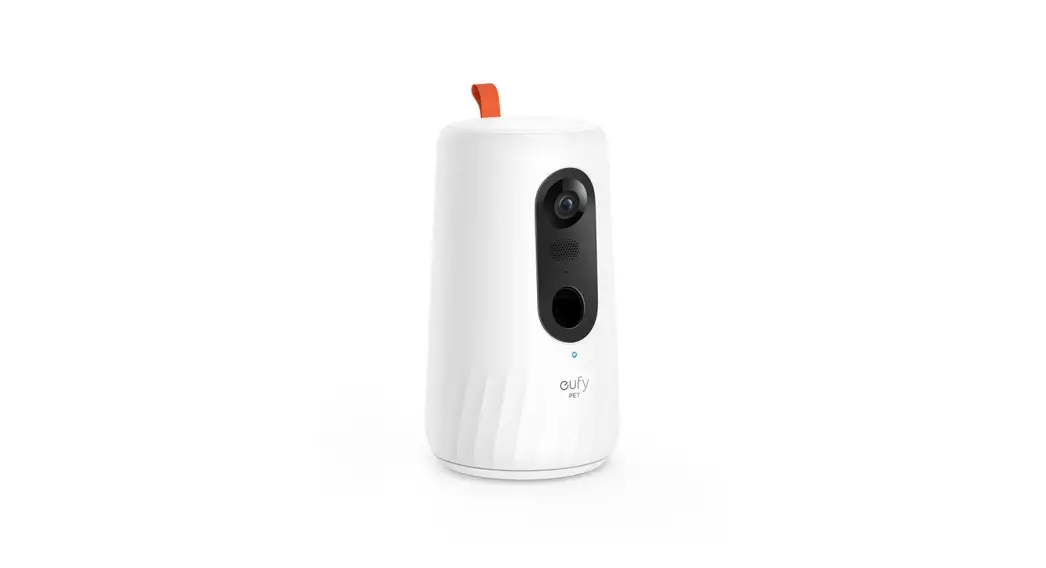
Mini Pet Camera
Product Information
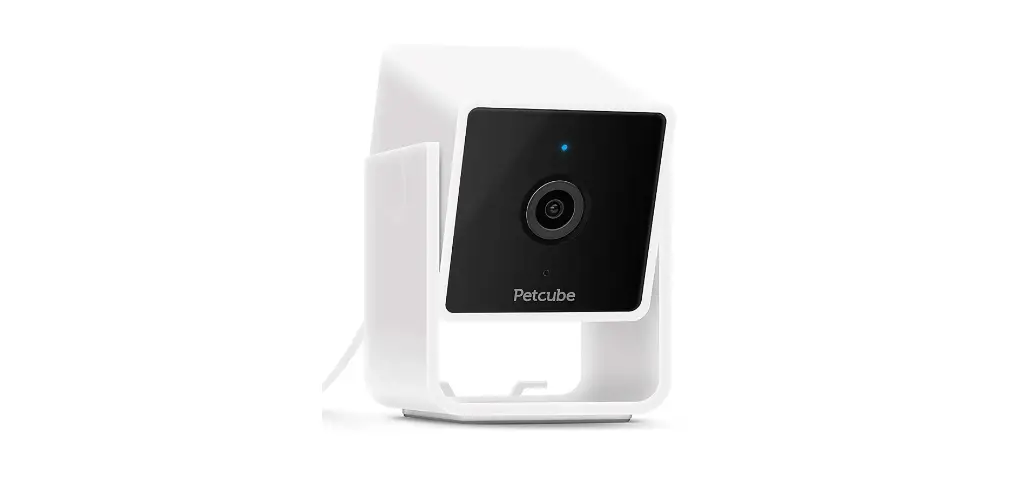
The Furbo Mini is a smart camera designed for pet owners to
monitor their pets when they are away from home. It comes with a
status indicator that blinks yellow light during setup. The camera
has two modes: Standby Mode and Live View Mode. The camera can be
placed on a table using a table stand or mounted on a wall using a
wall mount. The Furbo Mini can be set up using the Furbo app which
can be downloaded from the app store.
Setting up your Furbo Mini
- Check for a blinking yellow light before proceeding.
- Place or mount your Furbo Mini.
- Download the Furbo app to continue the setup.
- For Android: Download the app from the Google Play store.
- For iOS: Download the app from the App Store.
device and continue the setup.
Safety Information
When mounting on the wall, follow these steps:
- Mark the position of the screws on the wall.
- Drill holes into the wall at the marked positions.
- Insert screws into the holes and leave about 5mm exposed.
- Hang the wall mount onto the screws.
The Furbo Mini is compliant with Industry Canada’s
licence-exempt RSSs. The device should be used in such a manner
such that the potential for human contact during normal operation
is minimized. The antenna(s) used for this transmitter must be
installed to provide a separation distance of at least 20 cm from
all persons and must not be co-located or operating in conjunction
with any other antenna or transmitter.
Any changes or modifications not expressly approved by the
grantee of this device could void the user’s authority to operate
the equipment.
Setting up your Furbo Mini
1
2
Plug in your Furbo Mini Conecta la Furbo Mini Branchez votre Furbo Mini Schließe deine Furbo Mini an Collegare il Furbo Mini
Status indicator
Check for a blinking yellow light before proceeding
Verifica que la luz amarilla esté parpadeando antes de continuar. Vérifiez que le voyant jaune clignote avant de poursuivre. Prüfe, ob ein gelbes Licht blinkt, bevor du fortfährst. Prima di proseguire, verificare che la spia gialla lampeggi.
Need help?
Starting Up Empezando Mise en route Inbetriebnahme Avvio
Standby Mode Modo de Espera Mise en veille Standby Modus Standby
Ready for Setup Listo para la Configuración Prêt pour la configuration Installationsbereit Pronto per la configurazione
Live View Mode Modo Vista en Vivo Visionnage en direct Live View Modus Visione in Diretta
No Wi-Fi Connection Sin Conexión Wifi Pas de connexion Wi-Fi Keine WiFi-Verbindung Nessuna Connessione Wi-Fi
Live chat support
Scan QR code to contact us or email us at [email protected]
Place or mount your Furbo Mini
Download the Furbo app to continue the setup
3
Descarga la aplicación de Furbo para continuar con la configuración
Téléchargez l’application Furbo pour continuer l’installation.
Lade die Furbo App herunter, um die Einrichtung fortzusetzen.
Scaricare l’applicazione Furbo per continuare la configurazione.
or
Click “+” on the homepage to add a new device and continue the setup.
Haz clic en “+” en la página de inicio para agregar un nuevo dispositivo y continuar con la configuración.
Furbaby
Cliquez sur le “+ ” de la page d’accueil pour ajouter un nouvel appareil et poursuivre l’installation
Klicke auf der Startseite auf “+”, um ein neues Gerät hinzuzufügen und die Einrichtung fortzusetzen.
Cliccare su “+” della pagina principale per aggiungere un nuovo dispositivo e proseguire con la configurazione.
A Wall mount
B Table stand
Chat with our support agent if you have any questions or comments.
Si tienes alguna duda o sugerencia, no dudes en ponerte en contacto con nuestro servicio de atención al cliente.
N’hésitez pas à contacter notre service client si vous avez des questions ou des suggestions.
Chatten Sie mit unserem Support-Agenten, falls Sie Fragen und Anmerkunger haben.
Per qualsiasi domanda o suggerimento, è possibile contattare il nostro servizio clienti.
Safety Information
English ALWAYS unplug your USB cord before attempting to clean your Furbo Mini. Do NOT allow small children to operate Furbo Mini. Do NOT use a USB cord that is not provided in the Furbo Mini box, as it may risk damaging the Furbo Mini. Do NOT use Furbo Mini if you see any damage to the camera, the USB cord, or the plug. If you see damage, please contact [email protected]. Do NOT place your Furbo Mini close to flammable materials. Do NOT keep your Furbo Mini in hot temperatures (>120°F) or under prolonged exposure to direct sunlight. Do NOT submerge your Furbo Mini in any kind of liquid. Do NOT try to disassemble any of Furbo Mini’s parts for risk of electrical shock. Immediately discard broken or chewed-on parts as they may be a choking hazard to your pet. Secure Furbo Mini by placing it on an even and stable surface. Secure power cord away from your pet to prevent it from being walked on, pinched, or chewed on.
Spanish Desenchufa SIEMPRE el cable USB antes de intentar limpiar tu Furbo Mini. NO permitas que los niños pequeños usen la Furbo Mini. NO utilices un cable USB que no esté incluido en la caja de Furbo Mini o podrías dañar el dispositivo. NO utilices la Furbo Mini si observas algún daño en la cámara, el cable USB o el enchufe. Si ves daños, Puedes ponerse en contacto con nuestro equipo : [email protected]. NO coloques tu Furbo Mini cerca de materiales inflamables. NO mantengas tu Furbo Mini a temperaturas altas (> 50°C) o bajo exposición prolongada de luz solar directa. NO sumerjas tu Furbo Mini en ningún tipo de líquido. NO intentes desarmar ninguna de las partes de la Furbo Mini a fin de evitar algún riesgo de descarga eléctrica. Desecha inmediatamente las piezas rotas o mordidas, ya que pueden ser un peligro de asfixia para tu mascota. Asegura la Furbo Mini colocándola sobre una superficie plana y estable. Asegura el cable de alimentación lejos de tu mascota para evitar daños.
French Débranchez TOUJOURS votre cordon USB avant d’essayer de nettoyer votre Furbo Mini. Ne PAS laisser les enfants en bas âge utiliser la Furbo Mini. Ne PAS utiliser un cordon USB qui n’est pas fourni dans la boîte de la Furbo Mini, car vous risqueriez d’endommager l’appareil. Ne PAS utiliser la Furbo Mini si vous constatez des dommages sur l’appareil, sur le cordon USB ou sur la prise. Si vous remarquez un problème, nous vous invitons à nous contacter à l’adresse suivante : [email protected]. Ne PAS placer votre Furbo Mini à proximité de matériaux inflammables.
Ne PAS conserver votre Furbo Mini à des températures élevées ( >50°C) ou sous une exposition prolongée à la lumière directe du soleil. Ne PAS immerger votre Furbo Mini dans un liquide quelconque. Ne PAS essayer de démonter des pièces de l’appareil Furbo Mini afin déviter tout risque de choc électrique. Jetez immédiatement les parties cassées ou mâchouillées car elles peuvent présenter un risque d’étouffement pour votre animal. Sécurisez la Furbo Mini en la plaçant sur une surface plate et stable. Placez le cordon d’alimentation hors de portée de votre animal pour éviter de le piétiner ou tout autre dégât.
German Zieh IMMER das USB-Kabel ab, bevor du versuchst, Furbo Mini zu reinigen. Erlaube kleinen Kindern NICHT, Furbo Mini zu bedienen. Verwende KEIN USB-Kabel, das nicht in der Furbo Mini-Verpackung enthalten ist, da dies zu einer Beschädigung von Furbo Mini führen kann. Verwende Furbo Mini NICHT, wenn du Schäden an der Kamera, dem USB-Kabel oder dem Stecker feststellst. Wenn du einen Schaden siehst, kontaktiere bitte [email protected]. Stelle Furbo Mini NICHT in der Nähe von brennbaren Materialien auf. Bewahre Furbo Mini NICHT bei heißen Temperaturen (>50°C) oder unter längerer direkter Sonneneinstrahlung auf. Tauche Furbo Mini NICHT in irgendeine Art von Flüssigkeit ein. Versuche NICHT, die Teile deiner Furbo Mini zu zerlegen, da die Gefahr eines elektrischen Schlages besteht. Entsorge zerbrochene oder zerkaute Teile sofort, da sie eine Erstickungsgefahr für dein Haustier darstellen können. Sichere Furbo Mini, indem du sie auf eine ebene und stabile Fläche stellst. Platziere das Netzkabel außerhalb der Reichweite deines Haustieres, um zu verhindern, dass es darauf tritt, es einklemmt oder darauf herumkaut.
Italian SEMPRE scollegare il cavo USB da Furbo prima di tentare di pulirlo. NON consentire a bambini piccoli di utilizzare Furbo. NON utilizzare un cavo USB che non sia incluso nella scatola di Furbo Mini, potrebbe danneggiare il dispositivo. Si consiglia di posizionare Furbo a 90-130 cm (da 3 a 4,25 piedi) da terra per un miglior rilevamento del movimento. NON usare Furbo se si riscontrano danni alla fotocamera, al cavo USB o alla spina. In caso di danni, contattare [email protected]. NON posizionare Furbo vicino a materiali infiammabili. NON tenere Furbo in temperature elevate (> 50° C) o esposto per lungo tempo alla luce solare diretta. NON immergere Furbo in nessun tipo di liquido. NON cercare di smontare alcuna parte della Furbo Mini per evitare il rischio di scosse elettriche. Liberati immediatamente delle parti rotte o masticate in quanto potrebbero rappresentare un rischio di soffocamento per il tuo animale. Posiziona la Furbo Mini su una superficie piatta e stabile. Metti in sicurezza il cavo di alimentazione tenendolo lontano dal tuo animale per evitare danni.
To mount on the wall: 1
2
3
30s
To remove:
Quick Start Guide
FEDERAL COMMUNICATIONS COMMISSION INTERFERENCE STATEMENT
This equipment has been tested and found to comply with the limits for a Class B digital device, pursuant to part 15 of the FCC Rules. These limits are designed to provide reasonable protection against harmful interference in a residential installation. This equipment generates, uses and can radiate radio frequency energy and, if not installed and used in accordance with the instructions, may cause harmful interference to radio communications. However, there is no guarantee that interference will not occur in a particular installation. If this equipment does cause harmful interference to radio or television reception, which can be determined by turning the equipment off and on, the user is encouraged to try to correct the interference by one or more of the following measures: -Reorient or relocate the receiving antenna. -Increase the separation between the equipment and receiver. -Connect the equipment into an outlet on a circuit different from that to which the receiver is connected. -Consult the dealer or an experienced radio/ TV technician for help.
CAUTION: Any changes or modifications not expressly approved by the grantee of this device could void the user’s authority to operate the equipment.
RF exposure warning
This equipment must be installed and operated in accordance with provided instructions and the antenna(s) used for this transmitter must be installed to provide a separation distance of at least 20 cm from all persons and must not be co-located or operating in conjunction with any other antenna or transmitter. End-users and installers must be provide with antenna installation instructions and transmitter operating conditions for satisfying RF exposure compliance.
For Canada Canada, Industry Canada (IC) Notices This device complies with Industry Canada’s licence-exempt RSSs. Operation is subject to the following two conditions: (1) This device may not cause interference; and (2) This device must accept any interference, including interference that may cause undesired operation of the device.
Canada, avis d’Industry Canada (IC) Le présent appareil est conforme aux CNR d’Industrie Canada applicables aux appareils radio exempts de licence. L’exploitation est autorisée aux deux conditions suivantes : (1) l’appareil ne doit pas produire de brouillage, et (2) l’utilisateur de l’appareil doit accepter tout brouillage radioélectrique subi, même si le brouillage est susceptible d’en compromettre le fonctionnement.
Radio Frequency (RF) Exposure Information The radiated output power of the Wireless Device is below the Industry Canada (IC) radio frequency exposure limits. The Wireless Device should be used in such a manner such that the potential for human contact during normal operation is minimized.
This device has also been evaluated and shown compliant with the IC RF Exposure limits under mobile exposure conditions. (antennas are greater than 20cm from a person’s body).
Informations concernant l’exposition aux fréquences radio (RF) La puissance de sortie émise par l’appareil de sans fil est inférieure à la limite d’exposition aux fréquences radio d’Industry Canada (IC). Utilisez l’appareil de sans fil de façon à minimiser les contacts humains lors du fonctionnement normal.
Ce périphérique a également été évalué et démontré conforme aux limites d’exposition aux RF d’IC dans des conditions d’exposition à des appareils mobiles (antennes sont supérieures à 20 cm à partir du corps d’une personne).