
(Latest online doc version)

Wirnet™ iStation 915MHz Helium
LoRaWAN® gateway for the Internet of Things
Quick Start Guide
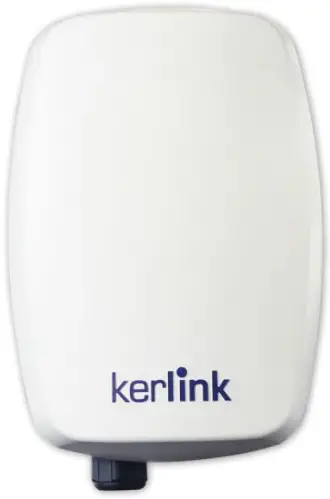
Thank you for choosing Kerlink.
We are proud to be part of your project.
 For ecological reasons, this guide has been printed on recycled paper
KLK03577_01
Kerlink internal use only
1 Need help?
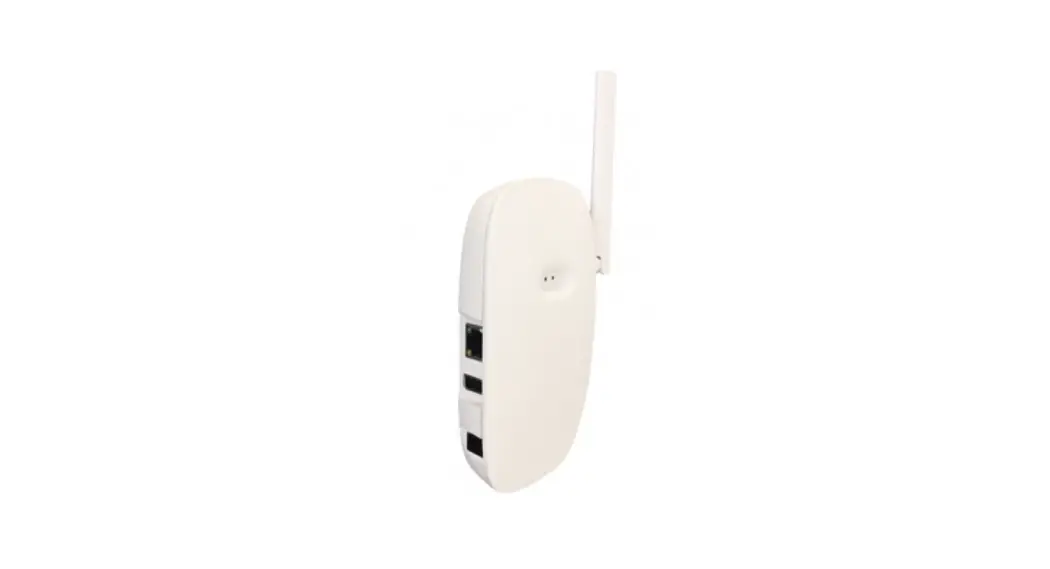
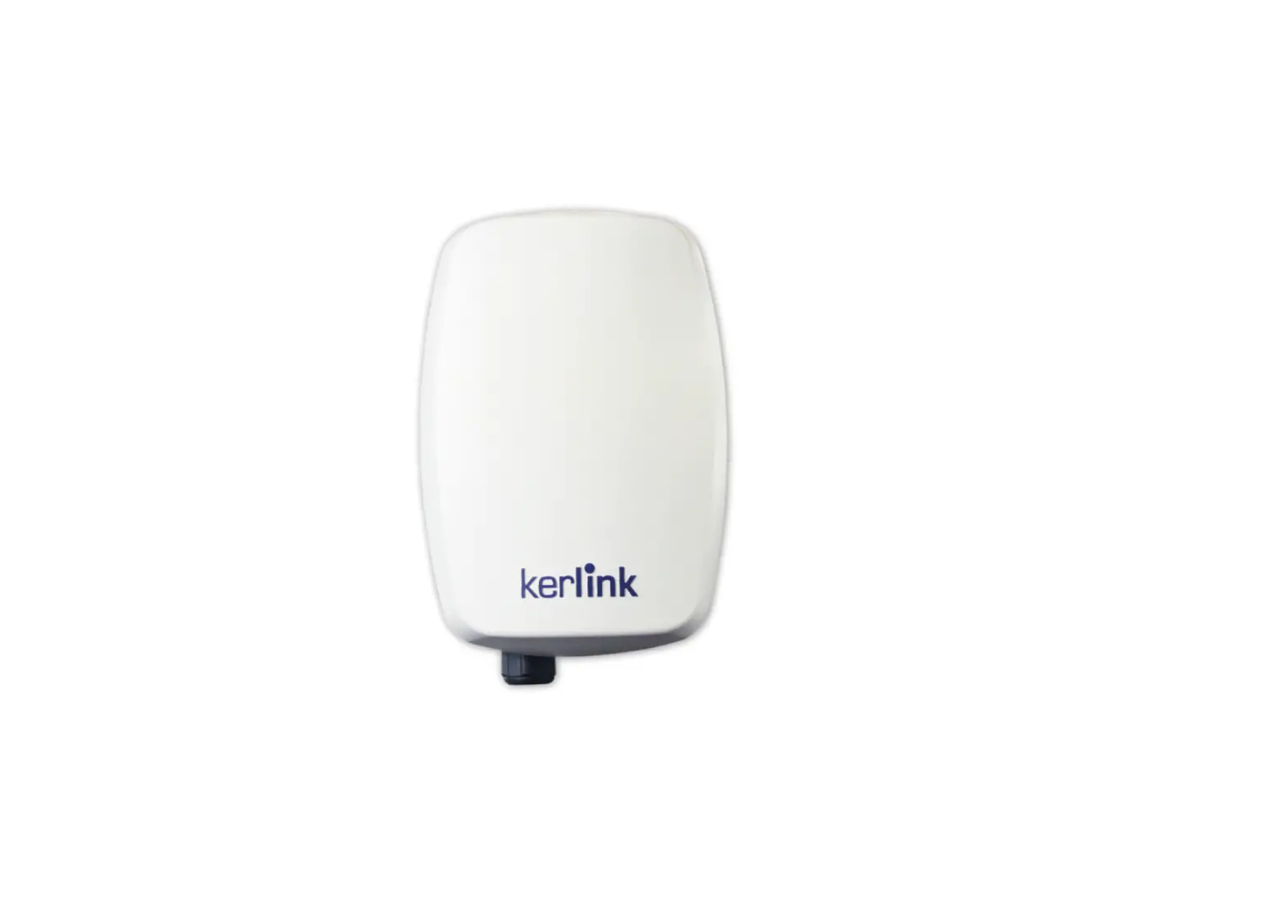
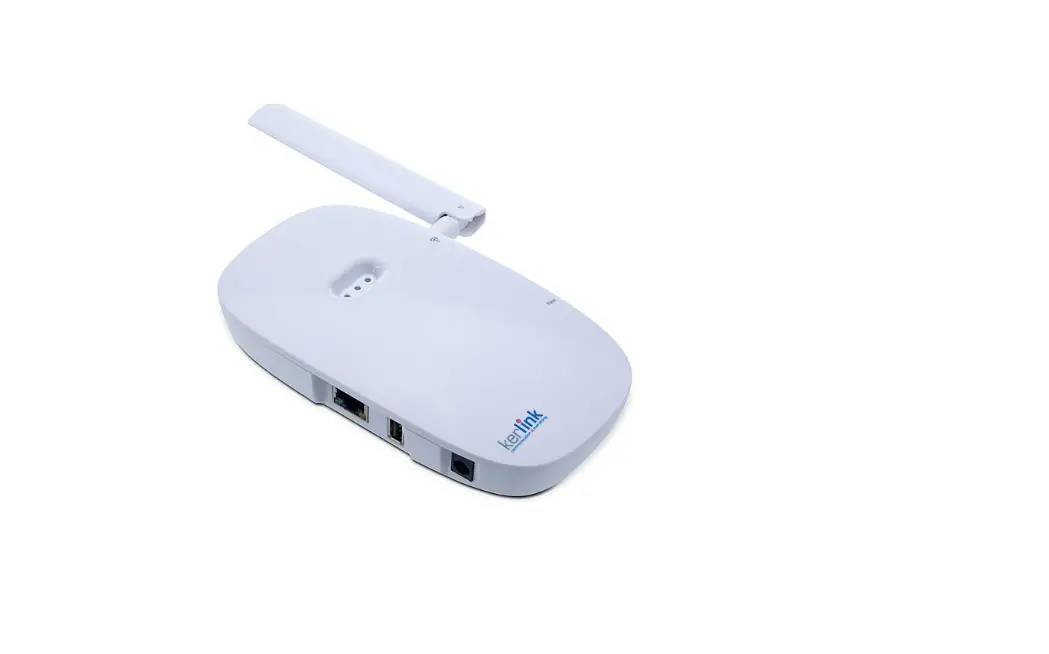
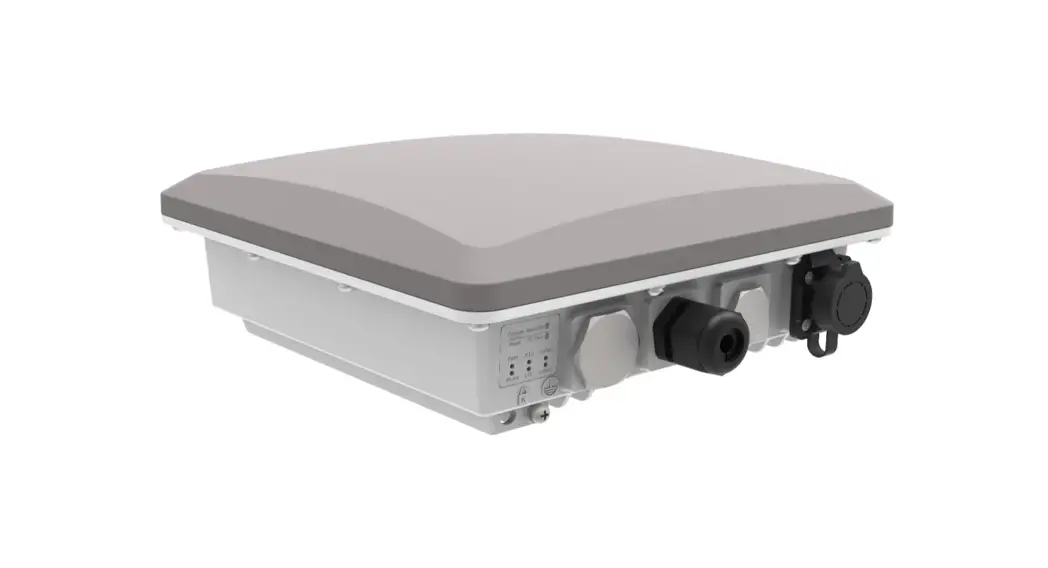
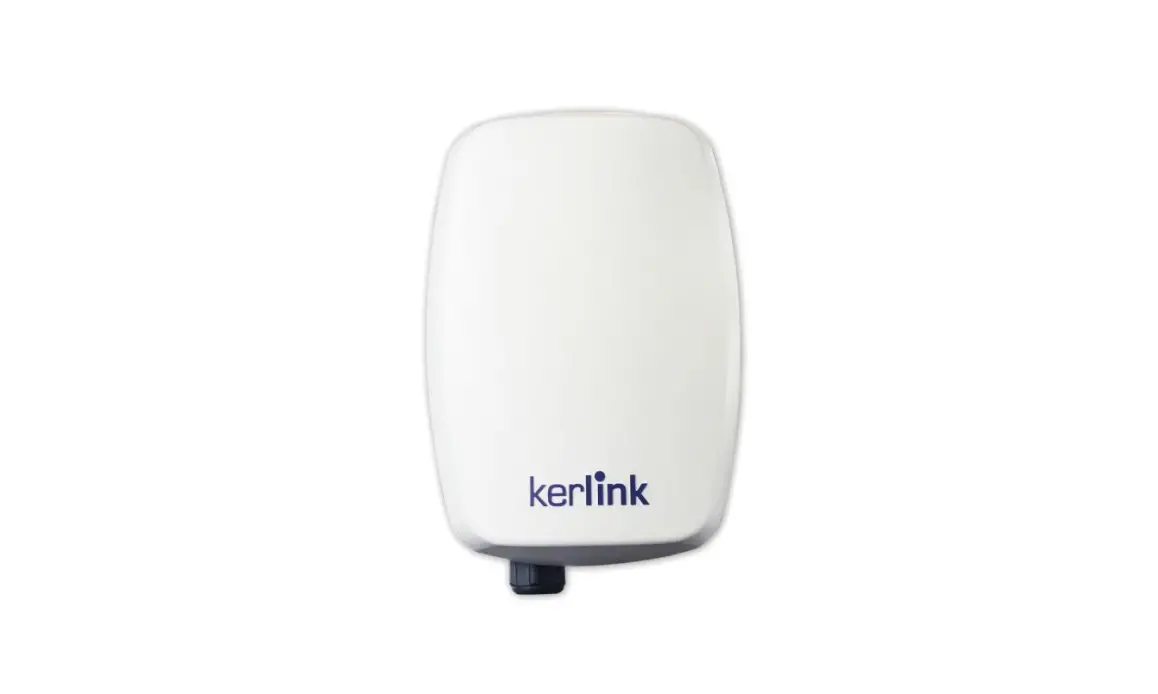
The Wirnet™ iStation 915 Helium is an outdoor LoRa Gateway for IoT chain. It is based on LoRa® technology provided by Semtech Company and is fully compatible and interoperable with existing LoRa LPWAN.
 With its specific configuration, it is a dedicated Helium-network compatible hotspot to mine HNT. To do so, it needs to be clearly mentioned once ordered as it use a specific cryptographic private key, a dedicated software, and Helium miner. If you have any doubt, please check directly with your reseller to ensure it is Helium-network compatible.
- In order to provide the most updated technical documentation, as well as considering and saving the environmental resources, Kerlink is providing preferably “Online documentation”.
- Kerlink is gathering all the technical information on a Wiki: http://wikikerlink.fr/
– If your don’t have yet your Wiki login/password please request them to [email protected] (note that the “Product ID” of one of your products will be required).
– How to find the “Product ID”? Please look at the Wirnet iStation 915 helium sticker placed on the right side of the case.
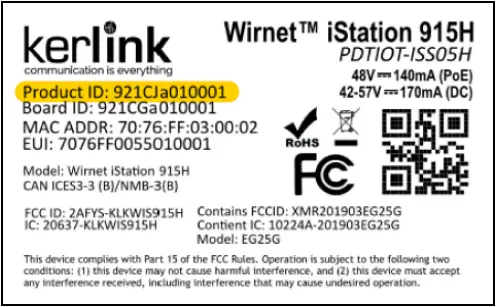
- On the Wiki, Kerlink is proposing a comprehensive set of documents and information for self-help:
– Setup of Wirnet™ iStation Gateway: Connection to the gateway, Firmware update, Packet Forwarder installation, Packet Forwarder configuration.
– System Management: Connection, login and credentials, KerOS REST API, …
– Network Management: Backhaul configuration, Firewall, IPsec / OpenVPN.
– LoRa Features, KerOS customization, Support and resources (FAQ, Troubleshoot the gateway …) - Application Notes for questions related to generic engineering rules:
– AN-KLK03355 – Improving radio coexistence performance of LoRaWAN gateways
– AN-KLK03356 – LoRaWAN gateways coverage optimization
– AN-KLK03357 – LoRaWAN gateways installation recommendations
– AN-KLK03358 – LoRaWAN gateways lightning protection - For any Warranty or Maintenance related request (Trouble shooting, help …),
– If purchased from a Distributor, please contact the distributor directly for Level1 support
– If purchased from Kerlink directly, please open an “Assistance Request” via our ticketing tool called OTRS (Open-source Ticket Request System)
– If you don’t have yet your OTRS login/password, please request them to [email protected] (note that the Product Id or any serial number of one of your products will be required).
Access to Kerlink “Technical Support team” for Maintenance Services is conditioned to a valid Maintenance contract. - For additional information or if you need any assistance to use the product, please contact your reseller. You can also find more information here:
https://www.kerlink.com/customer-support/
2 Manufacturer
Kerlink, 1 Rue Jacqueline Auriol, 35235 Thorigné-Fouillard,France
Tel.: +33 (0)2 99 12 29 00 – Fax: +33 (0) 2 99 12 29 11
www.kerlink.com
3 Safety
- Please, read these instructions carefully and look at the equipment to become familiar with the device before trying to install, operate, or maintain it.
- The following special messages may appear throughout this documentation or on the equipment to warn of potential hazards or to call attention to information that clarifies or simplifies a procedure.
 |
|
 | Refers to useful information during manipulations. |
4 Package Contents
Description | Kerlink PN | Details |
| Wirnet iStation 915H with mounting kit | PDTIOT-ISS05H | See details next page |
Cavity filter 902-928MHz | KLK02973 |  |
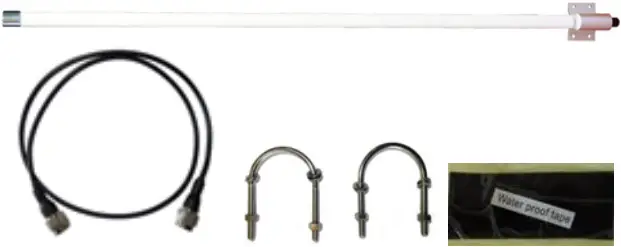
| 6dBi antenna, 902-928MHz with mounting kit (1m coaxial cable, U-bolts, waterproof tape) | ACCIOT-KAN02 |
|
|
|
Kerlink Wirnet™ iStation
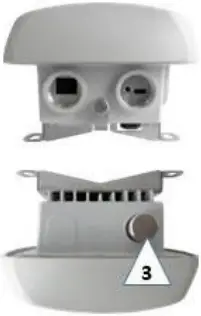
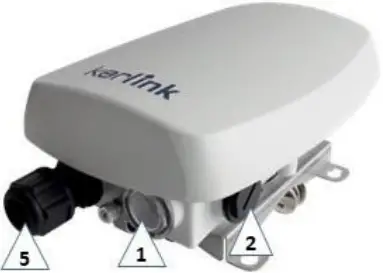
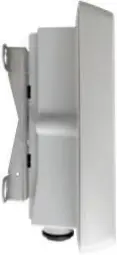
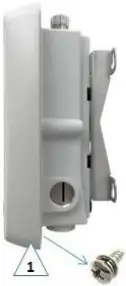
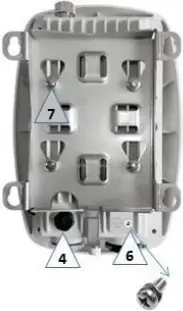
Assembly Parts: | Torque (N.m) | Screw P/N: | Torque (N.m) |
 1. M25 dust Cover (Clear) 1. M25 dust Cover (Clear) | 0,7 N.m | ||
 2. M25 dust Cover (Black) 2. M25 dust Cover (Black) | 0,7 N.m | Already mounted | |
 3. RF Switch Cap 3. RF Switch Cap | Torque by hand | ||
 4. Plastic Vent 4. Plastic Vent | 0,5 N.m | ||
| 5. Cable Gland (Step1.)
| 1.1 N.m | Cable Gland (Step2)
| 1.1 N.m |
 6. Grounding Cable 6. Grounding Cable | P/N:R-14-0049 X1 | 0.9 N.m | |
 7. Mounting 7. Mounting | |||
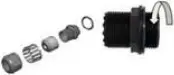
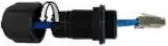
© Copyright photo – Kerlink – all right reserved
5 Markings
Symbol | Description | Symbol | Description |
| Wirnet iStation 915H | Type of Equipment |  | QR Code with EUI information |
42-57V 170mA | Power supply information |
| FCC marking indicating that the product complies with current US regulations or other marking depending on the country |
Board ID | Serial number of board |
| Marking indicating that the product complies with RoHS directives |
Product ID | Serial number of product |
| Do not dispose of with domestic waste |
MAC ADDR | MAC address |
| Product must be installed on a non-flammable substrate (UL94V0). Refer to the installation instructions Refer to the installation instructions before powering up |


6 Installation of Wirnet™ iStation
6.1 Mounting of the enclosure
| When installing the product, the ground connection must always be made first. |
 | The Wirnet™ iStation enclosure can be mounted on a pole by strapping (see the following example), any concrete pedestal, concrete wall or any non-flammable surface (UL94-V0). |
| The pole or mast should be also connected to ground. |
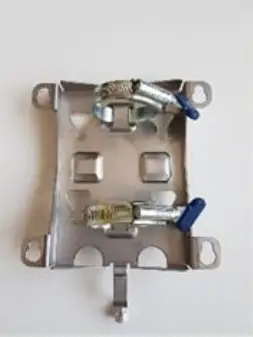
Gateway support (Strapping not included)
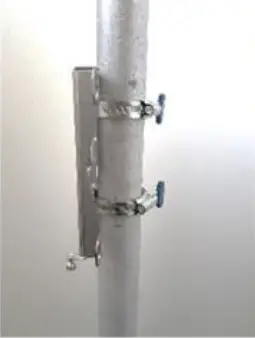
Installation support on a pole with strapping
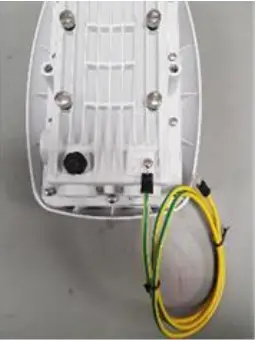
Mandatory ground connection on the Wirnet™ iStation
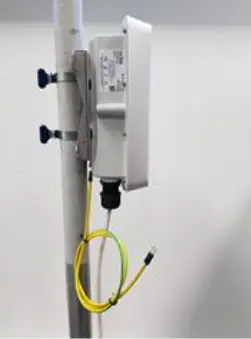
Installation the Wirnet™ iStation on the support
6.2 Mounting of the antenna and the cavity filter
| The antenna should be also connected to the ground. |
| The pole diameter shall 48mm max. |
Mount the antenna on the pole using the U-bolts as follows:
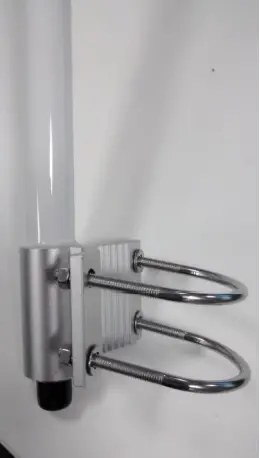
Mount the U bolts on the antenna
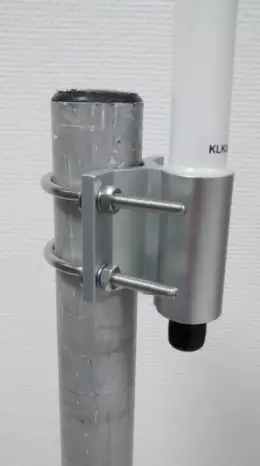
Mount the antenna and U-bolts on the pole
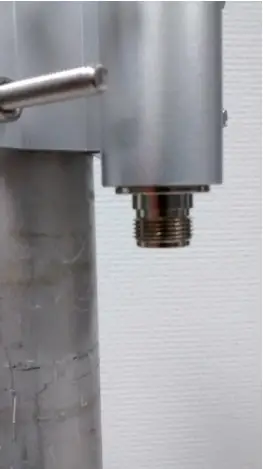
Remove the cap on the N connector of the antenna
|
|
Remove the caps on the N connector of the cavity filter and screw the cavity filter onto the antenna as follows:
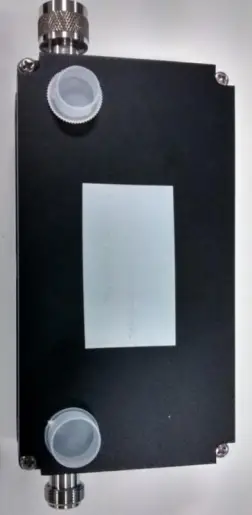
Remove caps on both N connectors
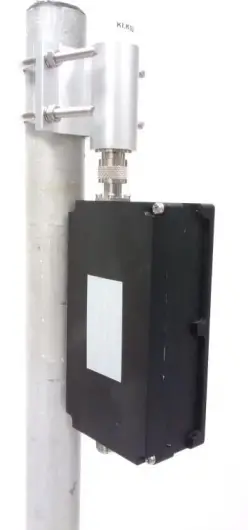
Screw the cavity filter onto the antenna through the N connector
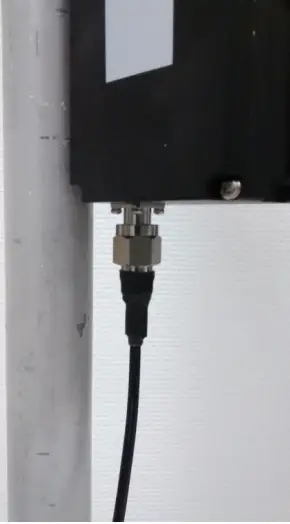
Screw the coaxial cable onto the N connector of the cavity filter
|
|
6.3 Setting antenna connection
| Before setting all connections, ensure that the power supply is not connected to the mains supply. |
GNSS and 3G/4G antennas are integrated and do not require any intervention.
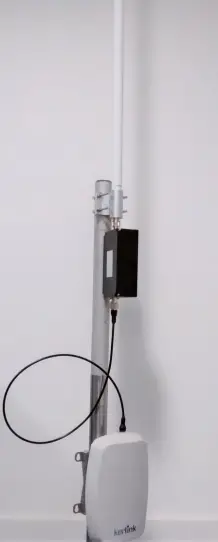
The external LoRa antenna shall be connected to gateway through the cavity filter.
On the gateway side, remove the RF switch cap n°3 (please refer on the chart page 3) and then screw the N connector of the coaxial cable.
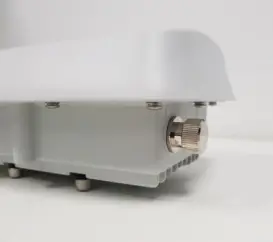
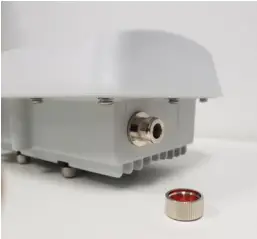
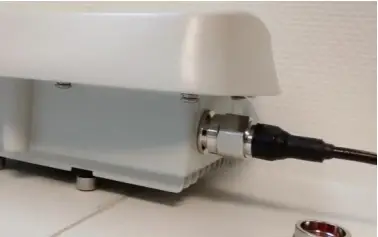
Unscrew RF switch cap Screw coaxial cable
|
|
|
|
|
|
6.4 Setting backhaul connection
Once the Wirnet™ iStation is installed, you can select up to 2 technologies to set up the access to Internet for the data backhaul:
- Ethernet connection, requiring an Ethernet access through a dedicated RJ45 cable (not included)
- 3G/4G cellular connection, requiring an USIM (not included) and a data subscription (not included)
Note that both configurations can be used in parallel. For example, RJ45 Ethernet with a 3G / 4G link as a backup.
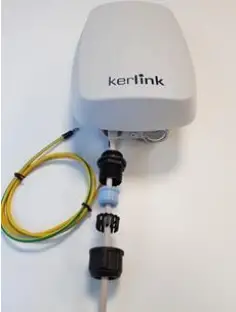
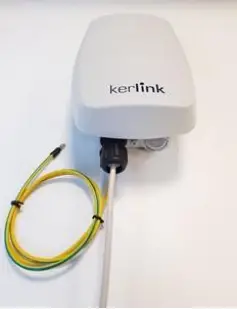
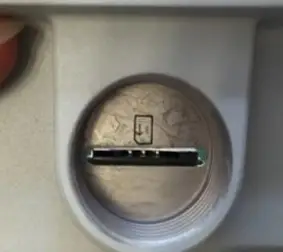
Ethernet connection Insert SIM
Regarding the power supply, the following equipments can be used:
- End-Span or Mid-Span at least a 15W PoE (Power over Ethernet) (not included)
| The Ethernet cable is not provided and must consist of two RJ45 T 568A (or 568B) plugs on each side. KERLINK recommends using a cable with the following characteristics:
Operating temperature range: -40°C to +60°C |
6.5 Assembly instruction for sealing the connectors
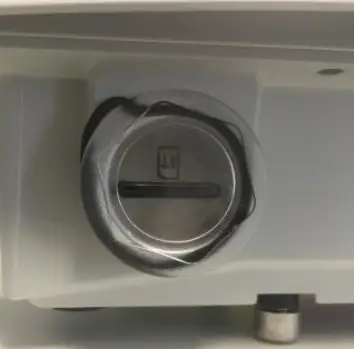
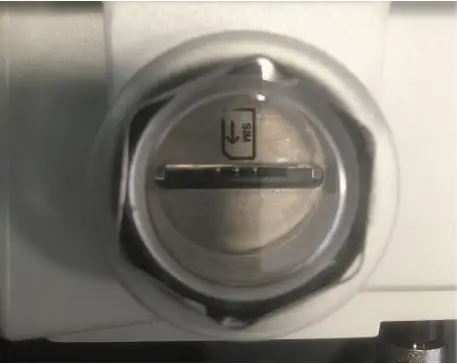
| Pay attention to the gasket when screwing the 2 caps : if you screw too hard, it may twist. Here is an example of what is OK and what is not. If you use a torque wrench, the tightening torque should be 1.6 Nm maximum | |
| 
| |
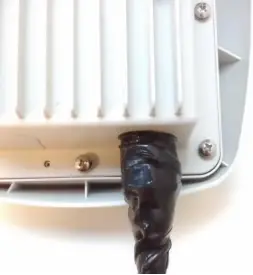
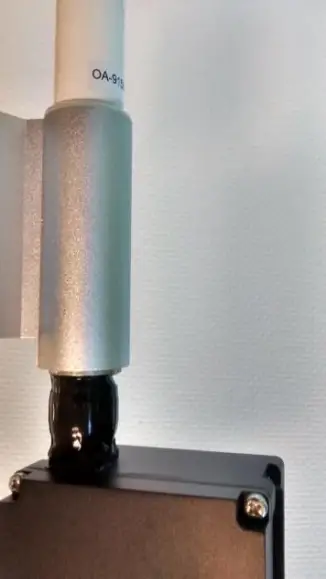
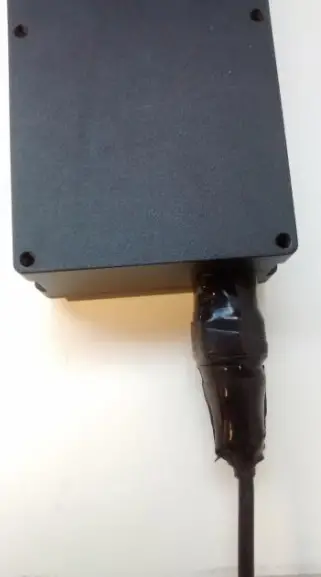
| To avoid environmental aggression (moisture, pollution, etc.) and ensure their reliability, use a self-amalgamating tape on the N connector as show below:
| |


6.6 Power ON
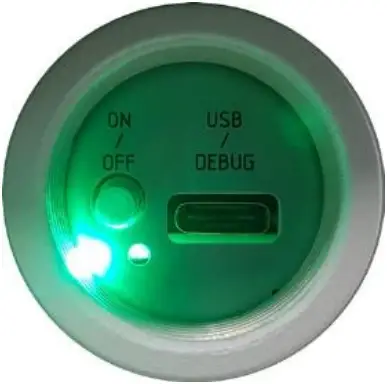
- A push-button is available on the bottom of enclosure.
- The RESET button must be pressed during 1s to generate a SW reset of the product.
- Note that a long press for 5s halts the gateway.
Once the power is “On”, please check the LED status and start the SW configuration. The iStation should power on, showing:
- a solid green LED (Power LED, under the power button),
- accompanied by a red LED (Status LED =operations status) starting solid, then blinking during bootup.
| Gateway status | «Status LED» behaviour |
| Boot part 1 | Fix on |
| Boot part 2 | Heart beat |
| Boot part 3 | Blink every second |
| Run time | Off |
| Power down sequence | Heartbeat |
| Restore backup | Blink / 2 seconds |
| Restore stock | Blink / 4 seconds |
For more information on the « Quick start of Wirnet™ iStation Gateway, please consult the Kerlink Wiki: http://wikikerlink.fr/wirnet-productline/doku.php?id=wiki:quickstart:quickstart_istation
6.7 First connection
The Wirnet productline embeds a web interface to allow to easily manage the gateways:
- Trigger software upgrade/update,
- Configure the backhaul connectivity,
- Trigger actions on the gateway: Turn-off, reboot, factory reset …
The generic syntax to access to this web interface is: http://klk-<type_GW>-<serial>/
This means: for the Wirnet iStation: http://klk-wiis-03002e/
Note that if your computer is on the same local network, you can also use directly the IP address of your gateway in a browser to connect to the Web interface.
The default credentials are available on the wiki.
For security reasons, it is strongly recommended to change the default passwords.
7 Declaration of Conformity
The Wirnet™ iStation 915MHz Helium is compliant to both FCC and IC regulations.
The associated FCC and IC identifiers of the Wirnet™ iStation 915MHz Helium are:
Model: Wirnet™ iStation 915H Model: EG25G
FCC ID: 2AFYS-KLKWIS915H Contains FCC ID: XMR201903EG25G
IC: 20637-KLKWIS915H Contient IC: 10224A-201903EG25G
| The power supply of the Wirnet™ iStation 915MHz Helium must be a limited source of power. Note that: Kerlink is not responsible for any changes or modifications not expressly approved by the party responsible for compliance. Such modifications could void the user’s authority to operate the equipment.This device complies with Industry Canada’s license-exempt RSSs. Operation is subject to the following two conditions:
|
| Some conditions have to be respected to maintain the FCC and IC compliance of the devices in the USA and Canada. Please contact your reseller to have details. For other countries, check the specific regulations regarding maximum EIRP and duty cycle allowed. |
| This equipment has been tested and found to comply with the limits for a Class B digital device, pursuant to part 15 of the FCC Rules. These limits are designed to provide reasonable protection against harmful interference in a residential installation. This equipment generates, uses and can radiate radio frequency energy and, if not installed and used in accordance with the instructions, may cause harmful interference to radio communications. However, there is no guarantee that interference will not occur in a particular installation. If this equipment does cause harmful interference to radio or television reception, which can be determined by turning the equipment off and on, the user is encouraged to try to correct the interference by one or more of the following measures: —Reorient or relocate the receiving antenna. —Increase the separation between the equipment and receiver. —Connect the equipment into an outlet on a circuit different from that to which the receiver is connected. —Consult the dealer or an experienced radio/TV technician for helpThis radio transmitter 20637-KLKWIS915H has been approved by Innovation, Science and Economic Development Canada to operate with the antenna types listed below, with the maximum permissible gain indicated. Antenna types not included in this list that have a gain greater than the maximum gain indicated for any type listed are strictly prohibited for use with this device.External antenna used: gain 6dBi, dipole, 50 Ω, vertical, omnidirectional |
| This equipment complies with RSS102’s and FCC radiation exposure limits set forth for an uncontrolled environment under the following conditions:
This device contains license-exempt transmitter(s)/receiver(s) that comply with Innovation, Science and Economic Development Canada’s license-exempt RSS(s). Operation is subject to the following two conditions:
This device must be professionally installed. |
8 Disposal / recycling
 | Do not dispose of the product with household waste. For proper disposal, contact a waste disposal company. The product packaging (cardboard and liners) can be removed with used paper. |
9 Warranty
Contact your reseller for warranty conditions of the Wirnet™ iStation 915MHz Helium.
| The Wirnet™ iStation 915MHz Helium is not warranted by Kerlink in case the enclosure is opened, modified, painted, branded out, outlined by CUSTOMER for any reason. Feel free to contact us for a guideline for the branding. |
10 Accessories and Professional Services
For additional information, on available accessories and Professional Services please contact your reseller.

11 Give us your feedback
Your shopping and operational experiences are very important to us.
We would like to invite you to leave review on our products and services.
We will appreciate your time and efforts.
We would be very proud to get any photo of your gateway installation. Can you share them to [email protected]
We would like to hear from you: any tips, any news to share ?
 @kerlink_news
 Kerlink
 Kerlink channel
We stay at your disposal for any help on your project.
Yours sincerely.
Kerlink Team
 Kerlink - Wiki
 Kerlink, IoT connectivity networks, software and services - Kerlink