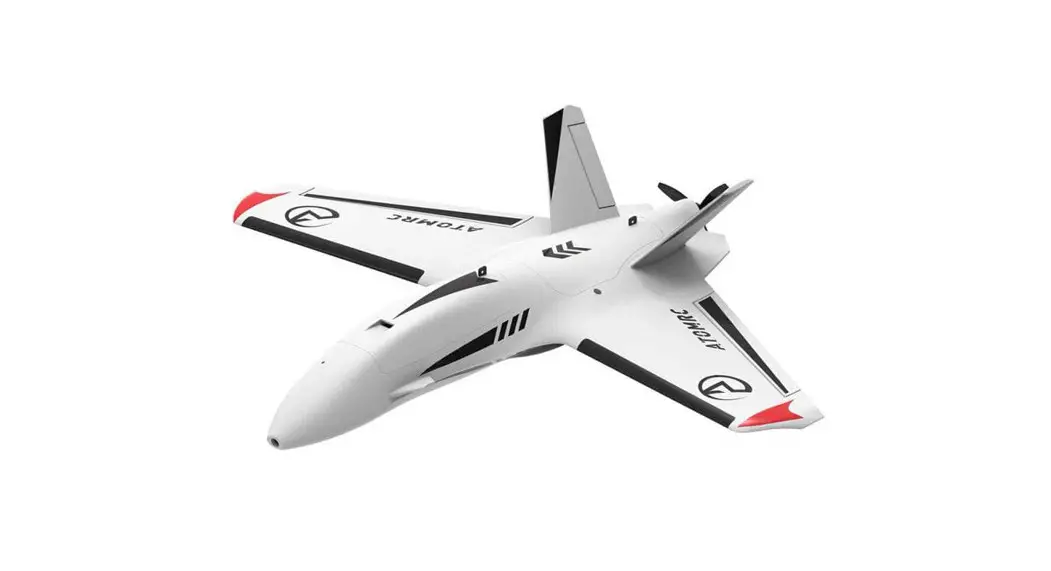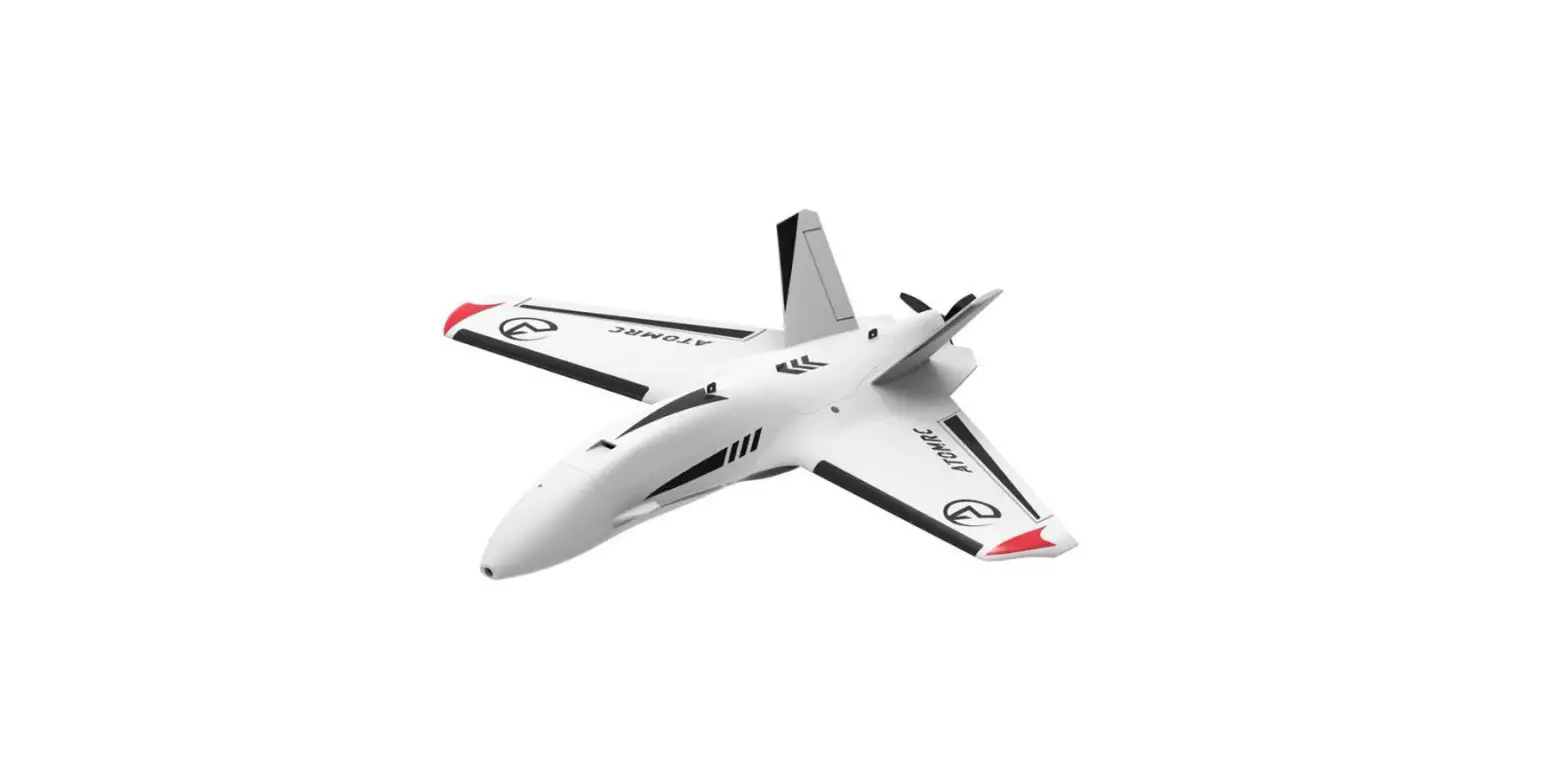

ATOMRC Dolphin Plane Kit
Introduction
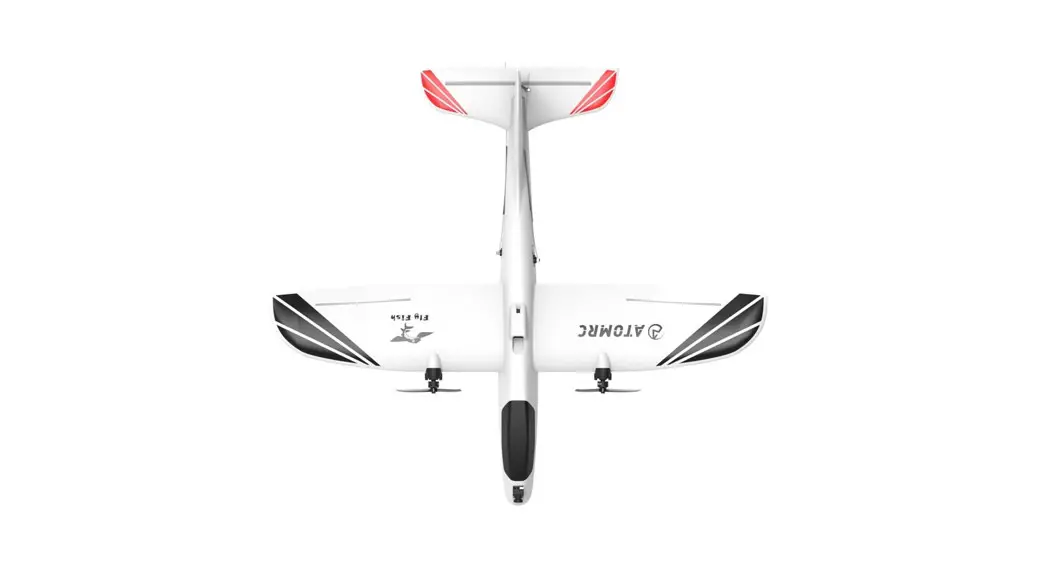
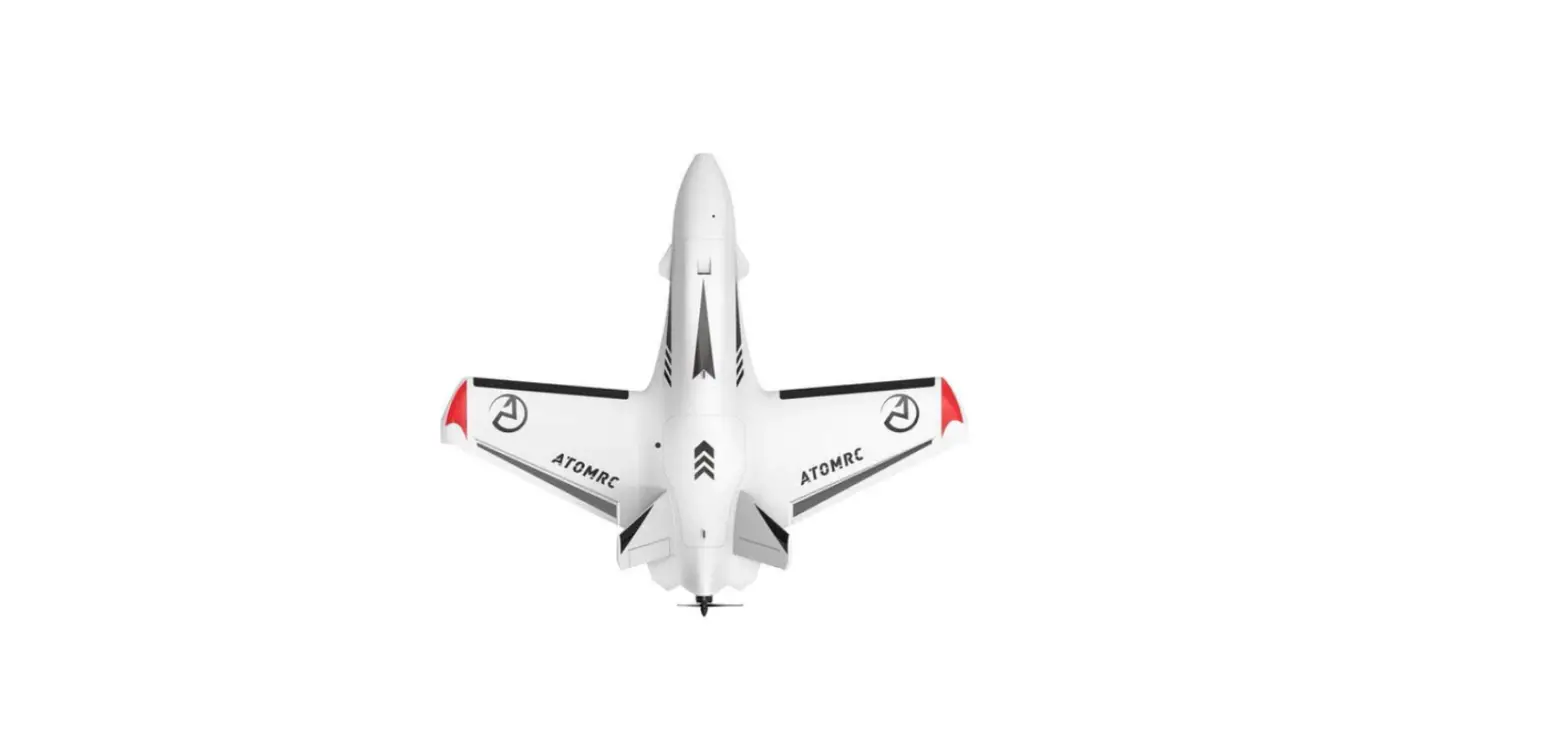
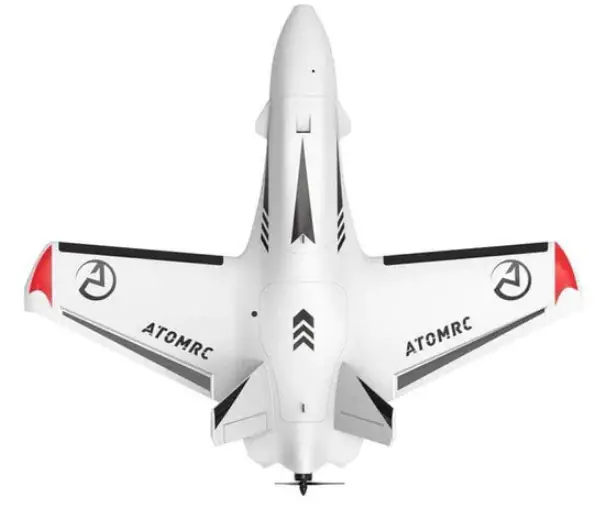
The Dolphin is sweep forward fly wing, with elegant design, the dolphin can fly stable both on high speed and low speed, the large fuselage can give use lots of space to install the electronics, the detachable wing made the wing easy for transport, V tail made the wing more stable for cruising.
Specifications
| Specifications | |
| Wingspan | 845mm |
| Length | 710mm |
| WingArea | 15.24d㎡ |
| Material | EPP |
| Recommend Motor | 2306 2000KV |
| Recommend ESC | 30A 2~4S |
| Recommend Propeller | 7040 |
| Servo | 9g Servo*2PCS |
| Recommned Battery | 21700 4S1P(300g) |
Version Description

KIT Foam Contents
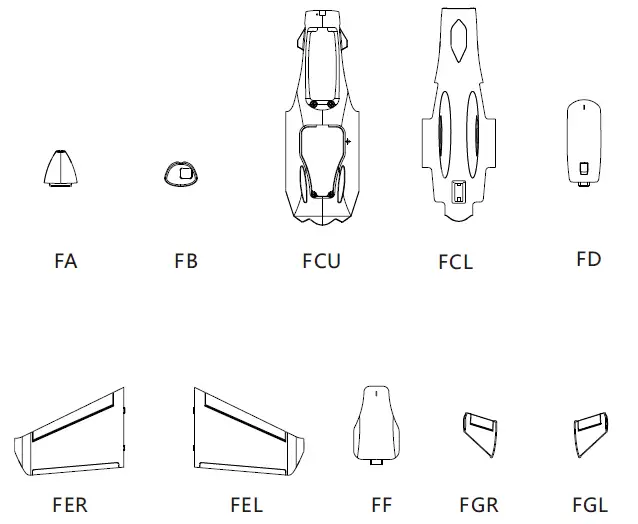
- FA: Front Hatch Cover
- FB: Gopro Cover
- FCU: Upper Fuselage
- FCL: Lower Fuselage
- FD: Front Hatch
- FER: Right Wing
- FEL: Left Wing
- FF: Rear Hatch
- FGR: V Tail
- FGL: V Tail
KIT Lite Installation
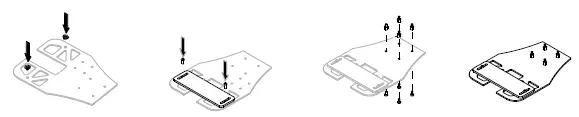
- Install the standoff and nuts, need glue the nylon screw under the board.

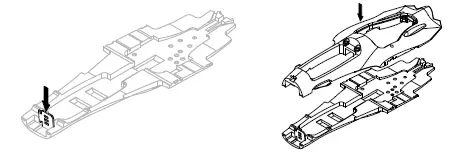
- Glue the gopro mount plate, then glue the fuselage.

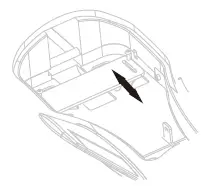
- Install the battery strap , glue the battery mount board to the fuselage.

- Install the Camera mount plate, and the V tail.

- Install side plate of the wing, then install the control horn.

- Glue the plastic protection parts on the wing and the bottom.

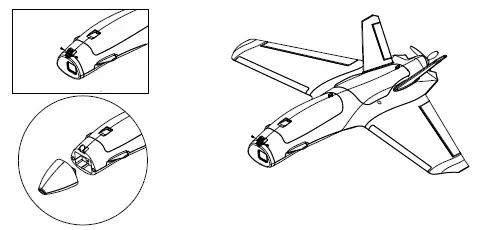
- Install the magnet on the hatch, glue the sharp nose.

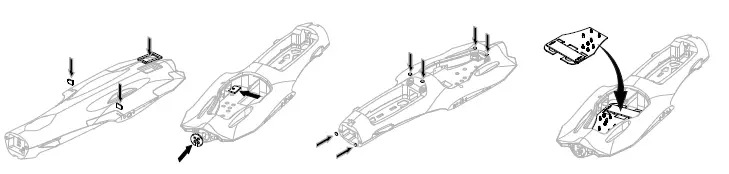
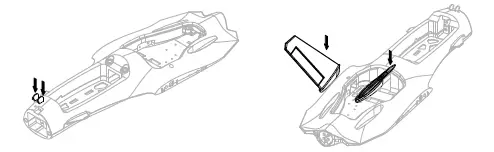
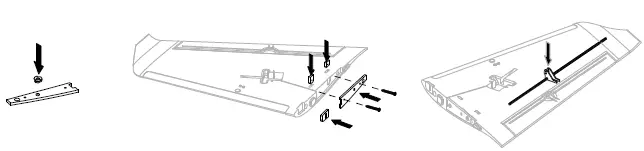
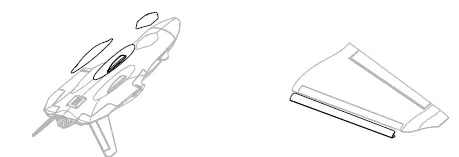
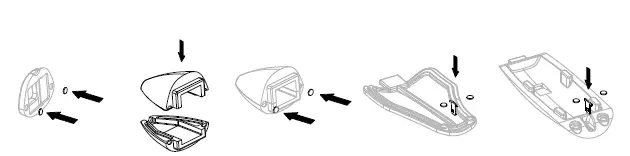
KIT/PNP/FPV Installation
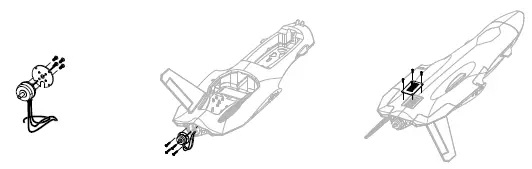
- Install the motor and ESC.

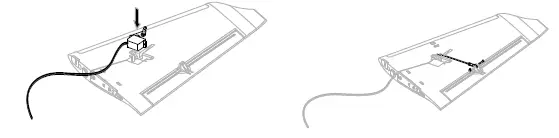
- Install the servo and push rods, then install the rudder.

- User can choose carbon plate to install the camera or just use foam to fill.

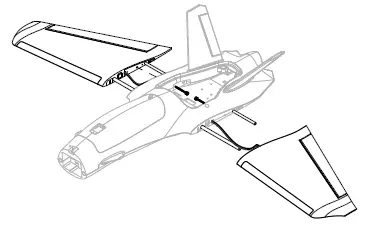
- Install the wing to the fuselage.

- When Gopro is installed, adjust battery slider to adjust balance.

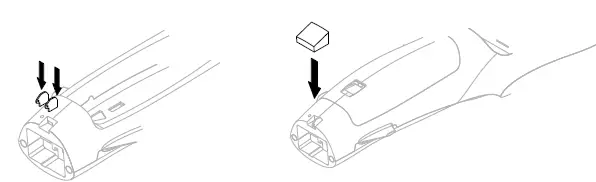
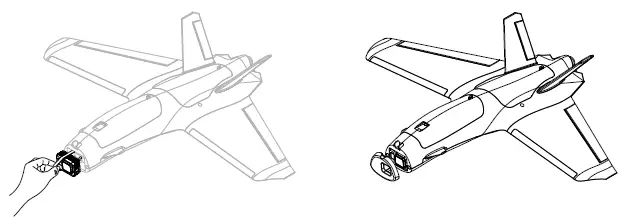
- To install Gopro, use rubber band to lock the gopro then install the hatch.

- Install the Nose and Cam.

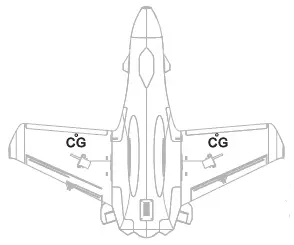
- The CG is marked under the wing, you can move the CG 3-4mm to get better control.
ESC Information
Throttle calibration
- The ESC included with the model has a safe start.If the motor battery is connected to the ESC and the throttle stick is not in the low throttle or off position,the motor will not start untill the throttle stick is moved to the low throttle or off position.
- Power on the ESC(The ESC must connect to the motor and Receiver). The motor will emit a series of beeps, after the beeps, set the the throttle stick the the minimum, the motor will emit a series beep again. now the ESC calibration is done.
ESC Wiring Diagram
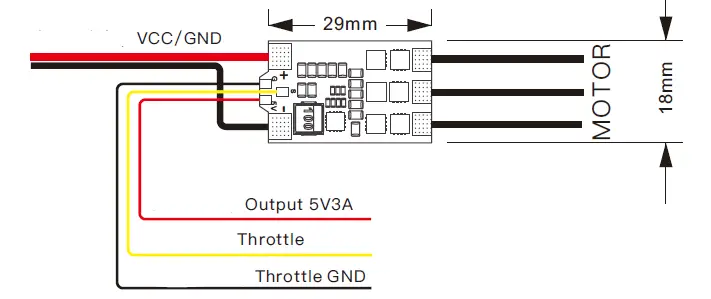
- Voltage input: 2~4S Lipo
- Continuous current: 30A
- Max Current: 35A
- Output: Built in 5V 3A BEC
VTX Tx15 User manual
Tx15 Wiring Diagram
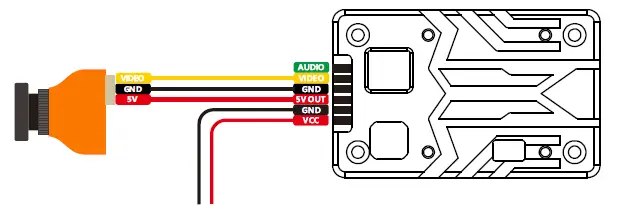
Please make sure antenna is installed before power on, otherwise the VTX will fried!!!
Tx15 Specs
- Voltage input: 2~6S Lipo
- Power: 200/800/1500mw Switchable
- Power consumption: 9V 1.1A
- Frequency:5.3~5.9Ghz
| Band | Channel | |||||||
| 1 | 2 | 3 | 4 | 5 | 6 | 7 | 8 | |
| Band A | 5865 | 5845 | 5825 | 5805 | 5785 | 5765 | 5745 | 5725 |
| Band B | 5733 | 5752 | 5771 | 5790 | 5809 | 5828 | 5847 | 5866 |
| Band E | 5705 | 5685 | 5665 | 5645 | 5885 | 5905 | 5925 | 5945 |
| Airwave/FS | 5740 | 5760 | 5780 | 5800 | 5820 | 5840 | 5860 | 5880 |
| Race Band | 5658 | 5695 | 5732 | 5769 | 5806 | 5843 | 5880 | 5917 |
| L Band | 5362 | 5399 | 5436 | 5473 | 5510 | 5547 | 5584 | 5621 |
VTX Setting
- Hold button 3 seconds into setting mode.
- In setting mode. short press the button to change band.
- Then hold button 3 seconds into CH setting mode, short press button to change CH.
- Hold button 3 second to get into Power setting mode, there is short bar on LED, short press to switch power, 1 bar means 200mW, 2 bar means 800mW, 3 bar means 1500mW.
Please download the latest user manual at: www.atomrc.com/pages/download

 Download – ATOMRC