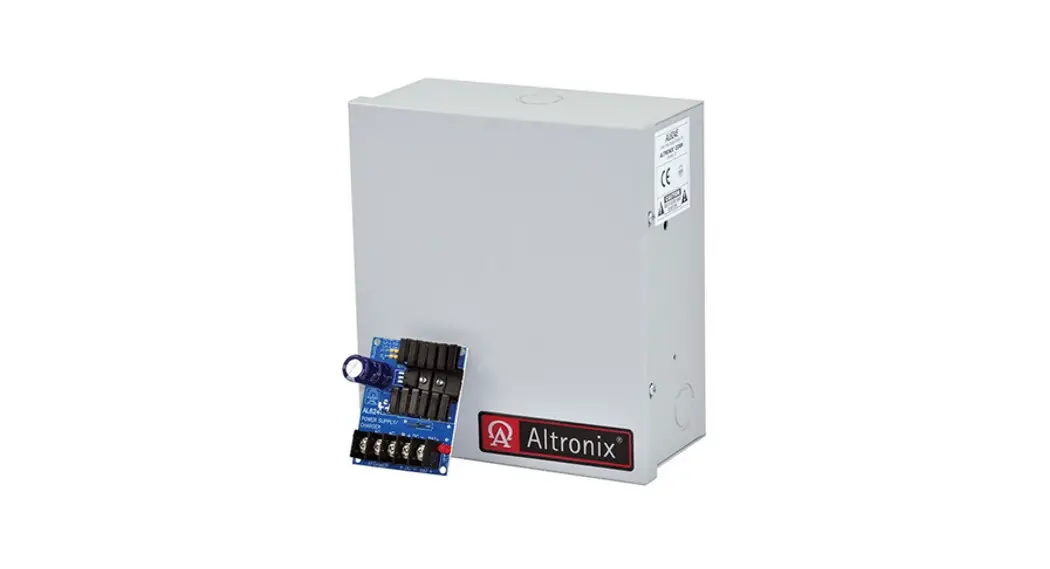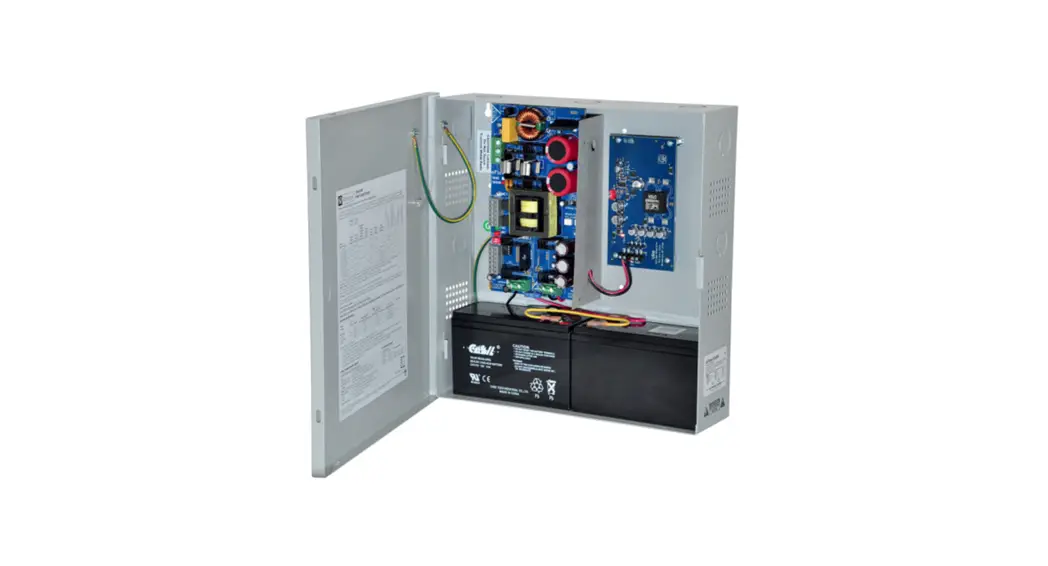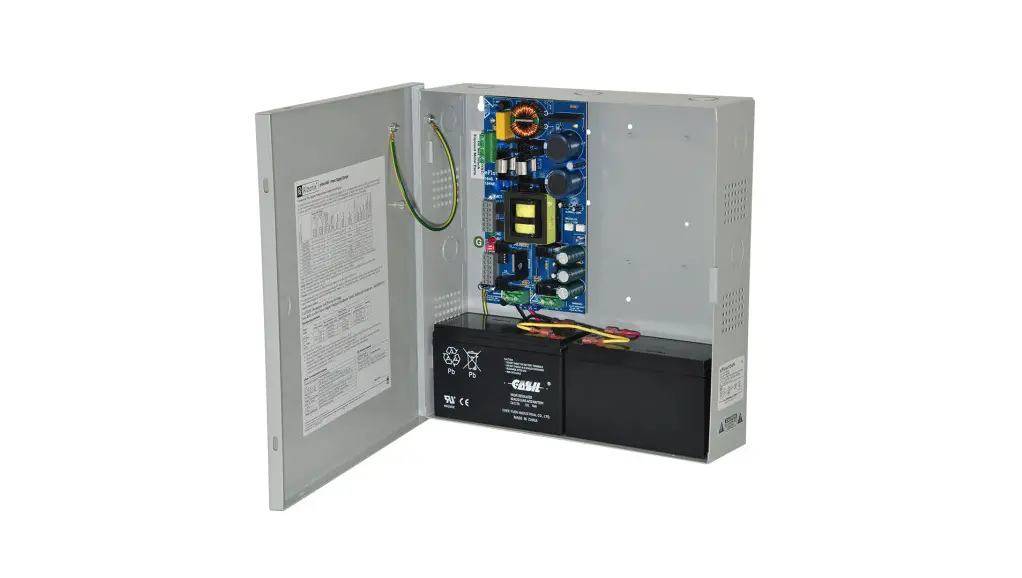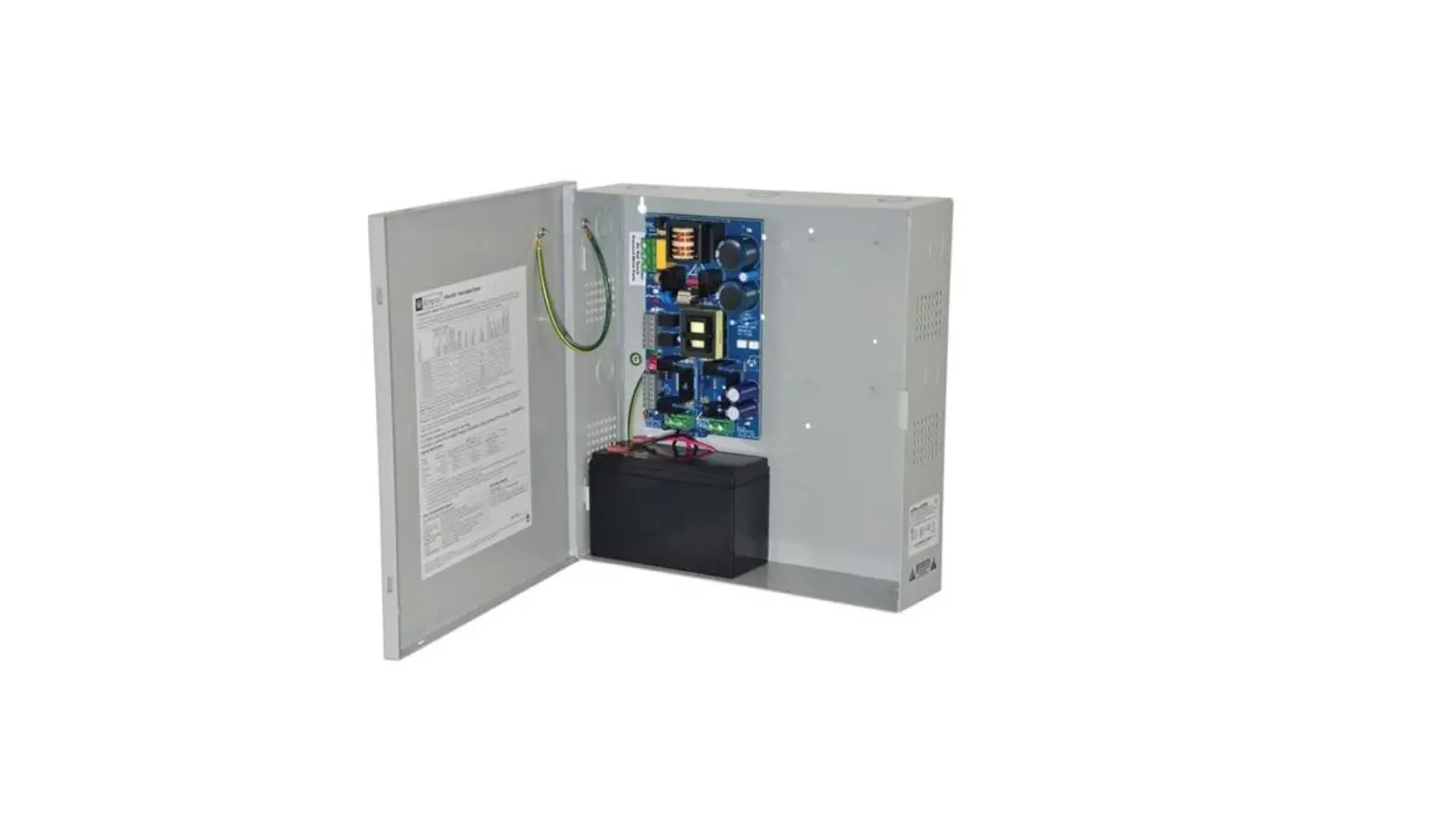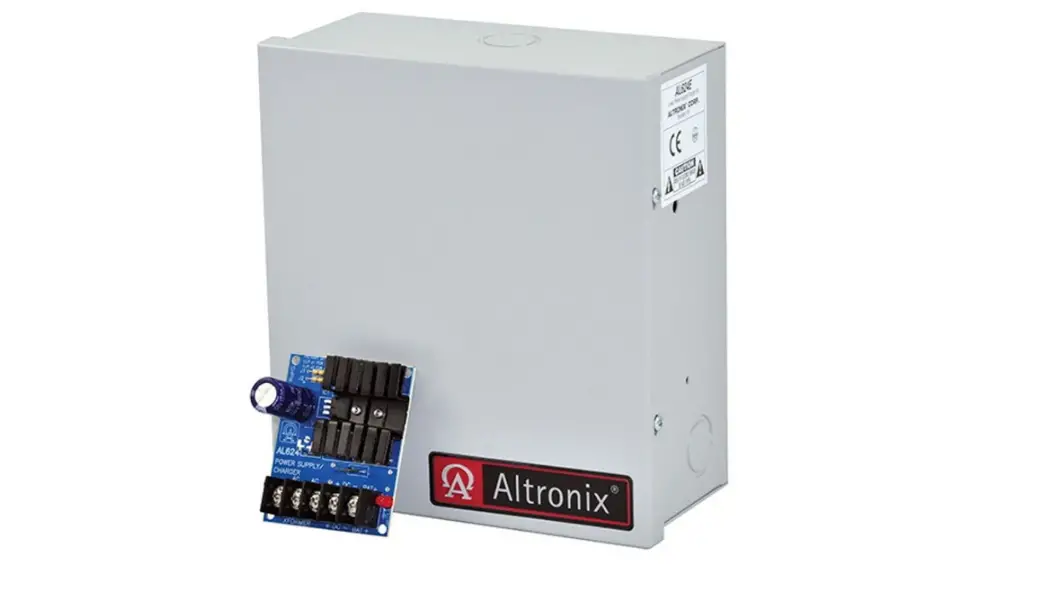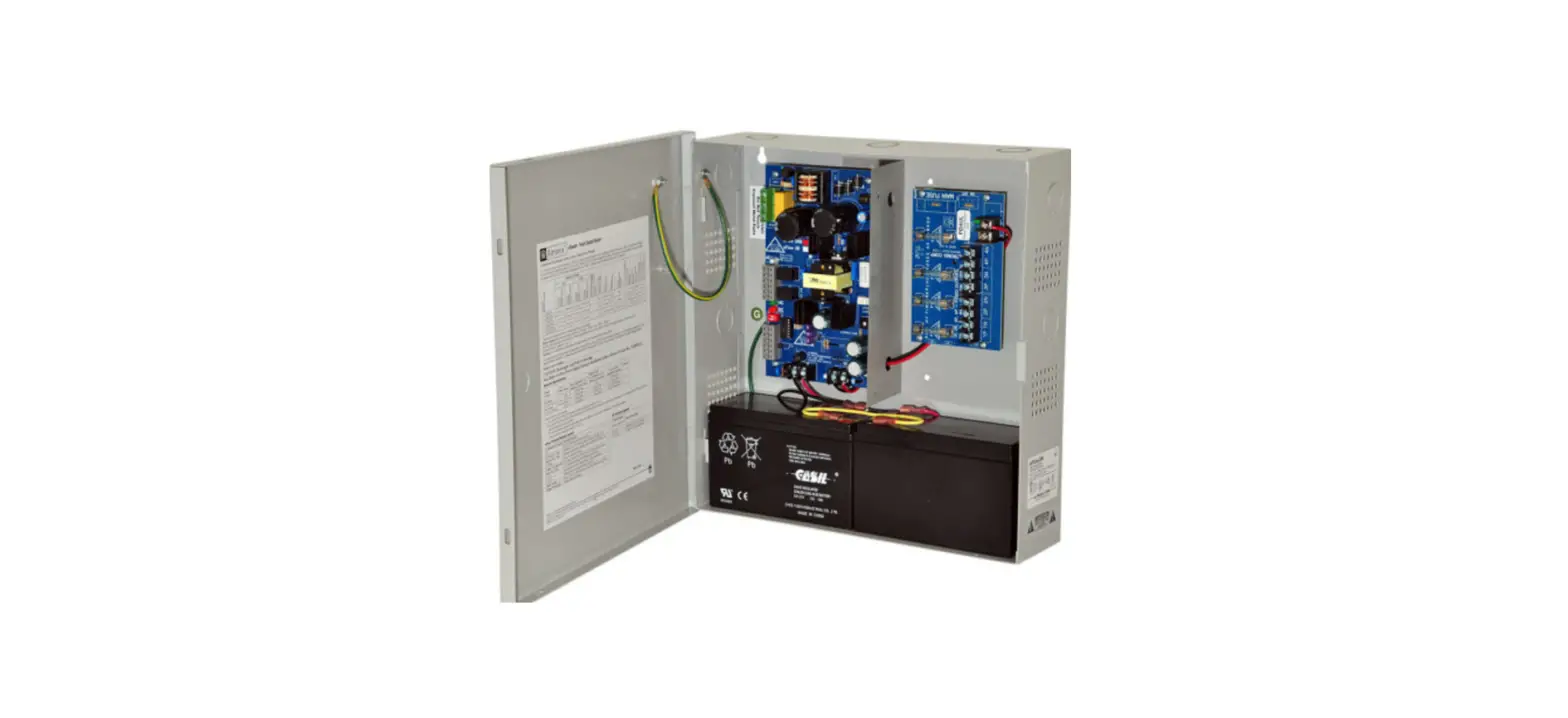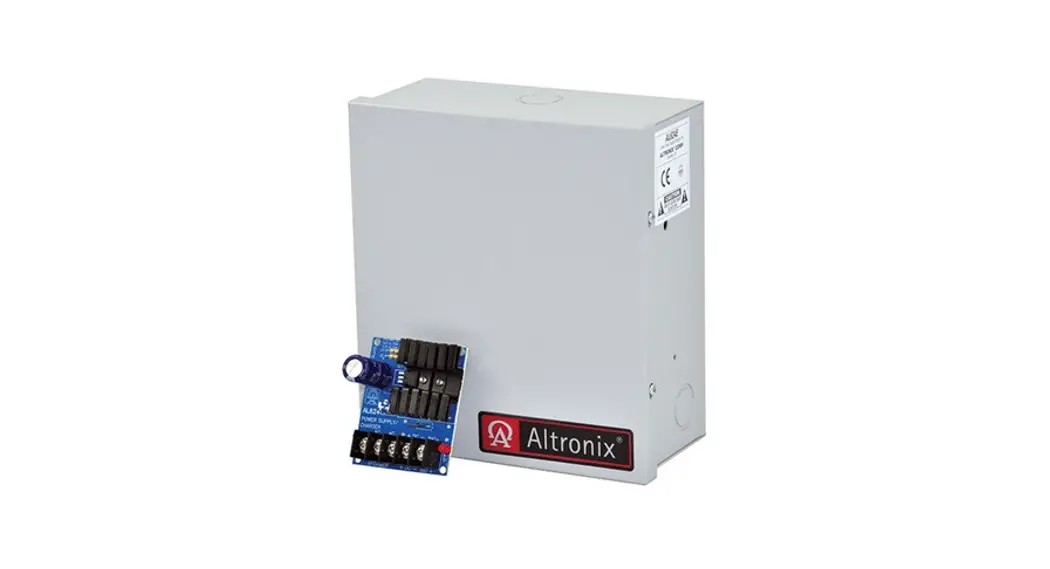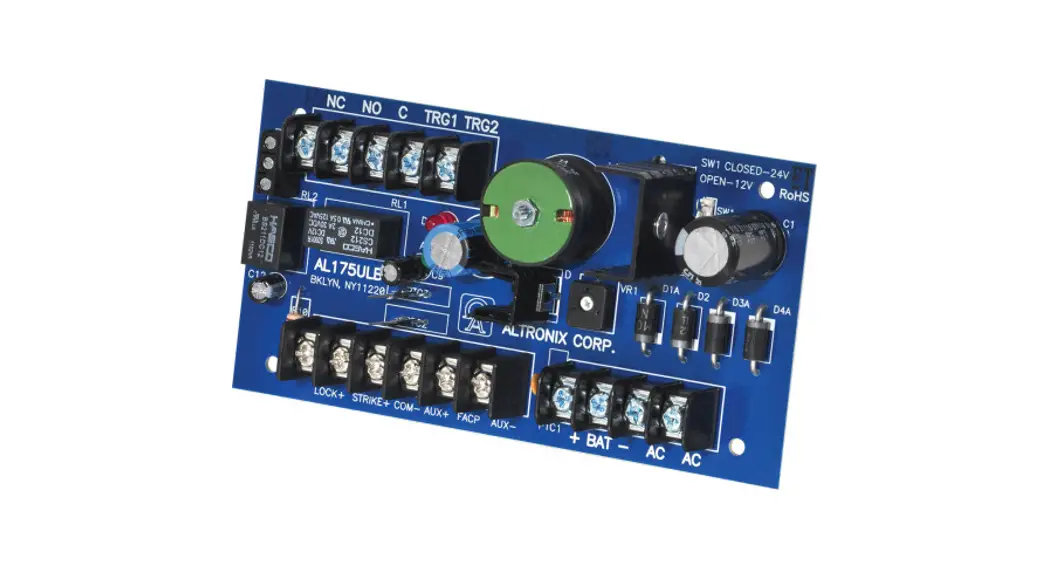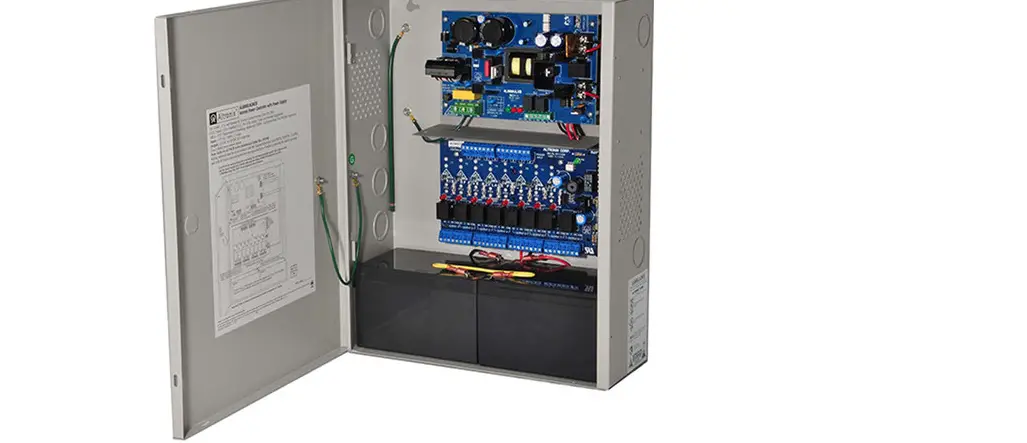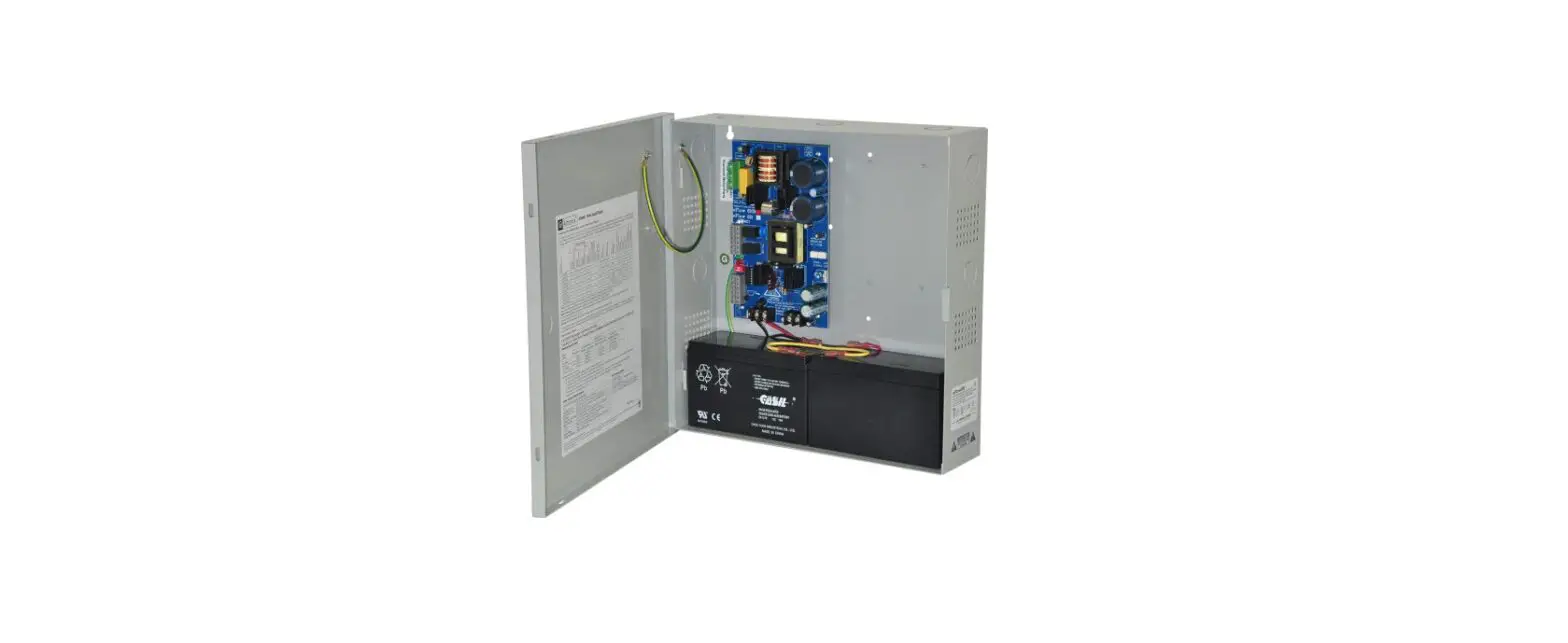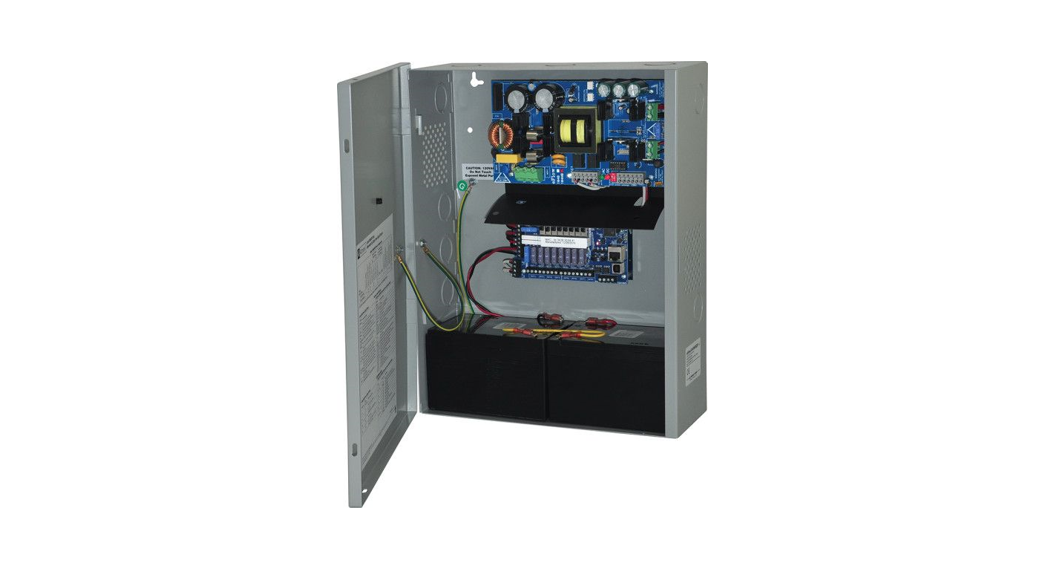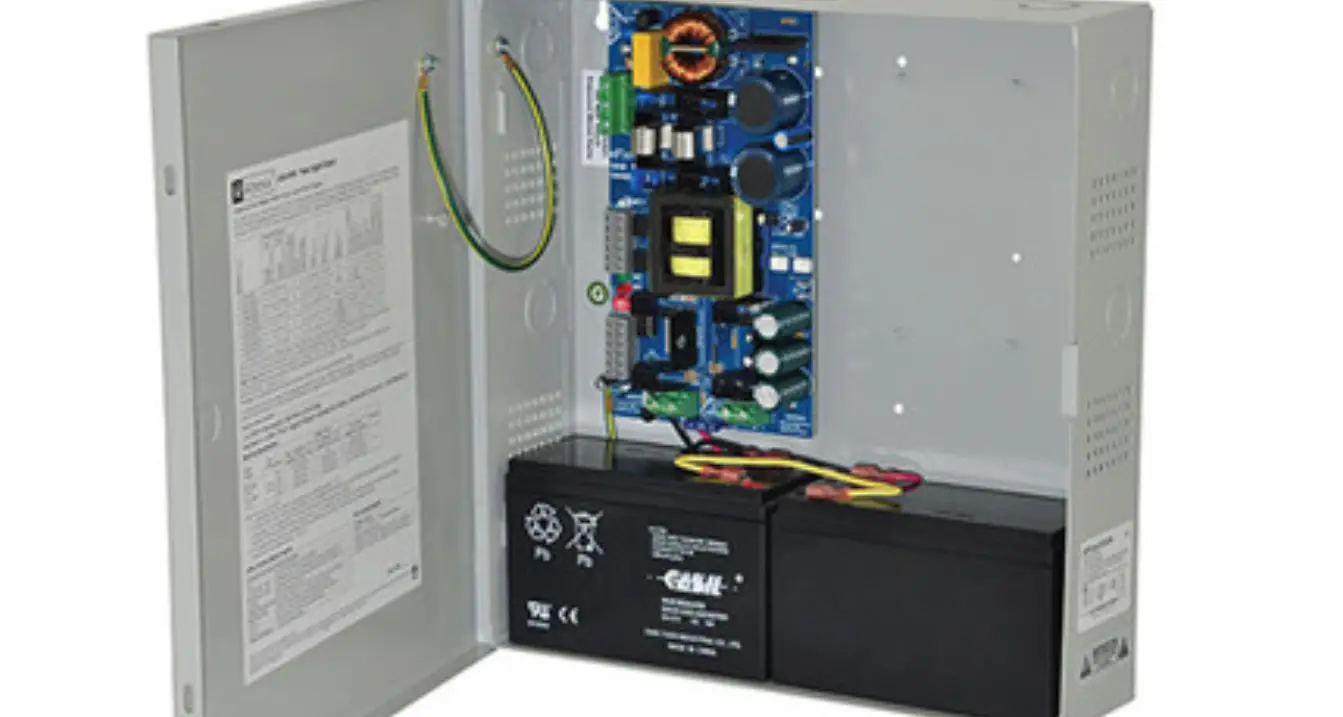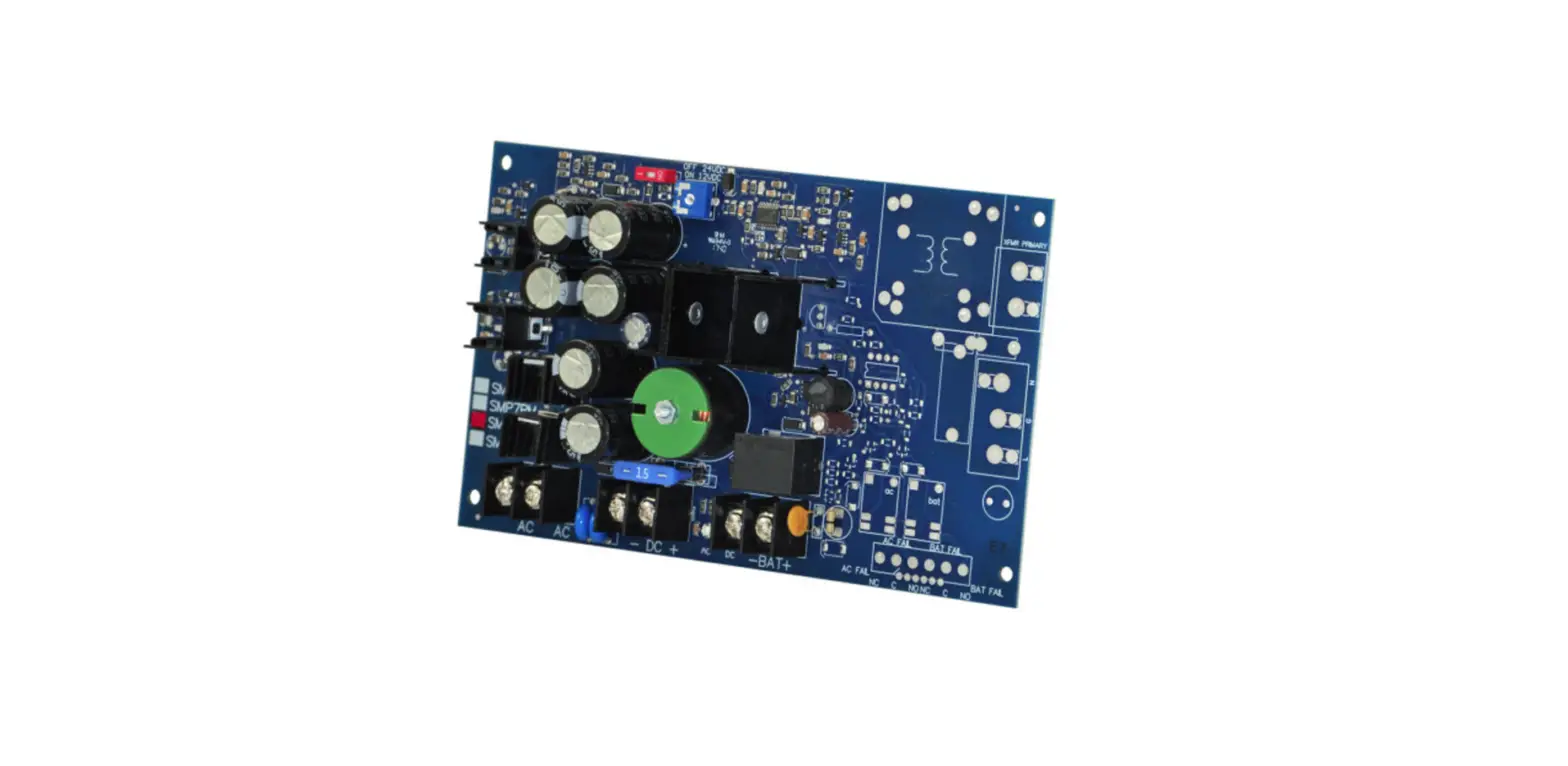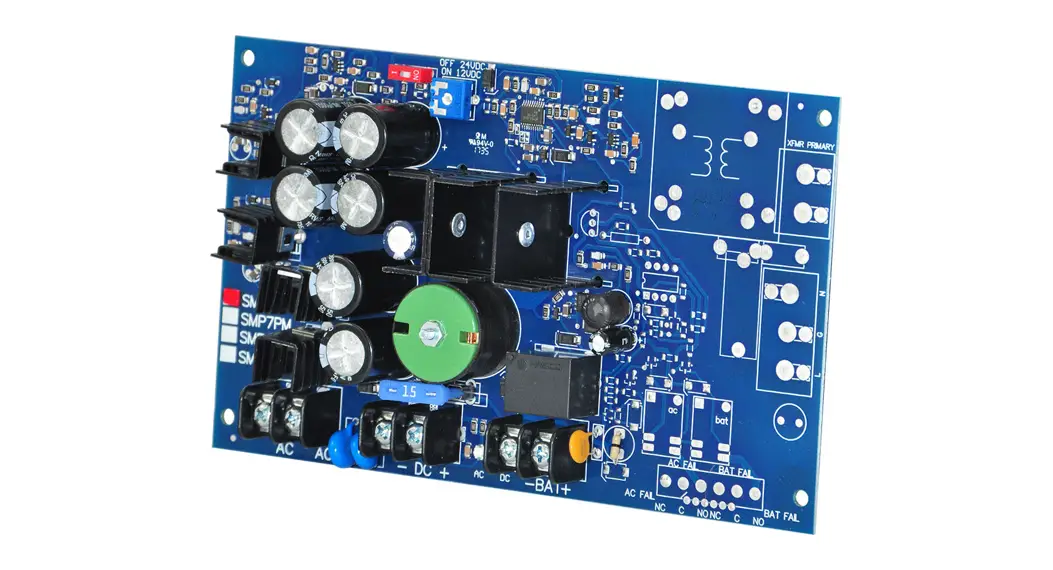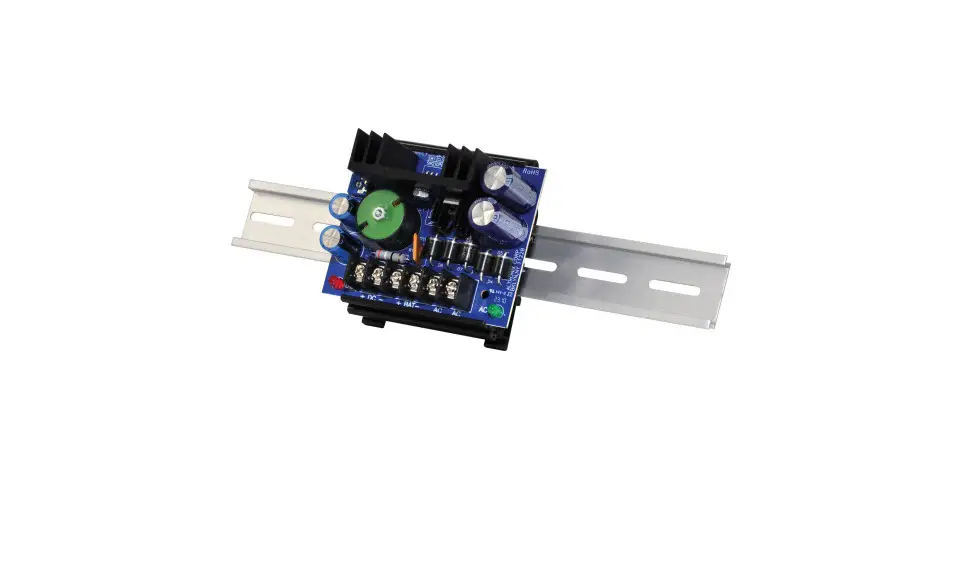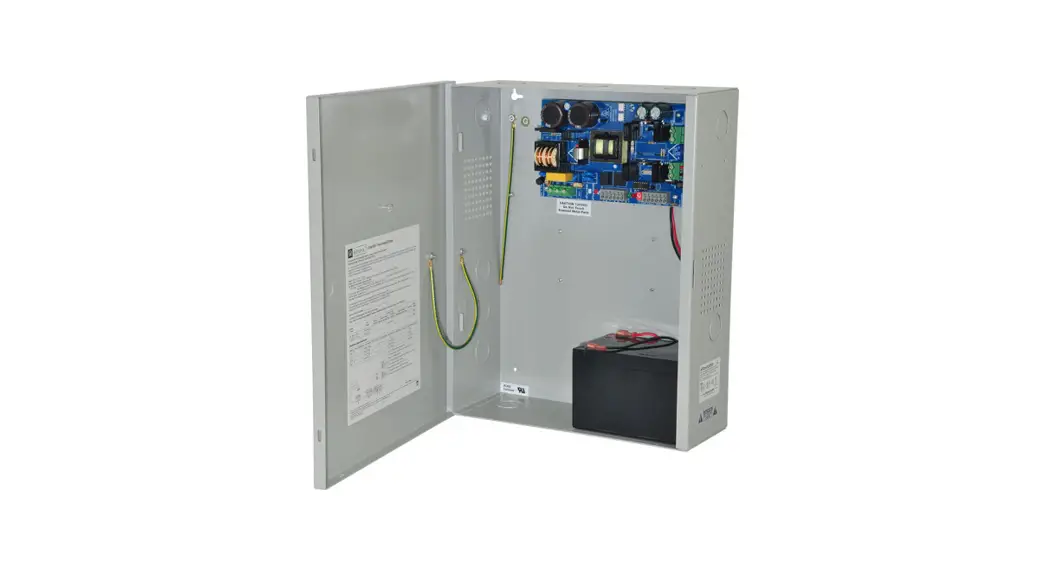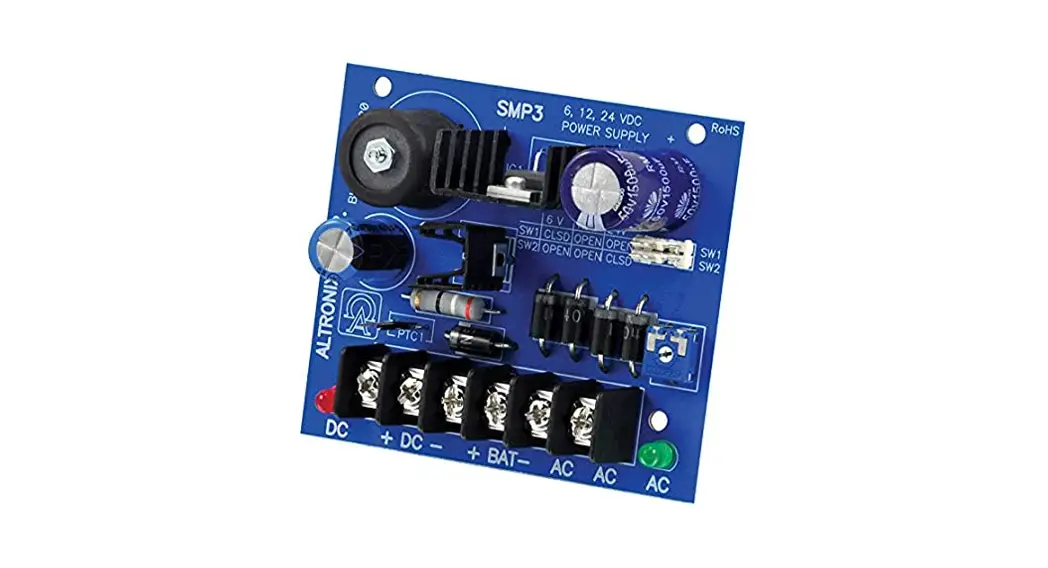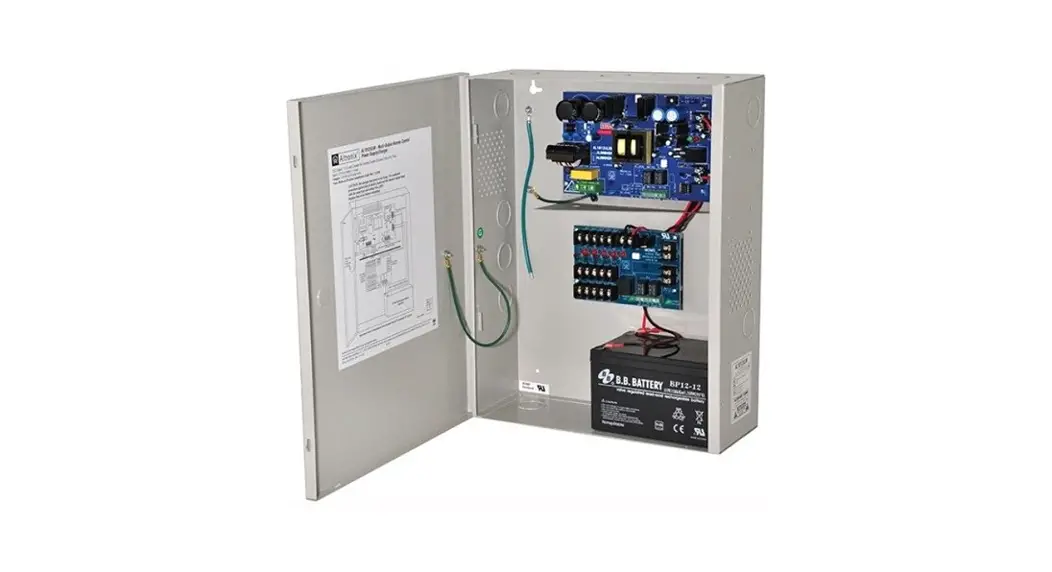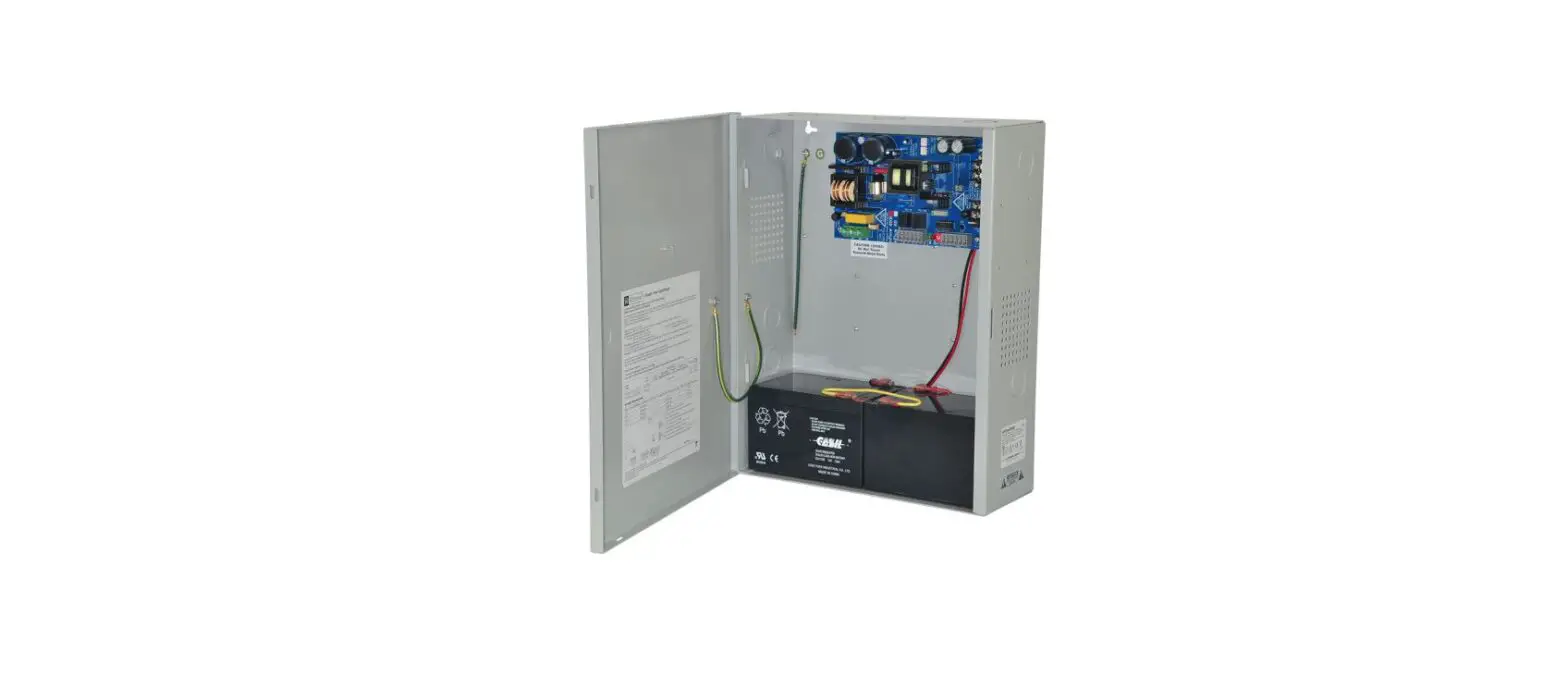

Altronix eFlow4N Power Supply Charger
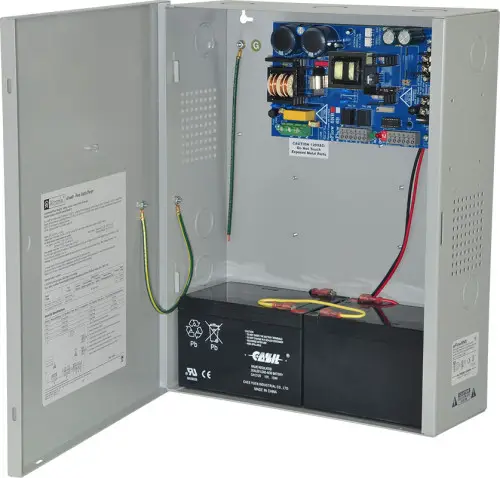
Models Include
eFlow4N/eFlow4NX
– 4A @ 12VDC or 24VDC Class 2 Power-Limited Output
eFlow4N8/eFlow4NX8
- 4A @ 12VDC or 24VDC
- Eight (8) Class 2 Power-Limited Fused Outputs
eFlow4N8D/eFlow4NX8D
- 4A @ 12VDC or 24VDC
- Eight (8) Class 2 Power-Limited PTC Outputs
Overview
Altronix eFlow4N power supply/chargers convert a 120VAC / 60Hz input to a 12VDC or 24VDC nominal output (see Power Supply Configuration Reference Chart and Specifications).
eFlow4N Series Power Supply Configuration Reference Chart:
| Altronix Model Number | Nominal DC Outputs | Maximum Supply Current for Main and Aux. Outputs (A) | Power-Limited Output | Input Rating: 120VAC, 60Hz | Input Fuse Rating | Battery Fuse Rating | Ripple Voltage (mV) Under low battery condition | Power Distribution Modiule | Number of Outputs | Fused Outputs Ratings | Auto-Resettable PTC Outputs Ratings | Accommodates up to 7AH Batteries | Accommodates up to 12AH Batteries | |||
| [DC] | [AUX] | |||||||||||||||
| 12VDC Output Range (V) | 24VDC Output Range (V) | 12VDC Output Range (V) | 24VDC Output Range (V) | |||||||||||||
| eFlow4N | 10.1- 13.2 | 20.28- 26.4 | 10.05- 13.2 | 20.2- 26.4 | 4A | P | 3.5A | 5A/ 250V | 7.5A/ 32V | 730 | N/A | 1 | – | – | P | – |
| eFlow4NX | – | – | – | P | ||||||||||||
| eFlow4N8 | 10.1- 13.2 | 20.28- 26.4 | 10.05- 13.2 | 20.2- 26.4 | 4A | P | 3.5A | 5A/ 250V | 7.5A/ 32V | 730 | PD8UL | 8 | 2.5A | – | P | – |
| eFlow4NX8 | 2.5A | – | – | P | ||||||||||||
| eFlow4N8D | 9.78- 13.2 | 20.0- 26.4 | 10.05- 13.2 | 20.2- 26.4 | 4A | P | 3.5A | 5A/ 250V | 7.5A/ 32V | 730 | PD8ULCB | 8 | – | 2A | P | – |
| eFlow4NX8D | – | 2A | – | P | ||||||||||||
These units are classified as Power-Limited stand alone power supplies with stand-by battery and they are suitable to power: sensors, electro-mechanical devices (e.g. electric door strikes) defined in the National Electrical Code/NFPA70/NFPA72 and the Canadian Electrical Code, Part 1
- UL Listings for US Installations:
- UL 294, 7th edition – UL Listed for Access Control System Units. Access Control Performance Levels:
- Destructive Attack – I; Endurance – I; Line Security – I;
- Stand-by Power: 7AH – II, 12AH – III, 40AH/65AH – IV.
- UL 603 – UL Listed for Power Supplies for Use with Burglar-Alarms Systems.
- UL 1481 – UL Listed for Power Supplies for Fire Protective Signaling Systems.
- UL Listings for Canadian Installations:
- ULC-S318-96 – Power Supplies for Burglar Alarm Systems. Also suitable for Access Control.
- California State Fire Marshal
- European Conformity
- Factory Mutual Approved (eFlow4N and eFlow4NX only).
Stand-by Specifications
|
Battery | Burg. Applications 4 hr. Stand-by/ 15 min. Alarm | Fire Applications 24 hr. Stand-by/ 5 min. Alarm | Access Control Applications Stand-by |
| 7AH | 0.4A/4A | N/A | 15 Mins./4A |
| 12AH | 1A/4A | 0.3A/4A | 35 Mins./4A |
| 40AH (for eFlow4NX refer to Fig. 7, pg. 10) | 4A/4A | 1.2A/4A | Over 4 Hours/4A |
| 65AH (for eFlow4NX refer to Fig. 7, pg. 10) | 4A/4A | 1.5A/4A | Over 4 Hours/4A |
Input:
120VAC, 60Hz.
Output:
- For output voltage and supply current refer to eFlow4N series Power Supply Configuration Reference Chart, pg. 2.
- Auxiliary Class 2 power-limited output rated @ 1A (unswitched).
- Overvoltage protection.
Fuse/PTC Ratings:
Refer to eFlow4N Series Power Supply Configuration Reference Chart, pg. 2.
Battery Backup:
- Built-in charger for sealed lead acid or gel type batteries.
- Maximum charge current 1.54A.
- Automatic switch over to stand-by battery when
AC fails. Transfer to stand-by battery power is instantaneous with no interruption.
Fire Alarm Disconnect:
Supervised Fire Alarm disconnect (latching or non-latching) 10K EOL resistor. Operates on a normally open (NO) or normally closed (NC) trigger.
Installation Instructions
Wiring methods shall be in accordance with the National Electrical Code/NFPA 70/NFPA 72/ANSI, The Canadian Electrical Code, Part 1 and with all local codes and authorities having jurisdiction. The product must be located indoors within the protected premises.
- Mount unit in desired location. Mark and predrill holes in the wall to line up with the top two keyholes in the enclosure. Install two upper fasteners and screws in the wall with the screw heads protruding. Place the enclosure’s upper keyholes over the two upper screws, level and secure. Mark the position of the lower two holes. Remove the enclosure. Drill the lower holes and install the two fasteners. Place the enclosure’s upper keyholes over the two upper screws. Install the two lower screws and make sure to tighten all screws (Enclosure Dimensions, pgs. 11-12). Secure enclosure to earth ground.
- Set desired DC output voltage by setting SW1 to the appropriate position on the power supply board (Fig. 1i, pg. 5).
- Connect unswitched AC power (120VAC 60Hz) to terminals marked [L, N] (Fig. 1a, pg. 5). Green “AC” LED on power supply board will turn on. This light can be seen through the LED lens on the door of the enclosure. Use 14 AWG or larger for all power connections. Secure green wire lead to earth ground. Keep power-limited wiring separate from non power-limited wiring (120VAC 60Hz Input, Battery Wires). Minimum 0.25” spacing must be provided.
CAUTION: Do not touch exposed metal parts. Shut branch circuit power before installing or servicing equipment. There are no user serviceable parts inside. Refer installation and servicing to qualified service personnel. For Fire Alarm applications the outputs are “Special Applications” only, see list (refer to Appendix A, pg. 12). - Measure output voltage before connecting devices. This helps avoiding potential damage.
- Connect devices to be powered:
- For eFlow4N/eFlow4NX connect devices to terminals marked [– DC +] (Fig. 1h, pg. 5).
- For other Power Distribution Models connect devices to be powered to terminal pairs 1 to 8 marked [1P & 1N] through [8P & 8N] (Fig. 3a & 3b, pg. 6) carefully observing correct polarity. For auxiliary device connection this output will not be affected by Low Power Disconnect or Fire Alarm Interface. Connect device to terminals marked [+ AUX –] (Fig. 1f, pg. 5).
- For Access Control applications batteries are optional. When batteries are not used, a loss of AC will result in the loss of the output voltage. When the use of stand-by batteries is desired, they must be lead acid or gel type. Connect battery to terminals marked [– BAT +] (Fig. 1g, pg. 5). Use two (2) 12VDC batteries connected in series for 24VDC operation (battery leads included). Use batteries – Casil CL1270 (12V/7AH), CL12120 (12V/12AH), CL12400 (12V/40AH), CL12650 (12V/65AH) batteries or UL recognized BAZR2 batteries of an appropriate rating.
- Connect appropriate signaling notification devices to AC FAIL & BAT FAIL (Fig. 1b, pg. 5) supervisory relay outputs.
- To delay AC reporting for 2 hrs. set DIP switch [AC Delay] to OFF position (Fig. 1c, pg. 5). To delay AC reporting for 1 min. set DIP switch [AC Delay] to ON position (Fig. 1c, pg. 5).
Note: Must be set to ON position for Burglar Alarm Applications. - To enable Fire Alarm Disconnect set DIP switch [Shutdown] to ON position (Fig. 1c, pg. 5). To disable Fire Alarm Disconnect set DIP switch [Shutdown] to OFF position (Fig. 1c, pg. 5).
- Trigger terminals are end of a line resistor supervised (10k ohms). Opening or shorting trigger terminals will cause [DC] output to shutdown (Fig. 1d, pg. 5).
- Place a jumper for non-latching FACP. A momentary short on these terminals resets FACP latching [Trigger EOL Shutdown] (Fig. 1e, pg. 5).
- For Access Control Applications: mount UL Listed tamper switch (Altronix model TS112 or equivalent) at the top of the enclosure. Slide tamper switch bracket onto the edge or the enclosure approx. 2” from the right side (Fig. 4, pg. 7 or Fig. 6, pg. 9). Connect tamper switch wiring to the Access Control Panel input or the appropriate UL Listed reporting device.
Wiring
Use 18 AWG or larger for all low voltage power connections.
Note: Take care to keep power-limited circuits separate from non power-limited wiring (120VAC, Battery).
Maintenance
Unit should be tested at least once a year for the proper operation as follows: Output Voltage Test: Under normal load conditions, the DC output voltage should be checked for proper voltage level eFlow4N: 12VDC or 24VDC nominal rated @ 4A max. Battery Test: Under normal load conditions check that the battery is fully charged, check specified voltage (12VDC @ 13.2 or 24VDC @ 26.4) both at battery terminal and at the board terminals marked [– BAT +] to ensure that there is no break in the battery connection wires.
Note: Maximum charging current under discharges is 1.54A.
Note: Expected battery life is 5 years, however it is recommended changing batteries in 4 years or less if needed.
LED Diagnostics
Power Supply/Charger
| Red (DC) | Green (AC/AC1) | Power Supply Status |
| ON | ON | Normal operating condition. |
| ON | OFF | Loss of AC. Stand-by battery supplying power. |
| OFF | ON | No DC output. |
| OFF | OFF | Loss of AC. Discharged or no stand-by battery. No DC output. |
| Green (AC) | Power Distribution Module Status |
| ON | Normal operating condition. |
| OFF | No Power Output. |
Terminal Identification
Power Supply/Charger
| Terminal Legend | Function/Description |
| L, N | Connect 120VAC 60Hz to these terminals: L to hot, N to neutral (non power-limited) (Fig. 1a, pg. 5). |
| – DC + | 12VDC or 24VDC nominal @ 4A continuous output (power-limited output) (Fig. 1h, pg. 5). |
| Trigger EOL Supervised | Fire Alarm Interface trigger input from a short or FACP. Trigger inputs can be normally open, normally closed from an FACP output circuit (power-limited input) (Fig. 1d, pg. 5). |
| NO, GND RESET | FACP interface latching or non-latching (power-limited) (Fig. 1e, pg. 5). |
| + AUX – | Auxiliary Class 2 power-limited output rated @ 1A (unswitched) (Fig. 1f, pg. 5). |
| AC Fail NC, C, NO | Indicates loss of AC power, e.g. connect to audible device or alarm panel. Relay normally energized when AC power is present. Contact rating 1A @ 30VDC (power-limited) (Fig. 1b, pg. 5). |
| Bat Fail NC, C, NO | Indicates low battery condition, e.g. connect to alarm panel. Relay normally energized when DC power is present. Contact rating 1A @ 30VDC. A removed battery is reported within 5 minutes. Battery reconnection is reported within 1 minute (power-limited) (Fig. 1b, pg. 5). |
| – BAT + | Stand-by battery connections. Maximum charge current 1.54A (non power-limited) (Fig. 1g, pg. 5). |
Power Distribution Module
| Terminal Legend PD8UL/PD8ULCB | Function/Description |
| 1P to 8P | Positive DC power outputs. |
| 1N to 8N | Negative DC power outputs. |
eFlow4N Board Configuration
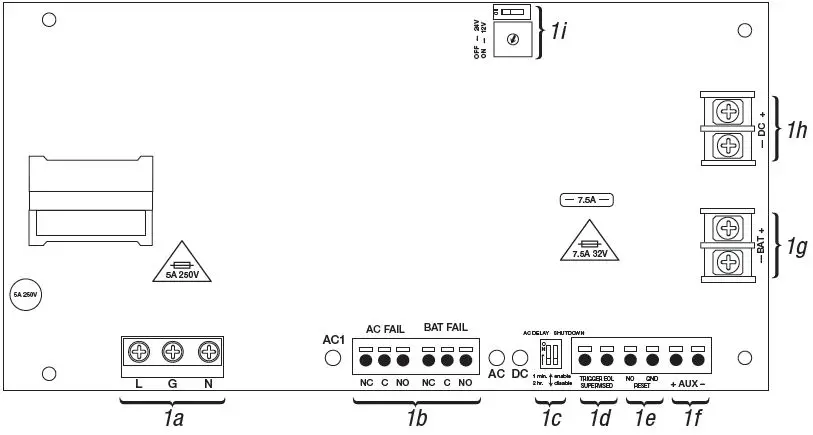
Trouble/Time Limited Warning of Stand-by Batteries:
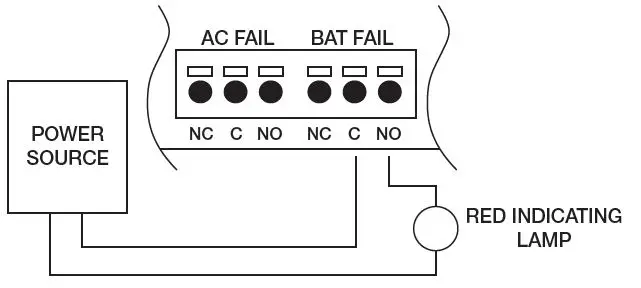
For compliance with ULC S318-96, the Time Limited Warning circuit must be connected for local or remote annunciation with an Amber or Red LED to indicate DC Trouble (low battery, loss of battery or when 95% of the stand-by battery has been depleted). Connect the circuit to the Batt Fail relay contacts to an appropriate input of a UL Listed Burglar Alarm or Access Control Panel. The following figure shows the circuitry needed for local annunciation
Battery Trouble Indication
For Canadian use, a red indicating lamp must be visible from the exterior of this enclosure. Wire one leg of a UL Listed, power-limited power source to the indicating lamp. Wire the second leg of the power source to the indicating lamp in series with the battery fail relay contact terminals marked [BAT FAIL – C, NO] (Fig. 2, pg. 6).
Power Distribution Module(s)
Replace fuses with the same type and rating 3.5A/250V
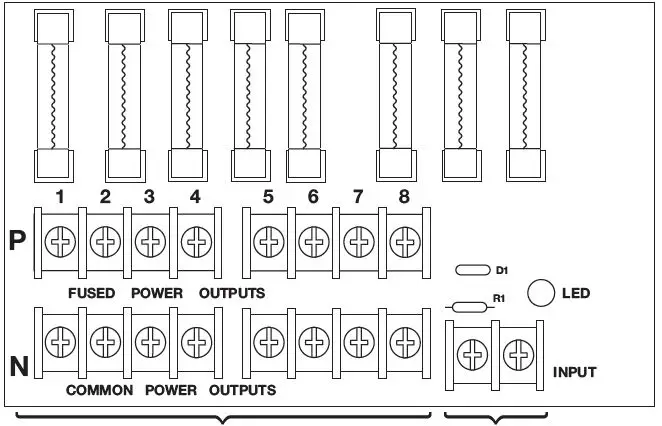
- DC Output to devices
- 1P-8P Power Outputs,
- 1N-8N Common Outputs
- From Power SupplyBoard (Factory Installed)
PD8ULCB – Power Distribution Board
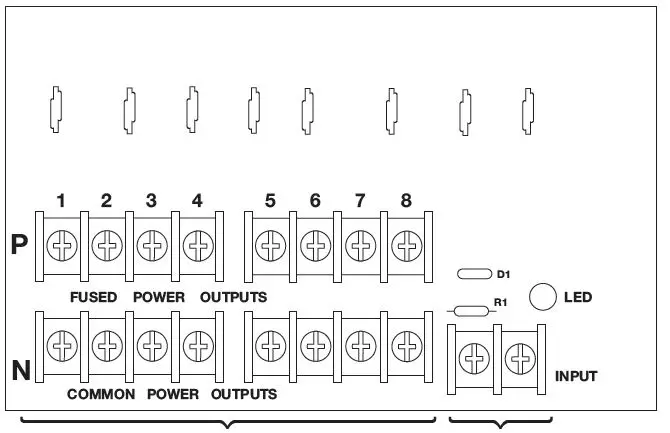
- DC Output to devices
- 1P-8P Power Outputs,
- 1N-8N Common Outputs
- From Power Supply Board (Factory Installed)
eFlow4N Configuration

Optional Rechargeable Stand-by Battery for UL294 Applications.
Note: 12V batteries are required for UL603, UL1481 and Canadian installations.
Optional Rechargeable Stand-by Battery for UL294 Applications.
Note: 12V batteries are required for UL603, UL1481 and Canadian installations.
CAUTION: When power supply board is set for 12VDC use only one (1) 12VDC stand-by battery.
Keep power-limited wiring separate from non power-limited. Use minimum 0.25″ spacing. 7AH Rechargeable batteries are the largest batteries that can fit in this enclosure. A UL Listed external battery enclosure must be used if using 12AH, 40AH or 65AH batteries
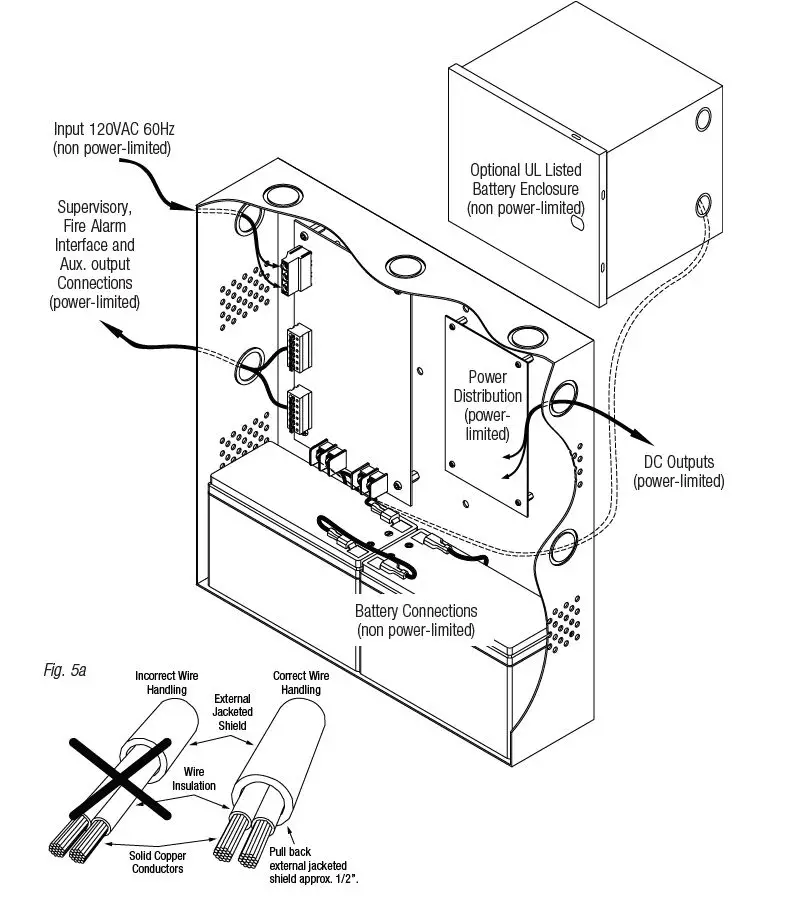
NEC Power-Limited Wiring Requirements for eFlow4N Models
Power-limited and non power-limited circuit wiring must remain separated in the cabinet. All power-limited circuit wiring must remain at least 0.25” away from any non power-limited circuit wiring. Furthermore, all power-limited circuit wiring and non power-limited circuit wiring must enter and exit the cabinet through different conduits. One such example of this is shown below. Your specific application may require different conduit knockouts to be used. Any conduit knockouts may be used. For power-limited applications use of conduit is optional. All field wiring connections must be made employing suitable gauge CM or FPL jacketed wire (or equivalent substitute). Optional UL Listed battery enclosure must be mounted adjacent to the power supply via Class 1 wiring methods. For Canadian installations use shielded wiring for all connections.
Note: Refer to wire handling drawing below for the proper way to install the CM or FPL jacketed wire
eFlow4NX Configuration
Optional Rechargeable Stand-by Battery for UL294 Applications
Note: 12V batteries required for ULC-S319 installations.
Optional Rechargeable Stand-by Battery for UL294 Applications
Note: 12V batteries required for ULC-S319 installations.
CAUTION: When power supply board is set for 12VDC use only one (1) 12VDC stand-by battery.
Keep power-limited wiring separate from non power-limited. Use minimum 0.25″ spacing. 12AH Rechargeable batteries are the largest batteries that can fit in this enclosure. A UL listed external battery enclosure must be used if using 40AH or 65AH batteries.
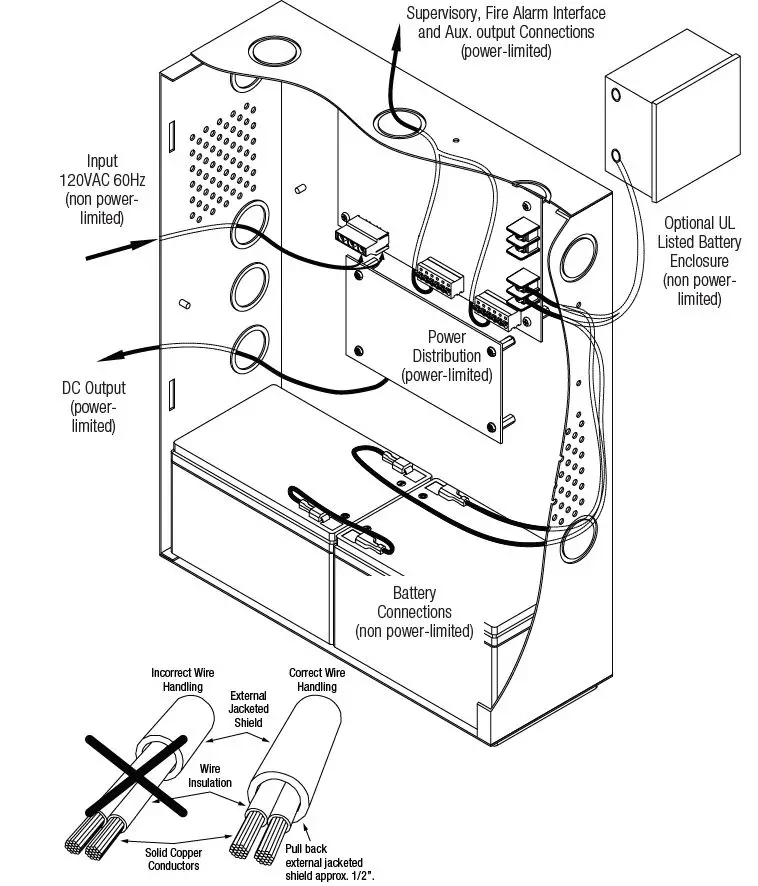
NEC Power-Limited Wiring Requirements for eFlow4NX Models:
Power-limited and non power-limited circuit wiring must remain separated in the cabinet. All power-limited circuit wiring must remain at least 0.25” away from any non power-limited circuit wiring. Furthermore, all power-limited circuit wiring and non power-limited circuit wiring must enter and exit the cabinet through different conduits. One such example of this is shown below. Your specific application may require different conduit knockouts to be used. Any conduit knockouts may be used. For power-limited applications use of conduit is optional. All field wiring connections must be made employing suitable gauge CM or FPL jacketed wire (or equivalent substitute). Optional UL Listed battery enclosure must be mounted adjacent to the power supply via Class 1 wiring methods. For Canadian installations use shielded wiring for all connections. Note: Refer to wire handling drawing below for the proper way to install the CM or FPL jacketed wire
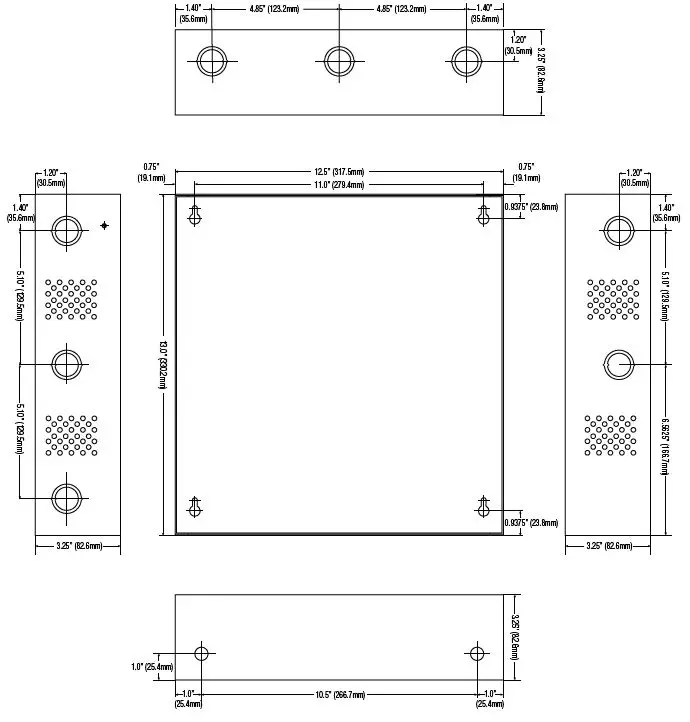
Enclosure Dimensions (BC300)
eFlow4N, eFlow4N8, eFlow4N8D 13.5” x 13” x 3.25” (342.9mm x 330.2mm x 82.6mm)
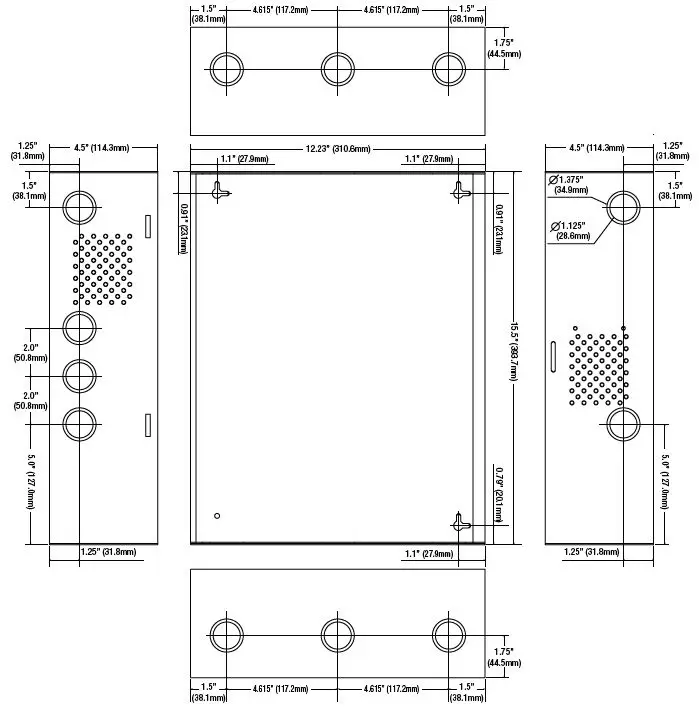
Enclosure Dimensions (BC400):
eFlow4NX, eFlow4NX8, eFlow4NX8D 15.5” x 12” x 4.5” (393.7mm x 304.8mm x 114.3mm
Appendix A – UL Listed Compatible Devices
A.1 Four (4) Wire Smoke Detectors
Table A-1 below lists four (4) wire smoke detectors compatible with eFlow4N output
| System Sensor Smoke Detector/Base | Detector Type | Max Stand-by Current (mA) | Alarm Current (mA) |
| B112LP | Base | 0.12 | 36 |
| B114LP | Base | * | * |
| B404B | Base | * | * |
| DH100ACDC | Photoelectric | 0.15 | 0.70 |
| DH100ACDCLP | Photoelectric | 0.15 | 0.70 |
| DH100ACDCLPW | Photoelectric | 0.15 | 0.70 |
| DH400ACDCI | Ionization Duct | 25 | 95 |
| DH400ACDCP | Photoelectric Duct | 25 | 95 |
| 1112/24/D | Ionization | 0.05 | 50 |
| 1424 | Ionization | 0.10 | 41 |
| 1451 (w/B402B Base) | Ionization | 0.10 | 39 |
| 2112/24ATR | Photoelectric | 0.50 | 60/70 |
| 2112/24AITR | Photoelectric | 0.50 | 60/70 |
| 2112/24/D | Photoelectric | 0.05 | 50 |
| 2112/24T/D | Photoelectric w/135o Thermal | 0.05 | 50 |
| 2112/24TSRB | Photoelectric w/135o Thermal Supervisory Relay | 15 | 45 |
| 2312/24TB | Photoelectric | 0.12 | 50 |
| 2412 (12 volt) | Photoelectric | 0.12 | 77 |
| 2424 | Photoelectric | 0.10 | 41 |
| 2451 | Photoelectric | 0.10 | 39 |
| 2451TH (with/B402B Base) | Photoelectric | 0.10 | 39 |
| 2W-MOD | Loop Test/Maintenance Mod. | 30 | 50 |
| 4W-B (12/24 volt) | Photoelectric I3 | 0.05 | 23 |
| 4WT-B (12/24 volt) | Photoelectric I3 w/Therm | 0.05 | 23 |
| 4WTA-B (12/24 volt) | I3 Photo w/Therm/Sounder | 0.05 | 35 |
| 4WTR-B (12/24 volt) | I3 Photo w/Therm/Relay | 0.05 | 35 |
| 4WITAR-B (12/24 volt) | I3 Photo w/Isolated Therm/Sounder/Relay | 0.05 | 50 |
| 2W-MOD2 | I3 Loop Test/Maintenance Mod. | 0.05 | * |
| RRS-MOD | I3 Reversing Relay/Sync Module | 0.05 | * |
| 6424 | Projected Beam | 10 | 28.4 |
| Beam 1224(S) | Projected Beam | 17 | 38.5 |
A.2 Relays
Table A-2 below lists relays compatible with eFlow4N output.
| Manufacturer | Model | Current (mA) |
| PR-1** | 15 | |
| PR-2* | 30 | |
| System Sensor | PR-3* EOLR-1 | 30 30 |
| R-10T** | 23 | |
| R-14T** | 23 |
| Manufacturer | Model | Current (mA) |
| R-20T** | 40 | |
| R-24T** | 40 | |
| System Sensor | R-10E** R-14E** | 23 23 |
| R-20E** | 40 | |
| R-24E** | 40 |
- Compatible only with eFlow4N, eFlow4NX, eFlow4N8, eFlow4NX8.
- Compatible only when unit is set for 24VDC
LINQ2 – Network Communication Module
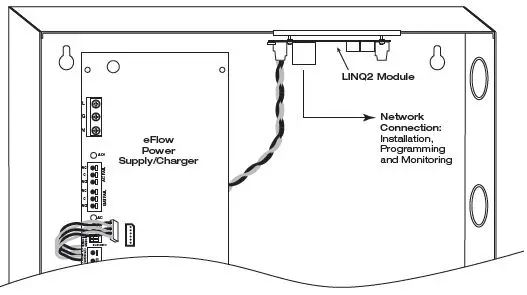
LINQ2 provides remote IP access to real-time data from eFlow power supply/chargers to help keep systems up and running at optimal levels. It facilitates fast and easy installation and set-up, minimizessystem downtime, and eliminates unnecessary service calls, which helps reduce Total Cost of Ownership (TCO) – as well as creating a new source of Recurring Monthly Revenue (RMR).
Features:
- UL Listed in the U.S. and Canada.
- Local or remote control of up to (2) two Altronix eFlow power output(s) via LAN and/or WAN.
- Monitor real time diagnostics: DC output voltage, output current, AC & battery status/service, input trigger state change, output state change and unit temperature.
- Access control and user managment: Restrict read/write, Restrict users to specific resources
- Two (2) integral network controlled Form “C” Relays.
- Three (3) programmable input triggers: Control relays and power supplies via external hardware sources.
- Email and Windows Dashboard notifications
- Event log tracks history.
- Secure Socket Layer (SSL).
- Programmable via USB or web browser – includes operating software and 6 ft. USB cable.
LINQ2 Mounts Inside any eFlow Enclosure
Power Supply/Chargers Operating Guide
Models Include
| Model | Input 120VAC, 60Hz | Output | Power- Limited | Auxiliary Power-Limited Output (unswitched) | Ripple Voltage | |
| 12VDC | 24VDC | |||||
| eFlow4N, eFlow4N8, eFlow4N8D |
3.5A |
4A |
4A |
P |
1A |
730mV |
| eFlow4NX, eFlow4NX8, eFlow4NX8D | ||||||
Overview:
The eFlow4N series power supply/chargers convert a 120VAC, 60Hz input to a 12VDC or 24VDC output.
Stand-by Specifications:
|
Battery | Burg. Applications 4 hr. Stand-by/ 15 min. Alarm | Fire Applications 24 hr. Stand-by/ 5 min. Alarm | Access Control Applications Stand-by |
| 7AH | 0.4A/4A | N/A | 15 Mins./4A |
| 12AH | 1A/4A | 0.3A/4A | 35 Mins./4A |
| 40AH | 4A/4A | 1.2A/4A | Over 4 Hours/4A |
| 65AH | 4A/4A | 1.5A/4A | Over 4 Hours/4A |
Battery Backup:
- Built-in charger for sealed lead acid or gel type batteries.
- Maximum charge current 1.54A.
- Automatic switch over to stand-by battery when AC fails.
Transfer to stand-by battery power is instantaneous with no interruption
LED Diagnostics
| Red (DC) | Green (AC/AC1) | Power Supply Status |
| ON | ON | Normal operating condition. |
| ON | OFF | Loss of AC. Stand-by battery supplying power. |
| OFF | ON | No DC output. |
| OFF | OFF | Loss of AC. Discharged or no stand-by battery. No DC output. |
- Installing Company: ________________
- Service Rep. Name: __________________________________
- Address: ______________________________________________
- Phone #: _ __________________
Refer to the eFlow Power Supply/Chargers Installation Guide: IIeFlow4N Series, Rev.4NRP020819 for complete instructions. This sheet is to be removed, framed and posted next to the unit.
 Altronix Home