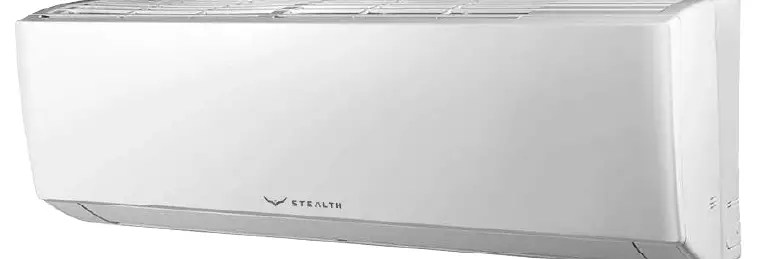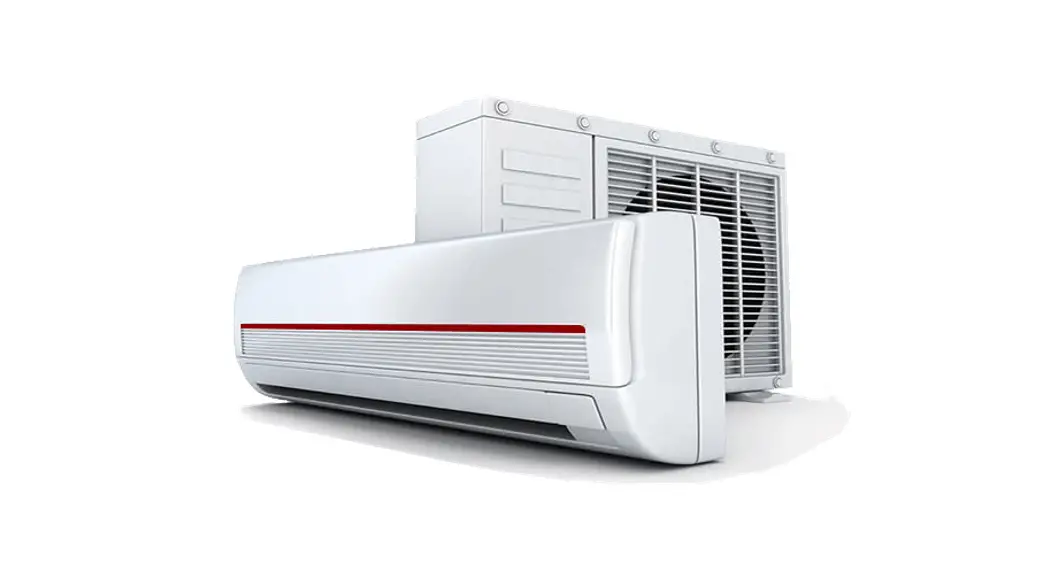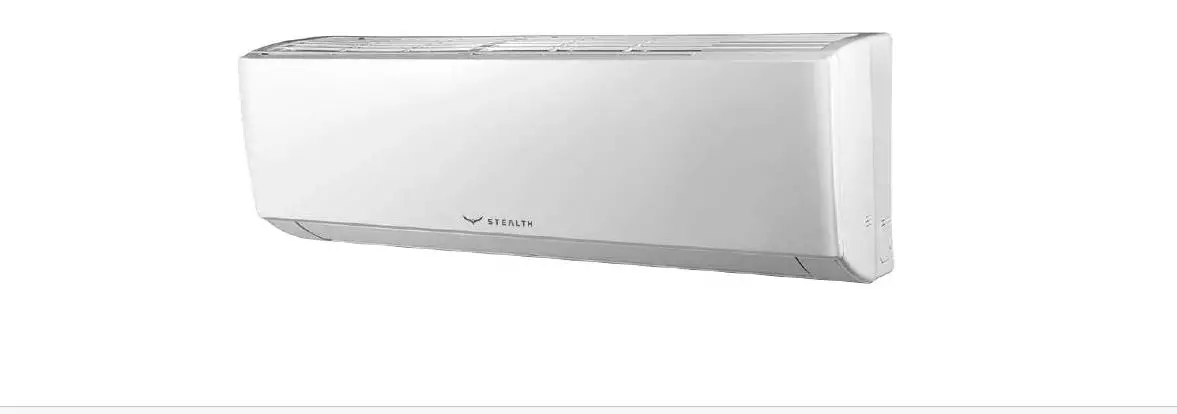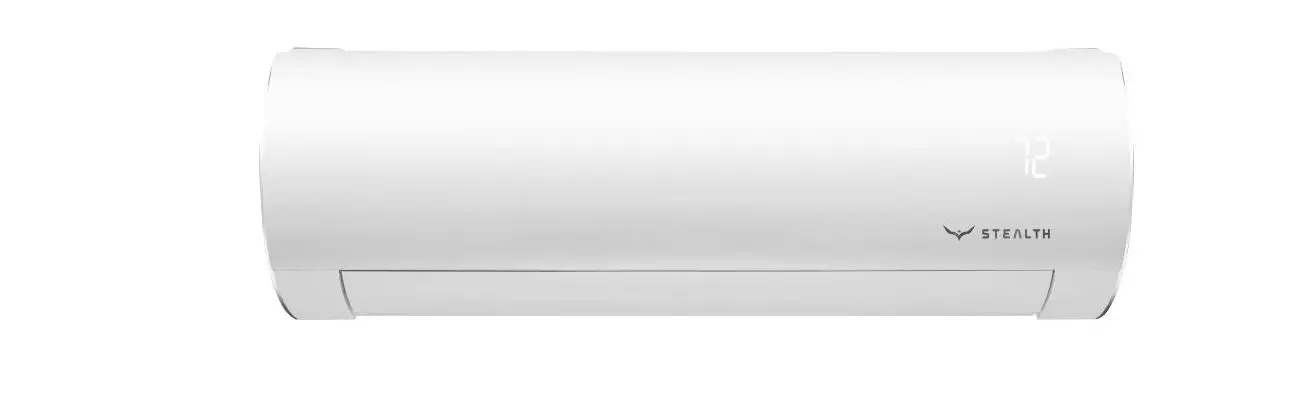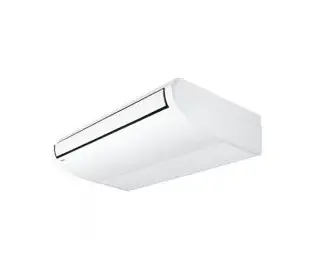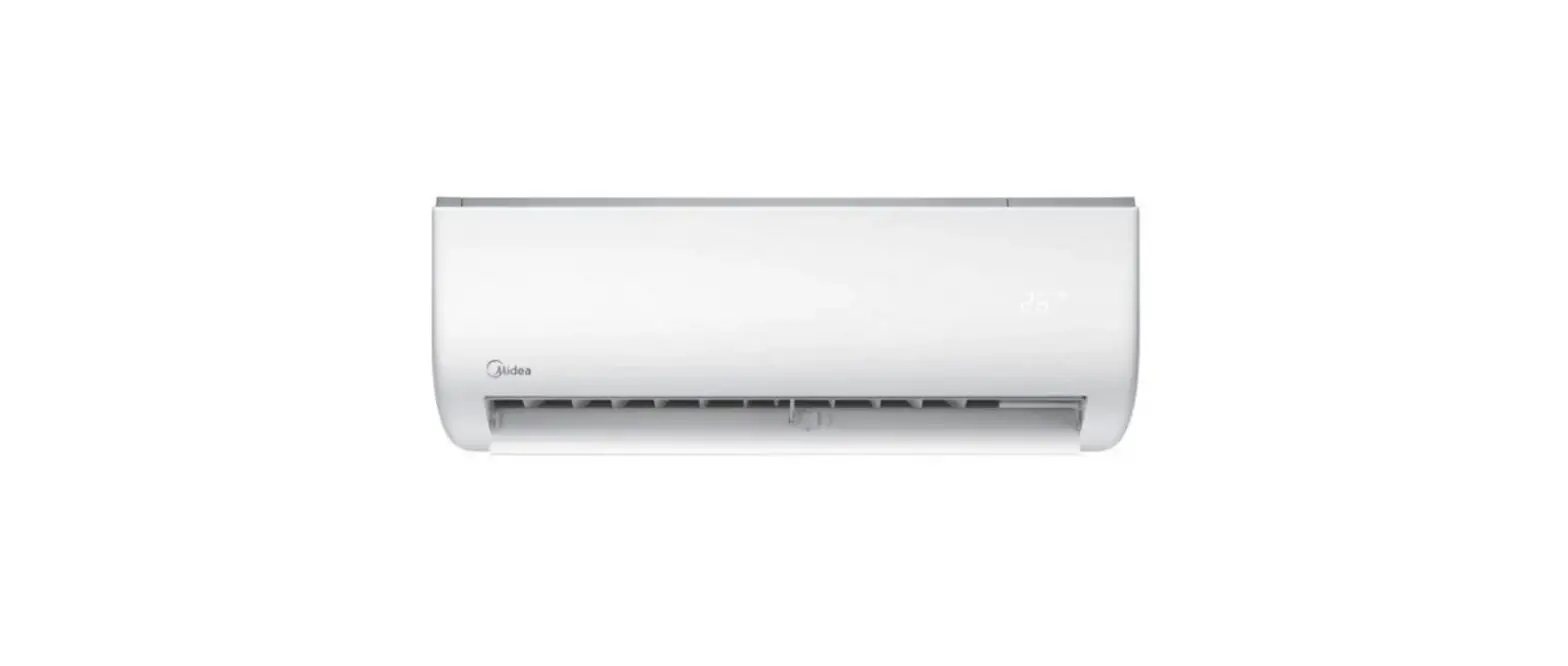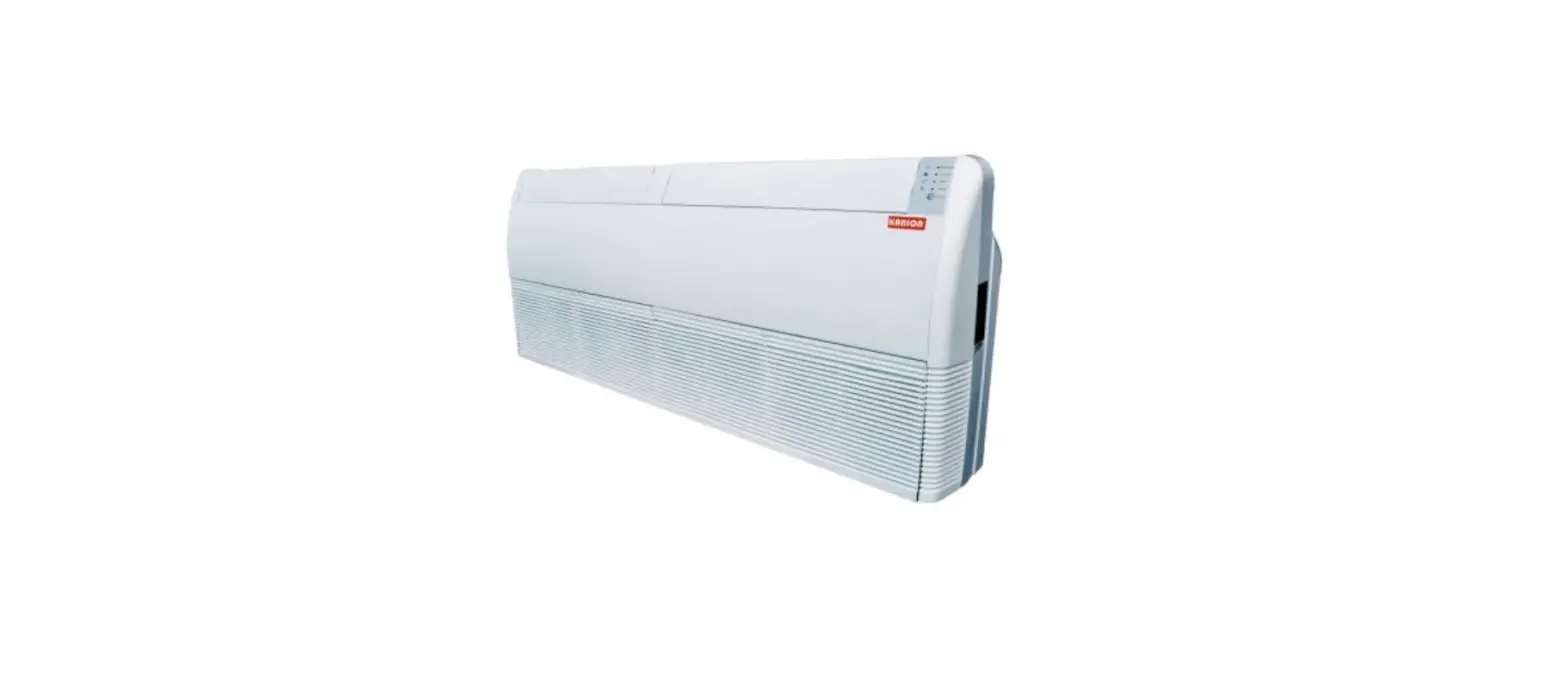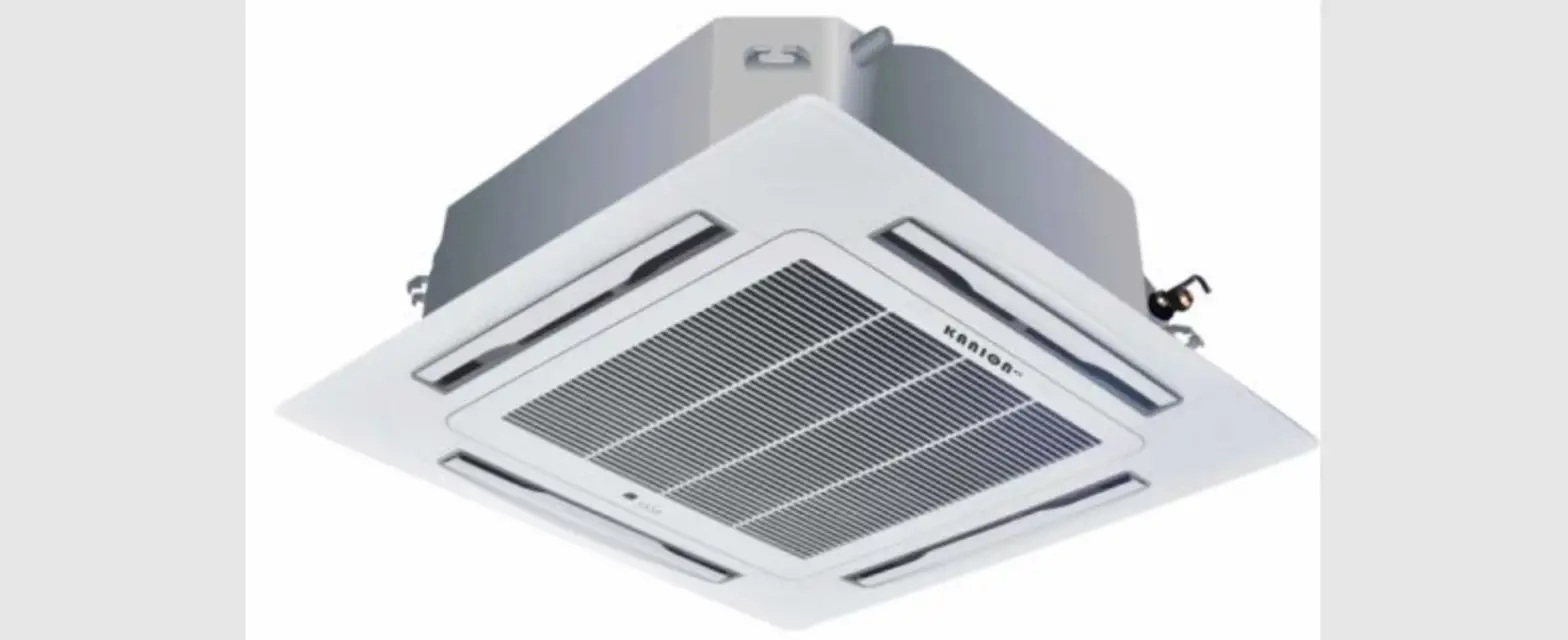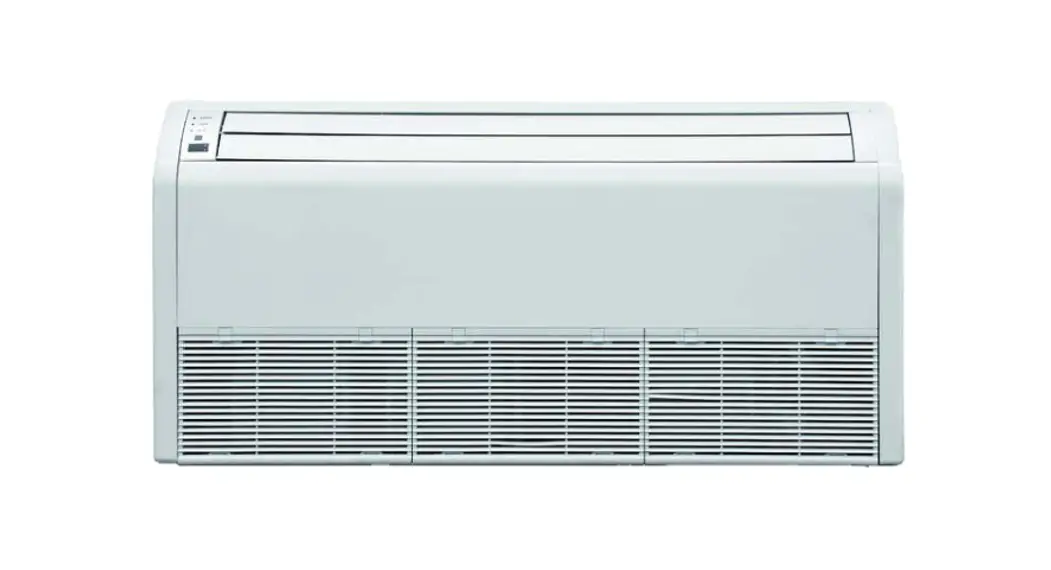
 UNIVERSAL FLOOR/CEILING
OWNER’S MANUAL
Models:
SC-09FM-HP230 SC-12FM-HP230
SC-18FM-HP230 SC-24FM-HP230 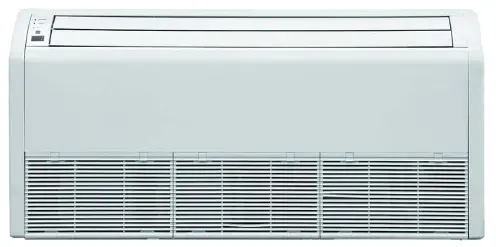
Thank you for choosing a Stealth Floor/Ceiling
Air Conditioning & Heating System!
Please read this owner’s manual carefully before operation and retain it for future reference.
SAFETY PRECAUTIONS
Please read the following before operation.
Recognize safety information. This is the safety-alert symbol. When you see this symbol on the unit and in instructions or manuals, be alert to the potential for personal injury. Understand these signal words: DANGER, WARNING, and CAUTION. These words are used with the safety-alert symbol.
DANGER identifies the most serious hazards which will result in severe personal injury or death.
WARNING signifies hazards which could result in personal injury or death.
CAUTION is used to identify unsafe practices which may result in minor personal injury or product and property damage.
NOTE is used to highlight suggestions which will result in enhanced installation, reliability, or operation.
NOTE: Your actual air conditioning & heating system and related devices may differ from the images shown in this manual. WARNING
This appliance is not intended for use by children without responsible adult supervision. Proper care should be taken to ensure safety. WARNING
Heat pumps, air conditioners & heating equipment should be installed, started up, and serviced only by qualified installers and service technicians. Air conditioning, heat pumps and refrigeration systems are hazardous due to high voltage electrical components, high refrigerant pressures, and moving parts. WARNING
- Disconnect electrical power to the indoor and outdoor units before performing any maintenance or cleaning.
- Do not attempt to repair the system yourself. Incorrect repairs may cause electric shock or fire. Contact a qualified service technician for all service requirements.
- Keep combustible materials away from the unit.
CAUTION
- Do not put hands or any objects into the air inlets or outlets. This may cause personal injury or damage the unit.
- When cleaning, be careful not to splash water on the unit. Doing this may cause electric shock or damage to unit.
- In the event of a failure (burning smell, etc.), immediately disconnect all electrical power to indoor and outdoor units.
SYSTEM PARTS
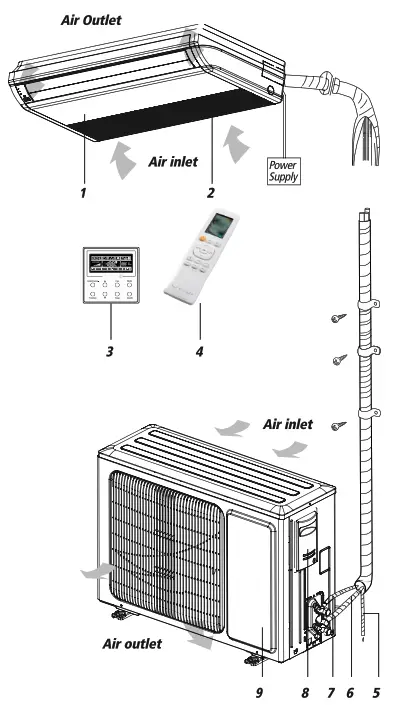
Indoor Unit
Part Name
- Front Cabinet
- Air Inlet
- Wired Controller (Optional)
- Remote Controller
- Drain Pipe
- Gas Pipe
- Liquid Pipe
- Service Cover
- Front Panel
Outdoor Unit
CAUTION
The refrigerant pipe, drain pipe and electrical wiring for this unit should be installed by a qualified HVAC professional only.
SYSTEM FUNCTIONS
WHISPER QUIET
Not only are the systems energy efficient but they are quiet too. Floor/Ceiling operates with sound levels starting as low as 36 dB(A).
MULTI FAN SPEEDS
Whether operating in either Cooling or Heating mode, the indoor fan can be set to your choice of three different speeds (Low, Medium or High) to achieve maximum comfort.
INTELLIGENT PER-HEATING
Stealth systems guard against the annoying cool air blown into the room in heating mode.
The system constantly monitors the discharge air temperature. It will delay the indoor fan until the indoor coil has warmed up to prevent blowing uncomfortable cool air into the room.
CONTROLLERS
The Floor/Ceiling unit comes with a factory supplied Wireless Remote Controller and a Wired Tether Controller.
WIRELESS REMOTE
The multi-functional infrared hand held wireless controller is sleek, ergonomically designed, easy to use and has a large backlit LCD display.
TETHER CONTROLLER
The wired Tether Controller mounts to the wall up to 26 feet from the unit.
It provides complete control over your unit’s operation mode, desired temperature, fan speed, airflow direction and more.
INTELLIGENT DEFROST
The Intelligent Defrost function increases room comfort and saves energy by eliminating unnecessary defrost cycles. In heating mode, the unit will monitor the outdoor coil for frost buildup. Once frost buildup has been detected, the system will switch into a defrost mode to remove the frost.
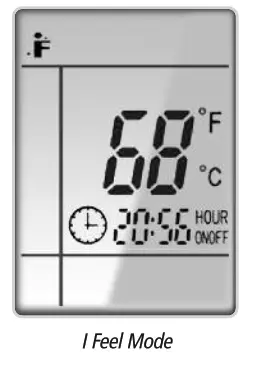
I FEEL MODE
The unit will sense room temperature at the remote controller instead of at the indoor unit during Cooling Mode. It then adjusts airflow and temperature accordingly for the ultimate in personal comfort control and energy savings. This function is only available with the wired Tether Controller.
SWING LOUVER
The adjustable swing louvers can be controlled from the wireless controller. Swing louvers allow nine different air discharge directions including Continuous Sweep. Maximize comfort by adjusting the direction of airflow in the room by moving the louvers up or down.
POWER FAILURE MODE
Power interruptions are no problem for the Multi21 system. User selections and system parameters are stored in non-volatile memory. These parameters are retained during a power failure. When power is returned, the Floor/Ceiling system will automatically return to the last operating mode.
TURBO MODE
Use Turbo Mode for situations where you wish to achieve the desired room temperature in the shortest possible time. This mode runs the unit at ultra high speeds for quickest results.
CLOCK
The wireless remote controller has a built-in clock feature. The remote will display the time of day in a 24-hour format.
TIMER MODE
The unit can be programmed to turn ON or OFF after a specific amount of time. The time period is adjustable between one half and 24 hours.
MODE BUTTON
The unit can be set to five different operating modes: HEAT, COOL, DRY, FAN ONLY and AUTO.
NOTE: AUTO MODE has fixed set points of 68° F heating and 77° F cooling, which are not adjustable. The system will automatically select heating or cooling to maintain room temperature within this band.
SLEEP MODE
The unit will automatically adjust room temperature during your sleep time. This slight change in temperature will not affect your comfort level due to the natural effects that sleeping has on the body, but it will save on energy consumption and will lower electric bills.
X-FAN MODE
When operating in humid areas, the X-fan or Dry Coil function allows the indoor fan to run for a pre-determined amount of time after the unit is turned off (cooling or dry modes) to ensure that additional moisture is removed from coil.
FAHRENHEIT °F / CELSIUS °C
The remote controller can be set to display in either °F or °C.
SELF-DIAGNOSIS
With an on-board computer using real-time diagnostics, the system helps to prolong its own life. The automatic diagnosis feature continuously scans for unacceptable
operating conditions or malfunctions. If such conditions occur, the system takes corrective action or stops. Error codes are shown on the unit display to facilitate easy troubleshooting and repair.
PRIVACY LOCK MODE
The wireless remote controller has a Privacy Lock. The Privacy Lock averts unauthorized access or tampering with system settings.
AGENCY LISTINGS
All systems are listed with AHRI (Air conditioning, Heating, and Refrigeration Institute) and are ETL certified per UL Standards.
OPERATION OF WIRELESS REMOTE CONTROLLER
Remote Controller
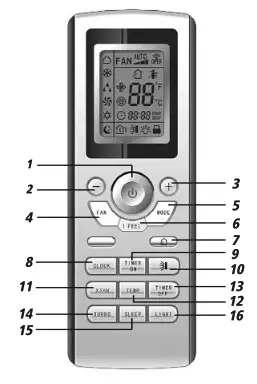
Part Name
| 1. ON/OFF Button | 9. Timer On Button |
| 2. Down Button | 10. Swing Louver Button |
| 3. Up Button | 11. X-Fan Button |
| 4. Fan Button | 12. Temp Button |
| 5. Mode Button | 13. Timer Off Button |
| 6. I Feel Button | 14. Turbo Button |
| 7. Air Function | 15. Sleep Button |
| 8. Clock Button | 16. Light Button |
INTRODUCTION FOR ICONS ON DISPLAY SCREEN
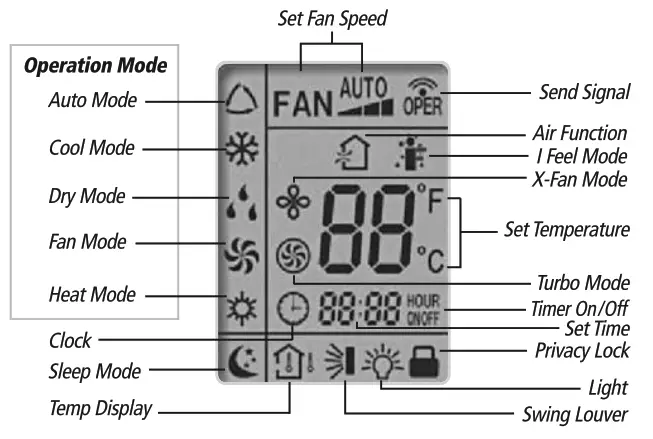
REMOTE CONTROLLER OPERATIONS
The wireless remote controller is sleek, versatile and allows you to change room temperatures and functions on your Multi21 Floor/Ceiling system from the palm of your hand. The large LCD display and buttons make it easy-to-understand and easy-to-use.
The remote controller is set from factory to display temperatures in °F. If °C is desired, turn the remote controller OFF with the ON/OFF button and then press “MODE“ and “-” buttons on the remote simultaneously for 5 seconds.
ON/OFF BUTTON
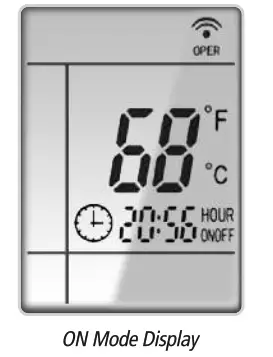
When the system is in OFF mode, the remote controller will display the time and last room set point. When you press the ON/OFF button, this indicator  will be displayed and the unit will start in the last operating mode and room set point.
NOTE: If the ON/OFF button is pressed too soon after a stop, the compressor will not start for 1 to 5 min. due to the inherent protection against frequent compressor cycling.
SWING LOUVERS
Press the Swing Louver button to select 9 different air discharge directions including Continuous Sweep. The Swing Louver icon will be displayed. The airflow can be select from the pattern below:
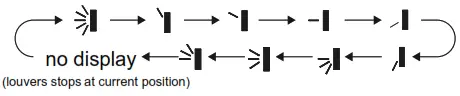
- When selecting”
 “, the louver will continuously swing up and down at maximum angle.
 - When selecting”
 “, the louver will stay in a fixed position.
 - When selecting”
 “, louver will swing up and down at a fixed angle.
 “, the louver will continuously swing up and down at maximum angle.
 “, the louver will stay in a fixed position.
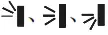 “, louver will swing up and down at a fixed angle.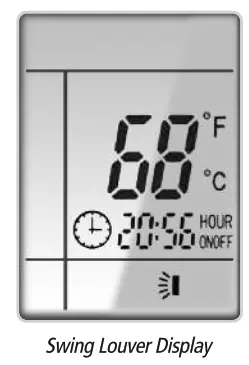
MODE BUTTON
Use the “MODE” button to select one of the available modes.
The selected mode will be displayed on the remote controller and the appropriate light will illuminate on the front display panel.
AUTO – Unit will automatically select heating or cooling to maintain room temperature between 68°F and 77°F. The remote controller will display the Auto Mode icon with no set point.
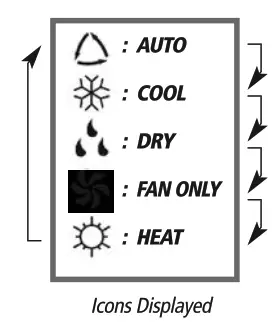
COOL – To cool to selected set point and remove moisture. Press  to adjust set temperature. System varies compressor speed to maintain desired temperature.
HEAT – To heat to selected room set point. Press to adjust set temperature. System varies compressor speed to maintain desired room temperature.
FAN ONLY – To circulate air without heating or cooling. Use Fan Speed button to select speed from low to high.
DRY – Select DRY MODE to increase moisture removal during warm humid conditions. In this mode, fan speed cannot be adjusted.
- If the Room Temperature is above or equal to the set temperature, the system will be operating with high fan speed for several minutes and then it will switch to the selected fan speed.
- If the Room Temperature is below the set temperature, the system will be OFF and the indoor fan will be at low speed.
I FEEL MODE
Press this button to use the I FEEL function, and the (  ) icon will be displayed. The unit will sense room temperature at the remote controller instead of at the indoor unit during Cooling Mode. It then adjusts airflow and temperature accordingly for the ultimate in personal comfort control and energy savings. When I FEEL function is activated, keep the remote controller pointed at indoor unit. This will allow the remote controller to send the room temperature to the indoor unit. Press the button again to exit this function. For best performance, keep remote controller away from heat or cold temperature sources while using this function.
TIMER SETTING
Timer-ON / Timer-OFF BUTTON
To set when you want the unit to turn On at the end of a selected time period, use the button labeled “Timer-ON /Timer-OFF”on the remote controller. Press this button to make the clock icon disappear, replaced with the word “ON” (blinking). Press”+” and “-” buttons to adjust timer setting 1 minute at a time. Press and hold”+” and “-“button to set timer more quickly. Press“Timer-ON /Timer-OFF” button again to confirm setting, and the word “ON” will stop blinking. To cancel, press“Timer-ON /Timer-OFF” button again.
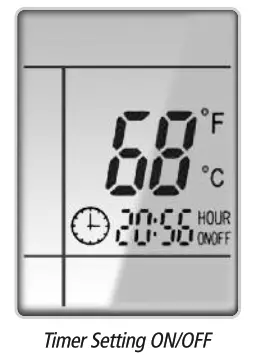
To set when you want the unit to turn Off at the end of a selected time period, use the same button. Press this button to make the clock icon disappear, replaced with the word “OFF” (blinking). Adjust settings the same as with“Timer-ON /Timer-OFF”settings.
NOTE: Under Timer On and Off status, you can set“Timer-ON / Timer-OFF”simultaneously. Before setting timer, be sure to set clock to correct time.
TURBO MODE
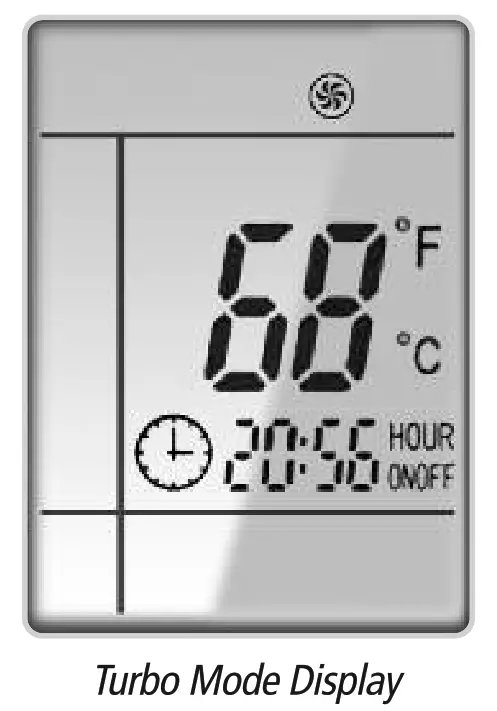
The desired room setpoint can be achieved faster in TURBO mode. After selecting the“HEAT”or“COOL” mode button, push the“TURBO”button. The TURBO  icon will be displayed on the remote controller and the unit will run at an ultra-high speed. To deactivate the feature, push the“TURBO” button again. The unit will return to normal operation.
LIGHT BUTTON
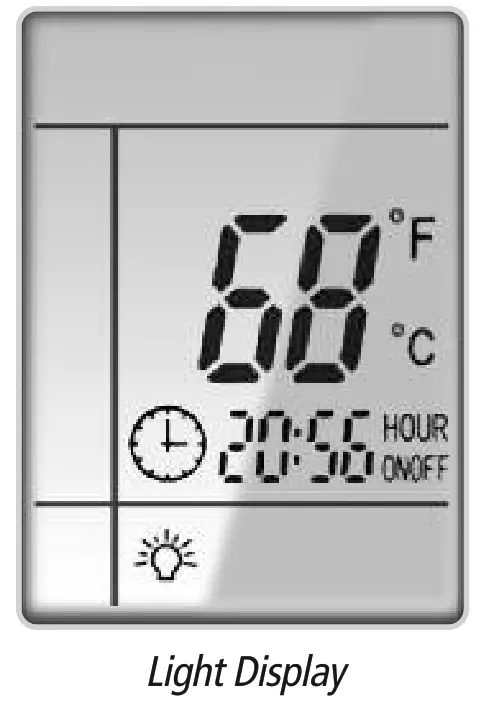
Press this button to turn off display light on indoor unit. Press again to turn it back on.
DISPLAYING SET POINT, INDOOR OR OUTDOOR TEMPERATURE ON FRONT PANEL:
The set point temperature, outdoor temperature or room temperature can be displayed on the front panel. Only set point temperature is displayed on the remote controller.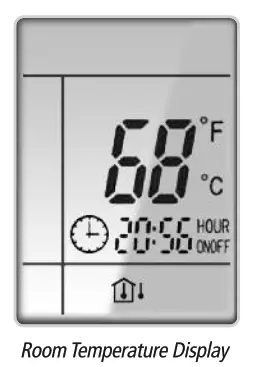 When the “TEMP” button is pushed once, the temperature indicator
 is displayed. This indicates that the set point temperature is displayed on the front panel.
When the “TEMP” button is pushed a second time, the display will show an  icon with a thermometer inside a house. This indicates that the room temperature is displayed on the front panel.
When the “TEMP” button is pushed a third time, the display will show an icon with a thermometer outside a house. This indicates that the outdoor temperature is displayed on the front panel. (Not available on some models).
The room temperature and outdoor temperature will be displayed for only 5 seconds before reverting back to displaying room set point.
FAN BUTTON
Press the FAN button to adjust the indoor fan speed:
Low ( ), Medium (
 ), High (
 ), Turbo and Auto.
- Turbo function is not available in Dry and Auto mode.
- The fan operates at low speed in Dry and Auto modes, and the speed cannot be adjusted.
- When Auto is selected, the unit will select the proper fan speed automatically, according to the ambient temperature.
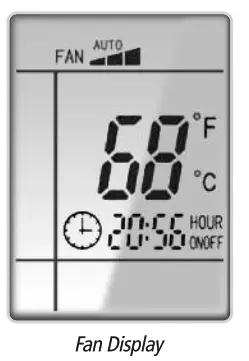
NOTE: Turbo function is not available in Dry and Auto Modes. The Multi21 Floor/Ceiling unit will select proper fan speed automatically according to ambient temperature.
CLOCK SETTING
Press this button to set clock time.“ ” icon on remote controller will blink. Within 5 seconds, press”+” and “-” button to set clock time. With each pressing of “+” and “-” buttons, clock time will increase or decrease 1 minute. To quickly adjust time setting, press and hold “+” and “-” button for 2 seconds. Release button when you have reached the desired time setting. Press “CLOCK” button to confirm the time, and “ ” icon will stop blinking.
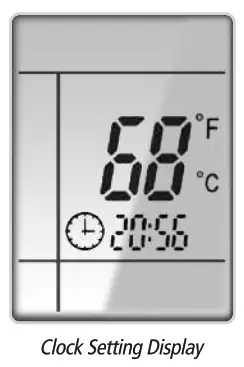
NOTE: Clock time adopts 24-hour mode. A 12-hour time format is not available.
SLEEP MODE
The Multi21 Floor/Ceiling system will automatically adjust room temperature during your sleep time. This slight change in temperature will not affect your comfort level due to the natural effects that sleeping has on the body, but it will save on energy consumption and will lower your electric bill. Press the SLEEP button to select Sleep mode or Cancel. The SLEEP icon will appear.
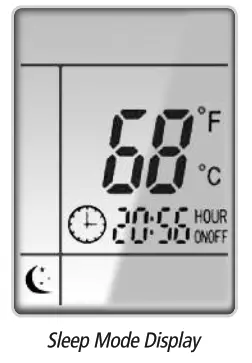
TRADITIONAL MODE – SLEEP
In Traditional Mode the unit will slowly relax the room set temperature by up to 4° F until Sleep Mode is cancelled.
In Cool or Dry modes:
The unit will run at current room set point for 1 hour. After 1 hour, the set point will increase by 2°F (1℃). After 2 hours, the set point will increase by 4°F (2℃) and maintain this set point until Sleep Mode is cancelled.
In Heat mode:
The unit will run at current room set point for 1 hour. After 1 hour, the set point will decrease by 2°F (1℃). After 2 hours, the set point will decrease by 4°F (2℃) and maintain this set point until Sleep Mode is cancelled.
PRIVACY LOCK
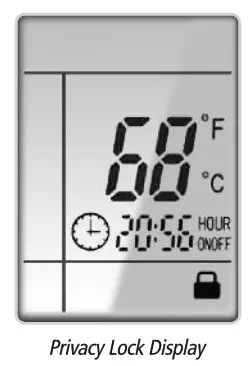
The Privacy Lock prevents unauthorized access to the unit controls and prevents tampering with system settings. The remote controller can be locked by pushing the “+” and “-” buttons simultaneously.
The Privacy Lock icon will be displayed on the remote controller.
Repeat the process to unlock the remote controller.
CHANGING BATTERIES AND ADDITIONAL NOTES
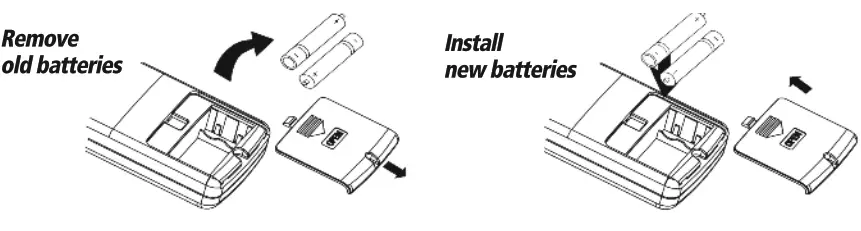
To change batteries, slide cover off battery compartment on back of remote controller. Remove and safely discard old batteries. Insert two new AAA 1.5V dry batteries, using correct polarity. Reattach back cover.
NOTE:
- If the remote controller will not be used for a long time, remove batteries to prevent leakage damage.
- Be sure to aim the remote controller at the receiver of the main unit when operating.
- When remote emits a signal, icon will flicker; a tone will be heard when unit receives that signal.
CHANGING BATTERIES
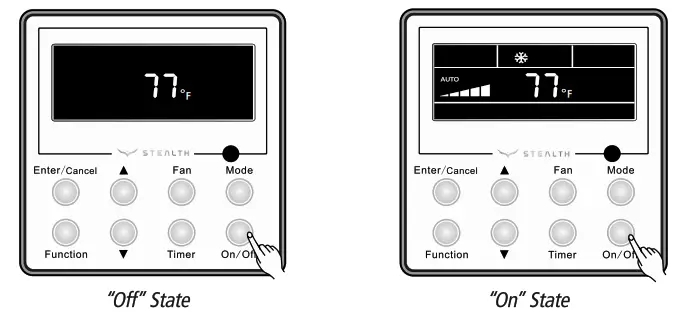
ON/OFF BUTTON
Press On/Off to turn On the unit. Press again to turn it Off.
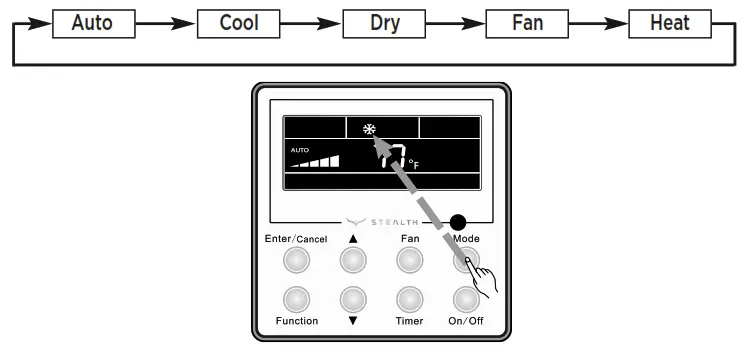
MODE SETTING
When the unit is ON, press Mode button to select an operating mode. It will change sequentially as shown below: Auto–Cool–Dry–Fan–Heat
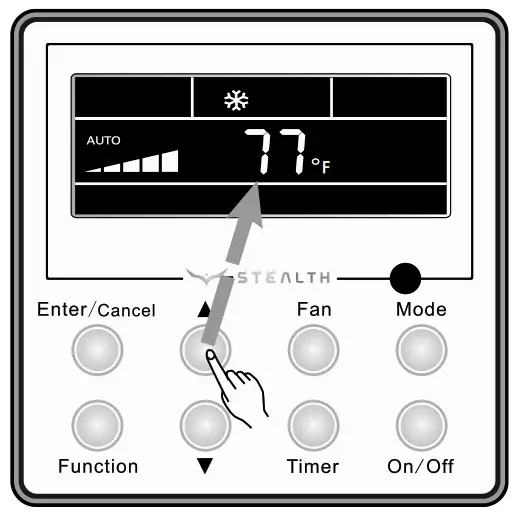
TEMPERATURE SETTING
Press ▲ or ▼ to increase/decrease the set point temperature as shown below. In Cool, Dry, Fan or Heat mode, the setpoint temperature range is 61°-86°F. In Auto mode, the set point temperature is not adjustable.
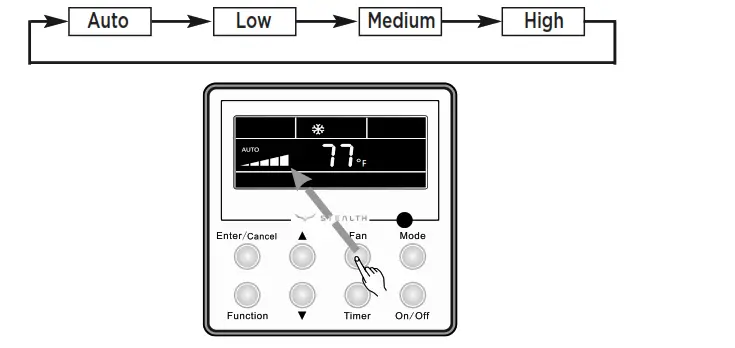
FAN SETTING
When the unit is ON, press Fan button to select the fan speed of the indoor unit. It will change sequentially as shown below.
TURBO MODE
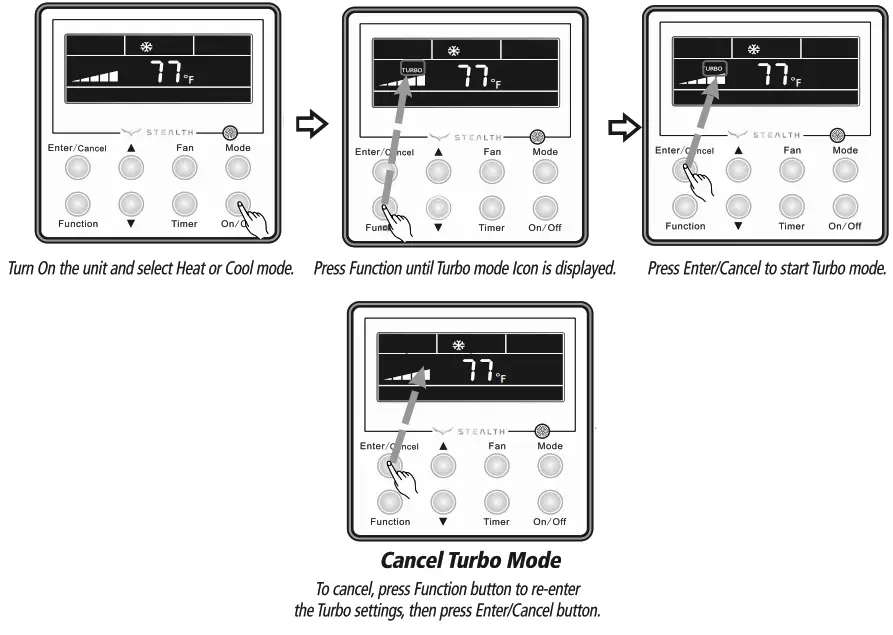
Turbo mode will force the unit up to maximum capacity to heat or cool the room in the shortest amount of time. Turbo Mode can only be used on Heat or Cool modes.
Turbo Setting
Press Function button until the Turbo icon is displayed. Then press Enter/Cancel to confirm. To cancel, press the Function button to re-enter the Turbo setting status, then press Enter/Cancel.
STEALTH
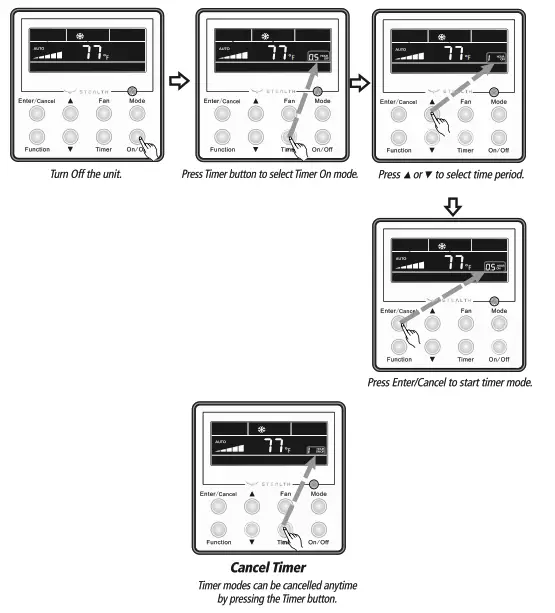
SC-09FM-HP230 Floor Ceiling TIMER SETTING The Multi21 System has two timer modes. The Timer-On mode will turn the unit ON after the preset time period. The Timer-Off Mode will turn the unit OFF after the preset time period. The preset time period can be from 0.5 to 24 hours in 0.5 hour increments.
Timer-On Setting
Turn the unit Off, press the Timer button. The OFF icon will flash and the hours will be displayed. Set the time period for the unit to remain OFF before turning ON by pressing the ▲ or ▼ buttons. Press Timer button to confirm and start Timer-On mode.ir Conditioning and Heating System
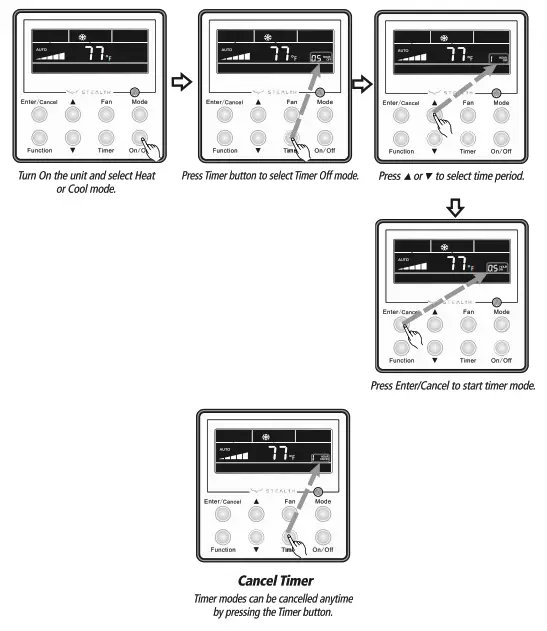
Timer-Off Setting
Turn the unit On, press the Timer button. The ON icon will flash and the hours will be displayed. Set the time period for the unit to remain ON before turning OFF by pressing the ▲ or ▼ buttons. Press Timer button to confirm and start Timer-Off mode.
SLEEP MODE
The unit will automatically adjust room temperature during your sleep time. This slight change in temperature will not affect your comfort level due to the natural effects that sleeping has on the body, but it will save on energy consumption and will lower your electric bill. Press the SLEEP button to select Sleep Mode. The SLEEP icon will appear.
In Cool or Dry modes:
The unit will run at current room set point for 1 hour. After 1 hour, the set point will increase by 2° F. After 2 hours, the set point will increase by 4° F and maintain this set point until Sleep Mode is canceled.
In Heat mode:
The unit will run at current room set point for 1 hour. After 1 hour, the set point will decrease by 2° F. After 2 hours, the set point will decrease by 4° F and maintain this set point until Sleep Mode is canceled.
Sleep Setting
Turn the unit On and select a mode (ex. Heat, Cool, or Dry). Press the Function button until the Sleep icon appears on the display. Press the Enter/Cancel button to start Sleep Mode.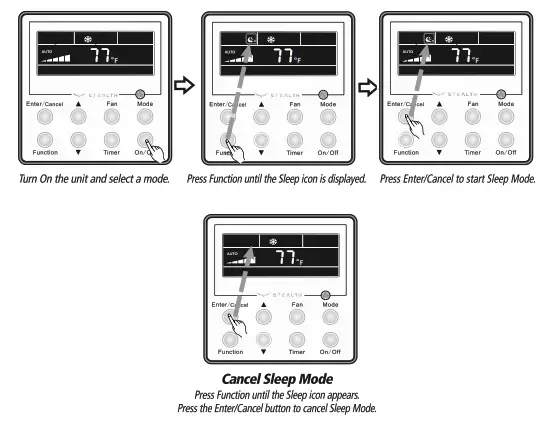
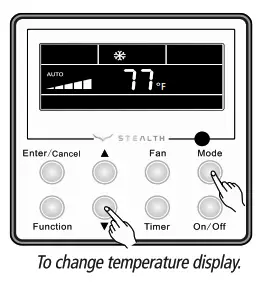
CELSIUS OR FAHRENHEIT TEMPERATURE DISPLAY
The wired Tether Controller is set from the factory to display temperature in Fahrenheit ( Fº ). If Celsius (Cº) is desired, turn the unit OFF, press Mode and ▼ buttons at the same time for 5 seconds to alternate between temperature displays.
X-FAN MODE
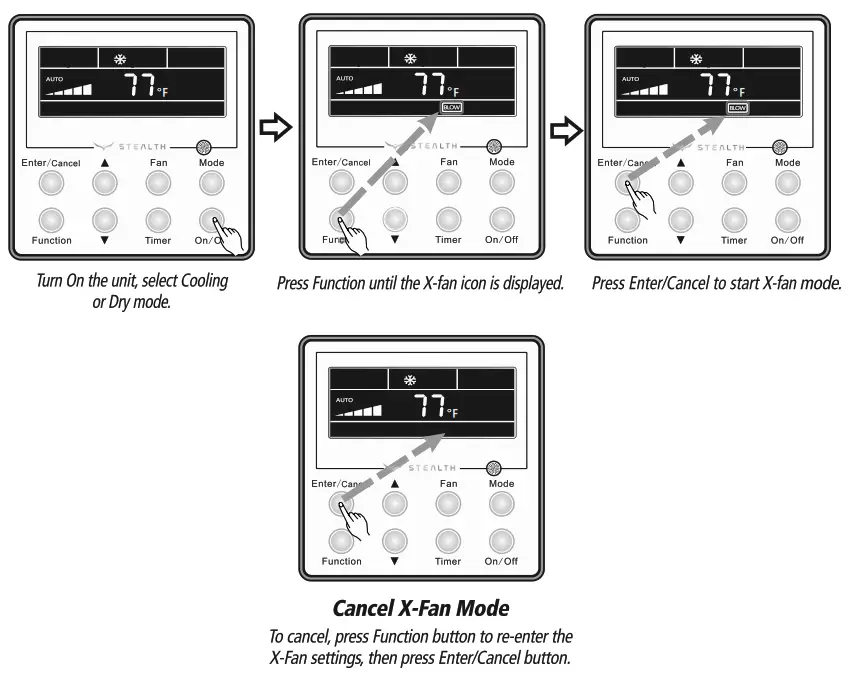
The X-Fan function may only be selected in Cool and Dry modes. After the unit is turned Off, the X-Fan function will keep the indoor fan running for 2 minutes to dry the indoor evaporator coil to help avoid mold and mildew growth.
X-Fan Settings
Turn the unit On and select Cool or Dry mode. Press Function button until X-fan icon is displayed and then press Enter/Cancel to activate this function.
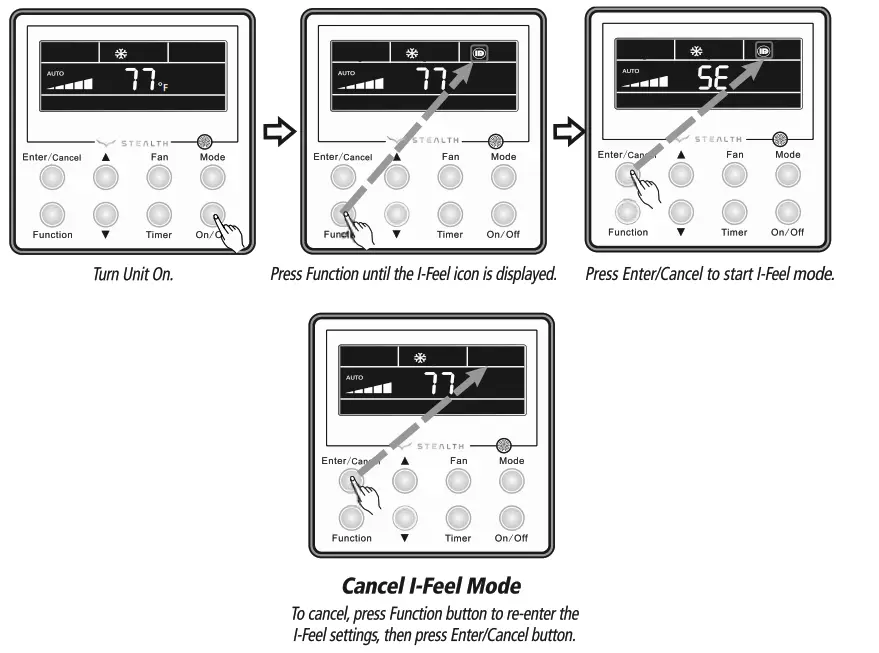
I-FEEL MODE
The indoor unit will sense room temperature at the wired Tether Controller instead of at the return air section of the indoor unit.
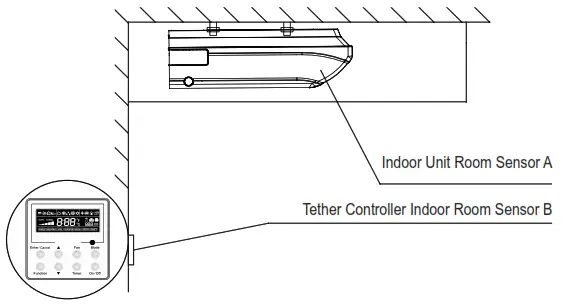
I-Feel Settings
Press the Function button until the I-Feel icon is displayed, then press Enter/Cancel to activate the function.
PRIVACY LOCK
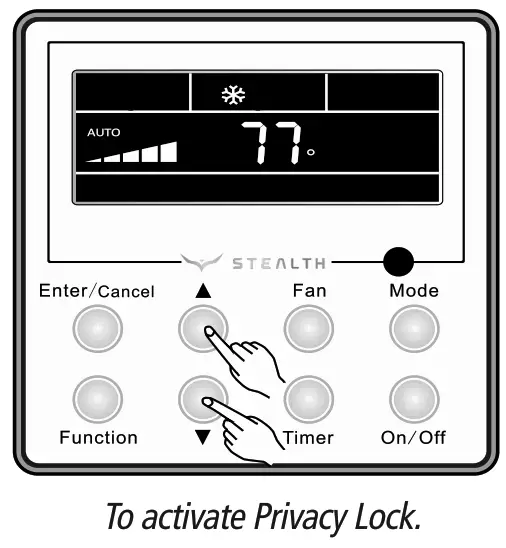
The Privacy Lock prevents unauthorized access to the unit controls and prevents tampering with system settings. To lock the wired Tether Controller, press ▲ and ▼ buttons simultaneously for 5 seconds and the Lock Icon will be displayed.
Repeat the process to unlock the Tether Controller and cancel Privacy Lock.
CARE AND CLEANING
Routine maintenance consists of checking the condensate drain for clogs, hosing off the outdoor coil of outdoor unit and cleaning the air filter and the indoor cabinet. WARNING
Turn off power and disconnect from indoor and outdoor units before cleaning. Failure to do so could cause electric shock.
CABINET CLEANING
Wash the cabinet using warm water and mild detergent with a soft cloth or soft brush.
NOTE: Do not use bleach, abrasives or water above 110°F (45°C) as it may cause discoloration or damage to the surface of the unit.
AIR FILTER CLEANING
Changing your air filter on a regular basis prevents many problems. Dirty air filters will affect the performance and the longevity of your unit. It is recommended that air filters be cleaned every three (3) months.
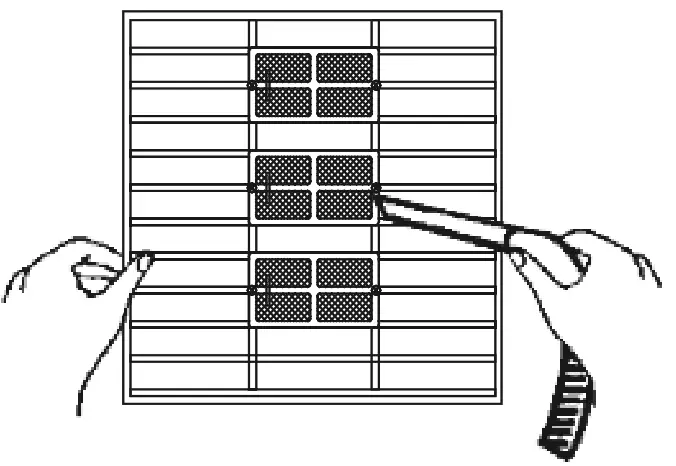
HOW TO CLEAN AIR FILTER
1. Clean dust, lint and dirt from the air filter using a vacuum cleaner or washing with water. If dirt is conspicuous, wash with a mild detergent in lukewarm water. After washing air filter with water, let dry in the shade. Do not expose the air filter to direct sunlight or direct heat to dry.
2. Reinsert the air filter into filter door, careful to align properly.
3. Close secure filter door.
TROUBLESHOOTING
| PROBLEM | CAUSE/SOLUTION |
| System does not restart. | Cause: The system has a built-in three-minute delay to prevent short and/or rapid cycling of the compressor. Solution: Wait three minutes for the protection delay to expire. |
| Indoor unit emits unpleasant odor when started | Cause: Typically unpleasant odors are the result of mold or mildew forming on the coil surfaces or the air filter. Solution: Wash indoor air filter in warm water with mild cleaner. If odors persist, contact a qualified service professional to clean the coil surfaces. |
| You hear a“water flowing”sound. | Cause: It is normal for the system to make“water flowing”or“gurgling”sounds from refrigerant pressures equalizing when the compressor starts and stops Solution: The noises should discontinue as the refrigerant system equalizes after two or three minutes. |
| A thin fog or vapor coming out of the discharge register when system is running. | Cause: It is normal for the system to emit a slight fog or water vapor when cooling extremely humid warm air. Solution: The fog or water vapor will disappear as the system cools and dehumidifies the room space. |
| You hear a slight cracking sound when the system stops or starts. | Cause: It is normal for the system to make “slight cracking” sounds from parts expanding and contracting during system starts and stops. Solution: The noises will discontinue as temperature equalizes after 2 or 3 minutes. |
| The system will not run. | Cause: There are a number of situations that will prevent the system from running. Solution: Check for the following: • Circuit breaker is “tripped” or “turned off.” • Power button of controller is not turned on. • Controller is in sleep mode or timer mode. • Otherwise, contact a qualified service professional for assistance. |
| The unit is not heating or cooling adequately. | Cause: There are a number of reasons for inadequate cooling or heating. Solution: Check the following: • Remove obstructions blocking airflow into the room. • Clean dirty or blocked air filter that is restricting airflow into the system. • Seal around door or windows to prevent air infiltration into the room. • Relocate or remove heat sources from the room. |
| PROBLEM | CAUSE/SOLUTION |
| Water leaking from the indoor unit into the room. | Cause: While it is normal for the system to generate condensate water in cooling mode, it is designed to drain this water via a condensate drain system to a safe location. Solution: If water is leaking into the room, it may indicate one of the following. • The indoor unit is not level right to left. Level indoor unit. • The condensate drain pipe is restricted or plugged. All restrictions must be removed to allow continuous drainage by gravity. • If problem persists, contact a qualified service professional for assistance. |
| The unit will not deliver air. | Cause: There are a number of system functions that will prevent air flow. Solution: Check for the following: • In heating mode, the indoor fan may not start for three minutes if the room temperature is very low. This is to prevent blowing cold air. • In heat mode, if the outdoor temperature is low and humidity is high, the system may need to defrost for up to 10 minutes before beginning a heating cycle. • In dry mode, the indoor fan may stop for up to three minutes during the compressor off delay. • Otherwise, you should contact a qualified service professional for assistance. |
DIAGNOSTIC CODES
Troubleshooting
The unit has onboard diagnostics. The outdoor unit will provide status indicators. The indoor wall unit and remote controller will display error codes. The following is a summary of the codes with explanation:
Malfunction Name | Indoor Unit & Remote Display | Outdoor Unit Indicators | Possible Causes | |
| Yellow | Red | |||
| Liquid Valve Coil Temperature Sensor Malfunction | b5 | 1) Loose or bad connection between sensor and control board 2) Liquid valve temperature sensor damaged 3) Control board malfunction | ||
| Gas valve temperature sensor is open/short circuited | b7 | Hardware malfunction | ||
| System Configuration Malfunction | C5 | 1) No jumper cap inserted on the control board 2) Incorrect or damaged jumper cap on control board 3) Indoor and outdoor units are not compatible | ||
| Wrong connection of communication wire or malfunction of electronic expansion valve | dn | Hardware malfunction | ||
| System High Pressure | E1 | 1) Over charged with refrigerant 2) Blocked or dirty outdoor coil 3) Extreme outdoor ambient conditions | ||
| Indoor Anti-Freeze Protection | E2 | 3 flashes and 1 sec Off | 1) Low return airflow 2) Indoor fan speed is too low 3) Indoor coil is blocked or dirty | |
| Low Pressure Protection | E3 | 9 flashes and 1 sec Off | 1) Low on refrigerant 2) Pressure sensor is damaged | |
| Compressor High Discharge Temperature Protection | E4 | 7 flashes and 1 sec Off | Please refer to the malfunction analysis (discharge temperature, overload) in service manual | |
| Over current Protection | E5 | 5 flashes and 1 sec Off | 1) Supply voltage is unstable 2) Supply voltage is too low and system load is too high 3) Indoor coil is blocked or dirty | |
| Communication Malfunction | E6 | Continuous On | 1) Communication cable is sim-wired between indoor and outdoor units 2) Indoor or Outdoor control board malfunction | |
| Mode conflict (Indoor units calling for simultaneously Heating and Cooling) | E7 | Operation status | ||
| Malfunction Name | Indoor Unit Display | Outdoor Unit Indicators | Possible Causes | |
| Yellow | Red | |||
| High Temperature Resistant Protection | E8 | 6 flashes and 1 sec Off | 1)Incorrect refrigerant charge level 2)Refrigerant metering device malfunction 3)Compressor malfunction | |
| Cold Air Protection | E9 | 1)Indoor coil has not reach minimum heating temperature 2)Indoor ambient is abnormally cold 3)Indoor control board malfunction | ||
| EEPROM Memory Malfunction | EE | 11 flashes and 1 sec Off | Control board malfunction | |
| Module Phase Current Protection – Frequency Decrease/Limit Mode | En | Outdoor control board malfunction | ||
| Module Temperature Protection – Frequency Decrease/Limit Mode | EU | 11 flashes and 1 sec Off | 1)IPM module over heating or malfunctioning 2)Improper voltage at IPM Module | |
| Refrigerant Leakage Protection | F0 | 9 flashes and 1 sec Off | 1)refrigerant leak(s) 2)Indoor coil temperature sensor no calibrated 3)Refrigerant flow is restricted ( ex. valve, exv, debris) | |
| Indoor Ambient Temperature Sensor Malfunction | F1 | 1)Loose or bad connection between sensor and control board 2)Indoor ambient temperature sensor damaged 3)Control board malfunction | ||
| Indoor Coil Temperature Sensor Malfunction | F2 | 1)Loose or bad connection between sensor and control board 2)Indoor coil temperature sensor damaged 3)Control board malfunction | ||
| Outdoor Ambient Temperature Sensor Malfunction | F3 | 6 flashes and 1 sec Off | 1)Loose or bad connection between sensor and control board 2)Outdoor ambient temperature sensor damaged 3)Control board malfunction | |
| Outdoor Coil Temperature Sensor Malfunction | F4 | 5 flashes and 1 sec Off | 1)Loose or bad connection between sensor and control board 2)Outdoor coil temperature sensor damaged 3)Control board malfunction | |
| Outdoor Discharge Temperature Sensor Malfunction | F5 | 7 flashes and 1 sec Off | 1)Loose or bad connection between sensor and control board 2)Discharge temperature sensor damaged 3)Control board malfunction | |
| Compressor Overload Protection – Frequency Decrease/Limit Mode | F6 | 3 flashes and 1 sec Off | 1)Incorrect refrigerant charge 2)Metering device malfunction 3)Compressor malfunction | |
| Oil Return Protection – Frequency Decrease/Limit Mode | F7 | Normal function status code only | ||
| System Current Overload Protection – Frequency Decrease/Limit Mode | F8 | 1 flashes and 1 sec Off | 1)Input voltage too low 2)System pressure too low | |
| Malfunction Name | Indoor Unit Display | Outdoor Unit Indicators | Possible Causes | |
| Yellow | Red | |||
| High Compressor Discharge Temperature – Frequency Decrease/Limit Mode | F9 | 2 flashes and 1 sec Off | 4 flashes and 1 sec Off | 1)Cooling load is too great 2)Outdoor ambient temperature too high 3)Refrigerant charge too low 4)Metering device malfunction |
| Indoor Coil Freeze Protection – Frequency Decrease/Limit Mode | FH | 1)Indoor coil has not reach minimum heating temperature 2)Indoor ambient is abnormally cold 3)Indoor control board malfunction | ||
| Pump Down or Gathering Refrigerant Status | Fo | 17 flashes and 1 sec Off | Optional Service Mode | |
| Defrost Mode in Heating | H1 | Operation status | ||
| Compressor Overload Protection | H3 | 8 flashes and 1 sec Off | 1) Wiring terminal OVA-COMP is loose 2)Refer to the malfunction analysis in Service Manual | |
| IPM Module Protection | H5 | 4 flashes and 1 sec Off | 1)IPM module over heating 2)Improper or Low voltage at the IPM module 3)IPM module malfunction | |
| Indoor DC Fan Motor Malfunction | H6 | 1)Loose connections between fan motor and control board 2)Fan motor or blower wheel bearings malfunction 3)Control board malfunction | ||
| Compressor De-Synchronized Malfunction | H7 | 1)Compressor voltage is not balance 2)Control board malfunction 3)Compressor malfunction | ||
| Power Factor Correction (PFC) Protection | HC | 14 flashes and 1 sec Off | 1)Mich-wiring of the reactor filter and PFC capacitor 2)Reactor filter or PFC capacitor malfunction 3)Control board malfunction | |
| Compressor Demagnetization Protection | HE | Compressor malfunction | ||
| High Input Power Protection | L9 | 9 flashes and 1 sec Off | 1)Compressor malfunction 2)Power circuit malfunction | |
| Start-Up Malfunction | LC | 1)Over charged with refrigerant 2)Control board malfunction 3)Compressor malefaction | ||
| Compressor phase-lacking/ phase-inverse protection | Ld | Hardware malfunction | ||
| Malfunction Name | Indoor Unit Display | Outdoor Unit Indicators | Possible Causes | |
| Yellow | Red | |||
| Incompatible Indoor and Outdoor Units | LP | 16 flashes and 1 sec Off | Indoor and outdoor units are not compatible | |
| Compressor Phase Current Protection | P5 | 1)IPM module malfunction 2)Outdoor control board malfunction 3)Compressor malfunction | ||
| Module Temperature Sensor Malfunction | P7 | Outdoor control board malfunction | ||
| Module Temperature Protection | P8 | 1)Lack of thermal grease on IPM module 2)Heat sink (radiator) not tightly mounted 3)Control board malfunction | ||
| High DC Bus Voltage Protection | PH | 13 flashes and 1 sec Off | 1)Supply voltage on L1 and N is above 265Vac 2)Capacitor on control board malfunction 3)Outdoor control board malfunction | |
| Low DC Bus Voltage Protection | PL | 12 flashes and 1 sec Off | 1)Supply voltage on L1 and N is below 150Vac 2)Capacitor on control board malfunction 3)Outdoor control board malfunction | |
| Capacitor Charging Malfunction | PU | Capacitor malfunction | ||
| Compressor Phase-Current Detection Malfunction | U1 | Outdoor control board malfunction | ||
| DC Bus Voltage Dip | U3 | Outdoor control board malfunction | ||
| Input Current Detection Malfunction | U5 | Outdoor control board malfunction | ||
| The four-way valve is abnormal | U7 | Hardware malfunction | ||
| Zero cross detection circuit malfunction(for indoor unit) | U8 | Hardware malfunction | ||
ENERGY SAVING TIPS
- Relaxing room temperature at night is OK: During the nighttime hours you don’t require the same level of conscious cooling or heating. Try using Sleep Mode to gradually relax room temperature and allow the unit to run less and save energy.
- Curtains and shades: In the summer, you need to block the effects of the sun. Close window curtains and shades on the south and west side of your home to help block solar heat. In winter, the sun is your friend. Open curtains and shades to allow solar heat into your room.
- Close doors: If you don’t need to heat and cool your whole home, confine the heating and cooling to one room by closing doors. Limit the space you’re heating and cooling
to specified capability of the unit. - Service the unit: Some basic maintenance might be all you need. The outdoor unit will greatly benefit from a good hosing out, especially in treed areas where seeds and other debris can stick to coil fins and make the unit work up to 15% harder!
- Rearrange the room: Furniture that obstructs airflow means you could be heating and cooling the back of a chair or the front of a sofa instead of the actual living space. Remove or rearrange obstacles blocking airflow.
- Try 75 degrees: 75°F is a good point for an air conditioner to run at its optimal performance level. Even a 5-degree change in temperature can make your unit use up to 40% more energy!
- Lighting: Turning lights off can help reduce your heat. Each light bulb is a tiny heater. Your air conditioner must waste energy overcoming the heat from your lights to reach and hold your desired room temperature.
- Is anyone home? If possible, while you’re away turn your unit to Auto mode and make sure windows and drapes are closed. Although room temperature may be less than optimal for a few minutes when you come home, the unit will soon have the room back to your desired temperature.
- Don’t forget the fan: The fan is much like a car. The faster it runs, the more energy it uses. Sometimes we need the car to go fast, but slow is good enough most of the time. Try saving money by using the comfortable quiet low fan speed as much as possible.
LIMITED WARRANTY STATEMENT
FOR WARRANTY SERVICE OR REPAIR:
Contact your installing contractor. You may find the installer’s name on the equipment or in your Owner’s packet. Complete product registration below and send back by email to [email protected]
PRODUCT REGISTRATION
Model No………………………………..
Serial No. ………………………….
Date of Installation…………………..
Owner Name………………………….
Address of Installation…………………
Installing Contractor……………….
Address……………………….
Phone No. / E-mail………………..
STEALTH (1HVAC Energy LLC) warrants this product against failure due to defect in materials or workmanship under normal use and maintenance as follows. All warranty periods begin on the date of original installation. If the date cannot be verified, the warranty period begins one hundred twenty (120) days from date of manufacture. If a part fails due to defect during the applicable warranty period, Company will provide a new or re manufactured part, at Company’s option, to replace the failed defective part at no charge for the part. This limited warranty is subject to all provisions, conditions, limitations and exclusions listed below.
- A warranty period of Five (5) years on all parts to the original registered end user.
- A warranty period of seven (7) years on the compressor.
- Online registration of this product at (Stealth comfort.com/warranty-information) extends the warranty as follows – one year unit replacement and twelve (12) year compressor warranty.
- Warranty applies only to products remaining in their original installation location.
- Defective parts must be returned to the distributor.
LIMITATIONS OF WARRANTIES: ALL IMPLIED WARRANTIES AND/OR CONDITIONS (INCLUDING IMPLIED WARRANTIES OR CONDITIONS OF MERCHANTABILITY AND FITNESS FOR A PARTICULAR USE OR PURPOSE) ARE LIMITED TO THE DURATION OF THIS LIMITED WARRANTY, SOME STATES OR PROVINCES DO NOT ALLOW LIMITATIONS ON HOW LONG AN IMPLIED WARRANTY OR CONDITION LASTS, SO THE ABOVE MAY NOT APPLY TO YOU. THE EXPRESS WARRANTIES MADE IN THIS WARRANTY ARE EXCLUSIVE AND MAY NOT BE ALTERED, ENLARGED, OR CHANGED BY ANY DISTRIBUTOR, DEALER, OR OTHER PERSON, WHATSOEVER.
THIS WARRANTY DOES NOT COVER:
- Labor or other costs incurred for diagnosing, repairing, removing, installing, shipping, servicing or handling of either defective parts, or replacement parts, or new units.
- Product cleaning required prior to warranty service and repair.
- Normal maintenance as outlined in the installation and servicing instructions or Owner’s Manual, including filter cleaning and/or replacement and lubrication.
- Failure, damage or repairs due to faulty installation, misapplication, abuse, improper servicing, unauthorized alteration or improper operation.
- Failure to start due to voltage conditions, blown fuses, open circuit breakers, or damages due to the inadequacy or interruption of electrical service.
- Failure or damage due to floods, winds, fires, lightning, accidents, corrosive environments (rust, etc.) or other conditions beyond the control of the Company.
- Failure or damage of coils or piping due to corrosion on installations within one (1) miles of sea coast or corrosive body.
- Parts not supplied or designated by Company, or damages resulting from their use.
- Products installed outside the 48 contiguous United States, except the District of Columbia and Hawaii.
- Electricity or fuel costs, or increases in electricity or fuel costs from any reason whatsoever, including additional or unusual use of supplemental electric heat.
- Any cost to replace, refill or dispose of refrigerant, including the cost of refrigerant.
- Shipping damage or damage as a result of transporting the unit.
- Accessories such as condensate pumps, line sets and so forth are not covered.
- Any special, indirect or consequential property or commercial damage of any nature whatsoever. Some states or provinces do not allow the exclusion of incidental or consequential damages, so the above limitation may not apply to you.
- Consumable components, such as air filters, are not covered under parts warranty.
This warranty gives you specific legal rights, and you may also have other rights which vary from state to state. In jurisdictions where warranty benefits conditioned on registration are prohibited by law, registration is not required, and the STANDARD warranty period shown above will apply.
1HVAC Energy LLC ©2022