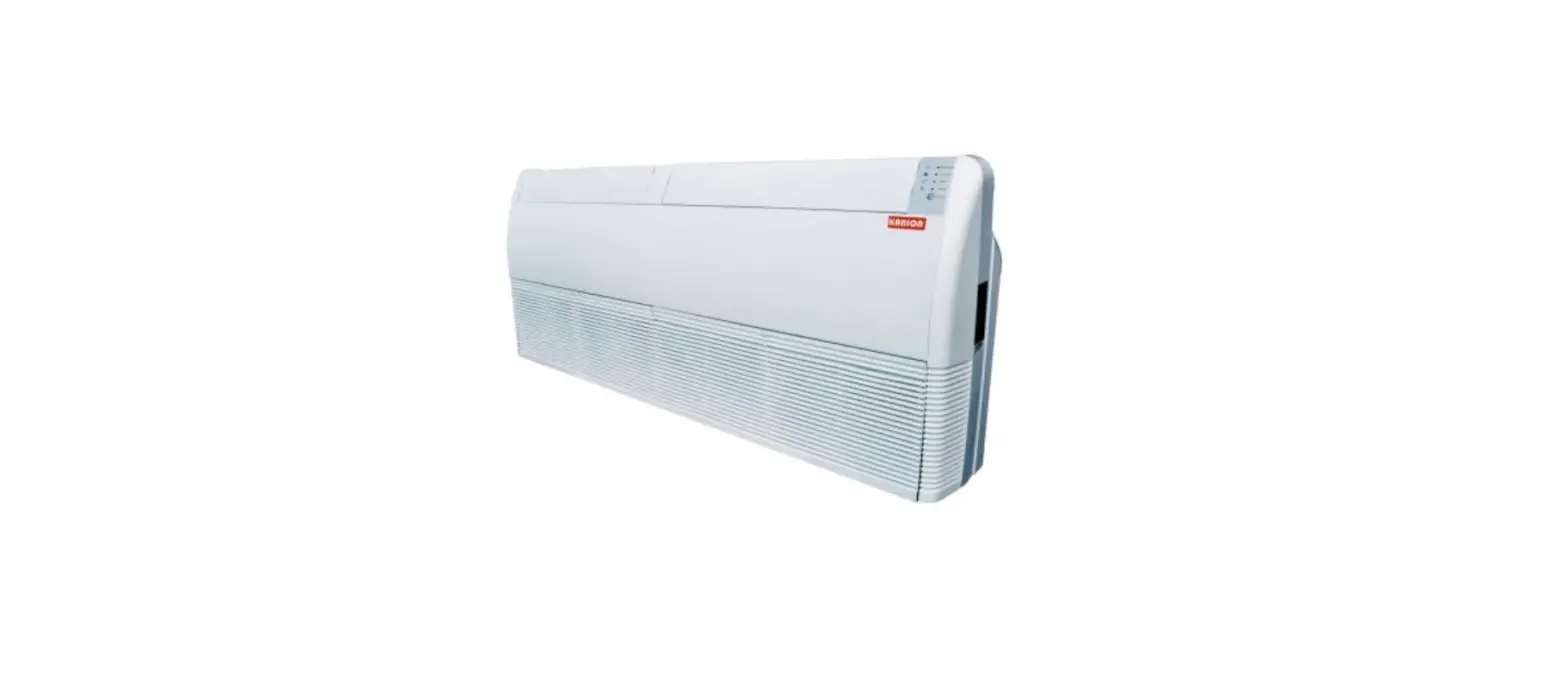
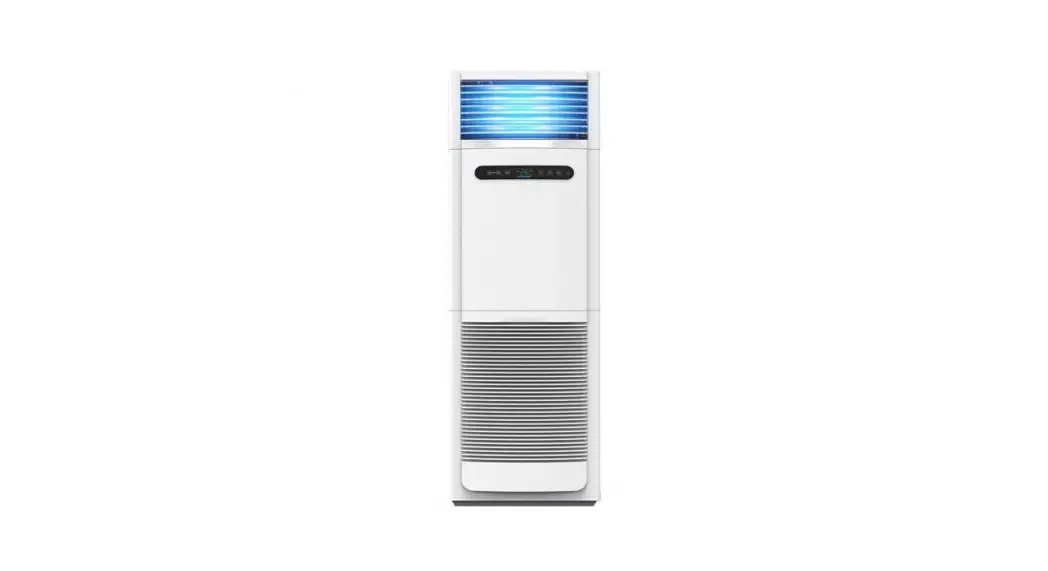
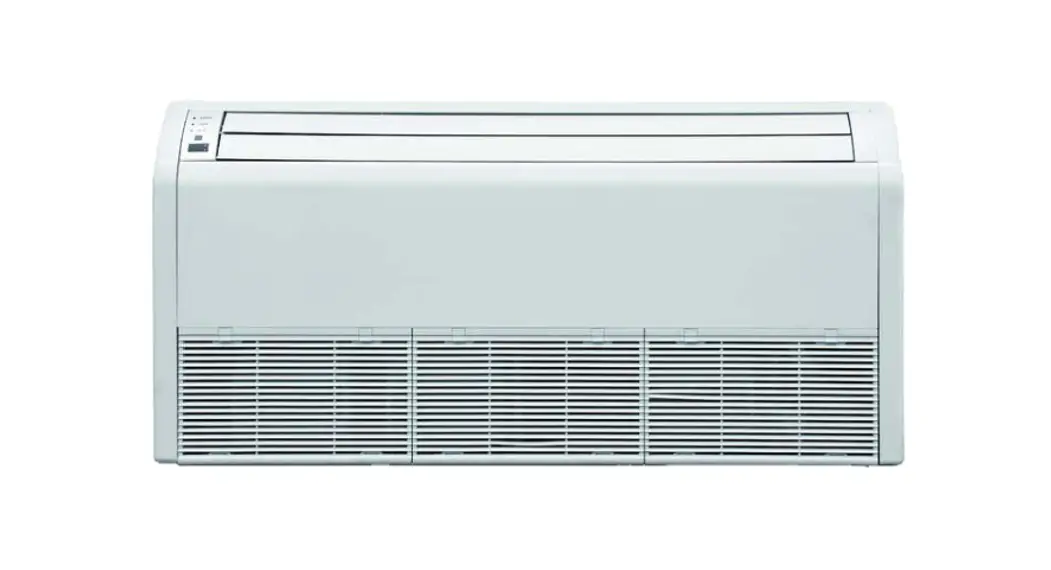
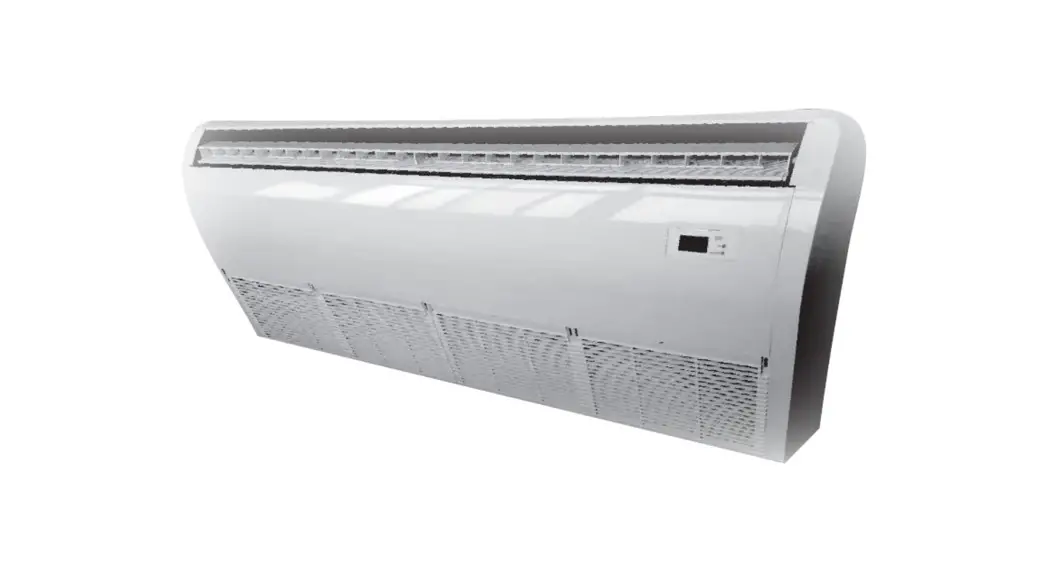
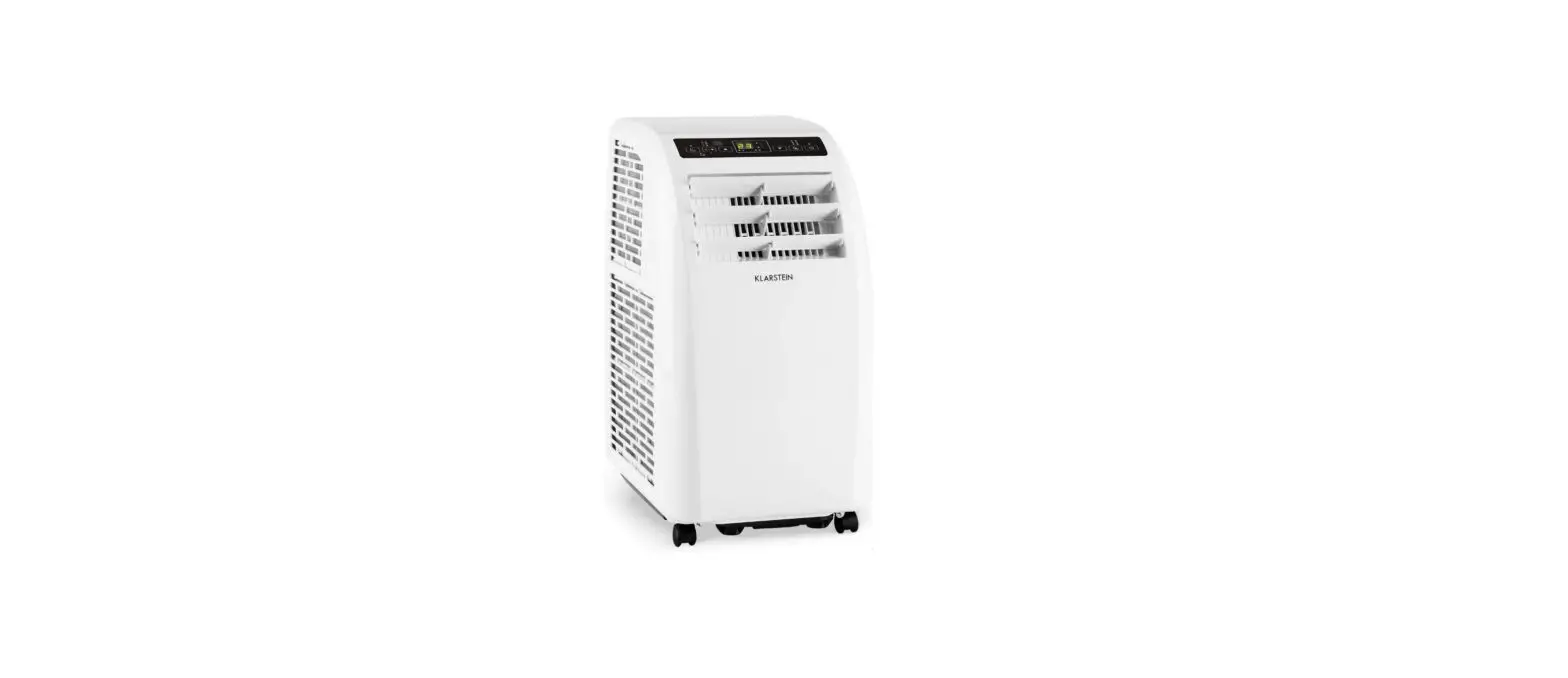
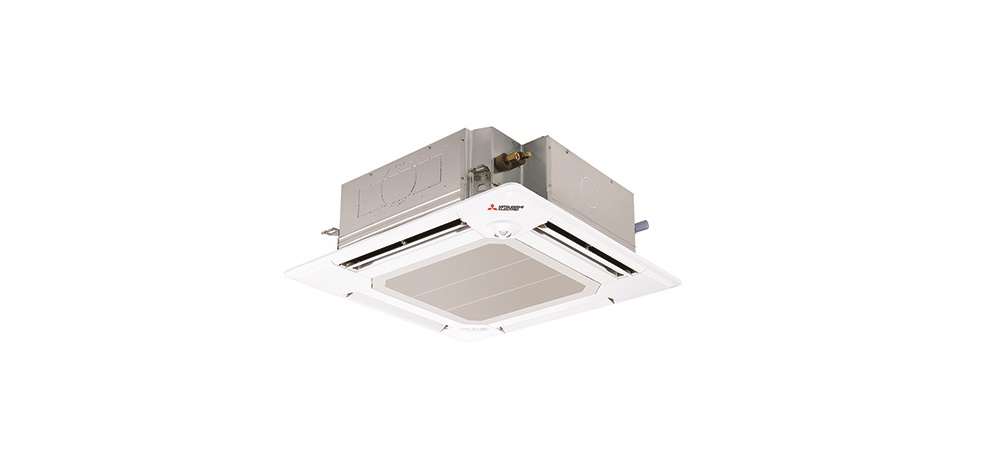
KUE-HRB32 Floor Ceiling Air Conditioner
Floor/Ceiling Air Conditioner
Owner’s Manual
Thank you for choosing our product. For proper operation, please
read and keep this manual carefully. If you have lost the Owner’s
Manual, please contact the local agent or visit www.kaisai.pl or send an email to: [email protected], for
electronic version.
Table of Contents
- Safety Precautions
- Indoor Unit Parts and Major Functions
- Manual Operation
- Care and Maintenance
- Troubleshooting
- European Disposal Guidelines
Safety Precautions
Thank you for purchasing this air conditioner. This manual will
provide you with information on how to operate, maintain, and
troubleshoot your air conditioner. Following the instructions will
ensure the proper function and extended lifespan of your unit.
Please pay attention to the following signs:
- WARNING: Failure to observe a warning may
result in death. The appliance must be installed in accordance with
national regulations. - CAUTION: Failure to observe a caution may
result in injury or equipment damage. - WARNING: This may cause fire or
combustion. - CAUTION: Other heating devices, thoroughly
ventilate.
Indoor Unit Parts And Major Functions
Unit Parts:
- Installation part
- Air outlet
- Louver
- Air inlet
- Display panel

Operating Conditions:
Use the system in the following temperature for safe and
effective operation. If the air conditioner is used outside of the
following conditions, it may malfunction or be less efficient.
| Indoor Temperature | Outdoor Temperature | COOL Mode | HEAT mode (low temperature cooling models) | DRY mode |
|---|---|---|---|---|
| 18°C~32°C | -15°C~24°C | √ | √ | √ |
Features:
- Default Setting: Auto-Restart (some models).
In case of power failure, the system will immediately stop. When
power returns, the Operation light on the indoor unit will flash.
To restart the unit, press the ON/OFF button on the remote control.
If the system has an auto restart function, the unit will restart
using the same settings. - Louver Angle Memory Function (Optional): Some
models are designed with a louver angle memory function. When the
unit restarts after a power failure, the angle of the horizontal
louvers will automatically return to the previous position. The
angle of the horizontal louver should not be set too small as
condensation may form and drip into the machine. To reset the
louver, press the manual button, which will reset the horizontal
louver settings. - Refrigerant Leak Detection System (some
models): In the event of a refrigerant leak, the LCD
screen will display EC and the LED indicator light will flash.
Energy Saving Tips:
- Closing the curtains while heating also helps keep the heat
in. - Doors and windows should be kept closed.
Manual Operations
This display panel on the indoor unit can be used to operate the
unit in case the remote control has been misplaced or is out of
batteries.
MANUAL OPERATION TIMER
Product Usage Instructions
To use the floor/ceiling air conditioner:
- Read and keep the owner’s manual carefully for proper
operation, maintenance, and troubleshooting instructions. - Ensure that the air conditioner is installed in accordance with
national regulations to prevent any danger or damage. - Use the air conditioner in the recommended temperature range
for safe and effective operation. - Refer to the indoor unit parts and major functions diagram to
identify all parts of the air conditioner. - Use the remote control to operate the air conditioner, or use
the display panel on the indoor unit if the remote control is
misplaced or out of batteries. - Use the default setting of auto-restart to ensure that the air
conditioner will restart using the same settings after a power
failure. - If the unit has a louver angle memory function, ensure that the
horizontal louver angle is not set too small to prevent
condensation from forming and dripping into the machine. To reset
the louver, press the manual button. - If the unit has a refrigerant leak detection system, look for
the EC message on the LCD screen and the flashing LED indicator
light in the event of a refrigerant leak. - To save energy, close the curtains while heating, and keep
doors and windows closed.
EN
floor/ceiling air CoNDitioNEr
Owner’s Manual
Thank you for choosing our product. For proper operation, please read and keep this manual carefully. If you have lost the Owner’s Manual, please contact the local agent or visit www.kaisai.pl or sent email to: [email protected], for electronic version.
31
Table of Contents
Owner’s Manual
1 Safety Precautions ………………………………………………………. 34 2 Indoor Unit Parts and Major Functions ………. 35
SAFETY FIRST
EN
3 Manual Operation ……………………………………………… 37
32
EN
4 Care and Maintenance ………………………………….38 5 Troubleshooting………………………………………40
6 European Disposal Guidelines ……………………………………………………..43
33
EN
Safety Precautions
1
Thank you for purchasing this air conditioner. This manual will provide you with information on how to operate, maintain, and troubleshoot your air conditioner. Following the instructions will ensure the proper function and extended lifespan of your unit.
Please pay attention to the following signs:
WARNING
Failure to observe a warning may result in death. The appliance must be installed in accord. ance with national regulations.
CAUTION
Failure to observe a caution may result in injury or equipment damage.
WARNING
· Ask an authorized dealer to install this air conditioner. Inappropriate installation may cause water leakage, electric shock, or fire.
· The warranty will be voided if the unit is not installed by professionals.
· If abnormal situation arises (like burning smell), turn o your dealer for instructions to avoid electric shock, fire or injury.
· DO NOT let the indoor unit or the remote control get wet. It may cause electric shock or fire.
· DO NOT insert fingers, rods or other objects into the air inlet or outlet. This may cause injury, since the fan may be rotating at high speeds.
· DO NOT use a flammable spray such as hair spray, lacquer or paint near the unit.
This may cause fire or combustion.
CAUTION
· DO NOT touch the air outlet while the swing flap is in motion. Fingers might get caught or the unit may break down.
· DO NOT inspect the unit by yourself. Ask an authorized dealer to perform the inspection.
· To prevent product deterioration, do not use the air conditioner for preservation purposes (storage of food, plants, animals, works of art, etc.).
· DO NOT touch the evaporator coils inside the indoor unit. The evaporator coils are sharp and may cause injury.
· DO NOT operate the air conditioner with wet hands. It may cause electric shock.
· DO NOT place items that might be a by moisture damage under the indoor unit. Condensation can occur at a relative humidity of 80%.
· DO NOT expose heat-producing appliances to cold air or place them under the indoor unit. This may cause incomplete combustion or deformation of the unit due to the heat.
· After long periods of usage, check the indoor unit to see if anything is damaged. If the indoor unit is damaged, it may fall and cause injury.
· If the air conditioner is used together with
other heating devices, thoroughly ventilate
the room to avoid oxygen deficiency. · DO NOT climb onto or place objects on top
of the outdoor unit. · DO NOT operate the air conditioner when
using fumigant insecticides. The chemicals may become layered with the unit and endanger those who are hypersensitive to chemicals. · DO NOT let children play with the air conditioner. · The air conditioner can be used by children aged 8 years and older and people with reduced physical, sensory or mental capabilities, or lack of experience and knowledge, if they have been given instruction on how to properly and safely operate the system.
· DO NOT operate the air conditioner in a wet room (e.g. bathroom or laundry room). This can cause electrical shock and cause the product to deteriorate.
34
EN
Indoor Unit Parts And Major Functions
2
Unit Parts
Installation part
Air outlet
Louver
Air inlet
Display panel
Fig. 2.1
Operating Conditions
Use the system in the following temperature for safe and effective operation. If the air conditioner is used outside of the following conditions, it may malfunction or be less efficient.
Indoor Temperature
Outdoor Temperature
COOL Mode
17-32°C (62-90°F)
HEAT mode
0-30°C (32-86°F)
0-50°C (32-122°F)
-15-50°C (5-122°F)
(low temperature cooling models)
-15-24°C (5-76°F)
DRY mode
17-32°C (62-90°F)
0-50°C (32-122°F)
35
Features
Default Setting
When the air conditioner restarts after a power failure, it will default to the factory settings (AUTO mode, AUTO fan, 24°C (76°F)). This may cause inconsistencies on the remote control and unit panel. Use your remote control to update the status.
Auto-Restart (some models)
In case of power failure, the system will immediately stop. When power returns, the Operation light on the indoor unit will flash. To restart the unit, press the ON/OFF button on the remote control. If the system has an auto restart function, the unit will restart using the same settings.
Louver Angle Memory Function (Optional)
Some models are designed with a louver angle memory function. When the unit restarts after a power failure, the angle of the horizontal louvers will automatically return to the previous position. The angle of the horizontal louver should not be set too small as condensation may form and drip into the machine. To reset the louver, press the manual button, which will reset the horizontal louver settings.
Refrigerant Leak Detection System (some models)
In the event of a refrigerant leak, the LCD screen will display “EC” and the LED indicator light will flash.
Energy Saving Tips
· DO NOT set the unit to excessive temperature levels. · While cooling, close the curtains to avoid direct sunlight. · Doors and windows should be kept closed to keep cool or warm air in the room. · DO NOT place objects near the air inlet and outlet of the unit. This will reduce the efficiency of
the unit. · Set a timer and use the built-in SLEEP/ECONOMY mode if applicable. · If you don’t plan to use the unit for a long time, remove the batteries from the remote control. · Clean the air filter every two weeks. A dirty filter can reduce cooling or heating efficiency. · Adjust louvers properly and avoid direct airflow.
EN
Closing the curtains while heating also helps keep the heat in
Doors and windows should be kept closed
36
EN
Manual Operations
3
This display panel on the indoor unit can be used to operate the unit in case the remote control has been misplaced or is out of batteries.
MANUAL OPERATION TIMER
DEF./FAN ALARM
MANUAL OPERATION TIMER DEF./FAN ALARM
Infrared receiver PRE-DEF (pre-heating/defrost)
indicator
Fig. 3.1
Infrared receiver Timer indicator
PRE-DEF (pre-heating/defrost) indicator
MANUAL
LED display
PRE-DEF
(pre-heating/defrost)
Infrared receiver indicator
Fig. 3.5
PRE-DEF
(pre-heating/defrost) indicator
Infrared receiver
MANUAL OPERATION TIMER DEF./FAN ALARM
Fig. 3.6
PRE-DEF (pre-heating/defrost) Infrared receiver indicator Manual button
Operation indicator
Manual button
Alarm indicator LED display
Fig. 3.2
Operation indicator
PRE-DEF (pre-heating/defrost) indicator
MANUAL
Timer indicator
LED display
Operation indicator Alarm indicator
Fig. 3.7
Timer indicator
Infrared receiver
Alarm indicator
Fig. 3.3
Timer indicator PRE-DEF
(pre-heating/defrost)
Infrared receiver
indicator
PRE-DEF (pre-heating/defrost) Infrared receiver indicator
MANUAL OPERATION TIMER DEF./FAN ALARM
Operation indicator
Func button
Alarm indicator LED display
Fig. 3.4
Fig. 3.8
· MANUAL button: This button selects the mode in the following order: AUTO, FORCED COOL, OFF. · FORCED COOL mode: In FORCED COOL mode, the Operation light flashes. The system will then turn to AUTO after
it has cooled with a high wind speed for 30 minutes. The remote control will be disabled during this operation. · OFF mode: When the panel is turned OFF, the unit turns off and the remote control is re-enabled.
37
EN
Care And Maintenance
4
Safety Precautions
· Contact an authorized service technician for repair or maintenance of this unit. Improper repair and maintenance may cause water leakage, electrical shock, or fire, and may void your warranty.
· DO NOT substitute a blown fuse with a higher or lower amperage rating fuse, as this may cause circuit damage or an electrical fire.
· Please make sure the drain hose is set up according to the instructions. Failure to do so could cause leakage and result in personal property damage, fire and electric shock.
· Make sure that all wires are connected properly. Failure to connect wires according to instructions can result in electrical shock or fire.
Unit Maintenance
WARNING: DO NOT REMOVE OR CLEAN THE FILTER BY YOURSELF
Removing and cleaning the filter can be dangerous. Removal and maintenance must be performed by a certified technician.
NOTE: In households with animals, you will have toperiodically wipe down the grille to prevent blocked airflow due to animal hair.
1. Open the air intake with the screwdriver or something like that. Detach the grille from the main unit by holding the grille at a 45° angle, lifting it up slightly and then pulling the grille forward.
Air Inlet
BEFORE CLEANING OR
MAINTENANCE
· Always turn off your air conditioning system and disconnect its power supply before cleaning or maintenance.
· DO NOT use chemicals or chemically treated cloths to clean the unit.
· DO NOT use benzene, paint thinner, polishing powder or other solvents to clean the unit. They can cause the plastic surface to crack or deform.
· DO NOT wash the unit under running water. Doing so causes electrical danger.
· DO NOT use water hotter than 40°C (104°F) to clean the front panel. This can cause the panel to deform or become discolored.
· Clean the unit using a damp, lint-free cloth and neutral detergent. Dry the unit with a dry, lint-free cloth.
Fig. 4.1 2. Take out the air filter. (Applicable to
3.2~10.5KW air conditioner only)
Air filter
Fig. 4.2 3. Directly pull out the air filter from air inlet as
indicated. (Applicable to 14~16KW air conditioner only)
How To Clean The Air Filter
The filter prevents dust and other particles from entering the indoor unit. Dust buildup can reduce the efficiency of the air conditioner. For optimum efficiency, clean the air filter every two weeks or more frequently if you live in a dusty area. Replace the filter with a new one if it’s heavily clogged and unable to be cleaned.
Fig. 4.3
38
EN
4. Remove the air filter. 5. Clean the air filter by vacuuming the surface
or washing it in warm water with mild detergent. A. If using a vacuum cleaner, the inlet side
should face the vacuum.
Fig. 4.4 B. If using water, the inlet side should face
down and away from the water stream.
Fig. 4.5 6. Rinse the filter with clean water and allow
it to air-dry. DO NOT let the filter dry in direct sunlight. 7. Reinstall the filter.
Repairing Refrigerant Leaks
WARNING
· If the refrigerant leaks, turn off the air conditioner and any combustible heating devices, ventilate the room and call your dealer immediately. Refrigerant is both toxic and flammable. DO NOT use the air conditioner until the leak is repaired.
· When the air conditioner is installed in a small room, measures must be taken to prevent the refrigerant concentration from exceeding the safety limit in the event of refrigerant leakage. Concentrated refrigerant causes a severe health and safety threat.
Refrigerant Leak Detection System (some models)
· In the event of a refrigerant leak, the LCD screen will display “EC” and the LED indicator light will flash.
Preparation For Periods Of Non-Use
Maintenance after Extended Non-Use 1. Remove any obstacles blocking the vents of
both the indoor and outdoor units. 2. Clean the air filter and the front grille of the
indoor unit. Reinstall the clean, dry air filter in its original position. 3. Turn on the main power switch at least 12 hours prior to operating the unit.
Storing the Unit While Not In Use
1. Run the appliance on FAN mode for 12 hours in a warm room to dry it and prevent mold.
2. Turn off the appliance and unplug it. 3. Clean the air filter according to the
instructions in the previous section. Reinstall the clean, dry filter before storing. 4. Remove the batteries from the remote control.
39
EN
Troubleshooting
5
CAUTIONS
If one of the following conditions occurs, switch o your dealer for further assistance.
· The operation light continues to flash rapidly after the unit has been restarted. · The remote control buttons do not work. · The unit continually trips fuses or circuit breakers. · A foreign object or water enters the air conditioner. · The indoor unit leaks.
Common Problems
The following symptoms are not a malfunction and in most situations will not require repairs.
Problem
Unit does not turn on when pressing ON/ OFF button
The unit changes from COOL mode to FAN mode
The indoor unit emits white mist Both the indoor and outdoor units emit white mist
The indoor unit makes noises
Both the indoor unit and outdoor unit make noises
The outdoor unit makes noises
Possible Causes
The unit has a 3-minute protection feature that prevents the unit from overloading. The unit cannot be restarted within three minutes of being turned o Cooling and Heating Models: If the Operation light and PRE-DEF (Pre-heating/ Defrost) indicators are lit up, the outdoor temperature is too cold and the unit’s anti-cold wind is activated in order to defrost the unit. In Cooling-only Models: If the “Fan Only” indicator is lit up, the outdoor temperature is too cold and the unit’s anti-freeze protection is activated in order to defrost the unit. The unit changes its setting to prevent frost from forming on the unit. Once the temperature increases, the unit will start operating again.
The set temperature has been reached, at which point the unit turns o compressor. The unit will resume operating when the temperature fluctuates again. In humid regions, a large temperature di rence between the room’s air and the conditioned air can cause white mist.
When the unit restarts in HEAT mode after defrosting, white mist may be emitted due to moisture generated from the defrosting process.
A squeaking sound is heard when the system is OFF or in COOL mode. The noise is also heard when the drain pump (optional) is in operation.
A squeaking sound may occur after running the unit in HEAT mode due to expansion and contraction of the unit’s plastic parts.
A low hissing sound may occur during operation. This is normal and is caused by refrigerant gas flowing through both the indoor and outdoor units.
A low hissing sound may be heard when the system starts, has just stopped running or is defrosting. This noise is normal and is caused by the refrigerant gas stopping or changing direction.
The unit will make di rent sounds based on its current operating mode.
40
EN
Problem Dust is emitted from either the indoor or outdoor unit
The unit emits a bad odor
The fan of the outdoor unit does not operate
Possible Causes The unit may accumulate dust during extended periods of non-use, which will be emitted when the unit is turned on. This can be mitigated by covering the unit during long periods of inactivity. The unit may absorb odors from the environment (such as furniture, cooking, cigarettes, etc.) which will be emitted during operations. The unit’s filters have become moldy and should be cleaned.
During operation, the fan speed is controlled to optimize product operation.
Troubleshooting Tips
When troubles occur, please check the following points before contacting a repair company.
Problem The unit is not working
Poor cooling performance
The unit starts and stops frequently
Possible Causes Power failure The power switch is o The fuse is burned out
Remote control batteries are dead The unit’s 3-minute protection has been activated Temperature setting may be higher than the ambient room temperature The heat exchanger on the indoor or outdoor unit is dirty
The air filter is dirty
The air inlet or outlet of either unit is blocked
Doors and windows are open
Excessive heat is generated by sunlight Low refrigerant due to leak or long-term use
There’s too much or too little refrigerant in the system There is air, incompressible gas or foreign material in the refrigeration system.
System circuit is blocked
The compressor is broken The voltage is too high or too low
Solution Wait for the power to be restored Turn on the power Replace the fuse Replace the remote control batteries
Wait three minutes after restarting the unit
Lower the temperature setting
Clean the a
Remove the filter and clean it according to instructions Turn the unit o remove the obstruction and turn it back on Make sure that all doors and windows are closed while operating the unit Close windows and curtains during periods of high heat or bright sunshine Check for leaks, re-seal if necessary and top o refrigerant Check for leaks and recharge the system with refrigerant Evacuate and recharge the system with refrigerant
Determine which circuit is blocked and replace the malfunctioning piece of equipment Replace the compressor Install a manostat to regulate the voltage
Poor heating performance
The outdoor temperature is lower than 7°C (44.5°F)
Cold air is entering through doors and windows
Low refrigerant due to leak or long-term use
Check for leaks and recharge the system with refrigerant
Make sure that all doors and windows are closed during use
Check for leaks, re-seal if necessary and top o refrigerant
41
EN
Error Codes
MANUAL
Number
Cause
1
Indoor EEPROM (Electrically Erasable Programmable Read-Only Memory) error
2 Indoor and outdoor unit communication malfunction
3 Indoor fan speed malfunction
4 Indoor room temperature sensor error
5 Evaporator coil temperature sensor error
6 Refrigerant leak detection system malfunction
7 Water level alarm malfunction
8 Dual indoor unit (twin model only) communication malfunction
9 Other twin model malfunction
10 Overload protection
11 Outdoor temperature sensor error
12 Outdoor condenser pipe sensor error
13 Discharge air temperature sensor error
14
Outdoor EEPROM (Electrically Erasable Programmable Read-Only Memory) error
15 Outdoor fan speed (DC fan motor only) malfunction
16 T2b sensor error
17 Inverter module IPM protection
18 High/Low voltage protection
19 Compressor top overheating protection
20 Outdoor low temperature protection 21 Compressor drive error
22 Mode conflict
23 Compressor low-pressure protection
24 Outdoor IGBT sensor error
The number of flashes per second
1
2
4 5 6 7
8
9
10 1 2 3 4 5
6 7 1 2 3 4 5 6 7 8
Timer indicator
Off
Off
Off Off Off Off Off
Off
On On On On On On
On On Flash Flash Flash Flash Flash Flash Flash Flash
Error Code
E0
E1
E3 E4 E5 EC EE E8
E9 F0 F1 F2 F3 F4
F5 F6 P0 P1 P2 P3 P4 P5 P6 P7
42
European Disposal Guidelines
6
Users in European Countries may be required to properly dispose of this unit. This appliance contains refrigerant and other potentially hazardous materials. When disposing of this appliance, the law requires special collection and treatment. DO NOT dispose of this product as household waste or unsorted municipal waste.
When disposing of this appliance, you have the following options: · Dispose of the appliance at designated municipal electronic waste collection facility. · When buying a new appliance, the retailer will take back the old appliance free of charge. · The manufacturer will also take back the old appliance free of charge. · Sell the appliance to certified scrap metal dealers.
NOTE:Disposing of this appliance in the forest or other natural surroundings endangers your health and is bad for the environment. Hazardous substances may leak into the ground water and enter the food chain.
The design and specifications are subject to change without prior notice for product improvement. Consult with the sales agency or manufacturer for details.
EN
43
EN
air CoNDitioNEr rEmotE CoNtrollEr
Owner’s Manual
Thank you for choosing our product. For proper operation, please read and keep this manual carefully. If you have lost the Owner’s Manual, please contact the local agent or visit www.kaisai.pl or sent email to: [email protected], for electronic version.
44
CONTENTS
Remote controller Specifications……………………………………………………………………… 45 Function buttons ……………………………………………………………………………………………….. 46 Handling the remote controller ………………………………………………………………………. 48 Remote LCD screen indicators ………………………………………………………………………… 49 How to use the basic functions………………………………………………………………………… 50 How to use the advanced functions ……………………………………………………………….. 57
Remote Controller Specifications
Model Rated Voltage Signal Receiving Range Environment
RG57A3(B)BGEF, RG57A8(B)BGEF
3.0V(Dry batteries R03/LR03 2) 8m -5C~ 60C
EN
45
EN
Function Buttons
Before you begin using your new air conditioner, make sure to familiarize yourself with its remote control. The following is a brief introduction to the remote control itself. For instructions on how to operate your air conditioner, refer to the How to Use Basic Functions section of this manual.
ON/OFF Turns the unit on or off
MODE Scrolls through operation
modes as follows: AUTO COOLDRY
HEAT FAN N O T E Please do not select HEAT mode if the machine you purchased is cooling only type. Heat mode is not supported by the cooling only appliance.
FAN SPEED Selects fan speeds in the following order:
AUTO LOW MED HIGH
SLEEP Saves energy during
sleeping hours
FRESH Press this button, the lonizer/Plasma Dust Collector (depending on models) is energized and will help to remove pollen and impurities from the air.
O N /O F F
ECO
MODE FAN
TE MP
SLEEP FRESH
TIMER ON TIMER OFF
< >
TURBO CLEAN
LED FOLLOW
TURBO Enables unit to reach preset temperature in shortest possible time
SELF CLEAN Starts and stops self clean feature.
ECO Used to enter the energy efficient mode.
TEMP Increases temperate in 1OC increments. Max. temperature is 30OC.
TEMP Decreases temperate in 1OC increments. Min. temperature is 17OC.
TIMER ON Sets timer to turn unit on (seeHow to Use Basic Functions for instructions)
TIMER OFF Sets timer to turn unit off (see How to Use Basic Functions for instructions)
SWING Starts and stops louver movement.
FOLLOW ME Temperature sensing and room temperature display button.
Turns indLoEoDr unit,s LED display on and off.
Model: RG57A8(B)BGEF
46
EN
Function Buttons
Before you begin using your new air conditioner, make sure to familiarize yourself with its remote control. The following is a brief introduction to the remote control itself. For instructions on how to operate your air conditioner, refer to the How to Use Basic Functions section of this manual.
ON/OFF Turns the unit on or off
MODE Scrolls through operation
modes as follows: AUTO COOL DRY
HEAT FAN NOTEPlease do not select HEAT mode if the machine you purchased is cooling only type. Heat mode is not supported by the cooling only appliance.
FAN SPEED Selects fan speeds in the following order:
AUTO LOW MED HIGH
SLEEP Saves energy during
sleeping hours
FRESH Press this button, the lonizer/Plasma Dust Collector (depending
on models) is energized and will help
to remove pollen and impurities from the air.
O N /O F F
SHORT CUT
MODE FAN
TE MP
TIMER ON TIMER OFF
SLEEP FRESH
< >
TURBO CLEAN
LED FOLLOW
SHORT CUT Sets and activates your favourite pre-settings
TEMP Increases temperate in 1OC increments. Max. temperature is 30OC.
TEMP Decreases temperate in 1OC increments. Min. temperature is 17OC.
TIMER ON Sets timer to turn unit on (seeHow to Use Basic Functions for instructions)
TIMER OFF Sets timer to turn unit off (see How to Use Basic Functions for instructions)
SWING Starts and stops louver movement.
TURBO Enables unit to reach preset temperature in shortest possible time
SELF CLEAN Starts and stops self clean feature.
FOLLOW ME Temperature sensing and room temperature display button.
Turns indoor unit,sLLEEDD display on and off. If you are sensitive to light when you go to sleep, you can press the LED button to turn off the LED display onthe indoor unit. Press the button again to turn back on.
Model: RG57A3(B)BGEF
47
EN
Handling T he Remote Controller
NOT SURE WHAT A FUNCTION DOES? Refer to the How to Use Basic Functions and How to Use Advanced Functions sections of this manual for a detailed description of how to use your air conditioner.
SPECIAL NOTE
Button designs on your unit may differ
slightly from the example shown.
If the indoor unit does function, pressing that
nfuont chtaiovne,sabpuatrtoticnular
on the remote control will have no effect.
When there are wide differences between
,, Remote controller Illustration and ,, USER’S MANUAL on function description, ,, the description of USER’S MANUAL
shall prevail.
,, ,,,,
TIPS FOR USING REMOTE CONTROL
The remote control must be used within 8 meters of the unit. The unit will beep when remote signal is received. Curtains, other materials and direct sunlight can interfere with the infrared signal receiver Remove batteries if the remote will not be. used more than 2 months.
Inserting and Replacing Batteries
Your air conditioning unit comes with two AAA batteries. Put the batteries in the remote control before use. 1. Slide the back cover from the remote
control downward, exposing the battery compartment. 2. Insert the batteries, paying attention to match up the (+) and (-) ends of the batteries with the symbols inside the battery compartment.
3. Slide the battery cover back into place.
BATTERY NOTES
For optimum product performance: Do not mix old and new batteries, or
batteries of different types.
Dif oyonuotdloena,vt eplbaanttoenrieussiningththeeredmevoictee
control for
more than 2 months.
BATTERY DISPOSAL
Do not dispose of batteries as unsorted municipal waste. Refer to local laws for proper disposal of batteries.
48
EN
Remote LCD Screen Indicators
Transmission Indicator Lights up when remote sends signal to indoor unit
MODE display Displays the current mode, including:
AUTO COOL
DRY HEAT FAN
ON/OFF display Appears when the unit is turned on, and disappears when it is turned off
TIMER ON display Displays when TIMER ON is set
TIMER OFF display Displays when TIMER OFF is set
ECO display Not available for this unit
Battery display Low battery
detection
SLEEP display Displays when SLEEP function is activated
FOLLOW ME display Indicates that the FOLLOW ME function is on
FRESH display Not available for unit
FAN SPEED display
Displays selected FAN SPEED:
HIGH,
MED,
or LOW
This display is blank when set to AUTO speed or DRY mode.
SILENT display Not available for this unit
Temperature/Timer display Displays the set temperature by default, or timer setting when using TIMER ON/OFF functions
Temperature range: 17-30oC Timer setting range: 0-24 hours This display is blank when operating in FAN mode.
49
How To Use T he Basic Functions
SETTING TEMPERATURE The operating temperature range for units is 17-30OC. You can increase or decrease the set temperature in 1OC increments.
AUTO operation
2
In A UTO mode, the unit will automatically
3
O N /O F F
SHORT CUT
select the COOL, FAN, HEAT or DRY mode
1
MODE
TIMER ON
TE MP
FAN
TIMER
OFF
based on the set temperature.
1. Press the MO DE button to select Auto mode.
2. Set your desired temperature using the
Temp
or Temp button.
SLEEP FRESH
< >
3. Press the O N /O F F button to start the unit.
TURBO CLEAN LED FOLLOW
, N O T E : FA N SPEED can t be set in Auto mode.
< > <>
COOL operation
1. Press the MODE button to select
C OOL mode.
2. Set your desired temperature using
2
the Temp or Temp button.
4
3. Press the FA N button to select the
O N /O F F
SHORT CUT
fan speed: AUTO, LOW, MED,or
1
HIGH. 4. Press the O N /O F F button to start the
3
MODE FAN
TE MP
TIMER ON TIMER OFF
unit.
SLEEP FRESH
< >
TURBO CLEAN
LED FOLLOW
EN
50
< > <>
EN
How To Use T he Basic Functions
DRY ope rat ion(de hum idifying)
1. Press the MODE button to select DRY
mode.
2. Set your desired temperature using the
Temp or Temp button.
3. Press the O N /O F F button to start the unit.
2
,
3
O N /O F F
SHORT
CUT
N O T E : FAN SPEED can t be changed in DRY mode.
1
MODE
TIMER ON
TE MP
FAN
TIMER
OFF
SLEEP FRESH
< >
TURBO CLEAN
LED FOLLOW
FAN ope rat ion
1. Press the MO D E button to select FAN
mode.
2. Press FA N button to select the fan
speed: AUTO, LOW, MED or HIGH. 3. Press the O N /O F F button to start the
3
O N /O F F
SHORT CUT
unit.
1
MODE
TIMER ON
NOTE: You mode. As a
rceasnu,ltts, eyot tuermrepmeroatteucreonintrFoAl,sN
2
TE MP
FAN
TIMER
OFF
LCD screen will not display temperature.
SLEEP FRESH
< >
TURBO CLEAN
LED FOLLOW
51
How To Use T he Basic Functions
H EAT ope rat ion
1. Press the MODE button to select
HE AT mode.
2. Set your desired temperature using
the Temp or Temp button.
3. Press the FA N button to select the
fan speed: AUTO, LOW, MED,or HIGH.
2
4. Press the O N /O F F button to start the unit.
4
O N /O F F
SHORT CUT
1
MODE
TIMER ON
TE MP
3
FAN
TIMER
OFF
< >
SLEEP FRESH
< >
NOTE: As ou performance
todfoyooruter munpiet,sraHtuErAeTdfruonpcst,i
the on
may be affected. In such instances, we
recommend using this air conditioner in
conjunction with other heating appliance.
TURBO CLEAN
LED FOLLOW
EN
52
Setting the TIMER function
Your air conditioning unit has two timer-related functions:
TIMER ON- sets the amount of timer after which the unit will automatically turn on. TIMER OFF- sets the amount of time after which the unit will automatically turn off.
TIMER ON function The T IME R O N function allows you to set a period of time after which the unit will automatically turn on, such as when you come home from work.
1. Press the TIMER ON button. By default, the last time period that you set and an “h” (indicating hours)will appear on the display. N ote: This number indicates the amount of time after the current time that you want the unit to turn on. For example, if you set TIMER ON for 2 hours,”2.0h” will appear on the screen, and the unit will turn on after 2 hours.
2. Press the T IME R ON button repeatedly to set the time when you want the unit to turn on.
3. Wait 2 seconds, then the TIMER ON function will be activated. The digital display on your remote control will then return to the temperature display.
1
2 x5
TIME R ON
TIME R ON
3
4
1 sec
2 sec
ON/OFF
MODE FAN
SLEEP
TEMP
SCHUOTRT
TIMER TIMER OFF
ON
Example: Setting unit to turn on after 2.5 hours.
EN
53
EN
TIMER OFF function The TIMER OFF function allows you to set a period of time after which the unit will automatically turn off, such as when you wake up.
1. Press the TIMER OFF button. By default, the last time period that you set and an “h” (indicating hours)will appear on the display. N ote: This number indicates the amount of time after the current time that you want the unit to turn off. For example, if you set TIMER OFF for 2 hours, “2.0h” will appear on the screen, and the unit will turn off after 2 hours.
2. Press the TIMER OFF button repeatedly to set the time when you want the unit to turn off.
3. Wait 2 seconds, then the TIMER OFF function will be activated. The digital display on your remote control will then return to the temperature display.
1
2 x10
TIMER OFF
TIMER OFF
NOT E : When setting the TIMER ON or TIMER OFF functions, up to 10 hours, the time will increase in 30 minute increments with each press. After 10 hours and up to 24, it will increase in 1 hour increments. The timer will revert to zero after 24 hours. You can turn off either function by setting its timer to ” 0.0h “.
T imer on
O N /O F F
SHORT CUT
MODE FAN
TE MP
TIMER ON TIMER OFF
< >
SLEEP FRESH
< >
TURBO CLEAN
LED FOLLOW
3
4
1sec
2sec
ON/OFF
MODE FAN
SLEEP
TEMP
SCHUOTRT
TIMER TIMER OFF
ON
Example: Setting unit to turn off after 5 hours.
Continue to press TIMER ON or TIMER OFF until desired time is reached.
54
Setting both TIMER ON and TIMER OFF at the same time
Keep in mind that the time periods you set for both functions refer to hours after the current time. For example, say that the current time is 1:00 PM, and you want the unit to turn on automatically at 7:00 PM. You want it to operate for 2 hours, then automatically turn off at 9:00 PM.
Do the following:
1
2 X12 3
4
sec
TIME R ON
TIME R ON
5
6 X16 7
TIME R OFF
TIME R OFF
ON/OFF MODE
TEMP
SCHUOTRT TIMER ON
8
sec
ON/OFF MODE
TEMP
SCHUOTRT TIMER ON
EN
55
E x ample: Setting the unit to turn on after 6 hours, operate for 2 hours, then turn off (see the figure below)
Your r emote d is play
Timer on
Timer is set To turn ON 6 hours from current time
Timer off
Timer is set to turn OFF 8 hours from current time
Timer starts
Unit turns
ON
Unit turns
OFF
2PM
3PM 4PM
6 hours later 8 hours later
5PM
6PM 7PM
8PM
9PM
EN
56
<>
EN
How To Use T he Advanced Functions
TURBO function
The TURBO function makes the unit work extra hard to reach your present temperature in the shortest amount of time possible.
When you press the TURBO button in COOL mode, the unit will blow cool air with strongest wind setting to jump-start the cooling process. When you press the TURBO button in HEAT mode, for units with Electric heat elements, the Electric Heater will activate and jump-start the heating process.
SELF CLEAN function
Airborne bacteria can grow in the moisture that condenses around heat exchangers in the unit. With regular use, most of this moisture is evaporated from the unit. By pressing the SELF CLEAN button, your unit will clean itself automatically. The cleaning cycle takes 30 minutes, after which the unit will turn off automatically. Pressing the SELF CLEAN button mid-cycle will cancel the operation and turn off the unit.
You can use SELF CLEAN as often as you like.
Note: You can only activate this function in COOL or DRY mode.
ECO function
RG57A8(B)BGEF model only:
Used to enter the energy efficient mode. Under cooling mode, press this button, the remote controller will adjust the temperature automatically to 24ºC, fan speed of Auto to save energy(but only if the set temperature is less than 24ºC). If the set temperature is above 24ºC , press the ECO button, the fan speed will change to Auto, the set temperature will remain unchanged.
NOTE: Pressing the ECO button, or modifying the mode or adjusting the set temperature to less than 24OC will stop ECO operation. Under ECO operation, the set temperature should be 24OC or more. it may result in insufficient cooling. If you feel uncomfortable, just press the ECO button again to stop it.
FOLLOW ME function
The FOLLOW ME function enables the remote control to measure the temperature at its current location. When using AUTO, COOL, or HEAT functions, measuring ambient temperature from the remote control (instead of from the indoor unit itself) will enable the air conditioner to optimize the temperature around you and ensure maximum comfort. 1. Press FOLLOW ME button to activate
function. The remote control will send temperature signal to the indoor unit every three minutes. 2. Press FOLLOW ME button again to turn off this function.
ON/OFF
ECO
MODE FAN
TEMP
TIMER ON TIMER OFF
SLEEP FRESH
< >
TURBO CLEAN
LED FOLLOW
Model: RG57A8(B)BGEF
57
EN
ON/OFF
SILENCE FP
MODE FAN
TEMP
TIMER ON TIMER OFF
SLEEP
SWING DIRECT
TURBO CLEAN
LED FOLLOW
Model: RG57A3(B)BGEF
< >
SHORTCUT function (RG57A3(B)/BGEF model only)
Used to restore the current settings or resume previous settings. Push this button when remote controller is on, the system will automatically revert back to the previous settings including operating mode, setting temperature, fan speed level and sleep feature (if activated). If pushing more than 2 seconds, the system will automatically restore the current operation settings including operating mode, setting temperature, fan speed level and sleep feature(if activated).
Funkcja SWING
SWING < > Button Used to stop or start vertical louver movement and set the desired left/right air flow direction. The vertical louver changes 6 degree in angle for each press. If keep pushing more than 2 seconds, the vertical louver auto swing feature is activated.
SWING Button Used to stop or start horizontal louver movement or set the desired up/down air flow direction. The louver changes 6 degree in angle for each press. If keep pushing more than 2 seconds, the louver will swing up and down automatically.
SLEEP function
eTnheergSyLEusEePwfuhnilcetiyoonuisslueseepd(atonddedcorne,atsneeed the same temperature settings to stay comfortable). This function can only be activated via remote control.
Note: The SLEEP function is not available in FAN or DRY mode.
58