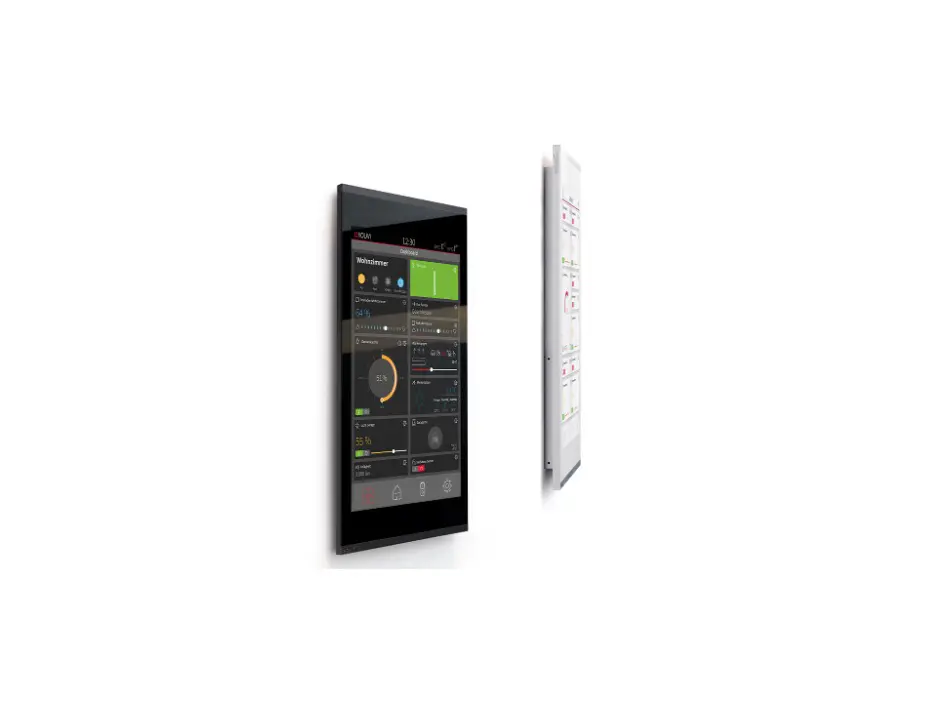
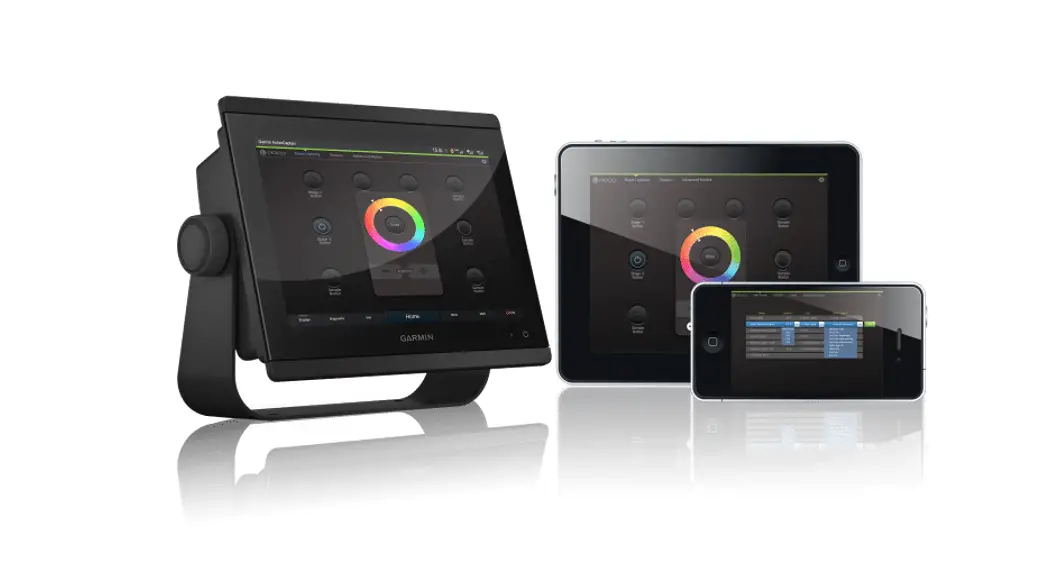
Trellix Enterprise Lighting Management Application
Product Information
The Trellix 9.0 – Lighting is an Enterprise Lighting Management
Application designed to optimize energy usage and provide insights
for savings. It includes features such as a reporting tool,
floorplan editor, time-based event management, and touch-based
floorplan creation. The product offers compatibility with Trellix
Exchange BACnet/IP, APIs, and OpenADR services. It is also
integrated with Trellix Core Services, Trellix Admin, Trellix
Locate, and Trellix Insights.
Trellix Lighting Licenses
- Catalog Number: TRX-LGT250
- Description: Trellix Lighting license adder for additional 250
devices
Optional Trellix Software Licenses
- Catalog Number: TRX-API
- Description: API license for unlimited devices
- Catalog Number: TRX-BACNET
- Description: BACnet License for unlimited devices
- Catalog Number: TRX-OPNADR
- Description: OpenADR Interface license for unlimited devices
per site
Trellix Energy and Graphical Floorplan Setup Services
The Trellix Lighting application includes graphical floor plan
and energy dashboard. Services to configure these items MUST BE
INCLUDED in Trellix Core and Trellix Basic License Addition 250
options for the number of nodes indicated with those products.
Note:
Please refer to the respective datasheets to learn about the
other features.
Product Usage Instructions
Creating Floorplans
1. Open the patent-pending touch-based floorplan editor.
2. Use the editor to easily create floorplans with areas/zones
and devices.
3. Place wireless devices on the floorplan. Note that device
placement is only available for wireless devices.
Managing Time-based Events
1. Access the intuitive calendar editor.
2. Create time-based events such as lights on/off and occupancy
enabled/disabled.
3. Set different recurrences for the events (once, daily,
monthly, yearly).
Configuring Keypad Gateway
1. Access the keypad Gateway settings.
2. Configure button configurations for the keypad Gateway.
Note:
Please note that Trellix 9.0 does not support device level
monitoring. The device count is limited to output devices, such as
wallstations and sensors, which are listed above. The SCMR is not
counted in the device count.
Project Prepared by
Catalog # Notes
Type Date
Trellix
Trellix 9.0 – Lighting
Enterprise Lighting Management Application
Typical Applications
Office · Education · Healthcare · Industrial
ed Interactive Menu u · Order Information page 2 n 3 · Additional Resources page 3 i 2 · Connected Systems page 5 t 0 · Product Warranty on 2-2 Top Product Features
Product Certification
Supported HTML 5/Javascript compatible browser: · Microsoft Edge 80+ · Google® Chrome 75+ · Safari 11+
Product Features
Trellix Lighting
· Central Configuration · Alarms with Smart Tool Tips · Floorplan Visualization
· Dashboards · Designed for Touch
c 0 · Alarms with smart tool tips Monitor the health of your lighting system using the Alarm console and quickly s – troubleshoot faults using the interactive troubleshooting tips.
i 6 · Operate Quickly navigate your facilities using the building navigator and/or the Floorplan View to make changes D 0 to the light levels.
· Energy Dashboards The energy dashboard provides important information about how much energy is being
used by the lighting system. The insights provided by our reporting tool helps to optimize energy usage and earn
credits that ultimately helps in savings.
· Central Configuration Perform all the WaveLinx Pro configuration tasks from Trellix such as enabling/
disabling pairing mode for a WAC,
editing areas, zones, occupancy
sets, daylight sets, scenes, demand
response, and configuring keypad
Gateway
button configurations. Using our patent
pending touch-based floorplan editor
easily create floorplans with areas/ zones and devices hence eliminating
Data
Data
Microservices
your reliance on specialists to maintain your floorplan. You can create and
Lighting
Data
Storage
Data
manage time-based events (example:
Devices
lights on, occupancy enabled) with
different recurrences (once, daily, monthly, yearly) using our intuitive calendar editor.
Controller
Trellix Exchange BACnet/IP, APIs & OpenADR services
Trellix Core Services
Trellix Admin Trellix Lighting Trellix Locate Trellix Insights
Trellix Partners Apps
PS503268EN page 1
May 2022
Trellix
Trellix 9.0 – Lighting App
Order Information
The Trellix Core (Pro, Enterprise, Virtual) platforms are preloaded with Trellix Admin and Lighting. The Trellix Core is shipped with a base software license which enables the Lighting application for up to 250 devices. After 250 devices, the customer should purchase Trellix Lighting license adders.
Trellix Insights, BACnet/IP, API and OpenADR require a dedicate software license. Customers should purchase the appropriate software license adders for any additional features.
Trellix Lighting Licenses
Catalog Number Catalog Number TRX-LGT250
Trellix Lighting license adder for additional 250 devices
Description
Optional Trellix Software Licenses
Catalog Number
Catalog Number
Catalog Number
Catalog Number TRX-API
d TRX-BACNET e TRX-OPNADR
API license for unlimited devices BACnet License for unlimited devices OpenADR Interface license for unlimited devices per site
u Notes
1. Please refer to the respective datasheets to learn about the other features.
Description
tin 023 Trellix Commissioning Services n 2 The Trellix Lighting application includes graphical floor plan and energy dashboard. Services to configure these items MUST BE INCLUDED in Trellix Core and Trellix Basic
License Addition 250 options for the number of nodes indicated with those products.
co 02- CatalogNumber s – Catalog Number i 6 TRX-CONFIG D 0 Notes
Trellix Energy and Graphical Floorplan Setup Services for 250 devices*
Description
1. Devices placement only available for wireless devices
A device is an input/output wireless/wired device that is connected to the controller. Wireless All Wireless Devices (integrated sensors, ceiling sensors, outdoor sensors, wall stations, switch packs, receptacles, wireless drivers). Each device counts as one.
Notes: WaveLinx Pro Touchscreen is not counted as a device
Wired
DAC & Field Relay Devices: Each device counts as one.
SCMH : 12 devices (A single SCMH counts as 12 devices)
SCMR : 0 devices (see below)
Notes: As Trellix 9.0 does not support device level monitoring, the device count is limited to output devices only listed above, i.e. wallstations and sensors are not included in the device count. We are not counting the SCMR in the device count.
PS503268EN page 2
May 2022
Trellix
Trellix 9.0 – Lighting App
Product Specifications
Key Features
Managing the lighting system From one central location, the Trellix application allows you to configure and manage your connected lighting system.
· The intuitive Alarms console with Smart Tips allows you to monitor the health of your system in real-time with step by step troubleshooting steps to manage faults.
Freedom of choice The Trellix platform can be delivered as physical or virtual machines.
· Trellix Core Pro is an introductory physical edge/on-premises appliance designed for small to medium facilities.
· Trellix Core Enterprise is a specialized physical edge/on-premises machine designed for medium to large facilities.
· The Operate console allows the user to control the light levels of a single device to an entire floor by easily navigating their facility or facilities using the building hierarchy and/or the floor plans. You can also quickly manage spaces with active alarms or override commands.
· Virtual Trellix Core Enterprise is a virtual edge/on-premises machine, leveraging VMWare® technology, designed for medium to large facilities. Users to run the platform on their VMWare server or on a VMWare® supported Cloud service
provider.
· The Dashboard console allows you to visualize and analyze the energy data gathered by the lighting system. You can better understand how much the lighting control system is saving the company.
Please refer to the Trellix Core Pro, Enterprise and Virtual datasheets to learn more about our Trellix Core options.
· The Kiosk mode allows you to view floor plan in the Operate mode and continuously display your dashboard metrics without being logged out of the session.
Designed for Touch and Mobility You are no longer tied to your desktop to view and manage your connected lighting system. Our responsive applications are designed for touch. You can interact with the applications from any device with a web browser, i.e. smartphones, tablets and desktop computers.
Configuring your wireless and wired lighting system The Trellix Lighting allows you to easily configure and manage your connected WaveLinx wired and Pro wireless lighting system from a central application.
Software Specifications Supported HTML 5/Javascript compatible browser:
· Our patent pending floorplan editor allows you to create floorplans by draw
· Microsoft Edge 80+
areas/zones and place devices on a floorplan using your fingers. The floorplan
· Google® Chrome 75+
editor eliminates your reliance on specialized specialists to maintain your
· Safari 11+
floorplan.
· The schedule console allows you to create and manage the light schedules (once, weekly, monthly, yearly) for one or many buildings using an intuitive calendar view daily, weekly and monthly view options.
d · Designed for single or multi-tenant buildings, Trellix allows you to easily manage e users and their access using Trellix comprehensive user management console
which allow you to control user roles, access to the various applications hosted on Trellix and access to the spaces being controlled by Trellix. You can also
Disco0n6t-i0n2u-2023 create custom roles using pre-defined permissions.
Supported Screen Resolution: 1024 x 768 or higher
Compatibility · Please refer to the Trellix Release Notes for firmware compatibility matrix.
Warranty · Consult website for warranty information.
PS503268EN page 3
May 2022
Trellix
Trellix 9.0 – Lighting App
Trellix Smart Spaces IoT Overview
Trellix is an on-premises smart spaces IoT platform that moves real-time monitoring and processing to the edge to allow you gain faster insights of your buildings operations and business processes and drive efficiencies and effective decisions using Trellix apps and partners apps.
The platform manages the trellis of digital sensors embedded in your connected LED lighting, collects the data gathered by the sensors and analyzes the data to provide meaningful insights to users.
This on-premises platform hosts Trellix Core Services, a set of microservices required for fully functional IoT solutions, Trellix Exchange, a set of interfaces to allow data exchange with third party apps and Trellix Apps, a set of Cooper Lighting Solutions developed applications designed to serve the Connected Spaces.
Trellix IoT enterprise platform simplifies day-to-day operations as well as integrations with the other sub-systems operating a building. Once the Trellix Core is connected to the connected lighting system, Trellix platform assumes the roles of the system’s supervisory manager, historian, gateway and security.
As a supervisory manager, Trellix allows users to perform high-level lighting supervisory management tasks, i.e. monitoring of the connected lighting system, making changes to the lighting schedule as well as issuing control commands such as changing a room’s lighting level. User performs these tasks using the Trellix Lighting application.
As a historian, Trellix aggregates the data received from the connected lighting system and stores it in the time-series database. The data can then be visualized using the Trellix Dashboards.
As a system gateway, Trellix aggregates the data received from the connected lighting system. It then handles the data exchange between the WaveLinx Pro system and third party systems such as Building Automation Systems, A/V systems, Shade control systems through the BACnet/IP and REST API services.
As a security system, Trellix manages and authenticates users and third-party clients that can access the applications and the data using OAuth2, the industry standard for authentication. Once authenticated, users and clients have access to specific features based on their permissions.
Trellix Core Services Overview ed Trellix Core Services consist of: u · Connectivity service Manages data exchange with WaveLinx Pro wireless area controllers and
gateways using Cooper Lighting Solutions API.
n 3 · Message Routing service Manages the routing of the received data to the other Trellix Core i 2 microservices. t · Data Management service Manages the real-time data received from the various sources as well
0 as aggregated data for data analytics.
n 2 · Device and Spatial Object Management service Manages (add, edit, remove) devices connecting
– the platform as well as spatial objects, such as clients, buildings,floors and areas, defined within the
platform.
o 2 · Event Management service Manages the events generated by the devices and spatial objects. c 0 · Location service Computes the location of the assets based on received BLE data. s – · Security service Ensure secure data exchanges between the various Core components/
microservices.
i 6 · Authentication and Authorization service Manages the users that can safely connect to the Trellix
0 platform and applications as well as the roles/permissions/areas of responsibility for each user.
D · OS and Applications Management service Manages the operating system and applications hosted on the Trellix platform.
· Trellix Exchange service Manages the various interfaces, REST API and BACnet/IP, OpenADR used for data exchange between the WaveLinx Pro system (energy, occupancy, daylight, location) and building automation systems, smart building and Cloud based IoT platforms.
Web Based User Interface
Trellix platform offers web-based applications that allow users to configure and manage the connected lighting system from any computing devices with one of the supported web browser (refer to specification section). The user interface has been designed to allow system integrators and facility managers to easily configure the connected lighting system, i.e. discover the area controller, import the real-time control logic data from the area controller, establish data exchange between the area controller and the Trellix Core, and expose the data to third party systems.
The user interface has been carefully divided into four sections: the Trellix bar, Navigation toolbar, the Explorer, the main panel and property panel.
The Trellix App Selector is how users switch between applications (i.e. Admin, Lighting and Locate). The Navigation Toolbar is how users navigate between the application’s key modules. The Explorer allows users to navigate through the building’s hierarchy (client, building, floor, area, zone) and system hierarchy (area controllers, devices). The Property panel allows users to view the properties of the various assets managed by the system such as floors, areas, sensors as well as initiate device specific actions.
PS503268EN page 4
May 2022
Trellix
Trellix 9.0 – Lighting App
Trellix Lighting
The Trellix Lighting allows users to perform high-level lighting supervisory management tasks, i.e. managing and configuring the connected lighting system.
Using a toolbar, users can access the various programming and management modules. The toolbar is comprised of the following main modules:
Managing the lighting system This section allows facility managers to manage the operation of their lighting system:
· Alarms View the health of all their WaveLinx Pro system. All faults are displayed as alarms. Each alarm comes with troubleshooting tips that allow the facility managers to troubleshoot the fault. The alarms can be exported as pdf report or csv output.
· Operate Quickly respond to issues or requests to light level changes by using the floor plan view to quickly locate defective equipment or wiring issues or change the light level of a single device or an entire area. View the properties of each element of the building hierarchy (devices, zones, areas, occupancy sets, daylight sets, etc).
· Dashboard Use the Energy dashboard to get better insights on your facilities energy usage and optimize your control strategy to reduce your overall energy usage.
· Events Logs View all system’s notifications as well as past alarms and export the data into a spreadsheet for sequence of events analysis.
Configuring the lighting system This section will allow users to configure the system, i.e. define the system hierarchy, building hierarchy, user and system settings.
· Devices Easily discover WaveLinx Pro Wireless Area Controllers (WAC), or WaveLinx Ethernet Gateways (EG2), on the network and import their configuration to the Trellix platform.
· Sites Configure the building hierarchy, i.e. client > Building > Floor > Areas as well as build the floor plan for each floor. Using Trellix, facility managers can fully configure wireless areas and perform tasks such as enabling/disabling pairing mode of wireless area controllers, edit areas and zones, configure occupancy and daylight sets, set scenes and the demand response and configure wall station buttons. Wired area controllers are configured using iLumin Plus Software Suite and imported into Trellix for control of areas and zones.
d · Schedule Manage the light schedules for all their buildings from a central location. A schedule e can have many events with each event having its own recurrence pattern, i.e. once, weekly, monthly
and yearly. Schedules are loaded into the Trellix Lighting application and pushed to the WaveLinx
Disco0n6t-i0n2u-2023 Pro wireless or WaveLinx wired system respectively.
PS503268EN page 5
May 2022
Trellix
Trellix 9.0 – Lighting App
Sample System Topology:
This diagram shows the main components of the WaveLinx wired and Pro wireless connected lighting system.
The WaveLinx Pro wireless system communicates using wireless mesh technology based on the IEEE 802.15.4 standard. A PoE LAN connection for each Wireless Area Controller (WAC) is required for power and data access to the building lighting network.
The WaveLinx wired system controls the devices using relay, 0-10V, DMX and the WaveLinx wired digital local bus. The WaveLinx wired system connects to the building LAN using EG2-S-NA module, mounted within the WaveLinx Wired Area Controller. Each WaveLinx wired area controller communicates on the WaveLinx wired network.
WaveLinx Pro Wireless Area Controllers (WAC) and WaveLinx Ethernet Gateways (EG2-S-NA) communicate with Trellix over the Ethernet network.
Please refer to the WaveLinx Pro Wireless Network and IT Guidance Technical Guide and WaveLinx Wired Network and IT Guidance Technical Guide for more information.
View WaveLinx Pro Network
and IT Guidance Technical Guide
Trellix Admin
Trellix Lighting
Trellix Locate
Trellix Apps
Trellix Insights
Trellix Workstation
with Web Browser
Trellix Core
Firewall
Building Automation
System
BACnet / IP
Trellix Exchange Partner Apps
3rd Party Smart Buildings
Apps
API
Trellix Exchange Partner Apps
Touchscreen
WaveLinx wired
Local Bus
Area or Room
WaveLinx wired network
20A Relay
Room Based Occupancy Sensor
WaveLinx wired local bus devices
(up to 64 devices per local bus)
Scene Wallstation
Addressable Fixture with DALI driver
Connects to Trellix Core (Pro, Enterprise, Virtual) # of WAC or EG2-S-NA / # of devices per Trellix Core Pro # of WAC or EG2-S-NA / # of devices per Trellix Core Enterprise # of WAC or EG2-S-NA / # of devices per Trellix Core Virtual Enterprise Connecting device Alarms Events Operate (floorplan control) Operate – area control Operate – zone control Operate – device control Scheduling Energy Dashboard Occupancy Dashboard
WaveLinx
wired wireless d AND e Area or Room
(49 + 1 construction area)
Up to 300 WaveLinx Wireless Area Controllers
(Trellix Core
Enterprise & Virtual)
Wireless Area Controller
Touchscreen
Smartphone with
WaveLinx app
u Relay Controlled in 23 Fixture
120-347V 20A Dimming Switchpacks
Room Based Occupancy Sensor
WaveLinx Pro wireless controlled devices
(up to 200 devices per WAC2 – 150 devices best practice) – see Note
Controlled Receptacle
Note: Performance based on second generation WaveLinx Pro Wireless Area Controller (WAC2)
Scene Wallstation
WaveLinx-Integrated Ambient
WaveLinx-Integrated Outdoor
nt 20 WaveLinx
– wired
o 2 2/3000
10 / 32,500*
c 0 10/32,500* s – EG2-S-NA i 6
0
D
WaveLinx Pro wireless
20 / 3000
300 / 32,500*
300 / 32,500*
WAC2-POE
Trellix
Trellix Lighting
Trellix Admin Trellix Exchange
BACnet/IP
Public (REST) API OpenADR Demand Response Manage Users Manage roles Manage clients Manage licenses System settings (backup/restore, network etc) Occupancy Trends and Comparison Average Occupancy Occupancy on Floor Plan Generate and Export Reports to pdf Hierarchical Navigation Quick Search Department Filter Historical View Popular Spaces
10,000 objects
with Trellix Pro up to 30,000 with
Enterprise/Virtual
Trellix Insights
* For larger number of gateways and devices, please contact Cooper Lighting Solutions Sales representatives. Recommend designing the system at 70-80% of maximum capacity. Specifications based on WAC2-POE. The number of gateways and devices mentioned above are the total for a single system or the combination (Wired + Wireless) that can be used with a server.
= All features = Subset of features
WaveLinx Low-Voltage Power Module
Low-Voltage Fixtures
Control Systems
· Trellix · WaveLinx Pro wireless · WaveLinx wired · VividTune
Cooper Lighting Solutions 1121 Highway 74 South Peachtree City, GA 30269 P: 770-486-4800 www.cooperlighting.com
© 2022 Cooper Lighting Solutions All Rights Reserved.
Specifications and dimensions subject to change without notice.
PS503268EN page 6
May 2022
References
 Commercial Lighting Company - Commercial LED | Cooper Lighting Solutions
-
cooperlighting.com/api/assets/v1/file/Signify/content/053b278bfcc447348638ad3f014a0247/cooper-lighting-vividtune-brochure
-
Smart Spaces Platform - Lighting Software - WaveLinx CORE | Cooper Lighting Solutions
-
Lighting System - Building Lights - Wavelinx | Cooper Lighting Solutions
-
Connected Lighting System - Wavelinx Wired | Cooper Lighting Solutions
-
Wireless Lighting Controls - WaveLinx Wireless | Cooper Lighting Solutions
 Commercial Lighting Company - Commercial LED | Cooper Lighting Solutions